Best Webflow Alternatives in 2026: 11 Website Builders for Marketing and Growth Teams
Turn this article into takeaways for your work.


Each assistant summarizes the article only for you and suggests best practices for your work.
The best Webflow alternatives in 2026 are Framer for visual fidelity with a gentler learning curve, WordPress for full ownership and CMS depth, and Squarespace or Wix for fast, design-light sites. The right pick depends on which Webflow friction point drove your search: learning curve, CMS limits, hosting lock-in, or pricing at scale.
Webflow earned its reputation as the designer's no-code platform, and for good reason. Its visual CSS-in-browser editor gives pixel-level control without touching code, the CMS is genuinely flexible for structured content, and the hosting infrastructure is fast. For design-forward agencies and product marketers who want total visual control without engineers in the loop, Webflow was the best answer on the market for a long time.
But the friction points are real and well-documented. The learning curve is steep enough that many marketing teams never reach Webflow's ceiling. They just spend weeks getting to a working homepage. The CMS collections cap and relational content limitations push teams toward workarounds or third-party CMSs sooner than expected. Webflow hosting lock-in means you can't move your site without rebuilding it. Pricing scales aggressively with traffic and team size. And while Webflow added e-commerce features, they don't compete with Shopify or WooCommerce for anything beyond a simple catalog. If one or more of those friction points is what brought you here, the 11 alternatives below cover the full range of genuine replacements.
Marketing teams evaluating website builders often need to make a related decision about lead capture. The forms you embed on your new site matter as much as the builder you use. The best Typeform alternatives covers that piece of the stack. Teams also reconsidering their design workflow alongside the website platform should look at best Figma alternatives and best Canva alternatives. Framer in particular shows up in all three lists as a tool that bridges design and publishing. And if your team uses Miro for visual collaboration during the site redesign process, the best Miro alternatives covers whiteboard tools worth evaluating in parallel.
Quick Comparison Table
| Tool | Best For | Starting Price | Key Strength | Key Limitation |
|---|---|---|---|---|
| WordPress | Teams wanting full ownership, CMS depth, and extensibility | Free (hosting from ~$10/mo) | Largest plugin ecosystem; total content flexibility | Requires more technical setup than visual builders |
| Framer | Design-forward teams wanting Webflow-level aesthetics with less friction | Free tier; from $10/mo | Nearest visual fidelity to Webflow; faster onboarding | CMS less mature than Webflow; fewer CMS templates |
| Wix | Small businesses and marketers wanting speed and all-in-one simplicity | Free tier; from $17/mo | Fast setup; huge template library; built-in apps | Less design control; can feel restrictive at scale |
| Squarespace | Brand-focused teams wanting beautiful templates without design overhead | From $16/mo | Best out-of-box template quality; strong e-commerce basics | Limited customization depth beyond templates |
| Ghost | Publisher-focused teams running paid newsletters or content subscriptions | Self-hosted free; Ghost Pro from $9/mo | Native memberships and subscriptions built in | Not a general-purpose website builder |
| Carrd | Solo operators needing fast, minimal landing pages or portfolios | Free tier; from $19/yr | Extremely fast; cheap; clean output | No CMS, no blog, limited to single-page sites |
| Dorik | Teams wanting Webflow-like design control at a lower price | From $49/yr | White-label support; AI builder; reasonable CMS | Smaller template library; less community content |
| Typedream | Early-stage teams wanting Notion-style simplicity with a real website output | Free tier; from $18/mo | Fastest time-to-live; great for pre-launch pages | Limited for complex marketing sites |
| Elementor (WordPress) | WordPress users wanting drag-and-drop visual editing | Free plugin; Pro from $59/yr | Deep WordPress ecosystem access; massive community | Tied to WordPress complexity; can bloat page speed |
| Duda | Agencies and SaaS companies building and managing client sites at scale | From $19/mo | Multi-site management; client permissions; widget builder | Less creative freedom than Webflow; agency-first positioning |
| Tilda | Content-heavy marketing teams wanting editorial design without code | Free tier; from $10/mo | Zero-Block editor for pixel precision; strong content blocks | Hosting tied to Tilda; smaller integrations ecosystem |
Stage Fit Matrix
| Tool | Startup (1-10) | Growth Stage (10-100) | Mid-Market (100-500) | Enterprise (500+) |
|---|---|---|---|---|
| WordPress | Good fit | Strong fit | Strong fit | Works with WP VIP |
| Framer | Strong fit | Good fit | Works | Limited governance |
| Wix | Strong fit | Good fit | Limited | Not designed for it |
| Squarespace | Strong fit | Good fit | Limited | Not designed for it |
| Ghost | Good fit (publishers) | Strong fit (publishers) | Works | Limited |
| Carrd | Strong fit | Limited | Not designed for it | Not designed for it |
| Dorik | Strong fit | Good fit | Works | Limited |
| Typedream | Strong fit | Works | Not ideal | Not designed for it |
| Elementor | Good fit | Strong fit | Strong fit | Works |
| Duda | Works | Good fit | Strong fit (agencies) | Works |
| Tilda | Good fit | Strong fit | Works | Limited |
Sizing and Buyer Persona Table
| Tool | Typical Company Size | Who Buys It |
|---|---|---|
| WordPress | Any (1 to 10,000+) | Marketing Director, Web Manager, CTO, Agency Owner |
| Framer | 1-200 employees | Designer, Marketing Manager, Growth Marketer, Founder |
| Wix | 1-50 employees | Small Business Owner, Marketing Manager, Entrepreneur |
| Squarespace | 1-50 employees | Brand Owner, Creative Director, Small Business Owner |
| Ghost | 1-50 employees (publishers) | Newsletter Operator, Content Director, Publisher |
| Carrd | 1-5 employees | Freelancer, Solo Founder, Indie Creator |
| Dorik | 1-100 employees | Agency Owner, Marketing Manager, Small Business Owner |
| Typedream | 1-20 employees | Founder, Early-Stage Marketer, Product Manager |
| Elementor | 1-500 employees | WordPress Developer, Web Designer, Marketing Manager |
| Duda | Agency or 20-500 SaaS | Agency Owner, Web Designer, SaaS Marketing Lead |
| Tilda | 1-200 employees | Content Marketer, Editorial Lead, Marketing Director |
1. WordPress: Total ownership with the deepest CMS ecosystem on the market
WordPress powers about 43% of the web, which isn't a vanity stat. It reflects a real product truth: no other open-source CMS comes close to its extensibility. The core is free, self-hostable, and infinitely configurable via plugins and themes. For marketing teams hitting Webflow's CMS collection limits or relational content walls, WordPress is the natural migration target.
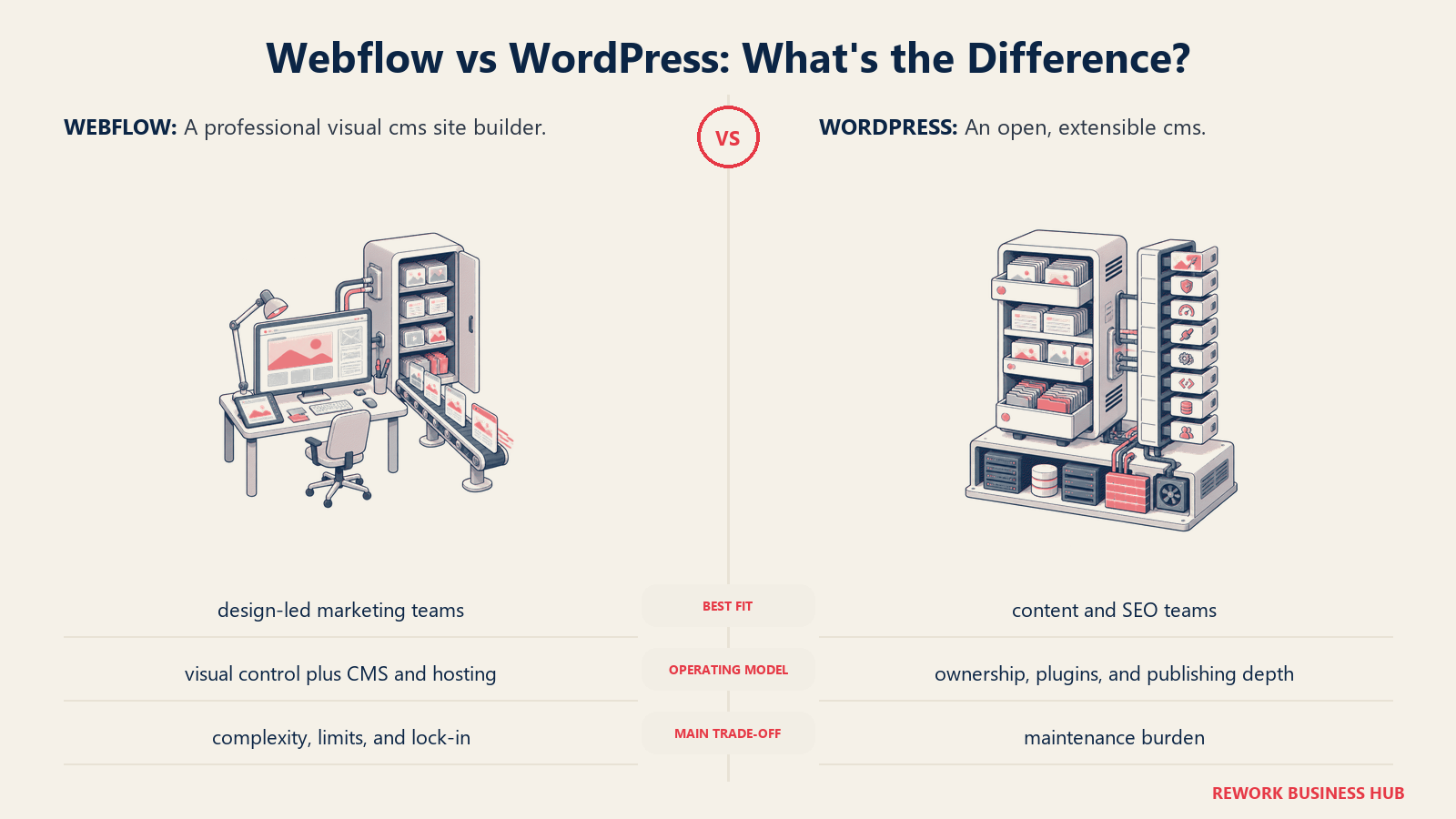
The philosophy is full ownership. Your data, your hosting, your codebase. You're not locked into a platform's infrastructure or pricing tiers, though that freedom requires more setup work than visual builders. Gutenberg (the native block editor) has improved dramatically since 2020, and page builders like Elementor or Kadence bring visual editing without the lock-in.
WordPress suits teams of almost any size, but the sweet spot is growth-stage and mid-market marketing teams that need structured content at scale (blog, landing pages, pillar pages, multi-language support, advanced SEO tooling), all under one roof. It's a company-wide platform when needed (marketing site, blog, e-commerce, docs) or can be narrowed to a marketing-specific deployment.
| What you get | What you don't |
|---|---|
| Open-source, self-hosted, no vendor lock-in | Quick visual setup without some technical overhead |
| 60,000+ plugins covering almost every use case | Native visual designer matching Webflow's fidelity |
| WooCommerce for deep e-commerce beyond basic catalogs | All-in-one hosting (needs separate managed WP host) |
| Full relational content, custom post types, no CMS caps | Out-of-box design quality of Squarespace templates |
| Massive community, documentation, and agency ecosystem | Automatic security updates without some management |
Pricing: Core is free. Managed hosting runs $10-50/mo (WP Engine, Kinsta, Cloudways). Themes from free to $200. Plugins from free to several hundred/yr for premium.
Best for: Teams that want complete ownership of their marketing site and CMS without a platform ceiling.
2. Framer: The closest visual experience to Webflow with a gentler onboarding ramp
Framer started as a prototyping tool and evolved into a full website builder that directly targets the Webflow audience. The value proposition is explicit: Webflow's design control without Webflow's learning curve. For teams that chose Webflow for its visual quality but find themselves fighting the editor, Framer is the most natural lateral move.
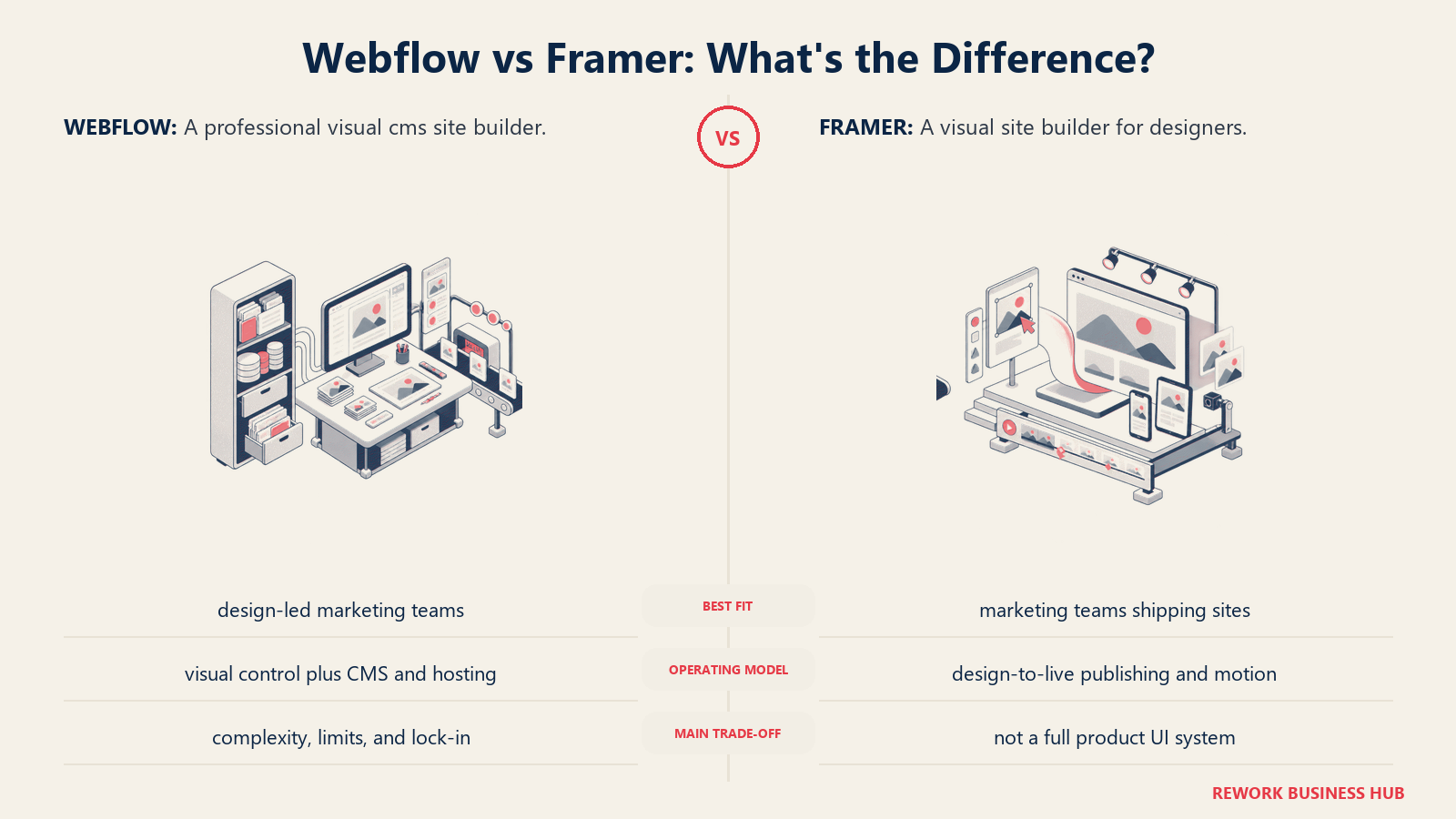
The design philosophy centers on components and interactions. Framer's component system and native animations are arguably ahead of Webflow's for interaction-heavy marketing pages. The React-based output means real component reuse rather than symbol-like workarounds. The CMS is functional for blogs and marketing content, though it has fewer advanced relational features than Webflow's CMS for complex structured content.
Framer fits design-led marketing teams at startups and growth-stage companies, especially those where designers own the website workflow without engineering support. It's a team tool (primarily marketing and design) rather than a company-wide platform.
| What you get | What you don't |
|---|---|
| Visual editor that rivals Webflow's design fidelity | CMS maturity matching Webflow for complex content structures |
| Native animations and interactions without code | Large template library comparable to Webflow's |
| React component output (real reusability) | Deep relational CMS or multi-collection references |
| Fast onboarding relative to Webflow | Enterprise governance or multi-seat team controls |
| Free tier to prototype and test before paying | Broad plugin/integration ecosystem |
Pricing: Free tier (framer.com subdomain). Sites from $10/mo (1 custom domain). CMS from $20/mo. Teams from $30/mo.
Best for: Design-forward startups and growth teams that want Webflow's visual quality with a shorter ramp to launch.
3. Wix: All-in-one simplicity for small businesses that need speed over precision
Wix is the market-leader in ease-of-entry website building. The drag-and-drop editor is genuinely drag-and-drop (not Webflow's CSS-model-inside-a-visual-interface), templates are plentiful, and the App Market covers most basic marketing needs: forms, chat, booking, e-commerce, email. For small businesses and solo marketers who want a live website without a learning curve, Wix delivers faster than anything else on this list.
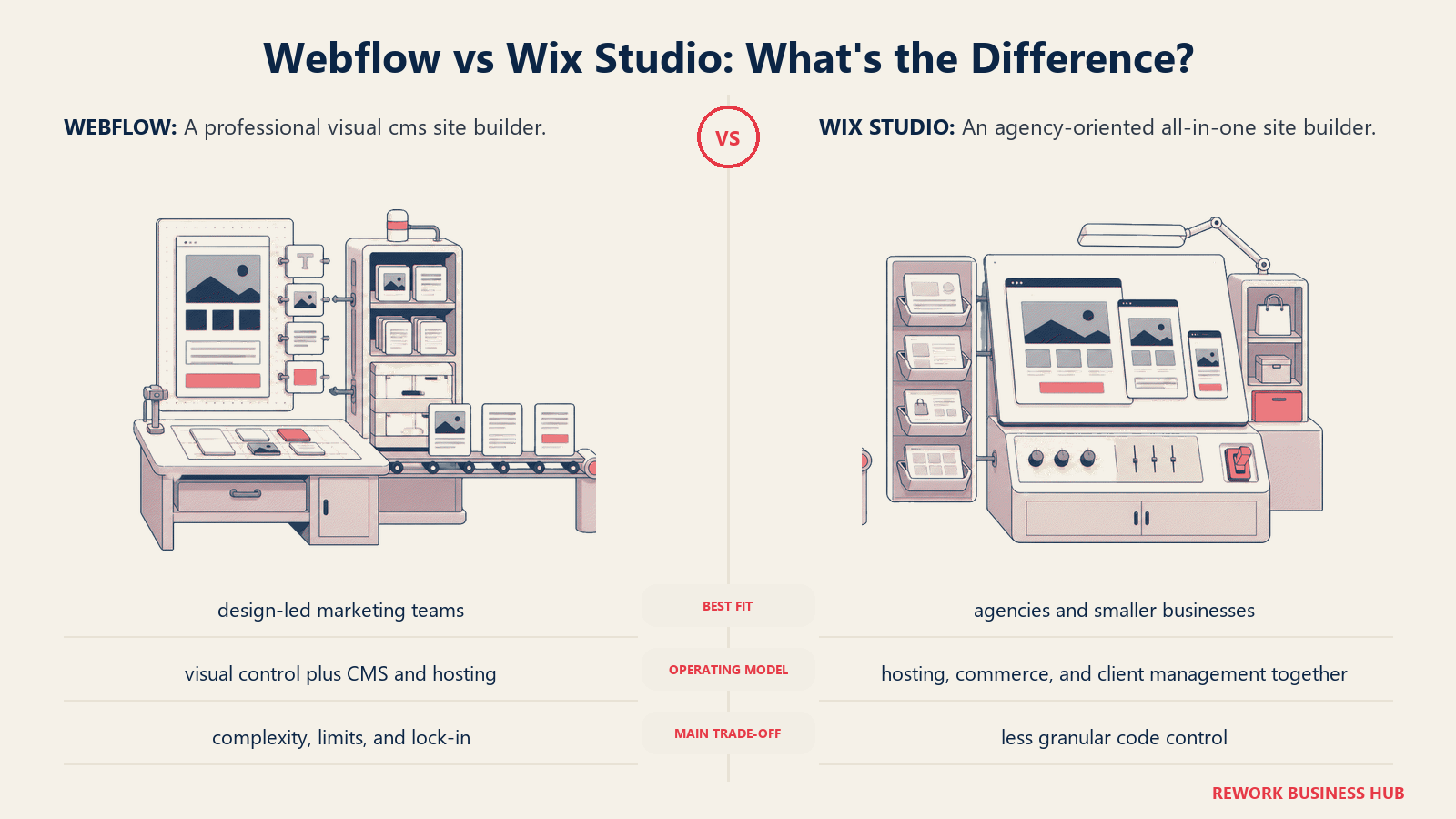
The philosophy is accessibility: remove every technical barrier between the user and a live site. That means Wix makes decisions for you (layout grids, mobile behavior, hosting infrastructure) that Webflow lets you control yourself. That trade-off is the core of the Wix vs. Webflow debate. Wix is not trying to be Webflow.
Wix fits solo operators, small businesses, local services, and early-stage startups that need a functional marketing site this week. It's not a fit for design-led teams or marketing organizations that need precise layout control, custom CMS, or complex content architectures.
| What you get | What you don't |
|---|---|
| Fastest time-to-live of any website builder | Pixel-level design control matching Webflow |
| 900+ templates across industries | Full relational CMS for structured content |
| Built-in e-commerce, booking, forms, email marketing | Export or self-hosting option |
| AI site builder (Wix ADI) for instant drafts | Design consistency across template and custom sections |
| App Market for extending functionality without code | Performance optimization at the same level as managed hosts |
Pricing: Free tier (Wix subdomain). Light from $17/mo. Core from $29/mo. Business plans from $36/mo.
Best for: Small businesses and early-stage teams that need a live marketing site fast without design complexity.
4. Squarespace: Best-in-class templates for brand-forward teams that prioritize aesthetics
Squarespace built its reputation on design quality at zero design effort. The templates are the best out-of-box on any no-code builder: clean typography, thoughtful whitespace, mobile-first layouts that actually look intentional on small screens. For brand-conscious teams that need a beautiful site without a designer, Squarespace is the shortcut.
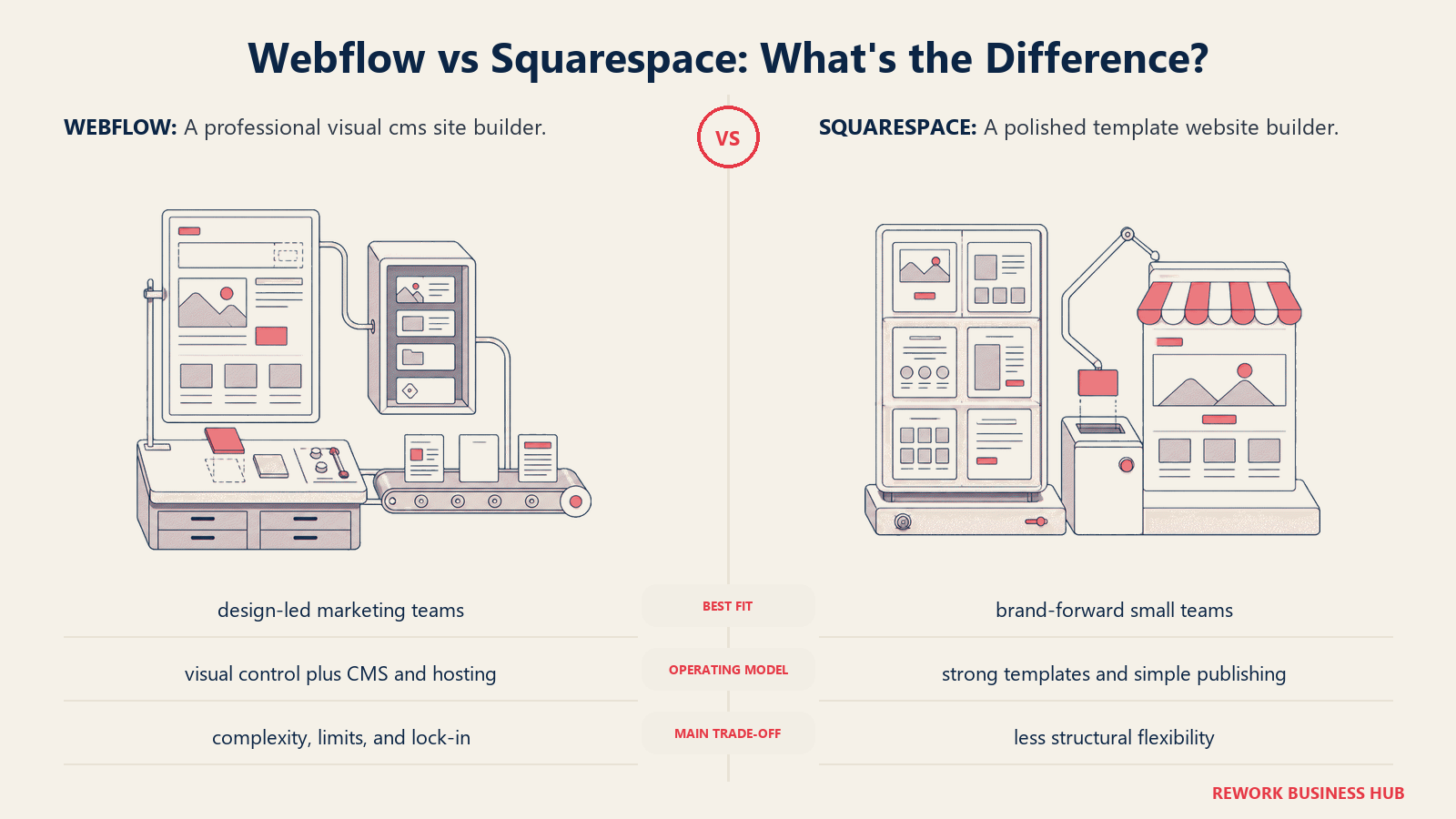
The philosophy is opinionated quality: Squarespace pre-decides many layout and spacing rules so the output is consistently good. That means less customization freedom than Webflow but more reliable visual quality for teams without design expertise. The e-commerce offering is genuinely solid for mid-complexity stores (product variants, subscriptions, digital products) without needing plugins.
Squarespace fits founders, creative agencies, e-commerce brands, and marketing teams at small-to-mid-size companies where brand aesthetics matter more than technical precision. It's a company-wide platform covering marketing site, blog, and store.
| What you get | What you don't |
|---|---|
| Best out-of-box template quality on this list | Deep layout customization matching Webflow |
| Solid e-commerce for small-to-mid volume stores | Open-source or self-hosted option |
| Built-in blogging, SEO, and analytics | Complex CMS with relational collections |
| AI website builder for faster drafting | Plugin ecosystem depth of WordPress |
| No hosting complexity (everything managed) | Migration path if you need to move later |
Pricing: Personal from $16/mo. Business from $23/mo. Commerce from $28/mo.
Best for: Brand-focused teams that want a beautiful marketing site and basic e-commerce without design overhead.
5. Ghost: The publisher-first CMS for teams running memberships or content subscriptions
Ghost is a purpose-built publishing platform. It started as a WordPress alternative focused on clean, fast blogging and evolved into a full membership and subscription platform. If your reason for leaving Webflow is that you're running (or want to run) a paid newsletter, content subscription, or membership site alongside your marketing pages, Ghost is the only tool on this list designed for that exact use case natively.
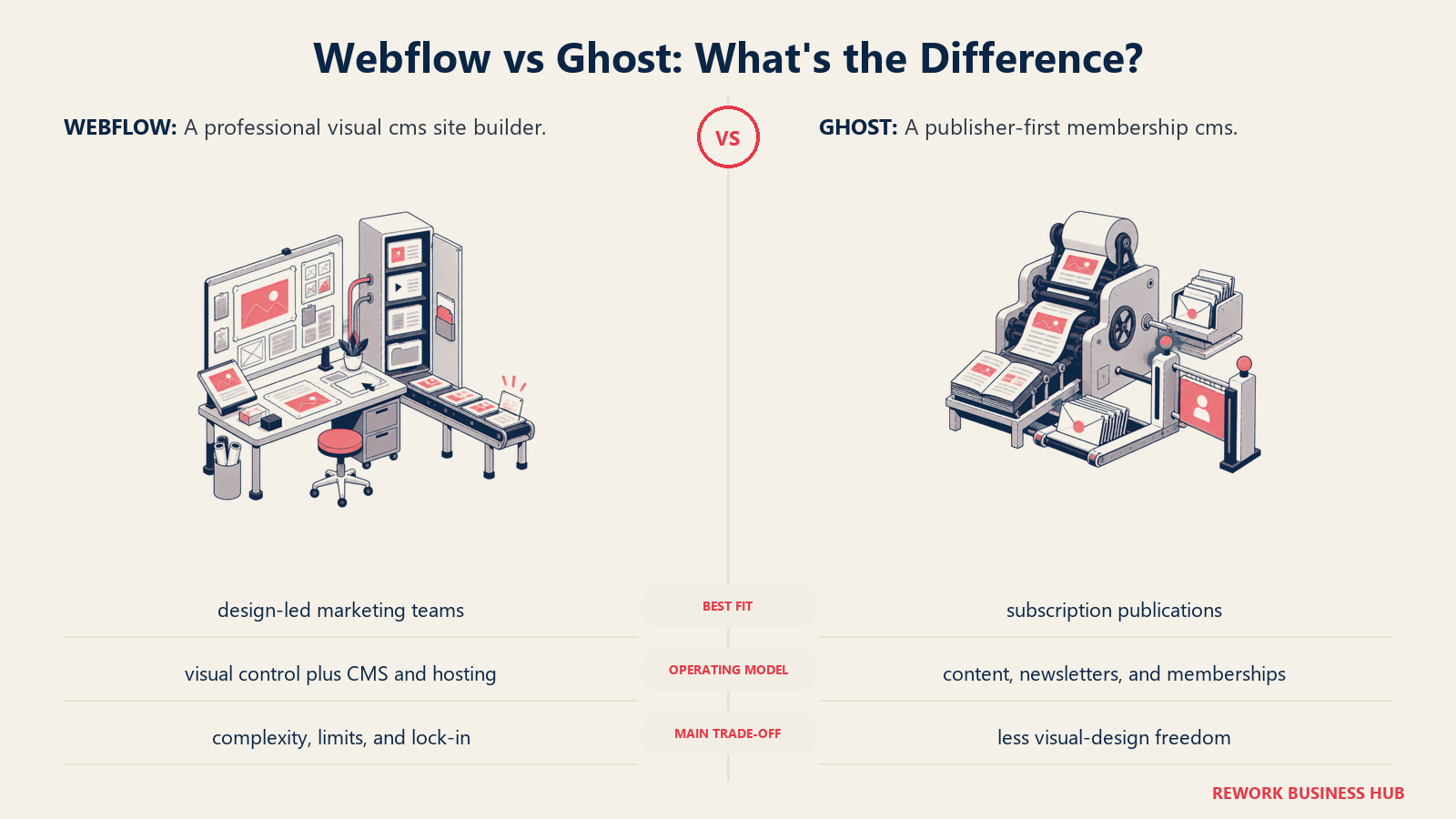
The philosophy is editorial purity: fast-loading content, native payment integration for member subscriptions (via Stripe), and a clean writing experience that doesn't require plugins or third-party newsletter tools. Ghost competes with Substack for the newsletter layer, but gives you full brand ownership and a real website underneath the subscription layer.
Ghost fits content-driven teams, media companies, newsletter operators, and B2B publishers who want paid memberships or subscription revenue built into their site. It's not a general-purpose website builder. If you need a flexible marketing site with landing pages, forms, and visual design, you'll need to pair Ghost with a page builder or stay elsewhere.
| What you get | What you don't |
|---|---|
| Native membership and subscription layer (Stripe-integrated) | Visual drag-and-drop page builder |
| Clean, fast, SEO-optimized blogging out of the box | E-commerce beyond membership/digital products |
| Self-hosted option (Ghost open-source) or Ghost Pro managed | Deep CMS relational content like Webflow |
| Built-in email newsletters (no Mailchimp needed) | Large app/integration ecosystem |
| No per-member fees on self-hosted version | Visual design flexibility of Webflow or Framer |
Pricing: Self-hosted is free (hosting from ~$10/mo). Ghost Pro: Starter from $9/mo, Creator from $25/mo, Team from $50/mo.
Best for: Publishers, newsletter operators, and content teams running membership or subscription revenue alongside editorial content.
6. Carrd: The fastest single-page tool for simple landing pages, portfolios, and link-in-bio sites
Carrd is not competing with Webflow for complex marketing sites. It's solving a different problem entirely: how do you get a clean, fast, professional-looking one-page site live in under an hour, for under $20 a year? For that exact job, nothing on this list beats Carrd.
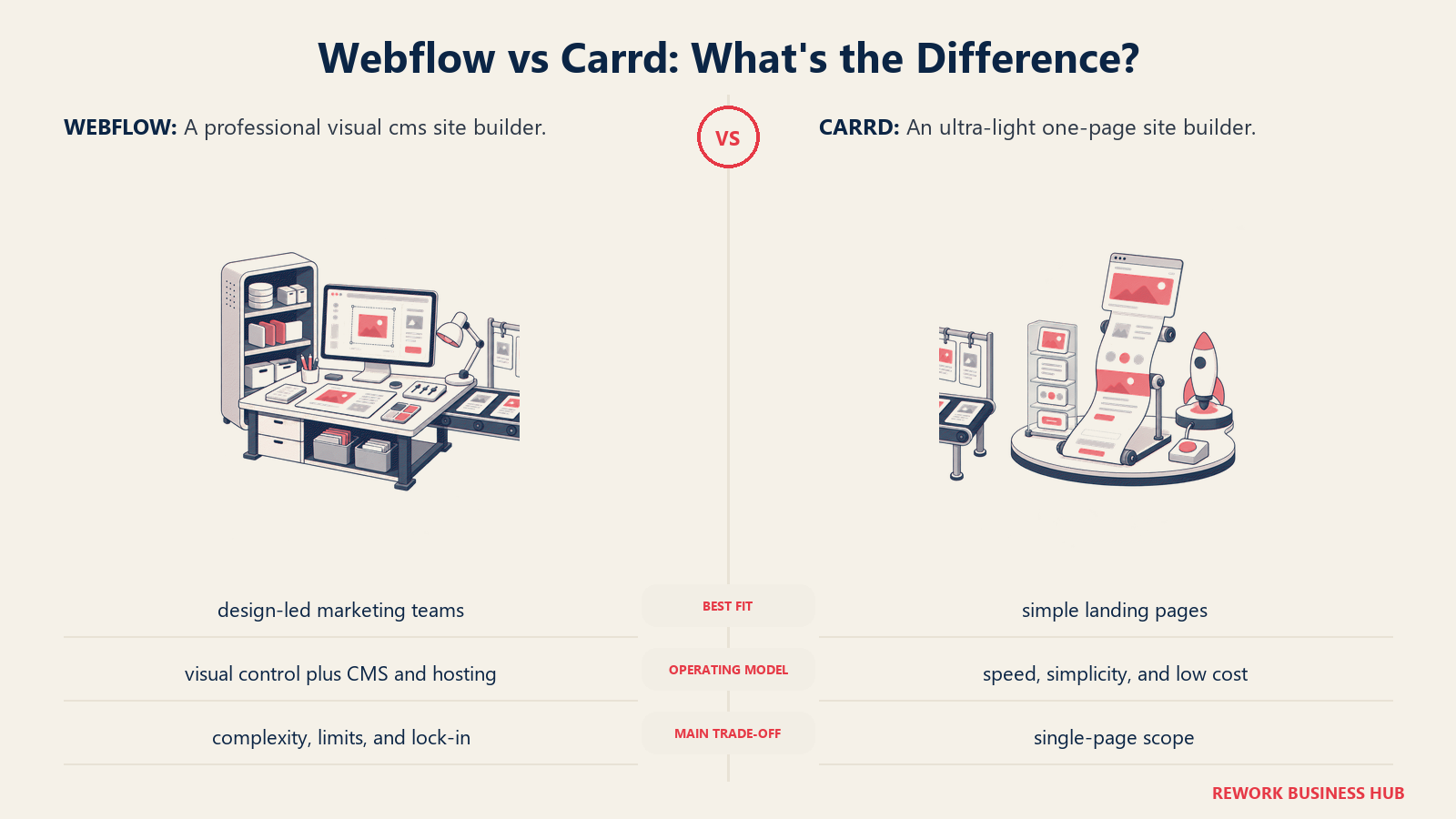
The philosophy is radical simplicity: one page, clean sections, fast hosting, minimal pricing. No CMS, no blog, no e-commerce. What you get is a fast tool for portfolio sites, personal brands, pre-launch waitlist pages, product one-pagers, link-in-bio replacements, and solo operator landing pages. The free tier is generous for testing.
Carrd fits freelancers, solo founders, indie creators, early-stage startups launching a waitlist page, and anyone who needs a clean web presence without the overhead of a full website builder. It's a personal or single-project tool, not a team or company-wide platform.
| What you get | What you don't |
|---|---|
| Live site in under an hour, literally | CMS, blog, or multi-page architecture |
| Hosting included; under $20/yr for paid features | Design control matching Webflow's visual editor |
| Clean, fast output with no bloat | Forms beyond basic embed (paid tier required) |
| Custom domain support on Pro plan | Team collaboration or client handoff tools |
| Free tier to test before paying | Scalability beyond a single landing page |
Pricing: Free (Carrd subdomain). Pro Lite $9/yr. Pro Standard $19/yr. Pro Plus $49/yr.
Best for: Solo operators, freelancers, and early-stage founders who need a clean landing page or portfolio live today.
7. Dorik: Webflow-level design control at a more accessible price with white-label support
Dorik sits in an interesting gap: it offers visual block-based design flexibility closer to Webflow than Wix or Squarespace, includes a CMS, and adds white-label features that make it appealing for small agencies. The AI website builder generates reasonable first drafts. The pricing is lower than Webflow's equivalent plans, which is the explicit positioning.
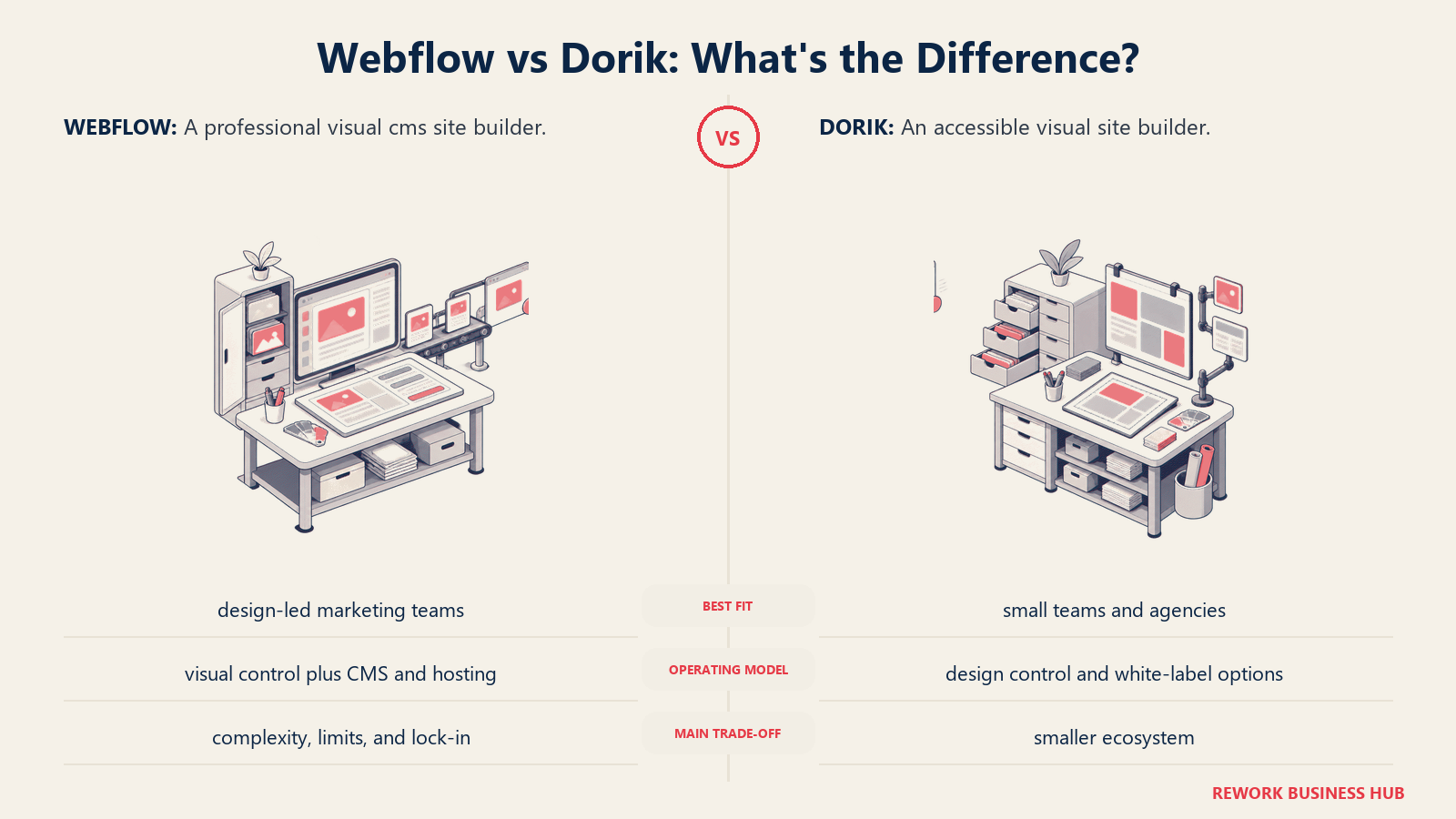
The philosophy is accessible professional design: give non-technical marketers and small agency teams more visual control than drag-and-drop builders without the Webflow learning curve tax. The CMS supports blog posts, team pages, and custom content types, which is functional for most marketing site content, though less powerful than Webflow for complex content architectures.
Dorik fits small agencies, freelancers building client sites, and marketing teams at small-to-mid-size companies that want more design flexibility than Squarespace or Wix without Webflow's complexity or price. The white-label option makes it relevant for agencies that want to resell under their own brand.
| What you get | What you don't |
|---|---|
| Visual block editor with more design freedom than Wix/Squarespace | Template library depth matching Webflow or Squarespace |
| White-label option for agency client delivery | Complex relational CMS features |
| AI website builder for rapid first drafts | Community and third-party resources of larger platforms |
| Built-in CMS for blogs and custom content types | Same level of CSS-model visual precision as Webflow |
| Lifetime deal option (AppSumo alumni) for budget buyers | Integrations ecosystem of WordPress or Wix |
Pricing: Personal from $49/yr. Business from $149/yr. Agency from $249/yr.
Best for: Small agencies building client sites and marketing teams wanting Webflow-adjacent design flexibility at a lower price.
8. Typedream: Notion-style simplicity for pre-launch pages and early-stage marketing sites
Typedream targets the specific moment when a founding team needs a real website but doesn't want to invest weeks in a page builder. The experience is closer to editing a Notion document than operating Webflow's canvas: blocks go down one after another, sections snap into place, and the output looks clean without design decisions. It's the simplest onboarding experience on this list alongside Carrd.
The philosophy is friction removal for early-stage teams: get something credible live in a day, then worry about the full marketing site later. It's deliberately limited in design complexity. You're not going to build a Webflow-level design system in Typedream. But you will launch a waitlist page, a product page, a simple blog, or a team site faster than anywhere else except Carrd.
Typedream fits solo founders, early-stage startups, and product managers who own the website workflow without design resources. It's a team tool for small teams, not a company-wide platform.
| What you get | What you don't |
|---|---|
| Fastest onboarding on this list (doc-like editing) | Design control or visual precision of Webflow/Framer |
| Clean, modern output without design skill | Full relational CMS or structured content depth |
| Free tier for testing before committing | Large integration ecosystem |
| Built-in SEO basics (meta, OG tags) | Scalability for complex multi-page marketing sites |
| Good for waitlists, pre-launch, and simple portfolios | Team collaboration features at the level of Framer or Webflow |
Pricing: Free tier (Typedream subdomain). Starter from $18/mo. Pro from $32/mo.
Best for: Founders and early-stage teams that need a credible marketing site live this week without design expertise.
9. Elementor (WordPress): Deep visual editing inside the world's largest CMS ecosystem
Elementor is the most popular WordPress page builder, with over 10 million active installations. It gives WordPress users a drag-and-drop visual editor that covers most of what Webflow's canvas does: responsive layouts, widget-based sections, a theme builder for headers and footers, and a WooCommerce builder for e-commerce pages. The difference is that Elementor runs on top of WordPress, which means you get every WordPress plugin, theme, and integration alongside the visual editor.
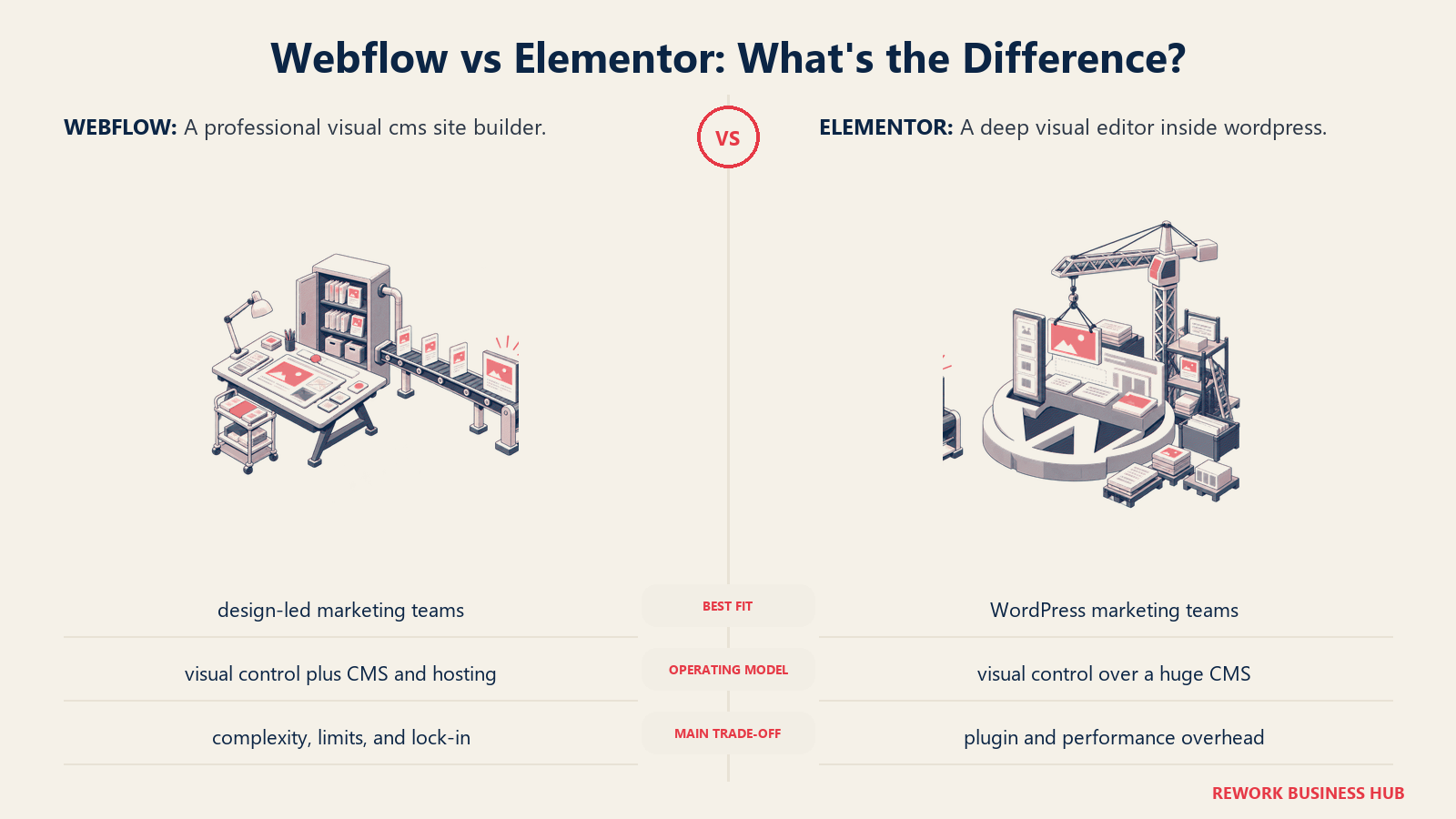
The philosophy is to bring visual design to WordPress without sacrificing the open-source ecosystem. Where Webflow is a closed platform with visual design built in, Elementor is visual design bolted onto the most open CMS on the web. That's a meaningful difference for teams that need extensibility (custom post types, advanced SEO via Yoast/RankMath, membership plugins, LMS, custom e-commerce beyond WooCommerce basics).
Elementor fits marketing teams and web designers who are already in the WordPress ecosystem or who want WordPress's content management depth with a visual editing experience. It's a company-wide platform when combined with WordPress, covering marketing site, blog, documentation, e-commerce, and more under one installation.
| What you get | What you don't |
|---|---|
| Visual drag-and-drop editing inside WordPress | Clean separation from WordPress complexity |
| Access to entire WordPress plugin ecosystem | Page speed performance at Webflow's hosting level (needs optimization) |
| Theme Builder for full-site visual control | All-in-one hosting: WordPress + host + Elementor is three things to manage |
| WooCommerce Builder for product page visual editing | Learning curve that's still steeper than Wix or Squarespace |
| Massive community, YouTube tutorials, and agency support | Design output as clean as Framer or Webflow at default settings |
Pricing: Elementor free plugin available. Elementor Pro from $59/yr (single site). Essential, Advanced, Expert, Agency tiers available.
Best for: WordPress teams and designers who want visual editing power without leaving the WordPress ecosystem.
10. Duda: Multi-site management for agencies and SaaS companies building at scale
Duda is not primarily a tool for individual marketing teams building their own site. It's a platform for agencies managing dozens or hundreds of client websites and for SaaS companies embedding website creation into their own products. That's a specific use case, but for the right team, Duda is the most purpose-fit option on this list.
The philosophy is scale and client management: Duda's team permissions, client portal, white-label delivery, and multi-site dashboard are built for agency workflows where the designer is one person and the client is someone else entirely. The widget builder lets developers create custom widgets for non-technical editors. The site personalization features (showing different content to different visitor segments) are natively built in, not a plugin add-on.
Duda fits web design agencies, SaaS companies offering white-label website creation to customers (e.g., a restaurant SaaS embedding a website builder), and mid-size marketing teams managing multiple brand properties. It's not the right tool for a single-site marketing team looking for Webflow-level design control.
| What you get | What you don't |
|---|---|
| Multi-site management dashboard built for agencies | Design freedom and canvas control matching Webflow |
| Client permissions and client portal for clean handoffs | Competitive pricing for single-site teams |
| White-label branding for agency delivery | Large creative community or template variety |
| Native personalization (visitor-segment content) | Best-in-class CMS for complex structured content |
| Widget builder for developer-customized blocks | Simple enough for first-time website builders |
Pricing: Basic from $19/mo (1 site). Team from $29/mo. Agency from $52/mo.
Best for: Web design agencies managing client sites at scale and SaaS companies embedding website creation for their customers.
11. Tilda: Editorial-first design for content-heavy marketing sites and landing pages
Tilda is a block-based website builder with an unusually strong editorial focus. The Zero Block editor (Tilda's advanced mode) gives pixel-level design precision closer to Webflow's canvas than most block editors allow, while the standard block library covers 550+ pre-designed section types. For content-heavy marketing teams that need both beautiful landing pages and solid blogging, Tilda sits in a distinctive middle position.
The philosophy is editorial design: blocks are designed to hold content well, not just look good on a blank canvas. Tilda's typography, spacing, and content block library reflects editorial sensibility: think magazine-quality section layouts, not just hero-and-features templates. The result is marketing pages that feel editorial without requiring a designer to push every pixel.
Tilda fits marketing teams at small-to-mid-size companies running content-heavy sites: blog-forward brands, media companies building marketing pages alongside editorial content, and growth teams that want editorial design quality without a designer on staff. It's primarily a marketing and editorial platform, not a full company-wide CMS.
| What you get | What you don't |
|---|---|
| 550+ pre-designed blocks with editorial quality | Self-hosting or export from Tilda's infrastructure |
| Zero Block editor for pixel-precision custom sections | Integration ecosystem matching WordPress or Wix |
| SEO tools (meta, OG, canonical, structured data) built in | CMS depth for complex relational content |
| Forms, pop-ups, and basic e-commerce included | Multi-team collaboration at Webflow or Duda's level |
| Reasonable pricing with generous content limits | Large English-language community (roots in Russian market) |
Pricing: Free tier (Tilda subdomain, 1 page). Personal from $10/mo (unlimited pages). Business from $20/mo.
Best for: Content-heavy marketing teams that want editorial design quality and clean landing pages without full no-code complexity.
Why Teams Leave Webflow: The Five Core Friction Points
Before picking an alternative, it's worth naming which of these friction points actually drove your search. Different problems point to different solutions.
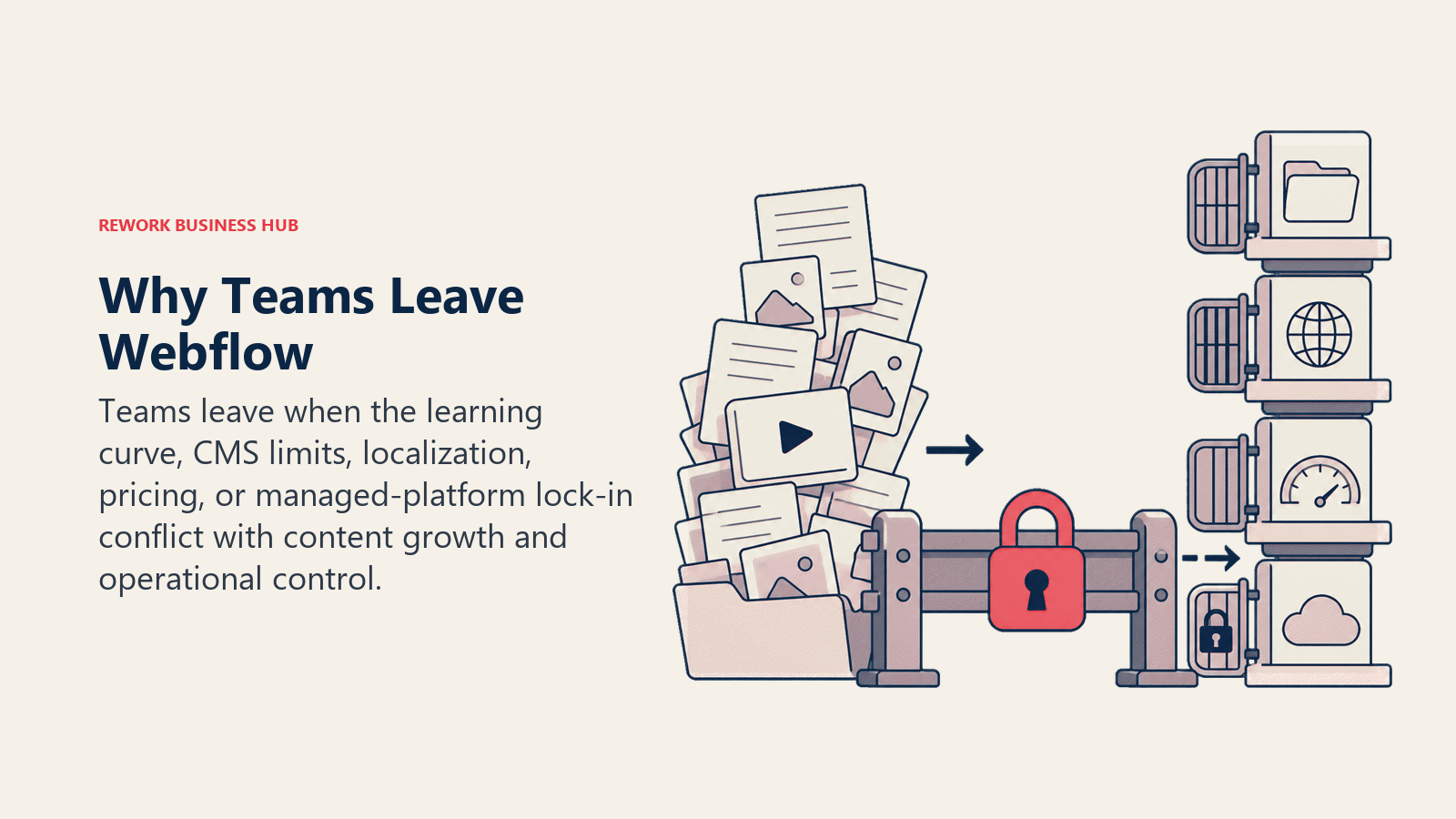
| Friction Point | What It Means in Practice | Best Alternatives for This |
|---|---|---|
| Steep learning curve | Designer or marketer can't reach productivity without weeks of ramp | Framer, Typedream, Squarespace, Wix |
| CMS collection limits + relational content walls | Hitting 2,000-item caps or needing content relationships Webflow can't model cleanly | WordPress, Ghost (publishing), Elementor |
| Hosting lock-in | Can't export HTML/CSS and move to another host; you're on Webflow's infrastructure forever | WordPress (fully self-hosted), Ghost (self-hosted), Elementor |
| Pricing at scale | Workspace seats, CMS items, and bandwidth costs compound faster than expected | Tilda, Dorik, Carrd (simple sites), WordPress |
| No native e-commerce depth vs. Shopify | Webflow's e-commerce works for basic stores but lacks Shopify's app ecosystem, checkout UX, and inventory tooling | WordPress + WooCommerce, Squarespace Commerce |
How to Choose: Decision Framework
| If you need... | Pick this |
|---|---|
| Full content ownership and no platform ceiling | WordPress (self-hosted) |
| Webflow's visual quality with a shorter ramp | Framer |
| A live site in hours, no design expertise required | Wix or Typedream |
| Best-looking templates without any design work | Squarespace |
| Paid memberships or content subscriptions built in | Ghost |
| A fast single-page landing page or portfolio | Carrd |
| Webflow-adjacent design at a lower annual cost | Dorik or Tilda |
| WordPress visual editing without losing the ecosystem | Elementor |
| Multi-site management for an agency or SaaS platform | Duda |
| Editorial-quality blocks for content-heavy marketing sites | Tilda |
| All the above covered by a single open-source platform | WordPress + Elementor |
Feature Coverage Across Tools
| Feature | WordPress | Framer | Wix | Squarespace | Ghost | Carrd | Dorik | Typedream | Elementor | Duda | Tilda |
|---|---|---|---|---|---|---|---|---|---|---|---|
| Visual drag-and-drop editor | Via builder | Yes | Yes | Yes | No | Limited | Yes | Yes | Yes | Yes | Yes |
| Built-in CMS / blog | Yes | Basic | Yes | Yes | Yes | No | Yes | Basic | Via WP | Yes | Yes |
| E-commerce | Via WooCommerce | No | Yes | Yes | No | No | Basic | No | Via WooCommerce | Basic | Basic |
| Native membership/subscriptions | Via plugin | No | Via app | Via extension | Yes (native) | No | No | No | Via plugin | No | No |
| Self-hosted option | Yes | No | No | No | Yes | No | No | No | Yes | No | No |
| White-label | Via plugin | No | No | No | No | No | Yes | No | No | Yes | No |
| Pixel-precision visual editor | Via builder | Yes | Limited | No | No | No | Zero Block | No | Yes | Limited | Zero Block |
| Multi-site management | Via multisite | No | No | No | No | No | Limited | No | No | Yes | No |
Pricing Comparison at Growth Stage (10-50 Person Team)
| Tool | Estimated Monthly Cost | What's Included | Gotchas |
|---|---|---|---|
| WordPress | $30-80/mo | Managed hosting + premium theme + key plugins | Costs stack as you add plugins |
| Framer | $30-50/mo | CMS plan, team members | Per-seat pricing for larger teams |
| Wix | $29-36/mo | Core or Business plan | Per-site pricing; no multi-site discount |
| Squarespace | $23-49/mo | Business or Commerce plan | Transaction fees on lower plans |
| Ghost | $50-150/mo | Team plan or Ghost Pro | Volume pricing on member count |
| Carrd | $19/yr | Pro Plus | Not designed for team or multi-page use |
| Dorik | $149/yr | Business plan | One-time annual; reasonable for small teams |
| Typedream | $32/mo | Pro plan | Limited CMS depth at this tier |
| Elementor | $99/yr | Essential plan (single site) | WordPress hosting cost separate |
| Duda | $52/mo | Agency plan | Minimum agency tier for client work |
| Tilda | $20/mo | Business plan | No self-hosting option |
What to Do Next
Pick your top two based on the decision framework table above and run a two-week pilot on each. One thing worth considering as you rebuild: the customer communication layer matters as much as the site itself. If your new site needs a chat widget for lead capture, it's worth evaluating that in parallel. The best LiveChat alternatives covers the tools most marketing teams pair with their website platform. Most tools offer a free tier or free trial, so there's no cost to test the actual build experience before committing. The thing that eliminates tools fastest isn't features. It's whether your team will actually use it. Build one real page (a landing page, a blog post, a product page) in each tool, and you'll know within a week which one fits your workflow.
If you're coming from Webflow and want the nearest visual equivalent with less friction, start with Framer. If you're coming from Webflow and want full ownership with no platform ceiling, start with WordPress. Those two cover the majority of Webflow migrations.
W3Techs tracks CMS market share and shows WordPress holding 43% of the web as of early 2026, useful context when weighing the "migrate to WordPress" option, since ecosystem and talent availability are real factors in that decision. Ghost's pricing is also worth reviewing if the primary use case is content publishing, since it's more competitive than most teams expect for that specific job.
Frequently Asked Questions
What is the best Webflow alternative for most marketing teams? Framer is the closest match for teams that chose Webflow for visual quality but want a shorter learning curve, since its visual editor rivals Webflow's design fidelity with faster onboarding. Teams that need deeper CMS and full ownership usually move to WordPress instead.
Is there a free alternative to Webflow? Yes. WordPress core is free (you pay only for hosting from about $10/mo), and Wix, Squarespace, Framer, Carrd, Tilda, and Typedream all offer free tiers on a branded subdomain so you can build and test before paying.
Which Webflow alternative is easiest to learn? Wix and Typedream have the gentlest learning curves. Wix uses true drag-and-drop rather than Webflow's CSS-model canvas, and Typedream feels like editing a Notion document, so both get a credible site live in hours instead of weeks.
What is a better alternative to Webflow for e-commerce? WordPress with WooCommerce gives the deepest e-commerce control, and Squarespace Commerce is the simplest for small-to-mid volume stores. Webflow's native e-commerce works for basic catalogs but lacks the app ecosystem and checkout depth of these options.
How do I choose between Webflow alternatives? Name the friction point that drove your search first. Steep learning curve points to Framer or Wix, CMS and relational limits point to WordPress or Ghost, hosting lock-in points to self-hosted WordPress, and pricing at scale points to Tilda, Dorik, or Carrd. Then pilot your top two by building one real page in each.

Principal Product Marketing Strategist
On this page
- Quick Comparison Table
- Stage Fit Matrix
- Sizing and Buyer Persona Table
- 1. WordPress: Total ownership with the deepest CMS ecosystem on the market
- 2. Framer: The closest visual experience to Webflow with a gentler onboarding ramp
- 3. Wix: All-in-one simplicity for small businesses that need speed over precision
- 4. Squarespace: Best-in-class templates for brand-forward teams that prioritize aesthetics
- 5. Ghost: The publisher-first CMS for teams running memberships or content subscriptions
- 6. Carrd: The fastest single-page tool for simple landing pages, portfolios, and link-in-bio sites
- 7. Dorik: Webflow-level design control at a more accessible price with white-label support
- 8. Typedream: Notion-style simplicity for pre-launch pages and early-stage marketing sites
- 9. Elementor (WordPress): Deep visual editing inside the world's largest CMS ecosystem
- 10. Duda: Multi-site management for agencies and SaaS companies building at scale
- 11. Tilda: Editorial-first design for content-heavy marketing sites and landing pages
- Why Teams Leave Webflow: The Five Core Friction Points
- How to Choose: Decision Framework
- Feature Coverage Across Tools
- Pricing Comparison at Growth Stage (10-50 Person Team)
- What to Do Next
- Frequently Asked Questions