Rework vs Freshsales: Which CRM Is Easier to Adopt for a Mid-Size Team in 2026
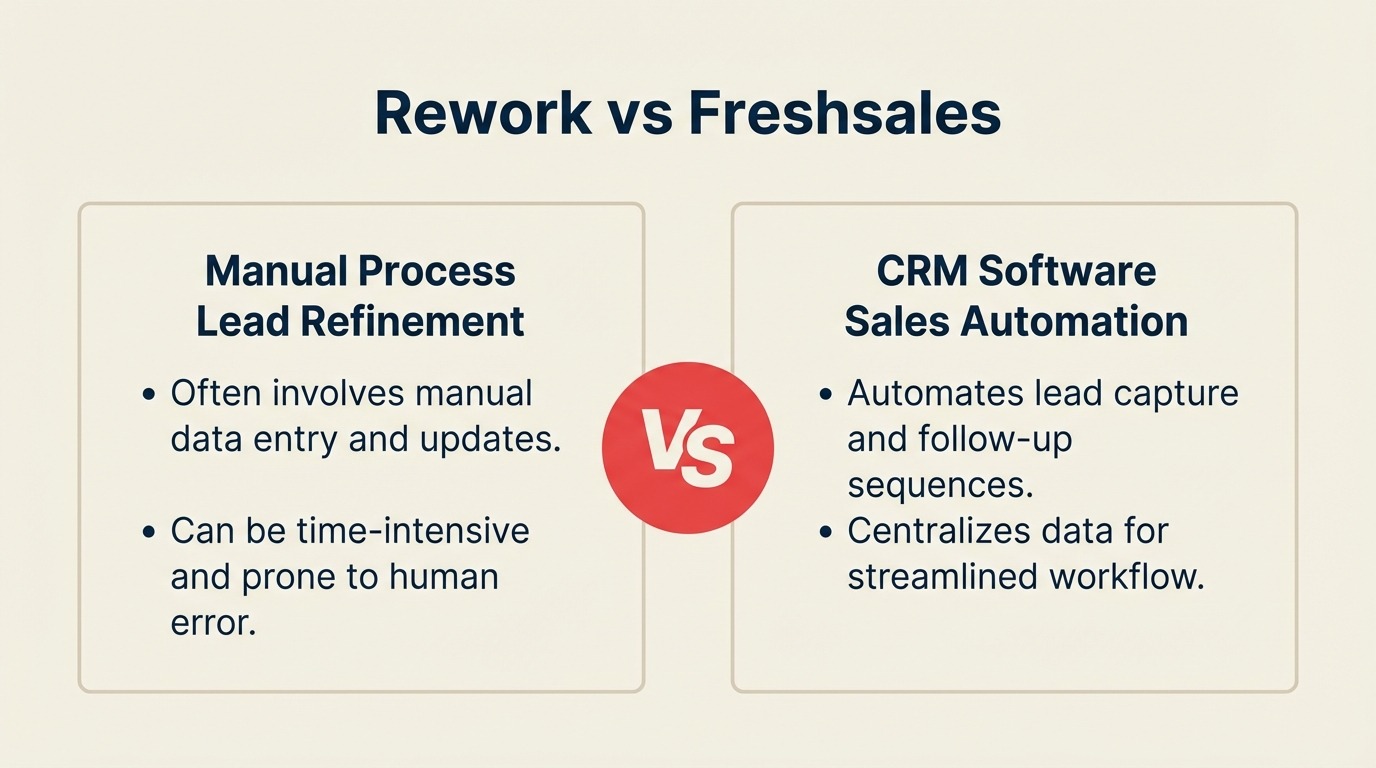
You're running a 30- to 150-person company. Sales and marketing share a pipeline. Customer success talks to the same contacts your reps are nurturing. Ops owns the handoff process between all three. You've outgrown your spreadsheets and your current CRM feels like it was built for someone else's org chart. Now you're deciding whether Freshsales or Rework solves the problem.
This comparison is written for that team. Not a solo founder on a free tier, and not a 600-person enterprise with a dedicated Salesforce admin. The mid-size cross-team buyer wants something that actually gets adopted across departments, tracks the full lead lifecycle, and doesn't require a consultant to configure. We'll give both products a fair hearing. Freshsales has genuine strengths. So does Rework. You'll have a clear answer by the end.
How Each CRM Works
Before the feature-by-feature breakdown, here's a quick visual overview of what each product is and how it's structured. Rework and Freshsales both want to be the modern all-in-one CRM, but they scope that promise very differently. Seeing the architecture side-by-side makes the adoption and feature analysis later in this article easier to read.
How Rework Works
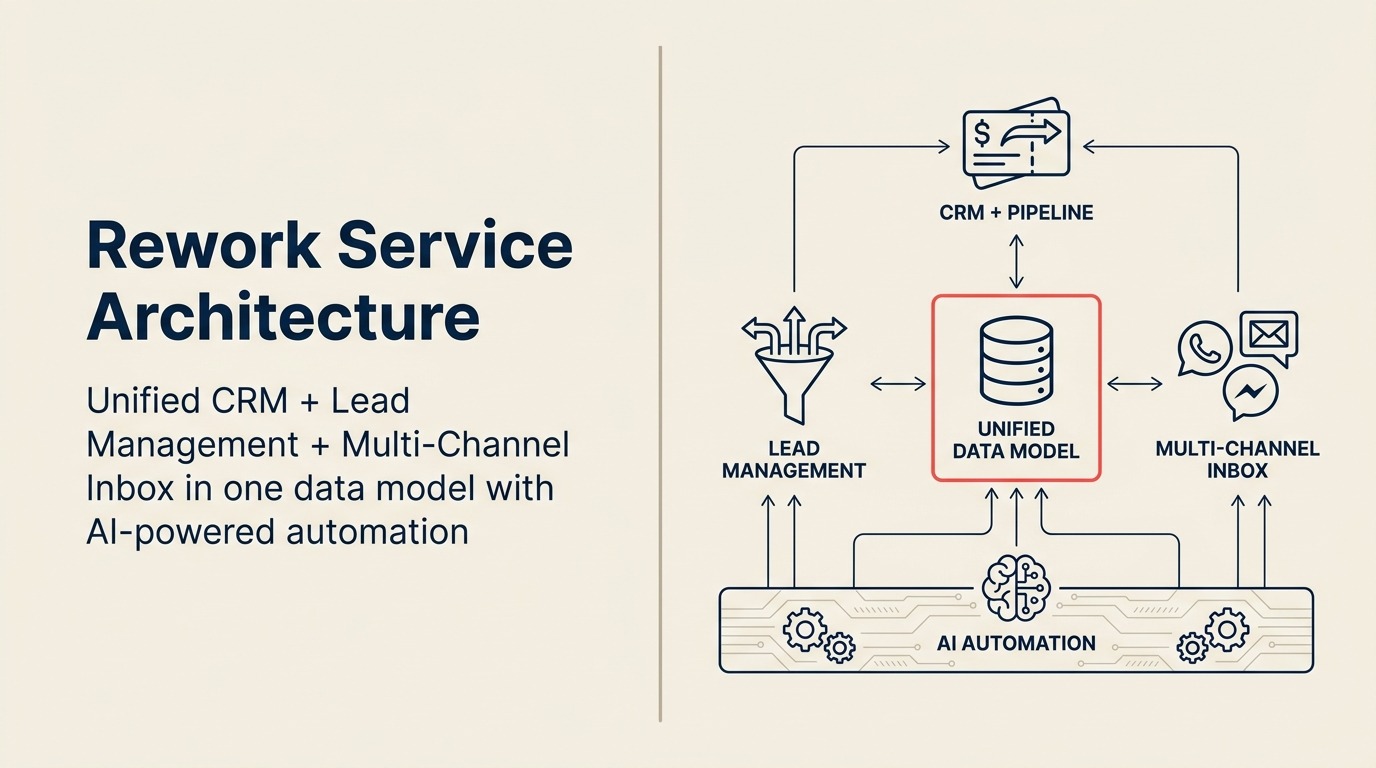
Rework is a unified CRM built for mid-size cross-functional teams. CRM pipeline, Lead Management, and multi-channel inbox (WhatsApp, Messenger, email, SMS) sit on one data model, so sales, marketing, and CS see the same contact timeline without integrations. AI automation runs underneath, but the core value is the unified model, one product for the whole revenue operation.
How Freshsales Works
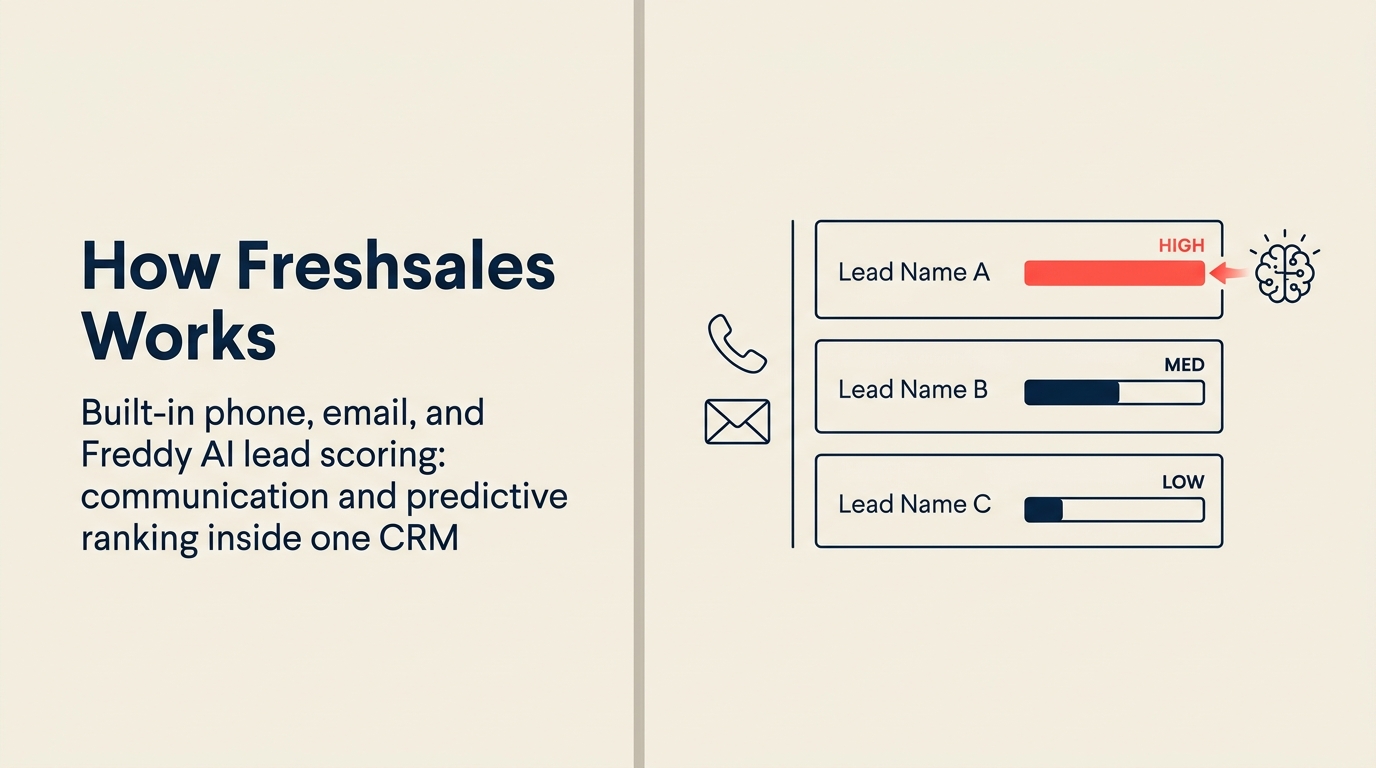
Freshsales is an AI-powered sales CRM with built-in phone, email, and Freddy AI lead scoring inside one interface. It sits in the Freshworks suite (Freshdesk, Freshmarketer) for teams that want a single vendor across sales, support, and marketing. The CRM itself is sales-focused and strong on communication + predictive ranking; unified chat across WhatsApp/Messenger and cross-team lead routing typically rely on other Freshworks products or integrations.
TL;DR
| Factor | Rework | Freshsales |
|---|---|---|
| Ideal company size | 20-500 employees | 10-1,000 employees |
| Core strength | Unified CRM + Lead Management + multi-channel chat inbox | Sales pipeline + Freddy AI + Freshworks ecosystem |
| Lead management | First-class built-in module (capture, score, distribute, nurture) | Available from Growth plan; distribution is limited |
| Unified chat inbox | WhatsApp, Messenger, Instagram DM, web chat, email, SMS native | Web chat native; other channels via Freshchat (separate product) |
| AI features | Rework AI for scoring, automation suggestions, pipeline insights | Freddy AI, mature, multi-feature (scoring, next-best-action, forecasting) |
| Automation | Visual workflow builder; cross-team triggers included | Workflow automation from Growth; advanced from Pro |
| Starting price | $999/yr Starter (5 users) or $1,999/yr Standard (10 users) + $12/user/mo above | Free (limited); $9/user/mo (Growth) |
| Mid-tier price | See rework.com/pricing | $39/user/mo (Pro, billed annually) |
| Support | Email + chat + phone on all plans | Email on Growth; phone from Pro |
| Best for | Cross-team ops teams needing one unified platform | Sales-first teams who want Freddy AI and Freshworks bundling |
| Setup speed | 1-3 days for basic CRM; 1-2 weeks for full Lead Management + chat, led by a team with hands-on experience onboarding mid-size sales, marketing, and ops departments end-to-end | Under a day for a functional Growth pipeline; 4-8 weeks or a Freshworks Partner ($2,000-$15,000) for full lead management + chat since Freshsales has no in-house team experienced with mid-size cross-department rollouts |
Who Each Tool Is Built For
Target customer profile
| Dimension | Rework | Freshsales |
|---|---|---|
| Company size | 20-500 employees | 10-1,000 employees |
| Revenue range | $2M-$100M ARR | $500K-$150M ARR |
| Team maturity | Past spreadsheets; not yet on Salesforce-level customization | Any maturity; Free plan lowers entry bar significantly |
| Org shape | Cross-functional: sales + marketing + CS + ops in shared workflows | Sales-first; CS and support added via Freshdesk separately |
| Primary pain | Disconnected tools, dropped handoffs, no unified lead-to-revenue view | Sales pipeline visibility; rep productivity; AI-assisted selling |
| Decision maker | COO, Head of RevOps, Head of Revenue, founder-operator | VP Sales, Sales Ops, Sales Manager |
Team fit matrix
| Team | Rework | Freshsales |
|---|---|---|
| Sales | Full pipeline, quota tracking, forecasting, round-robin lead routing | Strong: multi-pipeline, sequences, Freddy next-best-action |
| Marketing | Lead capture, scoring, nurture workflows, campaign attribution, handoff automation | Basic; needs Freshmarketer for serious automation |
| RevOps | Unified data model across sales + marketing + CS; SLA tracking | Grows with Freshworks suite; each Hub adds cost |
| Operations | Cross-team process templates, approval chains, task orchestration | Limited; Freshservice for ITSM is a separate product |
| Customer Success | Unified contact timeline with chat + email; handoff from sales | Handoff works within Freshworks if you have Freshdesk |
| People Ops | Shared workflow templates for onboarding and recurring processes | Not in scope |
If your team is mostly sales reps with a couple of SDRs, Freshsales fits the shape of your problem well. If marketing, ops, and CS are all inside the same tool and need shared workflows, Rework's cross-team design fits better.
Core CRM Capability Comparison
Both tools cover the CRM fundamentals. Where they diverge is depth, tier gating, and who the product was designed around.
| Capability | Rework | Freshsales |
|---|---|---|
| Contact & company management | Yes | Yes |
| Multi-pipeline deal tracking | Yes, all plans | Yes, all plans |
| Email integration | Yes, two-way Gmail/Outlook | Yes, two-way Gmail/Outlook |
| Email sequences | Yes, all plans | Yes, Growth tier+ |
| Custom fields | Yes | Yes |
| Custom views & filters | Yes | Yes |
| Territory management | Yes, built-in | Limited; mainly manual assignment |
| Round-robin lead assignment | Yes, native | Basic round-robin from Pro |
| Lead scoring | Yes, behavior + fit scoring | Yes, with Freddy AI assist |
| Sales forecasting | Yes | Yes, with Freddy AI predictions |
| Mobile app | Yes | Yes |
The feature parity at the headline level looks close. The differences show up in lead management depth, channel coverage, and what triggers your automation.
Lead Management Deep Dive
This is the section that matters most for mid-size teams managing inbound volume and marketing-to-sales handoffs. Lead management is not the same as pipeline management. A pipeline tells you where deals are. Lead management tells you where your leads came from, which ones to prioritize, how to get them to sales, and what happened if they went cold.
Freshsales treats leads as a separate object from contacts. You convert a lead to a contact when it qualifies. That's a familiar CRM model. The distribution logic is limited unless you're on the Pro or Enterprise plan, and deep nurture automation typically requires Freshmarketer, which is a separate purchase.
Rework treats lead management as a first-class built-in module: capture sources feed directly into scoring rules, distribution fires automatically, and nurture sequences run without leaving the product.
| Capability | Rework | Freshsales |
|---|---|---|
| Lead capture sources | Forms, ads, web chat, WhatsApp, imports, API | Forms, imports, API, web chat (with Freshchat) |
| Behavioral lead scoring | Yes, native | Yes, Freddy-assisted from Growth |
| Fit-based lead scoring | Yes, native rules | Yes, customizable |
| Round-robin distribution | Yes, native all plans | Basic round-robin; advanced from Pro |
| Territory-based routing | Yes, native | Manual assignment; territory rules limited |
| Skill-based routing | Yes, native | Limited |
| SLA-based routing | Yes, native | Not standard |
| Marketing nurture sequences | Yes, native | Requires Freshmarketer ($) |
| Marketing-to-sales handoff automation | Yes, built-in workflow trigger | Possible within Freshworks suite |
| Attribution back to pipeline | Yes | Yes, with Freshmarketer attribution |
| Lead deduplication | Yes | Yes |
If your marketing team generates more than 200 leads per month and you need those leads scored, distributed, and nurtured without buying a second product, that gap is worth pricing out seriously.
Unified Chat Channels
For mid-size teams running WhatsApp-heavy or social-DM-heavy sales funnels, where the conversation happens is as important as where it's tracked.
Freshsales offers web chat natively through Freshchat (which is bundled in their Freshworks suite). Instagram DM, WhatsApp, and Messenger typically require the broader Freshworks Customer Service Suite, which adds cost and brings you into a more complex product bundle.
Rework's unified inbox pulls all channels into one contact timeline without additional products or integrations.
| Channel | Rework | Freshsales |
|---|---|---|
| Native, all plans | Via Freshchat / Customer Service Suite (separate) | |
| Facebook Messenger | Native, all plans | Via Freshchat / Customer Service Suite (separate) |
| Instagram DM | Native, all plans | Via Freshchat / Customer Service Suite (separate) |
| Live web chat | Native, all plans | Native via Freshchat (bundled in some plans) |
| Native, all plans | Native, all plans | |
| SMS | Native, all plans | Via third-party integration |
| Contact timeline unification | All channels in one CRM timeline | Depends on Freshworks suite setup |
If your team is fielding WhatsApp leads at volume alongside web chat and email, the difference here is operational: Rework's agents see everything in one place from day one. Freshsales gets you there too, but through a multi-product configuration that takes longer to set up and adds to your monthly bill.
Freddy AI vs Rework AI
Freshworks has invested heavily in Freddy AI, and it shows. It's one of the most developed AI layers in mid-market CRM.
| Feature | Rework AI | Freddy AI (Freshsales) |
|---|---|---|
| Lead scoring assistance | Yes, rules-based + ML | Yes, Freddy Scores native |
| Deal health predictions | Yes | Yes, Freddy Insights |
| Next-best-action suggestions | Partial (automation recommendations) | Yes, mature feature |
| Conversation intelligence | Limited | Yes, call transcription + summary |
| Email writing assist | Yes | Yes, Freddy Copilot |
| Pipeline forecasting | Yes | Yes, Freddy-powered |
| Activity suggestions | Yes | Yes |
| Cross-team workflow suggestions | Yes (unique to cross-team ops model) | Limited (sales-focused) |
Freddy AI is more mature on the pure sales-productivity axis: conversation intelligence, next-best-action coaching, and forecasting are polished features that sales teams will notice. If Freddy is a primary reason you're considering Freshsales, that's a legitimate reason. Rework's AI is stronger on the cross-team workflow side, surfacing automation opportunities across ops, marketing, and sales rather than just the rep's next call.
Freshworks Ecosystem vs Rework Unified Product
This is one of the clearest structural differences between the two products.
Freshworks is a suite: Freshsales (CRM), Freshdesk (support), Freshmarketer (marketing automation), Freshservice (IT), Freshchat (messaging). Each product is capable on its own. The pitch is that they work better together. The reality at mid-size is that you often end up paying for multiple seats across multiple Hubs to cover what feels like one job.
Rework is a single product: CRM, lead management, multi-channel chat, cross-team workflows, and ops templates all under one login, one data model, and one price tier.
| Factor | Rework | Freshworks Suite |
|---|---|---|
| Products needed for full GTM coverage | 1 (Rework) | 3-4 (Freshsales + Freshmarketer + Freshchat + Freshdesk) |
| Unified data model | Yes, single object graph | Partial; sync between products required |
| Admin overhead | Low | Higher; each product has its own config |
| Support ticketing depth | Basic | Strong via Freshdesk |
| Marketing automation depth | Good for mid-size | Deep via Freshmarketer |
| Ecosystem integrations | 80+ native | 1,000+ across Freshworks marketplace |
If you're already on Freshdesk for support and Freshmarketer for email, adding Freshsales is a natural extension. If you're starting fresh and want one bill, one onboarding, and one training session for your team, Rework's single-product structure is the advantage.
Automation, Rules and Integrations
| Feature | Rework | Freshsales |
|---|---|---|
| Visual workflow builder | Yes | Yes (from Growth) |
| Trigger types | Field change, activity, time-based, channel event, cross-team handoff | Field change, activity, time-based, form submission |
| Cross-team automation | Yes, native (sales → ops → CS) | Possible but requires multi-product setup |
| Approval workflows | Yes | Limited |
| SLA escalation rules | Yes | Limited in Freshsales; better in Freshdesk |
| Native integrations | 80+ | 1,000+ (across Freshworks marketplace) |
| Zapier / Make support | Yes | Yes |
| API access | Yes | Yes |
Freshworks wins on raw integration count if you count the full marketplace. Rework's automation advantage is cross-team triggers: a deal stage change can fire a task for ops, a CS handoff sequence, and a Slack notification without leaving the product or connecting Zapier.
Pricing at 25, 50, and 100 Seats
Freshsales pricing is sourced from freshworks.com/crm/sales/pricing. Prices are billed annually per user per month.
Rework Sales Ops has two packages:
- Starter, $999/year for up to 5 users
- Standard, $1,999/year with 10 users included, plus $12/user/month for each additional user
See rework.com/pricing for current details.
| Tier | Plan | Per User/Mo (Annual) | 25 Seats/Year | 50 Seats/Year | 100 Seats/Year |
|---|---|---|---|---|---|
| Freshsales Free | Free | $0 | $0 | $0 | $0 |
| Freshsales Growth | Growth | $9 | $2,700 | $5,400 | $10,800 |
| Freshsales Pro | Pro | $39 | $11,700 | $23,400 | $46,800 |
| Freshsales Enterprise | Enterprise | $59 | $17,700 | $35,400 | $70,800 |
| Rework Sales Ops | Standard | Package | $4,159 | $7,759 | $14,959 |
Rework pricing sourced from rework.com/pricing.
Notes:
- Freshsales Pro is the tier most mid-size teams actually need for full automation, territory management, and advanced reporting.
- Add Freshmarketer for marketing automation: starts at $19/user/mo on their Growth plan, which closes the gap quickly at 25+ seats.
- Rework's starting tier includes lead management, unified chat inbox, cross-team workflows, and round-robin routing. No separate module purchases required.
- At 50 seats on Freshsales Pro + Freshmarketer Growth, combined spend approaches $3,500-$4,200/mo depending on seat allocation. Rework at 50 seats runs $7,759/yr ($647/mo) with more included.
The pricing story depends on which Freshworks products you actually need. Pure Freshsales Pro at $39/user/mo is competitive. Add Freshmarketer and Freshchat for a full stack and the monthly cost exceeds Rework's starting price by a significant margin.
Implementation and Adoption
One of the most underrated decision factors for a 50-person team is not which tool has more features. It's which tool your team will actually use six months after launch.
| Factor | Rework | Freshsales |
|---|---|---|
| Basic CRM setup | 1-3 days, led by team experienced with the full lead lifecycle | Under a day for Freshsales Growth tier; genuinely clean self-serve |
| Team onboarding (reps) | 3-5 days for full product, included | 1-2 days; clean UX lowers the learning curve |
| Lead management configuration | 3-7 days with onboarding team walking through scoring, routing, forms | 2-6 weeks if routing requires Pro tier + Freshmarketer setup; no guided path |
| Chat inbox connection | 1-2 hours per channel, led by team with mid-size multi-department onboarding experience | Requires Freshchat or the Customer Service Suite, separate product, separate setup |
| Full implementation (CRM + lead mgmt + chat) | 1-2 weeks, led by team with mid-size multi-department onboarding experience | 4-8 weeks self-serve or a Freshworks Partner ($2,000-$15,000); no in-house team experienced with mid-size cross-department rollouts |
| Data migration from prior CRM | CSV import + API, migration support on all plans | Self-serve + support team |
| Admin overhead post-launch | Moderate, more moving parts | Medium-high if spanning multiple Freshworks products |
| Support model | Email + chat + phone on all plans | Email/chat all plans; phone from Pro |
Freshsales is genuinely fast to get started on, and the rep-side UX is clean enough that adoption isn't usually the blocker. Where teams run into friction is building the full stack: Freshmarketer for nurture, Freshchat for messaging channels, and then connecting all three through Freshworks' integration layer. Freshsales has no in-house team experienced with mid-size cross-department rollouts, so customers rely on Freshworks Partners (typically $2,000-$15,000 for a properly scoped combined suite implementation) to stitch the pieces together. Rework's edge is institutional experience: the team has onboarded full Sales, Marketing, RevOps, and CS departments at mid-size companies and applies that hard-earned knowledge of what actually breaks during a multi-team rollout to every new customer. The full stack ships in one product, so the 1-2 week implementation includes everything, not just the pipeline.
When Freshsales Is the Right Call
Be honest with yourself about these scenarios before you choose.
1. Freddy AI maturity is a priority. If conversation intelligence, AI-assisted next-best-action coaching for reps, and Freddy Copilot are features you want in year one, Freshsales delivers a more developed AI layer for pure sales productivity. Rework's AI is solid but Freddy is ahead on this specific axis.
2. You're already inside the Freshworks ecosystem. If your support team runs on Freshdesk and you're looking to add CRM, the integration between Freshdesk and Freshsales is tight and genuinely useful. Switching to a different CRM means breaking a working support-to-sales data link.
3. Your team is sales-first with minimal cross-functional ops needs. If the main use case is pipeline visibility and rep activity for a pure sales team, Freshsales Pro is clean, capable, and cheaper at seat counts below 40 without adding extra Freshworks products.
4. Price sensitivity at small seat counts. Freshsales Growth at $9/user/mo is a real product. For a team of 10-15 reps that doesn't need advanced routing or multi-channel chat, it's hard to argue against that entry price.
When Rework Is the Right Call
1. Your sales, marketing, and ops teams need to share one platform. Rework is built around the cross-team reality: marketing captures leads, sales works them, ops manages the handoff, and CS inherits the account. That entire chain runs in one product without connecting multiple Hubs.
2. You're running multi-channel inbound and want it all in the CRM. WhatsApp, Messenger, Instagram DM, web chat, and email in one contact timeline without buying Freshchat separately or building an integration is a genuine operational advantage for teams managing social-first sales.
3. Lead distribution and routing are a daily operational need. Round-robin, territory, skill-based, and SLA routing are built into Rework across every plan. In Freshsales, advanced distribution requires the Pro tier at minimum and still has limits versus Rework's native rules engine.
4. You want one bill, one training, one admin panel. If the prospect of managing five separate Freshworks products and their integrations adds more admin overhead than your team can absorb, Rework's single-product structure removes that complexity permanently.
Decision Framework
| Choose Freshsales if... | Choose Rework if... |
|---|---|
| Freddy AI coaching and conversation intelligence are top priorities | Your lead volume requires automated routing and distribution rules daily |
| You're already on Freshdesk and don't want to break the support-to-CRM integration | Marketing, sales, and ops all need to share one data model without a multi-product sync |
| Your team is sales-first with 10-40 reps and minimal cross-functional overlap | You're running WhatsApp, Messenger, or Instagram DM at meaningful volume as lead sources |
| You want lower entry pricing at Freshsales Growth tier ($9/user/mo) | You want lead management, CRM, chat inbox, and cross-team workflows under one subscription |
| You're evaluating a full Freshworks suite for CRM + support + marketing | You're starting fresh and want a single onboarding experience, not a multi-product rollout |
| Your sales process is relatively linear and doesn't require complex handoff automation | Your mid-size team needs process templates and cross-department approval workflows |
What to Do Next
If you're leaning toward Freshsales, start a Pro trial with a 10-rep pilot team and run your actual lead routing scenario through it. Map out which Freshworks products you'd need to buy to cover your full GTM stack, and price it at your real seat count before committing.
If you're leaning toward Rework, request a demo focused on your lead management setup. Specifically ask them to walk through your lead capture sources, your distribution rules, and how your marketing-to-sales handoff would work in practice. The cross-team workflow templates are the fastest way to see whether the product fits your org shape.
Either way, the right test is not which tool has a longer feature list. It's which tool your reps, ops team, and marketing team will all actually use 90 days after launch.
If you're also evaluating HubSpot as a combined marketing and sales platform, Rework vs HubSpot CRM covers the pricing and feature trade-offs at a similar level of detail. For teams trying to define what lead management actually requires before signing a contract, what is lead management is worth reading alongside any vendor demo. And if your RevOps lead is helping drive the decision, the RevOps maturity model is useful context for matching platform sophistication to your team's current operational maturity.

Principal Product Marketing Strategist
On this page
- How Each CRM Works
- How Rework Works
- How Freshsales Works
- TL;DR
- Who Each Tool Is Built For
- Target customer profile
- Team fit matrix
- Core CRM Capability Comparison
- Lead Management Deep Dive
- Unified Chat Channels
- Freddy AI vs Rework AI
- Freshworks Ecosystem vs Rework Unified Product
- Automation, Rules and Integrations
- Pricing at 25, 50, and 100 Seats
- Implementation and Adoption
- When Freshsales Is the Right Call
- When Rework Is the Right Call
- Decision Framework
- What to Do Next