Best Freshworks Alternatives in 2026: 10 CRM, Support, and Marketing Platforms for Mid-Size Teams
Turn this article into takeaways for your work.


Each assistant summarizes the article only for you and suggests best practices for your work.
The best Freshworks alternatives in 2026 are Rework, HubSpot, Zoho One, Salesforce, Pipedrive, Monday.com, Zendesk, Intercom, Bitrix24, and Odoo. The right pick depends on which Freshworks product you are replacing: unified CRM plus a chat inbox and team ops points to Rework, marketing-led growth to HubSpot, full-suite breadth to Zoho One, and enterprise scale to Salesforce.
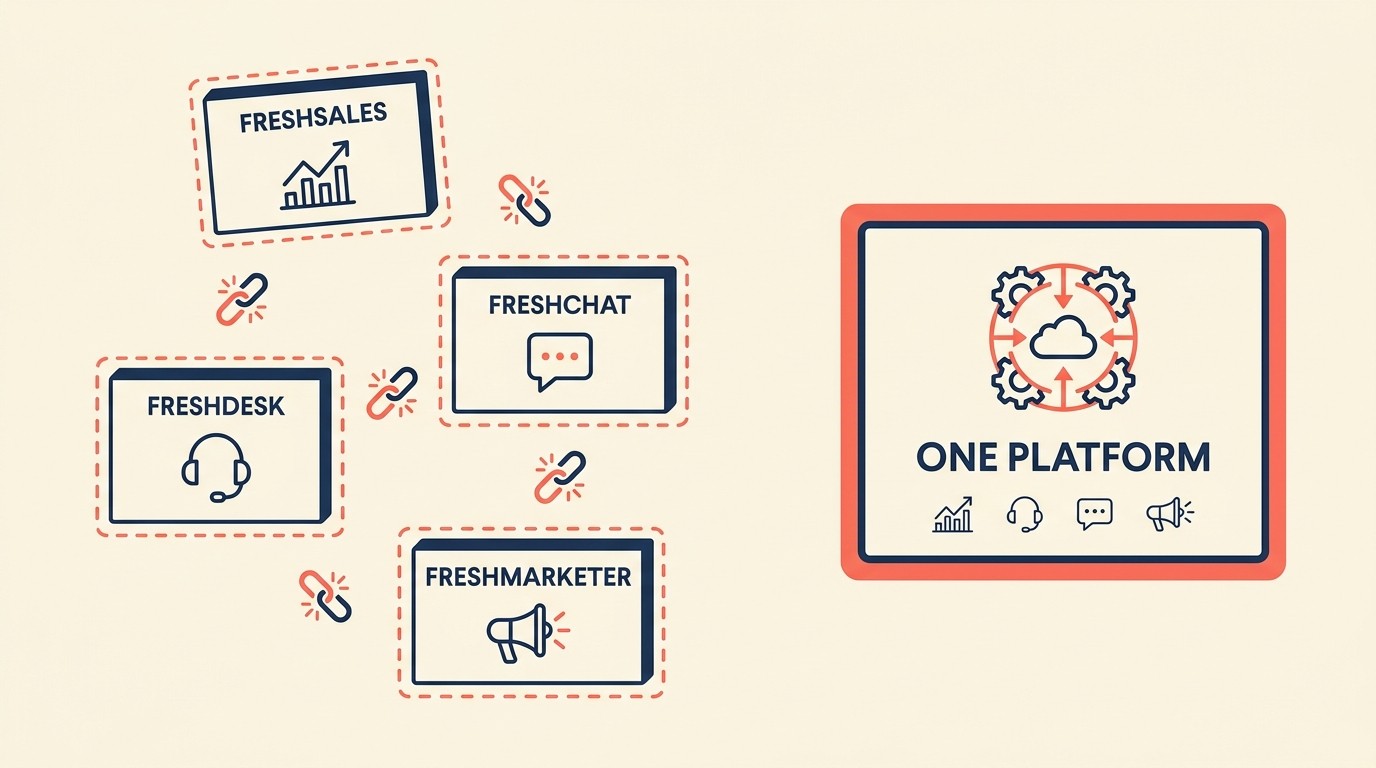
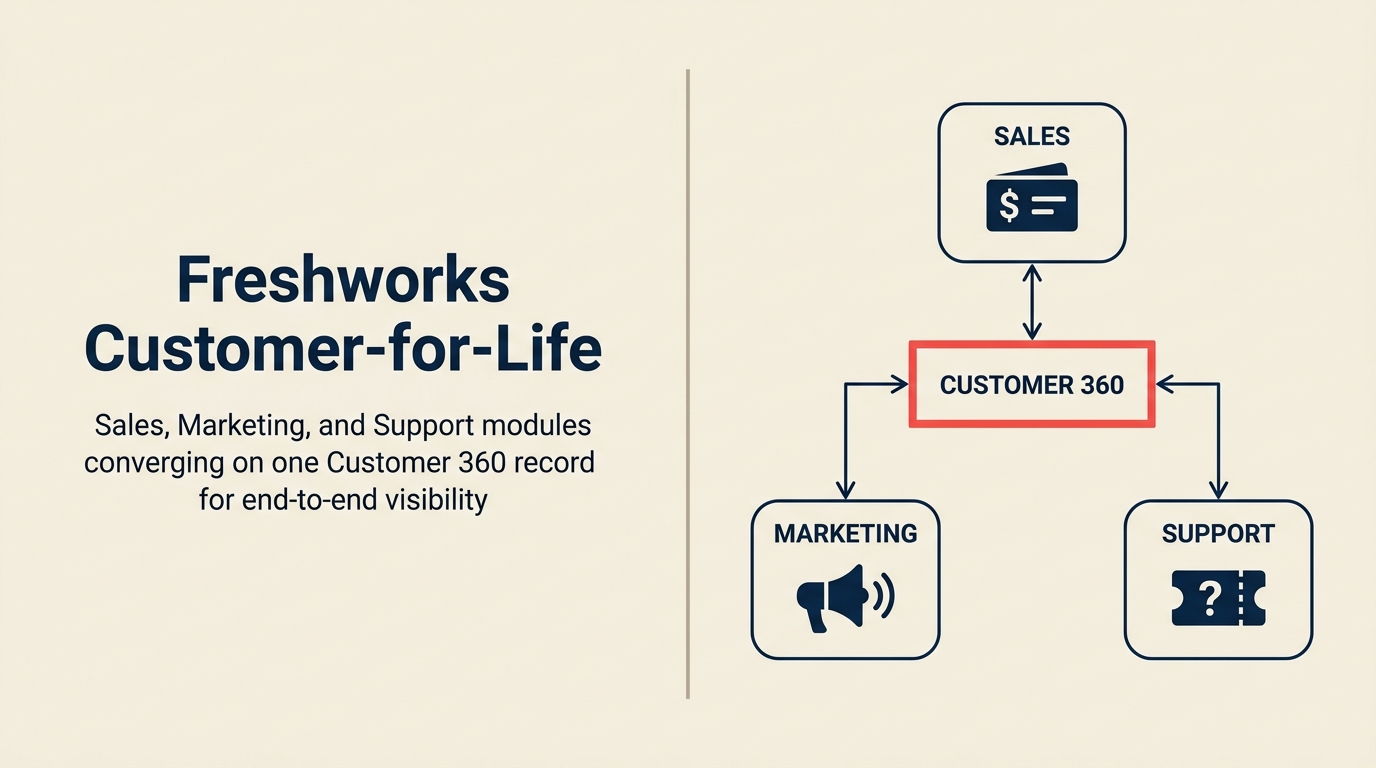
Freshworks built a product lineup that sounds appealing on paper: a CRM (Freshsales), a helpdesk (Freshdesk), live chat (Freshchat), marketing automation (Freshmarketer), and IT service management (Freshservice). The problem is that's exactly what it is: a lineup, not a platform. Each product was built separately, acquired or developed at different times, and the seams show. Your sales rep's call notes don't automatically show up in a support ticket. A deal closed in Freshsales doesn't trigger an onboarding sequence in Freshmarketer without custom integration work. The UI changes between products in ways that trip up new hires. If you're specifically evaluating Freshsales as a CRM replacement, see our dedicated best Freshsales alternatives guide for a deeper comparison of CRM-only options.
For small teams running one Freshworks product, this isn't a big deal. But once you're mid-size (50 to 500 employees with sales, support, and marketing touching the same customer), the fragmentation becomes a real cost. You're paying for three separate products, managing three separate admin panels, and spending engineering time stitching them together. And when you compare what Freshworks charges for the enterprise tiers where the integrations actually work, you're in Salesforce territory, without the Salesforce ecosystem. The 10 platforms below serve mid-size teams better in at least one of these dimensions: unified data, cleaner UX, stronger support quality, or more honest pricing. Understanding the true cost of software sprawl is a good starting point before you evaluate any replacement.
Key Facts: Freshworks Alternatives and CRM Market
- Freshworks' own Cost of Complexity Report found organizations lose an average of 7% of annual revenue to tech complexity and waste 20% of their software budgets on tools that are underused, poorly integrated, or never fully implemented. (Freshworks, 2025)
- 36% of customer service agents at Freshworks customers cite "too many tools to toggle between" as a top daily challenge. (Freshworks Cost of Complexity Report, 2025)
- Mid-size companies that switch CRM platforms spend $50,000 or more on migration alone, with a typical timeline of 8 to 16 weeks before the new system is fully operational. (Wezom, 2026)
- Companies that implement a CRM effectively see an average 29% increase in sales revenue and a 34% boost in sales team productivity. (CRM.org, 2026)
- The global CRM market is valued at $87.96 billion in 2026 and is projected to reach $128.86 billion by 2031, driven by AI capabilities and platform consolidation. (Mordor Intelligence, 2026)
Quick Comparison Table
Use this table to separate Freshworks alternatives by operating model before comparing individual features. The main decision is whether you want a unified workspace, a broader suite, or a focused replacement for one Freshworks module.
| Tool | Best For | Starting Price | Key Strength | Key Limitation |
|---|---|---|---|---|
| Rework | Mid-size teams wanting CRM + ops in one place | From $69/mo billed yearly for 5 seats; $159/mo with lead management and the inbox (rework.com/pricing) | Unified CRM, lead management, multi-channel inbox | Not built for enterprise compliance |
| HubSpot | Marketing-led B2B companies | Free CRM; paid from $15/user/mo | Marketing + CRM integration | Gets expensive fast at scale |
| Zoho One | Cost-conscious teams needing a full suite | From $37/user/mo (all apps) | Breadth: 50+ apps in one license | Steep learning curve, uneven quality |
| Salesforce | Enterprise teams with dedicated admins | From $25/user/mo (Starter) | Ecosystem depth, customization | Expensive, requires significant setup |
| Pipedrive | Sales-focused SMBs and growth teams | From $14/user/mo | Sales pipeline UX, simplicity | Weak support and marketing features |
| Monday.com | Project-driven sales and ops teams | From $9/user/mo | Visual workflows, flexibility | CRM is shallow compared to dedicated tools |
| Zendesk | Support-first organizations | From $19/agent/mo | Ticketing depth, enterprise support ops | CRM and sales tools are limited |
| Intercom | Product-led growth and SaaS onboarding | From $29/seat/mo | In-app messaging, customer engagement | High cost, support can feel template-heavy |
| Bitrix24 | Budget-tight teams needing everything | Free; paid from $49/mo (team) | Price: free tier covers most SMB needs | Cluttered UI, slow to learn |
| Odoo | Technical teams wanting open-source flexibility | Free Community; $24.90/user/mo (Enterprise) | Modular open-source, deep ERP integration | Requires developer setup for full value |
Stage Fit Matrix
Freshworks can work across stages, but the best alternative changes as team size and operational complexity increase. This matrix shows where each option tends to fit before implementation overhead becomes the real cost.
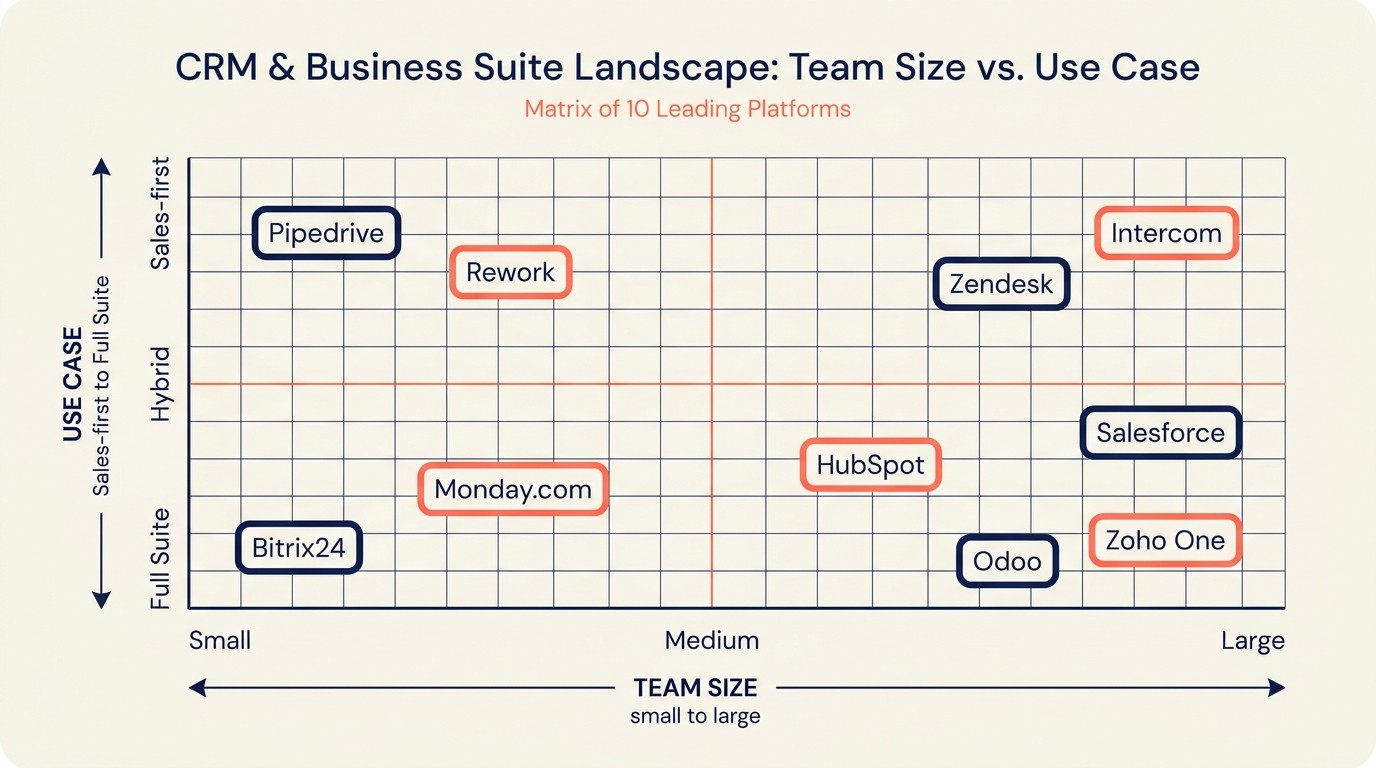
| Tool | Startup (1-20) | Growth (20-100) | Mid-Market (100-500) | Enterprise (500+) |
|---|---|---|---|---|
| Rework | Good fit | Strong fit | Strong fit | Limited |
| HubSpot | Good free tier | Strong | Strong | Available but costly |
| Zoho One | Good | Strong | Strong | Possible |
| Salesforce | Overkill | Possible | Good | Best fit |
| Pipedrive | Strong | Strong | OK | Not designed for |
| Monday.com | Good | Good | OK | Available |
| Zendesk | OK | Good | Strong | Strong |
| Intercom | Strong (PLG) | Strong | Good | Available |
| Bitrix24 | Strong | OK | Weak | Not recommended |
| Odoo | OK | Good | Strong | Possible with IT |
Sizing and Buyer Persona Table
Buyer persona matters because Freshworks replacements often shift ownership from a department buyer to an operations or revenue leader. Use this table to match the tool to the person who will actually run it.
| Tool | Team Size Sweet Spot | Typical Buyer | Industry Fit |
|---|---|---|---|
| Rework | 20-300 users | Sales Ops, COO, Founder | B2B services, SaaS, agencies |
| HubSpot | 10-500 users | VP Marketing, RevOps | B2B SaaS, professional services |
| Zoho One | 5-500 users | IT Manager, COO | SMB, manufacturing, services |
| Salesforce | 50-10,000+ users | CRO, IT Director, Sales Ops | Any enterprise vertical |
| Pipedrive | 5-100 users | Sales Manager, Founder | Sales-heavy SMBs |
| Monday.com | 10-200 users | Operations Manager, PM | Project-driven teams |
| Zendesk | 10-1,000+ users | Support Director, CX Manager | SaaS, e-commerce, tech |
| Intercom | 5-500 users | Product, CS, Growth | SaaS, product-led companies |
| Bitrix24 | 1-100 users | SMB Owner, IT Admin | Small business, agencies |
| Odoo | 10-500 users | IT Director, CTO, CFO | Manufacturing, retail, services |
1. Rework: Unified CRM, lead management, and team ops without the patchwork
Rework is the clearest fit when the problem is not one weak Freshworks module, but the cost of stitching several modules together. The comparison below focuses on that platform-level difference.
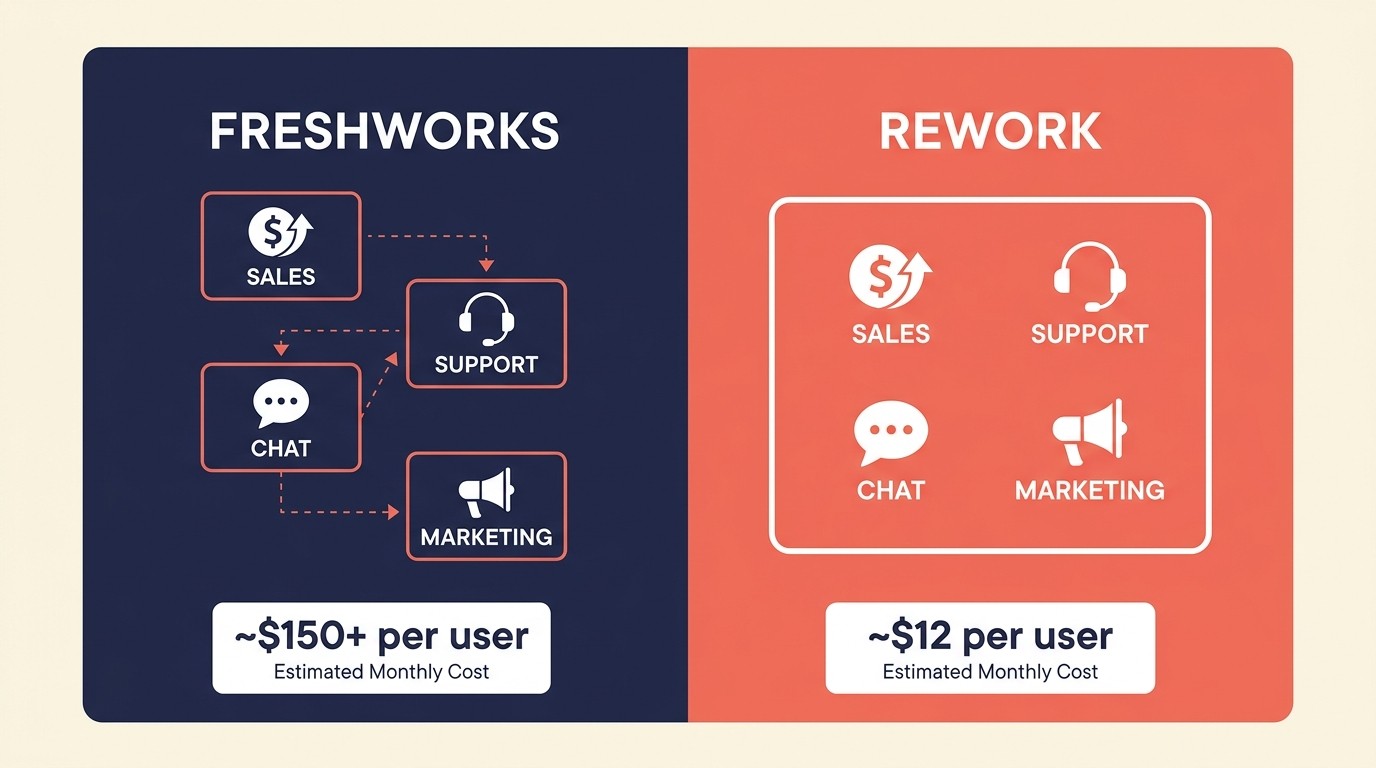
Rework is built for mid-size teams that are tired of juggling separate tools for leads, deals, customer chats, and internal workflows. Where Freshworks sells you four products that need integration, Rework ships CRM, multi-channel inbox, lead management, and cross-team workflow automation as a single product with a single data model. When a lead comes in through a chat channel or a form, it lands in one place, not in Freshsales while the conversation lives in another tool.
Mid-size teams running three separate Freshworks products pay for three admin panels, three user directories, and three rounds of onboarding every time someone joins, a pattern Rework's Single Data Model approach eliminates by keeping every chat conversation, lead, and deal record on one shared customer profile from day one.
The product philosophy is "one system for all customer-facing work." That means a sales rep closing a deal can hand off to a CS manager with full context (conversation history, deal terms, notes) without manual handoffs or CRM exports. Rework's workflow builder handles the repetitive ops work: assigning leads based on rules, sending follow-up sequences, triggering internal tasks when deal stages change. See how Rework compares to HubSpot CRM if you're also weighing that option.
Sizing fit: Rework is best for teams between 20 and 300 users. Below that, it's still useful but lighter tools like Pipedrive might be leaner. Above 300, enterprise compliance requirements (HIPAA, SOC 2 Type II at scale) may push you toward Salesforce. Before committing to a migration, the CRM data model design guide is worth reading to understand what you'll need to map from Freshsales to any new system. One honest gap for Freshworks buyers: Rework has no help desk ticketing or ITSM, so a team replacing Freshdesk or Freshservice still needs a dedicated support tool such as Zendesk.
| What you get | What you don't |
|---|---|
| CRM + inbox + lead management in one product | Deep enterprise compliance certifications |
| Multi-channel: chat apps, social DMs, forms (email in a separate Mail app) | Advanced marketing automation |
| Cross-team workflow automation | Marketplace of 1,000+ app integrations |
| Clean UX, low admin overhead | Built-in telephony/call recording |
Pricing: The Sales Engine (CRM) is $69/month billed yearly, or $80 month to month, with 5 sales seats included; extra seats come in blocks of 5 ($21/month per block on yearly billing). The Revenue Engine ($159/month billed yearly) adds the multi-channel inbox and lead capture. See rework.com/pricing.
Best for: Mid-size B2B teams wanting CRM and support ops in one tool without the integration tax. Not ideal for: Enterprises needing SOC 2 Type II, HIPAA, or complex compliance workflows.
2. HubSpot: Marketing-to-close pipeline for B2B companies growing through content
HubSpot's product philosophy is that marketing, sales, and service should share one contact record. That sounds like what Freshworks promises, and it's actually what HubSpot delivers. A lead who downloads a whitepaper, opens three emails, and then fills out a demo form: HubSpot tracks all of that in one timeline that the sales rep sees before their first call.
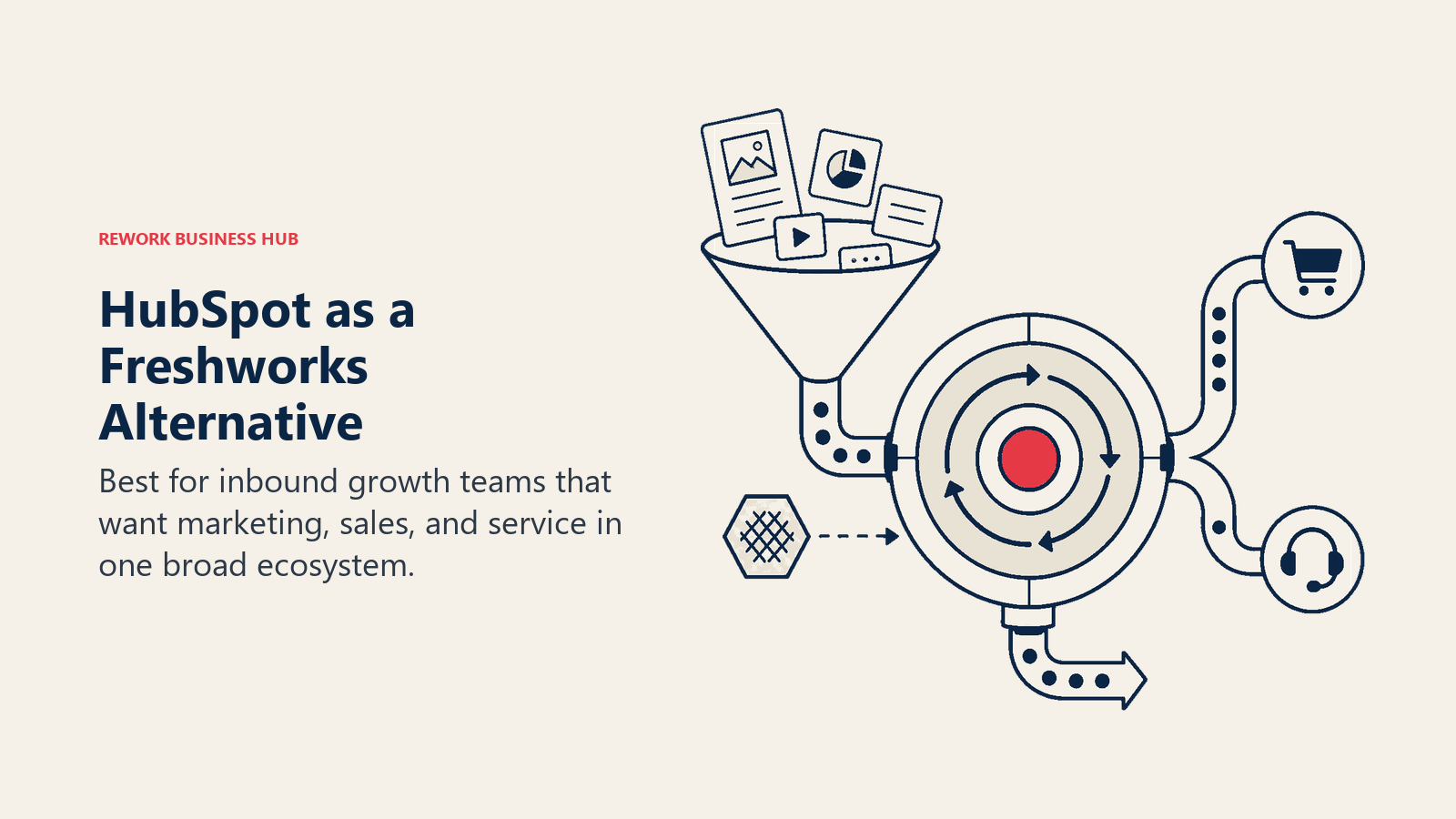
The marketing tools are where HubSpot genuinely excels: landing pages, email sequences, lead scoring, and attribution reporting that ties revenue back to the blog post that started the conversation. If Freshmarketer + Freshsales is your current stack, HubSpot is the most direct replacement and likely a better-integrated one. For a direct head-to-head, check the best HubSpot alternatives guide if you're already questioning whether HubSpot is the right fit.
The catch is pricing. HubSpot's free CRM is genuinely useful, but the features mid-size teams actually need (custom reporting, sequences, multi-touch attribution, lead scoring) live in the Marketing Hub Professional or Sales Hub Professional tiers, which start at $800 to $890/month for a team of five. HubSpot holds 62% of SMB CRM installations globally (Cirrus Insight, 2026), which explains both its dominant mindshare and its pricing confidence at the mid-market tier.
Sizing fit: HubSpot is a natural fit from 10 to 500 users. Startups can use the free tier and grow into it. Mid-market teams doing inbound sales get strong value from the Marketing + Sales bundle.
| What you get | What you don't |
|---|---|
| Native marketing + CRM integration | Affordable pricing at scale |
| Strong email and content tools | Deep customer support ops (Service Hub is secondary) |
| Solid reporting and attribution | Flexibility for non-standard workflows |
| Large partner and integration ecosystem | CRM depth vs. Salesforce |
Pricing: Free CRM. Sales Hub Starter: $15/user/month. Professional: $90/user/month.
Best for: B2B companies with a marketing-led growth motion, content teams, and inbound sales. Not ideal for: Support-heavy organizations, teams primarily running outbound sales without marketing investment.
3. Zoho One: Full-stack suite for cost-conscious teams that want to avoid point solutions
Zoho One's bet is that you shouldn't have to pay six different vendors when one company can build all of it. For $37/user/month, you get access to 50+ apps covering CRM, email marketing, HR, accounting, project management, help desk, and more. That's a genuinely different value proposition from Freshworks, which charges per-product and adds up fast.
Zoho CRM is a credible Freshsales alternative: deal pipelines, email integration, lead scoring, workflow automation, territory management. Zoho Desk handles ticketing. Zoho Campaigns handles email marketing. And unlike Freshworks, these products are built on the same underlying platform, so the data handoffs are more reliable.
The tradeoff is polish. Zoho's individual apps don't have the UI finesse of best-of-breed tools. The mobile apps are inconsistent. Some modules feel a version or two behind. And the sheer number of settings and configuration options means new admins have a steep onboarding hill. For teams with a technical ops person willing to configure it properly, Zoho One punches way above its price point. If you're weighing this against other options, the best Zoho alternatives guide covers what to consider if Zoho ends up feeling like too much to manage.
Sizing fit: Best from 10 to 500 users. Zoho One is particularly strong for SMBs that want to consolidate costs and have an IT-savvy admin. Enterprise teams often find it too limiting at the top tier.
| What you get | What you don't |
|---|---|
| 50+ apps for one per-user price | Polished, intuitive UX |
| True cross-app data model | Competitive mobile experience |
| Strong localization and compliance (GDPR, etc.) | Marketing automation depth vs. HubSpot |
| Zoho Marketplace for extensions | Fast, responsive support |
Pricing: Zoho One from $37/user/month. Individual apps available separately.
Best for: Cost-conscious SMBs wanting to replace multiple tools with one vendor. Not ideal for: Teams who prioritize UX quality or need best-in-class marketing automation.
4. Salesforce: Enterprise-grade CRM with the deepest ecosystem in the market
Salesforce doesn't need an introduction, but it's worth being honest about who it's actually for. If Freshworks feels fragmented because your team has grown to 200+ people and you need sales territory management, complex approval workflows, custom objects tied to your product data, and a single source of truth for 50+ sales reps, Salesforce is the answer. Not because it's the easiest, but because nothing else at enterprise scale has the same customization depth or partner ecosystem.
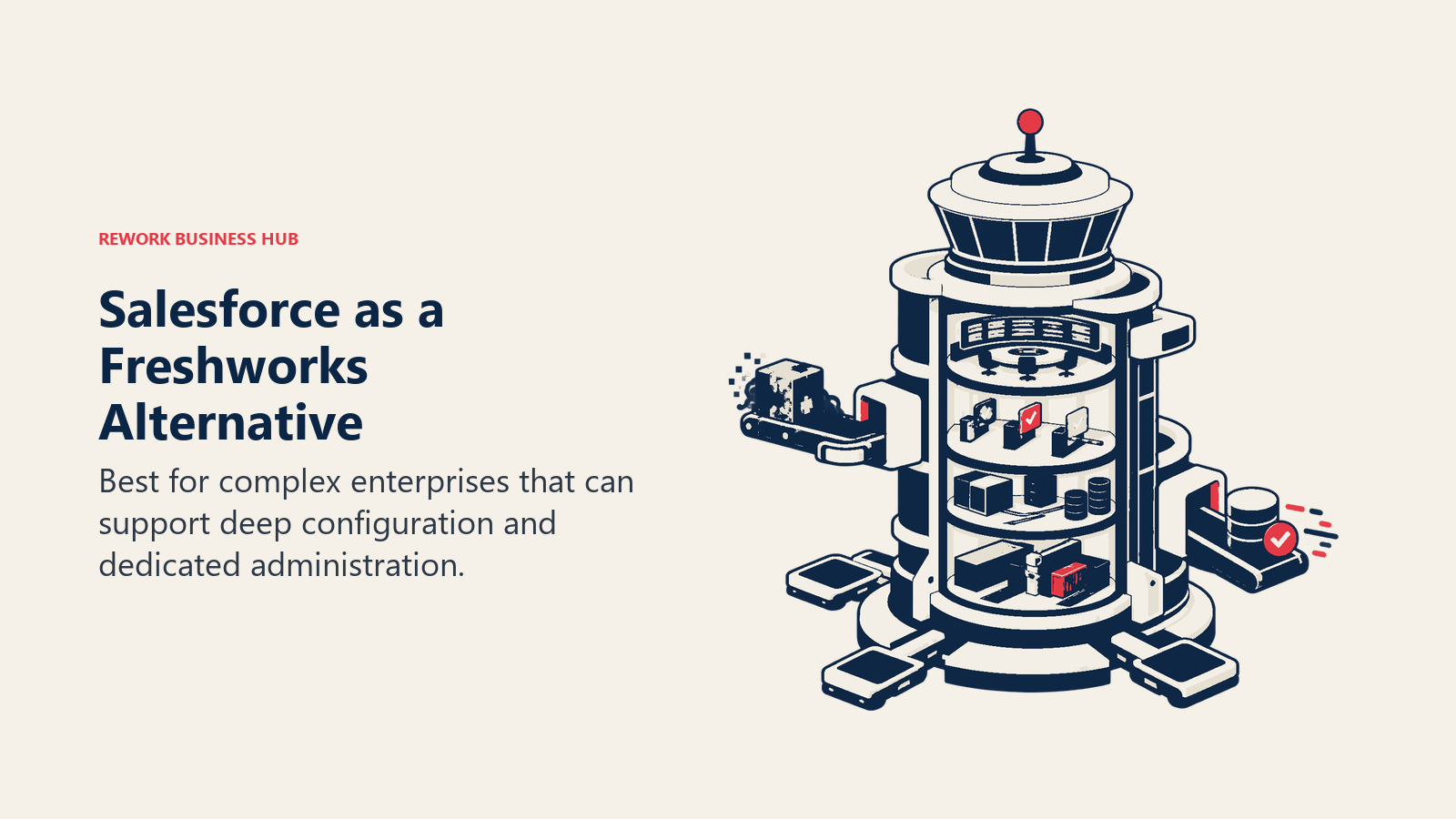
The Salesforce Sales Cloud handles pipeline management, forecasting, and territory ops at a level Freshsales can't match. Service Cloud is one of the best enterprise support platforms available. Marketing Cloud is the go-to for large B2C email operations. The AppExchange has thousands of pre-built integrations. And the developer platform (Apex, LWC, Flow) means almost any custom workflow is achievable. If you're at this stage of evaluation, the best Salesforce alternatives guide gives you the full picture of what's on the market before committing.
What Salesforce is not: fast to implement, cheap to run, or easy for a team without dedicated admins. The Starter Suite is $25/user/month and limited. Anything meaningful starts at $75-$165/user/month. Add implementation costs, consultant fees, and training time, and you're looking at a six-figure investment for a mid-size deployment.
Sizing fit: Worth the investment starting around 50-100 users when you have a Sales Ops or RevOps function. Below that, the admin overhead eats the value.
| What you get | What you don't |
|---|---|
| Deepest CRM customization in the market | Affordable TCO at mid-size |
| Enterprise-grade sales forecasting and territory management | Fast time to value |
| Service Cloud for complex support operations | Clean UX out of the box |
| AppExchange ecosystem (5,000+ integrations) | Simple admin: needs dedicated staff |
Pricing: Starter Suite $25/user/month. Pro Suite $100/user/month. Enterprise $165/user/month.
Best for: Enterprise sales and support teams with RevOps or Sales Ops functions, complex process needs. Not ideal for: Mid-size teams without dedicated Salesforce admins or implementation budgets.
5. Pipedrive: Sales pipeline tool built for reps who actually sell
Pipedrive's entire philosophy is that CRM should be designed for salespeople, not managers pulling reports. The visual pipeline view is the product: every deal is a card, every stage is a column, and moving deals forward is the primary action. It's the opposite of Salesforce's admin-heavy model and a cleaner experience than Freshsales for teams where reps live in the pipeline all day.
The tool does sales well: deal management, email tracking, call logging, activity reminders, workflow automation for follow-ups, and reporting on pipeline health. Pipedrive's LeadBooster add-on adds web forms and chatbot lead capture. The AI sales assistant (available on higher tiers) flags deals that are stalling.
Where Pipedrive falls short is everything beyond the sale. There's no native helpdesk. Marketing automation is limited to basic email sequences. If you're leaving Freshworks because of fragmentation, Pipedrive solves the CRM UX problem but doesn't address the support or marketing gaps. You'd still need Intercom or Zendesk for support.
Sizing fit: Excellent for 5-100 users in sales-focused roles. Growth-stage startups and SMBs with active sales teams get strong value. Above 100 users, teams often outgrow it.
| What you get | What you don't |
|---|---|
| Best-in-class visual pipeline UX | Support or helpdesk features |
| Clean mobile app for reps on the go | Marketing automation depth |
| Solid deal forecasting and activity tracking | Advanced reporting without add-ons |
| Easy onboarding: reps are productive in a day | Multi-channel inbox |
Pricing: Essential $14/user/month. Advanced $29/user/month. Professional $59/user/month.
Best for: Sales-first SMBs and growth-stage teams where reps need a clean, fast pipeline tool. Not ideal for: Teams that need CRM + support + marketing in one platform.
6. Monday.com: Visual workflow platform for project-driven sales and ops teams
Monday.com came from project management and expanded into CRM, and that lineage shows in both its strengths and its gaps. The visual board interface (rows, columns, automations, dashboards) works well for teams that manage sales as a project: tracking deals, milestones, client onboarding steps, and internal handoffs in one place.
Monday CRM is a legitimate Freshsales alternative for teams whose "CRM" is more about relationship management and project tracking than deep pipeline analytics. You can build custom views, automate status changes, connect deals to projects, and give stakeholders across sales, ops, and marketing visibility into the same records.
The gap is depth. Monday CRM doesn't have the contact management sophistication of HubSpot, the pipeline forecasting of Salesforce, or the support ticketing of Zendesk. If your team needs lead scoring, territory management, or a proper helpdesk, you'll still need additional tools. But for teams where the CRM is primarily a coordination layer between sales and delivery, Monday.com is worth a look. Before picking a tool, running through a CRM buyers checklist helps clarify which features actually matter for your workflows.
Sizing fit: Strong from 10 to 200 users, especially in service-based businesses, agencies, and operations-heavy teams. Less suited for large pure-sales organizations.
| What you get | What you don't |
|---|---|
| Flexible visual boards that work across sales and ops | Deep CRM pipeline analytics |
| Strong automations and integrations | Native customer support ticketing |
| Cross-team visibility (sales + delivery on the same board) | Lead scoring or marketing automation |
| Fast to set up, low admin overhead | Contact enrichment or intent data |
Pricing: Basic $9/seat/month. Standard $12/seat/month. Pro $19/seat/month.
Best for: Project-driven teams where sales and delivery overlap, agencies, and operations-led companies. Not ideal for: Sales-heavy teams needing forecasting depth or support-heavy organizations.
7. Zendesk: Enterprise-grade customer support for teams where service is the product
If you're primarily leaving Freshworks because Freshdesk isn't cutting it (the ticketing is limited, SLA management is clunky, or your support team has grown past what it can handle), Zendesk is the most direct replacement and, for most teams, an upgrade. For a full breakdown of what's available in this category, the best Zendesk alternatives guide covers the other options worth considering.
Zendesk Suite bundles ticketing, live chat, email, social messaging, and a help center into one support platform. The routing logic is sophisticated: you can set up skills-based routing, escalation rules, business hours, and SLA policies that actually hold up under volume. The reporting is stronger than Freshdesk's, and the Zendesk Marketplace has hundreds of integrations for the tools your support team already uses.
The CRM side (Zendesk Sell) is serviceable but secondary. It handles contact management and pipeline tracking, but it's not competitive with HubSpot or Salesforce for sales teams doing serious pipeline work. Zendesk's strength is support operations, not revenue generation.
Sizing fit: Zendesk scales well from 10 agents to 1,000+. The Support Team plan is accessible for smaller teams; the Suite Enterprise tier handles complex enterprise support operations with custom SLAs, sandbox environments, and AI-powered triage.
| What you get | What you don't |
|---|---|
| Best-in-class ticketing and SLA management | Strong sales CRM capabilities |
| Multi-channel support (email, chat, social, phone) | Affordable pricing for small teams |
| Sophisticated routing and escalation rules | Marketing automation |
| Large integration marketplace | Simple setup: requires configuration time |
Pricing: Support Team $19/agent/month. Suite Team $55/agent/month. Suite Professional $115/agent/month.
Best for: Support-first organizations, SaaS companies with high support volume, CX teams managing complex escalations. Not ideal for: Sales-primary teams or small teams that find the pricing steep.
8. Intercom: Customer engagement and support for product-led SaaS companies
Intercom was built around a different premise than traditional helpdesks: that customer communication shouldn't feel like a ticketing system. It should feel like a conversation. The in-app messenger, proactive messages, product tours, and onboarding sequences are designed to engage users at the moment they're struggling, not after they've already left the app to file a ticket.
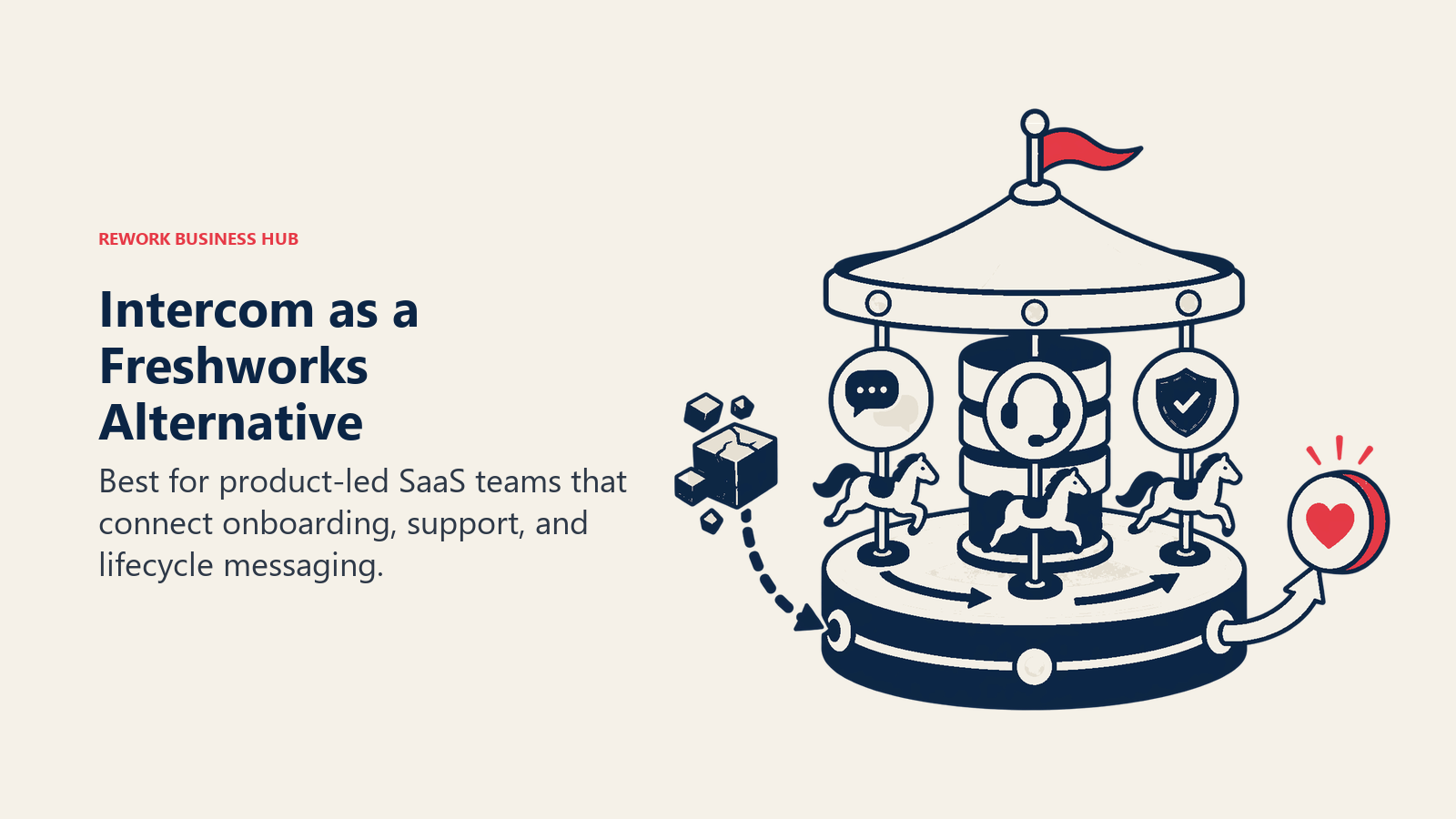
For SaaS companies running product-led growth (PLG), Intercom's combination of live chat, automated workflows, and customer data platform is genuinely useful. You can trigger a message when a user hits a specific feature three times without completing an action. You can route conversations based on plan type, company size, or behavioral data. The customer profile shows what pages the user visited, what features they used, and what their account health looks like.
Where Intercom gets tricky is cost and complexity. The $29/seat/month entry point adds up quickly, and the features most teams actually want (proactive support, custom bots, advanced automation) require higher tiers. Support quality for Intercom's own customers has been a common complaint on review sites.
Sizing fit: Best from 5 to 500 users in SaaS companies with a product-led motion. Early-stage PLG companies find it very effective. Enterprise teams sometimes find it less structured than Zendesk for high-volume support.
| What you get | What you don't |
|---|---|
| In-app messaging and proactive engagement | Affordable pricing for growing teams |
| Behavioral triggers based on product usage | Traditional helpdesk structure/SLA tools |
| Product tours and onboarding automation | Deep CRM or sales pipeline features |
| Customer data platform with usage context | Reliable support from Intercom's own team |
Pricing: Essential $29/seat/month. Advanced $85/seat/month. Expert $132/seat/month.
Best for: SaaS companies with a PLG motion, onboarding-heavy products, and in-app engagement needs. Not ideal for: Teams looking for a traditional helpdesk, or those with tight support tool budgets.
9. Bitrix24: All-in-one platform for budget-constrained SMBs
Bitrix24 is the outlier on this list. The free plan is genuinely free: unlimited users, CRM, project management, internal messaging, video calls, and a basic helpdesk included. For a small business that can't afford multiple SaaS tools, it covers more ground than almost anything else at that price. If you're evaluating free or low-cost options in this space, the best Bitrix24 alternatives guide is worth a look to see what else is in range.
The CRM handles leads, deals, contacts, and companies with pipeline views and basic automation. The communications layer includes a multi-channel inbox, internal chat, and video conferencing. HR tools cover time tracking and employee onboarding. All of this sits in one product with one login.
The honest caveat: Bitrix24's UI is dense and confusing, especially for new users. The product tries to do too many things and the information architecture reflects that. Onboarding takes longer than it should. The mobile app is slow. And the paid tiers (which unlock advanced automation and larger storage) use a per-team pricing model that can get confusing at larger scales.
For budget-constrained teams that have an admin willing to configure it (or small businesses where one person manages everything), Bitrix24 is a legitimate Freshworks replacement at a fraction of the cost.
Sizing fit: Best for 1-50 users. The free tier handles micro-teams well. Above 50 users, the UX friction and support limitations become a real productivity drag.
| What you get | What you don't |
|---|---|
| Comprehensive free tier (unlimited users) | Intuitive, modern UX |
| CRM + project management + communications | Fast mobile experience |
| On-premise option for data-sensitive teams | Strong enterprise-level support |
| Low cost even on paid tiers | Smooth onboarding for non-technical users |
Pricing: Free (unlimited users). Basic $49/month (5 users). Standard $99/month (50 users). Professional $199/month (100 users).
Best for: Budget-constrained small businesses wanting to consolidate tools at low cost. Not ideal for: Mid-size or growth-stage teams prioritizing UX quality or fast onboarding.
10. Odoo: Open-source ERP with modular CRM and support for technical teams
Odoo is a different animal from everything else on this list. It's an open-source ERP platform with 40+ modules covering CRM, sales, inventory, accounting, manufacturing, HR, and more. The Community edition is free to self-host. The Enterprise edition adds advanced features and hosting at $24.90/user/month.
For technical teams (particularly in manufacturing, distribution, retail, or services), Odoo's depth is hard to match at its price. The CRM module handles leads, pipeline management, and sales automation. The Helpdesk module covers ticketing and SLAs. Marketing Automation handles email campaigns and lead nurturing. And because it's all built on the same codebase with a shared data model, the integrations between modules are native, not stitched together.
The barrier is setup. Odoo requires developer involvement to configure properly for your business processes. The Community edition lacks customer support from Odoo itself. And while the Enterprise tier includes support, the documentation and user experience assume a technical implementation team.
If you have an internal developer or a relationship with an Odoo partner, this is one of the best value plays in B2B software. If you don't, it's a significant investment in implementation before you see returns.
Sizing fit: Best from 10 to 500 users in technical or operations-heavy companies with IT resources. Not recommended for teams without developer support.
| What you get | What you don't |
|---|---|
| Full ERP + CRM + support in one platform | Simple, no-code setup |
| Open-source (Community), no vendor lock-in | Good UX out of the box |
| Native integrations across 40+ business modules | Fast time to value without IT investment |
| Competitive pricing on Enterprise tier | Consumer-grade mobile experience |
Pricing: Community free (self-hosted). Enterprise $24.90/user/month (includes hosting).
Best for: Technical teams in manufacturing, distribution, or services wanting open-source flexibility with ERP depth. Not ideal for: Non-technical teams or companies needing a fast, no-code setup.
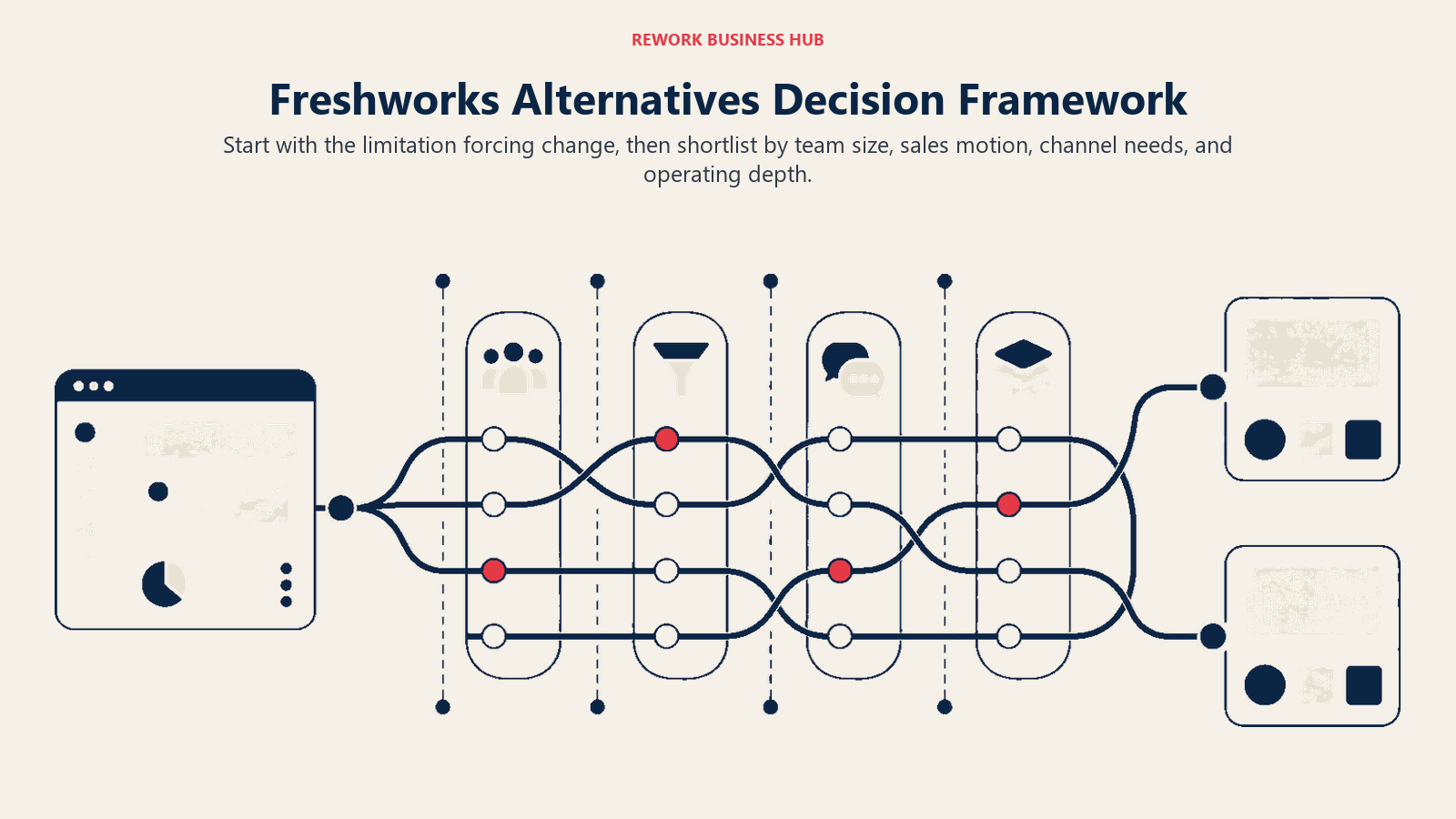
How to Choose: Decision Framework
| If you need... | Best pick | Why |
|---|---|---|
| CRM + chat inbox + ops in one tool without stitching | Rework | Unified data model, multi-channel inbox, mid-size fit |
| Marketing-led B2B growth with strong email tools | HubSpot | Best marketing-to-CRM integration on the market |
| Full business suite at the lowest per-user cost | Zoho One | 50+ apps for $37/user, unmatched breadth |
| Enterprise CRM with complex sales processes | Salesforce | Deepest customization, largest ecosystem |
| Clean sales pipeline with minimal overhead | Pipedrive | Best-in-class pipeline UX, fast onboarding |
| Sales-ops hybrid for project-driven teams | Monday.com | Flexible boards that span sales and delivery |
| High-volume customer support with SLA rigor | Zendesk | Best ticketing and routing logic for support teams |
| In-app SaaS engagement and PLG onboarding | Intercom | Behavioral triggers, product tours, in-app chat |
| All-in-one at near-zero cost for small teams | Bitrix24 | Generous free tier, covers most SMB needs |
| ERP-depth with open-source control | Odoo | Modular, self-hostable, native cross-module data |
Feature Coverage by Tool
| Feature | Rework | HubSpot | Zoho One | Salesforce | Pipedrive | Zendesk | Intercom |
|---|---|---|---|---|---|---|---|
| Sales CRM | Yes | Yes | Yes | Yes | Yes | Basic | No |
| Customer Support Ticketing | No (chat inbox with SLAs only) | Basic | Yes | Yes | No | Yes | Yes |
| Marketing Automation | Basic | Yes | Yes | Yes | Basic | No | Partial |
| Live Chat / Inbox | Yes | Yes | Yes | Yes | No | Yes | Yes |
| Workflow Automation | Yes | Yes | Yes | Yes | Basic | Yes | Yes |
| In-App Messaging | No | No | No | No | No | No | Yes |
| Project Management | Yes | No | Yes | No | No | Yes | No |
| Open-Source Option | No | No | No | No | No | No | No |
Pricing Comparison at 50 Users
| Tool | Approx. Monthly Cost (50 users) | Notes |
|---|---|---|
| Rework | ~$258/mo | Sales Engine, Standard edition, billed yearly ($69 + nine 5-seat blocks at $21) |
| HubSpot | ~$750-$4,500/mo | Varies heavily by tier |
| Zoho One | ~$1,850/mo | All apps included |
| Salesforce | ~$3,750-$8,250/mo | Pro Suite to Enterprise |
| Pipedrive | ~$700-$2,950/mo | Essential to Professional |
| Monday.com | ~$600-$950/mo | Basic to Pro |
| Zendesk | ~$950-$5,750/mo | Support Team to Suite Pro |
| Intercom | ~$1,450-$6,600/mo | Essential to Expert |
| Bitrix24 | ~$0-$200/mo | Free to Professional (team-based pricing) |
| Odoo Enterprise | ~$1,245/mo | Per-user pricing |
Migration Considerations
| From Freshworks To... | Migration Difficulty | Key Steps |
|---|---|---|
| Rework | Low | Export contacts/deals from Freshsales CSV; import to Rework; reconnect chat channels to the Rework inbox |
| HubSpot | Low-Medium | Native Freshdesk and Freshsales import tools available |
| Zoho One | Medium | Zoho Migration Wizard supports Freshdesk and Freshsales |
| Salesforce | High | Requires data mapping, admin setup, likely a consultant |
| Pipedrive | Low | CSV import; Freshsales data maps cleanly to Pipedrive deal structure |
| Zendesk | Low-Medium | Freshdesk to Zendesk migration tools available from third-party vendors |
| Intercom | Medium | Conversation history migration requires Intercom's migration team |
Switching cost is not just the migration invoice. Factor in the productivity dip while reps relearn a new tool, the integrations you have to rebuild, and the contract overlap if your Freshworks renewal does not line up with your go-live date. The table below estimates the realistic all-in switching window by destination for a 50-user mid-size team, so you can plan the project rather than be surprised by it.
| To... | Typical migration cost | Time to fully live | Biggest hidden cost |
|---|---|---|---|
| Rework | Low ($0-$5K, CSV self-serve) | 2-4 weeks | Rebuilding multi-channel routing rules |
| HubSpot | Low-medium ($2K-$15K) | 3-6 weeks | Marketing asset and workflow recreation |
| Zoho One | Medium ($5K-$20K) | 4-8 weeks | Configuring 50+ apps you will actually use |
| Salesforce | High ($50K+, consultant-led) | 8-16 weeks | Admin hiring and custom object mapping |
| Pipedrive | Low ($0-$5K, CSV self-serve) | 1-2 weeks | Adding a separate support tool later |
The pattern is clear: focused, single-module replacements (Pipedrive, Rework) clear in days to a few weeks, while suite or enterprise moves (Zoho One, Salesforce) run one to four months and need a named project owner. Once you've picked a tool, the CRM rollout and adoption guide covers how to run the actual migration without disrupting your team, and CRM workflow automation helps you rebuild the automations you had in Freshworks (or add ones you never had).
Rework Analysis: Based on Freshworks' own Cost of Complexity benchmarks (7% revenue lost to tech complexity, 20% software budget wasted) and industry CRM ROI data ($8.71 returned per $1 invested), a mid-size team of 100 users on a $2M software budget that consolidates from three Freshworks products to a unified platform can recover $400,000 in waste and generate up to $17.4M in attributable CRM-driven returns over three years. The consolidation math typically favors action within the first year of growth past 50 users.
Frequently Asked Questions
What is the main reason teams leave Freshworks for alternatives?
The most common driver is product fragmentation. Freshworks sells separate products (Freshsales, Freshdesk, Freshchat, Freshmarketer) that share limited data by default. Freshworks' own 2025 Cost of Complexity Report found 36% of customer service agents cite "too many tools to toggle between" as a top daily challenge, an issue that unified platforms solve with a single shared data model.
How much does it cost to migrate away from Freshworks?
Mid-market CRM migrations typically start at $50,000 in direct costs (data mapping, data migration, training, and setup), with a timeline of 8 to 16 weeks depending on data volume and workflow complexity. Simpler switches (such as moving to Rework or Pipedrive from Freshsales only) can be done via CSV export and import in a matter of days.
Which Freshworks alternative is best for mid-size teams that need CRM and support in one tool?
Rework is built specifically for 20 to 300-user teams that want CRM, multi-channel inbox, and lead management on a single data model without integration work. The Sales Engine starts at $69/month billed yearly for 5 seats, and the Revenue Engine with the inbox at $159/month billed yearly (rework.com/pricing), making it one of the most cost-effective unified options for mid-size teams evaluating this category.
Is HubSpot a good replacement for Freshworks?
HubSpot is the best replacement if marketing-led growth is your primary motion. It natively connects marketing, CRM, and (to a lesser extent) support on one contact record. But mid-size teams should budget carefully: the features that match Freshsales + Freshmarketer functionality sit in the Professional tier at $800 to $890/month for a team of five, before any add-ons.
How does Salesforce compare to Freshworks for enterprise teams?
Salesforce has significantly deeper customization, forecasting, and territory management than any Freshworks product. But the honest entry point for a team that needs those capabilities is $100 to $165/user/month (Pro Suite to Enterprise), plus implementation costs that typically reach six figures for mid-size deployments. Salesforce is worth evaluating when you pass 100 users with a dedicated RevOps or Sales Ops function.
What is the fastest Freshworks replacement to implement?
Pipedrive is the fastest to implement for sales-only use cases: reps are typically productive within a day, and CSV imports from Freshsales map cleanly to Pipedrive's deal structure. For teams that also need a customer inbox and internal ops, Rework or Zoho One take 2 to 4 weeks to configure fully but avoid the need to run a second migration later.
Does Zoho One actually integrate its products, unlike Freshworks?
Yes. Zoho One's 50+ apps are built on a shared codebase and data model, so data flows between Zoho CRM, Zoho Desk, Zoho Campaigns, and Zoho Books without custom API work. At $37/user/month for all apps, Zoho One's integration quality is materially better than Freshworks' cross-product experience for teams willing to manage the configuration complexity.
What to Do Next
Pick your top two options from the table above. Most of the tools on this list offer a 14-day free trial with no credit card required. Run both in parallel for two weeks with a real workflow, not a sandbox demo. Load in 20 real contacts, run one sales cycle, close one support ticket, and send one campaign sequence. That two-week test will tell you more than any feature matrix.
If you're running a mid-size team and the Freshworks fragmentation is the core problem, start with Rework or Zoho One. If marketing automation is the gap, start with HubSpot. If support volume is the constraint, start with Zendesk or check best Freshdesk alternatives for that specific comparison. The tools are different enough that the right answer depends on which Freshworks product you're most trying to replace.
If your RevOps team is making this call, the RevOps maturity model is worth reading alongside this guide. It gives you a framework for evaluating which tool fits where your ops function is today, not just where you hope to be.
Related reading:
- Best Freshsales Alternatives in 2026: CRM-specific comparison for teams leaving Freshsales
- Rework vs Freshsales: direct head-to-head if you're considering Rework as the replacement
- CRM data model design guide: how to map your Freshworks data before migrating
- The true cost of software sprawl: the financial case for consolidating from a product lineup to a unified platform

Head of Enterprise Solutions
On this page
- Quick Comparison Table
- Stage Fit Matrix
- Sizing and Buyer Persona Table
- 1. Rework: Unified CRM, lead management, and team ops without the patchwork
- 2. HubSpot: Marketing-to-close pipeline for B2B companies growing through content
- 3. Zoho One: Full-stack suite for cost-conscious teams that want to avoid point solutions
- 4. Salesforce: Enterprise-grade CRM with the deepest ecosystem in the market
- 5. Pipedrive: Sales pipeline tool built for reps who actually sell
- 6. Monday.com: Visual workflow platform for project-driven sales and ops teams
- 7. Zendesk: Enterprise-grade customer support for teams where service is the product
- 8. Intercom: Customer engagement and support for product-led SaaS companies
- 9. Bitrix24: All-in-one platform for budget-constrained SMBs
- 10. Odoo: Open-source ERP with modular CRM and support for technical teams
- How to Choose: Decision Framework
- Feature Coverage by Tool
- Pricing Comparison at 50 Users
- Migration Considerations
- Frequently Asked Questions
- What is the main reason teams leave Freshworks for alternatives?
- How much does it cost to migrate away from Freshworks?
- Which Freshworks alternative is best for mid-size teams that need CRM and support in one tool?
- Is HubSpot a good replacement for Freshworks?
- How does Salesforce compare to Freshworks for enterprise teams?
- What is the fastest Freshworks replacement to implement?
- Does Zoho One actually integrate its products, unlike Freshworks?
- What to Do Next