More in
Sales Process Guide
Pipeline Stage Definitions That Actually Match the Buying Journey
Sep 24, 2026
The SDR-to-AE Handoff: How to Write It Down So It Actually Works
Apr 18, 2026
Deal Desk Basics: How Smaller Sales Teams Can Approve and Close Faster
Apr 18, 2026
Commit, Best Case, Pipeline: Defining Forecast Terms Your Whole Team Uses the Same Way
Apr 18, 2026
Win/Loss Analysis Without the Bias: A Repeatable Process for Sales Teams
Apr 18, 2026
Building a Sales Process One Deal Type at a Time
Apr 18, 2026
Multi-Threading Deals Without Annoying Your Champion
Apr 18, 2026
The Mid-Pipeline Slump: How to Diagnose and Fix Stalled Deals
Apr 18, 2026
Mutual Action Plans: When They Help and When They Hurt
Apr 18, 2026
Sales Operating Cadence: From Daily Stand-Up to Quarterly QBR
Apr 18, 2026
Writing an Internal Sales Playbook New Hires Will Actually Read
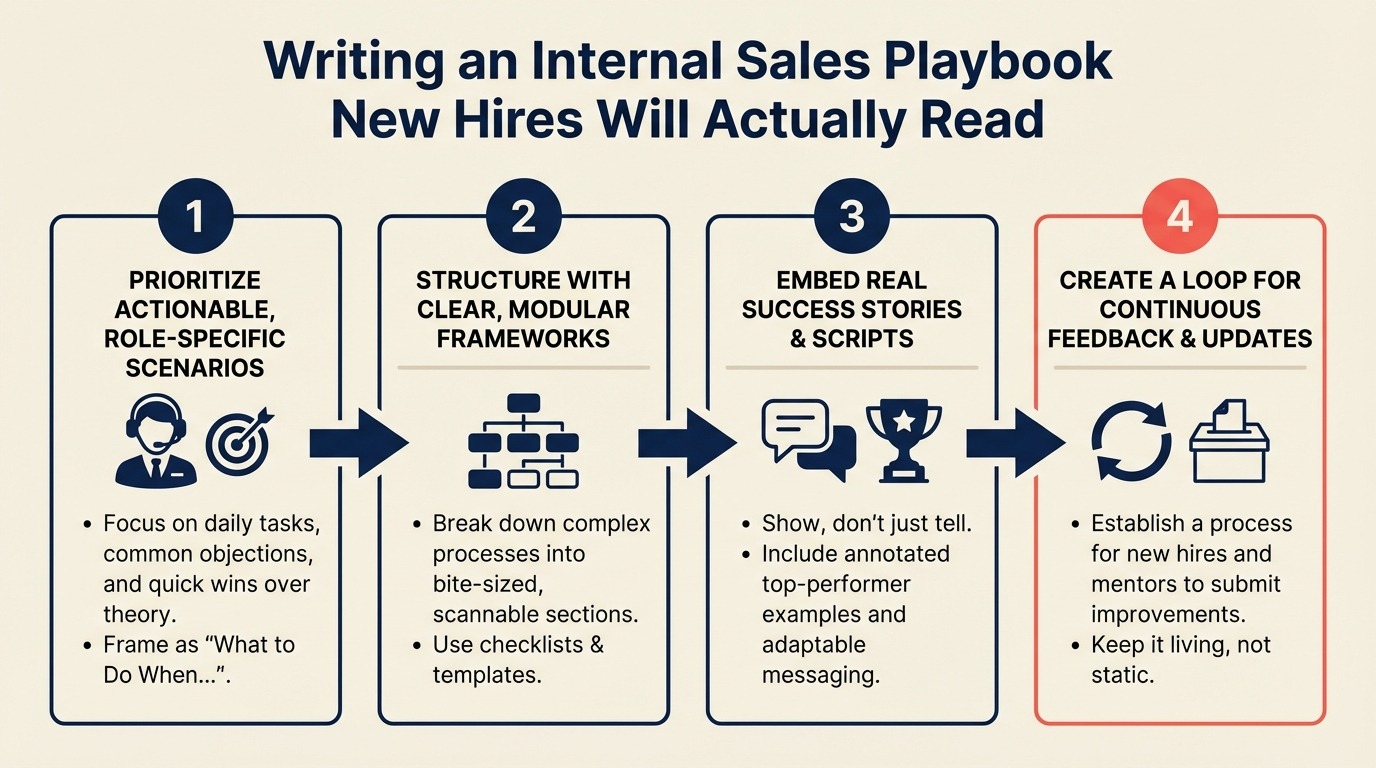
Turn this article into takeaways for your work.


Each assistant summarizes the article only for you and suggests best practices for your work.
A sales manager at a 30-person SaaS company had a problem. Their sales playbook was 52 pages. It had been built 18 months earlier by a consultant who interviewed the team for two weeks and produced a thorough document covering every aspect of the sales process, product, competitive landscape, and customer success handoff.
New hires received it on day one. They opened it, skimmed to page 5, and never opened it again. After two years, he audited the onboarding process and found that reps were learning the sales process from colleagues and from making mistakes, not from the playbook. The playbook existed to make the VP of Sales feel like the process was documented. It wasn't helping anyone sell. CSO Insights research on sales enablement consistently shows that organizations with formal sales playbooks achieve quota attainment rates roughly 15 percentage points higher than those without, but only when the playbook is short enough to use during live selling, not long enough to require a separate reading block.
He rewrote it in a weekend. 12 pages. No consultant. Just a clear answer to one question: what does a new rep need to do in weeks 1 through 90 to close their first deal? New rep ramp time dropped by three weeks. The playbook gets updated every time a significant deal is lost.
That's what a sales playbook is supposed to do.
Step 1: Define the Playbook's One Job
Before you write a single page, get clear on what the playbook is and isn't.
It is not a product manual. Your reps learn the product through product training, demos, and customer conversations.
It is not a company overview. That's what the employee handbook is for.
It is not a collection of best practices from the sales team's experience. That's valuable institutional knowledge that belongs in meeting notes and deal reviews, not a static document.
The playbook's one job: tell a new rep what a winning rep does in their first 90 days. McKinsey research on B2B sales effectiveness found that top-performing sales organizations are twice as likely to have structured onboarding playbooks and consistent process documentation than average performers. Walk them through the process, show them the tools, give them the words that work on the three most common objections, and make it clear what "good" looks like at each stage.
Write that sentence at the top of your planning document before you start. If a section you're considering doesn't help a new rep in their first 90 days, it doesn't belong in the playbook. Pair it with a structured 30-60-90 day onboarding plan so reps know not just how the team sells, but what they're expected to accomplish in each phase of ramp.
Step 2: The 8 Sections Every Playbook Needs
A playbook becomes usable when each section answers a field question reps actually face, rather than documenting everything the team knows.
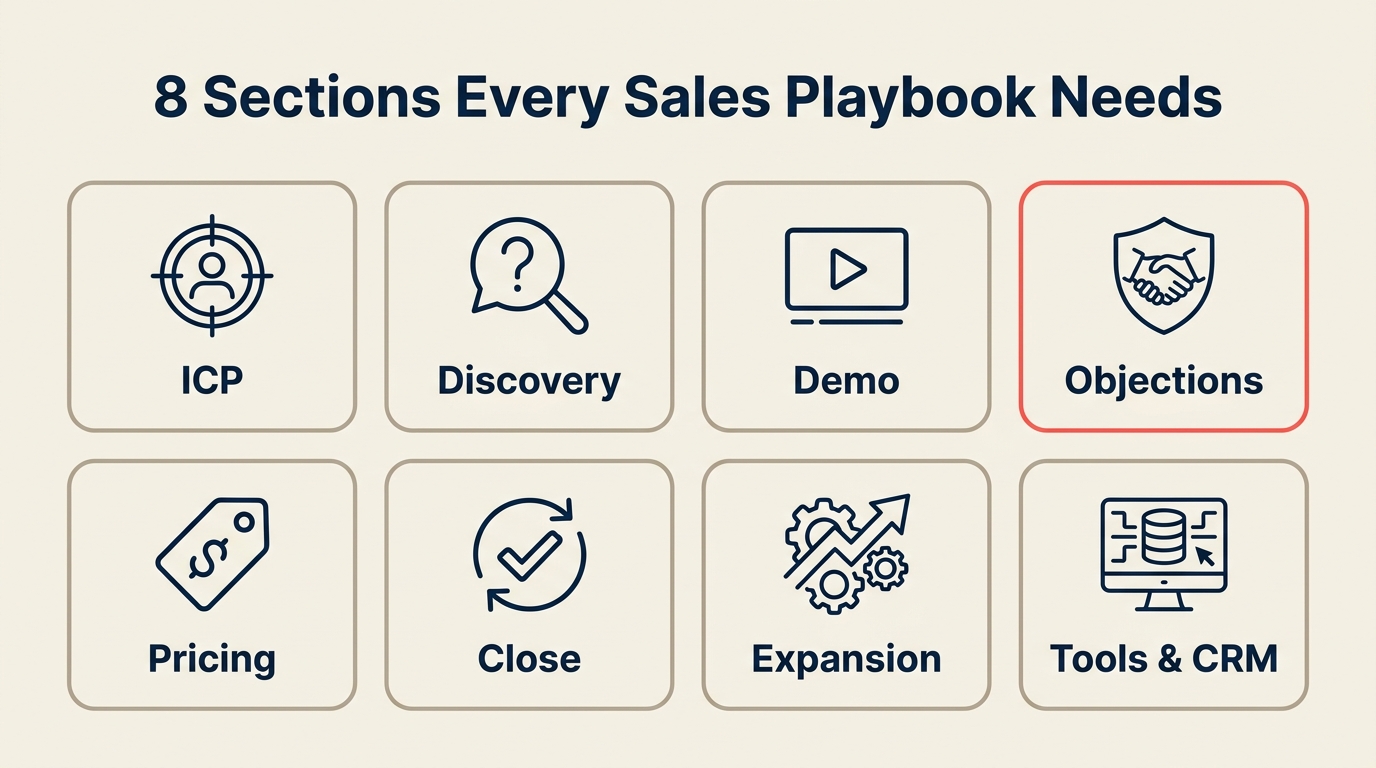
Here's the table of contents template. Each section has a target length. The total document should be under 15 pages.
Playbook table of contents:
| Section | Page Target | What It Covers |
|---|---|---|
| 1. Ideal Customer Profile | 1 page | Who we sell to, who we don't, and why |
| 2. Pipeline stages and entry criteria | 1 page | Stage names, what triggers each stage, what "done" looks like. If yours aren't built yet, designing stages around buyer milestones is the right starting point. Make sure each stage has observable entry criteria that any manager can verify. The weekly pipeline review works best when stages are consistent across reps |
| 3. Discovery call structure | 1 page | The 5-7 questions we ask on every first call, and what we're listening for |
| 4. Demo/pitch flow | 1 page | The 3 things we always show, in order, and why |
| 5. Objection handling | 2 pages max | The 4-5 objections every rep faces, with scripted responses |
| 6. Qualification fields and CRM hygiene | 1 page | What fields must be filled in at each stage, in which CRM |
| 7. Compensation and quota context | 1 page | How quota is set, how commission is calculated, what accelerators exist |
| 8. Tools and logins | 1 page | Every tool the rep uses with link, access instructions, and who to call if it breaks |
That's 9-10 pages for sections with content, plus a cover page and a version history. You're under 15 pages and every section is something a new rep will reference in their first month.
If you find yourself writing two pages about the ICP, you're writing a product brief, not a playbook. Cut it to one page. If the discovery call structure section is filling up with nuanced edge cases, you're writing a sales training curriculum, not a reference document. Build a separate training guide for the depth; keep the playbook as the reference.
Step 3: Writing the Objection Handling Section
The objection handling section is the one part of the playbook most likely to get used during an actual customer conversation. Reps will look it up while they're on the phone or preparing for a call. Harvard Business Review research on sales objection handling notes that reps who respond to objections with prepared, researched responses rather than improvised answers close at significantly higher rates. The objections that belong here should come directly from your lost deal reviews. The real objections are in your loss data, not in what reps remember from training. Write it in a format that can be scanned in 15 seconds.
The format that works:
[Objection as the buyer actually says it] What's really being said: [the underlying concern, not the surface objection] Response: [what to say, in approximate script form] Follow-up: [what to ask after the response to test whether it landed]
Here's a concrete example:
"We're happy with what we have right now." What's really being said: "I don't see enough of a problem with the current situation to justify switching costs." Response: "That's actually pretty common at this stage. Can I ask what prompted you to take this call? Usually when a team is happy with their current solution, they don't pick up the phone for a demo." [pause, let them answer] "So what you're describing sounds like [restate what they said]. Is that the thing that would actually move the needle if it worked better?" Follow-up: "If the [specific pain they mentioned] was solved, would you want to see how we handle that specifically, or is there a bigger concern?"
Write 4-5 objections this way. The objections should come from your real sales calls, specifically from the deals you've lost. If you have a lost deal review process, you have a list of the objections your reps face most often.
Don't write a response for every possible objection. That creates a 10-page objection handling section that nobody reads. Focus on the top 4-5. Everything else gets handled through coaching.
Step 4: Link the Playbook to the CRM
A playbook that lives in a Google Drive folder gets opened once. A playbook that's accessible from inside your CRM gets referenced during deal work.
The practical way to do this: add a link to the playbook in the CRM deal record sidebar or in the deal stage instructions.
In HubSpot: Go to Playbooks (available in Sales Hub Professional and above). If you're evaluating whether HubSpot is the right CRM to build this on, the Rework vs. HubSpot CRM comparison covers the Playbooks feature specifically alongside pipeline and deal management capabilities. You can create in-CRM playbooks that surface directly on a deal record when a rep clicks into it. This is the best experience: the rep can see the discovery questions or objection responses without leaving HubSpot.
If you're not on Sales Hub Pro: add a custom deal property called "Playbook" with a URL that links to your Google Doc or Notion page. Put the link in the "Deal Description" field template so it appears on every new deal.
In Salesforce: Use Salesforce Enablement (formerly myTrailhead) or add a custom link field on the Opportunity record. Alternatively, use Salesforce's Path feature to add guidance notes at each stage. You can embed key playbook content directly into the stage-specific guidance.
In Pipedrive: Add the playbook link to your deal template. Every new deal created from the template will have the link in its description.
In Close: Use the custom activity templates to add a "Playbook reference" link that appears in the deal view.
The goal is that a rep who is preparing for a discovery call can find the discovery call structure without leaving the deal they're working. That's the version that actually gets used.
Step 5: Version Control and Ownership
A playbook that never gets updated becomes wrong. And a wrong playbook is worse than no playbook. It trains reps on outdated process.
Assign one person as the playbook owner. Usually this is the head of sales or the head of sales enablement if you have one. The owner's responsibilities:
- Review the playbook quarterly at minimum
- Update it within 2 weeks of a process change that affects how reps work
- Flag outdated sections when something in the field changes
What triggers an update:
- A new product feature that changes the demo flow
- A new competitor that has entered accounts you're working
- A qualification process change (for example, switching from BANT to MEDDIC)
- A pricing change that affects objection handling
- Three lost deals in a row to the same objection with the same response (the response isn't working)
Keep a version history at the back of the document. One line per update: date, what changed, and why. Reps who've been on the team for a year can see what's changed and why without asking.
Don't use a shared document that anyone can edit. Too many contributors make the playbook inconsistent and eventually unreadable. One owner, one document, with the owner soliciting feedback rather than accepting unfiltered edits.
Step 6: Playbook Onboarding vs. Reference Use
There are two distinct uses for the playbook and they require different experiences.
Onboarding use (weeks 1-3): A new rep reads the playbook front to back as part of their ramp. They're building a mental model of how the team sells. For this use, the document needs to flow logically and tell a coherent story. The ICP section leads into the pipeline stages section, which leads into the discovery call section, because that's the order things happen in a deal.
Reference use (ongoing): An experienced rep is on hold waiting for a buyer to rejoin a call and needs to remember how to handle the "we don't have budget right now" objection. For this use, the document needs to be searchable and scannable. Section headers should be specific ("Objection: Budget timing") not generic ("Sales challenges"). A table of contents with page numbers matters.
The same document can serve both uses if it's short and well-organized. The mistake most playbooks make is optimizing for comprehensiveness, which helps neither use case.
If your playbook is over 15 pages, it's probably trying to do something it shouldn't. Look for sections that are "nice to have" rather than "need to have in week 1." Move those to a separate training guide, a Notion wiki, or recorded training sessions.
Step 7: Measuring Playbook Effectiveness
Most playbooks are never measured. They're created because it feels like something that should exist, not because anyone tracks whether they're working.
Two measurements worth tracking:
New rep ramp time: Define ramp as "time to first closed deal" or "time to 80% of quota in first full quarter." Track this before and after a significant playbook overhaul. If ramp time improves after simplifying the playbook, the simplification was worth it. Research from the Sales Management Association shows that average new rep ramp time across B2B software companies runs 6 to 9 months. Organizations with effective onboarding documentation and CRM-embedded playbooks consistently cut that by 4 to 6 weeks.
Playbook adherence vs. close rate: If your CRM captures which reps are following the discovery call structure (through call recording tools like Gong or Chorus that log keywords and questions), you can compare the close rates of reps who follow the structure to those who deviate. If there's no correlation, the structure might need rethinking. If playbook-adherent reps close at 15% higher rates, you have a training conversation for every rep who isn't following it.
Gong and Chorus both have features for tracking whether reps ask specific questions during calls. In HubSpot with the Conversation Intelligence add-on, you can track keyword usage in recorded calls. In Salesforce with Einstein Conversation Insights, similar tracking is available.
You can also do this manually: listen to 5 recorded discovery calls from a new rep in month two. Are they asking the discovery questions from the playbook? Are they handling the objections the right way? This takes 90 minutes and tells you more about playbook effectiveness than any report.
Common Pitfalls
Too much product content. A 4-page product overview in the playbook teaches a rep about your product, not about how to sell it. Product training lives in your demo environment, your knowledge base, and your product team's sessions. The playbook only needs the part of the product that matters in the pitch.
No process content. Some playbooks are entirely product and persona content with nothing about what the rep actually does in a call. A rep who knows every feature but doesn't know the discovery questions they should ask won't close deals.
Writing it for the manager's comfort, not the new rep's use. Long playbooks often exist because managers want to feel like they've covered everything. Short playbooks exist because someone asked: what does a new rep actually need to close their first deal? These are different documents.
Never updating after deals are lost. If your objection handling section was last updated 14 months ago, it doesn't reflect what buyers are saying to your reps today. Every significant lost deal is a potential playbook update. Build the habit of asking: does this loss tell us something we need to change in the playbook?
What to Do Next
Before you publish the next version of your playbook, give it to one new hire who joined in the last 60 days. Ask them to read it and note every question they had that the playbook didn't answer.
Not every question needs to become a playbook addition. Some belong in training sessions or the product wiki. But any question that comes up in a live sales call is a candidate.
If 3 of their questions are about how to handle the "we're evaluating three vendors" situation and your playbook has nothing on that, add it. That's a gap the current team has papered over with experience that new reps don't have yet.
The best playbooks are built iteratively. Start with the 8 sections above, get the first version to new hires, collect their feedback, and add exactly what's missing. For new reps especially, pairing the playbook with a clear 30-60-90 day onboarding plan closes the gap between "here's how we sell" and "here's what you do in week two." Six months of iteration produces a better document than six months of upfront planning.
Learn More

On this page
- Step 1: Define the Playbook's One Job
- Step 2: The 8 Sections Every Playbook Needs
- Step 3: Writing the Objection Handling Section
- Step 4: Link the Playbook to the CRM
- Step 5: Version Control and Ownership
- Step 6: Playbook Onboarding vs. Reference Use
- Step 7: Measuring Playbook Effectiveness
- Common Pitfalls
- What to Do Next
- Learn More