Best ApprovalMax Alternatives in 2026: 15 Approval Tools Compared
Turn this article into takeaways for your work.


Each assistant summarizes the article only for you and suggests best practices for your work.
The best ApprovalMax alternatives in 2026 depend entirely on which of three exits you're taking. If you want to control spend before it becomes an invoice, look at Precoro, Procurify, Zahara, and Spendesk. If you want approvals for things that aren't invoices and POs, look at Rework, Cflow, Pipefy, Tallyfy, and Microsoft Power Automate. And if you've left Xero, QuickBooks Online, or NetSuite behind, Stampli and BILL are the ERP-agnostic options. Before any of that, it's worth knowing that a meaningful share of ApprovalMax searchers don't need a replacement at all: they need the approval features already sitting inside their accounting subscription.
All 15 options below are evaluated on pricing model (per organisation, per user, or quote-only), what they actually approve, and which accounting or ERP systems they sync with. Every price states its billing term, because monthly versus annual is where most "wrong price" arguments start.
Why Teams Leave ApprovalMax (and Why Many Shouldn't)
ApprovalMax is not a general workflow tool. It's a purchase-order and invoice approval layer bolted onto Xero, QuickBooks Online, and NetSuite. Requests originate in or sync back to the accounting package, and the whole product is built around one job: getting a bill or a PO through the right sign-offs before it hits the ledger. It does that job well.
The unusual part is the pricing. ApprovalMax charges per organisation, not per user. Standard runs $49.50 per month per organisation billed yearly, Advanced $79.17, and Premium $110.92, and every tier includes unlimited users, unlimited requests, and unlimited approvals (ApprovalMax). The monthly-billed rate isn't published. For a finance team with 40 occasional approvers, that's a genuinely hard number to beat: a per-seat rival at even $15 a head runs $600 a month at the same headcount, more than twelve times as much.
So the reasons to leave are rarely about price at scale. They're about scope. Three show up over and over:
- You outgrew accounting-package-bound approvals. You want budget checks before the PO is raised, supplier catalogs, receiving, three-way matching against goods receipts, and spend visibility that doesn't wait for the invoice.
- You need approvals for things that aren't invoices and POs. Leave requests, contract sign-offs, capex, marketing spend, new-hire requisitions, policy exceptions. ApprovalMax has no concept of these, because they never touch the general ledger.
- You moved off Xero, QuickBooks Online, or NetSuite entirely. ApprovalMax is only sold against those three platforms. Change your accounting system and the product goes with it.
If none of those describe you, the honest answer is to stay, and to check what your accounting subscription already covers before buying anything. That's why the last entry on this list isn't a product at all.
Key Facts
- The average cost to process a single invoice is $9.40, while best-in-class organisations bring it down to $2.78, per Ardent Partners' 2025 Accounts Payable Metrics That Matter report. (WEX)
- Best-in-class AP teams process an invoice in 3.1 days against 17.4 days for everyone else, and carry a 9% exception rate versus a 22% industry average, per Ardent Partners' 2025 benchmark data. (Medius)
- 76% of US organisations experienced attempted or actual payments fraud in 2025, and 74% were hit specifically by business email compromise, per the 2026 AFP Payments Fraud and Control Survey. (Association for Financial Professionals)
- 50% of North American CFOs name digital transformation of finance as their top priority for 2026, and 49% put automating processes at the top of their finance talent agenda, per Deloitte's Q4 2025 CFO Signals survey of 200 finance chiefs at companies with $1 billion or more in revenue. (Deloitte)
- 56% of US small businesses are owed money on unpaid invoices, averaging $17.5K each, and 47% have invoices more than 30 days overdue, per Intuit QuickBooks' 2025 US Small Business Late Payments Report of 2,487 businesses. (Intuit QuickBooks)
Quick Comparison Table
| Tool | Best For | Starting Price | Key Strength | Key Limitation |
|---|---|---|---|---|
| Precoro | Procurement and budget control before the invoice | Core $499/month, billed annually | Published price with no minimum user count | Ten times ApprovalMax's entry cost for a small team |
| Procurify | Spend control with unlimited light-touch approvers | Not published, quote-only | Unlimited Basic users, priced on Pro seats only | No figure at all until you take a sales call |
| Zahara | UK and EU teams wanting AI invoice reading plus POs | Teams £159/month GBP, billed monthly | Prints real GBP figures with clear usage caps | GBP pricing and a per-plan user ceiling |
| Spendesk | Cards, expenses, and AP under one spend policy | Not published, modular quote | One policy engine across cards, expenses, and AP | Modular quote makes budgeting hard up front |
| BILL (Bill.com) | Approving and then actually paying the bill | Essentials $49 user/month | Owns the payment rail, not just the approval | Per-user pricing punishes large approver groups |
| Rework | Approvals for POs, leave, contracts, and requests in one place | Process Engine from $99/mo billed yearly (5 seats) | Approvals, workflow, projects, CRM, and HR on one platform | Not an AP automation product, no OCR or matching |
| Cflow | A cheap per-user engine for any approval process | Joy $11/user/month billed annually (10-user minimum) | Lowest published per-user rate in this group | Ten-seat floor, and no invoice capture or matching |
| Kissflow | Enterprise process work beyond finance | Not published, quote-only | Broad no-code process platform for whole departments | Publishes no figures, and its own pages disagree |
| Pipefy | Building an approval process free before you buy | Free Starter (10 users, 5 processes) | A genuinely usable free tier with published caps | Paid tiers carry no published per-user rate |
| Tallyfy | One department, no seat minimum | Full seat $300/year billed annually | The only option here with a one-seat minimum | Checklist-first, not an AP or procurement tool |
| Microsoft Power Automate | Teams already standardised on Microsoft 365 | Premium $15/user/month, paid yearly | Cheapest real published per-user entry point | You build the approval process yourself |
| monday.com | A visual approval board non-finance teams will use | Basic $9/seat/month, billed annually | Familiar canvas plus a real published price ladder | Task routing, not accounting-grade approval control |
| Zoho Creator | Building a custom approval app on a budget | Standard $8/user/month, billed annually | Lowest published per-user rate on the whole list | You are building the app, not buying one |
| Stampli | Invoice approvals on an ERP that isn't Xero or QBO | Not published, quote-only | Communication threaded onto the invoice itself | No published price, tiers, or minimums |
| Native Xero and QBO approvals | Teams that never actually outgrew their accounting tool | Included in your existing subscription | Costs nothing extra and needs no new login | Thin, single-step, and not a real approval matrix |
Pricing Models at a Glance
ApprovalMax's per-organisation unit is the thing to hold in your head while reading this table, because it changes which alternative wins at which headcount. Sorted by what each vendor's own page actually publishes:
| Tool | What's Published | Unit |
|---|---|---|
| ApprovalMax | Standard $49.50, Advanced $79.17, Premium $110.92, all per month per organisation billed yearly | Per organisation, unlimited users |
| Precoro | Core from $499/month, Automation from $999/month, both billed annually | Per organisation, published floor |
| Zahara | Teams £159, Business £289, Enterprise £499, all per month billed monthly (GBP) | Per organisation, with user caps |
| BILL | Essentials $49, Team $65, Corporate $89, all user/month | Per user |
| Cflow | Joy $11, Bliss $16, both per user/month billed annually | Per user, with seat minimums |
| Tallyfy | Full seat $300/year billed annually, Light seat $100/year | Per seat, no minimum |
| Microsoft Power Automate | Premium $15/user/month paid yearly, Process $150/bot/month paid yearly | Per user and per bot |
| monday.com | Basic $9, Standard $12, Pro $19, all per seat/month billed annually | Per seat, 3-seat minimum |
| Zoho Creator | Standard $8, Professional $20, Enterprise $25, all per user/month billed annually | Per user |
| Rework | Process Engine $99/mo billed yearly ($1,188/yr) with 5 seats, extra seats $13/mo per block of 5 | Per engine, seats in blocks of 5 |
| Pipefy | Starter free with published caps; Business and Enterprise unpriced | Free tier, then per user unpriced |
| Procurify | No figures. States that customers get unlimited Basic users, priced on Pro users | Quote-only |
| Spendesk | No figures. A Foundations base package plus paid modules | Quote-only |
| Stampli | No figures, no tiers, no minimums | Quote-only |
| Kissflow | No figures, no tier names, no user counts | Quote-only |
Which of the Three Exits Are You Taking?
| Why you're leaving | Start with | Skip |
|---|---|---|
| You want budgets, catalogs, and receiving before the invoice arrives | Precoro, Procurify, Zahara, Spendesk | Pure workflow engines, they have no procurement model |
| You need approvals for leave, contracts, capex, and internal requests too | Rework, Cflow, Pipefy, Tallyfy, Power Automate, monday.com, Zoho Creator | Procurement suites, you'd pay for a PO module you won't use |
| You left Xero, QuickBooks Online, or NetSuite | Stampli, BILL, Precoro, Procurify | Anything sold only against those three platforms |
| You just want tighter approvals inside the accounting tool you already have | Native Xero and QuickBooks Online controls | Every paid tool on this list, at least until you've tested the free option |
If your gap is broader than approvals and closer to running whole processes end to end, Best Business Process Management Software is the wider hub, and Best Approval Workflow Software covers the approval category on its own terms rather than as an ApprovalMax replacement.
1. Precoro: Procurement Control That Starts Before the Invoice
Precoro's premise is that approving an invoice is already too late. By the time a bill arrives, the money is committed. So Precoro puts the approval upstream: a purchase requisition checks against a budget, routes through a rules-based approval matrix, becomes a PO, and then gets matched against receipts and the eventual invoice. It's a procure-to-pay suite, not an approval layer, and it syncs with Xero, QuickBooks Online, NetSuite, Sage Intacct, and Microsoft Dynamics 365 Business Central.
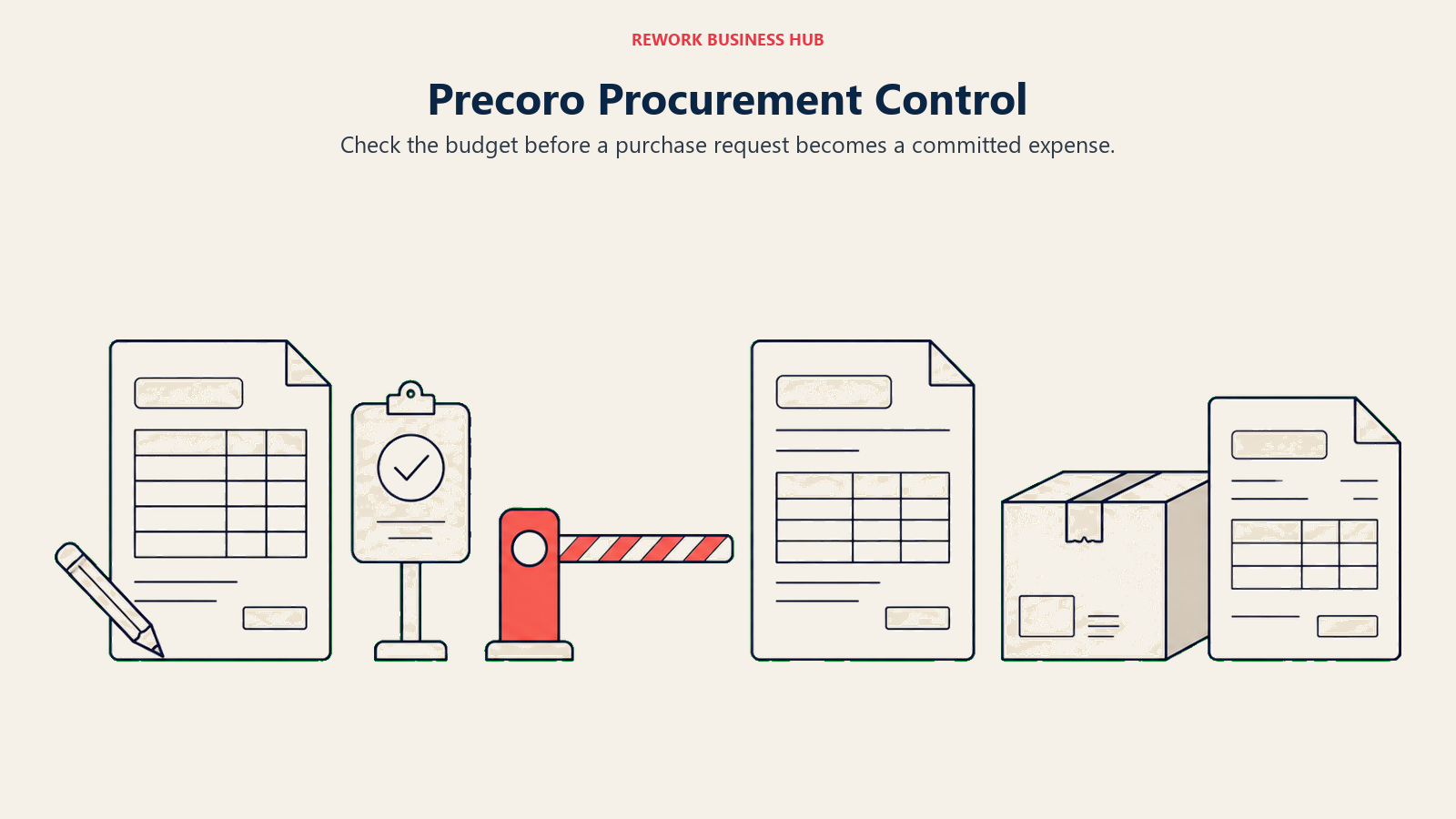
That upstream scope is what ApprovalMax buyers are usually missing when they start shopping. ApprovalMax can route a PO, but it doesn't hold a budget, a supplier catalog, or a receiving record. Precoro does all three, and its approval routing supports multi-step, multi-entity, and conditional rules based on amount, department, or cost center.
The catch is the entry price. Precoro publishes a floor, which most of this category doesn't, but the floor is high: Core (procure to pay) starts at $499 per month billed annually, and the Automation tier starts at $999 per month. Against ApprovalMax's $49.50 per month per organisation, that's an order of magnitude. Precoro publishes no minimum user count and no implementation fee, and Enterprise includes unlimited users.
| What you get | What you don't |
|---|---|
| Budget checks and commitments before spend happens | A price anywhere near ApprovalMax's entry point |
| Supplier catalogs, receiving, and three-way matching | A cheap way to test with a small team |
| A published starting figure in a quote-only category | Per-user transparency, the published number is a floor |
| Syncs with Xero, QBO, NetSuite, Sage Intacct, Dynamics BC | A lightweight option if you only approve bills |
Pricing: Core (procure to pay) starts at $499/month, billed annually. Automation (procure to pay) starts at $999/month, billed annually. Standalone AP module starts at $499/month, billed annually. Enterprise custom, includes unlimited users. No minimum user count or implementation fee published. (Precoro) Best for: Finance and procurement teams that want the approval to happen at requisition, against a budget, rather than at invoice. Not ideal for: A small team whose entire need is invoice sign-off, where ApprovalMax costs roughly a tenth as much per month.
2. Procurify: Unlimited Requesters, Priced on the Few Who Manage
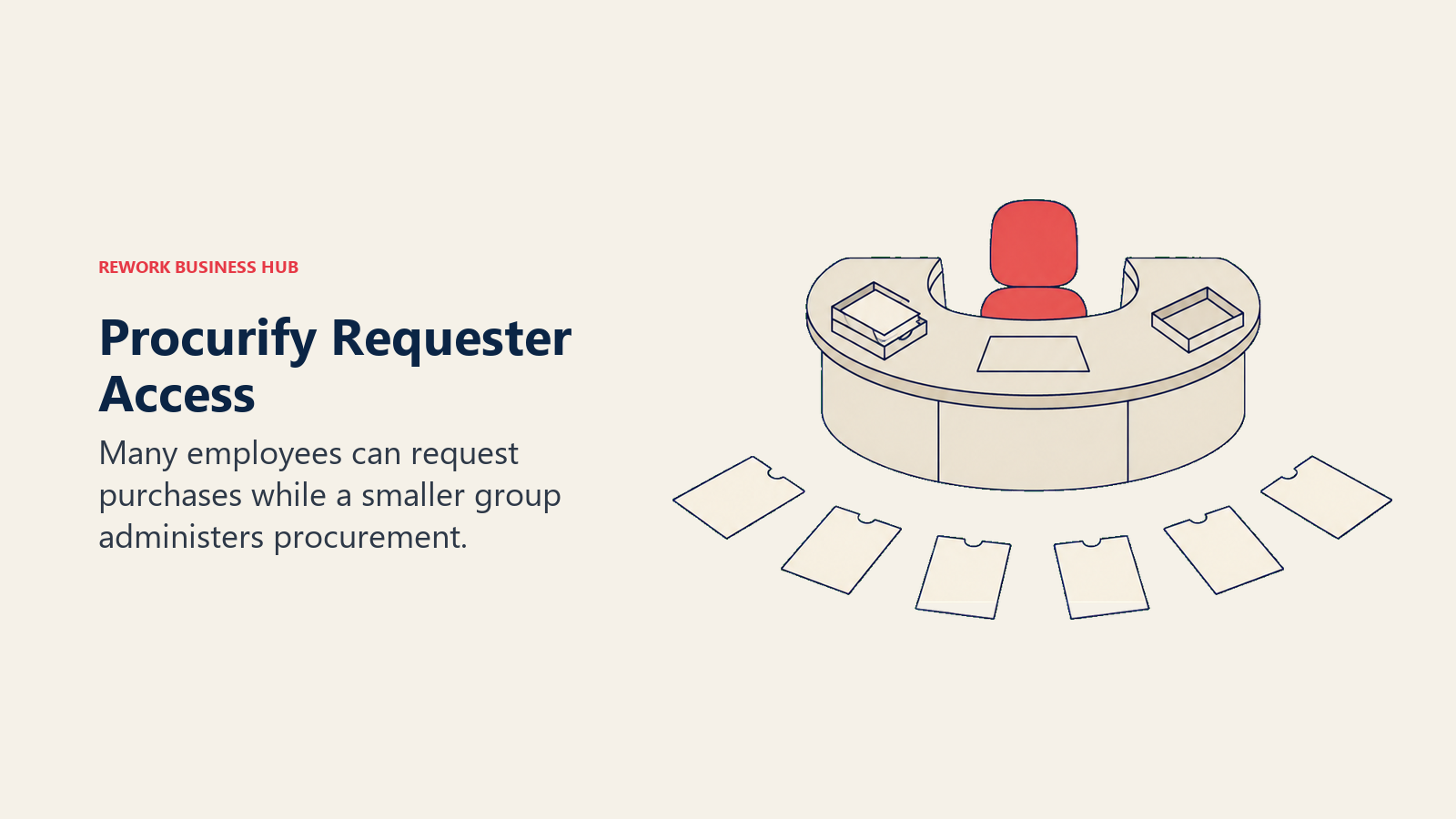
Procurify's model is the closest thing on this list to ApprovalMax's per-organisation logic, expressed differently. Its own pricing page states that customers get unlimited Basic users, with pricing driven by the number of Pro users. In practice that means everyone in the company can raise a request and everyone who needs to can approve one, while you only pay for the procurement and finance people who administer it. For a 200-person company where 15 people actually run procurement, that shape matters more than any per-seat rate.
Functionally it sits where Precoro does: requisitions, approval routing, purchase orders, receiving, budget visibility by department, and modules you bolt on for AP, expense and card management, guided intake, and contracts. Everyone starts with Purchasing and adds from there. Check the integration list before you get attached, though: Procurify names QuickBooks Online, QuickBooks Desktop, NetSuite, Sage Intacct, and Microsoft Dynamics 365 Business Central, and Xero is not among them, which rules it out for a large slice of ApprovalMax's own customer base.
What Procurify doesn't do is publish a number. There are no tier names and no dollar figures on the page, only a modular structure and a request-a-quote path. That's a real friction point coming from ApprovalMax, where you can see three prices in ten seconds. Treat any circulating Procurify figure as unconfirmed until you get one in writing.
| What you get | What you don't |
|---|---|
| Unlimited Basic users, so requesters and approvers are free | Any published dollar figure, tier name, or minimum |
| Modular build: Purchasing first, then AP, cards, contracts | A self-serve signup path |
| Real budget visibility by department and cost center | A quick answer on cost without a sales conversation |
| A pricing shape that suits wide approver populations | A Xero connector, it isn't on the published integration list |
Pricing: No tier names and no dollar figures published; quote-only and modular, starting with Purchasing and adding AP, Expense and Card, Guided Intake, and Contracts. The page does state that Procurify customers get unlimited Basic users, with pricing driven by the number of Pro users. (Procurify) Best for: Mid-market companies with many occasional requesters and few procurement administrators, where per-seat pricing would be punishing. Not ideal for: Xero shops, since Xero isn't on Procurify's published integration list, or buyers who want a number to compare against ApprovalMax's $49.50 before booking a call.
3. Zahara: Real Published Figures, in Pounds, With AI Invoice Reading
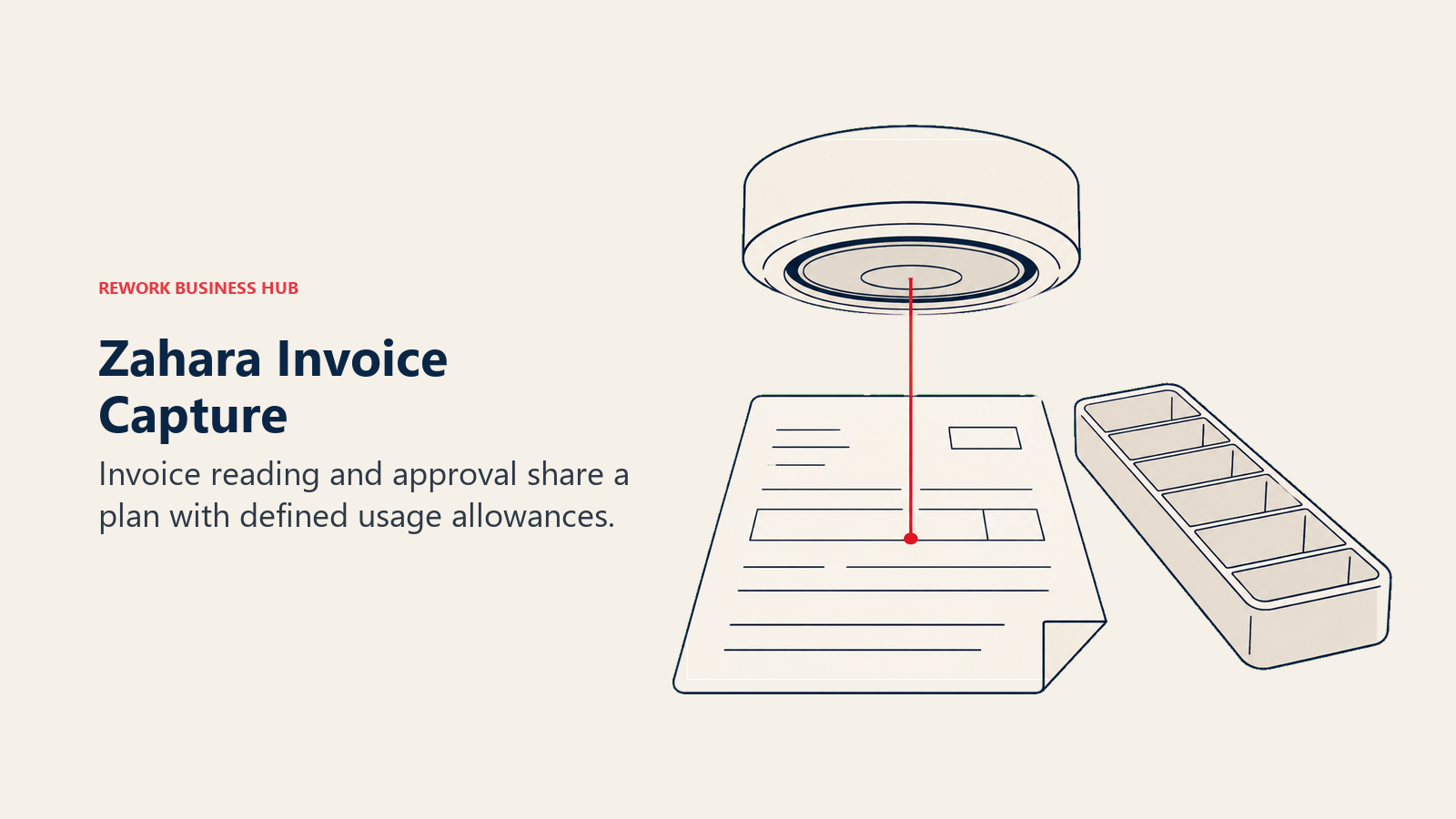
Zahara is the closest direct analogue to ApprovalMax in this group: a purchase order and invoice approval platform that sits on top of an accounting package rather than replacing it, with connectors to Xero, QuickBooks, Sage 50, Sage 200, Sage Intacct, Business Central, NetSuite, and MYOB. UK-based and UK-focused, it adds the piece ApprovalMax charges extra for, AI invoice reading, into the plan itself.
It also publishes real numbers, which is rare here. Teams runs £159 a month, Business £289, and Enterprise £499, all billed monthly and quoted in GBP, not US dollars. Zahara advertises a 17% saving for switching to annual billing but does not print the annual figures themselves, and all prices exclude UK VAT.
The important structural difference from ApprovalMax is that Zahara's plans carry caps. Teams covers up to 10 users, 120 orders a month, and up to 250 AI-read invoices. Business goes to 18 users, 250 orders, and 500 invoices. Enterprise reaches 35 users, 800 orders, and 1,200 invoices, and Enterprise Plus is a custom quote with unlimited users. So Zahara publishes a figure but meters you, while ApprovalMax charges flat and doesn't. Whether that's better depends entirely on your invoice volume against your headcount.
| What you get | What you don't |
|---|---|
| Published per-plan pricing with clear usage caps | Unlimited users, every plan below Enterprise Plus has a ceiling |
| AI invoice reading included in the plan allowance | USD pricing, figures are GBP and exclude UK VAT |
| PO raising, budget checks, and multi-step approval | Printed annual figures, only the 17% saving is stated |
| A 14-day free trial with no credit card | A fit if your invoice volume runs past 1,200 a month |
Pricing: Teams £159/month (up to 10 users, 120 orders, 250 AI-read invoices), Business £289/month (18 users, 250 orders, 500 invoices), Enterprise £499/month (35 users, 800 orders, 1,200 invoices), all billed monthly in GBP and excluding UK VAT. Enterprise Plus is custom with unlimited users. Annual billing is advertised as saving 17%, though the annual figures are not printed. 14-day free trial, no credit card. (Zahara) Best for: UK and European finance teams wanting ApprovalMax-style PO and invoice approval with AI invoice capture bundled into a published price. Not ideal for: US teams who'd rather not budget in GBP, or high-volume AP teams who'd blow past the invoice caps.
4. Spendesk: One Policy Across Cards, Expenses, and Invoices
Spendesk approaches the problem from the card side. Instead of catching spend at the invoice, it issues virtual and physical cards governed by the same policy engine that routes invoice approvals, so the approval rule and the spending limit are the same object. For a finance team whose real pain is not slow invoice sign-off but employees spending on personal cards and expensing it later, that's a different and often better answer than another approval layer.
The platform is modular. A Foundations base package covers the core, then you add Procurement, Accounts Payable, Advanced workflows and policies, Multi-entity management, HR and ERP integrations, and AI automation with fraud detection. That AP module is the piece that overlaps ApprovalMax directly, and the multi-entity module matters if you run several legal entities, since ApprovalMax bills per organisation and supports up to 50 or more of them.
No prices are published. The FAQ describes a fixed monthly subscription fee, but there's no euro or dollar figure anywhere on the page, and no indication of what Foundations includes before add-ons. Given payments fraud reached 76% of US organisations in 2025 per the AFP survey cited above, the fraud-detection module is a real line item to price out rather than an upsell to wave away.
| What you get | What you don't |
|---|---|
| Cards, expenses, and AP governed by one policy engine | Any published price, only a "fixed monthly fee" description |
| Multi-entity management as a distinct module | Clarity on what the base package covers before add-ons |
| AI automation and fraud detection as an option | A cheap entry point for a small finance team |
| Strong European coverage and local payment support | A drop-in replacement if all you want is invoice approval |
Pricing: Quote-only. Modular: a Foundations base package plus add-ons for Procurement, Accounts Payable, Advanced workflows and policies, Multi-entity management, HR and ERP integrations, and AI automation and fraud detection. The FAQ describes a fixed monthly subscription fee. No euro or dollar figure published. (Spendesk) Best for: European mid-market finance teams whose spend problem starts with company cards and expenses, not just supplier invoices. Not ideal for: Teams that only need PO and invoice approval, where a modular spend suite is more product than the problem requires.
5. BILL (Bill.com): Approve It, Then Actually Pay It
ApprovalMax stops at approval. The payment still happens in your accounting package or your bank. BILL closes that loop: it captures the invoice, routes it through approvals, and then executes the payment over ACH, check, virtual card, or international rails, syncing back to QuickBooks, Xero, NetSuite, or Sage Intacct. For teams whose real bottleneck is the manual payment run rather than the sign-off, that's the upgrade that matters.
It's also the clearest per-user contrast on this list. Essentials runs $49 per user per month, Team $65, and Corporate $89, with Enterprise custom. The page doesn't distinguish a monthly from an annual rate, so treat those as user/month and nothing more. Transaction fees sit on top of every plan: ACH and ePayment $0.59, check $1.99, virtual card free, Instant Payment 1.0% (minimum $9.99, maximum $100), and Pay by Card 2.9%. Accounting firms get a partner plan at $49 a month with wholesale pricing.
Run the arithmetic against ApprovalMax and the trade is stark. At six approvers, BILL Essentials is roughly $294 a month against ApprovalMax's flat $49.50 per organisation. You're paying for the payment rail and the capture, not for the approval routing, and it's only worth it if you actually use them.
| What you get | What you don't |
|---|---|
| Approval plus payment execution in one system | A flat rate, every approver is a paid seat |
| ACH, check, virtual card, and international payments | Freedom from per-transaction fees on top of the seat |
| Two-way sync with QuickBooks, Xero, NetSuite, Sage Intacct | A stated distinction between monthly and annual billing |
| A dedicated accounting-firm partner plan at $49/month | Procurement depth: budgets, catalogs, and receiving |
Pricing: Essentials $49 user/month, Team $65 user/month, Corporate $89 user/month, Enterprise custom. The page does not distinguish a monthly from an annual rate. Transaction fees apply on every plan: ACH and ePayment $0.59, check $1.99, virtual card free, Instant Payment 1.0% ($9.99 minimum, $100 maximum), Pay by Card 2.9%. Accounting-firm partner plan $49/month with wholesale pricing. (BILL) Best for: Finance teams whose bottleneck is the payment run and reconciliation, not just getting a bill approved. Not ideal for: Companies with a wide approver population, where per-user pricing multiplies fast against ApprovalMax's flat per-organisation rate.
Approvals for the Things That Never Touch the Ledger
Everything above assumes the thing being approved is a purchase. The next eight options assume it isn't, or isn't only. If your team also approves leave, contracts, capex, hiring requisitions, discount exceptions, and policy waivers, a general workflow engine covers all of them in one place, and an accounting-bound approval layer covers exactly none.
6. Rework: One Approval System for POs, Leave, Contracts, and Requests
Rework's argument here is consolidation, not AP depth. Request (its approval system), Workflow, BPM, Task, Project, Docs, and E-Sign are live modules on one platform, sitting next to a Sales CRM, Lead Management, and the People app (HRIS, time and attendance, timesheets, payroll). The buyer it fits is a 10 to 200 person mid-market ops team that approves a lot of different things and is tired of an approval layer that only understands one of them.
That's the practical difference. ApprovalMax will route a supplier invoice beautifully and has nothing to say about a leave request, a contract renewal, or a new laptop. Rework's Request module handles all of those as first-class objects with their own forms, routing rules, and audit trail, and because Docs and E-Sign live on the same platform, a contract approval can end in a signature rather than an email asking someone to go sign it elsewhere.
Rework also publishes a real number, which most of this list doesn't. Its Process Engine (Workflow, BPM, Request, and Task Service) is $99 a month billed yearly ($1,188 a year), or $120 month to month, with 5 work seats included, and extra seats come in blocks of 5 at $13 a month per block on yearly billing. That works out to $1,812 a year at 25 seats and $2,592 at 50 on the Standard edition, and $5,424 at 100 on the Advanced edition, all on yearly billing.
Be clear about what it isn't. Rework is not an AP automation product. There's no OCR invoice capture, no two-way or three-way matching, no e-invoicing, no supplier payment execution, and no native two-way sync with Xero or QuickBooks the way ApprovalMax has. A finance team whose entire need is "approve the invoice inside Xero" should stay where it is. It's also not built for solo buyers: every engine starts with 5 seats, so one person pays for five.
| What you get | What you don't |
|---|---|
| Approvals for POs, leave, contracts, capex, and internal requests | OCR invoice capture or two-way and three-way matching |
| A published engine price with no sales call | A native two-way sync with Xero or QuickBooks Online |
| Workflow, BPM, Task, Project, Docs, and E-Sign on one platform | Supplier payment execution or e-invoicing |
| CRM and the People app (HRIS, timesheets, payroll) in one login | A fit for a solo buyer, every engine starts with 5 seats |
Pricing: Process Engine $99/month billed yearly ($1,188/year) or $120 month to month, 5 work seats included. Extra seats come in blocks of 5 at $13/month per block on yearly billing. Worked totals on yearly billing: 25 seats = $1,812/year, 50 seats = $2,592/year (Standard edition), 100 seats = $5,424/year (Advanced edition). 14-day free trial. (Rework) Best for: A 10 to 200 person mid-market ops team that wants approvals for purchase orders, leave, expenses, contracts, and internal requests in one system rather than an approval layer that only understands its accounting package. Not ideal for: A finance team whose entire need is invoice approval inside Xero or QuickBooks, where ApprovalMax's OCR capture, matching, and native sync are the whole point; also not for solo buyers.
7. Cflow: The Cheapest Real Per-User Rate for Any Approval Process
Cflow is a no-code workflow builder aimed squarely at the "we approve twelve different things and none of them live in the accounting system" problem. You draw a process on a visual canvas, define the form fields, set conditional routing rules, and publish it. Purchase requests, travel authorisation, leave, asset requests, vendor onboarding, and document sign-off all get built the same way, which is the point.
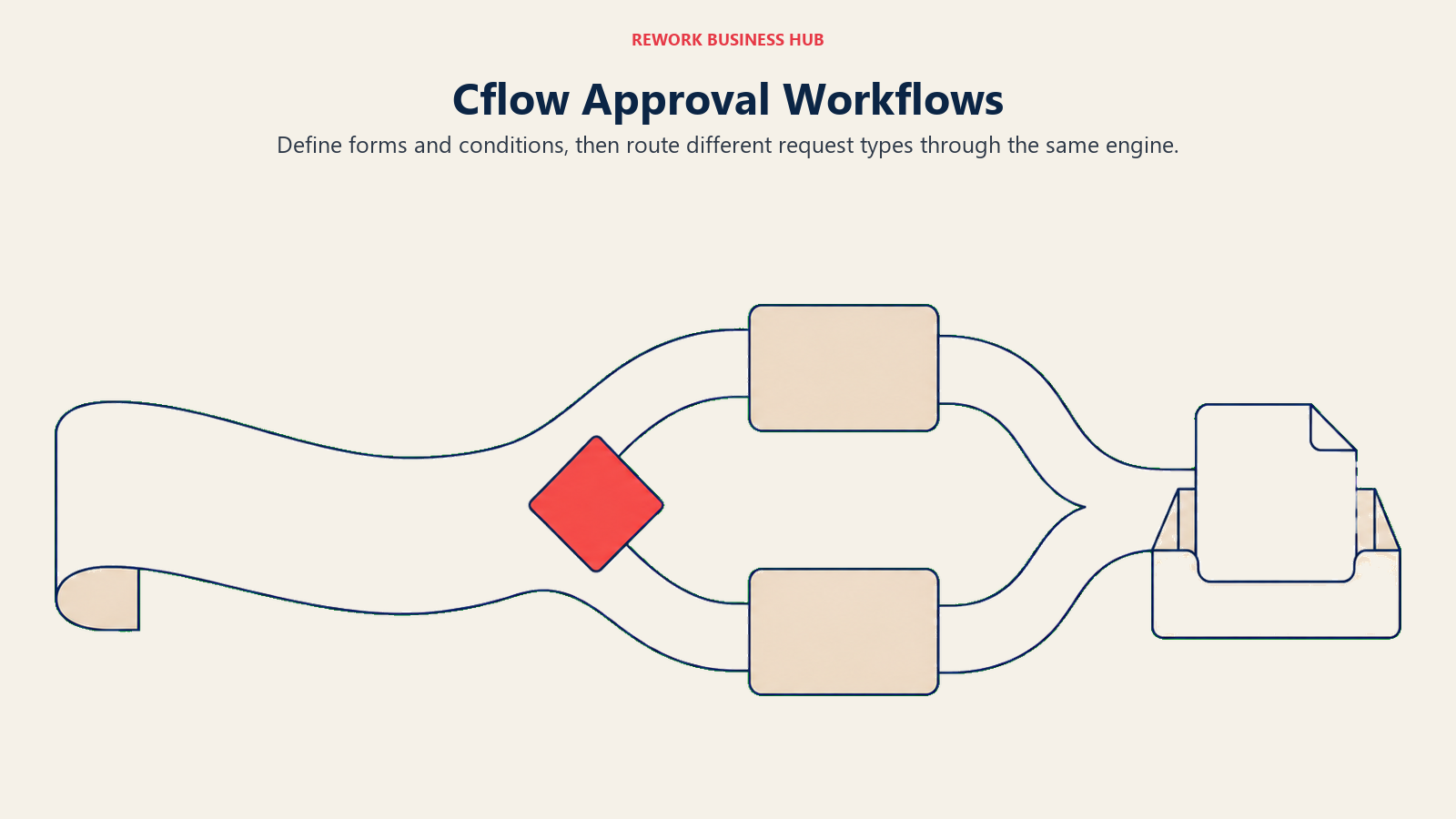
Its published rate is the lowest genuine per-user figure in this group. Joy runs $11 per user per month on annual billing or $22 month-to-month, with a 10-user minimum and up to 20 workflows. Bliss is $16 per user per month annually or $32 monthly, with a 20-user minimum and up to 50 workflows. Zen is custom for 100 or more users with unlimited workflows. AI credits are included at 10,000, 20,000, and 30,000 a month respectively, with extra credits at $20 per 10,000.
Those minimums matter more than the rate. At the 10-user floor, Joy is $110 a month billed annually, more than double ApprovalMax's $49.50 per organisation, and it climbs from there. Cflow wins on breadth of process, not on cost per approval. It does list integrations with QuickBooks, Xero, NetSuite, and Sage Intacct, so data can move, but it's still a workflow builder rather than an AP product: no OCR invoice capture, no three-way matching, no supplier master.
| What you get | What you don't |
|---|---|
| The lowest published per-user rate in this workflow group | A rate that beats a flat per-organisation fee at any size |
| Unlimited process types, not just purchase approvals | An AP product: no OCR capture, matching, or supplier master |
| Both annual and monthly figures published, clearly | Escape from the 10-user (Joy) or 20-user (Bliss) minimum |
| AI credits included on every tier | Invoice capture, matching, or payment execution |
Pricing: Joy $11/user/month billed annually or $22/user/month billed monthly, 10-user minimum, up to 20 workflows, 10,000 AI credits/month. Bliss $16/user/month billed annually or $32/user/month billed monthly, 20-user minimum, up to 50 workflows, 20,000 AI credits/month. Zen custom, 100-plus users, unlimited workflows, 30,000 AI credits/month. Extra AI credits $20 per 10,000. 14-day free trial, no credit card. (Cflow) Best for: Ops teams standardising a dozen unrelated approval processes on one cheap, published per-user engine. Not ideal for: Small finance teams, where the 10-seat minimum makes it cost more than ApprovalMax for a narrower job.
8. Kissflow: Department-Wide Process Work, at an Undisclosed Price
Kissflow is the enterprise end of no-code process. It covers case management, project boards, forms, and multi-department workflows, which makes it a plausible answer if your approval problem is one symptom of a broader "our processes live in email" problem. Approval routing is table stakes for it rather than the product.
The problem is pricing opacity that goes past the usual. Kissflow's pricing page publishes no dollar figures, no tier names, and no minimum user count, framing the offer as value-based pricing with fixed annual agreements set through a consultation. Worse, its own 2026 content pages cite conflicting starting points, $1,500 a month for up to 50 users on one page and $2,500 a month on another and in that first page's own FAQ. Treat every circulating figure as unconfirmed.
Coming from ApprovalMax, that's a hard swap to justify on paper. You're moving from three published numbers and unlimited users to a consultation with no anchor. The case for it is scope: if finance approvals are one of fifteen processes you need to fix, a department-wide platform can be worth the conversation. If they're the only one, it isn't. Best Kissflow Alternatives goes deeper on the platforms that publish real numbers in this space, and Kissflow vs Pipefy covers the head-to-head most process buyers actually run.
| What you get | What you don't |
|---|---|
| A broad no-code platform covering many process types | Any published price, tier name, or user minimum |
| Case management and project work alongside approvals | A consistent number even across Kissflow's own pages |
| Enterprise governance and multi-department scope | A self-serve path to test before a consultation |
| Fixed annual agreements rather than seat creep | A justification if finance approvals are your only gap |
Pricing: Not published on Kissflow's pricing page; sold as a fixed annual agreement quoted per organisation. Kissflow's own 2026 content pages quote conflicting starting points, $1,500/month for up to 50 users on one page and $2,500/month on another (and in that first page's own FAQ), so treat every circulating figure as unconfirmed. (Kissflow) Best for: Larger organisations rebuilding many departmental processes at once, where approvals are one workstream among many. Not ideal for: A finance team replacing a $49.50-a-month approval layer, where the pricing gap is unknowable before a sales call.
9. Pipefy: Build the Approval Process Free Before You Pay for It
Pipefy is a kanban-style process platform where each card is a request moving through defined stages. For approvals it's a natural fit: a purchase request enters as a card, hits an approval phase, routes conditionally on amount or department, and lands in a done column with the full history attached. Ops teams in procurement, HR, and finance shared services are its core audience.

The reason it's worth a look coming from ApprovalMax is the free tier, which is unusually honest about its caps. Starter is free with no credit card and covers up to 5 processes, 10 users, 50 cards a month, 15 automation jobs a month, and 205 API calls a month. That's enough to model your real approval matrix and run it for a month before spending anything, which is the single cheapest way to find out whether a general workflow tool actually fits how your finance team works.
Above that, transparency stops. Business and Enterprise bill per user with no published rate. Business lifts the caps to unlimited processes, users, and cards with 300 automation jobs and 500 API calls a month; Enterprise goes to 2,000 automation jobs and 10,000 API calls. Pipefy also advertises an SMB offer of up to 90% off fixed-price packages for companies with 11 to 200 employees, without printing the amount. Best Pipefy Alternatives covers the wider field if the free tier proves the concept but the paid conversation stalls.
| What you get | What you don't |
|---|---|
| A genuinely usable free tier with published caps | A published per-user rate on Business or Enterprise |
| Conditional routing on amount, department, or cost center | Accounting-native sync, matching, or invoice capture |
| Clear automation-job and API limits per tier | Room past 10 users or 5 processes without a quote |
| An advertised SMB discount for 11 to 200 employee companies | The figure behind that discount, it isn't printed |
Pricing: Starter free, no credit card (up to 5 processes, 10 users, 50 cards/month, 15 automation jobs/month, 205 API calls/month). Business quote-only, per user, with unlimited processes, users, and cards, 300 automation jobs and 500 API calls a month. Enterprise quote-only, 2,000 automation jobs and 10,000 API calls a month. An SMB offer advertises up to 90% off fixed-price packages for 11 to 200 employee companies, amount not published. (Pipefy) Best for: Teams that want to model and run their real approval process for free before committing budget to anything. Not ideal for: A team that needs a firm per-user number to build a business case, since Business pricing is quote-only.
10. Tallyfy: The Only Option Here With No Seat Minimum at All
Tallyfy is deliberately narrow: repeatable, documented processes with clear handoffs, run as trackable instances rather than static checklists. Approvals fit inside that as a step type. It won't build you a procurement suite, and it isn't trying to.
Its distinguishing feature in this comparison is the absence of a floor. Full seats cost $300 a year billed annually, a $25 a month equivalent, or $30 a month month-to-month. Light seats are $100 a year billed annually or $10 a month. The minimum is one seat, which no other paid option on this list matches, and unlimited guests are free on every paid plan. SSO and SCIM are included on every paid plan rather than gated behind enterprise, and the Data Feed analytics add-on runs $20 per seat per year on annual billing only.
That guest model is the real ApprovalMax comparison. If your approvers are occasional participants rather than daily users, Tallyfy lets them take part without a licence, which is functionally similar to ApprovalMax's unlimited-users promise, just arrived at differently. Two full seats plus unlimited free guests is $600 a year, roughly the same neighbourhood as ApprovalMax Standard, for a much broader but much less finance-specific tool.
| What you get | What you don't |
|---|---|
| A one-seat minimum, unique among paid options here | Procurement, AP, or accounting-native features |
| Unlimited free guests on every paid plan | A visual canvas as rich as Pipefy or monday.com |
| SSO and SCIM included on every paid plan | Budget checks, matching, or supplier records |
| Both annual and month-to-month figures published | Depth for branching, multi-system case work |
Pricing: Full seat $300/year billed annually (a $25/month equivalent), or $30/month month-to-month. Light seat $100/year billed annually, or $10/month month-to-month. Unlimited guests free on every paid plan. Minimum 1 seat. 14-day trial. SSO and SCIM included on every paid plan. Data Feed analytics add-on $20/seat/year, annual billing only. (Tallyfy) Best for: A single department or a very small team wanting documented approval processes with no headcount floor and free occasional participants. Not ideal for: Finance teams needing invoice-level control, matching, or an accounting integration.
11. Microsoft Power Automate: Cheapest Real Number, If You Build It Yourself
If your company already runs on Microsoft 365, Power Automate is the option that costs least and requires most. Approvals are a first-class action in it: you define a flow, add an approval step, route on conditions, and the request lands in Teams or Outlook where people already are. Adoption is rarely the problem, because nobody has to open a new tool to say yes.
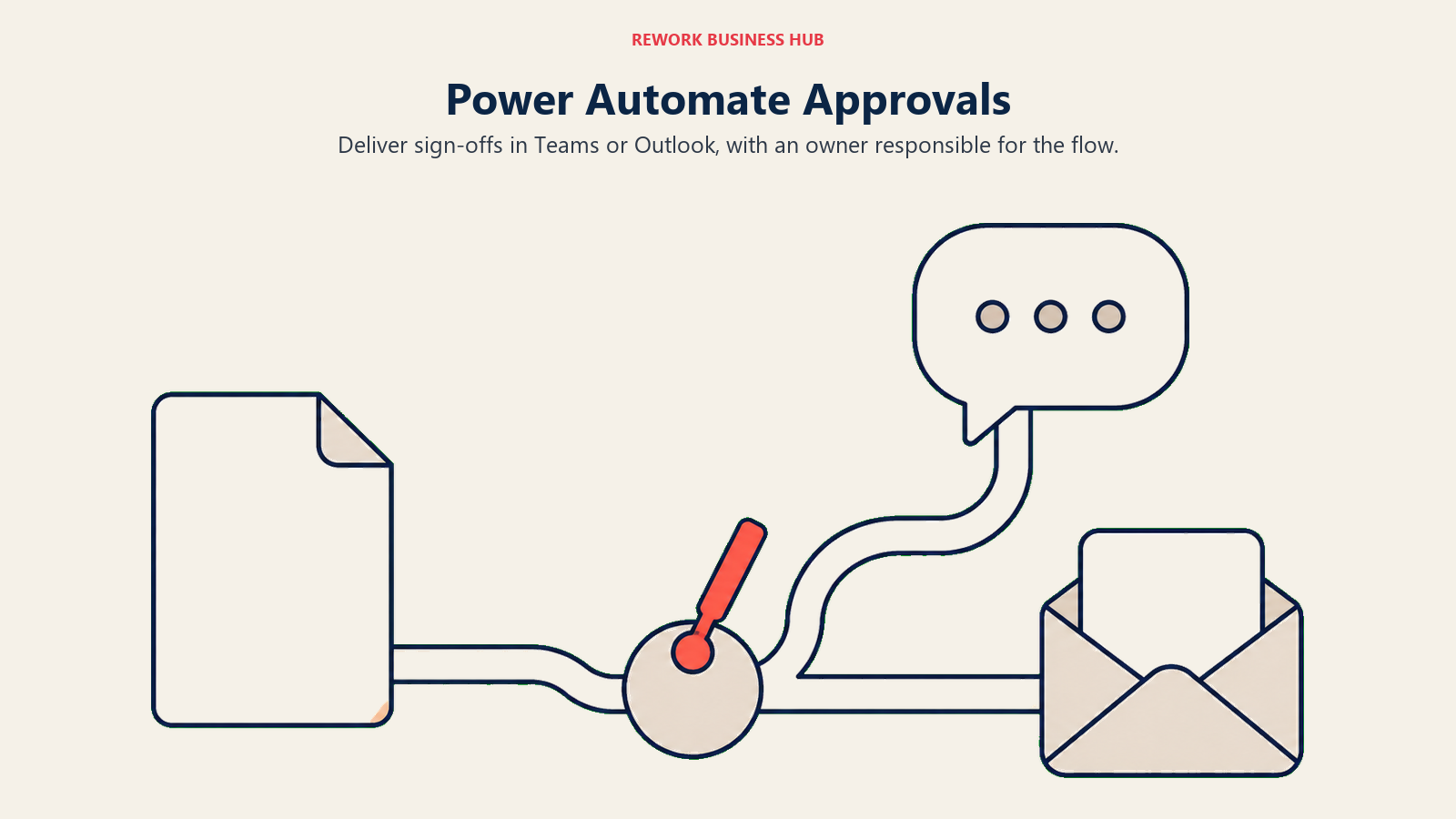
The published rate is the lowest genuine per-user figure in this comparison. Premium runs $15 per user per month paid yearly, covering cloud flows, attended desktop flows for RPA, and process and task mining with 50 MB of stored data. Process is $150 per bot per month paid yearly for unattended desktop flows, Hosted Process is $215 per bot per month paid yearly and adds a Microsoft-hosted VM on Azure, and the Process Mining add-on is $5,000 per tenant per month paid yearly on top of Premium. All four are stated as paid yearly; month-to-month rates aren't shown. A limited set of cloud-flow capability is included with Microsoft 365 licences, and Premium is what buys the RPA and premium connectors.
What you don't get is a finance product. There's no supplier record, no budget, no invoice matching, no accounting sync you didn't build. You're buying an automation platform and assembling an approval process on it, which is fine if you have someone who will own that and expensive in staff time if you don't. Power Automate vs Nintex covers the closest head-to-head for teams weighing build-it-yourself against a packaged workflow product, and Best Nintex Alternatives covers the wider field.
| What you get | What you don't |
|---|---|
| The lowest published per-user rate here, $15/user/month | A ready-made finance approval product |
| Approvals delivered inside Teams and Outlook | Supplier records, budgets, or invoice matching |
| Attended RPA included in the Premium seat | A cheap path to unattended bots or process mining |
| Deep connector coverage across the Microsoft stack | Value if your company isn't already on Microsoft 365 |
Pricing: Free 30-day trial (cloud flows, standard connectors only). Premium $15/user/month paid yearly. Process $150/bot/month paid yearly. Hosted Process $215/bot/month paid yearly. Process Mining add-on $5,000/tenant/month paid yearly, Premium only. Month-to-month rates not published. (Microsoft) Best for: Microsoft 365 shops with someone willing to own flow design, wanting approvals where staff already work. Not ideal for: Finance teams wanting a packaged approval product with accounting integration out of the box.
12. monday.com: A Board Non-Finance People Will Actually Use
monday.com isn't an approval tool and doesn't claim to be. It's a work management canvas with automation recipes, and one of the most common recipes is a status change that notifies an approver and moves the item on. That's enough for a meaningful share of what small teams call an approval process, especially the ones outside finance: creative sign-off, campaign budget, vendor onboarding, equipment requests.
Its advantage over every finance-native tool here is adoption. People who won't log into a procurement suite will use a monday board, because they're already in one for something else. If your approval delays come from approvers ignoring the tool rather than from weak routing logic, that's the constraint worth solving.
Pricing is published and cheap at the entry point. Free covers up to 2 seats. Basic is $9 per seat per month, Standard $12, and Pro $19, all billed annually with Enterprise custom. Paid plans start from 3 users, and the pricing page's 10-seat example is a display default rather than a minimum. Above 40 users monday directs you to request a quote. Treat those figures as annual: the monthly-billed rates are higher and the page's toggle doesn't render them cleanly.
The ceiling is real, though. No audit trail built for finance controls, no matching, no meaningful accounting sync, no separation of duties enforcement. It's task routing wearing an approval hat.
| What you get | What you don't |
|---|---|
| The highest chance non-finance approvers actually respond | Finance-grade audit trails or separation of duties |
| A published price ladder and a free 2-seat tier | Invoice matching, budgets, or supplier records |
| Automation recipes anyone can configure | Self-serve pricing above 40 users |
| A familiar interface most teams half-know already | A real accounting integration |
Pricing: Free up to 2 seats. Basic $9/seat/month, Standard $12/seat/month, Pro $19/seat/month, all billed annually. Enterprise custom. Paid plans start from 3 users. Above 40 users, monday.com directs you to request a quote. (monday.com) Best for: Small and mid-size teams whose approval bottleneck is approver engagement, not routing logic, especially outside finance. Not ideal for: Anything requiring accounting-grade control: matching, ledger sync, or auditable separation of duties.
13. Zoho Creator: Build Exactly the Approval App You Want, Cheaply
Zoho Creator is a low-code app builder rather than a workflow product, which makes it the right answer for teams whose approval process is genuinely unusual. Multi-currency capex approval with a regional matrix, a grant disbursement chain, an approval that depends on a value pulled from another system: those are hard to fit into a packaged tool and straightforward to build in Creator, with your own forms, roles, and routing.
It also has the lowest published per-user rate on this entire list. The Free Edition covers one app. Standard is $8 per user per month, Professional $20, and Enterprise $25, all billed annually, with Flex on a custom quote. There's a 15-day free trial with no credit card, and local taxes are extra. Zoho states that annual billing saves more than 30% against monthly, but doesn't print the monthly figures.
Several published comparisons quote third-party ranges for Zoho instead. The figures above are the vendor's own, so the Standard rate is safe to put in a business case.
The trade is build time. You are the product team, so budget for the person who designs, builds, and maintains the app, because that cost usually dwarfs the licence. Best Quickbase Alternatives covers the same build-your-own category at the more expensive, more governed end.
| What you get | What you don't |
|---|---|
| The lowest published per-user rate on this list, $8/user/month | A ready-made approval product, you build it |
| Total control over forms, roles, and routing logic | Prebuilt accounting or ERP approval connectors |
| A Free Edition and a 15-day trial with no card | Printed monthly rates, only annual figures are shown |
| Tight integration with the rest of the Zoho suite | A short time to value, expect build and maintenance effort |
Pricing: Free Edition (1 app). Standard $8/user/month, Professional $20/user/month, Enterprise $25/user/month, all billed annually. Flex is custom. 15-day free trial, no credit card. Local taxes extra. Zoho states annual billing saves more than 30% versus monthly, but does not print the monthly figures. (Zoho Creator) Best for: Teams with an unusual approval matrix and someone who can build, wanting the cheapest published per-user rate available. Not ideal for: Finance teams wanting to be live in two weeks without a builder on staff.
When You've Left Xero, QuickBooks Online, or NetSuite Behind
ApprovalMax is sold against exactly three accounting platforms. Migrate to Sage Intacct, Microsoft Dynamics, Odoo, or anything else and the question stops being "what's better than ApprovalMax" and becomes "what works with what we run now." The last two entries cover that, and the honest possibility that you never needed a separate tool at all.
14. Stampli: Approval Conversations Attached to the Invoice, on Any ERP
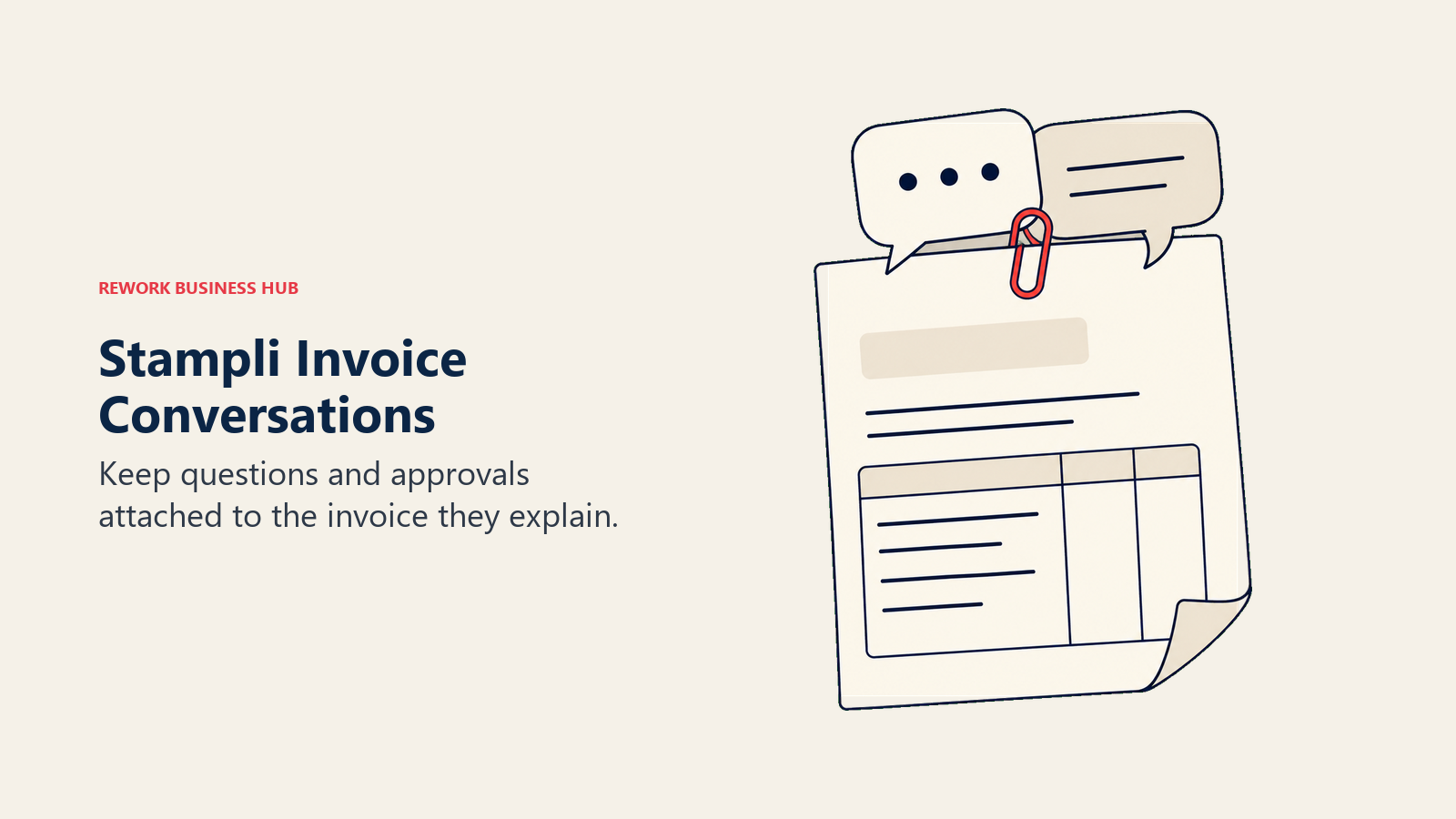
Stampli's design idea is small and good: the argument about an invoice usually happens in email, away from the invoice, and then nobody can find it. So Stampli threads the communication directly onto the invoice record. Questions, clarifications, and approvals live on the document, and the audit trail is the conversation rather than a separate log.
Its practical advantage over ApprovalMax is ERP breadth. Stampli advertises 70-plus ERP integrations, with complete two-way connections named for Sage Intacct, Sage 100, Microsoft Dynamics GP, Dynamics 365 Business Central and Finance, Oracle NetSuite, Oracle Fusion, QuickBooks Desktop and Online, SAP ECC and S/4HANA, and Acumatica. That's the natural shortlist entry for a team that has migrated away from Xero or QuickBooks Online. It also covers invoice capture, coding, and approval routing, with payments and card products available alongside.
The pricing story is the weak spot. Stampli publishes nothing: no tiers, no figures, no minimums, just a line about pricing being as simple as its implementation and a request-a-quote button. Coming from a vendor that prints three numbers on a public page, that's a real step down in buying experience, and it makes the switch impossible to model until you've had the call. Given best-in-class AP teams process invoices in 3.1 days against 17.4 for everyone else per Ardent Partners' 2025 data, the efficiency case may well justify it, but you'll be arguing it without a price.
| What you get | What you don't |
|---|---|
| Approval conversations attached to the invoice itself | Any published price, tier, or minimum |
| Broad ERP and accounting-system coverage | A self-serve path or a public trial signup |
| Invoice capture, coding, and routing in one flow | A way to model cost before a sales conversation |
| Payment and card products available alongside | Procurement depth: catalogs, requisitions, receiving |
Pricing: Quote-only. No tiers, no dollar figures, and no minimums published; the page states that pricing is as simple as the implementation and routes to a Request a Quote form. (Stampli) Best for: AP teams on an ERP that ApprovalMax doesn't support, where invoice approval discussions currently live in email. Not ideal for: Buyers who need a number before they invest time, or teams wanting procurement control upstream of the invoice.
15. Native Xero and QuickBooks Online Approvals: You May Not Need a Tool
The cheapest ApprovalMax alternative is the subscription you already pay for. Not for everyone, but for enough teams that it belongs here properly rather than as a throwaway line.
Xero's US plans run $25 a month for Early, $55 for Growing, and $90 for Established, currently with a six-month introductory rate of $2.50, $5.50, and $9. Early caps you at 5 bills; Growing and Established remove that. What matters most for this comparison is a line Xero puts on its own pricing page: no per-user license fees. Everyone who needs access gets it, which means role-based permissions and bill approval within Xero cost nothing extra per approver. Xero's pricing page doesn't break out purchase orders by tier, so confirm that against your plan before assuming it.
QuickBooks Online publishes Simple Start at $38 a month, Essentials at $75, Plus at $115, and Advanced at $275, with a 50% off for three months promotion running. Included users go 1, 3, 5, and 25 across those tiers. Advanced is the only plan that lists workflow automation, described as automated workflows and reminders, and Bill Pay Elite includes approval workflows.
Here's the honest comparison. Native approval in either tool is single-step, thin, and not a real matrix: no conditional routing on amount or department, no separation of duties enforcement, no multi-stage escalation. If two people sign off on everything and your volume is low, that's fine and free. If you need four-eyes control on anything over $10,000 with a different chain for capex, it isn't, and that's exactly the gap ApprovalMax was built for.
| What you get | What you don't |
|---|---|
| Zero additional cost and zero additional logins | Conditional routing on amount, department, or entity |
| Xero charges no per-user licence fees for approvers | Multi-stage approval chains or escalation rules |
| QuickBooks Advanced lists workflow automation | Enforced separation of duties or a real approval matrix |
| Role-based permissions already in the accounting tool | Anything beyond bills and, in QBO's case, the top tier |
Pricing: Included in your existing subscription. Xero US: Early $25/month, Growing $55/month, Established $90/month, with a current six-month introductory rate of $2.50, $5.50, and $9; the page states there are no per-user license fees (Xero). QuickBooks Online: Simple Start $38/month (1 user), Essentials $75/month (3 users), Plus $115/month (5 users), Advanced $275/month (25 users), with a 50% off for three months promotion; Advanced is the tier that lists workflow automation (QuickBooks). Best for: Small teams with low bill volume and a simple, single-step sign-off that doesn't vary by amount. Not ideal for: Anyone needing conditional routing, multi-stage chains, or enforced separation of duties, which is precisely why ApprovalMax exists.
What Each Option Costs at 10, 25, and 100 Approvers
This is the table that decides most ApprovalMax switches, because the per-organisation unit changes the answer completely as headcount grows. Figures below are our own arithmetic on each vendor's published rate at the entry tier, assuming every approver needs a paid seat where the vendor bills per user. They are not quoted bundles, and volume discounts, minimums, and add-ons will move them.
| Option | 10 approvers | 25 approvers | 100 approvers |
|---|---|---|---|
| ApprovalMax Standard | About $594/year (flat) | About $594/year (flat) | About $594/year (flat) |
| Rework Process Engine (billed yearly) | $1,344/year | $1,812/year | $5,424/year (Advanced edition) |
| Zoho Creator Standard | About $960/year | About $2,400/year | About $9,600/year |
| monday.com Basic | About $1,080/year | About $2,700/year | Quote required above 40 users |
| Cflow Joy | About $1,320/year | About $3,300/year | Zen tier, custom quote |
| Microsoft Power Automate Premium | About $1,800/year | About $4,500/year | About $18,000/year |
| Tallyfy Full seats | $3,000/year | $7,500/year | $30,000/year (guests free) |
| Zahara | £1,908/year (Teams, GBP) | £5,988/year (Enterprise, GBP) | Enterprise Plus, custom |
| BILL Essentials | About $5,880/year | About $14,700/year | About $58,800/year |
| Precoro Core | From $5,988/year (floor) | From $5,988/year (floor) | From $5,988/year (floor) |
| Procurify | Quote-only, unlimited Basic users | Quote-only | Quote-only |
| Spendesk / Stampli / Kissflow | Quote-only | Quote-only | Quote-only |
Two things fall out of that. First, ApprovalMax is close to unbeatable on price for a wide approver population doing one narrow job, and no per-seat product catches it at 100 people. Second, Precoro holds its shape as headcount grows because it doesn't charge by the approver, but its floor is roughly ten times ApprovalMax's flat rate before you add anything. Rework does grow with headcount, but slowly, because seats come in blocks of 5 rather than one licence per approver.
Stage Fit Matrix
| Where you are | Best-fit picks | Why |
|---|---|---|
| Not sure you need a tool at all | Native Xero or QBO controls, Pipefy free | Test whether single-step approval is genuinely the problem before spending |
| Evaluating with no budget approved | Pipefy (free Starter), Zoho Creator (Free Edition), Power Automate (30-day trial) | Build the real approval matrix before anyone signs off on spend |
| Ready to buy, want a number first | Rework, Cflow, Tallyfy, Power Automate, monday.com, Zoho Creator, Zahara, BILL, Precoro | These publish a real figure without a sales conversation |
| Comfortable with a sales-led process | Procurify, Spendesk, Stampli, Kissflow | No published number, but each has a real strength worth the call |
| Migrating off Xero, QBO, or NetSuite | Stampli, BILL, Precoro, Procurify | ERP-agnostic and not tied to ApprovalMax's three platforms |
| Consolidating several approval types into one system | Rework, Cflow, Pipefy | One request system for POs, leave, contracts, and internal requests |
Sizing and Persona Fit
| Company size | Best-fit picks | Typical buyer |
|---|---|---|
| 1 to 10 | Native Xero or QBO controls, Tallyfy, Pipefy free | Founder, bookkeeper, or a part-time financial controller |
| 10 to 50 | Rework, Zahara, Cflow, Zoho Creator, monday.com | Financial Controller or Head of Finance, no dedicated IT buyer |
| 50 to 200 | Rework, Precoro, BILL, Power Automate, Stampli | Finance Director or Operations Director consolidating systems |
| 200-plus | Precoro, Procurify, Spendesk, Kissflow, Stampli | CFO with a procurement lead and an IT or systems owner |
| Multi-entity, any size | Spendesk, Precoro, Procurify, ApprovalMax itself | Group Financial Controller running several legal entities |
How to Choose: Decision Framework
Match the row that describes your actual constraint, not the vendor with the best homepage. If your real gap turns out to be documented, repeatable process work rather than approval routing, Best Process Street Alternatives covers that adjacent category.
| If your team needs... | Best pick |
|---|---|
| A flat price that doesn't move as approvers are added | ApprovalMax itself |
| Budget checks and catalogs before the PO is raised | Precoro |
| Unlimited requesters and approvers, paying only for administrators | Procurify |
| AI invoice reading bundled into a published price, in GBP | Zahara |
| One policy across company cards, expenses, and invoices | Spendesk |
| To approve the bill and then actually pay it | BILL (Bill.com) |
| Approvals for POs, leave, contracts, and internal requests in one system | Rework |
| The cheapest published per-user workflow engine for any process | Cflow, or Zoho Creator if you'll build it |
| To model your real approval matrix for free before buying | Pipefy |
| A single department covered with no seat minimum | Tallyfy |
| Approvals delivered inside Teams and Outlook | Microsoft Power Automate |
| Approvers outside finance who ignore every other tool | monday.com |
| Invoice approvals on an ERP that isn't Xero, QBO, or NetSuite | Stampli |
| Nothing extra, because single-step sign-off is genuinely enough | Native Xero or QuickBooks Online controls |
Frequently Asked Questions about ApprovalMax Alternatives
What are the best ApprovalMax alternatives in 2026?
It depends which of three exits you're taking. For procurement and budget control before the invoice, look at Precoro, Procurify, Zahara, and Spendesk. For approvals beyond invoices and POs, look at Rework, Cflow, Pipefy, Tallyfy, Power Automate, monday.com, and Zoho Creator. For invoice approvals on an ERP that isn't Xero, QuickBooks Online, or NetSuite, look at Stampli and BILL.
How much does ApprovalMax cost?
ApprovalMax publishes Standard at $49.50 per month per organisation, Advanced at $79.17, and Premium at $110.92, all billed yearly, with the same figures on its Xero and QuickBooks Online pages. Every tier includes unlimited users, unlimited requests, and unlimited approvals. The monthly-billed rate is not published. ApprovalMax Capture is a $13.20 per month add-on, and an optional training package is listed at USD $2,100 for two 60-minute sessions.
Is ApprovalMax really priced per organisation rather than per user?
Yes. That's the single most important fact about its pricing and the reason it beats per-seat rivals for approval-heavy finance teams. Every published tier includes unlimited users, so adding a tenth or a fortieth approver costs nothing extra. ApprovalMax also supports up to 50 or more organisations, and offers volume discounts plus 20% off for not-for-profits.
Which ApprovalMax alternatives publish a real price?
Nine of the fifteen here do. Precoro (Core from $499/month billed annually), Zahara (Teams £159/month), BILL (Essentials $49 user/month), Rework (Process Engine $99/month billed yearly, 5 seats included), Cflow (Joy $11/user/month billed annually), Tallyfy (Full seat $300/year), Microsoft Power Automate (Premium $15/user/month paid yearly), monday.com (Basic $9/seat/month billed annually), and Zoho Creator (Standard $8/user/month billed annually). Procurify, Spendesk, Stampli, Kissflow, and Pipefy's paid tiers are quote-only.
Is a per-user tool ever cheaper than ApprovalMax?
Rarely, if you only count the approval job. At roughly $594 a year flat, ApprovalMax undercuts every per-seat option here once you pass about six approvers, and nothing catches it at 100. Per-user tools win when they're doing more than approving: procurement control, payment execution, or approvals for leave, contracts, and internal requests that ApprovalMax cannot touch.
Do I need an approval tool at all, or can Xero and QuickBooks handle it?
For low volume with a single, consistent sign-off, your accounting subscription may be enough. Xero states there are no per-user license fees, so approvers cost nothing extra, and QuickBooks Online Advanced ($275 per month, 25 users) is the tier that lists workflow automation. Native approval in both is single-step and doesn't route conditionally on amount or department, so if you need four-eyes control above a threshold or a different chain for capex, you need a real tool.
What happens to ApprovalMax if we switch accounting systems?
It goes with them. ApprovalMax is sold as separate products for Xero, QuickBooks Online, and NetSuite, so moving to Sage Intacct, Microsoft Dynamics, Odoo, or anything else means finding a new approval layer. That's the cleanest reason to shortlist an ERP-agnostic option like Stampli, BILL, Precoro, or Procurify while you're planning the migration.
How does Rework compare to ApprovalMax?
They solve different halves of the problem. ApprovalMax is deeper on accounts payable: OCR invoice capture, matching, and native two-way sync with your accounting package. Rework is broader: its Request module approves purchase orders, leave, expenses, contracts, and internal requests, alongside Workflow, BPM, Task, Project, Docs, and E-Sign on one platform, from a published $99 a month billed yearly for 5 seats on the Process Engine. If your only need is approving an invoice inside Xero, ApprovalMax is the better fit.
What's the difference between an approval tool and a procurement platform?
An approval tool routes a document that already exists to the right people. A procurement platform controls the spend before the document exists: a requisition checks against a budget, becomes a purchase order, and gets matched against goods received and the eventual invoice. Precoro and Procurify are procurement platforms; ApprovalMax, Stampli, and Zahara sit closer to the approval end.
What does slow invoice approval actually cost?
The measurable cost is in cycle time and cost per invoice. Per Ardent Partners' 2025 Accounts Payable Metrics That Matter, the average cost to process a single invoice is $9.40 against $2.78 for best-in-class teams, and best-in-class organisations clear an invoice in 3.1 days against 17.4 days for everyone else. The exception rate follows the same pattern, 9% for top performers against a 22% industry average.
Which alternatives work for a company with several legal entities?
ApprovalMax itself supports up to 50 or more organisations, which is genuinely strong for multi-entity groups. Among the alternatives, Spendesk sells multi-entity management as a distinct module, and Precoro and Procurify both handle multi-entity structures within their procurement suites. Confirm how each one bills for additional entities before you compare, since that is where per-organisation and per-user models diverge most.
What to Do Next
Start with the cost table above and be honest about which exit you're actually taking. If you can't name one of the three, stay on ApprovalMax: at roughly $594 a year flat with unlimited users, nothing here beats it at the narrow job it does, and switching costs you money and migration time for no gain. If your exit is procurement control, get quotes from Procurify and Precoro in the same week and ask each one to price your real requisition volume, not a generic seat count. If your exit is scope, run Pipefy's free Starter tier or Rework's Work Ops package against two live approval processes for a fortnight, one that touches the ledger and one that doesn't, and count how many email chases disappear. And if you've just migrated accounting systems, shortlist Stampli and BILL first, because ERP compatibility rules out more of this list than any feature comparison will.

Customer Success Operations Manager
On this page
- Why Teams Leave ApprovalMax (and Why Many Shouldn't)
- Key Facts
- Quick Comparison Table
- Pricing Models at a Glance
- Which of the Three Exits Are You Taking?
- 1. Precoro: Procurement Control That Starts Before the Invoice
- 2. Procurify: Unlimited Requesters, Priced on the Few Who Manage
- 3. Zahara: Real Published Figures, in Pounds, With AI Invoice Reading
- 4. Spendesk: One Policy Across Cards, Expenses, and Invoices
- 5. BILL (Bill.com): Approve It, Then Actually Pay It
- Approvals for the Things That Never Touch the Ledger
- 6. Rework: One Approval System for POs, Leave, Contracts, and Requests
- 7. Cflow: The Cheapest Real Per-User Rate for Any Approval Process
- 8. Kissflow: Department-Wide Process Work, at an Undisclosed Price
- 9. Pipefy: Build the Approval Process Free Before You Pay for It
- 10. Tallyfy: The Only Option Here With No Seat Minimum at All
- 11. Microsoft Power Automate: Cheapest Real Number, If You Build It Yourself
- 12. monday.com: A Board Non-Finance People Will Actually Use
- 13. Zoho Creator: Build Exactly the Approval App You Want, Cheaply
- When You've Left Xero, QuickBooks Online, or NetSuite Behind
- 14. Stampli: Approval Conversations Attached to the Invoice, on Any ERP
- 15. Native Xero and QuickBooks Online Approvals: You May Not Need a Tool
- What Each Option Costs at 10, 25, and 100 Approvers
- Stage Fit Matrix
- Sizing and Persona Fit
- How to Choose: Decision Framework
- What to Do Next