How AI Changes Support Team Roles and Staffing
Turn this article into takeaways for your work.


Each assistant summarizes the article only for you and suggests best practices for your work.
AI changes support team roles by taking over the repetitive, well-documented contacts and assisting agents on the rest, which shifts human work toward complex cases, judgment calls, and the upkeep of the knowledge and rules the AI runs on. Headcount planning changes with it: you staff for fewer, harder conversations, and you add a small set of roles that didn't exist before, such as AI trainers and knowledge managers.
This guide is for support leaders, CX directors and support managers who have to decide what their org chart looks like once AI is in the workflow. It's part of the AI for Customer Service collection. For the big picture, start with AI in customer service. Here we stay on people: which roles change, which new ones appear, and how to move a team there without breaking service.
Key Facts
- In a study of 5,179 customer support agents, access to a generative AI assistant raised issues resolved per hour by 14% on average (Brynjolfsson, Li and Raymond, NBER Working Paper 31161).
- The same study reports a 34% improvement for novice and low-skilled workers, and minimal impact on experienced and highly skilled workers (NBER Working Paper 31161).
- The US Bureau of Labor Statistics counted about 2.67 million customer service representative jobs in 2025 and projects a 5% decline from 2025 to 2035, a loss of roughly 141,800 jobs (BLS Occupational Outlook Handbook).
- BLS attributes the decline to self-service systems and automation handling simple tasks, while some companies keep in-house service centers for complex inquiries (BLS Occupational Outlook Handbook).
- Even with the projected decline, BLS expects about 289,500 openings a year, all from workers leaving the occupation or moving to other ones (BLS Occupational Outlook Handbook).
What Actually Changes in a Support Team
Two forces act on a support org at the same time, and they pull in different directions.
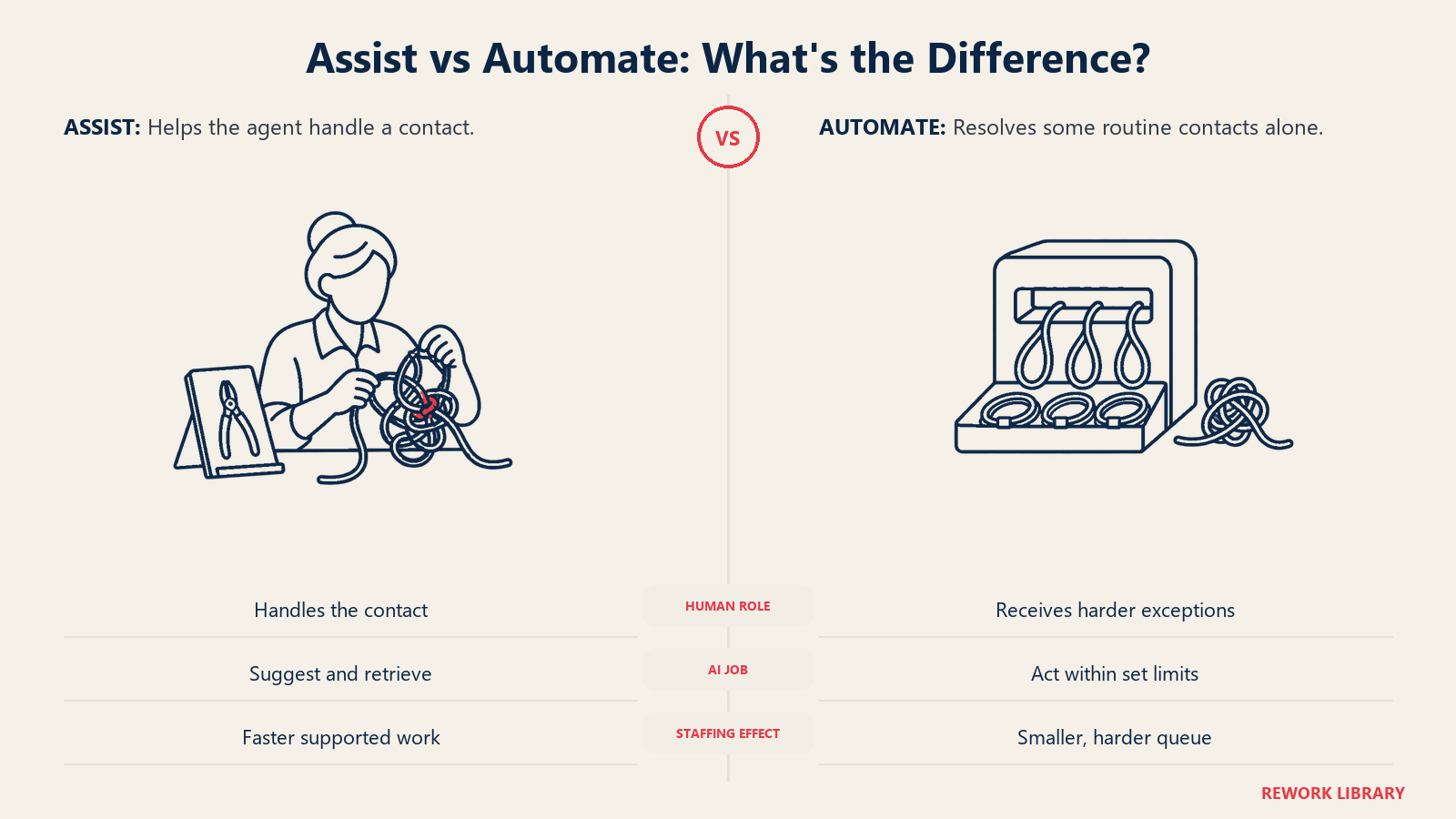
The first is assist. An AI copilot drafts replies, summarizes long threads, and pulls the right help article while the agent is typing. The NBER study is the cleanest evidence we have for this effect. The gain wasn't spread evenly. The 34% improvement for novice and low-skilled workers, set against minimal impact on experienced ones, suggests the assistant works partly by passing on what top performers already know. That has a staffing consequence: ramp time and the value of a tenured agent both change. Our piece on AI copilots explains the mechanism.
The second is automate. Chatbots and AI agents resolve some contacts end to end, so those contacts never reach a person. BLS says this plainly in its outlook for the occupation: simple tasks move to self-service and automated systems, and what's left for people is more complex. If you want to see how that decision gets made contact by contact, read automate or assist in customer service.
Put together, the volume that reaches humans gets smaller and harder. Average handle time per contact can go up even as productivity per agent improves, because the easy contacts left the queue. Leaders who judge the team on the old handle-time target will think things are getting worse when they're getting better.
The Roles Table: Before and After
Titles vary, but the shifts are consistent. Use this as a starting map, then adjust to your own structure.
| Old role | What it becomes | New skills it needs |
|---|---|---|
| Tier 1 agent (password resets, order status, how-to questions) | AI handles most of this volume; the remaining human role is a front-line resolver for mixed or emotional cases, often working with an AI copilot | Reading customer emotion, judgment on when to override a draft, clear writing, comfort reviewing AI output |
| Tier 2 or specialist | Owner of complex, high-stakes and escalated cases; also the reviewer of cases the AI hands off | Deep product knowledge, diagnosis, cross-team negotiation, writing the "why" behind a fix |
| Team lead or supervisor | Coach of people plus monitor of AI quality; reads conversation samples from both humans and bots | Quality review, coaching on AI-assisted work, spotting patterns in escalations |
| Knowledge base author (often a side job) | Knowledge manager: a named role, since retrieval quality depends on article quality | Content structure, source-of-truth ownership, review cycles, measuring article usefulness |
| QA analyst | Conversation quality analyst covering AI and human replies | Sampling methods, error taxonomy, failure analysis |
| Support operations or tooling admin | AI operations owner: workflows, routing rules, guardrails, handoff logic | Process design, reading analytics, vendor configuration |
| New role: AI trainer or conversation designer | Teaches the AI how your company answers: tone, escalation rules, approved responses, test cases | Prompt and rule writing, evaluation design, domain expertise |
Not every team needs a person called "AI trainer." In a 15-person team, the work may be one half-day a week for a senior agent. In a large operation, it's a team. What matters is that someone owns it by name, because unowned AI quality drifts.
Role by Role: What to Expect
Tier 1: fewer contacts, higher bar
Tier 1 is where the automation lands first, since the contacts are repetitive and the answers are written down. Don't read that as "tier 1 disappears." Read it as "the tier 1 job changes shape." The human tier 1 agent now sees the contacts the bot couldn't close: customers who are upset, requests that mix two issues, or accounts with unusual history. Those take more skill than a password reset, and your hiring profile and pay band should reflect that.
Agent-assist tools do a second job here. If a copilot suggests the answer, a newer hire can handle a wider range of issues sooner. That is consistent with the pattern the NBER study found for less experienced workers, though it's a single study in one support setting, so test it on your own contacts before you plan around it.
Specialists: the escalation path gets busier
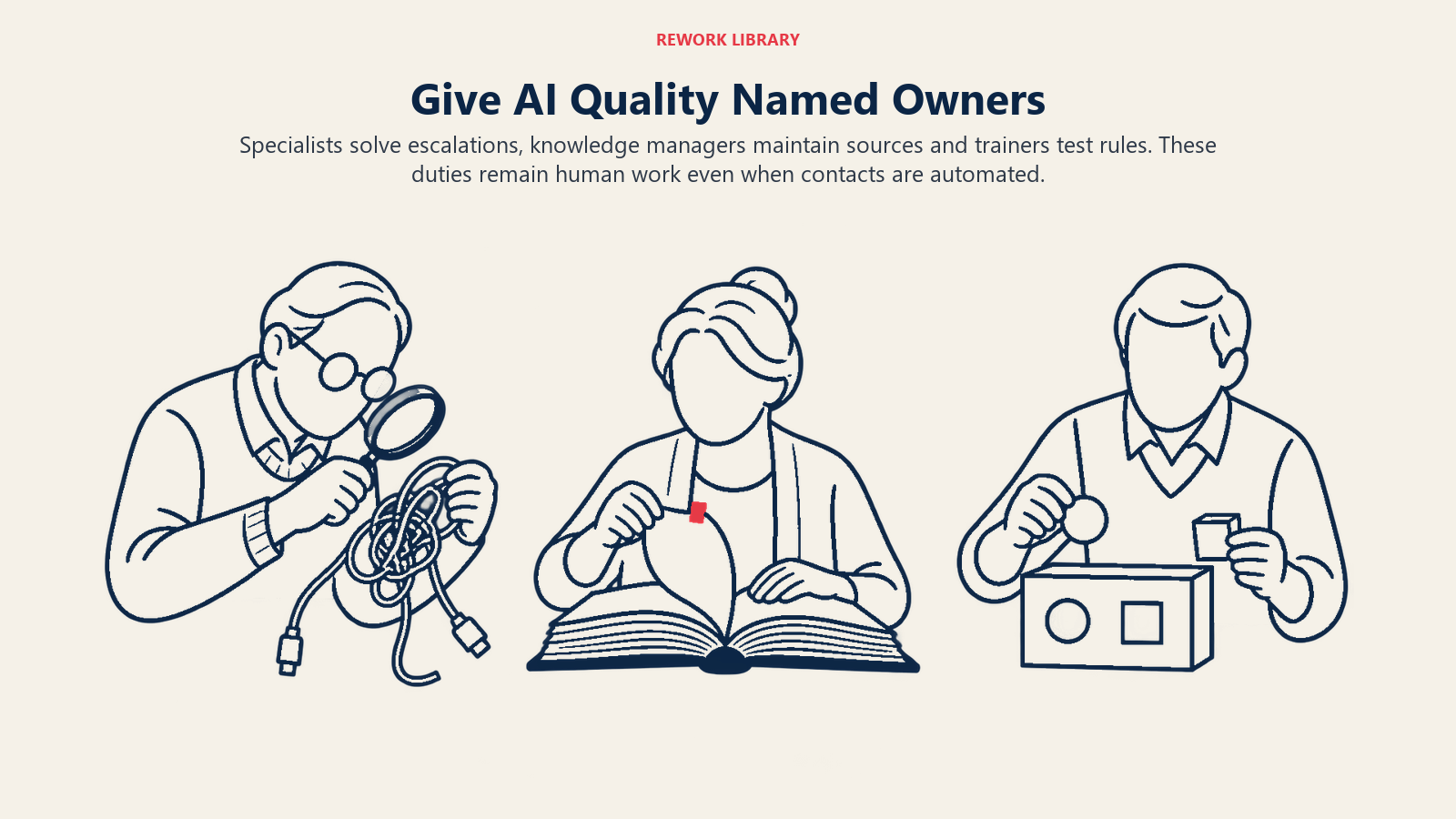
Specialists and tier 2 take on a larger share of what reaches humans. They also get a new duty: reviewing cases where the AI escalated, and telling the trainer what it got wrong. A well-run escalation workflow passes the full context to the specialist so the customer doesn't repeat themselves. Specialists who like deep problem-solving usually thrive. Those who relied on volume work to stay productive may need support.
Knowledge managers: the most undervalued new role
Most AI answer tools retrieve from your help content and then draft a reply, a pattern called retrieval-augmented generation. If the article is out of date, the answer is out of date, delivered confidently and at scale. That makes the person who owns the knowledge base a quality owner for every AI answer. A knowledge manager keeps one source of truth, retires duplicate and conflicting articles, and reviews anything flagged when customers rate an answer poorly. See the AI knowledge base agent for how automation can assist this work without replacing the owner.
AI trainers and conversation designers
This role writes and tests the rules: when to hand off, what tone to use, which topics the AI should never answer alone. It looks a lot like the work of a senior agent combined with a content editor. Good candidates often come from your best tier 2 people, because they know where the real answers differ from the documented ones.
Team leads and QA
Quality assurance used to sample a handful of human tickets per agent per week. With AI in the mix, you also review bot conversations, and the failures look different: confident wrong answers, loops where the customer can't reach a person, missed signs of frustration. Leads need a way to read samples quickly and a clear path to correct the AI, not just coach the people.
How to Redesign Roles and Staffing, Step by Step
- Map contact types by complexity and risk. Pull three months of tickets and group them: repetitive and documented, repetitive but sensitive (billing disputes, account closure), and complex or emotional. This map drives everything else. If your ticket data is messy, fix that first; preparing support data for AI covers it.
- Decide what to automate and what to assist. Automate where answers are stable and a wrong answer is cheap. Assist where judgment or empathy matters. Keep humans in the loop on anything with money, legal or safety consequences.
- Name owners before you launch. Assign someone to knowledge, someone to AI rules and handoffs, and someone to quality review. These can be part-time at first. Unnamed ownership is the most common reason AI quality slips after launch.
- Pilot with one queue and one team. Keep the old staffing in place during the pilot. Measure resolution quality and escalation rate, not only deflection volume.
- Re-baseline your metrics. Handle time, contacts per agent and cost per ticket all move when the easy work leaves. Set targets that fit the new mix, and add measures like customer satisfaction on escalated cases and the share of AI answers that needed correction.
- Retrain and re-level roles. Offer a path from tier 1 into specialist, trainer or knowledge roles. Update job descriptions, interview questions and pay bands to match the harder work.
- Plan staffing through attrition and redeployment first. BLS projects about 289,500 openings a year in the occupation, all from workers leaving or transferring, which points to real turnover. If your team has similar churn, you can often let the workload settle through natural attrition and internal moves rather than layoffs. Decide this deliberately, not by default.
- Review quarterly. Contact mix shifts as the AI improves and as customers learn what it can do. Revisit the map from step 1 every quarter for the first year.
Staffing Models That Fit the New Mix
A few patterns show up in teams that handle the transition well.
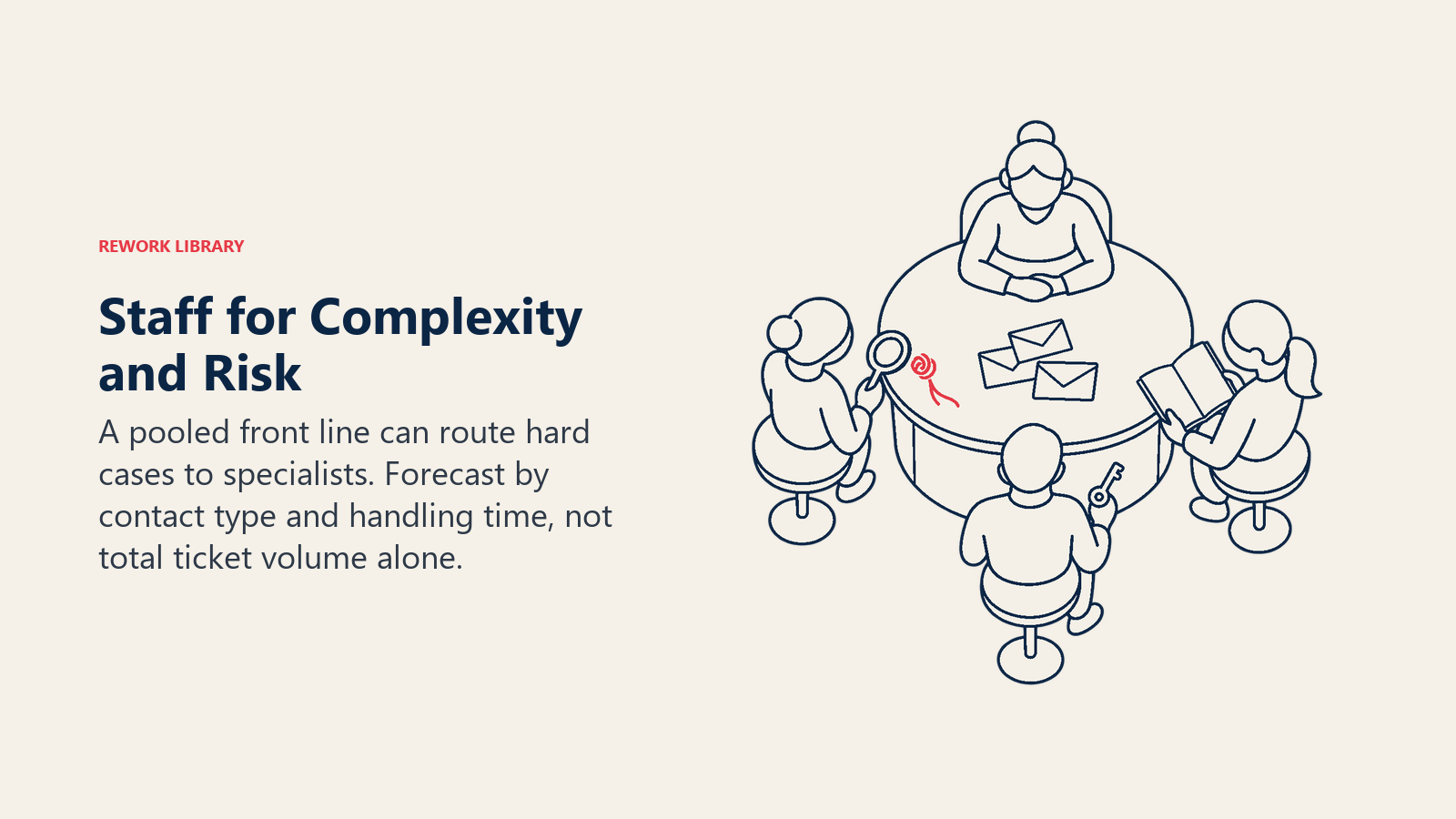
Pooled front line with a specialist ring. One group handles first contact, assisted by AI, and a smaller specialist group takes escalations. This replaces rigid tier 1 and tier 2 queues with flexible routing based on contact complexity, which AI triage can drive.
Blended roles in small teams. If you have fewer than ten people, don't hire a full-time AI trainer. Give your strongest agent a protected block of time each week for rules and knowledge, and rotate it every few months so the knowledge doesn't live in one head.
Capacity planning on resolution, not tickets. If you forecast staffing from ticket volume alone, you'll overstate the need as AI absorbs simple contacts and understate the time per remaining case. Forecast by contact type and expected handle time for each type.
Coverage matched to risk. Where AI covers off-hours for routine questions, you may not need overnight human coverage for them, but you may still want a small on-call path for urgent cases. Match coverage to risk, not habit.
Pitfalls to Avoid
- Cutting headcount before the AI proves itself. Deflection numbers look good early, while quality problems surface weeks later. Keep a buffer until escalation rates and satisfaction on AI-handled contacts hold steady.
- Forgetting the humans AI depends on. Trainers, knowledge managers and quality reviewers keep the system accurate. Removing them to save cost removes the safeguard.
- Reusing old targets. Judging agents on handle time after the easy tickets leave punishes them for handling harder work. Update scorecards before you update the queue.
- Skipping the people conversation. Agents hear "AI" and assume layoffs. Say plainly what's changing, what's staying, and what the growth paths are. Teams that expect surprises disengage before the tools even launch.
- Treating agent-assist as a replacement for coaching. A copilot can lift newer agents' output, but they still need feedback on judgment and tone. The NBER finding is about productivity, not about skill development.
- Hiding the bot. Customers who think they're talking to a person and then find out otherwise lose trust. Be clear when AI is in the conversation, and always give a route to a human. See customer expectations of AI service.
- Over-generalizing one study. The NBER result comes from a single study in one support setting. Your results will depend on your product, your data and your agents. Measure your own.
Where to Go Next
Role design only works when the AI behind it is accurate and the handoffs are clean. Read human-in-the-loop design for how to keep people in control of the steps that matter, and return to the pillar guide for the full map.
Frequently Asked Questions about AI and Support Team Roles
Will AI replace customer support agents?
Not entirely, but it will reduce the number of simple contacts that need a person. BLS projects customer service representative employment to fall 5% from 2025 to 2035, citing self-service and automation, while noting that some companies will keep in-house centers for complex inquiries. Expect fewer, harder conversations rather than none.
Which support roles are most affected by AI?
Tier 1 is affected first, because its contacts are repetitive and documented. Specialists, team leads and QA analysts also change, since they now handle escalations from AI and review AI conversations. Knowledge authors become more important because the AI answers from their content.
What new roles should a support team create?
The most common additions are a knowledge manager, an AI trainer or conversation designer, and an AI operations owner who manages routing and handoff rules. In a small team these can be part-time duties for senior agents rather than new hires.
Does AI help new agents or experienced agents more?
In the NBER study of 5,179 support agents, novice and low-skilled workers improved by 34%, while experienced and highly skilled workers saw minimal impact. That suggests assist tools can shorten ramp time, though results depend on your own contacts and tools.
How should I change support staffing plans when I add AI?
Forecast by contact type instead of total ticket volume, keep a staffing buffer until AI quality is stable, and use attrition and internal moves before considering reductions. Update handle-time and productivity targets so agents aren't measured against the old mix of easy tickets.
How do I tell my team about AI without causing panic?
Be specific early. Explain which contacts the AI will take, which stay with people, and what new roles and paths exist. Involve experienced agents in testing and rule-writing so they shape the change instead of receiving it.

Customer Success Operations Manager
On this page
- Key Facts
- What Actually Changes in a Support Team
- The Roles Table: Before and After
- Role by Role: What to Expect
- Tier 1: fewer contacts, higher bar
- Specialists: the escalation path gets busier
- Knowledge managers: the most undervalued new role
- AI trainers and conversation designers
- Team leads and QA
- How to Redesign Roles and Staffing, Step by Step
- Staffing Models That Fit the New Mix
- Pitfalls to Avoid
- Where to Go Next