Estructura de Desglose del Trabajo (WBS): Definición y Ejemplos
Turn this article into takeaways for your work.


Each assistant summarizes the article only for you and suggests best practices for your work.
La mayoría de los proyectos fracasan no porque al equipo le falte habilidad, sino porque el alcance nunca se descompuso con claridad en piezas que las personas pudieran realmente asumir. Una estructura de desglose del trabajo (WBS) resuelve ese problema al descomponer cada proyecto en una jerarquía de entregables, asignando a cada paquete de trabajo un responsable claro, una estimación y una definición de terminado.
Esta guía explica qué es una WBS, las reglas que la hacen funcionar, los tres formatos que puede utilizar y cómo construir una desde cero, con ejemplos reales de múltiples industrias.
¿Qué es una estructura de desglose del trabajo?
Una estructura de desglose del trabajo es una descomposición jerárquica y orientada a entregables del alcance total del trabajo en piezas más pequeñas y manejables. Cada nivel de la jerarquía representa una definición más granular del resultado del proyecto, hasta llegar a la unidad más pequeña que se puede estimar y asignar de forma realista.
La WBS fue formalizada por el Departamento de Defensa de los Estados Unidos en 1962 mediante el estándar MIL-STD-881, originalmente para gestionar la complejidad de programas de defensa como Polaris y Apollo. Más adelante, el Project Management Institute la codificó como una herramienta fundamental en la guía PMBOK, y hoy es una práctica estándar en industrias que van desde la construcción hasta el software.
La distinción clave: una WBS describe entregables, no actividades. La pregunta que responde es "¿qué producimos?" y no "¿qué hacemos?" Ese cambio previene la expansión del alcance, porque una vez que se definen todos los entregables requeridos, cualquier cosa que no esté en la WBS queda explícitamente fuera del alcance. Entregables del proyecto explica los tipos, cómo se describe cada uno y qué exige realmente la aceptación formal.
Una WBS se integra de forma natural con un plan de proyecto, una matriz RACI para la asignación de responsabilidades y un gráfico Gantt para la programación. También es la base para la estimación de costos, la identificación de riesgos y la asignación de recursos.
Datos clave
- El PMI incluye la WBS como un entregable fundamental de la gestión del alcance del proyecto en la 7.ª edición del PMBOK, describiéndola como esencial para definir y controlar qué está y qué no está incluido en un proyecto.
- El estándar MIL-STD-881 del Departamento de Defensa de los EE. UU., emitido por primera vez en 1962 y actualizado a la versión 881F en 2025, sigue siendo el estándar canónico de WBS para los programas de adquisición de defensa.
- Un informe del State of Project Management 2024 de Wellingtone encontró que solo el 46% de las organizaciones utiliza una WBS de forma consistente en sus proyectos, lo que señala una brecha significativa entre las mejores prácticas y la realidad.
La regla del 100% y la regla 8/80
La regla del 100%
La regla del 100% es el principio más importante en el diseño de una WBS: la WBS debe capturar el 100% del trabajo definido en el alcance del proyecto. Eso significa que cada entregable, sub-entregable y paquete de trabajo se acumula hasta el 100% del nivel superior, sin brechas ni superposiciones.
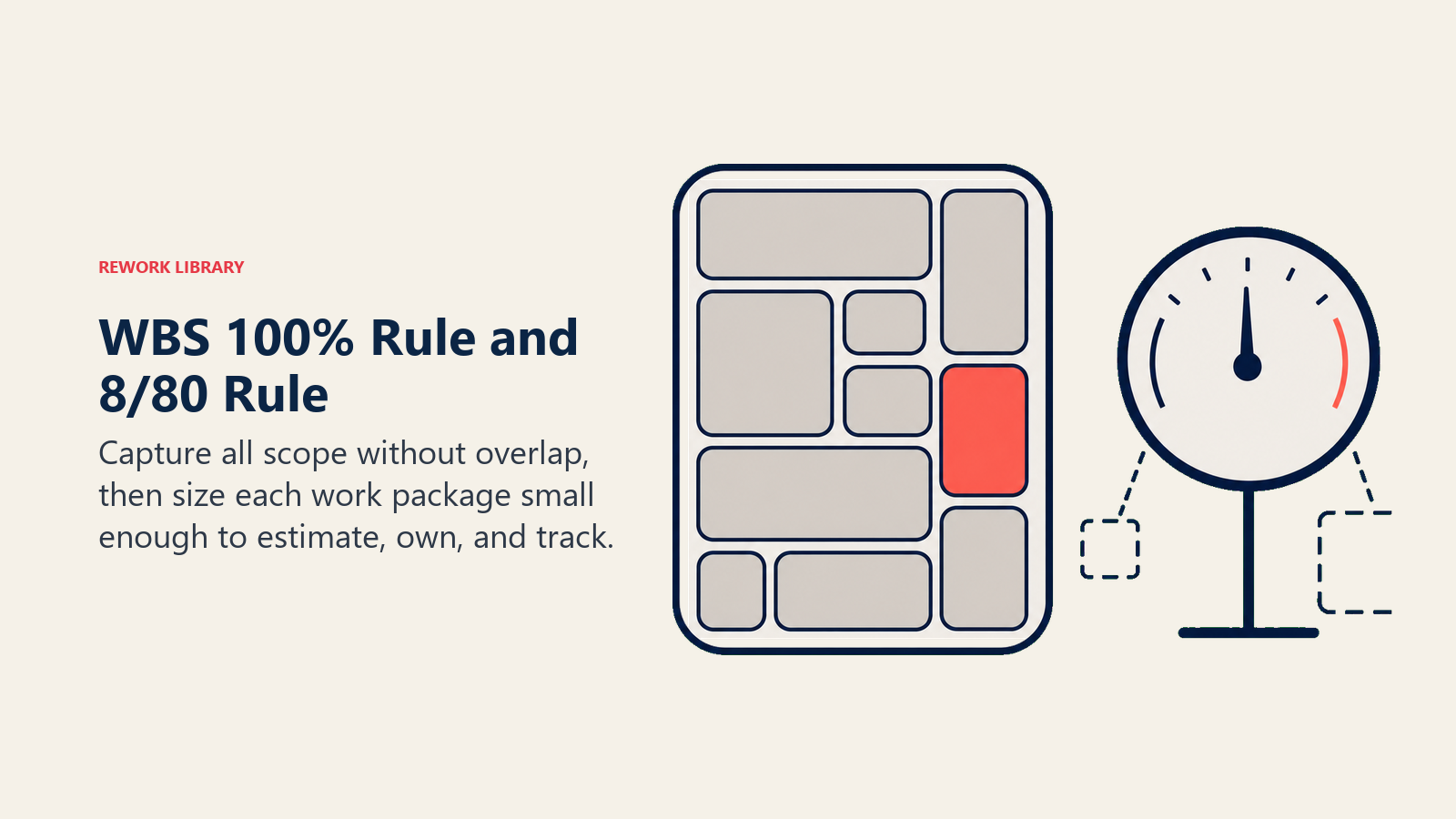
Si un entregable no está en la WBS, el equipo no lo planificará, no lo estimará ni lo entregará. Si el trabajo aparece en dos lugares, el equipo duplicará el esfuerzo o discutirá sobre la responsabilidad. La regla del 100% previene ambos problemas al hacer que el alcance sea visible y completo en cada nivel.
Verificar el cumplimiento es sencillo: para cualquier elemento padre, la suma de sus hijos debe ser exactamente igual al 100% de ese padre. Si puede señalar trabajo que no encaja en ningún lugar, o dos elementos que parecen cubrir el mismo terreno, la estructura necesita revisión.
La regla 8/80
La regla 8/80 es una guía práctica de tamaño para los paquetes de trabajo: ningún paquete de trabajo debe ser menor de 8 horas ni mayor de 80 horas de esfuerzo. Los paquetes de menos de 8 horas añaden carga administrativa sin aportar información útil. Los paquetes de más de 80 horas son demasiado grandes para estimarse con confianza o rastrearse con precisión.
La regla es una heurística, no una ley. Un proyecto de dos semanas podría utilizar un rango de 4 a 40 horas, mientras que un programa plurianual podría permitir paquetes de hasta 160 horas. La intención es la misma: mantener los paquetes de trabajo lo suficientemente pequeños para estimarlos, asignarlos a un único responsable y rastrearlos hasta su finalización dentro de un período de reporte.
Niveles y componentes de la WBS
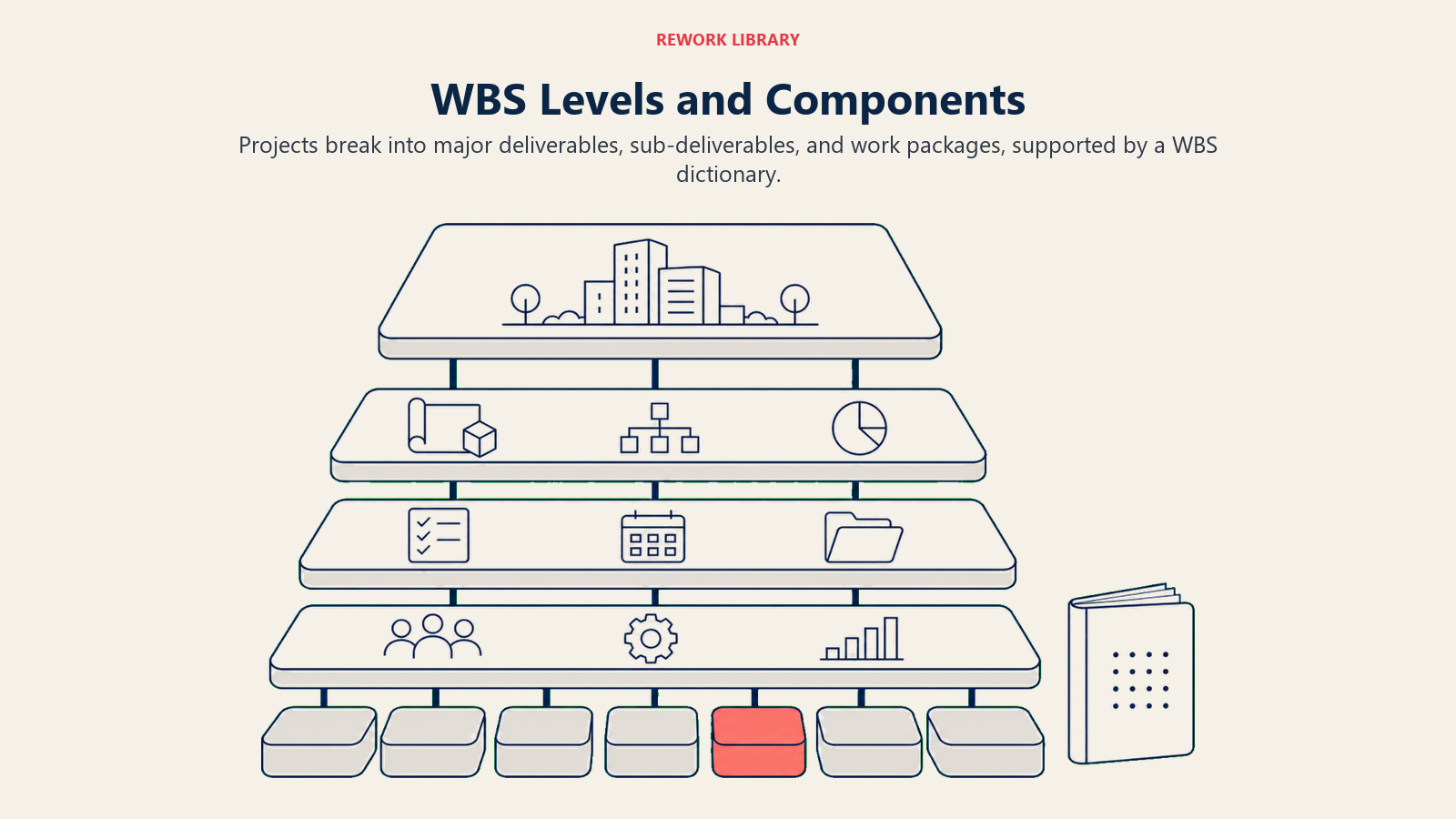
La jerarquía va de un proyecto a los entregables principales, luego a los sub-entregables y, finalmente, a los paquetes de trabajo que una persona o un equipo puede asumir como propios.
| Nivel | Elemento | Responsable | Ejemplo |
|---|---|---|---|
| 1 | Proyecto | Patrocinador del proyecto | Rediseño del sitio web |
| 2 | Entregable principal o fase | Gerente de proyecto | 1.2 Diseño |
| 3 | Sub-entregable | Responsable de área de trabajo | 1.2.1 Wireframes |
| 4 o más | Paquete de trabajo | Contribuidor individual | 1.2.1.1 Wireframes para móvil |
Nivel 1 es el proyecto en sí. Hay exactamente un elemento en este nivel.
Nivel 2 representa los entregables principales o las fases. En una WBS basada en entregables, estos son resultados tangibles (Descubrimiento, Diseño, Construcción, Lanzamiento). En una WBS basada en fases, son fases del proyecto. Ambos enfoques son válidos; el basado en entregables tiende a ser más duradero porque las fases cambian, pero los resultados no.
Nivel 3 y siguientes son descomposiciones progresivamente más detalladas hasta llegar a los paquetes de trabajo: el nivel más bajo en el que se planifica, estima y asigna el trabajo. Un paquete de trabajo debe ser completable por una persona o un equipo dentro del rango de 8 a 80 horas.
El diccionario de la WBS es un documento complementario que define cada elemento: su descripción, criterios de aceptación, responsable asignado, esfuerzo estimado, recursos necesarios y dependencias con predecesores y sucesores. Sin el diccionario, la WBS es una estructura sin sustancia. Piense en la WBS como el mapa y en el diccionario como la leyenda.
3 tipos de WBS (árbol, lista, tabular)
Árbol (estilo organigrama)
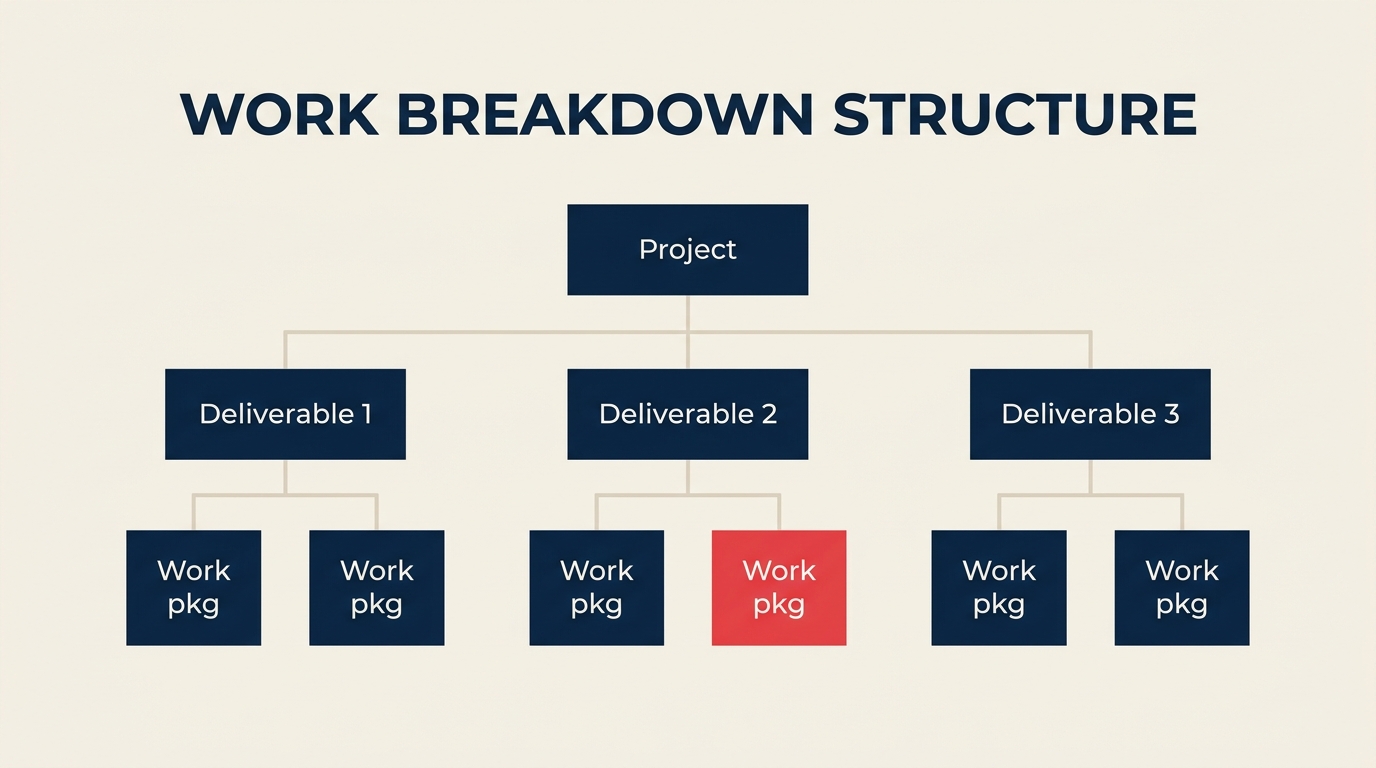
El formato árbol se parece a un organigrama, con el proyecto en la parte superior y cada nivel ramificándose hacia abajo. Es el formato más intuitivo visualmente y hace que la jerarquía sea inmediatamente evidente.
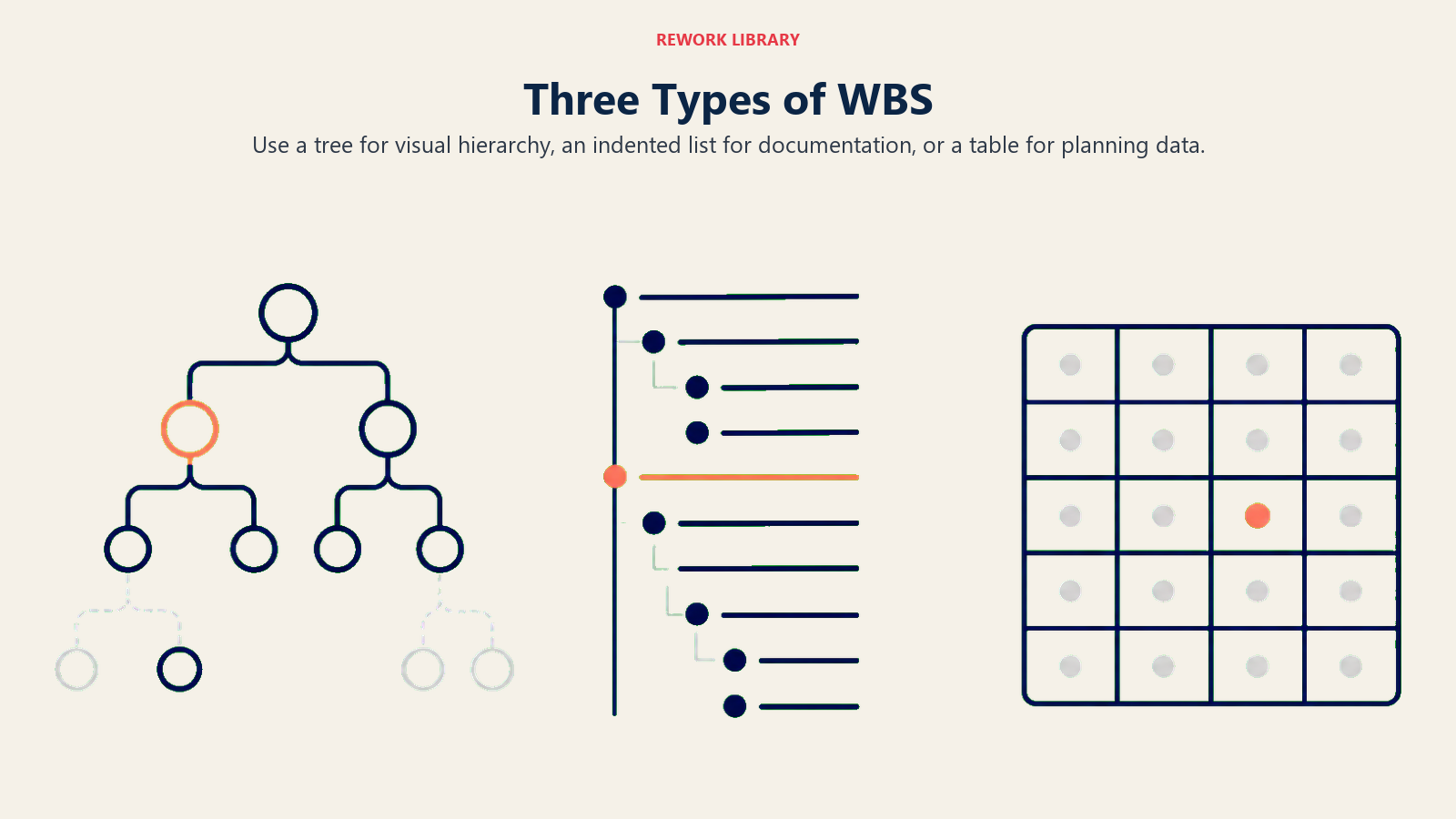
Use el formato árbol para presentaciones a partes interesadas, reuniones de inicio y cualquier situación en la que necesite comunicar la estructura completa del alcance de un solo vistazo. La limitación es el espacio: los proyectos grandes con muchos paquetes de trabajo resultan difíciles de leer en un único diagrama.
Ejemplo de árbol: El proyecto en la parte superior, tres cajas de entregables en el medio, seis cajas de paquetes de trabajo en la parte inferior, conectadas por líneas.
Lista con sangría (formato de esquema)
La lista con sangría formatea la WBS como un esquema numerado. Es compacta, fácil de producir en cualquier procesador de texto o herramienta de proyecto, y sencilla de controlar versiones en un archivo de texto plano.
1.0 Rediseño del sitio web
  1.1 Descubrimiento
    1.1.1 Entrevistas con partes interesadas
    1.1.2 Análisis competitivo
  1.2 Diseño
    1.2.1 Wireframes
    1.2.2 Diseño visual
Use el formato de lista para documentación, sesiones de planificación detallada y cuando necesite compartir la WBS en una herramienta basada en texto. Funciona bien en combinación con procedimientos operativos estándar que hacen referencia a entregables específicos por código WBS.
Tabular
El formato tabular presenta la WBS como una hoja de cálculo o tabla. Cada fila es un elemento de la WBS con columnas para el código, el nombre del entregable, el responsable, las horas estimadas y el estado.
| Código WBS | Entregable | Responsable | Horas |
|---|---|---|---|
| 1.0 | Rediseño del sitio web | PM | |
| 1.1 | Descubrimiento | Líder UX | |
| 1.1.1 | Entrevistas con partes interesadas | Líder UX | 16 |
| 1.1.2 | Análisis competitivo | Líder UX | 8 |
Use el formato tabular cuando la WBS alimente directamente la planificación de recursos, la estimación de costos o el seguimiento del proyecto. Se integra de forma limpia con hojas de cálculo y la mayoría de las herramientas de gestión de proyectos.
Cómo crear una WBS en 6 pasos
El método de seis pasos convierte el objetivo de un proyecto en una línea base de alcance completa y aprobada, que los equipos pueden estimar y asignar.
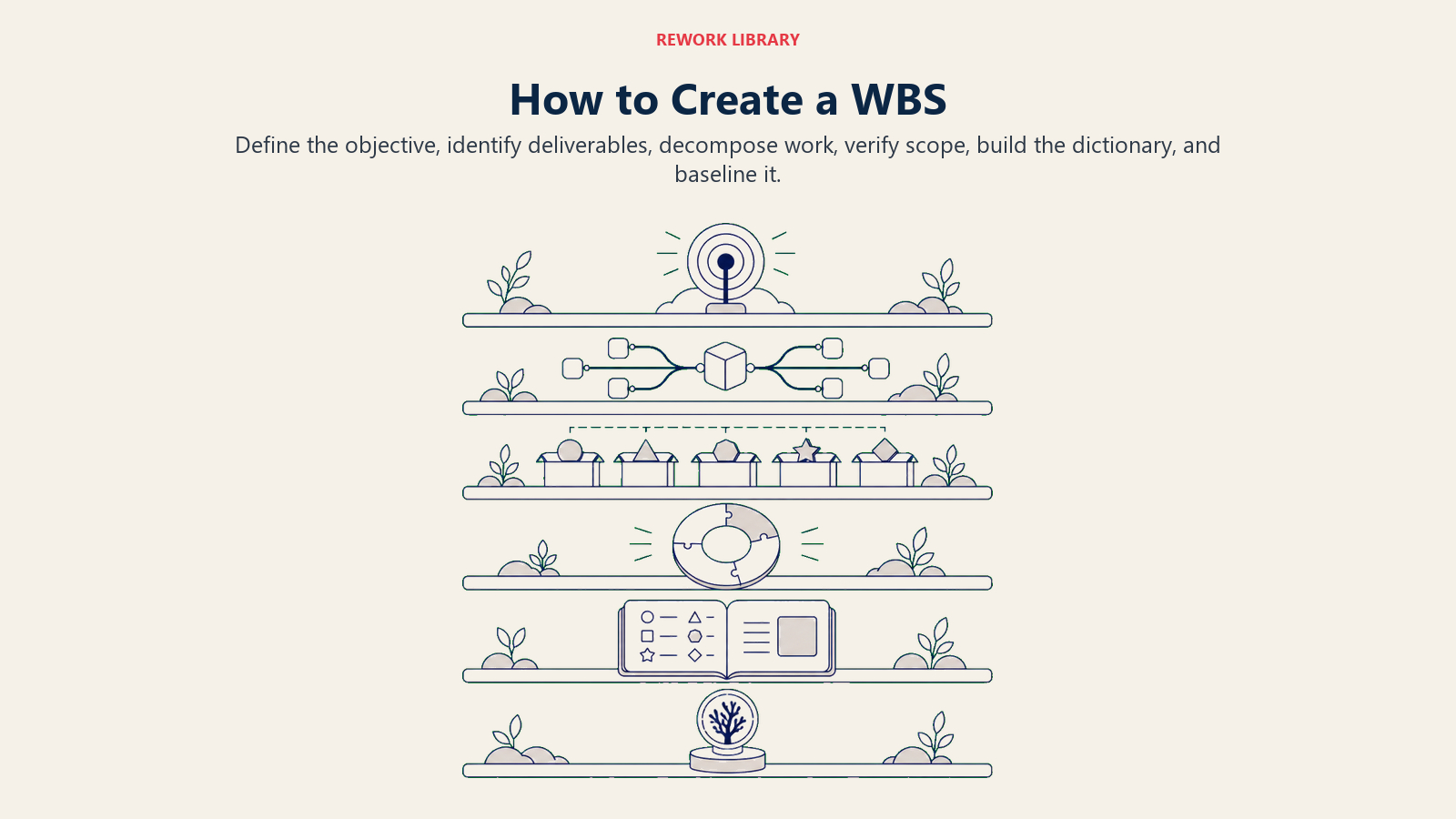
Paso 1: Defina el objetivo del proyecto
Comience con el acta de constitución del proyecto o la declaración de alcance. Necesita una sola oración que defina el entregable final del proyecto: "Lanzar un sitio web de empresa rediseñado para el cuarto trimestre de 2026." Sin un objetivo claro, la WBS se desviará a medida que las partes interesadas añadan alcance.
- Confirme el objetivo del proyecto con el patrocinador.
- Identifique cómo se ve el éxito (criterios de aceptación).
- Documente lo que está explícitamente fuera del alcance.
Paso 2: Identifique los entregables principales (fases)
Divida el proyecto en 4 a 8 entregables o fases principales. Estos se convierten en el Nivel 2 de la WBS. Para la mayoría de los proyectos, las fases naturales emergen del trabajo: Descubrimiento, Diseño, Desarrollo, Pruebas, Despliegue y Entrega.
- Liste cada resultado principal que el proyecto debe producir.
- Agrupe los resultados relacionados si hay más de 8 en este nivel.
- Evite mezclar entregables y fases en la misma WBS a menos que la estructura del proyecto lo exija.
Paso 3: Descomponga en paquetes de trabajo
Tome cada entregable del Nivel 2 y divídalo en sub-entregables hasta alcanzar el umbral de 8 a 80 horas. Este es el paso que más tiempo consume y donde ocurren la mayoría de los errores en una WBS.
- Descomponga una rama a la vez, de arriba hacia abajo.
- Detenga la descomposición cuando un entregable pueda asignarse a un único responsable y estimarse con confianza.
- No descomponga por debajo del nivel que realmente va a rastrear.
Paso 4: Aplique la regla del 100%
Verifique que cada nivel sume el 100% de su elemento padre. Recorra cada rama y pregúntese: "¿Hay algún trabajo necesario para producir este entregable que no esté capturado aquí?" Si la respuesta es sí, agréguela. Si dos elementos se superponen, combínelos o divídalos.
- Revise si faltan entregables (brechas).
- Revise si hay entregables duplicados (superposiciones).
- Confirme que el trabajo que no está en la WBS esté explícitamente fuera del alcance.
Paso 5: Construya el diccionario de la WBS
Para cada paquete de trabajo, documente: descripción, responsable, esfuerzo estimado, entradas requeridas, criterios del entregable y dependencias. El diccionario convierte la WBS de un diagrama en un contrato.
- Use una plantilla consistente para cada entrada.
- Asigne un código WBS único a cada elemento (por ejemplo, 1.2.3).
- Vincule el diccionario con su plan de proyecto y cronograma.
Paso 6: Establezca la línea base y actualice
Una vez que el patrocinador aprueba la WBS y el diccionario, se cuenta con una línea base del alcance. Cualquier cambio en un paquete de trabajo requiere ahora un control de cambios formal.
- Guarde la versión de la línea base con una marca de fecha.
- Actualice la WBS cuando se produzcan cambios de alcance aprobados.
- Comunique los cambios a todas las partes interesadas que sean responsables de los paquetes de trabajo afectados.
Ejemplos de WBS por industria
Rediseño de sitio web
Lista con sangría:
1.0 Rediseño del sitio web
  1.1 Descubrimiento
    1.1.1 Entrevistas con partes interesadas
    1.1.2 Análisis competitivo
  1.2 Diseño
    1.2.1 Wireframes
    1.2.2 Diseño visual
    1.2.3 Biblioteca de componentes
  1.3 Construcción
    1.3.1 Desarrollo front-end
    1.3.2 Configuración de CMS
  1.4 Lanzamiento
    1.4.1 Pruebas de calidad
    1.4.2 Despliegue a producción
| Código WBS | Entregable | Paquete de trabajo |
|---|---|---|
| 1.1.1 | Descubrimiento | Entrevistas con partes interesadas |
| 1.2.2 | Diseño | Diseño visual |
| 1.3.1 | Construcción | Desarrollo front-end |
Lanzamiento de software
1.0 Lanzamiento de Software v2.0
  1.1 Requisitos
    1.1.1 Especificaciones de funcionalidades
    1.1.2 Criterios de aceptación
  1.2 Desarrollo
    1.2.1 Cambios en el API del backend
    1.2.2 Actualizaciones de la interfaz de usuario front-end
    1.2.3 Migraciones de base de datos
  1.3 Pruebas
    1.3.1 Pruebas unitarias
    1.3.2 Pruebas de integración
    1.3.3 UAT
  1.4 Lanzamiento
    1.4.1 Notas de la versión
    1.4.2 Despliegue a producción
| Código WBS | Entregable | Paquete de trabajo |
|---|---|---|
| 1.1.1 | Requisitos | Especificaciones de funcionalidades |
| 1.2.2 | Desarrollo | Actualizaciones de la interfaz de usuario front-end |
| 1.3.3 | Pruebas | Pruebas de aceptación del usuario |
Reubicación de oficina
1.0 Reubicación de Oficina
  1.1 Planificación
    1.1.1 Diseño de planta
    1.1.2 Selección de proveedores
  1.2 Logística
    1.2.1 Traslado de infraestructura de TI
    1.2.2 Transporte de mobiliario
  1.3 Instalación
    1.3.1 Configuración de estaciones de trabajo
    1.3.2 Pruebas de red
  1.4 Cierre
    1.4.1 Desocupación de la oficina anterior
    1.4.2 Notificaciones de cambio de domicilio
| Código WBS | Entregable | Paquete de trabajo |
|---|---|---|
| 1.1.2 | Planificación | Selección de proveedores |
| 1.2.1 | Logística | Traslado de infraestructura de TI |
| 1.3.1 | Instalación | Configuración de estaciones de trabajo |
WBS vs. cronograma del proyecto vs. gráfico Gantt
Estos tres artefactos son complementarios, no intercambiables. Muchos equipos omiten la WBS y van directamente a un gráfico Gantt, lo que significa que están programando trabajo que aún no han definido completamente.
| Artefacto | Pregunta que responde | Resultado | Herramientas comunes |
|---|---|---|---|
| WBS | ¿Qué debemos producir? | Jerarquía de entregables y diccionario | Lucidchart, Miro, Excel |
| Cronograma del proyecto | ¿En qué orden y para cuándo? | Línea de tiempo con hitos y fechas | MS Project, Asana, Jira |
| Gráfico Gantt | ¿Quién hace qué y cuándo? | Gráfico de barras que mapea tareas en el tiempo | MS Project, Monday.com, TeamGantt |
La WBS alimenta el cronograma: una vez que cuenta con todos los paquetes de trabajo, los secuencia, les asigna duraciones y recursos para producir el cronograma. El gráfico Gantt es el cronograma visualizado como barras en una línea de tiempo.
Puede leer más sobre la secuenciación y la planificación visual en la guía de Kanban y la metodología Waterfall.
Mejores prácticas y errores comunes
Mejores prácticas:
- Entregables, no actividades. La WBS responde "¿qué producimos?" Si un elemento suena como un verbo (por ejemplo, "realizar entrevistas"), reformúlelo como un entregable (por ejemplo, "informe de hallazgos de entrevistas").
- Un responsable por paquete de trabajo. Si dos personas comparten la responsabilidad, divida el paquete o asigne un responsable principal con contribuyentes de apoyo definidos en el diccionario.
- Nivel de detalle adecuado. Detenga la descomposición cuando un paquete de trabajo cumpla con el umbral de 8 a 80 horas y tenga un criterio de aceptación claro. Descomponer en exceso añade burocracia sin aportar información útil.
- El diccionario de la WBS no es opcional. Un diagrama sin diccionario deja demasiado abierto a la interpretación.
- Involucre al equipo. Las sesiones de WBS dirigidas solo por el gerente de proyecto generan puntos ciegos. Las personas que realizan el trabajo saben lo que este realmente requiere.
Errores comunes:
- Incluir actividades en lugar de entregables. Poner "escribir código" en lugar de "módulo de API del backend" lleva a un cronograma disfrazado de WBS.
- Trabajo huérfano. El trabajo que se realiza pero no está capturado en ningún elemento de la WBS es invisible para la planificación, la estimación y el control de cambios.
- Superposición entre paquetes de trabajo. Dos paquetes que cubren el mismo resultado generan confusión y doble conteo en las estimaciones.
- Omitir la verificación del 100%. La mayoría de las brechas de alcance solo se detectan después de que comienza el proyecto, cuando el entregable faltante se convierte en una crisis.
- No actualizar nunca la línea base. Una WBS que no refleja los cambios de alcance aprobados se vuelve imprecisa y el equipo deja de confiar en ella.
La WBS también complementa las prácticas de gestión de procesos de negocio: cuando se documentan los procesos y el alcance del proyecto juntos, se puede ver con exactitud dónde los entregables del proyecto deben alinearse con las operaciones en curso.

Senior Operations & Growth Strategist
On this page
- ¿Qué es una estructura de desglose del trabajo?
- Datos clave
- La regla del 100% y la regla 8/80
- La regla del 100%
- La regla 8/80
- Niveles y componentes de la WBS
- 3 tipos de WBS (árbol, lista, tabular)
- Árbol (estilo organigrama)
- Lista con sangría (formato de esquema)
- Tabular
- Cómo crear una WBS en 6 pasos
- Paso 1: Defina el objetivo del proyecto
- Paso 2: Identifique los entregables principales (fases)
- Paso 3: Descomponga en paquetes de trabajo
- Paso 4: Aplique la regla del 100%
- Paso 5: Construya el diccionario de la WBS
- Paso 6: Establezca la línea base y actualice
- Ejemplos de WBS por industria
- Rediseño de sitio web
- Lanzamiento de software
- Reubicación de oficina
- WBS vs. cronograma del proyecto vs. gráfico Gantt
- Mejores prácticas y errores comunes