Planificación del Sprint: Cómo Dirigir una Reunión de Planificación Efectiva
Turn this article into takeaways for your work.


Each assistant summarizes the article only for you and suggests best practices for your work.
La planificación del Sprint es el evento que transforma un Backlog de ideas en un plan claro y comprometido que el equipo puede ejecutar realmente. Cuando se hace bien, toma menos de dos horas y deja al equipo con energía. Cuando se hace mal, se extiende hasta la tarde y produce una lista en la que nadie confía.
¿Qué es la planificación del Sprint?
La planificación del Sprint es un evento de tiempo acotado en Scrum donde el equipo de desarrollo, el Product Owner y el Scrum Master se reúnen al inicio de cada Sprint para decidir qué trabajo completarán y cómo lo harán. La reunión produce dos resultados: un objetivo del Sprint (el «por qué») y un Sprint Backlog (los elementos específicos que el equipo selecciona para cumplir ese objetivo).
La planificación del Sprint se enmarca dentro del marco de metodología Agile. Los Sprints son ciclos cortos de duración fija (generalmente de una a cuatro semanas) que dan a los equipos un ritmo regular para entregar software funcionando o incrementos de trabajo terminados. La planificación del Sprint es cómo cada ciclo comienza con intención en lugar de suposición.
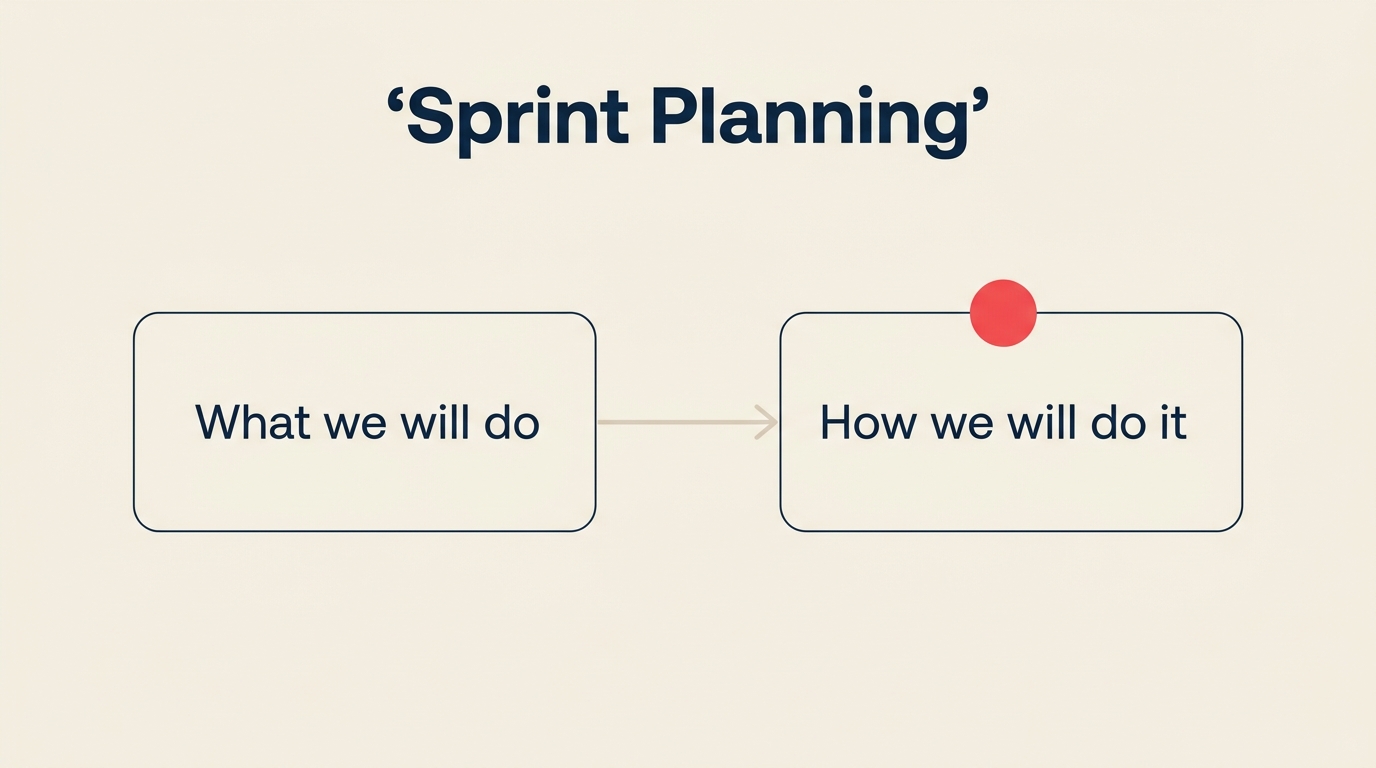
La Guía de Scrum define dos preguntas centrales para cada sesión de planificación del Sprint: qué se puede entregar del Product Backlog durante este Sprint, y cómo se realizará el trabajo seleccionado. Esas dos preguntas se corresponden directamente con las dos partes de la reunión, que la comunidad Scrum suele llamar «Parte 1: el Qué» y «Parte 2: el Cómo».
Una reunión de planificación del Sprint bien dirigida es específica sobre el alcance, honesta sobre la capacidad y se fundamenta en un objetivo del Sprint que le da al equipo un único punto de convergencia para las próximas dos semanas.
Datos clave
- La Guía de Scrum asigna hasta 8 horas para la planificación del Sprint en un Sprint de 1 mes, escaladas proporcionalmente para Sprints más cortos (Guía de Scrum, 2020).
- Los equipos que establecen un objetivo del Sprint claro tienen 2,5 veces más probabilidades de entregar el compromiso completo del Sprint (Informe del Estado del Agile, 17.a edición, 2024).
- La planificación del Sprint consume aproximadamente el 5% de las horas de trabajo de un Sprint de 2 semanas cuando se ejecuta eficientemente (datos de la comunidad Scrum.org, 2024).
Por qué importa la planificación del Sprint
Sin planificación del Sprint, los equipos recurren a la priorización ad hoc. El trabajo se toma en función de quién pide más fuerte, no de lo que más importa. La planificación del Sprint rompe ese patrón creando un compromiso compartido antes de que comience el trabajo, no después.
Los beneficios se manifiestan de formas medibles. Los equipos con objetivos del Sprint claros tienen menos cambios de dirección a mitad del Sprint porque todos ya acordaron cómo se ve el «listo» para este ciclo. La planificación de capacidad (realizada correctamente durante la planificación del Sprint) evita que el equipo se sobrecomprometa, que es la causa principal de los fracasos del Sprint. Y el propio ritual construye seguridad psicológica: cuando un equipo se compromete juntos, es más probable que planteen los bloqueantes temprano en lugar de ocultarlos hasta el último día.
La planificación del Sprint también crea un vínculo directo entre el trabajo diario y el Roadmap del producto. Cada objetivo del Sprint debe corresponderse con un objetivo estratégico mayor. Cuando los equipos ven esa conexión enunciada explícitamente al inicio de cada Sprint, el trabajo se siente menos como una lista de tareas y más como un progreso real.
Para los equipos que se alejan de la metodología Waterfall, la planificación del Sprint es a menudo la prueba más clara de que la entrega ágil funciona de manera diferente. En lugar de un plan de seis meses dictado desde arriba, el equipo da forma a las próximas dos semanas por sí mismo, con plena visibilidad de lo que está acordando.
Las dos partes de la planificación del Sprint
La Guía de Scrum estructura la planificación del Sprint en dos conversaciones distintas. La mayoría de las reuniones de planificación del Sprint que fracasan lo hacen porque los equipos saltan directamente a la Parte 2 antes de que la Parte 1 esté genuinamente resuelta.
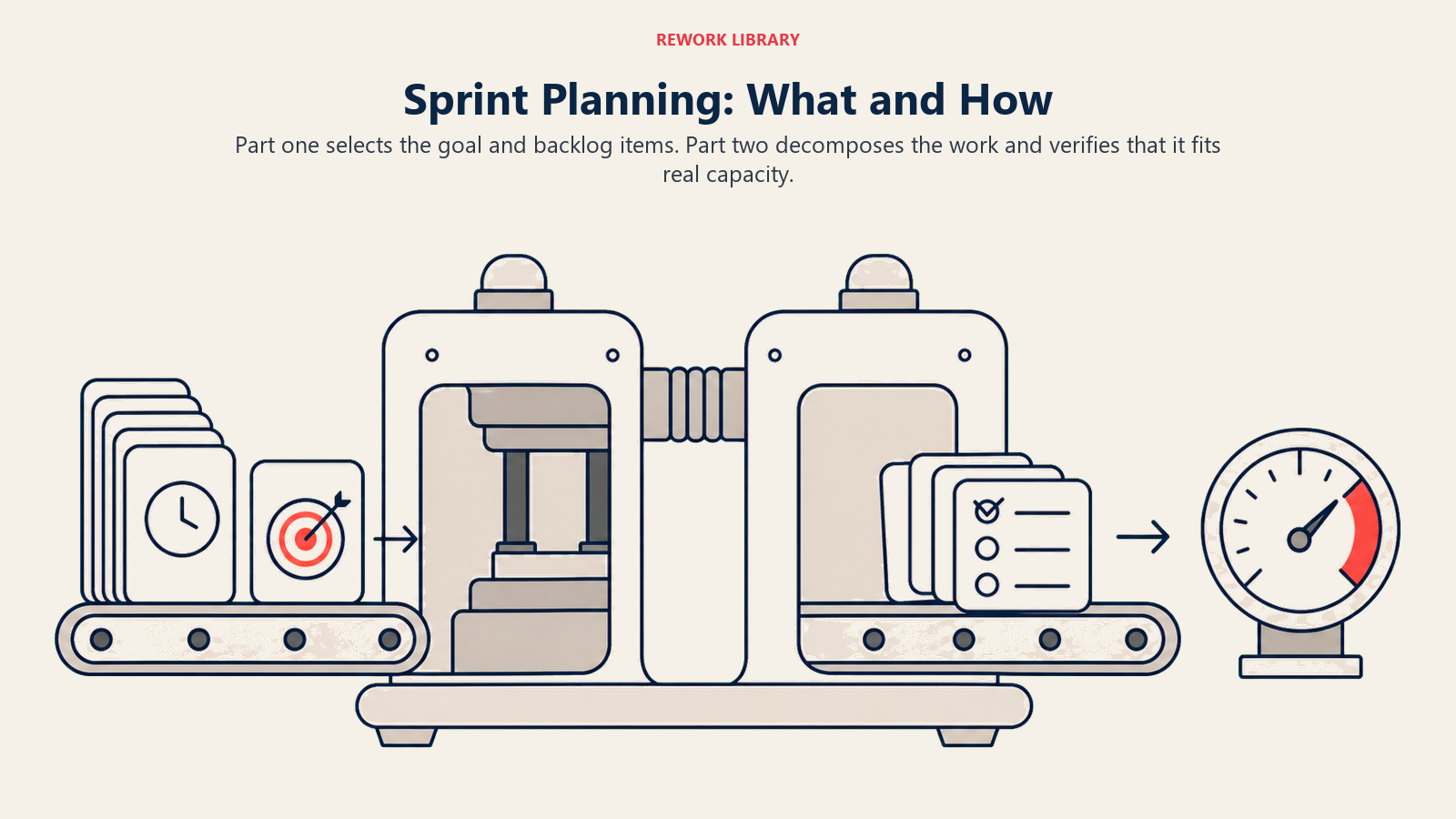
Parte 1: ¿Qué haremos? (el objetivo del Sprint y la selección de elementos)
El Product Owner presenta los principales elementos del Product Backlog priorizado. El equipo hace preguntas sobre el alcance, los criterios de aceptación y las dependencias. Juntos elaboran un objetivo del Sprint: un enunciado único y conciso de lo que este Sprint debe lograr desde la perspectiva de las partes interesadas. Una vez establecido el objetivo, el equipo selecciona los Elementos del Product Backlog (PBIs) que, si se completaran, lo lograrían.
La Parte 1 está completa cuando el equipo acuerda el objetivo del Sprint y tiene una lista candidata de elementos. Eso es todo. No avance hasta que existan esos dos resultados.
Parte 2: ¿Cómo lo haremos? (descomposición de tareas y verificación de capacidad)
Con los elementos seleccionados sobre la mesa, el equipo descompone cada uno en tareas concretas (generalmente de medio día a dos días de esfuerzo cada una). Aquí es donde ocurre la planificación de capacidad: el equipo verifica si las tareas caben dentro de las horas o puntos de historia disponibles del Sprint dada su disponibilidad real. Los elementos que no caben se devuelven al Backlog.
La Parte 2 produce un Sprint Backlog: el objetivo del Sprint más los elementos seleccionados más el desglose de tareas. Este es el plan operativo del equipo para el próximo Sprint.
Agenda de planificación del Sprint (la reunión de 2 horas)
La siguiente tabla muestra una agenda de dos horas para un Sprint de dos semanas. Escale los tiempos proporcionalmente para Sprints más cortos o más largos.
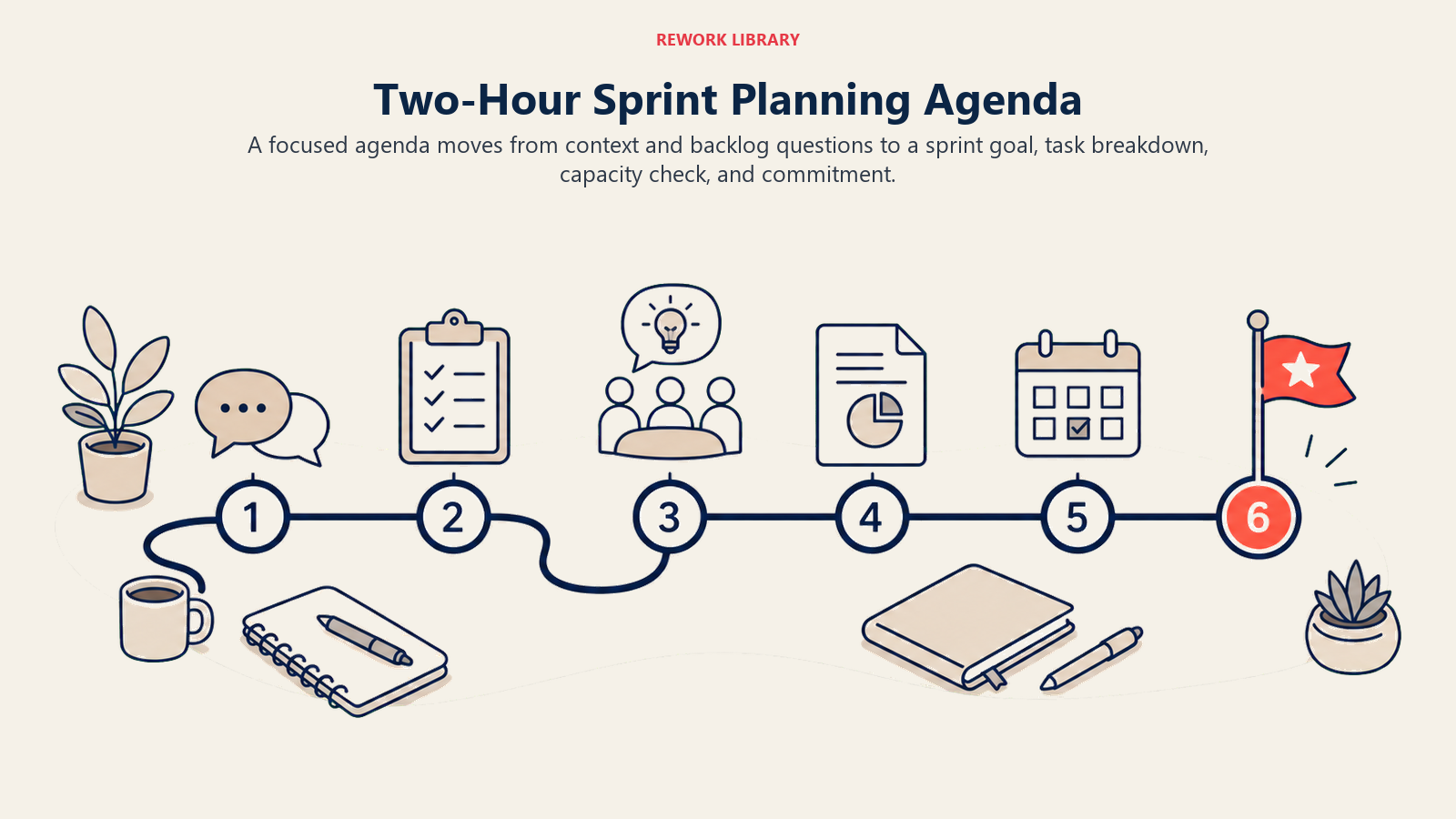
| Bloque de tiempo | Actividad | Resultado |
|---|---|---|
| 0:00 a 0:10 | El Scrum Master abre: recapitulación del último Sprint, referencia de velocidad y capacidad disponible | Equipo alineado en el contexto |
| 0:10 a 0:40 | El Product Owner presenta los principales elementos del Backlog; el equipo hace preguntas de aclaración | Comprensión compartida de los 8-12 principales elementos |
| 0:40 a 1:00 | El equipo elabora el objetivo del Sprint de forma colaborativa | Objetivo del Sprint acordado y escrito |
| 1:00 a 1:10 | El equipo selecciona los PBIs que se corresponden con el objetivo del Sprint | Sprint Backlog candidato (el qué) |
| 1:10 a 1:45 | El equipo descompone los elementos seleccionados en tareas; verificación de capacidad contra los puntos disponibles | Lista de tareas ajustada a la capacidad |
| 1:45 a 2:00 | El equipo se compromete; el Scrum Master registra el Sprint Backlog; las preguntas abiertas se registran | Sprint Backlog comprometido |
Si la reunión supera las dos horas para un Sprint de dos semanas, deténgase y diagnostique. Las causas más comunes son: los elementos del Backlog no estaban refinados antes de la reunión, el objetivo del Sprint no estaba acordado antes de pasar a la selección de elementos, o demasiados elementos están subespecificados.
Cómo dirigir una reunión de planificación del Sprint: paso a paso
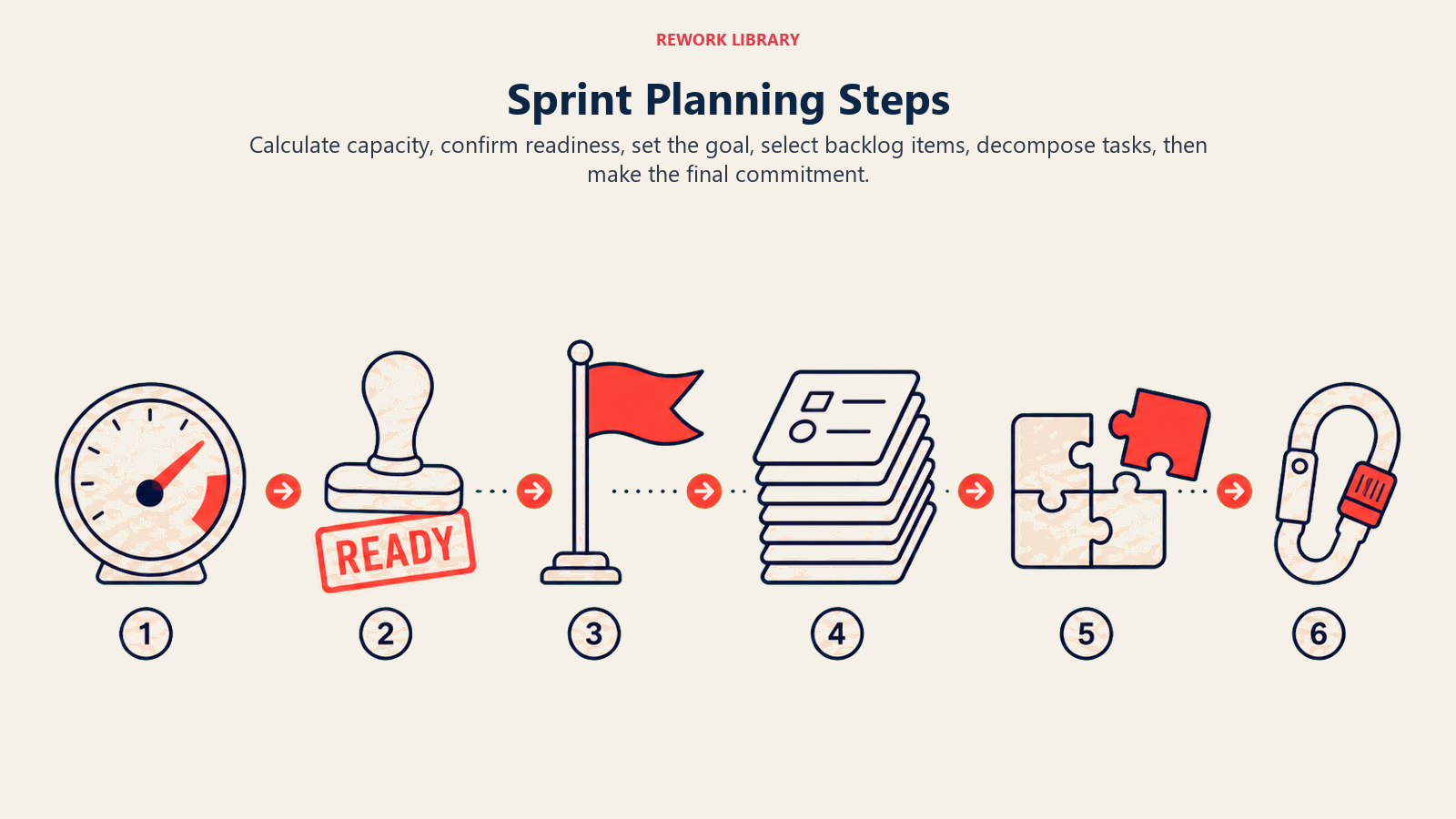
Paso 1: Calcule la capacidad antes de que comience la reunión
Antes de que alguien se siente, el Scrum Master (o quien facilite) calcula la capacidad disponible del equipo para el Sprint. Esto no es «todos trabajan 10 días, así que tenemos 10 días de capacidad por persona». Se deben considerar las reuniones, las vacaciones, los turnos de guardia y el factor de concentración (el porcentaje realista de tiempo dedicado al trabajo del Sprint frente a las interrupciones).
Una tabla de capacidad simple (cubierta en profundidad en la siguiente sección) tarda cinco minutos en construirse y ahorra cuarenta minutos de debate a mitad de la reunión.
Paso 2: Confirme que los elementos del Backlog cumplen la definición de listo
Antes de que los elementos puedan seleccionarse para un Sprint, deben cumplir la definición de listo (DoR). La DoR es una lista de verificación definida por el equipo que un elemento del Backlog debe cumplir antes de la planificación del Sprint. Los criterios habituales incluyen:
- Los criterios de aceptación están escritos y son comprendidos por el equipo
- Las dependencias están identificadas y desbloqueadas (o el riesgo es conocido)
- El elemento está estimado (puntos de historia o estimación por tallas de camiseta)
- Ningún elemento individual abarca más de la mitad de la duración del Sprint
Los elementos que no cumplen la DoR se señalan en el Backlog y se devuelven al Product Owner para su refinamiento. No los incorpore al Sprint.
Paso 3: Elabore el objetivo del Sprint de forma conjunta
El Product Owner propone un borrador del objetivo del Sprint. El equipo refina el lenguaje hasta que refleje lo que el equipo está construyendo realmente, no solo lo que el negocio quiere ver. Un buen objetivo del Sprint es:
- Lo suficientemente específico para ser verificable (puede determinar al final del Sprint si lo logró)
- Lo suficientemente flexible para permitir que algunos PBIs se intercambien si surge algo inesperado
- Enfocado en un solo propósito (un objetivo por Sprint; los objetivos múltiples diluyen el enfoque)
Ejemplo de un objetivo débil del Sprint: «Mejorar el flujo de Onboarding». Ejemplo de un objetivo sólido del Sprint: «Un nuevo usuario puede activar su cuenta y completar su primera acción clave sin contactar al soporte».
Paso 4: Seleccione los Elementos del Product Backlog
Con el objetivo del Sprint acordado, el equipo selecciona los PBIs de la parte superior del Backlog que mejor apoyen el objetivo. Esta es una conversación, no una descarga: el equipo hace preguntas, negocia el alcance y a veces divide los elementos grandes en otros más pequeños para que encajen en el Sprint.
Use la velocidad (el promedio de puntos de historia completados por el equipo por Sprint en los últimos tres a cinco Sprints) como techo para la selección. No seleccione más de lo que la velocidad permite. Si el equipo ha promediado 32 puntos por Sprint, no cargue 45.
Paso 5: Descomponga los elementos en tareas
Para cada PBI seleccionado, el equipo lista las tareas concretas necesarias para cumplir los criterios de aceptación. Las tareas deben ser lo suficientemente pequeñas como para que el progreso sea visible diariamente (aproximadamente 0,5 a 2 días cada una). Esta descomposición también saca a la superficie la complejidad oculta: una historia que parecía de 3 puntos a veces revela cinco tareas con una estimación combinada mucho mayor.
Si la lista de tareas de una historia la empuja muy por encima de la estimación original, el equipo puede reestimar, dividir la historia o devolverla al Backlog. Es mejor tomar esa decisión ahora que en el día ocho del Sprint.
Paso 6: Comprométase y cierre
El equipo hace una verificación final de capacidad: esfuerzo total estimado de las tareas vs. capacidad disponible del Sprint. Si cabe, el equipo se compromete. Si no cabe, salen elementos (nunca entran). El Scrum Master documenta el Sprint Backlog y registra las preguntas abiertas o dependencias que necesitan seguimiento el primer día.
El compromiso aquí no significa un contrato. Significa que el equipo genuinamente cree que estos elementos son alcanzables dado lo que saben ahora. Esa distinción importa, especialmente en equipos que han sido quemados por las promesas excesivas.
Planificación de capacidad: los cálculos
La planificación de capacidad es aritmética simple, pero es fácil equivocarse si omite el factor de concentración.
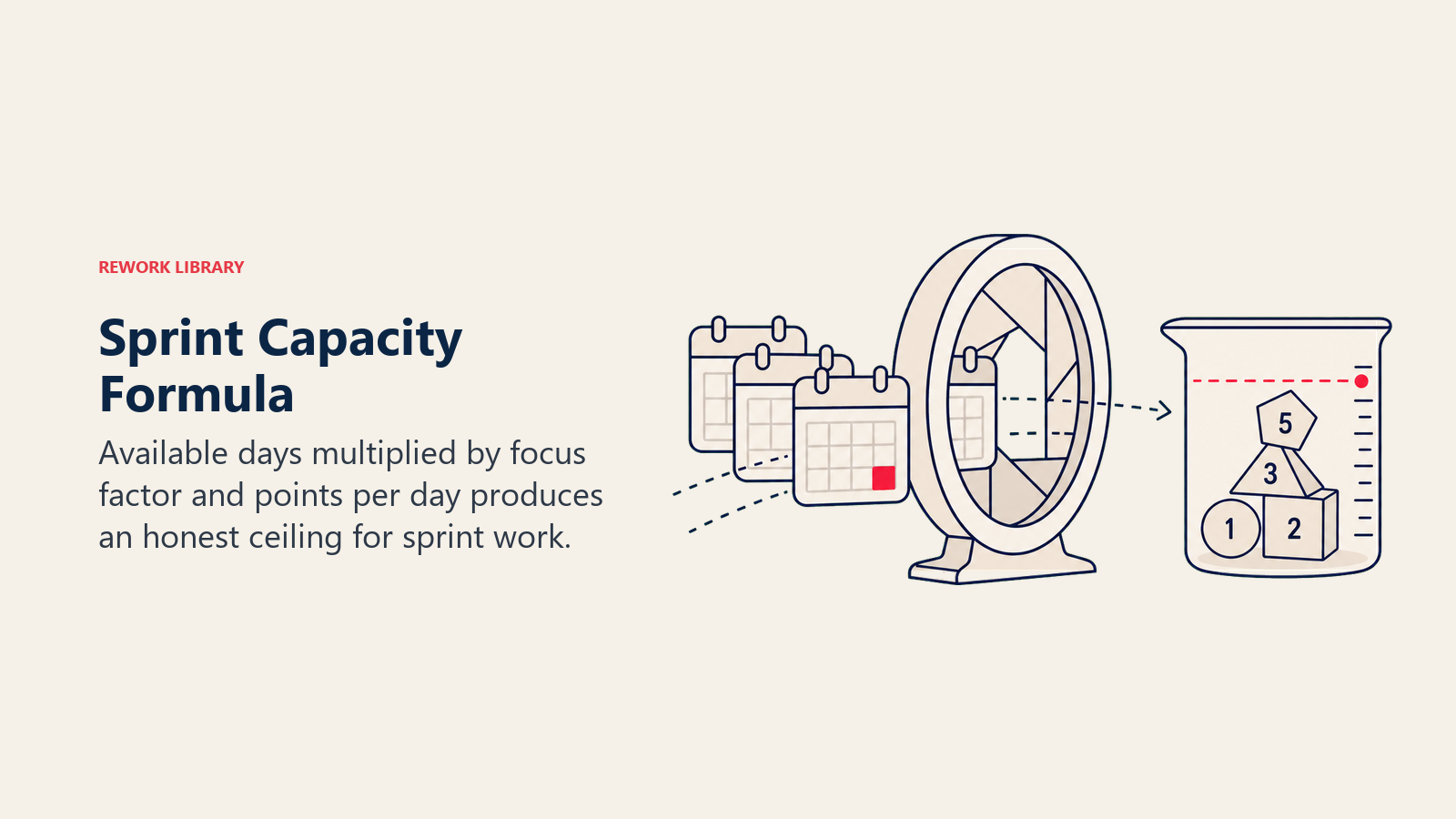
La fórmula:
Capacidad disponible (pts) = Días disponibles x Factor de concentración x Puntos por día
El factor de concentración representa la fracción realista de cada día de trabajo dedicado al trabajo del Sprint (en oposición a las reuniones, el correo electrónico, los tickets de soporte y otras interrupciones). Para la mayoría de los equipos, oscila entre 0,6 y 0,8. Los equipos nuevos o con alta carga de soporte tienden al extremo inferior.
Tabla de capacidad de ejemplo para un Sprint de 2 semanas (10 días hábiles):
| Miembro del equipo | Días disponibles | Factor de concentración | Capacidad (pts) |
|---|---|---|---|
| Alex (Dev) | 8 | 0,7 | 14 |
| Sam (Dev) | 9 | 0,6 | 13 |
| Priya (Dev) | 7 | 0,8 | 14 |
| Jordan (QA) | 10 | 0,6 | 12 |
| Total | 34 | 53 pts |
En este ejemplo, el techo de velocidad del equipo es de 53 puntos de historia. Si la velocidad histórica del equipo es de 40 puntos, use 40 como techo práctico: la velocidad considera el trabajo que se atasca o se vuelve inesperadamente complejo incluso cuando las personas están disponibles.
Nunca use los días hábiles brutos como sustituto de la capacidad. Un equipo de cinco desarrolladores que trabajan 10 días cada uno no tiene 50 días de capacidad del Sprint. El factor de concentración existe para hacer la planificación honesta.
Ejemplos de planificación del Sprint por tipo de equipo
| Tipo de equipo | Ejemplo de objetivo del Sprint | Elementos habituales del Backlog | Notas de capacidad |
|---|---|---|---|
| Equipo de ingeniería | «Los usuarios pueden restablecer su contraseña sin contactar al soporte» | Actualización del servicio de autenticación, plantilla de correo, casos de prueba de QA, documentación | Incluya los días de guardia como no disponibles |
| Equipo de marketing | «Activos de campaña listos para el lanzamiento del Q3» | Aprobación de textos, diseños finales, construcción de landing page, configuración de UTM | Considere las rondas de revisión de la agencia como consumidoras de capacidad |
| Equipo de diseño | «Flujo de pago móvil probado y entregado a desarrollo» | Síntesis de investigación de usuarios, wireframes v2, prototipo, prueba de usabilidad | Considere los retrasos de programación de participantes como días inactivos |
| Equipo de Customer Success | «El Playbook de Onboarding cubre los 5 tipos de tickets de soporte más frecuentes» | Borrador del Playbook, revisión de expertos en la materia, artículos de base de conocimientos, capacitación del equipo | El personal senior de CS suele dividirse entre el trabajo del Sprint y las cuentas activas |
El enfoque de estructura de desglose del trabajo funciona bien para descomponer los elementos grandes del Sprint en componentes a nivel de tarea, especialmente para equipos de ingeniería y diseño donde las historias tienen múltiples subtareas técnicas.
Errores comunes en la planificación del Sprint (y soluciones)
| Error | Por qué ocurre | Solución |
|---|---|---|
| Omitir el refinamiento del Backlog antes de la planificación del Sprint | Los equipos tratan la planificación del Sprint como la única sesión de refinamiento | Realice una sesión de refinamiento separada a mitad del Sprint; la planificación del Sprint debe refinar, no introducir |
| Sin objetivo del Sprint, solo una lista de tareas | Los equipos ven el objetivo como una formalidad | Elabore el objetivo primero, antes de cualquier selección de elementos; úselo como filtro de selección |
| Seleccionar elementos por intuición, ignorando la velocidad | Sesgo de optimismo; presión de las partes interesadas para asumir más | Muestre el promedio de velocidad de los últimos 3 Sprints al inicio de la planificación; trátelo como un techo, no como un objetivo |
| Descomponer en tareas en la Parte 1 | Impaciencia por llegar al «trabajo real» | Mantenga la discusión de la Parte 1 a nivel de historia y criterios de aceptación; deje las tareas para la Parte 2 |
| Permitir que la voz más fuerte domine la selección de elementos | Dinámicas de poder en la sala | Use votación silenciosa o votación por puntos para los desacuerdos de prioridad de elementos |
| No registrar las preguntas abiertas | Presión de tiempo al final de la reunión | Mantenga un documento compartido abierto durante la reunión; registre las preguntas en tiempo real |
| Tratar el compromiso como un contrato de rendimiento | Cultura de gestión que penaliza los errores | Distinga la previsión del compromiso en las retrospectivas; celebre el reajuste honesto del alcance |
Mejores prácticas de planificación del Sprint
- Acote el tiempo y respételo. Un Sprint de dos semanas tiene una reunión de planificación de dos horas. Cuando la reunión se excede, señala un problema de proceso (Backlog poco refinado, objetivo poco claro), no un problema de carga de trabajo.
- Refine el Backlog antes de la planificación del Sprint. Las mejores reuniones de planificación del Sprint se sienten casi demasiado fáciles porque los elementos ya son bien entendidos. Realice una sesión de refinamiento a mitad del Sprint para pre-refinar los 10 a 15 principales elementos.
- Escriba el objetivo del Sprint en la pared (o en un documento compartido). Un objetivo que solo está en la memoria de alguien deja de guiar las decisiones en el tercer día. Colóquelo en algún lugar que todo el equipo vea todos los días.
- Use una escala de estimación consistente. Ya sea que use puntos de historia, estimación por tallas de camiseta o días ideales, elija uno y manténgalo a lo largo de los Sprints para que las comparaciones de velocidad sigan siendo significativas.
- Incluya a todo el equipo Scrum, nadie más. La planificación del Sprint es para el Product Owner, el Scrum Master y el equipo de desarrollo. Las partes interesadas, los gerentes y los ejecutivos no son asistentes. Sus aportaciones deben llegar a través del Backlog, no de la reunión.
- Comience con una visión del ciclo de vida del proyecto para nuevos flujos de trabajo. Para los equipos que inician un producto o iniciativa completamente nuevo, fundamentar el primer objetivo del Sprint en el ciclo de vida del proyecto más amplio ayuda al equipo a entender cómo este Sprint se conecta con el arco de entrega.
- Debriéfese en la retrospectiva. Si el equipo constantemente no cumple los objetivos del Sprint, ese es un problema de planificación del Sprint. La retrospectiva debe examinar la precisión de la planificación junto con el desempeño de la entrega.
- Capacítese en las compensaciones entre Scrum vs. Kanban. Los equipos que entienden ambos métodos toman mejores decisiones de planificación del Sprint, especialmente cuando están decidiendo si la estructura de Sprint es incluso el encaje correcto para su tipo de trabajo.
Preguntas frecuentes sobre la planificación del Sprint
¿Cuánto tiempo debe durar la planificación del Sprint?
La Guía de Scrum establece un máximo de 8 horas para un Sprint de un mes, escaladas proporcionalmente para Sprints más cortos. Para un Sprint de dos semanas, eso significa un máximo de 4 horas, aunque los equipos bien preparados terminan rutinariamente en 2 horas o menos. Si su planificación del Sprint sistemáticamente se extiende, el culpable es casi siempre un Backlog poco refinado o un objetivo del Sprint en el que el equipo no se ha alineado antes de que comience la reunión.
¿Qué es la definición de listo?
La definición de listo (DoR) es una lista de verificación definida por el equipo que un Elemento del Product Backlog debe cumplir antes de ser elegible para la planificación del Sprint. Los criterios comunes de la DoR incluyen criterios de aceptación escritos, una estimación en puntos de historia, dependencias identificadas y un alcance lo suficientemente pequeño como para caber en un solo Sprint. La DoR no es un concepto de la Guía de Scrum, sino una práctica ampliamente adoptada que evita que los equipos incorporen historias que genuinamente no están listas para trabajar. Los equipos acuerdan su DoR en una retrospectiva y la actualizan a medida que aprenden.
¿Quién asiste a la planificación del Sprint?
Los asistentes requeridos son el Product Owner, el Scrum Master y el equipo de desarrollo completo. El Product Owner presenta y prioriza los elementos del Backlog; el equipo de desarrollo hace preguntas, estima y selecciona los elementos; el Scrum Master facilita y elimina los bloqueantes del proceso. Los gerentes, las partes interesadas y los clientes no asisten. Sus necesidades están representadas a través de los elementos del Product Backlog que el Product Owner lleva a la reunión.
¿Cuál es la diferencia entre la planificación del Sprint y el refinamiento del Backlog?
El refinamiento del Backlog (a veces llamado backlog grooming) es una actividad continua en la que el Product Owner y el equipo revisan, estiman y aclaran los próximos elementos del Backlog antes de que se necesiten para la planificación del Sprint. La planificación del Sprint es la reunión formal de tiempo acotado que abre cada Sprint. Piense en el refinamiento como el trabajo de preparación y en la planificación del Sprint como la reunión de decisión. Los equipos que omiten el refinamiento pasan la reunión de planificación del Sprint haciendo ambos trabajos a la vez, por eso esas sesiones se extienden y producen compromisos inciertos.
¿Qué sucede si el equipo no puede comprometerse con suficiente trabajo?
Si la capacidad del equipo es más baja de lo habitual (vacaciones, enfermedades, prioridades en competencia), la planificación del Sprint debe reflejar eso con honestidad. Seleccione menos elementos, establezca un objetivo del Sprint más pequeño y comunique el alcance reducido a las partes interesadas antes de que comience el Sprint. No llene un Sprint de baja capacidad con objetivos ambiciosos o elementos que el equipo no cree que pueda terminar. Un alcance comprometido más pequeño que se entrega supera a un alcance ambicioso que se entrega parcialmente y deja a las partes interesadas inciertas sobre qué está realmente hecho.
Una planificación del Sprint efectiva no consiste en encajar la mayor cantidad posible de trabajo en dos semanas. Consiste en seleccionar el trabajo correcto, acordar por qué importa y construir la confianza compartida de que el equipo puede entregar lo que prometió. Cuando la planificación del Sprint funciona bien, el Sprint casi se ejecuta solo, y eso es exactamente cómo debe sentirse.

Senior Operations & Growth Strategist
On this page
- ¿Qué es la planificación del Sprint?
- Por qué importa la planificación del Sprint
- Las dos partes de la planificación del Sprint
- Agenda de planificación del Sprint (la reunión de 2 horas)
- Cómo dirigir una reunión de planificación del Sprint: paso a paso
- Paso 1: Calcule la capacidad antes de que comience la reunión
- Paso 2: Confirme que los elementos del Backlog cumplen la definición de listo
- Paso 3: Elabore el objetivo del Sprint de forma conjunta
- Paso 4: Seleccione los Elementos del Product Backlog
- Paso 5: Descomponga los elementos en tareas
- Paso 6: Comprométase y cierre
- Planificación de capacidad: los cálculos
- Ejemplos de planificación del Sprint por tipo de equipo
- Errores comunes en la planificación del Sprint (y soluciones)
- Mejores prácticas de planificación del Sprint