Best SugarCRM Alternatives in 2026: 10 CRMs for Mid-Market Teams That Need Flexibility
Turn this article into takeaways for your work.


Each assistant summarizes the article only for you and suggests best practices for your work.
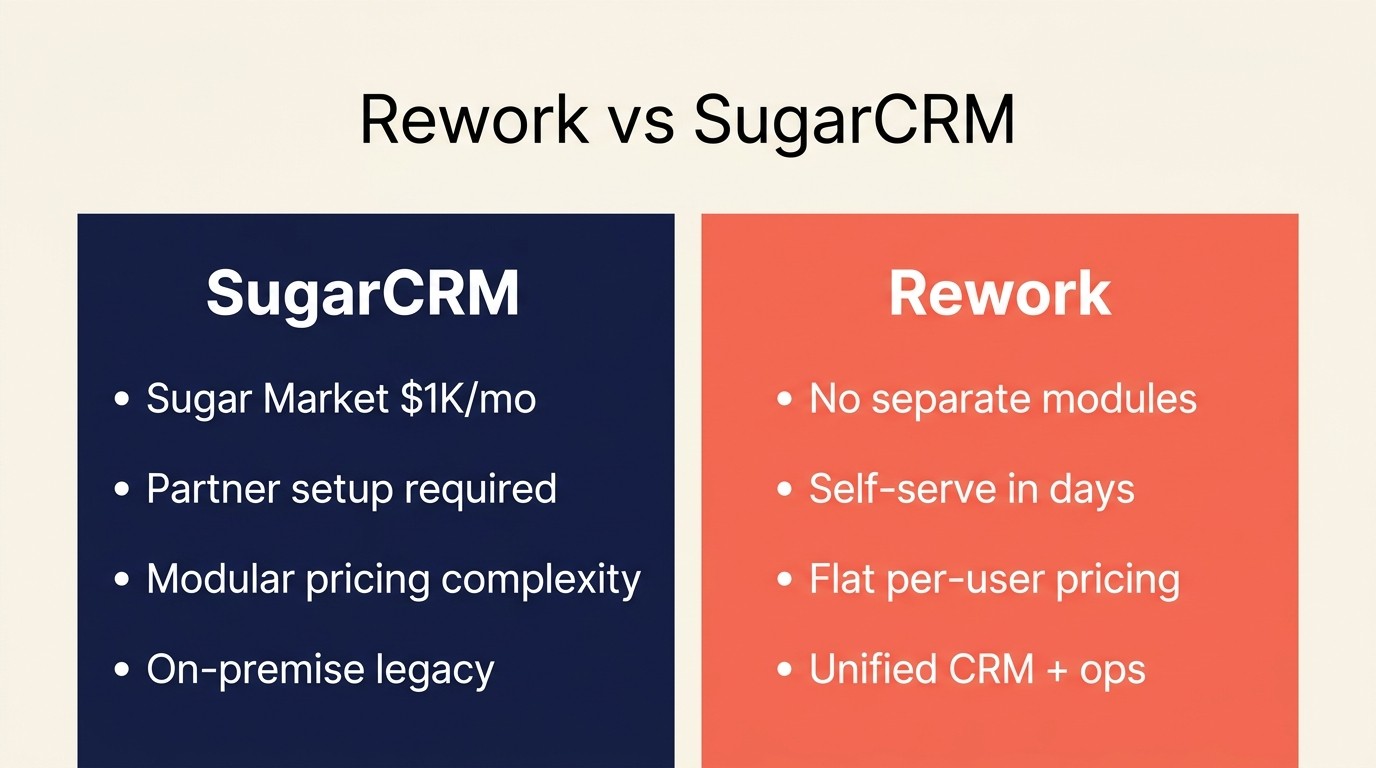
SugarCRM is a capable enterprise CRM, and for a certain type of buyer, it still makes sense. But mid-market teams increasingly hit the same wall: Sugar Sell starts at $49/user/month, Sugar Market runs $1,000/month as a separate module, and getting the platform configured properly almost always means hiring a Sugar partner. That's before you factor in an on-premise setup, which Sugar still supports but is clearly not where their product roadmap is heading.
If your team is somewhere between 50 and 500 people and you need a CRM that can grow with you, accommodate custom workflows, and not require a six-month implementation before you see value, you have better options today than you did three years ago. This guide covers 10 of them: what each tool is genuinely good at, who it's built for, and where it falls short. No hype. For a direct comparison of Rework and SugarCRM, see Rework vs SugarCRM.
Key Facts: CRM Selection for Mid-Market Teams
- SugarCRM implementation costs range from $15,000 to $150,000 before licensing, according to partner pricing data compiled by Rolustech (2025)
- 70% of CRM projects fail to meet their stated goals, primarily due to cross-functional misalignment rather than software limitations (CRM.org, 2025)
- Only 47% of businesses with an installed CRM achieve adoption rates above 90% among their sales teams (Forrester)
- CRM deployments generate an average ROI of $3.10 per $1 spent when measured at market maturity, per Nucleus Research
- 87% of CRM deployments are now cloud-based, up from 12% in 2008, making on-premise lock-in a growing liability (Statista, 2025)
Quick Comparison Table
Use this table to separate SugarCRM alternatives by implementation burden as much as feature coverage. The right replacement should reduce the operational drag that made SugarCRM hard to sustain.
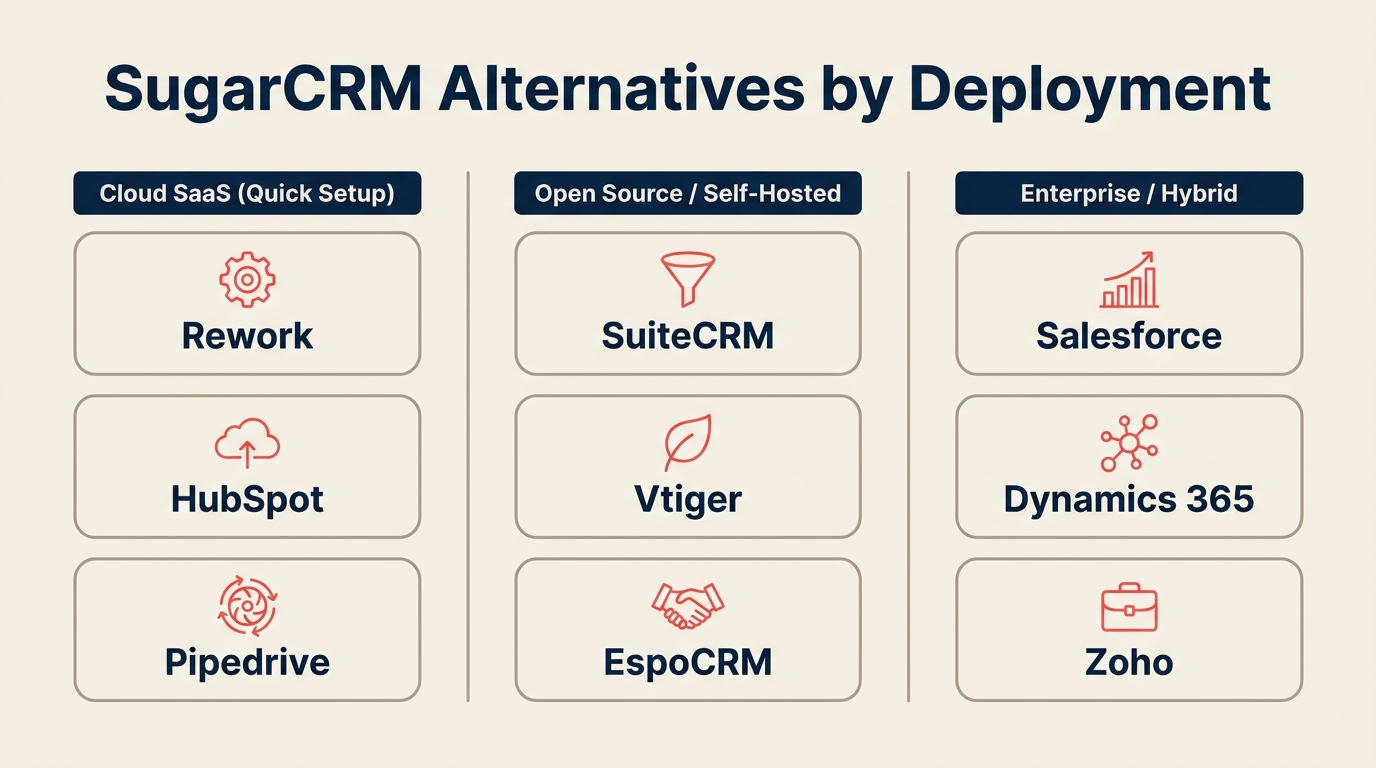
| Tool | Best For | Starting Price | Key Strength | Key Limitation |
|---|---|---|---|---|
| Rework | Mid-market teams needing unified CRM + ops | From $69/mo billed yearly for 5 seats; $159/mo with lead management and the inbox (rework.com/pricing) | CRM + lead management + cross-team workflows in one platform | Newer brand; smaller ecosystem than legacy CRMs |
| Salesforce | Complex enterprise sales orgs | $25/user/mo (Starter) | Deepest customization + ecosystem | Expensive, long implementation, overkill for most teams |
| HubSpot CRM | Inbound-heavy SMB to mid-market | Free; paid from $15/user/mo | Marketing + CRM tightly integrated | Costs escalate fast with contacts/features |
| Zoho CRM | Budget-conscious teams wanting full suite | $14/user/mo | Price-to-feature ratio, Zoho ecosystem | UI complexity, support inconsistency |
| Pipedrive | Sales-focused teams that want simplicity | $14/user/mo | Pipeline visibility, ease of use | Limited marketing, weak for complex orgs |
| Microsoft Dynamics 365 | Microsoft-stack enterprises | $65/user/mo | Native M365 integration, enterprise depth | Complex, expensive, IT-heavy setup |
| Freshsales | Growing teams wanting AI-assisted CRM | Free; paid from $9/user/mo | Built-in phone/email, Freshdesk integration | Reporting depth, limited advanced automation |
| Monday Sales CRM | Visual teams, project-sales crossover | $12/user/mo | Flexible boards, non-sales team adoption | Not purpose-built for complex pipeline management |
| Creatio | Mid-market needing low-code process automation | $25/user/mo | No-code workflow builder, BPM depth | Learning curve for non-technical admins |
| Vtiger | SMB to mid-market all-in-one | Free; paid from $12/user/mo | CRM + help desk + marketing in one | Less polish, smaller community than top-tier tools |
Stage Fit Matrix
| Tool | Startup (1–50) | Growth (50–200) | Mid-Market (200–1,000) | Enterprise (1,000+) |
|---|---|---|---|---|
| Rework | Good fit | Strong fit | Strong fit | Emerging |
| Salesforce | Overkill | Possible | Strong fit | Best fit |
| HubSpot CRM | Strong fit | Strong fit | Good fit | Possible |
| Zoho CRM | Strong fit | Strong fit | Good fit | Possible |
| Pipedrive | Strong fit | Good fit | Possible | Weak fit |
| Microsoft Dynamics 365 | Overkill | Possible | Strong fit | Best fit |
| Freshsales | Strong fit | Strong fit | Good fit | Possible |
| Monday Sales CRM | Good fit | Good fit | Possible | Weak fit |
| Creatio | Possible | Good fit | Strong fit | Good fit |
| Vtiger | Strong fit | Strong fit | Good fit | Possible |
Sizing and Buyer Persona Table
| Tool | Ideal Team Size | Primary Buyer | Secondary Buyer |
|---|---|---|---|
| Rework | 20–500 | RevOps Lead, Sales Director | COO, Founder |
| Salesforce | 100–5,000+ | VP Sales, CTO | CRO, IT Director |
| HubSpot CRM | 5–500 | Marketing Director, Sales Manager | VP Marketing |
| Zoho CRM | 5–300 | Sales Manager, IT Manager | Founder, Operations |
| Pipedrive | 5–150 | Sales Manager, AE team lead | Founder, Sales VP |
| Microsoft Dynamics 365 | 200–10,000+ | IT Director, CTO | COO, CFO |
| Freshsales | 10–300 | Sales Manager, Support Manager | VP Sales |
| Monday Sales CRM | 10–200 | Operations Manager, Project Lead | Sales Manager |
| Creatio | 50–1,000 | Sales Ops, IT Lead | CRO, COO |
| Vtiger | 5–300 | Sales Manager, Support Lead | Founder, Operations |
1. Rework: Unified CRM and Operations for Mid-Market Teams
Rework is the comparison point for teams that want CRM and operational workflows in one place without the module sprawl or partner-led setup that often comes with older mid-market CRM platforms.
Rework's philosophy is that a CRM should be the connective tissue between your sales pipeline and the rest of the business, not a siloed sales tool that marketing and ops work around. The platform combines contact and account management, lead management with pipeline views, a multi-channel chat inbox (WhatsApp, Messenger, Instagram, live chat), and cross-team workflow automation in a single workspace. The guide to CRM rollout and adoption is worth reading before you start any migration, as it covers the change management steps that most teams skip.
For teams leaving SugarCRM, the practical upside is that you don't need to bolt together Sugar Sell + Sugar Market + Sugar Serve through API integrations. Rework handles the handoff from lead capture through pipeline to post-sale without requiring separate module licenses or a partner implementation.
The onboarding is self-serve. Most teams are running real deals in the system within a week, not a quarter. If you want to get your data model right from the start, the CRM Data Model Design guide is a good foundation before you begin configuring fields and objects.
| What you get | What you don't |
|---|---|
| CRM + lead management + inbox in one platform | Mature third-party app marketplace (still growing) |
| Cross-team workflow automation without extra modules | Deep ERP or financial system integrations out of the box |
| Pricing that never charges for existing records (plan size tracks new records per month) | Years of community-built integrations like Salesforce has |
| Self-serve setup without a partner | On-premise deployment option |
Rework Analysis: A mid-market team of 50 users paying for Sugar Sell ($49/user/mo) plus Sugar Market ($1,000/mo flat) spends roughly $3,950/month on licensing alone -- before partner implementation fees that routinely reach $50,000 or more. The same 50 users on Rework's Revenue Engine (Standard edition, billed yearly: 5 marketing and 45 sales seats, $159/month plus eight 5-seat sales blocks at $21) pay about $327/month total, with no separate module fees and no partner required. The Module Consolidation Savings calculation is one of the most compelling cost arguments when switching from modular legacy CRMs.
Pricing: The Sales Engine (CRM) is $69/month billed yearly, or $80 month to month, with 5 sales seats included; extra seats come in blocks of 5 ($21/month per block on yearly billing). The Revenue Engine ($159/month billed yearly) adds the multi-channel inbox and lead capture. No per-module fees. See rework.com/pricing.
Best for: Mid-market teams (20–500 people) that want a unified revenue operations platform without enterprise pricing or partner dependency.
Not ideal for: Organizations that need on-premise deployment, deep ERP integration, or already have a large Salesforce ecosystem they're not willing to abandon.
2. Salesforce Sales Cloud: Enterprise Depth for Complex Sales Orgs
Salesforce's methodology is total customizability. The philosophy is that every enterprise sales organization is different, so the CRM should be infinitely configurable. They've built the largest CRM ecosystem in the world: thousands of AppExchange integrations, a massive admin and developer community, and AI layered through the platform via Einstein and Agentforce.
If you're comparing Salesforce to SugarCRM, you're likely comparing two enterprise-grade tools. Salesforce wins on ecosystem depth, AI maturity, and partner availability. Sugar wins (or used to win) on on-premise flexibility and total cost for some configurations. In 2026, that gap has narrowed and Salesforce's cloud-first approach is simply more future-proof for most organizations. For teams weighing this option in more depth, see the best Salesforce alternatives guide for context on where it leads and where it falls short.
The honest tradeoff: Salesforce requires a real implementation. Plan for 3–6 months before the platform is fully configured for your process. You'll need a Salesforce admin, either internally or contracted. The Starter Suite at $25/user/month is for very small teams; a proper Sales Cloud Enterprise deployment runs $165/user/month before add-ons.
| What you get | What you don't |
|---|---|
| Most mature CRM on the market | Budget-friendly pricing at scale |
| Thousands of AppExchange integrations | Simple self-serve setup |
| Einstein AI across pipeline, forecasting, email | Fast time-to-value |
| Enormous admin and developer community | Lean ops; you'll need dedicated resources |
Pricing: Starter Suite from $25/user/month. Sales Cloud Professional $80/user/month. Enterprise $165/user/month.
Best for: Sales organizations with 200+ people, complex multi-product pipelines, and dedicated Salesforce admins who need the deepest customization on the market.
Not ideal for: Mid-market teams that need to be live in 30 days or don't have budget for admin overhead.
3. HubSpot CRM: Inbound-First CRM with Strong Marketing Integration
HubSpot's product thesis is that sales and marketing should operate from the same data, and your CRM should make that easy without a complex integration project. The free CRM tier is genuinely capable, and the paid Sales Hub and Marketing Hub tiers sit on top of that shared contact database.
For teams leaving SugarCRM specifically because Sugar Market is priced separately at $1,000/month, HubSpot's integrated approach is a direct answer. You don't pay separately for CRM and marketing automation. They're the same platform. The catch is HubSpot's pricing scales with contacts and features in ways that make it expensive at volume. A mid-market team with a 50,000-contact database and Marketing Hub Professional is looking at $800–$1,200/month before per-user seats.
HubSpot is strongest for teams where inbound content and lead nurturing are the primary pipeline drivers. If your team runs mostly outbound, Pipedrive or Rework may give you better pipeline management without the content/blogging tooling you won't use. The best HubSpot alternatives guide is worth a look if cost at scale is a concern.
| What you get | What you don't |
|---|---|
| Marketing + CRM natively integrated | Predictable pricing at high contact volume |
| Strong free tier to start without risk | Deep customization for complex pipelines |
| Best-in-class content and SEO tools | On-premise option |
| Large partner and integration ecosystem | Simple flat pricing |
Pricing: Free CRM. Sales Hub Starter $15/user/month. Marketing Hub Professional from $800/month (contact-based). Bundles available.
Best for: B2B teams where inbound lead generation and email nurturing are central to pipeline, and who want marketing + sales in one platform.
Not ideal for: Teams with large contact databases on tight budgets, or primarily outbound sales organizations.
4. Zoho CRM: Best Price-to-Feature Ratio for Budget-Conscious Teams
Zoho's philosophy is accessible enterprise functionality. They've built a 45+ product suite, and Zoho CRM sits at the center, connecting to Zoho Desk, Zoho Campaigns, Zoho Books, and the rest. For teams already deep in the Zoho ecosystem, or for teams that want full-stack business software without full-stack enterprise pricing, it's a practical option worth considering. See the best Zoho alternatives article if you're also evaluating where Zoho reaches its limits.
Zoho CRM Enterprise at $40/user/month includes AI scoring through Zia, multi-channel communication, territory management, and custom modules: feature equivalents that cost significantly more in Sugar or Salesforce. The platform has matured considerably in the past few years and handles mid-market complexity reasonably well.
The friction points are real: Zoho's UI across its products isn't as polished as HubSpot or Salesforce, and support quality varies. Implementation isn't as partner-dependent as SugarCRM, but Zoho CRM's breadth means there's a learning curve before admins know where everything is.
| What you get | What you don't |
|---|---|
| Extensive features at mid-market price point | UI polish comparable to HubSpot or Salesforce |
| Native connection to Zoho's 45+ product suite | Consistent, fast support experience |
| AI (Zia) at mid-tier pricing | Strong brand recognition with enterprise buyers |
| Canvas customization for UI personalization | Simple interface for non-technical sales reps |
Pricing: Standard $14/user/month. Professional $23/user/month. Enterprise $40/user/month. Ultimate $52/user/month.
Best for: SMB to mid-market teams that want a full-featured CRM without enterprise pricing, especially those already using or open to other Zoho products.
Not ideal for: Teams that prioritize polished UX above all else, or organizations that need premium support SLAs.
5. Pipedrive: Sales-First Simplicity for Pipeline-Centric Teams
Pipedrive was built by salespeople who were frustrated with over-complicated CRMs. The product philosophy is: show the pipeline, reduce friction on deal updates, and get out of the way. The result is a CRM that sales reps actually use, which is not a trivial thing.
Where SugarCRM attempts to handle marketing, service, and sales in a modular suite, Pipedrive focuses almost exclusively on sales pipeline management and does it well. The visual board view, drag-and-drop stage updates, and activity-based selling reminders are genuinely better than what SugarCRM's Sell module offers for straightforward B2B pipelines.
The limitations show up at scale. Pipedrive has no native marketing automation. You'll integrate Mailchimp or ActiveCampaign. Reporting is solid for pipeline metrics but limited for cross-functional revenue analysis. And for organizations with complex sales teams, territories, or product catalogs, Pipedrive's simplicity becomes a constraint.
| What you get | What you don't |
|---|---|
| Pipeline visibility that reps actually engage with | Native marketing automation |
| Activity-based selling prompts and automations | Deep reporting for complex orgs |
| Fast onboarding (days, not weeks) | Territory management at scale |
| Solid mobile app | Complex multi-team or multi-region management |
Pricing: Essential $14/user/month. Advanced $34/user/month. Professional $49/user/month. Power $64/user/month.
Best for: Sales teams of 5–150 people that run straightforward B2B pipelines and want reps in the CRM on day one without extensive training.
Not ideal for: Organizations that need integrated marketing automation, complex reporting, or enterprise-scale territory management.
6. Microsoft Dynamics 365 Sales: Enterprise CRM for Microsoft-Stack Organizations
Microsoft Dynamics 365 is an enterprise-grade CRM and ERP platform built for organizations already deep in the Microsoft ecosystem. If your company runs Teams, Outlook, SharePoint, Azure, and Power BI, Dynamics 365 is the natural CRM choice because the integration isn't a project. It's native. The best Dynamics 365 alternatives guide is useful if you're also pressure-testing whether Microsoft is the right direction.
The product philosophy is that the CRM should be an extension of your existing business infrastructure, not a separate island of data. Sales reps work from Outlook and Teams. Data flows into Power BI for analytics. Copilot AI (Microsoft's generative AI layer) surfaces deal summaries, drafts emails, and flags at-risk opportunities directly inside the tools people already have open.
Compared to SugarCRM, Dynamics 365 has deeper enterprise capabilities but a steeper implementation requirement. Budget for 6–12 months to configure a proper Dynamics deployment with your Microsoft partner. The per-user cost starts at $65/user/month for Sales Professional, manageable for enterprise teams but not a fit for most mid-market buyers.
| What you get | What you don't |
|---|---|
| Native integration across entire Microsoft 365 stack | Simple self-serve setup |
| Copilot AI across sales, service, and marketing | Fast time-to-value |
| Power Platform for low-code automation and BI | Budget-friendly pricing for SMB |
| Full ERP + CRM in one vendor | Flexibility outside the Microsoft ecosystem |
Pricing: Sales Professional $65/user/month. Sales Enterprise $95/user/month. Premium $135/user/month.
Best for: Enterprise organizations (500+ employees) already running Microsoft 365 that want CRM natively integrated with their existing stack and willing to invest in a proper implementation.
Not ideal for: Mid-market teams not on the Microsoft stack, or companies that want to be live in under 90 days.
7. Freshsales: AI-Assisted CRM with Built-In Communication Channels
Freshsales (part of Freshworks) takes the view that your CRM should include the communication channels your team actually uses, not require integrations for them. The platform includes built-in phone, email, live chat, and WhatsApp alongside the standard pipeline and contact management. Freddy AI, Freshworks' AI layer, handles lead scoring, deal predictions, and email content suggestions.
For teams leaving SugarCRM because of module fragmentation, Freshsales is a practical middle ground. You get CRM + built-in communication + basic marketing automation (Freshmarketer can be added) in a more cohesive package than Sugar's Sell + Market + Serve stack, and at a lower price point.
The platform integrates well with Freshdesk for support teams, which makes it a natural fit for organizations that want sales and support sharing contact history. Reporting is decent but not deep. Teams that need complex revenue analytics typically add a BI tool. The free tier is usable for small teams, and Growth at $9/user/month is one of the better entry-level paid CRM offerings in the market.
| What you get | What you don't |
|---|---|
| Built-in phone, email, chat (no separate integrations) | Advanced revenue reporting |
| Freddy AI for scoring and deal predictions | Deep customization for complex pipelines |
| Native Freshdesk integration for CRM + support | Large third-party app ecosystem |
| Accessible pricing at growth stage | Enterprise-grade scalability |
Pricing: Free plan. Growth $9/user/month. Pro $39/user/month. Enterprise $59/user/month.
Best for: Growing B2B teams (10–300 people) that want CRM + built-in communication channels + light AI without enterprise pricing.
Not ideal for: Teams that need advanced revenue analytics or have highly complex, custom pipeline workflows.
8. Monday Sales CRM: Visual Operations for Teams That Span Sales and Projects
Monday Sales CRM is built on monday.com's work management platform, which means it inherits the visual board interface, flexible column types, and cross-team collaboration features that monday.com is known for. The product philosophy is that CRM data shouldn't live separate from the projects and work tied to those deals.
This makes Monday Sales CRM genuinely useful for organizations where sales deals often have associated project deliverables: agencies, professional services firms, consulting teams, and product companies where the sales cycle involves scoping work that becomes a project post-close. Reps manage the pipeline; project managers track delivery on the same board.
The tradeoff is that Monday Sales CRM isn't purpose-built for complex B2B sales. Pipeline management is solid but lacks some of the nuance (custom scoring, complex multi-product quoting, territory rules) that a dedicated sales CRM handles. Teams with 20+ reps running multi-stage enterprise deals often outgrow it.
| What you get | What you don't |
|---|---|
| Unified sales + project management in one view | Deep pipeline management for complex sales cycles |
| Visual boards that non-sales teams actually adopt | Advanced CRM automation |
| Flexible column types for custom data tracking | Native phone/email communication channels |
| Strong automations for routine tasks | Enterprise-grade reporting |
Pricing: Basic $12/user/month. Standard $14/user/month. Pro $24/user/month. Enterprise pricing available.
Best for: Teams of 10–200 people where sales and project/service delivery are closely linked and want one tool for both motions.
Not ideal for: Sales-only organizations with complex pipelines, or teams that need a purpose-built CRM with deep forecasting and territory management.
9. Creatio: Low-Code CRM and BPM for Process-Driven Mid-Market Teams
Creatio's core thesis is that CRM and business process management belong together. The platform combines a sales CRM with a no-code/low-code process designer that lets operations teams build complex workflows, approval chains, and automations without developer resources. For organizations where the sales process involves multiple handoffs (SDR to AE to solutions engineer to legal to finance), Creatio's process layer handles the orchestration without custom code. This pairs well with the guidance in CRM Workflow Automation if you're thinking through how to structure those handoff points.
This makes Creatio a closer competitor to SugarCRM than most tools on this list. Both platforms target mid-market to enterprise buyers who need configurable CRM workflows. Creatio's advantage is its modern no-code studio and more active product roadmap. SugarCRM's advantage was its on-premise option, which Creatio doesn't offer at the same maturity level (though Creatio does support on-premise via private cloud deployment).
Creatio's pricing starts at $25/user/month for the Growth tier. The platform requires a meaningful onboarding investment, not as partner-dependent as SugarCRM but not self-serve either. Budget for 4–8 weeks of configuration before the process automation layer is genuinely useful.
| What you get | What you don't |
|---|---|
| No-code workflow and process automation | Simple self-serve onboarding |
| CRM + BPM in a single platform | Large app marketplace |
| Modern UI with active product development | Established brand recognition |
| Configurable without developer resources | On-premise option at Sugar's maturity |
Pricing: Growth $25/user/month. Enterprise $55/user/month. Unlimited $85/user/month.
Best for: Mid-market teams (50–1,000 people) with complex, multi-step sales or service processes who want to automate workflows without a developer.
Not ideal for: Teams that need self-serve onboarding, a large partner ecosystem, or simple pipeline-only CRM functionality.
10. Vtiger: All-in-One CRM for SMB Teams That Want Everything in One Place
Vtiger positions itself as an all-in-one CRM that covers sales, marketing, and support without enterprise pricing. The platform's philosophy is that small to mid-market businesses shouldn't have to pay for three separate tools (or three Sugar modules) to manage customer relationships from first touch through post-sale support.
Vtiger has been in the market since 2004 and originally grew from SugarCRM's open-source base, so teams familiar with Sugar's interface will find Vtiger's layout familiar. The current product has evolved significantly, with an AI assistant (Calculus AI), marketing automation, a help desk, and a projects module, all included in the paid tiers. It's also worth comparing against best Insightly alternatives if you're evaluating other all-in-one options at this price point.
The honest assessment: Vtiger delivers strong breadth but not best-in-class depth in any single category. If you specifically need marketing automation, HubSpot does it better. If you specifically need sales pipeline management, Pipedrive is cleaner. But if you want one vendor, one subscription, and reasonable capability across all three functions, Vtiger is one of the better options at its price point.
| What you get | What you don't |
|---|---|
| CRM + marketing + support in one subscription | Best-in-class depth in any single function |
| Familiar UI for former Sugar users | Large partner ecosystem |
| Calculus AI for scoring and recommendations | The polish of HubSpot or Freshsales |
| Free tier for small teams to test | Strong community or documentation resources |
Pricing: Free plan (up to 10 users). One Professional $12/user/month. One Enterprise $20/user/month.
Best for: SMB to mid-market teams (5–300 people) that want an all-in-one CRM + marketing + support platform and want to avoid managing three vendor relationships.
Not ideal for: Teams that need best-in-class capability in a specific function (pure sales pipeline, advanced marketing automation, or enterprise support ticketing).
Migration Considerations: Leaving SugarCRM
Migration risk is often the real cost of leaving SugarCRM. Before choosing a replacement, make sure the new platform reduces setup complexity rather than recreating it under a newer interface.
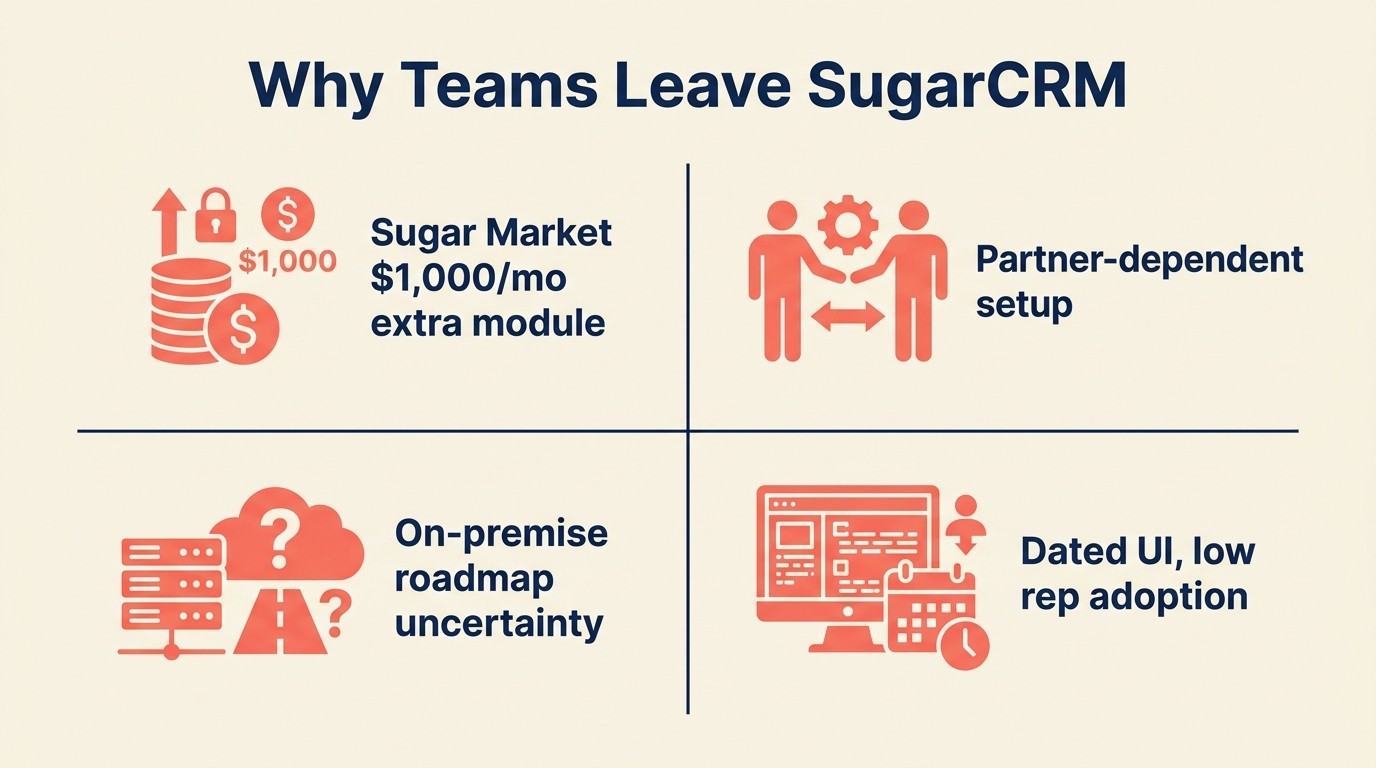
Before comparing these tools on features alone, it helps to understand the specific ways SugarCRM creates friction for mid-market teams, because not every alternative solves every problem. Mid-market teams that switch CRMs without addressing user adoption first are repeating the same mistake that causes 70% of CRM projects to fail -- the software is rarely the problem. If you're already thinking about data cleanup before a switch, Data Cleaning for CRM Migration covers deduplication and field mapping steps that save significant rework later.
| SugarCRM Pain Point | Which Tools Address It |
|---|---|
| Sugar Market at $1,000/month as separate module | HubSpot (integrated), Rework (no separate modules), Freshsales (built-in channels) |
| Partner-dependent implementation | Rework, Pipedrive, HubSpot (self-serve), Freshsales |
| On-premise support shrinking | Microsoft Dynamics 365, Creatio (if on-premise is truly required) |
| SugarPredict AI limited to higher tiers | Freshsales (Freddy AI at Growth), HubSpot (AI across tiers), Salesforce (Einstein at scale) |
| Dated UI and slow product iteration | Any modern alternative on this list |
| User adoption issues with sales reps | Pipedrive, Monday Sales CRM, Rework |
Pricing Comparison Table
| Tool | Entry Paid | Mid-Tier | Notes |
|---|---|---|---|
| Rework | Sales Engine $69/mo billed yearly (5 seats) | Advanced edition $89/mo billed yearly (5 seats) | No per-module fees |
| Salesforce | $25/user/mo | $165/user/mo | Enterprise features require Enterprise tier |
| HubSpot CRM | $15/user/mo | $800+/mo (contact-based) | Marketing Hub priced separately |
| Zoho CRM | $14/user/mo | $40/user/mo | Suite discounts available |
| Pipedrive | $14/user/mo | $49/user/mo | No marketing automation included |
| Microsoft Dynamics 365 | $65/user/mo | $95/user/mo | Requires Microsoft 365 for full value |
| Freshsales | $9/user/mo | $39/user/mo | Free plan available |
| Monday Sales CRM | $12/user/mo | $24/user/mo | Requires monday.com seat |
| Creatio | $25/user/mo | $55/user/mo | Configuration investment required |
| Vtiger | Free | $20/user/mo | Free plan up to 10 users |
Team vs. Company-Wide Fit Table
| Tool | Sales-Only | Marketing + Sales | Sales + Support | Full Company |
|---|---|---|---|---|
| Rework | Good | Strong | Partial (chat inbox, no ticketing) | Strong |
| Salesforce | Strong | Good (with Marketing Cloud) | Good (with Service Cloud) | Good |
| HubSpot CRM | Good | Best fit | Possible | Good |
| Zoho CRM | Good | Strong (Zoho suite) | Strong (Zoho Desk) | Strong |
| Pipedrive | Best fit | Weak | Weak | Not recommended |
| Microsoft Dynamics 365 | Strong | Strong | Strong | Best fit |
| Freshsales | Good | Possible | Strong (Freshdesk) | Good |
| Monday Sales CRM | Possible | Possible | Possible | Good |
| Creatio | Strong | Good | Strong | Strong |
| Vtiger | Good | Good | Good | Good |
Implementation Timeline Comparison
Sales teams using mobile CRM access hit their quota 65% of the time, versus 22% for teams without it -- which means time-to-live-pipeline is a direct revenue variable, not just an IT metric (Forrester).
| Tool | Time to First Active Pipeline | Full Configuration | Partner Required? |
|---|---|---|---|
| Rework | 1–3 days | 1–3 weeks | No |
| Salesforce | 2–4 weeks | 3–6 months | Recommended |
| HubSpot CRM | 1–3 days | 2–6 weeks | No |
| Zoho CRM | 1–3 days | 2–8 weeks | No |
| Pipedrive | Same day | 1–2 weeks | No |
| Microsoft Dynamics 365 | 2–4 weeks | 6–12 months | Strongly recommended |
| Freshsales | 1–3 days | 1–3 weeks | No |
| Monday Sales CRM | Same day | 1–2 weeks | No |
| Creatio | 1–2 weeks | 4–8 weeks | Helpful |
| Vtiger | 1–3 days | 2–4 weeks | No |
How to Choose: Decision Framework
Use this framework to anchor the choice in your highest-priority constraint. SugarCRM replacements can look similar on feature lists, but they differ sharply in adoption effort and day-to-day admin overhead.
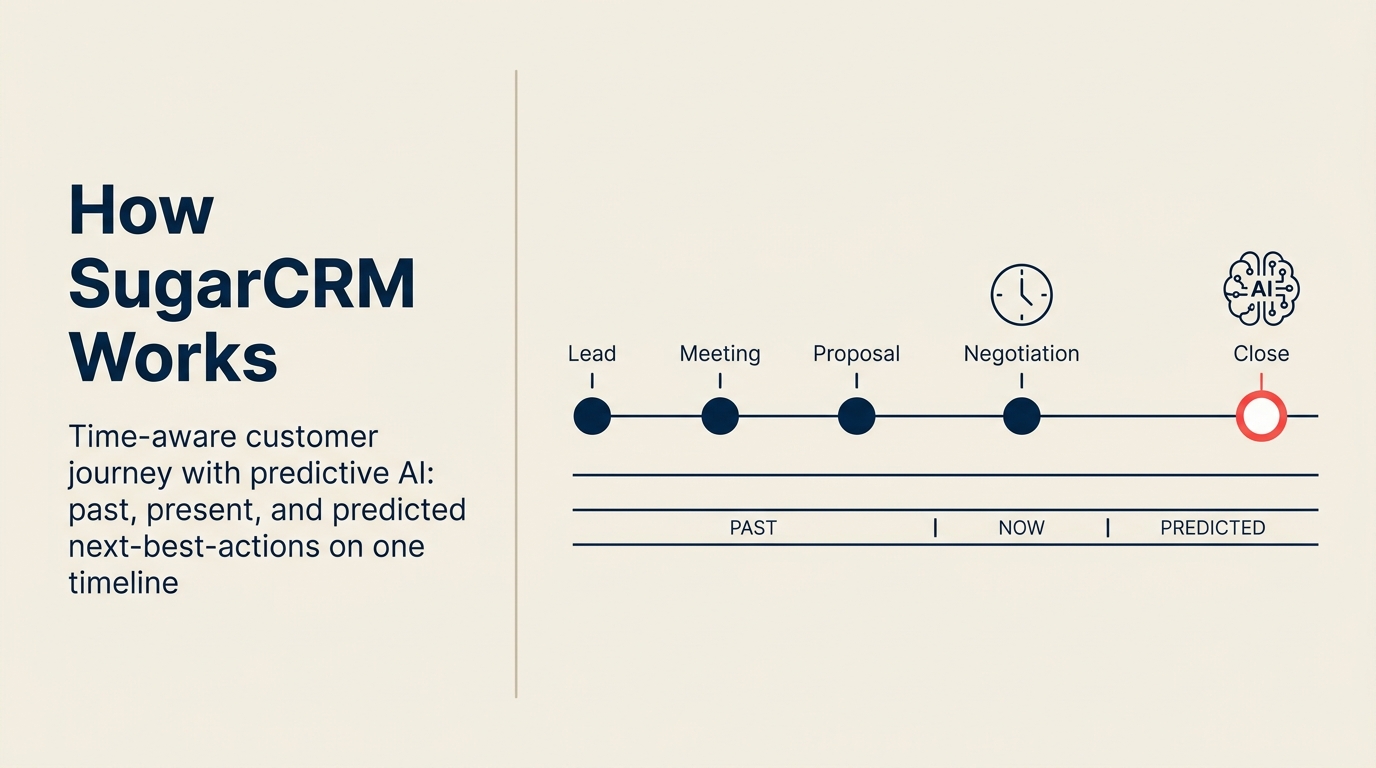
Use the Priority-First Selection Framework below: identify your single highest-priority requirement before evaluating features. Mid-market CRM failures almost always trace back to teams optimizing for features instead of fit -- a platform with 200 features your team won't use scores worse in daily practice than a 50-feature tool your reps open without being asked.
| If your priority is... | Best pick | Why |
|---|---|---|
| Unified CRM + marketing + ops without separate modules | Rework | No module pricing, single platform for multi-team revenue operations |
| Deepest customization and largest ecosystem | Salesforce | Unmatched in configurability and AppExchange integrations |
| Inbound marketing + CRM tightly integrated | HubSpot CRM | Marketing Hub + CRM is purpose-built for inbound motion |
| Full-stack capability at SMB price | Zoho CRM | Best price-to-feature ratio if polished UI isn't the top priority |
| Simplest pipeline management for sales reps | Pipedrive | Fastest adoption, cleanest pipeline UX |
| Native Microsoft 365 integration | Microsoft Dynamics 365 | No one does M365 integration better |
| Built-in phone + email + AI at growth stage price | Freshsales | Communication channels built in, no integrations needed |
| Sales + project delivery in one tool | Monday Sales CRM | Best for agencies and PS firms where deals become projects |
| Complex process automation without developers | Creatio | No-code BPM layer built into the CRM |
| All-in-one on a small team budget | Vtiger | CRM + marketing + support in the lowest-cost package |
Before you finalize your shortlist, the How to Pick a CRM in 2026 guide walks through a structured evaluation framework including the questions to ask vendors, what to test in a trial, and how to score tools against your actual requirements. And if you're thinking about how your RevOps function needs to evolve alongside the tool switch, the RevOps Maturity Model is a useful frame for understanding what your team should be building toward.
Frequently Asked Questions
What is the total cost of SugarCRM for a mid-market team?
SugarCRM's Sugar Sell starts at $49/user/month. Sugar Market adds $1,000/month as a separate module. Implementation through a certified partner typically ranges from $15,000 to $150,000 depending on customization scope. For a 50-person team, first-year total cost of ownership commonly exceeds $100,000 before add-on support packages.
Why do so many CRM migrations fail?
70% of CRM projects fail to meet their stated goals, and the cause is almost never the software itself. The most common failure mode is cross-functional misalignment -- sales, marketing, and operations each define success differently, and the CRM gets blamed when the underlying process gaps were never addressed. Picking a simpler tool doesn't solve a misalignment problem.
How long does it take to migrate from SugarCRM to a new CRM?
Migration timelines depend on data volume and customization depth. Self-serve platforms like Rework, HubSpot, and Pipedrive get teams to a live pipeline in 1 to 3 days, with full configuration complete in 1 to 3 weeks. Partner-dependent platforms like Salesforce and Dynamics 365 typically require 3 to 12 months for a fully configured deployment.
Is HubSpot cheaper than SugarCRM for a 50-person mid-market team?
At 50 users, HubSpot Sales Hub Professional runs approximately $4,500/month for seats plus contact-based Marketing Hub pricing that starts at $800/month for 2,000 contacts. SugarCRM at the same team size runs roughly $2,450/month for Sugar Sell seats plus $1,000/month for Sugar Market. Both are more expensive than Rework at about $327/month for the same 50 users (Revenue Engine, Standard edition, billed yearly, with 5 marketing and 45 sales seats) with no separate marketing module fee.
What CRM has the best user adoption rate for sales reps?
Only 47% of businesses report CRM adoption above 90% among their sales teams (Forrester). Platforms with lower rep friction -- Pipedrive, Monday Sales CRM, and Rework -- consistently outperform complex platforms on adoption metrics because reps encounter less friction during deal updates and pipeline reviews.
Does switching CRMs improve sales performance?
Companies that implement CRM effectively see an average 29% increase in sales revenue, according to industry benchmarks. But the word "effectively" carries all the weight: organizations where mobile CRM access is part of rep workflow hit their sales targets 65% of the time, compared to 22% for teams without mobile access (Forrester).
What is the best SugarCRM alternative for mid-market teams?
The best alternative depends on what specifically drove you away from SugarCRM. For teams frustrated by module pricing and partner dependency, Rework or HubSpot address those directly. For teams that need process automation depth close to SugarCRM's BPM layer, Creatio is the closest architectural match. For teams that simply want a cleaner sales pipeline, Pipedrive gets reps live faster than any other option on this list.
What to Do Next
The fastest way to make this decision is a 2-week parallel pilot. Pick your top two options based on the framework above and run a real subset of your current pipeline through both. Focus on three questions: Do reps actually log updates without prompting? Can you build your core workflow in the tool without help? Does the data you need for a weekly pipeline review show up in reports without manual export?
If you're coming from SugarCRM and evaluating Rework specifically, you can import your Sugar contacts and start running deals in less than a week. The goal isn't to find a perfect system. It's to find one your team will actually use. If your fields and custom objects need cleanup before migration, CRM Custom Fields Guide is a practical starting point for getting your data structure right before you move anything over.
Related reading:
Camellia covers CRM strategy and revenue operations tooling at Rework. She has evaluated and implemented sales tools across mid-market B2B teams.

Head of Enterprise Solutions
On this page
- Quick Comparison Table
- Stage Fit Matrix
- Sizing and Buyer Persona Table
- 1. Rework: Unified CRM and Operations for Mid-Market Teams
- 2. Salesforce Sales Cloud: Enterprise Depth for Complex Sales Orgs
- 3. HubSpot CRM: Inbound-First CRM with Strong Marketing Integration
- 4. Zoho CRM: Best Price-to-Feature Ratio for Budget-Conscious Teams
- 5. Pipedrive: Sales-First Simplicity for Pipeline-Centric Teams
- 6. Microsoft Dynamics 365 Sales: Enterprise CRM for Microsoft-Stack Organizations
- 7. Freshsales: AI-Assisted CRM with Built-In Communication Channels
- 8. Monday Sales CRM: Visual Operations for Teams That Span Sales and Projects
- 9. Creatio: Low-Code CRM and BPM for Process-Driven Mid-Market Teams
- 10. Vtiger: All-in-One CRM for SMB Teams That Want Everything in One Place
- Migration Considerations: Leaving SugarCRM
- Pricing Comparison Table
- Team vs. Company-Wide Fit Table
- Implementation Timeline Comparison
- How to Choose: Decision Framework
- Frequently Asked Questions
- What is the total cost of SugarCRM for a mid-market team?
- Why do so many CRM migrations fail?
- How long does it take to migrate from SugarCRM to a new CRM?
- Is HubSpot cheaper than SugarCRM for a 50-person mid-market team?
- What CRM has the best user adoption rate for sales reps?
- Does switching CRMs improve sales performance?
- What is the best SugarCRM alternative for mid-market teams?
- What to Do Next