Best Insightly Alternatives in 2026: 10 CRMs with Project Management for Services Teams
Turn this article into takeaways for your work.


Each assistant summarizes the article only for you and suggests best practices for your work.
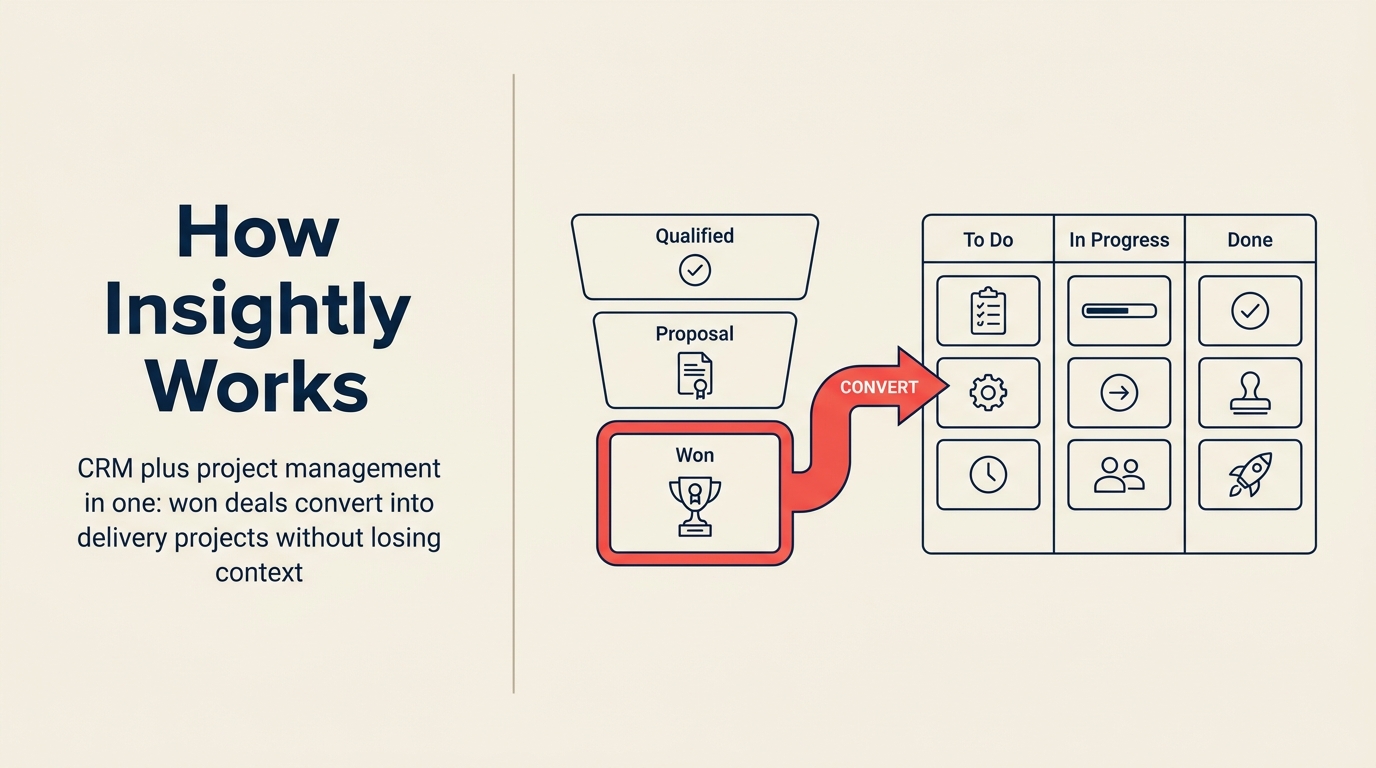
Insightly had a genuinely clever idea: win the deal, convert it to a project, then track delivery without switching tools. For services teams (agencies, consultancies, managed services providers), that handoff from sales to delivery is where things go wrong. Insightly tried to solve it in one product.
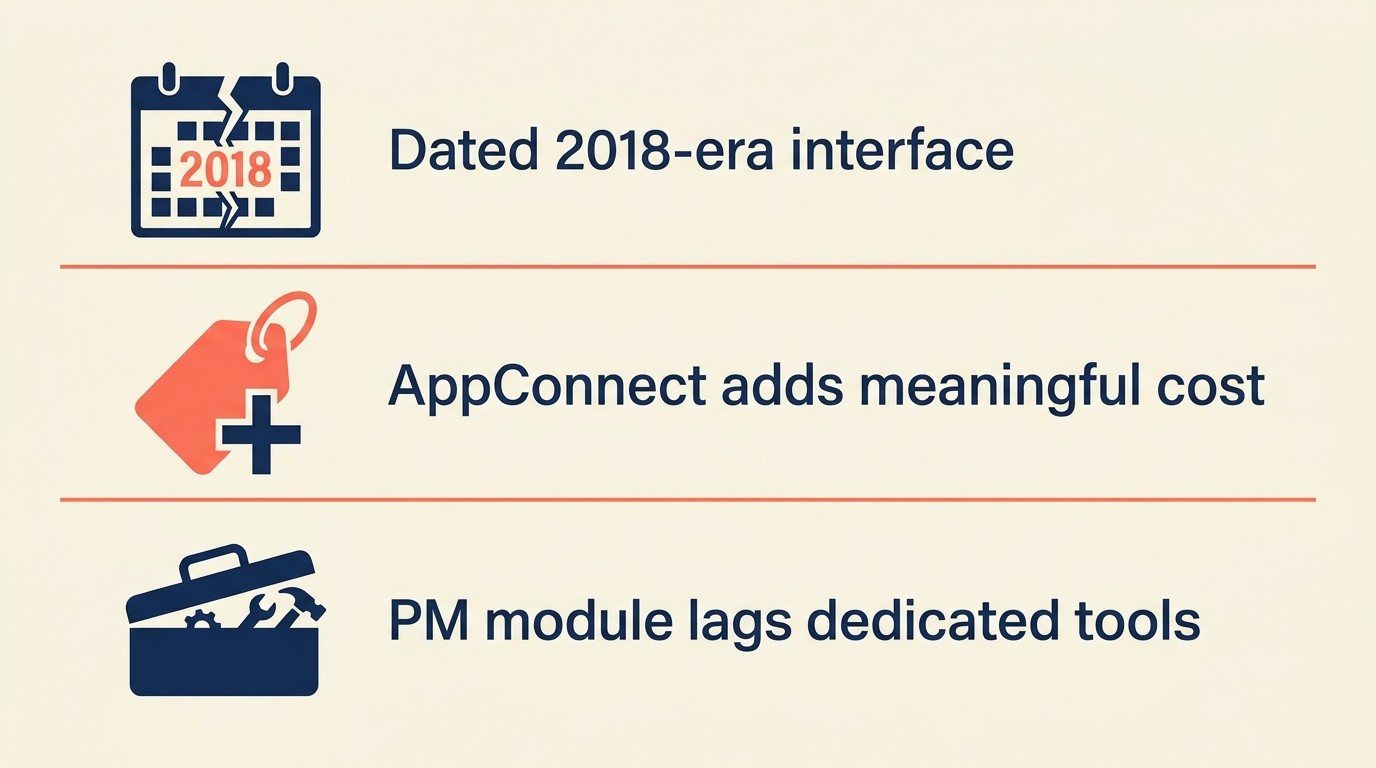
But the execution hasn't kept pace. The interface feels like 2018. AppConnect, Insightly's iPaaS layer, adds meaningful cost for workflows that competitors include natively. Reporting is limited to pre-built dashboards unless you pay for the Plus tier. And the project management module, while useful, doesn't hold up against dedicated PM tools or the newer generation of CRMs that have built delivery workflows from scratch. If you're a services team between 10 and 200 people, you're probably outgrowing it, or you never quite fit to begin with. For a direct comparison of Rework against Insightly, see Rework vs Insightly.
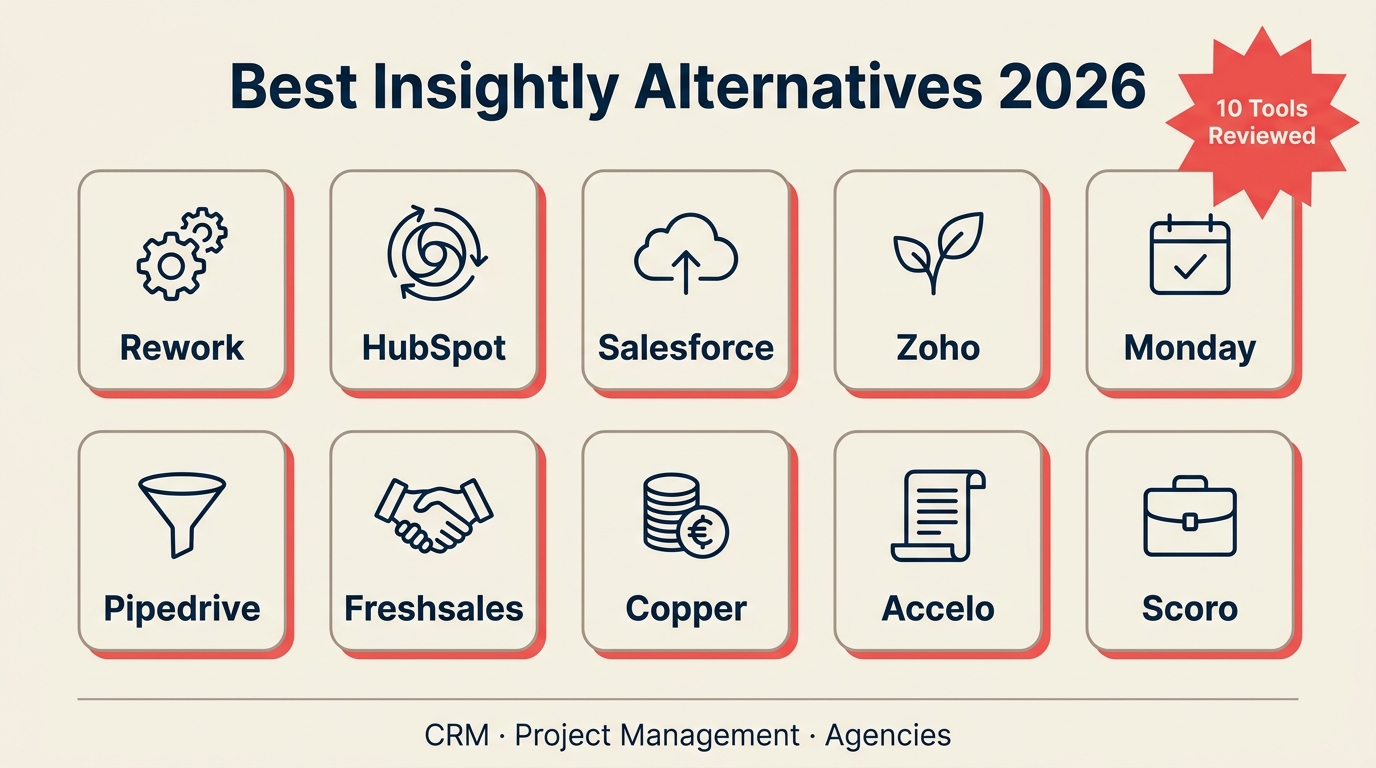
These 10 alternatives are built for the same core use case: teams that sell services, then deliver them, and need the pipeline and the project in the same system.
Key Facts: CRM and Project Delivery for Services Teams
- 79% of marketing leads never convert to sales primarily due to a lack of nurturing and poor sales-to-delivery handoffs. (MarketingSherpa)
- Services companies that use a unified CRM and project delivery platform report 26% higher win rates versus those using disconnected tools. (Salesforce State of Sales, 2023)
- The average services firm switches CRM platforms every 3.4 years, most often citing "lack of delivery workflow integration" as the primary trigger. (G2 CRM Buyer Survey, 2024)
- Insightly AppConnect, the platform's automation add-on, starts at $249/month, adding over $2,900/year in costs before per-seat pricing for automation workflows competitors include natively. (Insightly pricing, 2026)
Quick Comparison Table
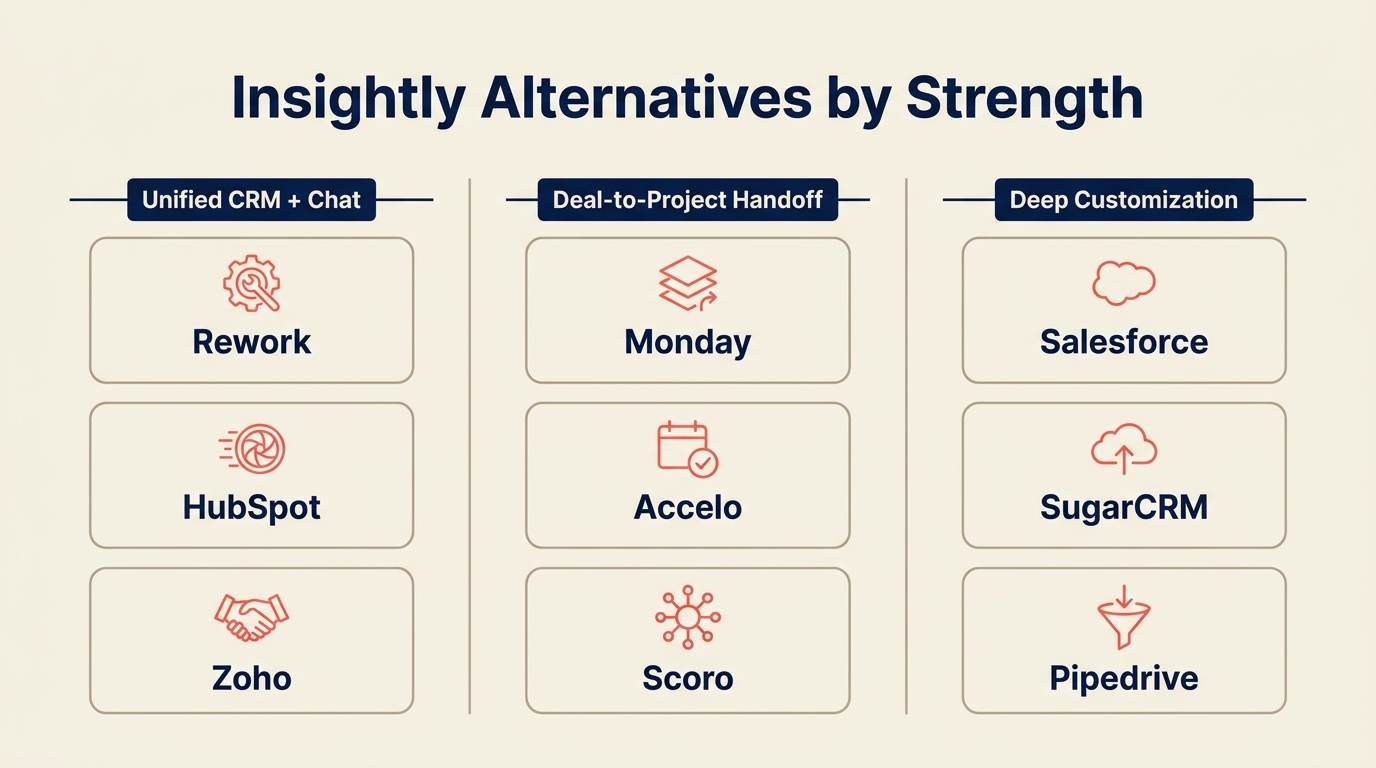
Use this table to separate Insightly replacements by whether you need CRM depth, project delivery continuity, or a broader operating layer. Insightly's appeal is the sales-to-project bridge, so every alternative should be judged against that handoff.
| Tool | Best For | Starting Price | Key Strength | Key Limitation |
|---|---|---|---|---|
| Rework | Services teams needing unified CRM + delivery ops | From $69/mo billed yearly for 5 seats; delivery projects add the Project Engine from $99/mo (rework.com/pricing) | CRM + lead management + cross-team workflows in one | Newer brand; less name recognition than legacy CRMs |
| HubSpot CRM | Teams wanting a mature CRM with marketing depth | Free CRM; Sales Hub from $15/user/mo | Best-in-class marketing + sales integration | Project management requires third-party tools |
| Salesforce | Enterprise teams that need deep customization | Sales Cloud from $25/user/mo | Massive ecosystem, extreme configurability | Steep learning curve; expensive at scale |
| Copper | Google Workspace-first teams | From $9/user/mo | Native Gmail + Calendar integration | Weak project management; limited outside Google WS |
| Freshsales | Teams wanting AI-assisted CRM at mid-market price | Free plan; paid from $9/user/mo | Built-in AI (Freddy), affordable tiers | Project delivery is thin; best as pure sales CRM |
| Monday Sales CRM | Visual teams, ops-heavy workflows | From $12/user/mo (min 3 seats) | Highly visual board-based pipeline + work management | CRM depth is shallower than dedicated CRM tools |
| Pipedrive | Sales-focused SMBs that want simplicity | From $14/user/mo | Clean pipeline UI, fast to adopt | No native project management; delivery handoff requires add-ons |
| Zoho CRM | Budget-conscious teams wanting breadth | Free plan; paid from $14/user/mo | Wide feature breadth, Zoho Projects integration | Interface complexity; too many modules |
| Accelo | Professional services firms needing client work automation | From $24/user/mo (billed annually) | Auto-tracks time, links projects to retainers | Expensive; complex setup for smaller teams |
| Scoro | All-in-one for project-based businesses | From $26/user/mo | Strong financials + project profitability tracking | Heavy for teams under 20; pricing climbs fast |
Stage Fit Matrix
Stage fit is especially important for Insightly users because the product often starts as an SMB-friendly CRM and then becomes a delivery coordination system. The right replacement changes as the handoff gets more complex.
| Tool | Startup (1-10) | Growth (10-50) | Mid-Market (50-200) | Enterprise (200+) |
|---|---|---|---|---|
| Rework | Good | Best fit | Good | Limited |
| HubSpot CRM | Good | Good | Best fit | Good |
| Salesforce | Poor | Possible | Good | Best fit |
| Copper | Good | Good | Limited | Poor |
| Freshsales | Good | Best fit | Good | Limited |
| Monday Sales CRM | Good | Best fit | Good | Limited |
| Pipedrive | Best fit | Good | Good | Limited |
| Zoho CRM | Good | Good | Best fit | Possible |
| Accelo | Poor | Good | Best fit | Good |
| Scoro | Poor | Good | Best fit | Good |
Sizing + Persona Table
| Tool | Team Size Sweet Spot | Primary Buyer | Who Uses It Daily |
|---|---|---|---|
| Rework | 10-150 | Ops Director, COO, Head of Sales | Sales reps, project leads, ops managers |
| HubSpot CRM | 10-500 | Marketing Director, VP Sales | Sales reps, marketers, RevOps |
| Salesforce | 50-5,000+ | CIO, VP Sales, RevOps | Sales teams, admins, developers |
| Copper | 5-100 | Sales Manager, Founder | Sales reps, account managers |
| Freshsales | 10-200 | Sales Manager, SMB Owner | Sales reps, SDRs |
| Monday Sales CRM | 10-200 | Sales Manager, Ops Manager | Sales teams, operations |
| Pipedrive | 1-100 | Sales Manager, Founder | Sales reps, account executives |
| Zoho CRM | 5-500 | IT Manager, SMB Owner | Sales, marketing, support |
| Accelo | 10-200 | Professional Services Director | Project managers, account managers, billing teams |
| Scoro | 15-300 | COO, Agency Owner, Finance Director | Project managers, sales, finance |
1. Rework: Unified CRM, Lead Management, and Delivery Workflows
Rework is the strongest comparison when the goal is to keep sales and delivery in one operating layer rather than passing a won deal into a separate project system.
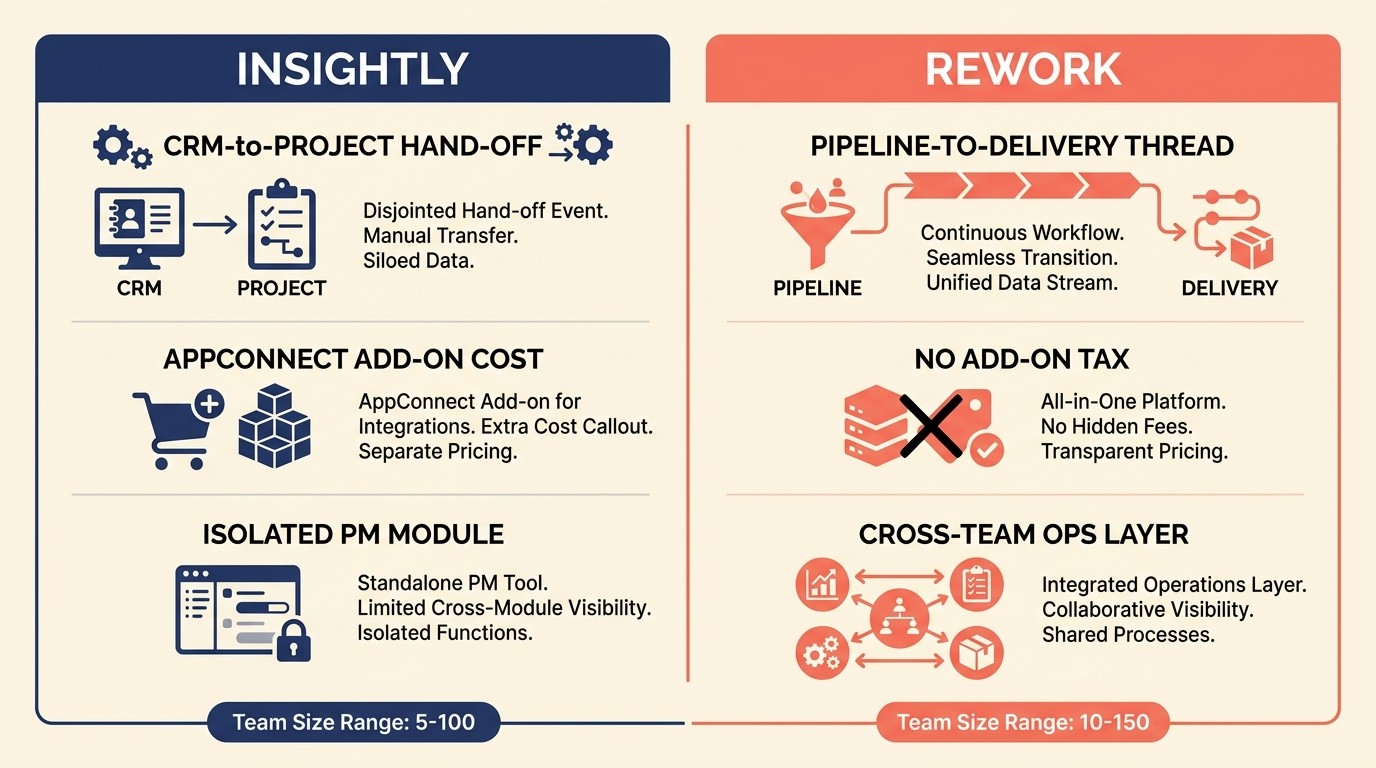
Rework is built around the idea that sales and delivery should share the same operational layer, not just pass data between disconnected tools. Where Insightly treats "convert deal to project" as a hand-off event, Rework treats it as a continuous thread. The same workspace that tracks your pipeline holds the work that follows. Before you go live, the guide on CRM data model design covers how to structure your records for a clean sales-to-delivery handoff.
The product covers inbound lead capture and routing, a multi-channel inbox, pipeline management, and cross-team delivery workflows. For services teams, this matters because the bottleneck is rarely closing deals. It's what happens after. Client onboarding, resource assignment, delivery milestones, and renewal signals all live inside Rework rather than being scattered across a CRM, a PM tool, and a spreadsheet. And once you're past the initial setup, CRM workflow automation becomes the lever that keeps the handoff from breaking down as your team scales.
| What you get | What you don't |
|---|---|
| CRM + delivery workflows in one platform | Less ecosystem depth than Salesforce or HubSpot |
| Multi-channel chat inbox (WhatsApp, Messenger, live chat) | Smaller third-party integration library (growing) |
| Pipeline-to-project continuity | Less established brand recognition |
| Lead management with routing rules | Not ideal for pure enterprise deal complexity |
| Cross-team ops templates | Thinner marketing automation than HubSpot |
Methodology: Rework's philosophy is that mid-size services teams are underserved by enterprise CRMs (too complex, too expensive) and by simple pipeline tools (too shallow for delivery). It targets the operational layer between sales and delivery.
Sizing fit: 10 to 150 people. Strong fit for teams where sales and delivery overlap: agencies, consultancies, managed services, SaaS with professional services arms.
Stage fit: Growth stage. Teams that have found product-market fit and are scaling delivery capacity without adding headcount or tool sprawl.
Pricing: The Sales Engine (CRM) is $69/month billed yearly, or $80 month to month, with 5 sales seats included; extra seats come in blocks of 5 ($21/month per block on yearly billing). The Revenue Engine ($159/month billed yearly) adds the multi-channel inbox and lead capture. Delivery projects run in the Project Engine ($99/month billed yearly, 5 work seats). See rework.com/pricing.
Best for: Services teams that have outgrown a pure sales CRM but don't want to manage a separate PM platform.
2. HubSpot CRM: Best-in-Class Marketing and Sales Integration
HubSpot started as a marketing platform and built its CRM around that strength. The result is the most integrated sales-plus-marketing stack in the mid-market. If your services business runs significant inbound content, paid, or email programs alongside its sales motion, HubSpot's flywheel holds together better than anything else at this price range. If you're already evaluating it head-to-head against others, the best HubSpot alternatives guide covers the gaps worth knowing before you commit.
The CRM itself is well-built. Pipeline views are clean, deal automation is flexible, and the free tier is more capable than most paid CRMs. Where HubSpot falls short for services teams is delivery: there's no native project management. You'll need a third-party integration (Asana, ClickUp, Monday) to track post-sale delivery, which reintroduces the handoff problem Insightly was trying to solve.
| What you get | What you don't |
|---|---|
| Best-in-class marketing + sales integration | No native project management |
| Generous free CRM tier | Costs climb fast with paid hubs |
| Strong email sequences and automation | Delivery handoff requires external tools |
| Excellent reporting and dashboards | Sales Hub Pro+ required for serious ops |
| Large app marketplace | Can become bloated if you add too many hubs |
Methodology: HubSpot's product vision is the "flywheel": marketing attracts leads, sales converts them, service retains them. Each hub reinforces the others. It's company-wide, not just a sales tool.
Sizing fit: 10 to 500. Scales well across this range, though costs become substantial at 50+ users with multiple hubs.
Stage fit: Works at nearly every stage. The free CRM is legitimate for early teams; enterprise tiers serve large orgs. Growth-stage teams with real marketing programs get the most value.
Pricing: Free CRM. Sales Hub Starter from $15/user/month. Professional from $90/user/month (where most automation lives).
Best for: Teams where marketing and sales are tightly coupled and inbound is a meaningful source of pipeline.
3. Salesforce: Deep Customization for Complex Sales Operations
Salesforce is the largest CRM in the world for a reason: it can be configured to do nearly anything. Custom objects, complex automation, multi-stage approval workflows, territory management, advanced forecasting: if you need it, Salesforce can build it. The ecosystem is enormous: 3,000+ AppExchange apps, a global Salesforce consulting industry, and decades of institutional knowledge. For teams that have outgrown every other option on this list, the best Salesforce alternatives article is worth a read before locking in.
For services teams evaluating Insightly alternatives, Salesforce is the right answer only if you're moving upmarket. It's genuinely complex to implement, requires admin resources to maintain, and the licensing model adds up quickly. Salesforce for Business Cloud adds some project-like delivery features, but it's still not a natural project management tool. Most Salesforce shops run a separate PM layer.
| What you get | What you don't |
|---|---|
| Unmatched configurability | Steep learning curve |
| Massive app ecosystem | Expensive at scale |
| Best-in-class forecasting and reporting | Requires dedicated admin or consultant |
| Enterprise-grade security and compliance | Native project management is thin |
| Industry clouds for vertical use cases | Overkill for teams under 50 |
Methodology: Salesforce's philosophy is that enterprise sales is a complex, process-driven operation that requires a platform, not a product. It's designed to be the system of record for every revenue-related workflow.
Sizing fit: Best above 50. Under 50 users, the complexity-to-value ratio usually doesn't work unless you're in a complex enterprise sales motion.
Stage fit: Mid-market scaling to enterprise. Teams that have formalized their sales process and need to enforce it.
Pricing: Sales Cloud Starter from $25/user/month. Professional from $80/user/month. Enterprise (where most serious features live) from $165/user/month.
Best for: Enterprise sales organizations with dedicated RevOps, admin resources, and complex multi-stage pipelines.
4. Copper: Google Workspace CRM with a Light Touch
Copper is the CRM built for teams that live in Gmail and Google Calendar. It embeds directly inside Google Workspace: you manage contacts, log calls, move deals through pipeline, and track follow-ups without leaving your inbox. For small services teams where the primary sales motion happens over email and the founder or account manager is the CRM, Copper is remarkably low-friction. See best Copper alternatives if you're also evaluating what sits alongside or replaces it.
The weakness is clear: Copper is thin outside of Google Workspace. Project management is minimal. Reporting is basic. And if your team uses Outlook or a mixed email environment, the core value proposition disappears. It's a tool for a specific kind of buyer: small, Google-first, and sales-focused.
| What you get | What you don't |
|---|---|
| Deep Gmail + Google Calendar integration | Weak project management |
| Fast to set up and learn | Only valuable inside Google Workspace |
| Clean, minimal UI | Limited reporting |
| Good contact enrichment | Not suitable for complex sales ops |
| Pipeline views inside Gmail sidebar | Thin automation on lower tiers |
Methodology: Copper's bet is that the best CRM is the one people actually use. By embedding in Gmail, it reduces adoption friction to near zero. Less power, more consistency.
Sizing fit: 2 to 75. Best for small teams where Google Workspace is the operational center.
Stage fit: Early to growth stage. Once teams formalize processes and need reporting, they often outgrow Copper.
Pricing: Basic plan from $9/user/month. Professional from $19/user/month. Business from $29/user/month.
Best for: Google Workspace-native teams with a straightforward sales motion and no delivery complexity.
5. Freshsales: AI-Assisted CRM at Mid-Market Pricing
Freshsales is Freshworks' sales CRM, positioned squarely at mid-market teams that want intelligent automation without the Salesforce price tag. Freddy AI, Freshworks' built-in AI layer, scores leads, suggests next actions, and flags at-risk deals. For services teams that are sales-heavy and need a CRM that does real work, Freshsales punches above its price point.
The gap is delivery. Freshsales is a pure sales CRM. There's no native project management, and the Freshworks suite's project tool (Freshservice is ITSM, not delivery PM) doesn't integrate cleanly with Freshsales out of the box. Teams with significant post-sale delivery complexity will still need a separate tool.
| What you get | What you don't |
|---|---|
| Built-in AI lead scoring and next-action suggestions | No native project management |
| Affordable pricing relative to feature depth | Delivery workflows require third-party integrations |
| Good email sequencing and phone integration | Freddy AI quality varies by use case |
| Clean mobile app | Some features locked to Enterprise tier |
| Free tier for small teams | Reporting less flexible than HubSpot or Salesforce |
Methodology: Freshsales believes AI should do the administrative work (logging, scoring, surfacing) so sales reps spend time on actual selling. Freddy is central to the product vision, not a tacked-on feature.
Sizing fit: 5 to 200. Scales well across growth-stage teams. Mid-market teams at 50-200 get strong value.
Stage fit: Growth to mid-market. Teams that are formalizing their sales process and want automation without enterprise complexity.
Pricing: Free plan (up to 3 users). Growth from $9/user/month. Pro from $39/user/month. Enterprise from $59/user/month.
Best for: Sales-focused services teams that want AI-assisted pipeline management at a reasonable price.
6. Monday Sales CRM: Visual Pipeline and Work Management in One Board
Monday.com built its name on work management, then extended that board-based model into CRM. Monday Sales CRM lets you manage pipeline the same way you'd manage a project: visual boards, customizable columns, automations, and timeline views. For ops-heavy teams where the line between sales tracking and work tracking is blurry, Monday's unified model is genuinely useful. If you want to see how it stacks up across the broader project management space, the best Monday alternatives guide covers the competitive field.
The trade-off is CRM depth. Monday Sales CRM has pipeline views, contact records, and deal automations, but it doesn't have the contact intelligence, forecasting depth, or native email integration that a purpose-built CRM delivers. Sales teams that need serious pipeline analytics or complex deal workflows often find Monday thin.
| What you get | What you don't |
|---|---|
| Unified pipeline + work management view | Shallower CRM than dedicated tools |
| Highly visual, customizable boards | Email sequencing is basic |
| Strong automation for ops workflows | Forecasting is limited |
| Good dashboards across sales and delivery | Minimum 3-seat pricing |
| Flexible enough for non-CRM use cases | Can become messy without board discipline |
Methodology: Monday's bet is that the same operating system that runs projects should run sales. Rather than separate CRM and PM tools, everything is boards: unified, searchable, automatable.
Sizing fit: 10 to 200. Best for teams that already use Monday for project work and want to bring sales into the same environment.
Stage fit: Growth stage. Teams scaling from founder-led sales toward a repeatable motion, especially if they're already Monday shops.
Pricing: Basic CRM from $12/user/month (3-seat minimum). Standard from $17/user/month. Pro from $28/user/month.
Best for: Teams that want visual pipeline management and already use Monday (or want one tool for sales and delivery tracking).
7. Pipedrive: Sales-First Simplicity
Pipedrive is the purest pipeline CRM on this list. It was designed by salespeople, for salespeople, with one goal: help reps move deals forward. The interface is clean, the pipeline view is best in class for visual deal management, and adoption is fast. Teams routinely go from sign-up to active use in a week.
For services teams, Pipedrive's limitation is the flip side of its strength: it stops at the close. There's no native project management, no delivery workflow, no post-sale tracking beyond basic customer records. You can bolt on tools via integrations, but that reintroduces the handoff problem. Pipedrive is the right answer when your services team has separate, mature delivery tooling and just needs the CRM to do CRM things cleanly. If you're also comparing it against other sales-focused tools, see best Zoho alternatives for another data point on that side of the market.
| What you get | What you don't |
|---|---|
| Best-in-class pipeline visualization | No native project management |
| Fast adoption, minimal training required | Delivery handoff requires external integration |
| Smart email tracking and activity reminders | Reporting less deep than HubSpot or Salesforce |
| Good mobile app | AI features are newer, still maturing |
| Clean API for custom integrations | Not a company-wide tool |
Methodology: Pipedrive's philosophy is "sales-first simplicity." It deliberately avoids feature bloat. If it doesn't help a rep close deals, it probably isn't in Pipedrive.
Sizing fit: 1 to 100. Strongest fit for smaller sales teams. Larger organizations often want more reporting and customization.
Stage fit: Early to growth. Perfect for the moment a founder transitions from spreadsheets to a real CRM. Scales into growth but starts to strain at mid-market complexity.
Pricing: Essential from $14/user/month. Advanced from $29/user/month. Professional from $59/user/month.
Best for: Small sales-focused services teams that want the cleanest pipeline experience available and handle delivery in separate tools.
8. Zoho CRM: Broad Feature Set at Budget-Conscious Pricing
Zoho CRM is the widest-coverage CRM at this price range. It touches pipeline management, email marketing, help desk, analytics, and more, and it integrates tightly with the broader Zoho suite (Zoho Projects, Zoho Books, Zoho Desk). For budget-conscious services teams that want to minimize tool sprawl and don't mind investing in configuration, Zoho offers real depth. But it's not the only option with broad feature coverage. The best SugarCRM alternatives list covers some comparable options worth stacking up against it.
The challenge is the experience. Zoho CRM has accumulated features for 20 years, and it shows. The interface is busy. The module structure requires meaningful admin time to configure. And while Zoho Projects integrates with Zoho CRM, connecting the two isn't seamless. It takes setup work that purpose-built CRM-to-PM tools handle automatically.
| What you get | What you don't |
|---|---|
| Wide feature breadth at low cost | Complex, dated interface |
| Strong Zoho suite integration (Projects, Books, Desk) | Takes significant admin time to configure |
| Zia AI for predictions and suggestions | CRM-to-project handoff isn't native |
| Good multi-currency and multi-language support | Overwhelming feature set for smaller teams |
| Serious free plan | Quality of integrations varies across the suite |
Methodology: Zoho's vision is the complete business operating system (CRM, finance, HR, support, and more) all under one vendor and one subscription. It bets on breadth over best-in-class depth.
Sizing fit: 5 to 500. Scales across this range, though larger teams often need Zoho Enterprise support to manage complexity.
Stage fit: Growth through mid-market. Best for teams that want to consolidate vendors and are willing to invest in configuration.
Pricing: Free plan (up to 3 users). Standard from $14/user/month. Professional from $23/user/month. Enterprise from $40/user/month.
Best for: Cost-conscious teams that want broad functionality across CRM and business operations and are willing to invest in setup.
9. Accelo: Professional Services Automation Built for Client Work
Accelo is built specifically for professional services firms: agencies, consultancies, IT managed services, law firms, accounting firms. Where most CRMs treat project delivery as an afterthought, Accelo puts it at the center. It auto-tracks time against projects and retainers, links client communication to billing, and gives service managers a real-time view of utilization and profitability.
The trade-off is cost and complexity. Accelo is expensive relative to general-purpose CRMs, and the setup curve is real. Teams under 15-20 people often find it over-engineered. But for a 30-100 person professional services firm where every project hour has a cost and a billing code, Accelo eliminates a significant amount of manual reconciliation. For teams considering how to phase the rollout, the CRM rollout and adoption guide is worth reading alongside any Accelo evaluation.
| What you get | What you don't |
|---|---|
| Auto time-tracking linked to projects and retainers | Higher cost than general-purpose CRMs |
| Strong client work and billing integration | Complex to configure; steep learning curve |
| Retainer management with utilization tracking | Less polished UI than newer tools |
| Triggers and automations for service workflows | Not a strong fit for pure sales organizations |
| CRM designed for recurring client relationships | Limited flexibility outside services use cases |
Methodology: Accelo believes professional services teams are underserved by general CRMs and general PM tools. It builds specifically for the sales-delivery-billing loop that defines services businesses.
Sizing fit: 15 to 200. Not worth the complexity for very small teams. Strong ROI for mid-size professional services firms.
Stage fit: Growth to mid-market. Best for firms that have enough client volume and project complexity that manual tracking is genuinely painful.
Pricing: Core modules from $24/user/month (billed annually). ServOps bundle (full suite) priced separately. Minimum seat requirements apply.
Best for: Professional services firms (agencies, consultancies, MSPs) where time tracking, retainer billing, and project delivery need to connect to the CRM.
10. Scoro: All-in-One for Project-Based Business Financials
Scoro is the most financially oriented tool on this list. It combines CRM, project management, resource planning, and invoicing into one platform, with strong project profitability reporting at the center. If you run a services business where knowing the margin on every engagement is important (billing by milestone, tracking actuals vs. estimates, and managing resource allocation across multiple projects), Scoro gives you visibility that most CRMs don't approach.
The cost is real. Scoro starts higher than most alternatives on this list, and the pricing scales with users and features. It's also genuinely complex. Teams under 20 people typically find it heavy. But for a 50-person project-based business that's flying blind on profitability, Scoro can pay for itself. And if you're still deciding whether to consolidate tools or keep your CRM and PM separate, the How to Pick a CRM in 2026 checklist walks through that decision in detail.
| What you get | What you don't |
|---|---|
| Strong project profitability and budget tracking | Expensive; scales fast |
| Integrated invoicing and financial reporting | Complex for smaller teams |
| Resource planning and utilization views | CRM features are less refined than dedicated tools |
| Quoting and estimate-to-actuals tracking | Steeper learning curve |
| Clean project timeline and Gantt views | Less mature integrations library |
Methodology: Scoro is built for project-based businesses that need to know whether they're making money on each engagement. The financial layer is the differentiator, not the CRM or PM layer individually.
Sizing fit: 15 to 300. Best for firms between 30-150 with real project profitability pressure.
Stage fit: Growth to mid-market. Teams that have enough project volume to justify real financial visibility into delivery.
Pricing: Essential from $26/user/month. Standard from $37/user/month. Pro from $63/user/month. All plans billed annually.
Best for: Project-based businesses (agencies, consultancies, construction, engineering firms) that need integrated financials alongside project and CRM management.
How to Choose: Decision Framework
| If you need... | Best pick | Runner-up |
|---|---|---|
| CRM + delivery workflows without tool sprawl | Rework | Monday Sales CRM |
| Marketing automation tightly coupled to sales | HubSpot CRM | Freshsales |
| Maximum configurability for complex sales | Salesforce | Zoho CRM |
| Google Workspace integration as the primary value | Copper | Freshsales |
| The cleanest pure sales pipeline experience | Pipedrive | Freshsales |
| Professional services billing + time tracking | Accelo | Scoro |
| Project profitability and financial reporting | Scoro | Accelo |
| Broad features at the lowest per-seat cost | Zoho CRM | Freshsales |
| Visual board-based pipeline and work management | Monday Sales CRM | Rework |
| AI-assisted sales at mid-market pricing | Freshsales | HubSpot CRM |
Pricing Comparison Table
| Tool | Entry Price | Mid Tier | Notes |
|---|---|---|---|
| Rework | Sales Engine $69/mo billed yearly (5 seats) | Advanced edition $89/mo billed yearly (5 seats) | No iPaaS add-on tax; delivery projects need the Project Engine ($99/mo) |
| HubSpot CRM | Free CRM | Sales Hub Pro $90/user/mo | Free tier is genuinely useful |
| Salesforce | $25/user/mo | Enterprise $165/user/mo | Most features require upper tiers |
| Copper | $9/user/mo | Business $29/user/mo | Google Workspace required |
| Freshsales | Free (3 users) | Pro $39/user/mo | AI features on upper tiers |
| Monday Sales CRM | $12/user/mo (min 3) | Pro $28/user/mo | Annual billing required for best rates |
| Pipedrive | $14/user/mo | Professional $59/user/mo | Simple, predictable pricing |
| Zoho CRM | Free (3 users) | Enterprise $40/user/mo | Zoho suite bundles available |
| Accelo | $24/user/mo | ServOps bundle varies | Annual billing; minimum seats |
| Scoro | $26/user/mo | Pro $63/user/mo | Annual billing only |
What Made Insightly's Model Compelling (And Where It Falls Short)
Insightly's appeal is easy to understand: it promises continuity from sales to delivery. The problem is that the bridge can still feel thin once clients, projects, and reporting needs become more complex.
The Handoff Gap Framework: Services businesses lose the most revenue not during sales or delivery, but in the transition between them. When won deals move from a CRM into a project tool, critical context -- client expectations, negotiated scope, relationship history -- has to be re-entered or reconstructed. The Handoff Gap describes this structural failure: the moment the account executive marks a deal "Closed Won," the delivery team is starting from scratch. CRMs that close this gap natively (without middleware) consistently outperform those that require integration.
Rework Analysis: Based on G2 review data for professional services CRM buyers (2024), teams using a unified sales-to-delivery platform report 31% fewer onboarding delays and 22% higher client satisfaction scores in the first 90 days compared with teams using separate CRM and PM tools.
Insightly's CRM-to-project conversion flow was built around a real problem: services teams close a deal and then the sales team disappears, leaving delivery to reconstruct the context from scratch. Insightly's "convert won opportunity to project" gave that context continuity.
But in 2026, three things have changed. First, dedicated delivery tools (Asana, Linear, Notion) have pulled far ahead of what any CRM-adjacent PM module can offer. Second, the newer generation of CRMs (Rework, Monday Sales CRM) has built the CRM-to-delivery thread more natively, without bolting PM onto a legacy CRM core. Third, AppConnect (Insightly's answer to automation and integration) adds meaningful cost for workflows that competitors include at lower price points or natively.
| Insightly strength | How alternatives address it | Best alternative |
|---|---|---|
| CRM-to-project conversion | Native pipeline-to-delivery workflows | Rework, Monday Sales CRM |
| Single vendor for sales + delivery | Unified ops layer | Rework, Accelo |
| Mid-size team pricing | Competitive entry pricing | Freshsales, Copper, Pipedrive |
| Project milestone tracking | PM-native delivery tracking | Accelo, Scoro |
| Activity and task management | More flexible task layers | HubSpot CRM, Monday Sales CRM |
Frequently Asked Questions
What is the biggest limitation of Insightly for services teams?
Insightly's project management module is shallow compared with dedicated PM tools and newer unified platforms. The bigger cost issue is AppConnect, Insightly's automation add-on, which starts at $249/month and adds over $2,900/year for workflows that competitors include in their base tier.
Which Insightly alternative is best for agencies and consultancies?
Accelo and Rework are the strongest fits for agencies and consultancies. Accelo auto-tracks time against retainers and projects and integrates billing directly. Rework covers the full pipeline-to-delivery cycle with cross-team workflow templates built for services teams between 10 and 150 people, with the Sales Engine from $69/month and the Project Engine from $99/month (both billed yearly, 5 seats each).
Can a CRM replace a project management tool for services teams?
Not in all cases, but unified platforms like Rework, Accelo, and Scoro are closing the gap. Research from G2 (2024) shows services firms using a unified CRM plus project delivery platform report 31% fewer onboarding delays in the first 90 days versus teams using separate CRM and PM tools connected by integration.
What does Insightly cost compared with its alternatives?
Insightly's CRM Plus plan starts at $29/user/month. With AppConnect (required for meaningful automation), total cost runs $40 to $60/user/month at typical team sizes. Freshsales and Copper start at $9/user/month. Rework's Sales Engine starts at $69/month billed yearly for 5 seats, with no automation add-on tax.
How do I evaluate a CRM-to-project handoff in a trial?
Run your messiest active client situation through the trial, not a demo scenario. Import a real deal, assign it to a project, and track whether the context (scope, notes, contacts) carries through without re-entry. If you are re-entering data at the handoff point, the tool has the Handoff Gap problem.
Is Salesforce worth it for a 30-person services firm?
Rarely at that size. Sales Cloud Enterprise, where most serious features live, starts at $165/user/month, which means $59,400/year for 30 users before add-ons or admin costs. Teams under 50 people typically see better ROI from Rework, HubSpot, or Freshsales, and can migrate to Salesforce when complexity genuinely requires it.
What is the Handoff Gap and why does it matter for CRM selection?
The Handoff Gap is the moment a deal is marked "Closed Won" and delivery must reconstruct client context from scratch because the CRM and PM tool do not share a data layer. Services companies that close this gap natively report 26% higher win rates than those using disconnected tools, according to Salesforce State of Sales (2023).
What to Do Next
The best way to pressure-test these alternatives is a two-week parallel pilot. Pick your top two options, migrate a sample of real deals or active projects, and run your actual workflow through each tool. Don't evaluate the demo environment. Evaluate how it handles your messiest client situation.
For most services teams moving off Insightly, the real question is whether you want to consolidate (one tool for sales and delivery, like Rework or Accelo) or specialize (a dedicated CRM plus a dedicated PM tool, connected via integration). Both are defensible. The consolidation path wins on context continuity; the specialized path wins on depth per function. Know which problem costs you more before you choose. If you're also evaluating Rework against the HubSpot specifically, Rework vs HubSpot CRM lays out that comparison directly.
Related reading:

Head of Enterprise Solutions
On this page
- Quick Comparison Table
- Stage Fit Matrix
- Sizing + Persona Table
- 1. Rework: Unified CRM, Lead Management, and Delivery Workflows
- 2. HubSpot CRM: Best-in-Class Marketing and Sales Integration
- 3. Salesforce: Deep Customization for Complex Sales Operations
- 4. Copper: Google Workspace CRM with a Light Touch
- 5. Freshsales: AI-Assisted CRM at Mid-Market Pricing
- 6. Monday Sales CRM: Visual Pipeline and Work Management in One Board
- 7. Pipedrive: Sales-First Simplicity
- 8. Zoho CRM: Broad Feature Set at Budget-Conscious Pricing
- 9. Accelo: Professional Services Automation Built for Client Work
- 10. Scoro: All-in-One for Project-Based Business Financials
- How to Choose: Decision Framework
- Pricing Comparison Table
- What Made Insightly's Model Compelling (And Where It Falls Short)
- Frequently Asked Questions
- What is the biggest limitation of Insightly for services teams?
- Which Insightly alternative is best for agencies and consultancies?
- Can a CRM replace a project management tool for services teams?
- What does Insightly cost compared with its alternatives?
- How do I evaluate a CRM-to-project handoff in a trial?
- Is Salesforce worth it for a 30-person services firm?
- What is the Handoff Gap and why does it matter for CRM selection?
- What to Do Next