Best Crisp Alternatives in 2026: 10 Live Chat and Customer Messaging Tools for Growing Teams
Turn this article into takeaways for your work.


Each assistant summarizes the article only for you and suggests best practices for your work.
The best alternatives to Crisp chat are Rework for teams that need CRM and messaging in one tool, Intercom for AI-first support at scale, and Tidio for fast e-commerce chatbots. Most teams outgrow Crisp once its basic AI, thin CRM, and small integration list start slowing daily work. This guide ranks 10 options by fit, price, and stage so you can shortlist in minutes.
Crisp is a solid starting point. For very early-stage startups, its free plan and clean interface make it easy to get live chat running in an afternoon. But teams that grow past that initial phase tend to run into the same set of walls: the AI chatbot capabilities feel basic compared to what Intercom and Tidio offer, the built-in CRM can't handle complex pipelines, the knowledge base is functional but not flexible, and the integration ecosystem is thin. If your team's handling more than a few dozen conversations a day or needs tighter coordination between sales and support, Crisp starts showing its limits.
This guide covers 10 live chat and customer messaging tools worth evaluating as alternatives. Each section covers the product's philosophy, who it fits best, what stage of company growth it suits, and where it falls short. There's no perfect tool here. The right pick depends on your team size, your CRM stack, and how much you want to pay for AI features that actually work.
Quick Comparison Table
| Tool | Best For | Starting Price | Key Strength | Key Limitation |
|---|---|---|---|---|
| Rework | Growing B2B teams needing CRM + messaging together | From $159/mo billed yearly, 5 marketing + 5 sales seats (rework.com/pricing) | Unified CRM, lead management, multi-channel inbox | Less brand recognition than Intercom |
| Intercom | Product-led SaaS companies with large support volumes | $39/seat/mo | AI-first workflows, product tours, deep integrations | Expensive at scale; pricing is unpredictable |
| Tidio | E-commerce and small businesses | $29/mo | Easy AI chatbot setup, Shopify integration | Limited for B2B or complex sales flows |
| LiveChat | Teams that want a reliable, proven live chat baseline | $20/seat/mo | Rock-solid chat, 200+ integrations | CRM and automation are add-ons, not built-in |
| Freshchat | Teams already in the Freshworks ecosystem | $19/seat/mo | Native Freshdesk + Freshsales integration | Gets complex and pricey outside core use cases |
| Drift | B2B revenue teams using chat as a pipeline channel | $2,500/mo (Pro) | Conversational marketing, ABM targeting | Very expensive; overkill for support-focused teams |
| HubSpot Chat | Teams already on HubSpot CRM | Free (with HubSpot) | Seamless CRM sync, no extra tool needed | Chat features are basic without upgrading HubSpot |
| Olark | Small businesses that want simple, no-frills live chat | $29/seat/mo | Simplicity, good accessibility features | Limited automation; no AI chatbot |
| Tawk.to | Budget-conscious teams or solo operators | Free | Completely free; decent feature set | Monetizes via agents-for-hire; support is slow |
| Chatwoot | Dev teams that want full control via open source | Free (self-hosted) | Open source, self-hosted, highly customizable | Requires technical setup; no managed onboarding |
Stage Fit Matrix
| Tool | Startup (1-10) | Growth (10-50) | Mid-Market (50-200) | Enterprise (200+) |
|---|---|---|---|---|
| Rework | Good | Excellent | Excellent | Limited |
| Intercom | Limited (cost) | Good | Excellent | Excellent |
| Tidio | Excellent | Good | Limited | No |
| LiveChat | Good | Excellent | Good | Limited |
| Freshchat | Good | Good | Excellent | Good |
| Drift | No | Limited | Good | Excellent |
| HubSpot Chat | Good | Good | Good | Limited |
| Olark | Excellent | Good | No | No |
| Tawk.to | Excellent | Limited | No | No |
| Chatwoot | Good (tech) | Good (tech) | Good (tech) | Limited |
Sizing and Persona Table
| Tool | Team Size Sweet Spot | Primary Buyer | Team or Company-Wide? |
|---|---|---|---|
| Rework | 10-200 employees | Sales Ops, RevOps, COO | Company-wide (sales + support + ops) |
| Intercom | 20-500 employees | VP Product, Head of Support | Company-wide |
| Tidio | 1-30 employees | Founder, E-commerce Manager | Support team |
| LiveChat | 5-100 employees | Support Manager, IT | Support team |
| Freshchat | 10-300 employees | CX Director, IT | Support + sales teams |
| Drift | 50-500 employees | VP Marketing, CRO | Revenue team (sales + marketing) |
| HubSpot Chat | 5-200 employees | Marketing Manager, Sales Ops | Company-wide (if on HubSpot) |
| Olark | 1-20 employees | Small business owner | Support team |
| Tawk.to | 1-15 employees | Solo operator, Founder | Support team |
| Chatwoot | 5-100 employees | Engineering Manager, CTO | Support team + dev control |
1. Rework: Unified CRM, Lead Management, and Multi-Channel Inbox for Growing B2B Teams
Rework is built for the gap that sits between pure live chat tools and full enterprise CRM platforms. The product philosophy is that most growing B2B teams don't need a separate live chat tool and a separate CRM. They need one place where conversations, contacts, and pipeline stages connect without constant copy-pasting between tabs.
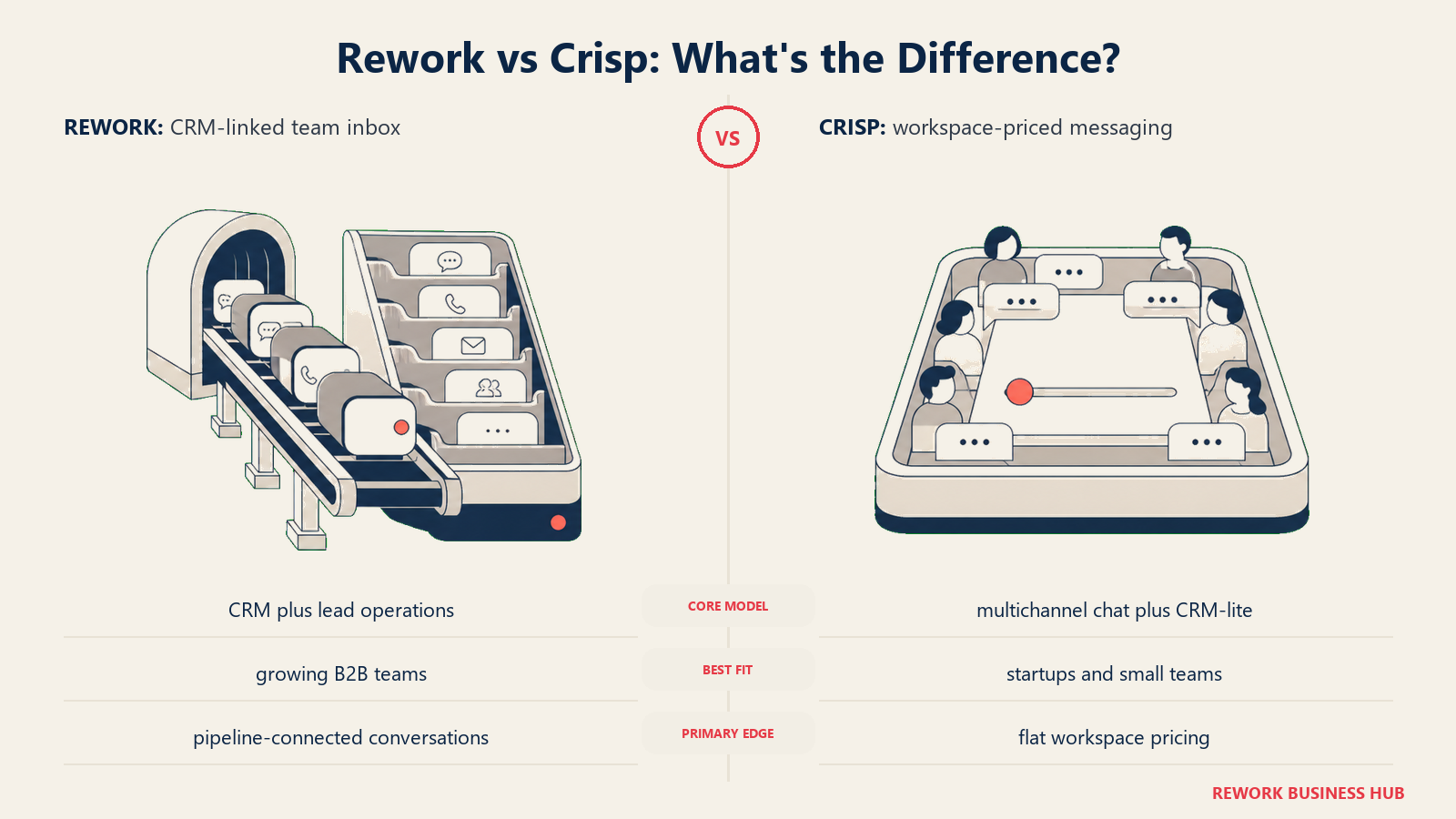
The multi-channel inbox consolidates website chat, WhatsApp, Messenger, Instagram, TikTok, Telegram, LINE and Zalo into a single queue (email runs in Rework's separate Mail app, and there's no SMS or voice channel). Built-in lead management means conversations can be converted to leads, assigned to reps, and tracked through a pipeline without leaving the platform. For teams where the same person handles both inbound support and inbound sales (which is most teams under 50 people), this removes a lot of friction.
Rework fits mid-size B2B teams best: companies that have outgrown a single shared inbox and basic live chat but don't need the enterprise complexity (and pricing) of Intercom or Salesforce. The cross-team workflow features make it useful for ops-heavy businesses where support, sales, and delivery need visibility into the same customer record.
| What you get | What you don't |
|---|---|
| Unified CRM + inbox in one platform | Less brand name recognition than Intercom |
| Built-in lead management and pipeline tracking | Fewer app marketplace integrations than LiveChat |
| Multi-channel messaging (web chat, WhatsApp, social DMs) | Not designed for pure e-commerce or high-volume B2C |
| Cross-team workflow automation | No free plan for teams |
Pricing: Revenue Engine (CRM, omnichannel inbox and lead capture) is $159/month billed yearly ($1,908/year) or $190 month to month, with 5 marketing and 5 sales seats included. The inbox alone is the Marketing Engine, from $99/month billed yearly. 14-day free trial. See rework.com/pricing.
Best for: B2B teams of 10-200 that want CRM and customer messaging without managing two separate tools. Not ideal for: Solo operators, pure e-commerce businesses, or teams that only need basic chat.
2. Intercom: AI-First Customer Messaging for Product-Led SaaS Companies
Intercom has spent the last few years repositioning as an AI-first support platform, and the results show. Their Fin AI agent handles a significant percentage of incoming support queries without human involvement, and the workflow automation is genuinely sophisticated. If you're running a product-led SaaS company where support volume scales with user growth, Intercom's ability to automate tier-1 queries at scale is its strongest argument.
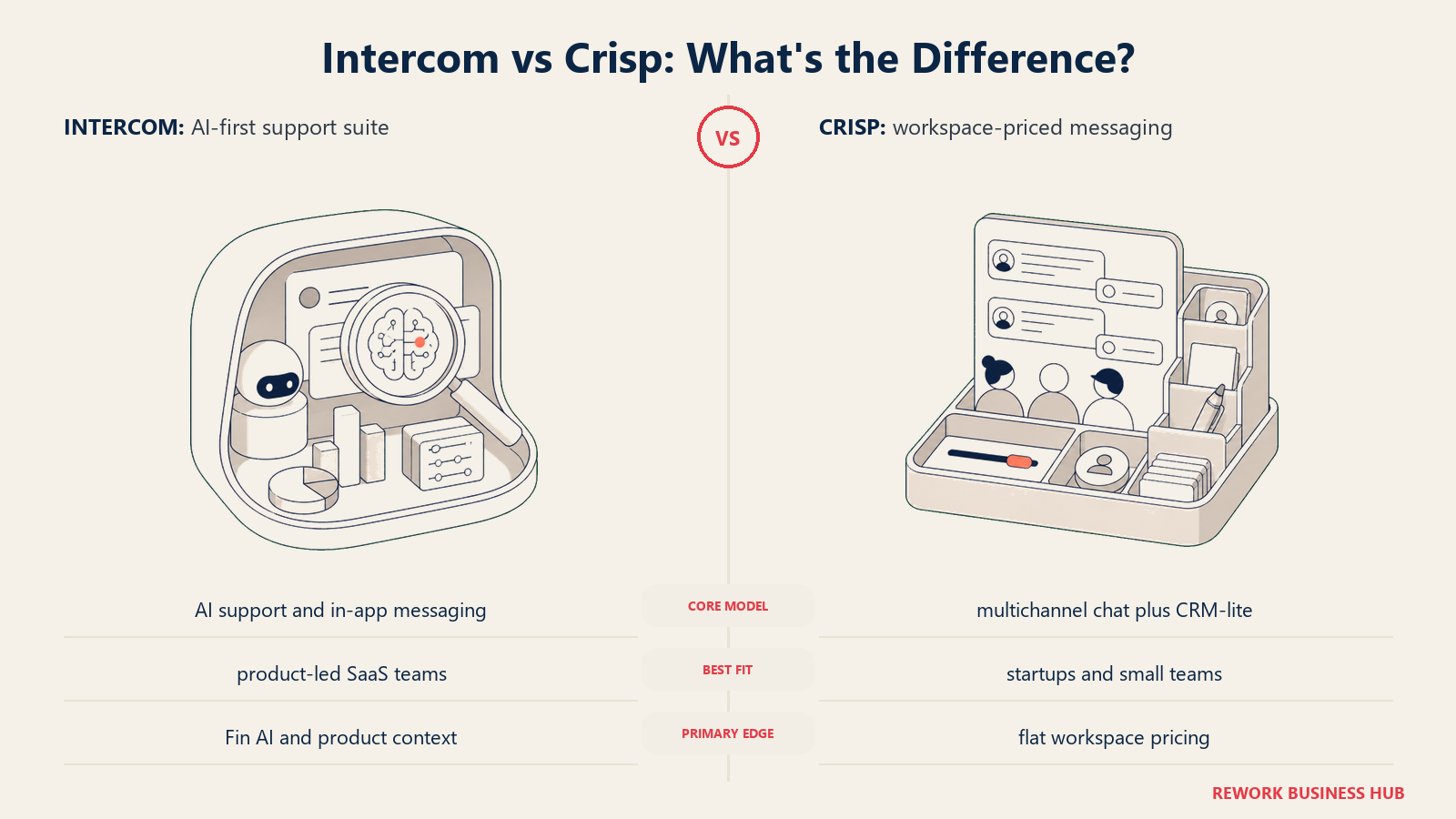
The product is designed for companies where customer success, support, and product all feed into the same conversation layer. Product tours, in-app messages, proactive outbound messages, and help center content all live in one platform. For a VP of Product or Head of Customer Success at a Series B SaaS company, that consolidated view is worth real money. Teams evaluating this space often look at best Intercom alternatives alongside Crisp, since the two products are frequently compared.
The downside is cost. Intercom's pricing is notoriously hard to predict: seat costs, resolution-based charges for AI, and add-on packages for advanced features mean bills often come in higher than expected. Smaller teams frequently find they're paying enterprise prices before they actually need enterprise features.
| What you get | What you don't |
|---|---|
| Fin AI agent with high automation rate | Predictable monthly pricing |
| Product tours and in-app messaging | Affordable entry point for small teams |
| Deep integrations with Salesforce, HubSpot, Jira | Simple setup without a dedicated admin |
| Extensive help center and knowledge base tooling | Lean support for non-technical buyers |
Pricing: From $39/seat/month. AI resolution-based pricing adds costs at volume.
Best for: Product-led SaaS companies with 20+ employees that need AI automation and deep product integrations. Not ideal for: Budget-conscious startups or teams that don't need in-app messaging.
3. Tidio: Fast AI Chatbot Setup for E-Commerce and Small Businesses
Tidio built its product around making AI chatbots accessible to businesses that don't have developers or dedicated ops teams. The Lyro AI bot can be set up in minutes, handles common questions automatically, and integrates directly with Shopify and WooCommerce product catalogs. For an e-commerce founder who wants to reduce cart abandonment and answer "where's my order?" questions overnight, Tidio is genuinely well-suited.
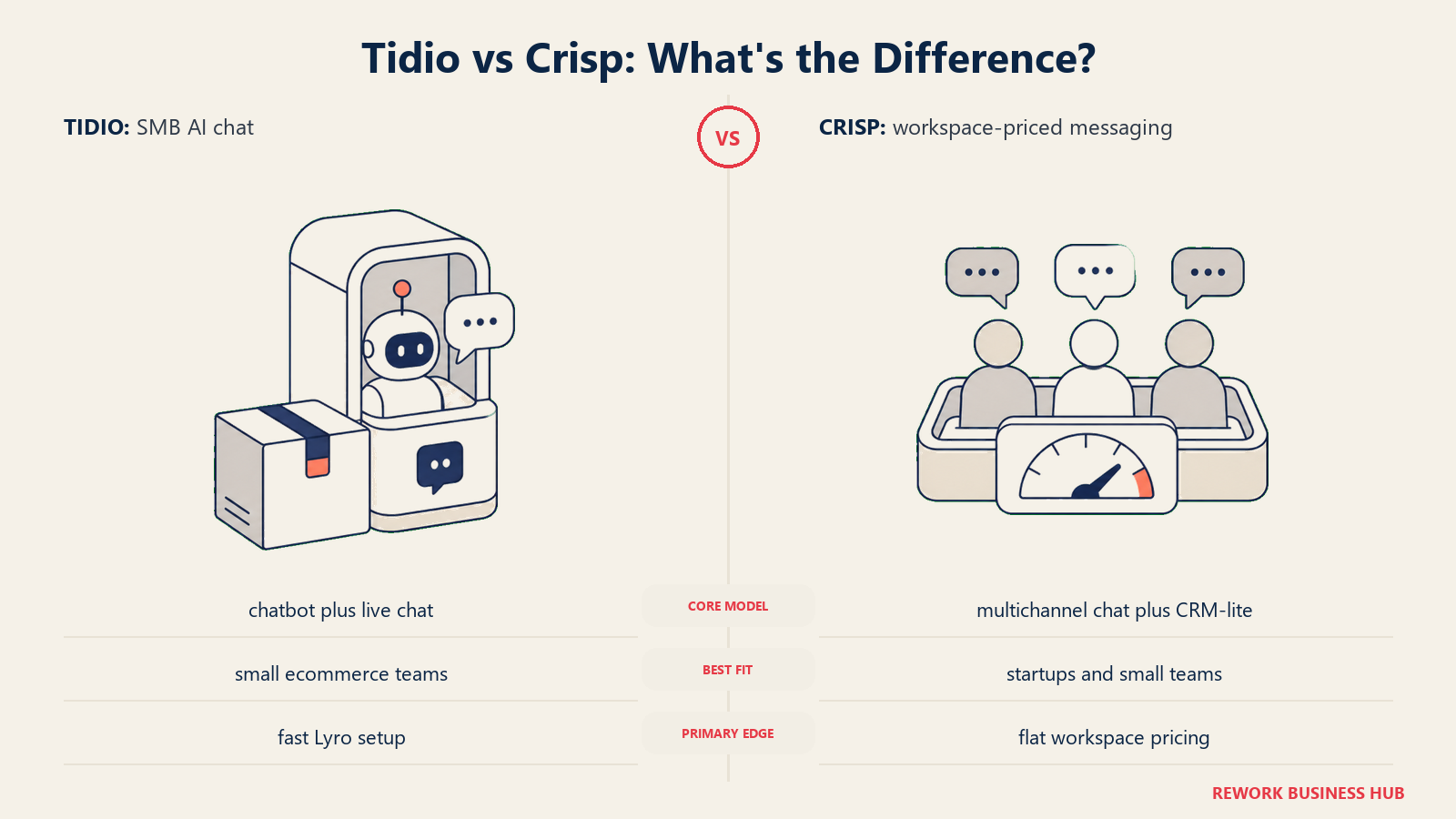
The audience is small and mid-size e-commerce businesses: teams that need responsive chat across website, Messenger, and Instagram without a complex setup process. Tidio's pricing is accessible, and the visual bot builder doesn't require technical knowledge to operate. The platform is designed to be up and running within a few hours. If you're already trialing Tidio alongside Crisp, the best Tidio alternatives guide covers the same competitive landscape from that angle.
Where Tidio falls short is in B2B scenarios. The CRM capabilities are basic, lead scoring doesn't exist, and the platform isn't built for complex multi-stage sales processes. Teams doing outbound sales, account-based prospecting, or long enterprise deals will quickly find the workflow too shallow.
| What you get | What you don't |
|---|---|
| Easy AI chatbot with no developer required | B2B CRM or pipeline features |
| Shopify and WooCommerce direct integrations | Lead scoring or account-based workflows |
| Multichannel inbox (chat, Messenger, Instagram) | Depth for complex support operations |
| Visitor tracking and cart recovery triggers | Advanced reporting for mid-market teams |
Pricing: Free plan available. Paid plans from $29/month. Lyro AI from $39/month.
Best for: E-commerce businesses and small teams that want fast chatbot deployment with minimal setup. Not ideal for: B2B sales teams or companies with complex support workflows.
4. LiveChat: Rock-Solid Live Chat with 200+ Integrations
LiveChat has been in the live chat market long enough to have refined the basics to a high standard. The chat experience itself is fast, reliable, and well-designed. Agents get clear queue views, chat routing works as expected, and the canned responses and tagging system is mature. It's the kind of tool that does one thing very well and doesn't try to be everything.
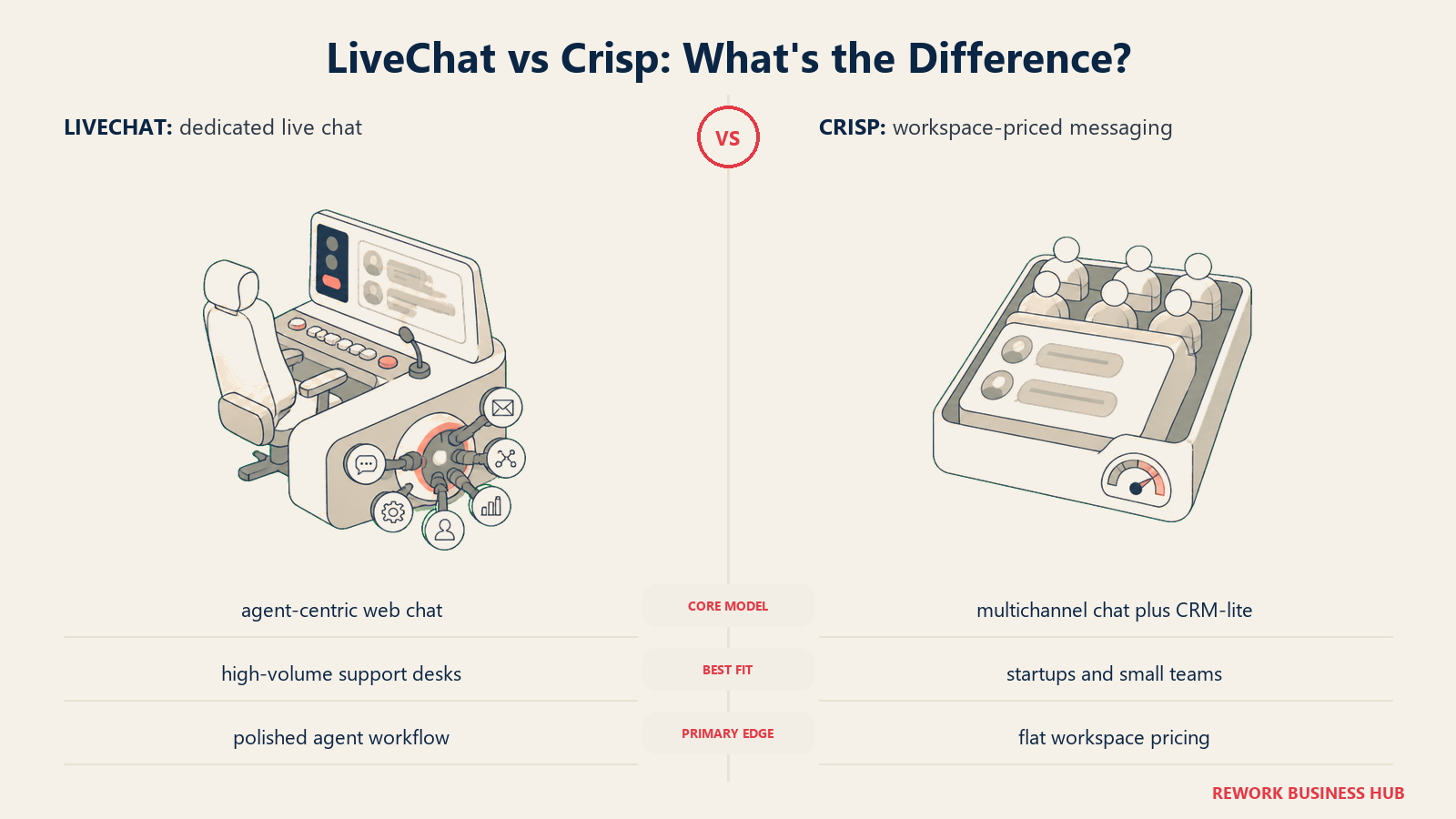
The integration marketplace is genuinely extensive: 200+ native integrations covering CRMs, helpdesks, e-commerce platforms, and analytics tools. For support teams that already have a CRM and want a dedicated chat layer that connects to it cleanly, LiveChat fits well. The reporting is solid and the agent management features scale reasonably from small teams to 100-person support orgs. Teams that have outgrown LiveChat's limits often look at best LiveChat alternatives for what comes next.
The gap is that LiveChat is primarily a chat tool, not a CRM or automation platform. If you want bots, you need ChatBot (a separate LiveChat Inc. product). If you want ticketing, you need HelpDesk (another separate product). The ecosystem works but requires assembling multiple tools, and costs stack up quickly.
| What you get | What you don't |
|---|---|
| Best-in-class live chat experience | Native AI chatbot (requires ChatBot add-on) |
| 200+ integrations across major platforms | Built-in CRM or lead tracking |
| Mature agent queue and routing tools | Ticketing without adding HelpDesk |
| Good mobile apps for agents | Unified platform for chat + support + CRM |
Pricing: From $20/seat/month (Starter). Business plan at $59/seat/month.
Best for: Support teams that want a dedicated, high-quality live chat layer and already have CRM in place. Not ideal for: Teams that want a single unified platform; AI-first support workflows.
5. Freshchat: Customer Messaging That Integrates Natively With Freshworks
Freshchat's clearest argument is native integration: if your team uses Freshdesk for support ticketing and Freshsales for CRM, Freshchat gives you a messaging layer that connects to both without API configuration. Customer data flows between tools automatically, and agents get full context on a contact before they respond. For companies already inside the Freshworks ecosystem, this coordination is a real advantage.
The platform covers web chat, in-app messaging, WhatsApp, email, and social channels from a single inbox. AI-powered bots (Freddy AI) handle tier-1 queries and can escalate to agents when needed. The interface has been refined over multiple releases and is generally clean and fast.
Outside the Freshworks ecosystem, the value proposition weakens. Integrating Freshchat with Salesforce, HubSpot, or a custom-built CRM is doable but requires more configuration effort. Pricing also escalates quickly as you add users and advanced features, making the total cost harder to predict for teams that are growing fast.
| What you get | What you don't |
|---|---|
| Native Freshdesk and Freshsales integration | Cost predictability at scale |
| Multi-channel inbox (chat, WhatsApp, email, social) | Simple setup outside Freshworks stack |
| Freddy AI for automated tier-1 responses | Strong integration value for non-Freshworks users |
| Good ticketing + chat handoff within ecosystem | Competitive AI depth vs. Intercom |
Pricing: Growth plan from $19/seat/month. Pro and Enterprise tiers available.
Best for: Companies already using Freshdesk or Freshsales that want to add a messaging layer without new vendor complexity. Not ideal for: Teams outside the Freshworks ecosystem; budget-sensitive teams needing advanced AI.
6. Drift: Conversational Marketing for B2B Revenue Teams
Drift is not primarily a customer support tool. It's a revenue generation tool. The product philosophy is that live chat on a B2B website should do more than handle questions. It should qualify leads, book demos, and route buyers to the right sales rep based on account data. That positioning shapes everything about how Drift works. For a head-to-head view of how this plays out in practice, the Drift vs Intercom for B2B comparison breaks down how these two tools differ on pipeline attribution.
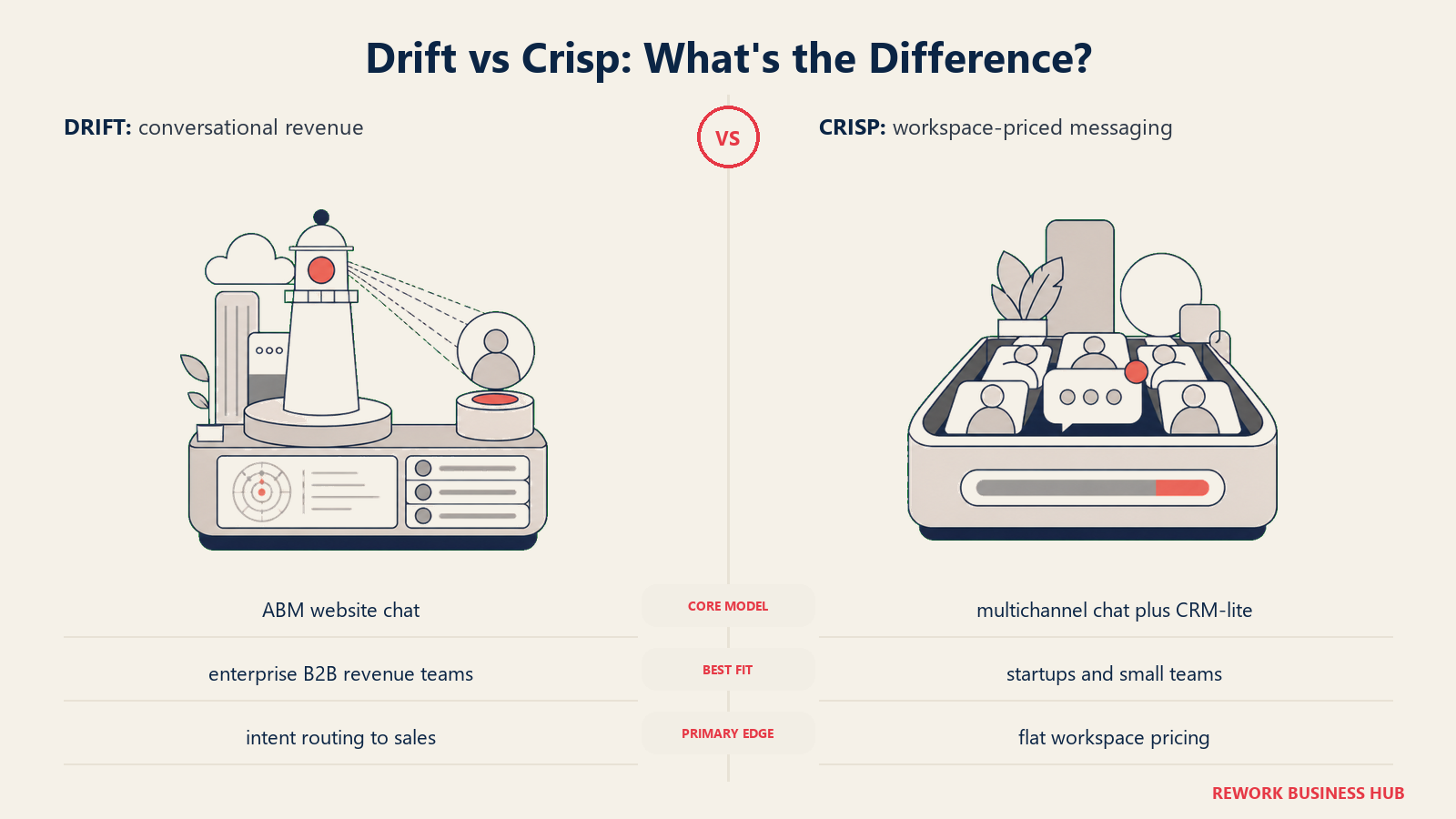
The ABM targeting features are a differentiator: Drift can identify which company a visitor is from (using IP intelligence and integrations with 6sense and Clearbit), personalize the chat experience based on the account tier, and route that visitor to the right account owner in real time. For a B2B revenue team running account-based marketing, this capability directly impacts pipeline. See best Drift alternatives if you're evaluating Drift but not yet convinced it's worth the price.
The price point puts Drift firmly in the enterprise or near-enterprise category. The Pro plan starts at $2,500/month, and meaningful ABM features sit higher. Smaller teams that are exploring the tool will find the free and entry-level tiers are quite limited. If you're a 10-person startup, Drift is probably not the right fit yet.
| What you get | What you don't |
|---|---|
| ABM targeting and account-based chat routing | Affordable pricing for small teams |
| Real-time buyer identification from IP/CRM data | Strong customer support features |
| Seamless Salesforce and HubSpot integration | Simplicity for non-revenue use cases |
| Meeting booking directly from chat | Meaningful AI on lower-tier plans |
Pricing: Free (very limited). Pro from $2,500/month. Advanced and Enterprise above that.
Best for: B2B revenue teams of 50+ that run ABM campaigns and want to turn website traffic into pipeline. Not ideal for: Support-focused teams, startups, e-commerce, or anyone budget-constrained.
7. HubSpot Chat: Live Chat Built Into the HubSpot CRM
HubSpot's live chat is not a standalone product. It's a feature inside HubSpot's broader CRM and marketing platform. That distinction matters. If your team already uses HubSpot as its CRM, adding live chat has zero integration cost: every conversation is logged automatically against the right contact, chat transcripts appear in the deal timeline, and leads captured through chat sync directly to your pipeline.
For teams on HubSpot's free or Starter plans, this is genuinely good value. You get a functioning live chat widget, a basic chatbot builder, and full CRM sync at no additional cost. The setup takes an hour, not a week.
The limitation is depth. HubSpot Chat's features don't match dedicated live chat tools. The bot builder is functional but not sophisticated. Conversation routing is basic. If your support team handles high volume or needs complex escalation workflows, you'll feel the ceiling quickly. The product is designed as a CRM feature, not a support platform, and that shows in the advanced use cases.
| What you get | What you don't |
|---|---|
| Free live chat if already on HubSpot | Feature depth of a dedicated chat tool |
| Automatic CRM sync with no configuration | Sophisticated bot workflows on lower plans |
| Good chatbot builder on higher HubSpot tiers | Standalone value without HubSpot CRM |
| Meeting booking integration (HubSpot Meetings) | Strong mobile agent experience |
Pricing: Free with HubSpot CRM. Advanced features require HubSpot Professional ($800+/month).
Best for: Teams already on HubSpot that want to add chat without a new vendor. Not ideal for: Teams not on HubSpot, or anyone who needs a dedicated support platform.
8. Olark: Simple, Accessible Live Chat for Small Businesses
Olark's identity is simplicity and accessibility. The product has been around since 2009 and has consistently stayed focused on doing basic live chat well rather than expanding into adjacent categories. For a small business owner who wants to add a chat widget, see who's on their site, and respond to questions without learning a complex tool, Olark delivers that straightforwardly.
One genuine differentiator is accessibility compliance. Olark takes ADA and WCAG accessibility seriously, which matters for organizations in regulated industries or those with legal requirements around digital accessibility. Very few live chat tools in this price range can say the same.
The honest limitation is that Olark hasn't kept pace with where the market is going on automation and AI. There's no meaningful chatbot or AI feature. Automation rules are basic. For a team that needs proactive engagement, complex bot flows, or deep integrations with modern CRM tools, Olark will feel like it belongs to a previous era of live chat.
| What you get | What you don't |
|---|---|
| Clean, simple live chat with minimal setup | AI chatbot or automation features |
| Strong ADA/WCAG accessibility compliance | Deep CRM or helpdesk integration |
| Visitor insights (page views, location, time on site) | Modern bot builder |
| Good agent desktop experience | Competitive feature roadmap vs. newer tools |
Pricing: $29/seat/month. PowerUps (targeted chat, translation) available as add-ons.
Best for: Small businesses that want simple, reliable live chat with accessibility compliance. Not ideal for: Teams that need AI, automation, or complex integrations.
9. Tawk.to: Completely Free Live Chat With a Unique Business Model
Tawk.to is free. Not freemium. Genuinely free, with no seat limits, no message limits, and no time-limited trial. The way the company monetizes is by offering human agents for hire (you can hire Tawk.to's own support agents to staff your chat) and paid white-label removal. If you just want the software, you don't pay.
For budget-constrained startups, solo operators, or side projects, this is a legitimate option. The feature set is more complete than you'd expect for a free tool: visitor monitoring, canned responses, departments, basic reporting, and a mobile app are all included. The widget is customizable and deploys on any website in minutes.
The trade-offs are real. The free model means customer support from Tawk.to is slow and community-driven. The product hasn't evolved aggressively in recent years. There's no meaningful AI or automation. And the knowledge that Tawk.to's primary revenue model involves selling agent hours can create a conflict of interest for teams that want automation to reduce human chat volume.
| What you get | What you don't |
|---|---|
| Fully free with no seat or message limits | Fast, reliable customer support |
| Decent feature set for basic live chat | AI or automation capabilities |
| Simple deployment on any website | Modern product roadmap |
| Mobile apps for agents | Confidence in long-term product investment |
Pricing: Free forever. White-label removal from $19/month. Hired agent services extra.
Best for: Solo operators, very early-stage startups, or projects with zero budget for tooling. Not ideal for: Teams that need AI, automation, reliable vendor support, or a modern feature roadmap.
10. Chatwoot: Open-Source Customer Support Platform for Developer-Controlled Deployments
Chatwoot is the open-source alternative in this comparison. The platform is MIT-licensed, self-hosted, and gives engineering teams full control over their customer messaging infrastructure: data stays on your servers, customization is unlimited, and you're not locked into any pricing model. For companies with data residency requirements, privacy-sensitive industries, or simply a preference for owning their stack, this is a meaningful option.
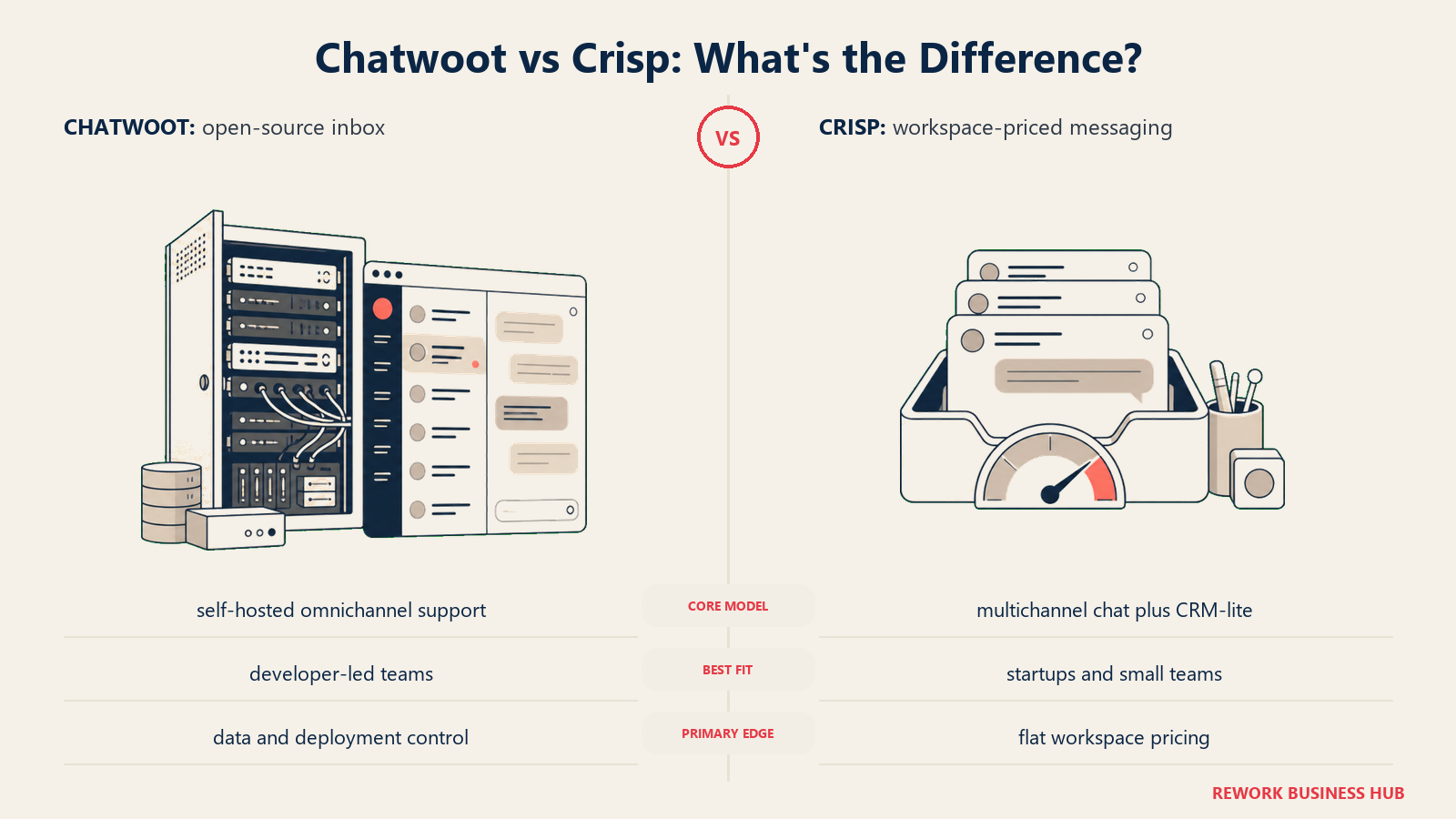
The feature set is broader than many expect from an open-source tool: omnichannel inbox (email, chat, WhatsApp, Twitter, Telegram), canned responses, team assignments, contact management, and conversation reports are all available out of the box. A cloud-hosted version is also available if self-hosting isn't practical. According to G2's live chat category reviews, Chatwoot consistently ranks well for value among open-source options, though it trails commercial tools on ease of setup.
The catch is operational overhead. Running Chatwoot in production requires someone who can manage infrastructure, handle upgrades, and troubleshoot issues without a vendor support line. For engineering-led teams that have this capacity, it's not a problem. For a 10-person business that doesn't have dedicated DevOps, the maintenance burden can outweigh the cost savings.
| What you get | What you don't |
|---|---|
| Full ownership (self-hosted, MIT license) | Managed onboarding or vendor support |
| Omnichannel inbox with broad channel support | AI features on par with commercial tools |
| Unlimited customization and integrations | Ease of setup for non-technical teams |
| No per-seat pricing on self-hosted version | Hands-off maintenance |
Pricing: Free (self-hosted). Cloud plan from $19/month for hosted option.
Best for: Engineering teams or tech-forward companies that want full control and data ownership. Not ideal for: Non-technical teams or companies that can't manage their own infrastructure.
How to Choose: Decision Framework
| If you need this... | Pick this |
|---|---|
| CRM + messaging in one tool for a B2B team | Rework |
| AI automation at scale for product-led SaaS | Intercom |
| Easy chatbot for an e-commerce store | Tidio |
| Best-in-class chat with 200+ integrations | LiveChat |
| Native fit with Freshdesk or Freshsales | Freshchat |
| Chat as a B2B pipeline and ABM channel | Drift |
| Live chat with zero new vendor (already on HubSpot) | HubSpot Chat |
| Simple, accessible chat with no learning curve | Olark |
| Free chat with no seat limits | Tawk.to |
| Full control via open source and self-hosting | Chatwoot |
Pricing Comparison Table
| Tool | Free Plan | Entry Paid | Mid-Tier | Notes |
|---|---|---|---|---|
| Rework | No | From $159/mo billed yearly (Revenue Engine) | rework.com/pricing | Includes CRM |
| Intercom | No | $39/seat/mo | $99/seat/mo + AI usage | Resolution fees add up |
| Tidio | Yes | $29/mo | $59/mo (with Lyro AI) | Per workspace, not per seat |
| LiveChat | No (trial) | $20/seat/mo | $59/seat/mo | ChatBot is a separate product |
| Freshchat | Free (5 agents) | $19/seat/mo | $49/seat/mo | Growth plan covers most use cases |
| Drift | Very limited | $2,500/mo (Pro) | Custom | Priced for enterprise revenue teams |
| HubSpot Chat | Yes (with free CRM) | Included with HubSpot Starter | $800+/mo for Pro | Value tied to HubSpot investment |
| Olark | No | $29/seat/mo | PowerUps as add-ons | Simple flat pricing |
| Tawk.to | Yes (fully free) | Free forever | White-label $19/mo | Revenue from hired agents |
| Chatwoot | Yes (self-hosted) | $19/mo (cloud) | $49/mo | MIT open source |
Integration Ecosystem Comparison
| Tool | Salesforce | HubSpot | Shopify | Zapier | Slack | |
|---|---|---|---|---|---|---|
| Rework | Via API | Via API | Via API | Yes | Via API | Yes (native) |
| Intercom | Yes | Yes | Yes | Yes | Yes | Yes |
| Tidio | Limited | Yes | Yes (native) | Yes | Limited | Yes |
| LiveChat | Yes | Yes | Yes | Yes | Yes | Yes |
| Freshchat | Yes | Yes | Yes | Yes | Yes | Yes |
| Drift | Yes (deep) | Yes (deep) | No | Yes | Yes | No |
| HubSpot Chat | N/A (built-in) | Native | Limited | Yes | Yes | Limited |
| Olark | Yes | Yes | Yes | Yes | Limited | No |
| Tawk.to | Limited | Limited | Yes | Yes | Limited | Yes |
| Chatwoot | Via API | Via API | Via API | Via Zapier | Yes | Yes |
AI and Automation Capability Comparison
| Tool | AI Chatbot | Bot Builder | Proactive Messages | Auto-Routing | AI Summaries |
|---|---|---|---|---|---|
| Rework | Beta (AI agents) | Yes (flows) | WhatsApp broadcasts | Yes | Email only (Mail app) |
| Intercom | Excellent (Fin) | Advanced | Yes | Yes | Yes |
| Tidio | Good (Lyro) | Visual, no-code | Yes | Limited | Limited |
| LiveChat | Via ChatBot add-on | Via ChatBot | Yes | Yes | Limited |
| Freshchat | Good (Freddy) | Yes | Yes | Yes | Yes |
| Drift | Good | Advanced | Yes (ABM-based) | Yes (ABM) | Yes |
| HubSpot Chat | Basic | Basic | Yes | Basic | Limited |
| Olark | No | No | Basic triggers | No | No |
| Tawk.to | No | No | Limited | No | No |
| Chatwoot | Limited | No | Limited | Yes | No |
Why Teams Leave Crisp
Most Crisp users who evaluate alternatives are running into one of five specific issues:
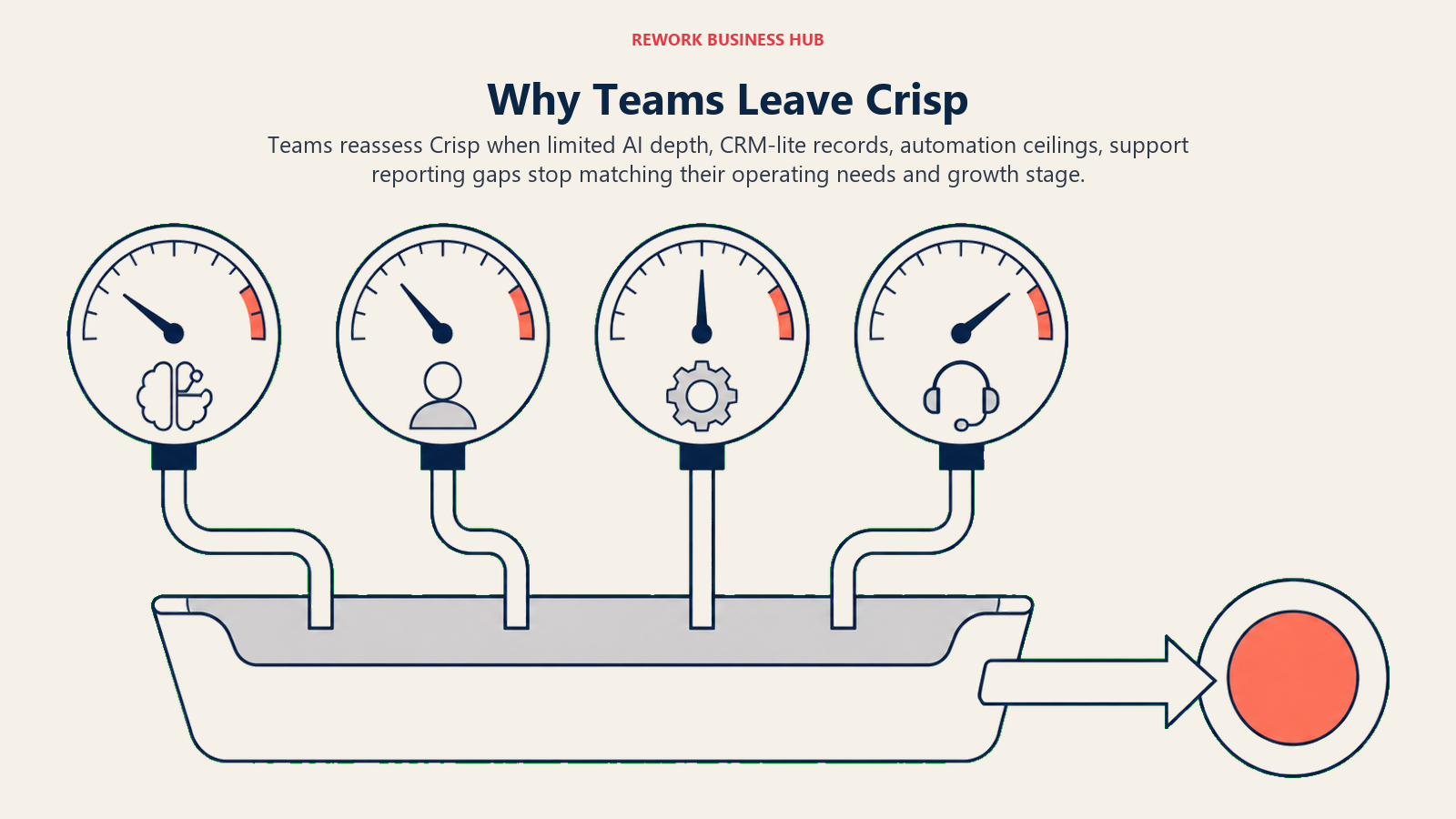
AI chatbot limitations. Crisp's bot is rule-based and doesn't have the NLP capability that Intercom's Fin or Tidio's Lyro provide. Teams that need to deflect a meaningful percentage of incoming queries without human involvement find this limiting. Understanding chat funnel metrics like deflection rate and first-response time will help you benchmark whether any alternative is actually moving the needle.
Basic CRM features. Crisp includes a contact management layer, but it's not built for sales workflows. There's no pipeline view, no lead scoring, and no deal tracking. Teams that need customer messaging and CRM in the same tool are typically looking at Rework or Intercom. The lead routing for chat guide is useful here if you're trying to connect chat to a real qualification process.
Knowledge base constraints. Crisp's help center is functional but lacks the SEO tooling, article analytics, and content workflows that a growing support team needs. Companies building out self-service resources often find the knowledge base too limited. Tools like best Zendesk alternatives and best Freshdesk alternatives are worth looking at if you need a proper help center alongside your chat layer.
Small integration ecosystem. Crisp has the core integrations but far fewer than LiveChat's 200+ or Intercom's extensive marketplace. Teams running complex stacks frequently hit integration gaps.
Scaling cost structure. Crisp's pricing is reasonable at small scale, but the per-seat structure and feature limitations at lower tiers create a squeeze as teams grow. Teams often find they're paying for higher tiers without getting the features that justify those tiers. The shift away from seat-based models is documented in Death of the Contact Form, which gives useful context on how pricing in this category is changing.
What to Do Next
The clearest signal for which tool to pick is where you're growing. If your bottleneck is sales (you need to convert more website visitors and track them through a CRM without jumping between tools), Rework is worth a two-week pilot. If your bottleneck is support automation at scale, run the Intercom Fin trial and measure deflection rate directly. If cost is the constraint, Tawk.to covers the basics for free and Chatwoot covers them with full control at no licensing cost.
Run your top two picks simultaneously with your actual conversation volume for two weeks before committing. Migration costs are real, but switching mid-growth because you picked the wrong tool is more expensive. The chatbot-to-rep handoff playbook is a good starting point for structuring that trial so you're testing the same scenarios across both tools.
If you need a dedicated support inbox rather than just a chat widget, best Help Scout alternatives and best Front alternatives cover platforms built specifically for team-based email and support triage. And if you're evaluating messaging tools with heavy bot automation, best ManyChat alternatives and best Respond.io alternatives cover the automation-first side of the category that Crisp doesn't reach.
Frequently Asked Questions
What is the best alternative to Crisp chat? For most growing B2B teams, Rework is the strongest alternative because it combines CRM, lead management, and a multi-channel inbox in one tool. If your priority is AI automation at scale, Intercom is the better fit. For e-commerce, Tidio's quick chatbot setup wins.
Is there a free alternative to Crisp? Yes. Tawk.to is genuinely free with no seat or message limits, and Chatwoot is free when self-hosted. HubSpot Chat is also free if you already use HubSpot's CRM. Each trades away some AI and support depth for the zero price.
Why do teams switch away from Crisp? The five most common reasons are a basic rule-based chatbot, a thin built-in CRM with no pipeline or lead scoring, a limited knowledge base, a small integration ecosystem, and a per-seat cost structure that squeezes teams as they grow.
Which Crisp alternative is cheapest for a small team? Tawk.to (free forever) and Chatwoot self-hosted (no license fee) are the lowest-cost options. Among paid tools, Freshchat starts at $19 per seat per month and LiveChat at $20 per seat per month.
Does Rework replace both live chat and a CRM? Yes. Rework is built so one platform handles website chat, WhatsApp and social messages alongside contacts, leads, and pipeline stages (email sits in its separate Mail app), which removes the copy-paste work of running a separate chat tool and a separate CRM.

Senior Implementation Consultant
On this page
- Quick Comparison Table
- Stage Fit Matrix
- Sizing and Persona Table
- 1. Rework: Unified CRM, Lead Management, and Multi-Channel Inbox for Growing B2B Teams
- 2. Intercom: AI-First Customer Messaging for Product-Led SaaS Companies
- 3. Tidio: Fast AI Chatbot Setup for E-Commerce and Small Businesses
- 4. LiveChat: Rock-Solid Live Chat with 200+ Integrations
- 5. Freshchat: Customer Messaging That Integrates Natively With Freshworks
- 6. Drift: Conversational Marketing for B2B Revenue Teams
- 7. HubSpot Chat: Live Chat Built Into the HubSpot CRM
- 8. Olark: Simple, Accessible Live Chat for Small Businesses
- 9. Tawk.to: Completely Free Live Chat With a Unique Business Model
- 10. Chatwoot: Open-Source Customer Support Platform for Developer-Controlled Deployments
- How to Choose: Decision Framework
- Pricing Comparison Table
- Integration Ecosystem Comparison
- AI and Automation Capability Comparison
- Why Teams Leave Crisp
- What to Do Next
- Frequently Asked Questions