More in
Chat Funnel Setup
WhatsApp Business API Integration With Your CRM (Working Setup)
Apr 18, 2026
Click-to-WhatsApp Ad Campaigns: From Setup to First Conversion
Apr 18, 2026
Conversational Qualification: Questions That Don't Annoy Buyers
Apr 18, 2026
Designing a Chat Funnel for High-Ticket B2B (Not E-Commerce)
Apr 18, 2026
Configuring Fallback Flows When AI Agents Fail
Apr 18, 2026
Building a 24/7 Chat Funnel Without Burning Out Your Team
Apr 18, 2026
Chat Funnel A/B Testing: What to Test and How
Apr 18, 2026
GDPR-Compliant Chat Funnels for EU Buyers
Apr 18, 2026
Measuring Chat Funnel Performance: The Metrics That Matter
Apr 9, 2026 · Currently reading
Lead Routing Automation for Chat-Captured Leads
Apr 7, 2026
Measuring Chat Funnel Performance: The Metrics That Matter
Turn this article into takeaways for your work.


Each assistant summarizes the article only for you and suggests best practices for your work.
A growth team celebrated their best month ever in chat: 1,200 conversations from Click-to-WhatsApp campaigns. Their head of demand gen put it in the Monday all-hands. Then someone pulled the pipeline report. It's a familiar pattern for any team running ad-to-chat funnels without a stage-by-stage CRO framework.
11 deals created. From 1,200 conversations.
When they traced the drop-offs, they found 4 breaks: a qualification flow with 55% drop-off at question 2, a routing rule sending 60% of qualified leads to the wrong team, a rep notification that wasn't firing on iOS devices, and a handoff message that was promising a callback but never triggering one.
Every break was measurable. None of them were being measured.
This guide gives you the metrics framework to catch those breaks before they compound over months, with the specific metrics at each stage, where to find them, and what to do when a number is off.
Step 1: The 5-stage funnel model
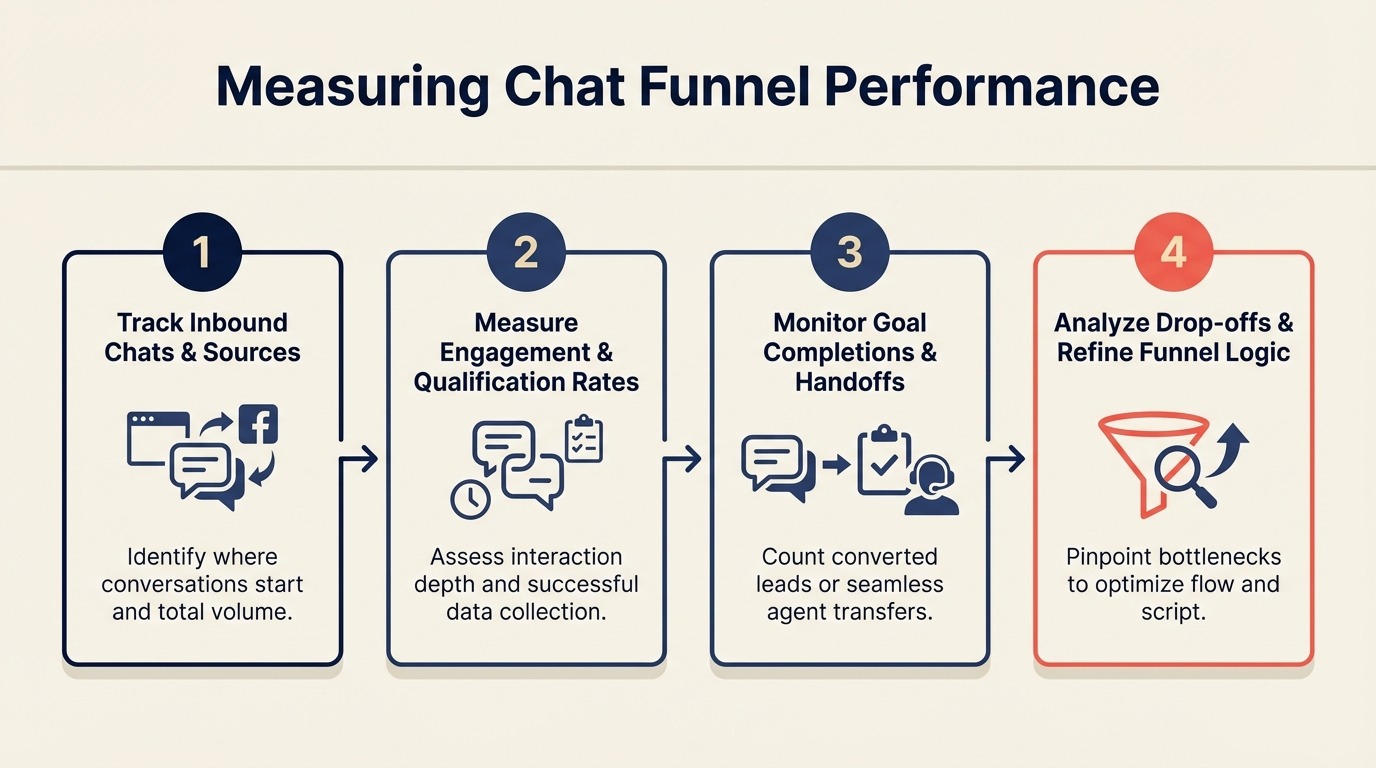
Chat funnels have 5 stages, each with its own conversion point. Most teams only look at 1 or 2. That's why they end up running expensive campaigns and generating nothing for pipeline.
The stages:
Ad Impression
      ↓
  Ad Click
      ↓
Conversation Started
      ↓
Qualification Completed
      ↓
  Handoff to Rep
      ↓
  Meeting Booked
      ↓
   Deal Created
Each arrow is a conversion rate. If the handoff-to-meeting rate is 8%, you can run all the Click-to-WhatsApp traffic you want and you'll never generate meaningful pipeline from chat because the leads are dying between handoff and meeting.
Stage-by-stage measurement lets you identify exactly which conversion rate is broken and fix only that stage, instead of guessing.
Step 2: Metrics at each stage
Here's the full metrics table with benchmarks. Benchmarks are ranges based on WhatsApp B2B funnels in SaaS, professional services, and high-consideration products. E-commerce benchmarks are different and not covered here. For broader context, Statista's messaging app usage data shows WhatsApp's penetration across markets, which helps calibrate which benchmarks apply to your target geographies.
| Stage | Metric | Formula | Benchmark | Where to Find It |
|---|---|---|---|---|
| Ad → Click | CTR | Clicks / Impressions | 1-4% for WhatsApp objective ads | Meta Ads Manager → Campaigns |
| Ad → Click | Cost per conversation start | Ad spend / Conversations started | $3-18 depending on market | Meta Ads Manager → Cost per Result |
| Click → Conversation | Click-to-conversation rate | Conversations started / Ad clicks | 60-80% | Meta Ads Manager vs. ManyChat/Respond.io volume comparison |
| Conversation → Qualified | Qualification completion rate | Completed flows / Conversations started | 40-65% | ManyChat Analytics / Respond.io Reports |
| Conversation → Qualified | Drop-off by question | % who drop after each question | No more than 15% per question | ManyChat flow step analytics |
| Qualified → Handoff | Handoff rate | Handoffs triggered / Qualifications completed | 30-60% (varies by ICP strictness) | Respond.io Reports → Tag analysis |
| Qualified → Handoff | Time to handoff | Minutes from qualification to handoff trigger | Under 2 minutes (automated) | Respond.io Workflow logs |
| Handoff → Meeting | Rep first response time | Minutes from handoff to first human reply | Under 5 minutes (business hours) | Respond.io Reports → Response Time |
| Handoff → Meeting | Handoff-to-meeting rate | Meetings booked / Handoffs received | 20-40% for hot leads | HubSpot (deals with source = Chat) |
| Meeting → Deal | Deal creation rate from chat | Deals created / Meetings from chat | 25-50% | HubSpot (pipeline by source) |
Comparing these metrics to form-based funnels:
Don't compare chat CPL directly to form CPL on the same terms. A McKinsey report on omnichannel sales found that buyers increasingly expect faster, more personalized interaction across digital channels, which changes the intent bar for what a "contact" means. Form fills are passive intent signals: someone filled out a form. WhatsApp conversations are active intent: someone started a back-and-forth with your brand. The buyer intent level is different. A chat CPL that's 20% higher than form CPL can still produce better ROI if the handoff-to-meeting rate is 3x higher. The conversational ROI framework covers how to model this comparison for finance and leadership, beyond simple CPL math.
For teams running WhatsApp through ManyChat or Respond.io together, setting up a unified multi-channel inbox keeps conversation data centralized so stage-by-stage metrics come from one source instead of being scattered across platform dashboards.
Step 3: Where to find each metric
Different stages live in different tools. Here's the tool-by-tool guide:
Meta Ads Manager:
- CTR: Campaigns → Columns → Performance and Clicks → Click-Through Rate (All)
- Cost per conversation start: Campaigns → Cost per Result (set result event to "Conversations Started")
- Click-to-conversation rate: Calculate manually. Conversations Started (from Meta) / Link Clicks
Note: Meta counts a "conversation started" when a user sends the first message from the ad. If your pre-filled message appears but the user doesn't hit send, that's a click but not a conversation start. Meta's Click to WhatsApp Ads guide explains exactly which events are counted as conversation starts in Ads Manager reporting.
ManyChat:
- Qualification completion rate: Analytics → Flows → [Your flow] → Completion Rate
- Drop-off by question: Analytics → Flows → [Your flow] → Step-by-step analytics. Each message step shows the percentage of users who responded vs. dropped off.
- Flow volume: Analytics → Overview → New Subscribers from Ads entry point
Respond.io:
- Handoff rate: Reports → Conversations → Filter by tag = Qualified; compare to conversations tagged = Handoff Triggered
- Rep first response time: Reports → Response Time → Filter by team = Sales
- Conversation volume by channel: Reports → Overview → Channel breakdown
HubSpot:
- Handoff-to-meeting rate: CRM → Deals → Filter by Lead Source = WhatsApp / Chat → Stage = Meeting Scheduled / Demo Booked
- Deal creation rate from chat: CRM → Reports → Create report → Deals by Source → Filter to chat sources
- Pipeline from chat: CRM → Pipeline view → Filter by Create Source = Respond.io or ManyChat
HubSpot only shows accurate pipeline attribution when your Respond.io to HubSpot integration is configured with correct field mapping and conversation sync rules. Without that, chat-sourced deals appear in the wrong pipeline or aren't tagged to the right source.
Step 4: Building a weekly chat funnel report
You don't need a complex dashboard. Eight numbers in a Google Sheet, updated weekly, tells you everything you need to act on.
The 8-metric weekly dashboard:
| Metric | This Week | Last Week | 4-Week Avg | Status |
|---|---|---|---|---|
| Conversations started | - | - | - | - |
| Qualification completion rate | - | - | - | - |
| Hot leads generated | - | - | - | - |
| Handoff rate | - | - | - | - |
| Avg rep first response time | - | - | - | - |
| Handoff-to-meeting rate | - | - | - | - |
| Meetings booked from chat | - | - | - | - |
| Deals created from chat | - | - | - | - |
Pull these numbers every Monday morning before the pipeline review. Use Red / Yellow / Green status coding:
- Green: Within benchmark range
- Yellow: 10-20% below benchmark
- Red: More than 20% below benchmark or declining week-over-week
Any metric that's Red gets a root cause review that day, not next week.
Step 5: Diagnosing underperformance
When a metric is off, the diagnosis should be systematic. Use this decision tree:
Low qualification completion rate (under 40%): → Check drop-off by question in ManyChat. Which step has the highest drop-off? → If drop-off at question 1: the welcome message is too long or the first question is confusing. Rewrite. → If drop-off at question 3 or 4: too many questions. Remove the last 1-2 questions. → If drop-off at buttons: a button option is missing (user doesn't see themselves in any option). Add an "Other" button with a free-text fallback.
Low handoff rate (under 25%): → Your ICP criteria in the routing logic may be too strict. Are you qualifying people out who your best customers would have matched? → Check whether disqualified leads actually look like your best customers. If yes, loosen the qualification criteria. → Check whether the handoff trigger is firing correctly in Respond.io. Sometimes triggers fail silently when a custom field value has a formatting mismatch (e.g., "50+" vs "50 or more").
High rep first response time (over 15 minutes): → Check whether the rep notification is firing. Pull the Respond.io workflow log and verify notifications are executing. → Check whether the notification is reaching the rep's preferred channel. Slack notifications in a high-volume channel get buried. Direct messages don't. → Check rep capacity. If reps have 20+ active conversations, they physically can't respond in 5 minutes.
Low handoff-to-meeting rate (under 15%): → Pull a sample of 20 handoff conversations and read the rep's first message. Are reps re-asking qualification questions? Are they leading with a pitch instead of a relevant observation? → Check whether the context card is visible to reps before they reply. If reps aren't seeing it, they're flying blind. The full chatbot-to-rep handoff playbook covers context card setup and the rep first-message templates that most reliably convert qualified chat leads to meetings. → Check the time of day for handoffs vs. meetings booked. Handoffs at 6pm on a Friday have low meeting rates regardless of message quality. That's a scheduling problem, not a quality problem.
Low deal creation rate from chat (under 20%): → This is almost always either a lead quality issue (the wrong people are getting to the handoff) or a sales process issue (reps not following up consistently after a meeting). → Compare chat lead quality to form lead quality using company size, role, and ICP match as proxies. If chat leads are consistently smaller/lower role, the qualification criteria need tightening.
Step 6: A/B testing in the chat funnel
Chat funnels can be A/B tested, but not the same way you test landing pages. You can't split traffic at the URL level. Instead, you run variants sequentially or alternate by day.
What to test first:
1. Opening message (the pre-filled WhatsApp text from the ad): Compare "Hi, I saw your ad. Can you tell me more?" vs. "Hi! I'm looking for [specific product category]. Is this the right place?" The more specific the opening message, the higher the qualification rate tends to be, because vague openers attract curious-but-not-buying visitors.
2. Qualification question order: Move your highest-intent signal question to position 1. Some teams see a 15-20% improvement in hot lead rate just from asking timeline first instead of company size. Demand Curve's conversion rate optimization playbook covers sequencing principles that apply equally well to chat flow optimization as to landing page copy.
3. Handoff SLA: Test 2-minute notification vs. 10-minute notification. Counterintuitive finding from several teams: 2-minute notifications cause reps to rush and send lower-quality first replies. 5 minutes produces better first-message quality and similar meeting rates.
How to isolate variables: Run one variant for 2 weeks, then switch to the second variant for 2 weeks. Compare the 4 funnel metrics (completion rate, handoff rate, response time, meeting rate) across the two periods. Control for ad budget and audience changes. If you doubled your spend in week 3, the comparison is invalid.
Step 7: Benchmarks for Click-to-WhatsApp funnels
Industry ranges from B2B SaaS, professional services, and consultancies running Click-to-WhatsApp funnels in 2024-2025:
| Metric | Low | Median | High |
|---|---|---|---|
| Cost per conversation start | $8-18 | $5-12 | $3-6 |
| Qualification completion rate | 28% | 45% | 68% |
| Hot lead rate (of qualified) | 15% | 28% | 45% |
| Handoff-to-meeting rate | 12% | 25% | 42% |
| Cost per meeting from chat | $45-120 | $25-65 | $15-40 |
Markets matter significantly. Southeast Asia and LATAM see higher completion rates and lower cost per conversation than North America or Western Europe. Adjust your benchmarks accordingly. According to Statista's digital advertising outlook, mobile-first markets in Southeast Asia drive measurably different engagement patterns than desktop-primary markets. Meta's Ads Manager reporting guide explains how to customize columns and build saved reports for Click-to-WhatsApp campaign metrics.
Common pitfalls
Measuring conversation volume without stage breakdown. 1,200 conversations is not a performance metric. Conversations → Qualified → Meetings → Deals is a performance metric.
Comparing chat CPL to form CPL on the same basis. A chat lead who spent 90 seconds in a qualification flow and clicked "book a demo" is not the same intent level as someone who downloaded an ebook 6 weeks ago. Don't compare them on cost alone.
No source attribution for organic vs. paid conversations. If someone finds your WhatsApp number from your website and messages you, that's organic. If they came from an ad, that's paid. Without source tagging in ManyChat/Respond.io, all your chat leads look like one undifferentiated pool, and you can't calculate paid chat funnel ROI separately. The same gap affects teams connecting Meta Lead Ads directly to their CRM, where UTM attribution similarly requires explicit setup rather than automatic capture.
What to do next
Build the 8-metric dashboard this week, even if some fields are blank. The act of building it forces you to understand where each metric comes from. Then run a 30-day baseline before making any optimization changes. You need the baseline to know whether a change actually worked.
Set a weekly 30-minute calendar block every Monday to pull the numbers and update the sheet. That 30 minutes will identify more optimization opportunities than any quarterly analytics deep-dive.
Learn More
