Best Help Scout Alternatives in 2026: 10 Support Tools for Teams That Need More Than Email
Turn this article into takeaways for your work.


Each assistant summarizes the article only for you and suggests best practices for your work.
Help Scout built its reputation on one promise: make email support feel human. No ticket numbers, no robotic auto-replies. Just clean shared inboxes and conversation threads that feel like real email. For small support teams running email-only workflows, that philosophy works well.
But a lot of teams outgrow it. When customers start reaching out via chat, social, and SMS alongside email, Help Scout's email-first design becomes a constraint. When you need AI chatbots to deflect repetitive queries, the basic automation feels underwhelming. When your sales team asks whether a customer has open support tickets, Help Scout has no answer. If you're a manager trying to build a reporting dashboard beyond the standard metrics, you'll run into walls fast. The tool was built for a specific job, and it does that job well. But teams that need more from their support stack often find themselves working around Help Scout rather than with it.
This guide covers 10 alternatives worth evaluating in 2026, starting with Rework. Each entry covers product philosophy, target audience, company stage fit, pricing, and an honest pros/cons breakdown.
Quick Comparison Table
| Tool | Best For | Starting Price | Key Strength | Key Limitation |
|---|---|---|---|---|
| Rework | Mid-size teams needing CRM + support in one platform | From $999/yr for 5 users (rework.com/pricing) | Unified CRM, lead management, multi-channel inbox | Less brand recognition than legacy tools |
| Freshdesk | Growing teams wanting omnichannel at low cost | $19/agent/mo (Growth, annual) | Omnichannel from day one, AI sessions included | UI can feel cluttered at scale |
| Zendesk | Enterprise teams with complex support operations | $55/agent/mo (Suite Team, annual) | Deepest feature set, massive app marketplace | Heavy, expensive, overkill for SMBs |
| Intercom | Product-led SaaS teams focused on customer engagement | $29/seat/mo (Essential, annual) | Proactive messaging + support + AI chatbot | Gets expensive fast as you scale |
| Front | Teams managing high-volume email across multiple inboxes | $25/seat/mo (Starter, annual) | Multi-inbox collaboration, sequences, analytics | Primarily email-centric |
| HubSpot Service Hub | Teams already on HubSpot CRM wanting native support | Free (basic) | Native CRM integration, unified customer view | Service features weaker than dedicated tools |
| Hiver | Small teams wanting helpdesk features inside Gmail | $15/user/mo | Zero context switching, works inside Gmail | Gmail-only, limited for non-Google teams |
| Crisp | Startups needing chat + email at startup-friendly pricing | Free (2 seats) | Affordable, strong chat, good automation | Reporting is basic |
| Kayako | Teams wanting journey-based support with context | $125/seat/mo (Enterprise) | Full customer journey view per ticket | Outdated UI, slow development pace |
| Missive | Small teams wanting collaborative email with team chat | $14/user/mo | Combines team chat + email in one window | Not a true helpdesk; no ticket system |
Stage Fit Matrix
| Tool | Startup (1-20) | Growth (20-100) | Mid-Market (100-500) | Enterprise (500+) |
|---|---|---|---|---|
| Rework | Good | Strong | Strong | Moderate |
| Freshdesk | Strong | Strong | Good | Moderate |
| Zendesk | Poor (cost) | Good | Strong | Best fit |
| Intercom | Good | Strong | Good | Moderate |
| Front | Good | Strong | Good | Moderate |
| HubSpot Service Hub | Moderate | Good | Strong | Good |
| Hiver | Best fit | Good | Moderate | Poor |
| Crisp | Best fit | Good | Moderate | Poor |
| Kayako | Poor | Moderate | Good | Good |
| Missive | Best fit | Good | Moderate | Poor |
Sizing and Buyer Persona Table
| Tool | Ideal Team Size | Who Buys It | Industry Sweet Spot |
|---|---|---|---|
| Rework | 15-300 employees | COO, VP Operations, Sales Ops | B2B SaaS, agencies, professional services |
| Freshdesk | 5-500 employees | Support Manager, IT Manager | E-commerce, tech, SMB any vertical |
| Zendesk | 50-10,000+ employees | VP Customer Success, CIO | Enterprise SaaS, financial services, retail |
| Intercom | 20-500 employees | VP Product, Head of CS | Product-led SaaS, consumer apps |
| Front | 10-300 employees | Operations Manager, CS Lead | Logistics, agencies, financial ops |
| HubSpot Service Hub | 10-500 employees | RevOps, Marketing-aligned CS | B2B SaaS, inbound-led companies |
| Hiver | 3-50 employees | Office Manager, CS Manager | Agencies, SMBs on Google Workspace |
| Crisp | 1-30 employees | Founder, Head of CS | Early-stage SaaS, e-commerce |
| Kayako | 50-500 employees | IT Director, Support Ops | Legacy enterprise, regulated industries |
| Missive | 2-30 employees | Founder, Operations | Agencies, consulting, small ops teams |
Why Teams Leave Help Scout
Before looking at alternatives, it's worth naming the specific reasons teams switch. Help Scout isn't a bad product. Certain gaps just push growing teams to look elsewhere:
| Pain Point | What It Means in Practice |
|---|---|
| Email-only philosophy | No native live chat widget, limited SMS or social channel support |
| Basic automation | Rule-based workflows only; no AI-powered routing or deflection |
| No AI chatbot | Can't deflect tier-1 questions automatically; every query needs a human |
| Limited reporting | Standard CSAT and volume metrics, but no custom dashboards or funnel analysis |
| No CRM integration | Support and sales teams work in silos; no unified customer record |
| Conversation limits on growth plans | Per-conversation pricing on older plans catches teams off-guard |
| No proactive messaging | Can't send targeted in-app messages or onboarding sequences |
1. Rework: Unified CRM and Support for Mid-Size Ops Teams
Help Scout was designed for support teams. Rework was designed for operations teams that need support, sales, and cross-team coordination under one roof. The product philosophy is that customer conversations shouldn't be siloed by department. Your support agent should see whether a customer has open deals, your sales rep should see unresolved tickets, and your manager should see both in one dashboard.
The core is a multi-channel shared inbox that handles email, live chat, and web forms without switching between tools. On top of that sits a lead management layer and CRM, which is where Rework differentiates from pure-play helpdesks. If your team loses deals because support drops the ball on follow-up, or your sales team gets blindsided by angry customers, Rework closes that gap. The multi-channel inbox configuration guide walks through how to set up routing so support and sales don't step on each other.
Rework fits best at the growth and mid-market stage, roughly 15-300 employees, where the overhead of managing separate sales and support tools starts to hurt.
| What you get | What you don't |
|---|---|
| Unified inbox across email, chat, forms | Deep enterprise security and compliance features |
| Built-in CRM and lead management | Marketplace of 1,000+ third-party integrations |
| Cross-team workflows and task assignment | Legacy brand recognition in IT procurement |
| Reporting across support and sales | Native social media channel support |
| Mid-market pricing without per-conversation costs | Advanced telephony / call center features |
Pricing: Sales Ops from $999/year (Starter, up to 5 users) or $1,999/year (Standard, 10 users included). See rework.com/pricing.
Best for: Growth-stage B2B teams that need support and sales ops in one platform. Not ideal for: Pure enterprise IT helpdesk, or teams that only need email support with no CRM need.
2. Freshdesk: Omnichannel Support at SMB-Friendly Pricing
Freshdesk's philosophy is accessible omnichannel: give smaller teams the same multi-channel capabilities that enterprise tools offer, without the enterprise price tag or implementation complexity. It's been Freshworks' flagship support product for over a decade and has a wide feature set that includes email, chat, phone, social, and WhatsApp from a single interface.
The free tier is real and usable, not a stripped-down demo. For teams with under 10 agents handling standard support workflows, Freshdesk Free covers the basics without any cost. That makes it a popular choice for early-stage companies that need something more than email forwarding but aren't ready to commit to a paid helpdesk.
On paid plans, Freshdesk adds AI-powered ticket routing (Freddy AI), automation workflows, SLA management, and CSAT tracking. The Growth plan at $15/agent/month is a strong value for what you get. For a full look at where Freshdesk's own ceilings appear, the best Freshdesk alternatives breaks down the Freshworks fragmentation problem in detail.
The weakness shows at scale. As ticket volume grows and workflows get complex, the UI can feel cluttered. The automation builder works, but it's not the most intuitive to configure. Enterprise teams with custom reporting needs or complex escalation trees often find Freshdesk's limits faster than they'd like.
| What you get | What you don't |
|---|---|
| True omnichannel from day one | Clean, modern UI at high volume |
| Generous free tier | Intuitive automation builder |
| AI routing and deflection (Freddy AI) | Deep custom reporting |
| Strong integration library | Seamless CRM integration (Freshsales is separate) |
| SLA tracking and escalation rules | Enterprise-grade compliance out of box |
Pricing: Growth: $19/agent/mo. Pro: $55/agent/mo. Enterprise: $89/agent/mo. All billed annually, with 500 Freddy AI Agent sessions/month included.
Best for: SMB and growth-stage teams that want omnichannel support without enterprise pricing. Not ideal for: Teams wanting a single unified CRM + support platform. Freshsales and Freshdesk are separate products.
3. Zendesk: Enterprise Depth for Complex Support Operations
Zendesk is the market leader in enterprise support, and its product philosophy reflects that: build the most configurable, extensible, feature-complete helpdesk possible, and let teams customize it to fit any workflow. The result is a platform that can handle virtually any support scenario, but it requires significant setup time and budget to unlock that potential.
The Zendesk app marketplace has over 1,500 integrations. The reporting is genuinely deep: custom dashboards, funnel analysis, agent performance scorecards. The automation engine can handle complex multi-step workflows that would break other tools. If you have a dedicated support ops team and the budget to match, Zendesk delivers capabilities that most alternatives can't touch. But if cost is the concern, it's worth reading the best Zendesk alternatives before locking in a Suite Professional contract.
At 10 agents with 200 tickets a week, you're paying for infrastructure you don't need. The starting price of $55/agent/month adds up fast, and the best features are locked behind higher tiers. Implementation without a consultant is possible but painful for complex setups.
| What you get | What you don't |
|---|---|
| Deepest feature set in the category | Affordable pricing for small teams |
| 1,500+ integrations | Simple setup and onboarding |
| Custom reporting and dashboards | Lightweight feel (it's a heavy platform) |
| Enterprise SLA and compliance features | Responsive support from Zendesk itself |
| AI and bot capabilities (Zendesk AI) | Transparent pricing on enterprise plans |
Pricing: Support Team: $19/agent/mo. Suite Team: $55/agent/mo. Suite Professional: $115/agent/mo. Suite Enterprise: custom. All billed annually.
Best for: Enterprise teams with dedicated support ops, complex escalation workflows, and budget to match. Not ideal for: Small teams, early-stage startups, or anyone who needs a quick setup.
4. Intercom: Proactive Engagement for Product-Led SaaS Teams
Intercom built its reputation on a different idea than most helpdesks: support isn't just reactive. The product philosophy is that customer success starts before someone submits a ticket, with proactive in-app messages, onboarding flows, and targeted outreach based on user behavior. For product-led SaaS companies, that philosophy is genuinely differentiated.
The platform combines a shared inbox, live chat, an AI chatbot (Fin), in-app messaging, product tours, and basic CRM data in one interface. The AI chatbot is one of the better ones in the category. It can resolve 40-50% of tier-1 queries without human intervention when trained properly, which reduces load on support teams significantly. For a closer look at where the per-resolution billing creates budget surprises, the best Intercom alternatives covers that in detail.
The challenge with Intercom is pricing. The Starter plan at $29/seat/month looks reasonable, but the features most growing teams actually need (advanced automations, reporting, multiple inboxes) push you into higher tiers quickly.
| What you get | What you don't |
|---|---|
| Strong AI chatbot (Fin) | Predictable pricing at scale |
| Proactive messaging and in-app flows | Deep ticket management features |
| Multi-channel inbox | Traditional SLA management |
| Product tours and onboarding sequences | Offline / async support depth |
| Behavioral targeting based on user data | Budget-friendly options for support-only use cases |
Pricing: Essential: $29/seat/mo. Advanced: $85/seat/mo. Expert: $132/seat/mo. Fin AI add-on: $0.99/resolution. All billed annually.
Best for: Product-led SaaS companies that want to blend support with proactive customer engagement. Not ideal for: Teams that only need reactive support. Intercom's strengths are wasted in pure inbox management.
5. Front: Collaborative Email Management for High-Volume Operations Teams
Front's philosophy is that email is still the primary channel for business communication, so instead of replacing email with a ticketing system, they make email collaboration native. Front looks like an email client but adds shared inboxes, internal comments, assignment workflows, and analytics layers on top.
Where Help Scout handles one inbox cleanly, Front handles many. Operations teams that manage 10-20 inboxes simultaneously (separate addresses for support, billing, partnerships, logistics) find Front's multi-inbox architecture genuinely useful. Sequences (automated follow-up email chains) and rules make it functional for outbound as well as inbound.
The analytics are strong for an email-centric tool. Response time tracking, conversation metrics, and team workload reports are meaningfully better than Help Scout's defaults. The integration with CRMs like Salesforce and HubSpot lets support agents see deal data alongside conversations. And if Front's per-seat cost is the concern, the best Front alternatives maps out where the pricing math stops working for mid-size teams.
| What you get | What you don't |
|---|---|
| Best-in-class multi-inbox management | Native omnichannel (chat, SMS, social) |
| Internal comments on emails | True ticket/SLA management |
| Sequences for outbound follow-up | AI chatbot or deflection |
| Strong analytics and reporting | Simple setup (learning curve is real) |
| Good CRM integration (Salesforce, HubSpot) | Budget pricing (starts at $29/seat/mo) |
Pricing: Starter: $25/seat/mo (up to 10 seats). Professional: $65/seat/mo (up to 50 seats). Enterprise: $105/seat/mo. All billed annually.
Best for: Operations and CS teams managing multiple high-volume email inboxes with collaboration needs. Not ideal for: Teams that need live chat or multi-channel as primary channels.
6. HubSpot Service Hub: Native CRM Integration for Inbound-Led Teams
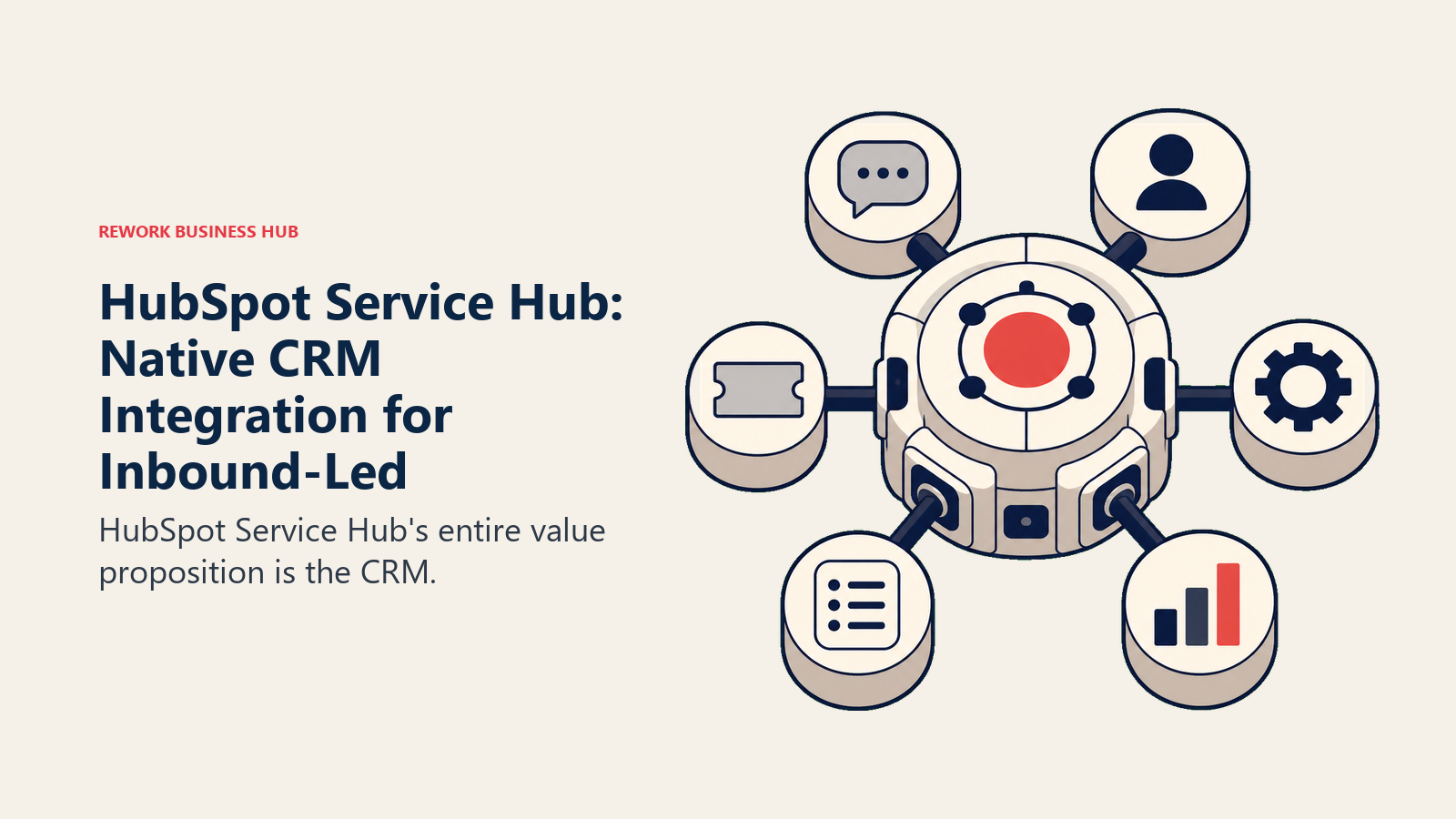
HubSpot Service Hub's entire value proposition is the CRM. If your company already uses HubSpot Marketing and Sales, adding Service Hub gives you a unified customer record across every touchpoint: marketing emails opened, deals in pipeline, and support tickets active. That full-funnel visibility is genuinely useful for teams that want to understand customer health holistically.
The product itself is a capable helpdesk: ticket management, knowledge base, live chat, customer portal, and CSAT tracking. The SLA management and automation builder on Professional and Enterprise plans are solid. The AI features added in 2024-2025 (conversation summaries, suggested replies) have improved the day-to-day experience for agents.
But Service Hub is not a specialist helpdesk. Teams that compare it head-to-head against Zendesk or Freshdesk on pure helpdesk depth find gaps, especially in advanced routing, telephony, and reporting flexibility. HubSpot's strength is the ecosystem, not the standalone product. If you're evaluating CRM options more broadly, the best HubSpot alternatives is worth a read before committing.
| What you get | What you don't |
|---|---|
| Native HubSpot CRM integration | Deep helpdesk-specific features |
| Unified customer record across sales/marketing/support | Competitive pricing at scale |
| Knowledge base and customer portal | Advanced routing and SLA flexibility |
| AI conversation summaries | Strong third-party integration marketplace |
| Free tier for basic ticketing | Best-in-class reporting |
Pricing: Free (basic). Starter: $15/seat/mo. Professional: $90/seat/mo. Enterprise: $130/seat/mo.
Best for: Teams already using HubSpot CRM who want support integrated into the same platform. Not ideal for: Teams evaluating a helpdesk independently of CRM. Better pure-play options exist.
7. Hiver: Gmail-Native Helpdesk for Small Google Workspace Teams
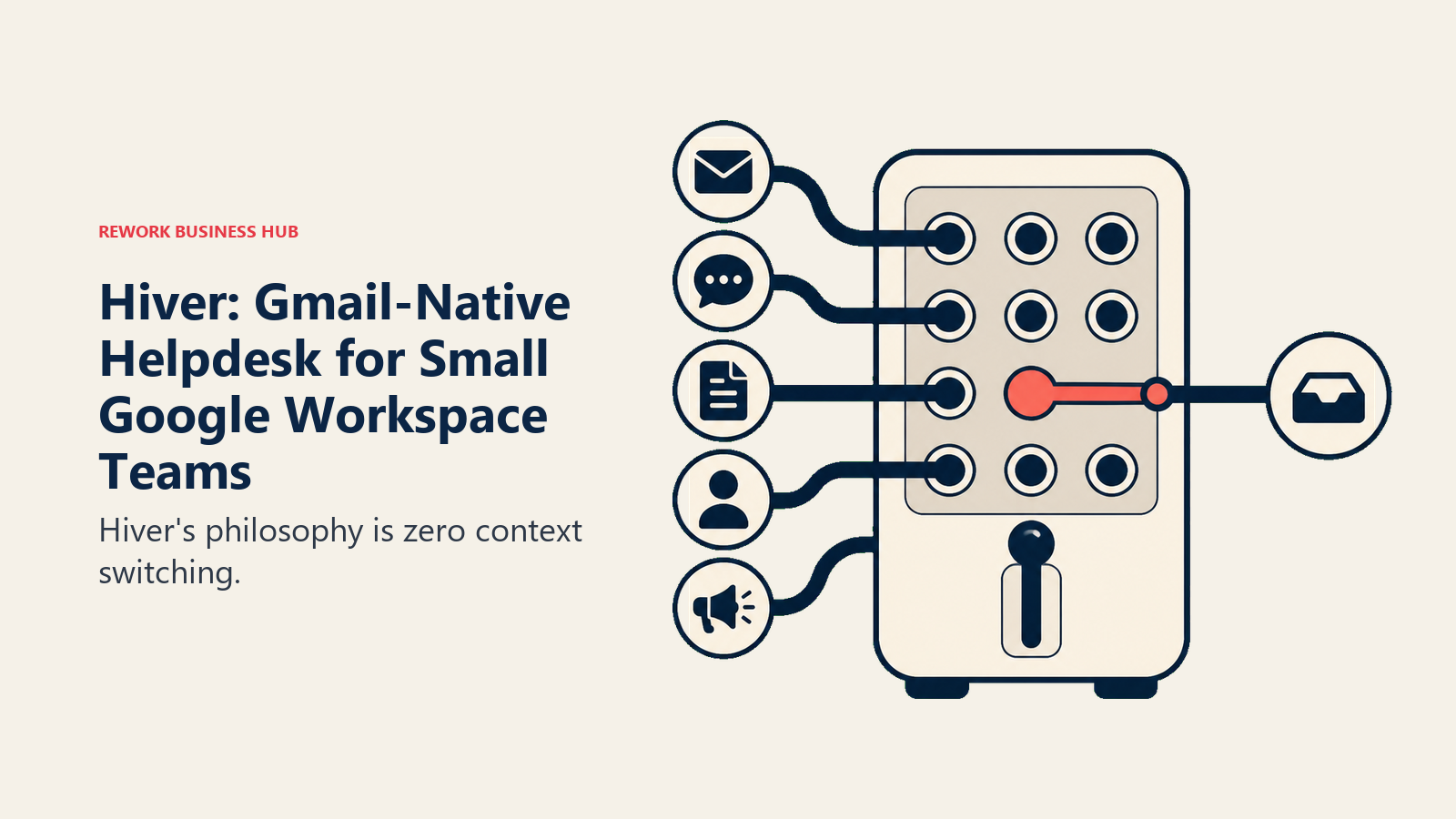
Hiver's philosophy is zero context switching. Rather than asking agents to learn a new tool, Hiver turns Gmail into a collaborative inbox with helpdesk capabilities layered on top. Agents handle tickets, assign conversations, add private notes, and view analytics without ever leaving their Gmail tab.
For small teams (under 50 people) who live in Google Workspace and resist adopting new tools, Hiver removes the adoption barrier entirely. Shared inboxes like support@, billing@, and info@ become collaborative workspaces visible to the whole team. Assignment, SLA tracking, and basic automation work through Gmail's interface.
The trade-off is obvious: Hiver is Gmail-only. Teams that use Outlook, or that need multi-channel support including chat or phone, hit hard limits quickly. As team size grows, the Gmail-based interface also starts to feel constrained for complex ticket routing. But for the right audience (a 5-30 person team on Google Workspace that values simplicity above all) Hiver is excellent.
| What you get | What you don't |
|---|---|
| Zero new tool to learn (stays in Gmail) | Multi-channel support |
| Shared inbox collaboration natively | Outlook or non-Gmail compatibility |
| SLA tracking and assignment | Scalability for large teams |
| Analytics inside Gmail | Advanced automation |
| WhatsApp and chat integration (paid tiers) | Standalone knowledge base |
Pricing: Free (3 users, basic). Lite: $15/user/mo. Pro: $39/user/mo. Elite: $59/user/mo.
Best for: Small Google Workspace teams that want helpdesk capabilities inside Gmail. Not ideal for: Outlook users, teams needing multi-channel beyond email, or teams over 50 people.
8. Crisp: Affordable Chat-First Support for Early-Stage Startups
Crisp started as a live chat widget and evolved into a broader customer support platform. The product philosophy centers on accessibility: give early-stage startups a capable support and messaging platform without the pricing that traditionally locked these features behind enterprise contracts.
The free tier is genuinely functional: two seats, live chat, shared inbox, and basic integrations. The Essentials plan at $45/month (flat, not per-seat) covers most startup needs. At that price, you get chatbots, automation, a knowledge base, a CRM layer, and email integration.
For founder-led support teams at Series A and earlier, Crisp covers a lot of ground cheaply. The chatbot builder is straightforward, with no developer required. The shared inbox handles email and chat in one view. The mobile apps work well for after-hours coverage. If you want to compare it against similar tools in the chat-first space, the best Crisp alternatives covers that landscape.
The reporting is basic. Crisp doesn't offer the kind of analytics that a growing support team eventually needs. The CRM is lightweight: more contact records than true pipeline management. And the brand has less enterprise credibility, which can matter in B2B procurement discussions.
| What you get | What you don't |
|---|---|
| Affordable flat pricing | Reporting depth |
| Live chat + email in one inbox | True CRM capabilities |
| Functional chatbot builder | Enterprise credibility |
| Knowledge base included | Advanced automation logic |
| Mobile-friendly interface | SLA management |
Pricing: Free (2 seats). Essentials: $45/mo flat. Plus: $95/mo flat. Unlimited: $295/mo flat.
Best for: Early-stage startups and small teams that need chat + email support at startup-friendly pricing. Not ideal for: Teams of 20+ that need reporting, SLA management, or enterprise features.
9. Kayako: Journey-Based Support with Full Customer Context
Kayako built its reputation around the SingleView: a unified timeline showing every customer interaction, from first website visit to latest support ticket, in chronological order. The product philosophy is that agents should understand the full customer journey before responding, not just the current ticket in isolation.
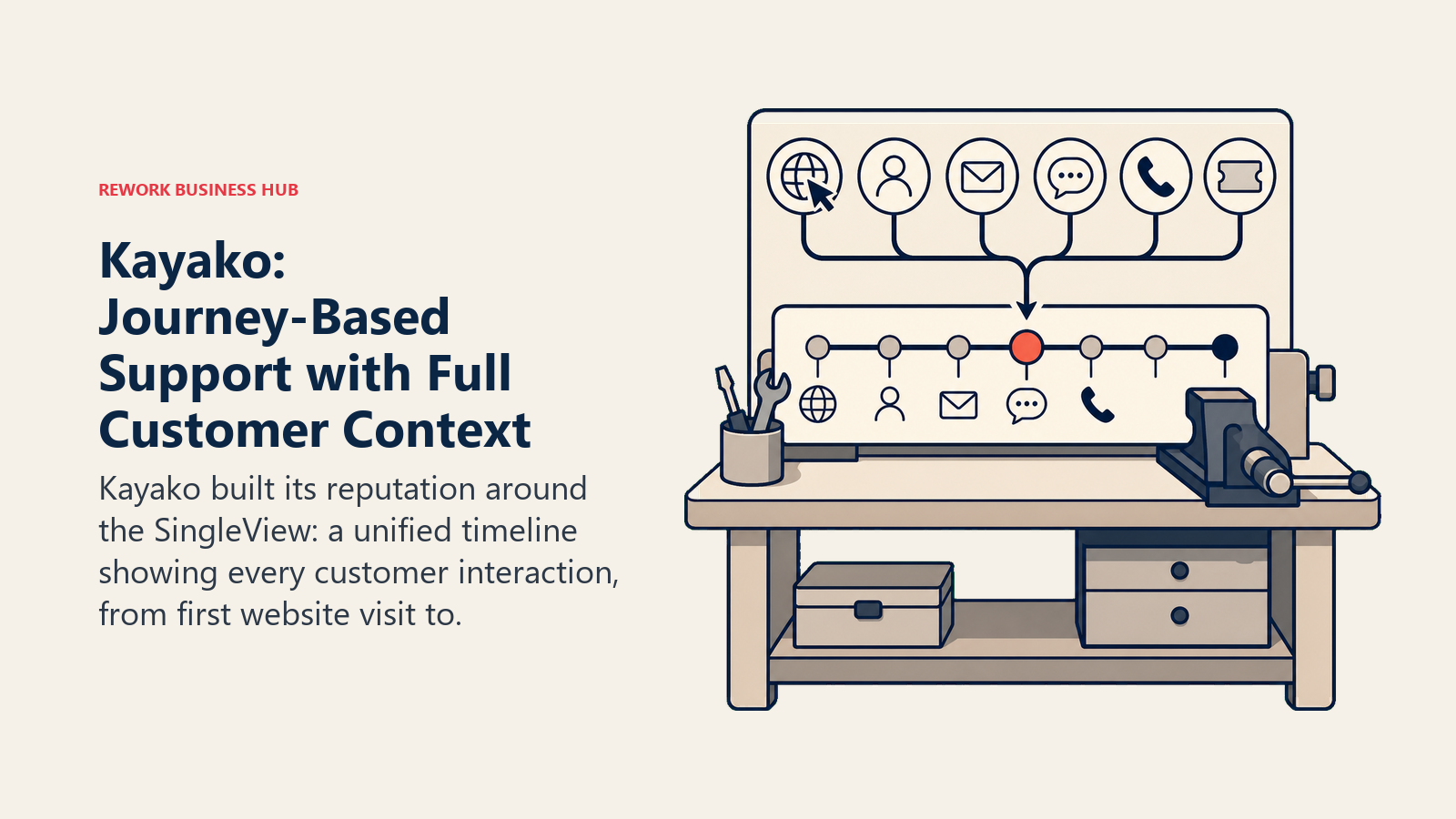
For support operations that deal with complex, multi-touchpoint customer relationships, Kayako's context model is genuinely useful. An agent sees that this customer has visited the pricing page six times, submitted three tickets, and had a call two weeks ago, all before writing a reply. That context changes how conversations get handled.
The challenge is that Kayako's UI and development pace haven't kept up with the market. The interface feels dated compared to newer tools, and the product has been slower to add AI features. At $125/seat/month for Enterprise, it's priced like a premium product but delivers an experience that feels behind its competitors in 2026.
| What you get | What you don't |
|---|---|
| Full customer journey view (SingleView) | Modern UI |
| Multi-channel inbox | Competitive pricing |
| Strong SLA management | Active AI feature development |
| Team collaboration features | Quick setup |
| On-premise deployment option | Strong integration marketplace |
Pricing: Starter: $30/seat/mo. Business: $60/seat/mo. Enterprise: $125/seat/mo.
Best for: Mid-market teams in regulated industries or complex B2B relationships where full customer context is critical. Not ideal for: Teams that prioritize UI modernity, AI capabilities, or price-performance ratio.
10. Missive: Shared Inbox and Team Chat in One Window
Missive takes a different bet than most tools on this list: the problem isn't that you need a better helpdesk. It's that your team communication and customer communication are in separate places. Missive combines team chat (think Slack-lite), shared inboxes for email and SMS, and collaborative reply features in a single interface.
For small agencies, consulting firms, and operations teams where the line between internal communication and customer communication is blurry, Missive's unified approach reduces tool sprawl. You can discuss a client email with your team, assign it, draft a reply collaboratively, and send it without leaving the app or switching to Slack.
Missive is not a traditional helpdesk. There's no ticket numbering, no formal SLA system, no knowledge base, and no bot/automation system beyond basic rules. It's a collaborative communication tool, not a support platform. Teams that need CSAT tracking, escalation workflows, or agent performance reporting will find it insufficient.
| What you get | What you don't |
|---|---|
| Team chat + email in one interface | Ticket management system |
| Collaborative email drafting | SLA and escalation tools |
| Multi-account inbox management | Knowledge base |
| SMS and WhatsApp channels | CSAT or reporting |
| Clean, well-designed interface | Chatbot or AI deflection |
Pricing: Starter: $14/user/mo. Productive: $18/user/mo. Business: $26/user/mo.
Best for: Small agencies and consulting teams where internal and external communication need to live together. Not ideal for: Any team that needs a true helpdesk with ticketing, SLAs, or agent analytics.
Pricing Comparison Table
| Tool | Free Tier | Entry Paid | Mid Tier | Enterprise |
|---|---|---|---|---|
| Rework | No | From $999/yr (5 users) | rework.com/pricing | Annual billing |
| Freshdesk | Yes (10 agents) | $15/agent/mo | $49/agent/mo | $79/agent/mo |
| Zendesk | No | $55/agent/mo | $89/agent/mo | Custom |
| Intercom | No | $29/seat/mo | Custom | Custom |
| Front | No | $25/seat/mo | $65/seat/mo | $105/seat/mo |
| HubSpot Service Hub | Yes (basic) | $15/seat/mo | $90/seat/mo | $130/seat/mo |
| Hiver | Yes (3 users) | $15/user/mo | $39/user/mo | $59/user/mo |
| Crisp | Yes (2 seats) | $45/mo flat | $95/mo flat | $295/mo flat |
| Kayako | No | $30/seat/mo | $60/seat/mo | $125/seat/mo |
| Missive | No | $14/user/mo | $18/user/mo | $26/user/mo |
Channel Support Comparison
| Tool | Live Chat | Phone | SMS | Social | ||
|---|---|---|---|---|---|---|
| Rework | Yes | Yes | No | No | No | No |
| Freshdesk | Yes | Yes | Yes | Yes | Yes | Yes |
| Zendesk | Yes | Yes | Yes | Yes | Yes | Yes |
| Intercom | Yes | Yes | No | No | No | No |
| Front | Yes | Integration | No | Integration | Integration | Integration |
| HubSpot Service Hub | Yes | Yes | No | No | No | No |
| Hiver | Yes | Integration | No | No | No | Yes (paid) |
| Crisp | Yes | Yes | No | No | No | Integration |
| Kayako | Yes | Yes | Yes | No | Yes | No |
| Missive | Yes | No | No | Yes | No | Yes |
AI and Automation Feature Comparison
| Tool | AI Chatbot | Auto-routing | Suggested Replies | Conversation Summary | Workflow Automation |
|---|---|---|---|---|---|
| Rework | No | Yes | No | No | Yes |
| Freshdesk | Yes (Freddy) | Yes | Yes | Yes | Yes |
| Zendesk | Yes (Zendesk AI) | Yes | Yes | Yes | Yes |
| Intercom | Yes (Fin) | Yes | Yes | Yes | Yes |
| Front | No | Yes | Yes | Yes | Yes |
| HubSpot Service Hub | Limited | Yes | Yes | Yes | Yes |
| Hiver | No | Yes | No | No | Basic |
| Crisp | Yes (basic) | Yes | No | No | Basic |
| Kayako | No | Yes | No | No | Yes |
| Missive | No | Basic | No | No | Basic |
How to Choose: Decision Framework
| If your priority is... | Best pick | Runner-up |
|---|---|---|
| Unifying support + CRM + sales ops in one platform | Rework | HubSpot Service Hub |
| Maximum omnichannel coverage (email, chat, phone, social, WhatsApp) | Freshdesk | Zendesk |
| Enterprise scale with deep customization and integrations | Zendesk | Intercom |
| Proactive customer engagement and in-app messaging | Intercom | HubSpot Service Hub |
| Managing multiple high-volume email inboxes collaboratively | Front | Rework |
| Staying inside Gmail without adopting a new tool | Hiver | Missive |
| Minimum viable support at startup-stage budget | Crisp | Freshdesk (free) |
| Full customer journey context per conversation | Kayako | Rework |
| Blending team chat with customer email in one window | Missive | Front |
| Already on HubSpot and want native support integration | HubSpot Service Hub | Rework |
What to Do Next
Don't evaluate these on features alone. The right tool depends on where your team is today and where it needs to be in 12 months.
Run a 2-week pilot with your top two picks. Migrate a slice of real tickets, not a sandbox scenario. Let your actual agents use both tools on real customer conversations. The evaluation criteria that matter most won't show up in a product demo: how long does assignment take, does the routing logic hold under volume, can your manager pull the report they actually need on a Monday morning.
Most of these tools offer a free trial. Freshdesk and HubSpot have free tiers that let you run indefinitely without a time limit. Rework and Intercom offer demos with hands-on onboarding.
The cost of switching helpdesks is real but manageable. The cost of staying on a tool that limits your team for another two years is higher. Commit to a decision, import your historical data, and spend the first month building the workflows properly rather than tolerating the defaults. If you're doing a broader cost audit across your support stack, the true cost of software sprawl is a useful read before the budget conversation.
If omnichannel depth is the driver, the best Freshdesk alternatives compares tools with broader ticketing and channel coverage. For teams that manage support and account management from the same inbox, the best Front alternatives maps shared-inbox tools against ops team needs. And if you're thinking through how support workflows connect back to sales, pipeline stages that match your selling motion shows how aligning those two teams around the same stages reduces the handoff friction that Help Scout can't solve alone. For teams also evaluating chat automation, chatbot-to-rep handoff covers the routing logic that makes or breaks the first-response experience.

Principal Product Marketing Strategist
On this page
- Quick Comparison Table
- Stage Fit Matrix
- Sizing and Buyer Persona Table
- Why Teams Leave Help Scout
- 1. Rework: Unified CRM and Support for Mid-Size Ops Teams
- 2. Freshdesk: Omnichannel Support at SMB-Friendly Pricing
- 3. Zendesk: Enterprise Depth for Complex Support Operations
- 4. Intercom: Proactive Engagement for Product-Led SaaS Teams
- 5. Front: Collaborative Email Management for High-Volume Operations Teams
- 6. HubSpot Service Hub: Native CRM Integration for Inbound-Led Teams
- 7. Hiver: Gmail-Native Helpdesk for Small Google Workspace Teams
- 8. Crisp: Affordable Chat-First Support for Early-Stage Startups
- 9. Kayako: Journey-Based Support with Full Customer Context
- 10. Missive: Shared Inbox and Team Chat in One Window
- Pricing Comparison Table
- Channel Support Comparison
- AI and Automation Feature Comparison
- How to Choose: Decision Framework
- What to Do Next