Best Tidio Alternatives in 2026: 10 AI Chatbot and Live Chat Tools for Growing Teams
Turn this article into takeaways for your work.


Each assistant summarizes the article only for you and suggests best practices for your work.
Tidio is a solid first live chat tool. For a small e-commerce store or a solo founder doing support, its combination of Lyro AI and a simple inbox gets you running in an afternoon. But it wasn't built for teams that are growing.
If you're reading this, you've probably hit one of four walls: Lyro AI's conversation credit cap that resets monthly, a pricing jump that doesn't match what you're actually getting, a CRM layer too thin to track deals or qualify leads properly, or a channel mix that stops at web chat, email, and Facebook Messenger. Those are real limitations, not edge cases. The tools below solve at least one of them, and a few solve all four.
Quick Comparison Table
| Tool | Best For | Starting Price | Key Strength | Key Limitation |
|---|---|---|---|---|
| Intercom | Mid-market and enterprise with complex support flows | From $39/seat/mo | Fin AI, deep automation, integrations | Expensive at scale; complex to configure |
| Rework | Growing B2B teams wanting CRM + chat in one place | From $159/mo billed yearly, 5 marketing + 5 sales seats (rework.com/pricing) | Unified inbox, lead management, cross-team workflows | Smaller ecosystem than Intercom or HubSpot |
| Crisp | Small teams wanting Slack-like team inbox | Free; paid from $25/workspace/mo | Multi-channel inbox, clean UX, affordable | Limited CRM depth; AI features catching up |
| LiveChat | High-volume support teams needing reliability | From $20/seat/mo | Proven reliability, rich integrations, reporting | Chat-first; weaker on CRM and sales automation |
| Drift | B2B companies doing conversational marketing/sales | Custom pricing (mid-market+) | Buyer intent routing, ABM integration | Very expensive; sales-team tool, not support |
| Freshchat | Teams already in the Freshworks ecosystem | Free; paid from $15/agent/mo | Native CRM + ticketing + chat suite | UI complexity; suite pricing adds up |
| ManyChat | DTC brands running Instagram, WhatsApp, SMS flows | Free; paid from $15/mo | Best-in-class social/messaging automation | Not a live chat tool; no website widget depth |
| HubSpot Chat | Teams using HubSpot CRM who want free chat | Free (with HubSpot CRM) | Seamless CRM sync, free entry point | Chat is a side feature; limited AI depth alone |
| Olark | Small businesses wanting simple, no-frills chat | From $29/seat/mo | Simple setup, reliable uptime, ADA compliance | Dated UX; minimal AI; no CRM |
| Tawk.to | Bootstrapped teams with zero chat budget | Free (always) | Completely free; hosted agent marketplace | No AI; limited automation; monetizes via services |
Stage Fit Matrix
| Tool | Startup (1-10) | Growth (10-50) | Mid-Market (50-200) | Enterprise (200+) |
|---|---|---|---|---|
| Intercom | OK | Good | Best fit | Best fit |
| Rework | Good | Best fit | Good | Limited |
| Crisp | Best fit | Good | OK | Not recommended |
| LiveChat | OK | Good | Best fit | Good |
| Drift | Not recommended | OK | Best fit | Best fit |
| Freshchat | Good | Good | Best fit | Good |
| ManyChat | Best fit | Good | OK | Not recommended |
| HubSpot Chat | Good | Good | Best fit | OK |
| Olark | Best fit | Good | OK | Not recommended |
| Tawk.to | Best fit | OK | Not recommended | Not recommended |
Sizing and Persona Table
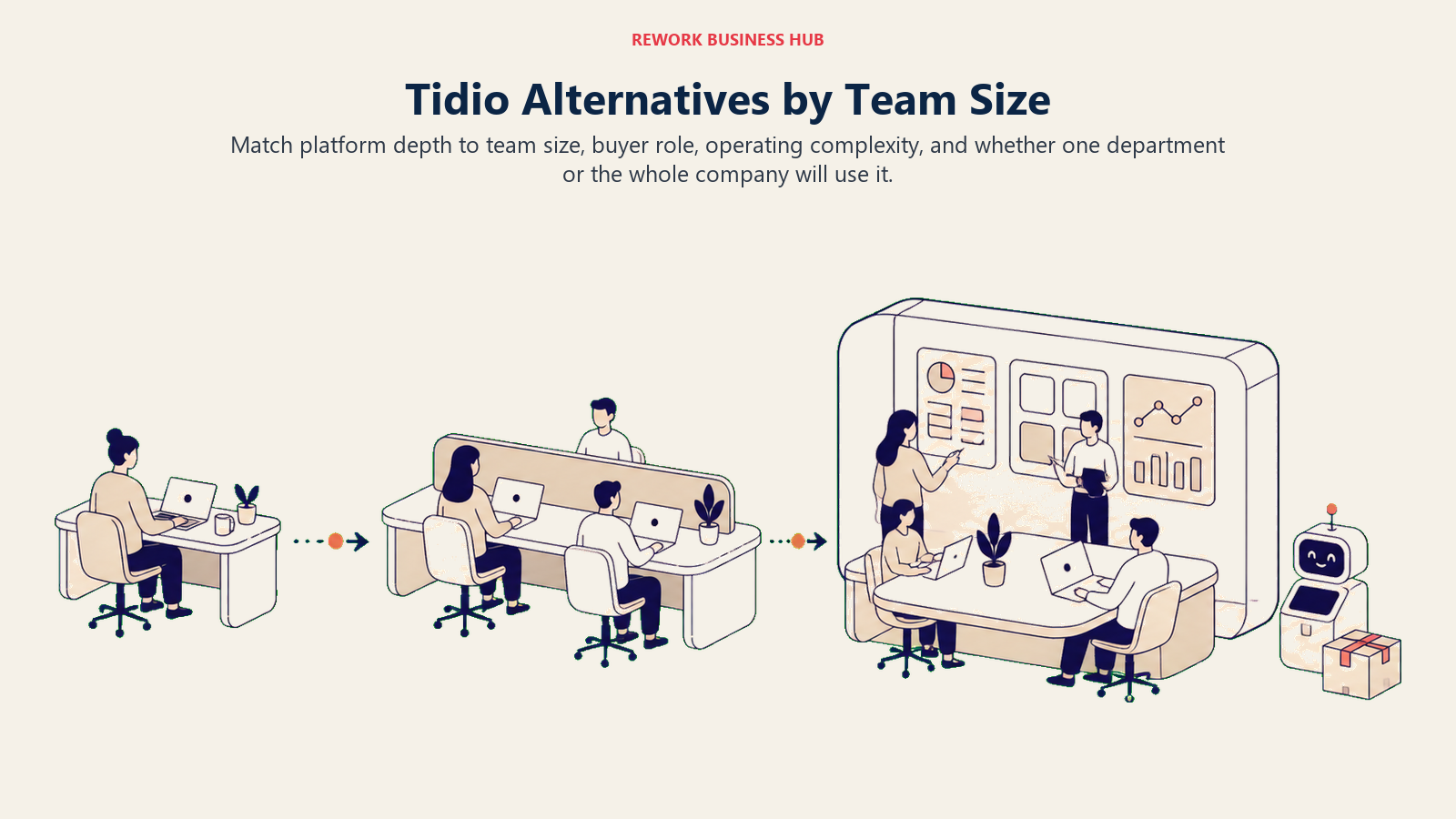
The table below maps the strongest alternatives to the team sizes and buyer profiles they serve best.
| Tool | Team Size Sweet Spot | Who Buys It | Industry Fit |
|---|---|---|---|
| Intercom | 50-500+ users | VP Customer Success, CTO | SaaS, tech, fintech |
| Rework | 10-100 users | Sales ops, RevOps, COO | B2B SaaS, services, agencies |
| Crisp | 2-30 users | Founder, Head of Support | SMB, SaaS, e-commerce |
| LiveChat | 10-200 users | Head of Support, IT | E-commerce, SaaS, retail |
| Drift | 25-500 users | VP Sales, CMO | B2B SaaS, mid-market |
| Freshchat | 10-300 users | IT admin, Customer Success lead | SMB to mid-market, any vertical |
| ManyChat | 1-50 users | Marketing manager, DTC founder | E-commerce, DTC, influencer brands |
| HubSpot Chat | 5-200 users | Marketing ops, Sales manager | B2B, SaaS, professional services |
| Olark | 1-20 users | Small business owner | SMB, local services, education |
| Tawk.to | 1-10 users | Bootstrapped founder | Early-stage, budget-constrained |
1. Intercom: The Enterprise-Grade Conversational Support Platform
Intercom's methodology is that support, sales, and marketing conversations should all live in one AI-powered workspace. Their product bet is on Fin, their large-language-model-based AI agent that can resolve a significant share of inbound support tickets without human intervention. It's not a scripted bot. It reads your help content and answers in natural language.
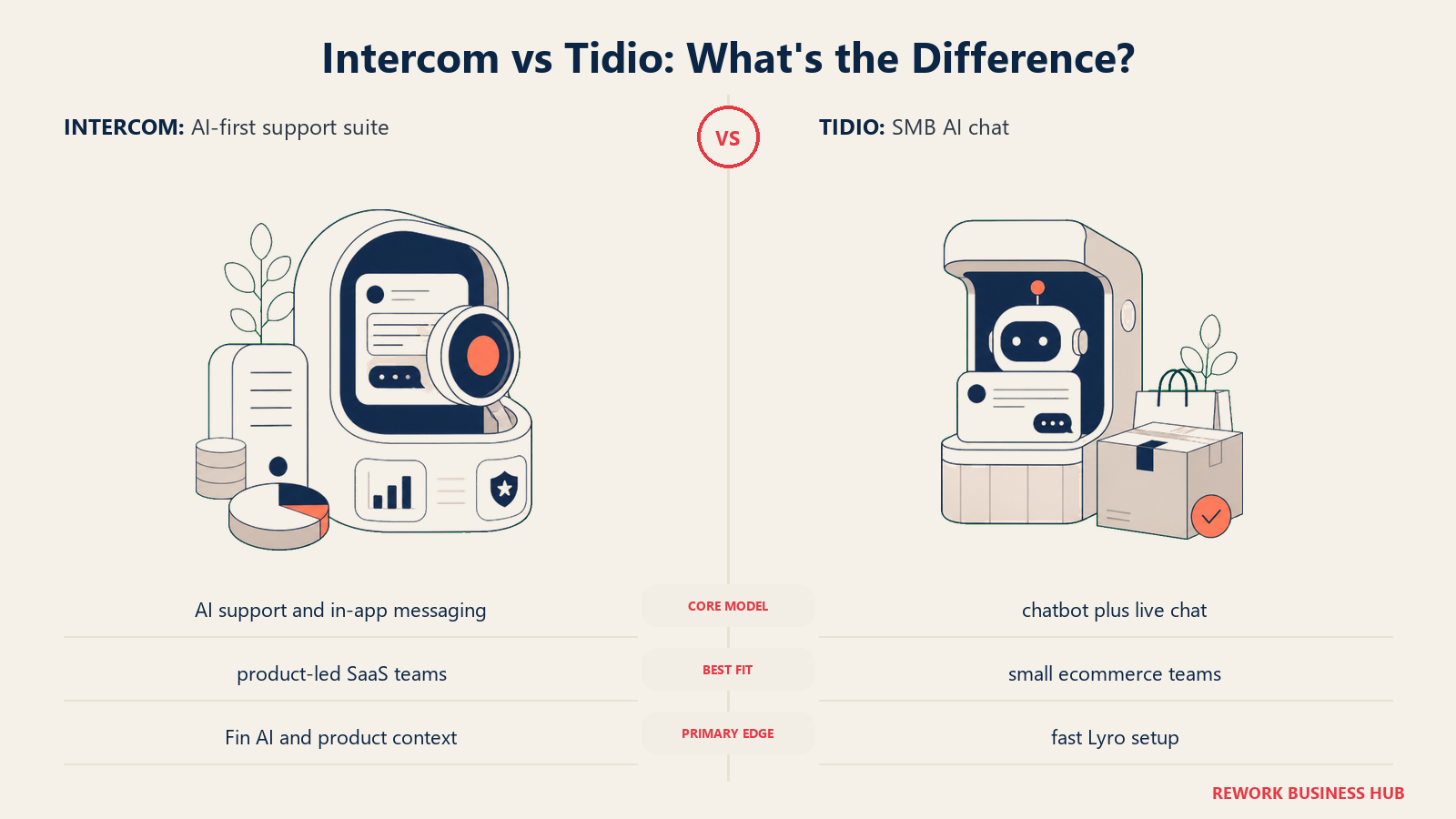
For teams beyond 50 people, Intercom starts making real sense. The automation depth (conditional workflows, custom bots, proactive messaging, product tours) goes well beyond what Tidio offers. The integration library is extensive. And Fin's resolution rates, in product categories with well-documented help content, are genuinely high.
The tradeoff is cost and complexity. Intercom's pricing is seat-based and adds up fast. Configuring it well takes real ops work. Small teams often find themselves paying for capabilities they never use. If you're not sure Intercom is the right step up, the best Intercom alternatives covers the full landscape.
| What you get | What you don't |
|---|---|
| Fin AI with real resolution rates | Affordable entry pricing |
| Deep automation and workflow builder | Simple setup experience |
| Product tours, proactive messaging | Quick ROI for small teams |
| Extensive integrations (Salesforce, HubSpot, etc.) | Transparent, predictable billing |
Pricing: From $39/seat/month; Fin AI resolution charged per resolved conversation. See Intercom's pricing page for current details.
Best for: Mid-market and enterprise SaaS companies with dedicated customer success or support teams. Not ideal for: Teams under 20 people or companies without the ops bandwidth to configure it properly. Scope: Company-wide, used by support, success, and product marketing teams.
2. Rework: Unified CRM, Inbox, and Lead Management for Growing B2B Teams
Rework's product philosophy is that live chat shouldn't sit in a silo. Most chat tools capture conversations; Rework connects them to a lead record, a pipeline stage, and the broader team workflow. If someone chats in, that conversation attaches to a contact, and your sales or ops team can act on it without switching tools.
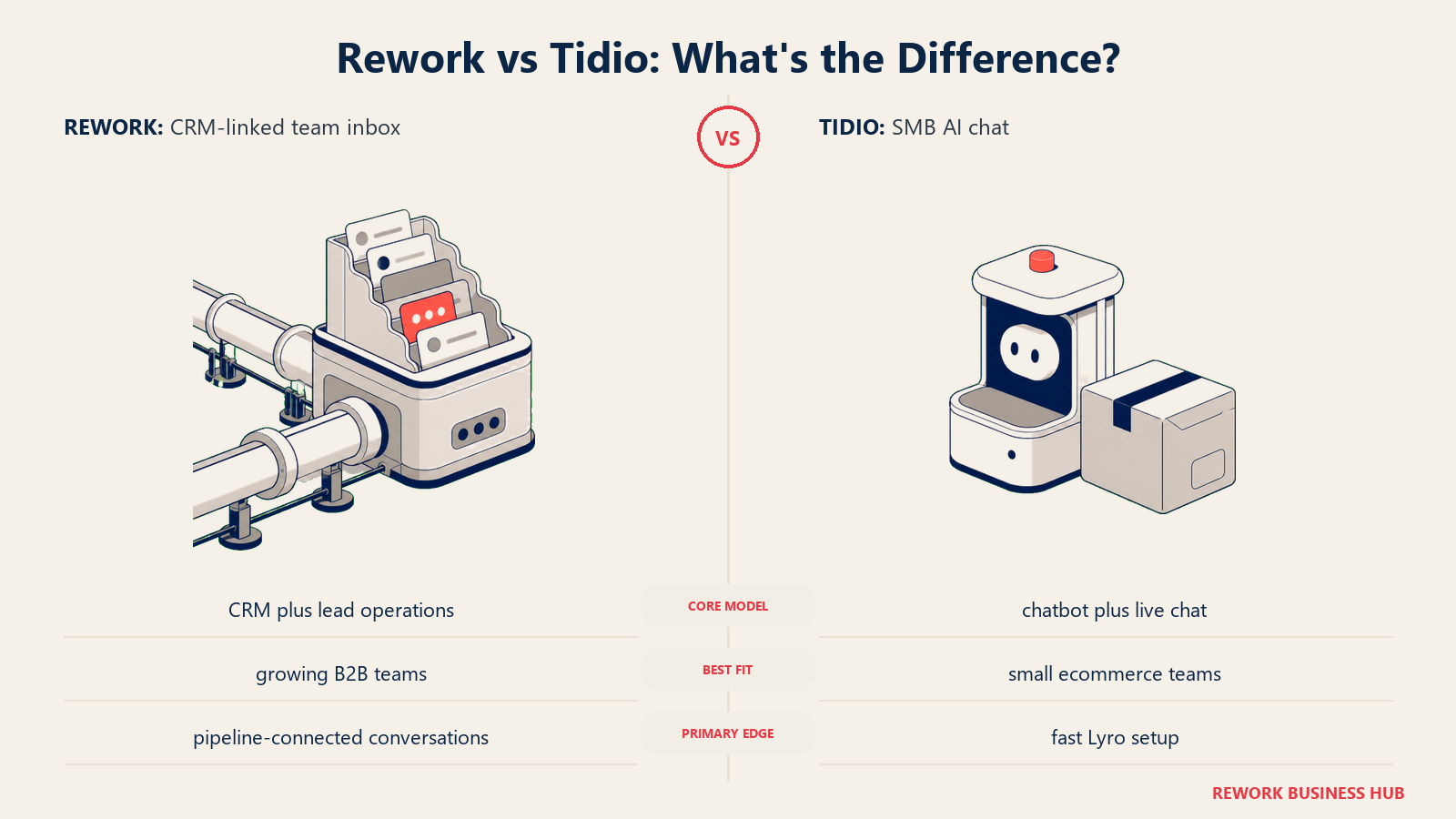
This matters most for teams where customer-facing work crosses departments: a chat lead gets triaged by support, qualified by sales, and handed to account management. In Tidio, those handoffs break down quickly. In Rework, the thread stays whole.
The inbox pulls website live chat, WhatsApp, Facebook Messenger, Instagram DMs, TikTok, Telegram, LINE and Zalo into one place, which covers two of Tidio's four walls (channels and CRM) directly. Email isn't one of those inbox channels: it runs in Rework's separate Mail app, and there's no SMS or voice. AI agents that answer from your knowledge base are still in beta, so if Lyro's credit cap is your main reason for leaving, Intercom's Fin is the stronger AI pick. Lead management is built in, not bolted on. And because Rework is designed for cross-team use, it fits companies where support, sales, and ops share customer data rather than silo it. For teams thinking through how inbound chat should connect to pipeline, chatbot-to-rep handoff covers the mechanics in detail.
| What you get | What you don't |
|---|---|
| CRM + live chat + inbox in one platform | Smaller third-party app marketplace |
| Lead pipeline management tied to conversations | Less brand recognition than Intercom or HubSpot |
| Cross-team workflows without extra integrations | AI agents still in beta vs. Intercom Fin |
| Chat inbox across 11 messaging channels | Not purpose-built for e-commerce like Tidio; no email, SMS or voice in the inbox |
Pricing: Revenue Engine (CRM, omnichannel inbox and lead capture) is $159/month billed yearly ($1,908/year) or $190 month to month, with 5 marketing and 5 sales seats included. The inbox alone is the Marketing Engine, from $99/month billed yearly. 14-day free trial. See rework.com/pricing.
Best for: B2B teams of 10-100 that need CRM depth alongside live chat and are tired of duct-taping separate tools together. Not ideal for: Solo operators who just want a simple chat widget, or large enterprises with complex ticketing needs. Scope: Company-wide platform serving sales, support, and ops together.
3. Crisp: The Multi-Channel Team Inbox for Small and Growing Teams
Crisp thinks about the problem the way Slack thought about internal communication: one shared inbox, everyone on the team can see and respond. Their product vision is a simple, Slack-like workspace where customer conversations from chat, email, Instagram, WhatsApp, and Messenger all land in the same place.
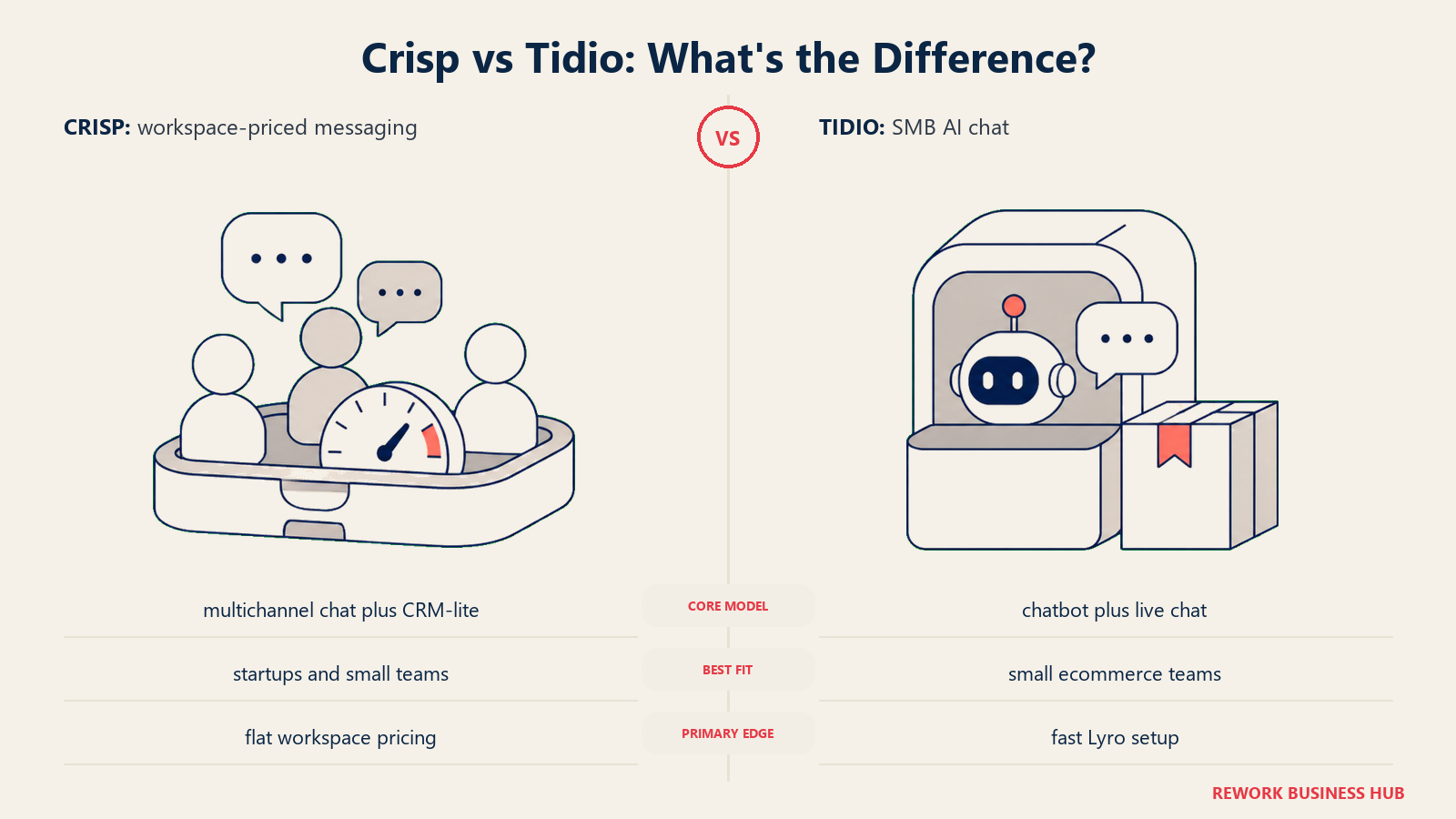
What sets Crisp apart at the small-team level is how much you get for free or near-free. The free plan is genuinely usable. Paid plans start at $25 per workspace (not per seat), which is a meaningful pricing model for small teams. The UX is clean and fast.
The limitations show up when you need CRM depth, sales pipeline tracking, or sophisticated AI automation. Crisp's AI features are improving but aren't at Intercom's level. It's a chat-first product. See Crisp's pricing page for the current plan breakdown.
| What you get | What you don't |
|---|---|
| Multi-channel inbox (chat, email, social) | Deep CRM or pipeline management |
| Per-workspace pricing (not per seat) | Enterprise-grade AI automation |
| Fast, clean UI | Native ticketing system |
| Strong free plan | Advanced reporting |
Pricing: Free plan (2 seats, 1 inbox); paid from $25/workspace/month.
Best for: Startups and small teams that need multi-channel coverage without paying per agent. Not ideal for: Companies needing sales pipeline tracking or deep automation workflows. Scope: Team tool, typically support or customer-facing staff, not company-wide.
4. LiveChat: The Reliable Workhorse for High-Volume Support Teams
LiveChat has been around since 2002 and its methodology reflects that heritage: build a dependable, integration-rich chat platform that serious support teams can rely on without surprises. It doesn't try to be a CRM or an all-in-one. It tries to be the best pure live chat layer you can connect to your existing stack.
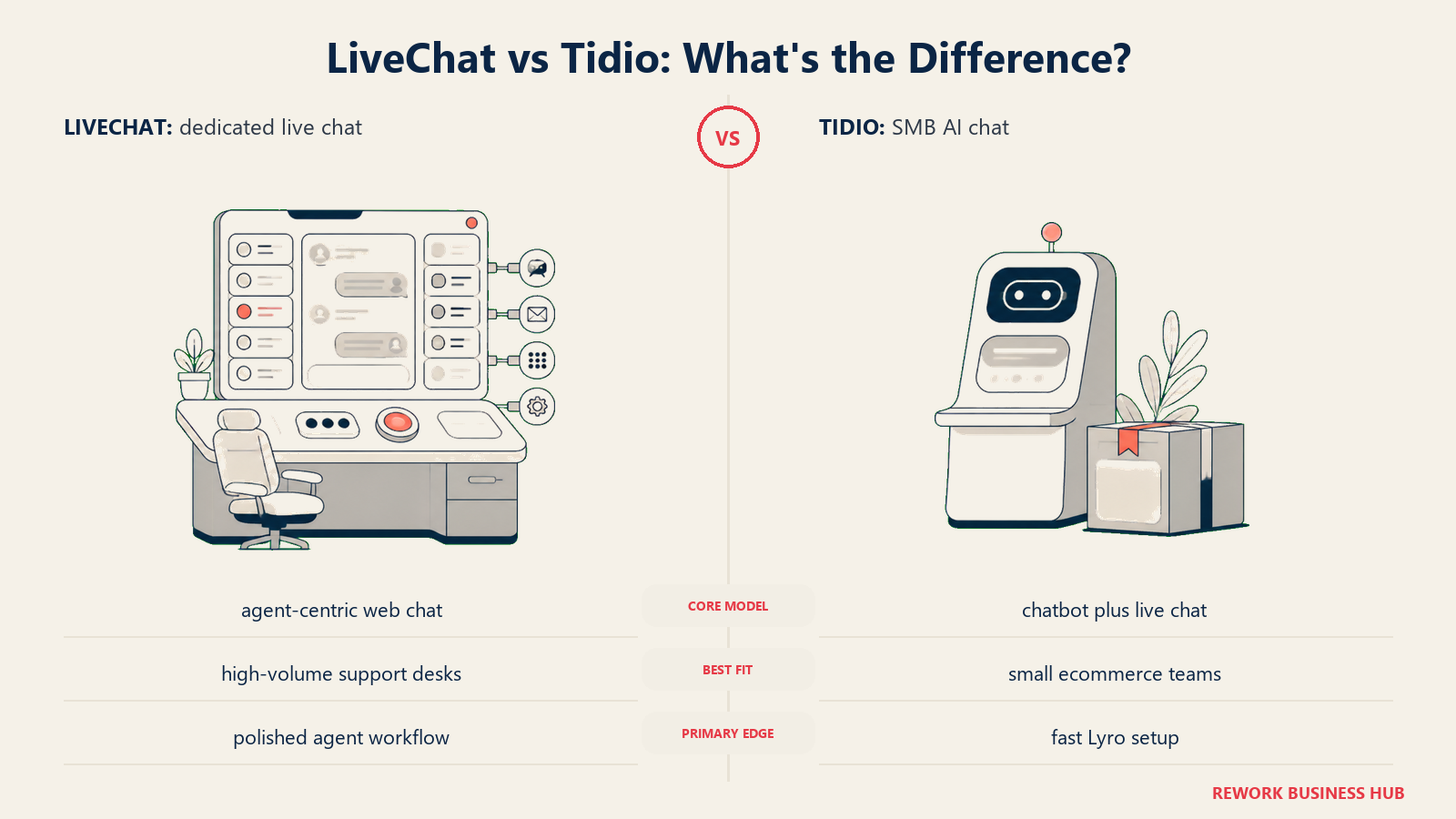
That focus pays off in reliability and integrations. LiveChat connects to over 200 tools including Salesforce, HubSpot, Shopify, and Zendesk. Its reporting on chat volume, agent performance, and customer satisfaction is more mature than most competitors. For e-commerce brands with high chat volumes and dedicated support teams, it's a serious choice.
The limitation is that it doesn't grow with you into sales territory. There's no pipeline, no lead qualification automation beyond basic routing, and the AI features are improving but still primarily reactive. Teams looking for what comes after LiveChat should check the best LiveChat alternatives guide, which covers how each competitor handles the CRM and AI gaps.
| What you get | What you don't |
|---|---|
| Proven reliability at scale | CRM or sales pipeline features |
| 200+ integrations | Company-wide cross-team workflows |
| Strong support analytics and reporting | Native AI bot without add-ons |
| Good agent routing and queue management | Free plan |
Pricing: From $20/seat/month (Starter); Business plan at $59/seat/month. See LiveChat's pricing page for current tiers.
Best for: E-commerce and SaaS support teams with 10-200 agents who need reliability and reporting depth. Not ideal for: Teams looking for CRM functionality or companies trying to consolidate tools. Scope: Team tool, primarily support-focused, not sales or ops.
5. Drift: Conversational Marketing and Sales for B2B Revenue Teams
Drift's methodology is fundamentally different from the other tools on this list. It's not a support tool. It's a revenue tool. The product vision is that your website should behave like a salesperson: identify who's visiting, route high-value accounts to the right rep, and start conversations that move pipeline.
Drift pioneered the concept of conversational ABM. When a target account lands on your site, Drift can alert the account owner, surface relevant content, and connect the prospect with the right salesperson in real time. For B2B companies running account-based motions, this is genuinely differentiated. The Drift vs Intercom comparison is worth reading if you're deciding between sales-led and support-led chat strategies.
The catch is that Drift is expensive and almost exclusively useful for sales teams at companies with established account-based strategies. If you're trying to consolidate support and sales in one tool, Drift isn't it. It's a specialist.
| What you get | What you don't |
|---|---|
| Account-based routing and intent signals | Affordable pricing for small teams |
| Real-time rep alerts for high-value accounts | Support ticketing functionality |
| Deep Salesforce and HubSpot integration | Simple setup without dedicated ops |
| Meeting scheduling embedded in chat | Value for non-sales use cases |
Pricing: Custom (typically $2,500+/year for mid-market entry); enterprise plans much higher.
Best for: B2B SaaS companies with 50+ employees running account-based sales motions. Not ideal for: Support teams, small businesses, or anyone without an established ABM strategy. Scope: Sales team tool for marketing and SDR/AE teams, not customer support or ops.
6. Freshchat: AI-Powered Messaging Inside the Freshworks Suite
Freshchat's product philosophy is that customer messaging is one layer of a broader customer service stack. It works best as part of the Freshworks ecosystem alongside Freshdesk (ticketing), Freshsales (CRM), and Freshservice (ITSM). The vision is a unified customer record whether someone chats in, emails in, or calls in.
For teams already using or considering Freshworks, Freshchat adds genuine value. The AI agent (Freddy AI) handles FAQ deflection, routing, and escalation. The native CRM sync means chat conversations attach to contact records automatically. You can build omnichannel journeys across chat, email, phone, and WhatsApp from one admin console.
Outside the Freshworks ecosystem, Freshchat is less compelling. It's one of several strong options and the UI can feel heavy when you're using it standalone.
| What you get | What you don't |
|---|---|
| Native CRM + ticketing + chat in one suite | Simple, lightweight experience |
| Freddy AI for FAQ deflection | Affordable enterprise plans |
| Omnichannel: chat, email, WhatsApp, phone | Good value outside Freshworks ecosystem |
| Free plan for small teams | Quick onboarding without configuration |
Pricing: Free (up to 10 agents); paid from $15/agent/month (Growth).
Best for: Teams of 10-300 that are evaluating or already using the Freshworks suite. Not ideal for: Teams wanting a lightweight standalone chat tool with minimal setup. Scope: Company-wide platform where support, sales, and IT use separate Freshworks products together.
7. ManyChat: Social and Messaging Automation for DTC and E-Commerce Brands
ManyChat's methodology is entirely different from every other tool on this list. It's not a live chat platform. It's a messaging automation tool built for where consumers actually spend time: Instagram DMs, WhatsApp, SMS, Facebook Messenger, and TikTok comments. The product vision is that marketing and sales conversations happen in social channels, not on your website.
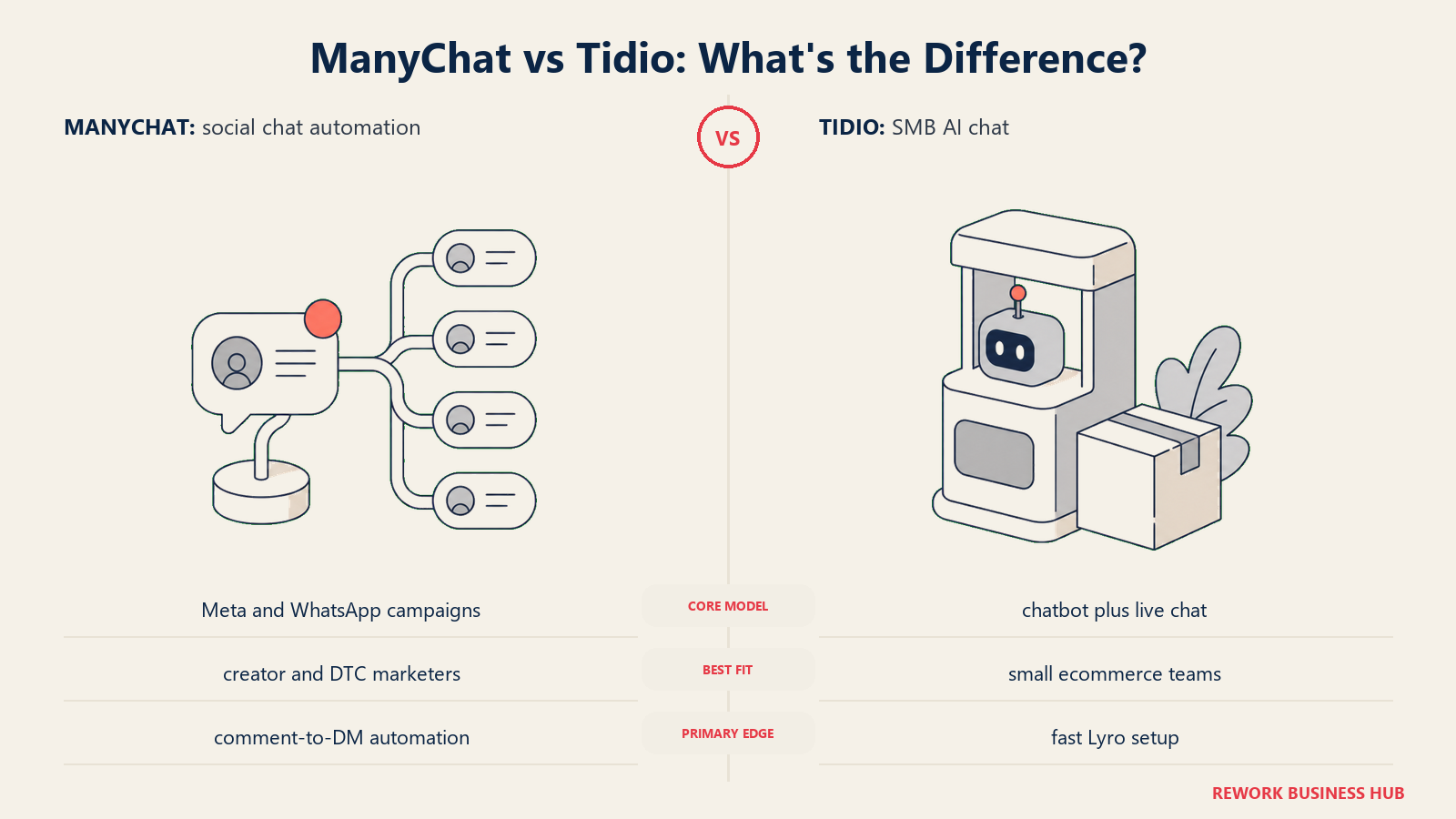
For DTC brands running Instagram campaigns or WhatsApp marketing, ManyChat is in a category of its own. You can automate responses to Instagram story replies, capture leads from comments, send abandoned cart messages via SMS, and run product launches across multiple messaging channels simultaneously. Nothing else does this as well.
What ManyChat doesn't do is live chat on your website. There's no chat widget, no support inbox, no ticketing. If you're evaluating it against Tidio for website support, it's the wrong comparison. But if your customer base lives on Instagram and your team can't keep up with DMs manually, it solves a real problem. The best ManyChat alternatives guide covers where teams go when they outgrow ManyChat's Meta-first model.
| What you get | What you don't |
|---|---|
| Best-in-class Instagram/WhatsApp automation | Website live chat widget |
| SMS and email channel integration | Support ticketing or inbox |
| Visual flow builder for non-technical teams | CRM or pipeline management |
| Strong free plan (up to 1,000 contacts) | Real-time human handoff at scale |
Pricing: Free (up to 1,000 contacts); paid from $15/month (Pro, by contact volume). See ManyChat's pricing page for current tiers.
Best for: DTC brands, content creators, and e-commerce teams whose customers engage through social messaging. Not ideal for: B2B companies, support teams, or anyone needing website chat. Scope: Marketing team tool for social and growth teams, not support or sales.
8. HubSpot Chat: Free Live Chat That Actually Connects to Your CRM
HubSpot's philosophy on chat is simple: every chat conversation should create or update a CRM contact automatically, with no manual work. The product isn't trying to win a head-to-head AI chatbot battle. It's trying to eliminate the gap between "someone asked a question on our website" and "that person is now in our CRM pipeline."
For companies already using HubSpot CRM, the live chat add-on is free and immediately useful. Any conversation instantly syncs to the contact record. You can set up chatbot flows using HubSpot's visual workflow builder, qualify leads before routing to a rep, and trigger sequences or tasks based on chat outcomes.
The limitation is that chat is a secondary feature for HubSpot. Its AI capabilities in the chat layer are less developed than Intercom or Freshchat. If your primary need is sophisticated chat automation, there are better tools. If your primary need is CRM-connected conversations, HubSpot's free entry point is hard to beat. Teams evaluating whether to replace HubSpot entirely should check the best HubSpot alternatives first.
| What you get | What you don't |
|---|---|
| Free live chat with HubSpot CRM | Advanced AI chatbot capabilities |
| Automatic CRM contact creation from chats | Purpose-built support ticketing |
| Chatbot builder in visual workflow tool | Strong chat analytics standalone |
| Strong email/marketing automation context | Value without the broader HubSpot suite |
Pricing: Free with HubSpot CRM; advanced features require Marketing Hub or Sales Hub (from $15/seat/month).
Best for: Teams of 5-200 already using HubSpot CRM who want chat without adding another vendor. Not ideal for: Support-heavy teams needing sophisticated chat automation or companies not in the HubSpot ecosystem. Scope: Cross-team, with sales and marketing using it together within HubSpot.
9. Olark: Simple, Reliable Live Chat for Small Businesses
Olark's methodology is intentional restraint. In a market full of all-in-one platforms and AI-powered complexity, Olark focuses on doing one thing well: putting a live chat widget on your site that works reliably and gives your agents a clean interface to respond from. No AI, no CRM, no pipeline. Just chat.
What distinguishes Olark is its genuine commitment to accessibility. It's one of the few live chat tools with documented ADA compliance, which matters for healthcare, government, and education buyers. The setup is fast. The UI is clean. Agents don't need training.
The honest assessment: Olark is dated. The product hasn't evolved dramatically in the last few years. There's no AI automation, no meaningful cross-channel features, and the pricing isn't dramatically cheaper than tools with far more capability. But for a small business that just wants chat to work without a learning curve or vendor lock-in, it remains a valid choice. See Olark's pricing page for the current plan structure.
| What you get | What you don't |
|---|---|
| Simple, reliable chat widget | AI automation or chatbot |
| ADA-compliant interface | CRM or lead management |
| Fast setup with no training needed | Multi-channel beyond web chat |
| Good for regulated industries | Competitive pricing vs. modern alternatives |
Pricing: From $29/seat/month (billed annually); PowerUps (reporting, visitor insights) sold separately.
Best for: Small businesses, healthcare/education teams, and local service providers who need simple, compliant live chat. Not ideal for: Growing teams who need automation, AI, or CRM integration. Scope: Support team tool for front-line agents, not cross-functional.
10. Tawk.to: Free Live Chat for Bootstrapped Teams
Tawk.to's business model is unusual: the product is completely free, forever. The company monetizes through a marketplace of hired agents who can staff your chat on demand, and through optional add-ons like chat page removal. For bootstrapped founders and very early-stage teams, this is the only live chat option with zero ongoing cost.
The product does what it promises. You get a chat widget, a shared inbox, canned responses, basic visitor tracking, and mobile apps. It handles multiple websites from one account. There's a developer API for custom integrations.
What you don't get is any meaningful AI, automation beyond basic canned responses, or anything resembling CRM depth. Tawk.to is the right tool for a founder handling support personally at 3am, not for a team that's scaling. If you're evaluating Tidio alternatives because you're outgrowing something, Tawk.to isn't the direction.
| What you get | What you don't |
|---|---|
| Completely free (no credit card, no trial) | AI chatbot or automation |
| Multi-site management from one account | CRM or pipeline features |
| Hired agent marketplace for overflow staffing | Modern UX or mobile experience |
| Developer API | Scalable team features |
Pricing: Free (core product); Chat Page Removal add-on ($19/month); hired agents from $1/hour.
Best for: Solo founders, bootstrapped teams, and very early-stage businesses with no chat budget. Not ideal for: Any team with more than a handful of agents or meaningful support volume. Scope: Solo or micro-team tool, not designed for cross-team use.
How to Choose: Decision Framework
| If you need... | Pick this |
|---|---|
| Enterprise-grade AI with high ticket resolution rates | Intercom |
| CRM + live chat + lead management in one tool | Rework |
| Multi-channel inbox at the lowest per-team cost | Crisp |
| Reliable high-volume chat with deep integrations | LiveChat |
| Account-based routing for B2B sales teams | Drift |
| Omnichannel support inside an existing Freshworks stack | Freshchat |
| Instagram/WhatsApp/SMS marketing automation | ManyChat |
| Free chat that syncs automatically to HubSpot CRM | HubSpot Chat |
| Simple ADA-compliant chat with no complexity | Olark |
| Live chat with literally zero budget | Tawk.to |
Why Teams Leave Tidio: A Closer Look
Tidio's positioning is clear: AI chatbot plus live chat for SMBs. Lyro AI handles FAQs; human agents handle the rest. For a 1-50 person team in e-commerce or early-stage SaaS, it covers the basics well. But four specific constraints push teams toward alternatives as they grow.
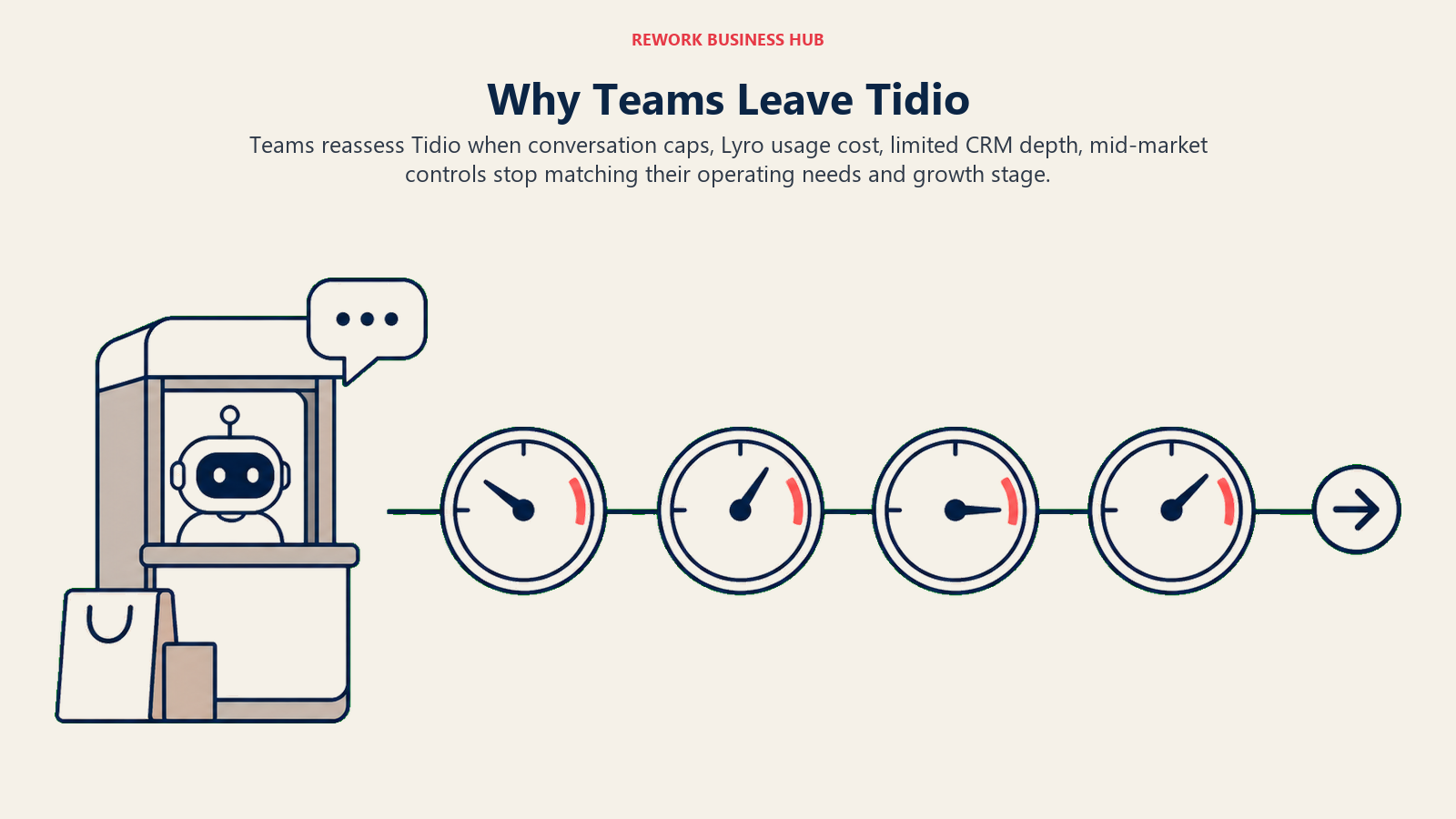
Lyro AI credit limits. Lyro operates on a conversation credit model. Once you hit the monthly cap, AI responses stop. For teams with growing inbound volume, this creates unpredictable support quality and pressure to buy more credits at a cost that doesn't always feel proportional.
Limited CRM depth. Tidio captures conversations but doesn't manage relationships. There's no native pipeline, no lead scoring, and the contact records are thin. Teams that need to qualify leads or track deal stages have to sync to a separate CRM, which means more tools, more context-switching, and more data gaps. Form-to-CRM automation shows what that gap costs when you're doing it manually.
Pricing jumps. Tidio's pricing tiers are structured for small volume. The jump from the Starter to the Growth plan, and particularly the addition of Lyro credits, can feel disproportionate relative to the feature delta. Teams often find themselves overpaying for AI capacity they've outgrown or underpaying and hitting caps.
Channel limits. Tidio covers web chat, email, and Facebook Messenger well. But if your customers are also on Instagram DMs, WhatsApp, or your team needs SMS, you'll need to add tools. That's not a fatal flaw, but it's a meaningful gap as messaging channels diversify. Multi-channel inbox configuration walks through how teams typically set up a unified view across channels.
| Tidio pain point | Best alternative that solves it |
|---|---|
| Lyro credit caps limiting AI volume | Intercom Fin (per-resolution billing) |
| No CRM or lead pipeline | Rework |
| Pricing jump not matching feature value | Crisp (per-workspace pricing) |
| Missing Instagram/WhatsApp/SMS | ManyChat |
| Need support + sales in HubSpot | HubSpot Chat |
What to Do Next
Don't switch tools based on a comparison article alone. Pick your top two options from the table above, run both for two weeks with real conversations, and measure three things: how many inbound conversations get resolved without human intervention, how much time your agents spend on context-switching, and whether the contact records you're building are actually useful downstream.
Rework starts from $159/month billed yearly for the Revenue Engine and offers a 14-day free trial (rework.com/pricing). Intercom has a 14-day trial. Crisp's free plan is genuinely usable indefinitely. There's no reason to commit before you've run real traffic through the alternative.
The right tool is the one your team will actually use consistently, where the data ends up somewhere useful, and where you're not paying for AI credits that disappear before the end of the month.
If you're still weighing options in the live chat space, the best Crisp alternatives guide covers a similar set of tools from a different angle, useful if you've already trialed Crisp and want to see how Tidio and others compare side-by-side. For teams that need the chat layer connected to a working sales process, building a lead capture automation workflow walks through how conversations become pipeline stages without manual data entry. And if you need to think through how AI fits your current support volume before picking a tool, chat funnel metrics gives you the framework to make that decision with real numbers.
According to G2's live chat software rankings, Tidio leads in ease of setup and small-business satisfaction but consistently scores below average on scalability and CRM connectivity, which is precisely where this list picks up.

Senior Implementation Consultant
On this page
- Quick Comparison Table
- Stage Fit Matrix
- Sizing and Persona Table
- 1. Intercom: The Enterprise-Grade Conversational Support Platform
- 2. Rework: Unified CRM, Inbox, and Lead Management for Growing B2B Teams
- 3. Crisp: The Multi-Channel Team Inbox for Small and Growing Teams
- 4. LiveChat: The Reliable Workhorse for High-Volume Support Teams
- 5. Drift: Conversational Marketing and Sales for B2B Revenue Teams
- 6. Freshchat: AI-Powered Messaging Inside the Freshworks Suite
- 7. ManyChat: Social and Messaging Automation for DTC and E-Commerce Brands
- 8. HubSpot Chat: Free Live Chat That Actually Connects to Your CRM
- 9. Olark: Simple, Reliable Live Chat for Small Businesses
- 10. Tawk.to: Free Live Chat for Bootstrapped Teams
- How to Choose: Decision Framework
- Why Teams Leave Tidio: A Closer Look
- What to Do Next