Best Retool Alternatives in 2026: 12 Internal Tool Builders Compared
Turn this article into takeaways for your work.


Each assistant summarizes the article only for you and suggests best practices for your work.
If the reason you're leaving Retool is cost at scale, specifically the external-user bill that keeps climbing, UI Bakery and Knack solve it directly with unlimited or flat-rate logins instead of Retool's per-band charge. If the real issue is wanting to self-host on an open-source licence rather than rent a vendor's cloud, Appsmith and Budibase both ship free, unlimited-user community editions you run inside your own infrastructure. And if your builders turned out to be ops people rather than engineers, Softr, Glide, Google AppSheet, Airtable, and Knack get you further with a visual builder and no query language required. Every tool below was evaluated on billing shape, self-host availability, and total annual cost for a realistic mix of builders and users.
This is written for IT directors, engineering managers, and ops leads at organizations of 10 to 1,000 people who are either renewing a Retool contract or shopping before signing one. One thing worth knowing before comparing a single price: Retool doesn't charge one number per person. It charges three different numbers depending on whether that person builds, uses the app internally, or logs in from outside your company, and the external-user band is where almost every real Retool bill actually lives. If you're still deciding whether an internal-tool builder is the right category at all, best no-code app builders in 2026 is the wider map this list sits inside.
Key Facts
- Gartner forecasts the low-code development technologies market to grow 19% to reach $44.5 billion by 2026, with low-code application platforms alone projected at nearly $10 billion, per Gartner as reported by InfoWorld.
- By 2026, developers outside formal IT departments will account for at least 80% of the user base for low-code development tools, up from 60% in 2021, per Gartner.
- A composite 30,000-employee organization modelled in Forrester's Total Economic Impact study of Microsoft Power Apps saw a 206% three-year ROI, payback in under six months, and a 50% reduction in professional developer application build time, per the Forrester TEI study commissioned by Microsoft.
- 35% of enterprises have already replaced at least one SaaS tool with custom-built software, and 78% expect to build more of their own tools in 2026, per Retool's own 2026 Build vs. Buy report, based on a survey of 817 customers and builders.
- 60% of builders across seniority levels have shipped something outside formal IT oversight in the past year, most often internal tools, automated workflows, and dashboards, per the same Retool 2026 Build vs. Buy report.
The category keeps growing because the backlog is real, and the tools that win are the ones that let the person closest to the problem ship something without filing a ticket.
Quick Comparison Table
| Tool | Best For | Starting Price | Key Strength | Key Limitation |
|---|---|---|---|---|
| Appsmith | Open source with a real query layer | Free up to 5 users (cloud); free unlimited self-hosted | Airgapped Enterprise edition, honest paid tier | $2,500/mo cliff at 100 users |
| Budibase | Self-hosting the whole platform | Free unlimited self-hosted; Pro $19/mo yearly | True open source core, no user ceiling | Cloud end users cost $5 each and add up fast |
| ToolJet | Open source with AI-assisted building | Free (2 builders, 50 end users); Pro $79/builder/mo | No cap on how many builders you add | End-user caps force an Enterprise quote past 100 |
| UI Bakery | Cheapest developer-seat model | Free; Builder $20/dev/mo annually, Team $35 | Unlimited public app users on every tier | Only 50 viewer seats before Enterprise |
| Microsoft Power Apps | Teams standardized on Microsoft 365 | $20/user/mo, Premium, billed annually | Native Dataverse and M365 integration | No built-in anonymous or external-user tier |
| Bubble | A full web and mobile app, not just an internal tool | Free; Starter $29/mo annual, web only | Genuine full-stack app builder | Workload-based billing is hard to predict |
| Softr | A branded client portal on data you already have | Free; Basic $19/mo annual | Modern portal shipped in hours | You still pay for the underlying database |
| Xano | A dedicated backend when queries are the real problem | Free; Essential $85/mo annual | Real scalable Postgres backend and APIs | No front-end builder at all |
| Glide | Mobile-first field and frontline apps | Free; Solo $25/mo | Best native-feeling mobile output here | Credit metering makes cost hard to predict |
| Google AppSheet | Teams already living in Google Workspace | $5/user/mo, Starter | Often bundled into Workspace already paid for | Row-level user security needs paid seats |
| Airtable | An internal database, if nobody outside logs in | Free; Team $20/seat/mo annual | Largest ecosystem and template library | No real external user portal |
| Knack | Flat pricing with unlimited logins, no engineer needed | $49/mo annual, Starter | Unlimited users on every plan | Builder feels dated; record ceilings arrive early |
Retool Bills Three Ways. Almost Nothing Else Does.
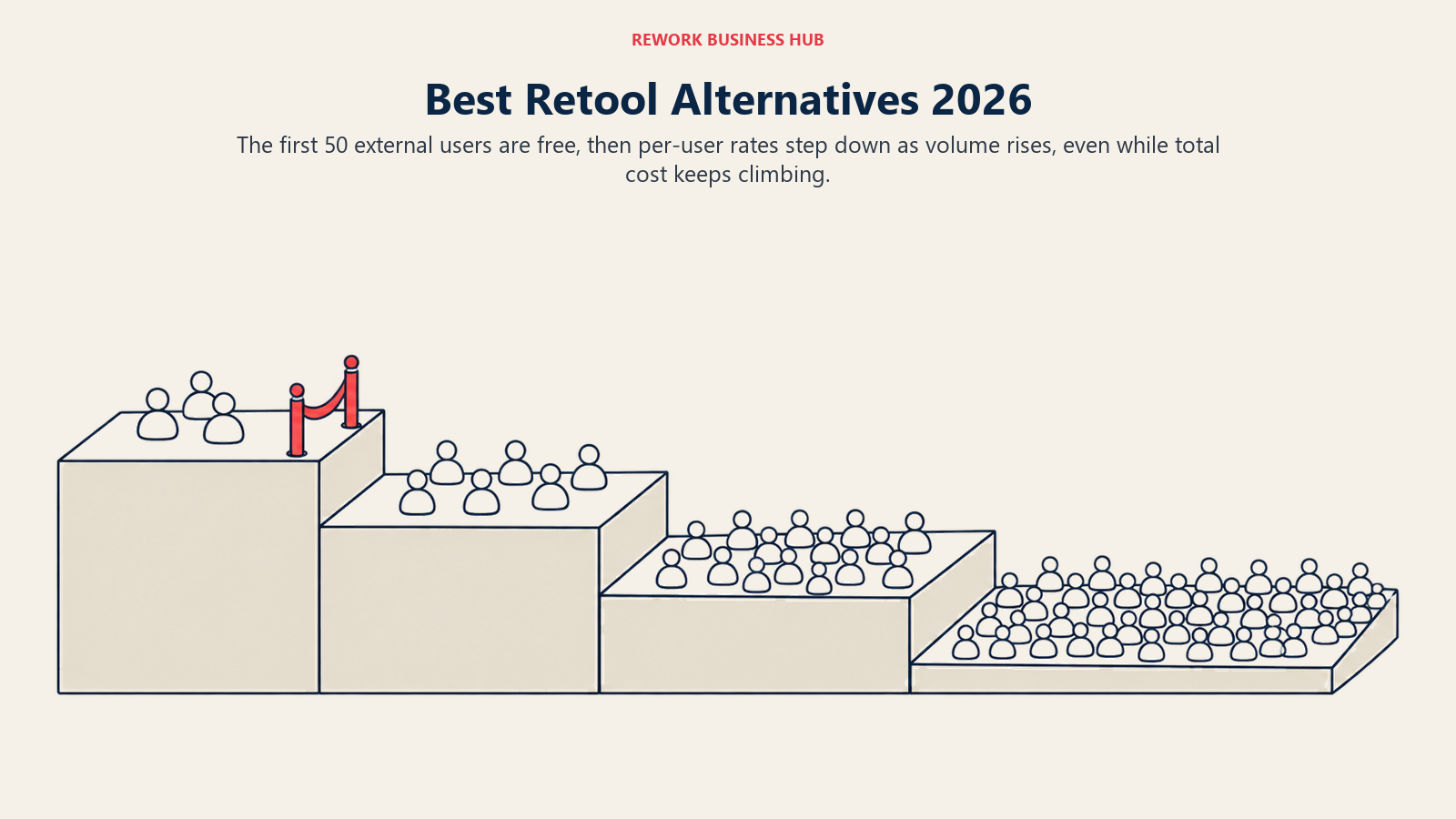
Retool's pricing has a shape most competitors don't share, and understanding it is the whole ballgame before you compare a single alternative. Business plan builders cost $50 per month billed annually. Internal users, people inside your company who only use the finished app, cost $15 per month annually. External users, people outside your company logging in from a customer, partner, or vendor context, are banded: free from 0 to 50, then $8 per month annually for 51 to 250, $6 for 251 to 500, and $4 above 500. Team plan pricing follows the same three-way split at $10 for builders and $5 for internal users.
That third band is where the surprise lives. The first 50 external users cost nothing, which is exactly generous enough to sail through a pilot. The 500th does not, and by then the bill has grown in a way a demo never showed you. Free covers up to 5 users total and 500 workflow runs a month, so a small internal tool with no outside logins can genuinely run for free.
Almost no alternative on this list bills the same way. Some go flat and unlimited (Knack, the self-hosted editions of Appsmith and Budibase, UI Bakery's public app users). Some charge one rate per person regardless of role (Airtable, Google AppSheet's Core tier). Only UI Bakery mirrors Retool's builder-versus-user split closely, and it does so at a noticeably lower price.
| Why you're leaving Retool | What breaks in Retool's model | Alternatives built for it |
|---|---|---|
| Cost climbs with every external login | $4 to $8 per external user compounds past a few hundred | UI Bakery, Knack, Google AppSheet's Publisher Pro |
| You want to self-host on an open-source licence | Retool self-hosted still runs on the same paid tiers, only the infrastructure moves | Appsmith Community edition, Budibase open source |
| Your builders are ops people, not engineers | Retool assumes comfort writing SQL and JavaScript | Softr, Glide, Google AppSheet, Airtable, Knack |
1. Appsmith - open source with a real query layer, not a training wheel
Appsmith is the tool most technical teams land on first, because it keeps Retool's core idea: drag components onto a canvas, then write actual SQL and JavaScript behind them against any data source. Nothing about the query layer is hidden or simplified. It suits people who already think in queries and just want a faster front end for them.
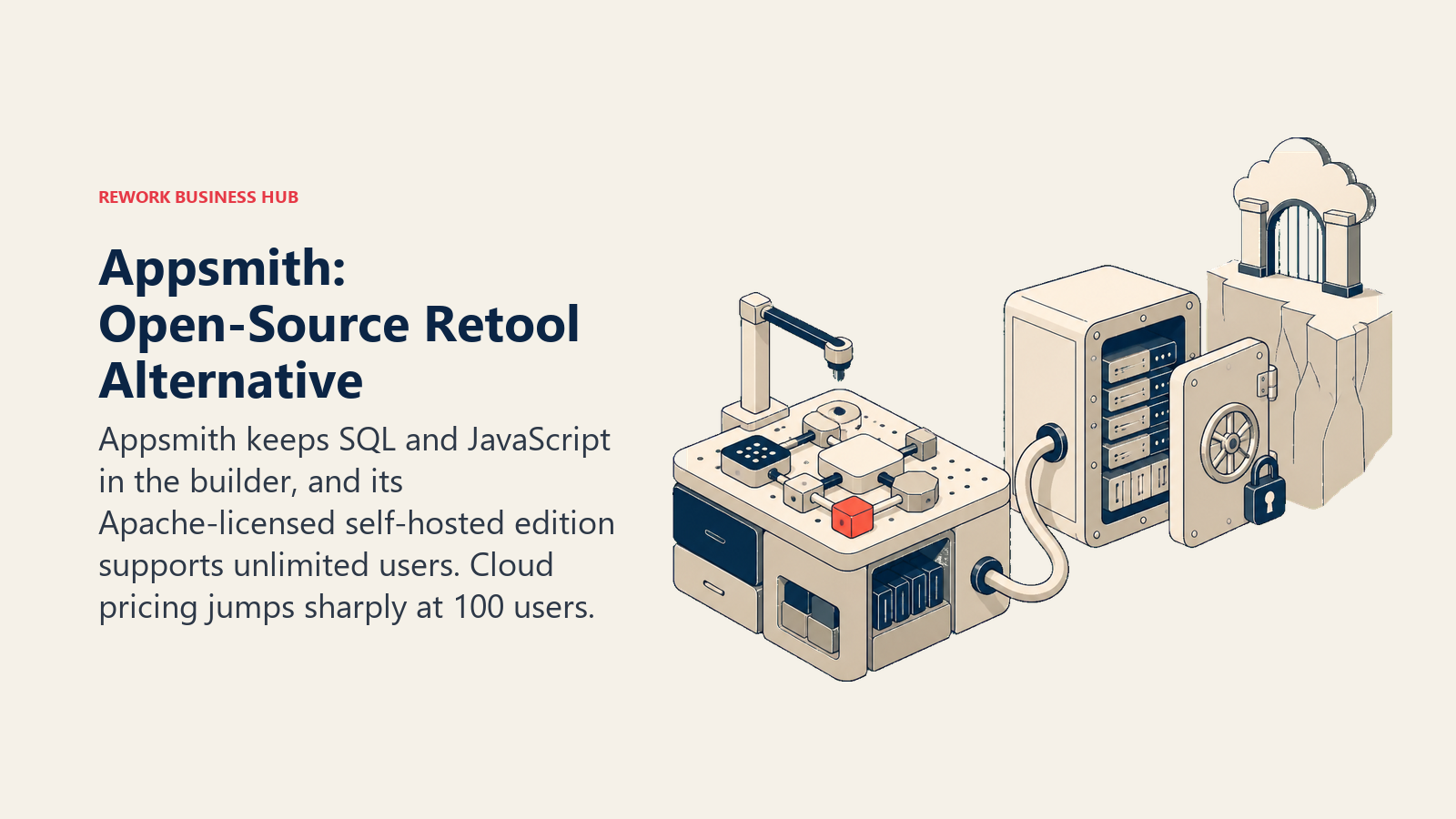
The reason it beats staying on Retool is the self-hosted Community edition. It's genuinely free, Apache 2.0 licensed, and supports unlimited users, which is a structurally different offer than Retool self-hosted, which still bills against the same cloud tiers regardless of where you run it. For defence, healthcare, and public-sector teams, Appsmith's Enterprise tier also ships an airgapped deployment option. The catch is the cloud pricing shape: free stops at 5 users, Business is a flat $15 per user per month up to 99 users with builders billed as ordinary users, and crossing 100 users jumps straight to a $2,500-per-month Enterprise floor. That's a cliff, not a slope, and it makes Appsmith Cloud an awkward fit for the exact high-external-user pattern that pushed you off Retool in the first place. If Appsmith itself doesn't fit, best Appsmith alternatives covers the rest of that specific shortlist.
| What you get | What you don't |
|---|---|
| A genuinely free, unlimited self-hosted edition | A cheap route past 100 users on cloud |
| Airgapped deployment on Enterprise | A no-code experience for non-technical staff |
| Any data source, with SQL and JS escape hatches | Retool's polish or component library depth |
| Flat per-user pricing with no builder premium | Prebuilt compliance editions below Enterprise |
Pricing: Free covers up to 5 users on cloud with 5 workspaces and 3 Git repos. Business is $15 per user per month for up to 99 users, with builders billed as standard users. Enterprise starts at $2,500 per month for 100 users, unlimited above that, with SAML and OIDC SSO, SCIM, CI/CD, and the airgapped edition. Self-hosted Community edition is free, open source under Apache 2.0, with unlimited users, per Appsmith's pricing page.
Best for: Technical teams of 20 to 100 who want an open-source Retool with a clear paid tier, or unlimited users the moment they self-host.
2. Budibase - the free, unlimited option when self-hosting is the whole point
Budibase answers the "we need to self-host" version of the Retool complaint more completely than any other tool here. The self-hosted open source edition is free with unlimited actions, unlimited apps, and unlimited users on one workspace, no licence fee at any headcount. That reframes a compliance or data-residency question most teams solve by buying a vendor's enterprise edition into a question you answer with your own infrastructure instead.
It's a real app platform, not a database with forms attached: a screen designer, role-based access, internal or external data sources, and automations built in. The trap is treating the cloud pricing like the self-hosted pricing, because they behave nothing alike. Extra creators cost $50 each per month on cloud, and end users cost $5 each, so a build with 500 external users lands in five figures a year on Budibase Cloud while the identical build on the self-hosted edition costs infrastructure and a maintainer's time. Decide the deployment model deliberately before you price anything.
| What you get | What you don't |
|---|---|
| Free, unlimited self-hosted open source edition | Cheap external users on the cloud plans |
| Full control of where the data physically sits | Vendor compliance certificates to hand an auditor |
| A real screen designer with role-based access | A managed service unless you pay for one |
| No licence ceiling on users when self-hosted | Someone else to page when the server misbehaves |
Pricing: Self-hosted open source is free with unlimited actions, apps, automations, and users. Pro is $19 per month billed yearly, $22.80 monthly, for 1 creator with 5,000 actions yearly. Premium is $49 per month yearly, $58.80 monthly, with 1 creator included, 10 workspaces, and additional creators at $50 per creator per month plus end users at $5 per user per month. Business is $299 per month billed yearly for 3 creators. Enterprise is custom, per Budibase's pricing page.
Best for: Organizations of 10 to 500 with someone who'd rather host the platform than negotiate a vendor's security review.
3. ToolJet - open source with AI-assisted building, priced by the builder seat
ToolJet is the newer entrant in the open-source camp, and it earns its place with an angle Retool doesn't lean into as hard: AI credits bundled into every paid plan for generating queries and UI, 2,000 per builder on Pro and 3,000 on Team. It's a real drag-and-drop builder with unlimited apps on higher tiers, connecting to SQL, REST, and GraphQL sources the same way Appsmith and Retool do.
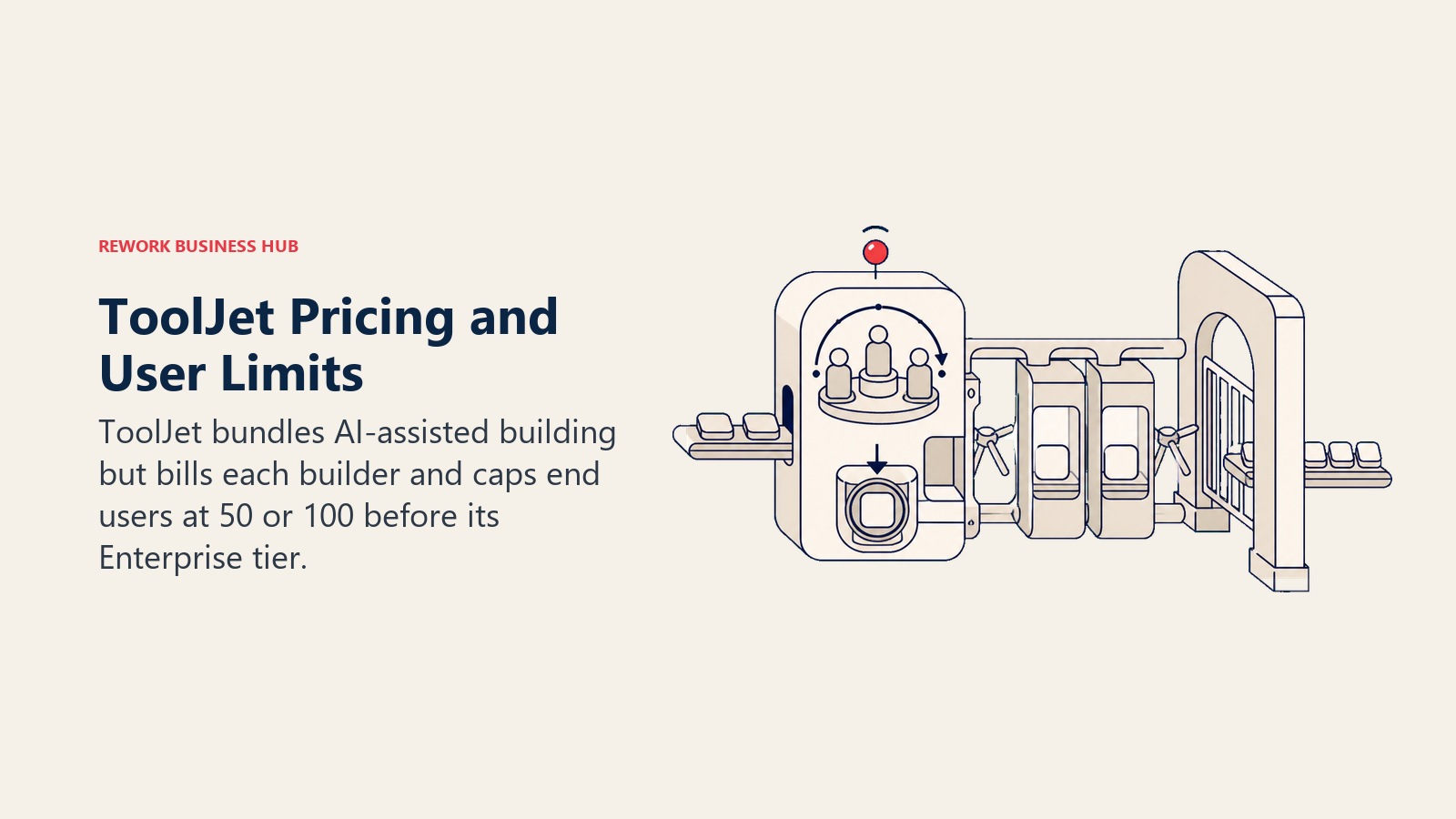
One detail is worth reading twice, because ToolJet's own pricing page states it in two places that pull in different directions. The price label reads $79 per builder per month on Pro and $199 per builder per month on Team, while the feature list on both plans records builders as unlimited. The resolution is that unlimited means no cap on how many builders you may add, not that extra builders are free, and ToolJet's own billing documentation settles it by describing prorated charges when you add builder or viewer seats mid-cycle. So budget Pro at $79 per builder per month with 5 apps and a ceiling of 50 end users, and Team at $199 per builder per month with unlimited apps and a ceiling of 100 end users. The shape rewards a small builder team serving a modest audience and punishes the reverse. Once end users cross 100, the only path is Enterprise, which starts at $3,000 a month for unlimited end users, a jump with no stop in between. If you're weighing whether AI-assisted building belongs in your toolchain at all rather than just your app builder, best AI coding tools in 2026 covers that broader category.
| What you get | What you don't |
|---|---|
| Flat pricing regardless of builder count | Headroom for large external-user counts below Enterprise |
| AI credits bundled into every paid tier | Annual billing on the Enterprise floor |
| Self-hosted plans that mirror cloud pricing | A large third-party template or plugin ecosystem |
| A modern interface for a young product | A long production track record to point to |
Pricing: Free is $0 for 2 builders, up to 2 apps, 50 end users, and 100 AI credits monthly. Pro is $79 per builder per month, with no cap on builder count, 5 apps, 50 end users, 2,000 AI credits per builder. Team is $199 per builder per month, again with no cap on builder count, unlimited apps, 100 end users, 3,000 AI credits per builder. Annual billing saves 20% on Pro and Team. Enterprise starts at $3,000 per month, custom, unlimited end users. Self-hosted plans mirror the cloud tiers, per ToolJet's pricing page.
Best for: Teams of 5 to 50 builders with a modest, known external-user count who want AI-assisted building without a per-seat bill.
4. UI Bakery - the closest billing shape to Retool, and meaningfully cheaper
UI Bakery is the tool on this list built around the same three-way idea as Retool: developer seats for people who build, viewer seats for people who use the finished app, and a separate category for public app users. The difference is what each category costs. Developer seats are $20 a month annually per person with edit permissions, and public app users are unlimited and free on every tier, cloud or self-hosted.
That last point does real work in a total-cost comparison, but read it carefully before you budget on it. "Public app users" means people accessing an app that doesn't require an individual login, the kind of thing a status page or a public intake form would be. If your external users each need their own account with row-level permissions on their own records, that's a viewer seat, not a public user, and Team caps viewer seats at 50 before requiring an Enterprise quote. A public-facing intake form and a permissioned customer portal are not the same build, and UI Bakery prices them completely differently.
| What you get | What you don't |
|---|---|
| Unlimited free users for genuinely public apps | Free scaling for authenticated per-user portals |
| A cheaper developer seat than Retool's builder rate | A large existing user or plugin community |
| Self-hosted at the same tier prices as cloud | Retool's depth of prebuilt integrations |
| Role-based access and audit logs from Team up | A long enterprise production track record |
Pricing: Free is $0 with unlimited apps and data sources, unlimited public users, hosted database, and community support. Builder is $20 per month annually, $25 monthly, adding environments, app export, and up to 50 viewer seats. Team is $35 per month annually, $40 monthly, adding role-based access control and audit logs. Enterprise is custom, with 50-plus viewer seats, dedicated infrastructure, and custom SSO. Self-hosted mirrors the same tier prices with unlimited seats on the self-hosted Free plan, per UI Bakery's pricing page.
Best for: Teams of 5 to 100 whose external users hit a genuinely public app, not a permissioned portal, where the savings over Retool are largest.
5. Microsoft Power Apps - the Microsoft-native swap, at a different price than most articles still quote
Power Apps is the default answer for organizations already standardized on Microsoft 365, and for good reason. The two are close enough on shortlists that Power Apps vs Retool is worth reading before you commit either way. It reads and writes Dataverse and Microsoft 365 data natively, which is exactly the integration tax Retool users pay to reach the same records through a connector. The Forrester-modelled numbers back that up at scale: a composite 30,000-employee organization saw 206% three-year ROI, payback in under six months, and a 50% cut in professional developer build time.
Verify the price before you quote it, because the entry point most comparisons still repeat is wrong. The per-app plan, long advertised at around $5 per user per app per month, was pulled from Microsoft's own pricing page and from the January 2026 Power Platform licensing guide, with end of sale for new customers beginning 2 January 2026. Reporting since then says it was partially reinstated for CSP-channel customers around April 2026, so its availability now depends on your purchasing channel rather than being a flat public rate. What Microsoft's pricing page shows today is Power Apps Premium at $20 per user per month on annual billing, or $12 at a 2,000-plus seat minimum. One more gap worth knowing before you compare it to Retool's banded external users: Power Apps has no equivalent anonymous or external-user tier built in. A public-facing portal needs Power Pages, a separate product with its own pricing, not something this Premium seat covers. Best Power Apps alternatives is the deeper cut if the Microsoft ecosystem itself is the thing you're evaluating against.
| What you get | What you don't |
|---|---|
| Native Dataverse and Microsoft 365 integration | The old per-app entry price, reliably, today |
| Forrester-modelled ROI at large scale | A built-in external or anonymous user tier |
| Included in many existing E3/E5 licences | A visual builder as approachable as Softr or Glide |
| A mature, audited enterprise platform | A fast, self-serve evaluation without a reseller call |
Pricing: Power Apps Developer Plan is free for build and test, explicitly not for production. Power Apps Premium is $20 per user per month billed annually, unlimited apps plus Dataverse; at a 2,000-plus seat minimum it drops to $12. A Dataverse database capacity add-on is $40 per GB per month. Pay-as-you-go through an Azure subscription is available with no licence commitment, but the per-app meter rate isn't published, so confirm it with your account team, per Microsoft's Power Apps pricing page and the Forrester TEI study.
Best for: Organizations of 500 to 30,000-plus already licensing Microsoft 365, building apps for their own employees rather than the public.
6. Bubble - when "internal tool" was underselling what you're actually building
Bubble belongs on this list for a specific reason: some Retool projects quietly grow past being an internal tool. If that is the call you are making, Retool vs Bubble settles it on the axis that matters, which is who logs in. A dashboard turns into a customer-facing product, and suddenly the requirement is real UX, responsive design, and a mobile app, not just a data grid with a few action buttons. Bubble is a genuine full-stack, no-code application builder for web and mobile, not an internal-tools specialist wearing a bigger hat.
Its billing has nothing in common with Retool's per-person bands. Every paid Bubble app includes 100,000 monthly workload units for its production environment, and cost scales with how much the app actually does, not with a headcount you set at signup. Overage without a workload tier is $0.30 per 1,000 units. The free plan is real and Bubble's own pricing FAQ says it "comes with more than enough workload to build any kind of app," though free and Agency plans can't buy workload tiers or enable overages, since they're meant for development rather than production. If 500 external users each perform a handful of actions a day, that's a knowable workload estimate; if usage is unpredictable, budget for overage rather than assuming a flat number. Best Bubble alternatives is the place to go deeper on this specific trade-off.
| What you get | What you don't |
|---|---|
| A genuine product builder, not just an internal tool | Per-user pricing you can budget with a headcount |
| A real, usable free plan for development | Predictable cost under unpredictable production usage |
| Web and mobile output from one build | Retool's SQL-and-JavaScript developer ergonomics |
| Workload that scales with actual app activity | A flat number to compare against Retool's bands |
Pricing: Starter (Web + Mobile) is $69 per month, $59 annually. Growth is $249 monthly, $209 annually. Team is $649 monthly, $549 annually. Enterprise is custom. All paid tiers include 100,000 monthly workload units for the production environment; overage without a tier is $0.30 per 1,000 units, per Bubble's pricing manual.
Best for: Teams of 2 to 50 whose "internal tool" needs to look and work like a real product for people outside the company.
7. Softr - the answer when your builders are ops people, not engineers
Softr solves a different problem than Appsmith or ToolJet do. Instead of a better query editor, it gives someone with zero SQL a modern, branded client portal or membership site in an afternoon, sitting on data you already keep somewhere else, usually Airtable, Google Sheets, HubSpot, or Softr's own included store. If the honest reason you left Retool is that nobody on your ops team wants to write JavaScript, this is the most direct answer on this list.
Softr repriced on 5 August 2026, so treat any third-party number you find elsewhere as stale and use the figures below instead. Billing bands by app-user count per plan rather than charging per seat, which mirrors Caspio's shape more than Retool's: a portal with a few hundred users is a plan tier, not a per-login line item. The trade to keep in mind is that Softr is a front end, not a database. If your data lives in Airtable, you inherit Airtable's record caps and its bill on top of Softr's, so price the pair together.
| What you get | What you don't |
|---|---|
| A genuinely modern, brandable portal in hours | A database of its own worth relying on |
| App-user banding instead of a per-login bill | Deep workflow logic or a scripting layer |
| No SQL or JavaScript required to ship | Compliance positioning for regulated builds |
| Fast iteration without developer time | A single bill; you still pay for the data layer |
Pricing: Free is $0 for up to 3 builders and 5 app users combined. Basic is $25 monthly, $19 annually, for 1 builder with 5 team plus 5 client users. Pro is $119 monthly, $99 annually, for 2 builders with up to 10 team and up to 50 client users. Business is $395 monthly, $329 annually, for 3 builders with up to 30 team and up to 100 client users, expandable. Extra app users run $1 to $5 a month and extra builders $5 to $24 a month depending on tier, per Softr's pricing and plans documentation.
Best for: Teams of 2 to 50 who need a client-facing portal shipped by someone who has never written a query.
8. Xano - the backend swap when Retool's queries were always the weak point
Xano is the honest exception on this list: it isn't a Retool replacement, it's a Retool component swap. If your real complaint isn't the builder but the ad hoc SQL and shaky scaling underneath it, Xano gives you a genuine, scalable Postgres backend with no-code business logic and instant REST and GraphQL APIs, then leaves the front end to whatever you connect to it, which could stay Retool, move to a no-code builder, or become custom code.
That framing matters because Xano ships no visual front-end builder at all. It's infrastructure, not an app. For teams whose internal tool was really fighting against a backend that couldn't hold up, replacing just that layer is often less disruptive than replacing the whole platform, and it plays well with the AI-assisted coding tools increasingly sitting on top of these APIs; best AI coding tools in 2026 covers that adjacent category if your team is evaluating both at once.
| What you get | What you don't |
|---|---|
| A real, scalable Postgres backend, not a proprietary store | Any front-end builder or UI layer |
| No-code business logic with instant REST/GraphQL APIs | A drop-in Retool replacement |
| A rate-limited free tier for real evaluation | A visual audience beyond technical builders |
| A backend you can pair with any front end | Predictable cost communicated per user |
Pricing: Free is $0 with a Postgres database up to 100,000 records, 1 workspace, 1GB of watermarked image storage, and a 10 requests per 20 seconds rate limit. Essential is $85 per month billed annually. Pro is $224 per month billed annually. Enterprise is custom, per Xano's pricing page.
Best for: Technical teams of 5 to 100 who like their Retool front end fine and want a sturdier backend under it.
9. Glide - the mobile-first swap for field and frontline teams
Glide solves the one job Retool has never been graceful at: a genuinely good phone experience for people who aren't sitting at a desk. Technicians, inspectors, drivers, and site staff get something that behaves like an app rather than a shrunk web page, built from a table rather than a mobile framework.
Right now Glide is mid-migration and its own properties disagree with each other, so confirm which rate card your account is actually on before budgeting. The live pricing page shows a credit-based GlideOS set: Free with 1 project and limited credits, Solo at $25 a month with 5 projects and a database included, Team at $125 a month starting at 5 members with 50 credits per member, and custom Enterprise. Glide's help centre separately still documents a Classic set from November 2025, Free through Explorer at $19 annually, Maker at $49 annually, and Business at $199 annually, without labelling it superseded. The GlideOS credit model is the substantive change, and it makes cost less predictable than Retool's flat unlimited-user promise for a public app with unknown traffic. Best Glide alternatives is the deeper comparison if mobile output is your top priority.
| What you get | What you don't |
|---|---|
| The best native mobile output in this comparison | Predictable cost under unpredictable usage |
| A fast build cycle from an existing table | A single, unambiguous current price list |
| A real database included on paid plans | Deep governance or audit tooling |
| Flat project pricing after the GlideOS rebuild | Published annual billing rates on the new cards |
Pricing: Free covers 1 project with limited credits. Solo is $25 per month with 5 projects, 100 credits, and a database included. Team is $125 per month starting at 5 members with 50 credits per member. Enterprise is custom, per Glide's pricing page. Glide's help centre separately documents a Classic Explorer/Maker/Business set at $19/$49/$199 monthly annually as of November 2025; confirm which one applies to your account.
Best for: Teams of 2 to 50 building mobile-first field apps with a known, countable user base.
10. Google AppSheet - the cheapest per-seat option if Workspace is already paid for
AppSheet's appeal is arithmetic before it's features: Core is $10 per user per month and is bundled into many Google Workspace Business and Enterprise plans your organization may already be paying for, which can make the marginal cost of a build effectively zero. It connects natively to Google Sheets, Drive, and the rest of Workspace, similar to how Power Apps ties into Microsoft 365.
The nuance worth knowing before you count on it for external users: Publisher Pro is $50 a month per app and covers unlimited access for a public app with no individual sign-in, which is genuinely cheap for the right shape of external traffic. But the moment those external users need their own login and row-level permissions on their own records, rather than anonymous access to a shared public app, that requirement pushes them onto licensed Core or Enterprise Plus seats instead, at $10 or $20 a user, and the arithmetic advantage disappears fast at real volume.
| What you get | What you don't |
|---|---|
| Often bundled into Workspace plans already paid for | Cheap authenticated access for hundreds of outsiders |
| A flat $50/mo option for genuinely public apps | Retool's depth of external data-source connectors |
| Native Sheets, Drive, and Workspace integration | A design layer as polished as Softr or Bubble |
| The lowest published per-seat entry price here | Row-level security on the free public-app tier |
Pricing: Starter is $5 per user per month. Core is $10 per user per month, and is included in most paid Google Workspace plans. Enterprise Plus is $20 per user per month. Publisher Pro is $50 per month per app for public apps with no individual sign-in. Sold standalone via Cloud Identity Free as well, per AppSheet's pricing page.
Best for: Google Workspace shops of 10 to 500 building internal tools for their own staff, with a genuinely public app for outsiders.
11. Airtable - the internal database, if your Retool app never had an outside user in it
Everything from here down replaces only part of what Retool does, and for a lot of teams that's the point. Airtable is the category default for internal structured data: a familiar grid, real relational links, and alternate views on the same records, with more templates and integrations built for it than for the rest of this list combined.
If your Retool build was, on honest reflection, only ever a nicer front end over data your own team looks at, Airtable is a large cost cut. What disappears is the query layer and any concept of an outside user with a permissioned login. No external logins with record-level rules, guest access isn't a portal, and record caps arrive by tier, 1,000 on Free up to 125,000 on Business. If any part of your build serves outside users, Airtable can't take it, and best Airtable alternatives plus best no-code database software in 2026 cover where teams go when the caps or seat costs bite instead.
| What you get | What you don't |
|---|---|
| The largest ecosystem in this category | Any real external user portal or login |
| Genuinely good relational modeling | The query-and-script depth Retool builders expect |
| Interfaces for simple internal front ends | Predictable cost as headcount grows |
| Read-only collaborators at no charge | A path to serve customers or partners |
Pricing: Free covers 1,000 records per base. Team is $20 per seat per month billed annually, $24 monthly, with 50,000 records per base. Business is $45 per seat per month billed annually, $54 monthly, with 125,000 records per base. Enterprise Scale is custom. Read-only collaborators, form submissions, and share links aren't charged, per Airtable's pricing page.
Best for: Internal teams of 5 to 100 whose Retool app never actually had anyone outside the company logging in.
12. Knack - flat, unlimited logins for teams without an engineer to spare
Knack closes this list the same way it closes our Caspio alternatives comparison: as the flat-price, no-engineer-required option for a build that needs real outside logins. You define objects and fields, then build pages with roles and record-level rules on top, no query language required anywhere in the process.
For a Retool refugee, the appeal is the combination Retool doesn't offer at a small scale: unlimited users on every plan, priced by account rather than by person, so a portal with hundreds of external logins costs the same as one with a dozen. The trade-off is real. The builder is noticeably less polished than Retool's, there's no meaningful escape hatch into custom code when the visual tools run out, and record ceilings on entry plans arrive sooner than expected once you're logging events rather than static records.
| What you get | What you don't |
|---|---|
| Flat account pricing with unlimited logins | A modern, fast builder interface |
| Real roles and record-level visibility rules | A SQL or JavaScript escape hatch when you need one |
| A short path from idea to a working portal | Generous record allowances on entry plans |
| No engineer required anywhere in the build | Retool's depth of data-source connectors |
Pricing: Starter is $49 per month billed annually, $59 monthly (a $19/mo introductory rate applies for the first 3 months), with 20,000 records and 3 apps. Pro is $110 per month billed annually, $130 monthly (a $49/mo introductory rate for 3 months), with 50,000 records and unlimited apps. Corporate starts at $250 per month billed annually with 125,000 to 2.5 million records. Enterprise is a quote. Unlimited users on every plan, per Knack's pricing page.
Best for: Teams of 2 to 50 running an external-facing portal who want unlimited logins without hiring an engineer to build it.
Total Annual Cost: 5 Builders, 20 Internal Users, 500 External Users
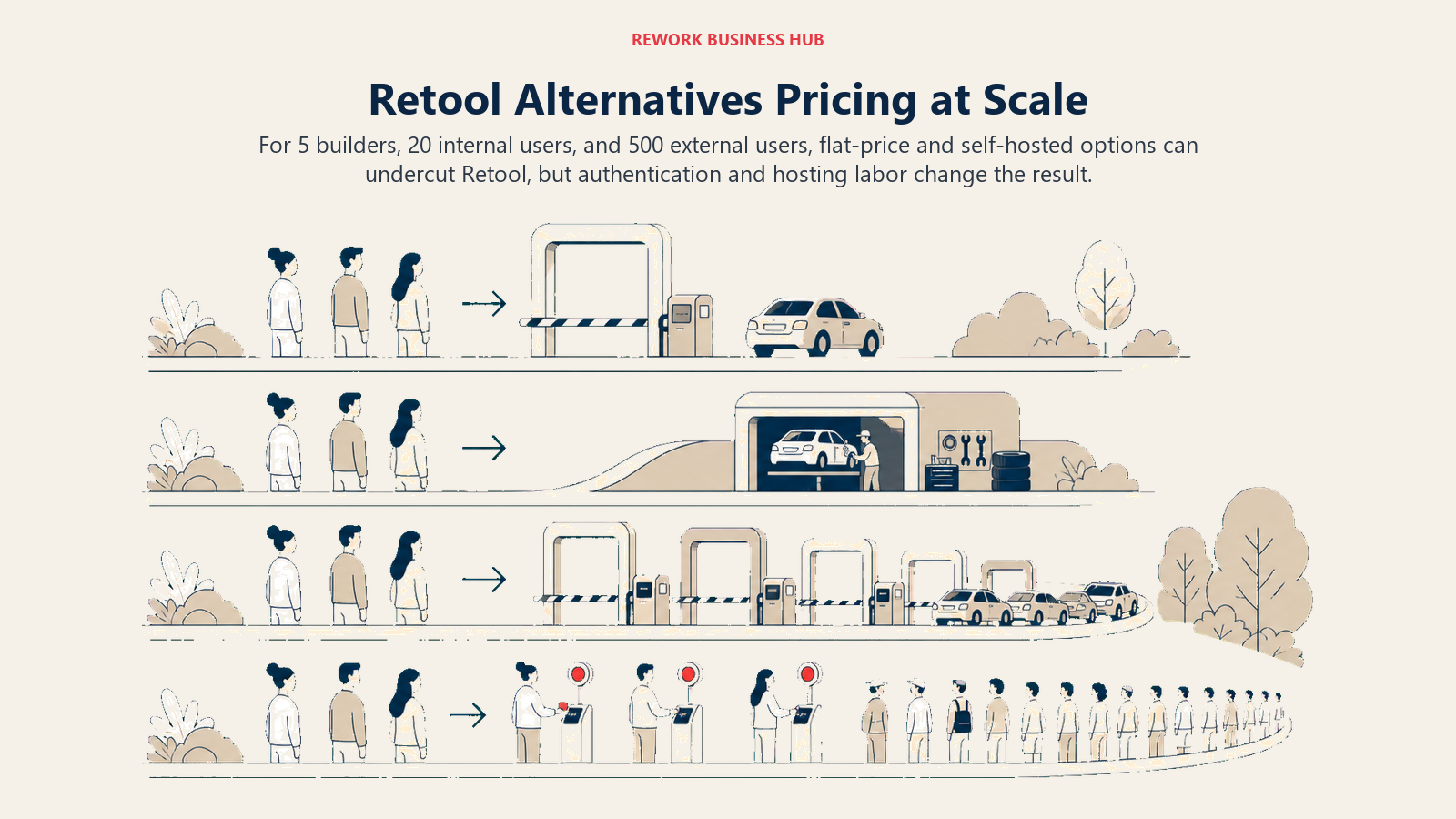
This is the comparison that actually decides the question, and it's where Retool's billing shape shows its real cost. One realistic build: five people who create and edit the app, 20 employees who use the finished tool internally, and 500 outside people who log in to submit or view their own records. Annual billing where the vendor offers it, first year, before any database a front-end-only tool doesn't include.
| Tool and tier | Estimated annual cost | How the number is built |
|---|---|---|
| Knack Pro | $1,320 | $110/mo annually, unlimited users on every plan, 50,000 records |
| UI Bakery Team, public users | $2,100 | $175/mo (5 developer seats at $35 annually); free if the 500 external users hit a public, no-login app |
| Google AppSheet, public app | $3,600 | 25 licensed Core users at $10/mo ($250) plus Publisher Pro at $50/mo for one public app covering the 500 |
| Softr Business | Around $3,948, plus the database | $329/mo annually covers 3 builders and up to 500 client users on this tier; confirm the exact per-user rate above the included 100 with Softr |
| Airtable Team | $1,200, job not done | 25 seats at $20/mo annually; the 500 external users have nowhere to log in |
| Bubble Team | $6,588, usage-dependent | $549/mo annually including 100,000 monthly workload units; actual cost depends on how much the 500 users do, not their count |
| Budibase self-hosted | $0 in licence | Open source, unlimited users, cost is infrastructure plus a maintainer |
| Appsmith self-hosted | $0 in licence | Community edition, same infrastructure caveat |
| Retool Business | $43,800 | 5 builders at $50/mo, 20 internal users at $15/mo, 500 external users banded at $8 (51-250) and $6 (251-500), all annual |
| Budibase Premium (cloud) | $34,188 | $49/mo plus 4 extra creators at $50 plus 520 end users at $5, all monthly rates |
| ToolJet Enterprise | From $36,000 | Team's 100-end-user cap doesn't cover 520 users; Enterprise starts at $3,000/mo, custom, likely higher |
| Appsmith Enterprise | From $30,000 | $2,500/mo starting at 100 users; 525 total users may need a quote above the published floor |
| UI Bakery Team, private portal | Custom quote | If the 500 external users need individual logins, that's 520 viewer seats, past Team's 50-seat cap |
| Google AppSheet, per-row security | $63,000 | If external users need individual authenticated access instead, all 525 need $10/mo Core seats |
| Microsoft Power Apps Premium | $126,000, wrong shape | $20/user/mo for all 525 people; Power Apps has no free anonymous-user tier, so this pricing model doesn't fit an external portal at all |
Four things fall out of that table. Knack and UI Bakery's public-app path are both dramatically cheaper than Retool for the same headcount, and UI Bakery gets there while keeping Retool's builder-versus-user billing shape rather than abandoning it. Retool itself is not absurdly priced against Budibase Cloud or ToolJet's forced Enterprise tier, both of which land higher; Retool's problem shows up specifically against the flat-price and self-hosted options. The self-hosted open-source rows are the strongest argument in this whole comparison, genuinely free at any headcount, with the cost moved entirely to infrastructure and a named owner. And Power Apps at the bottom is there on purpose: it's an excellent internal-tools platform for a Microsoft shop and a poor fit for a public-facing portal, which is exactly the kind of honest mismatch a feature checklist won't show you.
Sizing and Persona Table
| Tool | Team size sweet spot | Who buys it | Typical buyer title |
|---|---|---|---|
| Appsmith | 20-100 | Technical teams wanting open source | Engineering Manager, CTO |
| Budibase | 10-500 | Teams that must host inside their own boundary | IT Manager, Head of Infrastructure |
| ToolJet | 5-50 | Small builder teams with modest external traffic | Engineering Lead, Founder |
| UI Bakery | 5-100 | Teams that want Retool's shape at a lower price | Engineering Manager, IT Director |
| Microsoft Power Apps | 500-30,000+ | Organizations standardized on Microsoft 365 | IT Director, Business Systems Manager |
| Bubble | 2-50 | Teams building a real product, not just a tool | Founder, Product Manager |
| Softr | 2-50 | Client services and membership businesses | Founder, Client Services Lead |
| Xano | 5-100 | Technical teams that only need a better backend | Backend Developer, CTO |
| Glide | 2-50 | Field, frontline, and inspection teams | Operations Manager, Field Lead |
| Google AppSheet | 10-500 | Existing Google Workspace customers | IT Director, Business Systems Manager |
| Airtable | 5-100 | Internal ops, marketing, and content teams | Ops Manager, Marketing Ops Lead |
| Knack | 2-50 | Small teams shipping an external portal | Founder, Program Manager |
When Retool Is Still the Right Answer
Most alternatives articles are quietly built to talk you out of the incumbent. This one shouldn't be, because Retool holds a real combination of strengths that nothing above fully replicates.
The first is developer ergonomics. Nothing here writes SQL, JavaScript, and REST or GraphQL queries with Retool's fluency, and its Git-based workflows and component library are genuinely ahead of Appsmith's and ToolJet's equivalents. The second is the first 50 external users being free, which is exactly generous enough for a pilot, an early customer portal, or a tool that never grows past a few dozen outside logins; if that's your actual ceiling, Retool's bands never bite. The third is that Retool's own research on shadow IT and SaaS replacement, cited above, suggests the category itself is only getting more central to how software gets built, and Retool remains the platform with the deepest bench of engineering-facing features to build on.
| Stay on Retool if | Leave Retool if |
|---|---|
| Your builders are engineers who want SQL and JS, not a visual-only tool | Your builders are ops people who've never written a query |
| External users will realistically stay under 250 | External users already number in the hundreds and are growing |
| You need Retool's specific integration and component depth | A flat-price or self-hosted option would do the same job for less |
| Cost predictability matters less than developer velocity | You need a hard, board-defensible budget number |
How to Choose: Decision Framework
Use this once you've narrowed to two or three candidates, not as a substitute for narrowing.
| If you need this... | Choose this | Why |
|---|---|---|
| Retool's shape, but cheaper | UI Bakery | Builder-versus-user split, unlimited free public app users |
| Flat, unlimited logins with no engineer | Knack | Priced per account, not per person, from $49/mo annually |
| To self-host on a free open-source licence | Appsmith Community or Budibase open source | Both ship unlimited-user editions at no licence cost |
| A real Microsoft-native build | Power Apps | Native Dataverse and Microsoft 365 integration |
| A real product, not just an internal tool | Bubble | Full web and mobile app builder, not internal-tools-only |
| A no-SQL client portal | Softr | App-user banding and a modern design layer out of the box |
| Only a sturdier backend | Xano | A real Postgres database with instant APIs, no front end included |
| A genuinely good mobile app | Glide | The best native phone output in this comparison |
| Cheap seats you may already be paying for | Google AppSheet | Often bundled into existing Google Workspace plans |
| An internal database, because nobody outside logs in | Airtable | Cheaper, better, and honest about what it is |
If your builders keep reaching for automation logic more than a UI, best workflow automation software in 2026 and best Zapier alternatives cover the adjacent category.
What to Do Next
Before comparing another feature grid, count two numbers: how many people will log into the finished app who are not on your payroll, and whether your builders are comfortable writing SQL and JavaScript or need a visual-only tool. Those two answers eliminate most of this list in a couple of minutes. Fewer than 50 outside users and engineer-led builders keep Retool itself in the running. Hundreds of outside users point to Knack, UI Bakery, or Google AppSheet's public-app path. Ops-led builders with no query background point to Softr, Glide, Airtable, or Knack regardless of user count.
Then run one real test instead of three demos. Take the single most complex screen in your current Retool app, the one with a gnarly query or per-user permission logic, and rebuild only that screen in your top two candidates. Give it a day. Whatever breaks in that day is what will break during the real migration, and it tells you more than a month of sales calls will.
Related Resources:

Principal Product Marketing Strategist
On this page
- Key Facts
- Quick Comparison Table
- Retool Bills Three Ways. Almost Nothing Else Does.
- 1. Appsmith - open source with a real query layer, not a training wheel
- 2. Budibase - the free, unlimited option when self-hosting is the whole point
- 3. ToolJet - open source with AI-assisted building, priced by the builder seat
- 4. UI Bakery - the closest billing shape to Retool, and meaningfully cheaper
- 5. Microsoft Power Apps - the Microsoft-native swap, at a different price than most articles still quote
- 6. Bubble - when "internal tool" was underselling what you're actually building
- 7. Softr - the answer when your builders are ops people, not engineers
- 8. Xano - the backend swap when Retool's queries were always the weak point
- 9. Glide - the mobile-first swap for field and frontline teams
- 10. Google AppSheet - the cheapest per-seat option if Workspace is already paid for
- 11. Airtable - the internal database, if your Retool app never had an outside user in it
- 12. Knack - flat, unlimited logins for teams without an engineer to spare
- Total Annual Cost: 5 Builders, 20 Internal Users, 500 External Users
- Sizing and Persona Table
- When Retool Is Still the Right Answer
- How to Choose: Decision Framework
- What to Do Next