Best Baserow Alternatives in 2026: 11 Tools Compared by Use Case
Turn this article into takeaways for your work.


Each assistant summarizes the article only for you and suggests best practices for your work.
The best Baserow alternatives in 2026 are Airtable and SmartSuite if you need deeper automation and a much bigger ecosystem, Teable and Grist if you want a genuinely open-source licence without running the server yourself, or NocoDB if source-available terms are fine, and Zoho Creator or Directus if the missing piece was an app and portal layer rather than more rows. Every tool below was evaluated on automation depth, interface options, permissions, self-hosting model, and real cost at 25 seats, with prices labelled (reported) where a vendor does not publish one.
This is for ops leads, IT generalists, and technical founders at companies of 10 to 300 people who already run Baserow, like most of it, and have hit one specific wall. Teams leave for one of three reasons: the automation builder ran out before their process did, nobody wants to own patching a self-hosted instance any more, or they needed something Baserow was never built to be (portal logins, an interface builder, a document layer). A smaller group is going the other way, toward something closer to the database. The sections below are ordered by those four intents rather than alphabetically. If you are shopping the whole category rather than replacing one tool, start with the best no-code database software guide, which covers 15 tools including Baserow itself.
Key Facts
- The low-code development technologies market is forecast to reach $44.5 billion in 2026, growing at roughly 19% a year, per Gartner's forecast as reported by InfoWorld.
- 98% of organizations increased or maintained their use of open-source software in the past year, and avoiding vendor lock-in is now cited by 55% of respondents (up from 33%), rising to 63% in Europe and the UK, per the 2026 OpenLogic State of Open Source Report.
- PostgreSQL is the most-used database in the industry, named by 55.6% of all respondents and 58.2% of professional developers, well ahead of MySQL at 40.5%, per the 2025 Stack Overflow Developer Survey.
- By 2026, developers outside formal IT departments will account for at least 80% of the user base for low-code development tools, up from 60% in 2021, per Gartner.
- IT teams spend 39% of their time building custom integrations, and 90% of organizations report business obstacles caused by data silos, per the 2025 MuleSoft Connectivity Benchmark Report, which surveyed 1,050 IT leaders.
Read those last two together and you have the honest reason most Baserow migrations happen. The people building the workflows are not in IT, and what stops them is almost never the row count. It is the integration they cannot wire up alone.
Quick Comparison Table
| Tool | Best For | Starting Price | Key Strength | Key Limitation |
|---|---|---|---|---|
| Airtable | Teams that need automation depth and the largest ecosystem | Free (1,000 records/base); $20/seat/mo annually | Biggest template, extension, and integration catalogue in the category | Record caps per base; cost climbs hard past 20 seats |
| SmartSuite | Ops teams that want more process built in, not more flexibility | $15/seat/mo annually (3-seat minimum) | Higher record ceilings plus native process and permission features | No permanent free tier, only a 14-day trial |
| Stackby | Small teams that want live integrations without the Airtable bill | Free (1,500 rows/stack); $4.20/user/mo annually | API-powered columns pull live data straight into cells | Row limits per stack are tight on the lower tiers |
| NocoDB | Teams that already run Postgres or MySQL | Free self-hosted; $12/user/mo annually (cloud) | Puts a spreadsheet interface on the database you already own | Setup assumes comfort with connection strings |
| Teable | Teams that want real Postgres tables under the grid | Free (1,000 rows); $13/seat/mo annually | Records stored as genuine Postgres tables, queryable by SQL | Youngest product here, thin integration catalogue |
| Grist | Analysts and regulated teams that need strict permissions | Free (5,000 records/doc); $8/user/mo annually | Python formulas plus row-level and column-level access rules | Plainer interface, fewer one-click integrations |
| Notion | Teams whose missing piece was documents, not rows | Free; $10/member/mo annually | Databases living inside the wiki people already read | Shallow database engine, weak external permissions |
| Ninox | European SMBs that want scripting and EU hosting | Free (up to 5 users); 25 euros/user/mo annually | Real scripting layer on German-hosted infrastructure | Priced in euros, higher per-seat cost than most |
| Zoho Creator | Companies standardized on Zoho that need an app layer | Around $8/user/mo annually (reported) | Native access to Zoho CRM, Books, Desk, and People data | Public pricing page did not render prices in August 2026 |
| Directus | Technical teams going closer to the database | Core free (3 seats); Team $499/mo annually | Wraps any SQL database with an API, admin app, and RBAC | Team tier is a flat platform fee, not a per-seat step up |
| Budibase and Appsmith (adjacent) | Teams that needed an interface builder, not a database | Budibase open source free; Appsmith free (5 users) | Real SQL and JavaScript escape hatches, both self-hostable | Not self-serve; assumes at least one developer |
Why Teams Leave Baserow
Name the problem before you shortlist. Most of these have a different right answer.
| Problem | Root cause | Best move |
|---|---|---|
| The automation builder ran out mid-process | Baserow's automation layer is younger than Airtable's | Airtable or SmartSuite, or keep Baserow and add an automation tool |
| Nobody wants to own patching any more | Self-hosting needs a named maintainer, and yours left | NocoDB, Teable, or Grist cloud plans on the same codebase you would have hosted |
| Outside users need logins to a real portal | Baserow shares views, it does not issue portal accounts | Zoho Creator, or the dedicated portal builders |
| The interface is still a grid, and staff need an app | Baserow is a database, not an interface builder | Budibase, Appsmith, or Ninox |
| Documents and records live in two different tools | Baserow has no document layer at all | Notion |
| Reports need formulas the field types cannot express | Baserow formulas are expressions, not a language | Grist, where formulas are Python |
| Engineering wants the data in a database they control | Baserow's schema belongs to Baserow, not to you | Teable, NocoDB, or Directus |
| Row ceilings bite on the hosted plan | Free is 3,000 rows and Premium is 50,000 per workspace | Self-host Baserow, or move to a higher-ceiling tier |
Sizing and Persona Table
| Tool | Sizing fit (1-10 / 10-50 / 50-200 / 200+) | Sweet spot | Typical buyer |
|---|---|---|---|
| Airtable | Strong / Strong / Cost climbs / Expensive | 5-100 | Ops Manager, Marketing Ops Lead |
| SmartSuite | Blocked under 3 seats / Strong / Sweet spot / Good | 20-200 | COO, Head of Operations |
| Stackby | Strong / Good / Row limits bite / Weak | 2-30 | Founder, Growth Lead |
| NocoDB | Good (technical) / Strong / Good / Enterprise tier | 5-100 | Technical Ops Lead, Backend Developer |
| Teable | Good (technical) / Works / Early / Not yet | 3-50 | CTO, Technical Founder |
| Grist | Strong / Good / Good / Public sector friendly | 3-100 | Finance Analyst, Data Lead |
| Notion | Strong / Good / Documents only / Weak as a database | 2-100 | Chief of Staff, Head of Product |
| Ninox | Good / Strong / Works / Limited | 5-80 | Operations Manager, IT Manager |
| Zoho Creator | Works / Good / Strong / Good | 10-500 | IT Director, Business Systems Manager |
| Directus | Works (technical) / Good / Strong / Strong | 5-200 | Engineering Manager, CTO |
| Budibase and Appsmith | Good (technical) / Strong / Strong / Sweet spot | 20-1,000 | Engineering Manager, Head of Platform |
1. Airtable - the automation and ecosystem ceiling Baserow has not reached
If you are leaving because a workflow needed six conditional steps and the builder gave you three, Airtable is the shortest hop. The data model is close enough that a Baserow user is productive the same afternoon, and what Airtable really sells is the ecosystem around it: more templates, extensions, consultants, and automation recipes than the rest of this list combined. Its automation engine has had years more investment, its scripting extension drops you into JavaScript when the visual builder runs out, and Interfaces gives you an app-like layer over a base without code. That last one closes two Baserow gaps at once.
The price is the ceiling and the bill. Free bases stop at 1,000 records, Team at 50,000 per base, Business at 125,000, and view performance degrades before you reach the hard limit. Every editor is a paid seat, so the 25-person ops team you ran for free on a self-hosted box becomes a five-figure annual line item. Cloud only, so data residency is the vendor's choice, not yours. The best Airtable alternatives guide runs the same exercise from the other side.
| Pros | Cons |
|---|---|
| Deepest automation builder in the spreadsheet-database class | Hard record caps per base on every self-serve tier |
| Interfaces gives you an app layer without code | Per-editor pricing punishes wide read-write access |
| Largest template, extension, and integration catalogue | Cloud only, so no self-hosting and no residency choice |
| Scripting escape hatch when the visual builder stops | Performance drags before you reach the record limit |
Pricing: Free with 1,000 records per base. Team is $20 per seat per month billed annually, $24 billed monthly, with 50,000 records per base. Business is $45 per seat per month billed annually, $54 billed monthly, with 125,000 records per base. Enterprise Scale is custom, per Airtable's plan documentation.
Best for: Teams of 5 to 100 whose exit reason is automation depth, and who can absorb per-seat pricing to stop hitting capability walls.
2. SmartSuite - Airtable's shape with more process built in
SmartSuite is the pick when the thing Baserow could not do was hold a process together. Where Airtable hands you a flexible canvas, SmartSuite ships with opinions: status workflows, approval steps, checklists, time tracking, comments pinned to records, and a permission model that assumes different people should see different things. Baserow and Airtable both let a team model anything, which is exactly why a 60-person operation ends up with four incompatible readings of the same process. SmartSuite pushes you toward one.
It also runs much higher record ceilings than Airtable at a lower seat price, which often decides it for a team migrating a large self-hosted workspace that would otherwise need sharding across bases. The trade-offs are real: the ecosystem is a fraction of Airtable's, fewer of your hires will already know it, EU residency is gated to Enterprise, and there is no permanent free tier. Best SmartSuite alternatives covers where it loses.
| Pros | Cons |
|---|---|
| Process features built in, not assembled from templates | No permanent free tier, only a 14-day trial |
| 100,000 records per solution on Professional | Smaller ecosystem and integration catalogue |
| Lower seat price than Airtable at comparable capability | 3-seat minimum on Team, 5-seat on Professional |
| Granular permissions without an enterprise contract | Cloud only, with EU residency gated to Enterprise |
Pricing: Team is $15 per seat per month billed annually, $20 billed monthly, minimum 3 users, with 5,000 records per solution and 25,000 automation runs a month. Professional is $32 per seat per month billed annually, $36 billed monthly, minimum 5 users, with 100,000 records per solution. Enterprise is custom with 400,000 records per solution. There is no free plan, only a 14-day Professional trial, per SmartSuite's pricing page.
Best for: Ops teams of 20 to 200 that want standardized process across many workflows and are done configuring a blank canvas.
3. Stackby - live data in the column, at a small-team price
Stackby's angle is narrow and genuinely useful. Instead of building an automation to fetch data from another system, a column can be the API call: connect a Google Analytics, YouTube, Semrush, or Clearbit column type, point it at a key in another field, and the cell fills itself and refreshes. For a growth or content team running a tracker, that removes exactly the integration work the MuleSoft survey says eats 39% of IT time.
It is the closest thing here to a cheap Baserow-shaped product with a bigger integration story, and it does not pretend to be an enterprise platform. The ceiling is the row limits: Free stops at 1,500 rows per stack and Economy at 7,000, tighter than Baserow's free 3,000 per workspace once more than one table is doing real work. There is no self-hosted option, so budget for Business if you are moving a workspace of any size.
| Pros | Cons |
|---|---|
| API-powered columns replace whole categories of automation | Row limits per stack are tight on Free and Economy |
| Cheapest per-seat entry among the hosted options here | Smaller company, thinner support and community |
| Familiar spreadsheet-database interface, quick to adopt | No self-hosted option at all |
| Generous read-only guest access on every tier | Fewer enterprise controls than SmartSuite or Airtable |
Pricing: Free covers 1,500 rows per stack, 5 editors, 50 read-only guests, 20 stacks, and 2 GB storage. Economy is $4.20 per user per month billed annually ($149 a year for 3 users) or $9 monthly, with 7,000 rows per stack. Business is $8.30 annually ($299 a year for 3 users) or $18 monthly, with 50,000 rows per stack. Pro is $12.50 annually ($449 a year for 3 users) or $35 monthly, with 100,000 rows. Enterprise is custom at 250,000 rows, per Stackby's pricing page.
Best for: Teams of 2 to 30 who want live third-party data inside the grid and cannot justify Airtable's seat price.
4. NocoDB - source-available, pointed at the database you already run
NocoDB solves the maintenance problem and the data-ownership problem at once, which makes it the most common landing spot for a Baserow team that liked owning its data but not the operational bill. One caveat before you shortlist it: NocoDB left AGPL-3.0 for the Sustainable Use License on 9 January 2026, so it is source-available rather than open source. Internal self-hosting stays unrestricted at any company size, but offering it as a managed service or reselling it now needs a commercial licence. It connects to a Postgres, MySQL, SQL Server, or SQLite database you already have and puts grid, form, kanban, and gallery views on top. Your engineers keep the schema and the migrations. Your ops team stops filing tickets to see the data.
The structural difference matters. Baserow owns its schema, so leaving means exporting. NocoDB owns nothing, so there is no sync layer to drift and no migration to plan when you eventually build a real application on the same tables. Cloud plans run the same product when you want to stop patching. The catch is that setup assumes technical comfort: connection strings, containers, and enough schema literacy to answer "which database are we connecting to." If nobody on the team can, this is the wrong pick.
| Pros | Cons |
|---|---|
| Connects to an existing SQL database, no data migration | Setup assumes comfort with databases and containers |
| Self-hosted community edition is free forever, unlimited | Automation builder is lighter than Airtable's |
| Cloud plans available when you want to stop patching | Fewer prebuilt templates for common business cases |
| One copy of the data, so there is no sync drift | Free cloud tier is only 3 users and 1,000 records |
Pricing: Cloud Free covers up to 3 editors, 1,000 records, and 1 GB. Plus is $12 per user per month billed annually, $15 billed monthly, with 50,000 records. Business is $24 per user per month billed annually, $30 monthly, with 300,000 records. Scale is $45 per user per month billed annually, $54 monthly, minimum 3 seats, with 1,000,000 records. The self-hosted Community edition is free forever with unlimited records, seats, and storage, per NocoDB's pricing page.
Best for: Technical ops teams of 5 to 100 who already own a database and want a human interface to it, not a second copy of the data.
5. Teable - open source with real Postgres tables underneath
Teable answers a specific frustration: you self-hosted Baserow to own your data, then found that owning the container is not the same as owning the tables. Baserow stores records in its own schema. Teable stores them as actual Postgres tables, so a BI tool, a warehouse loader, a backend service, or a SQL analyst can read them directly without going through a rate-limited REST endpoint. For a team that expects to build a real application on this data, that removes an entire future migration.
The interface is a clean Airtable-style grid with the expected view types, row ceilings are high relative to price, and self-hosting is documented, so you keep the posture you had and gain SQL access. The caveat is maturity. This is the youngest product on the list, the community is small, third-party integrations are thin, and you will meet rough edges that Airtable smoothed over years ago. Buy Teable for the architecture, not the ecosystem.
| Pros | Cons |
|---|---|
| Records stored as genuine Postgres tables, not a proprietary store | Youngest product here, least production hardening |
| Direct SQL access for BI and analytics without an API | Thin third-party integration catalogue |
| High row ceilings for the price on both paid tiers | Small community and few experienced hires |
| Documented self-hosting path, same posture as Baserow | Tier names have shifted, so confirm allowances |
Pricing: Free covers 1,000 rows. Pro is $13 per seat per month billed yearly, $24 billed monthly, with 250,000 rows. Business is $20 per seat per month billed yearly, $36 billed monthly, with 1,000,000 rows. Self-hosting is available and documented separately, per Teable's pricing page. Tier names have changed recently, so check the row allowance against the tier you are quoted.
Best for: Technical teams of 3 to 50 who want no-code speed now and unrestricted SQL access later.
6. Grist - Python formulas and permissions that actually hold
Grist comes at the problem from the analyst's side. Its formula language is Python, so a finance or data person can express in one line what would need three nested lookups in Baserow, and its access rules are unusually granular: restrict specific rows, columns, and actions by user attribute. Almost nothing else at this price does permissions properly, and for a team that left because "share the view" was not a real permission model, that is the whole pitch.
That combination has made Grist a favourite in public sector, finance, and grant-funded contexts. The self-hosted Community edition is genuinely open source, so the Baserow posture carries over exactly, and Grist offers free hosted use to organizations under $1 million in annual income plus a 50% nonprofit discount on Pro. The trade-offs are aesthetic: a plainer interface, fewer view types, and integrations that usually mean a little Python or the API. Nobody picks Grist because it looks good. They pick it because the numbers are right and the permissions hold under audit.
| Pros | Cons |
|---|---|
| Python formulas rather than a limited expression language | Plainer interface than the rest of this list |
| Row-level and column-level access rules by user attribute | Fewer one-click integrations, more API work |
| Open-source self-hosted Community edition, free | Fewer view types than Baserow or Airtable |
| Free hosted tier for low-income orgs, 50% nonprofit discount | Enterprise self-hosted has a 50-user minimum |
Pricing: Free covers 5,000 records per document and 10 team members. Pro is $8 per user per month billed annually, $10 billed monthly, with 100,000 records per document. Business is $24 per user per month billed annually, $30 billed monthly, minimum 5 users, with 150,000 records per document. Enterprise is custom with a 50-user minimum. The Community Edition is free and self-hosted, per Grist's pricing page.
Best for: Analysts, finance teams, and public sector groups of 3 to 100 who need real formulas and permissions that survive a compliance review.
7. Notion - when the missing piece was documents, not rows
Some Baserow migrations are not database migrations at all. The team has well-modelled tables and a separate pile of documents in Google Docs, and the real problem is that the record and its context never live together. Notion solves that better than anything else here, because its databases sit inside the wiki people already open every morning.
Be honest about the trade. Notion's database engine is genuinely shallower than Baserow's: relations and rollups exist and formulas are capable, but there is no serious automation layer, performance drops on large tables, and nothing resembles row-level permissions for external users. Migrate a 40,000-row workspace into Notion and you will regret it. Where it wins is the 500-row table that needs three pages of documentation wrapped around it. Best Notion alternatives covers where that database ceiling bites.
| Pros | Cons |
|---|---|
| Documents, wiki, and databases in one workspace | Database engine is shallow next to Baserow |
| Very high adoption, minimal training needed | No serious automation layer |
| Free tier is usable for small teams indefinitely | Performance degrades on large tables |
| Strong templates and a huge community | Weak permissions for anyone outside the workspace |
Pricing: Free plan available. Plus is $10 per member per month billed annually, $12 billed monthly. Business is $20 per member per month billed annually, with the monthly rate higher (Notion advertises up to 20% savings on yearly). Enterprise is custom, per Notion's pricing page.
Best for: Teams of 2 to 100 whose tables are small, whose documentation is large, and who want both in one place.
8. Ninox - European hosting with a real scripting layer
Ninox is the pick for a European SMB that self-hosted Baserow mostly for data-residency reasons and would happily hand hosting back if the servers stayed in the EU. It runs on AWS in Germany, which answers the question your legal team will eventually ask, and it does so as a managed product with no container to patch.
What separates it from the spreadsheet hybrids is the scripting layer. Ninox has a proper formula and scripting language with triggers, so a back-office process with real branching logic (an approval that routes by amount, an invoice that generates a document, a field that recalculates a record set) can be built without leaving the tool. Add document generation and native Mac and iPad apps and it lands closer to a small business application platform than a database. The costs: pricing is in euros and runs higher per seat than most of this list, limits are counted per user, the community is smaller and largely German-speaking, and there is no self-hosted edition.
| Pros | Cons |
|---|---|
| Managed hosting in Germany, clean EU residency story | Priced in euros, higher per seat than most alternatives |
| Real scripting and trigger language, not just formulas | No self-hosted or open-source edition |
| Built-in document generation from records | Smaller, largely German-speaking community |
| Native Mac and iPad apps, not just a web view | Limits are per user, so heavy tables need more seats |
Pricing: Free covers up to 5 users, 5,000 records, and 100 MB of storage indefinitely. Team is 25 euros per user per month billed annually with 50,000 records and 5 GB per user. Business is 40 euros per user per month billed annually with 250,000 records and 10 GB per user. Enterprise is on request, per Ninox's pricing page.
Best for: European SMBs of 5 to 80 with process-heavy back offices that want EU hosting without owning the server.
9. Zoho Creator - the portal and app layer Baserow does not have
Baserow shares views. It does not issue accounts to people outside your company, give them a branded login, or enforce what each of them sees at the row level. If that is your exit reason, you are not looking for a better database. You are looking for an application platform, and Zoho Creator is the most accessible one on a mid-market budget.
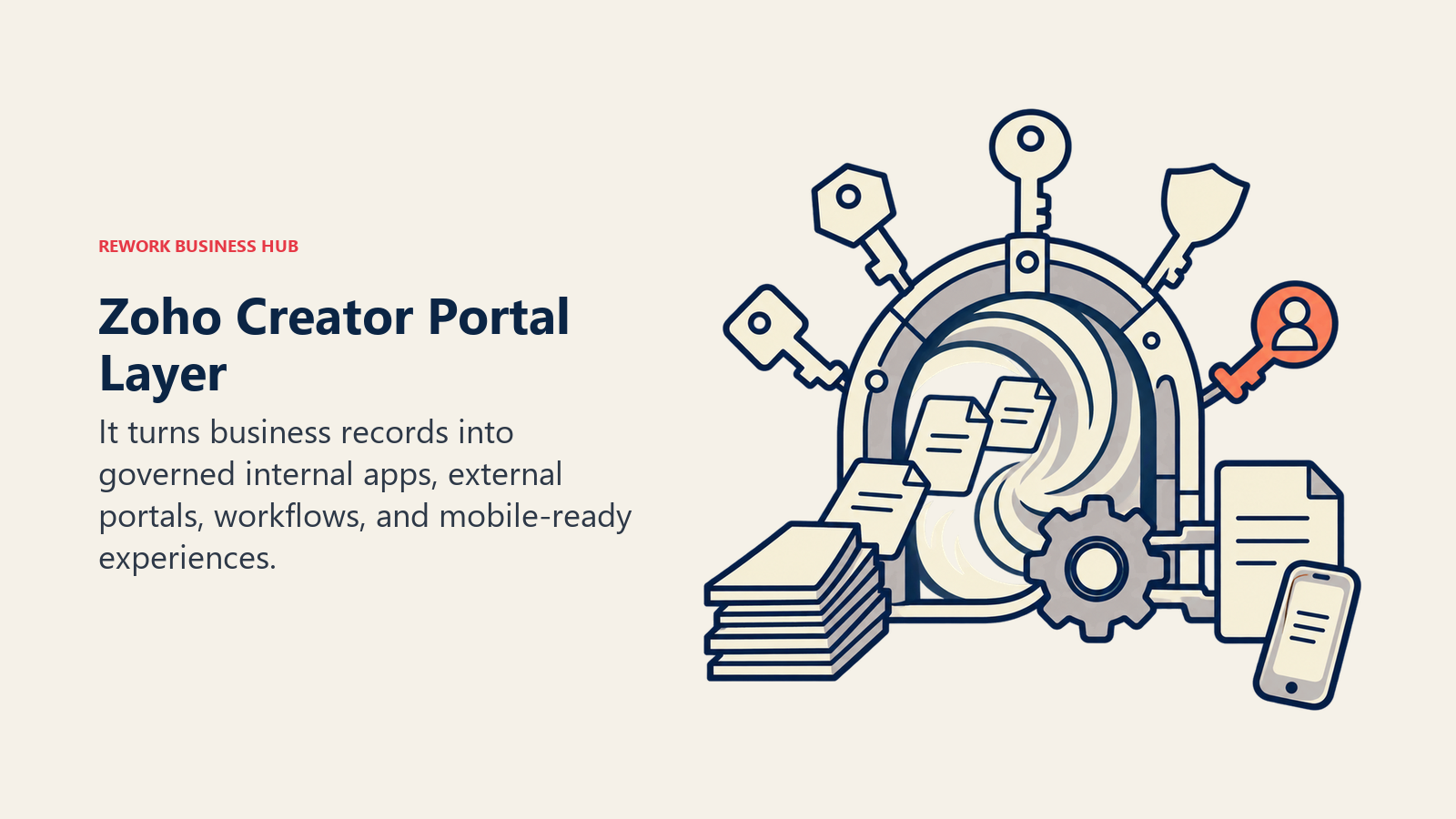
Creator builds a real app: forms, workflows, role-based logins for customers, vendors, or field staff, scripted logic in Deluge, and mobile apps generated from the same definition. Its strongest case is a company already standardized on Zoho, because Creator reads and writes Zoho CRM, Books, Desk, and People records natively, turning a portal project from an integration exercise into a configuration one. The caveats: the builder feels dated, Deluge is a proprietary language your team will use nowhere else, and current pricing needs confirming with Zoho. Get a written quote. Teams weighing the heavier compliance-oriented options should read best Caspio alternatives alongside this.
| Pros | Cons |
|---|---|
| Real portal logins with role-based access for outside users | Builder interface feels dated |
| Native access to Zoho CRM, Books, Desk, and People data | Deluge scripting is proprietary and non-transferable |
| Generated mobile apps from the same app definition | Public pricing page did not render prices in August 2026 |
| Strong value if you are already inside the Zoho suite | Weak fit if you use nothing else from Zoho |
Pricing: Zoho Creator's public pricing page lists Standard, Professional, Enterprise, and a custom Flex plan, plus a free edition limited to one app and a 15-day Professional trial. Third-party listings (reported) put Standard at around $8 per user per month, Professional at around $20, and Enterprise at around $25, all billed annually, per Capterra's Zoho Creator pricing listing. Confirm with Zoho before you budget.
Best for: Companies of 10 to 500 already running Zoho who need a permissioned app or portal rather than another internal grid.
10. Directus - the database-native option for teams going the other way
Not everyone leaving Baserow is moving up the abstraction ladder. Some teams realize what they wanted all along was their own Postgres database with a decent admin interface on top, and Directus is the cleanest expression of that. Point it at an existing SQL database, or let it create one, and it generates REST and GraphQL APIs, an admin app, role-based access control, and a flows engine over your real tables.
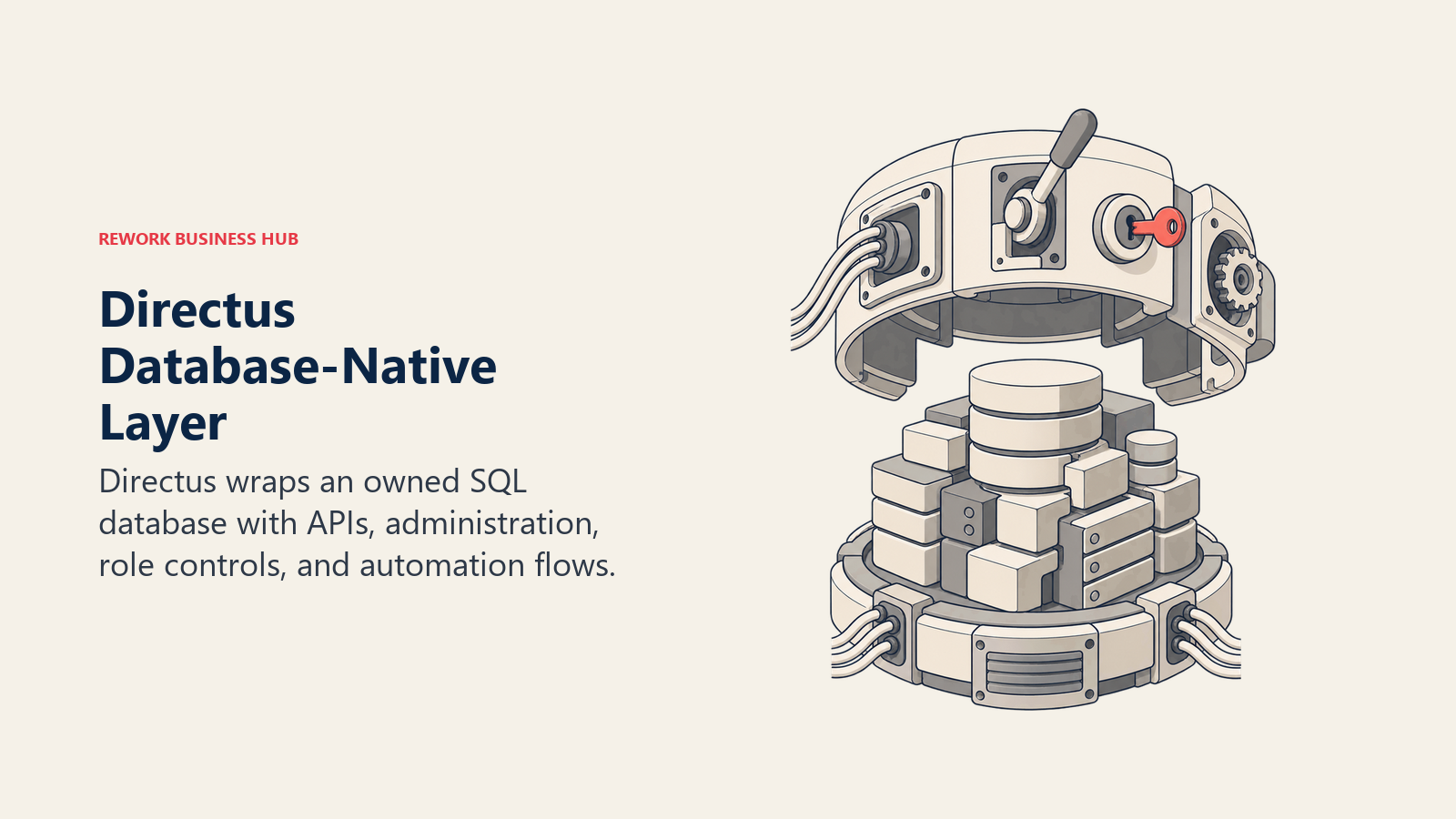
The philosophical difference is total. Baserow is a product that happens to store data. Directus is a layer over data you already own, with no opinion about your schema, so engineers write migrations normally and your application reads the same tables the ops team edits. Given that PostgreSQL is used by 58.2% of professional developers per the Stack Overflow survey, most teams considering this already have half the answer running. The trade is that Directus is a developer tool wearing a friendly interface: non-technical staff use the admin app happily once someone has modelled the collections and set permissions, but that someone must exist. The Team tier is also a flat platform fee, excellent value at 30 seats and poor at 5.
| Pros | Cons |
|---|---|
| Wraps any SQL database, with no schema opinions imposed | Needs a technical owner to model collections and roles |
| Auto-generated REST and GraphQL APIs over real tables | Flat Team fee is expensive for very small teams |
| Self-hosting is free, matching the Baserow posture | Not a spreadsheet-style tool, so the mental model differs |
| Open Innovation Grant removes cost for small companies | Core tier is capped at 3 user seats |
Pricing: Core is free at $0 per month with 3 user seats, 25 collections, and 5 flows, self-hosted or cloud. Team is $499 per month billed annually ($5,988 a year) or $599 billed monthly, with 10 SSO seats, 50 collections, and 20 flows, plus additional seats at $50 per seat per month. Enterprise is custom. Cloud hosting is a $99 per month add-on on Core and Team. Directus also runs an Open Innovation Grant giving fully permissive access at no software cost to organizations under $5 million in annual revenue with fewer than 50 employees, per Directus pricing.
Best for: Product and platform teams of 5 to 200 who want to own the database outright and put a maintained admin layer on top.
11. Budibase and Appsmith (adjacent) - when you needed an interface builder
These two belong on the shortlist only if you have at least one developer, and they are labelled adjacent because they are not no-code databases at all. They are low-code internal tool builders: drag components onto a canvas, connect any data source, then write SQL and JavaScript to make it behave. Both self-host, both have genuine open-source editions, and both remove the ceiling on logic entirely.
Teams end up here for one of two reasons. The grid was never the right interface, and warehouse staff or field technicians needed a purpose-built screen with three buttons rather than a table with forty columns. Or the data lives across four systems and no single-source tool can see all of it. Budibase leans self-hosted and cheap; Appsmith leans toward a cleaner commercial upgrade path. Keep Baserow as the data store, add one of these as the interface, and you have closed the gap without a migration at all.
| Tool | Model | Pricing | Best for |
|---|---|---|---|
| Budibase | Open source core, commercial cloud | Open-source self-hosted is free with unlimited actions and users on 1 workspace. Pro is $19/mo (1 creator), Premium $49/mo (10 workspaces, SSO, custom branding), Business $299/mo (3 creators). Budibase lists the same headline price on monthly and yearly billing, while its own page notes that monthly values are calculated as the yearly price plus 20%, so confirm the billed amount on your quote. Extra creators $50/creator/mo, end users $5/user/mo, per Budibase pricing | Self-hosted internal apps on a small budget |
| Appsmith | Open source, commercial cloud and enterprise | Free on cloud up to 5 users with 5 workspaces and 3 Git repos. Business is $15/user/mo up to 99 users. Enterprise starts at $2,500/mo for 100 users. The self-hosted community edition is free, per Appsmith pricing | Teams wanting open source with a clean commercial upgrade |
Best for: Teams of 20 to 1,000 with engineering support, especially where the real gap was the interface rather than the database.
Self-Hosted vs Cloud
You made this decision once when you chose Baserow. Worth revisiting it honestly before you make it again.
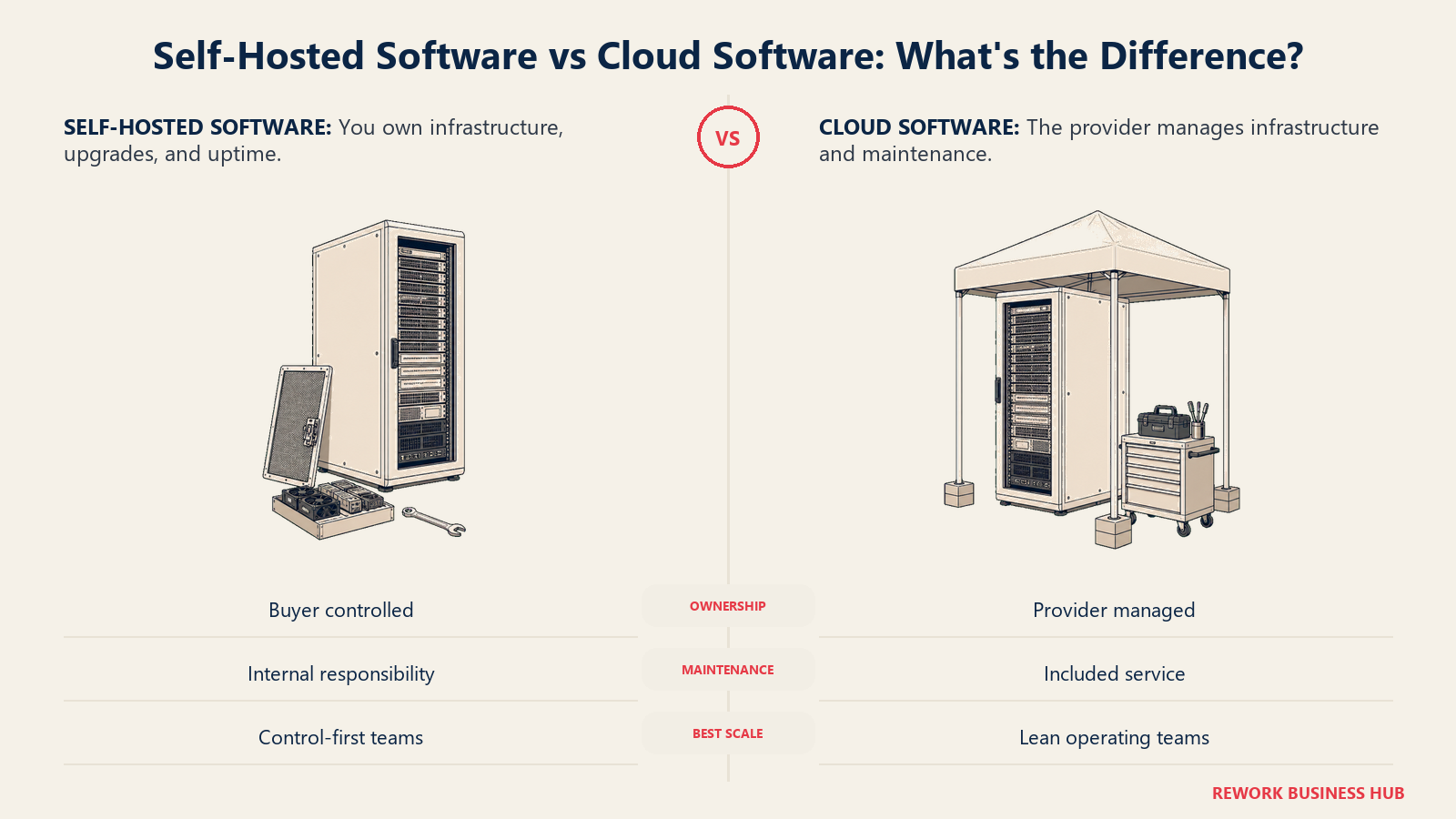
| Factor | Cloud (Airtable, SmartSuite, Stackby, Notion, Ninox, Zoho Creator) | Self-hosted (NocoDB, Teable, Grist, Directus, Budibase, Appsmith) |
|---|---|---|
| Cost model | Per seat, scales with headcount | Infrastructure plus maintainer time, flat as you grow |
| Row and record limits | Hard caps by tier | Bounded only by your hardware |
| Data residency | Vendor regions, EU options vary by tier | Wherever you put the server |
| Setup time | Minutes | Hours to days, plus ongoing patching |
| Security patches | Vendor handles it | You handle it, on a schedule you enforce |
| Compliance evidence | Vendor certifications you hand to auditors | Your own controls, which you must document |
| Support | Included, tiered by plan | Community, unless you buy a commercial licence |
| Break-even | Best below roughly 20 to 25 seats | Usually wins above roughly 30 seats, with an owner |
The rule that matters: self-host only if a named person owns the upgrade schedule. Most teams leaving Baserow are not leaving because the product failed. They are leaving because whoever set it up moved on and nobody inherited the runbook. A different open-source tool under the same arrangement just resets that clock.
Migration Effort
Effort assumes a single Baserow workspace of moderate size, moved by someone who knows the data.
| Target | Import path | What survives | What needs rebuilding | Typical effort |
|---|---|---|---|---|
| Airtable | CSV per table, then relink | Fields, records, most field types | Link fields, formulas, all automations | 1 to 2 days |
| SmartSuite | CSV import with a field mapper | Fields, records, basic structure | Automations, permissions, status workflows | 1 to 2 days |
| Stackby | CSV import per stack | Fields and records | Formulas, automations, API columns | Half a day |
| NocoDB | Point at a database, or CSV import | Everything, if you move to SQL first | Views and any Baserow-side automations | 1 to 3 days (technical) |
| Teable | CSV import, or direct Postgres load | Fields, records, table relationships | Automations, view configuration | 1 to 2 days |
| Grist | CSV import per document | Fields and records | Formulas rewritten in Python, access rules | 2 to 3 days |
| Notion | CSV import per database | Records and simple fields | Relations, rollups, formulas, automations | 1 day, plus cleanup |
| Ninox | CSV import, or built-in importers | Fields and records | Scripts, triggers, document templates | 2 to 4 days |
| Zoho Creator | CSV or Zoho-native import | Records | The entire app layer, by design | 1 to 3 weeks |
| Directus | Load into Postgres, then introspect | Everything, once the schema is right | Collections, roles, flows, interface config | 3 to 5 days (technical) |
| Budibase or Appsmith | Connect to your existing data source | Nothing moves, the data stays put | Every screen, which is the point | 3 to 10 days (technical) |
The number that surprises people is Zoho Creator. Moving to an application platform is a build, not a data migration. Budget it as a project.
When Baserow Is Still the Right Answer
Plenty of teams run this comparison and correctly decide to stay. Baserow is genuinely good at the job it was built for, and switching costs are real.
Keep it if you self-host and the row count is what would otherwise cost you money. The hosted plans do cap you (Free at 3,000 rows per workspace, Premium at 50,000 for $10 per user per month billed yearly, Advanced at 250,000 for $18, per Baserow's pricing page), but on your own server there is no row ceiling, no per-editor seat fee, and no vendor negotiation when you add fifteen people. A 60-person team on a self-hosted instance pays infrastructure plus a maintainer's attention, very often less than $20 per seat per month elsewhere. Keep it too if data residency is a hard requirement and you have the operational muscle: an Airtable-shaped product, on hardware you choose, under a licence you can read. With 63% of European and UK organizations now citing vendor lock-in as a driver for open source, per the OpenLogic report, that posture is getting more valuable rather than less.
And keep it if the gap has a cheaper fix than a migration. Weak automation is usually solvable by pointing an external automation tool at Baserow's webhooks and API, and a missing interface by putting Budibase or Appsmith in front of the same data. Both are a week of work, where a migration is a quarter of distraction, and the project management software evaluation discipline applies here too: change the tool only when the tool is the actual constraint. Where Baserow genuinely runs out is portal accounts for external users, deep automation without a second tool, a document layer, and a large integration ecosystem. Those four are product-shape decisions, not roadmap gaps you can wait out.
How to Choose: Decision Framework
Use this once you are down to two or three candidates, not before.
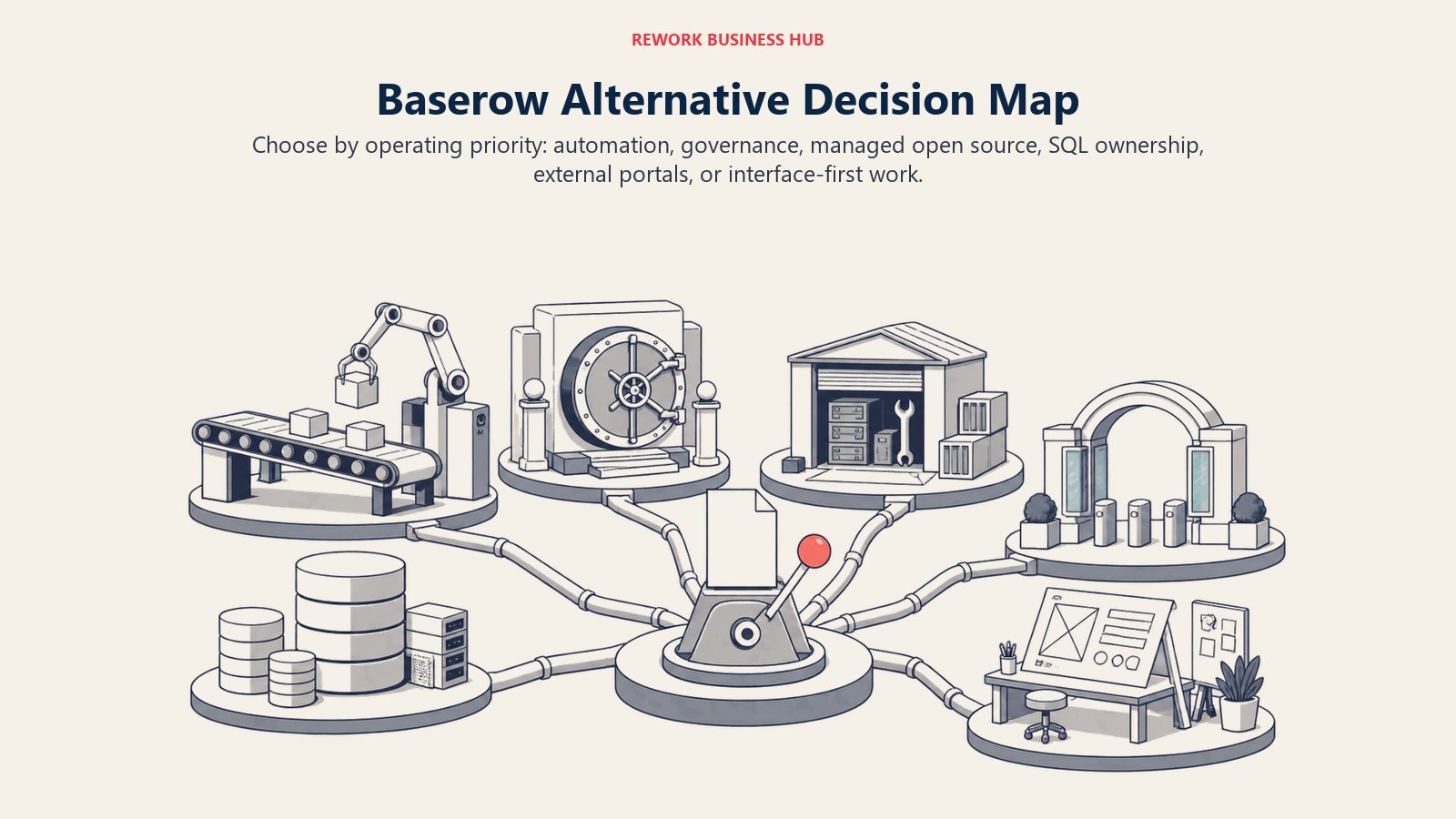
| If you need this... | Choose this | Why |
|---|---|---|
| The deepest automation and the biggest ecosystem | Airtable | Years more investment in the builder, plus Interfaces and scripting |
| Enforced process rather than a flexible canvas | SmartSuite | Status workflows, approvals, and permissions are built in |
| Live third-party data inside the grid, cheaply | Stackby | API-powered column types instead of automations |
| A managed plan without owning the server any more | Grist or NocoDB | Grist Community Edition stays open source; NocoDB is now source-available |
| Your data in real Postgres tables you can query | Teable or Directus | Genuine SQL tables, not a proprietary store |
| Permissions that survive a compliance review | Grist | Row-level and column-level access rules by user attribute |
| Documents and records in the same place | Notion | Databases attached to the wiki your team already reads |
| Managed hosting inside the EU | Ninox | Runs on AWS in Germany with a clean residency story |
| Logins for customers, vendors, or field staff | Zoho Creator | Real portal accounts with role-based rules, not shared views |
| A purpose-built screen instead of a grid | Budibase or Appsmith | Interface builders with SQL and JavaScript escape hatches |
| Unlimited rows at zero per-seat cost | Stay on self-hosted Baserow | Nothing here beats it on that specific axis |
Three mistakes account for most bad picks. Migrating over the automation gap when an external automation tool would have closed it for a fraction of the effort. Choosing another self-hosted tool without naming who owns patching, which reproduces the exact problem you are leaving. And confusing "our external users need access" with "we need a better database," when it actually means an application platform and a build budget. The no-code database buyer guide walks the evaluation criteria in order.
Frequently Asked Questions about Baserow Alternatives
What is the best Baserow alternative in 2026?
It depends on why you are leaving. Airtable and SmartSuite are the best picks if you need deeper automation and a bigger ecosystem, Grist is the best pick if you want a genuinely open-source licence without hosting it yourself, with NocoDB the equivalent if source-available terms are acceptable, and Zoho Creator is the best pick if you need real portal logins for people outside your company.
Is there a free alternative to Baserow?
Several. NocoDB's self-hosted community edition is free forever with unlimited records, seats, and storage, which is the most generous option here, though it now ships under a source-available licence rather than AGPL. Grist gives 5,000 records per document and 10 team members free, Teable gives 1,000 rows, Airtable gives 1,000 records per base, and Budibase's open-source self-hosted edition is free with unlimited actions and users.
What is the difference between Baserow and NocoDB?
Baserow is a database product that stores records in its own schema, so migrating in and out means importing and exporting. NocoDB is an interface layer that connects to a Postgres, MySQL, SQL Server, or SQLite database you already run, so there is only ever one copy of the data and your engineers keep control of the schema and migrations.
Why do teams leave Baserow?
The three common reasons are automation depth (the builder runs out before a real process does), self-hosting fatigue (whoever set up the instance left and nobody inherited patching), and a capability Baserow was never built for, such as portal logins for external users, a document layer, or a proper interface builder. Row limits are a distant fourth, because self-hosting removes them.
Can Baserow handle external user portals?
Not the way an application platform does. Baserow can share views publicly and grant workspace access to invited users, but it does not issue role-based portal accounts to customers or vendors with row-level rules on what each of them sees. If that is the requirement, Zoho Creator and the dedicated portal builders are the right category.
Is self-hosting Baserow cheaper than moving to a cloud alternative?
Usually yes above roughly 30 seats, and usually no below 20 to 25 seats. Self-hosting trades per-seat fees for infrastructure cost plus a named maintainer's time. The rule that matters is whether that person exists, because an unpatched self-hosted database is a worse outcome than a predictable monthly bill.
Which Baserow alternative is best for data residency in the EU?
If you want to keep self-hosting, NocoDB, Teable, Grist, Directus, Budibase, and Appsmith all have genuine self-hosted editions, so the server sits wherever you put it. If you want managed hosting inside the EU, Ninox runs on AWS in Germany and SmartSuite offers EU data residency on its Enterprise tier.
What to Do Next
Pick your two finalists from the decision framework, then run one test before you sign anything. Export your largest Baserow table, import it into both, and rebuild your three most-used views and your single most important automation on top of it. Give yourself an afternoon each, and watch what happens to link fields, formulas, date handling, and attachments.
That afternoon answers what the feature tables cannot. If you finish in two hours and everything works, you have your answer. And if you find yourself rebuilding a workflow Baserow was already handling fine, that is a signal to stay put, add an automation tool or an interface builder in front of the instance you already run, and spend the quarter on something that actually moves.
Related Resources:

Customer Success Operations Manager
On this page
- Key Facts
- Quick Comparison Table
- Why Teams Leave Baserow
- Sizing and Persona Table
- 1. Airtable - the automation and ecosystem ceiling Baserow has not reached
- 2. SmartSuite - Airtable's shape with more process built in
- 3. Stackby - live data in the column, at a small-team price
- 4. NocoDB - source-available, pointed at the database you already run
- 5. Teable - open source with real Postgres tables underneath
- 6. Grist - Python formulas and permissions that actually hold
- 7. Notion - when the missing piece was documents, not rows
- 8. Ninox - European hosting with a real scripting layer
- 9. Zoho Creator - the portal and app layer Baserow does not have
- 10. Directus - the database-native option for teams going the other way
- 11. Budibase and Appsmith (adjacent) - when you needed an interface builder
- Self-Hosted vs Cloud
- Migration Effort
- When Baserow Is Still the Right Answer
- How to Choose: Decision Framework
- What to Do Next