More in
Productivity Tech News
Half of U.S. Workers Now Use AI on the Job: The Operating Model COOs Need for the Post-Pilot Era
Apr 17, 2026
Notion Now Searches Your Salesforce Data: What Cross-Tool AI Means for How Operations Teams Work
Mar 20, 2026 · Currently reading
You Can Now Give Notion a 20-Minute Task and Walk Away: What That Means for How You Lead
Mar 17, 2026
Notion Custom Agents Are Free Until May 3: How COOs Should Run a 3-Week Evaluation
Mar 13, 2026
Atlassian Cut 900 R&D Roles: What Operations Leaders Need to Assess Before Renewal
Mar 10, 2026
You Can Now Hire AI Agents for Your Monday.com Workspace: What That Means for How COOs Evaluate Work Management Platforms
Feb 6, 2026
ClickUp Wants to Replace Your PM Tool, Your Slack, and Your Zoom: Is the Everything App Bet Worth It?
Jan 30, 2026
Monday.com Lost 19% in One Day Over AI Agents: What That Signals About SaaS Pricing and Your Next Renewal
Jan 29, 2026
Monday.com vs. Asana in 2026: The AI Architecture Decision That Should Drive Your Platform Choice
Jan 16, 2026
AI Meeting Context vs. Your Notion Workspace: Do Teams Actually Need Both in 2026?
Jan 13, 2026
Notion Now Searches Your Salesforce Data: What Cross-Tool AI Means for How Operations Teams Work
Turn this article into takeaways for your work.


Each assistant summarizes the article only for you and suggests best practices for your work.
One of the more persistent friction points in operations teams that use both a knowledge management tool and a CRM is the context-switch tax. A project manager preparing a client review opens Notion for the project history, flips to Salesforce for the deal context, back to Notion to update the brief, back to Salesforce to check recent activity. That loop happens dozens of times a day, mostly invisibly, because each switch is small. But accumulated across a team, it adds up to a measurable amount of time spent navigating rather than working, a pattern well documented in research on team productivity and focus.
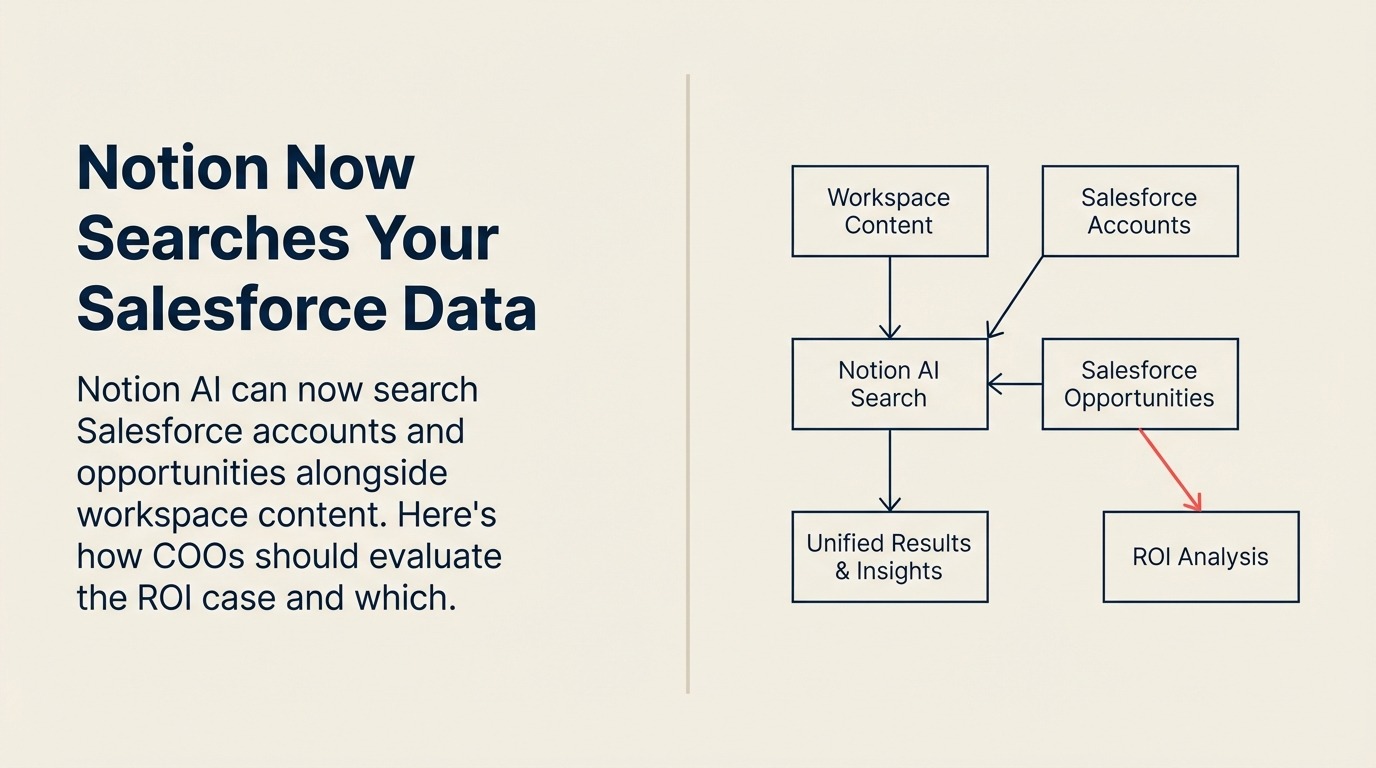
Notion's February 2026 update addresses this directly. According to Notion's release notes from January 2026, Notion AI can now search Salesforce data, including accounts, leads, opportunities, and contacts, alongside Notion workspace content in a single query. You ask one question and get results from both systems without opening two browser tabs.
This isn't a theoretical integration. For COOs whose teams live in both Notion and Salesforce, it's a concrete time-recovery opportunity, provided you evaluate it accurately rather than either overstating or dismissing it.
What Notion AI Can Now Do
The Salesforce search integration is part of a broader set of updates to Notion AI that have arrived over the past several months. The more significant capability, also from Notion's release notes, is the AI Agent, now capable of performing autonomous, multi-step knowledge work for up to 20 minutes without human intervention.
A user assigns a goal: research the top five competitors, build a comparison table, and draft a strategy document in the workspace. The agent works through it independently, across hundreds of pages if necessary, and delivers a completed output. The 20-minute autonomous window is a meaningful threshold. It covers the kind of research and synthesis tasks that typically take a junior team member an hour or more when interrupted by other work.
The Salesforce integration and the autonomous agent capability compound each other. An operations team running a client review process can now instruct Notion AI to pull the current deal status from Salesforce, pull the project timeline from Notion, and build a combined briefing document without a human doing the cross-tool lookup work in between.
Other updates in the same release window include AI image generation directly in pages, one-tap voice note transcription with automatic action item extraction on mobile, and enterprise AI usage analytics for admins. That last one deserves separate attention.
Enterprise AI Analytics: Why This Matters for COOs
Enterprise and Business plan admins can now see who uses Notion AI, which specific features drive the most engagement, and where AI produces measurable output. This is new. Most AI tools in this category have been black boxes from a management visibility standpoint. You could enable them and hope adoption followed, but you couldn't easily see whether the investment was landing. Having visibility into those numbers is the starting point for a real AI productivity ROI assessment.
For a COO who approved a Notion Business or Enterprise subscription partly on the AI use case, usage analytics change the ROI conversation from qualitative ("our team says it's useful") to quantitative ("here's where AI interactions are highest, and here's where they're not being used at all").
This is also a useful signal for identifying internal AI adoption gaps. If one department is generating three times the AI interactions of another, that's a coaching opportunity. Either the high-adoption team has figured out workflows others haven't, or the low-adoption team has legitimate reasons for avoidance worth understanding.
The Honest Constraints
Two things worth flagging before building plans around the Salesforce integration.
First, it requires Notion Business or Enterprise. The AI features, including the Salesforce connector, aren't available on lower tiers. If your team is on the Plus plan, this isn't accessible without an upgrade, and the pricing gap between plans is meaningful at scale. Evaluate the feature assuming the cost of the appropriate plan tier.
Second, "Salesforce integration" means the depth of data available is determined by how your Salesforce instance is configured and what permissions Notion's connector is granted. A clean, well-maintained Salesforce setup with appropriate API permissions will deliver the most useful cross-tool search results. An instance with inconsistent data hygiene will surface inconsistent results. The integration's value is partially dependent on the quality of your existing Salesforce data practices.
Neither constraint makes the capability less interesting. Both should be in the evaluation before you promise operational improvements to your team.
A Workflow Audit Framework for COOs
To make the ROI case concrete, identify the workflows in your operations team that currently require humans to act as bridges between Notion and Salesforce. Here's how to scope that audit:
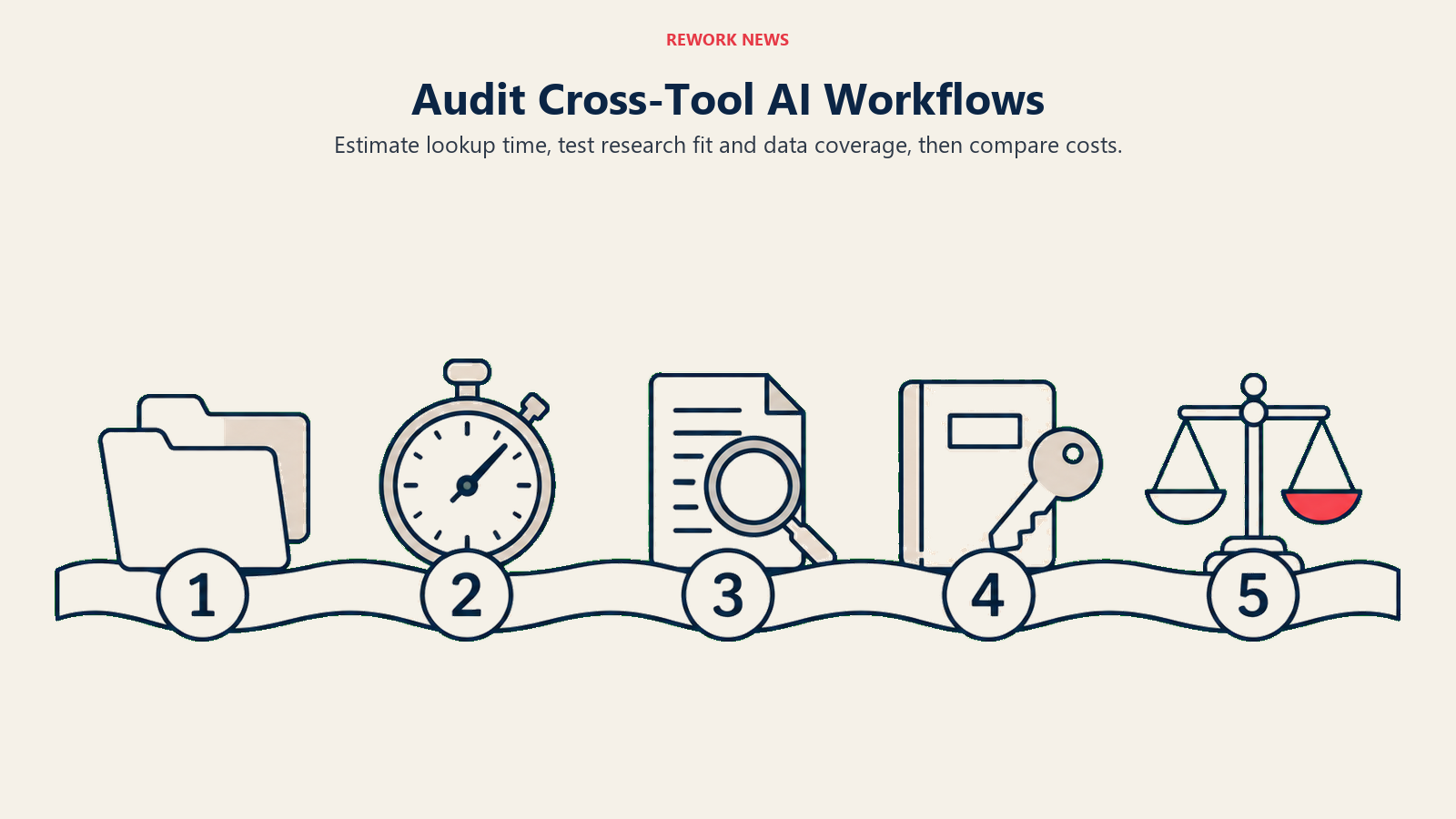
1. List every workflow that requires opening both Notion and Salesforce in the same session. Account reviews, proposal preparation, onboarding kickoffs, client escalation documentation, QBR preparation: any workflow where someone routinely needs to check Salesforce context while working in a Notion document. These are the primary candidates for time recovery.
2. Estimate how many minutes the cross-tool lookup adds per instance. It doesn't need to be precise. A rough average is sufficient. Multiply by frequency per week and by team size. That's the upper bound on time that could be recovered. The realistic recovery is lower, but it gives you a number to work with.
3. Identify which of those workflows are also research-heavy. The AI Agent's 20-minute autonomous window is most valuable on tasks that combine information gathering, synthesis, and document creation. Workflows that are primarily data entry or approval routing don't benefit from the agent capability in the same way.
4. Check whether those workflows use the specific Salesforce objects the integration supports. The current integration surfaces accounts, leads, opportunities, and contacts. If your key workflows require custom Salesforce objects or data types not in that list, the integration's coverage is narrower.
5. Map the cost of the plan upgrade required against the estimated time recovery. Time recovered has a dollar value based on your team's fully loaded cost. If the monthly upgrade cost is less than 10 to 15% of the estimated time value recovered, the math is favorable. Run this with real numbers from your team size and compensation data.
What Notion's Direction Signals More Broadly
The Salesforce integration is one of several moves by Notion to position itself as a cross-system intelligence layer rather than just a documentation tool. The pattern, pulling data from connected systems, processing it in context, and surfacing it alongside your own content, is where a lot of the near-term value in enterprise AI will land. It's a specific instance of the broader challenge of integrating AI tools with existing systems, one that most operations teams will face regardless of which platform they use.
For COOs, the relevant question isn't whether this specific integration is impressive. It's whether your team's workflow structure is set up to take advantage of AI that can work across tool boundaries. Teams with consistent Notion workspace organization, clean Salesforce data hygiene, and clear documentation habits will get more from this than teams where both systems are inconsistently maintained.
The integration is a capability multiplier. The underlying asset it multiplies is your team's existing documentation and data practices.
What to Do This Week
Identify three workflows your operations team currently runs that require switching between Notion and Salesforce. Write down the steps, the frequency, and a rough estimate of the time cost per instance. That list is the foundation of your evaluation case, whether you're deciding to upgrade, pilot the integration, or simply keep it on your radar for the next budget cycle.
If you're already on Notion Business or Enterprise, you can enable the Salesforce connector and test it against those three workflows before committing to any process change. Give it two weeks with real tasks, not demo scenarios. The result will tell you more than a vendor comparison chart. For the team leads running those same workflows day-to-day, see the companion piece on how Notion's 20-minute AI Agent changes delegation habits.
Learn More
- Notion Custom Agents Are Free Until May 3: 3-Week Evaluation Guide: Running a structured agent trial before committing to Notion's paid agent tier
- Your Meetings Are Now a Programmable Data Source: How meeting context connects to the same cross-tool AI picture Notion is building toward
- CRM Workflow Automation: Ensuring Salesforce workflows are clean before Notion agents query them
- Coordination Cost in Operations: The operational problem cross-tool AI integration is designed to solve
