Daftar Risiko: Apakah Ia dan Cara Membinanya (Templat)
Turn this article into takeaways for your work.


Each assistant summarizes the article only for you and suggests best practices for your work.
Daftar risiko ialah dokumen yang mengubah kebimbangan projek yang samar-samar menjadi senarai berstruktur yang boleh diurus. Setiap projek mempunyai risiko. Persoalannya ialah sama ada risiko tersebut berada dalam fikiran seseorang atau dalam dokumen yang dikongsi di mana seluruh pasukan boleh bertindak ke atasnya.
Apakah daftar risiko?
Daftar risiko ialah alat pengurusan projek yang merekodkan risiko yang dikenal pasti, skor kebarangkalian dan kesannya, pemilik yang ditetapkan, dan strategi tindak balas yang dirancang dalam satu dokumen yang dikongsi. Ia kadangkala dipanggil log risiko, walaupun kedua-dua istilah ini pada asasnya boleh digunakan secara bergantian dalam amalan.
Daftar ini tidak menghapuskan risiko. Ia menjadikan risiko kelihatan, supaya pasukan Anda boleh memutuskan risiko mana yang perlu dikurangkan, mana yang perlu dipantau, dan mana yang perlu diterima sahaja. Risiko yang telah Anda dokumentasikan ialah risiko yang boleh Anda urus. Risiko yang hanya berada dalam ingatan seseorang ialah tarikh akhir yang menunggu untuk meledak.
Fakta Utama
- Projek dengan amalan pengurusan risiko aktif adalah 2.5 kali lebih berkemungkinan untuk memenuhi matlamat mereka berbanding mereka yang tidak (PMI Pulse of the Profession, 2023).
- Pengurusan risiko yang lemah adalah punca paling biasa kedua kegagalan projek, disebut oleh 39% profesional projek di seluruh dunia (PMI, 2024).
- Organisasi yang mengurus risiko secara proaktif membazirkan 13 kali lebih sedikit wang berbanding mereka yang tidak (PMI Pulse of the Profession, 2023).
Apa yang terdapat dalam daftar risiko (lajur)
Daftar risiko berfungsi paling baik apabila setiap lajur mempunyai tujuan yang jelas. Berikut ialah medan standard dan fungsi setiap satunya.
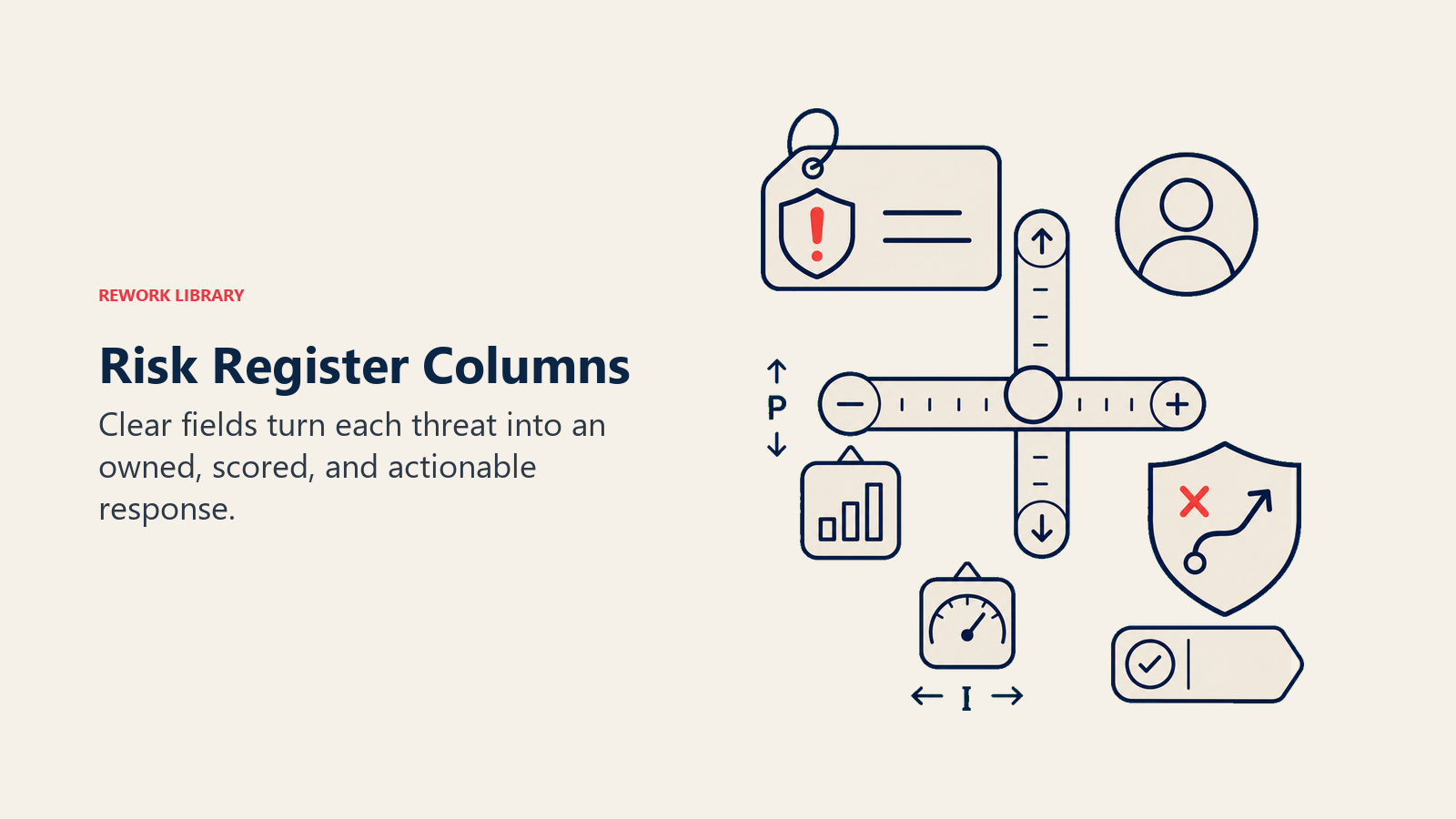
| Lajur | Tujuan | Contoh |
|---|---|---|
| ID Risiko | Pengecam unik untuk merujuk risiko dalam mesyuarat dan laporan | R-001, R-002 |
| Penerangan | Kenyataan bahasa mudah tentang apakah risiko dan mengapa ia penting | "Kontraktor luar negara utama mungkin tidak tersedia selepas Ogos akibat kelewatan pembaharuan visa" |
| Kategori | Jenis risiko: Teknikal, Sumber, Jadual, Belanjawan, Luaran, Pematuhan | Sumber |
| Kebarangkalian | Kemungkinan risiko berlaku: Rendah / Sederhana / Tinggi (atau skala 1-5) | Tinggi |
| Kesan | Keterukan jika risiko berlaku: Rendah / Sederhana / Tinggi (atau skala 1-5) | Tinggi |
| Skor Risiko | Kebarangkalian didarab dengan kesan, digunakan untuk keutamaan | 9 (3x3) |
| Pemilik | Individu bernama yang bertanggungjawab untuk memantau dan bertindak balas terhadap risiko ini | Alex Kim |
| Strategi Tindak Balas | Cara pasukan merancang untuk mengendalikannya: Elak, Kurangkan, Pindah, Terima | Kurangkan: kenal pasti kontraktor sandaran menjelang Julai |
| Status | Keadaan semasa risiko: Terbuka, Dalam Proses, Ditutup, Diterima | Terbuka |
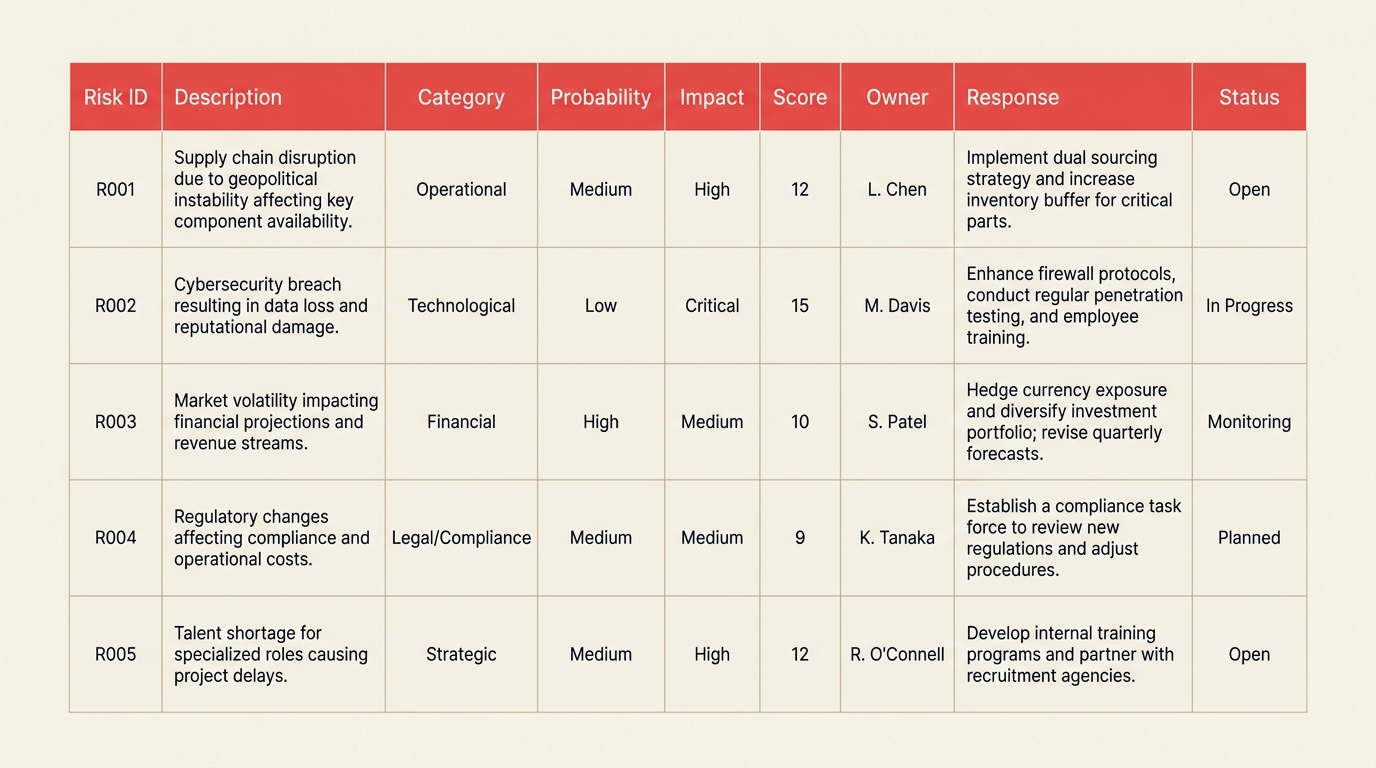
Berikut ialah rupa daftar risiko yang diisi dengan beberapa baris yang realistik:
| ID Risiko | Penerangan | Kategori | Kebarangkalian | Kesan | Skor | Pemilik | Tindak Balas | Status |
|---|---|---|---|---|---|---|---|---|
| R-001 | Penghantaran perkakasan vendor tertangguh akibat gangguan rantaian bekalan | Luaran | Tinggi | Tinggi | 9 | Alex Kim | Cari vendor sandaran; semakan mingguan dengan vendor utama | Terbuka |
| R-002 | Peningkatan belanjawan jika kadar pertukaran berubah lebih 8% | Kewangan | Sederhana | Sederhana | 4 | Priya Sharma | Kunci harga kontrak tahunan sebelum S3 | Terbuka |
| R-003 | Pembangun utama berhenti sebelum pembekuan ciri | Sumber | Rendah | Tinggi | 3 | Jamie Lee | Latih silang pembangun kedua pada modul kritikal | Diterima |
| R-004 | Kelulusan kawal selia lewat melebihi go-live yang dirancang | Pematuhan | Sederhana | Tinggi | 6 | Sam Torres | Serahkan pakej pematuhan 6 minggu lebih awal | Dalam Proses |
| R-005 | Persekitaran ujian integrasi tidak tersedia mengikut jadual | Teknikal | Tinggi | Sederhana | 6 | Morgan Reyes | Tempah persekitaran sandaran; tingkatkan kepada ketua IT | Terbuka |
Lajur Skor Risiko ialah enjin keutamaan Anda. Risiko yang mendapat skor 6 atau lebih biasanya berada dalam agenda mingguan Anda. Risiko yang mendapat skor 3 atau ke bawah boleh dipindahkan ke senarai pantauan melainkan sesuatu berubah.
Daftar risiko berbanding log risiko berbanding log RAID
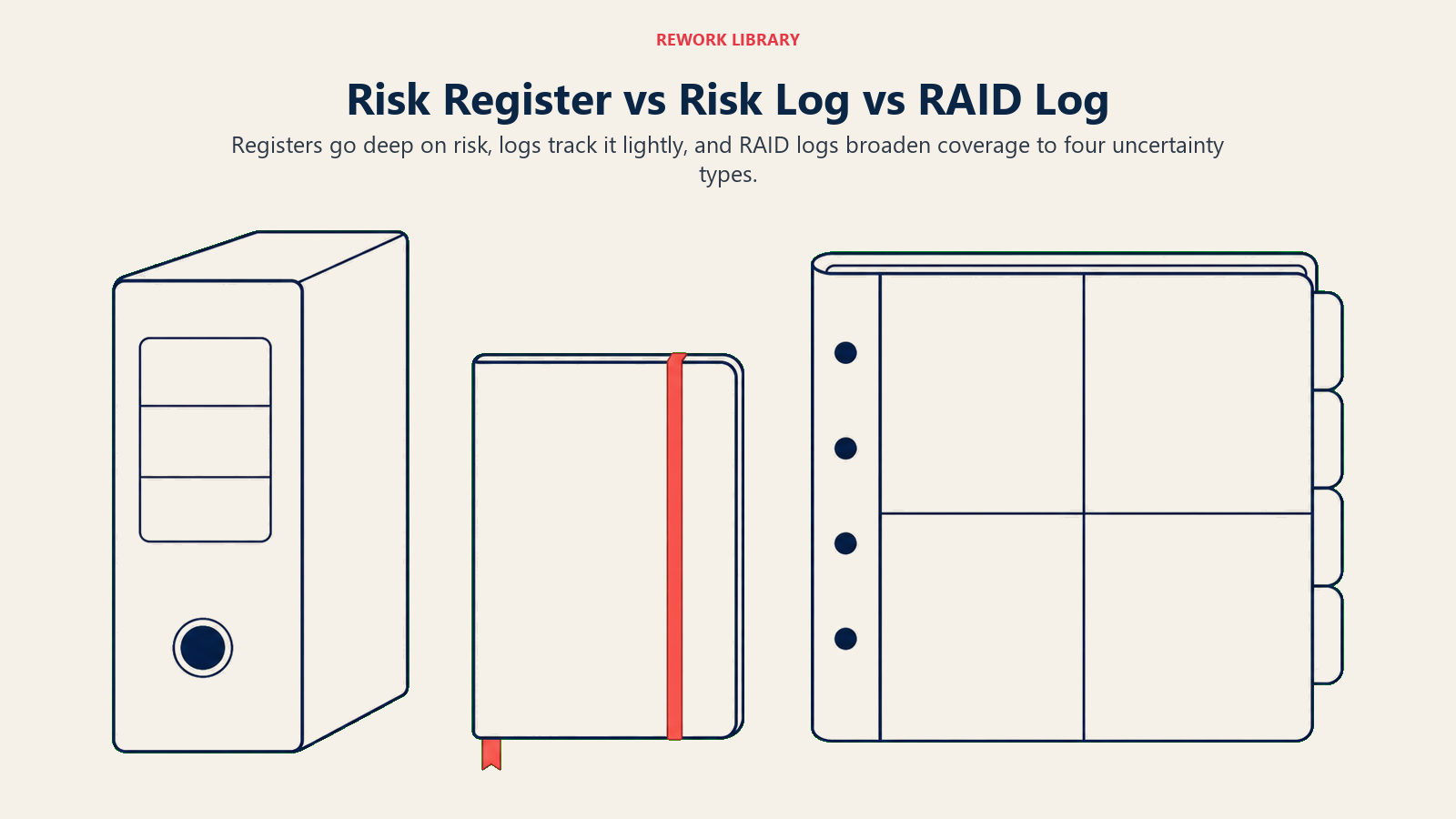
Istilah-istilah ini bertindih lebih daripada sepatutnya, yang mewujudkan kekeliruan sebenar dalam pasukan projek. Berikut ialah perbandingan yang jelas.
| Daftar Risiko | Log Risiko | Log RAID | |
|---|---|---|---|
| Skop | Risiko sahaja | Risiko sahaja | Risiko, Andaian, Isu, Kebergantungan |
| Kedalaman | Mendalam: kebarangkalian, kesan, skor, pelan tindak balas | Sederhana: menjejak status dan pemilik | Sederhana: satu dokumen merentasi empat kategori |
| Terbaik untuk | Program besar, industri kawal selia, projek berisiko tinggi | Penjejakan ringan untuk projek kecil | Kebanyakan pasukan projek; liputan luas di satu tempat |
| Kekerapan kemas kini | Bulanan atau dipacu peristiwa | Mingguan | Mingguan dalam mesyuarat status |
Dalam amalan, "daftar risiko" dan "log risiko" digunakan secara bergantian dalam kebanyakan pasukan. Perbezaan bermakna ialah antara daftar risiko yang berdiri sendiri (risiko sahaja, dengan kedalaman penuh) dan log RAID, yang merangkumi risiko bersama andaian, isu, dan kebergantungan dalam satu dokumen pada kedalaman sederhana.
Bagi kebanyakan pengurus projek, log RAID ialah titik permulaan yang betul. Daftar risiko masuk akal apabila projek Anda cukup besar, atau cukup dikawal selia, sehingga kategori risiko sahaja memerlukan dokumen khusus sendiri dengan analisis kebarangkalian-kesan penuh.
Manfaat daftar risiko
Ia mendedahkan risiko sebelum ia menjadi krisis. Proses membina daftar risiko memaksa pasukan untuk memikirkan apa yang boleh salah sebelum apa-apa sebenarnya berlaku. Pasukan yang menjalankan latihan ini pada permulaan projek mengesan masalah berminggu atau berbulan lebih awal berbanding pasukan yang tidak.
Ia mewujudkan bahasa bersama untuk ketidakpastian. Apabila semua orang dalam pasukan boleh menunjuk kepada daftar risiko yang sama, "saya bimbang tentang jadual vendor" menjadi "R-001 dinilai Tinggi/Tinggi dan Alex memiliki mitigasi." Ketepatan itu mengubah cara perbualan berlangsung dalam mesyuarat status.
Ia memberikan pengurus projek sesuatu untuk ditunjukkan. Apabila penaja bertanya mengapa tarikh penghantaran tergelincir, daftar risiko menunjukkan sama ada peristiwa itu telah dilog, siapa pemiliknya, dan sama ada pelan mitigasi telah diikuti. Itu bukan sekadar bertahan. Itulah cara pasukan projek membina kredibiliti dari masa ke masa.
Ia menghubungkan risiko kepada struktur pecahan kerja. Setelah risiko didokumentasikan, Anda boleh menjejaki aliran kerja mana yang menanggung pendedahan paling banyak. Itu memaklumkan cara Anda memperuntukkan penampan dalam jadual dan di mana Anda menugaskan orang terkuat Anda.
Ia menyuburkan analisis pihak berkepentingan yang lebih baik. Mengetahui risiko mana yang mempengaruhi pihak berkepentingan mana membantu Anda memutuskan siapa yang perlu dimaklumkan, siapa yang perlu dirunding, dan siapa yang mempunyai kuasa untuk meluluskan pelan tindak balas.
Kesilapan biasa
Merekod risiko sekali dan tidak pernah mengkajinya semula. Daftar risiko yang tidak dikaji secara berkala menjadi rekaan. Status risiko berubah. Risiko baharu muncul. Pemilik pergi. Jadualkan slot tetap dalam mesyuarat status mingguan Anda untuk semakan risiko 10 minit, atau dokumen itu akan hanyut.
Menggunakan penerangan yang samar-samar. "Risiko komunikasi" bukan risiko. "Pihak berkepentingan pelanggan belum mengesahkan kelulusan dokumen skop, dan projek tidak boleh beralih ke fasa pembinaan tanpanya" ialah risiko. Bersikap cukup spesifik supaya seseorang yang tidak hadir semasa risiko dilog memahami dengan tepat apa yang dipertaruhkan.
Menetapkan risiko kepada pasukan dan bukannya individu. "Pasukan IT" bukan pemilik. Seorang individu bernama ialah pemilik. Orang itu memantau risiko, meningkatkan jika perlu, dan mengemas kini status pada setiap semakan. Pasukan tidak boleh dipertanggungjawabkan. Seseorang boleh.
Menilai segalanya sebagai Tinggi. Apabila setiap risiko adalah 9, tiada yang 9. Kalibrasi skor Anda dengan jujur. Daftar yang dinilai dengan baik membolehkan Anda menumpukan tenaga pada risiko yang benar-benar penting. Daftar yang penuh dengan 9 mewujudkan hingar dan membakar perhatian pada perkara yang tidak mewajarkannya.
Menganggap daftar sebagai artifak pematuhan. Sesetengah pengurus projek membina daftar risiko kerana rangka kerja tadbir urus projek memerlukannya, kemudian tidak pernah membukanya lagi. Daftar risiko hanya memperoleh manfaatnya jika ia adalah dokumen hidup dalam penggunaan aktif.
Lupa menutup risiko yang diselesaikan. Apabila risiko dikurangkan atau dielakkan, tutupnya dengan nota tentang apa yang berlaku. Entri tertutup tersebut menjadi pengetahuan institusi untuk projek serupa seterusnya.
Cara membina daftar risiko
Membina daftar ialah satu urutan: kenal pasti risiko dahulu, nilai dengan konsisten, kemudian tetapkan pemilikan dan rancangan tindak balas.
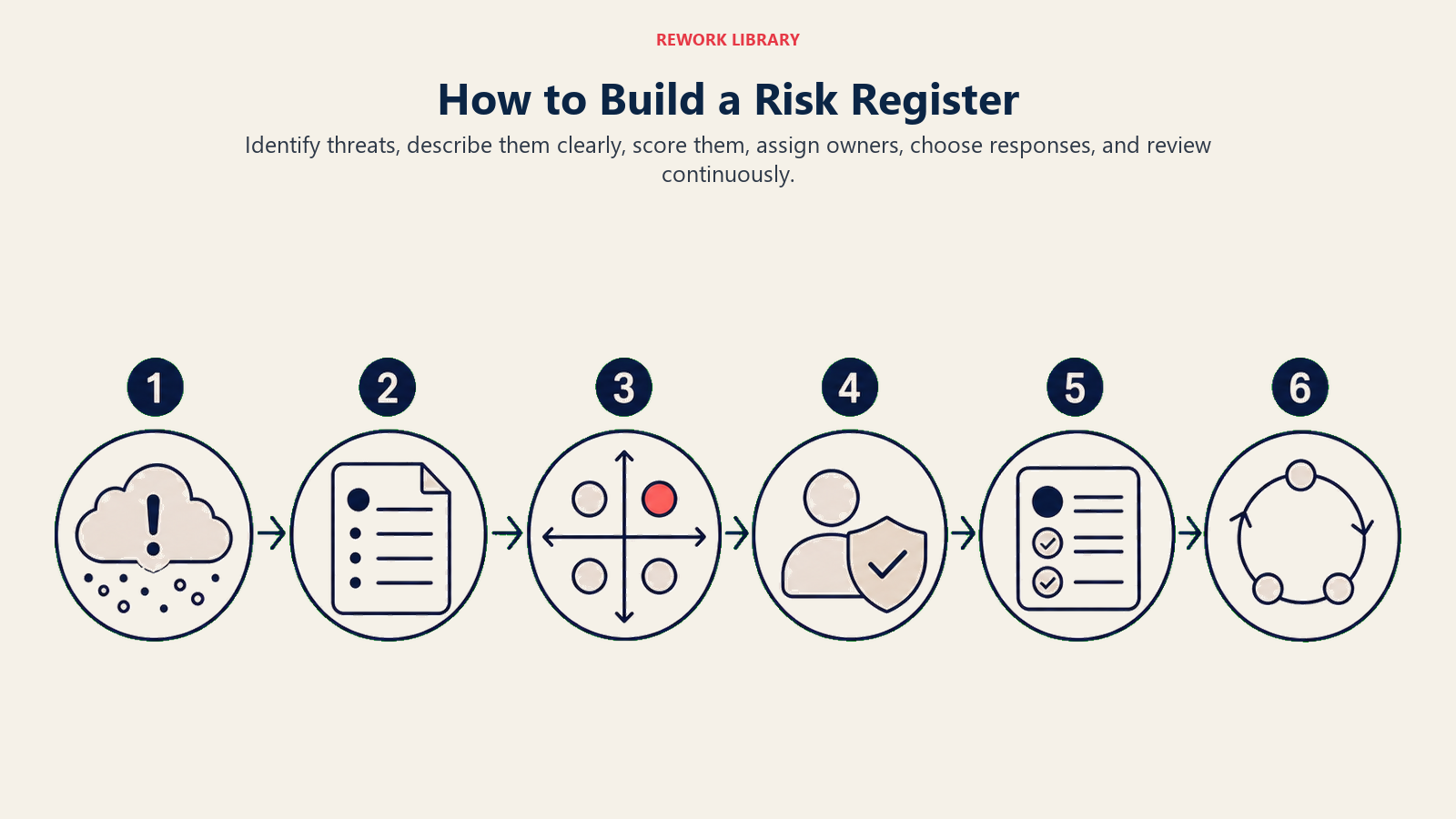
Langkah 1: Kenal pasti risiko
Mulakan pada permulaan projek. Jalankan sumbang saran berstruktur dengan pasukan teras Anda: apa yang boleh salah? Apa yang kita andaikan yang mungkin tidak berlaku? Apa yang kita bergantung kepada pasukan atau vendor luaran? Ambil dokumen pelajaran yang dipelajari daripada projek masa lalu yang serupa. Matlamatnya ialah mendedahkan sebanyak mungkin risiko sebelum Anda mula menarafnya. Kuantiti sebelum kualiti pada peringkat ini.
Kategori biasa untuk memulakan perbincangan: risiko teknikal, risiko sumber, risiko jadual, risiko belanjawan, kebergantungan luaran, risiko pematuhan dan kawal selia, dan risiko pihak berkepentingan.
Langkah 2: Tulis penerangan yang jelas dan spesifik
Untuk setiap risiko, tulis penerangan satu hingga dua ayat yang menerangkan apakah risiko dan mengapa ia penting kepada projek. Elak singkatan. "Kegagalan integrasi API" kurang berguna berbanding "API pembayaran pihak ketiga mungkin tidak menyokong protokol pengesahan kami, memerlukan pembinaan middleware tersuai yang menambah empat hingga enam minggu kepada jadual."
Langkah 3: Skor kebarangkalian dan kesan
Gunakan skala yang konsisten merentasi keseluruhan daftar. Skala 3-mata (Rendah, Sederhana, Tinggi dipetakan kepada 1, 2, 3) berfungsi untuk kebanyakan pasukan. Skala 5-mata berfungsi untuk program besar. Jangan campurkan skala dalam daftar yang sama.
Nilai kebarangkalian berdasarkan seberapa berkemungkinan risiko itu berlaku berdasarkan segala yang Anda tahu tentang konteks projek, pasukan, sejarah vendor, dan pasaran. Nilai kesan berdasarkan seburuk mana hasilnya jika risiko terwujud. Kemudian darabkan: kebarangkalian Sederhana (2) digabungkan dengan kesan Tinggi (3) memberikan skor 6.
Langkah 4: Utamakan mengikut skor dan tetapkan pemilik
Susun daftar risiko Anda mengikut skor, tertinggi ke terendah. Risiko pada 6 atau ke atas mendapat pelan mitigasi aktif dan semakan mingguan. Risiko pada 3 hingga 4 masuk ke senarai pantauan dan disemak setiap bulan. Risiko pada 1 hingga 2 diterima: Anda mencatatnya tetapi tidak memperuntukkan sumber mitigasi.
Untuk setiap risiko pada 4 atau ke atas, tetapkan pemilik bernama. Orang itu bertanggungjawab untuk memantau risiko, melaksanakan pelan tindak balas, dan menandakan sebarang perubahan dalam status. Rujuk silang dengan matriks RACI Anda untuk memastikan penetapan pemilik konsisten dengan peranan akauntabiliti projek.
Langkah 5: Takrifkan strategi tindak balas
Setiap risiko memerlukan tindak balas yang didokumentasikan. Terdapat empat jenis standard:
- Elak: Ubah pelan projek untuk menghapuskan risiko sepenuhnya. Contoh: jika vendor mempunyai rekod prestasi yang buruk, tukar vendor sebelum risiko boleh terwujud.
- Kurangkan: Ambil tindakan untuk mengurangkan kebarangkalian atau kesan. Contoh: latih silang pembangun kedua untuk mengurangkan kesan risiko orang utama.
- Pindah: Alihkan risiko kepada pihak ketiga. Contoh: beli insurans projek atau tambah klausa prestasi dalam kontrak vendor.
- Terima: Akui risiko dan sediakan pelan kemungkinan, tetapi jangan ambil tindakan proaktif. Terbaik untuk risiko skor rendah di mana kos mitigasi lebih tinggi daripada potensi kesan.
Langkah 6: Semak dan pantau sepanjang projek
Daftar risiko bukan artifak permulaan projek. Ia adalah dokumen hidup. Semak setiap minggu dalam mesyuarat status Anda: kemas kini status, sahkan pelan tindak balas sedang dilaksanakan, tutup risiko yang diselesaikan, dan tambah yang baharu apabila ia muncul. Semasa fasa berisiko tinggi dalam kitar hayat projek, pertimbangkan semakan risiko pertengahan minggu untuk sebarang item terbuka bernilai Tinggi.
Apabila risiko terwujud, ia menjadi isu dan perlu dijejak sewajarnya. Dalam log RAID, Anda akan memindahkannya dari bahagian Risiko ke bahagian Isu. Dalam daftar risiko yang berdiri sendiri, ubah status kepada "Terwujud" dan buka entri log isu yang berasingan.
Contoh daftar risiko mengikut jenis projek
Jenis projek yang berbeza menanggung profil risiko yang berbeza. Berikut ialah rupa entri daftar risiko merentasi tiga konteks biasa.
| Jenis Projek | Contoh Risiko | Kategori | Kebarangkalian | Kesan | Strategi Tindak Balas |
|---|---|---|---|---|---|
| Pelancaran perisian | Pembekal pengehosan awan mengubah had kadar API sebelum go-live | Teknikal | Sederhana | Tinggi | Bina lapisan abstraksi; uji dengan simulasi had kadar dalam pementasan |
| Pembinaan | Subkontraktor gagal memenuhi sijil keselamatan sebelum akses tapak | Pematuhan | Rendah | Tinggi | Memerlukan bukti pensijilan 30 hari sebelum permulaan tapak; kenal pasti sub sandaran |
| Kempen pemasaran | Agensi kreatif menyerahkan aset akhir satu minggu lewat, memampatkan peningkatan media berbayar | Jadual | Tinggi | Sederhana | Tambah pencapaian penting penghantaran kreatif dua minggu sebelum pelancaran kempen; dapatkan aset separa lebih awal |
Untuk projek perisian, risiko teknikal dan sumber cenderung mendominasi. Untuk pembinaan, pematuhan kawal selia dan risiko jadual berkaitan cuaca membawa beban paling berat. Untuk pelancaran pemasaran, jadual penghantaran vendor dan kreatif adalah pendedahan terbesar. Struktur daftar kekal sama merentasi ketiga-tiga jenis. Hanya kategori dan skor berubah.
Jika projek Anda melibatkan berbilang aliran kerja, pertimbangkan untuk mengaitkan daftar risiko Anda dengan analisis kaedah laluan kritikal. Risiko yang mempengaruhi tugas laluan kritikal layak mendapat keutamaan lebih tinggi berbanding risiko yang mempengaruhi tugas Float, walaupun pada skor kebarangkalian-kesan yang sama.
Amalan terbaik
Tetapkan satu pemilik bernama setiap risiko. Bukan pasukan. Bukan peranan. Seseorang.
Semak daftar dalam setiap mesyuarat status. Walaupun penelusuran 10 minit sudah cukup untuk memastikannya terkini dan boleh dipercayai.
Hubungkan risiko berskor tinggi dengan pernyataan skop projek Anda. Jika risiko mengancam penghantaran teras, itu adalah perbualan penaja, bukan sekadar nota PM.
Tutup risiko dengan nota bertulis. Apabila risiko diselesaikan atau dielakkan, dokumentasikan apa yang berlaku. Pasukan masa depan dalam projek serupa akan menggunakan entri tertutup tersebut.
Jangan biarkan daftar berkembang tanpa pemangkasan. Daftar dengan 80 risiko terbuka tidak boleh digunakan. Tutup risiko yang diterima, arkibkan yang diselesaikan, dan pastikan senarai aktif fokus pada apa yang pasukan benar-benar boleh bertindak ke atasnya.
Jangan gunakan warna sahaja untuk menandakan keterukan. Sesetengah ahli pasukan buta warna, dan eksport sering kehilangan pemformatan. Gunakan label teks (Rendah, Sederhana, Tinggi) bersama sebarang pengekodan warna supaya maklumat bertahan melalui perubahan format.
Daftar risiko terbaik cukup mudah untuk benar-benar digunakan dan cukup terperinci untuk benar-benar bermakna. Mulakan dengan sembilan lajur di atas, nilai risiko Anda dengan jujur, tetapkan pemilik sebenar, dan semak dokumen setiap minggu. Lakukan itu secara konsisten, dan daftar menjadi salah satu perbualan paling bernilai yang dimiliki oleh pasukan Anda sepanjang projek.
Bacaan berkaitan

Senior Operations & Growth Strategist
On this page
- Apakah daftar risiko?
- Apa yang terdapat dalam daftar risiko (lajur)
- Daftar risiko berbanding log risiko berbanding log RAID
- Manfaat daftar risiko
- Kesilapan biasa
- Cara membina daftar risiko
- Langkah 1: Kenal pasti risiko
- Langkah 2: Tulis penerangan yang jelas dan spesifik
- Langkah 3: Skor kebarangkalian dan kesan
- Langkah 4: Utamakan mengikut skor dan tetapkan pemilik
- Langkah 5: Takrifkan strategi tindak balas
- Langkah 6: Semak dan pantau sepanjang projek
- Contoh daftar risiko mengikut jenis projek
- Amalan terbaik
- Bacaan berkaitan