How to Choose Writing Assistant Software
Turn this article into takeaways for your work.


Each assistant summarizes the article only for you and suggests best practices for your work.
Grammarly, Wordtune, ProWritingAid, Hemingway, and QuillBot fit a company that needs a correctness and style layer riding on top of whatever people already write in: email, Slack, a CMS, a Word doc. Jasper, Copy.ai, Writer, and Anyword fit a marketing team that needs a trained brand voice and a repeatable workflow across campaign volume, not a one-off draft. ChatGPT and Claude fit anyone who wants a general assistant that drafts from a prompt with no writing-specific workflow attached. And Notion AI, Microsoft 365 Copilot, and Google Gemini in Workspace fit the most common case of all: the assistant is already bundled into a suite you're paying for, and a new subscription would just duplicate it. The question underneath all four is simple. Which of these jobs do you actually have, and have you checked whether you already own the tool that does it?
Writing assistant software sits next to a few categories worth knowing about before you shortlist anything. If you want tool-by-tool depth across a wider set of specialists, our best AI writing tools guide covers the category from six angles instead of four. If the real question is which general chatbot to standardize on, read our guide to choosing an AI chatbot platform instead of this one. And if what you actually need is campaign output rather than correctness, our best AI marketing tools guide is the closer fit.
Key Facts: choosing writing assistant software
- 88% of organizations reported using generative AI in at least one business function in 2025, per Stanford HAI's 2026 AI Index Report.
- Knowledge workers spend about 88% of the workweek communicating, the same surface every one of these four products writes into, per Grammarly's 2024 State of Business Communication report.
- 78% of AI users bring their own AI tools to work rather than wait for an approved one, rising to 80% at small and medium companies, per Microsoft and LinkedIn's 2024 Work Trend Index.
- 80% of marketers now use AI for content creation, per HubSpot's State of Generative AI report.
The four products sharing one name
"Writing assistant" is doing a lot of work as a category label. A correctness checker, a brand-voice campaign platform, a general chatbot, and the drafting tool bundled into your email client all get called the same thing in a search result, and they solve four different problems at four different price points.
| Job | What it does | Who needs it | Examples |
|---|---|---|---|
| A correctness and style layer | Checks grammar, clarity, and tone inside the apps you already write in | Any company where non-writers send customer-facing text | Grammarly, Wordtune, ProWritingAid, Hemingway, QuillBot |
| A marketing content generator | Holds a trained brand voice, templates, and workflows across campaign volume | Marketing teams publishing at volume who need everything to sound like one company | Jasper, Copy.ai, Writer, Anyword |
| A general assistant or chatbot | Drafts anything from a prompt, no writing-specific workflow attached | Flexible one-off drafting, research, and editing | ChatGPT, Claude |
| Already bundled into your suite | AI drafting inside the docs, notes, or office suite you already pay for | Teams who want it where the work already lives | Notion AI, Microsoft 365 Copilot, Google Gemini in Workspace |
Most companies need two of these, not four. Pick the correctness layer everyone touches, plus the one specialist for whichever function has the real bottleneck. Buying a fifth or sixth subscription because a demo looked impressive is how a team ends up with several AI line items and no owner for any of them.
Check what you already own first
Before shortlisting anything new, check what's sitting in a contract you already signed for something else. Microsoft 365 Business Standard and Business Premium can add Copilot for $18 a user a month. Every paid Google Workspace tier now ships Gemini bundled in, not sold separately. And Notion's Business plan folds full AI access into the seat price rather than charging an add-on. A team that skips this check ends up paying twice: once for the suite, once for a marketing platform or chatbot subscription that duplicates a feature the suite already includes.
The bundled option is rarely the best at any single job, though. Gemini inside Workspace is a fine general assistant, not a brand-voice platform with campaign templates. Copilot inside Word is a fine editor, not a correctness layer with the depth Grammarly or ProWritingAid build reports around. Check entitlement first, then decide honestly whether it's good enough for the job you actually have.
What to look for
These five decide whether you bought the right product family.
| Criterion | Why it matters | What good looks like |
|---|---|---|
| Which job it's actually built for | A grammar checker and a brand-voice platform both "write," but solve different problems | Ask what breaks today: typos, an inconsistent voice, or a blank page |
| Training on your content | Drafts can carry unreleased pricing, positioning, and customer names | Training off by default on the tier you're buying, in writing, not just in a sales call |
| Data retention and deletion | "We don't train on it" and "we don't keep it" are two separate promises | A stated retention window and an admin-controlled delete |
| Where it lives | A tool in a separate browser tab gets abandoned by week three | Works inside the docs, email, or CMS your team already has open |
| Seat, credit, or prompt pricing | Each metering model punishes a different usage pattern | Predictable cost tested at three times your pilot's volume, not the demo's |
These five decide whether it survives past the first quarter.
| Criterion | Why it matters | What good looks like |
|---|---|---|
| A portable style guide or brand voice | The trained voice is the real asset, and it should not be vendor-locked | An exportable style guide or term base, not a black box only the vendor can read |
| Fact traceability | Fluent, confident, wrong copy is riskier than obviously bad copy | Clickable sources, or retrieval grounded in your own documents |
| A review workflow, not just generation | Someone has to approve before anything publishes | Comments, approval states, or version history built in |
| Enough seats for who actually writes | One shared login doesn't change a team's output | Pricing that doesn't force you to ration access to the people who need it |
| Vendor continuity | This category has consolidated hard over the last two years | Confirm the product and its pricing still exist in their current form before you sign |
For the fuller scoring sheet that applies to any SaaS purchase, see our SaaS vendor evaluation scorecard. And because the training-data question above is really a security question wearing a writing-tool costume, run it past our software security checklist for buyers before you sign anything that touches unreleased content.
Key questions to ask before you buy
What's the actual bottleneck? Typos and inconsistent tone are a correctness problem. Forty campaign variants that don't sound like one company is a brand-voice problem. A blank page is a different problem again. Naming which one you have picks the product family before you book a single demo.
Does our content train the model on the plan we're buying, not the plan shown in the demo? Defaults differ by tier at the same vendor almost every time. Ask for the answer in writing, not verbally from a sales rep.
Where does the writing actually happen, and does the tool live there? If the workflow involves copying text out of your CMS and back in, adoption stalls no matter how good the output is.
Is pricing metered by seats, credits, or prompts, and what happens the month usage spikes? A credit or prompt allowance can jump a tier in one unusually busy month in a way a flat seat price never does.
If we already pay for Microsoft 365, Google Workspace, or Notion, does the AI we need already ship in a tier we're entitled to? Check entitlement before adding a new line item to next quarter's budget.
What does our trained brand voice or style guide export as, if we ever leave? A voice built over a year of edits should not evaporate the day you cancel the subscription.
Who verifies facts before anything publishes? Fluent, confident, wrong copy is the actual risk in this category, not an occasionally robotic tone.
Are we buying one tool to solve four problems, or the right tool for the one problem we actually have? Most teams need two of the four jobs above, not all four at once.
Shortlist
Not a ranking. Four groups, because the right fit here depends on which job you have, not on any single feature. Prices follow in the pricing section.
A correctness and style layer:
| Tool | Best for | Entry paid tier | Notes |
|---|---|---|---|
| Grammarly | A correctness layer for a whole company, in the apps everyone already uses | Pro | Business plans now sit alongside the newly acquired Superhuman inbox on the same pricing page |
| Wordtune | Lighter rewriting and tone control for individual writers | Advanced | Cheapest entry point of the group, capped by a daily rewrite count |
| ProWritingAid | Deep style reporting for long-form and fiction writers | Premium | The only tool here that also sells a one-time lifetime license |
| Hemingway | The simplest readability pass, no account needed for casual use | Editor Plus | Also sells a separate one-time desktop app with no AI features at all |
| QuillBot | Paraphrasing and AI detection alongside grammar checking | Premium | Priced across three billing cycles; only the annual one gets near Grammarly's rate |
Grammarly is the default here because it sits inside everything else your team already uses, from a browser extension to Word to Slack. Wordtune and QuillBot lean more toward rewriting and paraphrasing than deep grammar reporting. ProWritingAid is the one to reach for once the writing is long-form or a manuscript rather than an email. Hemingway stays the free, no-signup option for a quick readability check.
A marketing content generator:
| Tool | Best for | Entry paid tier | Notes |
|---|---|---|---|
| Jasper | One trained brand voice held across a marketing team's campaign volume | Pro | One seat included; Business scales to unlimited seats on a custom contract |
| Copy.ai | Go-to-market teams building repeatable content workflows | Chat | No longer has a free plan, unlike what most older comparisons still say |
| Writer | Enterprise governance and terminology control at scale | Starter | Publishes no dollar figure for Starter anywhere on its own pricing page |
| Anyword | Predicting which version of a headline or ad copy will perform before you spend on it | Starter | Performance prediction is the one feature this group's other three don't have |
Jasper and Copy.ai are the two most direct competitors here, both built around a trained brand voice and campaign templates at a similar per-seat price. Writer is the one to shortlist when legal needs governance and a written training-data commitment more than a slick generation UI. Anyword is a different bet: less about generating more copy, more about scoring the copy you already have before you spend media budget behind it.
A general assistant or chatbot:
| Tool | Best for | Entry paid tier | Notes |
|---|---|---|---|
| ChatGPT | The broadest default, with the deepest third-party integrations | Plus | A cheaper Go tier now sits below Plus for lighter individual use |
| Claude | Long documents and editing where tone and nuance matter | Pro | Team plans mix a standard seat and a pricier premium seat on one bill |
Both are general-purpose by design, not writing-specific products, which is exactly why they belong in their own group. Neither holds a trained brand voice across a team the way Jasper or Writer does, and neither ships the kind of correctness reporting Grammarly or ProWritingAid build a whole product around. What they're good at is drafting, summarizing, and editing from a prompt with zero setup, which covers a lot of everyday writing without a specialist tool.
Already bundled into your suite:
| Tool | Best for | Entry paid tier | Notes |
|---|---|---|---|
| Notion AI | Teams whose docs already live in Notion | Plus | Full AI access now needs Business; Plus and Free only carry a limited AI trial |
| Microsoft 365 Copilot | Teams standardized on Word, Outlook, and Teams | Copilot add-on | Requires an existing Microsoft 365 Business Standard or Premium seat |
| Google Gemini in Workspace | Teams standardized on Docs, Gmail, and Meet | Business Starter | Gemini now ships bundled into every paid Workspace tier, not sold separately |
None of these three is trying to be a specialist. They're trying to be good enough that you don't buy one, and that bar has moved up sharply over the last year, which is why the "check what you already own" step belongs before, not after, a shortlist call with a marketing platform or chatbot vendor. See our guide to choosing an office suite for the wider Microsoft 365 versus Google Workspace comparison, and our guide to choosing note-taking software for where Notion AI fits.
What buyers still assume, and what's actually true
This category moves fast enough that a habit formed a year ago is often already wrong.
| Product | What buyers still assume | What's actually true as of September 2026 |
|---|---|---|
| Copy.ai | Has a usable free plan, like most tools in this category | No free plan anymore; the entry paid tier is Chat at $29 a month |
| Grammarly | An independent grammar checker | Its parent closed the acquisition of Superhuman in October 2025, and Superhuman-branded plans now sit inside the same plans page |
| Microsoft 365 Copilot | One flat rate everywhere | The $18/user/month figure is a promotional add-on rate running through 31 December 2026; the separate enterprise E3/E5 rate is $30/user/month |
| Notion AI | Fully included the moment you're on any paid plan | Free and Plus now show as a limited AI trial; full access needs Business or Enterprise |
| ChatGPT | Free and Plus are the only two options | A cheaper Go tier now sits between Free and Plus |
None of this means avoid the vendor whose old pricing you remembered wrong. It means confirming current pricing before you budget, the same way you would for any fast-moving category.
How to choose: a decision framework
Match your situation to a starting point, then run one finalist per job through a real pilot before signing anything annual.
| Your situation | Start here | Why |
|---|---|---|
| Non-writers send customer-facing text with typos or the wrong tone | Grammarly or Wordtune | A correctness layer that rides on top of the app you already use |
| Long-form or fiction writing needs deep style reporting | ProWritingAid | Reports built for manuscripts, not campaign copy |
| A blog draft just needs to read cleaner before it ships | Hemingway | The simplest readability pass, free for casual use |
| Marketing has to sound like one company across dozens of variants | Jasper or Copy.ai | Both hold a trained brand voice and templates across a team |
| Legal won't sign without a written training-data commitment on marketing copy | Writer | Enterprise-grade governance is the whole product |
| Ad or landing page copy needs a performance prediction before you spend | Anyword | The only tool here that scores copy before it runs |
| Nobody can start a draft without staring at a blank page | ChatGPT or Claude | General-purpose drafting, no workflow to learn first |
| Already paying for Microsoft 365, Google Workspace, or Notion | Price the built-in AI first | A new line item may just duplicate what you're entitled to |
| About to buy a fourth or fifth AI subscription this quarter | Stop and price entitlement first | Most teams need two of the four jobs, not all four |
Pricing: what to expect
Three billing shapes operate here, and the shape matters more than the headline number. Per-seat pricing on the correctness layer and the general assistants is predictable. Marketing platforms add credit or workflow caps on top of the seat. Anything bundled into a suite isn't really "priced" on its own, it's a line item inside a contract you already have.
| Vendor | Entry price | Billing basis | Notes |
|---|---|---|---|
| Grammarly | Pro, $30/month | Monthly, or $144/year billed annually ($12/month) | Business is $40/seat/month monthly, or $396/seat/year annually ($33/month) |
| Wordtune | Advanced, $6.99/month | Monthly, or $4.89/month billed annually | Unlimited tier is $9.99/month monthly, or $6.99/month billed annually |
| ProWritingAid | Premium, $30/month | Monthly, $90/year billed annually ($7.50/month), or $399 one-time lifetime | Premium Pro adds live workshops at $36/month, or $108/year annually ($9/month) |
| Hemingway | Editor Plus, $10/month | Monthly, or $100/year billed annually ($8.33/month) | The desktop app is a separate $19.99 one-time purchase with no AI features |
| QuillBot | Premium, $19.95/month | Monthly, $39.95 billed every 3 months ($13.31/month), or $99.95 billed annually ($8.33/month) | Free tier caps paraphrasing at 125 words per request |
| Jasper | Pro, $69/month | Monthly, or $59/month billed annually | One seat included; Business is custom with a 12-month minimum |
| Copy.ai | Chat, $29/month | Monthly, or $24/month billed annually ($288/year) | No free plan; Growth jumps to $1,000/month billed annually for 75 seats |
| Anyword | Starter, $49/month | Monthly, or $39/month billed annually | 7-day free trial capped at 2,500 words |
| Writer | Starter, no published rate | Monthly or annual per seat, per the vendor's own wording | Enterprise is quote-only; the Starter dollar figure isn't published anywhere on the page |
| ChatGPT | Go, $8/month | Monthly | Plus is $20/month; Pro starts at $100/month |
| Claude | Pro, $17/month billed annually | Annual, or $20/month billed monthly | Team mixes a $20/seat/month standard seat with a $100/seat/month premium seat |
| Notion | Plus, $10/member/month | Billed annually; monthly billing costs more | Plus is a limited AI trial only; full access needs Business at $20/member/month |
| Microsoft 365 Copilot | Copilot add-on, $18/user/month | Paid yearly, promotional through 31 December 2026 (regular $21) | Requires an existing Business Standard or Premium seat; the $30/user/month figure is the separate enterprise E3/E5 rate |
| Google Gemini in Workspace | Business Starter, $7/user/month | Monthly | Introductory rate of $3.50/user/month for the first 12 months, capped at 20 users |
Two flags before you budget. First, "no published price" and "no product" are not the same fact: Writer genuinely declines to publish a Starter rate, while Copy.ai's old free plan is simply gone, not hidden. Second, a credit, prompt, or word-count cap can push a plan up a tier the same month the tool actually starts getting used, which is the opposite of how a flat per-seat price behaves. Our guide to free versus paid software, when to upgrade covers spotting that moment before it becomes an emergency renegotiation.
Migration and lock-in
The switching cost in this category isn't the software, it's what the software learned. A grammar checker's settings reset in an afternoon. What doesn't move cleanly is a trained brand voice: months of edits, approved examples, and a term base that tells the model your product is called one specific name and never a synonym for it. Cancel a marketing platform without exporting that, and a new vendor starts from zero, no matter how good its demo looked.
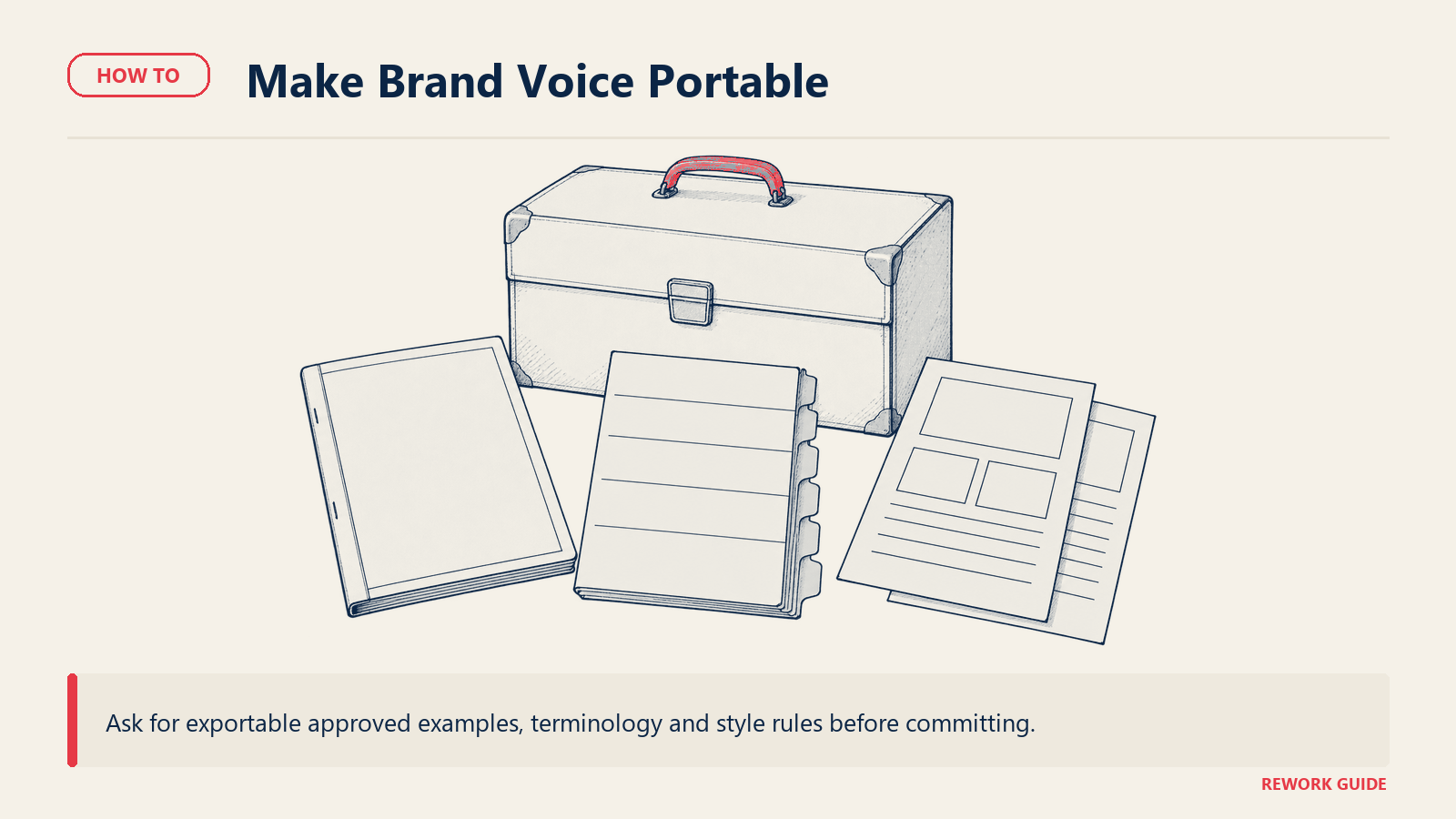
Before you sign anywhere in the marketing-generator group, ask what the trained voice or style guide exports as. A downloadable style guide and term base is portable; a voice that lives only inside the vendor's model is not, and that's a cost to price in now, not discover during a renewal negotiation.
The correctness-layer tools carry a smaller version of the same risk: custom dictionaries and style rules accumulate over time and rarely export in a form another vendor can read. The bundled tools carry almost none of it, since there's nothing proprietary to lose beyond documents that already live in the suite.
If a new writing tool is being added on top of what a team already has, don't skip the adoption question either. Our guide to getting team buy-in on new software covers making the case for a fifth login when three people on the team are already quietly using a fourth one nobody approved.
Frequently asked questions
What's the actual difference between a grammar checker and an AI writing assistant?
Not much anymore, and that's the source of most of the category confusion. Grammarly, ProWritingAid, and QuillBot all started as correctness tools and have added AI drafting, rewriting, and summarizing on top. The dividing line that still matters is workflow: a correctness layer edits text you already wrote, while a marketing platform or general assistant is built to produce that text in the first place.
Do we need a marketing-specific tool if the team already has ChatGPT or Copilot?
Often not, until a specific constraint bites. A general assistant covers one-off drafting for most teams. You need a specialist like Jasper, Copy.ai, or Writer once brand voice has to hold across dozens of assets and multiple writers without each person keeping a private prompt, or once legal needs a written training-data commitment a chat product doesn't offer.
Is our content used to train the vendor's model?
It depends on the tier, not just the vendor, and defaults differ more than most buyers assume. Grammarly, for example, trains on content by default for individually purchased Pro accounts but turns it off for Business, Enterprise, and sales-purchased Pro plans. Ask for the training-data answer in writing for the specific plan you're buying, not the plan shown in a sales demo.
What actually happened to Copy.ai's free plan?
It's gone. Copy.ai no longer offers a free tier; the entry point is now the Chat plan at $29 a month billed monthly, or $24 a month billed annually. Any comparison or older article describing a Copy.ai free plan is out of date.
Is the $30/user/month Microsoft Copilot price real, or was it discontinued?
It's real. That figure is the enterprise add-on price paid by an existing Microsoft 365 E3 or E5 seat, and it's still active. It's easy to confuse with the separate $18/user/month promotional rate for the Business-tier Copilot add-on, which runs through 31 December 2026 on top of a Business Standard or Premium seat. They're two different SKUs for two different customer sizes, not one price that changed.
How is pricing usually metered in this category, and what's the catch?
Three models dominate: flat per seat, per credit or workflow run, and bundled into a suite you already pay for. The catch sits with credits: unlike a flat seat price, a credit or prompt allowance can jump a plan up a tier in exactly the month a team starts actually using the tool well, which is the opposite of how most software pricing behaves as adoption grows.
Can one team reasonably run more than one of these four products at once?
Yes, and most functioning setups do, just not all four. A common combination is one correctness layer company-wide, plus one marketing platform for the team publishing at volume, with a general assistant filling the gaps. Running all four rarely survives a budget review, since the bundled suite option already covers part of what the assistant would otherwise do.
What should change if our current AI writing tool gets acquired or shuts down?
Treat vendor continuity as its own line item on renewal, not a surprise. This category has consolidated fast: Grammarly absorbed Superhuman in October 2025, and several standalone tools elsewhere in AI writing have folded into larger platforms over the same period. Confirm a vendor's ownership and roadmap before a multi-year commitment, the same way you'd confirm a security certification.
Pick the job before you pick the tool
Every product in this guide can technically write something. That's not the decision. The decision is which of four jobs you actually have: cleaning up text people already wrote, holding a brand voice across a team's campaign output, drafting from a blank page, or using AI already sitting inside a suite you pay for. Buyers who skip naming the job end up demoing a marketing platform to solve a typo problem, or paying for a chatbot that duplicates what their Microsoft 365 contract already includes. Name the bottleneck first. The right product here is usually obvious once you do, and it's rarely the one with the flashiest demo.
Related reading
- Best AI Writing Tools: How to Choose: tool-by-tool depth across six sub-categories instead of this guide's four
- Best AI Marketing Tools: How to Choose: the closer fit if the real need is campaign output, not correctness
- How to Choose an AI Chatbot Platform: for standardizing on a general assistant company-wide
- How to Choose an Office Suite: the Microsoft 365 versus Google Workspace comparison behind the bundled-AI question
- How to Choose Note-Taking Software: where Notion AI fits against the rest of that category
- SaaS Vendor Evaluation Scorecard: the fuller scoring sheet behind the "what to look for" section above
- Software Security Checklist for Buyers: for turning the training-data question into an actual procurement checklist
- Free vs Paid Software: When to Upgrade: for reading a credit or prompt cap before it forces an unplanned upgrade
- How to Get Team Buy-In on New Software: for making the case for a new login when a team is already using an unapproved one

Head of Enterprise Solutions
On this page
- The four products sharing one name
- Check what you already own first
- What to look for
- Key questions to ask before you buy
- Shortlist
- What buyers still assume, and what's actually true
- How to choose: a decision framework
- Pricing: what to expect
- Migration and lock-in
- Frequently asked questions
- What's the actual difference between a grammar checker and an AI writing assistant?
- Do we need a marketing-specific tool if the team already has ChatGPT or Copilot?
- Is our content used to train the vendor's model?
- What actually happened to Copy.ai's free plan?
- Is the $30/user/month Microsoft Copilot price real, or was it discontinued?
- How is pricing usually metered in this category, and what's the catch?
- Can one team reasonably run more than one of these four products at once?
- What should change if our current AI writing tool gets acquired or shuts down?
- Pick the job before you pick the tool
- Related reading