Best No-Code Automation Tools: How to Choose
Turn this article into takeaways for your work.


Each assistant summarizes the article only for you and suggests best practices for your work.
No-code automation tools let ops leads, RevOps teams, and non-technical founders connect apps, trigger actions, and run multi-step workflows without writing a single line of code. The category has grown from simple two-app connectors to full iPaaS (Integration Platform as a Service) builders with branching logic, AI steps, error handling, and self-hosted deployment options. Picking the wrong one doesn't just mean overpaying: it means rebuilding your stack 18 months later when your workflows outgrow what the tool can do.
This guide gives you the evaluation framework, the right questions to ask vendors, and a decision matrix for your situation. For the head-to-head product comparison, see the best Zapier alternatives. For the broader iPaaS framework, see how to choose workflow automation software.
What no-code automation tools actually do
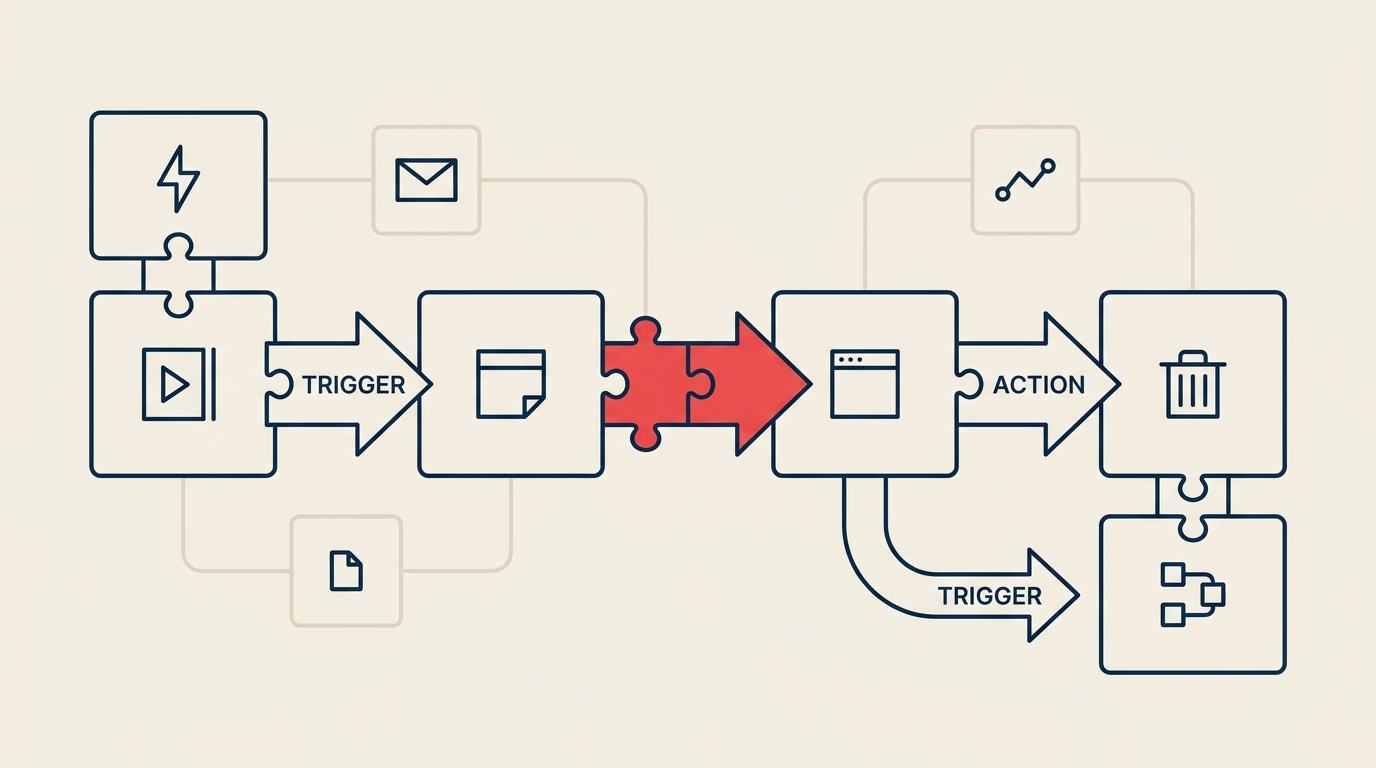
At their core, no-code automation tools work on a trigger-action model. Something happens in one app (a new row in a spreadsheet, a form submission, a webhook ping), and the tool fires one or more actions in other apps (create a record, send a Slack message, update a CRM field). The simplest tools handle two-step, one-to-one handoffs. The more powerful ones let you build branching paths, iterate over lists, transform data mid-flow, add conditional logic, and call external APIs.
Three broad styles sit inside this category, and they serve genuinely different needs:
Simple connectors (Zapier-style) are built for speed. You pick a trigger app, pick an action app, map fields, and you're done in under 10 minutes. The UI is linear and wizard-driven. The tradeoff: complex logic requires chaining multiple separate workflows, and per-task pricing adds up fast at volume.
Visual workflow builders (Make/n8n-style) give you a canvas where you drag nodes, wire them together, add routers, iterators, and data-transform steps inside a single scenario. They handle genuinely complex multi-step logic that would take 5-10 separate Zaps to replicate. The learning curve is steeper, but the ceiling is much higher.
Self-hosted / open-source platforms (n8n community edition, Activepieces) let you run the engine on your own infrastructure. You own the data, there's no per-execution bill, and you can extend the platform with custom code. The cost is engineering time to set up and maintain the server.
What to look for
Evaluation criteria
| Criterion | Why it matters | What good looks like |
|---|---|---|
| App and connector library | Gaps force workarounds or custom API calls | 1,500+ native integrations, or a generic HTTP/webhook node as a fallback |
| Multi-step and branching logic | Real ops workflows rarely go A to B in a straight line | Visual branching, routers, conditional paths, iterator/loop support built in |
| Ease of use for non-devs | If only your dev can maintain it, you've added a bottleneck | Non-technical users can build and edit flows without support tickets |
| Error handling and observability | Broken workflows silently drop data | Automatic retries, error branches, execution logs, email/Slack alerts on failure |
| Pricing model (tasks vs operations vs executions) | The unit of billing determines your bill at scale | Predictable pricing that matches your actual usage pattern |
| AI steps and agent support | AI-assisted routing and enrichment are now table stakes | Native AI nodes (OpenAI, Claude, Gemini), agent loop support, AI builder assist |
| Data security and self-host option | Regulated industries and data-residency requirements need control | SOC 2, GDPR compliance, option to self-host or use a VPC |
| Webhooks, API access, and custom code | No connector library covers everything | First-class webhook triggers, REST API access, JavaScript or Python escape hatch |
| Support, templates, and community | Onboarding speed depends on available examples | Pre-built templates, active community, responsive support for paid tiers |
Quick checklist before you shortlist
- Does it natively connect to the 5-10 apps your team uses every day?
- Can it handle a workflow with more than 3 steps and a conditional branch?
- What happens when a step fails: does it retry, alert you, or silently skip?
- Can a non-technical team member build a simple flow in under 30 minutes?
- Is the pricing model predictable at 2x your current volume?
- Does it have a SOC 2 report or equivalent if your data touches PII?
Key questions to ask before you buy
How exactly is a "task," "operation," or "execution" counted? Zapier bills per task (each action step counts separately). Make bills per operation (each module run in a scenario). n8n bills per workflow execution regardless of how many steps are inside. At the same automation volume, these models produce very different monthly bills.
What happens when a workflow fails mid-run? Some tools retry automatically, some send an alert, and some silently drop the remaining steps. Ask to see the error log UI before you commit.
Can we self-host, and what does that require? Self-hosting eliminates per-execution costs and keeps data on your infrastructure, but it adds a server, Docker/Kubernetes know-how, and ongoing maintenance. Get an honest estimate of the engineering hours involved.
Do you have native connectors for our critical apps? Don't count "via Zapier" or "via webhook" as a native connector. Webhook integrations break more often and require more maintenance. Ask for a demo of the specific connector you need.
How do you handle rate limits from third-party APIs? A tool that fires 500 API calls in a burst to Salesforce will hit rate limits and fail. Ask how the platform queues, throttles, and retries calls.
What's your AI step roadmap? AI-assisted data enrichment, routing, and summarization steps are becoming standard. If you plan to add AI to your workflows, confirm the platform has a real integration path, not just a generic HTTP call to an LLM endpoint.
What does your pricing look like at 5x our current volume? Most teams underestimate how fast automation usage grows. Get a written quote for 5x your projected usage before signing an annual contract.
Top no-code automation tools at a glance
| Tool | Best for | Pricing model |
|---|---|---|
| Zapier | Fast setup, broadest connector library, non-technical teams | Per task (each action step billed separately) |
| Make | Visual multi-step logic, cost-sensitive SMBs, data transformation | Per operation/credit (each module run) |
| n8n | Developers, self-hosted, AI-heavy workflows, open source | Per workflow execution (cloud) or flat server cost (self-host) |
| Workato | Enterprise iPaaS, complex business logic, IT-governed automation | Per recipe/task, enterprise contract |
| Pipedream | Developers who want code + no-code hybrid, event-driven pipelines | Per compute credit/invocation |
| Tray.io | Mid-market to enterprise, complex integrations, RevOps teams | Per connector/workflow, enterprise pricing |
| Power Automate | Microsoft 365 shops, desktop automation, RPA | Per user/flow or per-run, bundled with M365 |
For the full product-by-product comparison, see the best Zapier alternatives.
How to choose: a decision framework
| Your situation | Prioritize | Tool style to consider |
|---|---|---|
| Simple 2-3 app handoffs, non-technical team, speed matters | Ease of use, connector breadth, fast onboarding | Simple connector (Zapier-style) |
| Complex multi-step ops, branching logic, data transformation | Scenario builder, iterator support, lower per-operation cost | Visual builder (Make-style) |
| High volume, cost-sensitive, predictable billing matters | Execution-based pricing, no per-step charges | n8n cloud or self-hosted |
| Data privacy, regulated industry, data residency required | Self-host option, SOC 2, GDPR, VPC support | Self-hosted open source or enterprise with VPC |
| Dev team available, need code plus no-code | Custom code nodes, API access, version control | Developer-friendly platform (Pipedream, n8n) |
| Deep Microsoft 365 stack, need desktop + cloud automation | M365 native connectors, RPA, SharePoint/Teams triggers | Power Automate |
| AI-heavy workflows, LLM routing, agent loops | Native AI nodes, agent support, LLM integration depth | n8n, Make, or Zapier AI tiers |
Pricing: what to expect
No-code automation pricing falls into three main models, and understanding which one a vendor uses changes your cost math significantly.
Tasks (Zapier model): Each action step in a workflow counts as one task. A five-step workflow that runs 200 times a month uses 1,000 tasks. Zapier's Professional plan starts at around $20/month for 750 tasks, scaling up from there. If your workflows are long or run frequently, task-based pricing compounds quickly.
Credits (Make model): Each module (step) executed in a scenario uses one credit. Make renamed this meter from "operations" to "credits", so older writeups describe the same plan in a unit Make no longer prints. Its Core plan runs around $9/month for 10,000 credits. Because Make charges per module run rather than per workflow trigger, a complex 20-step scenario costs more per run than a 3-step one, but the per-operation rate is low enough that most teams find it cheaper than per-task billing at equivalent volume.
Executions (n8n model): n8n cloud charges per workflow execution, not per step inside the workflow. Their Starter plan is around 20 EUR/month for 2,500 executions. A 20-step workflow and a 3-step workflow cost the same per run. Self-hosted n8n has no per-execution cost at all, just server infrastructure.
What drives the bill up:
- Long workflows with many steps (hurts task-based pricing most)
- High-frequency triggers (polling every minute vs every hour changes monthly totals dramatically)
- Large data payloads processed through filter and transform steps
- AI steps, which often carry separate credit or usage costs on top of base plan pricing
- Premium app connectors, which some platforms gate behind higher tiers
Rough ranges to budget against: Simple connector plans for small teams run $20-$70/month. Mid-tier visual builder plans for growing ops teams typically land between $50-$200/month. Enterprise iPaaS contracts (Workato, Tray, enterprise Make/Zapier) start in the $500-$2,000+/month range and scale with usage and seats.
Frequently asked questions
What's the difference between Zapier and Make?
Zapier uses a linear, wizard-driven interface where each workflow is a series of steps built one at a time. It's faster to get started and has a broader connector library (7,000+ apps). Make uses a visual canvas where you drag and connect modules, making it easier to build workflows with branching logic, iterators, and data transformation in a single scenario. Make's per-operation pricing is generally cheaper at scale, but the learning curve is steeper than Zapier's.
Is self-hosting n8n worth it?
Self-hosting makes sense when you have predictable high volume (where per-execution costs would otherwise be significant), strict data residency requirements, or a dev team that can manage a Docker or Kubernetes deployment. If you're a small team without infrastructure experience, the managed cloud plans are a better starting point. You can always migrate to self-hosted later if your usage grows enough to justify it.
How do "AI steps" work in these tools?
Most platforms now offer native AI nodes that let you call an LLM (OpenAI, Claude, Gemini) as a step inside a workflow, passing in data from earlier steps and using the AI's output to route or enrich downstream steps. Some platforms (Zapier AI, n8n's AI agent nodes) go further and support agent loops where the AI can call tools iteratively until a goal is met. AI steps typically add cost on top of your base plan, either as separate credits or as pass-through API costs.
Can non-technical people really build with these tools?
Yes, with some caveats. Simple connector tools (Zapier, Make's basic scenarios) are genuinely accessible to non-developers. Visual builders get harder as workflow complexity grows: multi-branch logic, iterator configuration, and error handling often need someone with a structured thinking background even if not formal coding experience. Most teams find a middle ground: ops people build and own the workflows, developers handle the edge cases and custom code nodes.
What's the difference between iPaaS and no-code automation?
iPaaS (Integration Platform as a Service) is the broader category that includes enterprise integration tools, API management, and ETL pipelines. No-code automation tools are a subset of iPaaS focused specifically on making integration and workflow automation accessible without coding. Tools like Zapier and Make sit firmly in the no-code automation space. Workato and Tray.io bridge no-code automation and full iPaaS, offering both business-user-friendly builders and enterprise governance features.
Where this category is heading
The gap between simple connectors and full iPaaS is closing fast. Zapier now has multi-step AI agents. Make has added a visual AI builder. n8n has first-class AI agent node support. Self-hosted options are becoming more polished, making them accessible to teams without dedicated DevOps staff. Expect AI-assisted workflow generation, where you describe what you want in plain language and the tool drafts the scenario, to become standard across every tier of the market within the next year or two. The selection criteria above won't change much, but the tools that meet them will keep getting more capable.
Related reading

Head of Enterprise Solutions
On this page
- What no-code automation tools actually do
- What to look for
- Evaluation criteria
- Quick checklist before you shortlist
- Key questions to ask before you buy
- Top no-code automation tools at a glance
- How to choose: a decision framework
- Pricing: what to expect
- Frequently asked questions
- What's the difference between Zapier and Make?
- Is self-hosting n8n worth it?
- How do "AI steps" work in these tools?
- Can non-technical people really build with these tools?
- What's the difference between iPaaS and no-code automation?
- Where this category is heading
- Related reading