Best Hive Alternatives in 2026: 13 Project Management Tools for Teams Outgrowing the Add-On Menu
Turn this article into takeaways for your work.


Each assistant summarizes the article only for you and suggests best practices for your work.
Hive (hive.com) is a project management platform built around task boards, collaborative notes, and a native chat panel that lives inside the same workspace as the work itself, not bolted on as a separate app. That's a different company from Hive AI (thehive.ai), the San Francisco content-moderation and computer-vision API business, and different again from Apache Hive, the data-warehouse tool that shows up in the same search results if you work in data engineering. This guide is only about the New York-based project management SaaS teams use to run tasks and projects, and its September 2026 pricing.
Most teams shopping for Hive alternatives aren't fleeing a broken product. They're running into a specific structural problem: Hive's Free plan caps out at 10 workspace members, and once you're paying, a handful of things most competing tools bundle into a standard tier, timesheets, team resourcing, proofing and approvals, advanced dashboards, and SSO, are each separate $5-per-workspace-member add-ons rather than part of the Teams or Enterprise plan. That's a fine model if you only need one of them. It gets expensive once you need three or four, and the sticker price on Hive's pricing page stops reflecting what your team actually pays.
This guide covers 13 tools, evaluated on task and project structure, collaboration depth, and what a seat actually costs once the modules a team typically ends up buying are included. Rework leads for ops-heavy teams that want project execution tied to CRM and cross-team workflows on one platform, not an add-on menu. Asana, ClickUp, monday.com, and Wrike lead for teams doing a straight swap of general task and project management. The rest ranges from flat-rate budget tools to spreadsheet-flexible platforms to a dedicated engineering tracker, so there's a genuine fit here whether your complaint is Hive's add-on pricing, its free-tier cap, or a feature gap Hive was never built to close.
Key Facts
- The global project management software market reached $9.14 billion in 2025 and is projected to hit $16.87 billion by 2030, a 12.6% CAGR, per The Business Research Company.
- 87% of knowledge workers say that with everyone in execution mode, they lack the time or capacity to coordinate, a gap Atlassian's State of Teams 2026 report prices at a $161 billion "fragmentation tax" for the Fortune 500 alone.
- Projects that manage complexity effectively are five times more likely to succeed, yet 31% of complex projects still fail to deliver their intended benefits, per PMI's Pulse of the Profession 2026.
- The average worker now touches 18 different work apps in a single day, according to Hubstaff's 2026 Global Work Trends and Benchmarks Report.
- A typical 50-person US company now spends roughly $6,980 per employee per year on software, per Cledara's 2026 SaaS spend benchmark, the exact size range where add-on-heavy tools like Hive start compounding.
Quick Comparison Table
| Tool | Best For | Starting Price | Key Strength | Key Limitation |
|---|---|---|---|---|
| Rework | Ops-heavy teams that want task execution tied to CRM and workflows | From $99/mo billed yearly (Project Engine, 5 seats) | Task planning connected to CRM and cross-team job workflows | Not a dedicated engineering issue tracker |
| Asana | Cross-functional teams coordinating projects and goals | Free; $10.99/user/month (Starter, annual) | Timeline, portfolios, and goal tracking | Per-seat pricing compounds fast past 50 users |
| ClickUp | Teams consolidating several tools into one | Free; $7/user/month (Unlimited, annual) | Enormous feature breadth per dollar | AI features are a separate metered add-on |
| monday.com | Mixed-department teams that want visual boards | Free (2 seats); $9/seat/month (Basic, annual, 3-seat minimum) | Visual boards adaptable to nearly any workflow | Per-seat cost climbs fast at 50+ people |
| Wrike | Mid-market teams needing proofing and approvals | Free; $10/user/month (Team, annual) | Resource management, request forms, proofing built in | Business tier is annual billing only |
| Teamwork | Agencies billing clients for project work | Free (5 users); $9.99/user/month (Basics, annual) | Native client billing and time tracking, no add-on needed | Accelerate plan requires a 5-user minimum |
| Notion | Teams that want tasks inside their existing wiki | Free; $10/member/month (Plus) | Maximum flexibility, team already knows the tool | No native sprint logic or prioritization |
| Trello | Small teams wanting the simplest kanban board | Free (10 collaborators); $5/user/month (Standard, annual) | Fastest onboarding of any tool on this list | Thin for multi-project, cross-team orgs |
| Basecamp | Teams that hate per-seat math | Free (5 users); $25/month flat (Freelancer, 20 users max) | Flat pricing gets cheaper per head as the team grows | No kanban boards, sprints, or resource views |
| Smartsheet | Teams that live in spreadsheets and need real reporting | $9/member/month (Pro, annual, 1-10 members) | Powerful grid logic plus dashboards and automation | Business tier requires 3+ members |
| Airtable | Teams that want relational, database-style flexibility | Free; $20/editor/month (Team, annual) | Multiple view types on top of a true relational structure | No task manager out of the box, needs setup |
| Zoho Projects | Budget-conscious teams, especially inside the Zoho suite | Free (5 users); $4/user/month (Premium, annual) | Lowest entry price with real Gantt and time tracking | Thinner ecosystem outside the Zoho suite |
| Jira | Engineering teams that need sprint boards and git | Free (10 users); $7.91/user/month (Standard) | Best-in-class sprint boards, backlogs, and dev integrations | Steep learning curve for non-engineers |
1. Rework: Best for Ops-Heavy Teams That Want Tasks, CRM, and Workflows in One Place
Rework is a unified work management, CRM, and operations platform for teams of roughly 10 to 200 people. It is not trying to out-Hive Hive on chat-inside-tasks or collaborative notes, and it does not pretend otherwise. What it does is connect team-level task planning to CRM pipelines, approvals, and cross-team job workflows in a single platform, so the work that Hive would otherwise leave scattered across a task board, a separate CRM, and a spreadsheet lives in one place instead.
The pitch for Hive refugees specifically: if your team used Hive for cross-functional project coordination and light client or pipeline tracking bolted onto Hive's notes and forms, rather than as a pure engineering tracker, Rework is worth a serious look. The task and project structure is familiar, and the built-in CRM and workflow layer means you consolidate further instead of trading one general tool for another.
Not ideal for: teams that specifically want Hive's format, task board plus native chat plus collaborative notes in a single lightweight view. Rework's task planning connects to broader ops rather than trying to replace a built-in team chat panel.
ICP: Operations-heavy teams (10 to 200 people) running both internal project work and external client or pipeline workflows, particularly in professional services, SaaS operations, or agency work.
Sizing fit: The Project Engine includes 5 work seats, with extra seats in blocks of 5 ($13/month per block, billed yearly); the Standard edition covers up to 50 seats. Not built for solo users or teams under 5.
Stage fit: Growth to mid-market. The full platform earns its keep once cross-team coordination and client-facing operations, not task-board mechanics alone, become the actual bottleneck.
| Pros | Cons |
|---|---|
| Task planning connected to CRM and job workflows | Not a dedicated engineering issue tracker |
| Flat engine price, seats added in blocks of 5 | No built-in team chat panel like Hive's |
| Covers work ops beyond task management alone | Onboarding assumes full-platform adoption |
| No per-feature add-on menu; core project features ship in the engine | Poor fit for purely developer-centric teams |
Pricing: Project Engine costs $99/month billed yearly ($1,188/year) or $120 month to month, with 5 work seats included. Extra seats cost $13/month per block of 5 on yearly billing, so 10 seats come to $1,344/year and 25 seats to $1,812/year. The CRM is a separate engine, the Sales Engine, from $69/month billed yearly. See rework.com/pricing.
Best for: Ops-heavy teams that want project execution, CRM, and workflow pipelines managed in one platform rather than a standalone task board.
2. Asana: Best for Cross-Functional Teams Coordinating Projects and Goals
Asana is the default next step for teams that outgrow a lightweight task board and need shared visibility across departments. Timeline, portfolios, and goal tracking cover the cross-team layer that Hive's flatter project view doesn't really attempt, and Asana's integration library runs past 100 native connections plus deeper AI Studio automation on the paid tiers.
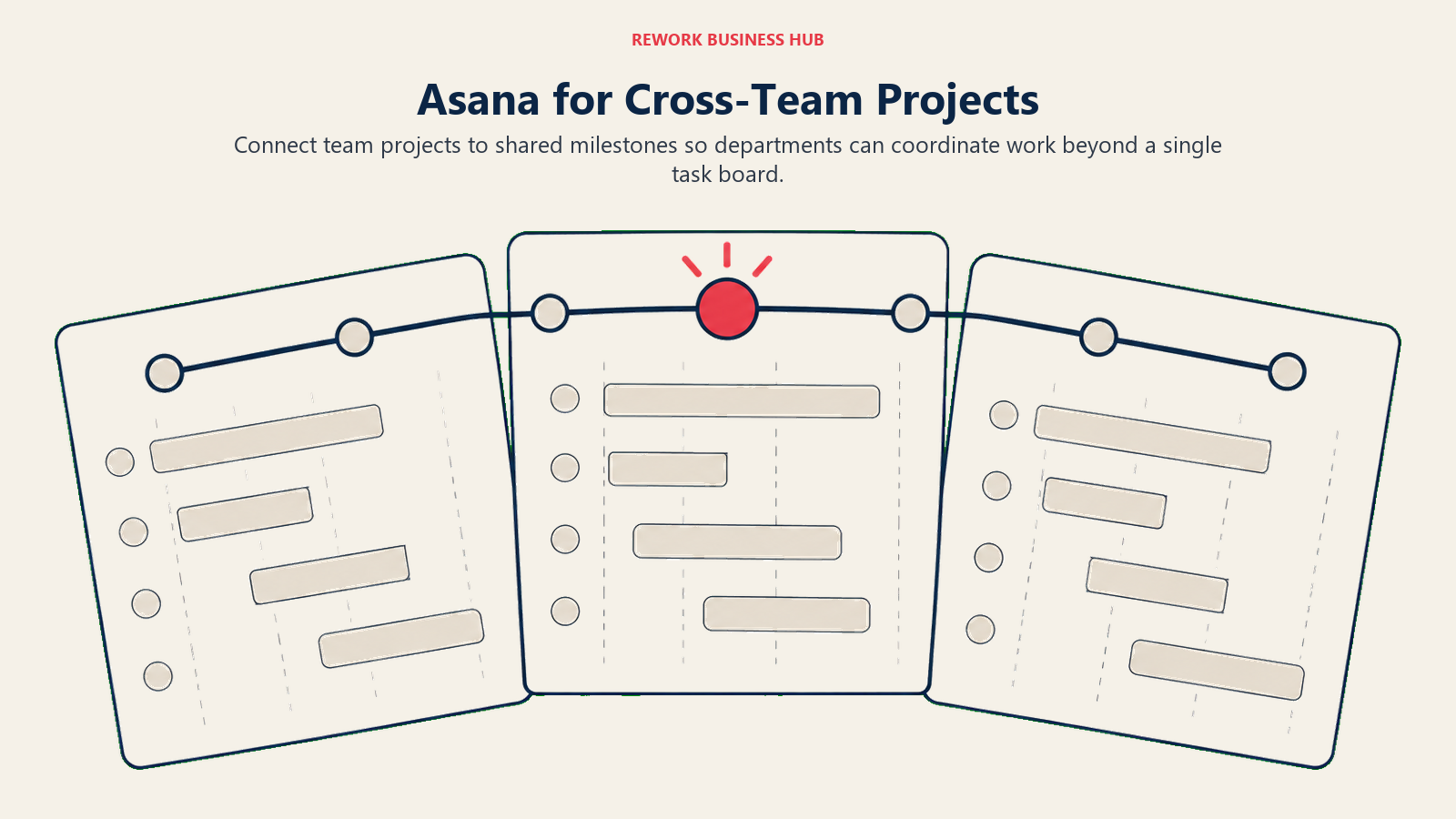
The Starter plan at $10.99 per user per month billed annually ($13.49 monthly) covers most teams up to 50 people and includes AI Studio Basic with 50,000 monthly credits, timeline and Gantt views, and unlimited automations. Advanced, at $24.99 per user per month annually ($30.49 monthly), adds unlimited portfolios, workload management, and approvals or proofing, the kind of review workflow Hive sells separately as a $5 add-on. The trade-off is configuration surface: Asana has real depth to learn, and teams that mostly wanted Hive's simple board-plus-chat combination may find Asana's structure heavier than they need.
ICP: Cross-functional teams (20 to 500 people) spanning product, marketing, and ops that need shared project visibility and goal alignment, not just a single team's task list.
Sizing fit: Free covers up to 2 users for genuinely small use; Starter scales cleanly through 50 people; per-seat costs stack up for larger orgs.
Stage fit: Growth to enterprise. Asana's feature depth pays off once cross-team coordination, not single-team task tracking, is the bottleneck. See the dedicated Asana alternatives guide for the fuller competitive landscape.
| Pros | Cons |
|---|---|
| Strong timeline, portfolio, and goal tracking | Heavier setup than Hive's simpler board view |
| Proofing and approvals included at the Advanced tier | Per-seat pricing compounds fast past 50 users |
| 100+ native integrations plus AI Studio automation | Not built for engineering sprint workflows |
| Familiar to most ops and marketing teams already | Onboarding takes real time, not minutes |
Pricing: Personal (free) covers up to 2 users. Starter is $10.99/user/month annual ($13.49 monthly). Advanced is $24.99/user/month annual ($30.49 monthly). Enterprise is custom. See asana.com/pricing.
Best for: Cross-functional teams that need shared portfolio visibility and goal tracking across more departments than Hive's format was built to show.
3. ClickUp: Best for Teams Consolidating Several Tools Into One
ClickUp takes the everything-tool argument further than Hive does. Tasks, docs, goals, whiteboards, time tracking, and dashboards all live in one platform, and the Unlimited plan at $7 per user per month billed annually ($10 monthly) is hard to beat on raw feature count for the price.
The catch is complexity: ClickUp's configuration surface is enormous, and teams that just wanted Hive's simplicity often spend weeks building the workspace before doing real work. Note too that ClickUp now meters its AI features separately from the base plan, Brain runs $9 per user per month for 1,500 Super Credits, and Everything AI runs $28 per user per month for 5,000 Super Credits, so the headline $7 seat price isn't the full AI-inclusive cost. If your team was using Hive plus two or three other tools to fill gaps, ClickUp can genuinely consolidate that stack, which matters given the average worker now touches 18 different apps a day, per Hubstaff's 2026 benchmarks cited above.
ICP: Ops-heavy teams (10 to 200 people) with mixed work across projects, docs, and support who want one platform instead of a best-of-breed stack.
Sizing fit: Free suits individuals and tiny teams. Unlimited is the sweet spot for most small to mid-size teams; Business adds automations and dashboards for growth-stage orgs.
Stage fit: Seed to mid-market. ClickUp rewards teams willing to invest in setup time up front. The ClickUp alternatives guide covers the fuller landscape if breadth alone isn't the deciding factor.
| Pros | Cons |
|---|---|
| Unmatched feature breadth per dollar | AI features are a separate metered add-on |
| Docs, goals, and dashboards included in base plans | High complexity and notification noise |
| Free plan with unlimited tasks and members | Feature quality varies across modules |
| Large integration library | Steeper learning curve than Hive's board view |
Pricing: Free plan available. Unlimited is $7/user/month annual ($10 monthly). Business is $12/user/month annual ($19 monthly). Enterprise is custom. See clickup.com/pricing.
Best for: Teams that want to replace Hive plus two or three point tools with a single platform and are willing to invest in setup.
4. monday.com: Best for Mixed-Department Teams That Want Visual Boards
monday.com is a visual work management platform built around customizable boards that can model almost any workflow: project tracking, marketing campaigns, HR onboarding, or event planning. That breadth makes it popular for teams whose work doesn't sit neatly inside one category, similar to how Hive gets used for both project delivery and general team coordination.
The Basic plan is $9 per seat per month billed annually ($12 monthly), with a 3-seat minimum. Standard, at $12 per seat per month annually ($14 monthly), adds automations and integrations. Pro, at $19 per seat per month annually, unlocks time tracking and formula columns, with monthly billing running higher per seat across every tier. The automation builder is monday's strongest differentiator over Hive: teams can wire up no-code workflows without asking an admin to configure anything.
ICP: Mixed-function teams (10 to 200 people) spanning sales, marketing, and delivery who want visual tracking with automation across departments.
Sizing fit: The 3-seat minimum and per-seat pricing make it cost-effective from small teams through mid-market; Enterprise pricing is custom.
Stage fit: Growth to mid-market. monday.com works well once multiple departments share overlapping work that needs coordination. See the monday.com alternatives guide for the wider comparison set.
| Pros | Cons |
|---|---|
| Visual boards adaptable to nearly any workflow | Per-seat pricing compounds fast at 50+ users |
| Strong no-code automation builder | 3-seat minimum on every paid tier |
| Large integration library | Not built for engineering sprint workflows |
| Familiar UI, low training overhead | Monthly billing runs meaningfully higher than annual |
Pricing: Free covers 2 seats. Basic is $9/seat/month annual ($12 monthly), 3-seat minimum. Standard is $12/seat/month annual ($14 monthly). Pro is $19/seat/month annual. Enterprise is custom. See monday.com/pricing.
Best for: Cross-functional teams that need visual work tracking with automation across more departments than a single project board covers.
5. Wrike: Best for Mid-Market Teams That Need Proofing and Approvals Built In
Wrike sits between ClickUp's maximum breadth and Asana's cross-functional focus, differentiated by resource management, request intake forms, and proofing and approval workflows baked into the product. That last piece matters directly for Hive refugees: proofing and approvals is one of Hive's separate $5 add-ons, where Wrike includes it starting at the Team tier.
The Team plan is $10 per user per month billed annually, available for teams of 2 to 15 users. Business, at $25 per user per month annually (available for 5 to 200 users, annual billing only), adds resource management, budgeting, and custom field reporting. Wrike is a strong match for teams that found Hive too lightweight for project delivery with multiple stakeholders and formal sign-off chains.
ICP: Mid-size project delivery teams (20 to 200 people) in professional services, marketing, or IT where structured workflows, request intake, and proofing are core to daily work.
Sizing fit: Team is accessible for small to mid-size groups; Business becomes worthwhile once resource management and proofing are daily requirements, not occasional needs.
Stage fit: Growth to enterprise. Wrike's added structure pays off once project portfolios and stakeholder chains outgrow what a lighter tool like Hive can track cleanly. The Wrike alternatives guide and the Asana vs Wrike vs Smartsheet comparison both dig deeper into this tier of the market.
| Pros | Cons |
|---|---|
| Proofing and approvals included, not a paid add-on | Business tier is billed annually only |
| Strong resource management and capacity planning | Interface can feel heavier than Hive for simple projects |
| Request forms built into the core product | Learning curve for teams new to formal intake |
| Solid reporting and custom dashboards | Expensive at Business tier relative to Hive's Teams plan |
Pricing: Free plan available. Team is $10/user/month annual, 2-15 users. Business is $25/user/month annual, 5-200 users, annual billing only. Pinnacle and Apex are custom. See wrike.com/price.
Best for: Mid-market teams that need proofing, approvals, and resource management built into the core product rather than purchased as separate add-ons.
6. Teamwork: Best for Agencies Billing Clients for Project Work
Teamwork is purpose-built for teams delivering project work to external clients. Client portals, project billing, and time tracking are native features, not add-ons, which is a direct contrast to Hive, where timesheets are a separate $5 add-on and there's no native client-billing layer at all. If you were using Hive for internal coordination and a separate tool for invoicing clients, Teamwork closes that gap in one product.
The Free plan covers up to 5 users with core features. Basics, at $9.99 per user per month billed annually, covers unlimited projects, every view type, and billable time tracking. Accelerate, at $24.99 per user per month annually with a 5-user minimum, adds retainers, client invoicing, and workload planning by role. For agencies and consultancies specifically, the billing and client-visibility layer saves real admin time compared to stitching Hive together with a separate invoicing tool.
ICP: Agencies, consultancies, and delivery teams (5 to 200 people) managing external client projects with billing, time tracking, and client-facing reporting as core requirements.
Sizing fit: The 5-user minimum on Accelerate suits small agencies moving past a solo operation; Optimize and Enterprise scale into larger service organizations.
Stage fit: Any stage once client-facing delivery is the actual business model, not a side project. The Teamwork alternatives guide covers the wider field for agency-specific tooling.
| Pros | Cons |
|---|---|
| Native client portals and billing, no add-on required | 5-user minimum on the Accelerate tier |
| Time tracking and budget management built in | Interface less modern than ClickUp or monday |
| Strong reporting for client-facing delivery | Overkill for internal-only teams |
| Retainer and invoice management on Accelerate | Fewer integrations than Asana or monday |
Pricing: Free covers up to 5 users. Basics is $9.99/user/month annual. Accelerate is $24.99/user/month annual, 5-user minimum. Optimize and Enterprise are custom. See teamwork.com/pricing.
Best for: Agencies and consultancies that need client portals, billing, and time tracking built into their project tool rather than bolted on separately.
7. Notion: Best for Teams That Want Tasks Living Inside Their Existing Wiki
Notion is where tasks live for teams that already use it as their documentation hub. If your specs, meeting notes, and playbooks are already in Notion, adding a task database there avoids the context-switching cost that comes with running Hive's notes feature alongside a separate wiki tool.
Notion's Plus plan is $10 per member per month; the pricing page shows a "save up to 20% with yearly" banner but doesn't print a separate flat annual figure, so budget around the $10 monthly number unless you confirm the annual rate at checkout. Business, at $20 per member per month on the same terms, adds Notion Agent, AI meeting notes, and SAML SSO, the kind of security feature Hive also sells as a separate $5 add-on. What Notion doesn't have is native sprint logic, prioritization frameworks, or built-in progress dashboards: every Notion task system is a hand-built template that needs upkeep as the team grows.
ICP: Early to mid-stage teams (1 to 25 people) that already live in Notion for documentation and want lightweight task tracking in the same workspace.
Sizing fit: Best at small scale. Teams with complex multi-project workflows tend to outgrow what Notion's database views can handle without heavy custom setup.
Stage fit: Pre-product through early growth. Once project complexity grows, teams typically add a dedicated tool alongside Notion rather than replacing it outright. See the Notion alternatives guide for where that line usually falls.
| Pros | Cons |
|---|---|
| Team already knows and uses it for documentation | No native sprint boards, backlog, or velocity tracking |
| Maximum flexibility for custom task structures | Requires ongoing template maintenance |
| Strong documentation layer built around tasks | Annual price isn't printed, only a general savings banner |
| SSO and AI meeting notes included at Business | No dev-tool integrations beyond basic embeds |
Pricing: Free plan available. Plus is $10/member/month. Business is $20/member/month. Enterprise is custom. See notion.com/pricing.
Best for: Early-stage teams that already run on Notion for docs and want tasks in the same space rather than managing a separate tool.
8. Trello: Best for Small Teams That Want the Simplest Kanban Board
Trello is the simplest kanban board on this list, simpler even than Hive's board view. Cards, lists, and boards cover most of what a small team needs to track work visually, and the free plan is genuinely usable: unlimited cards and up to 10 boards per workspace, with 10 collaborators included. Standard, at $5 per user per month billed annually ($6 monthly), adds custom fields and unlimited boards.
What Trello doesn't have is Hive's built-in chat, collaborative notes, or Gantt-style timeline view on the lower tiers; Premium, at $10 per user per month annually ($12.50 monthly), adds calendar and timeline views. For a 3 to 10 person team that wants a shared visual board and nothing more, Trello's simplicity is the whole point, not a limitation to work around.
ICP: Small teams (2 to 15 people) with straightforward workflow tracking needs, often in marketing, content, or creative work rather than engineering or ops.
Sizing fit: Free and Standard suit teams up to about 20 well; Premium adds the timeline and calendar views mid-size teams often ask for next.
Stage fit: Early-stage through growth. Trello hits a ceiling quickly as project complexity increases, which is why fast-growing teams often add a heavier tool within 12 to 18 months. See the Trello alternatives guide for what teams typically move to next.
| Pros | Cons |
|---|---|
| Simplest kanban setup of any tool on this list | No native chat or collaborative notes like Hive |
| Generous free plan for small teams | No sprint boards, velocity, or resource management |
| Fast onboarding, minutes rather than days | Timeline view locked to Premium and above |
| Strong Power-Ups integration library | Not built for multi-team or cross-department orgs |
Pricing: Free plan (10 boards, 10 collaborators). Standard is $5/user/month annual ($6 monthly). Premium is $10/user/month annual ($12.50 monthly). Enterprise is $17.50/user/month, billed annually. See trello.com/pricing.
Best for: Small teams that need a shared visual board to track work without sprint planning, resource management, or Hive's add-on structure.
9. Basecamp: Best for Teams That Hate Per-Seat Math
Basecamp is the anti-add-on argument in this list. Instead of Hive's per-workspace-member pricing plus a menu of $5 add-ons, Basecamp charges a flat monthly fee with every feature included regardless of headcount. Basecamp restructured its tiers in 2026: Free covers 1 project and 5 users; Freelancer, at $25 a month flat, covers up to 3 active projects and 20 users; Studio, at $59 a month flat, covers up to 10 active projects with unlimited users; Pro, at $99 a month flat, covers up to 25 active projects; and Unlimited, at $299 a month billed annually, covers unlimited projects, unlimited users, and 1,000GB of storage.
For a 30-person team, Unlimited works out to roughly $10 per person per month, and the per-person cost keeps falling as headcount grows, the opposite direction of Hive's per-seat-plus-add-ons model. What you give up is real: no kanban boards, no sprint planning, no resourcing views, and no native chat panel the way Hive has one. Basecamp works for teams with predictable, message-board-and-to-do-list project structures, not teams managing many parallel, dependency-heavy projects.
ICP: Small to mid-size teams (10 to 100 people) doing predictable project work, particularly agencies and operational teams that value flat, predictable billing over feature depth.
Sizing fit: Freelancer and Studio suit small teams well; Unlimited becomes exceptional value at 20 or more people and keeps improving with every seat added.
Stage fit: Early to mid-market. Basecamp tends to lose fit once teams need sprint cadences, resourcing, or a Hive-style chat-and-notes combination in the same view. The Basecamp alternatives guide covers this trade-off in more depth.
| Pros | Cons |
|---|---|
| Flat pricing, no per-seat or per-add-on math | No kanban boards, sprints, or resourcing views |
| Every feature included at every paid tier | No native chat panel like Hive's |
| Simple structure, low training overhead | Project-count caps below Unlimited |
| Unlimited plan is excellent value at 20+ people | Fewer integrations than ClickUp or Asana |
Pricing: Free (5 users, 1 project). Freelancer is $25/month flat (20 users, 3 projects). Studio is $59/month flat (unlimited users, 10 projects). Pro is $99/month flat (25 projects). Unlimited is $299/month, billed annually (unlimited projects and users, 1,000GB storage). See basecamp.com/pricing.
Best for: Teams that want predictable, flat-rate project management and are comfortable trading Hive-style chat and notes for lower, simpler cost.
10. Smartsheet: Best for Teams That Live in Spreadsheets and Need Real Reporting
Smartsheet is the spreadsheet-grid answer for teams that outgrew Hive's task-board view but still think in rows, columns, and formulas rather than cards. Grid, Gantt, board, and calendar views sit on top of genuine spreadsheet logic, with automation and dashboards layered in above that.
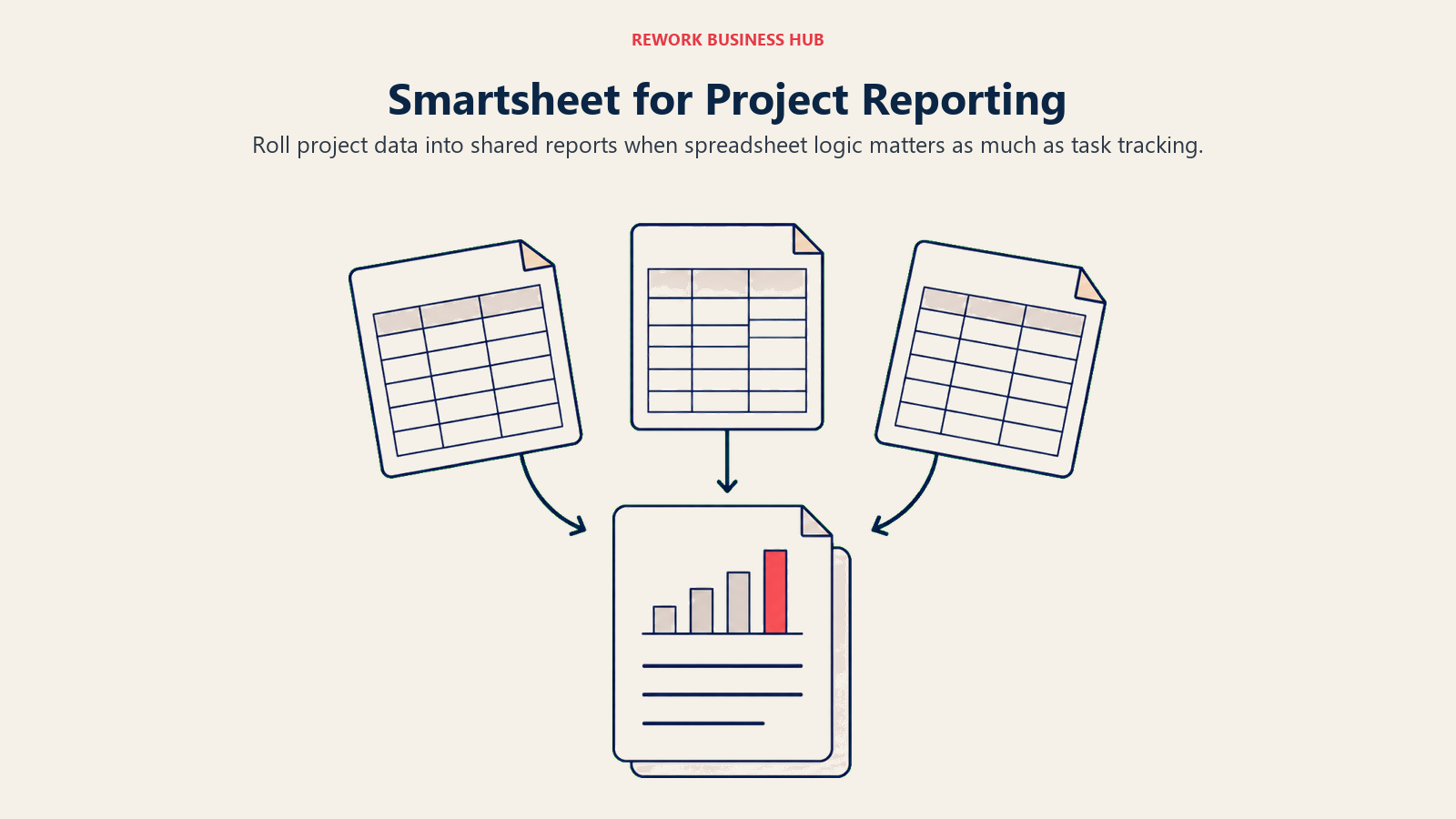
The Pro plan is $9 per member per month billed annually ($12 monthly), available for 1 to 10 members, and includes unlimited sheets, forms, and reports plus 250 automations a month. Business, at $19 per member per month annually ($24 monthly) with a 3-member minimum, adds unlimited guests, timeline view, and unlimited automations. Smartsheet's dashboards and reporting depth go well past what Hive offers even with its own advanced-dashboards add-on switched on, which matters for ops and PMO teams that need to roll numbers up across many projects at once.
ICP: Operations and PMO-adjacent teams (10 to 500 people) that need spreadsheet-grade formulas and reporting alongside project tracking, not just a task board.
Sizing fit: Pro suits small teams up to 10 members; Business and Enterprise scale into larger, multi-project portfolios with heavier reporting needs.
Stage fit: Growth to enterprise. Smartsheet earns its complexity once cross-project reporting, not single-board task tracking, is the daily job. The Smartsheet alternatives guide covers the wider landscape for this tier.
| Pros | Cons |
|---|---|
| Genuine spreadsheet-grade formulas and grid logic | Business tier requires a 3-member minimum |
| Strong dashboards and cross-project reporting | Steeper learning curve than Hive's board view |
| Automation included from the Pro tier up | No native chat panel |
| Timeline view and unlimited guests on Business | Gets expensive fast for large teams |
Pricing: Pro is $9/member/month annual ($12 monthly), 1-10 members. Business is $19/member/month annual ($24 monthly), 3+ members. Enterprise and Advanced Work Management are custom. See smartsheet.com/pricing.
Best for: Operations teams that need spreadsheet-grade formulas and portfolio-level reporting that a task board like Hive's was never built to produce.
11. Airtable: Best for Teams That Want Relational, Database-Style Flexibility
Airtable is a relational database dressed as a spreadsheet, with task-view overlays (grid, kanban, calendar, gallery, Gantt) layered on top. For teams that outgrew Hive's fixed task-and-note structure and need to model genuinely custom data relationships, marketing ops calendars linked to asset libraries, or product catalogs linked to project timelines, Airtable hits a flexibility level Hive doesn't attempt.
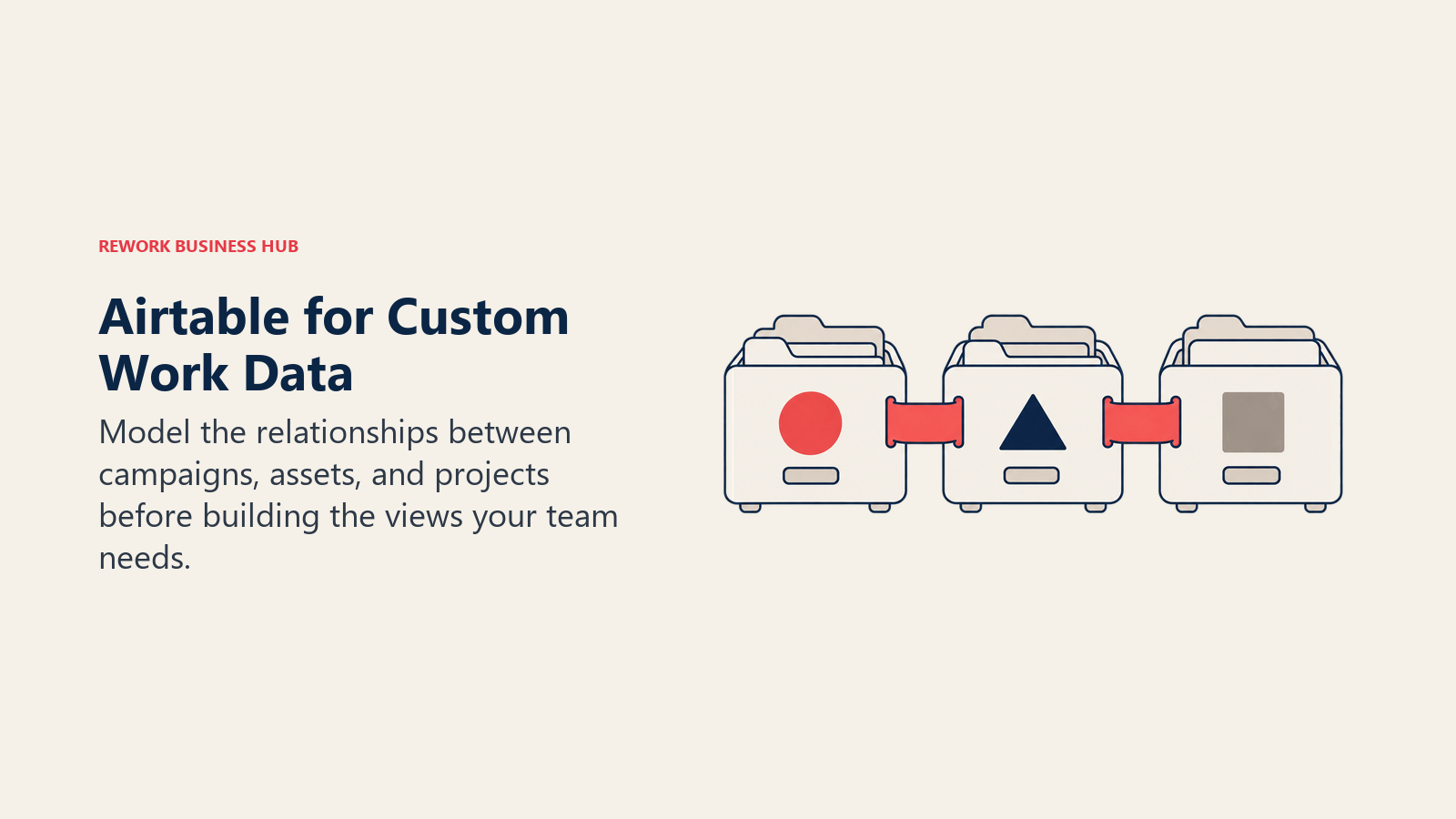
The Team plan is $20 per editor per month, billed annually; the pricing page doesn't print a separate monthly rate, so treat $20 as the annual-commitment number. Business, at $45 per editor per month on the same annual-only terms, adds advanced admin controls and higher per-base limits. Airtable's real risk is the blank-canvas problem: unlike Hive, which gives you a task board and notes panel out of the box, Airtable expects you to design your own structure, which takes real time to get right.
ICP: Operations and data teams (5 to 200 people) that manage structured data alongside workflow tracking, often in marketing ops, research, or content production.
Sizing fit: Team suits small to mid-size groups; Business is worthwhile once you need the admin controls and higher record limits. Watch editor-seat costs, since viewers with comment access are billable too.
Stage fit: Any stage, but especially useful for teams with data structures too specific for a standard task board. The Airtable alternatives guide has the fuller competitive set for this category.
| Pros | Cons |
|---|---|
| True relational data structure, not just a spreadsheet | Requires real setup time, no out-of-box templates |
| Multiple view types (kanban, Gantt, gallery, grid) | Annual-only pricing, no separate monthly rate shown |
| Powerful automation and integration layer | No native chat or notes panel like Hive |
| Flexible enough for almost any data model | Not a task manager by default |
Pricing: Free plan available. Team is $20/editor/month, billed annually (no separate monthly rate shown). Business is $45/editor/month on the same terms. Enterprise Scale is custom. See airtable.com/pricing.
Best for: Teams that need a flexible, relational data structure for tracking work and are willing to design their own workflow rather than use a prebuilt board.
12. Zoho Projects: Best for Budget-Conscious Teams, Especially Inside the Zoho Suite
Zoho Projects is the value option on this list, and the gap versus Hive is largest at the low end. The Free plan covers up to 5 users and 3 projects with 5GB of storage. Premium, at $5 per user per month billed monthly ($4 annually), removes the project cap entirely and adds custom views, task blueprints, time tracking, timesheets, and Zia AI capabilities, several of which sit behind separate paid add-ons on Hive.
Enterprise, at $11 per user per month monthly ($9 annually), adds SSO, two-factor authentication, and custom modules, again features Hive charges $5 extra for. Ultimate, at $17 per user per month monthly ($14 annually), adds unlimited custom dashboards and a much larger workflow-automation allowance. For teams already running Zoho CRM, Zoho Desk, or Zoho Books, Projects slots into the same ecosystem and billing relationship, which is a real advantage over standing up Hive as a disconnected tool.
ICP: Budget-conscious teams (5 to 200 people) that want real Gantt charts, time tracking, and automation without per-add-on pricing, particularly those already inside the Zoho suite.
Sizing fit: Free suits tiny teams; Premium is the practical entry point once you need more than 3 projects; Enterprise and Ultimate scale into larger, security-conscious orgs.
Stage fit: Any stage, but the value case is strongest for cost-sensitive small and mid-size teams that don't need a large third-party integration marketplace.
| Pros | Cons |
|---|---|
| Lowest entry price on this list with real Gantt views | Thinner integration ecosystem outside Zoho itself |
| Timesheets, SSO, and dashboards included, not add-ons | Less brand recognition than Asana or monday |
| Zia AI capabilities bundled from Premium up | Interface feels dated next to ClickUp or Linear |
| Fits directly into an existing Zoho subscription | Fewer third-party template libraries |
Pricing: Free covers up to 5 users, 3 projects. Premium is $5/user/month monthly ($4 annually). Enterprise is $11/user/month monthly ($9 annually). Ultimate is $17/user/month monthly ($14 annually). See zoho.com/projects/pricing.html.
Best for: Budget-conscious teams, especially those already using other Zoho products, that want real project features without Hive's add-on ladder.
13. Jira: Best for Engineering Teams That Need Sprint Tracking and Git Integration
Jira is the default engineering issue tracker for a reason, and it's the tool on this list built for a job Hive never really attempted: sprint boards, backlogs, velocity charts, and deep git integration with GitHub, GitLab, and Bitbucket. If your team used Hive for internal coordination but ran engineering work through a spreadsheet or sticky notes on the side, Jira is the obvious answer.
The Standard plan lists at $7.91 per user per month, and Premium at $14.54 per user per month, both list-price figures for a small team on Atlassian's own pricing calculator; Atlassian tiers the per-user rate down as headcount grows, and annual billing lowers the effective cost further, though the calculator doesn't print one flat annual number the way it prints the monthly list price. Free covers teams up to 10 users with full sprint functionality, genuinely useful for an early-stage engineering team. The trade-off is setup and learning-curve cost: Jira's configuration surface is vast, and non-engineering stakeholders often find it far less approachable than Hive's simpler board view.
ICP: Engineering and product teams (5 to 500+ people) with active software development workflows, sprint cadences, and dev-toolchain integrations as a daily requirement.
Sizing fit: Free plan scales through 10 users with full functionality; Standard and Premium cover growing engineering orgs; Enterprise (annual billing only) covers large-scale rollouts.
Stage fit: Early-stage engineering through enterprise. Jira's return on investment grows with team size and sprint complexity, unlike Hive, which was never built for this workload.
| Pros | Cons |
|---|---|
| Best-in-class sprint boards, backlogs, and velocity | Steep learning curve for non-engineers |
| Deep git integration (GitHub, GitLab, Bitbucket) | No collaborative notes or native chat like Hive |
| Free plan with full sprint functionality under 10 users | Configuration overhead is high |
| Per-user rate steps down as headcount scales | Annual pricing isn't shown as a flat per-user figure |
Pricing: Free (10 users). Standard is $7.91/user/month (list price, small team). Premium is $14.54/user/month. Enterprise is custom, billed annually only. See atlassian.com/software/jira/pricing.
Best for: Engineering teams that need sprint tracking, backlog management, and dev-toolchain integration that a general tool like Hive was never built to provide.
Stage Fit Matrix
| Stage | Best Fit |
|---|---|
| Pre-product / 1-5 person team | Trello (free), Notion (free), Basecamp (free), Zoho Projects (free) |
| Seed / early growth (5-20 people) | Teamwork Basics, ClickUp Unlimited, Zoho Projects Premium, Basecamp Freelancer |
| Growth / Series A-B (20-100 people) | Asana Starter, Wrike Team, Rework Project Engine, Smartsheet Pro, Jira Standard |
| Mid-market (100-500 people) | Wrike Business, monday Pro, Smartsheet Business, Rework Project Engine (Advanced), Jira Premium |
| Enterprise (500+ people) | Jira Enterprise, Asana Enterprise, Wrike Pinnacle/Apex, Smartsheet Enterprise |
| Client-facing at any stage | Teamwork (Basics through Enterprise) |
Sizing and Persona Table
| Team Size | Buyer Persona | Top Picks |
|---|---|---|
| 1-10 | Founder, solo ops lead, small creative team | Trello (free), Notion (free), Basecamp (free), Zoho Projects (free) |
| 10-30 | Ops Manager, Head of Delivery, Team Lead | Rework Project Engine, ClickUp Unlimited, Teamwork Basics, monday Basic |
| 30-100 | Director of Ops, VP Engineering, COO | Wrike Team, Jira Standard, Asana Starter, Smartsheet Pro |
| 100-500 | CPO, CTO, Head of PMO | Wrike Business, Jira Premium, Asana Advanced, Smartsheet Business |
| 500+ | CTO, CIO, Enterprise Program Director | Jira Enterprise, Asana Enterprise, Wrike Apex |
| Agency / client-facing | Agency Owner, Account Director | Teamwork Accelerate, Teamwork Optimize |
How to Choose: Decision Framework
| If you need... | Pick |
|---|---|
| Task execution tied to CRM and cross-team workflows on one platform | Rework (Project Engine + Sales Engine) |
| Proofing, approvals, and resource management without a paid add-on | Wrike (Team or Business) |
| Cross-functional project visibility across departments | Asana (Starter or Advanced) |
| Maximum feature breadth to replace several tools at once | ClickUp (Unlimited or Business) |
| Visual boards and automation across mixed department work | monday.com (Standard or Pro) |
| Client billing, portals, and time tracking built in | Teamwork (Basics or Accelerate) |
| Tasks inside your existing documentation workspace | Notion (Plus) |
| The simplest possible kanban board for a small team | Trello (Standard) |
| Flat-rate pricing that gets cheaper as you add people | Basecamp (Studio or Unlimited) |
| Spreadsheet-grade formulas and portfolio reporting | Smartsheet (Business) |
| Custom relational data structures alongside task tracking | Airtable (Team) |
| The lowest entry price with real Gantt and time tracking | Zoho Projects (Premium) |
| Engineering sprint tracking with deep git integration | Jira (Standard or Premium) |
For a broader read on where these tools sit against the rest of the market, see the Best PM Software in 2026 roundup.
Frequently Asked Questions about Hive Alternatives
Why are teams looking for Hive alternatives if Hive hasn't shut down?
Hive is still an active, actively sold product. Most teams comparing alternatives are running into a structural pricing issue instead: the Free plan caps at 10 workspace members, and features like timesheets, proofing, team resourcing, advanced dashboards, and SSO are each separate $5-per-member add-ons rather than included in the Teams or Enterprise tier, so the real cost climbs past the sticker price once a team needs more than one of them.
What's the closest alternative to Hive's combination of tasks, chat, and notes in one view?
ClickUp and monday.com come closest to Hive's all-in-one format, since both bundle tasks, docs or notes, and broader collaboration features into a single workspace. Neither ships Hive's exact native chat panel, but both reduce the number of separate tools a team needs to run day to day.
Is Rework a good fit for a team that just wants to replace Hive's task board?
Only if the bigger problem is broader than the task board itself. Rework connects task planning to CRM and cross-team job workflows, which is a good fit for ops-heavy teams juggling both project work and client or pipeline coordination, but it isn't the right pick for a team that purely wants a lighter task-and-chat combination like Hive's.
Which of these tools is cheapest for a small team under 10 people?
Zoho Projects Premium at $4 per user per month billed annually is the lowest paid entry price on this list, and Trello, Notion, Basecamp, and Zoho Projects all offer usable free plans for very small teams. Basecamp's flat $25-per-month Freelancer plan is also worth comparing once a team passes 5 or 6 people, since it stops scaling per seat entirely.
Do any of these tools include the features Hive sells as add-ons?
Yes. Wrike includes proofing and approvals from its Team tier. Teamwork includes client billing and time tracking natively. Smartsheet's Business tier includes advanced dashboards. Zoho Projects bundles timesheets and SSO into its paid tiers rather than pricing them separately. Checking which add-ons a team actually needs from Hive is the fastest way to see which alternative avoids reintroducing the same add-on math.
What to Do Next
Hive refugees tend to split into three groups, and the right next step differs for each.
If your real complaint is Hive's add-on pricing, specifically paying extra for timesheets, proofing, resourcing, dashboards, or SSO, start by listing which of those add-ons your team actually uses today. Wrike, Teamwork, Smartsheet, and Zoho Projects all bundle at least one of them into a standard paid tier, so the math often favors switching outright rather than adding a fifth $5 line item to Hive's bill.
If you used Hive mainly for general cross-functional coordination without leaning on its chat or notes specifically, Asana, monday.com, and ClickUp all cover that job with more structure and reporting depth, though each asks for more setup time than Hive did. Rework is worth a serious look if the deeper issue is that project work, client pipelines, and internal ops all live in different tools today.
If cost is the whole story, run the numbers on Basecamp's flat-rate Unlimited plan once your team passes 20 people, or on Zoho Projects if you're already inside that ecosystem. Both undercut Hive's per-seat-plus-add-ons math by a wide margin at scale.
Whichever direction fits, run a genuine two-week pilot with your top two picks using real project data before committing to an annual plan. Most of these tools offer free plans or trials long enough to test with actual work, not toy tasks. The right replacement for Hive is the one your team will actually use every day, not the one with the longest feature list.
See also:
- Best PM Software in 2026 for a broader look at the general project management landscape
- Best ClickUp Alternatives if feature breadth and consolidation are the priority
- Best Asana Alternatives for the fuller cross-functional PM landscape
- Best monday.com Alternatives if visual boards and automation are the deciding factor
- Best Teamwork Alternatives for agencies specifically comparing client-facing tools

Customer Success Operations Manager
On this page
- Key Facts
- Quick Comparison Table
- 1. Rework: Best for Ops-Heavy Teams That Want Tasks, CRM, and Workflows in One Place
- 2. Asana: Best for Cross-Functional Teams Coordinating Projects and Goals
- 3. ClickUp: Best for Teams Consolidating Several Tools Into One
- 4. monday.com: Best for Mixed-Department Teams That Want Visual Boards
- 5. Wrike: Best for Mid-Market Teams That Need Proofing and Approvals Built In
- 6. Teamwork: Best for Agencies Billing Clients for Project Work
- 7. Notion: Best for Teams That Want Tasks Living Inside Their Existing Wiki
- 8. Trello: Best for Small Teams That Want the Simplest Kanban Board
- 9. Basecamp: Best for Teams That Hate Per-Seat Math
- 10. Smartsheet: Best for Teams That Live in Spreadsheets and Need Real Reporting
- 11. Airtable: Best for Teams That Want Relational, Database-Style Flexibility
- 12. Zoho Projects: Best for Budget-Conscious Teams, Especially Inside the Zoho Suite
- 13. Jira: Best for Engineering Teams That Need Sprint Tracking and Git Integration
- Stage Fit Matrix
- Sizing and Persona Table
- How to Choose: Decision Framework
- What to Do Next