Best Odoo Alternatives in 2026: 10 ERP and All-in-One Business Platforms
Turn this article into takeaways for your work.


Each assistant summarizes the article only for you and suggests best practices for your work.
The best Odoo alternatives in 2026 are ERPNext for full open-source ERP, Zoho One for an all-in-one bundle without module fees, NetSuite for enterprise cloud ERP, and Freshworks for teams that mainly need CRM, helpdesk, and marketing without the developer dependency. The right pick depends on which Odoo pain you are actually solving.
Odoo is a genuinely ambitious product. The vision: one open-source platform covering CRM, inventory, manufacturing, accounting, HR, and everything in between. That's exactly what growing businesses say they want. And at the surface level, the free community edition sounds too good to be true. You can review Odoo's pricing page to see exactly where the Community and Enterprise editions diverge in features and cost.
But if you've tried to actually run operations on Odoo beyond the basics, you know where the friction lives. Every module you need is a separate license on the Enterprise edition. Customizing anything beyond the standard configuration requires a developer or an Odoo partner. The community vs enterprise edition split means community users hit walls that aren't immediately visible during evaluation. And self-hosting adds infrastructure overhead most mid-size operations teams didn't sign up for. If you're reconsidering Odoo, here are 10 alternatives that take different approaches to the same problem: consolidating the business stack without hidden complexity.
Quick Comparison Table
| Tool | Best For | Starting Price | Key Strength | Key Limitation |
|---|---|---|---|---|
| Zoho One | SMBs wanting 45+ apps in a predictable bundle | $37/user/mo | Broadest app coverage per dollar | UI inconsistency across apps |
| Bitrix24 | Teams needing CRM + tasks + comms + HR on a budget | Free; paid from $61/org/mo | Generous free tier, all-in-one scope | Steep learning curve, cluttered UI |
| ERPNext | Open-source ERP buyers who have technical resources | Free (self-host); from $50/mo cloud | Full ERP breadth, Frappe framework | Requires technical setup and ongoing maintenance |
| NetSuite | Growing enterprises needing cloud ERP at scale | ~$999/mo base + $99/user | Gold-standard cloud ERP, extensive ecosystem | High cost, complex implementation |
| SAP Business One | SMB manufacturers and distributors | ~$94/user/mo | Deep manufacturing + supply chain for SMBs | Partner-dependent implementation |
| Microsoft Dynamics 365 | Microsoft-stack enterprises needing CRM + ERP | From $65/user/mo | Deep Office 365 integration, modular ERP | Expensive at scale, complex licensing |
| Sage Intacct | Mid-market finance teams needing serious accounting | Contact sales | Best-in-class multi-entity accounting | Not a full ops platform (accounting-centric) |
| Freshworks | Teams wanting CRM + helpdesk + marketing with clean UX | $9/user/mo (CRM) | Modern UI, Freddy AI, fast onboarding | Apps not as deeply integrated as a true suite |
| Monday.com | Ops and project teams preferring visual work management | $9/user/mo | Flexible Work OS, strong automations | CRM depth is lighter than dedicated ERP/CRM tools |
| Dolibarr | Micro-businesses and freelancers needing free open-source ERP | Free (self-host) | Lightweight, truly free, broad module set | Dated UI, limited support, technical barrier |
Understanding Odoo's Methodology Before You Leave
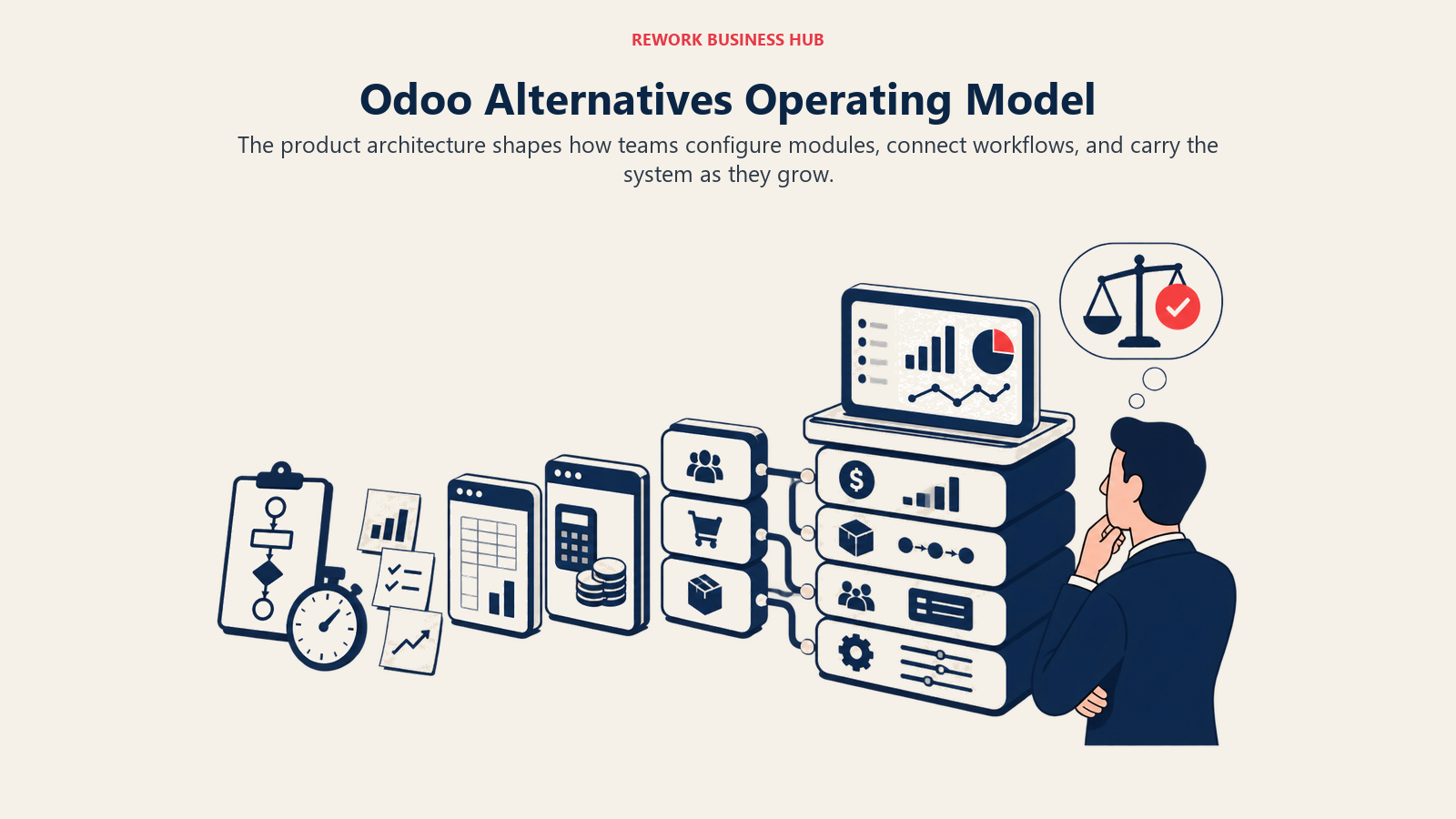
Odoo's product philosophy is modular open-source ERP. The idea is that businesses grow into it, adding modules as operations mature: start with CRM, add inventory when stock management becomes a problem, layer in manufacturing when production tracking gets serious. The open-source foundation means no vendor lock-in and full customizability.
| Dimension | Odoo's approach |
|---|---|
| Product philosophy | Modular open-source ERP: add what you need |
| Ideal company size | 10 to 1,000 employees |
| Best stage | Growth stage through enterprise |
| Deployment | Community (self-host free) or Enterprise (hosted/cloud, per-module pricing) |
| Primary strength | Breadth: CRM, inventory, manufacturing, accounting, HR in one codebase |
| Customization model | Python/XML developer customization, Odoo Studio (Enterprise) |
The problem is that the modular model trades simplicity for coverage. Every additional module has a cost on Enterprise. Customizing the product beyond configuration requires Odoo-specific development skills. The gap between what community handles and what Enterprise unlocks is not always clear during demos. For operations teams without a dedicated Odoo developer or partner, this stack frequently ends up costing more in integration and maintenance than the initial subscription savings suggested.
Stage Fit Matrix
| Tool | Startup (1-20) | Growth (20-100) | Mid-Market (100-500) | Enterprise (500+) |
|---|---|---|---|---|
| Zoho One | Good fit | Good fit | Good fit | Limited |
| Bitrix24 | Good fit | Good fit | Limited | Not ideal |
| ERPNext | Good fit | Good fit | Good fit | Limited |
| NetSuite | Not ideal | Growing into | Good fit | Strong fit |
| SAP Business One | Not ideal | Growing into | Strong fit | Limited |
| Dynamics 365 | Not ideal | Growing into | Good fit | Strong fit |
| Sage Intacct | Not ideal | Growing into | Strong fit | Good fit |
| Freshworks | Good fit | Good fit | Good fit | Limited |
| Monday.com | Good fit | Good fit | Good fit | Limited |
| Dolibarr | Strong fit | Limited | Not ideal | Not ideal |
Sizing and Buyer Persona Table
| Tool | Team Size Sweet Spot | Primary Buyer | Typical Use Case |
|---|---|---|---|
| Zoho One | 5-300 | IT Manager, Business Owner | Replace 10+ point solutions with one bundle |
| Bitrix24 | 1-200 | Business Owner, HR Director | CRM + comms + tasks + basic HR |
| ERPNext | 10-500 | IT Director, CFO | Full open-source ERP with accounting + inventory |
| NetSuite | 50-5000+ | CFO, Controller, IT Director | Cloud ERP: finance + inventory + manufacturing |
| SAP Business One | 20-500 | CFO, Operations Director | SMB manufacturing/distribution ERP |
| Dynamics 365 | 100-5000+ | CTO, CIO, Head of Sales | Microsoft-stack CRM + ERP consolidation |
| Sage Intacct | 50-500 | CFO, Controller | Multi-entity accounting + basic ERP |
| Freshworks | 5-500 | Head of Sales, Head of CS | CRM + helpdesk + marketing suite |
| Monday.com | 5-1000 | Project Manager, Ops Director | Work management + lightweight CRM |
| Dolibarr | 1-20 | Owner, IT generalist | Free open-source ERP for basic ops |
1. Zoho One: 45+ Apps, One Bundle Price
Zoho One is the closest thing to a direct Odoo competitor on the all-in-one angle. The bundle includes over 45 applications: CRM, email, accounting, inventory, HR, helpdesk, marketing automation, and more. The pricing model is straightforward: one per-user subscription covers all apps.
Zoho's philosophy is "operating system for business." The theory: a company can replace most of its SaaS stack with Zoho apps connected through the Zoho ecosystem. In practice, the depth of each individual app varies. Zoho Books handles SMB accounting well. Zoho CRM is a solid mid-market CRM. Zoho Inventory covers basic stock management. But the apps were built by different teams over different years, and the UI consistency and cross-app data flow quality reflects that.
For companies leaving Odoo because of enterprise module pricing, Zoho One's per-user bundle pricing is often significantly cheaper. You don't pay module by module. The trade-off is that Zoho's customization model is more limited than Odoo's open-source codebase, and deep customization still requires Zoho developer work. Teams evaluating Zoho against the broader field should check the best Zoho alternatives guide.
| What you get | What you don't |
|---|---|
| 45+ apps in one subscription, no module add-ons | Consistent UX quality across apps |
| Solid individual apps: CRM, Books, Desk, Campaigns | Deep customization without developer support |
| Good automation between Zoho apps (Flows) | Best-in-class depth in any one category |
| Affordable per-user pricing | Seamless third-party integrations for non-Zoho tools |
Pricing: $37/user/mo (billed annually, all apps included). See Zoho One's pricing page for current rates.
Best for: SMBs and growth-stage companies wanting broad app coverage without per-module billing Not ideal for: Teams needing deep customization, complex manufacturing, or best-of-breed depth in each category
2. Bitrix24: CRM + Tasks + Comms + HR on a Free Tier
Bitrix24 positions itself as an all-in-one workspace: CRM, project management, team chat, video calls, HR, and a website builder. The free tier is genuinely generous: unlimited users, basic CRM, tasks, and chat. For teams actively comparing Bitrix24 against more modern all-in-one platforms, the best Bitrix24 alternatives guide covers why most mid-size teams find the interface overhead outweighs the feature breadth. Paid plans unlock higher limits, automation, and advanced features.
The product philosophy is "social intranet meets CRM." It grew from an internal portal tool into a broader business platform. This lineage is visible in the product: the communications and collaboration features are deep, but the CRM and ops tooling has been layered on top over time rather than built as a native core.
Teams coming from Odoo often find Bitrix24 familiar in its breadth ambition, but different in its interface density. Bitrix24 is notoriously complex to work through. The feature list is massive, but discovering and configuring those features requires significant time investment. For organizations with a dedicated admin or IT resource, that overhead is manageable. For smaller teams expecting click-and-go setup, it's a friction point.
| What you get | What you don't |
|---|---|
| Free tier for unlimited users (basic features) | Clean, intuitive UX |
| CRM + tasks + chat + video + HR in one login | CRM depth comparable to dedicated tools |
| Solid automation rules on paid plans | Easy onboarding for non-technical users |
| On-premise deployment option | Best-in-class depth in accounting or manufacturing |
Pricing: Free for unlimited users; paid plans from $61/org/mo (for 5 users on Basic)
Best for: Budget-conscious teams needing CRM + comms + tasks in one product with a free starting point Not ideal for: Teams that want clean UX out of the box or need serious ERP coverage
3. ERPNext: Open-Source ERP with Full Breadth
ERPNext is the most direct open-source alternative to Odoo. Built on the Frappe framework, it covers accounting, inventory, manufacturing, HR, purchasing, CRM, and project management. Like Odoo Community, the self-hosted version is free. Cloud hosting through Frappe Cloud starts at $50/mo.
The philosophy is "enterprise-grade ERP without enterprise pricing." For companies with technical resources, it delivers on that promise. ERPNext's accounting module handles double-entry bookkeeping, multi-currency, and multi-entity setups. The manufacturing module covers BOMs, work orders, and production planning. The inventory module handles warehouses, batch tracking, and serial numbers.
The key question when evaluating ERPNext vs Odoo is whether your team can support it. ERPNext requires server setup, ongoing updates, and customization through the Frappe framework. The community is active, but paid support contracts add cost. Companies that find Odoo's maintenance burden too high often discover that ERPNext carries the same burden. It's an open-source ERP trade-off, not an Odoo-specific problem.
| What you get | What you don't |
|---|---|
| Full open-source ERP: accounting, inventory, manufacturing, HR | Managed setup or onboarding |
| Frappe framework for custom apps | Consumer-grade UX simplicity |
| Active open-source community | Worry-free hosted support (without paid plan) |
| Cloud hosting via Frappe Cloud | Native multi-channel chat or modern sales inbox |
Pricing: Free (self-hosted); Frappe Cloud from $50/mo; enterprise support contracts vary
Best for: Tech-forward companies wanting full ERP breadth without license costs, and have internal development capacity Not ideal for: Teams without a dedicated technical resource to set up, maintain, and customize
4. NetSuite: Enterprise Cloud ERP
NetSuite is Oracle's cloud ERP platform and the de facto standard for companies that have outgrown QuickBooks or mid-market ERPs but aren't ready for SAP S/4HANA complexity. It covers financials, inventory, supply chain, manufacturing, CRM, and e-commerce in a single cloud platform.
The methodology is "single source of truth for a growing enterprise." NetSuite's data model connects financials to inventory to order management to CRM without the integration overhead of stitching separate systems. For companies with complex multi-entity financials, multiple inventory locations, or global subsidiaries, that integration depth is hard to replicate.
The practical barriers are cost and implementation complexity. NetSuite's base platform starts around $999/month plus $99 per user per month, and that's before modules, customization, and implementation consulting. Most NetSuite rollouts require a certified NetSuite partner and take 3-6 months. Companies leaving Odoo for complexity concerns should consider whether NetSuite's implementation overhead is a step up or a step sideways. The best NetSuite alternatives guide covers this honestly.
| What you get | What you don't |
|---|---|
| Gold-standard multi-entity financials and reporting | Predictable, low startup cost |
| Unified inventory, supply chain, and order management | Fast implementation timeline |
| Scalable cloud platform with strong audit trail | Simple per-user pricing |
| Broad ecosystem of NetSuite partners and add-ons | Lightweight deployment for SMBs |
Pricing: ~$999/mo base platform + ~$99/user/mo; implementation: $20,000-$100,000+. See NetSuite's ERP product pages for module details.
Best for: $10M-$500M revenue companies needing scalable cloud ERP with multi-entity financials and supply chain Not ideal for: SMBs under 50 employees or teams that need a fast, low-cost ERP deployment
5. SAP Business One: SMB ERP from the SAP Ecosystem
SAP Business One is SAP's product built specifically for SMBs, designed as a deliberate step down from S/4HANA in complexity and cost while retaining SAP's manufacturing and supply chain depth. It covers accounting, inventory, purchasing, manufacturing, sales, and CRM in a single system.
The philosophy is "manufacturing and distribution ERP for SMBs who need to grow into enterprise-grade operations." SAP Business One is strong for discrete manufacturing, batch manufacturing, and distribution companies where BOM management, production orders, and multi-warehouse inventory are core requirements.
The implementation model is partner-driven. You don't buy SAP Business One directly from SAP; you buy through a certified SAP partner who handles implementation, customization, and support. That dependency means costs and timelines vary significantly by partner quality. For operations teams leaving Odoo because of the partner-dependent customization model, SAP Business One replicates that problem rather than solving it. The best SAP Business One alternatives guide covers the full comparison including Odoo.
| What you get | What you don't |
|---|---|
| Strong manufacturing: BOM, production orders, MRP | SAP's premium pricing simplicity |
| Multi-warehouse inventory and procurement | Implementation without an SAP partner |
| SAP's reporting and analytics depth | Modern cloud-native UX |
| Proven SMB track record in manufacturing/distribution | Fast SMB onboarding |
Pricing: ~$94/user/mo (perpetual license model also available); implementation: $20,000-$80,000+
Best for: SMB manufacturers and distributors (20-500 employees) with complex production and supply chain requirements Not ideal for: Service businesses, pure CRM/sales teams, or teams without budget for partner-led implementation
6. Microsoft Dynamics 365: Enterprise CRM + ERP in the Microsoft Stack
Dynamics 365 is Microsoft's modular business application platform, covering Sales, Customer Service, Field Service, Finance, Supply Chain Management, and Human Resources. Each module is licensed separately, with deep integration into Office 365, Teams, and Azure.
The methodology is "enterprise applications built into the Microsoft platform." The core pitch: if your team already lives in Teams, Outlook, Excel, and SharePoint, Dynamics apps extend naturally into those surfaces. Sales reps log activities from Outlook. Finance teams export to Excel natively. AI assistants connect through Copilot.
For companies deep in the Microsoft ecosystem, this integration story is real. For companies that are not, the overhead of a Dynamics implementation can rival NetSuite or SAP. Dynamics licensing is notoriously complex: Dynamics 365 Sales at $65/user/mo, Finance at $180/user/mo, Supply Chain at $180/user/mo, all licensed separately. Implementation projects routinely require Microsoft partners and 6-12 month timelines. Teams leaving Odoo because of enterprise complexity may find Dynamics 365 moves them up the complexity curve rather than down. See the best Dynamics 365 alternatives for a full breakdown.
| What you get | What you don't |
|---|---|
| Deep Office 365 / Teams / Azure integration | Simple pricing model |
| Full CRM + Finance + Supply Chain in one vendor | Fast or self-serve implementation |
| Copilot AI across the platform | Affordable pricing for small teams |
| Global enterprise track record | Vendor-neutral ecosystem |
Pricing: Dynamics 365 Sales from $65/user/mo; Finance from $180/user/mo; Supply Chain from $180/user/mo
Best for: Microsoft-stack enterprises (200+ employees) consolidating CRM + ERP within their existing Microsoft investment Not ideal for: SMBs under 100 employees, non-Microsoft shops, or teams needing fast time-to-value
7. Sage Intacct: Mid-Market Accounting + ERP
Sage Intacct is a cloud financial management platform built for mid-market companies with complex accounting requirements: multi-entity consolidations, project accounting, subscription billing, and dimensional reporting. It's not a full ERP in the Odoo sense. It's accounting-first, with operational modules built around the financial core.
The philosophy is "accounting precision for the companies NetSuite is over-engineering and QuickBooks is under-serving." Sage Intacct's multi-dimensional chart of accounts, real-time consolidation across entities, and GAAP-compliant audit trails are notably stronger than Odoo's accounting module or most all-in-one ERP tools. The AICPA endorsement reflects that accounting depth.
The limitation is breadth. Sage Intacct does not cover CRM, manufacturing, or inventory at the same depth as Odoo. It integrates with Salesforce, HubSpot, and other CRMs rather than replacing them. For operations teams leaving Odoo because accounting was the core pain, Sage Intacct solves the accounting problem cleanly. For teams that want to consolidate CRM and ops alongside accounting, it creates a new integration need.
| What you get | What you don't |
|---|---|
| Best-in-class multi-entity accounting and consolidation | CRM or sales pipeline management |
| Strong project accounting and subscription billing | Inventory or manufacturing modules |
| AICPA-endorsed financial reporting | A single platform for all business operations |
| Clean integration APIs for CRM and ERP tools | Affordable SMB pricing |
Pricing: Contact sales (typically $15,000-$50,000/year for mid-market)
Best for: Mid-market CFOs (50-500 employees) who need serious multi-entity accounting and are comfortable using a separate CRM Not ideal for: Teams looking to consolidate CRM + ops + accounting in a single tool under $10,000/year
8. Freshworks: CRM + Helpdesk + Marketing Suite
Freshworks is a SaaS suite covering CRM (Freshsales), helpdesk (Freshdesk), marketing automation (Freshmarketer), IT service management (Freshservice), and HR (Freshteam). The products are more tightly integrated than Zoho's apps, with a shared data model called Customer 360 connecting customer interactions across modules.
The philosophy is "customer-centric software that's actually pleasant to use," and Freshworks is consistently cited for UI quality in a category where competitors ship complexity. Freddy AI adds predictive lead scoring, deal insights, and workflow suggestions across the suite. Onboarding is measurably faster than Odoo, Dynamics, or SAP. Most teams are productive within days rather than weeks.
The limitation is ERP coverage. Freshworks is a strong CRM + customer success platform. It does not cover inventory, manufacturing, accounting, or supply chain. For companies leaving Odoo because CRM and helpdesk were the primary workflows, Freshworks solves the problem well. For companies needing full ERP coverage, it's a different category. For a broader view of the CRM landscape, see the best Freshworks alternatives guide.
| What you get | What you don't |
|---|---|
| Clean, modern UX across CRM + helpdesk + marketing | Inventory, manufacturing, or accounting |
| Freddy AI for lead scoring and deal insights | Full ERP breadth |
| Solid mobile apps | The same depth in each category as best-of-breed point tools |
| Fast onboarding, minimal training requirement | On-premise deployment |
Pricing: Freshsales from $9/user/mo; Freshdesk from $15/agent/mo; Freshmarketer from $19/mo. See Freshsales' pricing page for current plan details.
Best for: 5-500 person companies needing CRM + customer support + marketing with clean UX and fast onboarding Not ideal for: Companies needing inventory management, manufacturing workflows, or full accounting in the same platform
9. Monday.com: Work OS + CRM
Monday.com started as a visual project management tool and has evolved into what the company calls a "Work OS": a flexible platform that can be configured for sales pipelines, project delivery, HR workflows, marketing campaigns, and operations management. The Monday Sales CRM product extends the core Work OS into sales pipeline management.
The philosophy is "flexible blank canvas for any work process," and Monday gives you blocks, automations, and integrations to assemble that canvas. Teams assemble their own workflows from those components. This is the opposite of Odoo's modular ERP approach. Where Odoo ships opinionated, pre-built business processes, Monday gives you the tools to build your own.
For teams leaving Odoo because the opinionated module structure didn't fit their workflows, Monday's flexibility is the appeal. But that flexibility requires someone to do the configuration work. Monday does not ship accounting, inventory, or manufacturing modules. It's a work management and lightweight CRM platform, not an ERP replacement. If the CAC payback math is driving your tool consolidation decision, Monday alone won't close that gap without a proper CRM alongside it.
| What you get | What you don't |
|---|---|
| Highly flexible visual workflows for any team | Native accounting or financial management |
| Strong automations and 200+ integrations | Inventory or manufacturing |
| Monday Sales CRM for pipeline management | Deep ERP functionality |
| Clear, simple pricing by seat count | Pre-built opinionated business processes |
Pricing: From $9/user/mo (Basic); Pro at $19/user/mo; Enterprise: contact sales
Best for: Ops and project teams (5-1,000 employees) needing flexible visual work management and a lightweight CRM layer Not ideal for: Companies that need full ERP coverage or want opinionated pre-built workflows rather than a blank canvas
10. Dolibarr: Open-Source ERP/CRM for Small Teams
Dolibarr is a lightweight open-source ERP and CRM platform designed for micro-businesses, freelancers, associations, and small companies. It covers invoicing, accounting, inventory, HR, project management, and CRM in a single codebase. Self-hosting is free; a hosted version is available through Dolicloud.
The philosophy: "simple, modular open-source ERP for organizations that can't afford or don't need full-scale ERP." Dolibarr deliberately stays lean. The UI is functional but dated, the feature set covers the basics without the depth of ERPNext or Odoo, and the community is smaller than either. But for a 1-15 person operation that needs invoicing, basic stock management, a simple CRM, and HR records in one place, Dolibarr delivers without licensing cost.
The ceiling is real. Dolibarr does not scale to complex manufacturing, multi-entity accounting, or large sales teams. Companies that have grown past 20-30 users typically run into configuration limits that require migration to a more capable platform. If you're leaving Odoo because it was too complex, Dolibarr solves the complexity problem by being genuinely simpler. But it also solves it by doing less.
| What you get | What you don't |
|---|---|
| Truly free self-hosted ERP/CRM | Modern, polished UI |
| Broad module coverage for basic operations | Scalability past 30-50 users |
| Simple configuration with low technical barrier | Deep manufacturing or complex accounting |
| Active open-source community | Commercial support without extra cost |
Pricing: Free (self-hosted); Dolicloud from ~$9/mo
Best for: Freelancers, micro-businesses, and small organizations (1-20 people) needing a free, simple ERP/CRM Not ideal for: Companies with more than 30 users or operations requiring complex manufacturing, multi-entity finance, or advanced customization
Feature Coverage Comparison
Separate core platform coverage from add-ons so your shortlist reflects the workflows the business must run.
| Capability | Zoho One | ERPNext | NetSuite | Dynamics 365 | Odoo Enterprise |
|---|---|---|---|---|---|
| CRM + Pipeline | Good | Basic | Moderate | Strong | Good |
| Lead Management | Moderate | Basic | Basic | Moderate | Basic |
| Multi-channel Inbox | Limited | None | None | Limited | Via module |
| Accounting / Finance | Good (Books) | Strong | Strong | Strong | Strong |
| Inventory Management | Good | Strong | Strong | Strong | Strong |
| Manufacturing / MRP | Limited | Strong | Strong | Strong | Strong |
| HR / Payroll | Good | Good | Moderate | Strong | Via module |
| Project Management | Good | Good | Moderate | Good | Via module |
| Marketing Automation | Good | Basic | Basic | Moderate | Via module |
| Open Source | No | Yes | No | No | Community edition |
| Self-Hosting | No | Yes | No | No | Yes |
Pricing Comparison at 25 and 50 Users (Annual)
| Tool | 25 Users / Year | 50 Users / Year | Pricing Model |
|---|---|---|---|
| Zoho One | ~$11,100 | ~$22,200 | Per user/mo (all apps) |
| Bitrix24 | ~$1,500-$4,800 | ~$3,000-$8,400 | Per org/mo (user tiers) |
| ERPNext (Frappe Cloud) | ~$6,000 | ~$12,000 | Per user/mo |
| NetSuite | ~$42,000+ | ~$71,000+ | Base + per user + modules |
| SAP Business One | ~$28,200 | ~$56,400 | Per user/mo + implementation |
| Dynamics 365 Sales | ~$19,500 | ~$39,000 | Per user/mo per module |
| Sage Intacct | Contact sales | Contact sales | Contract-based |
| Freshsales (Pro) | ~$10,500 | ~$21,000 | Per user/mo |
| Monday.com (Pro) | ~$5,700 | ~$11,400 | Per user/mo |
| Dolibarr | Free (self-host) | Free (self-host) | Free + hosting costs |
Pricing reflects publicly available rates as of Q1 2026. Enterprise tools with contact-only pricing excluded from estimate.
Implementation Complexity
Time to value depends on data cleanup, workflow design, integration depth, training, and ongoing administration.
| Tool | Time to First Value | Technical Requirement | Customization Model |
|---|---|---|---|
| Zoho One | 1-3 weeks | Low-Medium | Zoho Studio + Deluge scripting |
| Bitrix24 | 1-4 weeks | Medium | Admin + developer for complex flows |
| ERPNext | 2-8 weeks | High | Frappe framework developer |
| NetSuite | 3-6 months | High | NetSuite partner + SuiteScript |
| SAP Business One | 2-4 months | High | SAP partner + ABAP/SDK |
| Dynamics 365 | 2-6 months | High | Microsoft partner + Power Platform |
| Sage Intacct | 4-8 weeks | Medium | Sage partner for complex configurations |
| Freshworks | Days-2 weeks | Low | Admin configuration |
| Monday.com | Days-2 weeks | Low | Admin + automations builder |
| Dolibarr | Days | Low-Medium | PHP developer for customization |
How to Choose: Decision Framework
Match the platform to your operating need, team size, implementation capacity, and the trade-offs you can support.
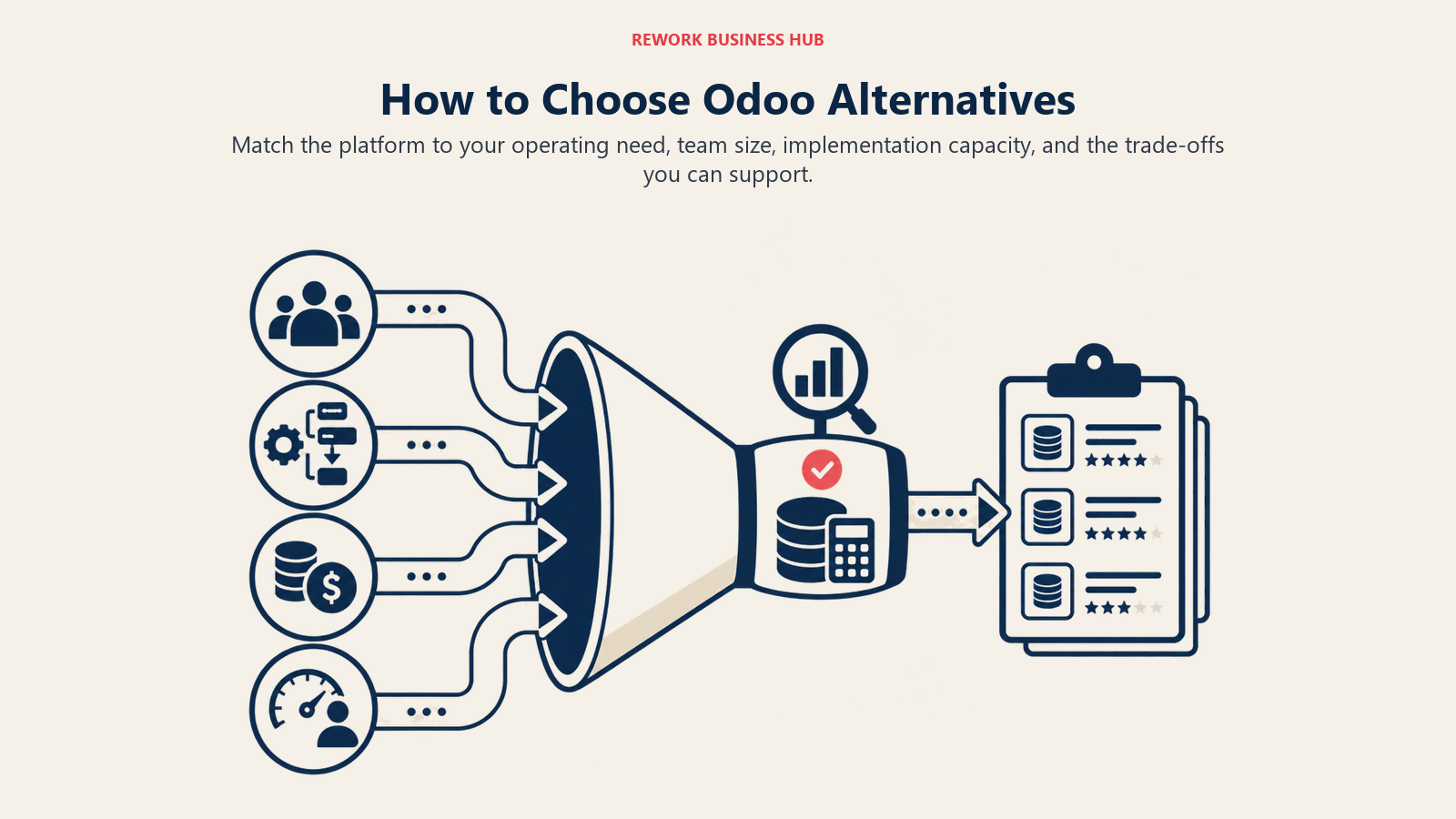
| If you need... | Consider... |
|---|---|
| Full ERP: accounting + inventory + manufacturing + CRM in one open-source platform | ERPNext |
| All-in-one coverage on a predictable per-user budget without module fees | Zoho One |
| Cloud ERP that scales to $500M+ revenue with multi-entity finance | NetSuite |
| Manufacturing/distribution SMB ERP with SAP's supply chain depth | SAP Business One |
| ERP deeply integrated with Office 365 and Teams for a Microsoft-first enterprise | Microsoft Dynamics 365 |
| Best-in-class multi-entity accounting without paying for unneeded modules | Sage Intacct |
| CRM + helpdesk + marketing with fast onboarding and clean UX | Freshworks |
| Flexible visual work management with a lightweight CRM layer | Monday.com |
| Free open-source ERP for a very small team (under 20 people) | Dolibarr |
| CRM + tasks + comms + HR with a free tier for unlimited users | Bitrix24 |
Why Teams Leave Odoo
Before picking a replacement, it's worth naming exactly where Odoo creates friction, because different alternatives solve different problems:
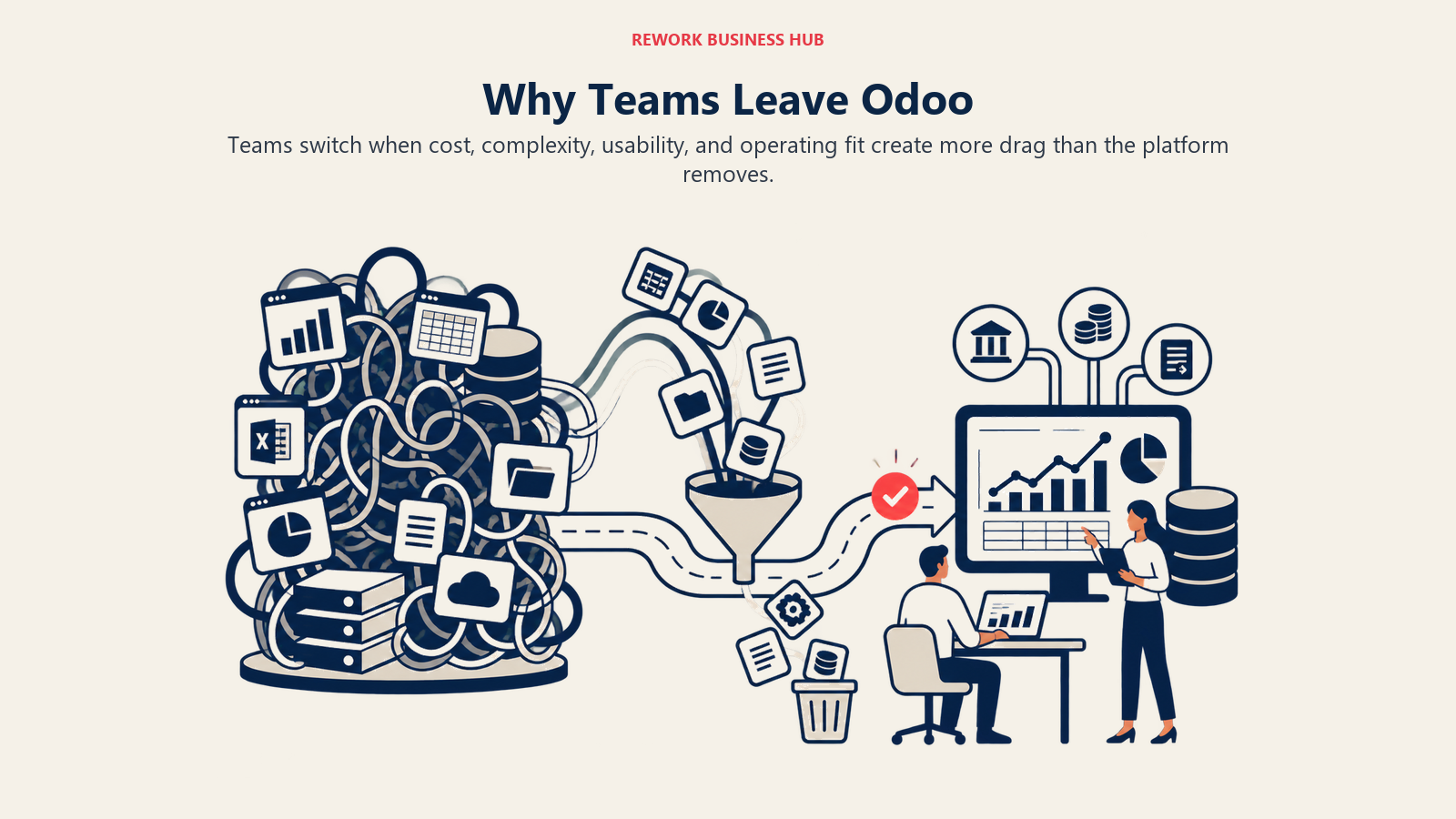
| Pain point | Root cause | Which alternatives address it |
|---|---|---|
| Module pricing adds up quickly | Each Enterprise module is a separate license | Zoho One (flat bundle), ERPNext (open-source) |
| Customization requires a developer | Odoo Studio is limited; deep changes need Python/XML dev | Freshworks, Monday.com, Zoho One (lower customization ceiling but self-serve) |
| Community vs Enterprise confusion | Key features like automated actions and multi-company gated to Enterprise | ERPNext (consistent feature set), Freshworks |
| Enterprise hosting is expensive | Odoo.sh or partner hosting adds $300-$2,000+/mo | ERPNext (Frappe Cloud cheaper), Dolibarr (free self-host) |
| Slow implementation timeline | Setup requires partner expertise for anything non-standard | Freshworks, Monday.com (days not months) |
| Accounting module not GAAP-strong enough | Odoo accounting works for basics but lacks multi-entity depth | Sage Intacct, NetSuite (serious accounting) |
The pattern most buyers miss is that Odoo's sticker price and its total cost of ownership are different numbers. The Community edition looks free, but the moment you need automated actions, multi-company support, or a non-standard workflow, you are either upgrading to Enterprise per-module pricing or paying an Odoo partner for development hours. For a 30-person operation, partner-led customization and hosting frequently add several thousand dollars a year on top of the subscription, which is why teams chasing simplicity often land on a flatter-priced platform like Zoho One rather than another modular ERP.
If your core requirement is genuinely full ERP (accounting, inventory, and manufacturing in one system), the honest swap is ERPNext or NetSuite, not a lighter CRM-first tool. If the real pain was CRM friction and developer dependency dressed up as an "ERP problem," consolidating the customer-facing stack on Freshworks and keeping a specialist accounting system like Xero or QuickBooks usually reaches value faster than re-platforming the entire business onto another suite.
Frequently Asked Questions
What is the best Odoo alternative overall?
There is no single best pick, because Odoo spans CRM, accounting, inventory, and manufacturing. ERPNext is the closest open-source like-for-like swap, Zoho One is the best all-in-one bundle without per-module fees, NetSuite is the strongest enterprise cloud ERP, and Freshworks fits when the real need is CRM, helpdesk, and marketing rather than full ERP.
Is there a free alternative to Odoo?
Yes. ERPNext and Dolibarr are both free to self-host and cover broad ERP and CRM functionality. Odoo Community is also free, so the question is usually less about license cost and more about who maintains the system. Free self-hosted ERP still needs technical resources for setup, updates, and customization.
Why do teams switch away from Odoo?
The most common reasons are Enterprise module pricing adding up, customization requiring a developer or Odoo partner, confusion over which features are gated to Enterprise versus Community, and slow partner-led implementation timelines. Different alternatives solve different ones of these, so the switch should target your specific pain point.
Do I need a full ERP to replace Odoo?
Not always. Many companies run Odoo mostly as a CRM and workflow tool while handling accounting in QuickBooks or Xero. If that describes you, a CRM-focused suite like Freshworks plus a dedicated accounting system often replaces Odoo with less setup and lower developer dependency than another full ERP.
How much does it cost to switch from Odoo?
Subscription costs vary widely, from free self-hosted ERPNext to roughly $42,000 a year for NetSuite at 25 users. The larger cost is usually migration: data export, cleanup, and field mapping. Budget for those steps before go-live, and pilot your top two tools against your actual daily workflows rather than features you might need someday.
What to Do Next
The right replacement depends on which Odoo problem you're actually solving. If accounting and inventory are your core requirements and you have technical resources, ERPNext is the cleanest like-for-like open-source swap. If you need an affordable all-in-one bundle without module fees, Zoho One is worth a structured evaluation. If your primary use case is CRM, helpdesk, and marketing and you handle accounting separately, Freshworks will get you to value faster and with less implementation overhead.
Run a two-week pilot with the top two tools that match your actual primary workflows. Don't evaluate tools against requirements you might have someday. Evaluate them against the work your team does every day this quarter. According to G2's ERP software reviews, the top reasons companies regret ERP purchases are buying more modules than needed and underestimating implementation time, both of which a structured pilot helps surface early. And before you start any migration, read preparing data before migration and field mapping between systems, because those two steps prevent most of the data problems that show up after go-live.

Principal Product Marketing Strategist
On this page
- Quick Comparison Table
- Understanding Odoo's Methodology Before You Leave
- Stage Fit Matrix
- Sizing and Buyer Persona Table
- 1. Zoho One: 45+ Apps, One Bundle Price
- 2. Bitrix24: CRM + Tasks + Comms + HR on a Free Tier
- 3. ERPNext: Open-Source ERP with Full Breadth
- 4. NetSuite: Enterprise Cloud ERP
- 5. SAP Business One: SMB ERP from the SAP Ecosystem
- 6. Microsoft Dynamics 365: Enterprise CRM + ERP in the Microsoft Stack
- 7. Sage Intacct: Mid-Market Accounting + ERP
- 8. Freshworks: CRM + Helpdesk + Marketing Suite
- 9. Monday.com: Work OS + CRM
- 10. Dolibarr: Open-Source ERP/CRM for Small Teams
- Feature Coverage Comparison
- Pricing Comparison at 25 and 50 Users (Annual)
- Implementation Complexity
- How to Choose: Decision Framework
- Why Teams Leave Odoo
- Frequently Asked Questions
- What is the best Odoo alternative overall?
- Is there a free alternative to Odoo?
- Why do teams switch away from Odoo?
- Do I need a full ERP to replace Odoo?
- How much does it cost to switch from Odoo?
- What to Do Next