User Stories: So schreiben Sie sie richtig (mit Beispielen und Template)
Turn this article into takeaways for your work.


Each assistant summarizes the article only for you and suggests best practices for your work.
User Stories sind kurze, allgemein verständliche Beschreibungen einer Funktion aus der Perspektive der Person, die sie nutzen wird. Sie bilden das Rückgrat der meisten agilen und Scrum Backlogs, und wenn sie gut geschrieben sind, halten sie Entwicklungsteams auf echte Nutzerergebnisse fokussiert statt auf abstrakte technische Anforderungen.
Was sind User Stories?
Eine User Story ist eine kurze, informelle Beschreibung einer Software-Funktion aus der Sicht der Endnutzer. Es handelt sich nicht um eine technische Spezifikation. Sie ist ein Platzhalter für ein Gespräch darüber, was ein Nutzer braucht und warum dieses Bedürfnis für das Produkt wichtig ist.
Der Begriff wurde durch Extreme Programming (XP) Ende der 1990er Jahre weit verbreitet und später von Mike Cohn in seinem 2004 erschienenen Buch User Stories Applied formalisiert. Heute sind User Stories in agilen Teams aller Größen etablierte Praxis, von kleinen Startups bis hin zu Enterprise-Produktabteilungen.
User Stories halten Teams ehrlich. Statt Funktionen zu bauen, weil sie technisch interessant klingen, schreiben Teams User Stories, um den Fokus auf die Menschen zu behalten, für die sie entwickeln. Die Story selbst ist absichtlich kurz. Der Wert entsteht durch das Gespräch, das sie zwischen Product Ownern, Entwicklern und Stakeholdern auslöst.
Key Facts
- User Stories wurden von Kent Beck als Teil von Extreme Programming (XP) Ende der 1990er Jahre etabliert und später in Mike Cohns 2004 erschienenem Buch User Stories Applied formalisiert.
- Laut dem 17. State of Agile Report (Digital.ai, 2023) nutzen 83 % der agilen Teams User Stories als primäres Format zur Erfassung von Anforderungen.
- Teams, die gut strukturierte Akzeptanzkriterien zusammen mit User Stories einsetzen, berichten laut einer Scrum-Alliance-Praktikerbefragung 2022 von 40 % weniger Defekten in Sprint-Reviews.
Das User-Story-Template
Das klassische User-Story-Format besteht aus drei Teilen. Es begegnet Ihnen überall:
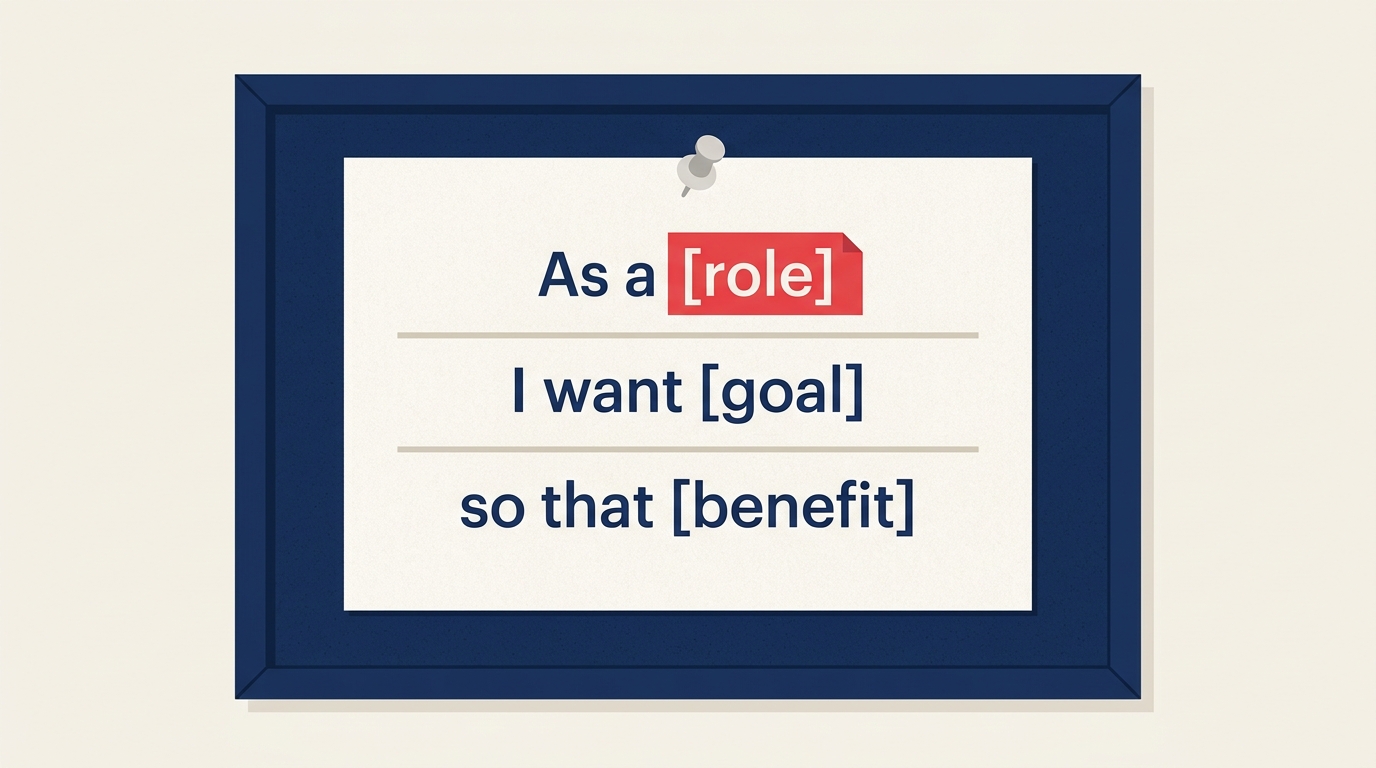
Als [Rolle] möchte ich [Ziel], damit [Nutzen].
Jeder Teil erfüllt eine bestimmte Funktion.
| Teil | Was er erfasst | Beispiel |
|---|---|---|
| Als [Rolle] | Wer ist der Nutzer? Identifiziert die spezifische Persona oder den Nutzertyp. | „Als Erstkäufer" |
| möchte ich [Ziel] | Was möchte der Nutzer tun? Die Aktion oder Fähigkeit, die er braucht. | „möchte ich Artikel auf einer Wunschliste speichern" |
| damit [Nutzen] | Warum möchte er das? Das Ergebnis oder der Wert, den er sucht. | „damit ich später darauf zurückgreifen kann, ohne erneut suchen zu müssen" |
Zusammengesetzt: „Als Erstkäufer möchte ich Artikel auf einer Wunschliste speichern, damit ich später darauf zurückgreifen kann, ohne erneut suchen zu müssen."
Dieses Format funktioniert, weil es Teams zwingt, drei Dinge gleichzeitig zu berücksichtigen: wer, was und warum. Lassen Sie eines davon weg, wird die Story erheblich schwieriger zu priorisieren oder zu schätzen. Eine Story ohne einen „damit"-Satzteil ist nur eine Aufgabe. Sie sagt nicht, welchen Wert Sie schaffen, was es nahezu unmöglich macht, beim Sprint-Planning zu entscheiden, ob sie es wert ist, gebaut zu werden.
User Stories vs. Epics vs. Aufgaben
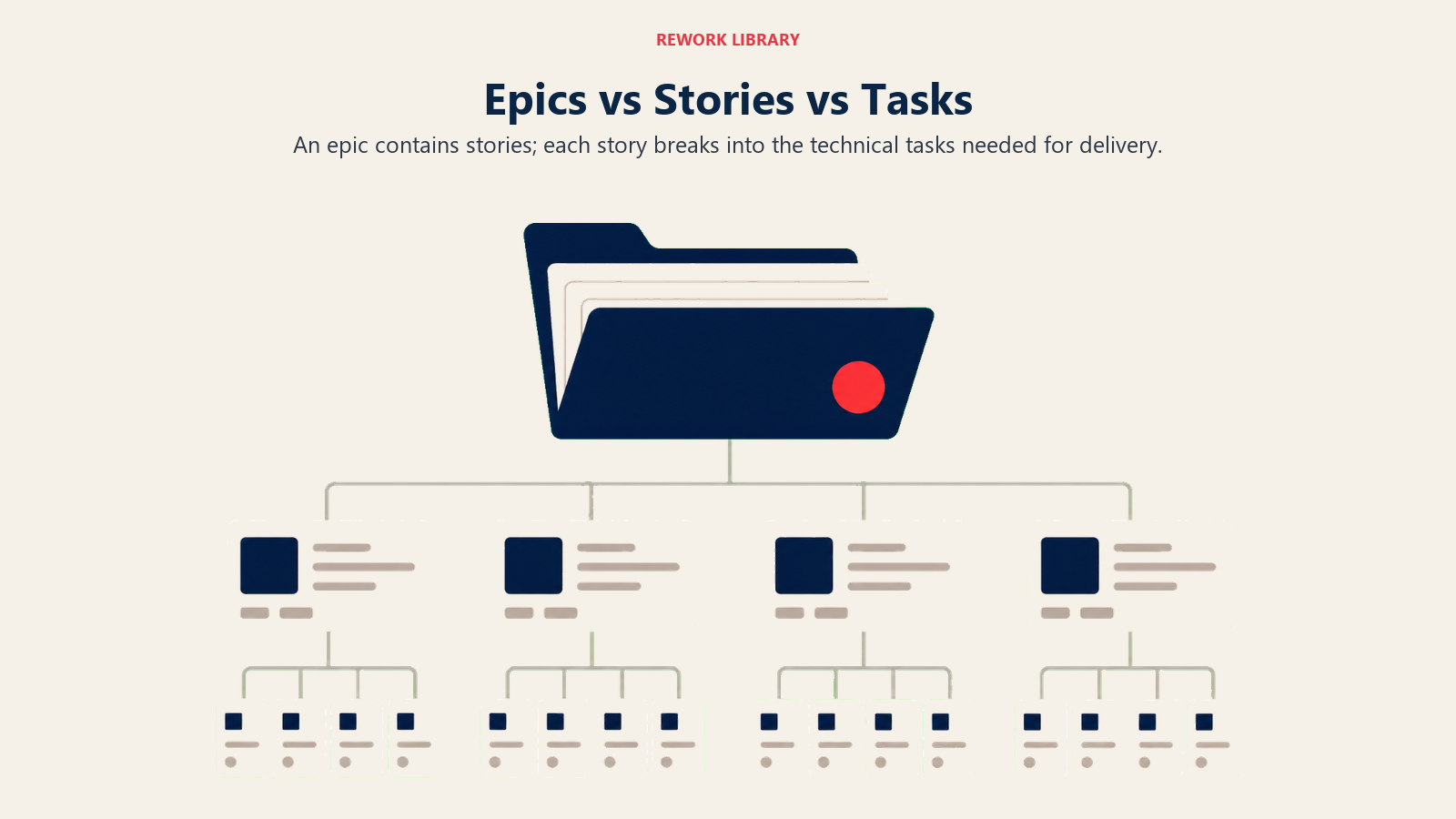
User Stories befinden sich in der Mitte einer dreistufigen Hierarchie. Den richtigen Granularitätsgrad zu treffen ist entscheidend, wenn Sie Sprint-Planung durchführen.
| Ebene | Was es ist | Granularität | Wer verantwortet es | Beispiel |
|---|---|---|---|---|
| Epic | Ein großer Arbeitsbereich, der in mehrere Stories aufgeteilt werden kann | Breit (Wochen bis Monate) | Product Owner | „Verbesserungen des Einkaufserlebnisses" |
| User Story | Eine einzelne Funktion oder Fähigkeit aus Nutzerperspektive | Mittel (1 Sprint oder weniger) | Product Owner + Team | „Als Käufer möchte ich Artikel auf einer Wunschliste speichern..." |
| Aufgabe | Eine spezifische technische Aktion zur Umsetzung einer Story | Eng (Stunden) | Entwickler | „Wunschlisten-API-Endpunkt bauen" |
Epics sind zu groß, um in einem Sprint gebaut zu werden, also zerlegen Teams sie in User Stories. Stories sind so dimensioniert, dass sie in einen Sprint passen. Aufgaben sind die eigentliche technische Arbeit, die Entwickler aufnehmen und auf einem Board verfolgen.
Ein häufiger Fehler ist das Schreiben von Stories auf Epic-Ebene und dann das Wundern, warum nichts fertig wird. Wenn eine Story mehr als einen Sprint benötigt, ist sie wahrscheinlich ein verkleidetes Epic. Teilen Sie sie auf.
Die 3 Cs der User Stories
Ron Jeffries führte das 3-Cs-Framework ein, um zu beschreiben, wie User Stories in der Praxis tatsächlich funktionieren. Die Karte ist nur der Ausgangspunkt.
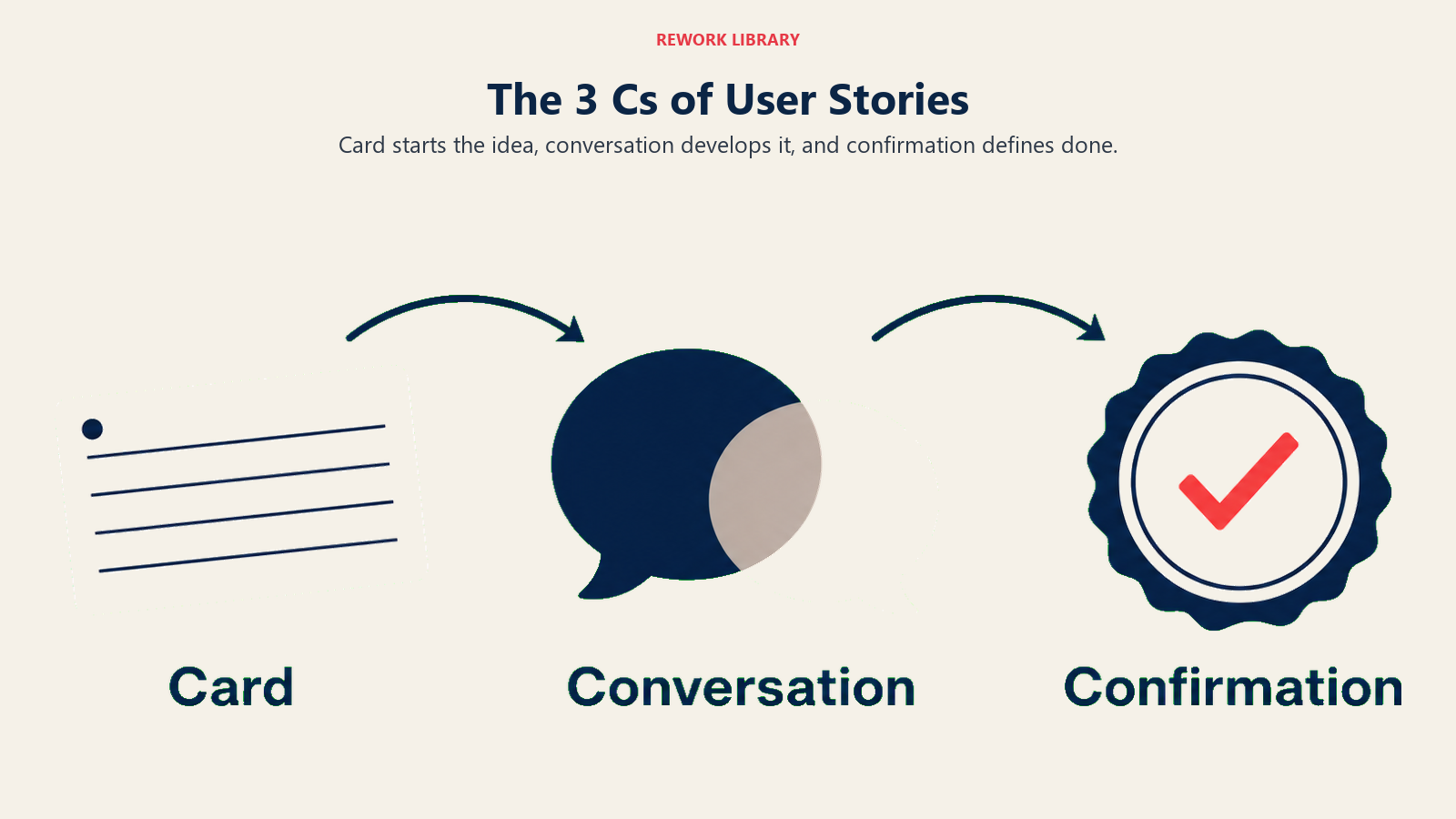
Card (Karte). Eine User Story wird traditionell auf einer physischen Karteikarte (oder einem digitalen Äquivalent) notiert. Die Karte ist absichtlich kurz: ein bis zwei Sätze. Sie ist keine vollständige Spezifikation. Sie erinnert daran, dass ein Gespräch stattfinden muss.
Conversation (Gespräch). Die Karte löst eine Diskussion zwischen Product Owner, Entwicklern und oft Stakeholdern aus. In diesem Gespräch werden die eigentlichen Anforderungen herausgearbeitet. Die Karte enthält nicht alle Antworten. Die Menschen tun es.
Confirmation (Bestätigung). Sobald das Gespräch stattgefunden hat, dokumentiert das Team Akzeptanzkriterien: die spezifischen Bedingungen, die erfüllt sein müssen, damit die Story als abgeschlossen gilt. Diese Kriterien werden getestet und verifiziert, bevor die Story geschlossen wird.
Die meisten Teams schreiben die Karte und springen direkt ins Programmieren. Das ist falsch. Das Gesprächs-Schritt ist der Ort, an dem Unklarheiten beseitigt werden, Randfälle entdeckt werden und ein gemeinsames Verständnis entsteht. Stories, die das Gespräch überspringen, kommen tendenziell zur Nachbearbeitung zurück.
INVEST-Kriterien für gute User Stories
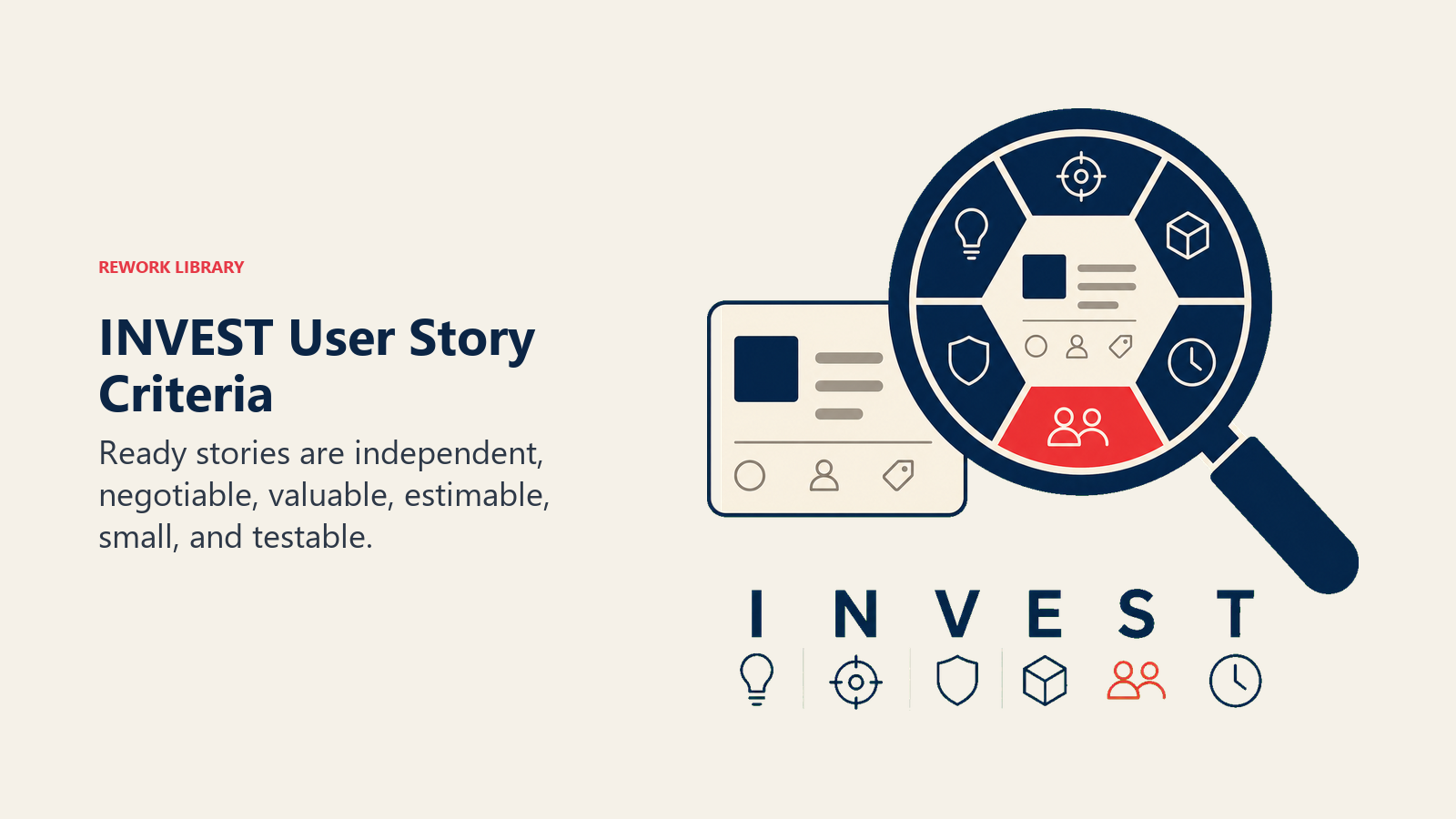
Bill Wake führte das INVEST-Akronym ein, um Teams eine Qualitätscheckliste zur Beurteilung zu geben, ob eine User Story gut formuliert ist. Prüfen Sie jede Story anhand dieser Liste, bevor Sie sie in einen Sprint ziehen.
| Buchstabe | Kriterium | Bedeutung |
|---|---|---|
| I | Independent (Unabhängig) | Die Story kann ohne Abhängigkeit von einer anderen Story gebaut und geliefert werden. |
| N | Negotiable (Verhandelbar) | Die Story ist kein starrer Vertrag. Details können basierend auf Gesprächen und neuen Informationen angepasst werden. |
| V | Valuable (Wertvoll) | Die Story liefert klaren Mehrwert für den Nutzer oder das Unternehmen. Wenn Sie den Wert nicht benennen können, ist die Story nicht bereit. |
| E | Estimable (Schätzbar) | Das Team hat genügend Informationen, um den erforderlichen Aufwand zu schätzen. Wenn es nicht schätzen kann, ist etwas unklar. |
| S | Small (Klein) | Die Story passt in einen einzigen Sprint. Wenn nicht, in kleinere Stories aufteilen. |
| T | Testable (Testbar) | Die Story hat Akzeptanzkriterien, die verifiziert werden können. Was nicht getestet werden kann, kann nicht als erledigt bestätigt werden. |
Führen Sie einen schnellen INVEST-Check während der Backlog-Refinement durch. Wenn eine Story ein Kriterium nicht erfüllt, noch nicht in die Planung ziehen. Zuerst korrigieren. Die häufigsten Fehler sind „nicht klein genug" (sollte ein Epic sein) und „nicht testbar" (noch keine Akzeptanzkriterien geschrieben).
Wie man eine User Story schreibt
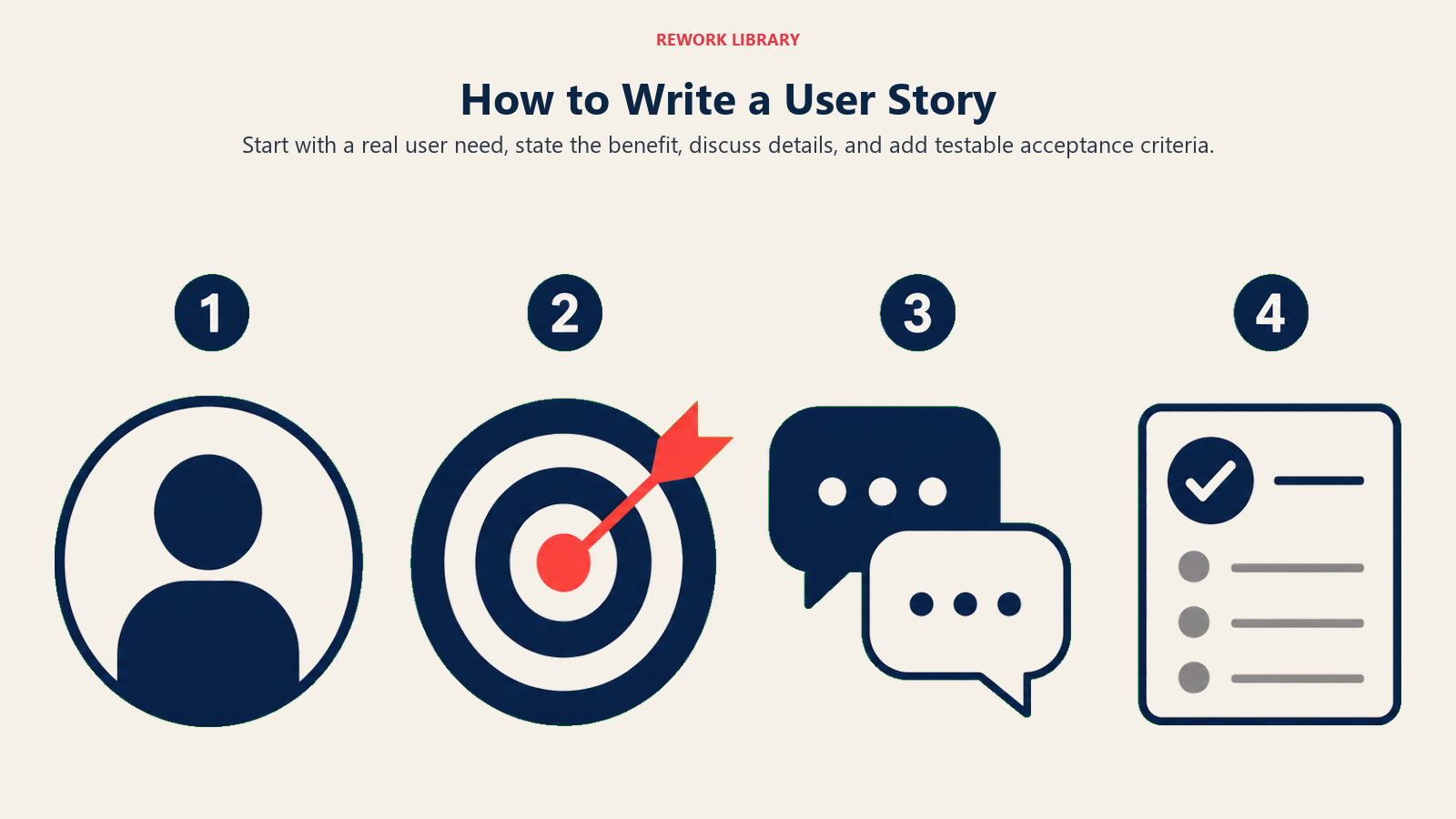
Das Schreiben einer guten User Story erfordert mehr als das Ausfüllen des Templates. Hier ist der Prozess, der zuverlässig funktioniert.
Schritt 1: Nutzer-Persona identifizieren
Wer wird diese Funktion tatsächlich nutzen? Konkret sein. „Nutzer" ist keine Persona. „Neue Nutzer, die ihre Zahlung noch nicht eingerichtet haben" schon. Je konkreter die Persona, desto leichter ist es, eine Story zu schreiben, die ihre Bedürfnisse tatsächlich widerspiegelt.
Wenn Sie noch keine formalen Personas haben, bringt ein kurzes Gespräch mit Ihrem Customer-Support-Team in etwa 20 Minuten die häufigsten Nutzertypen ans Licht.
Schritt 2: Das Ziel benennen
Was versucht der Nutzer zu erreichen? Als Aktion formulieren: „Suchergebnisse nach Preis filtern", „Daten als CSV-Datei exportieren", „nach dem Checkout eine Bestätigungs-E-Mail erhalten". Pro Story nur ein Ziel. Wenn Sie sich dabei ertappen, „und" in das Ziel zu schreiben, haben Sie wahrscheinlich zwei Stories.
Schritt 3: Den Nutzen angeben
Warum möchte der Nutzer das? Welches Ergebnis sucht er? Das ist der „damit"-Satzteil. Und der am häufigsten ausgelassene. Nicht auslassen. Der Nutzen sagt dem Team, wie Erfolg aussieht, was wichtig ist, wenn während der Entwicklung Trade-offs auftauchen.
Schritt 4: Akzeptanzkriterien hinzufügen
Die Bedingungen schreiben, die die Funktion erfüllen muss, um als abgeschlossen zu gelten. Klare Sprache oder das Given/When/Then-Format verwenden (mehr dazu unten). Akzeptanzkriterien sind nicht optional. Ohne sie hat jeder Entwickler im Team ein leicht anderes mentales Bild davon, was „erledigt" bedeutet.
Schritt 5: Die Story schätzen
Mit dem Team die Story mit Story Points oder einer ähnlichen relativen Schätzmethode dimensionieren. Wenn die Schätzung hoch ist (in der Regel über 8 oder 13 auf einer Fibonacci-Skala), ist die Story wahrscheinlich zu groß. Vor der Sprint-Planung in kleinere Teile aufteilen.
Schritt 6: Priorisieren und verfeinern
Die Story dem Product Backlog hinzufügen und nach Wert einordnen. Während der Backlog-Refinement-Sitzungen die Stories überarbeiten, die im nächsten Sprint anstehen, um sicherzustellen, dass sie noch relevant, richtig dimensioniert und mit klaren Akzeptanzkriterien versehen sind. Stories, die längere Zeit nicht verfeinert wurden, müssen oft aktualisiert werden, bevor sie Sprint-bereit sind.
User-Story-Beispiele
Hier sind konkrete Beispiele für drei häufige Produkttypen. Jedes folgt dem Standardtemplate und enthält einen kurzen Akzeptanzhinweis.
| Produkttyp | User Story | Akzeptanzhinweis |
|---|---|---|
| E-Commerce | „Als Stammkunde möchte ich einen früheren Einkauf mit einem Klick neu bestellen, damit ich nicht jeden Artikel erneut suchen muss." | Warenkorb ist mit den Artikeln der früheren Bestellung zu aktuellen Preisen vorausgefüllt; Nutzer bestätigt vor dem Checkout. |
| SaaS (B2B) | „Als Teammanager möchte ich den Aktivitätsbericht meines Teams als CSV exportieren, damit ich ihn meiner Direktorin in einem Format weitergeben kann, das sie nutzen kann." | Export enthält Datumsbereichsfilter, alle in der App sichtbaren Spalten, und lädt innerhalb von 5 Sekunden für bis zu 1.000 Zeilen. |
| Internes Tool | „Als Support-Mitarbeiter möchte ich die vollständige Ticket-Historie eines Kunden in einer Ansicht sehen, damit ich während eines Anrufs nicht zwischen Systemen wechseln muss." | Verlauf zeigt die letzten 12 Monate, sortiert nach Datum absteigend, mit Ticket-Status und Lösungsnotizen sichtbar. |
| Mobile App | „Als neuer Nutzer möchte ich das Onboarding in unter 3 Minuten abschließen, damit ich die App nutzen kann, bevor das Interesse nachlässt." | Onboarding-Ablauf hat maximal 5 Bildschirme, ist bei jedem Schritt überspringbar und erfordert keine Kreditkarte. |
| Analytics-Plattform | „Als Marketing-Analystin möchte ich Dashboard-Metriken nach Kampagne filtern, damit ich Leistungen vergleichen kann, ohne die Ansicht zu wechseln." | Filter wird sofort angewendet (unter 1 Sekunde), unterstützt Mehrfachauswahl von Kampagnen und bleibt über Sitzungen hinweg erhalten. |
Beachten Sie, dass jede Story einen spezifischen Nutzertyp nennt, nicht einen generischen „Nutzer". Und jeder Nutzen-Satzteil erklärt die eigentliche Motivation, nicht nur eine Wiederholung des Ziels.
Akzeptanzkriterien und Definition of Done
Akzeptanzkriterien sind die spezifischen Bedingungen, die eine Funktion erfüllen muss, damit das Team die User Story als abgeschlossen betrachtet. Sie werden vor dem Entwicklungsstart geschrieben, in der Regel während des Gesprächs-Schritts.
Das gebräuchlichste Format ist Given/When/Then (auch Gherkin-Syntax genannt):
- Given (Gegeben): ein anfänglicher Kontext oder eine Vorbedingung
- When (Wenn): der Nutzer eine bestimmte Aktion ausführt
- Then (Dann): ein bestimmtes Ergebnis eintritt
Beispiel für die Wunschlisten-Story:
Given ein angemeldeter Käufer befindet sich auf einer Produktseite
When er auf den Button „Zur Wunschliste hinzufügen" klickt
Then wird der Artikel seiner Wunschliste hinzugefügt und eine Bestätigungsmeldung erscheint; der Button wechselt zu „Gespeichert"
Die Definition of Done (DoD) unterscheidet sich von den Akzeptanzkriterien. Akzeptanzkriterien sind spezifisch für eine Story. Die DoD ist ein teamweiter Standard, der für jede Story gilt: Unit-Tests geschrieben, Code überprüft, in Staging deployed, keine kritischen Bugs. Beide müssen erfüllt sein, bevor eine Story geschlossen wird.
Verwechseln Sie sie nicht. Eine Story kann alle ihre Akzeptanzkriterien erfüllen und trotzdem nicht die DoD erfüllen, wenn etwa kein Code-Review stattgefunden hat. Beides verfolgen.
Häufige Fehler beim Schreiben von User Stories
Aus Systemperspektive statt aus Nutzerperspektive schreiben. „Das System soll eine E-Mail senden" ist eine technische Anforderung, keine User Story. Umschreiben: „Als neuer Nutzer möchte ich nach der Registrierung eine Willkommens-E-Mail erhalten, damit ich weiß, dass mein Konto erfolgreich erstellt wurde."
Den Nutzen-Satzteil weglassen. „Als Nutzer möchte ich Ergebnisse filtern" sagt dem Team kaum etwas über Priorität oder Wert. Warum möchte der Nutzer filtern? Welche Entscheidung wird er mit gefilterten Ergebnissen treffen? Der „damit"-Satzteil ist der Ort, an dem die wirklichen Informationen stecken.
Epics schreiben und sie Stories nennen. „Als Nutzer möchte ich ein vollständiges Checkout-Erlebnis" ist keine Story. Es ist ein Funktionsbereich. In spezifische, schätzbare Teile aufteilen: Zahlungsart-Auswahl, Bestellbestätigung, Quittungs-E-Mail usw.
Keine Akzeptanzkriterien vor dem Entwicklungsstart. Stories ohne Akzeptanzkriterien sind eine offene Einladung zur Nacharbeit. Entwickler interpretieren Mehrdeutigkeiten so, wie es am einfachsten zu bauen ist, nicht unbedingt so, wie es der Product Owner gemeint hat. Kriterien vor dem Sprint-Start schreiben.
Zu viele Stories für einen Sprint. Agile Teams laden den Backlog manchmal mit mehr Stories, als das Team realistischerweise abschließen kann. Das führt zu halbfertiger Arbeit und einem überfüllten Burndown-Chart, das nie null erreicht. Story Points und historische Velocity nutzen, um eine realistische Sprint-Kapazität festzulegen.
Den MoSCoW-Priorisierungs-Schritt ignorieren. Nicht alle User Stories sind gleich. Manche sind Muss-Funktionen, andere sind Kann-Funktionen. Ohne explizite Priorisierung verbringen Teams Sprint-Zeit mit niedrig-wertigen Stories, während hochwertige Arbeit wartet.
Häufig gestellte Fragen zu User Stories
Was ist eine User Story in Agile?
Eine User Story ist eine kurze, allgemein verständliche Beschreibung einer Funktion aus Nutzerperspektive, geschrieben im Format „Als [Rolle] möchte ich [Ziel], damit [Nutzen]." Sie wird in agilen Teams eingesetzt, um Anforderungen so zu erfassen, dass der Fokus auf dem Nutzerwert und nicht auf technischen Spezifikationen liegt. User Stories werden typischerweise in einem Product Backlog gespeichert und nach Priorität in Sprints gezogen.
Was ist der Unterschied zwischen einer User Story und einem Epic?
Ein Epic ist ein großer Arbeitsbereich, der zu groß ist, um in einem einzigen Sprint geliefert zu werden. Eine User Story ist ein kleinerer, lieferbarer Ausschnitt dieser Arbeit. Epics werden in User Stories aufgeteilt. Zum Beispiel: „Checkout-Erlebnis" ist ein Epic. „Als Käufer möchte ich meine Zahlungsdaten für zukünftige Einkäufe speichern" ist eine User Story darin.
Wer schreibt User Stories?
Der Product Owner schreibt oder verantwortet typischerweise User Stories, aber die besten User Stories entstehen durch Zusammenarbeit. Product Owner bringen die Geschäfts- und Nutzerperspektive ein. Entwickler bringen technischen Kontext. UX-Designer bringen Nutzerforschung. Backlog-Refinement-Sitzungen sind der Ort, an dem diese Perspektiven sich verbinden, um gut formulierte, schätzbare Stories zu erzeugen.
Was sind Story Points?
Story Points sind eine relative Schätzeinheit, die Teams zur Dimensionierung von User Stories verwenden. Statt in Stunden zu schätzen (was von Person zu Person variiert und oft ungenau ist), vergleichen Teams Stories miteinander auf einer Fibonacci-ähnlichen Skala (1, 2, 3, 5, 8, 13). Eine Story mit 5 Punkten ist ungefähr doppelt so komplex wie eine 2-Punkte-Story. Im Laufe der Zeit entwickeln Teams eine stabile Velocity (Punkte pro Sprint), was die Sprint-Planung vorhersehbarer macht.
Wofür steht INVEST bei User Stories?
INVEST ist eine Qualitätscheckliste für User Stories: Independent (kann ohne Abhängigkeit von einer anderen Story gebaut werden), Negotiable (Details können sich basierend auf Gesprächen ändern), Valuable (liefert klaren Nutzerwert), Estimable (Team kann sie dimensionieren), Small (passt in einen Sprint), und Testable (hat verifizierbare Akzeptanzkriterien). Wenn eine Story eines dieser Kriterien nicht erfüllt, ist sie nicht sprint-bereit.
Gute User Stories schreiben sich nicht von selbst. Aber Teams, die sich die Zeit nehmen, sie richtig zu schreiben, echte Nutzer-Personas zu benennen, klare Nutzen-Satzteile zu schreiben und testbare Akzeptanzkriterien vor dem Entwicklungsstart zu erstellen, verbringen weniger Zeit mit Nacharbeit und mehr Zeit damit, wichtige Dinge zu liefern.
Beginnen Sie mit einer Story für Ihren aktuellen Backlog-Artikel mit der höchsten Priorität. Das Template anwenden, den INVEST-Check durchführen und zwei bis drei Akzeptanzkriterien schreiben. Das ist die Gewohnheit. Darauf aufbauen.
Für verwandte Frameworks siehe Projektstrukturplan zur Zerlegung von Projektumfang, Sprint-Planung zum Einplanen von Stories in Sprints und Scrum vs. Kanban, wenn Sie entscheiden, welcher Workflow am besten zu Ihrem Team passt.

Senior Operations & Growth Strategist
On this page
- Was sind User Stories?
- Das User-Story-Template
- User Stories vs. Epics vs. Aufgaben
- Die 3 Cs der User Stories
- INVEST-Kriterien für gute User Stories
- Wie man eine User Story schreibt
- Schritt 1: Nutzer-Persona identifizieren
- Schritt 2: Das Ziel benennen
- Schritt 3: Den Nutzen angeben
- Schritt 4: Akzeptanzkriterien hinzufügen
- Schritt 5: Die Story schätzen
- Schritt 6: Priorisieren und verfeinern
- User-Story-Beispiele
- Akzeptanzkriterien und Definition of Done
- Häufige Fehler beim Schreiben von User Stories