Best Timesheet Software in 2026: 16 Tools for Approvals, Compliance, and Payroll Export
Turn this article into takeaways for your work.


Each assistant summarizes the article only for you and suggests best practices for your work.
Replicon now sells as Deltek Replicon with no published pricing at all, Clockify's free plan has been capped at 5 users since April 2026, and Harvest has renamed its paid tiers to Teams and Enterprise.*
A timer and a timesheet are not the same product, and buying the first when you needed the second is the most expensive mistake in this category. A timer answers "how long did this take." A timesheet answers "what did this person work, who approved it, can it still be edited, what does payroll owe, and can you prove it to an auditor eighteen months from now." Plenty of tools that win on timer UX fall apart the moment a controller asks for a locked, approved weekly grid.
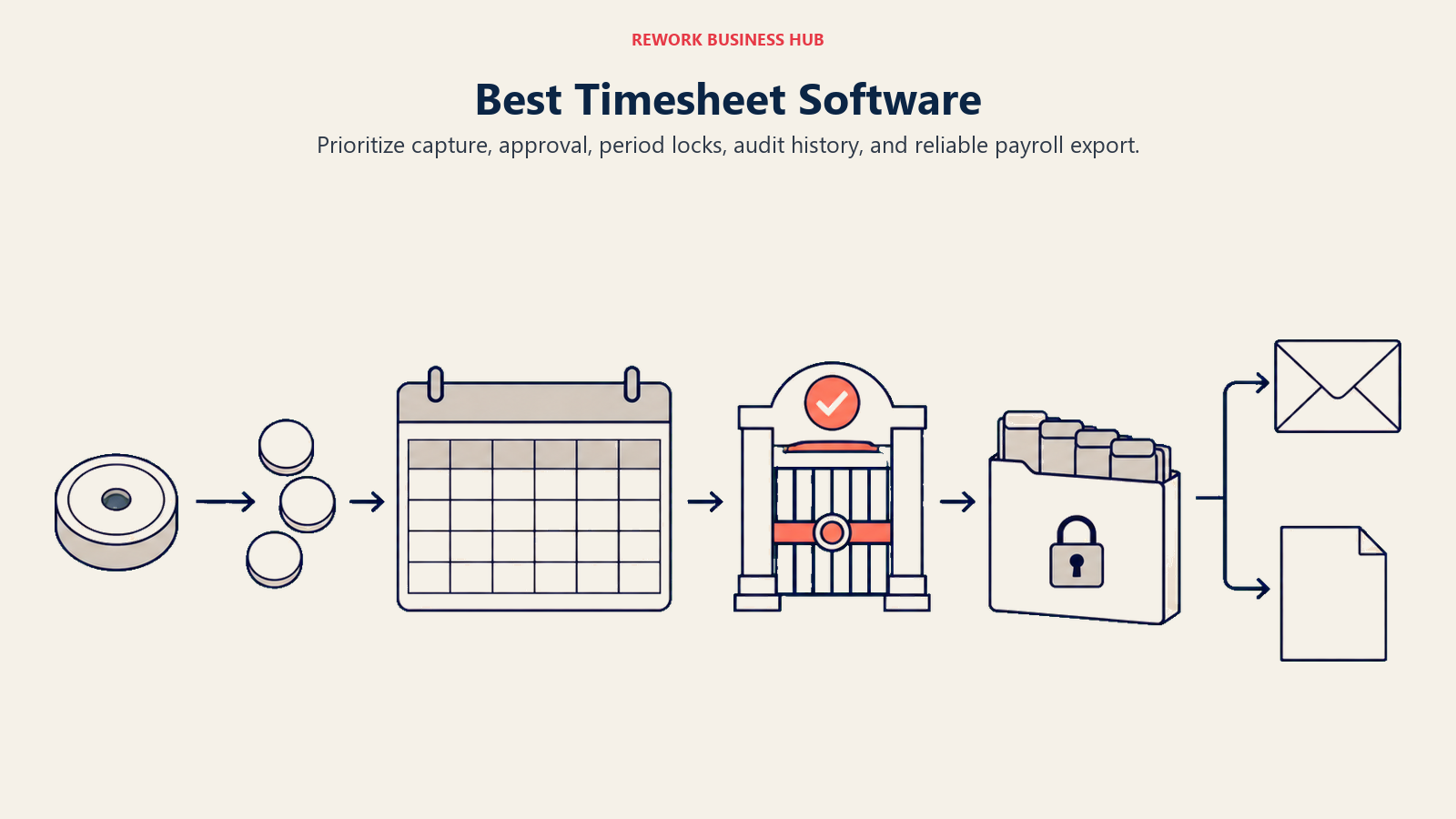
This guide ranks 16 tools on timesheet depth specifically: the weekly or biweekly grid, submission and approval routing, period locking, overtime and PTO accrual, client and project allocation, payroll export, and the audit trail underneath it all. Rework enters differently, keeping hours on the same record as the CRM deal and project that generated them. If your search is really about billable timers and workforce attendance rather than approval workflow, start with the companion guide to the best time tracking software.
Key Facts
- Missing or incorrect time punches cost roughly $78,700 per year per 1,000 employees, and the average company runs an 80% payroll accuracy rate with 15 corrections per pay period, per an EY analysis of 508 HR and payroll professionals at US companies. (HR Dive, citing EY)
- Billable utilization at professional services firms fell to 66.4% in 2025, the lowest in the benchmark's survey history and well under the 75% target, across 500-plus firms representing 245,000 employees. (Deltek, citing the 2026 SPI Professional Services Maturity Benchmark)
- The US Department of Labor recovered $259 million in back wages for almost 177,000 employees in fiscal year 2025, the highest total since 2019, about $1,465 per affected worker. (HR Dive, citing DOL data)
- 80.3 million US workers were paid hourly rates in 2024, or 55.6% of all wage and salary workers, so most of the American workforce is paid from a time record rather than a salary line. (US Bureau of Labor Statistics)
- The time tracking software market is projected to reach $149.92 billion by 2034, expanding at a 25.66% compound annual growth rate over the 2026 to 2034 forecast period. (Fortune Business Insights)
Timesheet Software vs a Time Tracker: The Feature Line That Actually Matters
Almost every tool here will start a timer. Far fewer will hold a submitted week open for a manager, reject it back with a comment, lock the period once payroll runs, and keep an immutable record of who changed what. That second list is the buying criteria.
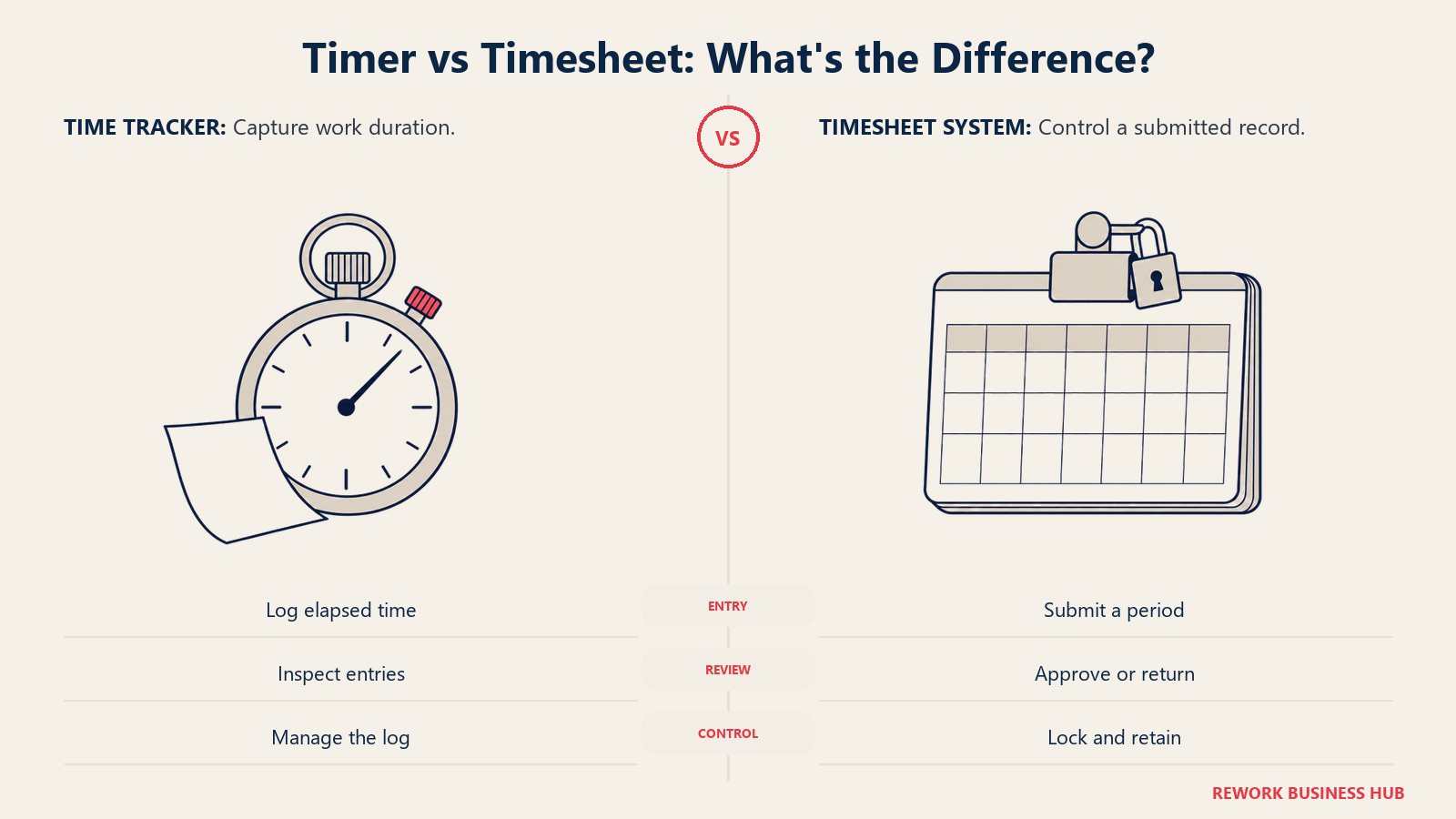
| Capability | A time tracker gives you | A timesheet system needs |
|---|---|---|
| Entry model | A running timer, entries by task | A weekly or biweekly grid the employee fills and submits |
| Workflow | Nothing to submit, entries just exist | Submit, approve, reject with a comment, resubmit |
| Approval routing | Optional single approver, if any | Manager, then project lead, then finance, in sequence |
| Period control | Edit history forever | Lock the period after approval so nothing shifts under payroll |
| Overtime | Reports on hours over a threshold | Applies daily and weekly overtime rules and pay multipliers |
| Leave | Tracked in a separate HR tool | PTO, sick, and holiday appear as rows on the same sheet |
| Allocation | Time against a project | Time split by client, project, phase, task, and cost code |
| Payroll handoff | A CSV you reformat by hand | A mapped export or native sync to your payroll provider |
| Audit trail | Last edited timestamp | Who changed what, when, why, retained for years |
| Proof of work | A total | An approved, attributable record you can defend |
If the left column covers your job, you're shopping for a timer and will overpay for the tools at the top of this list. If three or more items in the right column are non-negotiable, most freelancer-favorite timers drop out regardless of price.
The Five Timesheet Buyers, and What Each One Actually Needs
Search results for "timesheet software" mash five buyers into one ranking. A consultancy billing clients by the hour and a construction firm proving prevailing-wage compliance share almost nothing except the word "timesheet." Sort yourself first.
| Buyer | The job to be done | Deal-breaker feature | Tools that fit |
|---|---|---|---|
| Professional services and agencies | Turn approved hours into client invoices without rekeying | Billable rates, budget burn, invoice generation | Harvest, BigTime, Scoro, Avaza |
| Finance and payroll teams | Get a clean, locked, approved sheet into payroll on time | Period locking, overtime rules, payroll export | QuickBooks Time, Deltek Replicon, Connecteam |
| Regulated and government contractors | Prove the record to an auditor years later | Immutable audit trail, daily entry, reason codes | Deltek Replicon, BeeBole, actiTime |
| Mid-size ops teams consolidating systems | Stop reconciling hours across three logins | Timesheets on the same record as projects and people | Rework |
| Small teams and startups | A submittable sheet without a rollout project | Simple approvals, low or no cost | Clockify, TimeCamp, Toggl Track, Everhour |
Quick Comparison Table
| Tool | Best For | Starting Price | Key Strength | Key Limitation |
|---|---|---|---|---|
| Harvest | Agencies turning approved sheets into invoices | Free (1 seat, 2 projects); Teams $9/seat/mo or $108/seat/yr | Timesheet to client invoice in one flow | Usage charges stack on the seat rate |
| Clockify | Small teams wanting approvals on a low budget | Free (up to 5 users); Basic $4.99/user/mo ($3.99 annual) | Cheapest paid ladder with real approvals | Approvals and locking start on Standard |
| QuickBooks Time | Hourly crews whose sheets feed QuickBooks payroll | Premium $20/mo base + $10/user/mo | Approved sheets flow straight into payroll | Base fee plus per-user math adds up |
| BigTime | Services firms tracking WIP and billing rates | Essentials from $20/user/mo | Timesheets tied to rates, WIP, and invoicing | Only the entry tier's price is published |
| Deltek Replicon | Contractors and multi-entity firms facing audits | Quote only, no published price | Deepest compliance and audit tooling here | No published pricing since the Deltek move |
| Rework | Mid-size teams putting hours on the project record | Quote on request | Timesheets, projects, CRM, and HR on one platform | No free tier, no published self-serve price |
| Everhour | Teams whose work lives in Asana or ClickUp | Free (up to 5 seats); Team $8.50/seat/mo annual, 5-seat minimum | Timesheet grid inside the PM tool people use | The 5-seat floor means tiny teams overpay |
| TimeCamp | Growing teams that want everyone on a free plan | Free (unlimited users); Starter $5.49/user/mo ($3.99 annual) | Genuinely unlimited free users | Approval depth trails BigTime and Replicon |
| actiTime | Teams wanting a purpose-built weekly grid | Free (1 to 3 users); Online $6/user/mo yearly, 1 to 40 users | The grid, approvals, and locking are the product | Banded pricing, rate depends on headcount |
| BeeBole | Compliance-minded teams needing approvals and audit | Free (up to 5 users); Essential $10/user/mo ($9 annual) | Multi-level approvals and audit log, small-team price | Sparse integrations next to bigger suites |
| Toggl Track | Teams starting from timers, adding a sheet later | Free (a limited number of users); Starter $9/user/mo annual | Easiest adoption, people actually fill it in | Approvals and locking sit behind Premium |
| Hubstaff | Distributed teams needing evidence behind the hours | No free plan; Starter $7/seat/mo ($4.99 annual), 2-seat minimum | Timesheets backed by activity and location data | No free plan, and monitoring is a culture call |
| Avaza | Small firms wanting sheets, expenses, and invoices | Free (1 timesheet user); Startup $11.95/mo for 2 timesheet users | Priced per bundle of users, not per seat | Bundle jumps make growth lumpy |
| Paymo | Small agencies wanting tasks and sheets in one tool | Free (1 user, 1 client, 2 projects); Solo $9.90/mo regular | Timesheets, tasks, and invoicing in one light package | Per-user cost climbs past the Solo tier |
| Scoro | Services firms wanting sheets inside a full suite | From $17/user/mo, minimum 5 users | Time, quotes, projects, and billing in one system | Modular pricing takes work to budget |
| Connecteam | Deskless crews submitting sheets from a phone | Free (up to 10 users); Operations hub Basic $35/mo ($29 annual) | Clock-in, scheduling, and approval in one app | Priced per hub, one price buys one hub |
1. Harvest: The Agency Timesheet That Becomes an Invoice
Harvest treats the timesheet as the front end of billing rather than a reporting artifact. Staff fill a weekly view and submit it, a manager approves, and approved time carries its billable rate into a draft invoice while project budgets burn down live. Approval is deliberately simple: one submission, one approver, then the week locks, which covers most agencies and frustrates anyone needing project-lead-then-finance routing. With billable utilization across professional services down to 66.4% in 2025, catching unbilled hours weekly rather than at month end does real financial work.
| What you get | What you don't |
|---|---|
| Approved timesheets that become client invoices directly | Multi-step approval routing through several roles |
| Live project budget and retainer burn-down | Daily and weekly overtime rule engines |
| Expense capture on the same project record | GPS or kiosk clock-in for hourly crews |
| Clean exports to QuickBooks, Xero, and Asana | A free tier past a single seat |
Pricing: Free forever for 1 seat and 2 projects. Teams is $9 per seat per month, or $108 per seat billed annually. Enterprise is $14 per seat per month, or $168 per seat billed annually. Enterprise Plus is custom. Harvest states a 20% discount for paying yearly, and notes that on top of the base seat rate, additional invoices, projects, clients, and tasks are billed based on what you use. Budget for that usage component. (Harvest) Best for: Agencies whose timesheet exists to produce an accurate client invoice. See Best Harvest Alternatives if usage charges or the single-approver model block you, and Harvest vs Clockify for the head-to-head. Not ideal for: Teams needing layered approval routing, overtime rule engines, or hourly clock-in.
2. Clockify: Real Timesheet Approvals at the Lowest Paid Price
Clockify gives you a proper weekly grid, submission, approval, and time-off requests at the cheapest paid ladder here. For a 12-person team needing managers to sign off before payroll runs, it's the shortest path to a working process. But read the free plan carefully. CAKE.com capped Clockify's free plan at 5 users in April 2026 and moved billable hours, kiosk clock-in, CSV and Excel export, and shared report links onto paid plans, so free-tier reporting is now PDF-only. Approval and time-entry locking start on Standard, and the audit log is Enterprise-only, so price the tier your process actually needs rather than the one on the banner.
| What you get | What you don't |
|---|---|
| Weekly grid with submit, approve, and reject | Approvals or locking below the Standard tier |
| Time-off requests and balances on the same sheet | Billable hours or CSV export at no cost since April 2026 |
| Kiosk seats priced separately for shared devices | An audit log outside Enterprise |
| The lowest paid entry price among full timesheet tools | A free plan past 5 users |
Pricing: Free for up to 5 users. Basic $4.99 per user per month billed monthly, $3.99 annually. Standard $6.99 monthly, $5.49 annual. Pro $9.99 monthly, $7.99 annual. Enterprise $14.99 monthly, $11.99 annual. The CAKE.com Bundle is $15.99 monthly, $12.99 annual. Limited kiosk-only seats run from $0.99 monthly on Basic to $2.99 on Enterprise and Bundle. Every active or invited user on your Team page occupies one paid seat. (Clockify) Best for: Small and mid-size teams needing submit-and-approve timesheets on the tightest budget. See Best Clockify Alternatives if the 5-user free cap changed your plan, or Clockify vs Toggl Track for the free tiers. Not ideal for: Teams past 5 people expecting a free tier, or firms needing regulated audit depth.
3. QuickBooks Time: Approved Sheets That Land in Payroll
QuickBooks Time, formerly TSheets, shortens the distance between an approved timesheet and a paycheck. Staff clock in on a phone or shared kiosk, supervisors approve the period, and hours flow into payroll with overtime and pay rates already applied. The value is removing the rekeying step where most payroll corrections start, and EY puts the cost of missing or incorrect time punches at about $78,700 per 1,000 employees a year.
Be precise about the ecosystem question. Intuit's pricing page carries a line about requiring QuickBooks Online, while its product FAQ says Time is available on its own and is included with QuickBooks Workforce Premium and Elite. Treat the QuickBooks relationship as a strong pull rather than a hard technical gate, and confirm your configuration with Intuit before signing.
| What you get | What you don't |
|---|---|
| Approved timesheets feeding QuickBooks payroll directly | A flat per-user price without a monthly base fee |
| Overtime alerts, pay rates, and scheduling on the sheet | Project WIP and billing-rate depth of BigTime |
| GPS and geofenced clock-in for field crews | Strong appeal outside the Intuit ecosystem |
| Kiosk mode for shared-device clock-in | Multi-country labor compliance tooling |
Pricing: Time Premium is $20 per month base plus $10 per user per month, base including 1 admin. Time Elite is $40 per month base plus $12 per user per month, also including 1 admin. A promotion runs at 90% off the base fee for three months ($2 on Premium, $4 on Elite), but budget against the regular base. Bundled with payroll, Workforce Premium is $88 per month base plus $13 per employee per month, and Workforce Elite is $134 base plus $17 per employee per month. (QuickBooks) Best for: Hourly and field teams whose timesheets exist to run payroll accurately. See Best QuickBooks Time Alternatives if the base fee or Intuit tie is the problem, and Best Payroll Software for the downstream category. Not ideal for: Agencies billing clients from timesheets, or teams on another payroll platform.
4. BigTime: Timesheets Built Around Billing Rates and WIP
BigTime approaches the timesheet from the accounting side. Every hour carries a billing rate, a cost rate, and a project code, so a submitted week becomes work-in-progress that finance reviews, adjusts, and invoices. Approval routing supports the pattern services firms actually use, where a project lead signs off on the work and finance signs off on the billing. That orientation is both the reason to buy and the reason it feels heavy: rate cards, cost rates, and WIP rules are an implementation project, not an afternoon.
| What you get | What you don't |
|---|---|
| Billing and cost rates applied at the timesheet line | Published pricing above the entry tier |
| WIP review and invoice generation from approved time | A quick, self-serve rollout |
| Project-lead then finance approval routing | Hourly attendance, kiosk, or GPS clock-in |
| Utilization and realization reporting for services firms | A free plan of any kind |
Pricing: Essentials starts at $20 per user per month. Advanced and Premier are named on BigTime's pricing page, but their prices are not published, and Enterprise is custom. Budget for a sales conversation rather than a checkout page above Essentials. (BigTime) Best for: Services firms of roughly 20 to 200 people managing WIP, realization, and rate cards from the timesheet. Not ideal for: Small teams wanting self-serve pricing, or anyone needing shift attendance.
5. Deltek Replicon: The Compliance and Audit-Trail Benchmark
Replicon spent two decades building for organizations where the timesheet is a legal record. Multi-entity operations, government contractors, and firms spanning several labor jurisdictions use it for daily entry enforcement, reason codes on late or edited entries, configurable multi-level approval chains, and an audit trail granular enough to survive external review years later. Most tools here treat compliance as a report. Replicon treats it as the data model.
Two things changed for a 2026 buyer. Deltek acquired the company, so it now sells as Deltek Replicon inside a project-based ERP portfolio. And both former standalone pricing pages redirect into Deltek, which publishes no figures at all. Any $6, $12, $29, $39, or $49 per-user number still circulating traces to those retired pages, so treat every one as expired rather than a current estimate.
| What you get | What you don't |
|---|---|
| Configurable multi-level approval chains and reason codes | Any published price, at any tier |
| Global labor-law and jurisdiction rule handling | A fit for a team under about 100 people |
| Immutable audit trail built for external review | Fast, low-touch self-serve onboarding |
| TimeBill, Workforce Management, Expense, and Leave modules | A budget-friendly entry point |
Pricing: Quote only, with no published price. Both legacy Replicon pricing pages were retired after the Deltek acquisition, so this is a discontinued price list rather than a "contact us for the rate" situation. Modules include TimeBill, Workforce Management (attendance, scheduling, CloudClock, mobile), Expense Tracking, and Global Leave Management. (Deltek) Best for: Large, multi-entity organizations and government contractors whose timesheets must withstand audit. See Best Replicon Alternatives if quote-only rules it out. Not ideal for: Small and mid-size teams, or buyers who need a price before evaluating.
6. Rework: Timesheets on the Same Record as Your Projects and Customers
Rework's Timesheet module is part of its People app, which covers HRIS, time and attendance, timesheets, payroll, and performance, and runs on the same platform as its CRM and Work Ops project management. The argument isn't that it out-features Replicon on compliance or Harvest on invoicing. It's that the hour, the project it was booked against, the customer behind that project, and the employee record all live in one system, so nobody spends the last three days of the month reconciling exports between a timer, a PM tool, and an HR system.
That's a narrow but real buying trigger, and it shows up in mid-size operations teams of roughly 20 to 200 people already running deals and delivery on Rework. Approvals route through the platform's own manager hierarchy, and project allocation uses the actual project list rather than a synced copy. It matters far less to a freelancer billing one client, or a warehouse manager needing GPS-verified shift clock-ins on Monday.
| What you get | What you don't |
|---|---|
| Timesheets on the same record as CRM deals and projects | A free tier or a single-seat option |
| One approval hierarchy across people, work, and time | Deltek Replicon's regulated audit and jurisdiction depth |
| No integration to keep hours and projects in sync | Harvest-grade client invoicing and retainer billing |
| Packaged pricing rather than per-envelope or per-punch fees | A published self-serve price you can check today |
Pricing: Quote on request. Rework does not publish a price for the People app or the Timesheet module, and pricing is quoted per organization. See rework.com/pricing for the published Sales Ops, Lead Ops, and Work Ops product lines, and ask the team directly for a People quote. Best for: Mid-size teams already consolidating CRM and project work on Rework who want timesheets on the same customer and project record. See Best HR Software for how the People app compares with dedicated HRIS platforms. Not ideal for: Freelancers and solo users, since there's no free or single-seat tier. Also not the pick for agencies wanting Harvest-depth invoicing, government contractors needing Replicon-grade audit tooling, or anyone who requires a published price before evaluating.
7. Everhour: A Timesheet Grid Inside the Tool People Already Use
Everhour's insight is that timesheet compliance is mostly a behavior problem: people don't fill in sheets they have to navigate to. So it embeds the grid inside Asana, Trello, ClickUp, Basecamp, and Jira, where the task already lives, and runs approvals, budgets, and billable rates on top. Submission rates climb because logging time costs one click instead of an app switch. The trade is a dependency, since Everhour is least convincing as a standalone system of record. Watch the 5-seat minimum too: a three-person consultancy pays for five regardless.
| What you get | What you don't |
|---|---|
| Native timesheet entry inside Asana, ClickUp, Jira, and more | A standalone project system of record |
| Approvals, budgets, and billable rates on the same data | Meaningful savings below 5 users, given the minimum |
| A usable free tier up to 5 seats | A clearly published monthly-billed rate |
| Predictable per-seat annual pricing | Attendance, kiosk, or GPS clock-in |
Pricing: Free for up to 5 seats with limited features. Team is $8.50 per seat per month billed yearly, with a minimum of 5 seats, so a two-person team still pays for five. Everhour's page notes annual billing saves 15%, and the $8.50 figure is that yearly rate. Custom is quote only with a 50-seat minimum. Everhour does not clearly publish a monthly-billed figure. (Everhour) Best for: Teams whose home base is a PM tool and who want timesheets to happen where the work is. See Best Everhour Alternatives if the 5-seat floor blocks you. Not ideal for: Two and three-person teams paying the 5-seat floor, or firms needing standalone compliance depth.
8. TimeCamp: Unlimited Free Users, Verified
TimeCamp is the one tool here whose free plan really is unlimited on headcount. Unlimited users, projects, and timesheets at no cost is a different proposition from the capped free tiers everywhere else, which makes it the default pick for a growing team that wants everyone entering time without a budget conversation. What you give up is depth further along: approval routing is single-step, and there's none of the rate-card or WIP machinery BigTime and Scoro are built around.
| What you get | What you don't |
|---|---|
| Unlimited users, projects, and timesheets free | Multi-level approval routing through several roles |
| Automatic app and idle tracking as a memory aid | Rate cards, WIP, or realization reporting |
| Attendance and billable rate tools on paid tiers | Client invoicing depth on par with Harvest |
| One of the lowest paid entry prices here | Regulated audit-trail tooling |
Pricing: Free with unlimited users, unlimited projects, timesheets, and apps. Starter is $5.49 per user per month billed monthly, $3.99 annual. Premium is $9.99 monthly, $6.99 annual. Ultimate is $13.99 monthly, $9.99 annual. Enterprise is on request. (TimeCamp) Best for: Growing teams that want every employee submitting time without a per-seat bill blocking the rollout. Not ideal for: Services firms needing rate cards and WIP, or regulated teams needing audit depth.
9. actiTime: The Weekly Grid as the Whole Product
actiTime doesn't pretend to be a project suite with time attached. The weekly grid is the product: rows for tasks and leave types, columns for days, a submit button, an approval queue, and a lock. Configuration covers the details that cause real disputes, including which entries need a comment, whether past weeks reopen, and who may unlock a closed period. Teams that tried to make a timer do a timesheet's job find setup faster here because there's nothing extra to disable. The interface shows its age, and the integration list is short.
| What you get | What you don't |
|---|---|
| A purpose-built weekly grid with approvals and locking | A modern interface on par with newer tools |
| Configurable comment, reopen, and unlock rules | A long integration catalogue |
| Leave types on the same sheet as work time | GPS, kiosk, or biometric attendance |
| Optional self-hosted deployment for data control | A flat per-user rate regardless of headcount |
Pricing: A free version covers 1 to 3 users with limited functionality. actiTime Online is $6 per user per month billed yearly for 1 to 40 users, and $5 per user per month billed yearly for 41 to 200 users, with a fixed cost for unlimited users above 200. Name your band when you budget, since the rate changes with headcount. (actiTime) Best for: Teams of 10 to 200 wanting a dedicated timesheet system rather than a timer with a grid bolted on. Not ideal for: Buyers needing a polished modern UI, or crews needing clock-in hardware.
10. BeeBole: Approvals and Audit Depth at a Small-Team Price
BeeBole aims at teams that need approval rigor and an audit trail but are nowhere near an enterprise budget. Multi-level approvals, configurable lock dates, per-employee and per-project rate handling, and a full change log come standard rather than sitting on a top tier, which is unusual at this price. European teams find it early because of its GDPR posture and its handling of statutory working-time rules. The trade-off is ecosystem: the integration catalogue is thin next to Harvest or Everhour, and there's no attendance hardware story.
| What you get | What you don't |
|---|---|
| Multi-level approvals and lock dates on standard plans | A broad third-party integration catalogue |
| A complete change and audit log for every entry | Kiosk, GPS, or biometric attendance |
| A free plan for up to 5 users | Deep client-invoicing workflows |
| Strong GDPR and working-time rule handling | Rate-card and WIP depth of BigTime |
Pricing: Free for up to 5 users, with a 30-day trial on paid plans. Essential is $10 per user per month billed monthly, $9 billed annually. Advanced is $20 per user per month billed monthly, $18 billed annually. (BeeBole) Best for: Compliance-conscious small and mid-size teams needing approval rigor without an enterprise contract. Not ideal for: Teams wanting timesheets inside a PM tool, or crews needing attendance hardware.
11. Toggl Track: Start From a Timer, Add the Sheet Later
Toggl Track earns its place through adoption rather than depth. The timer starts in one click, the weekly view is genuinely pleasant to fill, and people actually complete their sheets, which is the failure mode that sinks more rollouts than any missing feature. Approvals, required fields, and controller-grade reporting sit on Premium rather than Starter, so price the tier that matches your process. Be careful with the headline number too: the pricing page shows Premium annual at $14 per license per month for the first year, then explicitly renews at $18. That $14 is a first-year promotion, not Toggl's price.
| What you get | What you don't |
|---|---|
| The lowest-friction entry experience in this comparison | Approvals or required fields below Premium |
| A clean weekly view people complete without chasing | Overtime rule engines or pay multipliers |
| Strong reporting exports and calendar integration | Client invoicing or WIP tooling |
| A free tier for a limited number of users | Attendance clock-in for hourly crews |
Pricing: Free for a limited number of users, a count Toggl doesn't print on its pricing page. Starter is $9 per user per month billed annually, and Toggl's help centre lists $12 per user per month billed monthly. Premium is $18 per user per month billed annually and $20 billed monthly, with the $14 first-year promotion noted above and a three-months-free annual banner. Enterprise is custom with volume discounts. Toggl Track is the product here, since Toggl Plan and Toggl Hire are separate and separately sold. (Toggl Track) Best for: Teams whose real problem is getting people to submit anything at all. See Toggl Track vs Harvest if you have hit the approval ceiling and need the timesheet-to-invoice path. Not ideal for: Finance teams needing locked periods and overtime rules at the entry tier.
12. Hubstaff: Timesheets With Evidence Attached
Hubstaff produces a timesheet a manager approves like any other, then attaches evidence behind each entry: activity levels, optional screenshots, app and URL usage, and GPS location for field staff. Built-in payments then pay people directly from approved hours. Two facts to get right before shortlisting: there's no free plan for teams, only a 14-day trial, and every paid plan carries a 2-seat minimum. The monitoring layer is a culture decision more than a feature one, and teams that introduce it without explaining why get resentment rather than better data.
| What you get | What you don't |
|---|---|
| Approved timesheets backed by activity and location data | Any free plan for teams |
| Built-in contractor payments from approved hours | A single-seat purchase, given the 2-seat minimum |
| Idle detection and per-entry activity levels | Client invoicing depth of Harvest or BigTime |
| Strong reporting across a distributed workforce | A monitoring-free deployment story |
Pricing: No free plan, with a 14-day trial and a 2-seat minimum on every paid plan. Starter is $7 per seat per month billed monthly, $4.99 billed annually. Grow is $9 monthly, $7.50 annual. Team is $12 monthly, $10 annual. Enterprise is $25 per seat, annual only. (Hubstaff) Best for: Distributed and contractor-heavy teams needing evidence behind the hours they approve and pay. See Best Hubstaff Alternatives if monitoring is more than your team needs. Not ideal for: Solo users, or offices where screenshot monitoring would damage trust more than it helps.
13. Avaza: Timesheets Priced by Bundle Instead of Per Seat
Avaza bundles timesheets, expenses, project management, and invoicing, then prices them unusually: you buy a bundle including a set number of timesheet users, projects, and invoices rather than paying per seat. For a small firm where only some staff submit time, that lands well below a per-seat tool at the same headcount. The model is also the risk, since adding one timesheet user past a bundle limit pushes you to the next bundle at full price. The timesheet itself is capable rather than deep, with no overtime rule engine or audit tooling.
| What you get | What you don't |
|---|---|
| Timesheets, expenses, projects, and invoices in one bundle | Per-seat pricing that scales smoothly with headcount |
| A cost advantage when only some staff submit time | Overtime rule engines or compliance audit depth |
| A free tier that covers a single timesheet user | A published annual billing rate |
| Invoicing and quoting on the same project record | Attendance clock-in for hourly crews |
Pricing: Priced per bundle of users rather than per seat. Free covers 1 timesheet and expense user, 1 admin and finance user, 5 active projects, 10 customers, and 5 invoices per month. Startup is $11.95 per month for 2 timesheet users and 20 projects. Basic is $23.95 per month for 5 timesheet users and 50 projects. Business is $47.95 per month for 10 timesheet users and unlimited projects. Avaza publishes monthly figures only. (Avaza) Best for: Small firms where a minority of staff submit timesheets and per-seat pricing overcharges for the rest. Not ideal for: Teams hitting bundle ceilings often, or anyone needing overtime rule handling.
14. Paymo: Sheets, Tasks, and Invoices for a Small Agency
Paymo covers one continuous small-agency loop: plan the task, track time against it, approve the sheet, invoice the client. Kanban and Gantt views sit next to the timesheet, so a five to fifteen person studio runs delivery and billing without a second subscription. Read the pricing carefully, since Paymo is discounting every tier right now and the regular rates are what you renew at. Solo is strictly single-user, so the meaningful team comparison starts at Plus.
| What you get | What you don't |
|---|---|
| Timesheets, tasks, Kanban, and invoicing in one tool | A flat price, given the promotions across every tier |
| Per-project budgets and billable rates | Multi-level approval routing |
| A free tier for a single user and two projects | Overtime rules or compliance audit trails |
| Meaningful annual billing discount | A cost advantage at larger headcounts |
Pricing: Free for 1 user, 1 client, and 2 projects. Solo is $9.90 per month regular, currently promoted at $5.90, covering 1 user. Plus is $15.90 per user per month regular, currently promoted at $10.90, with unlimited users. Pro is $23.90 per user per month regular, currently promoted at $16.90. Annual billing saves up to 40%. Budget against the regular price, not the promotion. (Paymo) Best for: Small agencies and studios wanting timesheets, tasks, and client invoicing in one lightweight system. Not ideal for: Teams past about 20 people where regular per-user pricing stacks up, or anyone needing approval routing.
15. Scoro: Timesheets Inside a Full Professional Services Suite
Scoro is the most ambitious system here in scope. Timesheets sit inside a suite that also runs quotes, projects, resource planning, retainers, and billing, so an approved hour connects backwards to the quote that sold the work and forwards to the invoice that bills it. Firms that outgrew a timesheet tool plus a PM tool plus a billing tool are the buyers worth the switching cost. Pricing is modular with a 5-user minimum, so the entry price depends on the combination you buy. Expect a real implementation rather than a self-serve signup.
| What you get | What you don't |
|---|---|
| Time, quotes, projects, retainers, and billing in one suite | A simple, single-ladder price you can scan in a minute |
| Approved hours connected to the quote and the invoice | A fit below 5 users, given the minimum |
| Resource planning against booked and actual time | Fast, self-serve onboarding |
| Utilization and profitability reporting per project | Attendance clock-in or overtime rule engines |
Pricing: Modular and mix-and-match rather than fixed tiers, with a minimum of 5 users. Pricing starts from $17 per user per month for the Time-billing combination. Projects and Resources is $29, Quote to Cash is $29, and End-to-end is $57. Annual billing gives a 13% to 17% discount. (Scoro) Best for: Services firms of roughly 20 to 200 people consolidating quoting, delivery, timesheets, and billing. Not ideal for: Teams under 5 users, or buyers who want a timesheet tool rather than an operating suite.
16. Connecteam: Timesheet Submission From a Phone, for Crews
Connecteam is built for deskless workforces in retail, hospitality, field service, and construction, where the timesheet starts as a phone or kiosk clock-in rather than a desktop grid. Shifts, breaks, and job codes get captured on site, a supervisor approves the period in the same app, and approved hours export to payroll. Pricing is the most misreported thing about Connecteam: plans are sold per hub, not per platform. The Operations hub carries the time clock and scheduling, while Communications and HR and Skills are separate purchases, so one hub price does not buy everything the marketing site shows.
| What you get | What you don't |
|---|---|
| Mobile and kiosk clock-in feeding an approvable sheet | One price that covers the whole platform |
| Scheduling, job codes, and breaks on the same record | Client invoicing or WIP tooling |
| A free plan covering all hubs for up to 10 users | Project-billing depth for a services firm |
| Payroll export built for hourly, shift-based crews | Simple flat per-user budgeting |
Pricing: The free Small Business plan includes all hubs and all features for up to 10 users. Paid pricing is per hub, across Operations, Communications, and HR and Skills. Per hub, covering the first 30 users, Basic is $35 per month billed monthly and $29 per month billed annually, Advanced is $59 monthly and $49 annual, and Expert is $119 monthly and $99 annual. Enterprise is custom. Additional users beyond the first 30 run roughly $0.5 to $5.0 each per hub depending on hub and tier. (Connecteam) Best for: Deskless, multi-location crews submitting timesheets from a phone, where scheduling and the clock belong in one app. Not ideal for: Office-based services teams that would rather pay a flat per-user rate and bill clients from the sheet.
Approval Workflow Depth: Where the Tools Actually Diverge
Approval is the feature every buyer assumes is standard and no demo tests properly. Ask a vendor to reject a submitted week back with a comment, have the employee fix one day, resubmit, get a second approver to sign off, then lock the period. That exercise separates this list faster than any feature grid.
| Tool | Submit and approve | Multi-level routing | Period locking | Audit log |
|---|---|---|---|---|
| Harvest | Single approver | No | On approval | Basic history |
| Clockify | From Standard | Limited | From Standard | Enterprise only |
| QuickBooks Time | Yes | Limited | Tied to pay periods | Yes |
| BigTime | Yes | Project lead then finance | Yes | Yes |
| Deltek Replicon | Yes | Configurable chains | With reason codes | Built for external audit |
| Rework | On the platform hierarchy | Manager hierarchy | Yes | Yes |
| Everhour | Yes | Limited | Yes | Basic |
| TimeCamp | Yes | Single step | Yes | Basic |
| actiTime | Yes | Yes | With unlock controls | Yes |
| BeeBole | Yes | Multi-level as standard | Configurable lock dates | Full change log |
| Toggl Track | On Premium | No | On Premium | Basic |
| Hubstaff | Yes | Limited | Yes | With activity evidence |
| Avaza | Yes | Single step | Yes | Basic |
| Paymo | Yes | Single step | Yes | Basic |
| Scoro | Yes | Yes | Yes | Yes |
| Connecteam | Supervisor review | Limited | Per pay period | Yes |
Confirm each row in your own trial. Vendors move features between tiers often, and "limited" here usually means one extra approver rather than a configurable chain.
Compliance and the Audit Trail: What Regulators Actually Ask For
The timesheet is a legal document long before it's a management report. Under the Fair Labor Standards Act, employers must preserve payroll records for at least three years from the last date of entry, and the basic time cards showing daily starting and stopping times for at least two years (29 CFR 516.5 and 516.6). That's not theoretical: the Department of Labor recovered $259 million in back wages for almost 177,000 workers in fiscal 2025, and with 80.3 million Americans paid hourly, the record deciding what someone is owed is usually a timesheet.
| Requirement | What to test in the trial |
|---|---|
| Record retention (3 years payroll, 2 years time cards) | Export a closed period and retrieve it again after archiving |
| Daily start and stop capture | Check the grid stores per-day in and out, not just durations |
| Overtime rules with pay multipliers | Enter a 10-hour Tuesday and a 46-hour week, see what happens |
| Attribution of submitter and approver | Approve a week, inspect the stored name and timestamp |
| Edit history on approved entries | Edit an approved day, confirm the original value survives |
| Period locking | Lock a period, then try to edit it as an ordinary user |
| Reason codes on amended entries | Check whether comments are required or merely optional |
| Leave and PTO on the same sheet | Book a holiday, confirm it lands on the grid |
| Multi-jurisdiction rules | Ask how rules configure per entity, not per company |
Small teams can honestly skip the last two rows. Government contractors, staffing firms, and anyone running multi-state hourly payroll cannot, and that alone shortens the list to Deltek Replicon, BeeBole, actiTime, and the enterprise tiers of the bigger suites.
Sizing and Stage Fit
| Company size | Best-fit picks | Why |
|---|---|---|
| 1 to 5 | TimeCamp, Clockify, Toggl Track, Avaza | Free tiers or the lowest paid rates cover everyone |
| 5 to 20 | Harvest, Everhour, BeeBole, Paymo | Approvals and client billing outrank raw cost |
| 20 to 50 | Harvest, BigTime, actiTime, Rework | Multi-approver routing and rate discipline become the job |
| 50 to 200 | Rework, BigTime, Scoro, QuickBooks Time | Consolidation and payroll accuracy outweigh a single tool |
| 200-plus | Deltek Replicon, Scoro, Connecteam | Multi-entity compliance and deskless scale set the bar |
What a Timesheet System Costs at 25 Seats
Headline per-user rates hide two things: annual versus monthly billing, and the base fees, minimums, and usage charges bolted on top. Here's the list-rate annual cost for 25 people on a plan including submission and approval, from the vendor figures quoted above. Treat it as a shortlist filter, not a quote.
| Tool | Plan used | List annual cost, 25 users | Watch out for |
|---|---|---|---|
| Clockify | Standard, annual | About $1,647 | Audit log needs Enterprise |
| actiTime | Online, 1 to 40 band, yearly | About $1,800 | Rate changes past 41 users |
| TimeCamp | Premium, annual | About $2,097 | The free plan may still cover you |
| Everhour | Team, yearly | About $2,550 | 5-seat minimum, no published monthly rate |
| Harvest | Teams, annual | About $2,700 | Usage charges for invoices and projects on top |
| BeeBole | Essential, annual | About $2,700 | Advanced doubles the rate |
| Toggl Track | Starter, annual | About $2,700 | Approvals and locking are Premium features |
| Hubstaff | Team, annual | About $3,000 | 2-seat minimum, no free plan to pilot on |
| QuickBooks Time | Premium | About $3,240 | $20 monthly base sits on top of per-user |
| Paymo | Plus, regular rate | About $4,770 | Promotion expires, annual saves up to 40% |
| Scoro | Time-billing, from | About $5,100 | Modular, 5-user minimum, quote to confirm |
| BigTime | Essentials | About $6,000 | Advanced and Premier are unpublished |
| Connecteam | Operations hub, Basic, annual | About $348 per hub | One hub is not the whole platform |
| Avaza | No published bundle at this size | Quote needed | Bundles stop at 10 timesheet users |
| Deltek Replicon | Quote only | Quote needed | No published price at any tier |
| Rework | Quote on request | Quote needed | Quoted per organization |
A tool costing $1,400 more per year but eliminating 15 payroll corrections a pay period is not the expensive option, given EY's finding that the average correction runs $281 in direct costs plus $10 in indirect costs.
How to Choose: Decision Framework
Run whichever tool survives this through one real pay period and one real client invoice before signing an annual contract. A sandbox demo never surfaces the argument about whether Thursday's eight hours belonged to the retainer or the change order, and that argument is the real product test.
| If your team needs... | Best pick |
|---|---|
| Approved timesheets that turn straight into client invoices | Harvest |
| Submit-and-approve timesheets at the lowest paid price | Clockify |
| Approved hours flowing into QuickBooks payroll | QuickBooks Time |
| Billing rates, cost rates, and WIP driven off the timesheet | BigTime |
| Audit-grade records for a government or multi-entity contract | Deltek Replicon |
| Timesheets on the same record as your CRM and projects | Rework |
| A timesheet grid inside Asana, ClickUp, or Jira | Everhour |
| Unlimited users entering time at no cost | TimeCamp |
| A dedicated weekly grid with nothing extra to disable | actiTime |
| Multi-level approvals and a full change log on a small budget | BeeBole |
| The easiest tool to get people to actually fill in | Toggl Track |
| Evidence of activity behind every approved hour | Hubstaff |
| Timesheets priced by bundle rather than per seat | Avaza |
| Tasks, timesheets, and invoices for a small studio | Paymo |
| Quoting, delivery, timesheets, and billing in one suite | Scoro |
| Phone and kiosk submission for deskless crews | Connecteam |
What to Do Next
Settle which of the five buyer types you are first, using the table near the top. That decision eliminates most of the 16 tools here in about a minute, and it matters more than any feature comparison. An agency needing timesheet-to-invoice billing and a contractor needing audit-grade records should never share a shortlist.
Then run your top two picks through one real pay period, including the reject-and-resubmit path demos always skip. If the friction you're solving is that hours, projects, and employee records sit in three disconnected systems rather than a gap in timesheet features, put Rework's Timesheet module alongside a focused tool like Harvest or Clockify and compare the reconciliation work, not the feature grid.

Senior Customer Retention Strategist
On this page
- Key Facts
- Timesheet Software vs a Time Tracker: The Feature Line That Actually Matters
- The Five Timesheet Buyers, and What Each One Actually Needs
- Quick Comparison Table
- 1. Harvest: The Agency Timesheet That Becomes an Invoice
- 2. Clockify: Real Timesheet Approvals at the Lowest Paid Price
- 3. QuickBooks Time: Approved Sheets That Land in Payroll
- 4. BigTime: Timesheets Built Around Billing Rates and WIP
- 5. Deltek Replicon: The Compliance and Audit-Trail Benchmark
- 6. Rework: Timesheets on the Same Record as Your Projects and Customers
- 7. Everhour: A Timesheet Grid Inside the Tool People Already Use
- 8. TimeCamp: Unlimited Free Users, Verified
- 9. actiTime: The Weekly Grid as the Whole Product
- 10. BeeBole: Approvals and Audit Depth at a Small-Team Price
- 11. Toggl Track: Start From a Timer, Add the Sheet Later
- 12. Hubstaff: Timesheets With Evidence Attached
- 13. Avaza: Timesheets Priced by Bundle Instead of Per Seat
- 14. Paymo: Sheets, Tasks, and Invoices for a Small Agency
- 15. Scoro: Timesheets Inside a Full Professional Services Suite
- 16. Connecteam: Timesheet Submission From a Phone, for Crews
- Approval Workflow Depth: Where the Tools Actually Diverge
- Compliance and the Audit Trail: What Regulators Actually Ask For
- Sizing and Stage Fit
- What a Timesheet System Costs at 25 Seats
- How to Choose: Decision Framework
- What to Do Next