Best Clockify Alternatives in 2026: 14 Time Tracking Tools for Growing Teams
Turn this article into takeaways for your work.


Each assistant summarizes the article only for you and suggests best practices for your work.
Clockify earns its popularity honestly. CAKE.com (the company behind Clockify, Pumble, and Plaky) turned a free tier into a real business with millions of registered users worldwide, and the paid ladder above it is still the cheapest in the category. But the free plan is not what it used to be: CAKE.com capped its free plan at 5 users in April 2026 and moved billable hours, kiosk clock-in, CSV and Excel export, shared report links, and project time estimates to paid plans. If your team just needs to log hours and pull a basic report, Clockify still does that job for free. But teams that started on Clockify because it was free tend to leave for a different reason: the free plan and even the paid tiers gate the features that matter once timesheets start feeding payroll, client invoices, or resource planning, not because the timer stops working. This guide covers 14 alternatives, from direct competitors like Toggl Track and TimeCamp to purpose-built options for agencies, field teams, and shift-based crews.
Tools are evaluated on pricing transparency, reporting and approval depth, and fit for teams outgrowing a basic timer. Where a vendor doesn't publish a price, this guide labels any third-party estimate (reported) rather than presenting it as vendor-confirmed. Comparing Clockify specifically against Toggl Track? See Clockify vs Toggl Track. For the full category view, see Best Time Tracking Software in 2026.
Key Facts
- A 2022 EY survey found payroll errors cost an average of $291 each to correct, once staff investigation time, correction processing, and reissued payments are counted. (WebClock)
- That same 2022 EY survey found time-and-attendance corrections eat roughly 29 work-weeks a year for every 1,000 employees, the single most common category of payroll fix. (WebClock)
- The American Payroll Association puts the average cost of payroll errors at 1.2% of total payroll annually. (APS Payroll)
- Employers lose an average of 4.5 hours per week per employee to time theft, per American Payroll Association estimates. (Synerion)
- The global time tracking software market is on pace to grow from roughly $6.1 billion in 2025 to $17.4 billion by 2033, a 14.2% compound annual growth rate. (Grand View Research)
Quick Comparison Table
| Tool | Best For | Starting Price | Key Strength | Key Limitation |
|---|---|---|---|---|
| Toggl Track | Simple, fast timer with real reporting | Free (limited); Starter $9/user/mo billed annually | Cleanest UI, one-click timer | Premium jumps to $20/user/mo for approvals |
| Harvest | Client billing and project budgets | Free (1 seat); Teams $9/seat/mo ($108/seat/yr) | Native invoicing tied to tracked time | No free tier past 1 seat |
| Hubstaff | Field and remote teams needing GPS/activity data | Starter $7/seat/mo ($4.99 annual), 2-seat minimum | GPS geofencing, activity levels | No free tier, monitoring feels heavy for office teams |
| QuickBooks Time | Teams already running QuickBooks payroll | Time Premium $20/mo base + $10/user/mo | Direct payroll sync | Two-part pricing (base + per user) is easy to misquote |
| TimeCamp | Budget-friendly reporting depth | Free (unlimited users); Starter $5.49/user/mo ($3.99 annual) | Generous free tier, invoicing included | UI feels dated next to Toggl or Timely |
| Rework | Timesheets on the same platform as CRM and Work Ops | Quote on request (rework.com/pricing) | Hours, projects, and people on one record | No published self-serve price |
| Everhour | Teams living inside Asana, Trello, or ClickUp | Free (up to 5 seats); Team $8.50/seat/mo (annual), 5-seat minimum | Deep native PM tool integration | Not a standalone project tool |
| Time Doctor | Distributed teams wanting activity insight | From $8/user/mo monthly, $6.67 annual | Screenshots, unusual-activity detection | Base tiers strip out integrations and payroll |
| Timely | Automatic, no-manual-timer tracking | Starter $11/user/mo ($9 annual), capped at 5 users | AI auto-categorizes time, no start/stop button | Price climbs fast past the Starter cap |
| My Hours | Freelancers and small teams on a budget | Free (up to 5 users); Basic $5/user/mo ($4 annual) | Budget and rate calculations at a low price | Approval workflows only on the Pro tier |
| Paymo | Agencies wanting tracking, tasks, and invoicing together | Free (1 user); Solo $9.90/mo ($5.90 promo) | Time tracking plus full project/invoicing suite | Multi-user plans get pricey at the Pro tier |
| Deltek Replicon | Enterprise, professional services, government | Quote on request, no published price | Enterprise-grade project time and billing | No self-serve pricing at all |
| Jibble | Free-forever attendance with facial recognition | Free (unlimited users); Premium $4.49/user/mo annual | Biometric clock-in at no cost | Monthly-billed rates not published |
| Connecteam | Shift-based, hourly, and deskless crews | Free up to 10 users; Basic $35/mo ($29 annual, first 30 users) | Time clock bundled with scheduling and HR | Priced per hub, not a simple per-user rate |
Why Teams Leave Clockify
Clockify's free tier still matters, but it is smaller than its reputation suggests. Since April 2026 it covers up to 5 users with unlimited tracking and PDF-only export, after CAKE.com moved billable hours, kiosk clock-in, CSV and Excel export, and shared report links behind a paid plan. The paid tiers are genuinely cheap: Basic runs $4.99 per user per month billed monthly or $3.99 billed annually, Standard $6.99 monthly or $5.49 annual, Pro $9.99 monthly or $7.99 annual, and Enterprise $14.99 monthly or $11.99 annual (clockify.me/pricing). For a team that just needs to log hours and pull a report, none of that is a complaint.
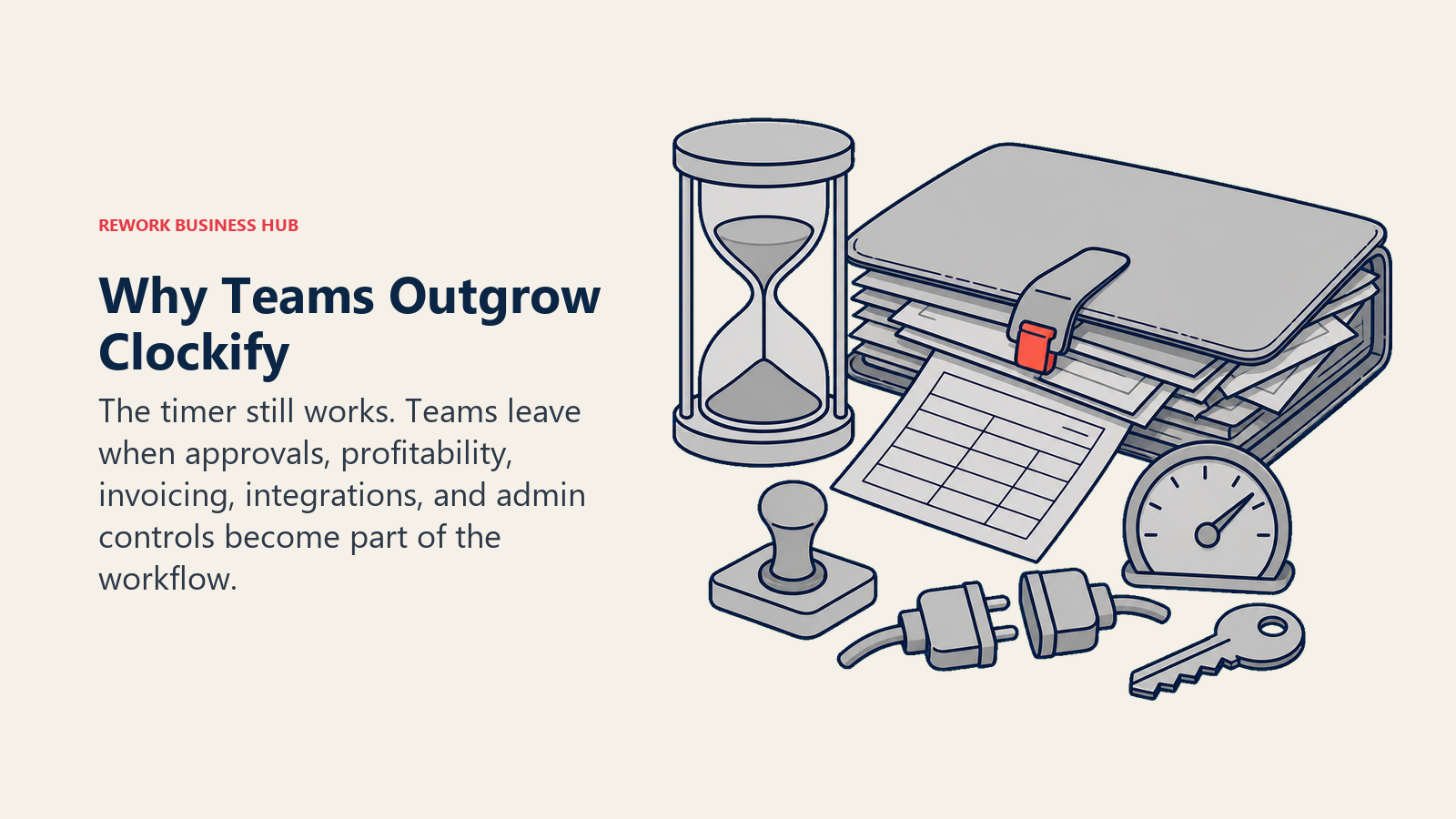
The wall usually shows up in one of five places.
Reporting and invoicing depth. Client-ready invoices, project profitability against a budget, and custom report templates sit behind Clockify's higher paid plans, exactly where Harvest or Paymo builds the whole product around that workflow instead of bolting it on.
Approval workflows. Once timesheets feed payroll or client billing, someone needs to approve them first. That formal submit-and-approve chain, with an audit trail, is a gap most Clockify teams hit once a second manager gets involved in sign-off.
Project profitability, not just hours. Logging hours is table stakes. Knowing whether the project made money, comparing budgeted hours to actual, and flagging overruns before the invoice goes out is a different job, one that agency- and client-billing tools handle natively.
Integration limits. Clockify connects to a wide catalog through its browser extension and Zapier, but native, two-way payroll, PM, and accounting integrations tend to run deeper on tools built around one workflow, like QuickBooks Time for payroll or Everhour for Asana and ClickUp.
Admin controls at scale. A 5-person team and a 200-person team need very different levels of provisioning, SSO, and audit logs. Clockify's admin tooling is fine mid-size but thinner than a dedicated enterprise or HRIS platform once headcount and compliance needs grow.
None of that makes Clockify a bad choice. It's a starting point teams outgrow, usually around the moment a cheap per-user price stops being the deciding factor, because the real cost of a timesheet tool shows up in the hours someone spends fixing it, not the license invoice.
1. Toggl Track: The Closest Thing to a Straight Swap
Toggl Track is the alternative most Clockify users try first: the core experience, a one-click timer, a clean calendar view, fast reporting, feels immediately familiar. Where Toggl pulls ahead is reporting polish and a UI that consistently tests as the easiest to adopt across a whole team.
Toggl offers a free plan for a limited number of users, plus paid Starter, Premium, and custom Enterprise tiers (full figures below). Toggl currently promotes a discounted first-year rate on annual Premium that renews higher in year two. (toggl.com/track/pricing)
| What you get | What you don't |
|---|---|
| Fast, familiar one-click timer | A free tier for larger teams |
| Reporting UI that's genuinely easy to read | Native invoicing (needs an integration) |
| Idle detection and calendar integrations | Approval workflows below Premium |
| Strong mobile and desktop apps | Deep project profitability tools |
Pricing: Free (limited users); Starter $9/user/mo billed annually; Premium $18/user/mo billed annually, $20 billed monthly (or $14 for year one, renewing at $18); Enterprise custom. Best for: Teams that want the closest thing to a like-for-like Clockify swap, with better reporting and a cleaner UI. If Toggl itself is the tool you're weighing options against, see Best Toggl Track Alternatives. Not ideal for: Teams that need invoicing or approval workflows without adding a separate tool.
2. Harvest: Time Tracking Built Around Client Billing
Harvest's whole product is built around one question Clockify only partially answers: did this project make money? Time entries roll straight into invoices, budgets track against actuals in real time, and the reporting is built for agencies billing clients by the hour, not bolted on as an afterthought.
Harvest's free plan covers 1 seat and 2 projects, with Teams, Enterprise, and custom Enterprise Plus tiers above that (full figures below, annual billing is noticeably cheaper on both paid tiers). (getharvest.com/pricing)
| What you get | What you don't |
|---|---|
| Invoicing generated straight from tracked time | A free tier past 1 seat |
| Real-time budget vs. actual tracking | Facial recognition or GPS attendance features |
| Clean expense tracking alongside time | The lowest per-seat price on this list |
| Deep QuickBooks and Xero integrations | Shift scheduling for hourly crews |
Pricing: Free (1 seat, 2 projects); Teams $9/seat/mo ($108/seat/yr); Enterprise $14/seat/mo ($168/seat/yr); Enterprise Plus custom. Additional invoices, projects, clients, and tasks are billed on usage on top of the seat rate. Best for: Agencies and consultancies that bill clients by the hour and need budgets, invoices, and time on one record. See Best Harvest Alternatives if Harvest is the tool you're actually comparing against. Not ideal for: Teams whose primary need is internal attendance or payroll hours rather than client billing.
3. Hubstaff: GPS and Activity Data for Field and Remote Teams
Hubstaff's pitch is verification, not just logging. GPS geofencing confirms a field tech actually clocked in from the job site, activity levels flag an idle remote worker, and optional screenshots give visibility into distributed teams Clockify's basic timer was never built to provide.
Hubstaff has no free plan, only a 14-day trial, and bills per seat with a 2-seat minimum across four tiers, Starter through Enterprise (full figures below). (hubstaff.com pricing guide)
| What you get | What you don't |
|---|---|
| GPS geofencing for field and remote crews | A free tier |
| Activity levels and optional screenshots | A lightweight feel for office-only teams |
| Automated payroll based on tracked hours | The simplest onboarding on this list |
| Job-site and route tracking for field service | A single flat per-user price (2-seat minimum) |
Pricing: No free plan, 14-day trial; Starter $7/seat/mo monthly, $4.99 annual; Grow $9 monthly, $7.50 annual; Team $12 monthly, $10 annual; Enterprise $25/seat/mo, annual quoted (2-seat minimum). Best for: Field service and remote teams that need GPS verification or activity-level insight, not just logged hours. See Best Hubstaff Alternatives for more tools on the monitoring end of the spectrum. Not ideal for: Office teams that would find screenshots and activity monitoring more than they need.
4. QuickBooks Time: Time Tracking That Feeds Payroll Directly
For a business already running payroll through QuickBooks, QuickBooks Time (formerly TSheets) closes a loop Clockify leaves open: tracked hours flow straight into payroll without a manual export and re-import, which matters most for hourly crews where a timesheet error becomes a paycheck error.
Pricing runs a base fee plus a per-user add-on across two tiers, Premium and Elite (full figures below). Intuit runs frequent promotional discounts on both; the figures here are list price, and a promotion may apply at signup. (quickbooks.intuit.com/time-tracking/pricing)
| What you get | What you don't |
|---|---|
| Direct payroll sync inside the QuickBooks ecosystem | A free plan |
| GPS tracking and geofencing on both tiers | Simple, one-number pricing (base + per user) |
| Overtime alerts built for hourly compliance | Deep project profitability reporting |
| Scheduling included on Elite | A UI as polished as Toggl or Timely |
Pricing: Time Premium $20/mo base + $10/user/mo; Time Elite $40/mo base + $12/user/mo (base includes 1 admin). Intuit runs a 90% off the base fee for 3 months promotion; these are the regular list prices. Best for: Businesses already running QuickBooks payroll that want tracked hours to flow straight through without manual entry. For the payroll side specifically, see Best Payroll Software in 2026. Not ideal for: Teams on a different payroll system, where the QuickBooks tie-in adds no value.
5. TimeCamp: A Generous Free Tier With Real Reporting Behind It
TimeCamp now out-does Clockify on the ground Clockify used to own: its free plan still carries no seat cap and unlimited projects, where Clockify caps at 5 users. It separates itself with reporting and invoicing depth available lower in the pricing ladder than most competitors gate it, plus attendance and budget tracking Clockify reserves for higher tiers.
TimeCamp's free plan covers unlimited users and projects, with Starter, Premium, and Ultimate paid tiers above that plus quote-only Enterprise (full figures below). (timecamp.com/pricing)
| What you get | What you don't |
|---|---|
| Unlimited users on the free tier | A UI as modern as Toggl or Timely |
| Invoicing and budgets lower in the pricing ladder | Toggl-level reporting polish |
| Attendance tracking bundled in | GPS field verification like Hubstaff |
| Affordable per-user pricing across every paid tier | Deep native project management (needs integrations) |
Pricing: Free (unlimited users); Starter $5.49/user/mo monthly, $3.99 annual; Premium $9.99 monthly, $6.99 annual; Ultimate $13.99 monthly, $9.99 annual; Enterprise custom. Best for: Budget-conscious teams that want Clockify's free-tier generosity plus deeper reporting and invoicing without a big price jump. Not ideal for: Teams that prioritize a modern interface over price.
6. Rework: Timesheets on the Same Record as the Rest of Ops
Rework's Timesheet module sits inside the same platform as its CRM/Sales, Lead Management, and Work Ops apps, part of the broader People app alongside HRIS and attendance. The pitch isn't a better timer than Clockify. It's that the hours an employee logs, the project they were booked to, and the employee record they belong to live in one system instead of three logins kept in sync by hand.
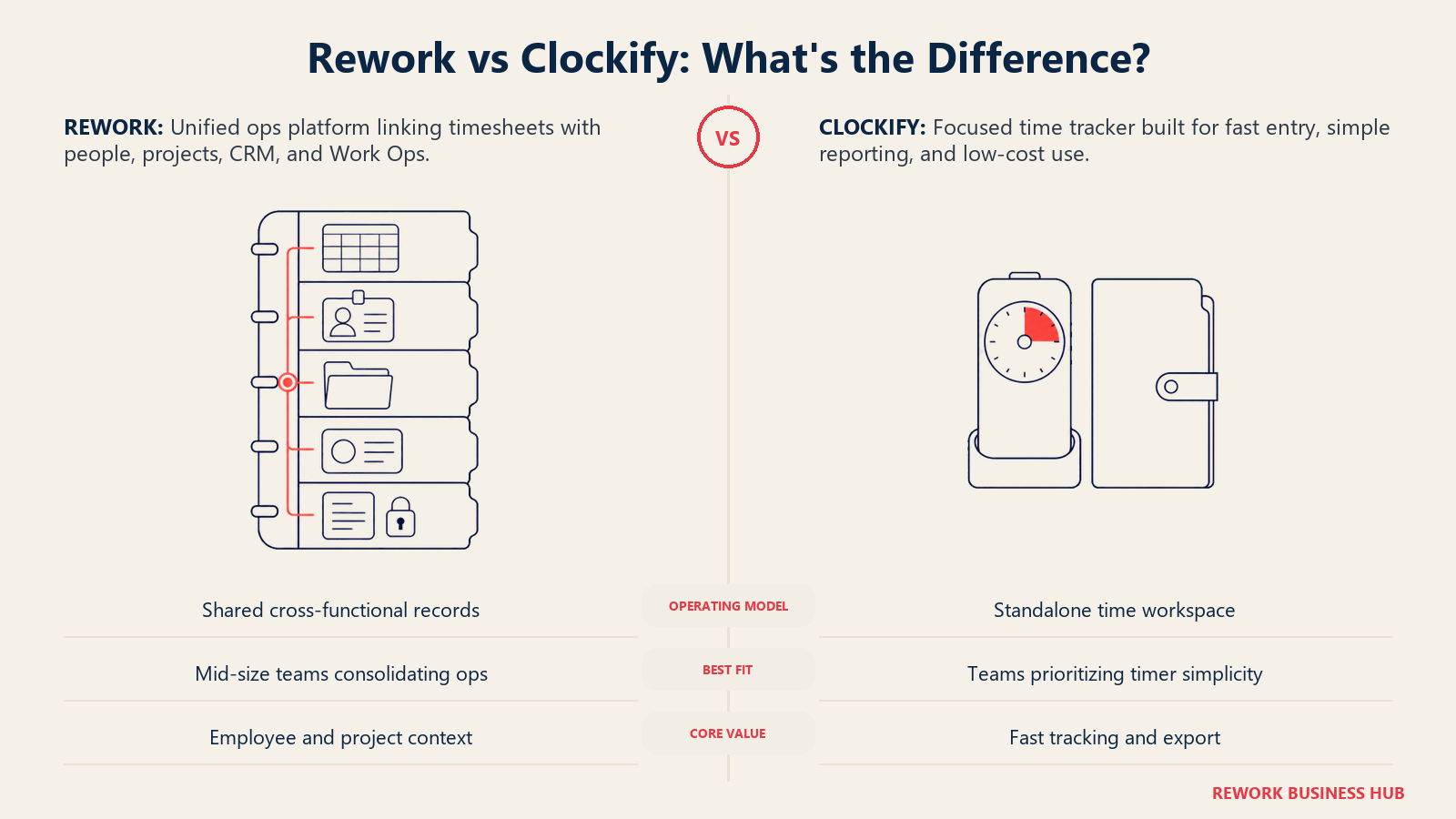
That matters most for a team already consolidating ops onto Rework, less if all you need is a fast timer and a CSV export, which is exactly what Clockify's free tier already does well.
| What you get | What you don't |
|---|---|
| Timesheets on the same record as CRM/Sales and Work Ops | A free or single-seat tier |
| Hours tied to the same project and employee record HR uses | Clockify-level timer speed and simplicity as a standalone app |
| One platform instead of three logins to keep in sync | Screenshot or activity-level monitoring |
| Packaged annual pricing, not per-envelope or per-clock-in fees | A published self-serve price |
Pricing: Rework doesn't publish a price for the Timesheet module. It sits in the People product line, which has no published price; Rework quotes it per organization. See rework.com/pricing for the published Sales Ops, Lead Ops, and Work Ops lines, or ask for a People quote.
Best for: Mid-size teams (roughly 20-200 people) already consolidating ops onto one platform who want timesheets on the same customer and project records as CRM and Work Ops, instead of a separate time-tracking tool synced in by hand. See Best HR Software in 2026 for how the People app compares to dedicated HRIS platforms. Not ideal for: Freelancers and solo users (no free or single-seat tier), agencies wanting Harvest-level billable-hours invoicing, teams wanting screenshot or activity-level monitoring, or buyers wanting a published self-serve price today.
7. Everhour: Time Tracking That Lives Inside Your PM Tool
Everhour's whole design decision is to not be a separate app. It embeds into Asana, Trello, ClickUp, Basecamp, and a handful of other project tools, so time gets tracked from inside the task a person is already looking at, not a second tab to remember.
Everhour is free for up to 5 seats, then a single paid Team tier billed yearly only (15% cheaper than the monthly-equivalent rate would be), with a 5-seat minimum, plus a custom plan from 50 seats. (everhour.com/pricing)
| What you get | What you don't |
|---|---|
| Deep native integration with Asana, Trello, ClickUp | A standalone project management tool |
| Time tracked from inside the task, not a second app | A monthly-billing option cheaper than the annual rate |
| Budgets and billing tied to the connected PM tool | A free tier for teams under 5 seats needing more than the basics |
| Simple, transparent per-seat pricing | GPS or field verification features |
Pricing: Free (up to 5 seats); Team $8.50/seat/mo billed yearly, 5-seat minimum; custom plan from 50 seats. Best for: Teams already living inside Asana, Trello, or ClickUp that want time tracking embedded there instead of a separate app. See Best Project Management Software in 2026 for how those PM tools compare on their own. Not ideal for: Teams without an existing PM tool Everhour integrates with.
8. Time Doctor: Activity Insight for Distributed Teams
Time Doctor leans further into monitoring than most tools on this list: screenshots, web and app usage reporting, unusual-activity detection, and productivity ratings, aimed at managers needing visibility into a fully distributed or outsourced team they can't walk past at a desk.
Time Doctor's main marketing pricing page renders its plan table through JavaScript and shows no figures on load, but Time Doctor publishes the numbers itself in its support knowledge base: Basic $6.67/user/month billed annually or $8.00 month-to-month, Standard $11.67 annually or $14.00 monthly, and Premium $16.70 annually or $20.00 monthly, with annual billing described as including two free months. Enterprise is a custom quote. Two add-ons are published as well: Software Cost Insights at $3/user/month, and native HRIS or payroll integration at $200 per integration per month. (Time Doctor support documentation)
| What you get | What you don't |
|---|---|
| Screenshots and unusual-activity detection | Published flat dollar pricing on the vendor site |
| Web and app usage reporting | A free tier |
| Productivity ratings across a distributed team | Basic-tier integrations or payroll (stripped out) |
| 60+ integrations on Standard and above | The lightest, least "watched" feel for a team |
Pricing: Reported Basic ~$6-8/user/mo, Standard ~$11-12, Premium ~$17-20, cheaper annually (reported, actiTime); published add-ons: Software Cost Insights $3/user/mo, HRIS/payroll integration $200/integration/mo. Best for: Managers of fully distributed or outsourced teams who want activity-level visibility, not just logged hours. Not ideal for: Teams wanting a lighter touch or a vendor page with transparent, self-serve pricing.
9. Timely: Automatic Tracking Without a Start or Stop Button
Timely's differentiator is that nobody has to remember to hit start. It tracks activity across apps and websites automatically in the background, then uses AI to sort that activity into draft timesheet entries a person reviews and confirms, instead of a manual timer the way Clockify and most of this list work.
Three paid tiers step up in user cap, Starter (5 users) through Unlimited, plus custom Enterprise (full figures below). A Tasks add-on runs about $5 per person per month for assignment and progress tracking. (timely.com/pricing)
| What you get | What you don't |
|---|---|
| Fully automatic tracking, no manual timer | A free tier |
| AI-categorized draft timesheets | Room to grow past 5 users without a plan jump |
| Location tracking on mobile | GPS geofencing for field crews like Hubstaff |
| Capacity planning on Premium and above | The lowest starting price on this list |
Pricing: Starter $11/user/mo monthly, $9 annual (5-user cap); Premium $20 monthly, $16 annual (50-user cap); Unlimited $28 monthly, $22 annual; Enterprise custom; Tasks add-on ~$5/person/mo. Best for: Teams that want time tracking with zero manual timer discipline required from employees. Not ideal for: Small teams wanting to stay under a low price for longer, since the 5-user Starter cap forces an upgrade quickly.
10. My Hours: A Budget Pick With Real Approval Workflows
My Hours undercuts most of this list on price while still including the approval workflow and audit log that Clockify reserves for higher tiers, aimed at small teams and freelancers who need more than a timer but don't want to pay agency-tool prices for it.
My Hours is free for up to 5 active users, with Basic and Pro paid tiers above that (full figures below) and custom Enterprise. Pro adds priority support, rate and budget calculations, granular permissions, and approval workflows with audit logs; Enterprise adds mandatory SSO and dedicated onboarding. (myhours.com/pricing)
| What you get | What you don't |
|---|---|
| Approval workflows with audit logs on Pro | A brand name as recognized as Toggl or Harvest |
| Rate and budget calculations at a low price | Native payroll integrations |
| A genuinely useful free tier up to 5 users | GPS or activity-level monitoring |
| Simple, transparent per-user pricing | A mobile app as polished as the larger players |
Pricing: Free (up to 5 active users); Basic $5/user/mo monthly, $4 annual; Pro $9 monthly, $8 annual; Enterprise custom. Best for: Small teams and freelancers who need approval workflows and budget tracking without paying for a full agency suite. Not ideal for: Larger teams wanting deep integrations or activity monitoring out of the box.
11. Paymo: Time Tracking Plus a Full Project and Invoicing Suite
Paymo goes further than Clockify by design: time tracking sits alongside task management, Gantt charts, and invoicing in one product, aimed at small agencies and freelancers who'd otherwise stitch together a timer, a project tool, and an invoicing app.
Paymo's free plan covers 1 user, 1 client, and 2 projects, with Solo (still 1 user), Plus, and Pro tiers above that, each showing a promotional rate for new customers alongside the regular rate (full figures below). Pro adds Gantt charts, employee scheduling, and timesheet approvals. Annual billing saves up to 40% under a limited-time offer. (paymoapp.com/pricing)
| What you get | What you don't |
|---|---|
| Time tracking, tasks, and invoicing in one product | A free tier past 1 user |
| Gantt charts and timesheet approvals on Pro | Clockify-level simplicity for a single-purpose timer |
| Client and project management built in | GPS field verification |
| Proofing and recurring invoices on Plus and above | The lowest starting price on this list |
Pricing: Free (1 user, 1 client, 2 projects); Solo $9.90/mo regular ($5.90 promo, first 3 months); Plus $15.90/user/mo regular ($10.90 promo); Pro $23.90/user/mo regular ($16.90 promo); annual saves up to 40%. Best for: Small agencies and freelancers who want time tracking bundled with project management and invoicing instead of three separate tools. Not ideal for: Teams that just want a standalone timer without task and invoice management attached.
12. Deltek Replicon: Enterprise Time and Billing for Professional Services
Replicon (now Deltek Replicon after Deltek's acquisition) targets a different buyer than Clockify entirely: large professional services firms, government contractors, and enterprises needing project time tracking tied to billing and compliance reporting at a scale a small-team tool was never built for.
Deltek Replicon doesn't publish pricing. Its former standalone pricing pages now redirect to Deltek's product page, which routes every visitor to a demo request. Any per-user figure still circulating for Replicon should be treated as outdated.
| What you get | What you don't |
|---|---|
| Enterprise-grade project time and billing | Published, self-serve pricing |
| Compliance and resource-management depth | A fast, low-touch setup |
| Built for large professional services and government | A budget-friendly entry point |
| Deltek's enterprise support and implementation resources | Simplicity for a small team |
Pricing: Quote-only; no published pricing, deal-by-deal through a sales demo. Best for: Large professional services firms, government contractors, or enterprises needing project time and billing at a scale a small-team tool doesn't cover. Not ideal for: Small or mid-size teams wanting a self-serve signup without a sales process.
13. Jibble: Free-Forever Attendance With Facial Recognition
Jibble competes with Clockify on the same axis, an aggressively generous free tier, but for attendance rather than project time tracking: face recognition and GPS-tracked clock-ins are free for unlimited users, aimed at hourly and shift-based teams that need to confirm who actually clocked in and where.
Jibble's pricing page leads with its free-forever plan for unlimited users. Its paid tiers are published at $4.49 per user per month for Premium and $7.99 per user per month for Ultimate, both billed annually; Jibble says monthly billing runs roughly 30% higher but does not print those figures.
| What you get | What you don't |
|---|---|
| Face recognition and GPS clock-in for free | A published monthly-billed rate |
| Unlimited users on the free plan | Project profitability or invoicing tools |
| Slack, Microsoft Teams, and QuickBooks integrations | Deep project time tracking like Toggl or Harvest |
| Fast setup with no credit card required | Approval workflow depth verified beyond the free tier |
Pricing: Free (unlimited users, core attendance features); Premium $4.49/user/mo and Ultimate $7.99/user/mo, both billed annually. Best for: Hourly and shift-based teams that need free, verified clock-in and clock-out, not deep project time tracking. Not ideal for: Teams needing project profitability, invoicing, or budget tracking, which Jibble doesn't build for.
14. Connecteam: Time Clock Bundled With Scheduling and HR
Connecteam's angle is that a deskless, hourly workforce needs more than a timer: its Operations hub bundles the time clock with shift scheduling, task checklists, and communication tools in one app, built for retail, hospitality, and field service teams Clockify wasn't designed for.
Connecteam's Small Business plan is free for life for up to 10 users across all hubs. Beyond that, pricing runs per hub (Operations, Communications, HR & Skills) rather than a flat per-user rate, stepping through Basic, Advanced, and Expert (full figures below), each covering the first 30 users on that hub with a per-additional-user rate above that, plus custom Enterprise. (connecteam.com/pricing)
| What you get | What you don't |
|---|---|
| Time clock bundled with scheduling and HR | A simple per-user price (it's priced per hub) |
| A genuinely free plan for up to 10 users | Project profitability or client invoicing |
| Built for deskless, shift-based teams | GPS field verification as deep as Hubstaff's |
| Geofencing and advanced filters on Advanced+ | The lowest cost at large headcounts without per-user math |
Pricing: Free (Small Business plan, up to 10 users); Basic $35/mo monthly ($29 annual, first 30 users); Advanced $59 monthly ($49 annual); Expert $119 monthly ($99 annual); Enterprise custom; per-additional-user rate above 30 users. Best for: Retail, hospitality, field service, and other shift-based, deskless teams wanting a time clock bundled with scheduling and HR. Not ideal for: Office teams billing clients by the hour, where Harvest or Paymo fit the workflow better.
How to Choose: Decision Framework
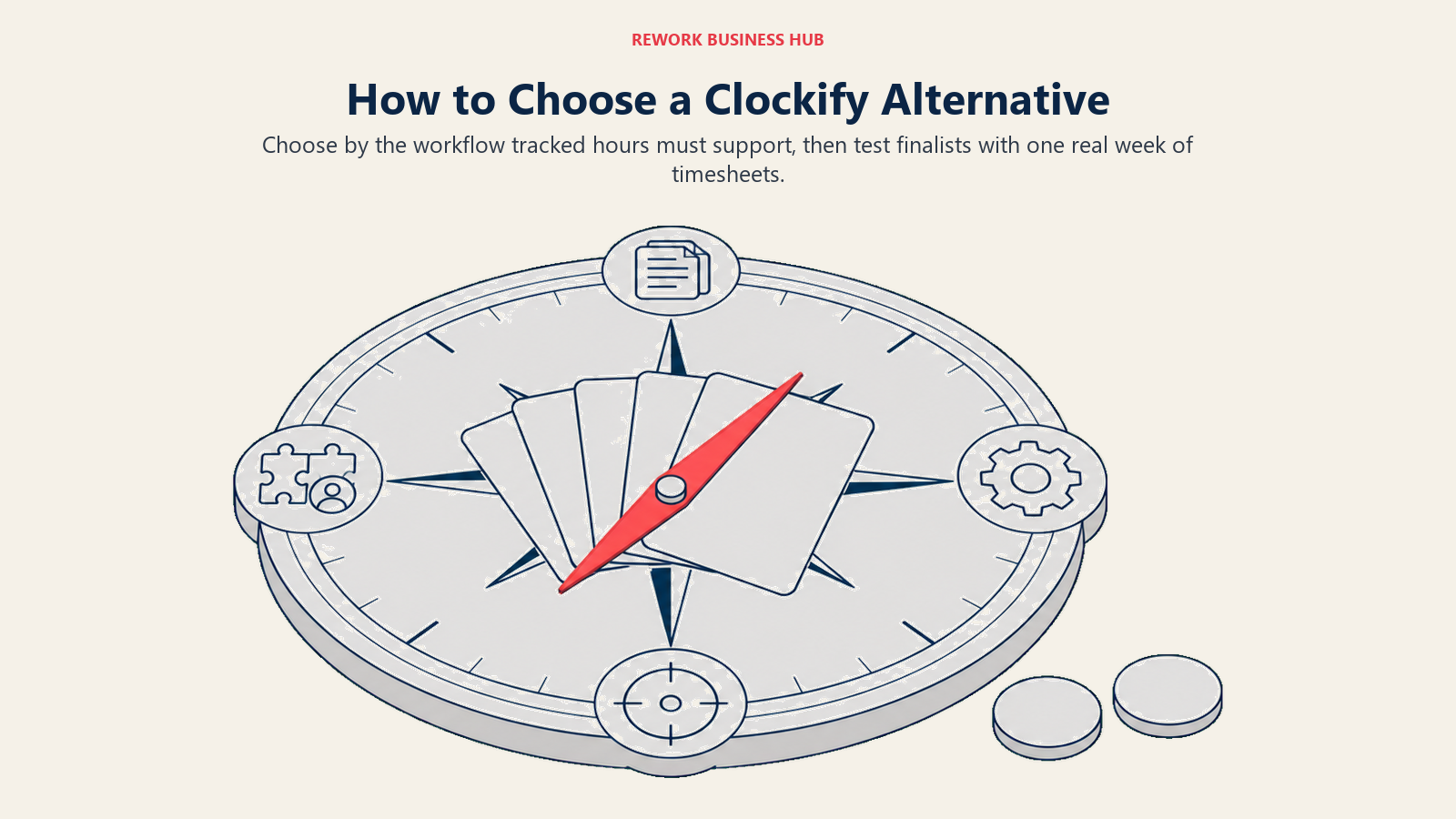
Run whichever pick survives this framework against a real week of timesheets, not a sandbox demo, before you commit.
| If your team needs... | Best pick |
|---|---|
| The closest like-for-like swap with better reporting | Toggl Track |
| Time tracking built around client billing and invoicing | Harvest |
| GPS verification or activity data for field/remote crews | Hubstaff |
| Tracked hours to flow straight into payroll | QuickBooks Time |
| Clockify's free-tier generosity plus deeper reporting | TimeCamp |
| Timesheets on the same record as CRM and Work Ops | Rework |
| Time tracking embedded inside Asana, Trello, or ClickUp | Everhour |
| Screenshots and activity-level insight for distributed teams | Time Doctor |
| Fully automatic tracking with no manual timer | Timely |
| Approval workflows on a tight budget | My Hours |
| Time tracking bundled with tasks and invoicing | Paymo |
| Enterprise-scale project time and billing | Deltek Replicon |
| Free, biometric attendance for hourly crews | Jibble |
| A time clock bundled with scheduling and HR | Connecteam |
Frequently Asked Questions about Clockify Alternatives
Why do teams leave Clockify?
Not because the free timer breaks. Teams tend to leave once timesheets start feeding payroll, client invoices, or resource planning and they need reporting depth, approvals, or project profitability tracking that sit behind Clockify's higher tiers or aren't built in at all.
Is Clockify actually free?
Partly, and less than its reputation suggests. Since April 2026 the free plan covers up to 5 users with unlimited tracking and PDF-only export, after CAKE.com moved billable hours, kiosk clock-in, CSV and Excel export, and shared report links behind a paid plan. Paid tiers start at $4.99 per user per month billed monthly, or $3.99 billed annually, for Basic.
What's the cheapest Clockify alternative with a real free tier?
TimeCamp and Jibble both offer unlimited users on their free plans. TimeCamp covers project time tracking; Jibble covers attendance with facial recognition. My Hours and Everhour offer free plans capped at 5 seats.
Which Clockify alternative is best for client billing and invoicing?
Harvest and Paymo both build invoicing directly around tracked time. Harvest leans toward agencies tracking project budgets against actuals; Paymo bundles invoicing with fuller task and project management.
Does Rework replace Clockify?
Not for a team that just needs a fast, free timer. Rework's Timesheet module fits a team already consolidating CRM, Work Ops, and HR onto one platform that wants hours tied to the same project and employee records instead of a separate tool synced in by hand.
What's the difference between time tracking and time and attendance software?
Time tracking (Toggl Track, Harvest, TimeCamp) logs hours against projects, often for billing. Time and attendance (Jibble, Connecteam, QuickBooks Time) focuses on clock-in and clock-out for payroll and compliance. Several tools here, including Clockify itself, blend both.
Is there a good option for shift-based or hourly workforces?
Connecteam and Jibble both target that use case directly, with free tiers built around clock-in/clock-out rather than project time tracking. QuickBooks Time and Hubstaff also work well for hourly crews needing payroll sync or GPS verification.
How much do manual timesheet errors actually cost?
A 2022 EY survey found payroll errors cost an average of $291 each to fix, and time-and-attendance corrections eat roughly 29 work-weeks a year for every 1,000 employees. The American Payroll Association separately puts the average cost of payroll errors at 1.2% of total payroll annually.
What to Do Next
Match your reason for leaving Clockify to the framework above, then run your top two picks against a real pay period, not a demo account. Load a real week of tracked hours through approval and into a report or invoice to see which tool actually closes the gap that pushed you off Clockify. If the gap is reporting or client billing, start with Toggl Track or Harvest. If it's timesheets disconnected from the rest of your operations, start with Rework's Timesheet module against a focused tool like TimeCamp.

Senior Customer Retention Strategist
On this page
- Key Facts
- Quick Comparison Table
- Why Teams Leave Clockify
- 1. Toggl Track: The Closest Thing to a Straight Swap
- 2. Harvest: Time Tracking Built Around Client Billing
- 3. Hubstaff: GPS and Activity Data for Field and Remote Teams
- 4. QuickBooks Time: Time Tracking That Feeds Payroll Directly
- 5. TimeCamp: A Generous Free Tier With Real Reporting Behind It
- 6. Rework: Timesheets on the Same Record as the Rest of Ops
- 7. Everhour: Time Tracking That Lives Inside Your PM Tool
- 8. Time Doctor: Activity Insight for Distributed Teams
- 9. Timely: Automatic Tracking Without a Start or Stop Button
- 10. My Hours: A Budget Pick With Real Approval Workflows
- 11. Paymo: Time Tracking Plus a Full Project and Invoicing Suite
- 12. Deltek Replicon: Enterprise Time and Billing for Professional Services
- 13. Jibble: Free-Forever Attendance With Facial Recognition
- 14. Connecteam: Time Clock Bundled With Scheduling and HR
- How to Choose: Decision Framework
- What to Do Next