Best Everhour Alternatives in 2026: 14 Time Tracking Tools Beyond the 5-Seat Minimum
Turn this article into takeaways for your work.


Each assistant summarizes the article only for you and suggests best practices for your work.
Everhour is the best embedded timer in the category, and that is the thing to be clear-eyed about. It does not try to be a project hub. It injects time tracking, budgets, and reporting straight into Asana, Trello, Jira, ClickUp, Basecamp, and Monday, so nobody leaves the tool they already work in to log an hour. The catch is the price floor: the Team plan is $8.50 per seat per month billed yearly with a minimum of five seats, so a two-person studio still pays for five. Everhour does not clearly publish a monthly-billed figure, so the commitment is annual by default, and a custom quote only starts at 50 seats.
So the real question is not "which tracker is cheaper." It is whether you want an embedded timer inside your project tool or a standalone system of record that owns hours on its own. This guide covers 14 alternatives across both answers, from free unlimited-user trackers like TimeCamp and Jibble to enterprise platforms like Deltek Replicon, judged on seat minimums, embedded depth, reporting, and real cost at two, five, and twenty people. If you are shopping the whole category rather than replacing Everhour specifically, start with Best Timesheet Software in 2026.
Key Facts
- Billable utilization across professional services firms fell to 66.4% in 2025, the lowest in SPI Research's survey history and well under the 75% level SPI treats as healthy, per the 2026 SPI Professional Services Maturity Benchmark (500-plus firms, 245,000 employees, $63 billion in services revenue). (Deltek)
- The average company now runs 101 applications, the first time the figure has cracked 100 after years of flat growth, per Okta's Businesses at Work 2025 report. (Okta)
- Workers switch between an average of nine apps a day, per Asana's Anatomy of Work research, which is the whole argument for putting the timer where the work already happens. (Asana)
- Organizations waste an average of $21 million a year on unused SaaS licenses, up 14.2% year over year, across the 40 million licenses and $40 billion in spend analyzed for Zylo's 2025 SaaS Management Index. Seat minimums are a small version of the same problem. (Zylo)
- 28% of US workers are hybrid and 9% are fully remote, per Owl Labs' 2025 State of Hybrid Work report, which is why a shared office timesheet no longer captures where hours are actually worked. (Owl Labs)
Quick Comparison Table
| Tool | Best For | Starting Price | Key Strength | Key Limitation |
|---|---|---|---|---|
| Toggl Track | Teams wanting the cleanest standalone timer | Free (limited seats); Starter $9/user/mo billed annually, $12 monthly | Fast timer plus genuinely good reporting | Budgets and invoicing are thinner than Everhour's |
| Clockify | Teams wanting the cheapest paid ladder | Free (up to 5 users); Basic $4.99/user/mo monthly, $3.99 annual | Lowest per-seat cost at almost every tier | Free plan is capped at 5 users, not unlimited |
| TimeCamp | Teams that want a real free tier with no seat cap | Free, unlimited users; Starter $5.49/user/mo monthly, $3.99 annual | Unlimited free users and automatic capture | Budget depth trails Everhour on paid tiers |
| Harvest | Agencies billing clients from tracked hours | Free (1 seat, 2 projects); Teams $9/seat/mo, $108/seat annually | Invoicing generated straight from time | Usage-based add-ons on top of the seat rate |
| ClickUp | Teams that want to drop the timer add-on entirely | Free Forever; Unlimited $10/user/mo monthly, $7 annual | Native time tracking inside the PM tool | Time reporting is shallower than a dedicated tracker |
| Rework | Teams putting hours on the same record as HR and projects | Quote on request (rework.com/pricing) | Timesheets tied to People and Work Ops records | No free tier and no Everhour-style PM embed |
| Hubstaff | Remote and field teams needing proof of work | No free plan; Starter $7/seat/mo monthly, $4.99 annual (2-seat min) | Activity evidence plus payments in one tool | Monitoring lands badly with some office teams |
| My Hours | Small teams wanting simple billable-rate reporting | Free (up to 5 users); Basic $5/user/mo monthly, $4 annual | Clean rates and reports with no seat floor to clear | Fewer integrations than Everhour |
| Avaza | Two to ten people who resent paying for empty seats | Free (1 timesheet user); Startup $11.95/mo flat | Priced per bundle of users, not per seat | Published monthly rates only, no annual figure |
| Paymo | Small agencies wanting projects and invoicing together | Free (1 user); Solo $9.90/mo regular | Time, budgets, and invoices in one lighter tool | Per-seat cost climbs on the higher tiers |
| Timely | Teams that never remember to start a timer | No free plan; Starter $11/user/mo monthly, $9 annual (5-user cap) | Automatic capture with AI-drafted timesheets | Premium per-seat pricing and a capped entry tier |
| Time Doctor | Outsourced teams needing verified hours | No free plan; Basic $8/user/mo monthly, $6.67 annual | App, URL, and activity evidence for billed time | Heavier than most teams need |
| Jibble | Attendance-first teams at any headcount | Free forever, unlimited users | Genuinely free clock-in and clock-out at scale | Not built for project budgets or client billing |
| Deltek Replicon | Large multi-entity services firms | Quote only, no published price | Enterprise time, billing, and compliance depth | Retired public pricing and a long implementation |
What Everhour's Five-Seat Minimum Actually Costs
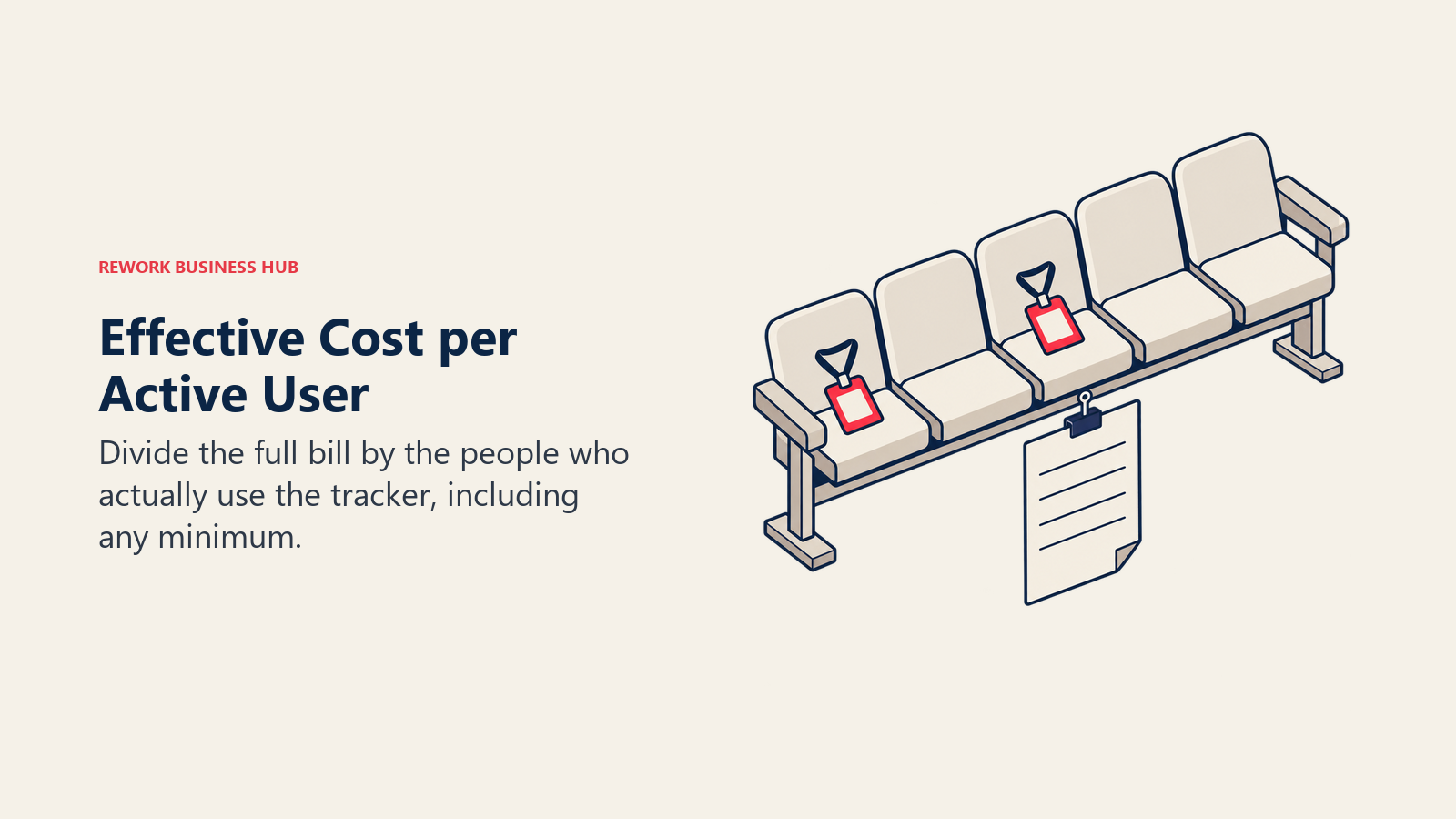
The seat floor is the most under-reported fact about Everhour's pricing. The Team plan is $8.50 per seat per month billed yearly, with five seats as the minimum billable quantity, so the smallest invoice Everhour will write you is $42.50 a month, or $510 a year, no matter how few people you have. Here is what that works out to per person who actually uses it.
| People actually tracking time | Seats you pay for | Everhour Team cost per month | Effective cost per real user |
|---|---|---|---|
| 2 | 5 | $42.50 | $21.25 |
| 3 | 5 | $42.50 | $14.17 |
| 4 | 5 | $42.50 | $10.63 |
| 5 | 5 | $42.50 | $8.50 |
| 10 | 10 | $85.00 | $8.50 |
At five people and up, $8.50 a seat is a fair market rate for what Everhour does. Below five it climbs: $10.63 per real user at four people, $14.17 at three, and $21.25 at two, which is more per head than Toggl Track Premium costs. Compare the same two-person team across the field:
| Tool | Cost for 2 users per month | Note |
|---|---|---|
| Everhour Team | $42.50 | 5-seat minimum, billed yearly |
| Toggl Track Starter | $18.00 | $9/user/mo billed annually |
| Harvest Teams | $18.00 | $9/seat/mo, or $108/seat annually |
| Avaza Startup | $11.95 | Flat monthly rate, 2 timesheet users included |
| Hubstaff Starter | $9.98 | $4.99/seat annual, meets the 2-seat minimum exactly |
| Clockify Basic | $7.98 | $3.99/user/mo annual |
| TimeCamp Starter | $7.98 | $3.99/user/mo annual, or $0 on the free plan |
| My Hours | $0.00 | Free plan covers up to 5 active users |
| Jibble | $0.00 | Free forever, unlimited users |
For a team of two or three, that gap is the whole reason this article exists.
Embedded Timer or Standalone System of Record
Everhour picked a side, and picking the same side or the opposite one narrows your shortlist faster than any feature grid. An embedded tracker wins on adoption because nobody changes tabs. A standalone tracker wins on portability because your hours survive a change of project tool.
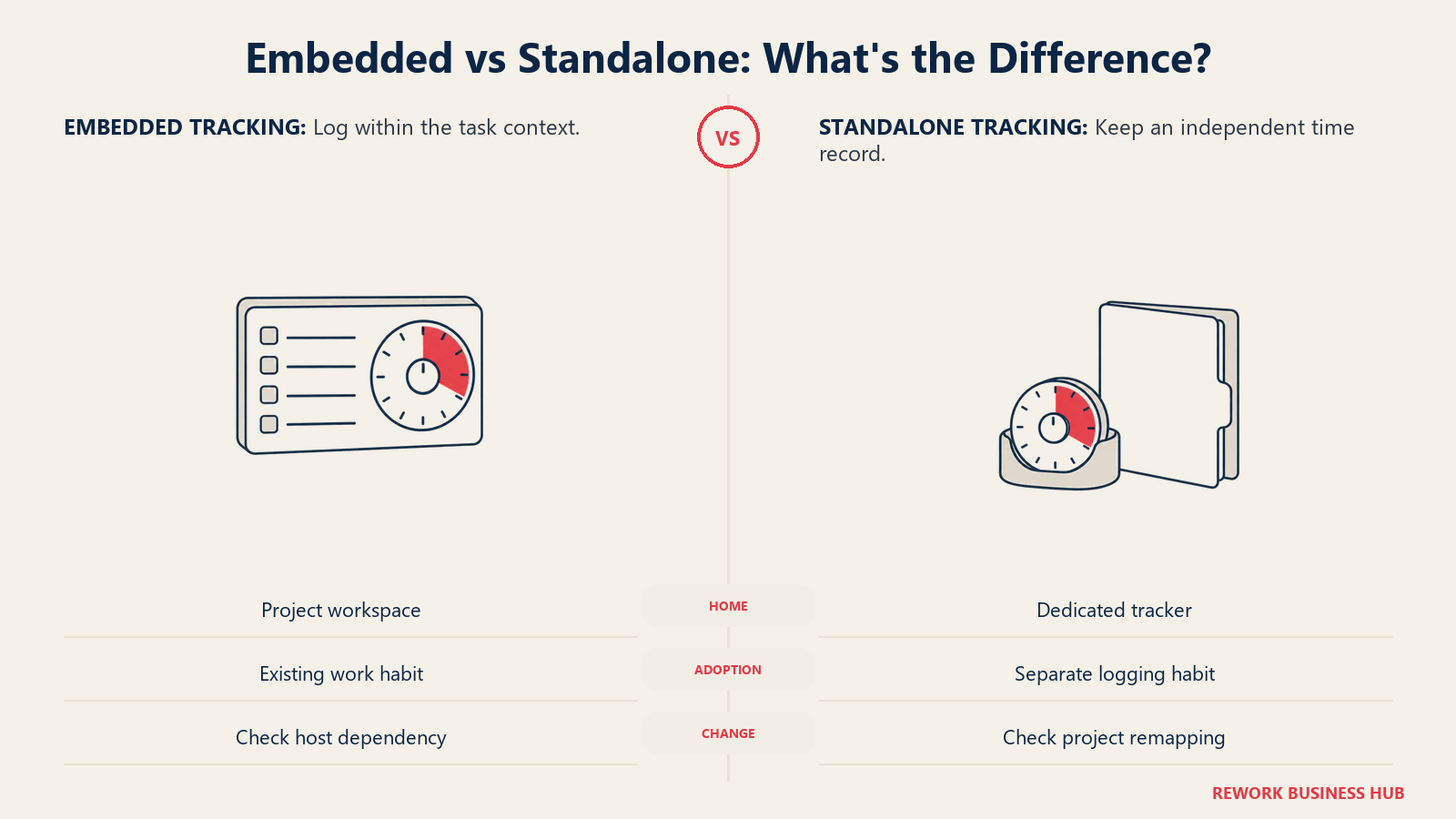
| Question | Embedded (Everhour, ClickUp native, Harvest integrations) | Standalone (Toggl Track, Clockify, TimeCamp, Rework) |
|---|---|---|
| Where does the timer live? | Inside Asana, Jira, Trello, ClickUp, Basecamp, Monday | In its own app, browser extension, and mobile client |
| What happens if you change PM tools? | Your tracking layer moves or breaks with it | Hours stay put, you remap projects |
| Who tracks time? | Whoever already has a PM seat | Anyone, including people with no PM license |
| Non-project hours (PTO, admin, attendance) | Usually a gap | Usually native |
| Adoption friction | Lowest in the category | Depends on habit and reminders |
| Reporting ceiling | Bounded by what the host tool exposes | Bounded only by the tracker itself |
| Typical failure mode | Two sources of truth when someone tracks outside the PM tool | People forget to start the timer |
If your answer is "keep it embedded but stop paying a floor," look hard at ClickUp's native tracking or Harvest's integration set. If your answer is "we want hours to be their own record," the standalone options below are the shortlist. Teams that are also rethinking the project tool underneath should read Best Project Management Software in 2026 before locking in a tracker.
1. Toggl Track: The Standalone Timer People Actually Use
Toggl Track is where most Everhour leavers land first, because it inverts Everhour's design choice cleanly. Instead of embedding in your project tool, it gives you a browser extension that overlays a timer button onto more than 100 web apps, plus desktop and mobile clients that work when you are nowhere near a project board. You lose the two-way budget sync Everhour has with Asana or ClickUp. You gain a timer that works everywhere, saved reports and rounding rules that are more flexible than most trackers at this price, and no seat minimum to clear before you start.
Toggl Track is free for a limited number of users; Toggl does not print the exact number on its pricing page. Starter is $9 per user per month billed annually, and Toggl's help centre lists $12 per user per month billed monthly. Premium is $18 per user per month billed annually, $20 billed monthly. Toggl is currently promoting annual Premium at $14 per license per month for the first year, which the page states renews at $18. Enterprise is custom with volume discounts. (Toggl)
| What you get | What you don't |
|---|---|
| The fastest, most polished timer on this list | Everhour's native budget sync inside your PM tool |
| A browser extension that overlays a timer on 100-plus apps | Client invoicing generated from tracked hours |
| Flexible saved reports, rounding, and billable rates | Expense and cost tracking depth |
| No seat minimum, so a 2-person team pays for 2 | A published free-plan user count |
Pricing: Free for a limited number of users. Starter $9/user/mo billed annually, $12 billed monthly. Premium $18 annual, $20 monthly (first-year annual promo $14, renews at $18). Enterprise custom. Best for: Small teams that want the timer to be excellent and are willing to give up the in-PM-tool embed to get it. If Toggl itself is on your shortlist to replace rather than adopt, see Best Toggl Track Alternatives, or weigh it head to head in Toggl Track vs. Harvest. Not ideal for: Teams whose entire adoption argument was "the timer is already inside Asana," since that is the exact thing Toggl gives up.
2. Clockify: The Cheapest Paid Ladder, With One Caveat
Clockify's whole pitch is per-seat price. Every paid tier undercuts Everhour, and there is no seat minimum, so a three-person team pays for three. For a team leaving Everhour purely over the floor, Clockify is the most direct financial answer on this list.
The caveat matters, and it is the thing most roundups still get wrong. Clockify's free plan is capped at five users, and has been since CAKE.com changed the free plan in April 2026. It is not the unlimited-user free tier it was famous for. Billable hours and CSV export also moved to paid. Treat the free plan as an evaluation tier for a small team, not a permanent zero-cost option at scale.
Basic is $4.99 per user per month billed monthly, $3.99 annual. Standard is $6.99 monthly, $5.49 annual. Pro is $9.99 monthly, $7.99 annual. Enterprise is $14.99 monthly, $11.99 annual. A CAKE.com bundle (Clockify plus Plaky and Pumble) runs $15.99 monthly, $12.99 annual. Kiosk-only "limited" seats cost far less, from $0.99 monthly on Basic. Every active or invited user on your Team page occupies a paid seat. (Clockify)
| What you get | What you don't |
|---|---|
| The lowest per-seat price at nearly every tier | An unlimited-user free plan (5-user cap since April 2026) |
| No seat minimum, so tiny teams pay for what they use | Everhour's depth inside Asana, Jira, or ClickUp |
| Cheap kiosk-only seats for shared-device clock-in | A single simple tier; features spread across five |
| Labor cost, profitability, and approval workflows on paid | Billable hours or CSV export on the free plan |
Pricing: Free up to 5 users. Basic $4.99/user/mo monthly, $3.99 annual. Standard $6.99 monthly, $5.49 annual. Pro $9.99 monthly, $7.99 annual. Enterprise $14.99 monthly, $11.99 annual. Best for: Cost-driven teams that want the per-seat line item as small as possible and will accept a standalone app. See Best Clockify Alternatives if the five-user free cap changes your math, or Harvest vs. Clockify for the head-to-head against the agency default. Not ideal for: Teams that chose Everhour for its budget and estimate sync with a project tool; Clockify's integrations are broad but shallower by design.
3. TimeCamp: Unlimited Free Users, Automatic Capture
TimeCamp solves the seat-floor problem most bluntly: the free plan covers unlimited users with unlimited projects and timesheets, and that claim still holds today. For a small team whose only complaint about Everhour is being billed for five seats, TimeCamp removes the line item entirely and charges only if you want the reporting depth.
Its second differentiator is automatic tracking. A desktop app watches which applications and documents are in use and assigns activity to projects by keyword rules, so the record fills in even when nobody starts a timer. That is a different answer to the adoption problem than Everhour's embed, and it works regardless of which project tool you use.
Starter is $5.49 per user per month billed monthly, $3.99 annual. Premium is $9.99 monthly, $6.99 annual. Ultimate is $13.99 monthly, $9.99 annual. Enterprise is on request. (TimeCamp)
| What you get | What you don't |
|---|---|
| A free plan with genuinely unlimited users | Everhour's native budget widgets inside your PM board |
| Automatic, keyword-driven time capture in the background | Client invoicing polish on the level of Harvest |
| Unlimited projects and timesheets even on free | The most refined mobile experience in this group |
| Billable rates and budget alerts on paid tiers | Enterprise compliance depth |
Pricing: Free, unlimited users. Starter $5.49/user/mo monthly, $3.99 annual. Premium $9.99 monthly, $6.99 annual. Ultimate $13.99 monthly, $9.99 annual. Enterprise on request. Best for: Teams of any size that want tracking to cost nothing until they need reporting, and want capture to happen without a habit change. Not ideal for: Teams that need budgets and estimates to appear on the project card itself, which is the one thing Everhour does better than anything else here.
4. Harvest: Hours In, Invoices Out
Harvest is the answer when the real gap is not the timer, it is billing. Time tracked in Harvest turns into a clean, client-ready invoice in a few clicks, with integrations into Asana, Trello, Basecamp, Slack, QuickBooks, and Xero. That makes it semi-embedded: the timer reaches into your project tool through integrations, but Harvest stays the system of record for hours and money.
Read Harvest's current model before you budget for it. On top of the seat rate, Harvest states that "additional invoices, projects, clients, and tasks are billed based on what you use," so a busy agency's real bill is seats plus usage. That usage-based component is the distinguishing thing about Harvest's 2026 pricing and the thing most comparisons skip.
The free plan covers one seat and two projects, which is an evaluation tier rather than a working one. Teams is $9 per seat per month, or $108 per seat billed annually. Enterprise is $14 per seat per month, or $168 per seat billed annually. Enterprise Plus is custom. Harvest states a 20% discount for paying yearly. (Harvest)
| What you get | What you don't |
|---|---|
| The cleanest time-to-invoice workflow in the category | A flat, fully predictable bill (usage is billed on top) |
| Mature integrations with Asana, Trello, Basecamp, Slack | A usable free tier (1 seat, 2 projects) |
| Expense capture and client-facing reports | Resource forecasting in the base product |
| No seat minimum, so a 2-person team pays for 2 | Everhour's in-board budget widgets |
Pricing: Free (1 seat, 2 projects). Teams $9/seat/mo, $108/seat annually. Enterprise $14/seat/mo, $168/seat annually. Enterprise Plus custom. Additional invoices, projects, clients, and tasks are billed based on usage. Best for: Agencies and consultancies whose deliverable is an invoice, not a timesheet. See Best Harvest Alternatives if you want the same job done cheaper. Not ideal for: Teams that want a single predictable per-seat number, or that track internal hours with no client invoice at the end.
5. ClickUp: Drop the Add-On, Use the PM Tool's Own Timer
If your team already runs on ClickUp and bought Everhour to track time inside it, the most obvious move is also the cheapest: use ClickUp's own native time tracking instead. Timers start from the task, entries roll up to the task and list, and estimates sit on the same card as the work. You lose Everhour's reporting depth and its cross-tool coverage. You lose an entire subscription too.
This is the strongest option in the "keep it embedded" column, and it applies well beyond ClickUp. Most modern project tools now ship some native tracking, so check what your host tool already includes before you replace one add-on with another. If ClickUp itself is the weak link, see Best ClickUp Alternatives.
Free Forever includes unlimited tasks and unlimited free-plan members with 60MB storage and 5 spaces. Unlimited is $10 per user per month billed monthly, $7 annual. Business is $19 monthly, $12 annual. Enterprise is custom. The Brain AI add-on is $9 monthly, $7.20 annual. (ClickUp)
| What you get | What you don't |
|---|---|
| Native tracking with zero extra subscription | A dedicated tracker's reporting and rounding depth |
| Timers, estimates, and work on the same card | Time tracking across tools you do not run in ClickUp |
| One vendor, one login, one bill | Everhour's budget alerts and forecast views |
| A large free tier to test the approach on | A clean exit if you later leave ClickUp |
Pricing: Free Forever. Unlimited $10/user/mo monthly, $7 annual. Business $19 monthly, $12 annual. Enterprise custom. Brain AI add-on $9 monthly, $7.20 annual. Best for: Teams already standardized on ClickUp who bought Everhour purely for in-tool tracking and can live with lighter reporting. Not ideal for: Teams tracking hours across several systems, or finance teams that need rounding rules, approval chains, and audit trails a PM tool does not provide.
6. Rework: Timesheets on the Same Record as People and Projects
Rework's Timesheet module is part of its People app (HRIS, time and attendance, timesheets, and payroll), running on the same platform as its Work Ops projects and its CRM. The pitch is not a better timer than Toggl or a deeper PM embed than Everhour. It is that hours logged, the project they were booked against, and the employee record they belong to sit in one system instead of three logins someone reconciles by hand each month.
That answers a problem Everhour structurally cannot. Everhour tracks project time inside a project tool; it has no view of PTO balances, attendance, or the employment record those hours belong to. If your ops team is stitching timesheets to HR data in a spreadsheet every payroll cycle, an embedded PM timer is not the fix. If your Asana budgets just need a widget, Rework is not the fix either. Be honest about which one you have.
| What you get | What you don't |
|---|---|
| Timesheets on the same record as the HRIS and payroll | An embedded timer inside Asana, Jira, or Trello |
| One platform across CRM, Lead Ops, Work Ops, and People | A free tier or a single-seat plan |
| Attendance, leave, and project hours in one place | A published, self-serve price you can check today |
| No integration to keep HR and project hours in sync | Screenshot or activity-level monitoring |
Pricing: Rework does not publish a price for the Timesheet module. It sits in the People line, which is quoted per organization rather than sold per seat. See rework.com/pricing for the published product lines, or ask the team for a People quote. Best for: Mid-size teams of roughly 20 to 200 people consolidating HR, projects, and CRM onto one platform, who want hours on the same record instead of a fourth standalone tool. See Best HR Software in 2026 for how the wider People and HRIS category compares. Not ideal for: Solo operators and very small teams (there is no free or single-seat tier), agencies whose core need is Harvest-depth client invoicing, and anyone whose specific requirement is a timer widget living inside their existing project board. Everhour is better at that job, seat floor and all.
7. Hubstaff: Evidence That the Hours Happened
Hubstaff is the pick when someone downstream, a client or a finance lead, needs more than a logged number. It pairs tracking with optional screenshots, activity levels, app and URL logs, and GPS, then wires the result into invoicing and payouts. For distributed or contracted teams billing by the hour, that evidence trail is the product.
Two facts the internet keeps getting wrong: Hubstaff has no free plan for teams, only a 14-day trial, and every paid plan carries a two-seat minimum. That is a smaller floor than Everhour's five, but it is still a floor.
Starter is $7 per seat per month billed monthly, $4.99 annual. Grow is $9 monthly, $7.50 annual. Team is $12 monthly, $10 annual. Enterprise is $25 per seat, annual only.
| What you get | What you don't |
|---|---|
| Activity, app, URL, and optional screenshot evidence | A free plan of any kind for teams |
| GPS and geofencing for field-based hours | A 1-seat plan (2-seat minimum applies) |
| Invoicing and contractor payouts built in | A monitoring-free default experience |
| Time, proof, and payment in one vendor | Everhour's in-PM-tool budget tracking |
Pricing: No free plan, 14-day trial. Starter $7/seat/mo monthly, $4.99 annual. Grow $9 monthly, $7.50 annual. Team $12 monthly, $10 annual. Enterprise $25/seat, annual only. Two-seat minimum on all paid plans. Best for: Remote, outsourced, or field teams where billed hours need verification, not just a total. See Best Hubstaff Alternatives if the monitoring angle is a problem. Not ideal for: In-house creative and consulting teams, where screenshot-style monitoring damages trust faster than the reporting helps.
8. My Hours: Simple, Cheap, No Floor to Clear
My Hours keeps a deliberately narrow feature set: a timer, per-project billable rates, and reports clean enough to hand to a client or an accountant. It will not do what Everhour does inside Asana, and it does not pretend to. What it does do is let a three-person team track billable hours properly for nothing, then step up to $4 a seat when they want approvals.
The free plan covers up to five active users. Basic is $5 per user per month billed monthly, $4 annual. Pro is $9 monthly, $8 annual, adding budget and rate calculations, granular permissions, and approval workflows. Enterprise is custom. (My Hours)
| What you get | What you don't |
|---|---|
| A free tier that covers up to 5 active users | An embedded timer in your project tool |
| Straightforward per-project billable rates | A wide integration catalog |
| Approval workflows and audit logs on Pro | Resource forecasting or capacity planning |
| A cheap step up when the free tier runs out | Invoicing built into the same product |
Pricing: Free up to 5 active users. Basic $5/user/mo monthly, $4 annual. Pro $9 monthly, $8 annual. Enterprise custom. Best for: Small consultancies that want billable-rate reporting and nothing they will not use. Not ideal for: Teams that need budgets to appear where the work is planned, or that want invoices generated from tracked time in the same tool.
9. Avaza: Priced Per Bundle, Not Per Seat
Avaza is the structural counter to a seat minimum, because it does not price per seat at all. Each plan includes a set number of timesheet users, and you buy the bundle that fits, so a two-person team pays one flat monthly figure rather than a per-head rate multiplied by a floor. Avaza also bundles project management, timesheets, expenses, quotes, and invoicing into one product, so it can replace both halves of a PM-tool-plus-Everhour setup.
The trade is that user counts are hard-edged. Cross a bundle boundary and you move up a tier, which is a bigger jump than adding one $8.50 seat, so model your next 12 months of headcount first.
The free plan covers 1 timesheet and expense user, 1 admin and finance user, 5 active projects, 10 customers, and 5 invoices a month. Startup is $11.95 a month (2 timesheet users, 20 projects). Basic is $23.95 a month (5 timesheet users, 50 projects). Business is $47.95 a month (10 timesheet users, unlimited projects). Avaza publishes monthly figures only. (Avaza)
| What you get | What you don't |
|---|---|
| Flat bundle pricing with no per-seat floor | A per-seat model that scales in single increments |
| Projects, timesheets, expenses, and invoicing in one | A published annual rate |
| A real free tier for a solo operator | Everhour's depth inside a third-party PM tool |
| Quotes and client invoicing included | Enterprise-grade compliance reporting |
Pricing: Free (1 timesheet user, 1 admin user, 5 projects). Startup $11.95/mo (2 timesheet users). Basic $23.95/mo (5 timesheet users). Business $47.95/mo (10 timesheet users). Monthly pricing only. Best for: Teams of two to ten who object specifically to paying for seats nobody uses, and who would rather consolidate the PM tool too. Not ideal for: Teams that grow unevenly and would keep bumping into bundle ceilings, or that are committed to Asana or Jira and only want a tracking layer.
10. Paymo: Projects, Time, and Invoices in One Lighter Tool
Paymo is the closest thing here to "Everhour plus the project tool, from one vendor." It carries task management, time tracking, budgets, and invoicing in a single product aimed at small agencies, with Gantt charts and resource scheduling on the higher tier. If your Everhour bill exists because your PM tool has no tracking, Paymo removes both subscriptions at once. Watch the promotional pricing, though: Paymo discounts most tiers, and those discounted figures are what many roundups quote as the price. Budget against the regular rate.
The free plan covers 1 user, 1 client, and 2 projects. Solo is $9.90 a month regular, currently promoted at $5.90, for 1 user. Plus is $15.90 per user per month regular, promoted at $10.90, with unlimited users. Pro is $23.90 per user per month regular, promoted at $16.90. Annual billing saves up to 40%. (Paymo)
| What you get | What you don't |
|---|---|
| Tasks, time, budgets, and invoicing in one product | A price that stays low as the team grows |
| Gantt charts and resource scheduling on Pro | Integration depth with Asana or Jira (it replaces them) |
| Client proofing, estimates, and invoices included | A permanent free tier for a whole team |
| Flat-rate and retainer project billing | Everhour-grade budget widgets in someone else's tool |
Pricing: Free (1 user, 1 client, 2 projects). Solo $9.90/mo regular ($5.90 promo). Plus $15.90/user/mo regular ($10.90 promo). Pro $23.90/user/mo regular ($16.90 promo). Annual saves up to 40%. Best for: Small agencies willing to switch project tools to get tracking, budgets, and invoicing from one vendor. Not ideal for: Teams locked into an existing PM tool by client or engineering workflow, where replacing it is not on the table.
11. Timely: Automatic Capture With an AI Draft
Timely takes the position that a timer is the wrong interface. It records app, document, and meeting activity in the background, then drafts timesheet entries that a person reviews and approves. For consultants who consistently lose billable hours to forgetting, the recovered time can cover the higher seat price on its own. Note the tier caps, which behave like Everhour's floor in reverse: Starter tops out at five users, Premium at fifty. And Timely has no free plan, only a 14-day trial, despite what several comparison sites still claim.
Starter is $11 per user per month billed monthly, $9 annual, capped at 5 users and 20 projects. Premium is $20 monthly, $16 annual, capped at 50 users. Unlimited is $28 monthly, $22 annual. Enterprise is custom. A Tasks add-on starts from $5 per person. Timely moved from timelyapp.com to timely.com. (Timely)
| What you get | What you don't |
|---|---|
| Fully automatic capture, no manual timer discipline | A free plan at any tier |
| AI-drafted timesheets a person approves | The lowest per-seat cost on this list |
| Capacity and budget reporting for teams | Unlimited users below the top tier |
| A memory of what you worked on, retroactively | An embed inside your PM board |
Pricing: No free plan, 14-day trial. Starter $11/user/mo monthly, $9 annual (5-user cap, 20 projects). Premium $20 monthly, $16 annual (50-user cap). Unlimited $28 monthly, $22 annual. Enterprise custom. Tasks add-on from $5/person. Best for: Consultants and specialists whose billable leakage comes from forgetting to track, not from bad tooling. Not ideal for: Cost-sensitive teams, and anyone uneasy about background activity capture even when the data stays private to the user.
12. Time Doctor: Verified Hours for Outsourced Work
Time Doctor overlaps with Hubstaff but leans harder into verification: app and URL logs, activity scoring, optional screenshots, and screen recording on the top tier. Where Everhour assumes a trusted internal team inside a shared project tool, Time Doctor assumes a client or a BPO buyer who wants receipts.
Its public marketing page renders plan tables dynamically and shows no figures on load, but Time Doctor's own support documentation publishes them. Basic is $8.00 per user per month billed monthly, $6.67 annual. Standard is $14.00 monthly, $11.67 annual. Premium is $20.00 monthly, $16.70 annual. Enterprise is custom. (Time Doctor support)
| What you get | What you don't |
|---|---|
| App, URL, and activity evidence behind every hour | A light-touch experience staff will not notice |
| Optional screenshots and screen recording on Premium | A free plan |
| Payroll and HRIS integrations | Everhour's project-budget widgets |
| A defensible audit trail for client-billed hours | Figures on the main marketing pricing page |
Pricing: Basic $8.00/user/mo monthly, $6.67 annual. Standard $14.00 monthly, $11.67 annual. Premium $20.00 monthly, $16.70 annual. Enterprise custom. Best for: Outsourcing providers and distributed teams that must prove billed hours were worked. Not ideal for: In-house teams where monitoring would cost more in morale than it recovers in accuracy.
13. Jibble: Free Forever, Unlimited Users, Attendance First
Jibble solves a different problem than Everhour, and for some teams that is exactly right. It is free forever with unlimited users for clock-in and clock-out from mobile, web, or a shared kiosk, with face verification and GPS on the free tier. If what you need is attendance, shift hours, and a payroll-ready timesheet rather than project budgets, Jibble does that at zero cost at any headcount.
Premium is $4.49 per user per month billed annually. Ultimate is $7.99 per user per month billed annually. Jibble states annual billing runs roughly 30% cheaper than monthly but does not publish the monthly figures on a fetchable page, so treat those two rates as annual. (Jibble)
| What you get | What you don't |
|---|---|
| Genuinely free, unlimited users, forever | Project budgets or client-billable reporting |
| Face and GPS verified clock-in on the free tier | Invoicing of any kind |
| Kiosk, mobile, Slack, and Teams clock-in | An embed inside Asana, Jira, or ClickUp |
| Payroll-ready attendance timesheets | Published monthly-billed rates |
Pricing: Free forever, unlimited users. Premium $4.49/user/mo billed annually. Ultimate $7.99/user/mo billed annually. Best for: Teams whose real gap is attendance and shift accuracy, at any headcount, with no budget for it. Not ideal for: Agencies and consultancies whose hours have to roll up to a project budget or a client invoice.
14. Deltek Replicon: Enterprise Time and Billing
Deltek Replicon is the enterprise end of this list: multi-entity time and billing, project revenue recognition, global leave management, and compliance rules that a five-person team will never touch. Its modules cover TimeBill, Workforce Management (attendance, scheduling, CloudClock, mobile), Expense Tracking, and Global Leave Management.
Pricing needs a plain statement, because the internet is full of stale numbers. Deltek Replicon has no published price anywhere. Both of Replicon's former pricing pages now redirect to Deltek, which publishes nothing. Every per-user figure still circulating traces back to those retired pages, so treat all of them as expired rather than as an unconfirmed range. (Deltek)
| What you get | What you don't |
|---|---|
| Multi-entity, multi-currency time and billing | Any published price, at any tier |
| Revenue recognition and compliance depth | A fast, low-touch rollout |
| Attendance, scheduling, leave, and expense modules | A budget-friendly entry point |
| Enterprise ERP integration | Everhour's simplicity |
Pricing: Quote only. No published price; the former Replicon pricing pages were retired after the Deltek acquisition. Best for: Large services organizations with entity, currency, and compliance requirements a small-team tracker cannot meet. See Best Replicon Alternatives if you are evaluating from the other direction. Not ideal for: Anyone reading this article because of a five-seat minimum. This is the opposite end of the market.
Why Teams Leave Everhour
Everhour's strengths are real and worth naming first. Its integrations with Asana, Trello, Jira, ClickUp, Basecamp, and Monday are the deepest in the category, not link-outs but in-board widgets showing budgets and logged time against the task itself. Adoption problems mostly disappear, which is the hardest thing to buy in this market. Three things push teams to look anyway.
The five-seat minimum. For teams of five or more, $8.50 a seat is a competitive rate. Below five, you still pay $42.50 a month, so a two-person studio is buying three seats it will never fill. Small teams discover this at checkout rather than on the pricing page.
It is a layer, not a system of record. Everhour's value comes from living inside your project tool, so its coverage stops where that tool's coverage stops. Non-project hours, attendance, leave balances, and anyone without a project seat fall outside it. When the problem is reconciling hours with HR and payroll rather than with a task board, an embedded tracker cannot reach far enough. That gap is why platform options like Rework and payroll-adjacent ones like QuickBooks Time end up on the same shortlist.
Annual commitment by default. The $8.50 figure is the yearly rate, and Everhour does not clearly publish a monthly-billed price. With the seat floor on top, the smallest real commitment is $510 a year. Teams that want to try a tracker for a quarter find that harder here than with Toggl, Clockify, or TimeCamp, all of which bill monthly for exactly the seats you use.
Match the Alternative to Your Team Size and Setup
| Team size | Situation | Best-fit pick |
|---|---|---|
| 1-4 | Left Everhour purely over the seat floor | TimeCamp, My Hours, or Jibble (all free at this size) |
| 1-4 | Want paid features without a floor | Clockify Basic or Toggl Track Starter |
| 2-10 | Object to per-seat pricing on principle | Avaza (flat bundles, not seats) |
| 2-10 | Want to replace the PM tool too | Paymo or Avaza |
| 5-25 | Already on ClickUp, want to drop the add-on | ClickUp native time tracking |
| 5-25 | Bill clients from tracked hours | Harvest |
| 10-50 | Hours must be verified for a client or BPO buyer | Hubstaff or Time Doctor |
| 10-50 | Billable leakage comes from forgetting to track | Timely |
| 20-200 | Consolidating HR, projects, and CRM on one platform | Rework |
| Any size | Attendance and shift hours, not project budgets | Jibble |
| 200+ | Multi-entity services firm with compliance rules | Deltek Replicon |
Stage Fit: Where Each Tool Belongs
| Tool | Solo or 2-4 people | Small team (5-25) | Mid-market (25-200) | Enterprise (200+) |
|---|---|---|---|---|
| Toggl Track | Strong | Strong | Good | Limited |
| Clockify | Strong | Strong | Good | Good |
| TimeCamp | Strong | Strong | Good | Limited |
| Harvest | Good | Strong | Good | Limited |
| ClickUp | Good | Strong | Strong | Good |
| Rework | Not a fit | Good | Strong | Good |
| Hubstaff | Limited (2-seat min) | Strong | Strong | Good |
| My Hours | Strong | Good | Limited | Not a fit |
| Avaza | Strong | Strong | Limited | Not a fit |
| Paymo | Strong | Strong | Good | Limited |
| Timely | Good | Good (5-user cap on Starter) | Good | Limited |
| Time Doctor | Limited | Good | Strong | Strong |
| Jibble | Strong | Strong | Strong | Good |
| Deltek Replicon | Not a fit | Not a fit | Good | Strong |
How to Choose: Decision Framework
| If your team needs... | Best pick |
|---|---|
| To stop paying for seats nobody uses | TimeCamp, My Hours, or Jibble (free, no floor) |
| The lowest paid per-seat price with no minimum | Clockify |
| The best standalone timer and reporting | Toggl Track |
| To keep tracking embedded without a second subscription | ClickUp native time tracking |
| Invoices generated straight from tracked hours | Harvest |
| Flat pricing that is not per seat at all | Avaza |
| One vendor for projects, time, and invoicing | Paymo or Avaza |
| Proof that billed hours were actually worked | Hubstaff or Time Doctor |
| Tracking that happens without anyone starting a timer | Timely or TimeCamp |
| Hours on the same record as HR, payroll, and projects | Rework |
| Attendance and clock-in at any headcount, free | Jibble |
| Multi-entity enterprise time and billing compliance | Deltek Replicon |
What to Do Next
Answer the structural question before the pricing one. If tracking has to live inside your project tool for anyone to do it, your shortlist is ClickUp's native tracking or staying with Everhour once you cross five seats. If hours need to be their own record that survives a change of project tool, start with TimeCamp or Clockify for cost, Toggl Track for the experience, or Rework if HR and payroll reconciliation is the actual pain.
Then run two of them against one live project for two full weeks, same people, same work, and export the timesheets at the end. The tool your team keeps using in week two is the one to buy, regardless of which pricing page looked better in week one.

Senior Customer Retention Strategist
On this page
- Key Facts
- Quick Comparison Table
- What Everhour's Five-Seat Minimum Actually Costs
- Embedded Timer or Standalone System of Record
- 1. Toggl Track: The Standalone Timer People Actually Use
- 2. Clockify: The Cheapest Paid Ladder, With One Caveat
- 3. TimeCamp: Unlimited Free Users, Automatic Capture
- 4. Harvest: Hours In, Invoices Out
- 5. ClickUp: Drop the Add-On, Use the PM Tool's Own Timer
- 6. Rework: Timesheets on the Same Record as People and Projects
- 7. Hubstaff: Evidence That the Hours Happened
- 8. My Hours: Simple, Cheap, No Floor to Clear
- 9. Avaza: Priced Per Bundle, Not Per Seat
- 10. Paymo: Projects, Time, and Invoices in One Lighter Tool
- 11. Timely: Automatic Capture With an AI Draft
- 12. Time Doctor: Verified Hours for Outsourced Work
- 13. Jibble: Free Forever, Unlimited Users, Attendance First
- 14. Deltek Replicon: Enterprise Time and Billing
- Why Teams Leave Everhour
- Match the Alternative to Your Team Size and Setup
- Stage Fit: Where Each Tool Belongs
- How to Choose: Decision Framework
- What to Do Next