Best Time Tracking Software in 2026: 16 Tools for Billable Hours and Workforce Attendance
Turn this article into takeaways for your work.


Each assistant summarizes the article only for you and suggests best practices for your work.
Timeular rebranded to Early this year, and Replicon now sells as Deltek Replicon on a quote-only page.*
"Best time tracking software" is really four different searches wearing one label. A freelancer wanting a fast timer, an agency billing clients by the hour, an ops leader checking whether a distributed team is actually working, and an HR director who needs hourly crews to clock in and out aren't shopping for the same product, even though all four land on the same shortlist. Toggl Track and Harvest solve the first two well and struggle with the fourth. Jibble and Connecteam solve the fourth and would be overkill for a two-person design studio.
This guide sorts 16 tools into those four jobs, plus Rework, which enters from a different angle: instead of a standalone timer, its Timesheet module keeps hours on the same record as the CRM deal and Work Ops project that generated them. Tools are evaluated on pricing transparency and feature depth by buyer type.
Key Facts
- The global time tracking software market is projected to reach $149.92 billion by 2034, growing at a 25.66% compound annual growth rate from 2026 to 2034. (Fortune Business Insights)
- Billable utilization at professional services firms fell to 66.4% in 2025, down from 68.9% in 2024, the lowest level on record and well below the 75% threshold considered optimal, per a benchmark survey of 500-plus firms. (Deltek, citing SPI Research)
- 63% of full-time US workers were fully in-office, 28% hybrid, and 9% fully remote as of mid-2025, per a survey of 2,000 full-time workers. (Owl Labs, 2025 State of Hybrid Work)
- The US Department of Labor recovered $259 million in back wages for almost 177,000 employees in fiscal year 2025, the highest total since 2019, averaging about $1,465 per worker. (HR Dive, citing DOL data)
Time Tracker, Employee Monitor, or Workforce Attendance System: Pick the Right Job First
Most "best time tracking software" lists mix all four buyer types into one ranking, recommending Toggl Track to a freelancer and Connecteam to a 400-person field crew as if they compete for the same budget. They don't. Here's the honest split:
| Buyer type | What you actually need | Tools that fit best |
|---|---|---|
| Freelancer or small team (1 to 10) | A fast timer, simple reports, nothing to configure | Toggl Track, Clockify, My Hours, TimeCamp |
| Agency billing clients | Time tied to invoices and project budgets | Harvest, Everhour, Paymo, Timely |
| Distributed team wanting productivity visibility | Screenshots, activity, idle detection | Hubstaff, Time Doctor |
| Hourly, shift, or field crews | GPS clock-in, scheduling, payroll export | QuickBooks Time, Jibble, Connecteam, Deltek Replicon |
| Mid-size company consolidating ops | Time on the same record as CRM and projects | Rework |
Quick Comparison Table
| Tool | Best For | Starting Price | Key Strength | Key Limitation |
|---|---|---|---|---|
| Toggl Track | Freelancers wanting the simplest timer | Free (limited users); Starter $9/user/mo billed annually | One-click timer, clean reporting | Premium jumps to $20/user/mo for deeper reports |
| Clockify | Budget-conscious small teams | Free (up to 5 users); Basic $4.99/user/mo ($3.99 annual) | Cheapest paid ladder in the category | Advanced approvals and audit trails are Pro-and-up |
| Harvest | Agencies invoicing billable hours | Free (1 seat, 2 projects); Teams $9/seat/mo ($108/seat/yr) | Time tracking and invoicing in one flow | No employee monitoring or GPS features |
| Hubstaff | Distributed teams wanting time plus activity data | Starter $7/seat/mo ($4.99 annual), 2-seat minimum | Time, screenshots, and payroll together | No free plan, per-seat cost adds up |
| QuickBooks Time | Hourly crews already on QuickBooks Payroll | Time Premium: $20/mo base + $10/user/mo | Native QuickBooks Payroll sync | Weak standalone value off the QuickBooks stack |
| Rework | Mid-size teams wanting time on the CRM/project record | Quote on request | Timesheets live with CRM, Work Ops, and HR | No published self-serve price, no free tier |
| TimeCamp | Unlimited free users and projects | Free (unlimited users); Starter $5.49/user/mo ($3.99 annual) | Generous free tier for a small operation | Reporting depth trails Harvest and Everhour |
| Everhour | Teams living inside Asana, Trello, or ClickUp | Free (up to 5 seats); Team $8.50/seat/mo annual, 5-seat minimum | Tightest project-management integrations here | Needs a host PM tool to feel complete |
| Time Doctor | Remote teams wanting productivity insight | Basic from $8/user/mo monthly, $6.67 annual | Screenshots, activity, and distraction alerts | Feels heavy for a team that just needs a timer |
| Timely | Agencies wanting automatic time capture | Starter $11/user/mo ($9 annual), 5-user cap | Tracks time in the background, no manual timer | Premium price for the automation |
| My Hours | Small project teams on a tight budget | Free (up to 5 users); Basic $5/user/mo ($4 annual) | Simple project budgets, no enterprise pricing | Thin monitoring and attendance features |
| Paymo | Small agencies wanting time, tasks, and invoices together | Solo $9.90/mo (promoted at $5.90 for 3 months) | Time tracking bundled with light PM and billing | Per-user cost climbs fast on Plus and Pro |
| Deltek Replicon | Large, multi-entity workforces needing compliance depth | Quote on request | Global time and labor compliance depth | No published pricing, enterprise sales process |
| Jibble | Hourly crews wanting free GPS or face-ID clock-in | Free (unlimited users, basic time and attendance) | Genuinely free at unlimited headcount | Paid tiers aren't publicly priced |
| Connecteam | Deskless, multi-location teams wanting scheduling plus a clock | Free (up to 10 users); Basic $35/mo ($29 annual, 30 users) | Time clock, scheduling, and HR in one hub app | Per-hub pricing takes work to budget accurately |
| Early (formerly Timeular) | People who forget to start a timer | Not publicly priced; tracker device sold separately | Physical tracker or passive tracking, minimal manual entry | No published subscription pricing |
1. Toggl Track: The Freelancer's Default Timer
Toggl Track earned its reputation the simple way: the timer starts in one click, stays out of the way, and reports export cleanly without a learning curve. It's usually the first tool a freelancer tries, and for pure time capture, plenty never leave it.
| What you get | What you don't |
|---|---|
| The fastest, simplest timer to start using | Client invoicing built into the core product |
| Clean reporting and CSV/PDF export | GPS or geofenced attendance tracking |
| A genuinely usable free tier | Deep project-budget tools without Premium |
| Strong calendar and integration support | Workforce scheduling for hourly crews |
Pricing: Free for a limited number of users. Starter $9/user/month billed annually. Premium $18/user/month billed annually ($20 billed monthly), with a first-year promotional rate of $14/user/month that renews to $18. (Toggl) Best for: Freelancers and small teams wanting the least friction between starting work and logging it. See Best Toggl Alternatives if the reporting depth falls short, or Toggl Track vs Clockify for the free-tier comparison. Not ideal for: Agencies needing invoicing in the same tool, or hourly crews needing GPS clock-in.
2. Clockify: The Cheapest Paid Ladder in the Category
Clockify's pitch is blunt: unlimited tracked time for up to 5 users at no cost, with paid tiers that undercut everything else here. It's backed by CAKE.com, which also owns Plaky and Pumble, and bundles all three at a discount. Worth knowing before you plan around the free tier: CAKE.com capped its free plan at 5 users in April 2026 and moved billable hours, kiosk clock-in, CSV and Excel export, and shared report links to paid plans, so free-tier reporting is now PDF-only.
| What you get | What you don't |
|---|---|
| Unlimited tracked time free for up to 5 users | Advanced approvals and audit trail on the free tier |
| Four paid tiers that scale gradually | The deepest client-invoicing workflow (that's Harvest) |
| A bundled suite (Plaky, Pumble) at a discount | GPS geofencing on lower tiers |
| Kiosk mode for shared-device clock-in | Native payroll processing |
Pricing: Free for up to 5 users. Basic $4.99/user/month ($3.99 annual). Standard $6.99 monthly ($5.49 annual). Pro $9.99 monthly ($7.99 annual). Enterprise $14.99 monthly ($11.99 annual). (Clockify) Best for: Budget-conscious small teams wanting to track time free for as long as possible. See Best Clockify Alternatives for the field, or Clockify vs Toggl Track for the direct comparison. Not ideal for: Teams past 5 users wanting a free tier, or agencies wanting invoicing bundled in.
3. Harvest: The Agency Billing Standard
Harvest built its name on one workflow: track time against a project, turn it into a client invoice, and watch the budget burn down in real time, without exporting to a second tool. That's why agencies and consultancies still default to it when the job is billing clients, not just logging hours.
| What you get | What you don't |
|---|---|
| Time tracking and client invoicing in one flow | Employee monitoring or activity screenshots |
| Real-time project budget and burn-rate tracking | GPS clock-in for field or shift workers |
| Clean integrations with Asana, Trello, QuickBooks | A free tier past a single seat |
| Expense tracking alongside time | Workforce scheduling tools |
Pricing: Free (1 seat, 2 projects). Teams $9/seat/month ($108/seat/year). Enterprise $14/seat/month ($168/seat/year). Enterprise Plus custom. Additional invoices, projects, clients, and tasks are billed on usage on top of the seat rate. (Harvest) Best for: Agencies and professional services firms billing hours directly to client invoices. See Best Harvest Alternatives if the seat pricing or feature ceiling is the sticking point. Not ideal for: Teams needing employee monitoring or hourly-crew attendance features.
4. Hubstaff: Time Tracking Plus Activity Data
Hubstaff sits between a pure timer and a full monitoring suite: it tracks hours like Toggl or Clockify, then layers in optional screenshots, app and URL activity, and GPS location, plus built-in payments for paying contractors by tracked time. That combination makes it a common pick for agencies managing a distributed, contractor-heavy workforce.
| What you get | What you don't |
|---|---|
| Time tracking, screenshots, and GPS in one app | A free plan to start with |
| Built-in payments for contractors by tracked time | Client invoicing depth (that's Harvest's job) |
| Activity levels and idle-time detection | A budget option below the 2-seat minimum |
| Strong reporting across a distributed workforce | Deep HRIS or payroll-country coverage |
Pricing: No free plan (14-day trial). Starter $7/seat/month ($4.99 annual). Grow $9 monthly ($7.50 annual). Team $12 monthly ($10 annual). Enterprise $25/seat/month annual. 2-seat minimum. (Hubstaff) Best for: Distributed teams and agencies wanting time tracking plus activity visibility and contractor payments in one tool. See Best Hubstaff Alternatives if that depth feels like too much. Not ideal for: Teams that just want a simple timer without activity tracking, or anyone needing a free tier.
5. QuickBooks Time: Payroll-Native Attendance
QuickBooks Time (formerly TSheets) exists for one specific buyer: a business already running payroll through QuickBooks that wants hourly employees clocking in through the same ecosystem, with timesheets flowing straight into payroll. Outside that ecosystem, it's a much less compelling standalone product.
| What you get | What you don't |
|---|---|
| Native sync with QuickBooks Payroll | Standalone value outside the QuickBooks ecosystem |
| GPS clock-in/out for field and hourly staff | Deep project-billing or client-invoicing tools |
| Scheduling and overtime alerts | The lowest per-user price in this list |
| Mobile time tracking with geofencing | Non-QuickBooks payroll integrations of similar depth |
Pricing: Time Premium $20/month base + $10/user/month. Time Elite $40/month base + $12/user/month (base includes 1 admin; list price, a 90% off the base fee for 3 months promotion is running). (QuickBooks) Best for: Hourly and field teams already running payroll through QuickBooks. See Best Payroll Software for how the broader payroll category compares. Not ideal for: Teams on a different payroll platform, or anyone wanting project-based client billing.
6. Rework: Timesheets on the Same Record as Your CRM and Projects
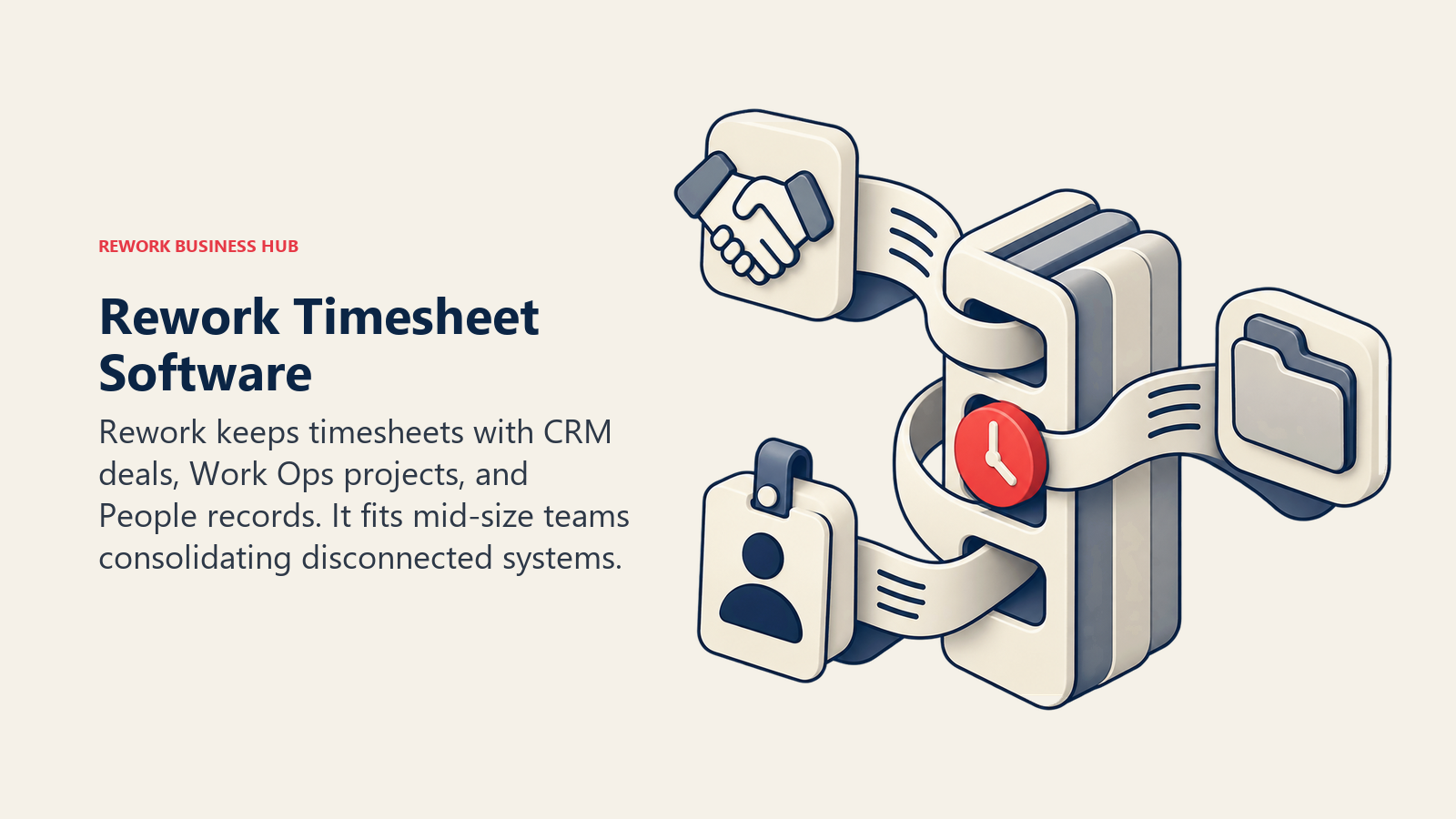
Rework's Timesheet module is part of its People app (HRIS, time and attendance, timesheets, and payroll), running on the same platform as its CRM/Sales and Work Ops projects and tasks. The pitch isn't a best-in-class timer or employee-monitoring depth; it's that hours, the project they were logged against, and the employee record they belong to live in one system instead of three separate logins that need to be kept in sync by hand.
That matters most for a mid-size operations team that has already put deals, projects, and people on Rework and doesn't want a standalone timer app as a fourth system of record. It matters much less to a freelancer who just needs to bill a client, or a warehouse manager who needs GPS-verified shift clock-ins today.
| What you get | What you don't |
|---|---|
| Timesheets on the same record as CRM and projects | A free or single-seat tier |
| One platform across Sales, Lead Ops, Work Ops, and People | GPS geofencing or biometric clock-in depth of Jibble |
| No separate integration syncing hours to a project system | A published, self-serve price you can check today |
| Packaged annual pricing, not per-envelope or per-clock-in fees | The activity-monitoring depth of Hubstaff or Time Doctor |
Pricing: Rework doesn't publish a price for the People app or the Timesheet module. Pricing is quoted per organization; see rework.com/pricing for the published engines (Sales, Marketing, Revenue, Process and Project), or ask the team for a People quote. Best for: Mid-size teams (roughly 20 to 200 people) already consolidating CRM and Work Ops on Rework who want timesheets on the same customer and project record instead of a separate tool. See Best HR Software for how the People app compares against dedicated HRIS platforms. Not ideal for: Freelancers and solo users (there's no free or single-seat tier), agencies wanting Harvest-depth billable invoicing and client budget reporting, or teams specifically shopping for screenshot-level activity monitoring.
7. TimeCamp: Unlimited Users on the Free Plan
TimeCamp's free tier undercuts almost everything else here: unlimited users and unlimited projects, not just a capped headcount. The tradeoff shows up in reporting depth and workflow polish once a team outgrows the basics. If that is where you already are, Best TimeCamp Alternatives works through where those teams go next.
| What you get | What you don't |
|---|---|
| Unlimited users and projects on the free plan | Reporting polish on par with Harvest or Everhour |
| Automatic time tracking (idle detection, app tracking) | Deep client-invoicing workflows |
| Budgeting and billable-rate tools on paid tiers | Native scheduling for hourly or shift crews |
| One of the lowest entry prices in this list | GPS attendance tracking |
Pricing: Free (unlimited users and projects). Starter $5.49/user/month ($3.99 annual). Premium $9.99 monthly ($6.99 annual). Ultimate $13.99 monthly ($9.99 annual). Enterprise on request. (TimeCamp) Best for: Small teams and startups wanting to add every employee to the free plan without a per-seat cap. Not ideal for: Agencies needing invoicing depth, or hourly crews needing attendance features.
8. Everhour: Time Tracking for Teams Living Inside a PM Tool
Everhour doesn't try to be a standalone project hub. It embeds directly into Asana, Trello, ClickUp, Basecamp, and other project-management tools, so time gets logged from inside the task a team is already looking at instead of a separate app switch. For a team whose real home base is a PM tool, that beats a more full-featured but disconnected timer.
| What you get | What you don't |
|---|---|
| Native embedding in Asana, Trello, ClickUp, and more | A standalone project-management interface |
| Budgets, invoicing, and billable rates per project | Employee monitoring or activity screenshots |
| A usable free tier up to 5 seats | GPS or workforce-attendance features |
| Simple, predictable per-seat annual pricing | A monthly-billing option below the annual rate |
Pricing: Free (up to 5 seats). Team $8.50/seat/month billed yearly (roughly 15% cheaper than monthly), 5-seat minimum. Custom plan from 50 seats, quote only. (Everhour) Best for: Teams already running work through Asana, Trello, or ClickUp who want time and budgets tracked from inside those tools. See Best Project Management Software for the host tools Everhour plugs into. Not ideal for: Teams wanting a standalone timer with no PM-tool dependency, or workforce attendance features.
9. Time Doctor: Productivity Insight for Remote Teams
Time Doctor leans further into monitoring than Hubstaff: screenshots, detailed app and website usage, distraction alerts, and productivity scoring, aimed at managers who need evidence a distributed or outsourced team is actually working the hours it logs, not just a timesheet total.
| What you get | What you don't |
|---|---|
| Screenshots, activity levels, and distraction alerts | A published, easily fetchable pricing table |
| Payroll and HRIS integration add-ons | The lightest possible setup for a small team |
| Productivity scoring across a distributed team | Client-invoicing depth |
| Detailed app and website usage reporting | GPS attendance for field or shift crews |
Pricing: The marketing pricing page renders its plan table through JavaScript and shows no figures, but Time Doctor publishes them in its own support knowledge base: Basic $6.67/user/month billed annually or $8.00 month-to-month, Standard $11.67 annually or $14.00 monthly, Premium $16.70 annually or $20.00 monthly, with annual billing including two free months. Enterprise is custom. Add-ons: Software Cost Insights $3/user/month, HRIS or payroll integration $200 per integration per month. (Time Doctor support documentation) Best for: Managers of remote or outsourced teams wanting productivity evidence, not just a logged hour total. Not ideal for: Small teams wanting a lightweight timer without monitoring depth.
10. Timely: Automatic Time Capture for Agencies
Timely's differentiator is that it tracks time in the background across the apps and documents someone actually uses, then lets them confirm or adjust entries afterward, instead of requiring a manual timer all day. Agencies that have tried and failed to get consistent manual time entry from billable staff are the clearest fit.
| What you get | What you don't |
|---|---|
| Automatic, memory-based time capture | The lowest price point in this list |
| No manual timer to remember to start | A free tier |
| Confirm-and-adjust workflow instead of blank timesheets | Employee monitoring or screenshot evidence |
| Tiered plans that scale with headcount | GPS attendance for hourly crews |
Pricing: Starter $11/user/month ($9 annual), capped at 5 users. Premium $20 monthly ($16 annual), capped at 50 users. Unlimited $28 monthly ($22 annual). Enterprise custom. Tasks add-on from about $5/person. (Timely) Best for: Agencies whose billable staff consistently forget to log time manually and need it captured automatically instead. Not ideal for: Budget-conscious small teams, since there's no free tier and per-user pricing starts higher than Toggl or Clockify.
11. My Hours: Simple Project Budgets on a Small Budget
My Hours keeps its scope narrow on purpose: time tracking, simple project budgets, and straightforward reports, without the monitoring or attendance features that push up the price elsewhere here. For a small team that just needs to know if a project is running over budget, that narrower scope is the point, not a gap.
| What you get | What you don't |
|---|---|
| Simple project budgets without enterprise pricing | Employee monitoring or activity screenshots |
| A usable free tier for up to 5 active users | GPS or workforce-attendance tracking |
| Clean, uncluttered reporting | Deep integrations beyond the basics |
| Low, predictable per-user pricing | Automatic or memory-based time capture |
Pricing: Free (up to 5 active users). Basic $5/user/month ($4 annual). Pro $9 monthly ($8 annual). Enterprise custom. (My Hours) Best for: Small project teams wanting simple budget tracking without paying for features they won't use. Not ideal for: Teams needing monitoring, GPS attendance, or deep PM-tool integrations.
12. Paymo: Time, Tasks, and Invoices for Small Agencies
Paymo bundles time tracking with light project management and client invoicing, aimed at small agencies that don't want three separate tools for one continuous process: track time, manage the task it belongs to, then bill the client for it.
| What you get | What you don't |
|---|---|
| Time tracking, tasks, and invoicing in one tool | Deep client-invoicing depth of Harvest at scale |
| A genuinely usable free tier for a solo user | Employee monitoring or GPS attendance |
| Kanban and Gantt views alongside time tracking | The lowest regular (non-promo) price in this list |
| Meaningful annual-billing discount | Native payroll integration |
Pricing: Free (1 user, 1 client, 2 projects). Solo $9.90/month regular (promoted at $5.90 for 3 months). Plus $15.90/user/month regular (promoted at $10.90). Pro $23.90/user/month regular (promoted at $16.90). Annual saves up to 40%. (Paymo) Best for: Small agencies and studios wanting time, tasks, and invoicing in a single lightweight tool. Not ideal for: Larger teams where the regular (post-promo) per-user price stacks up quickly, or anyone needing workforce-attendance features.
13. Deltek Replicon: Enterprise Time and Labor Compliance
Replicon built its name on time and attendance for large, multi-entity organizations with complex labor-law and project-costing requirements across multiple countries. Deltek has since acquired it, and it now operates as Deltek Replicon. Both of Replicon's former standalone pricing pages redirect into a Deltek product page that publishes no figures.
| What you get | What you don't |
|---|---|
| Deep global time and labor-law compliance tooling | Published, self-serve pricing |
| Multi-entity, multi-country project time costing | A fit for a small or mid-size team |
| Enterprise-grade audit and approval workflows | Fast, low-touch onboarding |
| Deltek's broader project-based ERP ecosystem | A budget-friendly entry point |
Pricing: Quote-only; no published figures. Any $6, $12, $29, or $39 per-user figure still circulating for "Replicon" traces to a retired page and is outdated. (Deltek) Best for: Large, multi-entity organizations with complex, multi-country labor-compliance requirements. Not ideal for: Small or mid-size teams wanting transparent, self-serve pricing.
14. Jibble: Free, Unlimited Clock-In and Out
Jibble's pitch is that GPS and facial-recognition clock-in/out attendance tracking should be free at any headcount, and it delivers: the free plan has no user cap. Paid tiers exist for teams wanting deeper scheduling or payroll integrations, but Jibble's public pricing page doesn't render those figures.
| What you get | What you don't |
|---|---|
| Genuinely free, unlimited-user clock-in/out | Published pricing for paid tiers |
| GPS and facial-recognition attendance verification | Deep project-billing or invoicing tools |
| Mobile-first design for a distributed hourly workforce | Employee activity or screenshot monitoring |
| Basic timesheets included at no cost | A large built-in HR suite (that's Connecteam's job) |
Pricing: Free forever, unlimited users, for clock-in/out and basic timesheets. Paid Premium and Ultimate tiers exist but aren't publicly priced (Jibble). Best for: Hourly and shift-based teams wanting free, GPS-verified attendance tracking without a per-user bill. Not ideal for: Teams needing project billing, invoicing, or deep reporting beyond basic attendance.
15. Connecteam: Scheduling, Attendance, and HR in One Hub
Connecteam targets deskless, multi-location teams (retail, field service, hospitality) with a time clock bundled alongside scheduling, task management, and a lightweight HR hub, so a manager isn't juggling a separate app for each. Pricing is unusual: instead of a flat per-user rate, each "hub" (Operations, Communications, HR and Skills) has a base rate covering the first 30 users, plus a per-additional-user rate above that.
| What you get | What you don't |
|---|---|
| Time clock, scheduling, and HR hub in one app | Simple, flat per-user pricing |
| Free for life for teams up to 10 users | Deep client-invoicing or billable-rate tools |
| Built for deskless, multi-location workforces | The lowest cost for a small office-based team |
| Task management and internal comms bundled in | GPS geofencing on the free tier |
Pricing: Free for life (up to 10 users). Basic $35/month ($29 annual), covers 30 users per hub. Advanced $59 monthly ($49 annual). Expert $119 monthly ($99 annual). Enterprise custom. (Connecteam) Best for: Deskless, multi-location teams (retail, field service, hospitality) wanting scheduling and a time clock in one app. Not ideal for: Small office-based teams that would rather pay a flat per-user rate than work out per-hub pricing.
16. Early (formerly Timeular): Passive Time Capture
Timeular rebranded to Early in 2026, keeping its signature idea: an optional physical tracker (an eight-sided device you flip to switch tasks) paired with software that infers time entries from calendar events, app usage, and location, so a user confirms entries after the fact instead of running a manual timer all day.
| What you get | What you don't |
|---|---|
| Passive, automatic time inference | Published subscription pricing |
| An optional physical device for tactile task-switching | A software-only price without checking the device cost |
| A confirm-after-the-fact workflow, less timer fatigue | Client invoicing or workforce-attendance features |
| A distinct approach from every other tool on this list | Team sizes past 20 members without an Enterprise quote |
Pricing: Not publicly priced. Named tiers (Personal, Personal Pro, Team up to 20 members, Enterprise) exist, but the page shows no figures (Early). The physical Tracker device is priced and sold separately. Best for: Individuals and small teams who consistently forget to start a manual timer and want time inferred automatically instead. Not ideal for: Buyers who need to see a firm price before evaluating, or teams needing invoicing or attendance features.
Sizing and Stage Fit
| Company size | Best-fit picks | Why |
|---|---|---|
| 1 to 5 | Toggl Track, Clockify, My Hours, TimeCamp | Free tiers cover the whole team |
| 5 to 20 | Harvest, TimeCamp, Everhour, Paymo | Client billing matters more than raw simplicity |
| 20 to 50 | Hubstaff, Timely, Time Doctor, Rework | Visibility across a growing, distributed team is the job |
| 50 to 200 | Rework, Connecteam, QuickBooks Time | Consolidation outweighs a single-purpose timer |
| 200-plus | Deltek Replicon | Multi-entity, multi-country compliance depth |
How to Choose: Decision Framework
Run whichever pick survives this against a real project or pay period, not a sandbox demo, before signing an annual contract. See how to choose project management software, since these decisions usually happen together.
| If your team needs... | Best pick |
|---|---|
| The simplest possible timer, fast | Toggl Track |
| The lowest per-seat price once you pass 5 users | Clockify |
| Time tracking tied directly to client invoices | Harvest |
| Time tracking plus activity and screenshot data | Hubstaff |
| Hourly attendance synced natively to QuickBooks Payroll | QuickBooks Time |
| Timesheets on the same record as your CRM and Work Ops | Rework |
| Unlimited free users and projects | TimeCamp |
| Time tracking embedded inside Asana, Trello, or ClickUp | Everhour |
| Deep productivity and distraction monitoring for remote teams | Time Doctor |
| Automatic, memory-based time capture for forgetful billable staff | Timely |
| Simple project budgets on a small-team budget | My Hours |
| Time, tasks, and invoicing bundled for a small agency | Paymo |
| Multi-country, multi-entity labor-compliance depth | Deltek Replicon |
| Free, unlimited GPS or face-ID clock-in for hourly crews | Jibble |
| Scheduling, a time clock, and HR in one deskless-team app | Connecteam |
| Passive time capture without a manual timer | Early (formerly Timeular) |
What to Do Next
Start with the buyer-type table near the top of this guide, not the alphabet: decide whether the job is a freelancer's timer, agency billing, remote-team visibility, or hourly attendance, which alone eliminates most of the 16 tools here. Then run your top two picks against one real pay period or one real client invoice, not a sandbox account, before committing to an annual plan. If the real friction is that hours, projects, and employee records live in three disconnected systems rather than a gap in timer features, start with Rework's Timesheet module and compare it against a focused tool like Harvest or Clockify.

Senior Customer Retention Strategist
On this page
- Key Facts
- Time Tracker, Employee Monitor, or Workforce Attendance System: Pick the Right Job First
- Quick Comparison Table
- 1. Toggl Track: The Freelancer's Default Timer
- 2. Clockify: The Cheapest Paid Ladder in the Category
- 3. Harvest: The Agency Billing Standard
- 4. Hubstaff: Time Tracking Plus Activity Data
- 5. QuickBooks Time: Payroll-Native Attendance
- 6. Rework: Timesheets on the Same Record as Your CRM and Projects
- 7. TimeCamp: Unlimited Users on the Free Plan
- 8. Everhour: Time Tracking for Teams Living Inside a PM Tool
- 9. Time Doctor: Productivity Insight for Remote Teams
- 10. Timely: Automatic Time Capture for Agencies
- 11. My Hours: Simple Project Budgets on a Small Budget
- 12. Paymo: Time, Tasks, and Invoices for Small Agencies
- 13. Deltek Replicon: Enterprise Time and Labor Compliance
- 14. Jibble: Free, Unlimited Clock-In and Out
- 15. Connecteam: Scheduling, Attendance, and HR in One Hub
- 16. Early (formerly Timeular): Passive Time Capture
- Sizing and Stage Fit
- How to Choose: Decision Framework
- What to Do Next