Airtable vs Baserow: Which No-Code Database Should You Run in 2026?
Turn this article into takeaways for your work.


Each assistant summarizes the article only for you and suggests best practices for your work.
Almost nobody types "airtable vs baserow" casually. That search has a trigger behind it, usually one of three. Procurement or legal asked where the data physically sits, and "a US SaaS vendor" was not an acceptable answer. The Airtable invoice crossed a line somebody in finance had drawn. Or an engineer floated self-hosting, and the operations lead needs to know whether the non-technical half of the team could still use the thing afterwards.
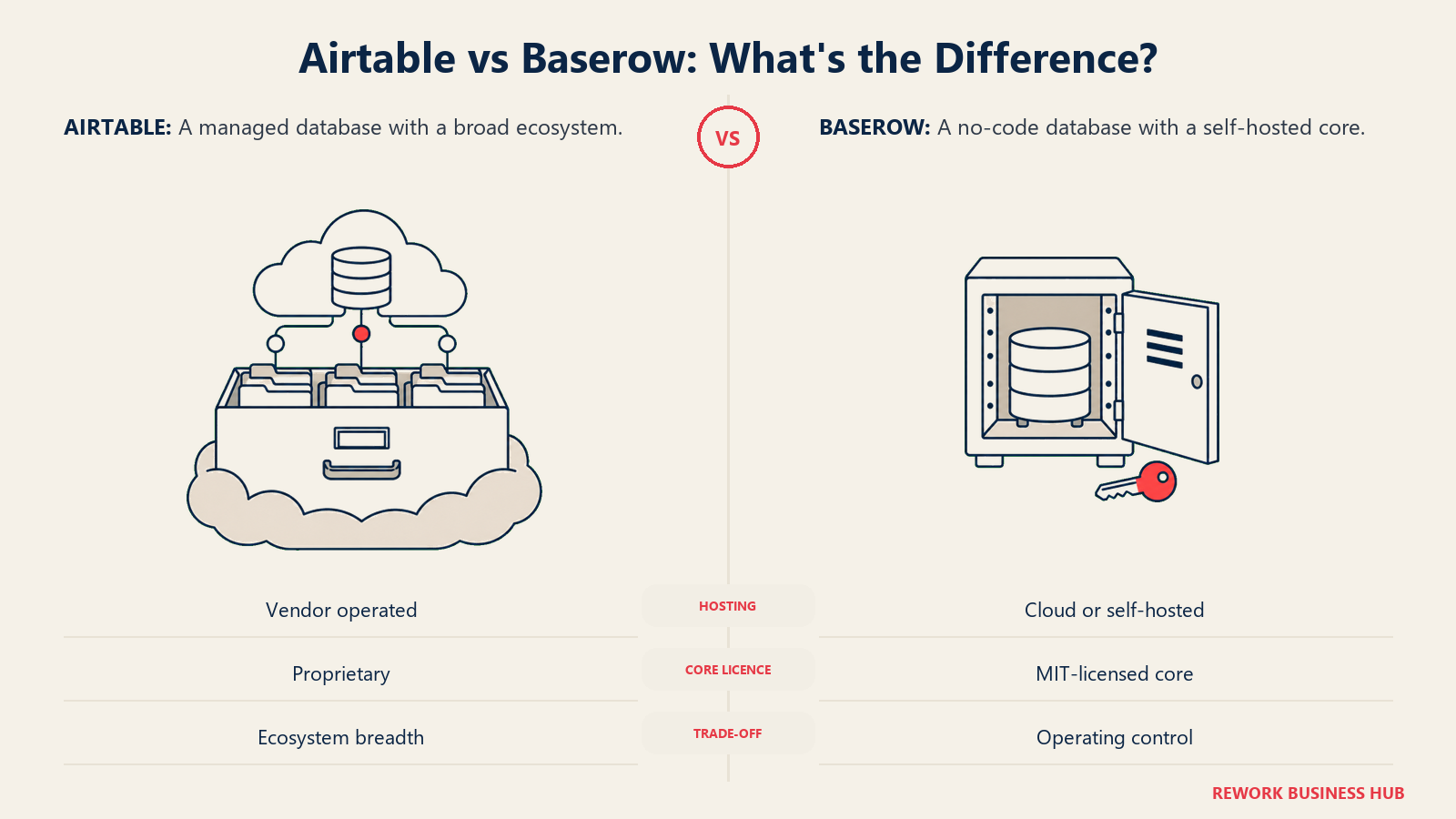
Airtable is the category default and it earned that: a relational data model a non-engineer can build in an afternoon, plus the largest library of templates, extensions, consultants, and prebuilt integrations in the space. Baserow is the open-source answer to it. Its Open Source Edition ships under the MIT Expat licence, its cloud plans undercut Airtable by half at the entry tier, and its self-hosted build carries no row cap. What it does not have is Airtable's ecosystem, Interface Designer, or a pool of people who already know it from a previous job.
This comparison settles four things: what each licence permits, how the capacity ceilings differ in unit and not just size, what each product costs at 10, 25, and 50 seats, and who owns the pager if you self-host. Every price and limit below came off the vendor's own page in September 2026. If you are still building a shortlist rather than choosing between finalists, the wider no-code database software guide covers 15 tools including options neither of these serves.
TL;DR
| Airtable | Baserow | |
|---|---|---|
| Built for | Teams that want the category default, the biggest ecosystem, and a flexible data model | Teams whose answer to "where does the data live" has to be somewhere they control |
| Licence | Proprietary SaaS, and the vendor does not pretend otherwise | Open Source Edition under MIT Expat, with the premium and enterprise directories separately licensed |
| Entry paid tier | Team, $20/seat/mo billed annually | Premium, $10/user/mo billed yearly ($12 billed monthly) |
| Next tier up | Business, $45/seat/mo billed annually | Advanced, $18/user/mo billed yearly ($22 billed monthly) |
| Capacity unit | Records per base, 50,000 on Team | Rows per workspace, 50,000 on Premium |
| Free plan | Yes, 1,000 records per base | Yes, 3,000 rows per workspace |
| Self-hosting | Not offered | Yes, and the core edition has no row or storage limit |
| Who gets billed | Anyone with edit permission on at least one base; read-only free, commenters billable on Team | Premium bills every workspace collaborator including viewers; Advanced bills only Editor, Builder, and Admin |
| External app users | Not a concept | 500 included on paid cloud plans, unlimited on Enterprise |
| Ecosystem | Largest in the category by a wide margin | Small and mostly vendor-authored |
The Real Split: Where the Data Lives and Who Decides
Both products give you a spreadsheet-shaped grid sitting on a relational store, with linked records, formulas, rollups, views, forms, and automations. That surface similarity is why this comparison gets written as a feature checklist, and why the checklists miss the decision.
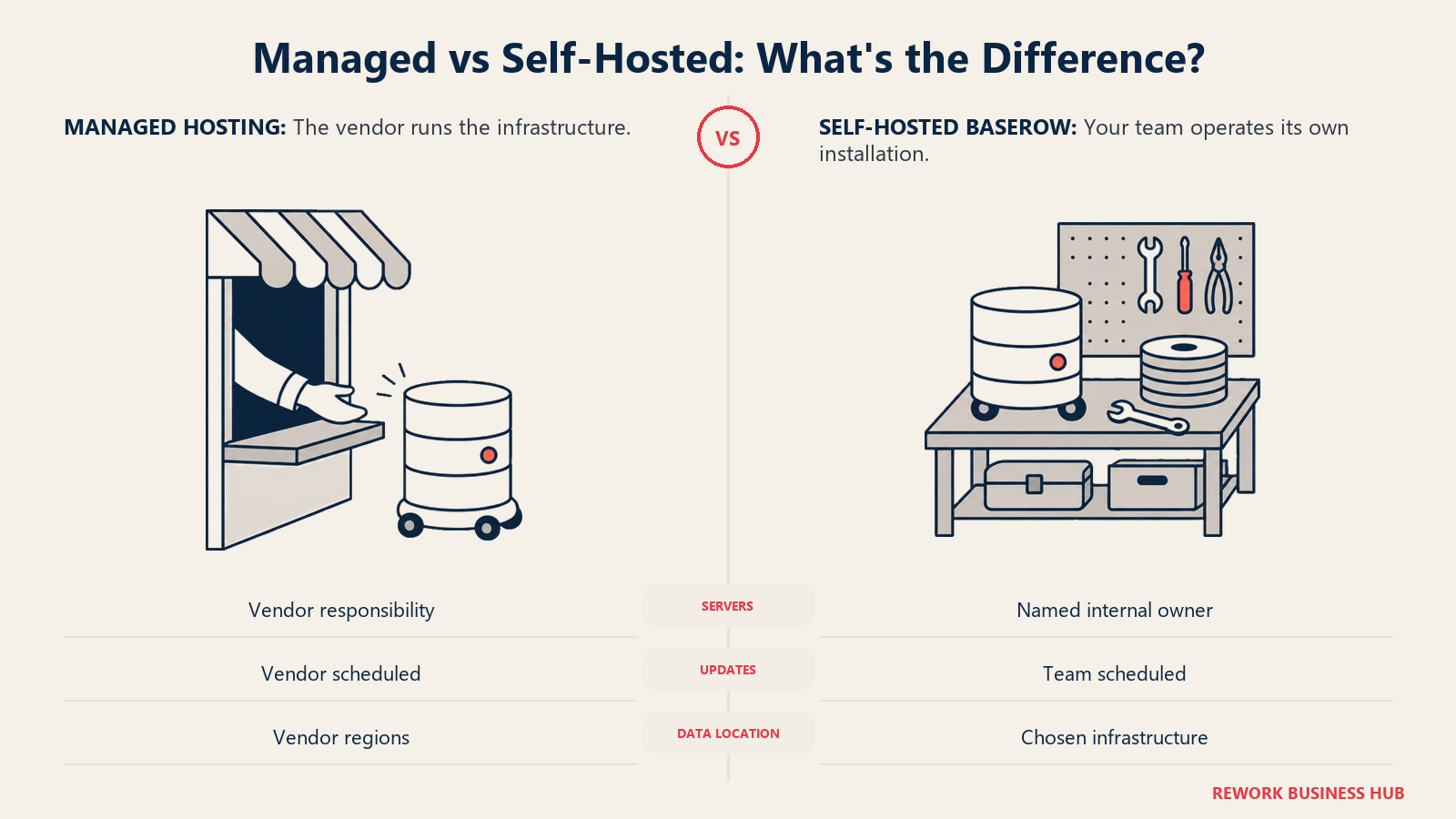
Airtable's proposition is that you never think about infrastructure again. Somebody else runs the servers, patches them, backs them up, and answers for uptime, and in exchange you accept their regions, tiers, ceilings, and price increases. Baserow's is that the software itself is yours to run: put the Open Source Edition on a machine in the jurisdiction your legal team named and no row leaves it, but somebody on your side has to own it, and that somebody has a name, a calendar, and other work.
So the framing is not "cloud versus open source." It is whether your constraint is one Airtable can answer. If it is "this base got expensive," both cloud products answer it and the answer is arithmetic. If it is "the data cannot sit in a vendor's account," only one of them answers it at all.
Who Each Tool Is Actually Built For
| Airtable | Baserow | |
|---|---|---|
| Primary buyer | Ops manager, marketing ops lead, program manager | Head of Ops with an IT or platform team behind them |
| Team size sweet spot | 5 to 100, often a single department | 10 to 200, usually with an infrastructure owner on payroll |
| Typical first build | One base solving one team's problem | A replacement for an Airtable base that hit a policy or price wall |
| Buying trigger | The spreadsheet finally broke | A data residency requirement, a seat bill, or a licence review |
| What they optimize for | Speed to a working base, breadth of integrations, familiarity | Control over hosting and licence, cost per seat, no row anxiety |
| Biggest risk | Cost and record caps escalate quietly as bases multiply | Nobody arrives already knowing it, and the ecosystem gap is wide |
A useful test before you read further: write the constraint down in one sentence, then classify it as a money problem, a capacity problem, or a control problem. The first two have answers on both sides. The third has one.
Key Facts
- Airtable caps records at 1,000 per base on Free, 50,000 per base on Team, and 125,000 per base on Business. (Airtable plans overview)
- Baserow Cloud caps rows per workspace, not per database: 3,000 on Free, 50,000 on Premium, 250,000 on Advanced, and 1,000,000 on Enterprise. (Baserow pricing)
- Baserow's licence file places everything outside the premium and enterprise directories under MIT Expat, including all client-side JavaScript, and licenses the docs directory under CC BY-SA 4.0. (Baserow LICENSE)
- Baserow's FAQ states that the self-hosted version "will never have row, storage, or API request limitations." (Baserow FAQ)
- Airtable charges for every user holding edit permission on at least one base in the workspace, while Baserow bills all workspace collaborators on Premium and only Editor, Builder, and Admin roles on Advanced. (Airtable pricing, Baserow subscriptions overview)
The Licence Question, and Why It Got Louder in 2026
Licensing used to be a footnote in this category. It stopped being one in 2026, and that is the context most comparison articles are missing.
Two well-known open-source options in the adjacent space changed terms this year. NocoDB moved from AGPL-3.0 to the Sustainable Use License on 9 January 2026, per NocoDB's own licensing documentation. Directus made a similar move: its repository licence file now reads Monospace Sustainable Core License, Version 1.0, with a GPL-3.0 grant that only takes effect four years after a release ships, per the Directus licence file.
Be precise about what that means, because the internet was not. Neither product "went closed source." Both moved to source-available licences that still permit reading the source, self-hosting, and modifying for internal use. What they restrict is commercial redistribution: offering the software as a managed service, or giving external customers direct access inside something you sell. For an internal operations tool, nothing changed. For a company building a product on top, everything did.
Against that backdrop Baserow's core licence is a differentiator rather than a marketing line, because you can check it in ninety seconds. The Open Source Edition in the repository's licence file is plain MIT Expat, client-side JavaScript included. The caveat sits in the same file: the premium and enterprise directories carry their own separate, non-MIT licences, so the guarantee covers the core product, not every feature you might want. Airtable is proprietary SaaS and has never claimed otherwise, which is not a defect. It is the trade the whole category made until self-hosting became a procurement requirement rather than an engineer's preference.
| Airtable | Baserow | NocoDB | Directus | |
|---|---|---|---|---|
| Core licence in 2026 | Proprietary | MIT Expat, Open Source Edition | Sustainable Use License | Monospace Sustainable Core License v1.0 |
| Changed recently | No | No | Yes, from AGPL-3.0 in January 2026 | Yes, from a GPL licence |
| Self-host for internal use | Not offered | Yes | Yes | Yes |
| Redistribute inside something you sell | Not permitted | Permitted for the MIT-licensed parts | Needs a commercial licence | Restricted, with a delayed GPL-3.0 grant |
| Paid features licensed separately | Not applicable | Yes, premium and enterprise directories | Yes | Yes |
If a source-available licence is a genuine blocker rather than a preference, that narrows the field fast, and the NocoDB alternatives roundup walks the options still permissively licensed.
Airtable Pricing in Detail
| Plan | Per seat/mo billed annually | Records per base | Attachments per base | Automation runs/mo | AI credits |
|---|---|---|---|---|---|
| Free | $0 | 1,000 | 1 GB | 100 | 500 per editor/mo |
| Team | $20 | 50,000 | 20 GB | 25,000 | 15,000 per paid user/mo |
| Business | $45 | 125,000 | 100 GB | 100,000 | 20,000 per paid user/mo |
| Enterprise Scale | Custom | 500,000 | 1,000 GB | 500,000 | 25,000 per paid user/mo at list |
Source: Airtable pricing and the Airtable plans overview.
One methodological note, because it changes how you read every number below. Airtable's monthly, non-annual rates did not read cleanly off the pricing page this month, so every Airtable figure here is the annual rate and is labelled that way. Baserow publishes both. Do not set Airtable's $20 annual rate against Baserow's $12 monthly rate and call it a comparison: the like-for-like pairing is $20 against $10.
The billing rule matters more than the headline. Airtable charges for anyone holding edit permission on at least one base, and does not charge for read-only collaborators, form submissions, or share links on either paid plan. Commenters sit in between, billable on Team and free on Business, per Airtable's collaborator billing documentation. Which produces the odd result where a team with a large commenting audience lowers its bill by upgrading to a plan costing twice as much per seat.
Baserow Pricing in Detail
| Plan | Per user/mo billed yearly | Per user/mo billed monthly | Rows per workspace | Storage | External app users | Automation credits/mo |
|---|---|---|---|---|---|---|
| Free | $0 | $0 | 3,000 | 2 GB | 500 | 2,000 |
| Premium | $10 | $12 | 50,000 | 20 GB | 500 | 100,000 |
| Advanced | $18 | $22 | 250,000 | 100 GB | 500 | 500,000 |
| Enterprise | On request | On request | 1,000,000 | 1,000 GB | Unlimited | 2,000,000 |
Source: Baserow pricing.
Now the cell most comparison articles get wrong, and it is not a price. Baserow subscriptions attach to a workspace, not to your account, and who counts as billable changes between tiers. On Premium every collaborator in the workspace is billable, viewers and commenters included. On Advanced only Editor, Builder, and Admin roles are, while Commenter, Viewer, No Access, and No Role are free, per Baserow's subscriptions overview. Baserow's cheaper tier carries the stricter seat rule, the opposite of how people assume it works.
The external app user allowance is the other line worth reading properly. Baserow's Application Builder publishes a working web app on your own domain, pulling live from your tables, and the people who log into it count as external app users rather than collaborators. 500 are included on every paid cloud plan. If what you need is a portal customers or field staff sign into, that is the number to size against, not the seat count.
Per Base or Per Workspace: The Unit That Flips the Answer
Airtable Team and Baserow Premium both stop at 50,000. Side by side that reads like a tie where the only variable is price. It is not, because the vendors are counting different things.
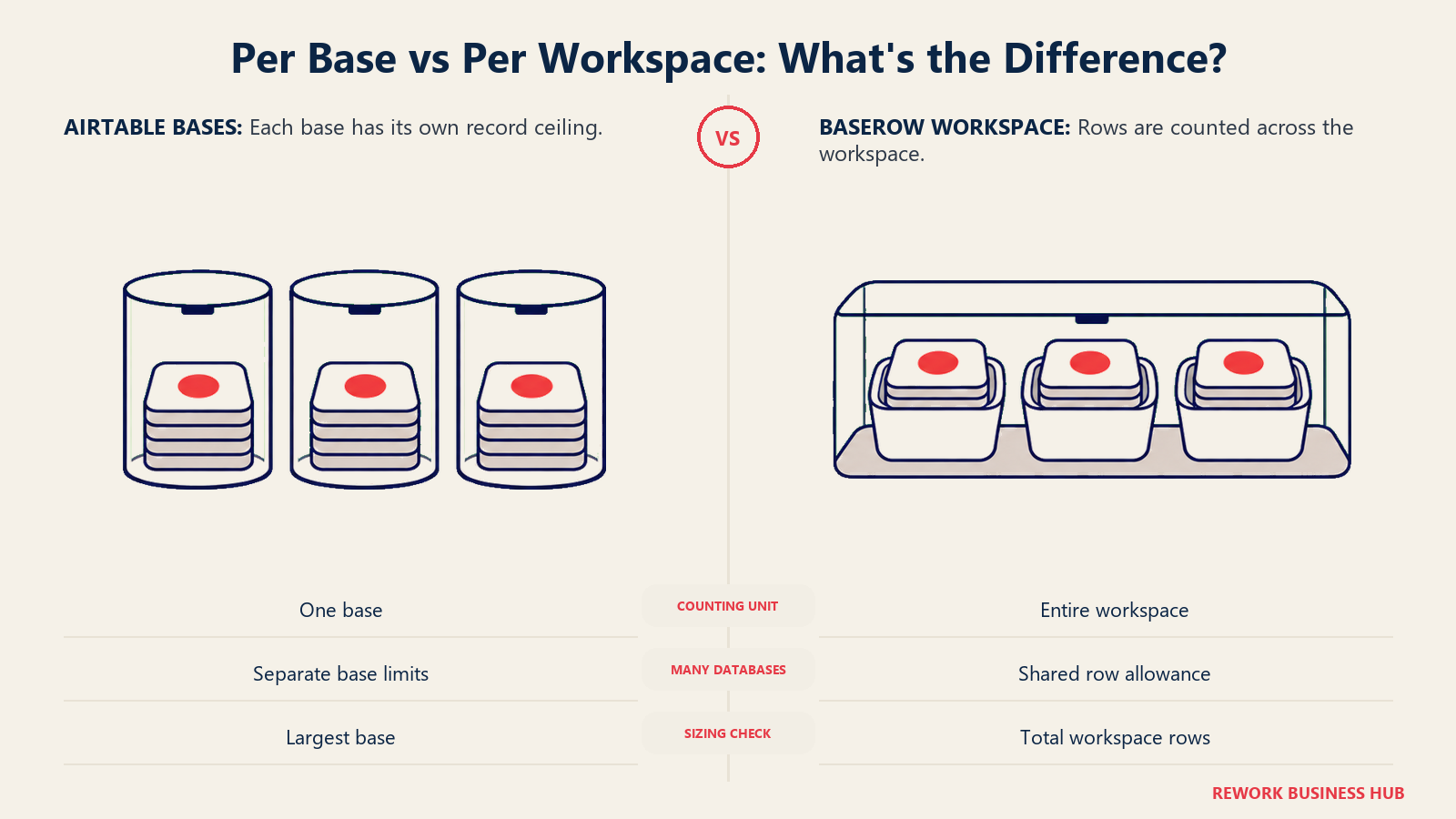
Airtable counts records per base, one connected set of tables. Ten bases of 40,000 records each is 400,000 records in one workspace, and every one sits inside the Team ceiling, because no single base crossed 50,000. Baserow counts rows per workspace, so those same ten databases in one Baserow workspace is 400,000 rows against a 50,000 allowance, eight times over the line on Premium.
That asymmetry cuts both ways, and which way depends on the shape of your estate rather than its size.
| Estate shape | Total rows | Fits Airtable Team? | Fits Baserow Premium? | Annual cost at 25 seats |
|---|---|---|---|---|
| One base or database holding 45,000 rows | 45,000 | Yes | Yes | Airtable $6,000, Baserow $3,000 |
| One base or database holding 90,000 rows | 90,000 | No, needs Business | No, needs Advanced | Airtable $13,500, Baserow $5,400 |
| Eight separate bases of 20,000 rows each | 160,000 | Yes, no base crosses 50,000 | No, the workspace total is 160,000 | Airtable $6,000, Baserow Advanced $5,400 |
| The same eight, split across four Premium workspaces | 160,000 | Yes | Yes, 40,000 rows per workspace | Airtable $6,000, Baserow $12,000 if all 25 people need all four |
Read that last row twice, because it is the finding. Splitting a Baserow estate into several workspaces to stay under a row cap looks like the obvious workaround, and it is available, but subscriptions and seats are both counted per workspace. At 25 people across four Premium workspaces that is 100 billable user-slots and $12,000 a year, double what Airtable Team costs for identical data.
The short version: many small containers favor Airtable, one large container favors Baserow. If your Airtable estate is already a sprawl of small bases with overlapping collaborator lists, price the per-workspace model before you migrate anything. If it is two or three big bases everyone works in, Baserow is straightforwardly cheaper. The same unit-versus-unit trap runs through the Airtable and SmartSuite comparison, where records are counted per solution.
Annual Cost at 10, 25, and 50 Seats
Tier names hide the comparison, so here is the arithmetic at three realistic headcounts. Every column below is the annual or yearly billing rate.
| Seats | Airtable Team ($240/seat/yr) | Airtable Business ($540/seat/yr) | Baserow Premium ($120/user/yr) | Baserow Advanced ($216/user/yr) | Baserow self-hosted core |
|---|---|---|---|---|---|
| 10 | $2,400 | $5,400 | $1,200 | $2,160 | $0 in software cost |
| 25 | $6,000 | $13,500 | $3,000 | $5,400 | $0 in software cost |
| 50 | $12,000 | $27,000 | $6,000 | $10,800 | $0 in software cost |
Pay Baserow monthly rather than yearly and those columns become $144 and $264 per user per year, so Premium at 50 seats runs $7,200. The self-hosted column is a software cost of zero, not a total cost of zero, and the next section explains what fills the gap.
Pair the tiers by ceiling, not by name. At the 50,000 level, Airtable Team against Baserow Premium is exactly two to one: $6,000 against $3,000 at 25 seats, $12,000 against $6,000 at 50. One tier up, Airtable Business against Baserow Advanced is $13,500 against $5,400 at 25 seats and $27,000 against $10,800 at 50. That is 60% less per seat, and Advanced's 250,000 rows per workspace is double Airtable Business's 125,000 records per base. It is the largest gap here and what starts most Baserow evaluations.
Now add the audience that never edits anything, because this is where the received wisdom breaks. Say 25 editors plus 15 people who only read and comment.
| Scenario: 25 editors plus 15 viewers and commenters | Billable seats | Annual cost |
|---|---|---|
| Airtable Team, the 15 are read-only | 25 | $6,000 |
| Airtable Team, the 15 are commenters | 40 | $9,600 |
| Airtable Business | 25 | $13,500 |
| Baserow Premium | 40, every collaborator counts | $4,800 |
| Baserow Advanced | 25, viewers and commenters are free | $5,400 |
Three things fall out of that. Baserow Premium has the strictest seat rule in the table and still lands lowest in absolute dollars, because a half-price seat absorbs a lot of extra seats. Baserow Advanced costs more than Premium despite billing fifteen fewer people, a fair trade only if you need the 250,000-row ceiling. And Airtable Team's commenter rule is the most expensive line relative to what it buys: fifteen people who only comment add $3,600 a year.
Self-Hosted Baserow: Free Software, Real Operating Cost
Self-hosting is why a lot of people opened this comparison, so treat it as a decision with two columns rather than a feature bullet.
The software side is genuinely free and genuinely uncapped. Baserow's FAQ commits to it plainly: the self-hosted version "will never have row, storage, or API request limitations." That is not a trial or a hollowed-out community build. The Open Source Edition is the product, under MIT Expat, and the row anxiety that drives most Airtable upgrades does not exist there. The operating side is where the cost moved, and the vendor is not paying it.
| Responsibility | Airtable Cloud | Baserow Cloud | Baserow self-hosted |
|---|---|---|---|
| Server provisioning and capacity | Vendor | Vendor | You |
| Security patching and version upgrades | Vendor | Vendor | You, on a schedule you set and then keep |
| Backups, and restore testing | Vendor | Vendor | You, and an untested backup is not a backup |
| Uptime and out-of-hours incidents | Vendor | Vendor | Whoever answers at 2am |
| Where the data physically sits | Vendor's regions | Vendor's regions | Wherever you choose to run it |
| Row and storage ceiling | Plan limit | Plan limit | None |
| Premium and enterprise features | Included by tier | Included by tier | Licensed separately, per user |
Two warnings for the business case. First, "free" describes the licence, not the total. A small deployment on one virtual machine is a weekend for somebody who has done it before, then a standing commitment of half-days per month for upgrades, monitoring, and backup verification. Price that against the $6,000 a year Baserow Cloud costs at 50 seats and the saving thins out fast. Second, self-hosting removes the row cap but not the per-user cost of Baserow's premium and enterprise features. If the capabilities that made you shortlist Baserow live in those directories, you are self-hosting and paying per user.
The clean test: if you can name the person who will own the server, right now, in your head, self-hosting belongs on the table. If the name is "we would figure it out," it does not, and Baserow Cloud gives you the same licence story without the pager. The Baserow alternatives roundup covers the managed-hosting middle ground.
Views, Interfaces, and the App Layer
Both give you many saved views over the same records. What sits above the views is where they diverge, and the difference maps straight onto cost.
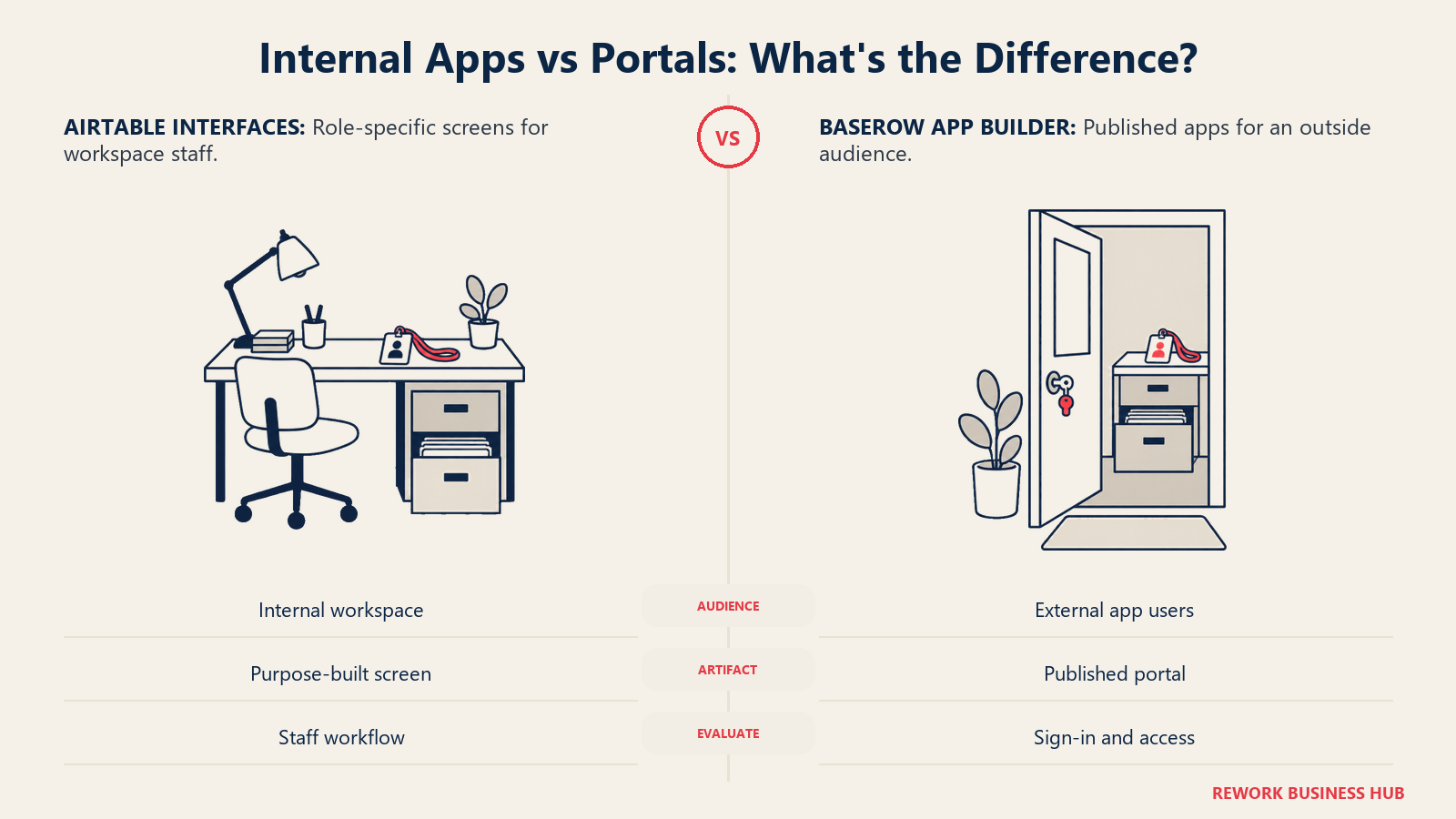
Airtable's Interface Designer is a real app-building layer that turns a base into a purpose-built screen for one role. It is the most mature feature of its kind in this category and a large part of why Airtable keeps teams who would otherwise leave on price. Baserow's Application Builder publishes a working web app on your own domain with its own sign-in. The two solve different problems: Interface Designer builds a screen for people already inside your workspace, the Application Builder builds a site for people who are not, and prices them as external app users rather than seats.
| Layer | Airtable | Baserow |
|---|---|---|
| Core views | Grid, form, calendar, gallery, kanban, list | Grid, gallery, form and survey mode, kanban, calendar |
| Scheduling views | Timeline and Gantt, paid plans only | Timeline |
| Internal app layer | Interface Designer, the strongest in this category | Views plus role-based access |
| External app layer | Share links and public forms | Application Builder, on a custom domain |
| Who the outside audience is | Anonymous viewers of a link or form | Authenticated external app users, 500 on paid cloud plans |
If the deliverable is an internal screen for your own staff, Airtable wins outright. If it is a portal customers, contractors, or field crews log into, Baserow is cheaper by a wide margin, because those people never turn into seats.
Automation Depth and Run Limits
Both run trigger, condition, and action automations without code: a record is created or updated, a field matches a condition, a schedule fires, a form is submitted, then update records, send mail, or post to a webhook. The meters are where you have to slow down, because the vendors publish different units.
| Airtable | Baserow | |
|---|---|---|
| Published unit | Automation runs per month | Automation credits per month |
| Free plan | 100 runs | 2,000 credits |
| Entry paid tier | 25,000 runs on Team | 100,000 credits on Premium |
| Next tier | 100,000 runs on Business | 500,000 credits on Advanced |
| Top tier | 500,000 runs on Enterprise Scale | 2,000,000 credits on Enterprise |
| Cross-container automation | Within a base, cross-base needs sync or an external tool | Within a workspace |
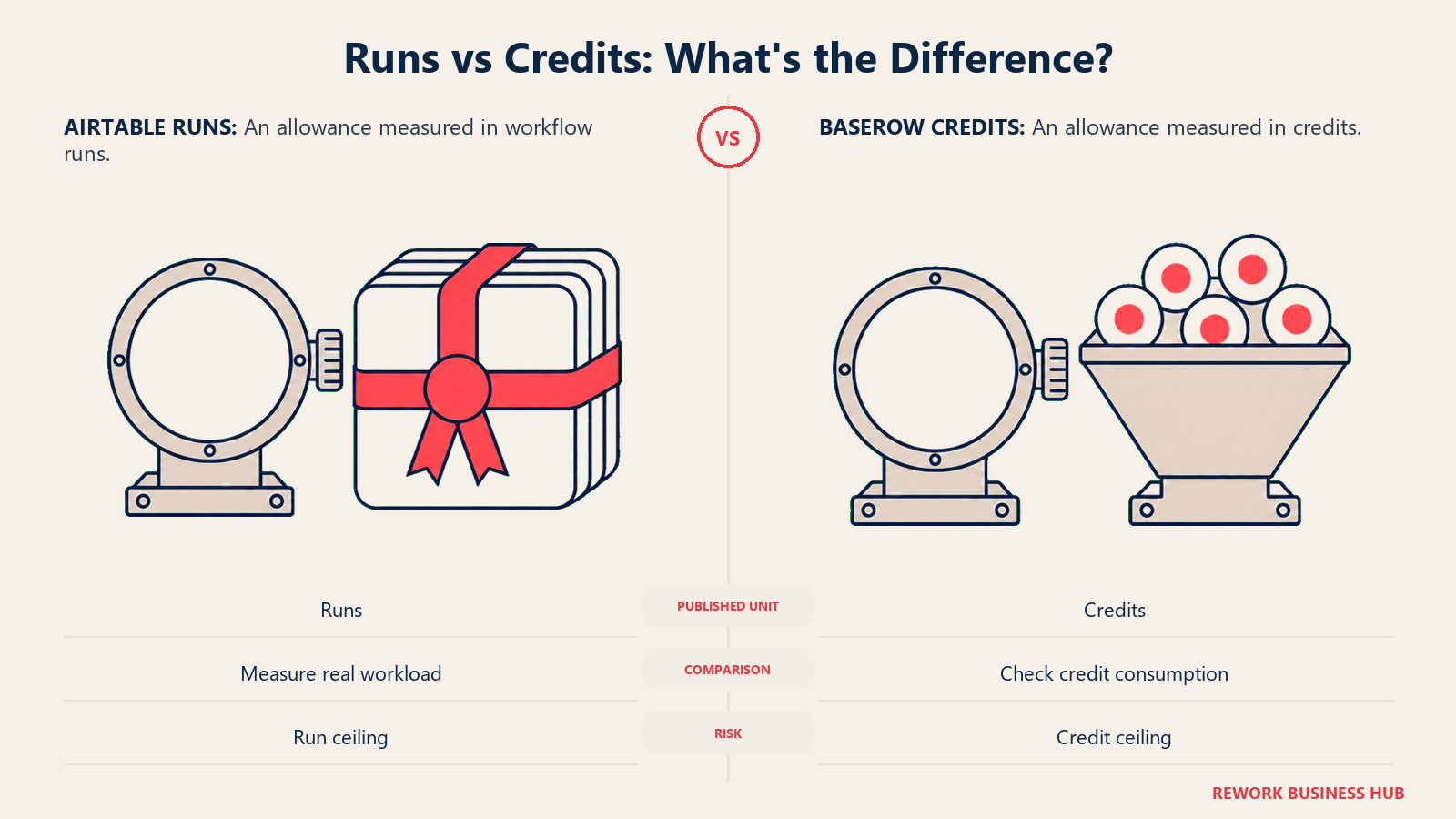
A run and a credit are not the same unit, and 100,000 of one is not automatically four times 25,000 of the other. Before you treat Baserow's larger-looking allowance as more headroom, pull your real monthly run count out of Airtable and ask Baserow what consumes a credit in the automation shapes you actually use. That number is always higher than anyone guesses, and it drives the tier decision on both sides. The trap is identical either way: one badly scoped automation on a large table burns a month's allowance in days.
Permissions and Who Never Gets Billed
Access control on both platforms is role-based at the container level and adequate for ordinary team use. The interesting part is not who can do what, but which of those roles arrives on the invoice.
| Control | Airtable | Baserow |
|---|---|---|
| Role set | Owner, Creator, Editor, Commenter, Read-only | Admin, Builder, Editor, Commenter, Viewer, No Access, No Role |
| Read-only collaborators billed | No, on either paid plan | Yes on Premium, no on Advanced |
| Commenters billed | Yes on Team, no on Business | Yes on Premium, no on Advanced |
| Billing scope | Per workspace | Per workspace, so one person in three workspaces is billed three times |
| Outside audience | Anonymous, via links and forms | Authenticated, 500 external app users on paid cloud plans |
| SSO | Business and Enterprise Scale | Enterprise |
| Choice of where data sits | Vendor's regions | Vendor's regions on cloud, anywhere on self-hosted |
Neither vendor gives you a free lunch on a read-heavy audience. They put the toll in different places. Airtable's lands on commenters at Team and disappears at Business. Baserow's lands on every collaborator at Premium and disappears at Advanced. The structurally different answer is Baserow's external app users, who never touch the seat count at any tier. Editors, commenters, pure readers, and outside users are four separate populations, and every plan here prices at least one of them differently, so count them before you shop.
Integrations, API, and the Ecosystem Gap
Here the verdict is not close, and pretending otherwise would do you no favors.
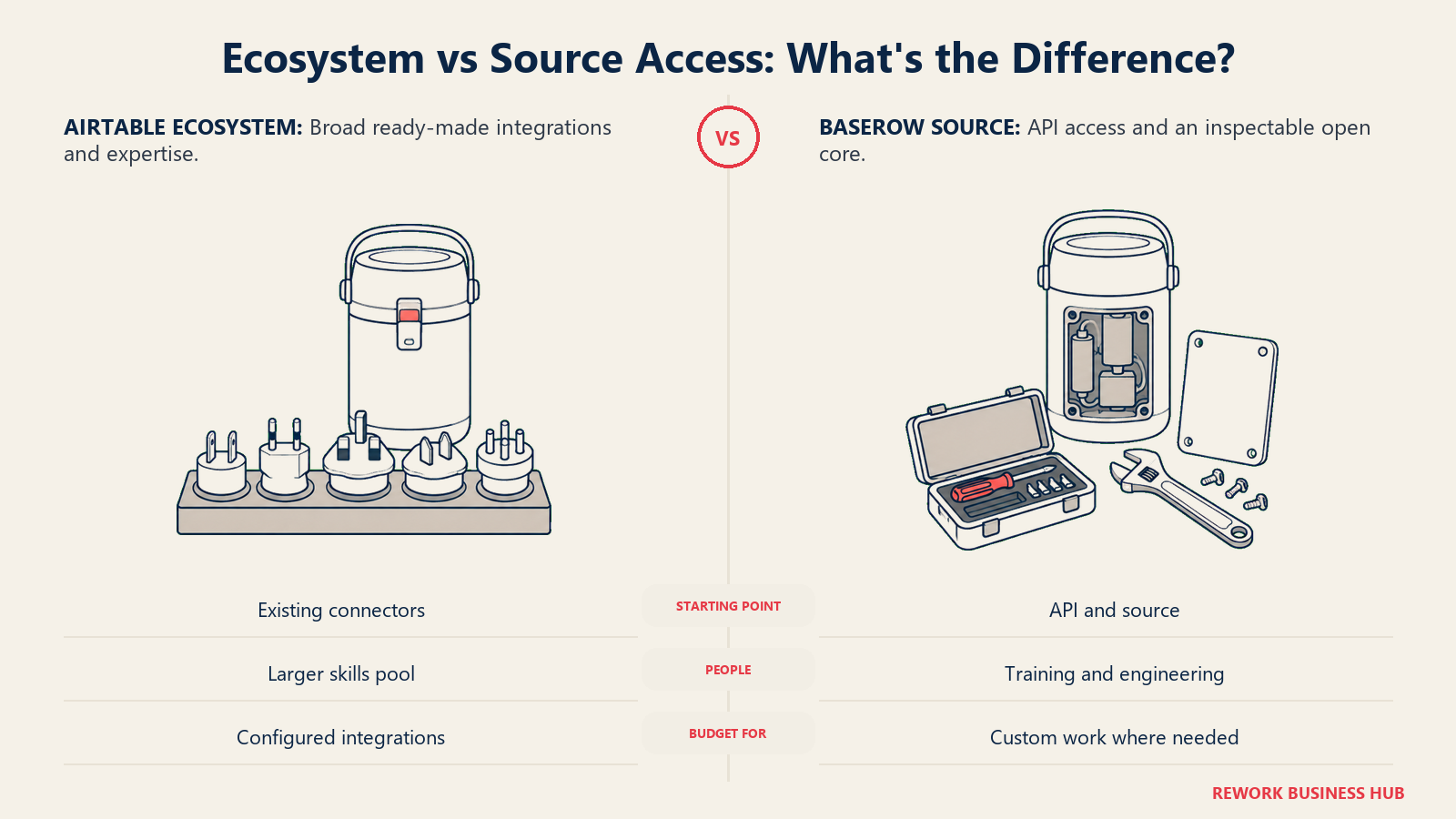
Airtable has the deepest ecosystem in the category by a wide margin: more templates, more marketplace extensions, more prebuilt connectors, more automation recipes, more consultants for hire, and far more people who already used it somewhere else. When something breaks at 11pm there is almost certainly a forum thread about it.
Baserow covers the fundamentals properly: a REST API, webhooks in both directions, support in the common automation platforms, and, when self-hosted, direct access to the underlying data store for querying and backups. What it lacks is community depth. Fewer templates, fewer third-party integrations, fewer implementation partners, and a much smaller pool of people who arrive fluent. The compensating asset is unusual, since an MIT-licensed core makes the source itself a support channel. That is real, and also useless to a team without engineers.
| Factor | Airtable | Baserow |
|---|---|---|
| Templates and prebuilt solutions | Very large library | Smaller, growing |
| Marketplace extensions | Extensive, a genuine moat | Nothing comparable |
| Automation platform support | Deep, many prebuilt recipes | Supported, fewer prebuilt recipes |
| REST API and webhooks | Yes | Yes, plus direct data-store access when self-hosted |
| Implementation partners | Many | Few |
| Hiring for existing skills | Easy, plenty of candidates list it | Hard, expect to train |
| Community answers when stuck | Large forum and blog corpus | Small, plus the source code itself |
Budget for that hiring row. It is not a line item on any pricing page, and it is the cost that surprises teams three weeks after a migration.
What Migrating a Mature Airtable Base Actually Costs
Vendors describe migration as an export and an import. For a base running two years, it is not. Records and simple fields move fine. What does not move is everything you built around them, and that is where the value accumulated.
| Component | Ports cleanly? | What actually happens |
|---|---|---|
| Records and basic fields | Yes | CSV or API import, straightforward |
| Linked records and relationships | Mostly | Re-established after both sides load, and load order matters |
| Formulas, rollups, and lookups | No | Syntax differs, so every formula is rewritten and retested by hand |
| Automations | No | Rebuilt one at a time, then tested against real records |
| Interface Designer screens | No | Rebuilt as Baserow views, or as an Application Builder page |
| Marketplace extensions | No | Find a native equivalent, replace with an integration, or drop it |
| Automation platform and API consumers | No | Every scenario is repointed, and anything storing an Airtable record ID externally breaks |
| Attachments | Mostly | Files transfer, but verify every link after cutover |
| Form URLs | No | Public URLs change, so update every embed, email, and QR code |
| Hosting decision | Not applicable | Cloud or self-hosted is settled before you import, not after |
| Team knowledge | No | Retraining is the largest hidden cost |
A workable sequence: inventory every base with its record count and true owner, delete the bases nobody has opened in 90 days (there are always several), settle cloud or self-hosted before anything moves, migrate one non-critical base end to end as a rehearsal, run both systems in parallel for a full business cycle, then cut over the rest in dependency order. Repoint API consumers last.
Two warnings. Teams underestimate formula rewriting by a factor of two or three, because the formulas that matter are the old gnarly ones nobody remembers writing. And if this already sounds painful, price the cheaper option first: staying on Airtable and splitting bases to stay under the cap. That is often less work than a migration, and the Airtable alternatives guide covers the other exits worth pricing at the same time.
When Airtable Is Still the Right Call
- Your estate is many small bases rather than a few large ones. Per-base counting means ten bases of 40,000 records all sit inside Airtable Team, while the same data in one Baserow workspace needs Advanced or a workspace split that multiplies the seat bill.
- The ecosystem is load-bearing. If your build depends on specific marketplace extensions, a consultant who knows Airtable, or a shelf of prebuilt automation recipes, replacing them costs more than the seat saving returns.
- The deliverable is an internal app for one role. Interface Designer is the strongest layer of its kind here, and Baserow has no direct equivalent.
- Nobody will own a server, and the licence is a preference rather than a requirement. If hosting control was the only reason you were looking, the reason just evaporated.
- Automation volume is high and hard to forecast. You can already measure your Airtable runs. Modeling Baserow credits for an unfamiliar workload is a guess made under time pressure.
- You want a long, quiet proof of concept. Airtable's 1,000 records per base multiplies across as many bases as you create.
When Baserow Is the Right Call
- The data cannot sit in a vendor's account. The only requirement here with exactly one answer, and the reason most people run the search.
- You are paying Airtable Business purely for the record ceiling. Baserow Advanced at $18 per user per month billed yearly against Airtable Business at $45 billed annually is $8,100 a year less at 25 seats and $16,200 less at 50, with 250,000 rows per workspace against 125,000 records per base.
- The licence itself is the requirement. MIT Expat on the core is checkable in the repository in ninety seconds, which carries more weight in 2026 than it did two years ago.
- Your estate is one or two large databases. Per-workspace counting rewards consolidation as much as it punishes sprawl.
- The real audience is outside your workspace. 500 external app users on every paid cloud plan is a different cost structure from buying seats.
- You want an exit that is not a rebuild. Baserow Cloud to self-hosted is a data migration, but the product, formulas, views, and automations are identical on both sides. Leaving Airtable is a rebuild.
Decision Framework
The choice gets clearer when you map each operating constraint to the product that answers it natively.
| If this is your situation | Pick |
|---|---|
| Legal or procurement named a jurisdiction the data has to stay inside | Baserow, self-hosted |
| You want the licence guarantee but nobody will own a server | Baserow Cloud |
| Your estate is a sprawl of small bases with overlapping collaborator lists | Airtable |
| Two or three large databases, and everyone works in all of them | Baserow |
| You are on Airtable Business only to clear the 125,000 record ceiling | Baserow Advanced |
| The deliverable is a purpose-built internal screen for one role | Airtable, Interface Designer |
| The deliverable is a portal outsiders sign into | Baserow, Application Builder |
| Your build depends on specific extensions or a partner who knows Airtable | Airtable |
| Most of your audience only reads and comments, and budget is the binding constraint | Baserow Premium, lowest in absolute dollars even though it bills everyone |
| You want per-account pricing rather than per seat | See best Knack alternatives |
What to Do Next
- Write the constraint down in one sentence, then classify it as money, capacity, or control. The first two have answers on both sides. The third has one, and the evaluation gets much shorter once you admit which you have.
- Count four numbers before you shop. Records in your largest base, total rows across the estate, monthly automation runs, and the split between people who edit, people who only read, and people outside the company.
- Price the workspace split before you assume Baserow is cheaper. If staying under a row cap means four workspaces and most people need all four, run that multiplication first. It is the one result that reverses the headline.
- If self-hosting is on the table, name the owner before the trial. Not the team, the person, with hours in their week for patching, upgrades, and restore tests. If that name does not exist, choose Baserow Cloud.
- Widen the shortlist if neither fits cleanly. Notion vs Airtable and ClickUp vs Airtable cover the other head-to-heads in this cluster, and how to choose no-code database software walks the criteria in order.
Frequently Asked Questions about Airtable vs Baserow
Is Baserow actually open source?
The Open Source Edition is, under the MIT Expat licence, and all client-side JavaScript carries the same terms. The premium and enterprise directories have their own separate, non-MIT licences, and the docs are CC BY-SA 4.0. So the guarantee covers the core product rather than every feature, which is still a stronger position than NocoDB's Sustainable Use License or the Monospace Sustainable Core License that Directus now ships under.
Does Baserow really have unlimited rows?
Only when you self-host it. Baserow's FAQ commits to the self-hosted version never having row, storage, or API request limits. Baserow Cloud is capped per workspace: 3,000 rows on Free, 50,000 on Premium, 250,000 on Advanced, 1,000,000 on Enterprise. Anyone quoting "unlimited rows" without saying "self-hosted" is describing a different product from the one on the pricing page.
How many records does Airtable's free plan allow?
1,000 records per base, not per workspace, so a free workspace holding six bases can hold 6,000 records as long as no single base crosses the line. Baserow's free plan works the other way, allowing 3,000 rows counted across the whole workspace. That difference runs through every tier of this comparison, not just the free one.
Is Baserow cheaper than Airtable?
At matched ceilings, yes, and by a lot. Baserow Premium is $10 per user per month billed yearly against Airtable Team at $20 billed annually, both stopping at 50,000. Baserow Advanced is $18 against Airtable Business at $45, which is $5,400 versus $13,500 a year at 25 seats. The exception is an estate of many small bases, because Baserow counts rows and bills seats per workspace, so splitting to stay under a cap can push the total above Airtable's.
Do read-only users and commenters cost money on either platform?
On Airtable, read-only collaborators, form submissions, and share links are free on both paid plans, but commenters are billable on Team and become free on Business. On Baserow the rule inverts between tiers: every workspace collaborator is billable on Premium, including viewers and commenters, while Advanced bills only Editor, Builder, and Admin roles. Baserow's external app users are outside the seat count entirely.
Can I migrate from Airtable to Baserow without rebuilding everything?
Records, simple fields, and attachments import without much trouble. Formulas, rollups, automations, Interface Designer screens, marketplace extensions, and every external integration get rebuilt by hand, and public form URLs change so each embed needs updating. Settle the cloud-versus-self-hosted question before importing anything, rehearse on one non-critical base, and run both systems in parallel for a full business cycle before cutting over.
Related Resources:

Customer Success Operations Manager
On this page
- TL;DR
- The Real Split: Where the Data Lives and Who Decides
- Who Each Tool Is Actually Built For
- Key Facts
- The Licence Question, and Why It Got Louder in 2026
- Airtable Pricing in Detail
- Baserow Pricing in Detail
- Per Base or Per Workspace: The Unit That Flips the Answer
- Annual Cost at 10, 25, and 50 Seats
- Self-Hosted Baserow: Free Software, Real Operating Cost
- Views, Interfaces, and the App Layer
- Automation Depth and Run Limits
- Permissions and Who Never Gets Billed
- Integrations, API, and the Ecosystem Gap
- What Migrating a Mature Airtable Base Actually Costs
- When Airtable Is Still the Right Call
- When Baserow Is the Right Call
- Decision Framework
- What to Do Next