Best NocoDB Alternatives in 2026: 12 Tools for Teams Rethinking the Licence
Turn this article into takeaways for your work.


Each assistant summarizes the article only for you and suggests best practices for your work.
The best NocoDB alternatives in 2026 are Baserow, Teable, and Grist if what you want back is an OSI-approved open-source licence, Airtable and SmartSuite if the real problem was owning a server, Directus, Retool, Budibase, and Appsmith if the point was pointing at a database you already run, and Knack or Caspio if people outside your company need logins. Every tool below was evaluated on licence terms, self-hosting rights, external-user access, record ceilings, and real cost at 25 seats.
Most people reading this arrived for one reason. On 9 January 2026, from v0.301.0 onward, NocoDB moved from AGPL-3.0 to the Sustainable Use License, a fair-code, source-available licence, per NocoDB's own licensing documentation. The honest read before you shortlist anything: if you run NocoDB as internal ops tooling, nothing has broken. You still get the full source, you can still self-host without restriction, and you can still modify it for internal use at any company size. The teams that need to act are agencies, MSPs, and product companies who hand NocoDB access to their own customers. This guide sorts the alternatives by which situation you are in, and it is honest about the third option, which is staying put. If you are shopping the whole category, start with the best no-code database software guide.
Key Facts
- NocoDB relicensed from AGPL-3.0 to the Sustainable Use License on 9 January 2026, from v0.301.0, with self-hosting and internal use still permitted regardless of organization size, per NocoDB's self-hosting licence page.
- 55% of organizations now cite avoiding vendor lock-in as a reason for choosing open source, up from 33% a year earlier and roughly 63% across Europe and the UK, while 98% increased or maintained open-source usage, per the 2026 OpenLogic State of Open Source Report.
- Source-available licences such as the BSL and SSPL remain statistically rare even as prominent projects adopt them, while permissive licences held roughly 73% share in 2025, per RedMonk's March 2026 licensing analysis.
- PostgreSQL is the most-used database in the industry at 55.6% of all respondents and 58.2% of professional developers, ahead of MySQL at 40.5%, per the 2025 Stack Overflow Developer Survey.
- The low-code development technologies market is forecast to reach $44.5 billion in 2026, growing at roughly 19% a year, per Gartner's forecast as reported by InfoWorld.
Read the first two together and you have the 2026 problem. Lock-in avoidance is the fastest-growing reason teams pick open source, and the tools those teams picked are the ones changing their licences.
What Actually Changed in January 2026
Get this precise before you spend a quarter migrating. "NocoDB went closed source" is not accurate, and neither is waving it away.
The Sustainable Use License is a source-available licence in the fair-code family. The code stays public, the repository stays readable, and you can still run it. What it adds is a restriction on commercial redistribution: the repository's own licence file limits use and modification to your own internal business purposes or to non-commercial and personal use, and lets you pass the software on to others only free of charge and for non-commercial purposes.
| What you can still do | What now needs a commercial licence |
|---|---|
| Read, download, and audit the full source | Offering NocoDB as a hosted or managed service |
| Self-host without restriction, on your own hardware or cloud | Giving direct NocoDB access to your external customers |
| Modify the code for internal use | Reselling or redistributing NocoDB inside a paid offering |
| Run it at any organization size, with internal usage permitted regardless of headcount | Embedding it in a platform where your customers interact with it directly |
| Keep using pre-v0.301.0 releases under the terms they shipped with | Removing or obscuring the licensor's copyright and licence notices |
Two details matter more than the headline. First, the restriction is about who touches the software, not how big you are: no revenue threshold, no employee count, so an internal tool at a 4,000-person company is fine. Second, the licence is not unique to NocoDB, and that is the part most roundups get wrong. Say you migrate to Directus to escape this. Directus now ships under the Monospace Sustainable Core License, MSCL-1.0-GPL, copyright 2026 Monospace Inc., per the licence text on Directus's own site. Same family of move, same year, and picking it as an escape route lands you in the same conversation with your legal team twelve months later.
Who Is Actually Affected
Three groups, and only one has a real problem.
| Your situation | Does the SUL change anything? | What to do |
|---|---|---|
| Internal ops tool, staff logins only | No | Nothing. Stay on NocoDB |
| Internal tool with contractors or auditors invited in | No, they work on your behalf rather than buying access | Nothing, though document who has access |
| Agency or MSP running NocoDB instances for clients | Yes | Buy a commercial licence, or switch |
| SaaS product with NocoDB behind a customer login | Yes | Buy a commercial licence, or switch |
| Reseller bundle or template that ships NocoDB | Yes | Buy a commercial licence, or switch |
| Procurement rules that require an OSI-approved licence | Yes, even if your usage is entirely internal | Baserow, Teable, Grist, Appsmith, or Budibase |
That last row is the quiet one. Plenty of procurement policies name OSI approval rather than "source available", and the SUL is not OSI approved. If your tender documents say the words, this is a compliance issue no matter how internal the usage is.
Quick Comparison Table
| Tool | Best For | Starting Price | Key Strength | Key Limitation |
|---|---|---|---|---|
| Baserow | Getting an OSI licence back with least disruption | Free (3,000 rows/workspace); $10/user/mo billed yearly | Open Source Edition is MIT Expat | Row ceilings per workspace on hosted tiers |
| Teable | AGPL-3.0 plus real Postgres tables underneath | Free (1,000 rows); $13/seat/mo billed yearly | Core apps still AGPL-3.0, records are genuine Postgres | Youngest product here, and it just changed domains |
| Grist | Analysts and regulated teams needing real permissions | Free (5,000 records/doc); $8/user/mo billed annually | Apache 2.0 core, Python formulas, row and column rules | Plainer interface, fewer one-click integrations |
| Directus | An admin layer on a database you already own | Free self-hosted core tier; Team $499/mo billed annually | Introspects an existing SQL schema instead of owning it | Its own licence moved to MSCL in 2026 |
| Budibase | Self-hosted internal apps, when the grid was wrong | Free self-hosted; $19/user/mo billed annually | GPLv3, connects to your data, builds real screens | You are building an app, not opening a spreadsheet |
| Appsmith | Apache 2.0 plus a clean commercial upgrade path | Free (5 users cloud); $15/user/mo billed monthly | Permissive licence with no fair-code clause | Needs someone comfortable with SQL and JavaScript |
| Retool | The internal-tool builder without owning any of it | Free plan; $10/standard user/mo | Fastest route from a database to a usable internal app | Proprietary, so lock-in is the explicit trade |
| Airtable | Teams whose real problem was running a server | Free (1,000 records/base); $20/seat/mo billed annually | Largest template, extension, and integration catalogue | Hard record caps per base; every editor is a paid seat |
| SmartSuite | Ops teams wanting process built in, not flexibility | $15/seat/mo billed annually (3-seat minimum) | Status workflows, approvals, permissions as standard | Team tier caps at 5,000 records per solution |
| Notion | Teams whose missing piece was documents, not rows | Free personal plan; $10/member/mo billed annually | Databases inside the wiki people already read | Weak once relations and rollups get serious |
| Knack | Customer logins without per-user billing | $49/mo billed annually | Unlimited end-user logins, priced per account | Starter includes exactly one shared builder seat |
| Caspio | Regulated organizations building external portals | $270/mo billed annually | Unlimited app end-users with compliance behind it | Entry price is far above the grid tools |
Licence Comparison Table
This is the table worth bookmarking, because it is the thing that changed and the thing most listicles have not updated. Each licence below is the one stated in the vendor's own repository or licence page.
| Tool | Licence (current edition) | What self-hosting permits | What is restricted |
|---|---|---|---|
| NocoDB v0.301.0+ | Sustainable Use License 1.0 (fair-code, source available) | Full source, unrestricted self-hosting, modification for internal business purposes, any organization size | Hosted or managed service, direct access for external customers, resale inside a paid offering |
| NocoDB pre-v0.301.0 | AGPL-3.0 (OSI approved) | Everything AGPL permits, including commercial hosting | Network copyleft: publish source for modified versions you serve |
| Baserow Open Source Edition | MIT Expat (OSI approved) | Essentially everything, including commercial hosting and resale | premium/ and enterprise/ carry separate licences; docs are CC BY-SA 4.0 |
| Teable core apps | AGPL-3.0 (OSI approved), packages/ under MIT |
Self-hosting and commercial use, subject to copyleft | Modified network-served versions must publish source; brand assets excluded |
| Grist Core | Apache 2.0 (OSI approved) | Self-hosting, modification, commercial use, redistribution | Trademark use, plus the standard patent-retaliation clause |
| Appsmith Community Edition | Apache 2.0 (OSI approved) | Self-hosting, modification, commercial use, redistribution | Trademark use, plus the standard patent-retaliation clause |
| Budibase | GPLv3 overall, per-package licence files | Self-hosting, modification, commercial use | Copyleft on distributed modifications; built apps do not package GPLv3 code |
| Directus v12+ | MSCL-1.0-GPL (source available), copyright 2026 Monospace Inc. | Internal use, education, research, professional services; free commercial use under the Open Innovation Grant below $5M revenue and 50 employees | Competing Use, meaning offering Directus itself as a paid competing service. Versions convert to GPL-3.0 after four years |
| Airtable, SmartSuite, Notion, Knack, Caspio, Retool | Proprietary SaaS | Not applicable, no self-hosted edition on self-serve plans | Governed by a subscription agreement rather than a licence in a repo |
Two things to take from that table. NocoDB's move is real but narrow, and Baserow's MIT Expat edition is the most permissive licence on the list, which is why it heads the shortlist for anyone who wants the old posture back. The other side of the same coin: Directus is not the escape hatch a 2024-vintage article would have told you it was. The best Baserow alternatives guide runs the same exercise in reverse.
Why Teams Leave NocoDB
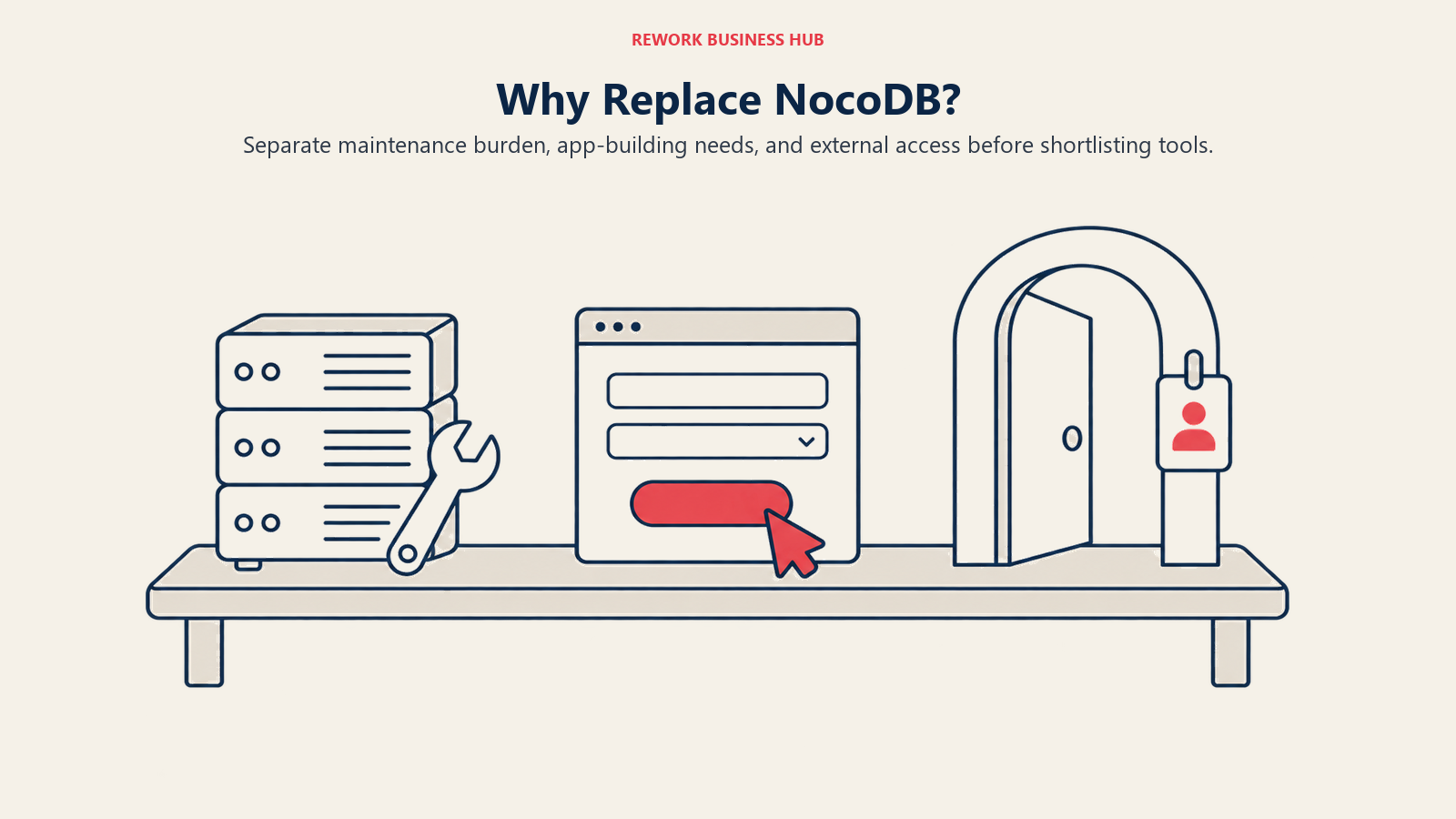
The licence is one reason. These are the others, and each has a different right answer.
| Problem | Root cause | Best move |
|---|---|---|
| Nobody wants to own patching any more | Self-hosting needs a named maintainer, and yours left | Airtable, SmartSuite, or a managed Grist or Teable plan |
| The cloud plan will not connect to your database | NocoDB Plus includes no external database connections | Business tier (10 connections), self-host, or Directus |
| Staff need an app screen, not a forty-column grid | NocoDB is a database interface, not an app builder | Budibase, Appsmith, or Retool |
| Records and documents live in two different tools | NocoDB has no document layer | Notion |
| Reports need logic the formula bar cannot express | NocoDB formulas are expressions, not a language | Grist, where formulas are Python |
| Permissions need to survive an audit | Row-level security sits on the Scale tier | Grist, or Directus role-based access |
| External users need their own branded logins | Sharing a view is not the same as issuing an account | Knack or Caspio |
Notice how few of those are about the licence. That ratio holds in real migration conversations too.
Sizing and Persona Table
| Tool | Sizing fit (1-10 / 10-50 / 50-200 / 200+) | Sweet spot | Typical buyer |
|---|---|---|---|
| Baserow | Strong / Strong / Good / Enterprise tier | 5-150 | Technical Ops Lead, IT Manager |
| Teable | Good (technical) / Works / Early / Not yet | 3-50 | CTO, Technical Founder |
| Grist | Strong / Good / Good / Public sector | 3-100 | Finance Analyst, Data Lead |
| Directus | Works (technical) / Good / Strong / Strong | 5-200 | Engineering Manager, CTO |
| Budibase | Good (technical) / Strong / Strong / Good | 10-300 | Head of Platform, IT Manager |
| Appsmith | Good (technical) / Strong / Strong / Sweet spot | 20-1,000 | Engineering Manager, Head of Platform |
| Retool | Works / Strong / Strong / Sweet spot | 20-2,000 | VP Engineering, Head of Internal Tools |
| Airtable | Strong / Strong / Cost climbs / Expensive | 5-100 | Ops Manager, Marketing Ops Lead |
| SmartSuite | Blocked under 3 / Strong / Sweet spot / Good | 20-200 | COO, Head of Operations |
| Notion | Strong / Good / Documents only / Weak | 2-100 | Chief of Staff, Head of Product |
| Knack | Strong / Strong / Good / Works | 2-100 builders | Founder, Operations Manager |
| Caspio | Weak on budget / Works / Strong / Strong | 50-5,000 | IT Director, Compliance Lead |
1. Baserow - the closest thing to the licence NocoDB used to have
If your reason for leaving is the licence and only the licence, Baserow is the shortest hop with the cleanest answer. The Baserow Open Source Edition is MIT Expat, verified in the repository's own licence file, which is about as permissive as licensing gets: use it, modify it, host it for customers, sell it inside something else. The premium/ and enterprise/ directories carry separate non-MIT licences and the docs are CC BY-SA 4.0, so the honest phrasing is "the open-source edition is MIT" rather than "Baserow is MIT".
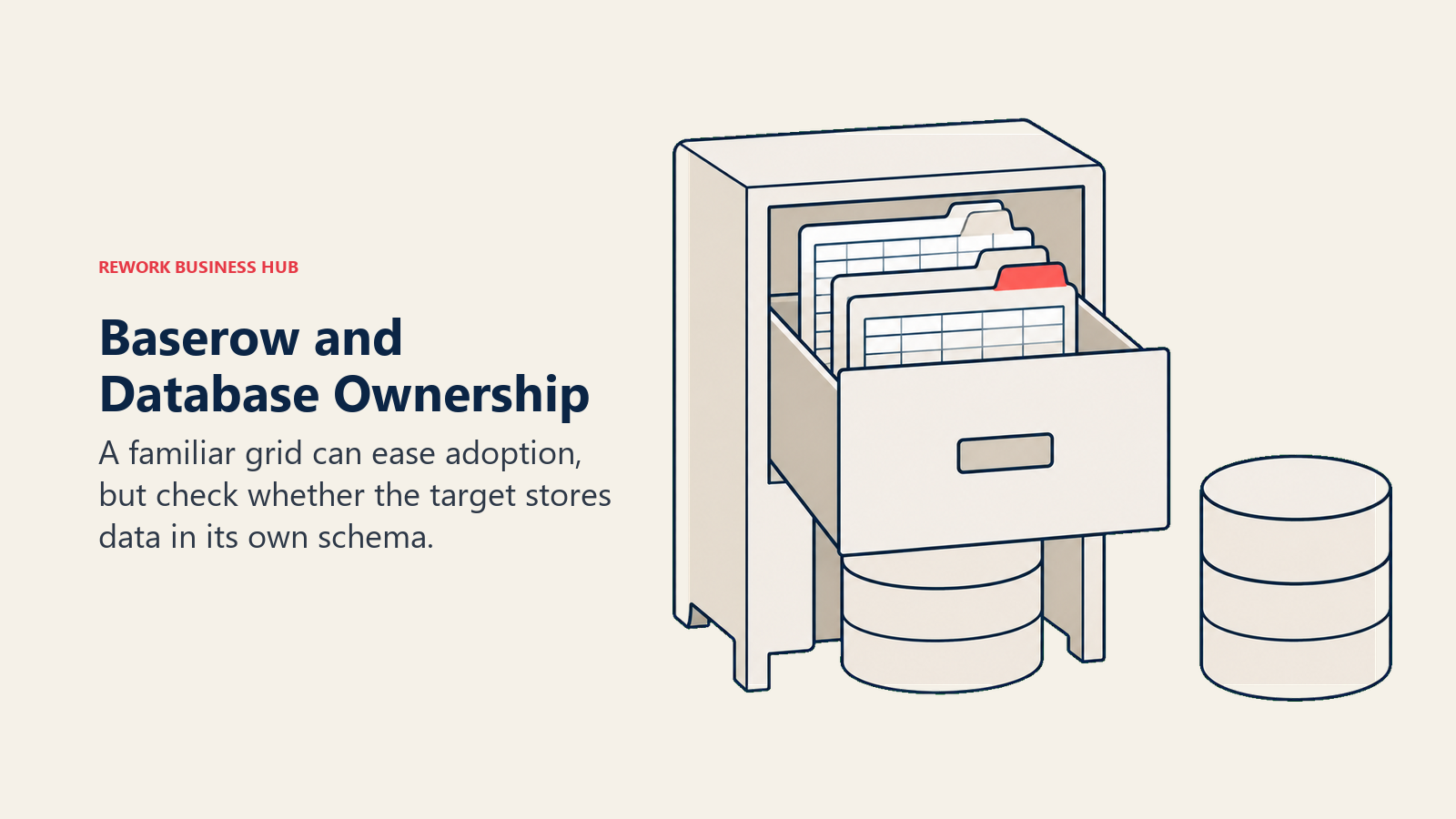
Product-wise it is the same shape: grids, views, linked tables, forms, a growing automation builder, and a self-hosted deployment you already know how to run. What it does not do is NocoDB's signature trick. Baserow stores records in its own schema rather than sitting on a Postgres or MySQL database you already own, so if you chose NocoDB because engineering kept control of the schema, this is a step sideways. Better licence, worse fit for database-first teams. The Airtable versus Baserow comparison covers the managed side of the same decision.
| Pros | Cons |
|---|---|
| Open Source Edition is MIT Expat, no fair-code clause anywhere | Owns its own schema, so it does not sit on your existing database |
| Self-host it for clients or inside a paid product without a licence conversation | Row ceilings per workspace bite on the hosted plans |
| Familiar grid, views, and form model, so retraining is minimal | Automation builder is younger than Airtable's |
| European company with a straightforward residency story | Premium and enterprise features sit behind separately licensed directories |
Pricing: Free with 3,000 rows per workspace, 2 GB storage, and 2,000 automation credits. Premium is $10 per user per month billed yearly, $12 billed monthly, with 50,000 rows per workspace, 20 GB, and 100,000 automation credits. Advanced is $18 billed yearly, $22 billed monthly, with 250,000 rows and 100 GB. Enterprise is on request with 1,000,000 rows and unlimited external app users, per Baserow's pricing page.
Best for: Teams of 5 to 150 whose exit reason is the licence itself, and who do not depend on NocoDB pointing at an external database.
2. Teable - still AGPL-3.0, with real Postgres tables underneath
Teable answers both halves of the question at once. Its core applications are still licensed under AGPL-3.0, exactly the licence NocoDB left, per the repository's licence file, with the packages/ directory under MIT. Brand assets are carved out of the grant under AGPL section 7(e), which is normal and does not affect ordinary use. If your objection is "we chose AGPL deliberately and we want it back", this is the direct swap.
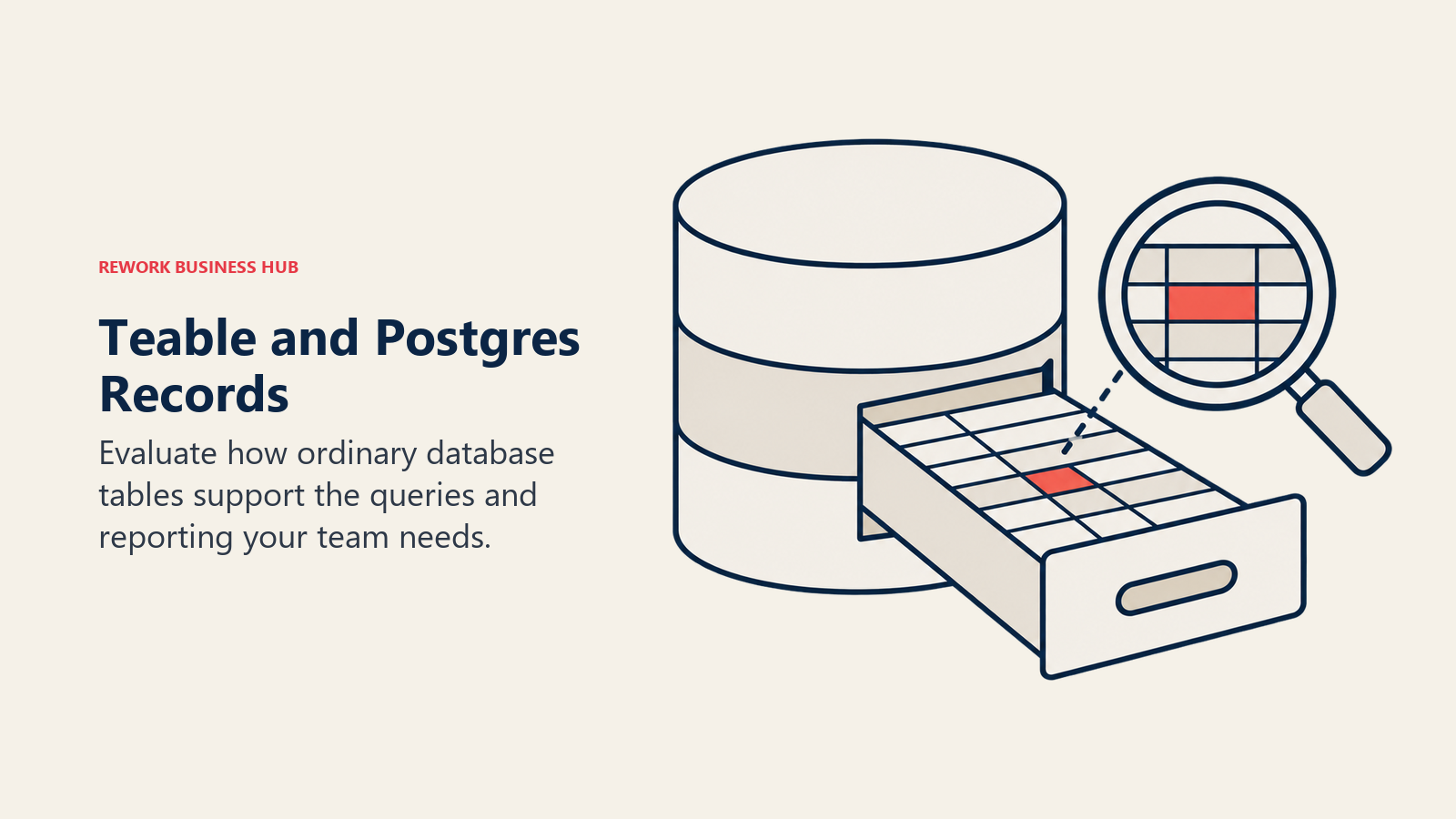
The second half is architectural. Teable stores records as genuine Postgres tables rather than rows in a proprietary blob, so analysts can point BI tools straight at the database and engineers can write real SQL against it. That is closer to NocoDB's philosophy than anything else here, with the difference that Teable owns the database rather than connecting to yours. The caveats are honest ones: it is the youngest product on this list, the integration catalogue is thin, and the company moved domains in 2026, with teable.io now redirecting to teable.ai and the pricing changing at the same time.
| Pros | Cons |
|---|---|
| Core apps remain AGPL-3.0, an OSI-approved licence | Youngest product here, with the roadmap risk that implies |
| Records are real Postgres tables, queryable with plain SQL | Thin integration and template catalogue compared with Airtable |
| Self-hostable with a straightforward Docker deployment | Smaller community, so fewer answers when you get stuck |
| Fast grid performance at high row counts | Domain and pricing both changed in 2026, so older quotes are stale |
Pricing: Free with 1,000 rows and 1 GB. Pro is $13 per seat per month billed yearly, with 250,000 rows and 10 GB. Business is $20 per seat per month billed yearly, with 1,000,000 rows and 100 GB, per Teable's pricing page. The self-hosted edition follows the repository licence rather than a subscription.
Best for: Technical teams of 3 to 50 who want AGPL-3.0 back and who like the idea of their records being ordinary Postgres rows.
3. Grist - Apache 2.0, Python formulas, and permissions that hold up
Grist is the pick when the licence matters and so does governance. Grist Core is Apache 2.0, verified in the repository's licence file, which is permissive with no copyleft and no fair-code clause. For a public-sector buyer or a procurement team that names OSI approval in the tender, that is often the end of the evaluation.
What you get on top of the licence is a different class of logic. Formulas are Python, not an expression language, so an analyst writes a real function with branching and lookups instead of nesting six IFs. Access rules work at row and column level and key off user attributes, so "regional managers see only their region's rows, and nobody outside finance sees the salary column" is a rule you configure rather than a workaround you design around. NocoDB puts row-level security on its Scale tier; Grist treats it as core. The trade is polish and ecosystem: fewer one-click integrations, a plainer grid, a smaller template library.
| Pros | Cons |
|---|---|
| Apache 2.0 core, permissive and OSI approved | Plainer interface than Airtable or SmartSuite |
| Python formulas, so real logic instead of nested expressions | Fewer one-click integrations, more API work |
| Row-level and column-level access rules by user attribute | Smaller template library and community |
| Free and open-source Community Edition for self-hosting | Managed self-hosted pricing sits well above the cloud Pro tier |
Pricing: Free with 5,000 records per document. Pro is $8 per user per month billed annually, $10 billed monthly. Business is $24 per user per month billed annually, $30 billed monthly, with a 5-user minimum and 150,000 records per document. The Community Edition is free and open source to self-host, while managed self-hosted plans run $24 to $30 per user per month, per Grist's pricing page.
Best for: Analysts, finance teams, and regulated or public-sector organizations of 3 to 100 who need permissions and formulas that survive a review.
4. Directus - reads your existing database, but read the licence first
Directus most closely reproduces what NocoDB actually does. Point it at a Postgres, MySQL, SQL Server, or SQLite database, let it introspect the schema, and you get an admin interface, a REST and GraphQL API, role-based permissions, and a flow builder on top of tables your engineers still own. No proprietary store, no import step, no second copy of the truth.
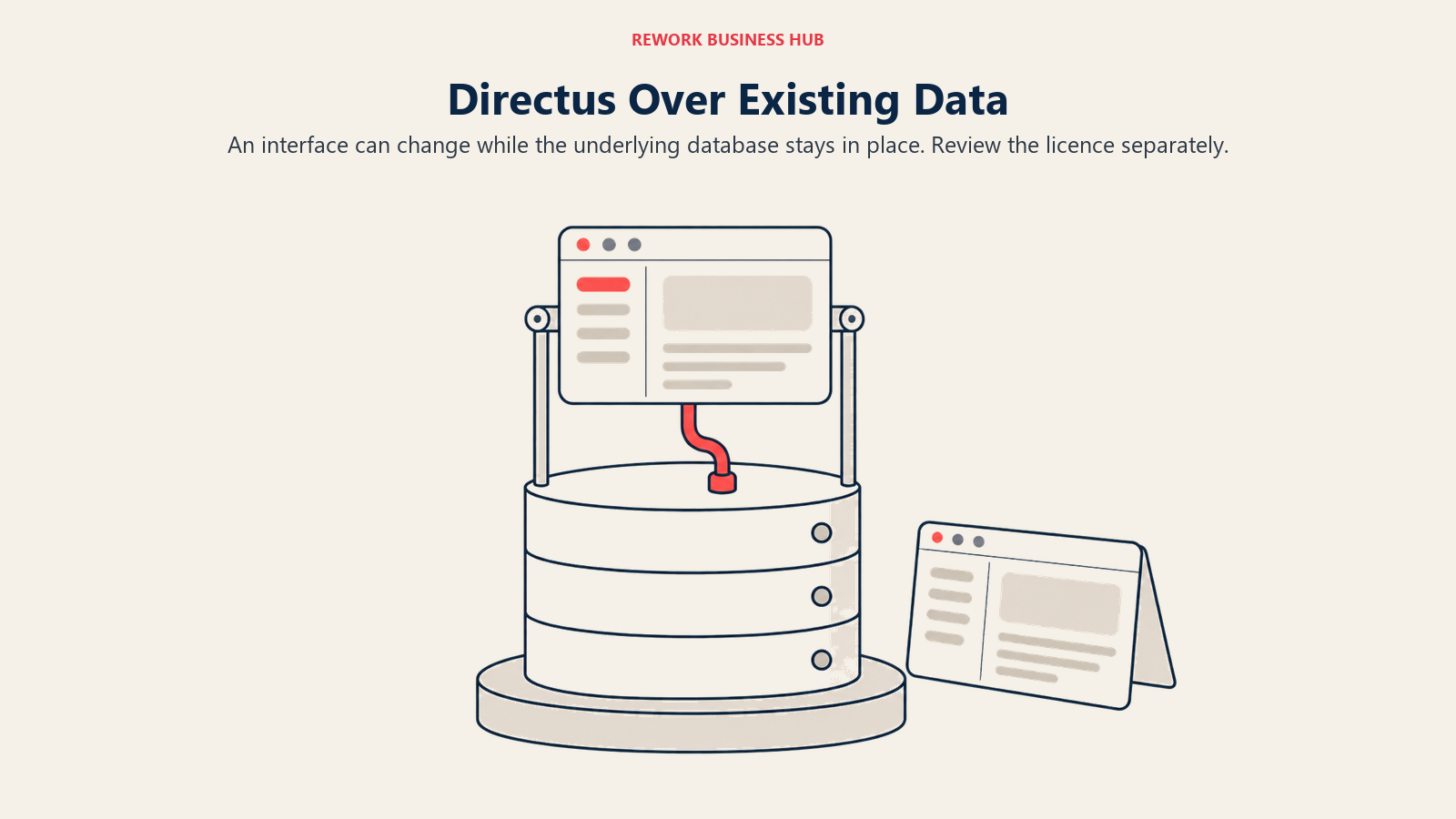
And it has the same licence story you are trying to leave. Directus now ships under the Monospace Sustainable Core License, MSCL-1.0-GPL, copyright 2026 Monospace Inc. It permits internal use, education, research, and professional-services deployment, and excludes Competing Use, meaning offering Directus itself as a paid competing service. There is a sweetener NocoDB does not offer: an Open Innovation Grant gives free commercial use to organizations under $5M in annual revenue with fewer than 50 employees, and every version converts to GPL-3.0 four years after release. Whether that beats the SUL depends on which restriction bites you. For a 300-person company running an internal tool, both licences are fine. For an agency, neither is.
| Pros | Cons |
|---|---|
| Introspects an existing SQL database instead of owning the schema | MSCL is source available, not OSI approved, so it repeats the problem |
| REST and GraphQL APIs generated from your tables automatically | Revenue and headcount thresholds gate the free commercial grant |
| Granular role-based permissions and a visual flow builder | Steeper setup than a grid tool, and it assumes SQL fluency |
| Each version converts to GPL-3.0 after four years | Team tier pricing is a step change from per-seat grid tools |
Pricing: Self-hosted instances run on the core tier at $0 without a licence key. Plus is listed at $50 per seat per month. Team is $499 per month billed annually, $599 billed monthly. The Open Innovation Grant covers free commercial use below $5M annual revenue and 50 employees, per Directus's pricing and licensing overview.
Best for: Engineering-led teams of 5 to 200 who want an admin and API layer over a database they already run, and who have read the MSCL and are comfortable with it.
5. Budibase - GPLv3, and the grid was never the interface
Budibase belongs on the shortlist when the honest answer is that your staff never wanted a spreadsheet. They wanted a screen with four fields and a submit button. Budibase is a low-code internal app builder: drag components onto a canvas, connect Postgres, MySQL, MongoDB, REST APIs, or its built-in database, then use bindings and JavaScript when the visual layer runs out. It self-hosts cleanly and is GPLv3 overall per its own licensing guidelines file, with each package carrying its own licence.
The licence detail that matters for anyone spooked by the SUL: those guidelines state that apps you build with Budibase do not package GPLv3 code, so an internal tool does not pull copyleft obligations into your own product. That is a different posture from a fair-code licence restricting who may use the software. The catch is scope. You are not migrating a database, you are building an application, and a fifteen-table NocoDB workspace does not become a Budibase app in an afternoon.
| Pros | Cons |
|---|---|
| GPLv3, OSI approved, with a free self-hosted edition | You are building screens, not opening a grid |
| Connects to your existing Postgres, MySQL, MongoDB, or REST APIs | Migration is a rebuild, not an import |
| Apps you build do not package GPLv3 code, per Budibase's own guidelines | Creator and end-user add-ons stack on top of the plan price |
| Automations and a built-in database if you want one | Less useful for ad hoc data exploration than a spreadsheet tool |
Pricing: The open-source self-hosted edition is free. Pro is $19 per user per month billed annually, $23 billed monthly. Premium is $49 billed annually, $59 billed monthly. Business is $299 billed annually, $359 billed monthly. Add-ons run $5 per end user per month and $50 per creator per month, per Budibase's pricing page.
Best for: Teams of 10 to 300 with at least one technical builder, where the real gap was the interface rather than the database.
6. Appsmith - Apache 2.0, with no fair-code clause to read
Appsmith is Budibase's category with a different licence and a different centre of gravity. The Community Edition is Apache 2.0, verified in the repository's licence file, which is permissive, OSI approved, and carries none of the usage restrictions that sent you looking. If your legal team has been burned twice by licence changes and wants something boring, Apache 2.0 is the boring answer.
Functionally you get a drag-and-drop canvas over any data source, with JavaScript available everywhere a value can go and SQL written directly against connected databases. It leans more developer-facing than Budibase: Git-backed app versioning is first-class, so internal tools live in the same review workflow as the rest of your code. The trade is the one Budibase makes too. This replaces the interface, not the spreadsheet, and it needs someone who can write a query. Pair it with your existing Postgres and you have rebuilt what NocoDB gave you, under a licence nobody has to interpret.
| Pros | Cons |
|---|---|
| Apache 2.0 community edition, permissive and OSI approved | Assumes SQL and JavaScript fluency on the team |
| Git-backed versioning, so internal tools go through code review | No grid-first experience for non-technical staff |
| Connects to most SQL and NoSQL databases plus REST and GraphQL | Rebuilding a large workspace is a project, not an import |
| Clear jump from free self-hosted to a supported commercial tier | The enterprise step up is a large one |
Pricing: The self-hosted Community Edition is free. Cloud is free for up to 5 users with 5 workspaces and 3 Git repositories. Business is $15 per user per month, billed monthly, for up to 99 users. Enterprise starts at $2,500 per month for 100 users and is typically contracted annually, per Appsmith's pricing page. Appsmith was not on our pre-verified vendor sheet, so these figures were read off the vendor's own page in September 2026.
Best for: Engineering-supported teams of 20 to 1,000 who want a permissive licence and internal tools that live in Git.
7. Retool - the commercial answer to "just point it at our database"
Retool is here for teams whose conclusion after all this is that they never wanted to be in the licence-reading business. It is proprietary, which sounds like the wrong direction until you notice that a proprietary tool cannot relicense out from under you: the subscription agreement is the whole relationship, and it is the same relationship you already have with your payroll provider.
What Retool sells is speed. Connect a database or an API, drag in a table and a form, wire them with a query, and you have a working internal tool in an afternoon. Its component library is the deepest in this class, and it handles the awkward middle ground where a tool needs to read from Postgres, write to Stripe, and post to Slack in one action. Model the pricing carefully before you commit: standard users and end users are billed separately at very different rates, so a tool with 12 builders and 600 viewers costs something quite different from one with 600 builders.
| Pros | Cons |
|---|---|
| Fastest route from an existing database to a usable internal app | Proprietary, so there is no self-hosted community edition on self-serve plans |
| Deep component library and a strong query and JavaScript layer | Two-axis pricing (standard users plus end users) is easy to underestimate |
| Connects to most databases, APIs, and SaaS tools out of the box | Workflow runs are metered and billed in blocks |
| No licence interpretation required, ever | Vendor lock-in is the explicit trade you are making |
Pricing: There is a free plan. Team is $10 per standard user per month with end users at $5 per user per month. Business is $50 per standard user per month with end users at $15 per user per month. End-user volume tiers drop to $8 per month between 51 and 250 users and $4 per month above 500. Additional workflow runs are $75 per 5,000 runs per month. Retool publishes these as per-month rates, per Retool's pricing page.
Best for: Companies of 20 to 2,000 who want the internal-tool outcome, have a budget line for it, and are done evaluating licences.
8. Airtable - when the real problem was owning a server
Plenty of teams discover part-way through this evaluation that the licence was not the pain. The pain was that whoever set up the Docker instance left eighteen months ago, the version is four releases behind, and the licence change is the first time anyone has looked at it since. If that describes you, the answer is a managed product, and Airtable is the default for a reason.
It has the largest template, extension, and integration catalogue in the category by a wide margin, the deepest visual automation builder in the spreadsheet-database class, a scripting extension for when that builder runs out, and Interfaces for putting an app-like layer over a base without code. The costs are the two you would expect. Records are capped hard per base at every self-serve tier, and every editor is a paid seat, so the 25-person ops team you ran for nothing on your own hardware becomes a five-figure annual line item. Cloud only, so residency is Airtable's decision. The best Airtable alternatives guide runs this comparison from the other direction.
| Pros | Cons |
|---|---|
| Nobody on your team ever patches anything again | Hard record caps per base on every self-serve tier |
| Largest ecosystem of templates, extensions, and integrations | Per-editor pricing punishes wide read-write access |
| Interfaces gives you an app layer without writing code | Cloud only, so no self-hosting and no residency choice |
| Scripting extension as an escape hatch from the visual builder | No connection to a database you already run |
Pricing: Free with 1,000 records per base, 1 GB of attachments, and 100 automation runs. Team is $20 per seat per month billed annually, with 50,000 records per base, 20 GB, and 25,000 runs. Business is $45 per seat per month billed annually, with 125,000 records and 100,000 runs. Enterprise Scale is custom, with 500,000 records per base. Airtable bills every user who has edit permission on at least one base in the workspace, while commenters and read-only users are not billed, per Airtable's pricing page.
Best for: Teams of 5 to 100 who want the maintenance burden to disappear and can absorb per-seat pricing.
9. SmartSuite - managed, with the process built in rather than assembled
SmartSuite is the managed pick when what NocoDB could not hold together was a process rather than a dataset. Where Airtable hands you a flexible canvas, SmartSuite ships with opinions: status workflows, approval steps, checklists, time tracking, comments pinned to records, and a permission model that assumes different roles should see different things. That constraint is the product. A 60-person operation running a fully flexible tool tends to end up with four incompatible readings of the same process, and SmartSuite pushes you toward one.
Conceptually the switch is straightforward, since the grid, view, and linked-record model feels familiar the first afternoon. Two numbers to check before you commit. There is a 3-billable-user minimum, so a two-person team is priced out of the entry tier by design. And the Team plan caps at 5,000 records per solution, materially lower than Airtable's 50,000 per base at a comparable price, so compare tiers rather than logos. The Airtable versus SmartSuite comparison works through that trade, and the best SmartSuite alternatives guide covers the exits.
| Pros | Cons |
|---|---|
| Status workflows, approvals, and permissions are native, not bolted on | Team tier caps at 5,000 records per solution |
| Familiar grid and linked-record model, so the switch is quick | 3-billable-user minimum blocks very small teams |
| Strong reporting and dashboarding without a separate BI tool | No permanent free tier, only a trial |
| EU data residency available on the enterprise tier | Cloud only, so self-hosting is off the table |
Pricing: Team is $15 per seat per month billed annually, $20 billed monthly, with a 3-billable-user minimum and 5,000 records per solution. Professional is $32 per seat per month billed annually, $36 billed monthly, with a 5-user minimum and 100,000 records per solution, per SmartSuite's pricing page.
Best for: Operations teams of 20 to 200 who want the process enforced by the tool rather than by a wiki page nobody reads.
10. Notion - when the missing piece was documents, not rows
Notion earns a place here for a specific and common case: the NocoDB workspace was never really a database. It was a client list, a project tracker, and a content calendar that mostly needed to sit next to the notes, briefs, and SOPs describing them. Notion's databases are ordinary blocks inside pages, so a record opens into a full document, and that document lives in the wiki your team already opens every morning.
Be clear-eyed about the trade, because this is where roundups usually oversell. Notion is a weak database once you push it. Relations and rollups work but get slow and awkward at scale, formulas are capable but not a programming language, there is no self-hosting, and there is nothing resembling row-level security by user attribute. If your instance is the operational backbone of a business process, Notion is a downgrade wearing a nicer interface. If it is a structured list people mostly read, it is an upgrade. The best Notion alternatives guide is the honest counterweight.
| Pros | Cons |
|---|---|
| Records and documents finally live in the same place | Weak as a database once relations and rollups get serious |
| Adoption is close to free, because most teams already use it | No self-hosting and no OSI licence anywhere in the picture |
| Views, filters, and templates that non-technical staff actually use | No row-level or column-level permission rules |
| Strong AI and search across notes and records together | Performance drags on large, heavily related databases |
Pricing: There is a free personal plan. Plus is $10 per member per month billed annually and Business is $20 per member per month billed annually, per Notion's pricing page. Notion's page advertises savings on yearly billing, so the monthly rates are higher than these figures.
Best for: Teams of 2 to 100 whose data is more reference than transaction, and who want one tool instead of a database plus a wiki.
11. Knack - customer logins without a per-user bill
Knack is the first of two entries aimed at the group the licence change actually affects: teams whose external customers, members, or vendors log in to the thing you built. That is precisely what the Sustainable Use License restricts for NocoDB, and Knack is built for it. You model your data, build forms and views, define role-based rules for who sees which rows, and issue real logins to people outside your company.
The pricing model is why it fits. Knack is priced per account, not per user, and its pricing page leads with unlimited users as the headline. Read that carefully, because there is a real trap in it: unlimited end users is not unlimited builders. Starter includes exactly one shared builder seat alongside those unlimited end-user logins, so two people who both want to edit the app need Pro. Say both halves of that sentence to your finance lead before you budget. A promotional 66% discount on the first three months for new monthly customers is a promotion, not the price. The best Knack alternatives guide covers the rest of the category.
| Pros | Cons |
|---|---|
| Unlimited end-user logins on every plan, priced per account | Starter includes exactly one shared builder seat |
| Purpose-built for external portals, which the SUL restricts for NocoDB | Records are capped per plan, starting at 20,000 |
| No per-seat maths as your user base grows | Proprietary and cloud only, with no self-hosted edition |
| Role-based rules for what each external user can see | Starter is limited to 3 apps |
Pricing: Starter is $49 per month billed annually, $59 billed monthly, with 20,000 records, 3 apps, and 1 shared builder. Pro is $110 per month billed annually, $130 billed monthly, with 50,000 records and unlimited apps and builders. Corporate is $250 per month billed annually, $300 billed monthly, with 125,000 to 2.5 million records. Enterprise is contact-for-pricing. End-user logins are unlimited on every plan, per Knack's pricing page.
Best for: Teams of any size whose application serves people outside the company, especially where the user count would make per-seat pricing absurd.
12. Caspio - external-facing portals with compliance behind them
Caspio is the enterprise end of the same idea, on this list for one specific reader: the organization that was running NocoDB behind a customer or member login and now needs a platform that explicitly permits it, with an audit trail to match. It is priced per account with unlimited application end-users, and carries the compliance posture healthcare, government, and financial-services buyers ask for before they sign anything.
What you pay for is not features per row. It is the ability to build a database-backed application, expose it to thousands of external users, and hand your compliance team a document when they ask how it works. The entry price reflects that: Team is an order of magnitude above the grid tools, and app authors are capped at 5 on that tier while end users are not capped at all. A two-person agency that just needs client logins is on the wrong shelf here, and Knack is the right one. A 400-person organization with a regulator is on exactly the right one. The best Caspio alternatives guide compares the category.
| Pros | Cons |
|---|---|
| Unlimited application end-users on every plan, priced per account | Entry price is far above every grid tool on this list |
| Compliance posture built for regulated external-facing applications | 5 app authors on the Team tier |
| Mature platform with a long track record on portal builds | Interface is dated compared with the newer grid tools |
| Scales to millions of records without renegotiating per seat | Overkill for internal-only workspaces |
Pricing: Team is $270 per month billed annually, $300 billed monthly, with 5 app authors, unlimited application end-users, and 250,000 records. Business is $540 per month billed annually, $600 billed monthly, with unlimited authors and 1 million records, per Caspio's pricing page.
Best for: Regulated organizations of 50 to 5,000 who need external-facing applications with compliance evidence attached.
Self-Hosted vs Cloud
You made this call once when you chose NocoDB. The licence change is a good excuse to make it again on purpose rather than by inertia.
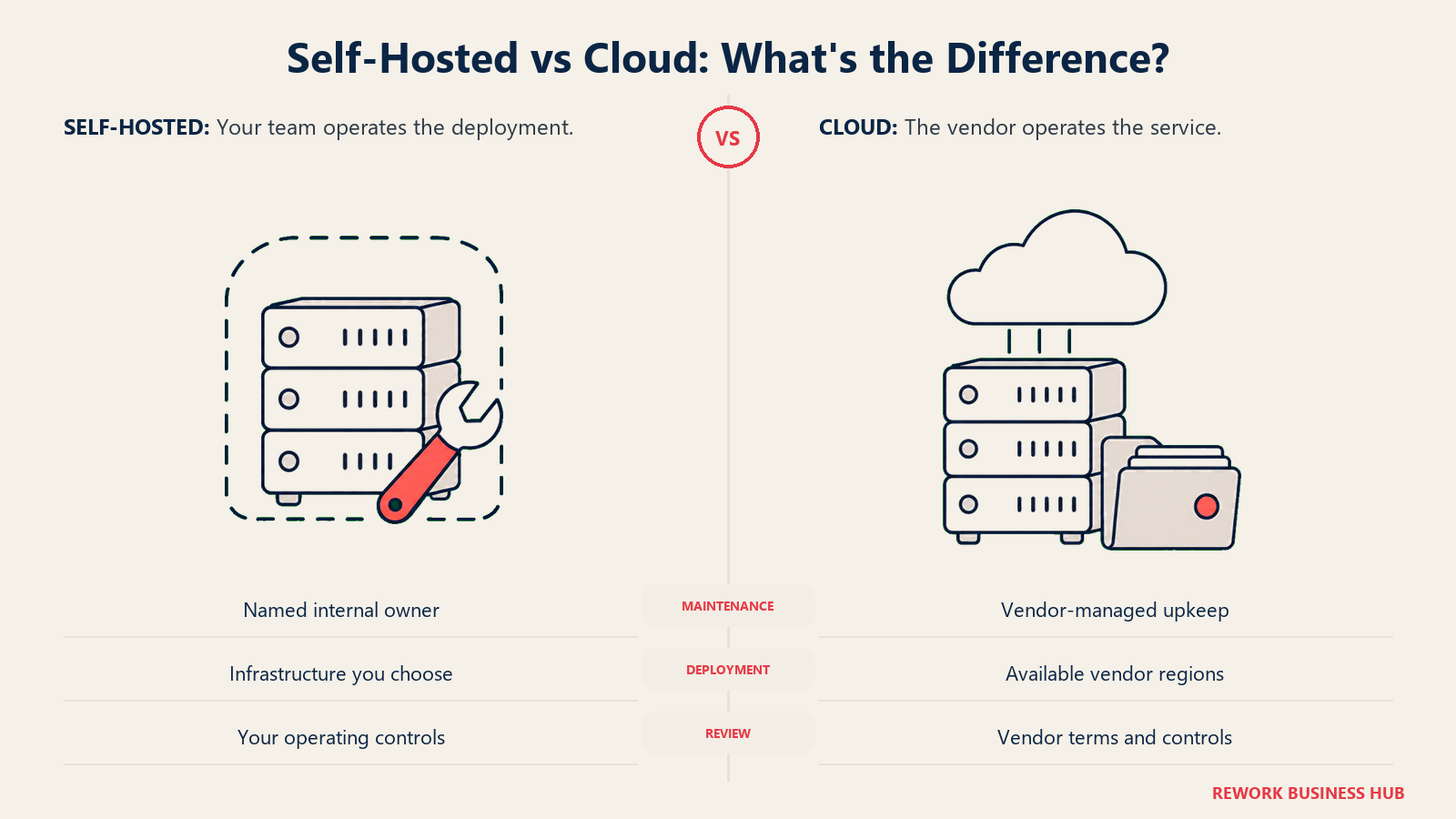
| Factor | Cloud (Airtable, SmartSuite, Notion, Knack, Caspio, Retool) | Self-hosted (Baserow, Teable, Grist, Directus, Budibase, Appsmith) |
|---|---|---|
| Cost model | Per seat, scales with headcount | Infrastructure plus maintainer time, flat as you grow |
| Record limits | Hard caps by tier | Bounded by your hardware |
| Data residency | Vendor regions, EU options vary by tier | Wherever you put the server |
| Licence risk | Governed by a subscription agreement that can be repriced | Governed by a licence that can be changed on new versions |
| Setup time | Minutes | Hours to days, plus ongoing patching |
| Security patches | Vendor handles it | You handle it, on a schedule you enforce |
| Compliance evidence | Vendor certifications you hand to auditors | Your own controls, which you must document |
| Break-even | Usually best below roughly 20 to 25 seats | Usually wins above roughly 30 seats, with a named owner |
The row people skip is licence risk, and 2026 made it concrete. Self-hosting protects you from price rises, not from terms changes: NocoDB and Directus both altered the deal for future versions this year while every existing binary kept working. The mitigation is not to avoid open source. It is to pick a permissive licence (MIT, Apache 2.0) where a future relicensing cannot claw back what you already have, to know which version you are pinned to, and to make sure a named person owns the upgrade schedule.
Migration Effort
Effort assumes one NocoDB workspace of moderate size, moved by someone who knows the data.
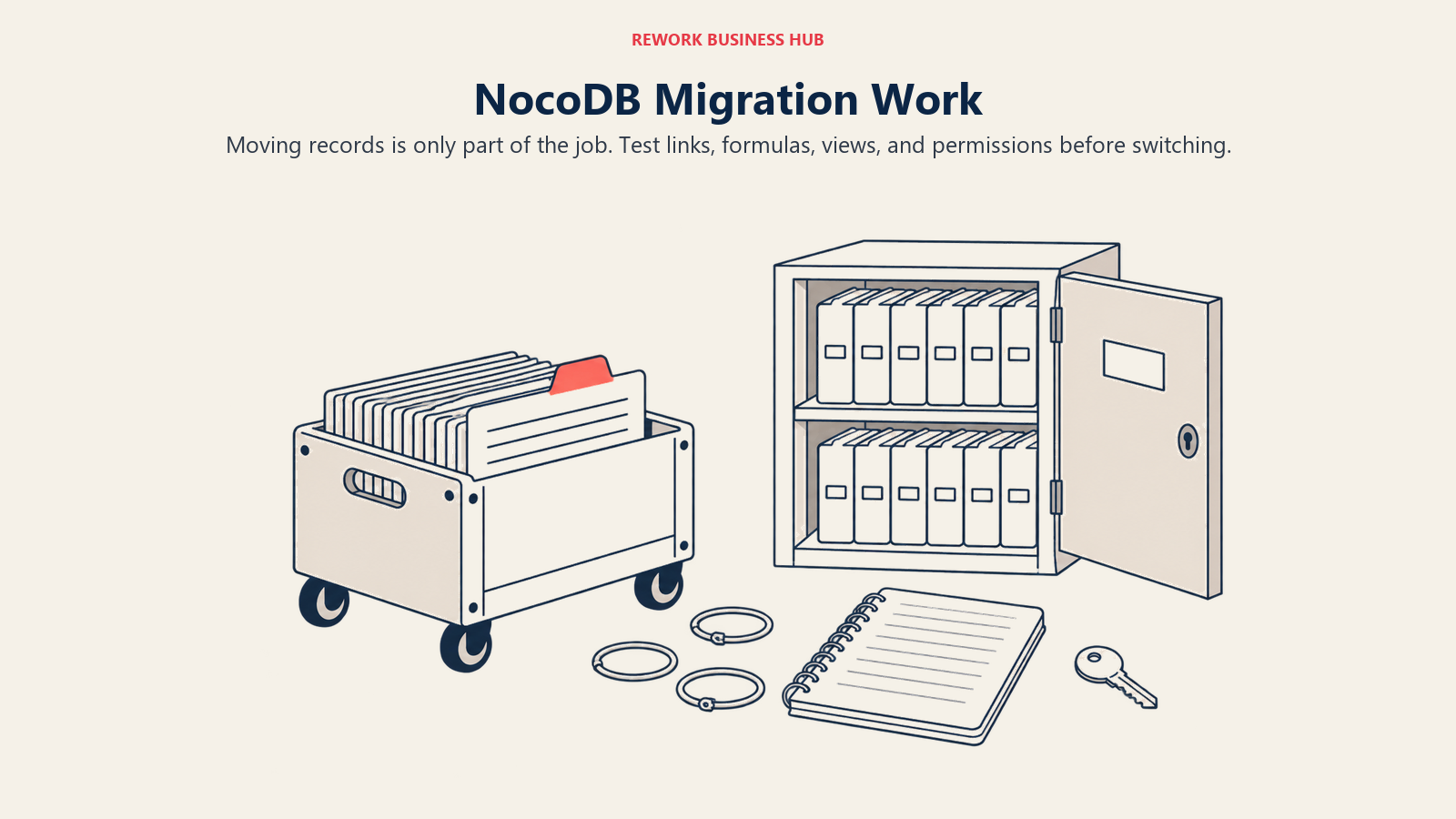
| Target | Import path | What survives | What needs rebuilding | Typical effort |
|---|---|---|---|---|
| Baserow | CSV per table, then relink | Fields, records, most field types | Link fields, formulas, automations, views | 1 to 2 days |
| Teable | CSV import, or direct Postgres load | Fields, records, relationships | Automations, view configuration | 1 to 2 days |
| Grist | CSV import per document | Fields and records | Formulas rewritten in Python, access rules | 2 to 3 days |
| Directus | Point it at your existing database | Everything, if the schema is already yours | Collections, roles, flows, interface config | 2 to 5 days (technical) |
| Budibase, Appsmith, or Retool | Connect to your existing data source | Nothing moves, the data stays put | Every screen and query, which is the point | 3 to 10 days (technical) |
| Airtable or SmartSuite | CSV per table, then relink | Fields, records, basic structure | Link fields, formulas, automations, permissions | 1 to 2 days |
| Notion | CSV import per database | Records and simple fields | Relations, rollups, formulas, automations | 1 day, plus cleanup |
| Knack or Caspio | CSV or direct database import | Records and fields | The whole app and portal layer, by design | 1 to 6 weeks |
There is a shortcut worth knowing. If your instance was already pointed at an external Postgres or MySQL database rather than using NocoDB's internal store, then Directus, Retool, Budibase, and Appsmith involve no data migration at all. You swap the interface and the data never moves. Check which mode you were running in before you plan anything.
When NocoDB Is Still the Right Answer
Plenty of teams work through this and correctly decide to stay. That is a real outcome, not a cop-out, and the switching costs are not theoretical.
Stay if your usage is internal. The licence permits self-hosting without restriction, modification for internal use, and internal usage regardless of organization size, so if nobody outside your company logs in, nothing you are doing is restricted. The self-hosted Community edition remains free forever with unlimited records and storage and all five user roles, which no cloud tier here comes close to matching on cost. A 60-person ops team on their own server pays infrastructure plus a maintainer's attention, very often less than $20 per seat per month elsewhere.
Stay if the differentiator is what you need. NocoDB connecting to a Postgres, MySQL, SQL Server, or SQLite database you already run is hard to replace with a grid tool, because Baserow, Airtable, SmartSuite, and Notion all own their own store. Only Directus, Retool, Budibase, and Appsmith reproduce the pattern, and three are interface builders rather than spreadsheets while the fourth has its own source-available licence. One thing to check first: NocoDB's cloud Plus tier includes no external database connections, so moving to NocoDB Cloud to escape maintenance means the Business tier and its 10 connections, not Plus.
Where NocoDB runs out is the resale and external-access case, procurement rules naming OSI approval, and row-level security, which sits on the Scale tier at $45 per user per month billed annually with a 3-seat minimum. Those are licensing and packaging decisions, not roadmap gaps you can wait out. Everything else on the "why we might leave" list has a cheaper fix than a migration, and the no-code database buyer guide walks the criteria in order.
How to Choose: Decision Framework
Use this once you are down to two or three candidates, not before.
| If you need this... | Choose this | Why |
|---|---|---|
| An OSI-approved licence with the least disruption | Baserow | The Open Source Edition is MIT Expat |
| AGPL-3.0 specifically, because that is what you chose | Teable | Core apps are still AGPL-3.0, packages/ under MIT |
| A permissive licence plus real permissions and formulas | Grist | Apache 2.0 core, Python formulas, row and column rules |
| To keep pointing at a database your engineers own | Directus, Retool, Budibase, or Appsmith | All four connect to an existing SQL database |
| No fair-code clause on an internal app builder | Appsmith | Apache 2.0 community edition, Git-backed versioning |
| To stop owning a server entirely | Airtable or SmartSuite | Managed and mature, and nobody patches anything |
| Enforced process rather than a flexible canvas | SmartSuite | Status workflows, approvals, permissions as standard |
| Records and documents in one place | Notion | Databases inside the wiki people already read |
| Logins for customers, members, or vendors | Knack or Caspio | Priced per account with unlimited application end-users |
| To run instances for clients as an agency or MSP | Baserow, Appsmith, or a commercial NocoDB licence | The permissive licences allow it; the SUL does not |
| Unlimited records at zero per-seat cost, internally | Stay on self-hosted NocoDB | Nothing here beats it on that axis |
Three mistakes account for most bad picks here. Migrating over a licence clause that does not apply to you, which is the majority of cases this year. Choosing Directus as the escape from a source-available licence, which swaps the SUL for the MSCL. And moving to another self-hosted tool without naming who owns patching, which reproduces the problem you are leaving with a fresher logo. If you land on a managed grid tool, the best Airtable alternatives and project management software guides cover what comes next.
Frequently Asked Questions about NocoDB Alternatives
Is NocoDB still open source in 2026?
Not in the OSI sense. On 9 January 2026, from v0.301.0 onward, NocoDB moved from AGPL-3.0 to the Sustainable Use License, a fair-code, source-available licence. The source is still public and you can still self-host and modify it for internal use at any organization size, but it is no longer OSI approved, which matters if your procurement rules name OSI approval specifically.
What is the best NocoDB alternative in 2026?
It depends on why you are leaving. Baserow is the best pick if you want an OSI-approved licence back with the least disruption, since its Open Source Edition is MIT Expat. Teable is best if you want AGPL-3.0 and Postgres-native storage, Airtable or SmartSuite if the real problem was running a server, and Knack or Caspio if people outside your company need logins.
Does the licence change affect me if I only use NocoDB internally?
No. The Sustainable Use License permits self-hosting without restriction and modification for your own internal business purposes, and NocoDB states that internal usage is permitted regardless of organization size. If nobody outside your company logs into the instance, nothing about your setup has changed.
Can my agency still run NocoDB instances for clients?
Not without a commercial licence. The Sustainable Use License restricts offering NocoDB as a hosted or managed service, giving direct access to external customers, and reselling or redistributing it inside a paid offering. Agencies, MSPs, and product teams that embed it behind a customer login are the group this genuinely affects.
Which NocoDB alternatives still use an OSI-approved open-source licence?
Five of the twelve here. Baserow's Open Source Edition is MIT Expat, Teable's core applications are AGPL-3.0, Grist Core and the Appsmith Community Edition are both Apache 2.0, and Budibase is GPLv3 overall. Directus is not among them, having moved to the Monospace Sustainable Core License in 2026, so treating it as the escape route is a mistake worth avoiding.
Is there a free alternative to NocoDB?
Several, in two shapes. Free self-hosted editions include Baserow's Open Source Edition, Grist's Community Edition, Budibase's open-source edition, and Appsmith's Community Edition. Free cloud tiers include Baserow at 3,000 rows per workspace, Grist at 5,000 records per document, Teable at 1,000 rows, and Airtable at 1,000 records per base.
What happens to NocoDB versions I am already running?
Releases published before v0.301.0 shipped under AGPL-3.0 and carry the terms they were released with, so an existing deployment does not retroactively change licence. The Sustainable Use License applies from v0.301.0 onward, which makes your next upgrade the decision point rather than today.
Which alternative connects to a Postgres database I already run?
Directus, Retool, Budibase, and Appsmith all connect to an external SQL database rather than storing records in their own schema, which is the closest match to what NocoDB does. Teable stores records as real Postgres tables but owns that database itself. If you are weighing NocoDB Cloud instead, the Plus tier includes no external database connections, so you would need Business, which includes 10.
What to Do Next
Start with a five-minute check rather than a shortlist. Open your instance and answer two questions: what version are you on, and does anyone outside your company have a login. If everyone with access is on your payroll, you have no licensing problem, and the right next move is to schedule the upgrade you have been postponing and get on with your quarter.
If the answer to the second question is yes, pick two finalists from the decision framework and test them the same way. Export your largest table, load it into both, then rebuild your three most-used views and your single most important automation on top of it. Give yourself an afternoon each and watch what happens to link fields, formulas, date handling, and file attachments. That tells you what a feature table cannot. And if you find yourself rebuilding something NocoDB was handling perfectly well, that is an answer too: buy the commercial licence, keep the instance, and spend the quarter on something that moves.
Related Resources:

Customer Success Operations Manager
On this page
- Key Facts
- What Actually Changed in January 2026
- Who Is Actually Affected
- Quick Comparison Table
- Licence Comparison Table
- Why Teams Leave NocoDB
- Sizing and Persona Table
- 1. Baserow - the closest thing to the licence NocoDB used to have
- 2. Teable - still AGPL-3.0, with real Postgres tables underneath
- 3. Grist - Apache 2.0, Python formulas, and permissions that hold up
- 4. Directus - reads your existing database, but read the licence first
- 5. Budibase - GPLv3, and the grid was never the interface
- 6. Appsmith - Apache 2.0, with no fair-code clause to read
- 7. Retool - the commercial answer to "just point it at our database"
- 8. Airtable - when the real problem was owning a server
- 9. SmartSuite - managed, with the process built in rather than assembled
- 10. Notion - when the missing piece was documents, not rows
- 11. Knack - customer logins without a per-user bill
- 12. Caspio - external-facing portals with compliance behind them
- Self-Hosted vs Cloud
- Migration Effort
- When NocoDB Is Still the Right Answer
- How to Choose: Decision Framework
- What to Do Next