Best SharePoint Alternatives in 2026: 13 Document Management Platforms for Teams Leaving Microsoft
Turn this article into takeaways for your work.


Each assistant summarizes the article only for you and suggests best practices for your work.
The best SharePoint alternatives for 2026 depend on what you're actually replacing: Box or Egnyte for straightforward cloud content management, M-Files for metadata-driven records without folder chaos, Laserfiche for regulated public-sector recordkeeping, or Rework for teams wanting documents to live on the same record as the deal or project that created them. For the wider document management category beyond just SharePoint's orbit, see Best Document Management Software.
SharePoint itself remains a genuinely capable platform, but plenty of teams outgrow the parts nobody budgeted for. Site sprawl and permission inheritance pile up until nobody actually owns who can see what: EPC Group's own permission audits find 30 to 40% of SharePoint sites grant more access than they should. The admin burden of taming that sprawl quietly becomes somebody's part-time or full-time job. Search disappoints without curated metadata and managed properties, since SharePoint's relevance ranking leans on structure a team has to build and maintain itself, not something that works well out of the box. At scale, teams hit the same fixed limits repeatedly: a 5,000-item list view threshold Microsoft says can't be changed in SharePoint Online, and a roughly 300,000-file soft ceiling before OneDrive and team-site sync starts to struggle. And a document library isn't a records system: retention schedules, legal holds, and audit trails need a compliance layer most teams never fully configure on top of the storage they already have. For most of the tools below, "leaving SharePoint" means leaving it for one specific job (records, capture, external sharing), not dropping Microsoft 365 entirely.
Key Facts
- Knowledge workers spend roughly 19% of the workweek, about 1.8 hours a day, searching for internal information or tracking down colleagues who have it. (McKinsey Global Institute)
- The global document management systems market is projected to grow from $11.48 billion in 2026 to $18.66 billion by 2030, a 12.9% CAGR. (Research and Markets)
- EPC Group's own SharePoint permission audits find that 30 to 40% of sites grant more access than they should, the root of most "who can see this?" governance headaches. (EPC Group)
- Microsoft's own service description caps total SharePoint storage per organization at 1 TB plus 10 GB per licensed user, not the unlimited pool many buyers assume. (Microsoft Learn)
- The global average cost of a data breach was $4.44 million in 2025, a reminder that who can access which document matters as much as where it's stored. (IBM)
Quick Comparison Table
| Tool | Best For | Starting Price | Key Strength | Key Limitation |
|---|---|---|---|---|
| Box | Enterprise content management with strong governance | From $5/user/mo annual (Business Starter, 100GB); $15/user/mo for Business (unlimited) | Unlimited storage from the Business tier up | 3-user minimum, deeper governance costs extra |
| M-Files | Metadata-driven, no-folder document management | Essentials €65/user/mo; Enterprise custom quote | Finds documents by what they are, not where they're filed | Enterprise pricing opaque, folder-to-metadata shift takes adjustment |
| Egnyte | Hybrid cloud and on-prem content governance | $22/user/mo (Business, annual) | Deep governance plus hybrid deployment options | Storage capped even on top tiers (150GB) |
| DocuWare | Workflow-heavy document processing and AP automation | Quote-only (vendor-published range roughly £10-£60/user/mo) | Strong intelligent indexing and approval workflows | No fixed published price |
| Google Workspace | Teams already living in Gmail, Docs, and Meet | $7/user/mo (Business Starter, annual) | Real-time collaborative editing, familiar consumer-grade UX | Thin native records-retention controls without Vault |
| Rework | Documents on the same record as the deal or project | Quote on request (rework.com/pricing) | Document + records management unified with CRM, projects, People | No clause-level legal DMS depth |
| Laserfiche | Public sector and regulated back-office recordkeeping | $73/user/mo (Professional, annual, 5-user minimum) | Mature workflow/BPM engine, long records-management pedigree | Pricier entry point than most on this list |
| Dropbox Business | Simple file sync and share with minimal admin | $15/user/mo (Standard, annual) | Dead-simple sync across devices, broad app ecosystem | Thin native compliance and retention tooling |
| Confluence | Living documentation and wikis alongside Jira | Free (up to 10 users); ~$5.42/user/mo (Standard) | Tight Jira integration for team knowledge bases | Not a true file repository with retention policy |
| OpenText Content Cloud | Large enterprises needing deep ERP/SAP content integration | Quote-only (reportedly $150K-$600K+ first-year, mid-size enterprise) | Deep ERP/SAP integration, broad content-services suite | High cost and long implementation |
| Hyland (OnBase/Alfresco) | Enterprise ECM, proprietary or open-core | Quote-only (reportedly $100K-$500K+/yr for large deployments) | Two ECM lines covering regulated workflow and flexible content services | No self-serve published pricing |
| Zoho WorkDrive | Budget-conscious teams already in the Zoho ecosystem | ~$2.50/user/mo (Starter, annual) | Lowest cost-per-user on this list | Fewer enterprise compliance features than ECM specialists |
| Revver | Small-to-mid-size professional services replacing paper filing | $25/user/mo (Basic; volume pricing reported as low as $4/user) | Unlimited storage and AI features on every tier | Costs climb fast at Essentials and Full tiers |
1. Box: Enterprise Content Management With Governance Built In
Box built its name as the cloud content platform enterprise IT actually trusts: strong admin controls, an optional Shield add-on for threat detection and classification, and a partner ecosystem (Salesforce, Microsoft 365, Google Workspace, DocuSign) deep enough that Box rarely sits alone in a stack. For a team that wants SharePoint's governance instincts without SharePoint's site-and-permission sprawl, Box is the closest like-for-like swap.
Box advertises pricing from $5 per user per month: Business Starter runs about $5/user/month (100 GB), Business at $15/user/month with unlimited storage, and Business Plus at $25/user/month adding workflow and AI tools, all billed annually with a 3-user minimum (per Vendr, Capterra). Enterprise and Enterprise Plus are custom quotes.
| What you get | What you don't |
|---|---|
| Unlimited storage from the Business tier up | Published pricing without clicking through checkout |
| Deep admin controls and an optional Shield security layer | A generous free tier for teams |
| Broad integration ecosystem (Salesforce, DocuSign, Microsoft 365) | SharePoint-style native intranet/team-site pages |
| Strong compliance certifications for regulated industries | A budget entry point below $7/user/month |
Pricing: Business Starter $5/user/month (100 GB), Business $15/user/month (unlimited storage), Business Plus $25/user/month, all annual with a 3-user minimum; Enterprise and Enterprise Plus are custom quotes. Best for: IT and security teams wanting SharePoint-grade governance without SharePoint's site sprawl. See Best Box Alternatives if Box itself doesn't fit. Not ideal for: Solo users or teams under 3 seats, since every business tier carries a 3-user minimum.
2. M-Files: Metadata-Driven, No-Folder Document Management
M-Files' whole pitch is a rejection of the folder: instead of filing a contract under Client > Project > Year, you tag it by what it is (document type, client, status) and find it by searching those attributes from anywhere. That metadata-first model is a genuine answer to the "which of these six folders did I save it in" problem that plagues most SharePoint document libraries after a few years of use, and it's why M-Files shows up repeatedly in ISO 9001 and quality-management document-control projects. See ISO 9001 documentation requirements if that's the specific problem you're solving.
M-Files publishes one price point: Essentials at €65 per seat per month. Its Enterprise tier is quote-only, tailored to scale, compliance needs, and AI usage volume. (M-Files) If these two are your actual shortlist, SharePoint vs M-Files covers the head-to-head, including the option of running M-Files as a governance layer on top of SharePoint rather than instead of it.
| What you get | What you don't |
|---|---|
| Metadata-based findability with no folder structure to maintain | A single published price for the full Enterprise tier |
| Strong fit for ISO 9001 and regulated document-control workflows | Zero learning curve for teams used to folders |
| Built-in workflow and version control | Box/Dropbox-style dead-simple file sync |
| One transparent entry price (Essentials) | Storage limits published upfront |
Pricing: Essentials €65/seat/month, published. Enterprise is a custom quote based on scale, governance, and AI usage. Best for: Regulated or quality-driven teams wanting to find documents by attribute instead of folder path. See Best M-Files Alternatives or DocuWare vs. M-Files for a closer look at the metadata-first category. Not ideal for: Teams that want to keep a familiar folder hierarchy rather than adopt a new mental model.
3. Egnyte: Hybrid Cloud and On-Prem Governance
Egnyte's differentiator is deployment flexibility: content can live in the cloud, on a local server, or both, syncing between them, which matters for life sciences, construction, and other industries where some data has to stay on-premises for compliance or latency reasons. Its governance and content-classification tooling ships built in rather than as a paid add-on the way it does with some competitors.
Egnyte publishes its pricing directly: Business at $22/user/month (100GB, up to 100 users), Enterprise Lite at $39/user/month (150GB, unlimited users), and Elite at $48/user/month (150GB), all billed annually with AI features included on every plan. Ultimate is a custom quote. (Egnyte)
| What you get | What you don't |
|---|---|
| Hybrid cloud/on-prem deployment flexibility | Storage above 150GB without a custom Ultimate quote |
| Built-in AI and content governance on every plan | Box-style unlimited storage |
| Strong vertical fit for life sciences and construction | The lowest entry price on this list |
| Transparent, vendor-published pricing | A free tier |
Pricing: Business $22/user/month, Enterprise Lite $39/user/month, Elite $48/user/month, all billed annually; Ultimate is a custom quote. Best for: Regulated or field-based industries needing content to live both on-prem and in the cloud. Not ideal for: Teams needing unlimited storage without paying for a custom Ultimate plan.
4. DocuWare: Workflow-Heavy Document Processing and AP Automation
DocuWare's strength is what happens to a document after it's captured: intelligent indexing pulls data off invoices and forms automatically, then routes them through approval workflows, which makes it a common fit for accounts-payable automation and other paper-heavy back-office processes SharePoint was never built to run.
DocuWare doesn't publish a single fixed price on its main pricing page, but its own FAQ states Cloud pricing ranges roughly £10 to £60 per user per month depending on configuration, with named-user licenses sliding from about £57 down to £20 per user at volume, and workflow-user packs priced at about £46 a month per five-user pack (vendor-published range, DocuWare).
| What you get | What you don't |
|---|---|
| Strong intelligent indexing for invoices and forms | A single fixed price, even on the vendor's own FAQ |
| Built-in AP automation and approval routing | Self-serve signup without a sales conversation |
| A published price range rather than pure "contact us" | The lowest end of that range without volume commitments |
| Deep fit for paper-heavy back-office processes | SharePoint-style native intranet pages |
Pricing: Quote-only; DocuWare's own FAQ states Cloud pricing spans roughly £10-£60/user/month depending on configuration. Best for: Back-office teams automating invoice and form processing, not just storing files. See Best DocuWare Alternatives or DocuWare vs. M-Files for how it stacks up against the metadata-first approach. Not ideal for: Teams wanting an exact number before talking to sales.
5. Google Workspace (Google Drive): Documents Where Gmail and Meet Already Live
For a company already running Gmail, Google Meet, and Google Docs, Drive is the path of least resistance: real-time co-editing that predates SharePoint's own version, familiar consumer-grade sharing controls, and file storage that's simply part of the same login instead of a second system to provision.
Google Workspace publishes clear per-user pricing: Business Starter at $7/user/month (30GB pooled storage per person), Standard at $14/user/month (2TB per user), and Plus at $22/user/month (5TB per user), all billed monthly; new customers get an introductory rate on the first 20 users for 12 months. Enterprise is a custom quote with expandable storage. (Google Workspace)
| What you get | What you don't |
|---|---|
| Real-time collaborative editing across Docs, Sheets, Slides | Formal records-retention controls without the Vault add-on |
| Familiar, consumer-grade sharing UX | SharePoint-style structured team-site pages |
| Transparent per-user, per-tier pricing | Deep workflow/approval routing out of the box |
| Deep Gmail and Meet integration | A dedicated document-management interface separate from Drive |
Pricing: Business Starter $7/user/month, Standard $14/user/month, Plus $22/user/month, billed monthly (annual plans available); Enterprise is custom. Best for: Teams already standardized on Gmail and Meet wanting document storage in the same login. See Best Google Workspace Alternatives if Workspace itself isn't the fit. Not ideal for: Teams needing built-in retention schedules and legal holds without adding Google Vault separately.
6. Rework (E-Office): Documents on the Same Record as the Work They Belong To
Rework's E-Office module handles official document operations and records management on the same platform as its CRM, projects, contracts, tasks, and People app, so a document sits on the same record as the customer, deal, or process it belongs to instead of syncing between a document store and whatever system actually runs the work. A signed contract, a client deliverable, or an HR record lives next to the account, project, or employee record that created it, not in a parallel SharePoint site someone has to remember to update.
Rework doesn't publish a price for E-Office. Rework sells packaged plans, not per-user document-management licenses, and E-Office is quoted per organization; see rework.com/pricing for the published product lines or ask the team for an E-Office quote.
| What you get | What you don't |
|---|---|
| Documents and records on the same record as the CRM, project, or task | Clause-level legal AI redlining depth of a dedicated CLM |
| One platform across CRM/Sales, Work Ops, Contracts, and People | A specialist ECM for high-volume regulated capture workflows |
| No separate integration to sync files with the system of record | Office-native co-authoring on par with Microsoft 365 |
| Packaged annual pricing, not per-GB or per-envelope fees | A free or solo tier |
Pricing: Rework does not publish a price for E-Office. Pricing is quoted per organization; see rework.com/pricing. Best for: Mid-size teams (roughly 20-200 people) wanting documents and records tied to the same CRM, project, and People data instead of a separate system. If contracts specifically are the gap, see Best Contract Management Software. Not ideal for: Teams needing Office-native co-authoring, a specialist ECM for high-volume regulated records capture, an iManage/NetDocuments-class legal DMS, an on-prem archive, or solo buyers; Rework doesn't sell single-seat licenses.
7. Laserfiche: Public Sector and Regulated Recordkeeping Depth
Laserfiche has decades of pedigree in exactly the sector SharePoint struggles with: government, healthcare, and other regulated back offices that need formal retention schedules, defensible disposition, and a mature workflow/BPM engine behind every record, not just a shared drive with permissions bolted on.
Laserfiche publishes its cloud pricing directly: Professional at $73 per user per month billed annually ($875 per user per year) with a 5-user minimum, Business at $93 per user per month billed annually ($1,115 per user per year) with a 25-user minimum, and Business+ at $42 per user per month billed annually ($500 per user per year) with a 500-user minimum. Those minimums matter more than the headline rate for a small team: Professional's floor is $4,380 a year before anyone has scanned a document. Cloud Starter and self-hosted Laserfiche 12 carry no published price, and professional services are excluded. (Laserfiche)
| What you get | What you don't |
|---|---|
| Mature workflow/BPM engine purpose-built for records | The lowest entry price on this list |
| Long track record in public-sector and regulated recordkeeping | An entry point below the 5-seat Professional minimum |
| Both cloud and self-hosted deployment options | Simplicity for a small team without a records mandate |
| Formal retention and disposition tooling | A free tier |
Pricing: Published. Professional $73/user/month billed annually (5-user minimum), Business $93/user/month billed annually (25-user minimum), Business+ $42/user/month billed annually (500-user minimum). Cloud Starter and self-hosted Laserfiche 12 are quoted separately. (Laserfiche) Best for: Government, healthcare, and other regulated back offices needing formal retention and disposition built in. Not ideal for: Small teams without a records mandate wanting the cheapest possible entry point.
8. Dropbox Business: Simple Sync, Minimal Admin
Dropbox's pitch has stayed consistent for over a decade: file sync that just works across every device, with an admin experience that doesn't require a dedicated administrator to run. For a team whose "document management" problem is really "we need files to sync reliably and share links that work," Dropbox is still hard to beat on simplicity.
Dropbox publishes its pricing directly: Standard at $15/user/month billed annually ($18/month billed monthly), open to teams of 1 or more, with storage starting at 3TB for the team; and Advanced at $24/user/month billed annually ($30/month billed monthly), requiring 3 or more people, with storage starting at 15TB for the team. (Dropbox) Dropbox ended its "as much space as you need" unlimited-storage language on Advanced back in 2023, replacing it with the current 15TB-plus-per-license model.
| What you get | What you don't |
|---|---|
| Dead-simple file sync across every device | Unlimited storage (retired from Advanced in 2023) |
| An admin experience that doesn't need a dedicated admin | SharePoint-style team-site pages or intranet structure |
| Broad third-party app ecosystem | Native records-retention and legal-hold tooling |
| Standard plan open to teams of 1+ | The lowest entry price on this list |
Pricing: Standard $15/user/month annual ($18/month monthly billing); Advanced $24/user/month annual ($30/month monthly billing, 3-user minimum, storage starts at 15TB for the team). Best for: Teams wanting reliable file sync and sharing without a dedicated document-management project. See Best Dropbox Alternatives for the broader file-sync category. Not ideal for: Teams needing built-in records retention, legal holds, or audit trails beyond basic version history.
9. Confluence: Living Documentation, Not a File Repository
Confluence solves a different problem than most tools on this list: instead of storing static files, it's where product and engineering teams write living documentation, wikis, and specs that stay current, tightly linked to the Jira tickets those docs describe. For a team whose "SharePoint problem" is really an out-of-date wiki, Confluence is a more natural fit than any file-storage swap.
Confluence's Free plan covers up to 10 users. Standard runs roughly $5.42/user/month and Premium at roughly $10.44/user/month, with Premium adding unlimited automation, advanced admin controls, and priority support. Enterprise is a custom quote.
| What you get | What you don't |
|---|---|
| Living, linked documentation tied directly to Jira | A true file repository with binary-document version control |
| A genuinely usable free tier (up to 10 users) | Formal records-retention and disposition policy |
| Tight integration across the Atlassian suite | SharePoint-style structured document libraries |
| Clear, low per-user pricing at the Standard tier | Deep workflow/approval routing for contracts or forms |
Pricing: Free up to 10 users; Standard ~$5.42/user/month; Premium ~$10.44/user/month; Enterprise custom. Best for: Engineering and product teams documenting decisions and specs alongside Jira. See Best Confluence Alternatives if wikis, not file storage, are the actual gap. Not ideal for: Teams needing a real document repository with retention policy rather than a wiki.
10. OpenText Content Cloud: Deep ERP Integration at Enterprise Scale
OpenText Content Cloud (spanning its Extended ECM and Content Suite lines) is built for large enterprises that need content tied directly into SAP, Salesforce, or other core systems of record, with governance and information-management depth few competitors on this list attempt to match.
OpenText doesn't publish pricing; quotes depend on modules, hosting, and integration scope. Total first-year cost for a mid-sized enterprise (500-2,000 employees) reportedly runs roughly $150,000 to $600,000 including licenses and implementation, climbing past $1 million for larger, more complex deployments.
| What you get | What you don't |
|---|---|
| Deep ERP/SAP and Salesforce content integration | Published, self-serve pricing |
| Broad content-services suite spanning capture to archive | A fast, low-touch implementation |
| Enterprise-grade governance and information management | A budget-friendly entry point |
| Proven track record at very large scale | Simplicity for a mid-market team |
Pricing: Quote-only; reported first-year costs commonly run $150,000-$600,000-plus for mid-size enterprise deployments, and can exceed $1 million at larger scale. Best for: Large enterprises needing content tied directly into ERP and CRM systems of record. Not ideal for: Mid-market teams without the budget or implementation timeline for an enterprise ECM rollout.
11. Hyland (OnBase / Alfresco): Two Enterprise ECM Paths Under One Company
Hyland owns two distinct enterprise content-management lines: OnBase, a long-established proprietary ECM strong in healthcare, financial services, and government workflow; and Alfresco, built on open-core foundations and often chosen for its flexibility and lower per-user entry point. Which one fits depends on whether a team wants a turnkey vertical solution (OnBase) or a more configurable platform (Alfresco).
Neither product publishes pricing. OnBase reportedly runs roughly $56 to $100 per user per month, while Alfresco's core content-services tier runs around $2-$15 per user per month depending on governance and automation features added.
| What you get | What you don't |
|---|---|
| Two ECM paths: turnkey vertical (OnBase) or flexible open-core (Alfresco) | Published, self-serve pricing on either product |
| Deep workflow strength in healthcare, finance, and government | The fastest onboarding on this list |
| Strong document-imaging and capture heritage | A single unified pricing model across both products |
| Enterprise-grade compliance tooling | A budget entry point for a small team |
Pricing: Quote-only for both products; OnBase reportedly runs $56 to $100/user/month, Alfresco's core tier reportedly runs $2-$15/user/month. Best for: Regulated enterprises choosing between a turnkey vertical ECM (OnBase) and a more configurable, open-core platform (Alfresco). Not ideal for: Teams wanting transparent pricing before a sales conversation.
12. Zoho WorkDrive: The Budget Option Inside the Zoho Ecosystem
Zoho WorkDrive's case is straightforward: it's the lowest cost-per-user on this list by a wide margin, and it plugs directly into Zoho's much larger suite (CRM, Projects, Books) for a company already standardized there, without adding a separate vendor relationship just for file storage.
Zoho publishes tiered per-user pricing: Starter at $2.50/user/month ($3/user/month billed monthly), Team at $4.50/user/month, and Business at $9.00/user/month, all requiring a minimum of 3 users and scaling storage automatically as users are added. Enterprise, for 200+ users, is a custom quote.
| What you get | What you don't |
|---|---|
| The lowest cost-per-user of any tool on this list | Enterprise-grade compliance depth of a dedicated ECM |
| Storage that scales automatically with added users | SharePoint-style native intranet pages |
| Deep integration with Zoho CRM, Projects, and Books | A generous free tier beyond individual use |
| A 15-day free trial with no credit card required | Governance tooling as deep as Box or Egnyte |
Pricing: Starter $2.50/user/month, Team $4.50/user/month, Business $9.00/user/month, all annual with a 3-user minimum; Enterprise custom for 200+ users. Best for: Budget-conscious teams already running Zoho CRM or Zoho Projects. Not ideal for: Teams needing enterprise-grade compliance and governance depth beyond basic sharing controls.
13. Revver: Unlimited Storage and AI on Every Tier, Priced by License Mix
Revver (formerly eFileCabinet) targets the small-to-mid-size professional-services and accounting firms still running paper filing cabinets or a chaotic shared drive, with a pitch built around simplicity: unlimited storage and unlimited AI features on every tier, and the ability to mix license types across a team instead of forcing everyone onto the same plan.
Revver publishes three named tiers directly on its pricing page: Basic at $25/user/month, Essentials at $67/user/month, and Full at $87/user/month, with volume discounts bringing per-user costs as low as $4, $39, and $56 respectively depending on license count. Guest users get external access at no cost. (Revver)
| What you get | What you don't |
|---|---|
| Unlimited storage and AI features on every tier | The lowest sticker price without volume commitments |
| Mix-and-match license tiers across one team | Deep ERP or SAP-grade enterprise integration |
| Free guest access for external collaborators | SharePoint-style native intranet/team-site pages |
| Transparent, vendor-published per-tier pricing | Public-sector-grade recordkeeping depth of Laserfiche |
Pricing: Basic $25/user/month, Essentials $67/user/month, Full $87/user/month, with volume pricing reported as low as $4/$39/$56 per user respectively. Best for: Small-to-mid-size professional services and accounting firms replacing paper filing with unlimited-storage document management. Not ideal for: Larger enterprises needing ERP-grade integration or public-sector-level records depth.
SharePoint's Real Strengths, and Why Teams Leave Anyway
SharePoint earns its incumbency. If a company already pays for Microsoft 365, SharePoint is effectively free at the margin, and its co-authoring inside Word, Excel, and PowerPoint remains unmatched by any competitor on this list. Its integration with Teams and the Power Platform (Power Automate, Power Apps) turns document libraries into the backbone of real workflows, its partner ecosystem is the largest in the category, and its compliance tooling at the E3/E5 tier, through Microsoft Purview, covers retention, eDiscovery, and sensitivity labeling at a depth few pure-play document-management vendors match. For a team with the admin capacity to configure all of that, SharePoint remains a strong default, and switching away from Microsoft 365 entirely is rarely the right move.
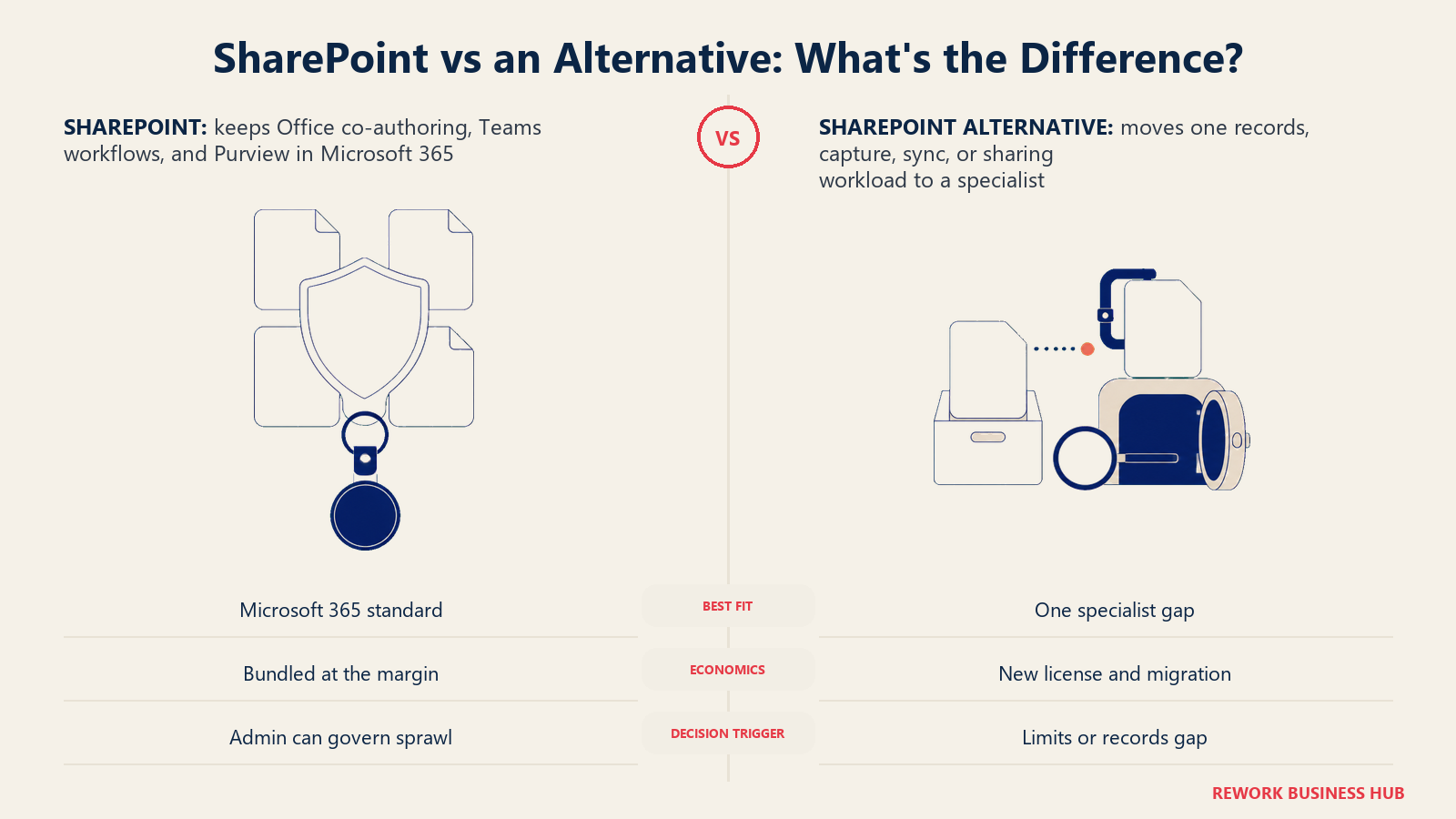
But the standalone product already changed underneath buyers. In late January 2026, Microsoft announced it was retiring the standalone SharePoint Online Plan 1 and Plan 2 SKUs (and the matching OneDrive for Business standalone plans). End of sale passed on May 31, 2026, end of life follows in January 2027, and full end of service comes in December 2029. (Microsoft Partner Center), new customers can no longer buy SharePoint on its own; it comes bundled into Microsoft 365 Business Basic ($7/user/month, annual), Business Standard with Copilot ($23.50/user/month, annual), or Business Premium with Copilot ($32/user/month, annual). (Microsoft)
Storage is the other place assumptions run stale. Microsoft's own service description caps total SharePoint storage per organization at 1 TB plus 10 GB per licensed user, not an unlimited pool: a 200-user tenant gets roughly 3 TB total, and overage runs $0.20 per GB per month. (Microsoft Learn) The old "unlimited storage" claim tied to legacy OneDrive for Business Plan 2 doesn't appear anywhere in current Microsoft documentation. At the list and library level, the 5,000-item list view threshold is fixed and, per Microsoft's own support documentation, can't be changed in SharePoint Online, which forces indexed, filtered views on any list or library that grows past a few thousand rows. (Microsoft Support) Sync has its own soft ceiling too: Microsoft recommends no more than 300,000 files in a single synced library for reliable performance.
None of that makes SharePoint a bad product. It makes it a product with real limits a team eventually meets, which is exactly why most of the tools above get adopted alongside Microsoft 365 rather than instead of it, each covering the one job (records, capture, external sharing, ISO-grade document control) SharePoint wasn't purpose-built to do.
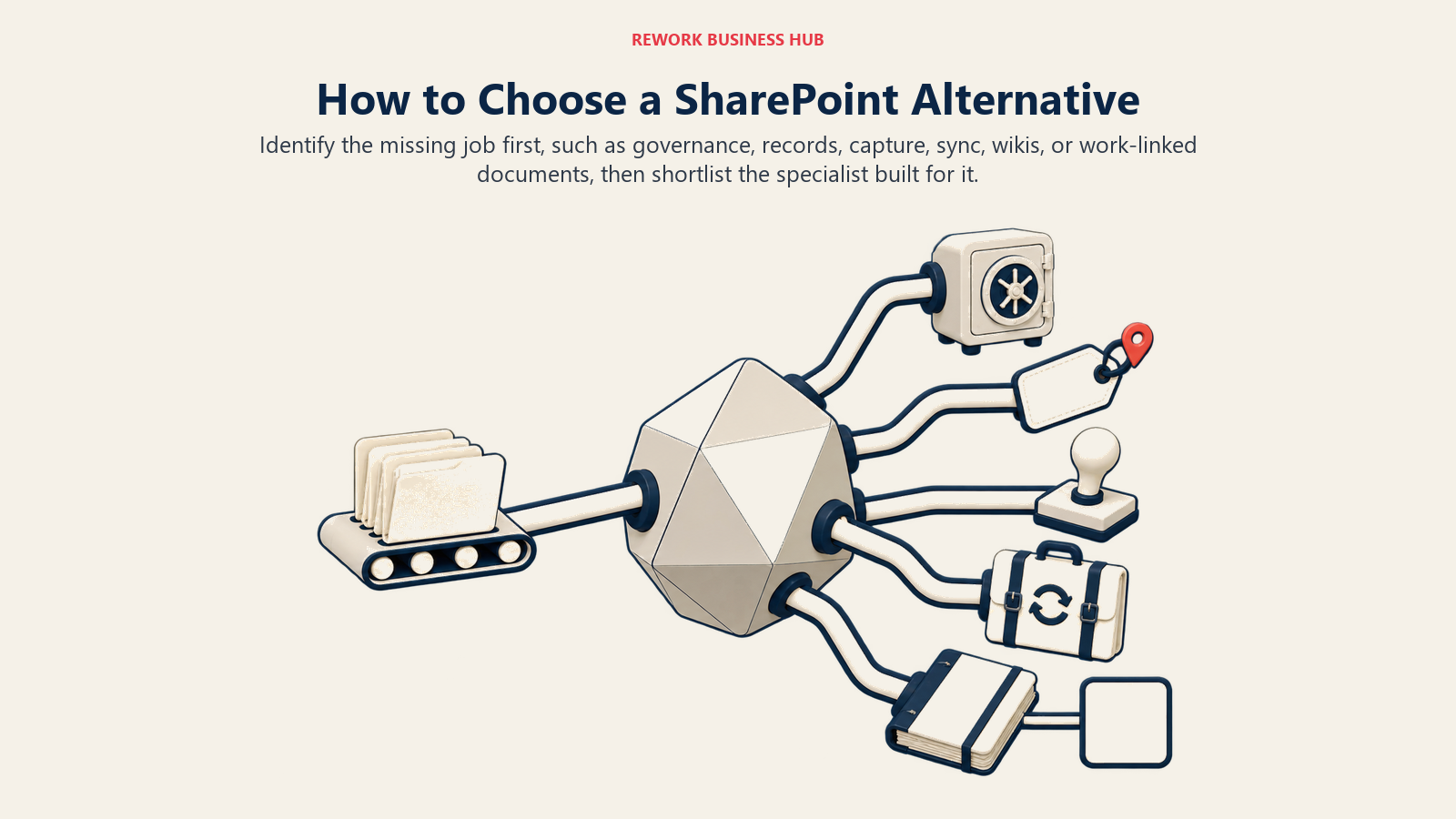
How to Choose: Decision Framework
Run whichever pick survives this framework through a broader document workflow audit before migrating a large content store.
| If your team needs... | Best pick |
|---|---|
| Documents and records tied to the same CRM, project, or People record | Rework |
| Enterprise governance and unlimited storage without SharePoint's site sprawl | Box |
| To find documents by attribute instead of folder path (especially for ISO 9001) | M-Files |
| Hybrid cloud-plus-on-prem deployment for regulated or field-based work | Egnyte |
| AP automation and intelligent invoice/form indexing | DocuWare |
| Real-time co-editing already living in Gmail and Meet | Google Workspace |
| Formal retention and disposition for public sector or healthcare | Laserfiche |
| The simplest possible file sync with minimal admin overhead | Dropbox Business |
| Living documentation and wikis tied to Jira, not file storage | Confluence |
| Deep ERP/SAP content integration at large enterprise scale | OpenText Content Cloud |
| A turnkey vertical ECM (OnBase) or a flexible open-core one (Alfresco) | Hyland |
| The lowest cost-per-user inside an existing Zoho stack | Zoho WorkDrive |
| Unlimited storage and AI on every tier for a professional-services firm | Revver |
Frequently Asked Questions about SharePoint Alternatives
Why do teams leave SharePoint?
Five reasons show up repeatedly: site sprawl and permission inheritance nobody owns (EPC Group finds 30-40% of sites overshared), an admin burden that becomes a real job, search that disappoints without curated metadata, fixed limits like the 5,000-item list view threshold, and the fact that a document library isn't a records system with retention and audit built in by default.
Can you still buy standalone SharePoint without Microsoft 365?
Not any more. Microsoft announced in January 2026 that it was retiring the standalone SharePoint Online Plan 1 and Plan 2 SKUs, and end of sale passed on May 31, 2026, with end of life in January 2027 and full end of service in December 2029. Going forward, SharePoint comes bundled into a Microsoft 365 Business or Enterprise plan.
How much SharePoint storage does my organization actually get?
Microsoft's official formula is 1 TB pooled per organization plus 10 GB per licensed user, not an unlimited pool. A 200-user tenant gets roughly 3 TB total before paying $0.20 per GB per month in overage.
What is the SharePoint 5,000-item list view threshold?
It's a fixed limit on how many items a single view can query at once. Microsoft's own support documentation confirms it can't be changed in SharePoint Online; the workaround is building indexed, filtered views instead of trying to browse a large list unfiltered.
What's the cheapest SharePoint alternative with published pricing?
Zoho WorkDrive's Starter tier runs about $2.50/user/month, and Confluence's Free plan covers up to 10 users at no cost, though neither replaces SharePoint's full document-management feature set on its own.
Does Rework replace SharePoint entirely?
No, and it isn't trying to. Rework's E-Office module fits a mid-size team wanting documents and records tied to the same CRM, project, or People record instead of a separate document store, not a replacement for Office co-authoring or a specialist ECM for high-volume regulated capture.
When does it make sense to stay with SharePoint?
If a company already pays for Microsoft 365, needs Office-native co-authoring, and has the admin capacity to configure Purview retention and permissions properly, SharePoint remains a strong, effectively-free-at-the-margin default. Most teams on this list are solving one specific gap, not replacing Microsoft 365 wholesale.
Is Confluence a real SharePoint alternative?
Only for a specific slice of the problem. Confluence is built for living documentation and wikis tied to Jira, not for storing and version-controlling binary files with retention policy, so it fits teams whose SharePoint pain is an out-of-date wiki rather than file storage.
What to Do Next
Match your actual gap, records, capture, sync, or wikis, to the framework above, then load a real content set into your top two picks rather than a sandbox demo: migrate one genuinely messy SharePoint site, including its permissions, and see which tool actually makes that content easier to find six months from now. If the gap is that documents and records live disconnected from the CRM pipeline or project that created them, start with Rework's E-Office module and compare it against a focused content platform like Box or M-Files.

Principal Product Marketing Strategist
On this page
- Key Facts
- Quick Comparison Table
- 1. Box: Enterprise Content Management With Governance Built In
- 2. M-Files: Metadata-Driven, No-Folder Document Management
- 3. Egnyte: Hybrid Cloud and On-Prem Governance
- 4. DocuWare: Workflow-Heavy Document Processing and AP Automation
- 5. Google Workspace (Google Drive): Documents Where Gmail and Meet Already Live
- 6. Rework (E-Office): Documents on the Same Record as the Work They Belong To
- 7. Laserfiche: Public Sector and Regulated Recordkeeping Depth
- 8. Dropbox Business: Simple Sync, Minimal Admin
- 9. Confluence: Living Documentation, Not a File Repository
- 10. OpenText Content Cloud: Deep ERP Integration at Enterprise Scale
- 11. Hyland (OnBase / Alfresco): Two Enterprise ECM Paths Under One Company
- 12. Zoho WorkDrive: The Budget Option Inside the Zoho Ecosystem
- 13. Revver: Unlimited Storage and AI on Every Tier, Priced by License Mix
- SharePoint's Real Strengths, and Why Teams Leave Anyway
- How to Choose: Decision Framework
- What to Do Next