Best Box Alternatives in 2026: 13 Document Management Platforms for Secure File Work
Turn this article into takeaways for your work.


Each assistant summarizes the article only for you and suggests best practices for your work.
Box is still the best fit for teams needing enterprise-grade governance, retention policies, and built-in e-signature on one platform, but SharePoint, Egnyte, M-Files, and Rework each beat it on a specific dimension: Microsoft 365 bundling, industry-specific compliance, metadata-driven automation, or keeping documents on the same record as the deal that created them. This guide compares 13 alternatives on pricing, storage, and governance fit, with any unpublished figure labeled (reported) rather than presented as vendor-confirmed. For the full 15-platform category view, see Best Document Management Software in 2026.
Box earns its reputation honestly, and it's worth saying so before the complaints. But a few things push buyers toward alternatives once they start pricing seats. Unlimited storage doesn't kick in until the paid Business tier; Business Starter caps out at 100 GB with a 2 GB per-file upload limit. Every paid plan, Starter included, carries a 3-user minimum, so a 2-person team pays for a seat it doesn't use. Box Sign stays capped at a handful of requests a month until Business, and Box AI doesn't switch on at all until Business tier, an add-on capability rather than a baseline one. Scale a 25-person team to Business Plus and the annual bill clears $7,500 before Shield, overages, or AI usage past the included allotment, more than plenty of lean teams want to commit before confirming they need enterprise retention tooling at all.
Key Facts
- 54% of critical business content still lives outside a formal content management system, per AIIM. (AIIM)
- Over 80% of employees have had to recreate a document that already existed because they couldn't find the original, per M-Files' 2019 Intelligent Information Management Benchmark Report. (M-Files)
- Employees spend an average of 1.8 hours a day, 9.3 hours a week, searching for and gathering information. (McKinsey)
- 70% to 90% of enterprise data is unstructured, the category most document management platforms exist to organize. (Gartner)
- The cloud enterprise content management market is projected to grow from $45.67 billion in 2026 to $124.99 billion by 2034, a 13.41% CAGR. (Fortune Business Insights)
Quick Comparison Table
| Tool | Best For | Starting Price | Key Strength | Key Limitation |
|---|---|---|---|---|
| Microsoft SharePoint | Teams already standardized on Microsoft 365 | From $7.00/user/mo, annual (bundled in Microsoft 365 Business Basic) | Deep Word/Excel/Teams integration, 1 TB pooled org storage plus 10 GB per license | Standalone SharePoint plans retired in 2026; only sold inside Microsoft 365 now |
| Egnyte | Multi-site orgs needing built-in compliance | $22/user/mo, annual only (Business) | Content lifecycle management and ransomware detection out of the box | No month-to-month billing; 100 GB cap on the entry tier |
| M-Files | Metadata-driven, "no folders" document automation | €65/seat/mo (Essentials) | Finds documents by what they are, not where they're filed | Rethinking folder habits takes real onboarding time |
| Dropbox Business | Teams wanting familiar sync with light governance | $15/user/mo, annual (Standard, 3 TB team storage) | The sync experience most employees already know | Lighter native records/retention tooling than Box |
| Google Workspace | Google-native teams already on Docs/Gmail | $7/user/mo (Business Starter, 30 GB pooled) | Real-time co-editing, flexible pooled storage | 30 GB Starter cap forces an upgrade fast |
| Rework | Documents living on the same record as the deal or project | Quote on request (rework.com/pricing) | Files, CRM, projects, and People data on one record | Not a specialist ECM for high-volume regulated capture |
| DocuWare | Workflow-heavy document automation and approvals | £10 to £60/user/mo (vendor-published range) | Strong built-in workflow and approval automation | No published US dollar pricing |
| Laserfiche | Records management paired with process automation | $73/user/mo (Professional, annual, 5-user minimum) | Records management and BPM in one platform | Seat minimums put a high floor under a small team |
| OpenText Content Cloud | Large, regulated enterprises | Custom quote | Enterprise-grade compliance and ECM depth | Heavy implementation; overkill below enterprise scale |
| Zoho WorkDrive | SMBs already in the Zoho ecosystem | $2.50/user/mo, annual, min. 3 users (Starter) | Cheapest published entry price on this list | Thinner enterprise compliance tooling |
| iManage | Legal and professional services document management | Reported $50 to $75/user/mo (reported) |
Purpose-built matter-centric filing for legal teams | Cost and complexity outside legal and professional services |
| NetDocuments | Cloud-native document management for law firms | Quote-only (reported $20-$65/user/mo base) | Cloud-native architecture built for legal workflows | Narrow fit outside the legal vertical |
| Revver | Small-business workflow-first document management | Reported $25 to $87/user/mo (reported) |
Workflow automation priced for SMB budgets | Smaller integration ecosystem than the bigger platforms |
1. Microsoft SharePoint: The Default for Teams Already on Microsoft 365
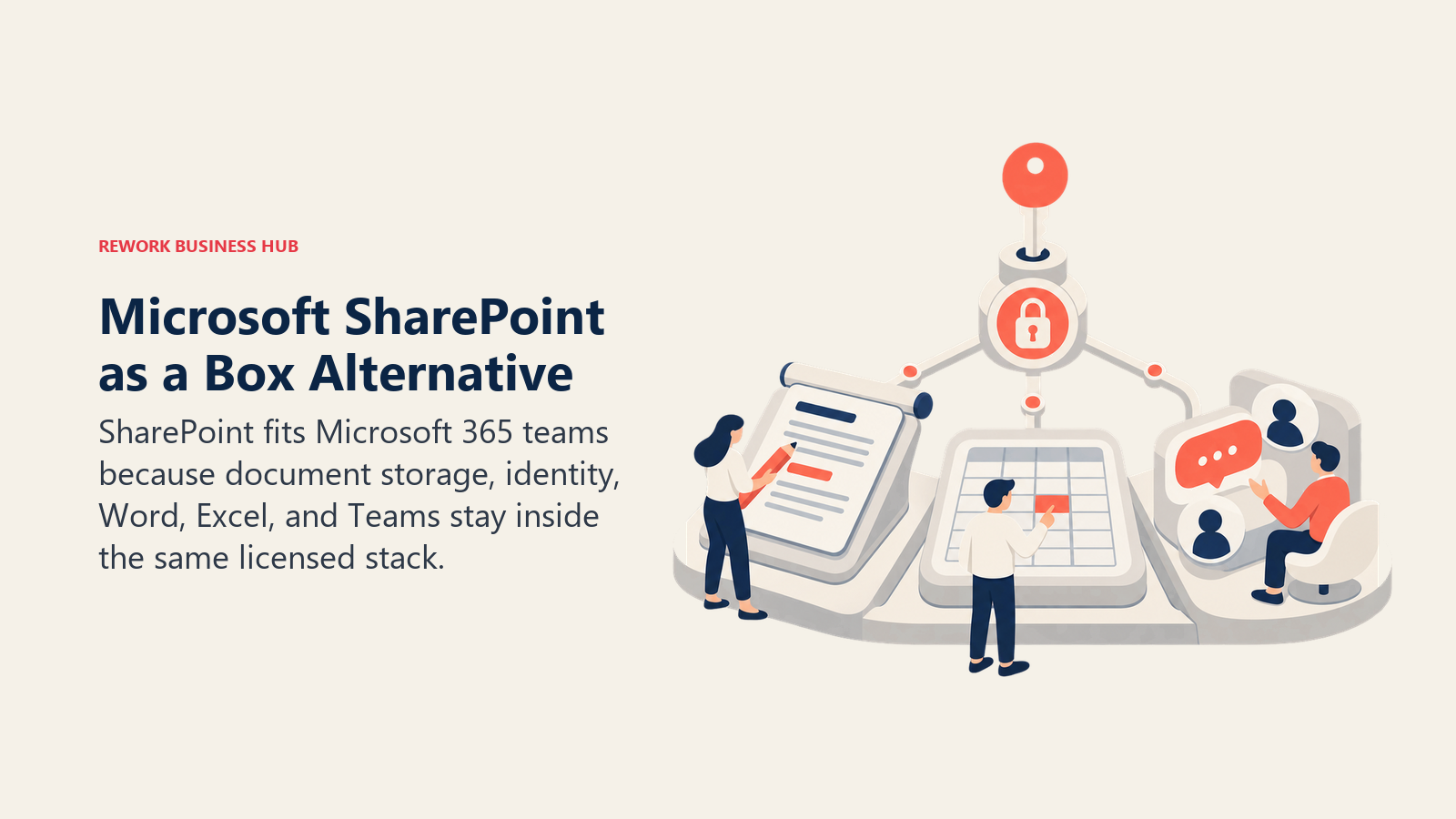
SharePoint's case is simple: if your company already runs Word, Excel, and Teams, document storage inside the same license means no second login and files that open directly from a Teams channel or email attachment. Version history, co-authoring, and permissions inherit from the same Entra ID identity already governing email and calendar access.
Microsoft retired standalone SharePoint Online Plan 1 and Plan 2 in 2026; SharePoint now ships only inside a Microsoft 365 bundle. Business Basic starts at $7/user/month annual and includes SharePoint plus web/mobile Office apps; Business Standard adds desktop apps at $23.50/user/month annual (Copilot bundled); Business Premium adds advanced security and device management at $32/user/month annual (also with Copilot). Storage is pooled: every tenant gets a 1 TB baseline plus 10 GB per licensed user, so a 50-person org gets roughly 1.5 TB of shared storage before extra capacity costs $0.20/GB/month.
| What you get | What you don't |
|---|---|
| Native Word, Excel, Teams, and Outlook integration | A standalone SharePoint-only purchase (retired in 2026) |
| Pooled org storage plus 10 GB per license | Box-level dedicated content governance out of the box |
| Familiar identity and permissions via Entra ID | The lightest onboarding on this list |
| Copilot bundled on Standard and Premium tiers | Cheap entry pricing once you need the full suite |
Pricing: From $7/user/month billed annually (Microsoft 365 Business Basic, includes SharePoint); Business Standard $23.50/user/month annual; Business Premium $32/user/month annual, both with Copilot bundled. Best for: Teams already standardized on Microsoft 365 wanting document storage inside the same license and identity system. Not ideal for: Teams wanting a document platform that isn't tied to buying the rest of Microsoft's suite. If SharePoint itself is the tool you're replacing rather than Box, see Best SharePoint Alternatives.
2. Egnyte: Compliance-Ready File Governance for Multi-Site Teams
Egnyte built its name on hybrid file storage for construction, financial services, and life sciences, industries where content lifecycle rules, ransomware detection, and audit trails matter as much as basic sync. Its AI-assisted content classification and suspicious-login detection ship on every paid tier rather than gated behind an enterprise add-on, unusual for this category.
Egnyte publishes pricing directly: Business runs $22/user/month annual with 100 GB storage and up to 100 users; Enterprise Lite is $39/user/month annual with 150 GB and unlimited users; Elite (its most popular tier) is $48/user/month annual with AI Assistant, AI Search, AI Workflow, and e-signature. Ultimate is quote-only, and billing is annual across every tier, with no month-to-month option. (Egnyte)
| What you get | What you don't |
|---|---|
| Ransomware detection and content lifecycle rules on every paid tier | Month-to-month billing |
| Industry-specific compliance add-ons (AEC, financial services, life sciences) | Box's unlimited-storage headline on lower tiers |
| Hybrid cloud plus on-prem sync for large file libraries | A budget entry point below $22/user/month |
| Suspicious login and ransomware alerting built in | Storage above 150 GB without an upsell conversation |
Pricing: Business $22/user/month (annual only, 100 GB, up to 100 users); Enterprise Lite $39/user/month (annual, 150 GB, unlimited users); Elite $48/user/month (annual, 150 GB, AI features); Ultimate custom quote. Best for: Multi-site organizations in regulated industries wanting compliance and ransomware protection built into the base plan. Not ideal for: Small teams wanting month-to-month flexibility or a sub-$20/user entry price.
3. M-Files: Metadata-Driven Filing Without Folders
M-Files cuts against how most document platforms work: instead of organizing files into folders, it tags every document with metadata (client, project, type, status) and lets employees find what they need by searching what a document IS rather than remembering where someone filed it. For teams with high document volume and inconsistent filing habits, that structural difference solves the actual problem instead of adding a better search bar on top of the same folder chaos.
M-Files publishes its Essentials tier price directly: €65 per seat/month, built for teams "starting their context-first document management journey." Full Enterprise pricing is a custom quote shaped by user count, governance requirements, external collaboration needs, and AI usage volume; Hubshare, its external collaboration module, is licensed separately from Enterprise. (M-Files)
| What you get | What you don't |
|---|---|
| Metadata-based filing instead of folder hierarchies | A workflow employees can adopt with zero retraining |
| Published Essentials pricing (€65/seat/month) | A published Enterprise price |
| Strong fit for compliance-heavy, high-document-volume teams | The simplest possible onboarding on this list |
| Both cloud and self-hosted deployment options | Box's brand recognition among non-technical buyers |
Pricing: Essentials €65/seat/month (published); Enterprise is a custom quote based on users, governance needs, and AI usage. Best for: Document-heavy teams whose current folder structure has broken down and needs metadata-based reorganization. Not ideal for: Teams wanting to keep a familiar folder-and-subfolder mental model. See Best M-Files Alternatives if metadata-driven filing itself isn't the fit, or DocuWare vs. M-Files for a direct head-to-head.
4. Dropbox Business: The Sync Experience Employees Already Know
Dropbox Business leans on what made the consumer product a household name: a sync client that just works and a UI most new hires have already used somewhere else. For teams whose real problem is fragmented personal Dropbox and Google Drive accounts rather than a records-management gap, that familiarity shortens the adoption curve more than any feature list.
Standard starts at $15/user/month with team storage starting at 3 TB for three licenses; Advanced starts at $24/user/month with storage starting at 15 TB for three licenses (each added license adds roughly 5 TB), plus tiered admin controls, end-to-end encryption, and ransomware detection. Dropbox retired its uncapped "as much space as you need" policy on Advanced in 2023 after abuse from crypto-mining and storage-reselling accounts; storage is metered by license count today. (Dropbox)
| What you get | What you don't |
|---|---|
| A sync client most employees have already used | Box-level native records and retention management |
| Generous starting team storage (3 TB Standard, 15 TB Advanced) | Truly unlimited storage (retired industry-wide in 2023) |
| Fast onboarding, minimal training required | Deep compliance certifications matching Box or Egnyte |
| 180-day (Standard) to 1-year (Advanced) file recovery | Metadata-driven organization like M-Files |
Pricing: Standard $15/user/month (3 TB team storage minimum); Advanced $24/user/month, 3-user minimum (15 TB team storage minimum, roughly 5 TB per added license); Enterprise custom quote. Best for: Teams whose document problem is scattered personal-account sync, not missing records governance. Not ideal for: Teams needing Box-grade retention policies or regulated-industry certifications as a baseline. See Best Dropbox Alternatives if sync simplicity, not document governance, is the actual gap you're filling.
5. Google Workspace: Real-Time Collaboration for Google-Native Teams
Google Workspace's Drive isn't trying to be a records management system; it's trying to make co-editing a document with five people at once feel instant, which it does better than almost anything else here. For teams already living in Gmail and Calendar, Drive keeps files, comments, and version history inside the same login and real-time editing model as Docs and Sheets.
Storage is pooled and flexible across the organization rather than fixed per user. List pricing runs Business Starter at $7/user/month (30 GB pooled per person), Business Standard at $14/user/month (2 TB per user, adding Gemini AI to Docs and Meet), and Business Plus at $22/user/month (5 TB, eDiscovery, and Vault retention). All three cap at 300 users, and Enterprise is a custom quote. New customers get a 12-month introductory discount on their first 20 seats only, $3.50 on Starter and $8.40 on Standard, so budget against the list rate rather than the promotional one. (Google Workspace)
| What you get | What you don't |
|---|---|
| Real-time multi-user co-editing that feels instant | Records management depth like Box or Egnyte |
| Pooled, flexible storage redistributable across users | A generous starting cap on Business Starter (30 GB) |
| Gemini AI built into Docs, Gmail, and Meet on Standard+ | Dedicated content lifecycle or retention tooling on lower tiers |
| Familiar UI for any team already using Gmail | The industry-specific compliance depth of Egnyte |
Pricing: Business Starter $7/user/month annual, first 20 users (30 GB/user); Standard $8.40/user/month annual, first 20 users (2 TB/user); Plus $22/user/month flexible (5 TB/user); Enterprise custom quote. Best for: Google-native teams wanting real-time document collaboration over dedicated records management. Not ideal for: Teams needing formal retention policies or regulated-industry compliance certifications. See Best Google Workspace Alternatives if Drive itself is the tool you're evaluating away from.
6. Rework: Documents on the Same Record as the Work They Belong To
Rework's E-Office module handles document operations and records management inside the same platform as its CRM, projects, contracts, tasks, and People app, so a document isn't a file in a separate cloud drive someone has to remember to link back to the deal, project, or employee it belongs to. It sits on that record directly. The pitch isn't Box-grade retention depth or Shield-level threat detection; it's that a contract, an onboarding document, or a project deliverable shouldn't need a second login to find.
| What you get | What you don't |
|---|---|
| Documents on the same record as the CRM deal, project, or employee | Box Shield-grade threat detection and malware scanning |
| One platform across CRM, Lead Ops, Work Ops, Contracts, and People | A dedicated high-volume regulated records-capture engine |
| No separate integration to sync files between systems | An on-prem or sovereign deployment option |
| Packaged annual pricing, not per-GB storage tiers | A free or solo tier |
Pricing: Rework does not publish a price for the E-Office module. Rework sells packaged plans, not per-user storage tiers, and E-Office is quoted per organization. See rework.com/pricing for the published product lines, or ask the team for an E-Office quote. Best for: Mid-size teams (roughly 20-200 people) wanting documents living on the same record as the CRM, project, or People data that created them, instead of a separate drive to keep in sync. See how process documentation ties into a records workflow if E-Office is replacing a mix of shared drives and spreadsheets. Not ideal for: Solo buyers, specialist ECM needs at high regulated-records volume, or teams needing an iManage/NetDocuments-class legal DMS or an on-prem archive.
7. DocuWare: Workflow Automation Built Into Every Document
DocuWare's differentiator is workflow: invoice approvals, contract routing, and HR onboarding chains are built into the platform rather than bolted on, so a document moves through the approval steps a process actually requires instead of just sitting in storage. That depth is why DocuWare shows up heavily in finance and HR document automation rather than pure file storage.
DocuWare publishes a pricing range on its own support site: Cloud runs roughly £10 to £60 per user per month, with full named-user licenses starting around £57 and scaling down to about £20 per user as team size grows; workflow-only licenses sell in packs of five. All features are included at every price point; the differentiators are user count and storage, not feature gating. (DocuWare)
| What you get | What you don't |
|---|---|
| Workflow and approval automation built into every plan | Feature-gated tiers (all features included regardless of price) |
| A published pricing range on DocuWare's own site | US dollar pricing published directly |
| Sliding-scale per-user rates as team size grows | Box's brand recognition among non-technical buyers |
| Flexible monthly or annual payment structures | A free tier |
Pricing: Published range of £10 to £60/user/month depending on user count and storage; full named-user licenses from roughly £57 down to £20/user on a sliding scale. Best for: Finance, HR, and operations teams wanting document storage and approval workflow automation in one system. Not ideal for: US-based buyers wanting dollar-denominated pricing before a sales conversation. See Best DocuWare Alternatives for a deeper workflow-automation comparison, or Best Workflow Automation Software if the approval-routing piece matters more than document storage itself.
8. Laserfiche: Records Management Paired With Process Automation
Laserfiche pairs a records management core with business process automation (BPM), so a document doesn't just sit in a compliant retention schedule, it can also trigger the next workflow step, a natural fit for government agencies, healthcare, and other records-heavy organizations that need both halves solved by one vendor.
Laserfiche publishes its cloud pricing directly, which is a change worth knowing about if you last shopped this category a year ago. Professional is $73 per user per month billed annually ($875 per user per year) and starts at 5 users. Business is $93 per user per month billed annually ($1,115 per user per year) and starts at 25 users, adding records lifecycle management, SSO with SCIM provisioning, and public-facing content portals. Business+ drops to $42 per user per month billed annually ($500 per user per year) but starts at 500 users, so it is a volume tier rather than a cheaper plan. Cloud Starter and self-hosted Laserfiche 12 are quoted separately, and the page states plainly that pricing excludes professional services and implementation fees. (Laserfiche)
| What you get | What you don't |
|---|---|
| Records management and BPM in a single platform | A low entry cost, since Professional starts at 5 seats |
| Strong fit for government and regulated-records organizations | A budget-friendly entry point for a small team |
| Both cloud and self-hosted deployment options | A published price for Cloud Starter or self-hosted Laserfiche 12 |
| Gartner-recognized Leader positioning in document management | The simplicity of a pure file-sync tool |
Pricing: Published. Professional $73/user/month billed annually (5-user minimum), Business $93/user/month billed annually (25-user minimum), Business+ $42/user/month billed annually (500-user minimum). Cloud Starter and self-hosted Laserfiche 12 are quoted separately. (Laserfiche) Best for: Government, healthcare, and other records-heavy organizations wanting retention management paired with process automation. Not ideal for: Small teams wanting transparent pricing without an implementation project.
9. OpenText Content Cloud: Enterprise-Grade Depth for Regulated Industries
OpenText Content Cloud (built around the Documentum and eDOCS lines) targets the largest, most heavily regulated enterprises: multinational financial services firms, pharmaceutical companies, and government agencies running content governance across dozens of business units and jurisdictions at once. Its retention scheduling, legal hold, and audit trail depth goes well past what a mid-market platform needs to offer.
OpenText does not publish pricing; every path routes to a custom enterprise quote. Third-party estimates for a comparable configuration report OpenText eDOCS running roughly $45 to $70 per user per month, with fully featured Content Services bundles reported in the $55 to $90 range once implementation work is included (reported).
| What you get | What you don't |
|---|---|
| Enterprise-grade retention, legal hold, and audit trail depth | Published, self-serve pricing |
| Proven track record at Fortune 500 and government scale | Fast time-to-value for a mid-size team |
| Deep integration with SAP, Salesforce, and legacy ECM systems | A setup a small IT team can self-serve |
| Multi-jurisdiction compliance certifications | A budget-friendly entry point |
Pricing: Quote-only, enterprise sales process. Reported estimates run roughly $45 to $90 per user per month depending on configuration (reported). Best for: Large, regulated enterprises needing content governance across many business units and jurisdictions. Not ideal for: Mid-market or small teams without a dedicated content governance function.
10. Zoho WorkDrive: The Cheapest Published Entry Price on This List
Zoho WorkDrive's case for a Zoho-ecosystem SMB is straightforward: if you're already running Zoho CRM, Books, or People, WorkDrive slots into the same suite at the lowest published per-user price in this roundup, with team-pooled storage that scales as headcount grows.
Zoho publishes tiered pricing with a 3-user minimum across all paid plans: Starter runs $2.50/user/month annual ($3 month-to-month) with 1 TB base team storage for 3-10 users plus 100 GB per added user, capped at 20 TB; Team (its most popular tier) runs $4.50/user/month annual with 3 TB base plus 300 GB per added user, capped at 60 TB; Business runs $9/user/month annual with 5 TB base plus 500 GB per added user, capped at 100 TB, plus DLP policies and custom workflows. (Zoho WorkDrive)
| What you get | What you don't |
|---|---|
| The cheapest published starting price on this list | Box-level enterprise compliance certifications |
| Native fit with Zoho CRM, Books, and People | Deep AI-driven records classification |
| Team-pooled storage that scales with headcount | A generous individual-user storage guarantee |
| DLP policies and audit trail on the Business tier | Standalone appeal outside the Zoho ecosystem |
Pricing: Starter $2.50/user/month annual (min. 3 users, 1 TB base + 100 GB/user); Team $4.50/user/month annual (3 TB base + 300 GB/user); Business $9/user/month annual (5 TB base + 500 GB/user, DLP included). Best for: SMBs already running other Zoho apps wanting document storage at the lowest published price in this category. Not ideal for: Teams outside the Zoho ecosystem, or those needing enterprise-grade compliance depth.
11. iManage: The Legal Industry's Default Document Management System
iManage is built specifically around how law firms and professional services teams work: matter-centric filing, where every document, email, and note attaches to a client matter rather than a generic folder, plus conflict-checking and ethical-wall permissions most general-purpose platforms don't attempt.
iManage does not publish pricing. Third-party estimates report costs typically ranging $50 to $75 per user per month with a reported 10-user minimum, and UK firms report iManage Cloud running roughly £30 to £50 per user per month through channel partners (reported, ITQlick).
| What you get | What you don't |
|---|---|
| Matter-centric filing built for legal workflows | Published, self-serve pricing |
| Conflict-checking and ethical-wall permissions | A fit for teams outside legal and professional services |
| Deep integration with legal practice management tools | A budget-friendly entry point |
| Decades of legal-industry-specific refinement | Fast, self-serve onboarding |
Pricing: Quote-only. Reported estimates run $50 to $75/user/month with a reported 10-user minimum (reported). Best for: Law firms and legal departments needing matter-centric filing and conflict-checking as a baseline, not an add-on. Not ideal for: Teams outside legal and professional services, where the matter-centric model doesn't map to how work is organized.
12. NetDocuments: Cloud-Native Document Management for Law Firms
NetDocuments competes directly with iManage for the same legal-industry buyer, with one structural difference: it was built cloud-native from the start rather than migrated from an on-prem architecture, which shows up in faster search across large repositories and a lighter IT footprint.
NetDocuments does not publish pricing. Third-party estimates report costs starting around $20 per user per month for basic features and scaling to roughly $65 with additional modules; UK firms report £35 to £55 per user per month depending on edition (reported, ITQlick).
| What you get | What you don't |
|---|---|
| Cloud-native architecture with no on-prem legacy | Published, self-serve pricing |
| Fast full-text search across large legal repositories | A fit for teams outside the legal vertical |
| Lighter IT footprint than on-prem legal DMS options | The market share and brand recognition of iManage |
| Strong email and matter management integration | Transparent pricing before a sales call |
Pricing: Quote-only. Reported estimates run roughly $20 to $40/user/month depending on modules selected (reported). Best for: Law firms wanting a cloud-native alternative to on-prem legal document management without iManage's legacy footprint. Not ideal for: Teams outside legal and professional services.
13. Revver: Workflow-First Document Management for Small Business Budgets
Revver (formerly eFileCabinet) targets small and mid-size businesses that need document workflow automation, think approval routing, e-signature requests, and retention rules, without the price tag or implementation timeline of an ECM platform built for a Fortune 500 compliance team.
Revver does not publish exact pricing. Third-party trackers report three editions ranging roughly $25 to $87 per user per month by plan and license type (Basic, Essential, Full); some vendor conversations report annual contracts around $2,000 for a small team with a 2-user minimum (reported, G2).
| What you get | What you don't |
|---|---|
| Workflow automation priced for SMB budgets | Published, self-serve pricing |
| Tiered user license types (Basic, Essential, Full) | An enterprise-scale integration ecosystem |
| Lower entry cost than Box Business Plus or Egnyte Elite | The compliance certification depth of OpenText or Egnyte |
| A workflow-first design for small-office approval chains | Advanced AI-driven document classification |
Pricing: Quote-only. Reported estimates run $25 to $87/user/month across three editions, with some small-team contracts reported around $2,000/year (reported). Best for: Small businesses wanting workflow automation (approvals, e-signature, retention rules) without an enterprise ECM price tag. Not ideal for: Larger organizations needing deep integrations or regulated-industry compliance certifications.
Why Teams Leave Box
Box's strengths are real, worth stating before the complaints. Governance and retention policies run deep, Box Shield adds AI-powered threat detection and malware scanning, Box Sign ships included rather than bolted on, and its app integration ecosystem (Salesforce, Microsoft 365, Google Workspace, Slack) is one of the broadest in the category. Its compliance certifications are a genuine differentiator over pure sync tools like Dropbox. A Forrester Total Economic Impact study commissioned by Box reported a composite customer achieved 346% ROI and a 72% lower risk of a data breach from an internal incident. (Box) That's why Box stays the default for teams that genuinely need enterprise content governance as a baseline, not an upgrade.
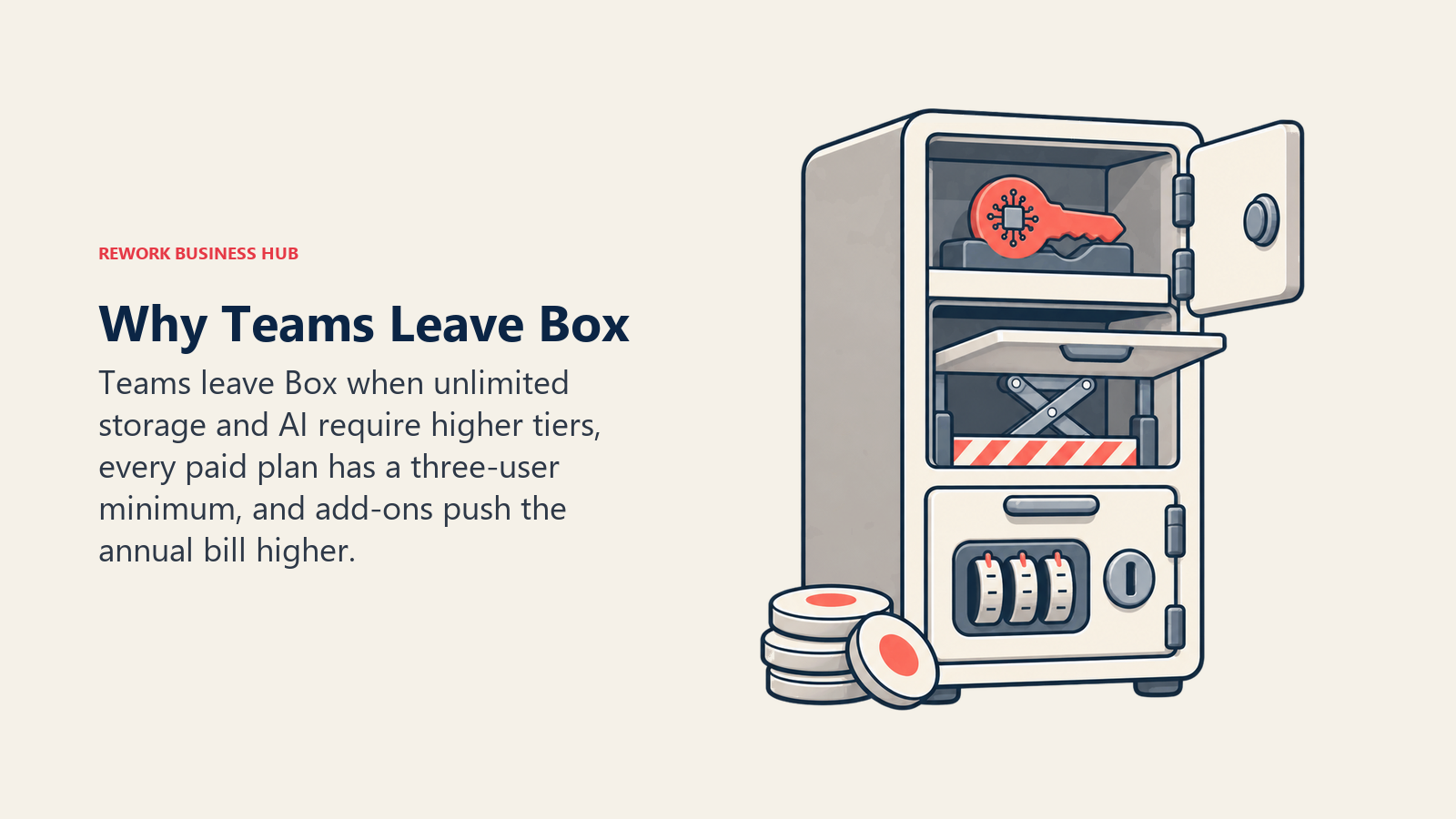
The three reasons teams look elsewhere anyway:
Cost that climbs fast with unlimited storage locked behind Business tier. Business Starter caps storage at 100 GB and uploads at 2 GB, so most teams land on Business ($15/user/month annual) or Business Plus ($25/user/month annual) just for unlimited storage and a workable upload ceiling. A 25-person team on Business Plus clears $7,500 a year before Shield, extra AI usage, or storage overages.
The 3-user minimum on every paid tier. A 2-person team, or a department piloting Box before a wider rollout, pays for a seat it isn't using, pushing small teams toward Dropbox or Google Workspace, which both scale down further. If e-signature alone is the gap, Best E-Signature Software and Best DocuSign Alternatives cover that narrower need directly.
Feature gating that separates file sync from real records management. Box AI doesn't switch on until Business tier, and deeper usage (custom agents, higher monthly allotments) is reserved for Enterprise Plus and Enterprise Advanced, a tier jump away from the entry price advertised on Box's homepage.
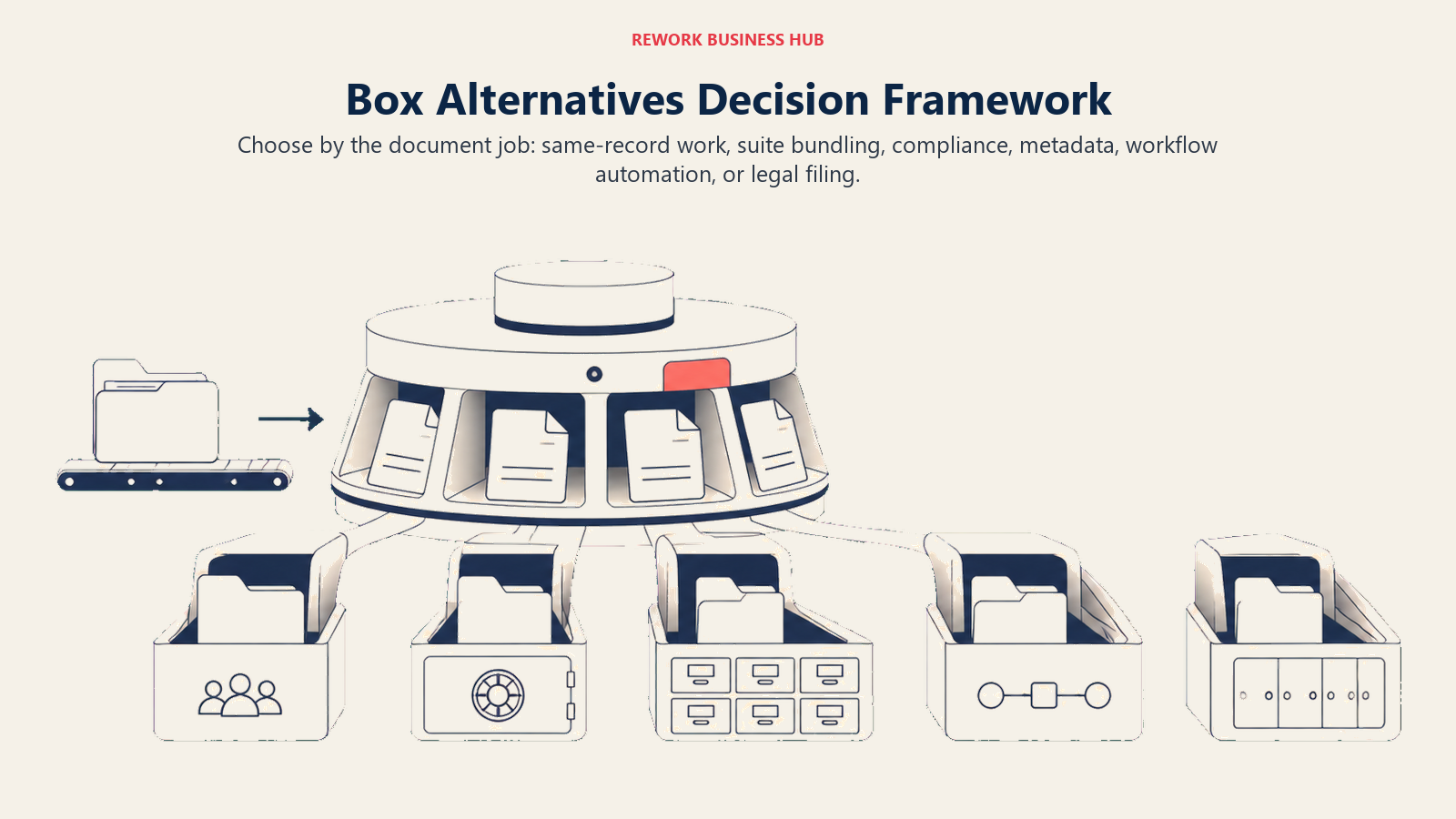
How to Choose: Decision Framework
Run whichever pick survives this framework against how your team actually documents processes today; see process documentation and standard operating procedures for the frameworks most of these platforms end up storing, before signing a multi-year storage contract.
| If your team needs... | Best pick |
|---|---|
| Documents on the same record as the CRM deal, project, or employee file, not a separate drive | Rework |
| Document storage bundled inside the Microsoft 365 license you already pay for | Microsoft SharePoint |
| Compliance and ransomware protection built into every tier, no add-on required | Egnyte |
| To stop organizing by folders and start finding documents by metadata | M-Files |
| A sync experience employees already know from personal use | Dropbox Business |
| Real-time co-editing tied to Gmail and Google Docs | Google Workspace |
| Approval and workflow automation built into document storage itself | DocuWare |
| Records management paired with business process automation | Laserfiche |
| Enterprise-grade governance across many business units and jurisdictions | OpenText Content Cloud |
| The cheapest published entry price, inside the Zoho ecosystem | Zoho WorkDrive |
| Matter-centric filing built specifically for legal teams | iManage |
| A cloud-native legal DMS without an on-prem legacy footprint | NetDocuments |
| Workflow automation priced for a small-business budget | Revver |
Frequently Asked Questions about Box Alternatives
Why do teams leave Box?
Three reasons: unlimited storage doesn't start until Business tier (Starter caps at 100 GB), every paid plan carries a 3-user minimum so small teams pay for unused seats, and Box AI plus deeper Shield governance stay gated behind Business tier and above.
Does Box still offer unlimited storage?
Yes, but only from Business tier up ($15/user/month annual). Business Starter, the entry paid plan, is capped at 100 GB regardless of team size.
What is Box's minimum number of users?
Every paid Box plan, including Business Starter, requires a minimum of 3 users. There's no single paid seat option.
Is Box Sign included with Box, or a separate purchase?
It's included on every tier, but request volume is limited on lower plans (10 requests/month on Business Starter) and becomes unlimited only from Business tier up.
What is the cheapest Box alternative with published pricing?
Zoho WorkDrive publishes the lowest entry price on this list at $2.50/user/month billed annually (3-user minimum). Google Workspace Business Starter and Microsoft 365 Business Basic both start at $7/user/month.
Does Rework replace Box?
Not for a team needing Box Shield-level threat detection or high-volume regulated records capture. Rework's E-Office module fits a mid-size team wanting documents on the same CRM, project, or People record they belong to, instead of a separate drive synced back by hand.
What's the difference between Box and a legal-specific DMS like iManage or NetDocuments?
Box is a general-purpose content platform used across departments. iManage and NetDocuments are purpose-built around matter-centric filing, conflict-checking, and ethical-wall permissions specific to how legal departments organize work.
When does it make sense to stay with Box?
If your team already relies on Box Shield's threat detection, has Business Plus or Enterprise retention policies configured, and app integrations (Salesforce, Microsoft 365, Slack) are wired into daily workflows, switching rarely pays off.
What to Do Next
Match your team size and compliance needs to the framework above, then load a real folder of your own documents, not a vendor sandbox, into your top two picks before committing to a multi-year contract. If cost and the 3-user minimum are why you're leaving Box, and you also want documents on the same record as the deal or project they belong to, start with Rework's E-Office module and compare it against a published-price option like Egnyte or Zoho WorkDrive.

Principal Product Marketing Strategist
On this page
- Key Facts
- Quick Comparison Table
- 1. Microsoft SharePoint: The Default for Teams Already on Microsoft 365
- 2. Egnyte: Compliance-Ready File Governance for Multi-Site Teams
- 3. M-Files: Metadata-Driven Filing Without Folders
- 4. Dropbox Business: The Sync Experience Employees Already Know
- 5. Google Workspace: Real-Time Collaboration for Google-Native Teams
- 6. Rework: Documents on the Same Record as the Work They Belong To
- 7. DocuWare: Workflow Automation Built Into Every Document
- 8. Laserfiche: Records Management Paired With Process Automation
- 9. OpenText Content Cloud: Enterprise-Grade Depth for Regulated Industries
- 10. Zoho WorkDrive: The Cheapest Published Entry Price on This List
- 11. iManage: The Legal Industry's Default Document Management System
- 12. NetDocuments: Cloud-Native Document Management for Law Firms
- 13. Revver: Workflow-First Document Management for Small Business Budgets
- Why Teams Leave Box
- How to Choose: Decision Framework
- What to Do Next