Best Document Management Software in 2026: 15 Platforms for Records, Compliance, and Everyday Document Work
Turn this article into takeaways for your work.


Each assistant summarizes the article only for you and suggests best practices for your work.
The best document management software in 2026 depends on whether your problem is everyday file storage or formal records governance. Microsoft SharePoint and Box lead for teams that need document libraries and external sharing inside tools they already use. Laserfiche and OpenText Content Cloud lead for regulated records retention at scale. Rework earns its spot at #6 for a different reason: its E-Office module keeps documents on the same record as the deal, project, or employee they belong to, instead of a standalone repository synced in from somewhere else. This guide ranks 15 platforms across that range, from enterprise-grade ECM to everyday file-sharing tools that get pulled into "document management" searches by mistake.
Tools are evaluated on pricing transparency, storage terms, compliance depth, and fit by team size. Where a vendor doesn't publish a price, this guide says so plainly and labels any third-party estimate (reported) rather than vendor-confirmed. A few storage and pricing claims that "everyone knows" are out of date, noted inline where it matters.
Key Facts
- The global document management system market is valued at $9.74 billion in 2026 and is projected to reach $29.78 billion by 2034, a 15.00% compound annual growth rate. (Fortune Business Insights)
- Compliance and risk reduction, long the top reason organizations bought information management software, dropped from 70% of respondents in 2024 to just 24% in 2025 as customer service, collaboration, and productivity became the leading drivers instead. (AIIM 2025 Industry Watch)
- Document-related challenges account for more than 21% of organizational productivity loss. (Iron Mountain)
- The average organization loses 7.5% of its documents outright and misfiles another 3%. (AIIM data, cited by Iron Mountain)
- Cloud-based document management delivers more than 3 times the ROI of on-premise systems. (Nucleus Research)
Quick Comparison Table
| Tool | Best For | Starting Price | Key Strength | Key Limitation |
|---|---|---|---|---|
| Microsoft SharePoint | Microsoft 365 shops needing native document libraries | $7.00/user/mo, M365 Business Basic (annual) | Deepest Microsoft 365 and Teams integration | Storage is a calculated pool, not unlimited |
| Box | Content-heavy teams needing external sharing | From $5/user/mo annual (Business Starter, 100GB); $15/user/mo for Business (unlimited) | Unlimited storage confirmed on every business tier | Advanced governance needs Enterprise-tier pricing |
| M-Files | Metadata-driven, folder-free document organization | €65/seat/mo, Essentials (Enterprise custom) | Metadata-first retrieval plus M-Files Aino AI included | Enterprise-scale deployments are quote-only |
| DocuWare | Workflow automation for finance and HR documents | Quote-only (vendor-published range roughly £10-£60/user/mo) | Strong forms and approval-workflow automation | No fixed published price list |
| Laserfiche | Records-heavy public sector and regulated industries | $73/user/mo (Professional, annual, 5-user minimum) | Deep records-retention and compliance tooling | Seat minimums of 5, 25, and 500 by tier |
| Rework | Documents on the same record as the deal, project, or employee | Quote on request (rework.com/pricing) | Document + CRM + Work Ops + People unified | Not a specialist ECM for high-volume regulated capture |
| Egnyte | Hybrid teams needing content security built in | $22/user/mo paid annually | Ransomware and suspicious-login detection built in | Base tier storage capped at 100GB |
| OpenText Content Cloud | Large regulated enterprises with multi-system ECM needs | Quote-only (reported $150K-$600K+ first-year, mid-size enterprise) | Deepest enterprise ECM and compliance depth | No published pricing, long implementation |
| Hyland (OnBase/Alfresco) | Complex, industry-specific content workflows | Quote-only (reported $100K-$500K+/yr for large deployments) | Deep industry-specific workflow configurability | No published pricing, implementation-heavy |
| iManage | Legal and professional-services document management | Custom quote (reported $50-75/user/mo) | Purpose-built for legal document and email workflows | No published pricing, built specifically for law firms |
| NetDocuments | Cloud-native legal and compliance-heavy document work | Quote-only (reported $20-$65/user/mo base) | Cloud-native architecture, strong full-text search | No published pricing, storage overage fees |
| Dropbox Business | Familiar file sync with light document workflow | $15/user/mo, Standard (3,000GB team pool) | Simple, familiar file sync UX | Storage is capped and pooled, not unlimited |
| Google Workspace | Teams standardized on Gmail and Docs | $7/user/mo, Business Starter (30GB pooled) | Native Docs, Sheets, and Slides co-editing | Entry-tier storage is thin at 30GB pooled |
| Zoho WorkDrive | Budget-conscious teams already in the Zoho ecosystem | $2.50/user/mo annual, Starter (1TB team, 3-user min) | Lowest published entry price on this list | Lighter compliance tooling than ECM-grade platforms |
| Revver | SMBs wanting self-serve pricing on a real DMS | $25/user/mo, Basic (volume discounts to ~$4/user) | Published pricing, unlimited storage and AI on every tier | Lighter enterprise governance than Hyland or OpenText |
Document Management Software vs. E-Signature and Workflow Automation Tools
Two adjacent categories pull search traffic from people who don't actually need a document management system. E-signature tools handle one moment: getting a document signed. A DMS handles everything around that moment, storage, version control, metadata, access permissions, and retention, across the full life of a document, not just its final signature. If your only pain point is getting things signed, a lighter e-signature tool solves it without DMS-level storage architecture. See Best E-Signature Software or Best DocuSign Alternatives for that comparison set.
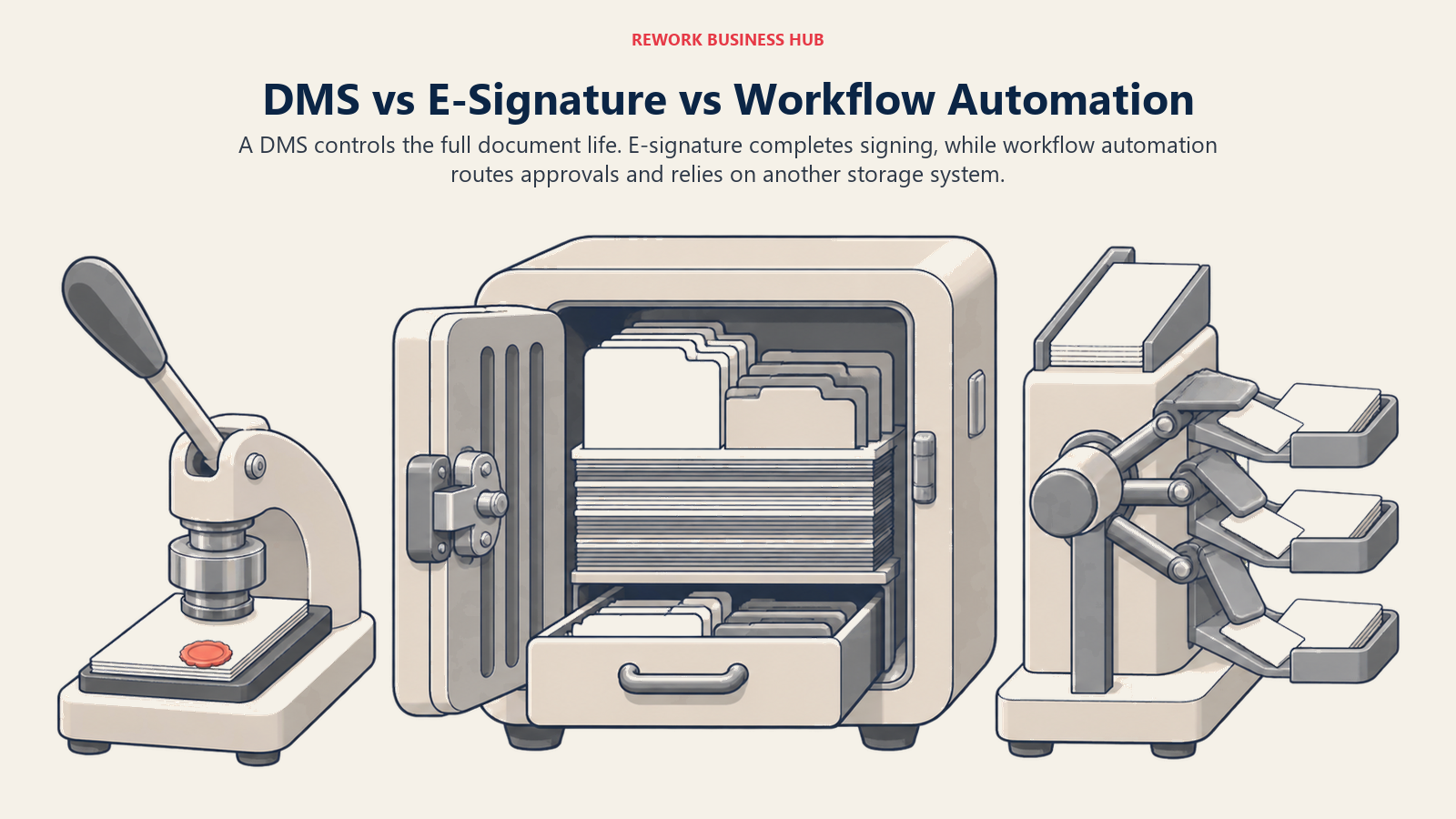
Workflow automation tools are the other near-miss: they route approvals and trigger actions across systems, but most don't store or version the documents themselves, they call out to a DMS or cloud drive to do that part. If your real problem is the approval chain around a document rather than where the document lives, see Best Workflow Automation Software. If your problem is where documents live, who can see them, and whether you can prove what changed and when, the 15 platforms below are the real comparison set.
1. Microsoft SharePoint: The Microsoft 365 Default, No Longer Sold Standalone
SharePoint is the default answer for any organization already running Microsoft 365: document libraries with version history, co-authoring in Word and Excel, and permissions inherited from the same Entra ID directory that already governs email and Teams. That familiarity is exactly why it wins by default rather than by evaluation, most IT teams never formally compare it against a purpose-built DMS.
One thing worth knowing before you budget: Microsoft retired the standalone SharePoint Online Plan 1 and Plan 2 licenses for new purchases, announced in January 2026 with an end-of-sale in June 2026. New customers now get SharePoint only bundled inside a Microsoft 365 plan. The other reputation worth checking is storage: SharePoint's pool is not unlimited. It's a calculated formula, 1TB per organization plus 10GB for every licensed user, with overage billed at roughly $0.20 per GB per month once that pool runs out.
| What you get | What you don't |
|---|---|
| Native Word, Excel, and Teams co-authoring | A standalone SharePoint-only purchase (retired 2026) |
| Permissions inherited from your existing Entra ID directory | Unlimited storage; it's a calculated pool, not unlimited |
| Deep Power Automate and Power BI integration | Metadata-driven retrieval without folder structure |
| Included in most Microsoft 365 business plans already | Purpose-built records-retention tooling |
Pricing: Microsoft 365 Business Basic from $7/user/month (annual commitment); Business Standard with Copilot at $23.50/user/month; Business Premium with Copilot at $32/user/month. Storage: 1TB per organization plus 10GB per licensed user, pooled, not unlimited. Best for: Microsoft 365 shops wanting document libraries and version history inside tools employees already use daily. If SharePoint's complexity or storage math is the problem, see Best SharePoint Alternatives, or SharePoint vs M-Files if a metadata layer on top is the option you're weighing. Not ideal for: Teams outside the Microsoft ecosystem, or anyone assuming "unlimited" storage without checking the per-license formula first.
2. Box: Confirmed Unlimited Storage, Built for External Sharing
Box built its name on secure external file sharing before most competitors took it seriously, and content security is still where it separates itself: granular permissions, watermarking, and compliance certifications that make it a common choice for regulated industries sharing files with outside parties. Its AI-powered document Q&A is now standard on every business tier, not an enterprise add-on.
The "unlimited storage" reputation actually holds up: Box's own pricing page states unlimited storage across all five Business, Business Plus, Enterprise, Enterprise Plus, and Enterprise Advanced tiers, with no fine print carving out a cap. That's a genuine differentiator against Dropbox and SharePoint, both of which quote calculated storage pools instead.
| What you get | What you don't |
|---|---|
| Unlimited storage confirmed at every tier, not just top-end | The lowest entry price on this list |
| Strong external-sharing permissions and watermarking | Native word processing; Box is storage plus workflow, not an editor suite |
| AI-powered document Q&A on every business tier | Deep records-retention scheduling of Laserfiche or OpenText |
| Broad compliance certifications for regulated sharing | The simplicity of a consumer-grade sync tool |
Pricing: Business Starter $5/user/month billed annually (minimum 3 users, 100 GB); Business $15/user/month (unlimited storage); Business Plus $25/user/month; Enterprise, Enterprise Plus and Enterprise Advanced are custom, annual-only quotes. Best for: Teams that regularly share files with clients, vendors, or contractors and need storage that genuinely doesn't run out. See Best Box Alternatives if the governance depth or price at scale doesn't fit. Not ideal for: Teams wanting native word processing or deep records-retention scheduling built in.
3. M-Files: Metadata-Driven, No Folders by Design
M-Files' whole pitch is right there in its own marketing: documents are found by what they are, not where someone happened to save them. Instead of a folder tree, every document carries metadata (client, project, document type, status) and the system surfaces the right version automatically, even when the same document is referenced from multiple contexts. In 2026 M-Files folded its AI assistant, branded M-Files Aino, into the base Essentials tier rather than gating it behind Enterprise.
M-Files is one of the few names in this list with a published entry price. Essentials runs €65 per seat per month and includes Aino; Enterprise pricing is a custom quote for larger, more governed deployments.
| What you get | What you don't |
|---|---|
| Metadata-driven retrieval instead of folder hierarchies | A published Enterprise-tier price |
| M-Files Aino AI included from the entry tier | A workflow-automation depth like DocuWare's forms engine |
| A published Essentials price, unusual in this category | USD pricing without a currency conversion (published in EUR) |
| Strong version control across referenced documents | Sub-second search at very large document volumes without tuning |
Pricing: Essentials €65/seat/month (roughly $70 USD); Enterprise is a custom quote. This is the vendor's own published figure, not a third-party estimate. Best for: Teams whose document problem is really a findability problem, buried in folder structures nobody remembers the logic of. See Best M-Files Alternatives, or DocuWare vs M-Files if those two are your actual shortlist. Not ideal for: Teams wanting a single flat published price for a large, governed Enterprise rollout.
4. DocuWare: Forms and Workflow Automation Around Every Document
DocuWare's strength is what happens to a document after it's captured: invoice approval chains, HR onboarding paperwork, and structured forms that route automatically based on content, not just a folder drop. It's a common fit for finance and HR teams that have outgrown email-based approval chains but don't need a full ECM platform.
DocuWare's main pricing page publishes no dollar figures; every path routes to a demo or reseller request. Its own regional FAQ is the one place it commits to numbers, and those are in pounds: cloud runs roughly £10 to £60 per user per month depending on configuration, with Named Client Licenses sliding from about £57 down to £20 per user as the user count rises, plus Workflow User Licenses sold in packs of five at £46 per month per pack for people who only complete tasks and read. Every DocuWare Cloud plan includes the full feature set, so capability is not gated by tier; user count and storage are what move the price. (DocuWare)
| What you get | What you don't |
|---|---|
| Strong forms and approval-workflow automation | A published price list in your own currency |
| Flexible cloud or on-premise deployment | A predictable per-user rate without a sales call |
| Mature integrations for finance and HR document flows | The metadata-first search model of M-Files |
| A large reseller network for localized implementation | Fast, self-serve evaluation |
Pricing: Quote-only. DocuWare's own FAQ gives a vendor-published range of roughly £10 to £60 per user per month, with Named Client Licenses sliding from about £57 to £20 per user at volume and Workflow User Licenses at £46 per month per five-user pack. (DocuWare) Best for: Finance and HR teams wanting invoice and approval workflows automated around documents they already generate. See Best DocuWare Alternatives, or DocuWare vs M-Files and Laserfiche vs DocuWare for the direct comparisons. Not ideal for: Teams wanting transparent pricing before a sales conversation, or a workflow automation platform. See Best Workflow Automation Software if approval routing across multiple systems, not just documents, is the actual need.
5. Laserfiche: Records Retention Depth for Public Sector and Regulated Teams
Laserfiche has decades of history in government, education, and healthcare records management, and it shows in the product: formal retention schedules, defensible disposition, and audit trails built for organizations that get formally audited on how long they kept a record and why. Laserfiche Cloud is the current SaaS path; Rio and Avante remain available as self-hosted editions for organizations that need records to stay on their own infrastructure.
Laserfiche publishes its cloud pricing on its own site, across three named tiers. Professional is $73 per user per month billed annually ($875 per user per year) and starts at 5 users. Business is $93 per user per month billed annually ($1,115 per user per year) and starts at 25 users, adding records lifecycle management, SSO with SCIM provisioning, and public-facing content portals. Business+ is $42 per user per month billed annually ($500 per user per year) but starts at 500 users, so read it as a volume tier rather than a discount available to everyone. Cloud Starter and self-hosted Laserfiche 12 carry no published price, and the page notes that pricing excludes professional services and implementation fees. (Laserfiche)
| What you get | What you don't |
|---|---|
| Formal retention schedules and defensible disposition | A published price for Cloud Starter or self-hosted Laserfiche 12 |
| Deep audit-trail tooling built for public-sector compliance | The lowest cost per user in this category |
| A choice of cloud (Laserfiche Cloud) or self-hosted (Laserfiche 12) | A small-team entry point, since Professional starts at 5 seats |
| Decades of proven fit in government and regulated industries | The workflow-automation UX of newer, cloud-native tools |
Pricing: Published. Professional $73/user/month billed annually (5-user minimum), Business $93/user/month billed annually (25-user minimum), Business+ $42/user/month billed annually (500-user minimum). Cloud Starter and self-hosted Laserfiche 12 are quoted separately, and professional services are excluded. (Laserfiche) Best for: Public-sector, education, and healthcare organizations needing formal, auditable records retention, not just file storage. See Best Laserfiche Alternatives if the seat minimums rule it out, or Laserfiche vs DocuWare if those two are your shortlist. Pair either against your own retention policy, our standard operating procedure guide covers how to document that policy before you configure any retention schedule. Not ideal for: Small teams wanting a fast, low-cost setup without a sales and configuration cycle.
6. Rework: Documents on the Same Record as the Work They Belong To
Rework's E-Office module handles document operations and records inside the same platform as its CRM, projects, contracts, tasks, and People apps, so a document doesn't live in a fourth login synced in from somewhere else. A contract sits on the account it belongs to. An HR document sits on the employee record. A project file sits on the project. That's the actual pitch: not clause-level AI or public-sector retention scheduling, but one operating system where the document and the work around it never drift apart.
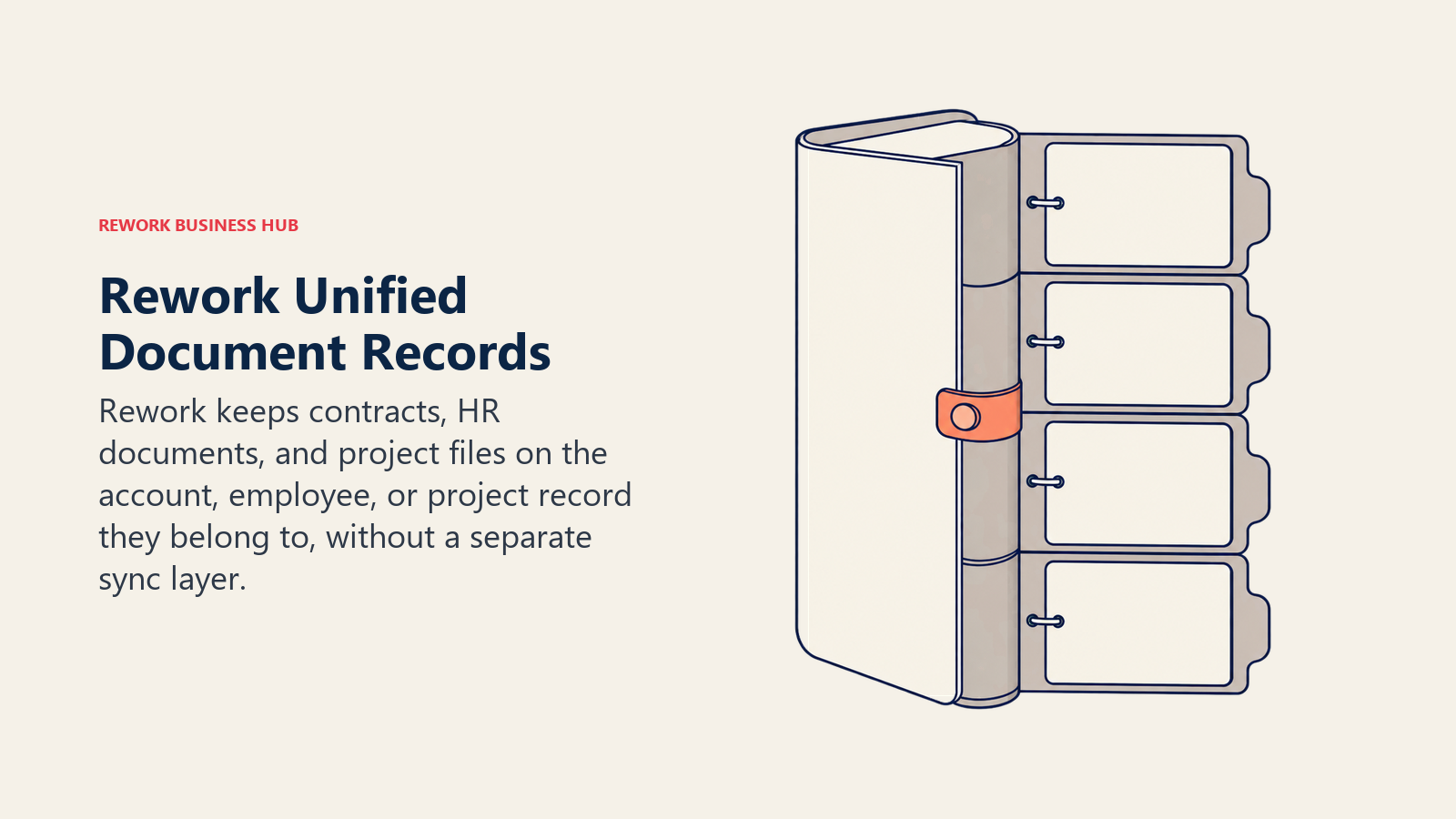
Compare that to a typical stack: SharePoint for files, a separate CRM for the deal, a separate HR system for the employee record, and someone manually keeping all three in sync. Rework's argument is that consolidation, not depth, is the win for a mid-size team.
| What you get | What you don't |
|---|---|
| Documents on the same record as the deal, project, or employee | Public-sector-grade retention scheduling of Laserfiche |
| One platform across CRM, Work Ops, People, and E-Office | A dedicated legal-grade document AI redlining engine |
| No separate integration syncing documents to other systems | High-volume regulated capture depth of OpenText or Hyland |
| Packaged annual pricing, not per-GB or per-workflow fees | A free or solo tier |
Pricing: Rework does not publish a price for the E-Office module. Rework sells packaged plans, not per-user document licenses, and E-Office is quoted per organization. See rework.com/pricing for the published product lines, or ask the team for an E-Office quote. Best for: Mid-size teams (roughly 20-200 people) wanting documents, the CRM pipeline, contracts, and the People record in one platform instead of four logins. Teams weighing contracts specifically should also read Best Contract Management Software, where Rework's Contract module gets the same honest treatment. Not ideal for: Teams needing a specialist ECM for high-volume regulated records capture, solo buyers, or anyone needing iManage or NetDocuments-class legal document management.
7. Egnyte: Content Security and Governance Built In
Egnyte's angle is that content security shouldn't be a bolt-on: ransomware detection, suspicious-login monitoring, and content lifecycle management ship as part of the product rather than a separate security add-on, which matters for hybrid teams whose files move constantly between office servers and cloud drives. Its AI Q&A features (Assistant, Search, Workflow) get progressively deeper at higher tiers.
Egnyte publishes its pricing directly: the page states "$22/User/Month Paid annually" for the Business tier, one of the clearer commitments in this category. Higher tiers add ransomware detection depth, advanced AI, and, at Ultimate, content classification and DLP integration.
| What you get | What you don't |
|---|---|
| Published pricing, no sales call required | The lowest published rate on this list |
| Ransomware and suspicious-login detection built in | Deep public-sector records-retention scheduling |
| AI Q&A and search that gets deeper at higher tiers | Unlimited storage; Business tier caps at 100GB |
| Hybrid on-prem-plus-cloud file server support | The simplicity of a pure cloud-only tool |
Pricing: Business $22/user/month paid annually (100GB storage); Enterprise Lite $39/user/month; Elite $48/user/month (150GB, unlimited users on both); Ultimate is a custom quote. Best for: Hybrid teams juggling on-prem file servers and cloud storage who want ransomware and access-anomaly detection built into the document layer itself. See Best Egnyte Alternatives if the 100GB storage allocation is what stops you. Not ideal for: Teams needing more than 100-150GB of storage without stepping up a tier, or formal public-sector retention scheduling.
8. OpenText Content Cloud: Enterprise ECM at Multi-System Scale
OpenText Content Cloud (built on the Extended ECM and Documentum lineage) is the platform large, multi-entity enterprises reach for when a single content system needs to span SAP, Salesforce, and a dozen other line-of-business applications at once, with governance and retention policy enforced centrally across all of them.
OpenText doesn't publish self-serve pricing; its own materials describe "Express (X1)" and "Premium (X2)" plan tiers without dollar figures, routing every prospect to a personalized quote. Reported estimates put total first-year cost for a mid-sized enterprise (500-2,000 employees) between $150,000 and $600,000 including licenses, implementation, and first-year maintenance, with complex, multi-suite deployments exceeding $1 million annually.
| What you get | What you don't |
|---|---|
| Deep, centrally governed ECM spanning multiple systems | Published, transparent pricing |
| Named X1/X2 plan tiers to frame a scoping conversation | A fast rollout without a systems-integrator engagement |
| Strong fit for the largest, most complex enterprises | A budget-friendly entry point |
| Decades of ECM and compliance track record | Simplicity; the platform is broad and complex by design |
Pricing: Quote-only across Express (X1) and Premium (X2) tiers. Reported first-year cost for a mid-sized enterprise runs $150,000 to $600,000-plus, scaling past $1 million for complex, multi-suite deployments (reported). Best for: Large, multi-entity enterprises needing one governed content layer across SAP, Salesforce, and other core systems. Not ideal for: Mid-size teams without a dedicated ECM administrator and systems-integrator budget.
9. Hyland (OnBase / Alfresco): Industry-Specific Workflow Depth
Hyland's OnBase and Alfresco platforms are built for organizations whose document workflows are genuinely industry-specific: healthcare records tied to patient encounters, government case files, or financial services documents with regulatory holds attached. That specificity is the draw for large institutions; it's also why Hyland won't quote a price without understanding the workflow first.
Pricing isn't published; Hyland's own materials confirm it varies by user count, deployment model, and required features. Reported figures span widely by scale, smaller deployments cite roughly $50,000-$60,000 per year, while 1,000-plus-user enterprise rollouts report $100,000 to $500,000-plus annually, with subscription licensing sometimes quoted around $50-$100 per user per month.
| What you get | What you don't |
|---|---|
| Deep, industry-specific workflow configurability | Published, transparent pricing |
| Proven fit in healthcare, government, and financial services | A fast, low-touch implementation |
| Both cloud and on-premise deployment models | A budget-friendly entry point for smaller teams |
| Long enterprise track record and institutional trust | Simplicity for a small or mid-size team |
Pricing: Quote-only. Reported estimates range from roughly $50,000-$60,000/year for smaller deployments to $100,000-$500,000-plus/year at 1,000-plus users; subscription licensing is sometimes reported around $50-$100/user/month (reported). Best for: Large healthcare, government, or financial-services institutions needing document workflows built around their specific regulatory environment. Not ideal for: Smaller teams without the budget or timeline for an implementation-heavy enterprise rollout.
10. iManage: Purpose-Built for Legal Document and Email Management
iManage is the name most law firms and corporate legal departments already run, built specifically around how legal work actually happens: documents and email managed together, organized by matter, with version control and conflict-checking baked into the core workflow rather than added later.
iManage's own site does not link a pricing page anywhere and routes every visitor to "Book a Demo." Third-party reports put per-user costs at roughly $50 to $75 per month, typically with a 10-user minimum, plus implementation fees commonly cited at $10,000-$15,000 for smaller deployments (10-25 users) and $25,000-plus for larger ones (reported).
| What you get | What you don't |
|---|---|
| Documents and email managed together by matter | Published, self-serve pricing |
| Purpose-built for legal workflows, not a generic DMS | A budget-friendly entry point for a small practice |
| Strong conflict-checking and matter-centric organization | Fast setup without an implementation engagement |
| Deep trust and adoption across Am Law 200 firms | A fit for teams outside legal and professional services |
Pricing: Quote-only. Reported estimates run $50-$75/user/month, typically with a 10-user minimum, plus $10,000-$25,000-plus in implementation fees depending on scale (reported). Best for: Law firms and corporate legal departments needing matter-centric document and email management with conflict-checking built in. Not ideal for: Teams outside legal and professional services, or anyone wanting a transparent price before a sales call.
11. NetDocuments: Cloud-Native Legal and Compliance Document Management
NetDocuments competes directly with iManage for the same legal and compliance-heavy buyer, with one structural difference: it was built cloud-native from the start rather than migrated from an on-premise product, which shows up in search speed and a simpler upgrade path.
NetDocuments doesn't publish pricing; its homepage routes to "Schedule a Demo" with no pricing link anywhere in the primary navigation. Reported figures put the base rate around $20-$65 per user per month, with an all-in cost (including add-on modules) commonly cited at $80-$120-plus per user per month, and storage overage charges reported around $5,000 per terabyte beyond contracted limits.
| What you get | What you don't |
|---|---|
| Cloud-native architecture built for legal and compliance | Published, transparent pricing |
| Strong full-text search across large document volumes | A flat, predictable per-user rate without add-ons |
| Purpose-built for matter and compliance-driven organization | A budget entry point for teams outside legal/compliance |
| Direct competitive fit against iManage for the same buyer | Storage included without overage risk at scale |
Pricing: Quote-only. Reported estimates put the base rate at $50-$65/user/month, scaling to $80-$120-plus/user/month all-in with modules; storage overage is reported around $5,000/TB beyond contracted limits (reported). Best for: Legal and compliance teams wanting a cloud-native alternative to iManage with strong search at scale. Not ideal for: Teams outside legal/compliance, or anyone wanting pricing without a sales conversation.
12. Dropbox Business: Familiar Sync, No Longer "Unlimited"
Dropbox remains the most familiar file-sync tool on this list, the one most employees have already used personally before their employer ever bought a business plan. That familiarity is real value: near-zero training time, and sync that just works across desktop, mobile, and web.
Worth correcting here: Dropbox's older reputation for "as much space as you need" on its top business tier no longer matches what the vendor publishes. Its own pricing page now states specific, calculated team pools instead, Standard starts at 3,000GB for the team, and Advanced starts at 15,000GB, both scaling with seats rather than staying open-ended.
| What you get | What you don't |
|---|---|
| The most familiar file-sync UX on this list | "Unlimited" storage; pools are now specific, calculated amounts |
| Fast, reliable sync across desktop, mobile, and web | Deep metadata, retention, or compliance tooling |
| Simple sharing links for external collaborators | Native document co-authoring depth of Google Workspace |
| Low training overhead given near-universal familiarity | The lowest cost per user in this comparison |
Pricing: Standard $15/user/month (1-person minimum; team storage starts at 3,000GB); Advanced $24/user/month (3-person minimum; team storage starts at 15,000GB); Enterprise is a custom quote. Best for: Teams whose document need is really "reliable file sync with simple sharing," not formal records management. See Best Dropbox Alternatives if the storage math above changes the calculus. Not ideal for: Teams assuming unlimited storage without checking the current team-pool figures first.
13. Google Workspace (Google Drive): Native Docs Co-Authoring, Thin Entry Storage
For teams already living in Gmail, Docs, Sheets, and Slides, Google Drive is the path of least resistance: shared drives inherit the same permissions model as the rest of Workspace, and co-authoring in Docs remains some of the smoothest real-time editing available in any office suite.
The entry tier is worth double-checking before you budget: Business Starter includes only 30GB of pooled storage per person, thin next to almost everything else on this list. Storage jumps meaningfully at Standard (2TB per user) and Plus (5TB per user), so the real decision is usually which of those two tiers, not Starter, fits a document-heavy team.
| What you get | What you don't |
|---|---|
| Native Docs, Sheets, and Slides co-authoring | Generous storage at the entry tier (Starter is 30GB pooled) |
| Shared drives inheriting Workspace-wide permissions | Formal records-retention scheduling |
| Smooth real-time collaborative editing | Deep metadata-driven document classification |
| Broad familiarity for most knowledge workers | A DMS-grade audit trail out of the box |
Pricing: Business Starter $7/user/month (30GB pooled storage per person); Standard $14/user/month (2TB per user); Plus $22/user/month (5TB per user); Enterprise is a custom quote (5TB or more). Best for: Teams already standardized on Gmail and Docs wanting shared drives without adding a separate DMS. See Best Google Workspace Alternatives if Starter's storage ceiling is the blocker. Not ideal for: Document-heavy teams needing more than 30GB pooled storage without stepping up past the entry tier.
14. Zoho WorkDrive: The Lowest Published Entry Price Here
Zoho WorkDrive's pitch is straightforward: real, published per-user pricing at a fraction of what most of this list charges, with team storage pools that scale as you add users rather than a flat per-user cap. For teams already running other Zoho apps (CRM, Books, Projects), it's also the path of least integration friction.
Pricing is published in full on Zoho's own site: Starter at $2.50/user/month (annual, 3-user minimum, 1TB team storage for 3-10 users, then 100GB per additional user up to 20TB), Team at $4.50/user/month (3TB team storage), and Business at $9/user/month (5TB team storage).
| What you get | What you don't |
|---|---|
| Published pricing at the lowest entry point on this list | Deep records-retention or compliance scheduling |
| Team storage that scales per added user, not a hard cap | The workflow-automation depth of DocuWare |
| Tight integration with other Zoho apps | Metadata-driven retrieval like M-Files |
| A 15-day free trial, no credit card required | Enterprise-grade audit tooling out of the box |
Pricing: Starter $2.50/user/month annual (3-user minimum, 1TB team storage); Team $4.50/user/month (3TB); Business $9/user/month (5TB); Enterprise is a custom quote for 200-plus users. Best for: Budget-conscious teams, especially ones already in the Zoho ecosystem, wanting real published pricing instead of a quote request. Not ideal for: Teams needing formal compliance or records-retention tooling beyond basic version history.
15. Revver: Published Pricing, Unlimited Storage on Every Tier
Revver (formerly eFileCabinet) stands out here for the same reason Egnyte and Zoho WorkDrive do: it publishes real prices instead of routing every visitor to a demo request. Its differentiator is what's included at every tier, unlimited storage and unlimited use of its Revver AI Smart Suite, rather than gating either behind the top plan.
Revver's own pricing page lists three named tiers with exact monthly rates, a list price and a lower volume-discounted rate at scale: Basic starts at $25/user/month (as low as $4/user at volume), Essentials at $67/user/month (as low as $39), and Full at $87/user/month (as low as $56). A Guest tier for external, view-only access is included as part of a package rather than sold separately.
| What you get | What you don't |
|---|---|
| Published pricing you can budget against today | The lowest sticker price on this list at list rate |
| Unlimited storage and AI features on every tier | The public-sector retention depth of Laserfiche |
| No hidden implementation or maintenance fees at base pricing | Deep multi-system ECM integration of OpenText |
| Volume discounts that bring per-user cost down meaningfully at scale | A free tier |
Pricing: Basic $25/user/month (as low as $4/user at volume); Essentials $67/user/month (as low as $39); Full $87/user/month (as low as $56). Unlimited storage and Revver AI Smart Suite included on every tier. Best for: SMBs wanting a real DMS with published, budgetable pricing and no per-GB storage anxiety. Not ideal for: Large, multi-system enterprises needing OpenText or Hyland-grade ECM integration depth.
How to Choose: Decision Framework
Run whichever pick survives this framework against your actual retention policy before you sign, not just the feature list.
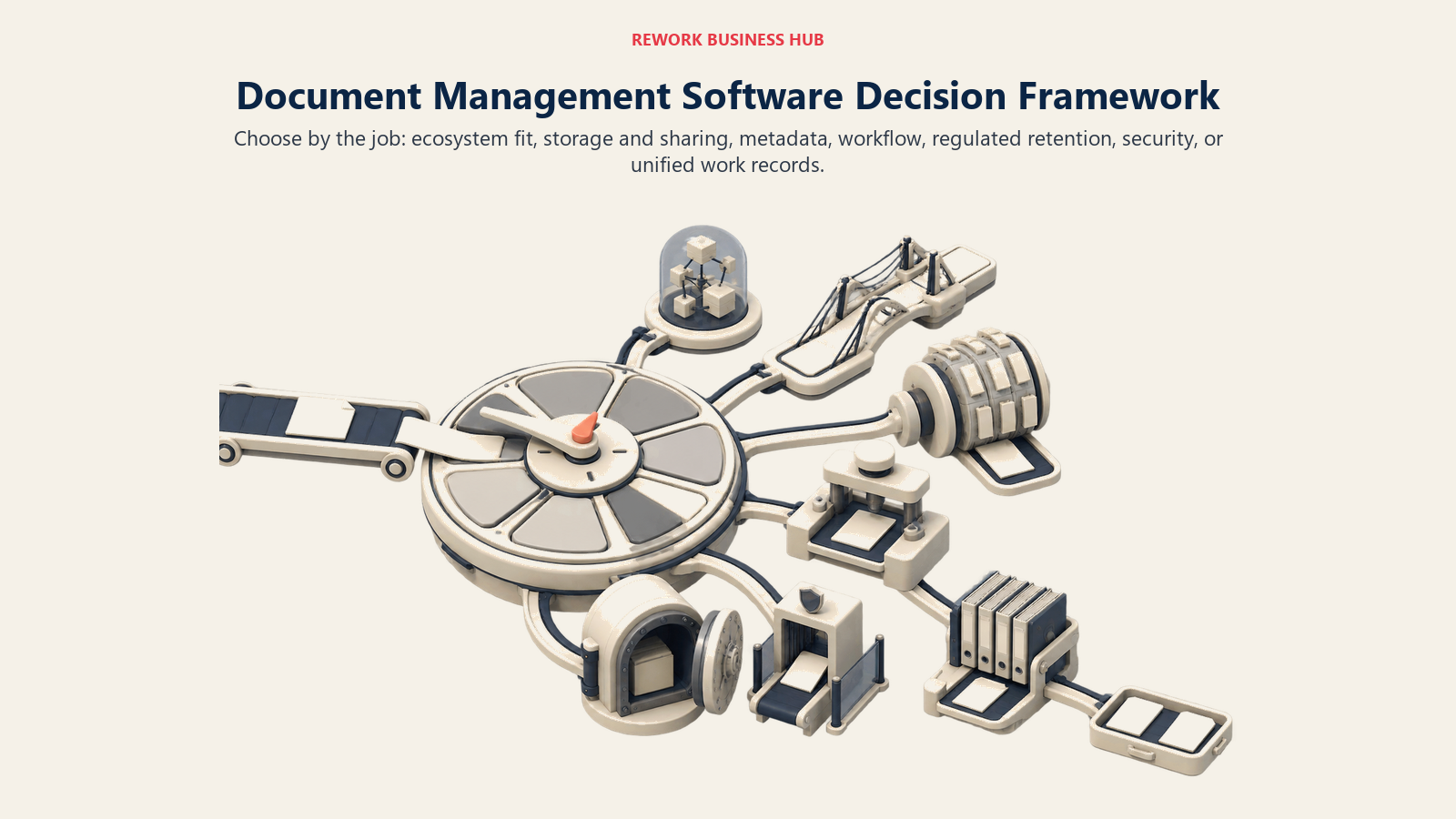
| If your team needs... | Best pick |
|---|---|
| The deepest Microsoft 365 and Teams integration | SharePoint |
| Confirmed unlimited storage with strong external sharing | Box |
| Metadata-driven retrieval instead of folder hierarchies | M-Files |
| Forms and approval-workflow automation around documents | DocuWare |
| Formal records retention for public sector or regulated work | Laserfiche |
| Documents on the same record as the CRM deal, project, or employee | Rework |
| Content security and ransomware detection built in | Egnyte |
| Enterprise ECM spanning SAP, Salesforce, and other core systems | OpenText Content Cloud |
| Industry-specific workflows for healthcare, government, or finance | Hyland (OnBase/Alfresco) |
| Matter-centric legal document and email management | iManage |
| A cloud-native alternative to iManage with strong search | NetDocuments |
| Familiar file sync without a dedicated DMS | Dropbox Business |
| Native Docs/Sheets/Slides co-authoring on shared drives | Google Workspace |
| The lowest published entry price, especially inside the Zoho ecosystem | Zoho WorkDrive |
| Published pricing and unlimited storage on a self-serve DMS | Revver |
What to Do Next
Match your actual problem, findability, external sharing, workflow automation, or formal records retention, to the framework above, then load a real folder of your own documents into your top two picks rather than a vendor's sample data. Test search, permissions, and version history on documents your team actually argues about, not a clean demo set. If your real problem is that documents, the CRM deal, and the People record they belong to live in three or four different systems, not a gap in ECM-grade retention depth, start with Rework's E-Office module and compare it against a focused DMS like Egnyte or Revver before committing to a platform built for a use case you don't actually have.

Principal Product Marketing Strategist
On this page
- Key Facts
- Quick Comparison Table
- Document Management Software vs. E-Signature and Workflow Automation Tools
- 1. Microsoft SharePoint: The Microsoft 365 Default, No Longer Sold Standalone
- 2. Box: Confirmed Unlimited Storage, Built for External Sharing
- 3. M-Files: Metadata-Driven, No Folders by Design
- 4. DocuWare: Forms and Workflow Automation Around Every Document
- 5. Laserfiche: Records Retention Depth for Public Sector and Regulated Teams
- 6. Rework: Documents on the Same Record as the Work They Belong To
- 7. Egnyte: Content Security and Governance Built In
- 8. OpenText Content Cloud: Enterprise ECM at Multi-System Scale
- 9. Hyland (OnBase / Alfresco): Industry-Specific Workflow Depth
- 10. iManage: Purpose-Built for Legal Document and Email Management
- 11. NetDocuments: Cloud-Native Legal and Compliance Document Management
- 12. Dropbox Business: Familiar Sync, No Longer "Unlimited"
- 13. Google Workspace (Google Drive): Native Docs Co-Authoring, Thin Entry Storage
- 14. Zoho WorkDrive: The Lowest Published Entry Price Here
- 15. Revver: Published Pricing, Unlimited Storage on Every Tier
- How to Choose: Decision Framework
- What to Do Next