Best M-Files Alternatives in 2026: 13 Document Management Platforms Compared
Turn this article into takeaways for your work.


Each assistant summarizes the article only for you and suggests best practices for your work.
M-Files works best for teams that already think in metadata instead of folders and have someone on staff to own the vault; if that's not your situation, DocuWare, Box, SharePoint, and Egnyte cover the same core job with less setup, and Rework's E-Office module fits mid-size teams that want documents living on the same record as the deal or project that created them. This guide compares 13 alternatives on pricing, setup effort, and day-to-day fit, with any unpublished number labeled (reported). For the full category view before narrowing to M-Files specifically, see Best Document Management Software in 2026; if DocuWare is your top contender, the direct DocuWare vs M-Files comparison is worth a look too.
M-Files earns its category-leader reputation honestly. Its metadata-driven architecture removes folder duplication, its Microsoft 365 and Teams integration is genuinely deep, permissions follow metadata instead of a folder tree so access control stays consistent as content moves, and its compliance and quality-management depth (useful for teams running formal programs like ISO 9001) shows up in regulated industries like manufacturing and life sciences. But those same strengths are why teams start shopping elsewhere. M-Files quotes Enterprise pricing per organization instead of publishing a number, the metadata-first model asks people who have spent a career thinking in folders to relearn how they find things, vault administration (views, metadata structures, workflow states) needs someone who owns it or the system drifts, pieces buyers assume are included, like Aino AI agents or Hubshare external collaboration, are add-ons in some tiers, and a real rollout commonly needs an implementation partner on top of the license.
Key Facts
- The global document management software market is projected to grow from $11.48 billion in 2026 to $18.66 billion by 2030, a 12.9% CAGR. (Research and Markets)
- Employees spend an average of 1.8 hours a day, or 9.3 hours a week, searching for and gathering information. (McKinsey Global Institute)
- 91% of organizations are using or planning to use AI tools in information management. (AIIM, 2025 State of Intelligent Information Management Technology)
- Gartner predicts that by 2030, AI in document management platforms will cause unplanned budget overruns in 80% of enterprise deployments. (Gartner, via M-Files)
- A Forrester Total Economic Impact study commissioned by M-Files found a composite customer achieved 301% ROI over three years, with document search and discovery 65% faster. (M-Files)
Quick Comparison Table
| Tool | Best For | Starting Price | Key Strength | Key Limitation |
|---|---|---|---|---|
| DocuWare | Paperless invoice/HR workflow automation | Quote-only (vendor FAQ cites roughly £20-£57/user/mo sliding scale) | Strong workflow and forms automation out of the box | No flat published price list |
| Laserfiche | Records-heavy public sector and education | $73/user/mo (Professional, annual, 5-user minimum) | Deep records retention and public-sector compliance | Seat minimums of 5, 25, and 500 by tier |
| Microsoft SharePoint | Teams already on Microsoft 365 | From $7.00/user/mo (Business Basic, annual, via M365) | Deepest Microsoft 365 and Teams integration | Standalone SharePoint-only plans retiring in 2026 |
| Box | Simple, unlimited-storage collaboration | From $5/user/mo annual (Business Starter, 100GB); $15/user/mo for Business (unlimited) | Unlimited storage from the Business tier up | No metadata-driven search or records module |
| Egnyte | Hybrid on-prem plus cloud for distributed teams | From $22/user/mo (Business, annual) | Strong content security and compliance controls | Storage capped at 150GB even on top tiers |
| Rework | Docs on the same record as the deal or project | Quote on request (rework.com/pricing) | Documents + CRM + projects + People on one platform | Not a metadata-vault or high-volume regulated ECM |
| Hyland (OnBase/Alfresco) | Large regulated enterprises | Quote-only (reported $100K-$500K+/yr for large deployments) | Deep case management for regulated workflows | Enterprise cost and implementation timeline |
| OpenText Content Cloud | Global enterprises with legacy ECM needs | Quote-only (reported $150K-$600K+ first-year, mid-size enterprise) | Broadest enterprise ECM suite on this list | Complex, expensive, multi-year rollouts |
| iManage | Legal matter-centric document management | Custom quote (reported ~$50-$75/user/mo, ~10-user min) | Purpose-built for legal workflows | No published pricing anywhere |
| NetDocuments | Cloud-native legal/professional services DMS | Quote-only (reported $20-$65/user/mo base) | Cloud-native, strong email and version management | Costs climb fast once add-ons are included |
| Revver | Published pricing, unlimited storage and AI | From $25/user/mo (Basic; volume discounts to ~$4/user) | Transparent pricing on every tier | Less enterprise case-management depth |
| Google Workspace (Drive) | Google-first teams, simple file collaboration | From $7.00/user/mo (Business Starter, monthly) | Simple, familiar, generous pooled storage | Minimal records-management or compliance depth |
| Zoho WorkDrive | Budget-conscious shared team storage | From ~$2.50/user/mo (Starter, reported, min 3 users) | Lowest cost per seat on this list | Thin compliance and records-management tooling |
1. DocuWare: Workflow Automation Built Around Forms and Approvals
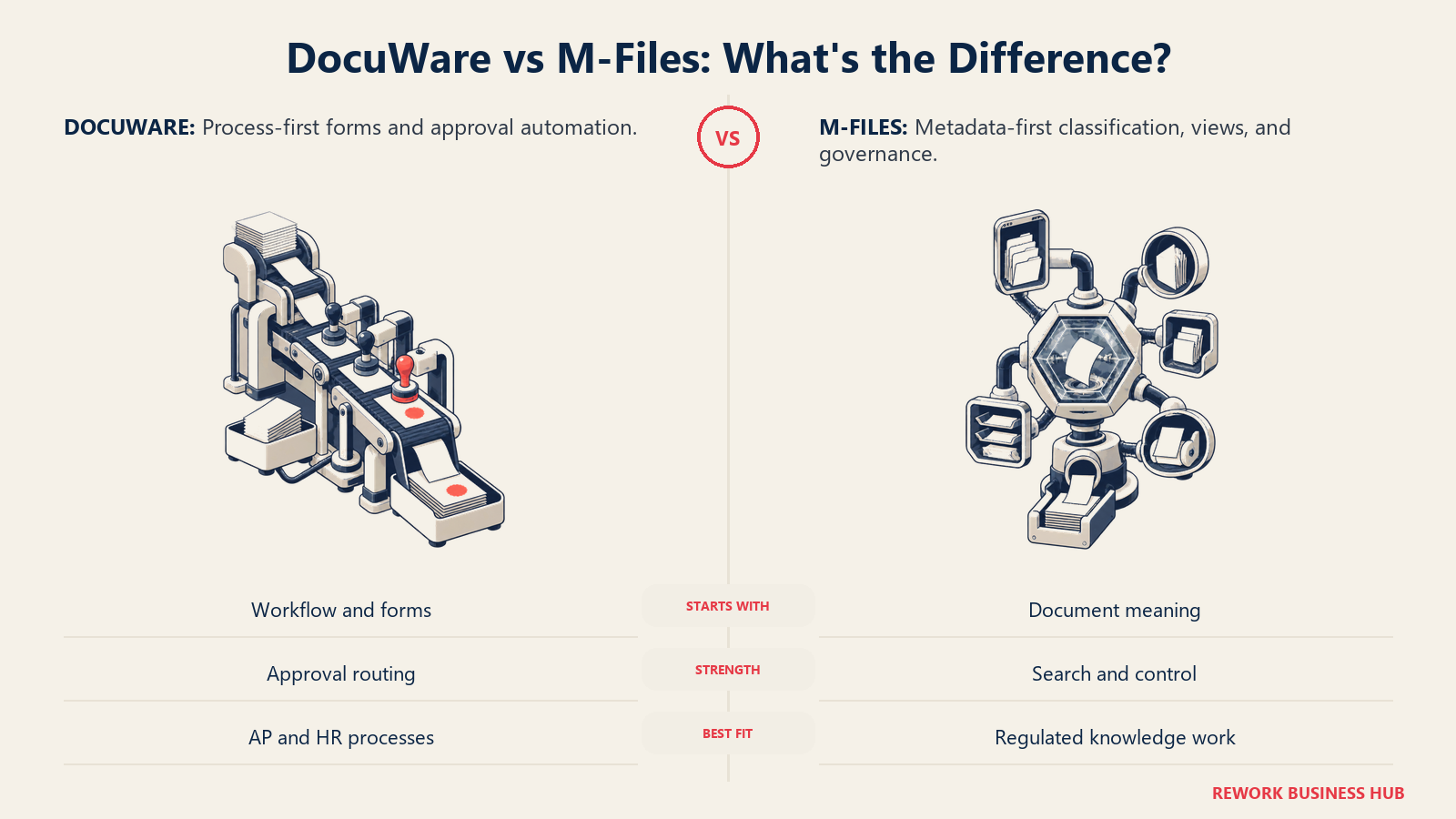
DocuWare's pitch is process automation first, storage second: intelligent indexing, forms, and approval workflows that route invoices, contracts, and HR paperwork through the right people automatically, with an on-premises option alongside its cloud product for teams that need to keep data in-house. It has particular strength in accounts payable and HR document workflows, where the invoice-capture and approval-routing modules are purpose-built rather than bolted on. If your document problem is really workflow automation or contract management specifically rather than general document storage, it's worth comparing DocuWare against tools built for just that job.
DocuWare does not publish a flat price list. Its own FAQ page states cloud named-user licenses run on a sliding scale from roughly £57 down to £20 per user per month depending on volume, plus Workflow User packs of 5 at £46 per month (about £9.20 per license) for people who only complete tasks and forms rather than needing a full seat. (DocuWare) If DocuWare is on your shortlist rather than your way out, the DocuWare alternatives roundup covers the same ground from the other side.
| What you get | What you don't |
|---|---|
| Purpose-built AP and HR workflow automation | A published, flat price list |
| Both cloud and on-premises deployment options | M-Files-level metadata search sophistication |
| Sliding-scale volume pricing that improves at scale | Self-serve signup without a sales conversation |
| Lighter-weight Workflow User licenses for approvers | Deep records-retention tooling for public sector |
Pricing: Quote-only. DocuWare's own FAQ cites cloud named-user pricing from roughly £20 to £57 per user per month on a sliding scale, plus £46/month Workflow User packs of 5 for approval-only users. Best for: Teams whose core problem is routing invoices, contracts, and forms through approval chains, not just storing documents. Not ideal for: Teams wanting exact pricing without a sales call.
2. Laserfiche: Records Management Depth for the Public Sector
Laserfiche has built its reputation in government, education, and other public-sector records-heavy environments, where retention schedules, public-records requests, and audit trails matter as much as day-to-day document storage. Its records management module, forms, and business process automation are genuinely deep, and Laserfiche 12 still offers a self-hosted option for agencies that can't move to the cloud. Teams building out formal retention rules often pair a tool like this with clear process documentation so the schedule actually gets followed.
Laserfiche publishes per-tier cloud pricing on its own site: Professional at $73 per user per month billed annually ($875 per user per year) starting at 5 users, Business at $93 per user per month billed annually ($1,115 per user per year) starting at 25 users, and Business+ at $42 per user per month billed annually ($500 per user per year) starting at 500 users. Cloud Starter and self-hosted Laserfiche 12 carry no published price. The list price excludes professional services and implementation, and much of the sales motion still runs through value-added resellers, so the quote you sign can differ from the sticker. (Laserfiche)
| What you get | What you don't |
|---|---|
| Deep public-sector records management and retention | An entry point below 5 seats on the cheapest published tier |
| Both cloud and self-hosted (Laserfiche 12) options | A published price for the self-hosted edition |
| Strong forms and business process automation | The lightest onboarding on this list |
| Long track record in government and education | Implementation and professional services inside the list price |
Pricing: Published. Professional $73/user/month billed annually (5-user minimum), Business $93/user/month billed annually (25-user minimum), Business+ $42/user/month billed annually (500-user minimum). Cloud Starter and self-hosted Laserfiche 12 are quoted separately. (Laserfiche) Best for: Public-sector and regulated organizations needing formal records retention and public-records-request tooling. Not ideal for: Teams wanting a single, consistent price without shopping resellers.
3. Microsoft SharePoint: The Default for Microsoft 365 Shops
For an organization already paying for Microsoft 365, SharePoint is the path of least resistance: it's included in the suite, integrates natively with Teams, Outlook, and OneDrive, and most employees already have some familiarity with it. As of 2026, Microsoft is retiring standalone SharePoint Online plans (sales stop May 31, 2026, with the service ending in 2029), pushing every new buyer toward a Microsoft 365 bundle rather than a SharePoint-only SKU. (The Register)
Through Microsoft 365, SharePoint is included in Business Basic at $7.00/user/month, Business Standard at $23.50/user/month, and Business Premium at $32.00/user/month, all billed annually with 1TB of OneDrive storage per user. (Microsoft) SharePoint's own site-storage pool is separate from that per-user OneDrive quota: it starts at 1TB for the tenant plus 10GB for every licensed user, so a 100-person org gets roughly 2TB of pooled SharePoint site storage on top of each person's own 1TB OneDrive allocation. See Best SharePoint Alternatives if SharePoint specifically, not just M-Files, is the tool you're replacing, or SharePoint vs M-Files for the direct head-to-head.
| What you get | What you don't |
|---|---|
| Included in Microsoft 365, no separate vendor | A standalone SharePoint-only plan (being retired) |
| Deep Teams, Outlook, and OneDrive integration | Metadata-first architecture like M-Files |
| Familiar interface for most Microsoft 365 users | Purpose-built records-retention tooling |
| Generous, predictable pooled storage math | Advanced workflow automation without Power Automate add-ons |
Pricing: From $7.00/user/month (Business Basic, annual) through $32.00/user/month (Business Premium, annual), bundled into Microsoft 365; standalone SharePoint-only plans stopped selling to new customers on May 31, 2026. Best for: Organizations already standardized on Microsoft 365 wanting document management without adding a vendor. Not ideal for: Teams needing metadata-driven search or dedicated records-retention workflows out of the box.
4. Box: Simple, Unlimited-Storage Content Collaboration
Box's pitch has stayed consistent for years: secure, simple content storage and sharing that plugs into whatever else a company already runs, from Microsoft 365 and Google Workspace to Salesforce and Slack, without asking teams to relearn how they organize files. It's a strong fit for teams whose real problem is too many files without enough structure, rather than formal records governance.
Box publishes four business/enterprise tiers. Business Starter starts at $5/user/month (annual, minimum 3 users, capped at 10 users, 100GB storage). (Box) Business and Business Plus both include unlimited storage, reported at roughly $15 and $25 per user per month respectively on annual billing (reported, Vendr), with Enterprise and Enterprise Plus priced on request.
| What you get | What you don't |
|---|---|
| Unlimited storage from the Business tier up | Metadata-driven search or a formal records module |
| Broad integration ecosystem (Microsoft, Google, Salesforce) | Workflow automation as deep as DocuWare or Hyland |
| Simple, familiar folder-based interface | An on-premises deployment option |
| A published entry price you can act on today | Compliance-grade retention scheduling |
Pricing: Business Starter from $5/user/month (annual, min 3 users, 100GB, vendor-published); Business and Business Plus reported around $15 and $25/user/month (annual, unlimited storage); Enterprise custom. Best for: Teams wanting simple, unlimited-storage file sharing that plugs into their existing software stack. See Best Box Alternatives if Box itself is the tool you're replacing. Not ideal for: Teams needing formal records retention or metadata-driven classification.
5. Egnyte: Hybrid Cloud and On-Premises for Distributed Teams
Egnyte built its name on hybrid sync: local caching at branch offices paired with a cloud source of truth, which made it an early favorite for distributed teams (construction, life sciences, manufacturing) with large files and spotty connectivity. It's kept a security and compliance focus, data classification, ransomware detection, governance policies, that goes deeper than a generic file-sync tool.
Egnyte publishes its pricing directly: Business starts at $22/user/month (annual, 100GB storage, up to 100 users), Enterprise Lite at $39/user/month (150GB, unlimited users), and Elite, its most popular tier, at $48/user/month (150GB, unlimited users), with custom Ultimate pricing above that. (Egnyte)
| What you get | What you don't |
|---|---|
| Published, transparent per-tier pricing | Unlimited storage at any tier (capped at 150GB) |
| Strong content security and compliance tooling | M-Files-level metadata search |
| Hybrid on-prem caching plus cloud source of truth | The lowest cost per seat on this list |
| Good fit for distributed teams with large files | A free or trial-only entry point on paid tiers |
Pricing: Business from $22/user/month (annual); Enterprise Lite from $39/user/month; Elite from $48/user/month; Ultimate custom quote. Best for: Distributed teams needing hybrid on-premises and cloud file access with strong content security controls. Not ideal for: Teams that need storage to scale past 150GB per user without an add-on conversation.
6. Rework: Documents on the Same Record as the Deal or Project
Rework's E-Office module handles official document and records operations inside the same platform as its CRM, Lead Ops, Project, Contract, Task, and People apps, so a contract, an HR file, or a client document sits on the same account or project record it belongs to, instead of syncing between a DMS and a separate CRM or project tool through an integration. The pitch isn't metadata-vault sophistication; it's that a mid-size team's documents, deals, projects, and people shouldn't live in four different logins.
Rework does not publish a price for E-Office. Rework sells packaged plans, not per-user document-management licenses, and E-Office is quoted per organization. See rework.com/pricing for the published product lines, or ask the team for an E-Office quote.
| What you get | What you don't |
|---|---|
| Documents on the same record as the CRM, project, or contract | M-Files-level metadata-driven vault architecture |
| One platform across CRM, Lead Ops, Work Ops, Contract, and People | High-volume regulated records capture at ECM scale |
| No separate integration to sync documents and the record they belong to | A dedicated compliance/quality-management console like M-Files' |
| Packaged annual pricing, not per-seat DMS fees | A free or solo tier |
Pricing: Rework does not publish a price for E-Office. Rework sells packaged plans, not per-user licenses, and E-Office is quoted per organization. See rework.com/pricing. Best for: Mid-size teams (roughly 20-200 people) wanting documents, records, and the deal, project, or process they belong to on one platform instead of a DMS synced to a separate CRM or project tool. Not ideal for: A specialist ECM for high-volume regulated records capture, a metadata-vault replacement for a quality or compliance team built around M-Files, solo buyers, or a substitute for an iManage/NetDocuments-class legal DMS or an on-premises archive.
7. Hyland (OnBase / Alfresco): Enterprise Case Management for Regulated Industries
Hyland's two platforms, OnBase and Alfresco, cover enterprise content and case management for large, regulated organizations: healthcare systems tracking patient records, governments processing permits and case files, and financial institutions managing loan documentation. The depth is real, configurable case management, integration with core systems (Epic, ERP, core banking), and a long track record at large-enterprise scale.
Hyland does not publish pricing. Third-party trackers report OnBase per-user estimates from roughly $56 to $100 a month depending on licensing model and deployment, while Alfresco's core content-services tier is reported far lower at roughly $2 to $15 per user per month, with large enterprise deployments (1,000-plus users) commonly running $100,000 to $500,000-plus annually once modules, integrations, and implementation are included (reported, ITQlick).
| What you get | What you don't |
|---|---|
| Deep case management for regulated, high-volume workflows | Published, transparent pricing |
| Integration with core systems (Epic, ERP, core banking) | A fast, self-serve evaluation |
| Proven track record at large-enterprise scale | A budget-friendly entry point for smaller teams |
| Both OnBase and Alfresco to fit different deployment needs | Simplicity; the platform is broad and configuration-heavy |
Pricing: Quote-only. Reported estimates range from roughly $10 to $56 per user per month, with large enterprise deployments commonly reaching $100,000 to $500,000-plus a year (reported). Best for: Large, regulated enterprises (healthcare, government, financial services) needing deep case management integrated with core systems. Not ideal for: Mid-market teams without the budget or IT headcount for an enterprise-scale implementation.
8. OpenText Content Cloud: The Broadest Enterprise ECM Suite
OpenText Content Cloud (built on the Documentum and Content Suite lineage) is the broadest enterprise content management platform on this list, covering everything from records management and eDiscovery to extended ECM integrations with SAP and Salesforce. It's the kind of platform large, complex organizations buy when they need one vendor to cover records, compliance, and content across dozens of business units.
OpenText does not publish pricing; quotes depend on modules, integrations, and scale. Third-party trackers report list pricing from roughly $25 to $40 per user per month for basic content management, climbing to $60 to $100-plus for enterprise editions and advanced modules, with total first-year costs for a mid-sized enterprise (500 to 2,000 employees) commonly landing between $150,000 and $600,000 once licenses, implementation, and first-year maintenance are included (reported, ITQlick).
| What you get | What you don't |
|---|---|
| The broadest enterprise ECM feature set on this list | Published, transparent pricing |
| Deep records management and eDiscovery capability | A fast, low-touch implementation |
| Extended ECM integrations with SAP and Salesforce | A budget-friendly entry point |
| Proven fit for the largest, most complex organizations | Simplicity for a small or mid-size team |
Pricing: Quote-only. Reported estimates run roughly $25 to $100-plus per user per month depending on edition, with total first-year enterprise costs commonly $150,000 to $600,000-plus (reported). Best for: Large enterprises needing one platform to cover records management, eDiscovery, and extended ECM across many business units. Not ideal for: Mid-market teams wanting a faster, lighter implementation.
9. iManage: Matter-Centric Document Management for Legal Teams
iManage is built specifically around how law firms and legal departments work: documents and emails organized by matter rather than by folder, with version control, conflict checking, and security models designed for the way legal teams actually collaborate on a case or deal. It's the closest thing to a category standard inside large law firms and corporate legal departments.
iManage does not publish pricing anywhere on its site, not a pricing page, a per-user rate, or a starting figure, just a request-a-demo path. Third-party trackers report per-user costs of roughly $50 to $75 a month with a minimum of around 10 users, plus one-time implementation fees of $10,000 to $25,000-plus depending on firm size (reported, LexWorkplace).
| What you get | What you don't |
|---|---|
| Matter-centric organization built for legal workflows | Published pricing anywhere on the site |
| Conflict-checking and version control legal teams expect | A fit for non-legal, general-purpose document work |
| Deep integration with legal practice management tools | A budget option for a small legal team |
| Category-standard status inside large law firms | Fast, self-serve onboarding |
Pricing: Quote-only, no published pricing page. Reported estimates run roughly $50 to $75 per user per month with a minimum of about 10 users, plus $10,000 to $25,000-plus in implementation fees (reported). Best for: Law firms and corporate legal departments needing matter-centric document and email management. Not ideal for: General-purpose business document management outside legal workflows.
10. NetDocuments: Cloud-Native DMS for Legal and Professional Services
NetDocuments was cloud-native from the start, which matters in legal and professional services, where firms increasingly want a DMS without on-premises servers to maintain. Its email management (via ndMail), search, and version history are built specifically for how lawyers and consultants actually work across matters, clients, and engagements.
NetDocuments does not publish a fixed price list. Third-party trackers report per-user base pricing of roughly $20 to $65 a month, with all-in costs (once search, AI, and other add-on modules are included) reaching $80 to $120-plus a month, and a typical minimum of three to five users (reported, ITQlick).
| What you get | What you don't |
|---|---|
| Cloud-native architecture, no on-premises servers to run | Published, self-serve pricing |
| Strong email and version management for legal/professional services | A low-cost entry point once add-ons are included |
| Purpose-built for matter- and engagement-based work | General-purpose fit outside legal/professional services |
| Established base in mid-size and large law firms | Predictable, flat monthly billing |
Pricing: Quote-only. Reported base pricing runs roughly $20 to $65 per user per month, with all-in costs (search, AI, add-ons) reaching $80 to $120-plus per month (reported). Best for: Legal and professional services firms wanting a cloud-native DMS built around matters and engagements. Not ideal for: Teams wanting predictable, published pricing before a sales conversation.
11. Revver: Published Pricing With Unlimited Storage and AI Included
Revver, formerly eFileCabinet, stands out on this list for publishing its prices instead of routing every visitor to a demo request. Its Basic, Essentials, and Full tiers all include unlimited storage and unlimited use of its Revver AI Smart Suite, with volume discounts that bring the per-user cost down sharply at scale, and teams can mix license tiers across the org instead of buying uniform access for everyone.
Revver's Basic tier starts at $25 per user per month, with volume pricing dropping as low as roughly $4 per user for larger license counts. (Revver) Implementation and onboarding are sold separately through four packages, which the company says run lower than comparable enterprise DMS onboarding costs.
| What you get | What you don't |
|---|---|
| Published pricing you can budget against today | Hyland/OpenText-level enterprise case management |
| Unlimited storage and AI features on every tier | The lowest published starting price on this list |
| Mixed license tiers across a team, not a uniform seat | On-premises deployment |
| Volume pricing that scales down meaningfully | Legal matter-centric depth of iManage/NetDocuments |
Pricing: Basic from $25/user/month, with volume discounts to roughly $4/user at scale; Essentials and Full tiers priced above Basic. Best for: Small and mid-size teams wanting transparent per-user pricing with unlimited storage and AI included. Not ideal for: Large enterprises needing deep case management or legal matter-centric workflows.
12. Google Workspace (Google Drive): Simple, Familiar File Collaboration
For a team already living in Gmail, Docs, and Sheets, Google Drive is the path of least resistance for document storage and collaboration: real-time co-editing, a familiar interface, and generous pooled storage that scales with headcount. It's not a document management system in the M-Files or Hyland sense, no metadata-driven classification or formal records retention, but for teams whose real need is simple file sharing, it's hard to beat on cost and familiarity.
Google Workspace publishes its pricing directly: Business Starter at $7.00/user/month (30GB pooled storage per user), Business Standard at $14.00/user/month (2TB per user), and Business Plus at $22.00/user/month (5TB per user), all on monthly billing, with discounted annual-commitment introductory rates for the first 20 users. Enterprise is custom-quoted. (Google Workspace) All storage is pooled and shared flexibly across the organization rather than hard-capped per person.
| What you get | What you don't |
|---|---|
| Published, simple per-user pricing | Metadata-driven classification or records retention |
| Generous, flexible pooled storage across the org | Workflow automation depth of DocuWare or Hyland |
| Real-time co-editing familiar to most knowledge workers | Compliance-grade audit tooling out of the box |
| Fast, self-serve setup | A fit for regulated, records-heavy industries |
Pricing: Business Starter from $7.00/user/month (30GB pooled); Business Standard from $14.00/user/month (2TB/user); Business Plus from $22.00/user/month (5TB/user); Enterprise custom. Best for: Google-first teams wanting simple, familiar file storage and real-time collaboration. See Best Google Workspace Alternatives if the whole suite, not just Drive, is in question. Not ideal for: Teams needing formal records management or metadata-driven document classification.
13. Zoho WorkDrive: The Lowest Cost Per Seat on This List
Zoho WorkDrive is team-based cloud storage built to slot into the wider Zoho ecosystem (CRM, Zoho Office Suite, Zoho People), priced well below most of this list. Team storage pools are shared across the group rather than allocated per person up to a point, which suits smaller teams that don't want to manage individual storage quotas.
Zoho publishes its pricing tier structure directly: Starter (1TB team storage for 3 to 10 users, plus 100GB per additional user, minimum 3 users), Team (3TB team storage, plus 300GB per additional user), and Business (5TB team storage, plus 500GB per additional user). (Zoho WorkDrive) Exact per-user rates render dynamically on Zoho's site; third-party trackers report roughly $2.50/user/month for Starter, $4.50/user/month for Team, and $9.00/user/month for Business (reported).
| What you get | What you don't |
|---|---|
| The lowest cost per seat on this list | Deep compliance or records-management tooling |
| Team-pooled storage that scales with headcount | Metadata-driven search sophistication |
| Native fit with the wider Zoho ecosystem | Workflow automation depth of DocuWare or Egnyte |
| Low minimum (3 users) to get started | Enterprise-grade case management |
Pricing: Starter from roughly $2.50/user/month, Team from roughly $4.50/user/month, Business from roughly $9.00/user/month (reported), all minimum 3 users. Best for: Budget-conscious teams wanting shared team storage without enterprise DMS pricing. Not ideal for: Teams needing formal records management, compliance tooling, or metadata-driven classification.
Why Teams Leave M-Files
M-Files' strengths are real, and worth restating plainly. Its "what it is, not where it is" metadata model still differentiates it from every folder-based competitor on this list: instead of filing a contract under a client folder and hoping colleagues use the same structure, M-Files tags it by client, matter, document type, and status, then surfaces it through saved views instead of a folder tree. That architecture removes duplicate copies scattered across departments, and M-Files Aino now handles everyday classification and summarization inside both the Essentials and Enterprise tiers, with Aino agents in Enterprise automating metadata extraction at scale. A Forrester Total Economic Impact study commissioned by M-Files (May 2026) found a composite customer achieved 301% ROI over three years, 65% faster document search and discovery, and 75% improvement in workflow efficiency. (M-Files) That's why M-Files remains a strong default for regulated industries wanting compliance and quality-management depth without stitching together separate tools.
The reasons teams leave anyway:
Cost and packaging. Essentials cloud pricing is published at €65 per seat per month, but Enterprise, the tier most mid-market and larger buyers actually need for advanced security, extended audit logging, and Aino agents, is quote-only, priced against scale, governance requirements, and AI usage rather than a flat per-seat number. (M-Files) Self-hosted Core and Advanced packages don't include Aino AI or Microsoft-native cloud capabilities at all; those remain exclusive to the cloud deployment. (M-Files Community)
The learning curve of a metadata-first model. Employees already lose an average of 1.8 hours a day, 9.3 hours a week, searching for and gathering information even with familiar folder structures. (McKinsey Global Institute) Asking a team that has spent years thinking in folders to instead think in metadata and saved views is a real adoption cost, even when it pays off, and it pays off slower for teams without someone actively driving the change.
Vault administration overhead. Metadata structures, views, and workflow states need a trained administrator to design and maintain, following a documented standard operating procedure, or the system drifts back toward folder-like chaos with inconsistent tagging. That's a standing headcount cost most SMB and lean mid-market teams don't budget for at the start.
Add-on licensing for pieces buyers assume are included. Aino agents, Hubshare external collaboration, advanced version control, and no-code document automation are Enterprise-tier or add-on features, not part of the Essentials baseline, a distinction easy to miss when comparing M-Files to a flat per-seat competitor. (M-Files)
Implementation partners on top of license cost. Gartner predicts that AI in document management platforms will cause unplanned budget overruns in 80% of enterprise deployments by 2030, a warning that applies to M-Files' Enterprise rollouts as much as any competitor's. (Gartner, via M-Files) A real Enterprise deployment commonly involves a certified implementation partner, adding professional-services cost on top of the license.
How to Choose: Decision Framework
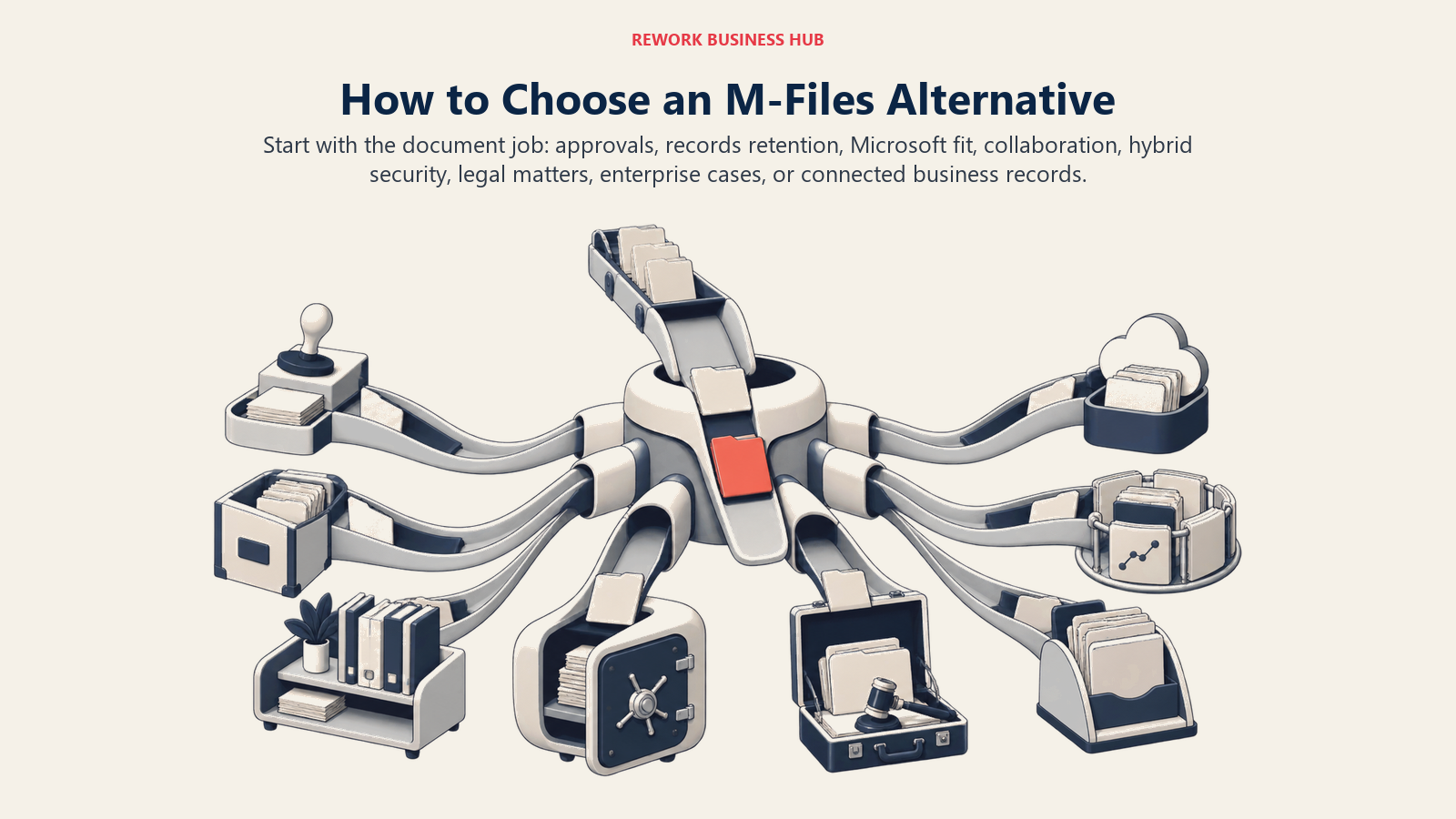
Start with the document job itself: approvals, retention, collaboration, hybrid security, legal work, case management, or connected business records.
| If your team needs... | Best pick |
|---|---|
| Documents on the same record as the CRM pipeline or project, not a separate DMS | Rework |
| Workflow automation for invoices, contracts, and approvals first | DocuWare |
| Formal records retention for government or education | Laserfiche |
| Document management already inside Microsoft 365 | SharePoint |
| Simple, unlimited-storage file sharing across many integrations | Box |
| Hybrid on-premises and cloud sync for distributed teams | Egnyte |
| Enterprise case management for healthcare, government, or finance | Hyland |
| The broadest enterprise ECM suite across many business units | OpenText Content Cloud |
| Matter-centric document management for a law firm | iManage |
| A cloud-native DMS for legal or professional services | NetDocuments |
| Published pricing with unlimited storage and AI included | Revver |
| Simple, familiar file storage for a Google-first team | Google Workspace |
| The lowest cost per seat on this list | Zoho WorkDrive |
What to Do Next
Match your team's core job, workflow automation, records retention, Microsoft 365 fit, legal matter management, or documents unified with your CRM and projects, to the framework above, then run your top two picks against a real batch of your own documents, not a vendor demo dataset. Load an actual contract folder, invoice batch, or client records set into each tool and see how long it takes your team to find something a week later. If cost transparency and setup speed are why you're leaving M-Files, and you also want documents tied to the same record as the deal or project, start with Rework's E-Office module and compare it against a published-pricing option like Revver or Egnyte.

Principal Product Marketing Strategist
On this page
- Key Facts
- Quick Comparison Table
- 1. DocuWare: Workflow Automation Built Around Forms and Approvals
- 2. Laserfiche: Records Management Depth for the Public Sector
- 3. Microsoft SharePoint: The Default for Microsoft 365 Shops
- 4. Box: Simple, Unlimited-Storage Content Collaboration
- 5. Egnyte: Hybrid Cloud and On-Premises for Distributed Teams
- 6. Rework: Documents on the Same Record as the Deal or Project
- 7. Hyland (OnBase / Alfresco): Enterprise Case Management for Regulated Industries
- 8. OpenText Content Cloud: The Broadest Enterprise ECM Suite
- 9. iManage: Matter-Centric Document Management for Legal Teams
- 10. NetDocuments: Cloud-Native DMS for Legal and Professional Services
- 11. Revver: Published Pricing With Unlimited Storage and AI Included
- 12. Google Workspace (Google Drive): Simple, Familiar File Collaboration
- 13. Zoho WorkDrive: The Lowest Cost Per Seat on This List
- Why Teams Leave M-Files
- How to Choose: Decision Framework
- What to Do Next