Best Google Workspace Alternatives in 2026: 9 Productivity Suites for Business Teams
Turn this article into takeaways for your work.


Each assistant summarizes the article only for you and suggests best practices for your work.
The best Google Workspace alternatives in 2026 are Microsoft 365 for the closest full-suite replacement, Zoho Workplace for a budget-friendly privacy-first suite, Nextcloud or OnlyOffice for self-hosted data ownership, and ProtonMail or Fastmail for privacy-focused email. Match the pick to your actual trigger: privacy, cost, storage, or compliance.
Google Workspace is genuinely useful. Gmail is fast, Google Docs collaboration is excellent, and the integrations run deep. But something shifted over the past few years that's pushing business teams to look elsewhere. It's not one thing; it's four or five stacking up at once.
Teams doing a full productivity stack review alongside this often look at note-taking and knowledge management too. The best Evernote alternatives guide covers tools like Notion and Obsidian that complement or partially replace Google Drive for documentation.
Google's data practices are the most cited reason. Workspace scans your data to train models, improve ad targeting, and refine Google's products. For businesses handling client contracts, financial records, or anything sensitive, that's not a theoretical risk. It's a policy reality. Pricing has also climbed: the Business Starter plan is up again in 2026, and the jump to Business Standard for pooled storage is steep for teams that just need a bit more space. Add vendor lock-in (your data, your docs, your email, your calendar, all in Google's format), and you start to notice that leaving is harder than joining. And if your team needs CRM, ops workflows, or anything beyond email-docs-calendar, Workspace doesn't go there at all.
This guide covers 9 honest alternatives: what each covers, what each doesn't, and which teams each one actually fits.
Quick Comparison Table
| Tool | Best For | Starting Price | Key Strength | Key Limitation |
|---|---|---|---|---|
| Microsoft 365 | Full office suite with enterprise IT | $7.00/user/mo (Business Basic, paid yearly) | Deepest document ecosystem; strong enterprise IT controls | Heavy; expensive at full deployment |
| Zoho Workplace | All-in-one suite, privacy-first, budget-friendly | $3/user/mo (Mail Lite) | Full office suite + CRM available; strong privacy stance | Less polished than Google or Microsoft; some apps feel fragmented |
| Nextcloud + Collabora | Self-hosted teams who want full data ownership | Self-hosted (infra cost) | Complete data sovereignty; open source | Requires IT to deploy and maintain |
| Synology Office | SMBs already on Synology NAS | One-time NAS hardware cost | Full ownership, zero monthly fees after hardware | Hardware-dependent; limited mobile experience |
| OnlyOffice | Self-hosted or cloud docs with strong .docx compatibility | Free (self-hosted); $5/user/mo (cloud) | Best .docx/.xlsx/.pptx compatibility in self-hosted space | No email; no calendar without pairing |
| LibreOffice + Nextcloud | Fully open source stack | Self-hosted (infra cost) | Zero license cost; complete control | No polish; requires significant setup |
| ProtonMail Business | Privacy-first email + calendar + Drive | $6.99/user/mo (Mail Essentials) | End-to-end encryption across email, calendar, and files | No native docs editor; limited collaboration |
| Tutanota Business | Encrypted comms on a budget | $6/user/mo (Teams) | Affordable E2E encryption for email and calendar | Basic feature set; no file storage |
| Fastmail + CardDAV | Email-focused teams who use separate tools for docs | $5/user/mo (Standard) | Reliable, fast, privacy-respecting email and calendar | No docs, no Drive; just email/calendar |
Why Teams Are Leaving Google Workspace
Before getting into the alternatives, it's worth being specific about the trigger points. Not every team has the same reason for switching, and the alternative that fits depends on which problem is actually the blocker.
| Trigger | What's Driving It |
|---|---|
| Data privacy | Google's terms permit scanning Workspace data for product improvement and model training |
| Price increases | Business Starter increased again in 2025; Business Standard requires a bigger per-user jump |
| Storage tightening | Pooled storage caps rolled out; teams on Starter hit limits faster |
| Vendor lock-in | Docs, Sheets, Slides don't export cleanly; calendar and contacts in Google's formats |
| Regulatory pressure | GDPR, HIPAA, and data residency requirements are harder to satisfy on Google's infrastructure |
The trigger usually isn't a single dramatic event. It's the moment one of these costs crosses a threshold: a renewal quote that jumped a tier, a compliance questionnaire that asks where your data is processed, or a pooled storage cap that starts blocking uploads in the middle of a project. The alternative that fits is the one that solves whichever of those is actually blocking you, which is why the table above splits the trigger from the recommended pick rather than naming one universal winner.
The true cost of software sprawl insight is worth reading if you're doing a full audit of your current stack before switching. It covers how to calculate what you're actually spending versus what you're getting.
1. Microsoft 365: The Full Office Suite for Teams Who Need Enterprise Depth
Microsoft 365 is the most direct Google Workspace replacement. It covers the same surface area (email via Outlook, documents via Word/Excel/PowerPoint, storage via OneDrive, video meetings via Teams) and then goes considerably deeper on enterprise IT controls, compliance, and document fidelity.
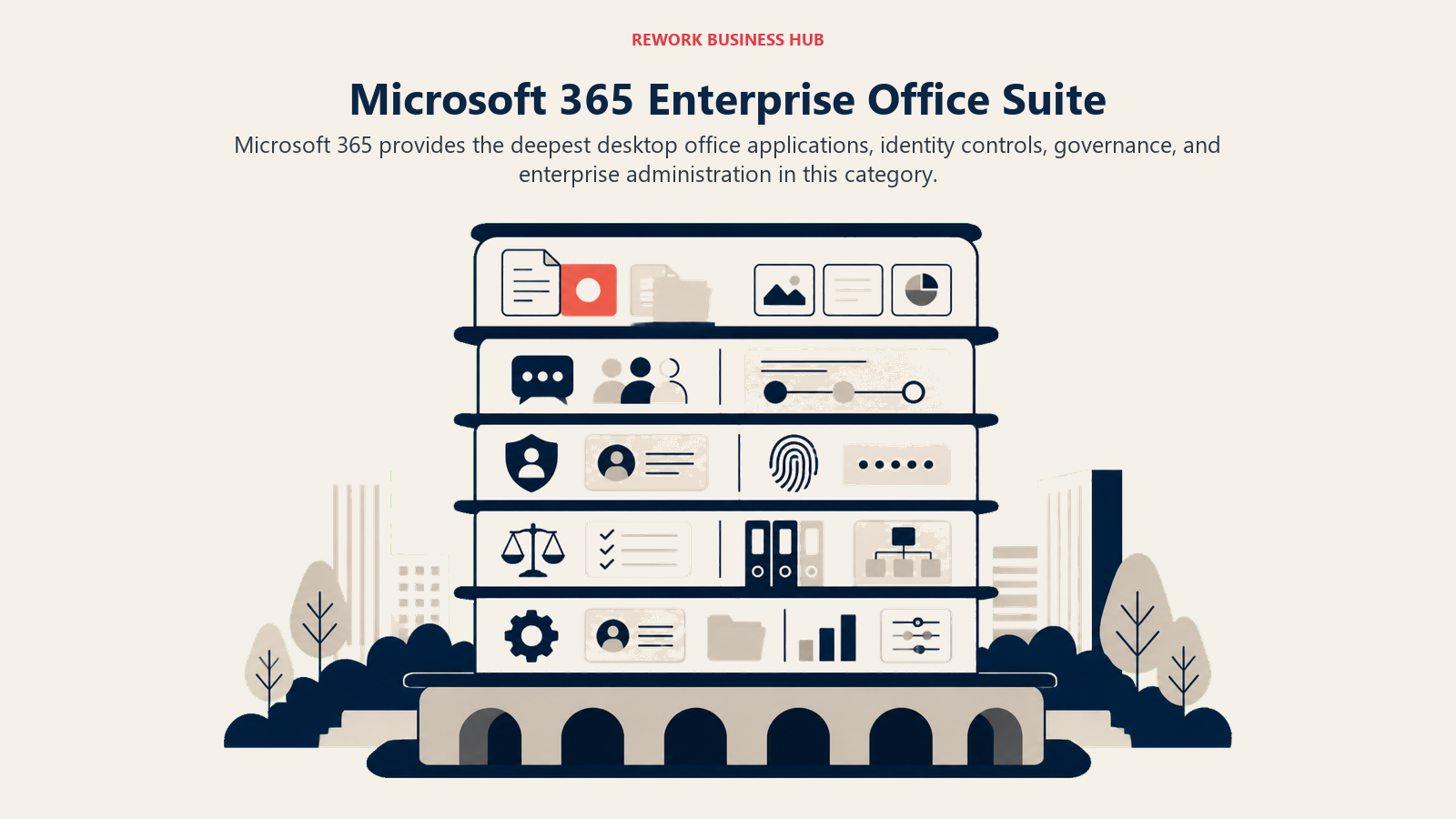
The philosophy here is depth over simplicity. Microsoft built Word and Excel before Google was a company. The document compatibility, the formula depth, and the mail management controls are all more mature. If you're running a regulated industry, a larger organization, or a team with complex IT requirements, Microsoft's governance features (Intune, Purview, Azure AD) are genuinely hard to match.
The trade-off is complexity and cost. Microsoft 365 is not cheap at full deployment. Business Basic is affordable but strips down the desktop apps. Business Standard and Premium get expensive fast, especially at team sizes where every seat adds up. And Teams, while functional, still isn't as lightweight as Slack or as document-integrated as Notion.
Sizing fit: this works from 10-person teams up to global enterprises. But the ROI improves significantly above 50 people where the governance and compliance features start paying off.
| What you get | What you don't |
|---|---|
| Full desktop Office apps (Word, Excel, PowerPoint) | A lightweight or simple UX |
| Outlook with deep mail management controls | Low pricing at full deployment |
| Teams for video, chat, and file sharing | A modern docs collaboration experience |
| Enterprise compliance, governance, and eDiscovery | Easy migration away from the ecosystem |
| SharePoint for internal intranet and document management | Built-in CRM or ops workflow tools |
Pricing: $7.00/user/mo (Business Basic), $23.50/user/mo (Business Standard with Copilot), $32.00/user/mo (Business Premium with Copilot), all paid yearly. See Microsoft 365 pricing for current plans.
Best for: Organizations of 50+ that need full document depth, enterprise IT controls, and compliance infrastructure
2. Zoho Workplace: Full-Suite Alternative with a Privacy-Friendly Posture
Zoho is probably the most underrated option on this list. Zoho Workplace covers email (Zoho Mail), documents (Writer/Sheet/Show), video meetings (Cliq), and file storage. It's the same footprint as Google Workspace, at a fraction of the price and with a meaningfully different privacy posture. Zoho doesn't sell advertising. It doesn't train models on your business data. That's a genuine structural difference, not just a marketing claim.

The Zoho story gets more interesting when you consider the broader ecosystem. If your team needs CRM, you can add Zoho CRM. If you need HR, there's Zoho People. Finance? Zoho Books. The integrations are native, and the pricing tiers are designed to let SMBs and mid-size teams build a full stack without enterprise contracts.
The honest limitation is polish. Zoho's apps work well, but they don't feel as refined as Google's or Microsoft's. Some products in the ecosystem feel loosely connected. Customer support reviews are mixed. And for teams coming from Google Workspace, the migration takes real effort: contacts, calendar, drive, and email all need moving.
Stage fit: Zoho Workplace is ideal for growth-stage companies (10-200 people) that are price-sensitive, value data privacy, and want a path to a broader software stack without switching vendors again.
| What you get | What you don't |
|---|---|
| Full office suite at a budget-friendly price | Google-level UI polish |
| Privacy-first data policy; no ad-based model | Seamless migration from GSuite |
| Native path to Zoho CRM, Finance, and HR | Best-in-class docs collaboration |
| Strong email management with Zoho Mail | Consistent product quality across all apps |
| Generous storage even on lower tiers | A large community of third-party integrations |
Pricing: $3/user/mo (Zoho Mail Lite), $6/user/mo (Workplace Standard), $9/user/mo (Workplace Professional). See Zoho Workplace pricing for current plans.
Best for: SMBs and growth-stage teams that want a full Google Workspace replacement with better privacy and lower cost
3. Nextcloud + Collabora: Full Data Sovereignty for Self-Hosted Teams
Nextcloud is open-source file storage, calendar, contacts, and collaboration infrastructure that you run on your own servers. Paired with Collabora Online (a LibreOffice-based document editor), it becomes a self-hosted Google Workspace replacement with zero data leaving your infrastructure.
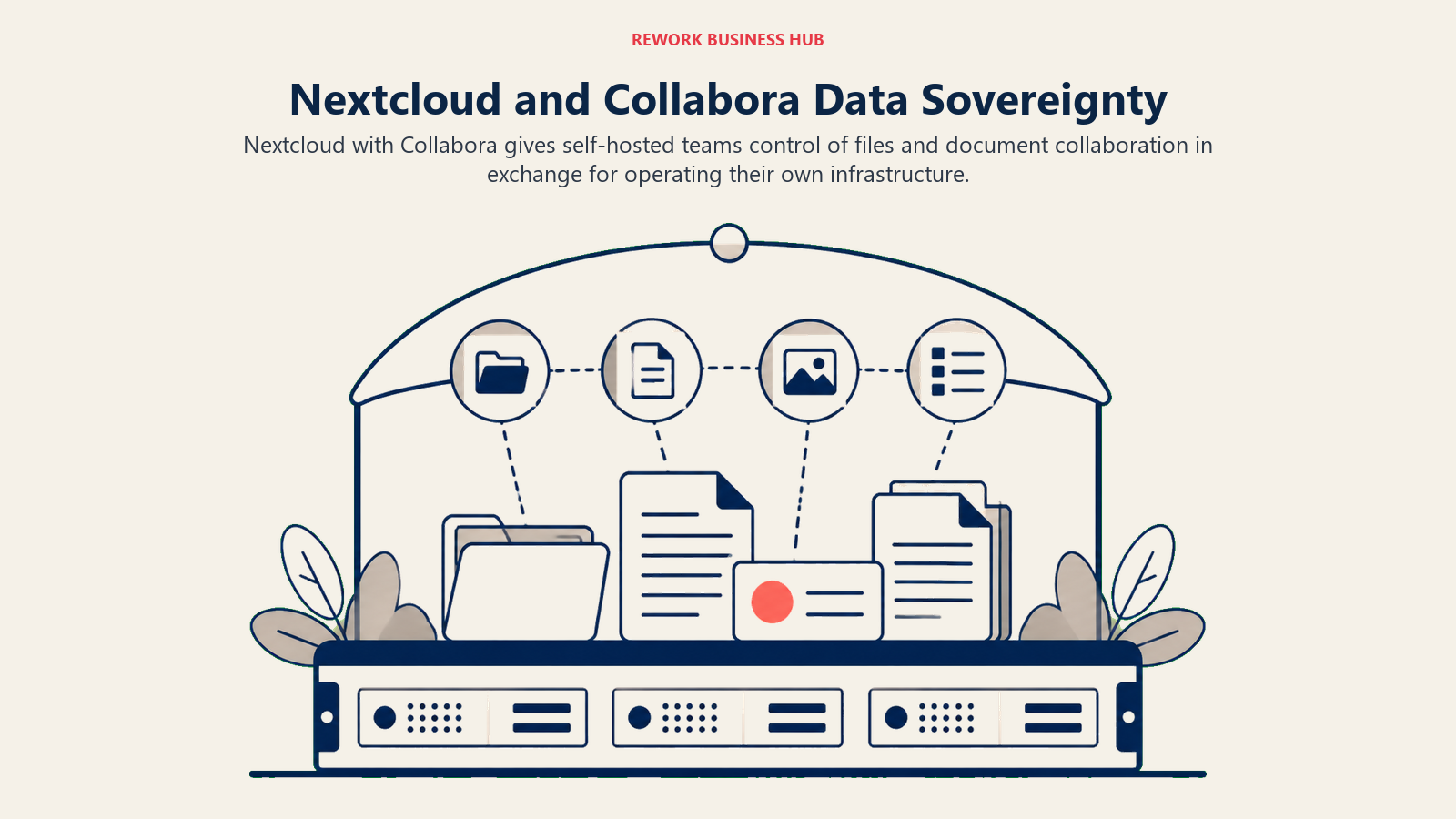
The philosophy is absolute control. Your files, your email (via Nextcloud Talk or pairing with a mail server), and your calendar all run on hardware you own or control. For companies in regulated industries, governments, healthcare organizations, or teams with hard data residency requirements, Nextcloud is often the only real option. No third-party cloud provider can legally access your data because it never touches their infrastructure.
The trade-off is real: you need IT. Deploying Nextcloud properly (backups, updates, SSL, authentication, performance tuning) is not a one-afternoon project. Collabora Online works, but it's not as responsive or feature-complete as Google Docs. And when something breaks, there's no support line to call. You're in the open-source community.
Sizing fit: Nextcloud scales from 5 to 500,000 users depending on infrastructure. But the operational overhead means it's mainly practical for organizations with at least one dedicated IT person or a managed hosting provider.
| What you get | What you don't |
|---|---|
| Complete data sovereignty; nothing leaves your servers | A managed service with support SLAs |
| Open source; auditable codebase | Google Docs-level collaboration responsiveness |
| No per-seat licensing fees beyond infrastructure | Low setup and maintenance burden |
| Nextcloud Talk for chat and video calls | Polished mobile apps on par with Google |
| App ecosystem for Calendar, Contacts, Notes, Tasks | Quick deployment for non-technical teams |
Pricing: Free (self-hosted infra cost); Nextcloud Enterprise from ~$36/user/year for support contracts. See Nextcloud pricing for current options.
Best for: IT-staffed organizations, regulated industries, governments, and teams with hard data residency or compliance requirements
4. Synology Office: On-Premise Suite for Teams Already on Synology NAS
Synology Office is a lesser-known option that's genuinely interesting for a specific buyer: SMBs that already own a Synology NAS device for file storage. Synology bundles Synology Office (docs, sheets, presentations) and Synology Drive (file sync) directly into the operating system. No additional licensing, no per-seat fees, no subscription beyond what you've already paid for the hardware.
The philosophy here is hardware-as-infrastructure. You buy the NAS once, and your office suite is included. For small businesses watching SaaS subscription costs stack up, that math is appealing. And because everything runs on your LAN (with optional remote access), you're not paying cloud bandwidth or storage fees.
The limitations are real. Synology Office is not a Google Docs competitor in terms of feature depth or real-time collaboration smoothness. The mobile experience is functional but basic. And you're tied to whatever hardware you bought. Scaling means buying new hardware, not clicking a pricing tier.
Stage fit: Synology Office fits solo operators, micro-businesses, and small teams (under 20 people) who are comfortable managing their own hardware and want to eliminate monthly SaaS fees entirely.
| What you get | What you don't |
|---|---|
| Zero monthly licensing fees after hardware purchase | Cloud accessibility without VPN setup |
| Full data ownership on your own hardware | Google-level real-time collaboration |
| File sync, docs, calendar, and contacts in one OS | A polished mobile experience |
| One-time cost model | Easy scaling beyond the NAS hardware capacity |
| Strong local network performance | Enterprise support or SLAs |
Pricing: One-time NAS hardware cost ($200-$1,500+ depending on model); Office suite included in DSM operating system. See Synology NAS options for current models.
Best for: Micro-businesses and small teams (1-20 people) already running Synology infrastructure who want zero recurring SaaS fees
5. OnlyOffice: Self-Hosted Docs with Best-in-Class .docx Compatibility
OnlyOffice focuses on one thing better than anyone else in the self-hosted space: document compatibility. Its .docx, .xlsx, and .pptx rendering is the most faithful to Microsoft Office formatting of any open-source or self-hosted option. If your team frequently exchanges documents with external clients or partners who use Word, OnlyOffice will lose formatting far less often than LibreOffice or Collabora.
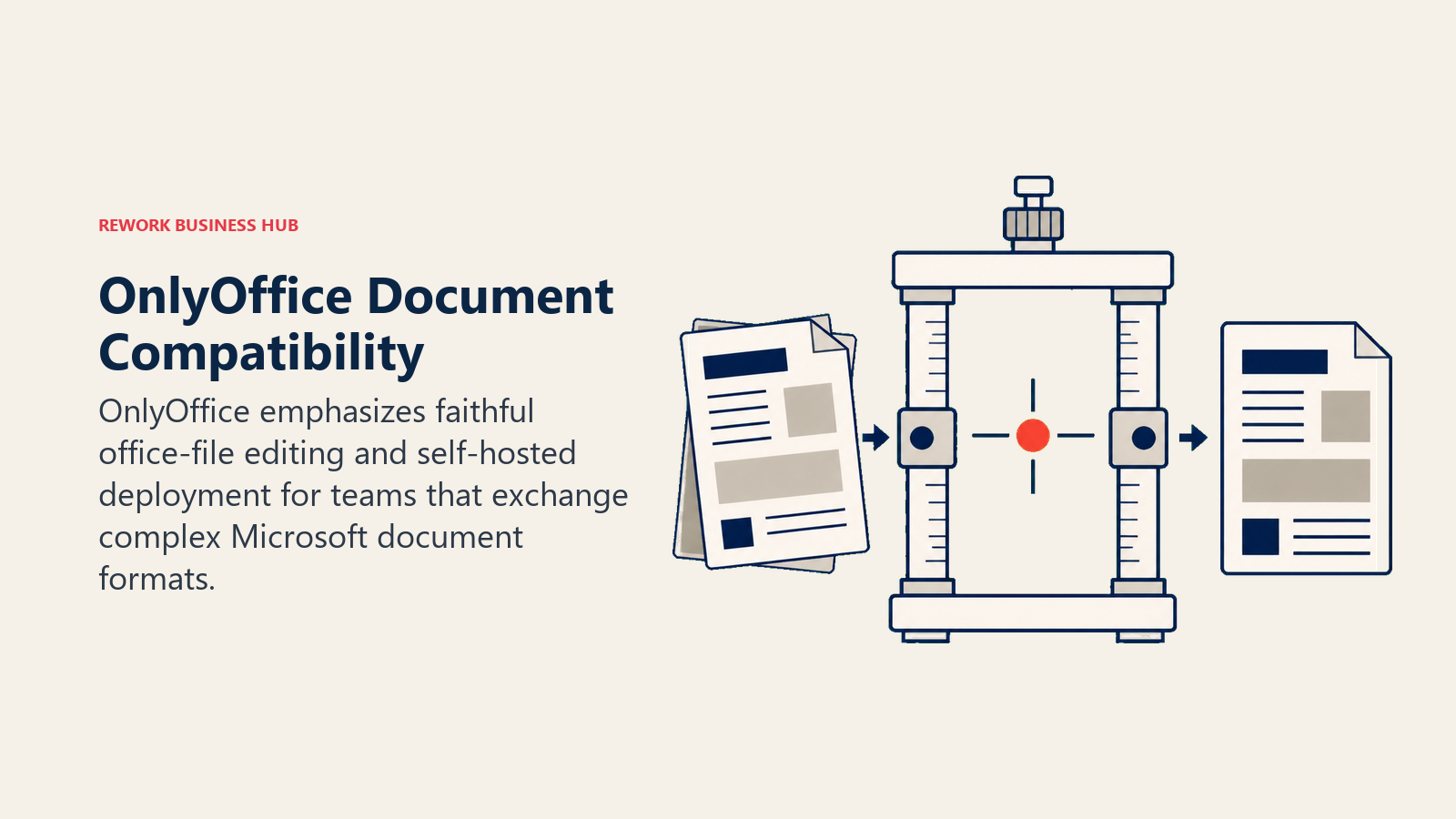
The product is available as a cloud version (ONLYOFFICE DocSpace) or a self-hosted Community Edition. The self-hosted version is free for small teams (under 20 users on the Community Edition). The docs editor, spreadsheet, and presentation tools are polished and fast, closer to Google Docs in responsiveness than LibreOffice.
What OnlyOffice doesn't cover: email, calendar, or contacts. It's a document collaboration tool, not a full Workspace replacement. You'd pair it with Nextcloud for storage and a separate email solution. That modular approach is either a feature or a problem depending on how your IT team thinks about software architecture.
Stage fit: OnlyOffice fits growth-stage teams (10-100 people) that prioritize document fidelity, work regularly with external Word/Excel users, and are comfortable with a modular self-hosted stack.
| What you get | What you don't |
|---|---|
| Best-in-class .docx/.xlsx/.pptx compatibility | Email or calendar functionality |
| Fast, responsive document editor | A full Workspace replacement in one product |
| Self-hosted option with no per-seat fees | A large open-source community (vs. Nextcloud) |
| Cloud version for teams that don't want to self-host | Deep third-party integrations |
| Document co-editing with real-time changes | Mobile apps on par with Google |
Pricing: Free (self-hosted Community Edition, up to 20 users); $5/user/mo (cloud, DocSpace Business); Enterprise pricing available. See OnlyOffice pricing for current plans.
Best for: Teams that need strong Word/Excel compatibility and are building a self-hosted stack; pairs well with Nextcloud for storage
6. LibreOffice + Nextcloud: The Fully Open Source Stack
LibreOffice is the most widely used free office suite in the world, and Nextcloud is the most widely used open-source file sync and collaboration platform. Together, they cover the full surface area of Google Workspace: document editing, spreadsheets, presentations, file storage, calendar, contacts, and (via Nextcloud Talk) video and chat.
The philosophy is pure open source. Zero licensing cost, auditable code, no vendor dependency. For organizations that have ideological commitments to open source (many government agencies, universities, and non-profits), this is the only acceptable stack.
But there's a cost that doesn't show up on a pricing page: the experience gap. LibreOffice's real-time collaboration (via LibreOffice Online, which is essentially Collabora) is slower and less polished than Google Docs. The mobile apps lag behind. The setup is non-trivial. And training users who have only ever used Google's products takes real time.
Stage fit: LibreOffice + Nextcloud is realistic for organizations with IT staff and a genuine mandate to run open-source infrastructure. It's not practical for most commercial SMBs, where the time cost of setup and maintenance exceeds the licensing savings.
| What you get | What you don't |
|---|---|
| Zero licensing cost | A polished end-user experience |
| Complete code transparency and auditability | Smooth real-time collaboration |
| Full document compatibility stack | Quick setup or turnkey deployment |
| Data sovereignty with Nextcloud self-hosting | Mobile apps competitive with Google |
| Large open-source communities for both products | Dedicated vendor support |
Pricing: Free (infra and maintenance costs apply for self-hosting)
Best for: Government agencies, universities, non-profits, and IT-staffed organizations with an open-source mandate
7. ProtonMail Business: Privacy-First Email, Calendar, and Drive
Proton started as a Swiss-based encrypted email service and has grown into a privacy-focused suite covering email (Proton Mail), calendar (Proton Calendar), file storage (Proton Drive), and VPN. All of it is end-to-end encrypted by default. Even Proton itself cannot read your emails or files.

The product vision is privacy as infrastructure. For businesses handling sensitive communications (law firms, healthcare providers, financial advisors, journalists), end-to-end encryption that's actually enforced and not just promised is a meaningful differentiator. Proton's Swiss data privacy protections also provide a genuine legal layer beyond just technical encryption.
What Proton doesn't have is a native document editor. Proton Drive stores files, but you're not collaborating in a Proton Docs environment (though a basic Proton Docs launched in 2024, it's far less capable than Google Docs). Teams that need document creation and co-editing will need to pair Proton with LibreOffice, OnlyOffice, or another tool.
Stage fit: Proton Business fits small to mid-size teams (5-100 people) where privacy and encrypted communications are a primary requirement, not a nice-to-have.
| What you get | What you don't |
|---|---|
| End-to-end encrypted email, calendar, and file storage | A native, capable document editing environment |
| Swiss data privacy protections | Real-time document collaboration |
| Zero-knowledge architecture (Proton can't read your data) | A full Google Workspace feature replacement |
| Proton VPN for secure network access | Large file storage on lower tiers |
| Clean, modern email client | Deep third-party integrations |
Pricing: $6.99/user/mo (Mail Essentials), $12.99/user/mo (Business), custom pricing for Visionary/Enterprise. See Proton for Business pricing for current plans.
Best for: Small to mid-size teams where encrypted communications and data privacy are non-negotiable; law firms, healthcare, financial services
8. Tutanota Business: Encrypted Communications at a Lower Price Point
Tutanota (now rebranded as Tuta) is a German-based encrypted email and calendar service with a simpler feature set than Proton but a more affordable price. Like Proton, emails and calendars are end-to-end encrypted. Unlike Proton, Tutanota doesn't offer a file storage product, so it covers email and calendar only.
The philosophy is minimalist privacy. No tracking, no ads, open-source client code, servers in Germany under strict EU data protection rules. For small teams that need private email and calendar without paying Proton's Business pricing or managing self-hosted infrastructure, Tutanota is a solid fit.
The limitation is scope. If you're replacing Google Workspace, Tutanota only covers two of the four core surfaces (email and calendar, not docs or drive). You'd need a separate solution for file storage and document collaboration. And the feature depth in email management, search, and filtering is less mature than Proton or FastMail.
Stage fit: Tutanota fits small teams (1-30 people) where the primary concern is private email and calendar, and who are willing to run separate tools for documents and storage.
| What you get | What you don't |
|---|---|
| Affordable end-to-end encrypted email and calendar | File storage or document editing |
| Open-source client code; auditable | Email feature depth (search, filters, rules) |
| German servers with strong EU data protection | A full Google Workspace replacement |
| Clean, simple interface | Large storage allocations |
| Low pricing for small teams | Advanced admin controls |
Pricing: $6/user/mo (Teams), $8/user/mo (Business). See Tuta pricing for current plans.
Best for: Small teams (1-30 people) that need private email and calendar at a budget price; willing to run separate tools for docs and storage
9. Fastmail + CardDAV: Email-First Teams Who Use Separate Tools for Everything Else
Fastmail is not a Google Workspace replacement. It's an email and calendar service, and a very good one. Australian-owned, privacy-respecting, fast, reliable, and with excellent IMAP/CardDAV/CalDAV support for teams that integrate with third-party apps, clients, and services.
For teams that have already solved their document and storage problem (maybe they're keeping Microsoft Office for docs, or using Notion, or self-hosting Nextcloud) and just need a trustworthy, non-Google email provider, Fastmail is the cleanest option. It's not building a walled garden. It's a tool that does email and calendar exceptionally well and stays out of the way.
The CardDAV support is specifically useful for teams running their own contact management. Connect Fastmail to a CRM, a self-hosted contacts system, or a CardDAV-compatible address book and it syncs cleanly across devices.
Stage fit: Fastmail fits any team size (1-500+) that has a modular software philosophy, choosing best-of-breed for each function rather than an all-in-one suite.
| What you get | What you don't |
|---|---|
| Fast, reliable, privacy-respecting email | Document editing or file storage |
| Strong IMAP/CardDAV/CalDAV compatibility | A full suite in one product |
| Australian data jurisdiction; no ad business model | Built-in video conferencing or chat |
| Clean admin tools for domain and alias management | CRM or ops workflow features |
| Competitive pricing for what it covers | Real-time collaboration tools |
Pricing: $3/user/mo (Basic), $5/user/mo (Standard), $9/user/mo (Professional). See Fastmail for Business pricing for current plans.
Best for: Teams with a modular stack philosophy that want a reliable, non-Google email provider; pairs well with any separate docs and storage solution
Stage Fit Matrix
| Tool | Startup (1-10) | Growth (10-50) | Mid-Market (50-200) | Enterprise (200+) |
|---|---|---|---|---|
| Microsoft 365 | Overkill | Works | Good fit | Best fit |
| Zoho Workplace | Good fit | Best fit | Good fit | Works |
| Nextcloud + Collabora | Not ideal (needs IT) | Works (with IT) | Good fit | Good fit |
| Synology Office | Best fit | Works | Not ideal | Not ideal |
| OnlyOffice | Works | Good fit | Good fit | Works |
| LibreOffice + Nextcloud | Not ideal | Works (with IT) | Good fit | Good fit |
| ProtonMail Business | Good fit | Good fit | Good fit | Works |
| Tutanota Business | Best fit | Works | Not ideal | Not ideal |
| Fastmail + CardDAV | Best fit | Good fit | Good fit | Good fit |
Sizing and Buyer Persona Table
| Tool | Team Size Sweet Spot | Who Buys It | Who Evaluates It |
|---|---|---|---|
| Microsoft 365 | 50-10,000+ | CIO, IT Director | IT Admin, Compliance Officer |
| Zoho Workplace | 5-200 | Founder, CTO, COO | IT or Ops Manager |
| Nextcloud + Collabora | 20-500 | CIO, IT Director | Sysadmin, DevOps |
| Synology Office | 1-20 | Founder, Office Manager | IT Owner (often same person) |
| OnlyOffice | 5-100 | IT Director, Founder | Sysadmin, Developer |
| LibreOffice + Nextcloud | 20-500 | CIO, IT Director | Sysadmin, Open Source Advocate |
| ProtonMail Business | 5-100 | CEO, Legal/Compliance Lead | IT Manager, CISO |
| Tutanota Business | 1-30 | Founder, Privacy Lead | Solo IT or non-technical owner |
| Fastmail + CardDAV | Any | IT Director, Founder | IT Admin, Office Manager |
Feature Coverage Table
Not all of these tools cover the same ground. Here's what each one actually handles, because "Google Workspace alternative" means different things depending on which part of Workspace you're trying to replace.
| Tool | Calendar | Docs/Sheets | File Storage | Chat/Video | CRM/Ops | |
|---|---|---|---|---|---|---|
| Microsoft 365 | Yes (Outlook) | Yes | Yes (Word/Excel) | Yes (OneDrive) | Yes (Teams) | Partial (Viva Sales) |
| Zoho Workplace | Yes | Yes | Yes | Yes | Yes (Cliq) | Via Zoho CRM |
| Nextcloud + Collabora | No (separate) | Yes | Yes (Collabora) | Yes | Yes (Talk) | No |
| Synology Office | No | Yes | Yes | Yes (Drive) | Basic | No |
| OnlyOffice | No | No | Yes | No (pairs with) | No | No |
| LibreOffice + Nextcloud | No | Yes | Yes | Yes | Yes (Talk) | No |
| ProtonMail Business | Yes | Yes | Basic (Proton Docs) | Yes (Drive) | No | No |
| Tutanota Business | Yes | Yes | No | No | No | No |
| Fastmail + CardDAV | Yes | Yes | No | No | No | No |
Privacy and Data Ownership Table
For teams leaving Google specifically over data privacy, here's how each alternative stacks up on the practices that matter most.
| Tool | Data Jurisdiction | Encryption at Rest | E2E Encryption | No Ad Model | Open Source Option |
|---|---|---|---|---|---|
| Microsoft 365 | US (data residency options) | Yes | Partial (some features) | Yes | No |
| Zoho Workplace | India/EU (data residency options) | Yes | Partial | Yes | No |
| Nextcloud + Collabora | Your infrastructure | Yes | Optional (with add-ons) | Yes | Yes |
| Synology Office | Your hardware | Yes | No | Yes | Partial |
| OnlyOffice | Your infrastructure (self-hosted) | Yes | No | Yes | Yes |
| LibreOffice + Nextcloud | Your infrastructure | Yes | Optional | Yes | Yes |
| ProtonMail Business | Switzerland | Yes | Yes (all products) | Yes | Partial |
| Tutanota Business | Germany | Yes | Yes (email + calendar) | Yes | Yes |
| Fastmail + CardDAV | Australia | Yes | No (TLS only) | Yes | No |
Migration Complexity Table
Switching from Google Workspace isn't just a decision. It's a project. Here's a realistic assessment of what migration looks like for each option.
| Tool | Email Migration | Calendar Migration | Drive/Files Migration | Overall Complexity |
|---|---|---|---|---|
| Microsoft 365 | Moderate (IMAP migration tools) | Moderate (Google Takeout + import) | Moderate (Drive sync app) | Medium |
| Zoho Workplace | Moderate (Zoho Migration Wizard) | Easy (built-in import) | Moderate (bulk upload) | Medium |
| Nextcloud + Collabora | Complex (email separate) | Moderate (CalDAV import) | Moderate (WebDAV sync) | High |
| Synology Office | N/A (no email) | Moderate | Moderate (NAS sync) | Medium-High |
| OnlyOffice | N/A (no email) | N/A (no calendar) | Manual file migration | Low-Medium (docs only) |
| LibreOffice + Nextcloud | Complex (email separate) | Moderate | Moderate | High |
| ProtonMail Business | Easy (import tool) | Easy (ICS import) | Manual (Drive to Proton Drive) | Low-Medium |
| Tutanota Business | Easy (IMAP import) | Basic (ICS import) | N/A | Low |
| Fastmail + CardDAV | Easy (IMAP migration) | Easy (CalDAV sync) | N/A (no drive) | Low |
How to Choose: Decision Framework
| If your primary reason for leaving Google is... | Best pick | Why |
|---|---|---|
| You want a full Microsoft-compatible replacement | Microsoft 365 | Same footprint, deeper docs, stronger enterprise IT |
| You want lower cost + privacy without losing full features | Zoho Workplace | Budget-friendly full suite with no ad model |
| You need complete data sovereignty and have IT staff | Nextcloud + Collabora | Self-hosted; nothing leaves your infrastructure |
| You're a small team with a Synology NAS and want zero fees | Synology Office | Built into your hardware; no monthly cost |
| You exchange Word/Excel files constantly with clients | OnlyOffice | Best .docx/.xlsx compatibility in the self-hosted space |
| You want fully open-source on principle | LibreOffice + Nextcloud | Zero licensing cost; fully auditable code |
| Privacy is critical and you need encrypted everything | ProtonMail Business | E2E encryption across email, calendar, and files |
| You need encrypted email on a tight budget | Tutanota Business | Affordable E2E email and calendar |
| You just want a reliable non-Google email provider | Fastmail + CardDAV | Best-in-class email; modular stack friendly |
What to Do Next
The easiest mistake when leaving Google Workspace is treating it as a single decision. It's not. Google Workspace is a bundle of six or seven functions (email, calendar, docs, storage, video, contacts, maybe Sites) and no single alternative covers all of them with the same polish and integration depth that Google does.
The better approach is to split the decision: pick the function where Google is most failing you, solve that first, and migrate the rest incrementally. If the trigger is privacy, start with email and calendar (ProtonMail or Fastmail). If the trigger is cost, evaluate Zoho Workplace against your current seat count and run a 30-day pilot before committing to a full migration.
Run two or three parallel pilots with real users on real work for at least two weeks. The tools that make it through that test are the ones worth migrating to.
Related: For teams adding CRM and ops alongside their new productivity stack, the guide on CRM data model design helps you think through how contact and pipeline data should be structured before you start migrating records out of Google Sheets. And for the team onboarding that follows any major tool switch, the day-one tool setup guide covers how to get new team members productive quickly.
Frequently Asked Questions
What is the best Google Workspace alternative?
Microsoft 365 is the closest full-suite replacement, matching Workspace on email, documents, storage, and video while going deeper on enterprise IT controls. If your priority is lower cost and better privacy, Zoho Workplace is the strongest pick.
Is there a free alternative to Google Workspace?
Yes. LibreOffice paired with Nextcloud gives you a fully open-source stack with zero licensing cost (you pay only for hosting infrastructure). OnlyOffice Community Edition is free for self-hosted teams up to 20 users. Both require some IT setup, so the real cost is time, not licenses.
What is the best Google Workspace alternative for privacy?
ProtonMail Business offers end-to-end encryption across email, calendar, and Drive under Swiss privacy law. Tutanota is a lower-cost encrypted option for email and calendar. For complete data sovereignty, self-hosted Nextcloud keeps everything on infrastructure you control, so no third-party can access it.
Can I replace Google Workspace with one tool?
Often not cleanly. Workspace bundles six or seven functions, and most alternatives are strongest in one or two areas. Microsoft 365 and Zoho Workplace come closest to one-for-one coverage. A common approach is to split the decision: pick the best tool for your biggest pain point first, then migrate the rest incrementally.
How hard is it to migrate off Google Workspace?
It varies by tool. Email and calendar migrations to Microsoft 365, Zoho, ProtonMail, or Fastmail are low-to-medium effort using built-in import wizards or IMAP tools. Self-hosted stacks like Nextcloud are higher effort because email is handled separately. Run a two-week parallel pilot with real users before committing to a full cutover.

Principal Product Marketing Strategist
On this page
- Quick Comparison Table
- Why Teams Are Leaving Google Workspace
- 1. Microsoft 365: The Full Office Suite for Teams Who Need Enterprise Depth
- 2. Zoho Workplace: Full-Suite Alternative with a Privacy-Friendly Posture
- 3. Nextcloud + Collabora: Full Data Sovereignty for Self-Hosted Teams
- 4. Synology Office: On-Premise Suite for Teams Already on Synology NAS
- 5. OnlyOffice: Self-Hosted Docs with Best-in-Class .docx Compatibility
- 6. LibreOffice + Nextcloud: The Fully Open Source Stack
- 7. ProtonMail Business: Privacy-First Email, Calendar, and Drive
- 8. Tutanota Business: Encrypted Communications at a Lower Price Point
- 9. Fastmail + CardDAV: Email-First Teams Who Use Separate Tools for Everything Else
- Stage Fit Matrix
- Sizing and Buyer Persona Table
- Feature Coverage Table
- Privacy and Data Ownership Table
- Migration Complexity Table
- How to Choose: Decision Framework
- What to Do Next
- Frequently Asked Questions