Best Laserfiche Alternatives in 2026: 13 Document Management Platforms Compared
Turn this article into takeaways for your work.


Each assistant summarizes the article only for you and suggests best practices for your work.
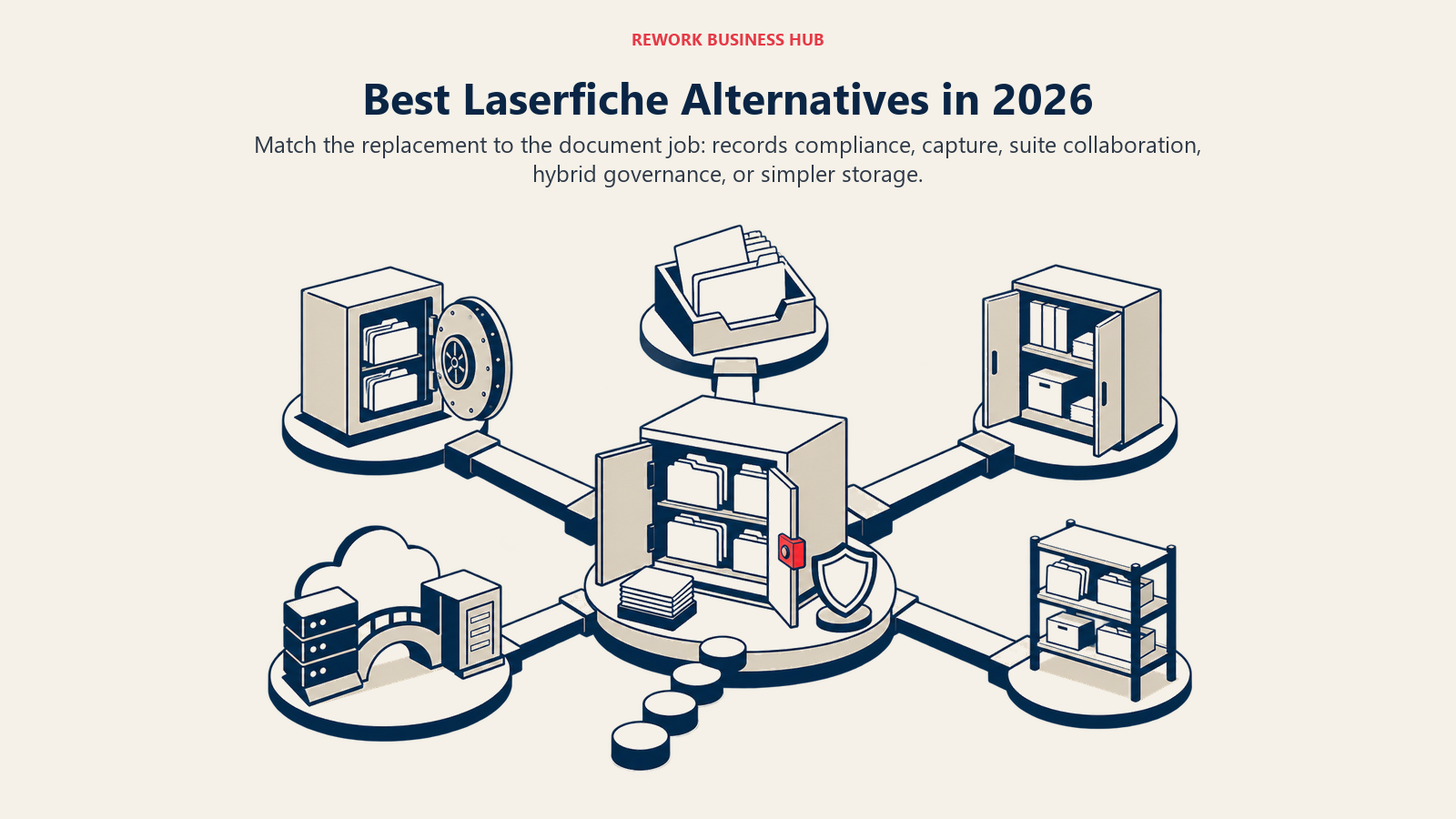
Teams that need Laserfiche's records-compliance depth without its per-seat minimums tend to land on Hyland or M-Files, teams already standardized on Microsoft 365 default to SharePoint, and teams that want documents living on the same record as the deal, project, or employee they belong to are the ones who end up looking at Rework. This guide covers 13 platforms, evaluated on published pricing (or the honest lack of it), records-governance depth, deployment flexibility, and how much of the seat-count math a buyer can actually see before talking to sales.
Here's what's genuinely new this year, and why this list reads differently than older versions circulating elsewhere: Laserfiche's pricing page now publishes real self-serve tiers for the first time. Professional runs $73/user/month, Business runs $93/user/month, and a 500-seat Business+ tier runs $42/user/month, all billed annually. For years Laserfiche was pure quote-only, and buyers were left comparing rumored ranges from third-party trackers instead of a number the vendor stood behind. That's a real shift worth knowing before you assume Laserfiche is unaffordable, or assume every alternative below is automatically cheaper just because it publishes a smaller sticker price.
Key Facts
- The global electronic records management software market is projected to grow from $9.60 billion in 2025 to $21.22 billion by 2035, an 8.25% CAGR, as organizations replace paper and file-share sprawl with governed platforms. (Spherical Insights)
- 52% of organizations still manage their documents primarily through network file-shares rather than a dedicated platform, and 29% have no information governance policy at all, per AIIM's State of Information Management benchmark. (AIIM)
- Compliance and risk jumped back to the top driver of information-management investment for 59% of large organizations in AIIM's latest benchmark, up from 38% the year before. (AIIM)
- The SEC fined 12 investment advisers and broker-dealers a combined $63.1 million in January 2025 alone for failing to preserve required electronic business records, exactly the kind of failure a documented retention schedule exists to prevent. (Newsfilecorp, reporting the SEC settlement)
- IDC's Data Age 2025 study projected that 80% of the world's data, the unstructured documents and records category every platform on this list manages, would be unstructured by 2025. (VentureBeat, reporting IDC)
Quick Comparison Table
| Tool | Best For | Starting Price | Key Strength | Key Limitation |
|---|---|---|---|---|
| Hyland (OnBase / Alfresco) | Large regulated enterprises replacing Laserfiche at scale | Quote-only (reported $100K-$500K+/yr for large deployments) | Deep vertical-tuned ECM configurability | No published pricing; enterprise-scale implementation |
| M-Files | Metadata-driven DM without folder hierarchies | €65/seat/mo billed annually (Essentials) | No-folder, metadata-first architecture | Enterprise tier is quote-only |
| OpenText Content Cloud | Global enterprises with complex, multi-system records needs | Quote-only (reported $150K-$600K+ first-year, mid-size enterprise) | Broadest enterprise content and governance suite | Heaviest, costliest platform on this list |
| DocuWare | Invoice-heavy AP automation and capture | Quote-only (vendor-published range roughly £10-£60/user/mo) | Mature intelligent-indexing capture engine | No public price list |
| SharePoint (Microsoft 365) | Teams already standardized on Microsoft 365 | From $7.00/user/mo billed annually (Business Basic) | Deep Teams and Office integration | Records governance shallower than Laserfiche |
| Rework | Documents on the same record as the CRM, project, or employee | Quote on request (rework.com/pricing) | Document ops unified with CRM, projects, and People | Not a specialist for high-volume regulated capture |
| Egnyte | Hybrid cloud plus on-premises file governance | $22/user/mo billed annually (Business) | One governance policy across cloud and on-prem | Base storage (100GB) is thin before add-ons |
| Box | Content-heavy teams wanting a broad API ecosystem | From $5/user/mo billed annually (Business Starter, 3-user minimum) | Unlimited storage from Business tier up | Records depth trails dedicated ECM tools |
| NetDocuments | Cloud-native legal document management | Quote-only (reported $20-$65/user/mo base) | Purpose-built for legal workflows and matter data | No published pricing; storage overage fees |
| iManage | Legal and professional-services firms | Quote-only (reported $50-$75/user/mo) | Deep legal-industry workflow and email management | No published pricing; narrow vertical focus |
| Revver | Published per-user pricing with AI auto-filing included | $25/user/mo (Basic, published, volume discounts to $4) | Unlimited storage and AI Smart Suite on every tier | Fewer compliance modules than Hyland or OpenText |
| Zoho WorkDrive | Budget-conscious SMBs wanting managed file storage | $2.50/user/mo billed annually (Starter, 3-user minimum) | Lowest published entry price on this list | Thin on capture, workflow, and records depth |
| Dropbox Business | Teams whose real need is file sync, not records governance | $15/user/mo (Standard, starts at 3TB team storage) | Familiar interface, fast adoption | Not built for retention schedules or defensible disposition |
Match by Organization Size and Migration Stage
Sizing and Persona Fit
| Organization Size | Typical Persona | Where They Usually Land |
|---|---|---|
| Under 25 people | Small nonprofit, local agency, small law or accounting firm | Revver, Zoho WorkDrive, Dropbox Business |
| 25-200 people | Mid-size agency, school district, regional healthcare group | Rework, M-Files, DocuWare, Egnyte |
| 200-1,000 people | County or state department, hospital system, university | SharePoint, Box, NetDocuments or iManage (legal-heavy) |
| 1,000+ people | State or federal agency, national healthcare network, global enterprise | Hyland, OpenText Content Cloud, Laserfiche Business+ |
Stage Fit Matrix
| Migration Stage | What You Actually Need | Best-Fit Alternative |
|---|---|---|
| Still under contract, just pricing shopping | A category overview and an honest shortlist | See the full category rundown |
| Renewal is 6-12 months out | Vendor pricing you can budget against before a sales call | M-Files, DocuWare, Revver, Zoho WorkDrive |
| Actively migrating off Laserfiche now | A records-compliance peer that can absorb retention schedules | Hyland, OpenText Content Cloud |
| Consolidating tools, not just replacing one | Documents on the same record as the rest of the work | Rework |
| Laserfiche was overkill from day one | A simpler repository sized to a small team | Revver, Zoho WorkDrive, Dropbox Business |
1. Hyland (OnBase / Alfresco): The Closest Peer for Large Regulated Enterprises
Hyland's OnBase and Alfresco lines sit in the same competitive tier Laserfiche does: government agencies, healthcare systems, and financial-services firms running content-heavy, highly regulated processes across many departments. The workflows are deeply configurable rather than out-of-the-box, which suits an organization whose retention and disposition rules don't map cleanly onto a generic template. Both perpetual and subscription licensing are available, a flexibility Laserfiche doesn't offer since its move to published, subscription-only cloud tiers.
| What you get | What you don't |
|---|---|
| Deep, vertical-tuned ECM configurability | Published, transparent pricing |
| Strong healthcare and financial-services track record | A budget-friendly entry point |
| Perpetual licensing option alongside subscription | Fast, self-serve onboarding |
| Proven at large, complex enterprise scale | Simplicity for a small or mid-size team |
Pricing: Quote-only. Third-party estimates report subscription pricing around $50 to $100 per user per month, or $20,000 to $40,000 for a 10-seat perpetual license, before implementation (reported). Best for: Large, regulated enterprises with dedicated IT and records staff running content-heavy processes across many departments. Not ideal for: Mid-market teams without the budget or headcount to run an enterprise ECM implementation.
2. M-Files: Metadata-Driven, No Folders to Maintain
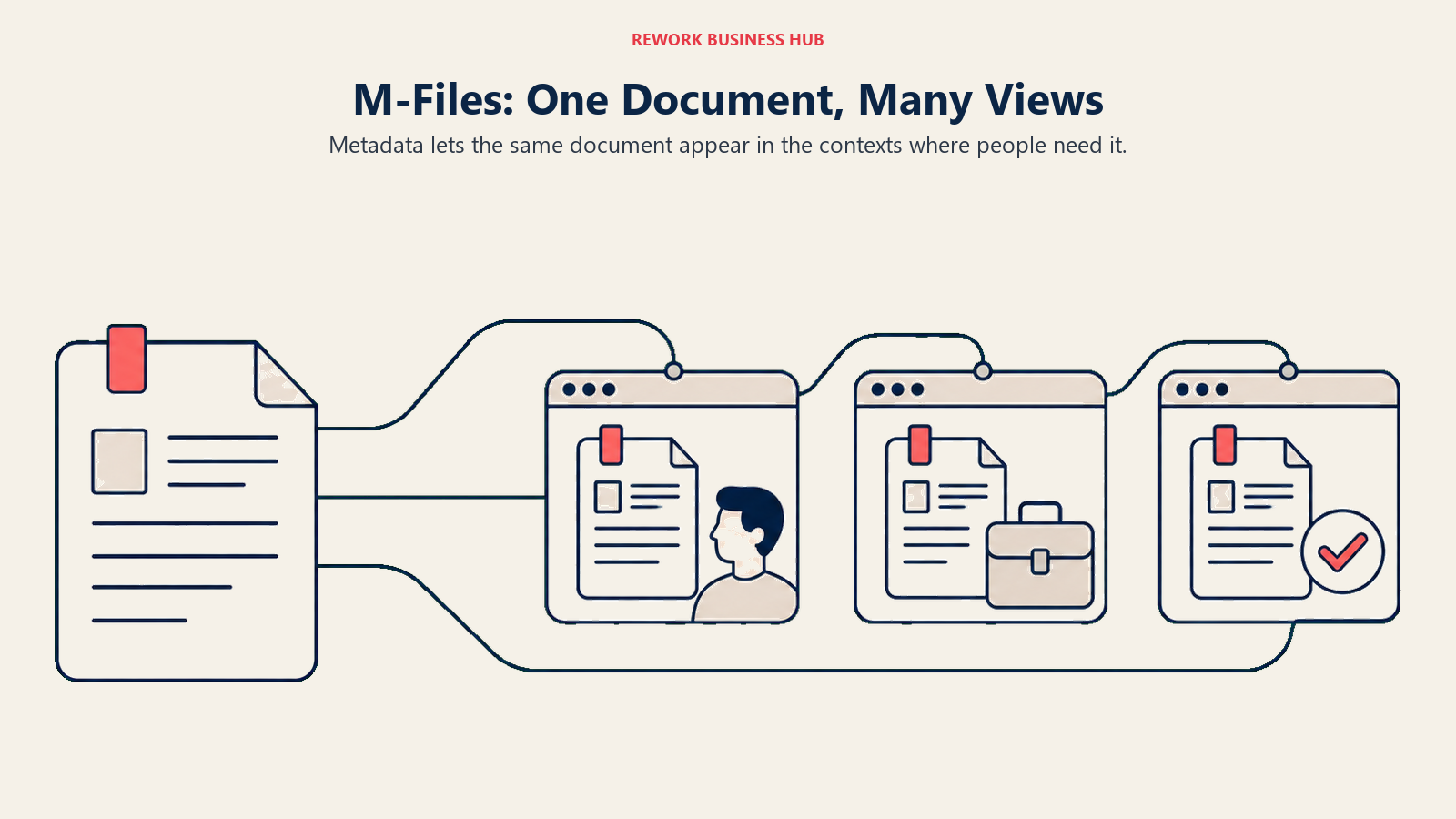
M-Files organizes content by what a document is, not where someone filed it: metadata drives search, permissions, and workflow instead of a folder tree, which is a genuinely different bet than Laserfiche's repository-and-folder model. Its AI layer, M-Files Aino, adds everyday drafting and search assistance directly inside the metadata model. For teams evaluating it against Laserfiche's other closest neighbor, see Best M-Files Alternatives and SharePoint vs M-Files for a related head-to-head.
| What you get | What you don't |
|---|---|
| Metadata-first architecture, no folder maintenance | A published Enterprise-tier price |
| M-Files Aino AI assistance on every plan | Laserfiche's records-retention depth out of the box |
| Consistent view of a document across repositories | The lightest onboarding on this list |
| Strong content-services platform track record | A free or self-serve entry tier |
Pricing: Essentials from €65/seat/month billed annually (roughly $70 USD); Enterprise is quote-only. Best for: Teams that want a self-configured, metadata-driven data model instead of Laserfiche's repository-and-folder structure. Not ideal for: Government and public-sector teams that specifically need Laserfiche's formal retention-schedule and disposition tooling.
3. OpenText Content Cloud: The Broadest Enterprise Content Suite
OpenText Content Cloud is the deepest, broadest platform on this list: content management, information governance, capture, and archiving spanning the acquired Documentum and OpenText ECM lineages, built for global enterprises unifying many content systems under one governance layer. It's also the platform most likely to show up in the same RFP as Laserfiche for a large government or enterprise records project; see Egnyte vs Laserfiche vs OpenText Content Cloud for a direct three-way comparison.
| What you get | What you don't |
|---|---|
| Broadest enterprise content and governance suite | Published, self-serve pricing |
| Deep information-governance and archiving depth | An implementation a small IT team can run alone |
| Proven at global, multi-system enterprise scale | Laserfiche's mid-market accessibility |
| Tiered modules to match complex requirements | A budget entry point |
Pricing: Quote-only. Total first-year cost commonly runs $150,000 to $600,000-plus for a mid-size enterprise deployment, and can exceed $1 million annually for large, complex rollouts (reported). Best for: Global enterprises consolidating multiple legacy content systems under one governance platform. Not ideal for: Any team without a multi-month implementation budget and dedicated IT ownership.
4. DocuWare: Workflow-Heavy Capture and AP Automation
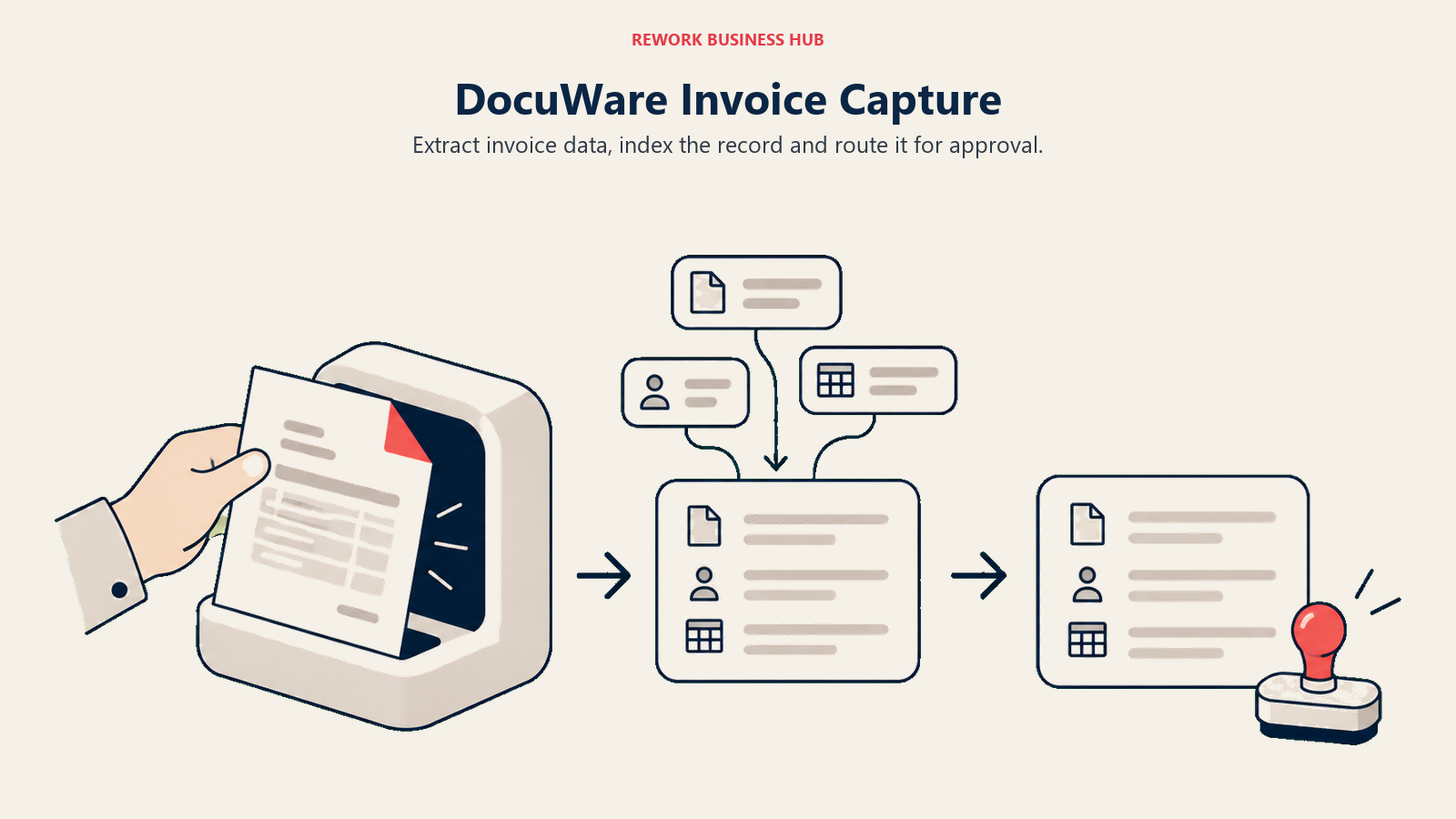
Where Laserfiche leans toward formal records compliance, DocuWare leans toward invoice processing and AP automation: intelligent indexing, OCR, and a Workflow Designer built to route documents through approval chains fast. For teams whose real pain is invoice volume rather than retention-schedule governance, that's a meaningfully different starting point. See Best DocuWare Alternatives and Laserfiche vs DocuWare for the direct comparison.
| What you get | What you don't |
|---|---|
| Mature intelligent-indexing capture engine | A public price list |
| Strong invoice and AP automation depth | Laserfiche's public-sector records pedigree |
| Both cloud and on-premises deployment | A budget-friendly, self-serve signup |
| Deep ERP integrations, including SAP | The lightest admin interface on this list |
Pricing: Quote-only; DocuWare's own regional pricing FAQ describes cloud running roughly £10 to £60 per user per month depending on the license mix. Best for: Teams whose core problem is invoice and AP capture volume rather than formal records governance. Not ideal for: Government, education, or healthcare buyers who specifically need Laserfiche-grade retention-schedule and disposition tooling.
5. SharePoint (Microsoft 365): Already Inside the Suite Many Public-Sector Teams Use
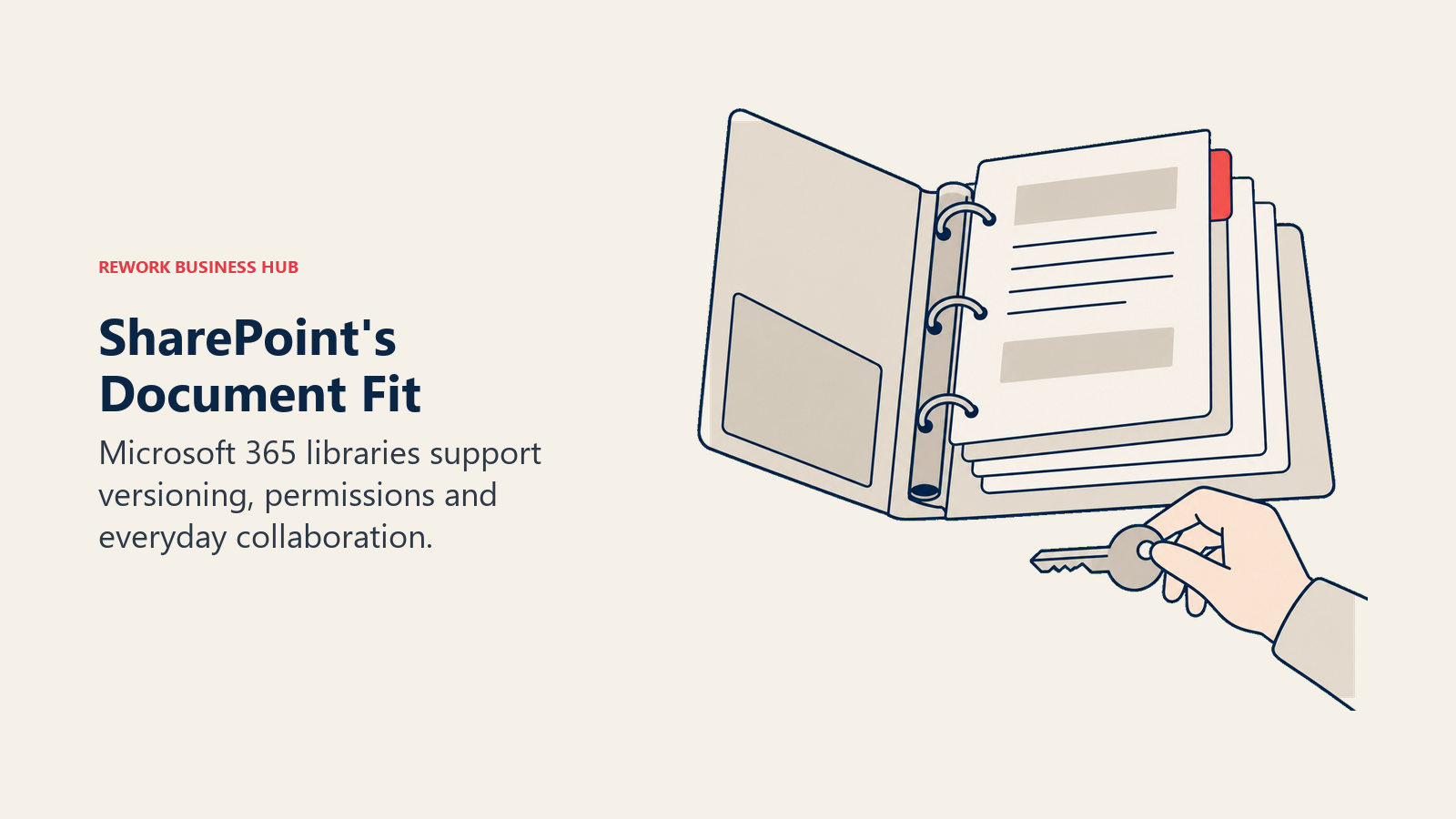
A large share of the government, education, and healthcare organizations Laserfiche serves are already paying for Microsoft 365, which makes SharePoint the obvious first alternative to check before buying a separate DMS. Libraries, versioning, and permissions sit right next to Teams and Outlook, and as of 2026 Microsoft has retired the standalone SharePoint Online SKUs, folding SharePoint into the Microsoft 365 Business and Enterprise bundles instead of selling it alone. See Best SharePoint Alternatives if the fit turns out to be partial.
| What you get | What you don't |
|---|---|
| 1 TB of pooled storage plus 10 GB per user, bundled into Microsoft 365 | A standalone SharePoint-only purchase (retired 2026) |
| Deep Teams, Outlook, and Office integration | Laserfiche-grade retention schedules and defensible disposition |
| Familiar interface for any Microsoft 365 shop | CJIS, FERPA-specific compliance tooling out of the box |
| Power Automate available for workflow | Workflow depth without buying Power Automate separately |
Pricing: From $7.00/user/month billed annually (Microsoft 365 Business Basic); SharePoint storage is a 1 TB org pool plus 10 GB per license, separate from each user's 1 TB OneDrive quota. Best for: Microsoft 365 shops wanting document storage and light workflow inside tools staff already use daily. Not ideal for: Teams needing Laserfiche's dedicated records-retention schedules and compliance-grade disposition workflows.
6. Rework (E-Office): Documents on the Same Record as the Work
Rework's E-Office module puts document and records operations on the same platform as the CRM, projects, contracts, tasks, and the People app, so a document sits on the same record as the customer, deal, or process it belongs to instead of a separate archive synced through an integration. The pitch isn't Laserfiche's depth in formal retention schedules or CJIS-grade records compliance; it's that a signed contract, a vendor file, or an onboarding record shouldn't need a second login and a second sync job to stay attached to the work it documents. That consolidation argument extends into contract management too, where the same document sits next to the deal that produced it.
| What you get | What you don't |
|---|---|
| Documents on the same record as CRM, projects, and People | Formal retention schedules or defensible-disposition tooling |
| One platform across Sales Ops, Lead Ops, Work Ops, and People | CJIS, FERPA-specific public-sector compliance certifications |
| No separate integration syncing documents to the record | Laserfiche's decades of government and education pedigree |
| Packaged annual pricing, not per-seat document licenses | A free or solo tier |
Pricing: Rework does not publish a price for the E-Office module. Rework sells packaged plans, not per-user document licenses, and E-Office is quoted per organization. See rework.com/pricing for the published product lines, or ask the team for a quote. Best for: Mid-size teams (roughly 20-200 people) wanting documents and records tied to the same CRM, project, or employee record they belong to, instead of a separate DMS. Not ideal for: Government, education, or healthcare organizations where formal records retention and disposition at Laserfiche's scale is the whole job.
7. Egnyte: One Governance Policy Across Cloud and On-Premises
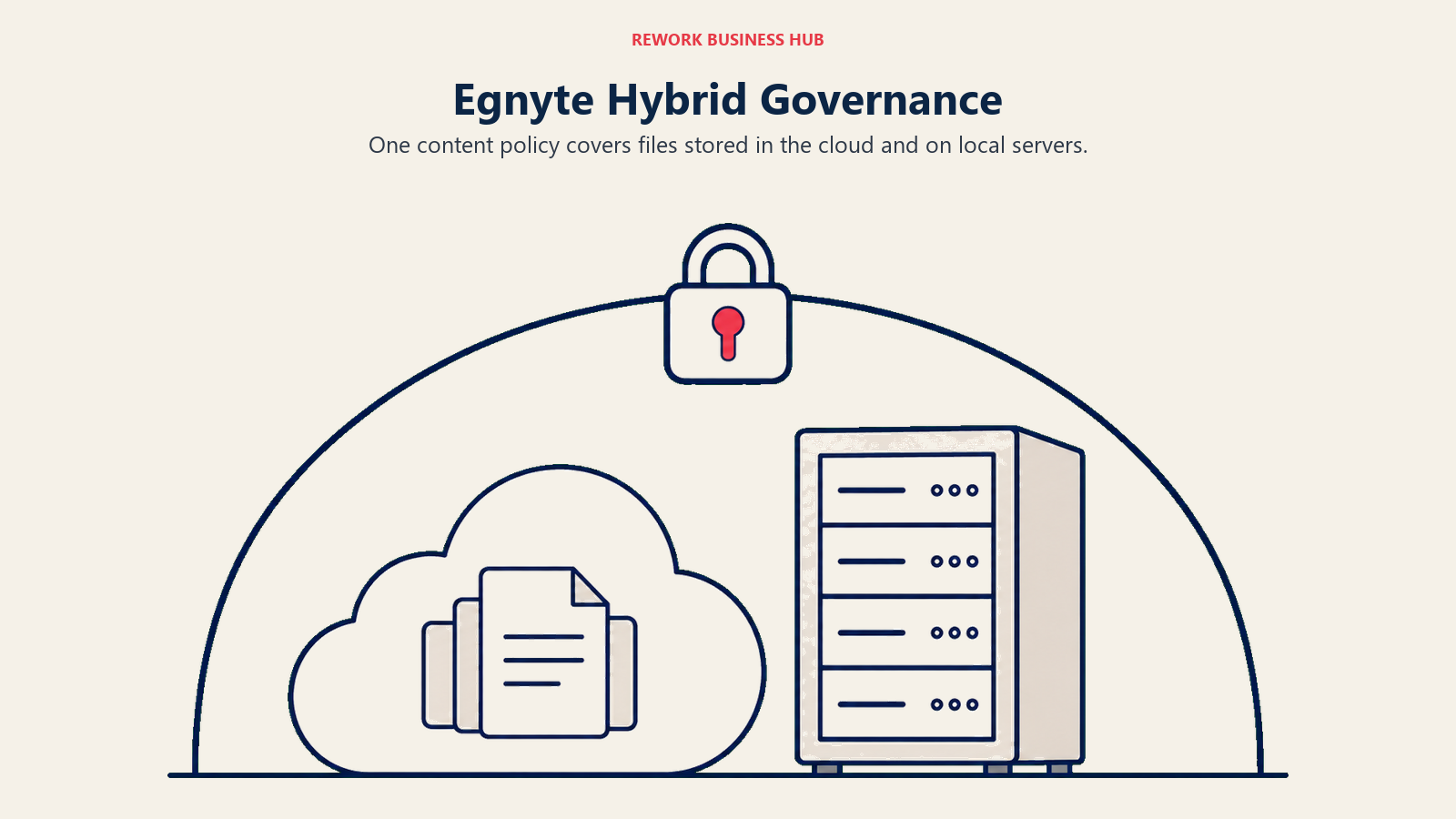
Egnyte's differentiator is treating cloud and on-premises file storage as one governed system instead of two: a single content-security and compliance policy applies whether a file sits in Egnyte's cloud or on a local server, which suits life-sciences, construction, and financial-services teams that can't fully leave on-prem storage behind. That's a genuinely different answer to the hybrid-deployment question than Laserfiche's separate cloud-versus-self-hosted product lines. See Best Egnyte Alternatives for the reverse comparison.
| What you get | What you don't |
|---|---|
| One governance policy across cloud and local storage | Laserfiche's records-retention and disposition depth |
| AI-assisted content classification on every plan | A large base storage allowance (100GB on Business) |
| Strong fit for life sciences, construction, financial services | The lowest cost per user on this list |
| Multi-year discounts available | A free or trial-only entry tier |
Pricing: Business $22/user/month billed annually (100GB); Enterprise Lite $39/user/month (150GB); Elite $48/user/month (150GB, most popular); Ultimate is quote-only. Egnyte publishes no seat minimum. Best for: Regulated, hybrid-storage teams wanting one compliance policy across cloud and on-premises content. Not ideal for: Teams whose content is already fully cloud-native and don't need on-prem parity.
8. Box: Content Cloud With the Broadest App Ecosystem
Box built its reputation as the content layer other apps plug into: a deep API, native integrations across Microsoft 365, Google Workspace, Salesforce, and hundreds of other tools, plus enterprise-grade security and governance add-ons (Box Shield, Box Governance) layered on top of file storage. For a team that wants one content repository behind many front-end apps rather than a closed, single-vendor system like Laserfiche, that flexibility is the draw. See Best Box Alternatives for the reverse comparison.
| What you get | What you don't |
|---|---|
| Unlimited storage from the Business tier up | Laserfiche-level records retention and disposition |
| Deep API and third-party app ecosystem | Purpose-built public-sector compliance certifications |
| Enterprise security and governance add-ons | The lowest cost per user on this list |
| Works as the content layer behind other apps | Laserfiche's decades of government-sector pedigree |
Pricing: Business from $5/user/month billed annually (3-user minimum, unlimited storage); Business Plus runs roughly $25/user/month billed annually (reported); higher Enterprise tiers are quote-only. Best for: Teams wanting a flexible content repository that plugs into many other apps rather than a closed, all-in-one platform. Not ideal for: Teams needing formal records-retention schedules and disposition workflows built in rather than assembled from add-ons.
9. NetDocuments: Cloud-Native Document Management for Legal Teams
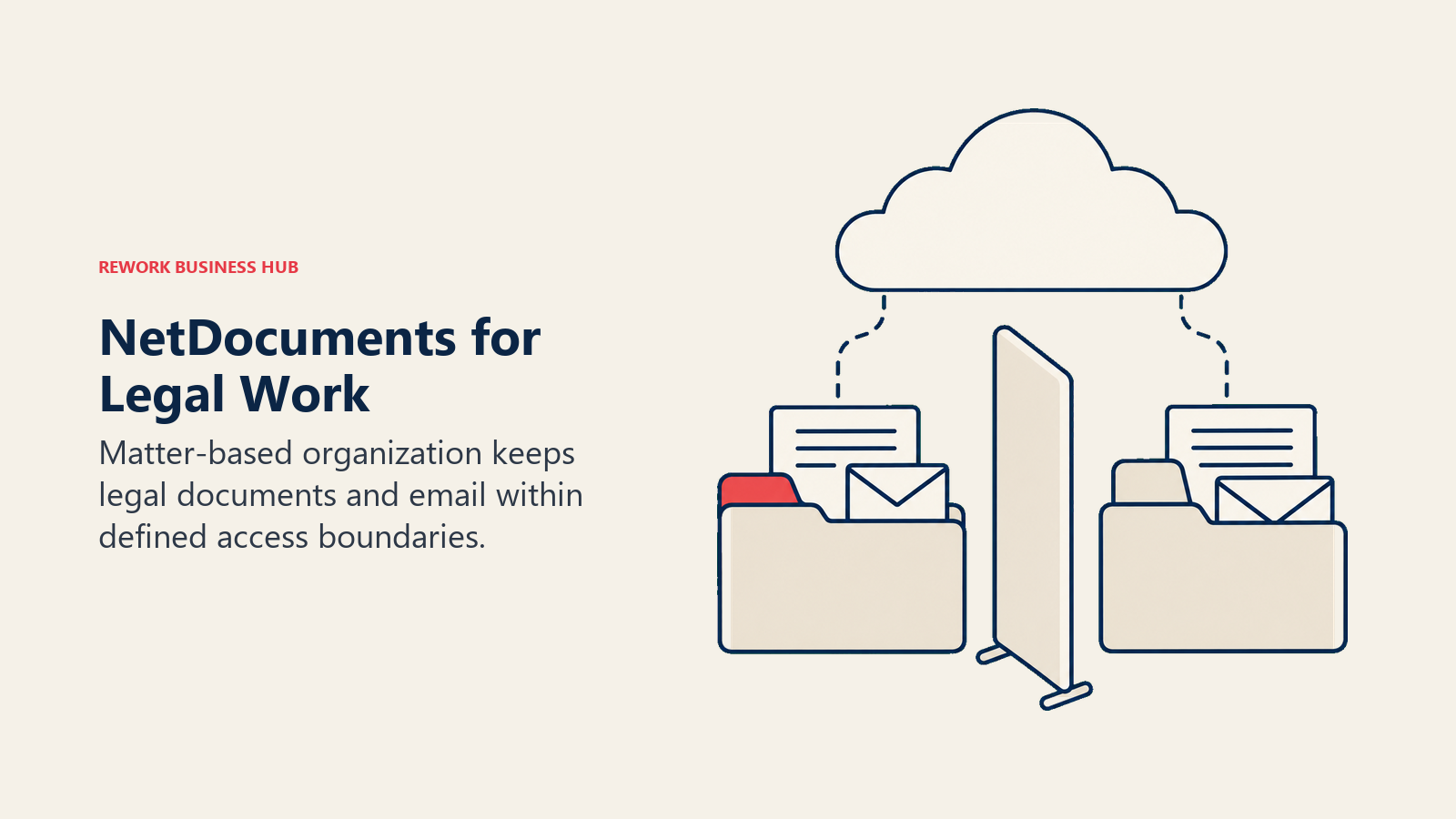
NetDocuments built its platform specifically for law firms and corporate legal departments, organizing content around matters rather than folders and shipping features, conflict checking, ethical-wall permissions, matter-centric search, that a general-purpose DMS like Laserfiche doesn't offer out of the box. It's cloud-native only, with no on-premises option to fall back to, which is the opposite tradeoff from Laserfiche's cloud-plus-self-hosted model. For a legal or compliance department evaluating Laserfiche primarily for contract and case-file storage, a legal-native tool can be a closer functional fit than a general records platform.
| What you get | What you don't |
|---|---|
| Matter-centric organization built for legal work | Published, self-serve pricing |
| Conflict checking and ethical-wall permissions | Laserfiche's broader public-sector and healthcare fit |
| Purpose-built email and document version management | A budget entry point for a small team |
| Cloud-native architecture, no on-premises option | Storage costs bundled flatly into one price |
Pricing: Quote-only; third-party trackers report roughly $20 to $65 per user per month base, plus storage overage fees (reported). Best for: Law firms and corporate legal departments wanting matter-centric document and email management. Not ideal for: Government, education, or healthcare buyers outside the legal vertical.
10. iManage: The Legal-Industry Standard
iManage is the other major name in legal-specific document management, deeply entrenched at large law firms and professional-services firms that need email management, matter organization, and search tuned specifically to legal workflows. It competes with NetDocuments more than it competes head-on with Laserfiche, but it shows up on legal departments' shortlists when they're evaluating any general-purpose DMS, Laserfiche included, for contract and matter storage.
| What you get | What you don't |
|---|---|
| Deep legal-industry workflow and email management | Published, self-serve pricing |
| Strong presence at large law and professional-services firms | Laserfiche's government and healthcare-sector depth |
| Mature matter- and client-centric organization | A budget-friendly small-team option |
| Robust search built for legal document volume | Broad general-purpose records-compliance tooling |
Pricing: Quote-only; third-party trackers report roughly $50 to $75 per user per month (reported). Best for: Law firms and professional-services firms wanting the legal-industry-standard DMS. Not ideal for: Government, education, or healthcare organizations outside legal and professional services.
11. Revver: Transparent Per-User Pricing With AI Auto-Filing
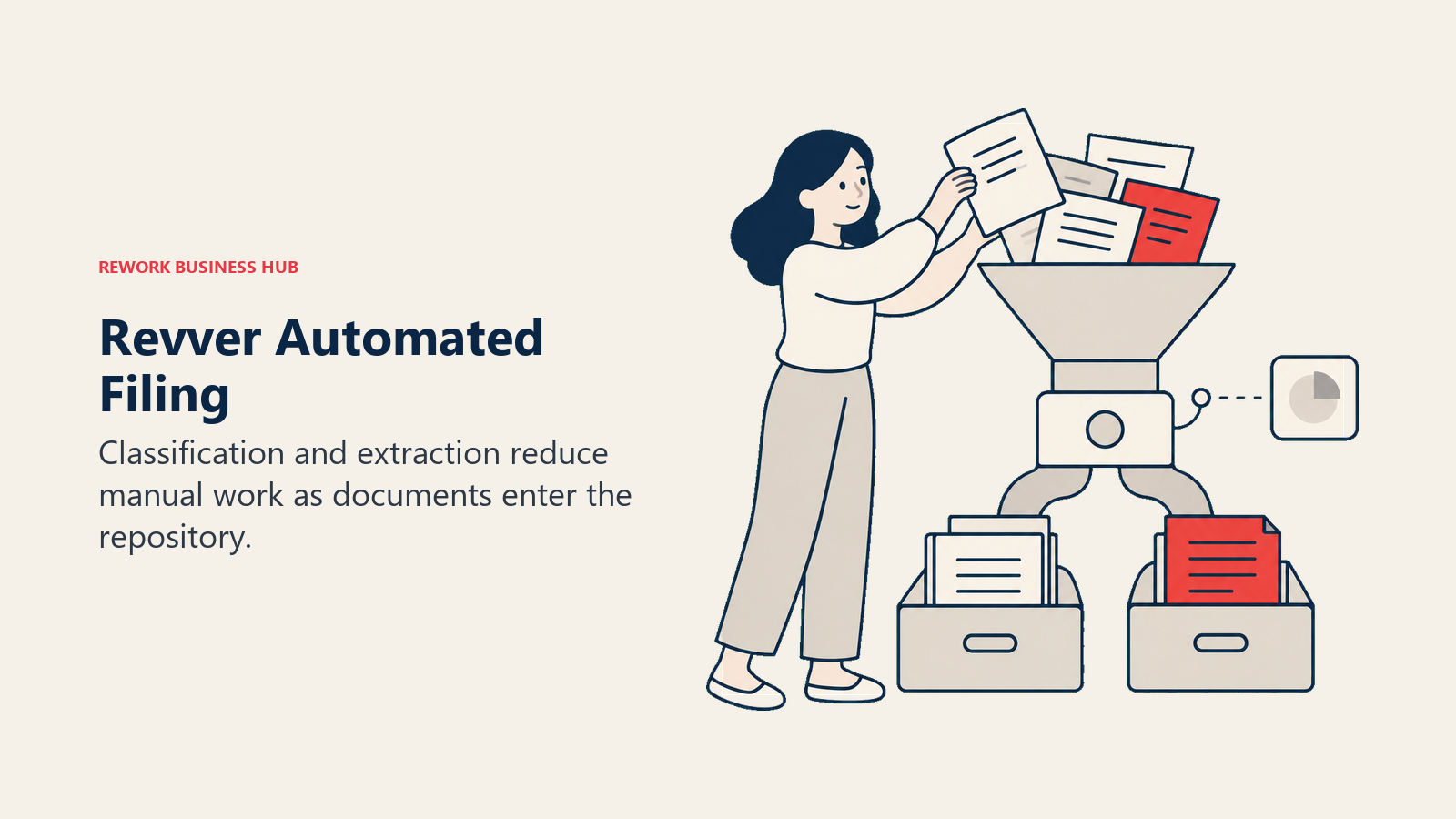
Revver, formerly eFileCabinet, rebranded around a simple pitch: publish real per-user prices and put AI to work on the tedious part of document management. Its Smart Classification and Smart Extract features automatically file incoming documents and pull key data out of them, and every published tier includes unlimited storage rather than metering it as an upsell, a sharp contrast to Laserfiche's per-repository, per-AI-unit metering.
| What you get | What you don't |
|---|---|
| Published, self-serve per-user pricing | Laserfiche's records-retention and disposition depth |
| Unlimited storage and AI auto-filing on every tier | Deep enterprise workflow or compliance modules |
| Volume discounts as license count grows | The vertical depth of Hyland or OpenText |
| Guest-user access included, not billed separately | A free tier |
Pricing: Basic $25/user/month (published, discounted to as low as $4/user at volume); Essentials $67/user/month (discounted to $39/user at volume); Full $87/user/month. Best for: SMBs wanting transparent pricing and AI-assisted filing without a custom quote process. Not ideal for: Teams needing Laserfiche's formal records-compliance modules or Hyland/OpenText-level enterprise workflow.
12. Zoho WorkDrive: The Budget Entry Point
Zoho WorkDrive is the cheapest published tier on this list by a wide margin, positioned for budget-conscious SMBs that want managed team file storage without an enterprise DMS price tag, let alone Laserfiche's five-user minimum. It covers shared team folders, version history, and basic admin controls, without the capture, workflow, or records-compliance depth Laserfiche brings to a regulated process.
| What you get | What you don't |
|---|---|
| The lowest published entry price on this list | Records-compliance tooling (retention, legal holds) |
| Simple team folder structure and version history | Capture, OCR, or invoice-processing automation |
| Storage that scales with team size | Laserfiche's public-sector and healthcare depth |
| Fits budget-constrained SMB teams | A free tier for team (non-solo) use |
Pricing: Starter $2.50/user/month billed annually (1TB team storage for 3-10 users, 3-user minimum); Team $4.50/user/month (3TB team storage); Business $9.00/user/month (5TB team storage). Best for: Budget-constrained SMBs wanting basic managed file storage, not a compliance-grade document platform. Not ideal for: Any team whose primary need is capture, workflow automation, or records compliance.
13. Dropbox Business: Simple File Sync, Not Records Governance
Dropbox Business is, at its core, file sync and sharing with document-management features layered on top, not a records-governance platform. Its strength is exactly that simplicity: employees already know how to use it, so adoption is close to zero-friction. It's the right pick for a team that discovers, partway through evaluating Laserfiche, that what they actually needed was simpler than a compliance-grade DMS in the first place.
| What you get | What you don't |
|---|---|
| Familiar interface, near-zero training required | Records retention or disposition tooling |
| Fast team adoption and file sharing | Laserfiche's capture, OCR, or compliance workflows |
| Solid third-party app integrations | A records-management data model |
| Storage that scales with the team | Unlimited storage marketed on any current plan |
Pricing: Standard $15/user/month (1-person minimum, storage starts at 3 TB for the team); Advanced $24/user/month (3-person minimum, storage starts at 15 TB for the team). Best for: Teams whose "document management" problem turns out to be file sync and sharing, not records governance. Not ideal for: Any team needing retention schedules, audit trails, or regulated-records compliance.
Why Teams Leave Laserfiche
Laserfiche's strengths are worth restating before the complaints, because they're real and they're why it's held a Leader position in Gartner's Magic Quadrant for Document Management, including the 2026 edition, and reports serving over 9,000 organizations and 6 million users worldwide. (Laserfiche) Formal retention schedules and defensible disposition are mature enough to satisfy FERPA, HIPAA, and CJIS auditors, not just fast search. Its BPM and forms tooling is genuinely deep, decades ahead of most competitors on government, education, and healthcare-specific workflow patterns. It carries HIPAA, ISO 27001, and SOC 2 Type 2+ attestations, and unlike most cloud-first competitors on this list, it still offers a real self-hosted option in Laserfiche 12 for organizations that can't or won't put certain records offsite.
Teams still leave, for reasons that now come with real numbers attached:
The seat minimums put a hard floor under the entry cost. Professional starts at a 5-user minimum, which works out to $4,380 per year at the floor. Business starts at a 25-user minimum, a $27,900-per-year floor. A department that wants to pilot Laserfiche with three people, or a small team that only needs Laserfiche for one workflow, can't buy a smaller slice than that.
| Laserfiche Tier | Seat Minimum | Price per User/Month (billed annually) | Minimum Annual Cost at the Floor |
|---|---|---|---|
| Professional | 5 users | $73 | $4,380/year (5 x $73 x 12) |
| Business | 25 users | $93 | $27,900/year (25 x $93 x 12) |
| Business+ | 500 users | $42 | $252,000/year (500 x $42 x 12) |
Business+'s lower per-seat rate isn't a discount tier, it's a 500-seat volume plan; a team stuck between 25 and 500 users pays the Business rate the whole way up, with no intermediate step down.
Professional services and implementation aren't in the sticker price. Laserfiche's own pricing page states plainly: "Pricing excludes professional services and implementation fees." (Laserfiche) Whatever a Professional or Business quote works out to, budget a services line on top of it.
Much of the sales motion still runs through resellers. Laserfiche's channel is partner-heavy, which is common for capture- and compliance-heavy platforms but means configuration and training are frequently a separate purchase from the subscription itself. A prospective buyer often talks to a regional partner before ever seeing a Laserfiche account rep, which adds a layer to the sales cycle that a self-serve competitor like Revver or Zoho WorkDrive simply doesn't have.
It's genuinely deep on public-sector records, and that's heavier than some teams need. Records Lifecycle Management, granular RBAC, and full audit logging are built for a compliance officer managing formal disposition schedules, not a small operations team that just wants a searchable shared drive. If retention schedules and legal holds aren't the actual requirement, that depth becomes overhead rather than a feature. For teams whose real gap is simpler process documentation rather than formal records retention, an ISO 9001-aligned lightweight process is often the better starting point than a full ECM buy.
How to Choose: Decision Framework
Choose by the document problem you need to solve first, then pressure-test the shortlist with real files.
| If your team needs... | Best pick |
|---|---|
| Enterprise-scale records compliance without Laserfiche's seat minimums | Hyland (OnBase / Alfresco) or OpenText Content Cloud |
| Invoice and AP capture volume more than formal records governance | DocuWare |
| Document storage bundled into a Microsoft 365 subscription you already pay for | SharePoint |
| Documents on the same record as the CRM pipeline, project, or employee, not a separate archive | Rework |
| One governance policy across cloud and on-premises storage | Egnyte |
| A metadata-driven data model without folder maintenance | M-Files |
| Matter-centric document management for a law firm or legal department | NetDocuments or iManage |
| Transparent per-user pricing without enterprise records depth | Revver or Zoho WorkDrive |
Whichever pick survives this table, pressure-test it against a real batch of your own documents (a mix of contracts, case files, and everyday records), not a vendor's sandbox demo, before signing an annual contract.
What to Do Next
Match your seat count and compliance requirements to the framework above, then load a real batch of your own records, a mix of contracts, case files, and everyday documents, into your top two picks instead of trusting a vendor's sandbox demo. If Laserfiche's seat-minimum math is the actual blocker and you also want documents living on the same record as the deal or project they belong to, start with Rework's E-Office module and compare it against a records-depth option like Hyland. For the full category view beyond Laserfiche specifically, see Best Document Management Software in 2026.

Principal Product Marketing Strategist
On this page
- Key Facts
- Quick Comparison Table
- Match by Organization Size and Migration Stage
- Sizing and Persona Fit
- Stage Fit Matrix
- 1. Hyland (OnBase / Alfresco): The Closest Peer for Large Regulated Enterprises
- 2. M-Files: Metadata-Driven, No Folders to Maintain
- 3. OpenText Content Cloud: The Broadest Enterprise Content Suite
- 4. DocuWare: Workflow-Heavy Capture and AP Automation
- 5. SharePoint (Microsoft 365): Already Inside the Suite Many Public-Sector Teams Use
- 6. Rework (E-Office): Documents on the Same Record as the Work
- 7. Egnyte: One Governance Policy Across Cloud and On-Premises
- 8. Box: Content Cloud With the Broadest App Ecosystem
- 9. NetDocuments: Cloud-Native Document Management for Legal Teams
- 10. iManage: The Legal-Industry Standard
- 11. Revver: Transparent Per-User Pricing With AI Auto-Filing
- 12. Zoho WorkDrive: The Budget Entry Point
- 13. Dropbox Business: Simple File Sync, Not Records Governance
- Why Teams Leave Laserfiche
- How to Choose: Decision Framework
- What to Do Next