Combinações Comuns de Padrões de AI por Departamento

Turn this article into takeaways for your work.


Each assistant summarizes the article only for you and suggests best practices for your work.
Todo departamento faz a mesma pergunta: por onde começamos com AI?
A resposta errada é "em todos os lugares ao mesmo tempo." A resposta certa depende de quais Workflows geram mais volume, quais dados você já tem e quanta disrupção de processo sua equipe consegue absorver no primeiro ano. A pesquisa State of AI 2025 da McKinsey, cobrindo 1.993 organizações em 105 países, descobriu que TI e marketing e vendas continuam sendo as duas funções com as maiores taxas de adoção de AI, embora a gestão do conhecimento esteja fechando a lacuna rapidamente. O padrão é consistente: funções com alto volume de dados e ciclos de decisão repetitivos chegam lá primeiro.
Este artigo mapeia as combinações de padrões mais comprovadas para sete funções de negócio, junto com o sequenciamento que leva a uma vitória real em 60 a 90 dias, em vez de um piloto de seis meses que produz uma apresentação.
Como ler este artigo
Cada combinação de padrões por departamento deve ser lida como uma sequência, e não como uma lista de compras de ferramentas de AI para implantar todas de uma vez.
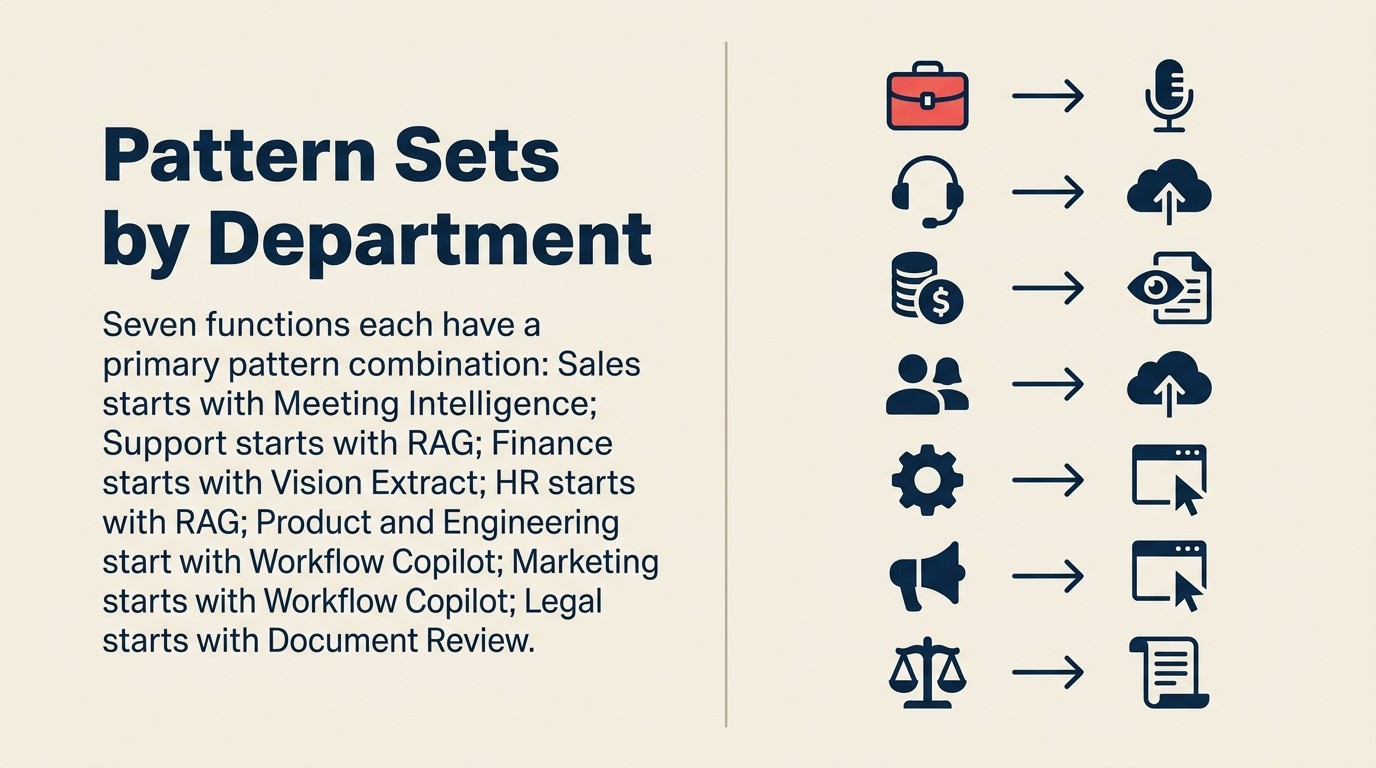
Cada seção aborda:
- Combinação primária: quais padrões funcionam juntos nesta função e por quê
- Pré-requisitos de dados: o que você precisa ter em vigor antes que cada padrão possa ser executado
- Sequenciamento: por qual padrão começar e o que adicionar em seguida
- Marco de primeira vitória: a métrica específica que prova valor cedo
Vá direto ao seu departamento.
Key Facts: Adoção de AI por Departamento
- Vendas e marketing lidera todas as funções em adoção de AI, com cerca de 20% das atividades de vendas já automatizáveis com as ferramentas atuais, segundo a pesquisa State of AI 2025 da McKinsey.
- Equipes de RH que usam AI para contratação alcançam 75% de redução no tempo para contratar, com a plataforma orientada por AI da Unilever produzindo 50% de redução no tempo de preenchimento e 16% de aumento na diversidade de novos contratados.
- AI em operações financeiras alcança 90% de aumento na precisão de processamento e 70% de redução no tempo de processamento para tarefas de documentos estruturados, como processamento de faturas e empréstimos. (PwC AI Predictions, 2026)
Vendas
Combinação primária: Meeting Intelligence + Scoring and Routing + Workflow Copilot + RAG Assistant
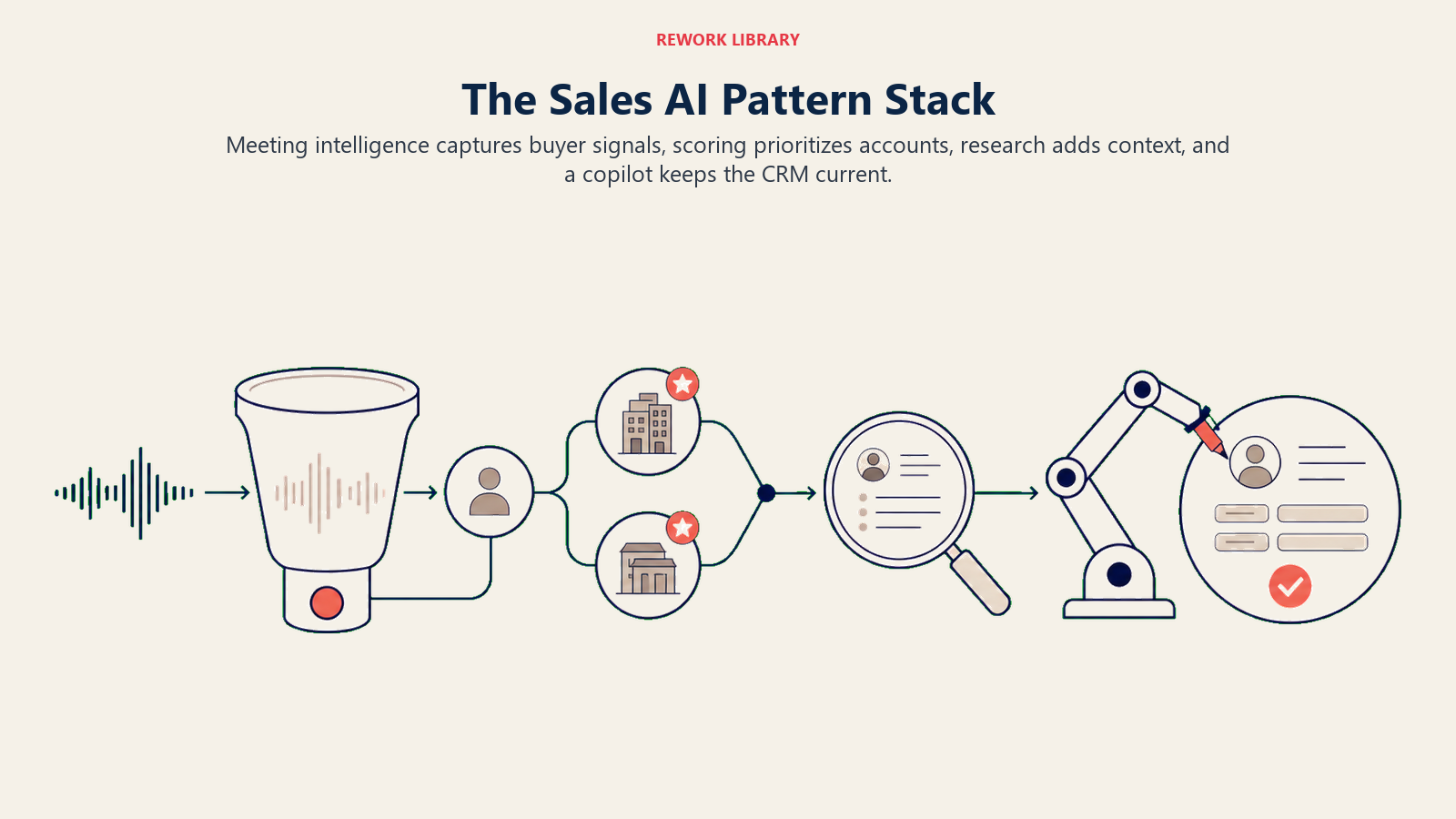
Por que esses juntos: Vendas é uma função de alto ritmo com entradas bem definidas (chamadas, leads, e-mails) e resultados mensuráveis (Pipeline, taxa de fechamento, tempo de ciclo). Os dados já estão sendo gerados na maior parte. O Meeting Intelligence transforma gravações de chamadas em notas de CRM automaticamente. O Scoring and Routing garante que os vendedores trabalhem os leads certos na ordem certa. O Workflow Copilot fornece a próxima melhor ação quando o vendedor abre um registro de negócio. O RAG (Retrieval-Augmented Generation) Assistant responde a perguntas sobre produto e concorrência sem que o vendedor precise sair do CRM. Essa combinação exata é o que faz um AI Sales Operator funcionar no nível de função.
Pré-requisitos de dados:
- Meeting Intelligence: gravações de chamadas armazenadas e acessíveis via API; metadados da reunião (participantes, associação com o negócio)
- Scoring and Routing: mínimo de 6 meses de dados históricos de CRM com rótulos de resultado (fechado-ganho, fechado-perdido, qualificado, desqualificado)
- Workflow Copilot: integração ativa com CRM com leitura de contexto em tempo real; Meeting Intelligence deve estar produzindo resultados estruturados
- RAG Assistant: documentação de produto mantida, battlecards e guias de tratamento de objeções em um banco de dados vetorial
Recomendação de sequenciamento: Comece com Meeting Intelligence. Tem o menor risco (sem ações externas, sem decisões de roteamento), o menor tempo até o valor (os vendedores veem melhores notas de chamadas na semana 1) e constrói os dados estruturados que tornam o Workflow Copilot genuinamente útil. Adicione Scoring and Routing quando o volume do Pipeline tornar a triagem manual impraticável. Adicione o Workflow Copilot após o Meeting Intelligence ter sido executado por 30 dias e o contexto no CRM estar suficientemente rico para gerar sugestões relevantes. O RAG Assistant pode ser executado em paralelo desde o início. O roadmap de implementação de AI Sales Ops percorre exatamente este sequenciamento com marcos semana a semana.
Marco de primeira vitória: Melhoria na taxa de atualização do CRM em 30 dias.
"Equipes de vendas que implantam o Meeting Intelligence como seu primeiro padrão de AI veem as taxas de preenchimento de campos do CRM subirem de menos de 50% para 85 a 90% em 30 dias, porque as notas se escrevem sozinhas. Essa única melhoria de métrica comprime o argumento de ROI para cada padrão subsequente na combinação." (Rework Sales AI Implementation Data, 2026)
Se seus vendedores estão atualmente atualizando campos do CRM em 40% das chamadas, o Meeting Intelligence deve levar isso para 85% ou mais. Essa é uma vitória mensurável, com prazo definido e operacionalmente significativa que cria o argumento para o próximo padrão.
Suporte ao Cliente
Combinação primária: RAG Assistant + Scoring and Routing + Workflow Copilot + Autonomous Agent
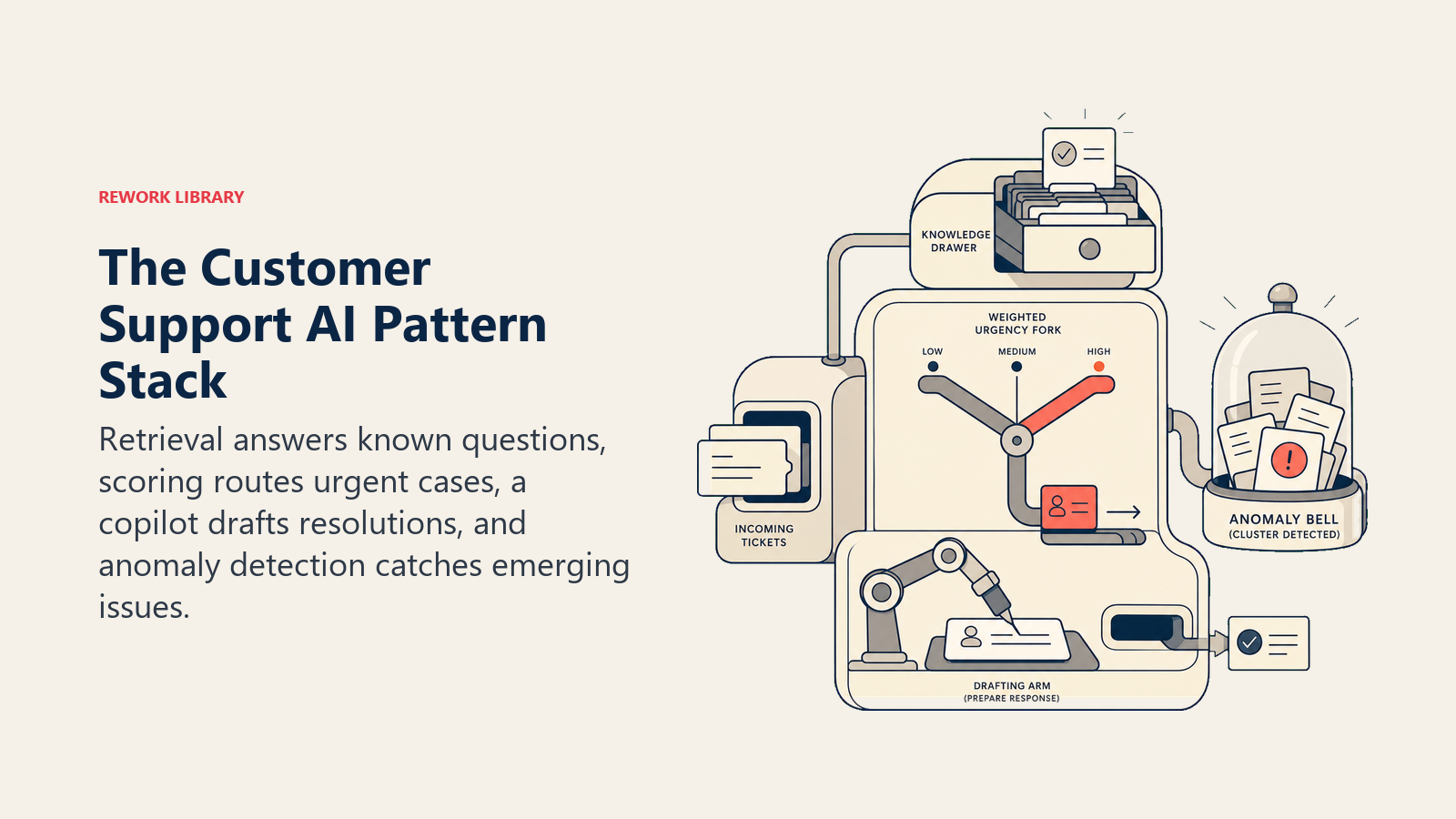
Por que esses juntos: Suporte tem alto volume com uma distribuição previsível: a maioria dos tickets são variações de um pequeno número de problemas. O RAG garante que os agentes sempre tenham acesso ao histórico de resoluções relevante. O Scoring and Routing envia tickets para a fila certa sem triagem manual. O Workflow Copilot ajuda os agentes a redigir respostas mais rapidamente nos tickets complexos. O Autonomous Agent trata os casos estruturados e repetíveis de Nível 1 (reembolsos padrão, redefinições de senha, perguntas sobre contas) sem envolvimento humano.
Pré-requisitos de dados:
- RAG Assistant: tickets resolvidos historicamente com notas de resolução; documentação de produto; documentos de política atuais
- Scoring and Routing: histórico de tickets rotulados (tipo, urgência, fila correta para cada tipo de ticket); volume suficiente para treinar o modelo de classificação
- Workflow Copilot: integração com a interface do helpdesk; o RAG Assistant deve estar em execução para fornecer contexto de resolução
- Autonomous Agent: acesso confirmado à API do processador de pagamento, ao sistema de helpdesk e ao e-mail; capacidade de reversão para cada tipo de ação; restrições rígidas de escopo definidas antes da implantação
Recomendação de sequenciamento: Comece com o RAG Assistant. Não requer ações externas, tem baixo risco e entrega valor imediato aos agentes que atualmente fazem buscas manuais no histórico de resoluções. Adicione Scoring and Routing quando o volume de tickets tornar a triagem manual um custo significativo de tempo. Adicione o Workflow Copilot após o RAG estar em execução e os agentes estarem confortáveis com sugestões de AI. Adie o Autonomous Agent para o segundo ano. Ele tem os requisitos de pré-requisitos mais altos, o maior investimento em governança e as maiores consequências de erro. Construa credibilidade com os padrões mais simples antes de assumir a resolução autônoma.
Marco de primeira vitória: Taxa de deflexão de Nível 1. Que percentagem dos tickets de Nível 1 a combinação está tratando sem esforço completo de resolução humana? Acompanhe mensalmente. Uma melhoria de 15% para 40% em 90 dias é um sinal forte de que a combinação está funcionando.
Finanças e Contabilidade
Combinação primária: Vision Extract + Anomaly Agent + Document Review
Por que esses juntos: Finanças é intensiva em documentação e orientada a exceções. O Vision Extract automatiza a entrada de dados que atualmente consome o tempo das equipes de AP e despesas. O Anomaly Agent monitora fluxos de transações e despesas em busca de violações de política e sinais de fraude. O Document Review acelera Workflows de contratos e auditorias onde a revisão manual é o gargalo.
Pré-requisitos de dados:
- Vision Extract: acesso a documentos fonte (faturas, recibos, contratos) em formato digital; sistema de registro alvo com acesso de gravação confirmado; exemplos de treinamento para o tipo de documento
- Anomaly Agent: mínimo de 60 a 90 dias de dados históricos de transações limpos para linha de base; ritmo de coleta consistente sem lacunas
- Document Review: documentos de amostra representando a gama do que precisa ser revisado; padrão ou modelo para comparar; categorias de exceção conhecidas
Recomendação de sequenciamento: Comece com Vision Extract no processamento de faturas de contas a pagar. O caso de ROI é direto: faturas por hora processadas manualmente vs. com Vision Extract, taxas de erro comparadas. Não requer período de treinamento ou linha de base. Implante o Anomaly Agent em paralelo se detecção de fraude ou monitoramento de política de despesas for um problema conhecido. O Document Review é adequado quando a revisão de contratos é um gargalo documentado com tempo de ciclo mensurável. Esses três padrões são em grande parte independentes entre si, portanto o sequenciamento é determinado por onde a dor é maior, não por dependências técnicas.
Marco de primeira vitória: Tempo de processamento de AP e taxa de erros. Se o processamento manual de faturas leva 8 minutos por fatura e o Vision Extract traz isso para menos de 2 minutos com uma taxa de erros menor, essa é uma vitória concreta e auditável que a liderança financeira pode apresentar ao CFO sem precisar explicar o que é um padrão de AI.
RH e Operações de Pessoas
Combinação primária: RAG Assistant + Scoring and Routing + Meeting Intelligence
Por que esses juntos: O RH atende dois clientes muito diferentes: funcionários que fazem perguntas sobre políticas e a função de recrutamento que avalia candidatos. O RAG Assistant trata perguntas de políticas de funcionários em escala, reduzindo a carga sobre os HRBPs (HR Business Partners) para perguntas rotineiras. O Scoring and Routing trata o recrutamento de alto volume triando candidaturas e roteando candidatos para o recrutador certo. O Meeting Intelligence captura notas de entrevistas e reduz a dependência de Feedback escrito à mão que se perde entre as rodadas.
Pré-requisitos de dados:
- RAG Assistant: documentação atual de políticas de RH (benefícios, licenças, requisitos de conformidade); processo de atualização de responsabilidade do RH, não da TI
- Scoring and Routing: mínimo de 6 meses de dados históricos de contratação com rótulos de resultado (contratado, avançou para a próxima rodada, rejeitado); dados de descrição de cargo e candidatura em formato consistente
- Meeting Intelligence: entrevistas gravadas (com consentimento do candidato); esquema de saída estruturado mapeado para o ATS (Applicant Tracking System)
Recomendação de sequenciamento: Comece com o RAG Assistant para responder a perguntas de política dos funcionários. O tempo até o valor é o mais curto de qualquer padrão na combinação de RH: os funcionários começam a fazer perguntas no dia em que é implantado, e os HRBPs veem o volume de consultas repetitivas cair em semanas. Sem treinamento de modelo, sem requisito de dados históricos, apenas uma base de conhecimento bem mantida. Adicione Scoring and Routing para vagas de recrutamento de alto volume quando o volume de candidaturas tornar a triagem manual impraticável. O Meeting Intelligence é valioso, mas requer que os processos de consentimento do candidato estejam em vigor antes da implantação.
Marco de primeira vitória: Redução no tempo para triagem. Para vagas de alto volume, quantos dias são necessários para triar 100% das candidaturas até a decisão de primeira rodada? Se a triagem manual leva 5 dias úteis e o Scoring and Routing reduz isso para menos de 24 horas, o throughput da equipe de recrutamento mudou fundamentalmente.
Produto e Engenharia
Combinação primária: Workflow Copilot + Meeting Intelligence + Generative Research + Autonomous Agent (apenas engenharia)
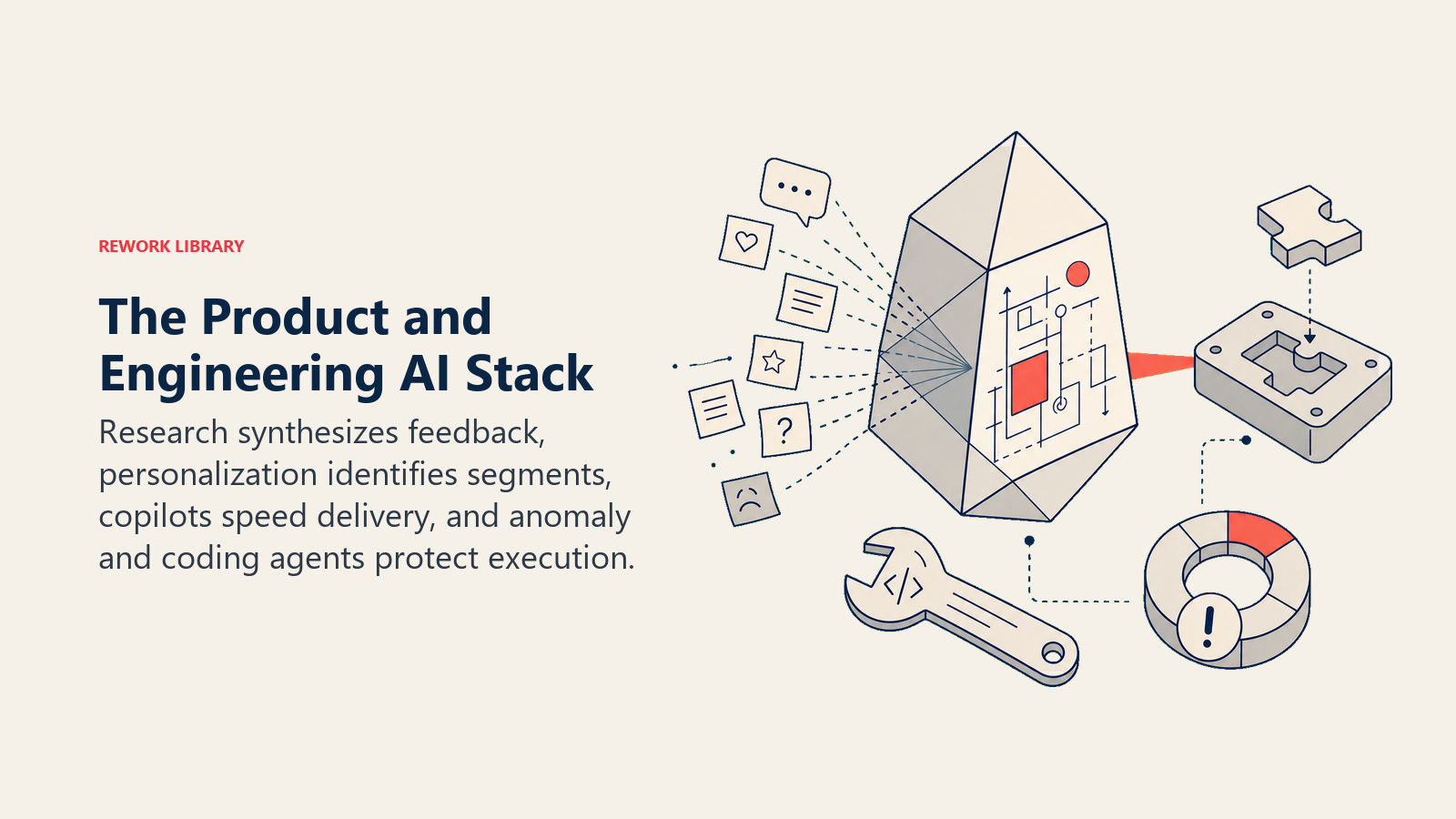
Por que esses juntos: Produto e Engenharia são funções de alta produção onde a alavancagem de colaboradores individuais importa mais do que a eficiência de triagem. O Workflow Copilot melhora a produtividade individual tanto para PMs que escrevem especificações quanto para engenheiros que escrevem código. O Meeting Intelligence captura sessões de descoberta de produto e pesquisa com usuários. O Generative Research comprime análise competitiva e pesquisa de mercado de dias para horas. O Autonomous Agent é especificamente valioso para tarefas de codificação de engenharia onde o loop de teste-correção é bem definido e os limites de ferramentas são claros.
Pré-requisitos de dados:
- Workflow Copilot: integração com a ferramenta principal (IDE para engenheiros, editor de documentos para PMs); inferência de baixa latência
- Meeting Intelligence: chamadas de descoberta de produto gravadas e sessões de pesquisa com usuários com consentimento do participante
- Generative Research: acesso à web ou corpus interno; rastreamento de citações para integridade da pesquisa
- Autonomous Agent (codificação): acesso ao repositório GitHub; executor de testes com saída estruturada; registro de ferramentas com esquemas testados; criação de PR como limite de saída (sem merge automático sem revisão humana)
Recomendação de sequenciamento: Comece com o Workflow Copilot. Tanto engenheiros quanto PMs veem resultados imediatamente, a adoção é voluntária e natural (o copilot é uma ferramenta, não uma mudança de processo) e não requer dados de treinamento ou período de linha de base. Adicione Meeting Intelligence para equipes de produto que realizam entrevistas regulares com clientes. Generative Research para PMs que fazem análise competitiva. Autonomous Agent para equipes de engenharia que querem automatizar o loop de teste-correção-revisão em tarefas bem definidas, mas apenas depois que a equipe estabeleceu governança para o que o agente está e não está autorizado a fazer.
Marco de primeira vitória: Tempo para o primeiro rascunho de especificações e PRDs. Se um PM atualmente leva 3 a 4 horas para escrever um PRD de primeiro rascunho a partir de um conjunto de notas de entrevistas com usuários, o Meeting Intelligence (para estruturar as notas) combinado com o Workflow Copilot (para auxiliar a escrita) deve reduzir isso para menos de 90 minutos. Essa é uma vitória recuperável, testável e concreta.
Marketing
Combinação primária: Workflow Copilot + Personalization Engine + Generative Research
Por que esses juntos: Marketing fica na interseção de produção e distribuição de conteúdo. O Workflow Copilot acelera a criação de conteúdo: títulos, texto de corpo, variantes de anúncios, rascunhos de e-mail, posts sociais. O Personalization Engine torna a distribuição relevante: conteúdo diferente para segmentos, comportamentos e momentos diferentes. O Generative Research comprime inteligência de mercado, análise de tendências e monitoramento competitivo de horas de analistas para horas.
Pré-requisitos de dados:
- Workflow Copilot: guia de estilo da marca em formato acessível; exemplos de saídas às quais o modelo pode se referir para calibração de tom
- Personalization Engine: mínimo de 30 dias de dados de comportamento do usuário; superfície de personalização que suporta renderização dinâmica (plataforma de e-mail, CMS ou entrega de anúncios com suporte a variantes); loop de Feedback conectando decisões de personalização a resultados de conversão
- Generative Research: acesso à web; corpus de conteúdo interno para alinhamento de voz da marca; requisitos de citação definidos antecipadamente
Recomendação de sequenciamento: Comece com o Workflow Copilot para produção de conteúdo. Equipes de marketing veem melhoria imediata de throughput: mais rascunhos em menos tempo, menos tempo diante de uma página em branco, iteração mais fácil. Sem dados de comportamento necessários, sem treinamento de modelo, sem infraestrutura além da integração do copilot. Adicione o Personalization Engine quando tiver dados de comportamento suficientes (pelo menos 30 dias de sinal consistente) e quando sua infraestrutura de entrega suportar renderização de variantes. O Generative Research pode ser executado em paralelo desde o primeiro dia para equipes que fazem muita pesquisa.
Marco de primeira vitória: Throughput de produção de conteúdo. Quantos ativos (e-mails, anúncios, landing pages, posts sociais) a equipe produz por semana com e sem o Workflow Copilot? Acompanhe nos primeiros 60 dias. Volume sozinho não é a métrica certa, mas volume com qualidade mantida, medido por desempenho de teste A/B ou taxa de engajamento, apresenta o argumento claramente.
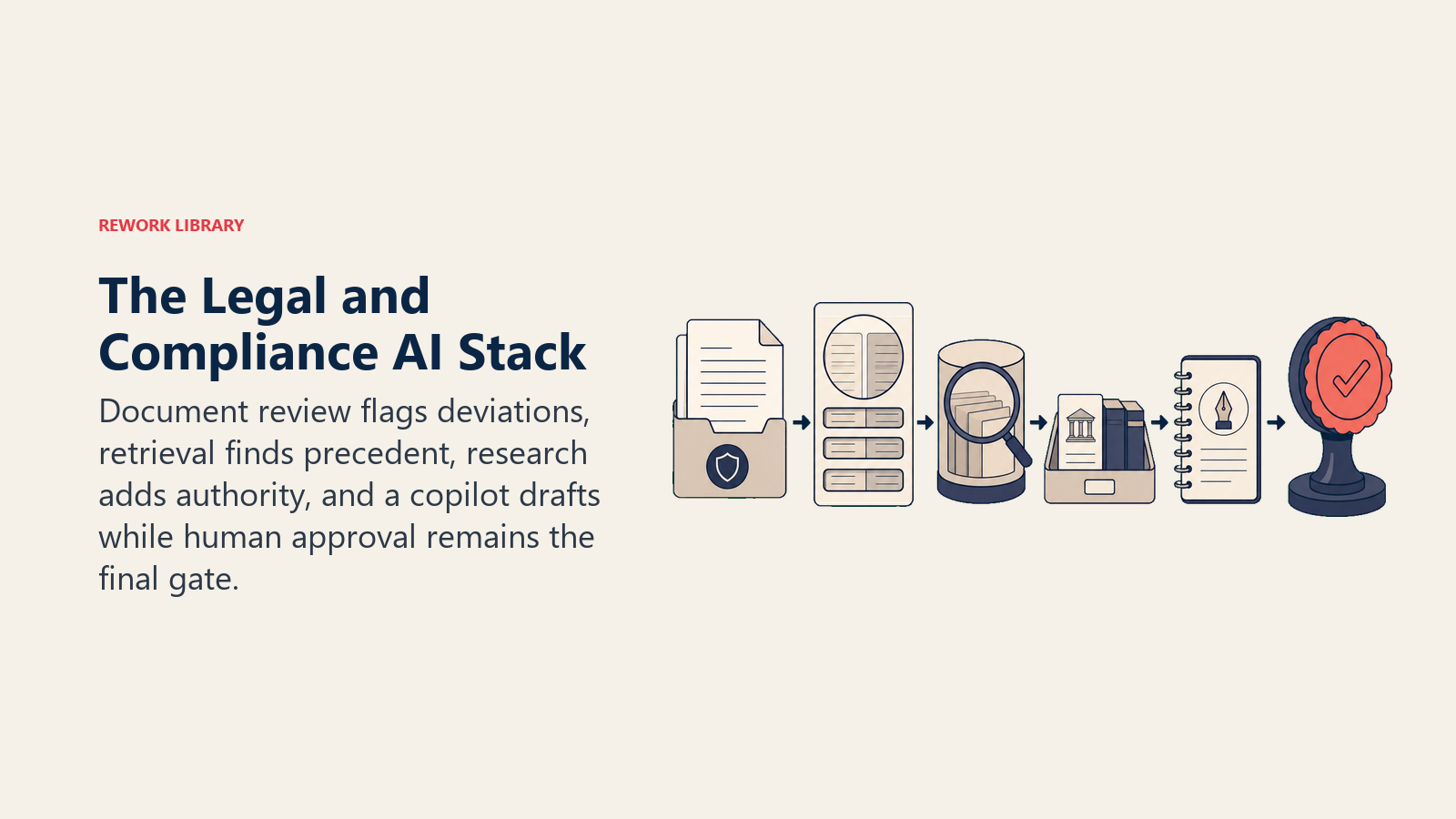
Jurídico e Conformidade
Combinação primária: Document Review + RAG Assistant + Anomaly Agent
Por que esses juntos: Jurídico é a função mais intensiva em documentação na maioria das organizações. O Document Review substitui as horas de leitura manual de contratos que bloqueiam a velocidade comercial. O RAG Assistant dá às equipes jurídicas e de conformidade acesso instantâneo a políticas, regulamentações e precedentes sem exigir que um advogado esteja de plantão. O Anomaly Agent fornece monitoramento contínuo de conformidade em fluxos de transações e comunicações.
Pré-requisitos de dados:
- Document Review: contratos ou documentos de amostra representando toda a gama do que é revisado; tipos de exceção conhecidos; o padrão ou modelo para comparar
- RAG Assistant: políticas jurídicas atuais, modelos de contratos padrão, documentos de orientação regulatória; processo de atualização quando regulamentações mudam
- Anomaly Agent: fluxos de dados relevantes para conformidade (transações, comunicações, relatórios de despesas); período de linha de base; caminho de escalada definido quando anomalias são sinalizadas
Recomendação de sequenciamento: Comece com o Document Review para o tipo de contrato que gera o maior volume de revisão: NDAs, acordos com fornecedores ou contratos de emprego, o que quer que crie a maior fila. O caso de ROI é o tempo de ciclo: dias para revisar um contrato vs. horas. Este é o padrão mais fácil na combinação jurídica para obter aprovação da liderança porque a economia de tempo é imediatamente auditável. O RAG Assistant é uma implantação paralela para equipes onde perguntas e respostas sobre políticas representam uma carga significativa. O Anomaly Agent é adequado quando você definiu como é o monitoramento de conformidade para sua função e tem os dados de linha de base para suportá-lo.
Marco de primeira vitória: Redução no tempo de ciclo de revisão.
"Equipes jurídicas que implantam o Document Review para NDAs padrão reduzem o tempo de ciclo de revisão de 3 dias úteis para no mesmo dia na maioria dos casos. A equipe comercial percebe primeiro. Essa melhoria visível de velocidade torna a adoção de AI jurídica autorreforçante." (Rework Legal AI Analysis, 2026)
Se um NDA padrão leva 3 dias para passar pela revisão jurídica e o Document Review traz isso para no mesmo dia, a equipe de vendas percebe, a equipe de procurement percebe, e a reputação da equipe jurídica de habilitar em vez de bloquear o negócio melhora.
O Departmental Pattern Set
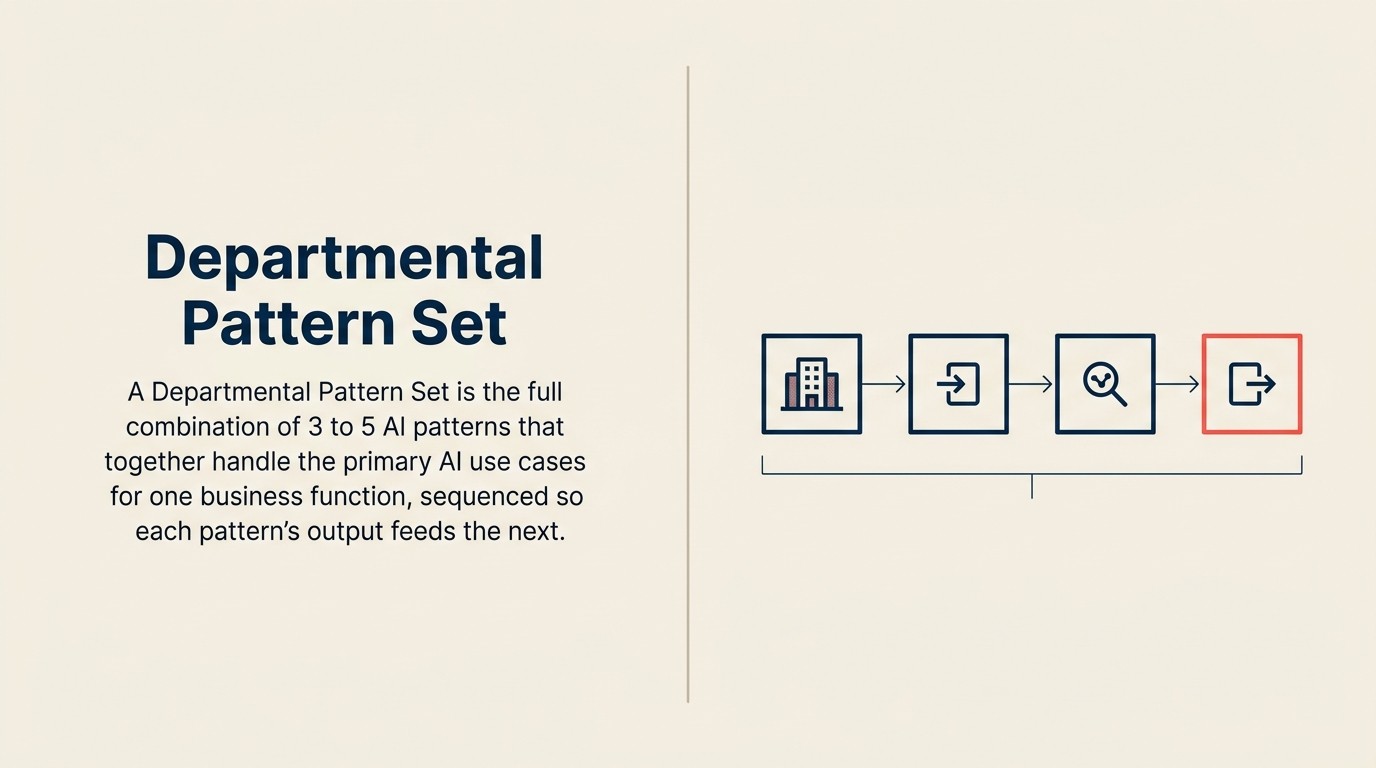
O Departmental Pattern Set é um framework de decisão que define, para cada função de negócio, a combinação de três padrões com a maior probabilidade de ROI no primeiro ano: um padrão inicial sem dependências antecedentes, um segundo padrão que multiplica o valor do primeiro e um padrão adiado que requer maturidade de governança que o primeiro ano raramente alcança. O conjunto de padrões para cada função é determinado por dois eixos: onde as decisões de maior volume e mais repetitivas da função ocorrem e onde os dados históricos de resultado estruturados já existem para treinar ou calibrar o modelo.
Rework Analysis: Com base na descoberta da McKinsey de que vendas e marketing lidera todas as funções de negócio em adoção de AI, e nos dados da PwC mostrando que 71% das organizações usam AI em operações financeiras, o padrão de sequenciamento no nível departamental é consistente: funções com alto volume de dados e ciclos de decisão repetitivos implantam mais rapidamente e alcançam ROI mais claro do que funções com menor volume e Workflows mais orientados a julgamento. Os dados de implementação da Rework mostram que equipes que seguem o sequenciamento do Departmental Pattern Set (começar com padrão sem dependências, adicionar padrão dependente após 30 dias de dados antecedentes) alcançam implantação em produção em 60 a 90 dias. Equipes que tentam todos os três padrões simultaneamente têm uma média de 5 a 7 meses até a produção.
Tabela de referência resumida
Use a tabela resumida como atalho de sequenciamento: comece pelo padrão com o marco de primeira vitória mais claro e depois adicione o padrão adjacente que potencializa os dados dele.
| Departamento | Comece aqui | Adicione em seguida | Adie para o ano 2 | Marco de primeira vitória |
|---|---|---|---|---|
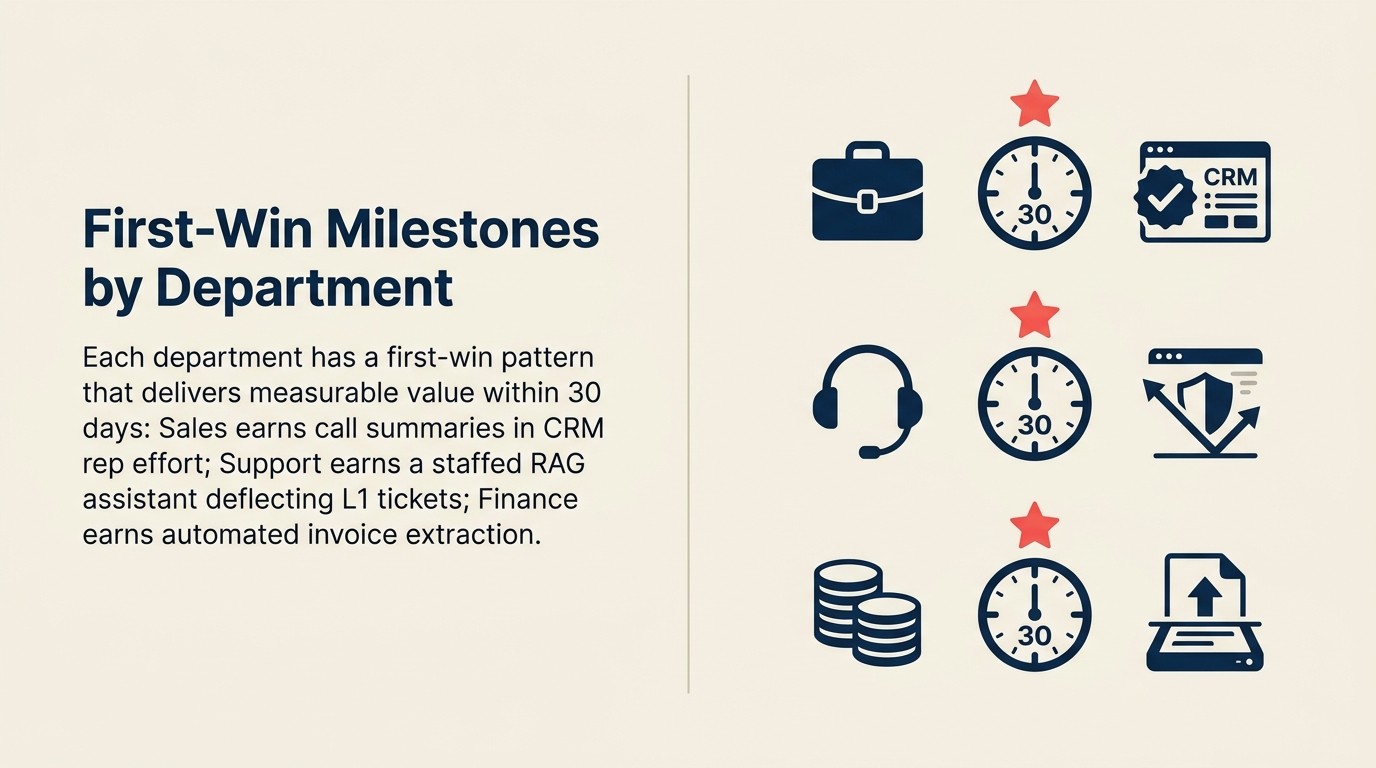
| Vendas | Meeting Intelligence | Scoring + Routing | Autonomous Agent | Taxa de atualização do CRM |
| Suporte ao Cliente | RAG Assistant | Scoring + Routing | Autonomous Agent | Taxa de deflexão de Nível 1 |
| Finanças | Vision Extract | Anomaly Agent | Automação de Documentos | Tempo de processamento de AP |
| RH | RAG Assistant (resposta a políticas) | Scoring + Routing (recrutamento) | Triagem Autônoma | Tempo para triagem |
| Produto / Engenharia | Workflow Copilot | Meeting Intelligence | Autonomous Agent | Tempo para o primeiro rascunho |
| Marketing | Workflow Copilot | Personalization Engine | Campanhas Autônomas | Throughput de conteúdo |
| Jurídico / Conformidade | Document Review | RAG Assistant | Execução Autônoma de Contratos | Tempo de ciclo de revisão |
O padrão que pertence ao seu plano do primeiro ano é o que tem o maior ROI e a menor dívida de pré-requisitos para sua função específica. O que você adia é o que tem o maior investimento em governança e a base de dados menos madura. Sequencie para a realidade, não para a ambição. A descoberta da McKinsey de que apenas cerca de um terço das organizações passou de experimento para escala confirma isso: as equipes que escalam são as que escolheram uma função, provaram valor lá e expandiram. Para os dados subjacentes que fazem ou destroem cada uma dessas combinações, verificação de prontidão de dados por padrão de AI fornece a lista de verificação de auditoria por padrão.
Perguntas Frequentes
Qual departamento deve começar a adoção de AI primeiro?
Vendas e marketing lidera todas as funções em adoção de AI em produção, segundo a pesquisa de 2025 da McKinsey com 1.993 organizações. O motivo é estrutural: vendas gera dados de alto volume e repetitivos (chamadas, leads, e-mails) com resultados mensuráveis (fechado-ganho, fechado-perdido), o que torna tanto os dados de treinamento quanto o caso de ROI diretos. Se sua empresa vende um produto ou serviço, comece com Meeting Intelligence ou Scoring and Routing na função de vendas.
O que é o Departmental Pattern Set?
O Departmental Pattern Set define, para cada função de negócio, três padrões em sequência: um padrão inicial sem dependências antecedentes, um segundo padrão que multiplica o valor do primeiro e um padrão adiado que requer maturidade de governança que o primeiro ano raramente alcança. O conjunto para cada departamento é construído em torno de onde as decisões de maior volume da função ocorrem e onde os dados históricos de resultado estruturados já existem.
Por que o Autonomous Agent é sempre adiado para o segundo ano?
O Autonomous Agent tem os requisitos de pré-requisitos mais altos de qualquer padrão: cada API de ferramenta deve ser testada, a capacidade de reversão deve existir para cada tipo de ação irreversível e restrições rígidas de escopo devem ser definidas antes da implantação. Esses investimentos em governança levam de 3 a 6 meses para serem estabelecidos adequadamente. Implantar o Autonomous Agent antes que os padrões mais simples tenham construído confiança e estabelecido trilhas de auditoria resulta em uma taxa de cancelamento de projetos 4 vezes maior. Construa a base primeiro.
Quanto tempo leva para ver ROI do primeiro padrão de AI em um departamento?
Equipes que seguem o sequenciamento do Departmental Pattern Set, começando com um padrão sem dependências e adicionando o segundo padrão após 30 dias de dados antecedentes, alcançam implantação em produção em 60 a 90 dias. O marco de primeira vitória (taxa de atualização do CRM para vendas, tempo para triagem para RH, tempo de processamento de AP para finanças) é mensurável em 30 dias após a entrada em produção do primeiro padrão.
Quais dados o RH precisa antes de implantar padrões de AI?
Para RAG Assistant (resposta a perguntas de política de funcionários), o pré-requisito é uma base de conhecimento de políticas de RH mantida com um responsável nomeado e ritmo de atualização. Para Scoring and Routing (triagem de recrutamento), o pré-requisito é mínimo de 6 meses de dados históricos de contratação com rótulos de resultado (contratado, rejeitado, avançou para a próxima rodada) e dados de descrição de cargo em formato consistente. Sem dados de resultado rotulados, o modelo de scoring produz ruído em vez de sinal.
O marketing pode implantar padrões de AI sem dados históricos?
O Workflow Copilot para criação de conteúdo não requer dados históricos ou período de treinamento. Ele entrega melhoria imediata de throughput desde o primeiro dia usando um guia de estilo da marca e exemplos de saídas para calibração de tom. O Personalization Engine requer um mínimo de 30 dias de dados de comportamento do usuário e uma infraestrutura de entrega que suporte renderização dinâmica de variantes. Comece com o Workflow Copilot, colete dados de comportamento em paralelo e adicione o Personalization Engine na marca dos 30 dias.
Saiba mais
- O que é um AI Sales Operator? 4 Padrões Trabalhando Juntos
- Roadmap de Implementação de AI Sales Ops
- Sequenciamento de Padrões de AI em um Roadmap Multi-anual
- Combinando Padrões para Construir AI Agents
- Decisão de Comprar vs. Construir para Cada Padrão de AI
- Dependências e Pré-requisitos de Padrões de AI
