Automated Nurture Campaigns: Building the System Infrastructure Behind Every Touch
Turn this article into takeaways for your work.


Each assistant summarizes the article only for you and suggests best practices for your work.
Most agents think about nurture as content: what email to send, what to say in a text, how often to post on social. That's the visible layer. Underneath it sits something most agents never design on purpose: the automation infrastructure that decides who gets what message, when, and why.
Get the infrastructure wrong and even the best-written drip campaign fails. Leads land in the wrong sequence, get double-messaged from two campaigns at once, or drop out entirely because nothing was set up to catch them. Get it right, and your lead nurturing workflow runs quietly in the background while you're at showings, at the negotiating table, or asleep.
This is about the plumbing, not the content. The triggers, conditions, and actions that turn a pile of contacts into a working system.
Why Manual Follow-Up Breaks Down at Volume
A single agent can manually track twenty leads. Track them in a spreadsheet, remember to call back, jot notes after each conversation. It's inefficient, but it works.
At fifty leads, cracks appear. At two hundred, the system collapses entirely. Leads go silent because nobody remembered to follow up. Hot signals get missed because nobody was watching. Someone who filled out a form three months ago never hears from you again, not because you don't care, but because there was no system forcing the follow-up to happen. Only 46% of agents use a CRM of any kind, according to NAR's 2026 Technology Report, so a lot of the industry is still running the spreadsheet-and-memory approach at a scale it was never built for.
Automation solves a volume problem, not a relationship problem. It doesn't replace the personal touches that build trust. It makes sure those personal touches actually happen at the right moment instead of depending entirely on memory.
The Three Building Blocks: Triggers, Conditions, Actions
Every piece of marketing automation, regardless of platform, is built from the same three components.
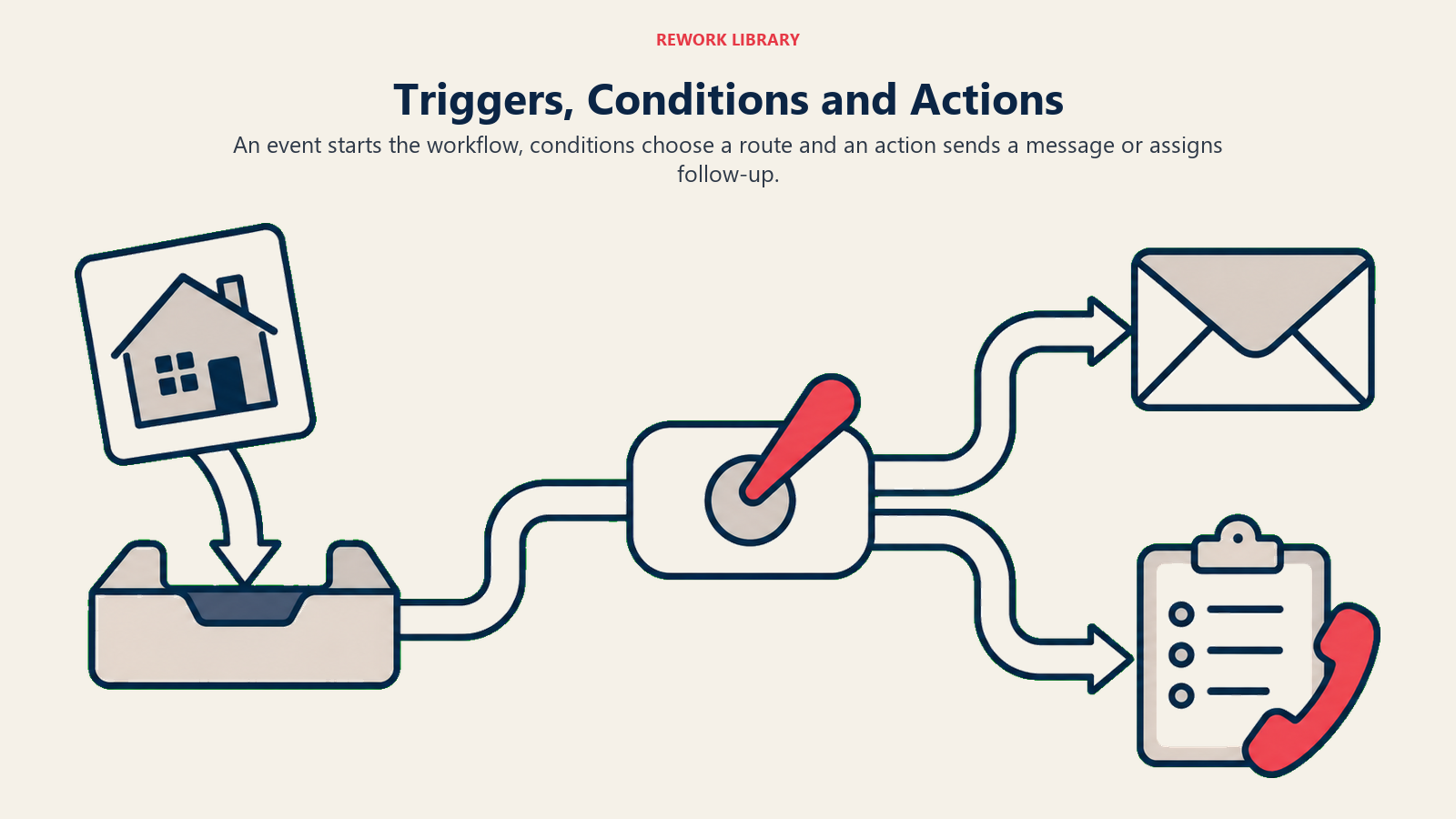
Triggers are the events that start something. A new lead fills out a form. Someone views a listing three times. A showing gets scheduled. A contract falls through. Each of these is a trigger, a moment where the system should react.
Conditions decide which path a lead takes after a trigger fires. Is this lead a buyer or a seller? What's their price range? Did they come from a paid ad or a referral? Conditions branch the workflow so the right people get the right sequence instead of one generic path for everyone.
Actions are what actually happens: send an email, send a text, create a task for an agent, add a tag, move the lead to a different campaign, notify someone on the team.
A working automation is just a chain of these three things: trigger fires, conditions route the lead, an action executes. String enough of these chains together and you have a system that handles hundreds of leads with the same consistency you'd give to one.
Mapping Your Lead Sources to Entry Points
Before building sequences, map every place a lead can enter your system. Each online lead source needs its own entry point because the right first message depends on where someone came from.
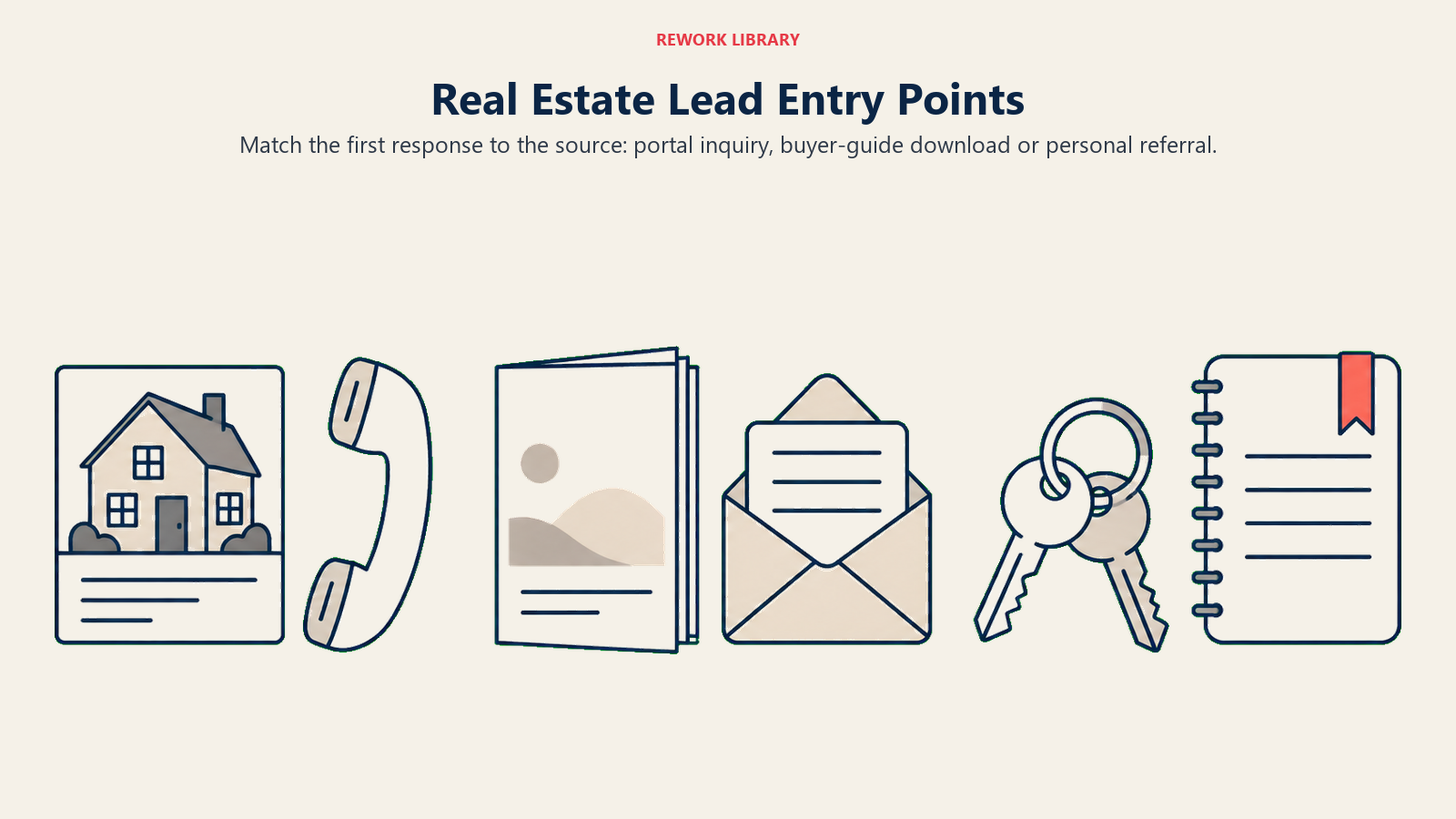
A lead from your Zillow profile needs a fast, direct response, portal leads expect quick answers and shop multiple agents simultaneously. That urgency matters because portal traffic rarely converts on loyalty, only 9% of agents in NAR's 2025 Technology Survey said listing portals give them their highest-quality leads, well behind social media and their own CRM, so speed is what wins the ones that do convert. A lead who downloaded a first-time buyer guide from your website is in research mode and can handle a slower, more educational entry sequence. A referral from a past client should skip generic nurture entirely and go straight to a personal outreach task for you.
Build a simple table before you touch your CRM: lead source on one side, appropriate entry sequence and response-time target on the other. This becomes your blueprint for the automation you configure.
Multi-Channel Automation Beyond Email
Email automation gets most of the attention, but a real automation system coordinates across channels.
SMS triggers for time-sensitive moments: a new listing matching their criteria, a showing confirmation, a reminder the day before an appointment. It matches what buyers say they actually want: 50% of buyers who work with an agent prefer texting or messaging apps over a phone call, compared with just 33% who still prefer calls, according to Zillow's latest Consumer Housing Trends Report.
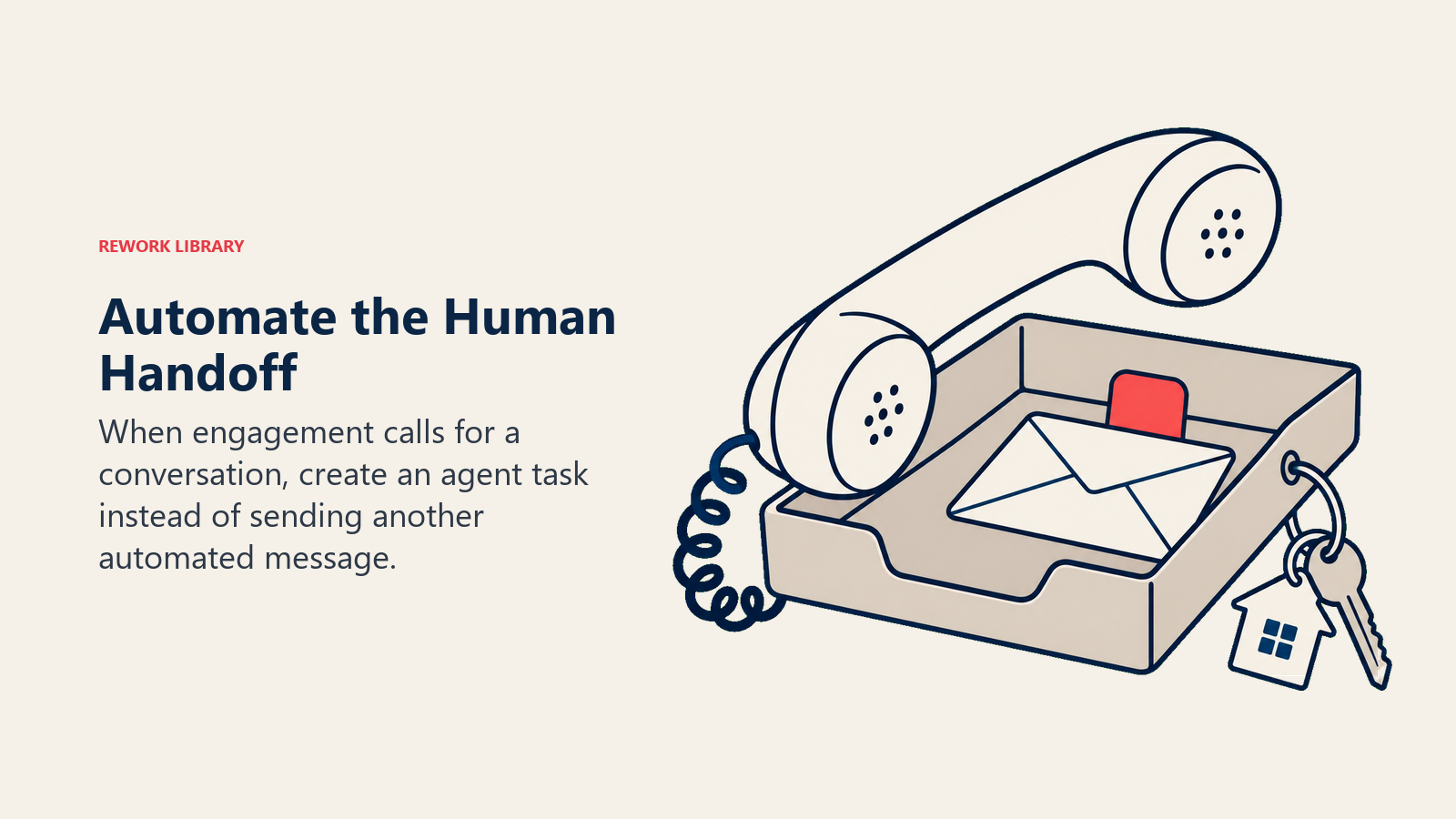
Task creation for human follow-up is the most underused automation action. Not everything should be automated away from a person. When a lead hits a certain engagement threshold, the right action isn't another email, it's a task in your calendar to call them personally. Automation should route work to humans at the moments that matter, not replace humans entirely. Even as 52% of agents who use AI now lean on it to draft emails and follow-up messages, per NAR's 2026 Technology Report, the moments that call for a real conversation still need a human queued up to have it.
Tag and score updates happen silently in the background. Every email open, click, and reply should update the lead's tags and score inside your lead scoring for real estate system, so priority shifts automatically as behavior changes.
Retargeting audience syncs push engaged leads into your ad platforms so they see your listings and brand across Facebook and Instagram while they're still in your nurture sequences, reinforcing the email touches with visual ones.
Segmentation Logic That Powers Personalization
Automation without segmentation just sends the same message to everyone faster. Segmentation is what makes it feel personal.
Build your segments around variables that actually change what you'd say: buyer versus seller, timeline (0-3 months, 3-6, 6-12, 12+), price range, and geographic area of interest. A lead searching $300,000 condos downtown and a lead searching $800,000 single-family homes in the suburbs shouldn't be in the same content stream, even if both entered through the same web form.
Set up your CRM so these segment fields update dynamically. If a lead's saved search criteria changes, their segment should update and their nurture content should shift with it, not stay locked to whatever segment they were assigned on day one.
Building Your Workflow Map Before You Build Anything
The biggest mistake agents make is opening their CRM's automation builder and starting to click before they've mapped anything on paper. Draw the workflow first.
Start with every entry point. Draw the branches for each condition (buyer/seller, timeline, source). Map every action at every step. Note where a human needs to intervene versus where automation should keep running. Note the exit conditions, what happens when someone books a consultation, replies to an email, or asks to be removed from a specific sequence.
This map becomes your reference document. When something breaks (and something eventually will), you can trace exactly where a lead should be and compare it against where they actually are.
Testing Before You Launch
Never launch an automation sequence on live leads without testing it first. Create a test contact, run them through the entire sequence, and verify every step fires correctly, timing included.
Check for the failure modes that plague real estate automation specifically: does a lead who matches multiple conditions end up in two campaigns simultaneously (this happens constantly and looks unprofessional)? Does the sequence handle a lead who takes an action mid-sequence, like replying or booking an appointment? Does removing someone from one campaign actually remove them, or do they keep getting messages from a sequence they should have exited?
Test on a small batch of real leads before rolling out to your entire database. Watch open rates, reply rates, and unsubscribes closely for the first week.
Common Automation Failures and How to Fix Them
Orphaned leads enter your system but never get assigned to any workflow because a trigger didn't fire correctly. Audit monthly: pull a list of every contact with zero active campaigns and manually route them.
Duplicate enrollment happens when a lead qualifies for multiple sequences at once and your CRM doesn't have exclusion rules. Build explicit exclusion logic, a lead already in your buyer welcome series shouldn't also enter a generic newsletter sequence covering the same content.
Stale automations are sequences built a year ago that reference market conditions, pricing, or listings that no longer apply. Set calendar reminders to review and refresh every active sequence quarterly.
Silent failures are the worst kind. An integration between your lead source and CRM breaks, and leads simply stop flowing into automation without any alert. Set up a weekly check: count new leads entering your system and compare it against your expected volume from ad spend and lead source reports.
Scaling Automation as Your Database Grows
What works at 200 contacts needs adjustment at 2,000. As your database grows, add more granular segmentation so messages stay relevant instead of generic. Build reactivation sequences specifically for contacts who've gone cold, don't just let them sit in an active sequence forever with declining engagement.
If you're running a team, build role-based automation: leads route not just to sequences but to specific team members based on territory, lead source, or specialization, tying your automation directly into your lead distribution to team process.
Measuring the Health of Your System, Not Just the Content
Most agents only measure campaign metrics: open rates, click rates, replies. Those matter, but they don't tell you if your infrastructure is healthy. Track these system-level metrics too.
Percentage of leads with zero active automation. This should be close to zero. Anything higher means leads are falling through cracks in your entry-point mapping.
Average time from lead capture to first automated touch. This should be minutes, not hours, and connects directly to your speed-to-lead response standards. The stakes are real, 47% of buyers end up hiring the very first agent they talk to, so the automated touch that lands first has a real shot at winning the relationship before a human ever gets involved.
Sequence completion versus exit rate. How many leads make it through an entire sequence versus dropping out or converting early? A high early-exit rate to sales-ready status is good news. A high drop-out rate from unsubscribes is a content or frequency problem.
Handoff accuracy. When automation flags a lead as sales-ready and creates a task for an agent, does that handoff actually happen and get acted on within your target window?
Where This Fits in Your Larger System
Automated nurture campaigns aren't a standalone tactic. They're the infrastructure layer underneath your drip campaign strategy content and your long-term lead nurturing relationship approach. The content and the strategy determine what gets said. The automation infrastructure determines that it actually gets said, to the right person, at the right time, every single time, whether you remembered to check your CRM that day or not.
Start by mapping your current entry points, even if the mapping reveals gaps. Most agents discover leads are entering their system with no automation attached at all. Fixing that single gap often produces more results than writing another clever email sequence.
Frequently Asked Questions about Automated Nurture Campaigns
What's the difference between automated nurture campaigns and a drip campaign?
A drip campaign is a specific content sequence, a series of emails on a schedule. Automated nurture campaigns describe the underlying infrastructure of triggers, conditions, and actions that decides which drip campaign a lead enters, when they exit, and what happens around the emails themselves, like task creation, tagging, and channel coordination.
How many leads do I need before automation is worth setting up?
Automation pays off the moment manual tracking starts failing, which for most solo agents happens somewhere between 30 and 50 active leads. Setting up basic automation earlier costs little and prevents the scramble that happens when your database outgrows a spreadsheet.
What's the biggest automation mistake agents make?
Building content-heavy sequences without mapping the underlying triggers and exit conditions first. This leads to leads getting stuck in dead sequences, enrolled in duplicate campaigns, or never entering automation at all because a trigger silently failed.
How often should I audit my automation system?
Review active sequences quarterly for outdated content and pricing references. Check for orphaned leads and broken triggers monthly. A quick weekly glance at new-lead volume versus automation enrollment catches silent failures before they compound.
Related Resources
Nurture Strategy & Content:
- Drip Campaign Strategy - The content and sequences that run inside your automation
- Long-Term Lead Nurturing - Relationship-first strategy for leads with 6-24 month timelines
- Lead Nurturing Workflow - The end-to-end process that ties automation to human follow-up
Lead Management Foundations:
- Lead Scoring for Real Estate - Automatically prioritize leads as they engage
- Speed-to-Lead Response - Why the first automated touch needs to be fast
- Real Estate CRM Selection - Choosing a platform that can actually run this infrastructure

Sales Director
On this page
- Why Manual Follow-Up Breaks Down at Volume
- The Three Building Blocks: Triggers, Conditions, Actions
- Mapping Your Lead Sources to Entry Points
- Multi-Channel Automation Beyond Email
- Segmentation Logic That Powers Personalization
- Building Your Workflow Map Before You Build Anything
- Testing Before You Launch
- Common Automation Failures and How to Fix Them
- Scaling Automation as Your Database Grows
- Measuring the Health of Your System, Not Just the Content
- Where This Fits in Your Larger System
- Related Resources