Best Power Automate Alternatives in 2026: 12 Workflow Automation Platforms for Ops Teams
Turn this article into takeaways for your work.


Each assistant summarizes the article only for you and suggests best practices for your work.
Power Automate has a legitimate case. If your organization runs Microsoft 365, the tool is already in your contract, the Teams and SharePoint integrations are genuinely deep, and the RPA layer (attended and unattended bots) covers desktop automation that cloud-first tools can't touch. For IT teams managing a Microsoft-centric stack, Power Automate is often the right default, not a compromise.
But a real set of frustrations has accumulated around it. The licensing model is confusing in a way that feels intentional: standard connectors are free with M365, but the moment you connect Salesforce, ServiceNow, or a non-Microsoft SaaS system, you're looking at $15/user/month for the Premium license, plus $150/bot/month for unattended RPA. On a 50-person team, that adds up quickly. The flow builder becomes unwieldy for complex multi-branch logic, and the UI has a reputation for surface-level friendliness that masks real depth. Non-Microsoft app coverage is inconsistent, and support documentation is scattered across Microsoft Learn, the Power Platform admin center, and community forums. For ops and RevOps teams who primarily connect SaaS tools outside the Microsoft stack, the friction-to-value ratio tips against Power Automate fast. This guide covers 12 alternatives honestly, including where Power Automate still wins.
If you're also evaluating the broader automation space, the best Zapier alternatives guide covers no-code automation platforms with the widest app ecosystems, and the best Make alternatives goes deep on visual canvas builders that rival Power Automate's scenario logic without the Microsoft tie-in. For teams rethinking the data layer that sits next to their integration platform, the best Segment alternatives is worth reading alongside this one.
Quick Comparison Table
| Tool | Best For | Starting Price | Key Strength | Key Limitation |
|---|---|---|---|---|
| Zapier | Non-technical ops teams connecting 5-20 SaaS apps | Free; $19.99/mo (Starter, annual) | 7,000+ integrations, zero learning curve | Task-based billing compounds at volume |
| Make | Visual complex workflows on a mid-market budget | Free; $9/mo (Core, annual) | Visual canvas, cheap at mid-volume | Credit model harder to predict than task-based |
| n8n | Developer and technical ops teams wanting code control | Free (self-host); €24/mo (cloud Starter) | Open-source, execution-based billing, code nodes | Requires technical setup; not for non-technical users |
| Workato | Enterprise iPaaS with deep system connectors | ~$10K/year (Standard) | Workday, SAP, ServiceNow connectors; recipe governance | Six-figure contracts; overkill for mid-market |
| Tray.ai | Mid-market needing enterprise iPaaS depth | ~$695/mo (Pro) | Enterprise connectors, GenAI layer, stateful flows | Sales-led pricing; no self-serve |
| Pipedream | Developers building code-heavy custom integrations | Free; $29/mo (Basic) | Full code per step, pay-per-compute | Not accessible to non-technical users |
| Pabbly Connect | Budget-conscious teams wanting lifetime deal pricing | Free; $349 one-time (lifetime) | Filters and routers don't count as tasks | Entry lifetime tier caps tasks and steps; fewer enterprise connectors |
| Integrately | One-click automation setup for SMB teams | Free; $19.99/mo (Starter) | 1-click activation, 1,000+ app pairs | Task consumption higher than expected |
| Zoho Flow | Zoho-stack teams needing internal automation | Free; $25/mo (Standard, annual) | Deep Zoho suite integration, reasonable price | Narrow value outside Zoho ecosystem |
| IFTTT | Consumer and simple IoT/smart-home automation | Free; $3.49/mo (Pro) | Easiest setup on the list; IoT and smart device triggers | Not built for business workflows |
| Activepieces | Non-technical teams wanting open-source with clean UX | Free (cloud + self-host); $16/mo (Plus, billed yearly) | MIT-licensed, Zapier-like UX, AI-native pieces | Smaller ecosystem than n8n; newer platform |
| Tines | Security and IT ops teams automating incident workflows | Free (Community); $500/mo (Starter) | Security-grade SOAR + business automation in one | Heavy for general ops; steep entry price |
Why Teams Actually Leave Power Automate
Before picking an alternative, it helps to name the specific friction points.
| Pain Point | Who Feels It Most | Severity |
|---|---|---|
| Premium connector licensing adds $15/user/mo per person the moment you touch Salesforce | RevOps and ops teams with mixed stacks | High |
| Unattended RPA bots at $150-$215/bot/mo scale costs fast | IT teams automating desktop processes at volume | High |
| Complex multi-branch flows become hard to manage in the GUI | Automation specialists building production workflows | High |
| Documentation is scattered across Microsoft Learn and community forums | IT admins and citizen developers troubleshooting issues | Medium |
| Non-Microsoft app coverage is inconsistent; connectors vary in quality | Teams where Salesforce, HubSpot, or Zendesk is primary | High |
| Power Platform governance requires IT overhead most mid-market teams can't justify | Smaller IT teams without a dedicated Power Platform admin | Medium |
If none of those apply and your team is deeply embedded in Microsoft 365, Power Automate is probably the right answer. But if even one row resonates, the tools below cover the real use cases at lower friction and cost.
1. Zapier, The No-Code Standard for SaaS-First Teams
Zapier connects more apps than any other tool on this list: 7,000+ integrations including every major SaaS platform. A non-technical ops manager can build a production Zap in under 20 minutes without training. That accessibility gap relative to Power Automate is real, especially for flows that cross out of the Microsoft ecosystem.
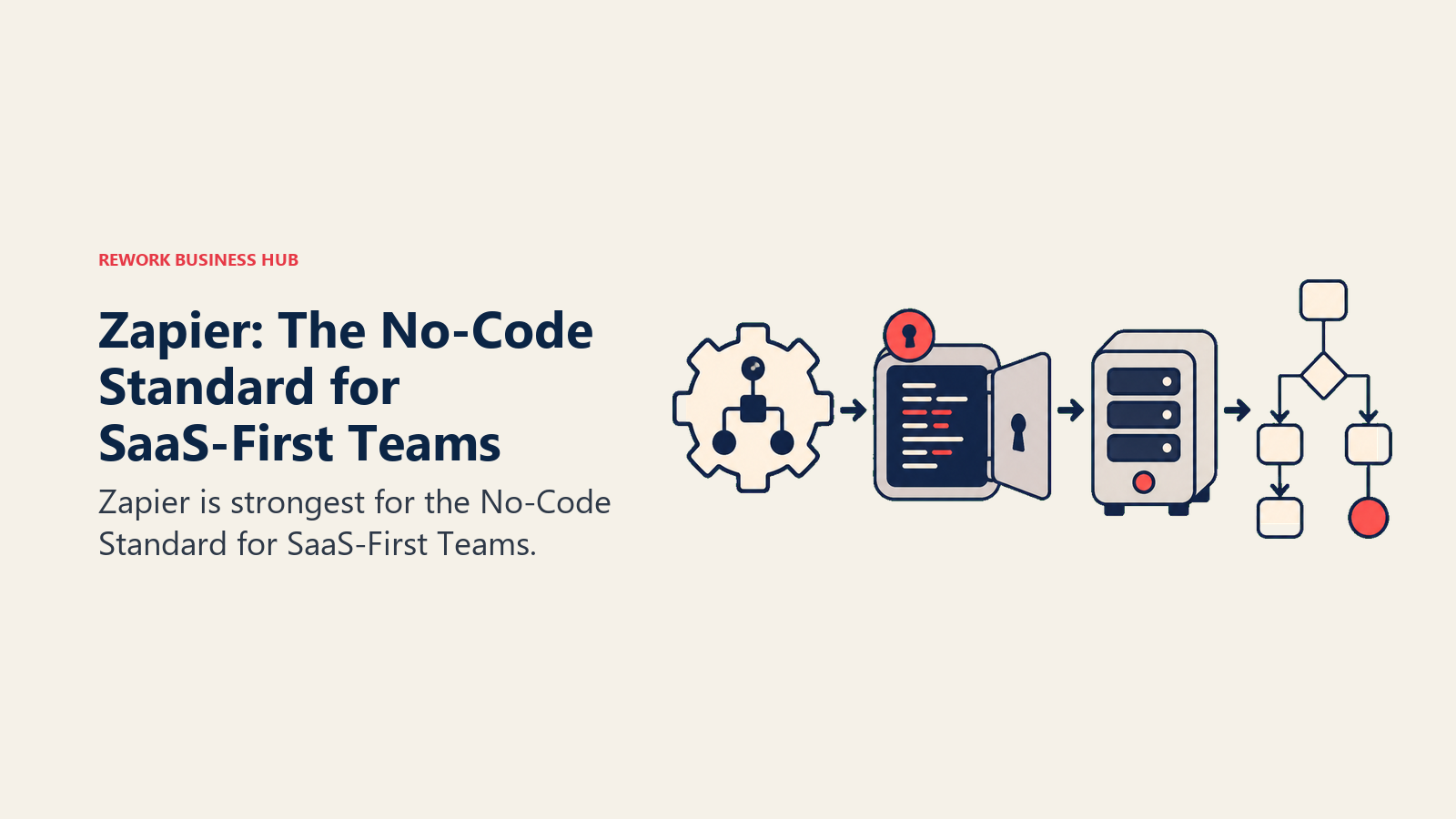
Methodology: Zapier's model is simplicity over depth. Every automation is a Zap: one trigger, one or more actions. Paths add conditional branching, and Tables and Forms ship on every paid plan now. The bet is that most business automation doesn't need enterprise complexity, just reliability and breadth.
Target audience: Operations managers, RevOps leads, marketing ops, and CS ops at companies from 10 to 500 people. The ICP is someone managing tools who doesn't write code. Also agencies building automations for clients where non-technical clients need to maintain them afterward.
| Pros | Cons |
|---|---|
| 7,000+ integrations, widest ecosystem on this list | Task-based billing compounds fast at volume |
| Zero learning curve for non-technical teams | No code-level customization in workflows |
| Tables, Forms, and Zapier MCP included in all plans | Team plan is $103.50/mo for only 2,000 tasks |
| Reliable uptime; mature, well-documented | Enterprise governance is thin |
Sizing fit:
| Team Size | Fit |
|---|---|
| Solo (1 person) | Excellent |
| Small team (2-10) | Strong |
| Mid-size (10-50) | Good; watch task volume costs |
| Enterprise (50+) | Departmental use only |
Stage fit: Startup through mid-market. At enterprise scale, task billing and governance gaps show.
Team vs company-wide: Both. Ops teams use it; individual contributors build personal automations. Company-wide adoption is common at mid-market.
Pricing: Free (100 tasks/mo). Starter at $19.99/mo (annual, 750 tasks). Professional at $49/mo (annual, 2,000 tasks). Team at $103.50/mo (2,000 tasks, shared workspace). Enterprise custom. See Zapier pricing.
Best for: Non-technical ops and RevOps teams connecting SaaS apps outside the Microsoft stack, where Power Automate's premium connector licensing makes the cost unjustifiable.
2. Make, Visual Canvas for Complex Logic at a Lower Cost
Make (formerly Integromat) sits between Zapier's simplicity and enterprise iPaaS depth. Its visual canvas builds multi-step workflows as branching flow diagrams, which makes complex conditional logic much easier to understand and debug than Power Automate's linear flow editor. And it's substantially cheaper for comparable workflow complexity.
Methodology: Make treats automation as a visual programming environment. Scenarios are diagrams with modules, filters, iterators, and aggregators. That flexibility means you can model complex multi-branch workflows in a way that's legible to non-engineers, but there's more to learn upfront than Zapier. As of late 2025, custom AI provider connections are available on all paid plans.
Target audience: Technical-leaning ops teams, RevOps analysts, digital agencies, and SaaS companies that need complex automation without enterprise pricing. The ICP is a RevOps analyst who's outgrown Zapier and found Power Automate's non-Microsoft coverage frustrating.
| Pros | Cons |
|---|---|
| Visual canvas makes multi-branch logic legible | Credit-based billing harder to predict than task-based |
| Much cheaper than Zapier at mid-volume; cheaper than Power Automate Premium | Enterprise features (SSO, audit logs) require Enterprise plan |
| 1,500+ integrations; good non-Microsoft coverage | Fewer pre-built templates than Zapier |
| AI provider connections on all paid plans (post-Nov 2025 update) | Steeper learning curve than Zapier |
Sizing fit:
| Team Size | Fit |
|---|---|
| Solo (1 person) | Strong |
| Small team (2-10) | Excellent |
| Mid-size (10-50) | Strong |
| Enterprise (50+) | Possible; governance gaps at scale |
Stage fit: Strong from startup through growth. Viable at mid-market where governance requirements are modest.
Team vs company-wide: Technical ops and automation specialists primarily. Broader adoption requires onboarding investment.
Pricing: Free (1,000 ops/mo). Core at $9/mo (10,000 ops, annual). Pro at $16/mo. Teams at $29/mo. Enterprise custom. See Make pricing.
Best for: Technical ops teams that want Zapier-level breadth and better complex logic at a fraction of Power Automate Premium's cost.
3. n8n, Open-Source with Full Code Control
n8n is the choice when your team needs full control: over the workflow logic, the code inside each step, and the infrastructure it runs on. It's open-source, runs on your own servers, and bills per execution rather than per task, so a workflow with 30 steps costs the same as one with 3.
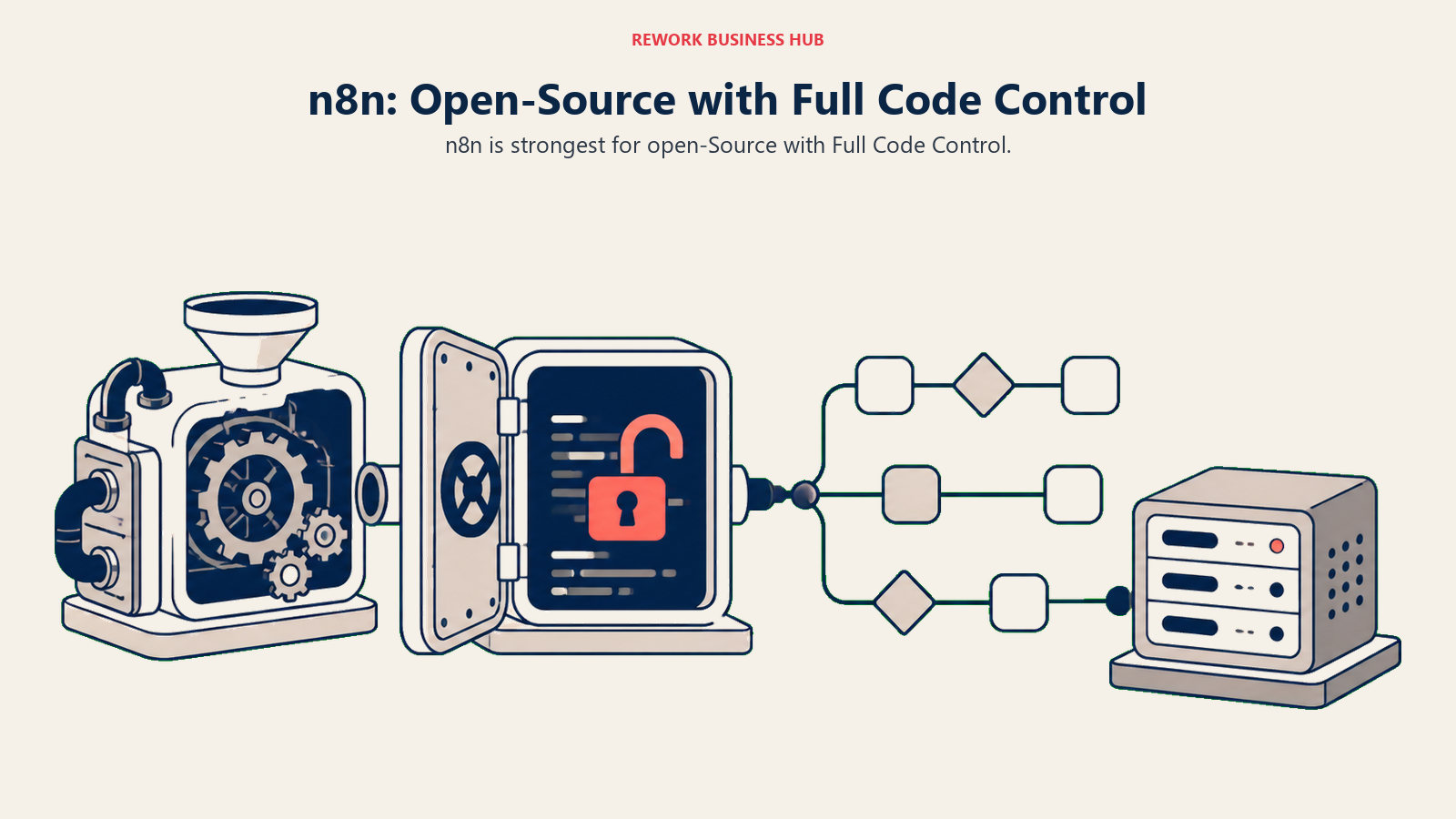
Methodology: n8n treats automation as engineering infrastructure. Every node can run JavaScript or Python. You can build custom nodes, version-control workflows in Git, and self-host on any cloud. Unlike Power Automate, there's no vendor lock-in, no Microsoft dependency, and no per-connector licensing. Cloud plans bill per execution, not per action step.
Target audience: Engineering teams, DevOps engineers, technical RevOps leads, and startups self-hosting their stack. The ICP is a software engineer or senior ops engineer comfortable with Docker who doesn't want to pay per task or manage Microsoft licensing. Also: regulated industries where data can't leave their own infrastructure.
| Pros | Cons |
|---|---|
| Open-source; full data control via self-hosting | Requires technical setup and ongoing maintenance |
| Execution-based billing, 30-step flows cost same as 3-step | UI less polished than Zapier or Make |
| JavaScript and Python code nodes built in | Not a business-user tool |
| 500+ integrations; custom nodes buildable | Self-hosting overhead is real for small teams |
Sizing fit:
| Team Size | Fit |
|---|---|
| Solo (developer) | Excellent |
| Small team (2-10, technical) | Strong |
| Mid-size (10-50) | Strong with engineering support |
| Enterprise (50+) | Viable with Enterprise plan |
Stage fit: Strong from early-stage through enterprise, conditional on having engineering capacity. Not for teams without a technical operator.
Team vs company-wide: Engineering and technical ops. Not a business-user tool.
Pricing: Self-hosted Community Edition free. Cloud Starter at €24/mo (2,500 executions). Pro at €60/mo (10,000 executions). Business at €800/mo (40,000 executions). Enterprise custom. See n8n pricing.
Best for: Developer teams and technical operators who want code-level automation control with no per-task billing and no Microsoft ecosystem dependency.
4. Workato, Enterprise iPaaS for Complex System Integrations
Workato is one of the two or three most capable enterprise iPaaS platforms available. If your company runs Workday, ServiceNow, or SAP, and needs workflow automation that touches those systems reliably at scale, Workato's connector depth and governance controls are hard to match. It's also one of the few tools in this list that can genuinely replace Power Automate's RPA layer for desktop and legacy system automation.
Methodology: Workato's recipe-based model treats every integration as a governed, versionable workflow. Recipes can be triggered by events, scheduled, or run by AI agents via Workato One. The OPA (On-Premises Agent) connects on-prem systems without VPN configuration. Governance, audit trails, and version control are built in, not add-ons.
Target audience: Enterprise IT teams, integration architects, and VP-level ops buyers at companies with $100M+ revenue where Workday, ServiceNow, and SAP are core systems. The ICP is a Director of IT or VP of Operations who needs an enterprise-grade automation platform with a dedicated automation team to run it.
| Pros | Cons |
|---|---|
| Deepest coverage of enterprise connectors (Workday, SAP, ServiceNow) | Opaque pricing; annual contracts often $10K to $300K+ |
| Recipe governance, version control, and audit logs built in | Implementation overhead assumes a specialist |
| Agentic automation (Workato One) for GenAI orchestration | Overkill and cost-prohibitive for mid-market teams |
| On-prem connectivity via OPA, no VPN required | High volume task limits that reset monthly |
Sizing fit:
| Team Size | Fit |
|---|---|
| Solo (1 person) | Not a fit |
| Small team (2-10) | Not a fit |
| Mid-size (10-50) | Possible with dedicated automation team |
| Enterprise (50+) | Strong for large enterprise |
Stage fit: Mid-market to large enterprise only. Standard tier starts around $10K/year; professional $30K to $80K; enterprise $84K to $300K+.
Team vs company-wide: IT and integration engineering. Not a business-user tool.
Pricing: Sales-led; Standard from ~$10K/year. Professional $30K-$80K/year. Enterprise $84K-$300K+. No self-serve plans. See Workato pricing.
Best for: Large enterprises where Workday, SAP, or ServiceNow are core infrastructure and a dedicated automation team manages workflows.
5. Tray.ai, Enterprise Depth With More Pricing Flexibility Than Workato
Tray.ai targets the same mid-market-to-enterprise segment as Workato but comes in at a lower entry price and with a GenAI automation layer it calls Merlin that's more tightly integrated than most competitors. If Power Automate's non-Microsoft coverage is the core complaint, Tray.ai covers the enterprise SaaS landscape (Salesforce, HubSpot, Zendesk, NetSuite) with pre-built connectors and long-running, stateful workflow support.
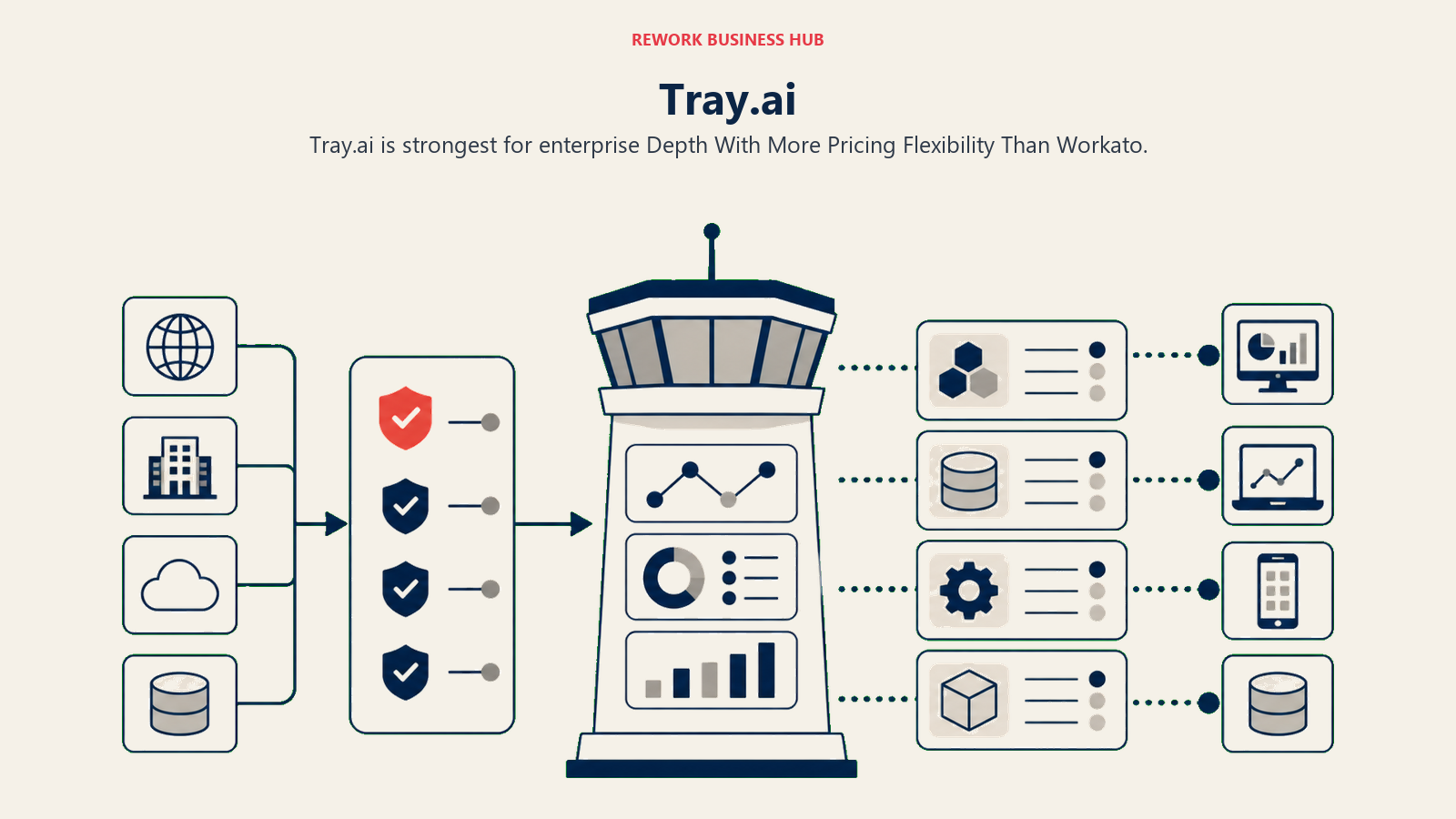
Methodology: Tray.ai builds around stateful, long-running workflows, processes that span hours or days, not seconds. That architecture suits complex business processes: multi-approval flows, multi-system syncs, and orchestration across cloud and on-prem systems. The Merlin GenAI layer adds AI-driven automation that goes beyond simple if-then logic.
Target audience: Mid-market RevOps leaders, integration engineers, and IT directors at $50M to $500M companies. The ICP is a Director-level ops buyer who's evaluated Workato but needs to land a deal without a six-figure PO. Also: SaaS companies building embedded automation products.
| Pros | Cons |
|---|---|
| Enterprise connectors with better non-Microsoft coverage than Power Automate | Still sales-led; no public self-serve pricing |
| Stateful, long-running workflows suit complex multi-step processes | Implementation requires a specialist |
| Merlin GenAI automation layer included | Fewer pre-built templates than Zapier or Make |
| Supports embedded iPaaS for product teams | Fewer out-of-box enterprise connectors than Workato |
Sizing fit:
| Team Size | Fit |
|---|---|
| Solo (1 person) | Not a fit |
| Small team (2-10) | Limited |
| Mid-size (10-50) | Strong |
| Enterprise (50+) | Strong |
Stage fit: Growth and mid-market primarily. Not designed for startups.
Team vs company-wide: IT and integration engineering. Not a self-service tool.
Pricing: Pro tier starts around $695/mo (estimated, sales-led, 25,000 tasks/mo). Team and Enterprise are custom. See Tray.ai pricing.
Best for: Mid-market integration teams that need enterprise SaaS connectors and stateful workflow support without Workato's six-figure contract minimums.
6. Pipedream, Developer-Grade Automation Without Server Management
Pipedream is what developers reach for when they want full code control in automation without managing their own infrastructure. Every workflow step is a serverless function. You write Node.js, Python, Go, or Bash; connect to 2,500+ APIs; and pay for compute time, not workflow steps. It's a meaningful step up from Power Automate's limited scripting and a fraction of the overhead of n8n self-hosting.
Methodology: Pipedream's model treats every workflow step as a serverless compute unit billed by credit (30 seconds of execution at 256MB RAM). Complex multi-step workflows don't cost more just because they have more branches. Version control, Git integration, and HTTP endpoints are first-class. Event sources, webhooks, and scheduled triggers all work the same way.
Target audience: Software engineers, backend developers, and technical RevOps leads at SaaS startups and scale-ups. The ICP is a developer who has outgrown Zapier's no-code constraints and doesn't want to manage an n8n server.
| Pros | Cons |
|---|---|
| Full code (Node.js, Python, Go, Bash) in every step | Not accessible to non-technical users at all |
| Pay-per-compute; complex flows don't cost more than simple ones | Free tier limited to 100 credits/day, 3 active workflows |
| 2,500+ pre-built component actions | Less visual than Make or Zapier |
| Git-backed version control for workflows | Community support on lower tiers |
Sizing fit:
| Team Size | Fit |
|---|---|
| Solo developer | Excellent |
| Small team (2-10, technical) | Strong |
| Mid-size (10-50) | Good for engineering-led automation |
| Enterprise (50+) | Custom plan required |
Stage fit: Startup through growth-stage for engineering teams. Good complement to a business-user tool at mid-market.
Team vs company-wide: Engineering and technical ops only.
Pricing: Free (100 credits/day, 3 active workflows). Basic at $29/mo (2,000 credits/day). Advanced at $49/mo (10,000 credits/day). Business custom. See Pipedream pricing.
Best for: Developers who want production-grade automation with custom code, without managing servers or navigating Power Automate's connector licensing model.
7. Pabbly Connect, Lifetime Deal Pricing for Budget-Conscious Teams
Pabbly Connect earns its place here because of one unusual business model: lifetime deals. A one-time payment starting around $349 buys 3,000 tasks/month with no annual renewal. For agencies and small businesses with predictable, stable automation needs, that changes the math entirely when compared to Power Automate Premium's $15/user/month subscription.
Methodology: Pabbly's model is breadth at low cost. It connects 1,000+ apps, supports multi-step automation, and importantly: filters, routers, and formatters don't count as billable tasks. A 10-step workflow with 3 routers costs the same in tasks as a 3-step workflow, unusual and genuinely useful for complex branching automations.
Target audience: Small businesses, digital marketing agencies, freelancers, and budget-conscious ops teams with stable, defined automation workflows. The ICP is a small agency owner automating for 15 clients who doesn't want per-task rates compounding monthly.
| Pros | Cons |
|---|---|
| Lifetime deal pricing eliminates annual renewal costs | Fewer enterprise connectors (Workday, SAP, ServiceNow not covered) |
| Filters and routers don't count as billable tasks | Support response time slower than Zapier |
| Unlimited workflows and team members on paid plans | UI less polished than Zapier or Make |
| All features on every paid tier, no upsell for premium apps | Smaller community and fewer templates |
Sizing fit:
| Team Size | Fit |
|---|---|
| Solo (freelancer/agency) | Excellent |
| Small team (2-10) | Strong |
| Mid-size (10-50) | Moderate; check connector coverage |
| Enterprise (50+) | Not recommended |
Stage fit: Early-stage, bootstrapped teams, and agencies. Not for scaling past ~50 people.
Team vs company-wide: Ops and marketing teams. Accessible to non-technical users.
Pricing: Free (100 tasks/mo). The subscription page quotes in Indian rupees as of September 2026: Standard about ₹1,138/month for 10,000 tasks, Unlimited about ₹4,999/month with no task cap. Lifetime licences are published in USD: Standard $349 one-time (3,000 tasks/month, 10 workflows, two steps each), Ultimate $799 (10,000 tasks/month, unlimited multi-step workflows), Ultimate Plus $1,298 (20,000 tasks/month). See Pabbly Connect.
Best for: Agencies and small teams that want predictable automation costs and can use a lifetime deal to eliminate the subscription overhead Power Automate Premium adds per user.
8. Integrately, One-Click Activation for SMB Teams
Integrately differentiates on setup speed. It offers pre-built, one-click automation templates for 1,000+ app pairs, which means a non-technical user can activate a Salesforce-to-Slack notification or a Typeform-to-HubSpot sync in under two minutes without building from scratch. For teams where the main Power Automate complaint is setup complexity, Integrately is worth a hard look.
Methodology: Integrately's approach is template density over builder flexibility. Rather than a blank canvas, it presents thousands of pre-built automations you can activate and adjust. The underlying builder supports webhooks, branching, and multi-step flows, but the pitch is "activate, not build." This makes it genuinely accessible to ops teams without automation backgrounds.
Target audience: Small business owners, marketing ops leads, and ops managers at companies with 5 to 100 people who want automation without the learning curve. The ICP is a founder or ops lead who wants to connect their CRM, form tool, email platform, and support desk without becoming an automation specialist.
| Pros | Cons |
|---|---|
| One-click activation templates for 1,000+ app pairs | Every action, condition check, and filter consumes tasks |
| Accessible for non-technical users; faster setup than Zapier | Task consumption can be higher than expected on complex flows |
| 14-day free trial on all paid plans | Smaller integration catalog than Zapier (though growing) |
| Webhooks and branching available on Starter and above | Enterprise governance features minimal |
Sizing fit:
| Team Size | Fit |
|---|---|
| Solo (founder/freelancer) | Excellent |
| Small team (2-10) | Strong |
| Mid-size (10-50) | Good for defined, stable workflows |
| Enterprise (50+) | Not recommended |
Stage fit: Early-stage and growth-stage for teams that prioritize time-to-automation over depth.
Team vs company-wide: Marketing, ops, and support teams. Non-technical-friendly.
Pricing: Free (100 tasks/mo, 5 automations). Starter at $19.99/mo (2,000 tasks). Professional at $39/mo (10,000 tasks). Growth at $99/mo (30,000 tasks). Business at $239/mo (150,000 tasks). Annual billing saves up to 33%. See Integrately pricing.
Best for: Small business and ops teams who want fast, no-configuration automation setup and find both Power Automate and Zapier's builders too involved.
9. Zoho Flow, The Natural Home for Zoho-Stack Teams
If your company runs Zoho CRM, Zoho Desk, Zoho Books, or other Zoho apps, Zoho Flow is the integration layer that connects them with minimal friction. The native Zoho-to-Zoho connections are more reliable and more deeply integrated than what you'd get routing the same data through Zapier or Power Automate.
Methodology: Zoho Flow's philosophy is platform-native integration. The tool is built to make Zoho apps talk to each other, and to external SaaS tools, through a drag-and-drop flow builder. It's not trying to out-feature Zapier on breadth; it wins on depth within the Zoho ecosystem and on price for teams already paying for Zoho One.
Target audience: SMB and mid-market teams running on the Zoho stack. The ICP is an operations manager or business analyst at a company that chose Zoho One or individual Zoho apps and needs to connect them with each other and with tools like Slack, Google Workspace, or Stripe.
| Pros | Cons |
|---|---|
| Deep, native integration with the full Zoho app suite | Value drops sharply for teams not on the Zoho stack |
| Reasonable pricing; included in some Zoho One bundles | Connector catalog narrower than Zapier or Make |
| Logical flow builder; accessible to non-technical users | Community and documentation smaller than Zapier |
| Unlimited flows on paid plans | Less suited for complex multi-branch enterprise logic |
Sizing fit:
| Team Size | Fit |
|---|---|
| Solo (Zoho user) | Good |
| Small team (2-10) | Strong for Zoho shops |
| Mid-size (10-50) | Good for Zoho-centric stacks |
| Enterprise (50+) | Moderate; enterprise gaps outside Zoho |
Stage fit: Any stage, as long as the Zoho stack is the core business system.
Team vs company-wide: Ops and business teams within Zoho organizations. Not a cross-stack platform tool.
Pricing: Free (5 flows, 100 tasks/mo). Standard at $25/mo (annual, 5,000 tasks, unlimited flows). Professional at $41/mo (annual, 10,000 tasks). See Zoho Flow pricing.
Best for: Operations teams running Zoho CRM, Zoho Desk, or Zoho One who want native automation that's far cheaper than adding Power Automate Premium to a non-Microsoft stack.
10. IFTTT, The Simplest Option for Consumer and IoT Automation
IFTTT (If This Then That) is the oldest automation tool on this list and the one with the lowest skill floor. If you need simple, one-condition triggers connected to a single action, and especially if smart devices, IoT sensors, or consumer apps are involved, IFTTT can solve the problem in five minutes. It's not a Power Automate replacement for business workflows. But for specific personal and device automation use cases, nothing is faster.
Methodology: IFTTT's model is a single trigger, one or more actions, no code. The Pro and Pro+ plans add multi-action applets and JavaScript filter code for conditional logic, but the core experience remains consumer-grade. Its edge is native device integrations: smart lights, thermostats, security cameras, voice assistants, and hundreds of connected home devices that no enterprise iPaaS covers.
Target audience: Individual contributors, IT managers setting up lightweight device-triggered alerts, and small business owners who need to connect consumer apps or IoT devices. Not an enterprise automation platform.
| Pros | Cons |
|---|---|
| Easiest setup of any tool on this list, minutes, not hours | Not built for multi-step business workflows |
| Hundreds of IoT, smart home, and consumer device integrations | Very limited logic depth compared to Zapier or Make |
| Free plan includes 2 applets at no cost | Pro+ pricing inconsistent across sources; confirm on site |
| Pro plan adds JavaScript filter code for basic conditions | Task reliability lower than business-grade platforms |
Sizing fit:
| Team Size | Fit |
|---|---|
| Solo (consumer/personal use) | Excellent |
| Small team (2-10) | Limited to device/IoT triggers |
| Mid-size (10-50) | Not recommended |
| Enterprise (50+) | Not a fit |
Stage fit: Consumer use and early-stage for lightweight, personal automation. Not a business platform.
Team vs company-wide: Individual use or very small teams. Not scalable.
Pricing: Free (2 applets). Pro at $3.49/mo (20 applets, multi-action). Pro+ at $14.99/mo (unlimited applets). See IFTTT plans.
Best for: Individuals and IT managers who need IoT device automation or simple consumer app connections that enterprise tools like Power Automate don't cover.
11. Activepieces, Open-Source With a Zapier-Style UX
Activepieces is a newer open-source automation platform under the MIT license, which is the most permissive available. Where n8n is built for developers comfortable with a node-canvas editor, Activepieces uses a linear, step-based flow builder that's much closer to Zapier's UX. Non-technical ops teams can build flows without training. And because it's MIT-licensed, self-hosted Community Edition has no task limits.
Methodology: Activepieces combines open-source infrastructure with a non-technical-first UX. The step-by-step builder is linear rather than graph-based, making flows easy to read and modify. The AI-native pieces, OpenAI, Claude, Gemini, plus MCP client/server support added in 2025, let teams build AI-augmented workflows without custom code. Cloud plans bill in credits, where one credit covers a whole run however many steps it has, with AI steps costing more.
Target audience: Non-technical ops and marketing teams that want open-source control without n8n's technical overhead. Also: engineering teams that want MIT-licensed infrastructure for embedded automation products. The ICP is an ops lead at a startup that wants Zapier-quality UX, open-source flexibility, and a cheaper entry price.
| Pros | Cons |
|---|---|
| MIT license, most permissive; self-host freely | Ecosystem smaller than n8n (200+ vs 500+ integrations) |
| Zapier-like linear builder accessible to non-technical users | Newer platform; fewer production battle-test cases |
| AI-native pieces (OpenAI, Claude, Gemini, MCP) built in | Fewer templates than Zapier or Make |
| Cloud plans bill per active flows, not per task execution | Enterprise plan details require contacting sales |
Sizing fit:
| Team Size | Fit |
|---|---|
| Solo (non-technical) | Excellent |
| Small team (2-10) | Strong |
| Mid-size (10-50) | Good; check connector coverage |
| Enterprise (50+) | Viable with Enterprise plan |
Stage fit: Early-stage through growth. Good for technical teams that want open-source without n8n's complexity, and for non-technical teams that want a Zapier alternative with self-hosting.
Team vs company-wide: Ops, marketing, and engineering teams. Cross-functional where workflows are simple enough.
Pricing: Free on cloud (100 credits/day, unlimited flows) and a self-hosted MIT Community Edition. Plus at $16/mo billed yearly (10,000 credits/mo, up to 5 users). Team at $166/mo billed yearly (50,000 credits/mo, 25 users). Ultimate custom. Overage $0.007/credit. See Activepieces pricing.
Best for: Non-technical ops teams wanting open-source flexibility and a Zapier-quality setup experience, without per-task billing or Microsoft licensing overhead.
12. Tines, Security and IT Ops Automation with Enterprise Controls
Tines started as a SOAR (Security Orchestration, Automation, and Response) platform and has since expanded into general business automation. If your primary use case is IT operations, security incident response, or compliance workflows where auditability and access control matter as much as the automation itself, Tines occupies a position no other tool in this list fills.
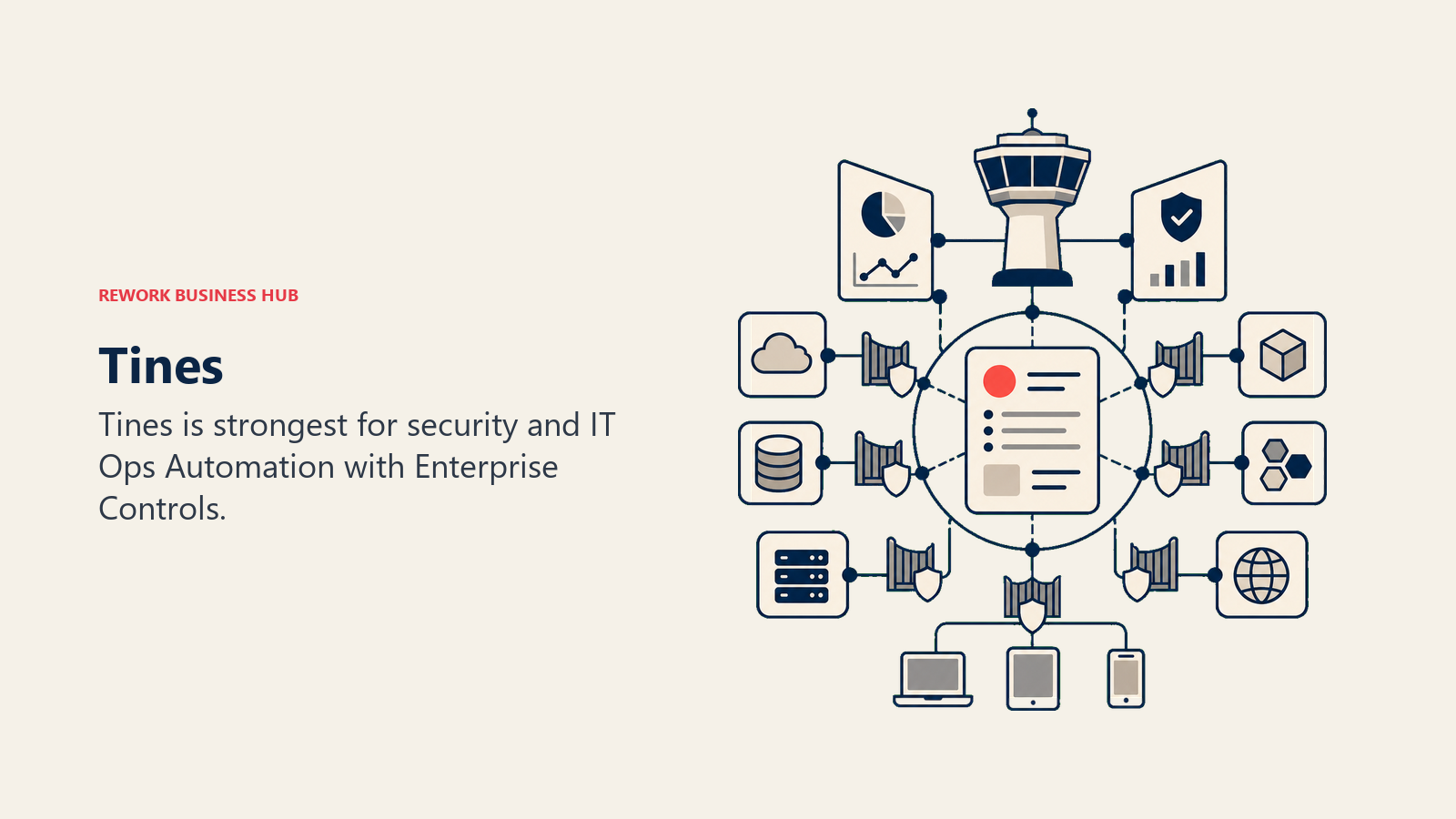
Methodology: Tines uses an event-based consumption model where the billable unit is an event (the structured JSON output of each action step). The platform is built around the assumption that every action in a workflow is auditable, traceable, and permissioned. Cases (the Tines term for process instances) track state across long-running operations. Security teams get SOAR-grade controls; business ops teams get a no-code builder on the same infrastructure.
Target audience: IT security teams, SOC analysts, compliance officers, and IT operations leads at mid-market and enterprise companies. Also: operations teams at companies where IT and business ops use a single automation platform for cost and governance reasons. The ICP is a Director of IT Security who needs to automate phishing response, vulnerability triage, and access provisioning with full audit logs.
| Pros | Cons |
|---|---|
| Security-grade auditability and RBAC built into every workflow | Starter plan at $500/mo is steep for general ops use |
| SOAR + business automation in one platform, reduces tool sprawl | Event-based consumption can be hard to estimate in advance |
| No-code builder accessible to non-engineers alongside code nodes | Smaller integration catalog than Zapier or Make for business apps |
| Community Edition is free and unlimited for single users | Overage charges at 20-50% premium if you exceed monthly events |
Sizing fit:
| Team Size | Fit |
|---|---|
| Solo (security analyst) | Good (Community Edition) |
| Small team (2-10) | Moderate; entry price high |
| Mid-size (10-50) | Strong for security and IT ops |
| Enterprise (50+) | Strong for regulated industries |
Stage fit: Mid-market to enterprise, specifically in security, compliance, or highly regulated industries. Not a fit for early-stage companies without an IT security function.
Team vs company-wide: IT security and IT operations. Business ops teams can use it if the company has consolidated on the platform.
Pricing: Community Edition free (single user, unlimited workflows). Starter at $500/mo (1M events/mo, 5-20 flows). Business and Enterprise custom. See Tines pricing.
Best for: IT and security ops teams that need SOAR-grade automation controls baked into every workflow, not bolted on as an add-on.
Stage Fit Matrix
| Tool | Startup (1-10) | Growth (10-50) | Mid-Market (50-200) | Enterprise (200+) |
|---|---|---|---|---|
| Zapier | Excellent | Strong | Good (watch costs) | Departmental only |
| Make | Strong | Excellent | Strong | Possible |
| n8n | Excellent (technical) | Strong (technical) | Strong with eng. support | Viable |
| Workato | Avoid | Avoid | Possible with team | Strong |
| Tray.ai | Avoid | Moderate | Strong | Strong |
| Pipedream | Excellent (devs) | Strong (devs) | Good (eng. teams) | Custom |
| Pabbly Connect | Excellent | Strong | Moderate | Not recommended |
| Integrately | Excellent | Strong | Good (stable workflows) | Not recommended |
| Zoho Flow | Good (Zoho shops) | Strong (Zoho shops) | Good (Zoho shops) | Moderate |
| IFTTT | Good (personal/IoT) | Limited | Not recommended | Not a fit |
| Activepieces | Excellent | Strong | Good | Viable |
| Tines | Moderate (security) | Moderate | Strong (security/IT) | Strong (regulated) |
Sizing and Persona Table
| Tool | Team Size Sweet Spot | Primary Buyer | Secondary Buyer |
|---|---|---|---|
| Zapier | 5-200 | RevOps Manager | Marketing Ops Lead |
| Make | 2-100 | Automation Specialist | RevOps Analyst |
| n8n | 2-50 (technical) | Senior Engineer | DevOps Lead |
| Workato | 200+ | VP of IT / Enterprise Architect | Integration Program Manager |
| Tray.ai | 50-500 | VP of Operations | Integration Engineer |
| Pipedream | 1-100 (technical) | Software Engineer | Technical Ops Lead |
| Pabbly Connect | 1-50 | Small Business Owner | Agency Owner |
| Integrately | 1-100 | SMB Founder / Ops Manager | Marketing Ops Lead |
| Zoho Flow | 1-200 (Zoho shops) | Operations Manager | Business Analyst |
| IFTTT | 1-5 (personal/IoT) | Individual Contributor | IT Manager |
| Activepieces | 1-100 | Ops Lead / Developer | Marketing Ops |
| Tines | 20-500 (security/IT) | Director of IT Security | Compliance Officer |
How to Choose: Decision Framework
| If you need... | Choose |
|---|---|
| Widest app ecosystem with zero learning curve for non-technical teams | Zapier |
| Complex visual multi-branch workflows at mid-market price | Make |
| Code-level control, execution-based billing, and self-hosted infrastructure | n8n |
| Enterprise connectors for Workday, SAP, ServiceNow at lower than Workato pricing | Tray.ai |
| Full enterprise governance with Workday/SAP depth and a dedicated automation team | Workato |
| Custom code in every workflow step without managing servers | Pipedream |
| Predictable lifetime-deal pricing for stable, defined SMB automation | Pabbly Connect |
| Fastest one-click setup for non-technical ops teams under 50 people | Integrately |
| Deep Zoho-to-Zoho and Zoho-to-SaaS integrations at the lowest price | Zoho Flow |
| IoT, smart device, or consumer app triggers that enterprise tools don't cover | IFTTT |
| Open-source, MIT-licensed, Zapier-quality UX without per-task billing | Activepieces |
| Security incident response automation with SOAR-grade audit controls | Tines |
| Internal Microsoft 365 workflows where SharePoint and Teams are central | Power Automate (stay) |
What Power Automate Still Does Best
Being honest about this: there are scenarios where Power Automate is the right answer and switching would be a mistake.
| Power Automate strength | Who it matters for |
|---|---|
| Free for standard connectors with existing M365 subscription | Microsoft 365 E3/E5 organizations |
| Deepest Teams, SharePoint, and Dynamics 365 integration available | Teams where those are the primary work surfaces |
| AI Builder for document processing and form recognition | Finance and operations teams automating paper-heavy processes |
| Attended and unattended RPA for desktop and legacy system automation | IT teams automating desktop apps or on-prem legacy software |
| Power Platform governance for IT-managed citizen development | Enterprises with Power Platform COE (Center of Excellence) established |
If your team primarily automates within the Microsoft stack and the per-user licensing is manageable, staying on Power Automate is rational. The alternatives in this list win when the Microsoft ecosystem is a constraint rather than an asset: when your primary systems are Salesforce, HubSpot, Zendesk, or other non-Microsoft SaaS, or when the Premium connector licensing model makes the cost of expanding your automations prohibitive.
What to Do Next
Pick your top two alternatives based on the decision framework above, then run a two-week parallel pilot on an actual production workflow. Don't evaluate in demo environments; connect the real source and destination systems, run real data, and measure time from setup to first successful production run.
For non-technical ops teams leaving Power Automate over licensing complexity: Zapier is the lowest-friction entry point with the widest app coverage, and Make covers the same ground at lower cost once your workflows get complex. For technical teams who want to cut the subscription entirely: n8n self-hosted runs free on any cloud instance and covers most production automation needs without per-task billing. And if you're open to a newer open-source option with a simpler UX, Activepieces is worth a serious look alongside n8n.
For teams evaluating the broader automation stack, the best n8n alternatives guide covers the technical automation space in depth, and the best Workato alternatives is relevant if enterprise iPaaS is the direction you're heading. If the Google Workspace side of your stack is also under review, the best Google Workspace alternatives covers the suite-level decision that often runs parallel to an automation platform evaluation.
Camellia writes about automation and operations tooling for B2B teams. Last updated June 2026.

Principal Product Marketing Strategist
On this page
- Quick Comparison Table
- Why Teams Actually Leave Power Automate
- 1. Zapier, The No-Code Standard for SaaS-First Teams
- 2. Make, Visual Canvas for Complex Logic at a Lower Cost
- 3. n8n, Open-Source with Full Code Control
- 4. Workato, Enterprise iPaaS for Complex System Integrations
- 5. Tray.ai, Enterprise Depth With More Pricing Flexibility Than Workato
- 6. Pipedream, Developer-Grade Automation Without Server Management
- 7. Pabbly Connect, Lifetime Deal Pricing for Budget-Conscious Teams
- 8. Integrately, One-Click Activation for SMB Teams
- 9. Zoho Flow, The Natural Home for Zoho-Stack Teams
- 10. IFTTT, The Simplest Option for Consumer and IoT Automation
- 11. Activepieces, Open-Source With a Zapier-Style UX
- 12. Tines, Security and IT Ops Automation with Enterprise Controls
- Stage Fit Matrix
- Sizing and Persona Table
- How to Choose: Decision Framework
- What Power Automate Still Does Best
- What to Do Next