Best n8n Alternatives in 2026: 9 Workflow Automation Platforms for Technical and Ops Teams
Turn this article into takeaways for your work.


Each assistant summarizes the article only for you and suggests best practices for your work.
The best n8n alternatives in 2026 are Zapier for the easiest setup, Make for visual data routing, Power Automate for Microsoft shops, and Pipedream or Temporal for developer-grade orchestration. The right pick depends on whether you want to escape self-hosting overhead, the engineering-to-ops handoff problem, or steep cloud pricing. Here are 9 platforms compared.
n8n has built a real following among growth-stage engineering and DevOps teams. The fair-code model, the visual node editor, the ability to self-host and extend with custom code: that's a legitimate value proposition. But somewhere between 20 and 200 people, the model starts to strain. Self-hosting becomes a DevOps burden nobody budgeted for. The community edition gets you running but leaves you without real support when something breaks in production. The cloud pricing climbs fast once you're running serious workflow volume. And when you need a connector for a niche internal tool, you're writing it yourself.
If you're evaluating n8n alternatives, you're probably in one of two places: an engineering team that built automation workflows and is now handing them off to an ops team that can't maintain nodes, or an ops team that inherited n8n infrastructure and wants something purpose-built for their work. Either way, the tools below cover the range from no-code simplicity to developer-grade orchestration.
For teams comparing n8n and Make specifically (the two most common visual automation platforms), the best Make alternatives guide covers many of the same tools from Make's angle, which helps clarify the overlap. And if Zapier is part of the conversation, best Zapier alternatives covers the no-code end of the spectrum.
Quick Comparison Table
| Tool | Best For | Starting Price | Key Strength | Key Limitation |
|---|---|---|---|---|
| Zapier | Small teams, non-technical users | $19.99/mo (Starter) | Widest app library, easiest setup | Gets expensive at volume |
| Make (Integromat) | Visual workflow builders, mid-complexity | Free; $9/mo (Core) | Visual scenario builder, data routing | Steeper learning curve than Zapier |
| Microsoft Power Automate | Microsoft 365 shops | Included in M365; $15/user/mo standalone | Deep Office 365 + Azure integration | Clunky UX, weak outside Microsoft stack |
| Workato | Enterprise automation and integration | Custom pricing (~$10k+/year) | Enterprise-grade connectors, governance | Priced out of reach for SMBs |
| Pipedream | Developers building event-driven workflows | Free; $29/mo (Basic) | Code-first, serverless, 2,000+ triggers | Requires developer to maintain |
| Apache Airflow | Data engineering, scheduled pipelines | Open source (self-host) | Proven for complex DAG orchestration | Heavy infrastructure overhead |
| Temporal | Long-running, stateful workflow orchestration | Open source; cloud plans available | Durable execution, failure recovery | Developer-only, steep setup |
| Activepieces | Open-source n8n alternative | MIT community edition; cloud from $16/mo billed yearly | Modern UI, self-hostable at the same price, growing library | Smaller community than n8n; credit-metered |
| Windmill | Developer scripts turned into apps and flows | Open source; cloud from $10/mo | Code-native with a UI layer | Niche appeal, not for ops teams |
Stage Fit Matrix
| Tool | Startup (1-20) | Growth (20-100) | Mid-Market (100-500) | Enterprise (500+) |
|---|---|---|---|---|
| Zapier | Best fit | Good | Limited | Poor |
| Make | Good | Best fit | Good | Limited |
| Power Automate | Poor | Good | Good | Best fit (MSFT orgs) |
| Workato | Poor | Limited | Good | Best fit |
| Pipedream | Best fit | Good | Good | Limited |
| Apache Airflow | Poor | Good | Best fit | Best fit |
| Temporal | Poor | Good | Best fit | Best fit |
| Activepieces | Best fit | Good | Limited | Poor |
| Windmill | Best fit | Good | Limited | Poor |
Sizing and Persona Table
| Tool | Team Size Sweet Spot | Primary Buyer | Who Uses It Day-to-Day |
|---|---|---|---|
| Zapier | 1-50 | Founder, Marketing Manager | Any non-technical team member |
| Make | 5-100 | Marketing Ops, Growth | Marketing ops, analysts |
| Power Automate | 50-500+ | IT Director, CIO | IT admins, power users |
| Workato | 200+ | VP of Engineering, CIO | Integration engineers |
| Pipedream | 1-100 | Engineering Lead | Developers |
| Apache Airflow | 50+ | Data Engineering Lead | Data engineers |
| Temporal | 20-500 | CTO, Backend Engineering Lead | Backend engineers |
| Activepieces | 1-50 | Founder, Ops Lead | Ops or dev teams |
| Windmill | 5-100 | Engineering Lead | Developers, ops-curious engineers |
1. Zapier: The easiest automation tool that exists
Zapier's goal is "automation for everyone." No JSON configs, no node deployments, no self-hosting decisions. You pick a trigger app, pick an action app, and you're live in 10 minutes. That simplicity is still unmatched in 2026.
The app library tops 6,000+ integrations. If your stack is mainstream (Salesforce, HubSpot, Gmail, Slack, Notion, Airtable), Zapier connects everything without writing a line of code. It's the default answer for small teams and non-technical operators who need workflows without IT involvement.
Where it breaks: pricing. Zapier's Starter plan at $19.99/month handles 750 tasks. At meaningful automation volume (10,000+ tasks per month), you're looking at $100-300+/month. For the same budget, Make or Pipedream handle far more. And multi-step logic, conditional branches, and data transformation are awkward to build in Zapier's linear Zap structure. See Zapier's pricing page before scaling up. The task model surprises teams who automate heavily.
| What you get | What you don't |
|---|---|
| Largest integration library (6,000+) | Affordable pricing at scale |
| Fastest setup for non-technical users | Complex conditional logic |
| Reliable infrastructure, no hosting burden | Custom code without hitting limits |
| Strong documentation and community | Native data transformation |
Pricing: Free (100 tasks/mo); Starter $19.99/mo (750 tasks); Professional $49/mo (2,000 tasks); Team plans from $69/mo.
Best for: Small teams (1-50) with mainstream SaaS stacks who need fast, reliable, no-code automation.
Not ideal for: High-volume automation or workflows requiring complex data routing.
2. Make (formerly Integromat): Visual workflow design for mid-complexity automation
Make's product philosophy centers on visual data routing. While Zapier builds linear step-by-step automations, Make gives you a canvas where you see data flowing between modules. Routers, aggregators, iterators, filters: these are first-class UI primitives, not workarounds. If your automation involves splitting, merging, or transforming data flows, Make handles it more cleanly than Zapier at a fraction of the cost.
The platform targets growth-stage teams with marketing ops, e-commerce, and data sync use cases. Make's pricing is operations-based (not task-based), which means complex scenarios with many steps don't cost dramatically more. The Core plan at $9/month includes 10,000 operations, real value for teams running multi-step workflows at moderate volume. You can review Make's pricing tiers before committing.
The learning curve is real. Make's interface rewards users who think visually about data transformation. It's more capable than Zapier for complex logic, but takes longer to learn than Zapier for pure ops use cases. The best Make alternatives guide covers these trade-offs in depth if you're evaluating Make against other options.
| What you get | What you don't |
|---|---|
| Visual canvas for complex data routing | Zapier-level simplicity |
| Operations-based pricing (cost-effective at scale) | Enterprise governance features |
| 1,500+ integrations | Developer extensibility via code |
| Strong conditional logic and data transformation | Best-in-class customer support |
Pricing: Free (1,000 ops/mo); Core $9/mo (10,000 ops); Pro $16/mo (10,000 ops + features); Teams from $29/mo.
Best for: Growth teams (10-100) running multi-step automations who need more power than Zapier at a lower price.
Not ideal for: Enterprises needing governance controls or teams without someone comfortable with data flow thinking.
3. Microsoft Power Automate: Deep Microsoft 365 integration for corporate IT
Power Automate's goal is simple: make Microsoft 365 workflows automatable without leaving the Microsoft ecosystem. If your company runs Teams, SharePoint, Excel, Dynamics 365, and Azure, Power Automate is the connective tissue. It ships inside most M365 business licenses, which means zero additional procurement for organizations already paying for Microsoft.
The integration depth is real. Automations triggering on SharePoint file uploads, approvals in Teams, data changes in Dynamics, Azure event triggers: these work reliably in ways that third-party tools struggle to match. IT teams managing corporate compliance and access governance find Power Automate's controls familiar.
Outside Microsoft's stack, Power Automate is mediocre. The UX is clunky compared to Zapier or Make. Non-technical users hit walls quickly. The connector quality for non-Microsoft apps is inconsistent. And the per-user pricing for standalone purchases ($15/user/month for the base plan) stacks up fast for mid-size orgs.
| What you get | What you don't |
|---|---|
| Deep M365 and Azure integration | Modern, intuitive UX |
| Included in most M365 licenses | Reliable non-Microsoft connectors |
| Enterprise governance and compliance controls | Speed: flows run slower than competitors |
| Desktop automation (RPA) capabilities | Affordable standalone pricing for SMBs |
Pricing: Included in M365 Business plans; $15/user/month standalone; premium connectors add cost.
Best for: Mid-market and enterprise organizations (100-500+) standardized on Microsoft 365 who need workflows across Teams, SharePoint, and Dynamics.
Not ideal for: Teams using non-Microsoft SaaS stacks or companies needing fast, intuitive automation setup.
4. Workato: Enterprise integration and automation platform
Workato's philosophy is integration-led automation at enterprise scale. It targets companies where automation failures have real business consequences (financial services, healthcare, large e-commerce) and where IT needs full control over what workflows can access and do. The platform combines an integration platform (iPaaS) with an automation layer, which means it handles both system-to-system data sync and triggered business process automation.
The connector library is enterprise-grade. Salesforce, SAP, Oracle, Workday, ServiceNow: the integrations are deep and maintained by Workato's team, not community contributors. Enterprise governance features include version control, deployment environments, role-based access, and audit logs.
The price reflects the positioning. Workato pricing typically starts around $10,000-15,000 per year, negotiated. It's not in the budget conversation for most companies under 100 people. But for enterprises evaluating iPaaS solutions alongside Mulesoft or Boomi, Workato is the modern alternative.
| What you get | What you don't |
|---|---|
| Enterprise-grade connectors for legacy systems | Accessible pricing for SMBs |
| Full governance: versioning, environments, audit | Quick self-service setup |
| Both iPaaS and automation in one platform | Transparent public pricing |
| Strong professional services and support | Lightweight use case support |
Pricing: Custom; typically $10,000-30,000+/year depending on connectors and volume.
Best for: Enterprises (200+) running complex multi-system integrations with compliance requirements.
Not ideal for: Any company without a dedicated integration engineering team and budget.
5. Pipedream: Code-first event-driven automation for developers
Pipedream's approach is serverless function execution with a workflow layer. Every trigger, every step in a Pipedream workflow can run custom Node.js, Python, or Go code. It's not a no-code tool that allows code. It's a code tool with a visual layer. That difference matters for developer teams who want the speed of a hosted platform without sacrificing full code control.
The platform targets developers building integrations and internal tools: connecting APIs, transforming webhook payloads, triggering actions on events from 2,000+ sources. Pipedream's free tier is generous (10,000 invocations/month free), which makes it a real option for startups and small engineering teams. See Pipedream's pricing. Many technical teams never outgrow the free tier for internal use cases.
Pipedream sits firmly in the developer toolbox, not the ops manager toolbox. When the engineering team moves on, so does the ability to maintain Pipedream workflows. That's the handoff risk n8n users face, replicated here.
| What you get | What you don't |
|---|---|
| Full code control in every workflow step | Non-technical user accessibility |
| 2,000+ event sources and triggers | Enterprise governance features |
| Generous free tier | Easy handoff to ops teams |
| Serverless execution, no infrastructure | Native CRM or ops context |
Pricing: Free (10,000 invocations/mo); Basic $19/mo; Advanced $49/mo; Business $149/mo.
Best for: Developer teams (1-50 eng) building event-driven integrations and internal automation with code.
Not ideal for: Ops teams who need to own and modify workflows without developer involvement.
6. Apache Airflow: The standard for data pipeline orchestration
Apache Airflow's approach is DAG-based workflow scheduling for data teams. It's been the standard for orchestrating ETL pipelines, ML training runs, data quality checks, and analytics workflows for almost a decade. If you're on n8n primarily for data engineering workflows (moving data between warehouses, triggering dbt runs, orchestrating Spark jobs), Airflow is the production-grade path.
Airflow's power comes from Python-native DAG definitions. Workflows are code, versioned in Git, reviewed in pull requests. The task dependency graph is explicit and auditable. The platform handles failure states, retries, alerting, and backfill logic that general-purpose automation tools don't think about.
The infrastructure overhead is non-trivial. Airflow requires a scheduler, web server, executor, and metadata database. Managed Airflow services (MWAA on AWS, Cloud Composer on GCP, Astronomer) reduce the ops burden but add cost. This is not a tool you deploy in an afternoon.
| What you get | What you don't |
|---|---|
| Proven DAG orchestration for data pipelines | Easy setup: significant infra overhead |
| Python-native, Git-versionable workflows | Non-technical user access |
| Battle-tested failure handling and retries | General business process automation |
| Large ecosystem of providers and operators | Modern UX |
Pricing: Open source (self-host); managed via Astronomer ($0-custom), AWS MWAA, or GCP Cloud Composer (infrastructure costs vary).
Best for: Data engineering teams (50+) with dedicated infra running scheduled data pipelines and ETL workflows.
Not ideal for: General business automation or teams without Python expertise and infrastructure capacity.
7. Temporal: Durable workflow orchestration for stateful processes
Temporal's philosophy is "code as workflow, with durable execution." It solves a specific and serious problem: what happens when your long-running business process workflow fails halfway through? An order fulfillment that takes 3 days, a document approval chain that spans weeks, a payment retry loop: these are stateful processes that most automation tools handle poorly. Temporal's runtime guarantees execution, persisting state across failures, timeouts, and restarts.
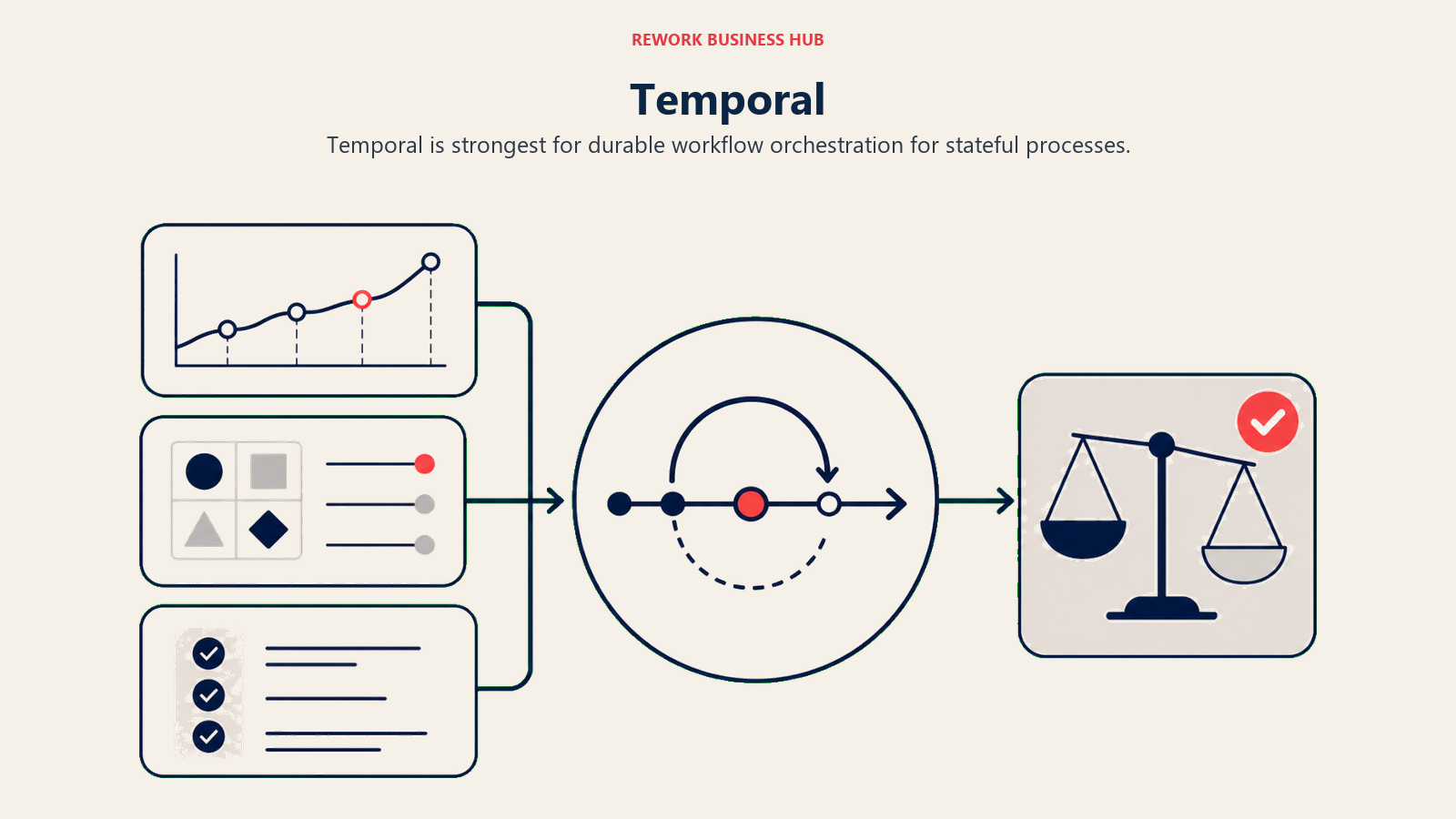
Temporal targets backend engineering teams building complex distributed applications. Think fintech, e-commerce, logistics: anywhere a multi-step business process has real financial or operational consequences if it fails silently. It's not competing with n8n for ops automation. It's competing with home-built workflow state machines that engineers cobble together with queues and databases.
The SDK is available in Go, Java, Python, TypeScript, and PHP. This is exclusively a developer tool. Setup involves running the Temporal server (or using Temporal Cloud) and writing workflows in application code.
| What you get | What you don't |
|---|---|
| Guaranteed durable execution across failures | Non-developer accessibility |
| State persistence for long-running workflows | Visual no-code editor |
| Strong failure recovery, retries, timeouts | Quick time-to-value |
| Multi-language SDK support | Pre-built connectors for SaaS apps |
Pricing: Open source (self-host); Temporal Cloud from $25/month + consumption; enterprise custom.
Best for: Engineering teams (20-500) building mission-critical workflows where execution durability and state persistence are requirements.
Not ideal for: Ops teams, business automation, or anyone without backend engineering resources.
8. Activepieces: Open-source n8n alternative with a modern interface
Activepieces positions itself as the open-source n8n alternative that's easier to deploy and extend. The visual interface is cleaner than n8n's. The architecture is designed to be self-hosted on Docker with minimal configuration. And the "pieces" ecosystem (Activepieces' term for connectors) is growing with community contributions.
The product mirrors n8n's philosophy: source-available, self-hostable, extensible via code for developers who need it, usable without code for ops teams who don't. But Activepieces is younger (launched 2022) and has a smaller community and connector library than n8n. See Activepieces' pricing. Cloud plans start at $8/month, genuinely affordable for small teams.
Activepieces cloud is genuinely affordable, with the Plus plan at $16/month billed yearly for 10,000 credits, where one credit covers a whole run. The self-hosted community edition is free with no workflow limits. For startups and small teams evaluating n8n who want a more modern interface and less community-edition friction, Activepieces is worth a serious look.
| What you get | What you don't |
|---|---|
| Modern, cleaner UI than n8n | n8n's community size and ecosystem |
| True open-source, self-hostable | Enterprise support tiers |
| Affordable cloud pricing | Depth of integrations for niche tools |
| Growing pieces library | Long production track record |
Pricing: Community edition free (self-host); Cloud Starter $8/mo; Cloud Pro $45/mo; Enterprise custom.
Best for: Startups and small teams (1-50) who want an open-source, self-hostable automation platform with a lower barrier than n8n.
Not ideal for: Enterprises needing proven scale or teams that rely on niche connector coverage.
9. Windmill: Turn developer scripts into production workflows and apps
Windmill's approach is different from every other tool on this list. It starts with scripts (Python, TypeScript, Go, Bash) and gives them a UI layer, scheduling, permissions, and audit logs. A developer writes a script that queries a database and sends a Slack message. Windmill turns that into a scheduled workflow with a shareable UI that non-developers can trigger or modify parameters on.
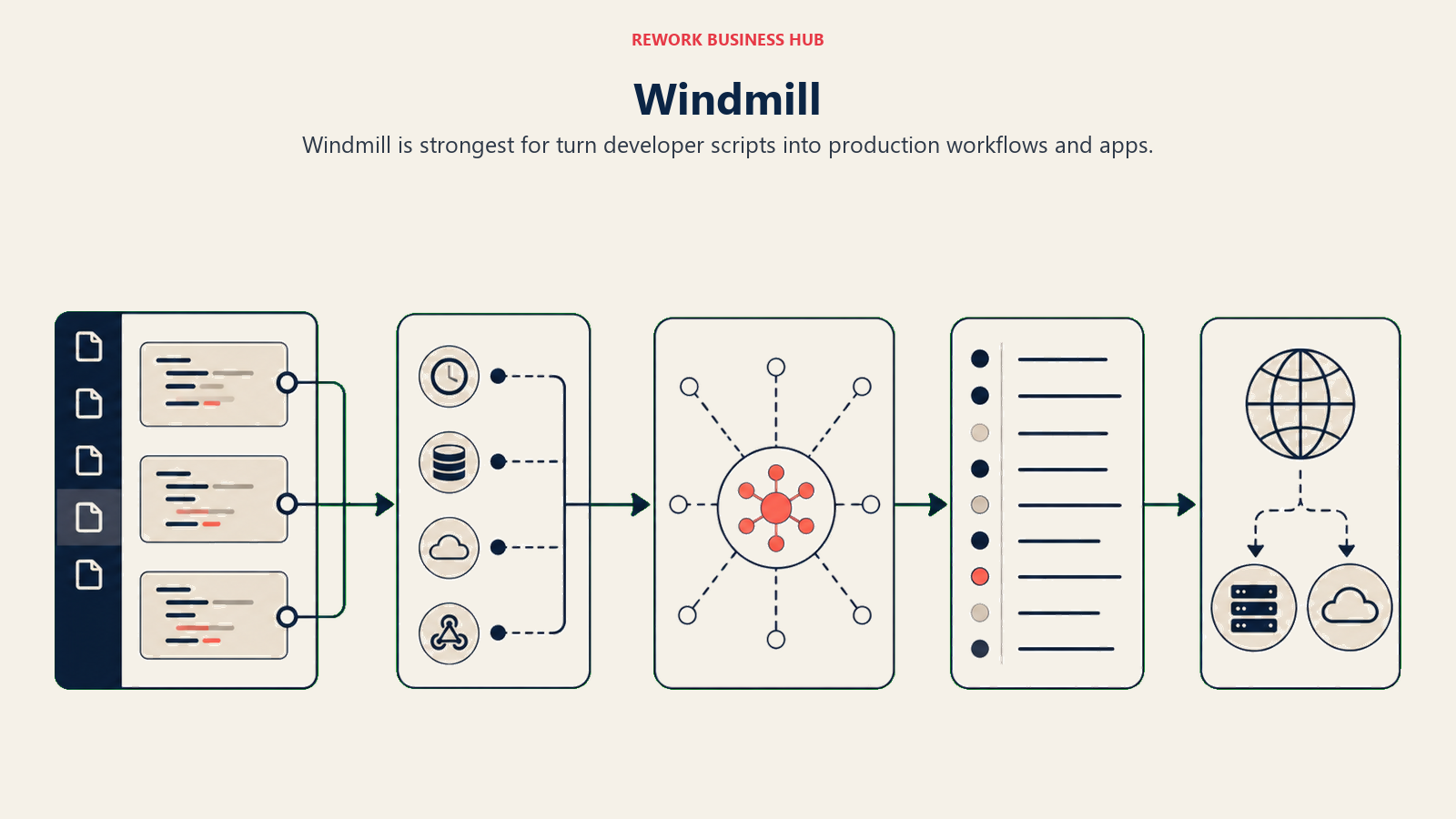
That's the target: developer teams that need to expose scripts as internal tools or workflows to ops teams without building full applications. The platform handles secrets management, versioning, and multi-step script chaining. Think of it as a lightweight internal tooling platform with workflow capabilities, not a traditional automation tool.
Windmill is self-hostable (open source) and has a cloud offering. It's genuinely useful for the right team, typically a startup or scale-up where engineers build tools their ops colleagues use regularly.
| What you get | What you don't |
|---|---|
| Scripts as production workflows with a UI layer | Traditional no-code automation UX |
| Multi-language support (Python, TypeScript, Go, Bash) | Large pre-built connector library |
| Self-hostable, open source | Non-technical user-friendly editing |
| Secrets management, versioning, audit logs | Mainstream brand recognition |
Pricing: Open source (self-host); Cloud Basic $10/mo; Enterprise custom.
Best for: Developer teams (5-100) that build internal tools and scripts and want to expose them as schedulable workflows to ops colleagues.
Not ideal for: Ops teams without developer support or anyone needing a traditional SaaS automation experience.
Feature Comparison by Use Case
| Use Case | Best Tool | Runner-Up | Avoid |
|---|---|---|---|
| Fast setup, non-technical team | Zapier | Activepieces | Airflow, Temporal |
| High-volume, cost-effective automations | Make | Pipedream | Zapier |
| Microsoft 365 shop | Power Automate | Workato | Windmill |
| Enterprise system integration (SAP, Oracle) | Workato | Power Automate | Zapier |
| Developer event-driven integrations | Pipedream | Windmill | Power Automate |
| Data pipeline orchestration | Apache Airflow | Temporal | Zapier, Make |
| Long-running stateful workflows | Temporal | Airflow | Zapier |
| Open-source n8n replacement | Activepieces | Windmill | Power Automate |
| Scripts as shareable internal tools | Windmill | Pipedream | Zapier |
Pricing Comparison Table
| Tool | Free Tier | Entry Paid | Mid-Tier | Enterprise |
|---|---|---|---|---|
| Zapier | 100 tasks/mo | $19.99/mo | $49/mo | Custom |
| Make | 1,000 ops/mo | $9/mo | $16/mo | Custom |
| Power Automate | Limited (M365) | $15/user/mo | $40/user/mo | Custom |
| Workato | No | Custom (~$10k+/yr) | Custom | Custom |
| Pipedream | 10,000 invocations/mo | $29/mo | $49/mo | Custom |
| Apache Airflow | Open source | Infra costs | Infra + managed | Astronomer custom |
| Temporal | Open source | Temporal Cloud $25/mo | Consumption-based | Custom |
| Activepieces | Self-host (unlimited) | $16/mo cloud (yearly) | $166/mo cloud (yearly) | Custom |
| Windmill | Self-host | $10/mo cloud | Custom | Custom |
Open Source and Self-Hosting Comparison
| Tool | Open Source | Self-Hostable | Managed Cloud | Source Model |
|---|---|---|---|---|
| Zapier | No | No | Yes | Proprietary |
| Make | No | No | Yes | Proprietary |
| Power Automate | No | No | Yes (Azure) | Proprietary |
| Workato | No | No | Yes | Proprietary |
| Pipedream | Partial | Partial | Yes | Open core |
| Apache Airflow | Yes | Yes | Managed options | Apache 2.0 |
| Temporal | Yes | Yes | Temporal Cloud | MIT + paid cloud |
| Activepieces | Yes | Yes | Yes | Elv2 License |
| Windmill | Yes | Yes | Yes | AGPLv3 + EE |
How to Choose: Decision Framework
| If you need... | Choose |
|---|---|
| The fastest setup and your team isn't technical | Zapier |
| Make-like power at a lower cost, or complex data routing | Make |
| Deep Microsoft 365 and Azure integration | Power Automate |
| Enterprise-grade connectors for SAP, Oracle, Workday | Workato |
| Code-first event-driven workflows your engineers own | Pipedream |
| Scheduled data pipeline and ETL orchestration | Apache Airflow |
| Long-running stateful workflows with guaranteed execution | Temporal |
| Self-hosted open-source platform with a modern UI | Activepieces |
| Scripts exposed as internal tools and workflows | Windmill |
Why Teams Leave n8n
Before switching costs you time, it's worth naming exactly what drives teams off n8n so you can verify whether your pick actually solves those problems.
Self-hosting complexity. Running n8n in production means managing Docker or Kubernetes deployments, database migrations, credential encryption, and updates. For a 20-person company with one DevOps engineer wearing four hats, that's overhead nobody budgeted for. Tools like Zapier and Make eliminate this entirely.
Community edition gaps. n8n's cloud pricing is genuinely steep compared to Make at similar capability levels. The community edition is free but gets no SLA, no support tickets, and limited access to enterprise features. Most growth teams end up choosing between paying more than expected for cloud or maintaining more infrastructure than expected for self-hosting.
Handoff friction. n8n workflows built by engineers are hard to transfer to ops teams. The visual editor helps, but the mental model is still technical. When the person who built the flows moves on, the organization inherits a system they can't safely modify.
Node library gaps. n8n's integration library is solid for mainstream tools but has gaps for niche or newer SaaS products. Teams using less common tools end up writing custom nodes, which compounds the engineering dependency.
Support at scale. At volume, n8n cloud pricing can exceed Make and Pipedream for comparable workflow complexity. Teams that did the math moved.
What to Do Next
Pick your top two candidates from the decision framework table above and run a two-week pilot with a real workflow, not a toy example. Automate something your team actually does today: a lead routing sequence, a CRM update trigger, a cross-team handoff notification. The tool that your ops team can own and modify without filing a ticket wins.
If you're replacing n8n because of the engineering-to-ops handoff problem, start with Zapier, which a non-technical team can run without code. If you're replacing it because of self-hosting overhead and want to stay code-adjacent, Activepieces or Make are the most direct swap. If the workflows are fundamentally technical, Pipedream or Temporal are the honest upgrade path.
For teams thinking about what automation actually costs beyond the license, the true cost of software sprawl quantifies the overhead that middleware layers add over time. And for ops teams taking over automation from engineering, the guide on CRM workflow automation helps identify which automation workflows are better handled natively in your CRM rather than in a middleware platform like n8n or Make.
Frequently Asked Questions
What is the best n8n alternative?
It depends on your constraint. For the easiest setup with a non-technical team, Zapier wins. For complex visual data routing at a lower cost, Make is the pick. For a near drop-in open-source swap, Activepieces is the most direct. And for developer-grade orchestration, Pipedream or Temporal are the honest upgrade.
Is there a free open-source alternative to n8n?
Yes. Activepieces and Windmill are both open-source and self-hostable with no workflow limits on their community editions. Apache Airflow and Temporal are open-source too, but they target data engineering and durable workflow orchestration rather than general business automation.
Why do teams switch away from n8n?
The four most common reasons are self-hosting complexity, steep cloud pricing at volume, the handoff friction of moving engineer-built workflows to ops teams, and gaps in the node library for niche SaaS tools. Each pushes teams toward either a managed no-code platform or a purpose-built developer tool.
Which n8n alternative is best for non-developers?
Zapier first, with Activepieces close behind. Both remove the code-maintenance burden, and neither requires self-hosting if you use the cloud version. Zapier offers the widest app library and the fastest no-code setup, while Activepieces works without code for ops teams and has a cleaner interface than n8n.
Is Make cheaper than n8n cloud?
Often, yes. Make's operations-based pricing starts at $9/month for 10,000 operations, and complex multi-step scenarios do not cost dramatically more. n8n cloud pricing tends to climb faster at serious workflow volume, which is one of the most cited reasons teams compare the two.

Principal Product Marketing Strategist
On this page
- Quick Comparison Table
- Stage Fit Matrix
- Sizing and Persona Table
- 1. Zapier: The easiest automation tool that exists
- 2. Make (formerly Integromat): Visual workflow design for mid-complexity automation
- 3. Microsoft Power Automate: Deep Microsoft 365 integration for corporate IT
- 4. Workato: Enterprise integration and automation platform
- 5. Pipedream: Code-first event-driven automation for developers
- 6. Apache Airflow: The standard for data pipeline orchestration
- 7. Temporal: Durable workflow orchestration for stateful processes
- 8. Activepieces: Open-source n8n alternative with a modern interface
- 9. Windmill: Turn developer scripts into production workflows and apps
- Feature Comparison by Use Case
- Pricing Comparison Table
- Open Source and Self-Hosting Comparison
- How to Choose: Decision Framework
- Why Teams Leave n8n
- What to Do Next
- Frequently Asked Questions