Best Workato Alternatives in 2026: 11 Integration and Automation Platforms for Operations Teams

Turn this article into takeaways for your work.


Each assistant summarizes the article only for you and suggests best practices for your work.
Workato is genuinely good. Its recipe-based model, enterprise-grade connectors, and governance controls are why companies like Atlassian, Box, and Broadcom run significant integration workloads on it. If you're at a large enterprise with a dedicated automation team, Workato's depth is hard to match from a standing start.
But a lot of ops teams, RevOps leads, and IT directors hit the same wall: Workato's pricing is opaque, the contracts are annual and often six figures, and the implementation overhead assumes you have a specialist. Standard tier pricing typically starts around $10K/year, Professional runs $30K to $80K, and enterprise deployments land between $84K and $300K+, before implementation. That's before you've built a single production workflow. For mid-market teams that need solid integration without a dedicated iPaaS budget, the math doesn't work, and there are now real alternatives that didn't exist three years ago. This guide covers 11 of them honestly, including where Workato still wins.
If you're evaluating adjacent tools too, the best Zapier alternatives guide covers no-code automation platforms specifically, and the best Make alternatives covers the visual scenario builder space in more depth. For teams rethinking their data layer alongside integrations, the best Segment alternatives and best Twilio alternatives cover the CDP and communications infrastructure that often sits next to an iPaaS in a mature stack.
Quick Comparison Table
| Tool | Best For | Starting Price | Key Strength | Key Limitation |
|---|---|---|---|---|
| Zapier | No-code automation for SMB and mid-market | Free; $20/mo (Starter) | 7,000+ app integrations, zero learning curve | Gets expensive fast at volume; task-based billing |
| Make | Visual multi-step automation on a budget | Free; $9/mo (Core) | Visual canvas, powerful at low cost | Credit model gets complex; enterprise gaps |
| n8n | Developer teams wanting code-level control | Free (self-host); €24/mo cloud | Open-source, unlimited workflows, code nodes | Requires technical setup; self-hosting overhead |
| Tray.ai | Mid-market teams needing Workato-like depth | From ~$595/mo | Enterprise connectors, GenAI-ready | Opaque pricing; still sales-led |
| Boomi | Enterprises with complex on-prem + cloud mix | ~$99/mo + usage | Mature, proven at scale, huge connector library | Expensive at scale; complex to administer |
| MuleSoft Anypoint | Salesforce shops; API-first enterprises | ~$1,250/mo per vCore | Industry-leading API management | Very expensive; steep learning curve |
| Celigo | NetSuite and eCommerce ops teams | ~$1,000-$1,500/mo | Pre-built flows for NetSuite, Shopify, Salesforce | Narrow ICP; high implementation cost |
| Microsoft Power Automate | Microsoft 365 shops | Free (M365 included); $15/user/mo | Deep Microsoft ecosystem, RPA included | Weak outside Microsoft stack |
| Pipedream | Developers building code-heavy workflows | Free; $29/mo (Basic) | Custom code nodes, pay-per-compute | Not for non-technical teams |
| Pabbly Connect | Budget-conscious SMB and agency teams | Free; $349 one-time (lifetime) | Lifetime licence option, unlimited workflows on the monthly plans | Entry lifetime tier caps tasks and steps; fewer enterprise connectors |
| n8n (Enterprise) | Regulated orgs needing self-hosted enterprise | Custom | On-prem + full audit logs + SSO | Requires DevOps investment |
Why Teams Actually Leave Workato
Before picking an alternative, it's worth naming the real friction points.
| Pain Point | Who Feels It Most | Severity |
|---|---|---|
| Opaque pricing, six-figure annual contracts | Mid-market ops teams with limited budget | High |
| Implementation overhead, often requires a specialist | Teams without a dedicated automation engineer | High |
| Task/recipe volume limits that reset monthly | High-frequency integration workflows | High |
| Annual-only contracts with little flexibility | Startups and growth-stage companies | Medium |
| Overkill for simple point-to-point integrations | Teams with 3-5 systems to connect | Medium |
| Governance features that go unused but still billed | SMB teams using 10% of the platform's capability | Medium |
If none of these apply to your situation and Workato's pricing is working, skip this list. It's the right tool for the right org. But if even one row hits, read on.
1. Zapier: The No-Code Default for Mid-Market Teams
Zapier is the automation platform that most teams reach for first, and for good reason. It connects 7,000+ apps, has the most intuitive trigger/action builder on the market, and requires no technical background to use. A non-technical ops manager can build a production-ready Zap in 20 minutes. That's not possible on Workato without training.
Methodology: Zapier's model is simplicity over depth. Every automation is a Zap: one trigger, one or more actions. Paths and conditional logic extend that, but the core mental model never changes. The bet is that most integration work doesn't need enterprise complexity, just reliability and breadth.
Target audience: Operations managers, RevOps leads, marketing ops, and customer success teams at companies from 10 to 500 people. The ICP is someone who manages tools, not someone who writes code. Also: agencies building automations for clients on a fixed budget.
| Pros | Cons |
|---|---|
| 7,000+ app integrations, largest ecosystem | Task-based billing compounds fast at volume |
| Zero learning curve for non-technical users | Enterprise governance features are thin |
| Reliable, high uptime, well-documented | No code-level customization |
| Fast iteration; build and test in minutes | Team plan jumps to $103.50/mo for limited tasks |
Sizing fit:
| Team Size | Fit |
|---|---|
| Solo (1 person) | Excellent |
| Small team (2-10) | Strong |
| Mid-size (10-50) | Good; watch task costs |
| Enterprise (50+) | Use for departmental automation only |
Stage fit: Best for startup through mid-market. At enterprise scale, task billing becomes expensive and governance gaps show up.
Team vs company-wide: Both. Operations teams use it; individual contributors automate personal workflows. Company-wide adoption is common.
Pricing: Free (100 tasks/mo). Starter at $19.99/mo (annual). Professional at $49/mo (annual, 2,000 tasks). Team at $103.50/mo (annual). Enterprise custom.
Best for: Non-technical ops and RevOps teams connecting 5-20 apps without needing code or a specialist.
2. Make: The Visual Canvas for Complex Logic
Make (formerly Integromat) sits between Zapier's simplicity and Workato's enterprise depth. Its visual canvas lets you build multi-step workflows as flow diagrams, which makes complex logic much easier to understand and debug than a linear list of steps. It's also considerably cheaper than Workato for comparable workflow complexity.
Methodology: Make treats automation as a visual programming environment. Scenarios are built as branching diagrams with modules, filters, iterators, and aggregators. That flexibility means you can model genuinely complex multi-branch workflows, but it also means there's more to learn upfront than Zapier.
Target audience: Technical-leaning ops teams, marketers with some tool fluency, digital agencies, and SaaS companies that need powerful automation without paying enterprise prices. The ICP is a RevOps analyst who's outgrown Zapier but doesn't have the budget or engineering support for Workato.
| Pros | Cons |
|---|---|
| Visual canvas makes complex logic legible | Credit-based billing is harder to predict than task-based |
| Much cheaper than Zapier at mid-volume | Enterprise features (audit logs, SSO) require Enterprise plan |
| 1,500+ integrations with good coverage | Fewer pre-built templates than Zapier |
| Powerful data transformation within scenarios | Learning curve steeper than Zapier |
Sizing fit:
| Team Size | Fit |
|---|---|
| Solo (1 person) | Strong |
| Small team (2-10) | Excellent |
| Mid-size (10-50) | Strong |
| Enterprise (50+) | Possible; gaps in governance |
Stage fit: Strong for startup through growth. Viable at mid-market if governance requirements are modest.
Team vs company-wide: Primarily used by technical ops and automation specialists. Broader adoption requires training.
Pricing: Free (1,000 operations/mo). Core at $9/mo (10,000 ops, annual). Pro at $16/mo. Teams at $29/mo. Enterprise custom.
Best for: Technical ops teams that want Zapier-level breadth with more power and far lower cost.
3. n8n: Open-Source with Code-Level Control
n8n is what you choose when your team needs full control over how automation works, at both the workflow level and the code level. It's open-source, so you can run it entirely on your own infrastructure. And unlike Workato, you're never paying per recipe or per task: you pay for the cloud tier or you run your own server.
Methodology: n8n is built for developers and technical operators who want to write code inside workflows. Every node can run JavaScript or Python. You can build custom nodes. You can version-control workflows in Git. The philosophy is that automation should be engineering-grade infrastructure, not a SaaS black box.
Target audience: Engineering teams, DevOps engineers, technical RevOps teams, and startups that want to self-host their automation stack. The ICP is a software engineer or senior ops engineer who's comfortable with Docker and doesn't want to pay per task. Also: regulated industries where data can't leave their own infrastructure.
| Pros | Cons |
|---|---|
| Open-source; full data control via self-hosting | Requires technical setup and maintenance |
| Unlimited active workflows on every plan (as of 2026) | UI less polished than Zapier or Make |
| JavaScript and Python code nodes built in | Self-hosting overhead is real |
| 500+ integrations; custom nodes possible | Small teams may struggle without a dedicated engineer |
Sizing fit:
| Team Size | Fit |
|---|---|
| Solo (developer) | Excellent |
| Small team (2-10, technical) | Strong |
| Mid-size (10-50) | Strong with engineering support |
| Enterprise (50+) | Viable with Enterprise plan |
Stage fit: Strong from early-stage through enterprise, conditional on having engineering capacity. Not the right tool for teams without a technical operator.
Team vs company-wide: Engineering and technical ops. Not a business-user tool.
Pricing: Self-hosted free (open-source). Cloud Starter at €24/mo (2,500 executions). Pro at €60/mo. Business at €800/mo. Enterprise custom.
Best for: Developer teams and technical operators who want code-level automation control with no task-based billing and full infrastructure ownership.
4. Tray.ai: Enterprise Depth Without the MuleSoft Price Tag
Tray.ai occupies a similar position to Workato: enterprise-grade iPaaS with strong connectors, governance, and a GenAI automation layer. But it targets a slightly different segment, specifically mid-market and growth-stage companies that need Workato-level capabilities but can't yet justify Workato-level contracts.
Methodology: Tray.ai's model centers on a low-code builder with enterprise-grade connectors and an AI automation layer it calls "Merlin." The platform is built around long-running, stateful workflows, which makes it better suited to complex multi-system processes than simple trigger-action tools. It competes directly with Workato on the feature sheet, with softer pricing as the differentiator.
Target audience: Mid-market RevOps, integration engineers, and IT leads at companies with $50M to $500M in revenue. The ICP is a director-level ops buyer who's evaluated Workato but needs to land the deal without a six-figure PO. Also: companies building embedded automation products.
| Pros | Cons |
|---|---|
| Enterprise connectors (Salesforce, SAP, Netsuite, etc.) | Still sales-led pricing; no self-serve |
| GenAI automation layer included | No public list pricing |
| Supports long-running, stateful workflows | Implementation still requires a specialist |
| Embedded iPaaS for product teams | Fewer out-of-box templates than Zapier/Make |
Sizing fit:
| Team Size | Fit |
|---|---|
| Solo (1 person) | Not a fit |
| Small team (2-10) | Limited |
| Mid-size (10-50) | Strong |
| Enterprise (50+) | Strong |
Stage fit: Growth-stage and mid-market. Not designed for startups or very small teams.
Team vs company-wide: IT and integration engineering. Not a self-service business-user tool.
Pricing: Professional tier starts around $595/mo (estimated, sales-led). Enterprise custom. No self-serve plans.
Best for: Mid-market integration engineering teams that need Workato-level enterprise connectors but want more pricing flexibility and a modern GenAI layer.
5. Boomi: The Battle-Tested iPaaS for Complex Environments
Boomi has been connecting enterprise systems since before most of the tools on this list existed. Acquired from Dell by Francisco Partners in 2021, it's now an independent company and still one of the most mature iPaaS platforms available. The connector library is enormous, the data mapping tools are sophisticated, and the platform has decades of production use at large organizations.
Methodology: Boomi treats integration as an infrastructure layer, not a workflow tool. Its AtomSphere platform is built around deployment flexibility: you can run Boomi's Atom runtime in your cloud, on-premises, or in a hybrid model. That makes it genuinely different from cloud-only tools for organizations with on-prem systems they can't move.
Target audience: Enterprise IT teams at companies with complex, mixed on-prem and cloud environments. Government, healthcare, financial services, manufacturing. The ICP is a senior integration architect at a company where SAP and Oracle ERP integrations are core infrastructure.
| Pros | Cons |
|---|---|
| Hybrid and on-prem deployment options | Expensive at scale; connector-based billing |
| Mature, proven at enterprise scale | Steep administration learning curve |
| Huge library of pre-built connectors | UI is dated compared to modern tools |
| Strong data quality and master data management | Implementation projects run 3-6+ months |
Sizing fit:
| Team Size | Fit |
|---|---|
| Solo (1 person) | Not a fit |
| Small team (2-10) | Not a fit |
| Mid-size (10-50) | Possible with IT support |
| Enterprise (50+) | Strong |
Stage fit: Mid-market to enterprise only. Not suited to early-stage or growth teams.
Team vs company-wide: IT and integration engineering. Not a business-user tool.
Pricing: Pay-as-you-go at $99/mo plus usage. Subscription Professional from ~$550/mo. Enterprise contracts typically $50K to $190K+/year.
Best for: Enterprise IT teams integrating complex on-prem and cloud environments, especially where SAP, Oracle, or government systems are involved.
6. MuleSoft Anypoint Platform: The API-First Choice for Salesforce Shops
MuleSoft is the most expensive tool on this list and the hardest to implement. It's also the most powerful for a specific use case: organizations where APIs are core infrastructure and Salesforce is the center of the CRM universe. Salesforce acquired MuleSoft in 2018, and the integration between the two platforms is the tightest available.
Methodology: MuleSoft's philosophy is API-led connectivity, a three-layer architecture that separates system APIs, process APIs, and experience APIs. It's not an automation tool; it's integration infrastructure. Building on MuleSoft means treating your integration layer as a reusable API product, not a collection of point-to-point connections.
Target audience: Large enterprises with significant Salesforce deployments, API-first technology organizations, and companies where integration is a product team's core responsibility. The ICP is a VP of Architecture or CTO at a company with 500+ employees and a dedicated integration engineering team.
| Pros | Cons |
|---|---|
| Industry-leading API management and governance | Median contract ~$55K/year; large deployments much higher |
| Deepest Salesforce integration on the market | Steep learning curve; requires MuleSoft-certified developers |
| Reusable API assets via Anypoint Exchange | Implementation typically 3-12 months |
| On-prem, cloud, and hybrid deployment | Overkill for teams that just need app-to-app automation |
Sizing fit:
| Team Size | Fit |
|---|---|
| Solo (1 person) | Not a fit |
| Small team (2-10) | Not a fit |
| Mid-size (10-50) | Possible at 50+, not before |
| Enterprise (50+) | Strong for Salesforce-heavy orgs |
Stage fit: Large enterprise only. The TCO (including certified developers and implementation) makes MuleSoft impractical below 200 employees.
Team vs company-wide: Integration engineering. Not accessible to business users.
Pricing: Starts around $1,250/mo per vCore (Gold tier). Median contract ~$55K/year. Enterprise deployments often $200K+/year.
Best for: Large enterprises with Salesforce at the center of their stack who need API-led integration infrastructure and have a dedicated MuleSoft engineering team.
7. Celigo: Built for NetSuite and eCommerce Ops
Celigo is a specialized iPaaS that has earned its position by going deep on a handful of business systems: NetSuite, Shopify, Salesforce, Zendesk, and similar mid-market SaaS. If your ops team runs on NetSuite and you need to sync it with your eCommerce stack, Celigo has more pre-built flows for that specific problem than any other platform on this list.
Methodology: Celigo's differentiator is pre-built integrations. Rather than building from scratch, Celigo sells "integration apps" for specific system pairs. A NetSuite-Shopify integration app comes with pre-mapped fields, error handling, and business logic baked in. The bet is that most eCommerce and NetSuite integration problems are common enough to solve with a template.
Target audience: eCommerce operations teams, NetSuite administrators, and IT directors at mid-market retail and wholesale companies. The ICP is a Director of Systems at a $30M to $300M company running NetSuite as their ERP who needs to connect it to their eCommerce platform without a custom development project.
| Pros | Cons |
|---|---|
| Pre-built integration apps for NetSuite, Shopify, Salesforce | Narrow ICP; limited value outside its core use cases |
| Endpoint-based (not task-based) billing is predictable | Implementation still typically costs $30K-$75K via partners |
| Strong error management and retry logic | Platform feels dated outside core integrations |
| AI capabilities included across all tiers (2026) | Sales-led pricing; no self-serve |
Sizing fit:
| Team Size | Fit |
|---|---|
| Solo (1 person) | Not a fit |
| Small team (2-10) | Possible if NetSuite-centric |
| Mid-size (10-50) | Strong for eCommerce ops teams |
| Enterprise (50+) | Good fit for NetSuite shops |
Stage fit: Growth and mid-market, specifically for eCommerce and distribution businesses on NetSuite.
Team vs company-wide: Operations and IT. Not a business-user tool.
Pricing: Free tier (2 endpoints, 1 flow). Paid plans typically $1,000 to $1,500/mo (annual). Median buyer pays ~$15K/year per Vendr data.
Best for: NetSuite and eCommerce ops teams that want pre-built, maintained integration flows rather than building from scratch.
8. Microsoft Power Automate: The Default for Microsoft 365 Organizations
Power Automate is the automation layer built into the Microsoft 365 ecosystem. If your organization runs Teams, SharePoint, Outlook, and Dynamics, Power Automate is already in your contract and your users can start building flows today at no additional cost. That bundling changes the build-vs-buy equation entirely.
Methodology: Power Automate's approach is platform integration first, breadth second. It's designed to automate processes that touch Microsoft products, with RPA (attended and unattended bot automation) added for desktop and legacy system automation. The cloud flow builder is approachable for business users; the RPA layer requires more technical depth.
Target audience: IT administrators, operations managers, and business users at Microsoft-heavy organizations. Government, education, professional services, and enterprises already paying for Microsoft 365 E3 or E5. The ICP is an IT lead at a company where SharePoint and Teams are the primary collaboration tools.
| Pros | Cons |
|---|---|
| Free for Microsoft 365 users (standard connectors) | Weak outside the Microsoft ecosystem |
| Deep Microsoft integrations (Teams, SharePoint, Dynamics, Azure) | Premium connectors (Salesforce, etc.) require paid plan |
| RPA (attended and unattended bots) included | UI complexity increases fast for non-technical users |
| AI Builder for document processing included | Support quality inconsistent |
Sizing fit:
| Team Size | Fit |
|---|---|
| Solo (Microsoft shop) | Excellent |
| Small team (2-10) | Strong if Microsoft-first |
| Mid-size (10-50) | Strong within Microsoft ecosystem |
| Enterprise (50+) | Strong; especially with Dynamics CRM |
Stage fit: Any stage, as long as Microsoft 365 is the core productivity stack.
Team vs company-wide: Company-wide within Microsoft shops. Business users can build flows; IT manages governance.
Pricing: Free for M365 users (standard connectors only). Premium at $15/user/mo. Process (unattended RPA) at $150/bot/mo. Hosted Process at $215/bot/mo.
Best for: Microsoft 365 organizations that want to automate internal processes across Teams, SharePoint, Dynamics, and Azure without paying for a separate automation platform.
9. Pipedream: Developer-Grade Automation on a Budget
Pipedream is the automation platform that developers actually prefer when they want full code control without managing infrastructure. You write Node.js, Python, Go, or Bash inside workflow steps, connect to 2,500+ APIs, and pay for compute time, not workflow steps. For technical teams building custom integrations, it's a meaningful step up from Zapier with a fraction of the overhead of Workato.
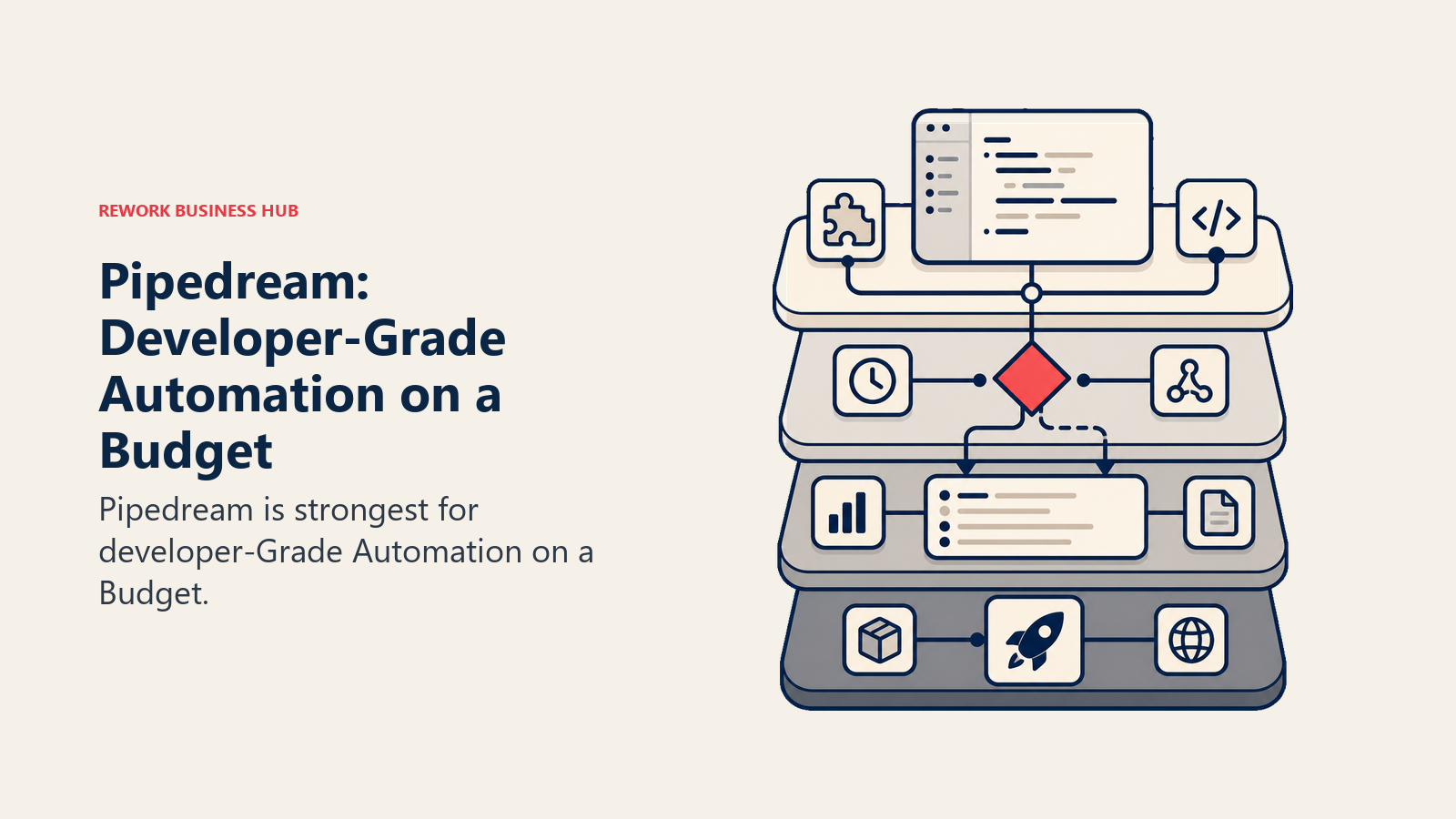
Methodology: Pipedream's model treats every workflow step as a serverless function. You can use pre-built components or write your own code. Webhooks, HTTP triggers, cron, and event sources are all first-class. The platform bills by compute credit (30 seconds of execution at 256MB RAM), so complex multi-step workflows don't cost more just because they have more branches.
Target audience: Software engineers, backend developers, and technical RevOps leads who want to build automations with custom code. SaaS startups with a technical ops function. The ICP is a developer at a startup or scale-up who has outgrown no-code tools and doesn't want to manage an n8n server.
| Pros | Cons |
|---|---|
| Full code (Node.js, Python, Go, Bash) in every step | Not accessible for non-technical users |
| Pay-per-compute, not per task | Free tier limited (100 credits/day, 3 active workflows) |
| 2,500+ pre-built component actions | Less visual than Make or Zapier |
| Git-backed version control for workflows | Community support on lower tiers |
Sizing fit:
| Team Size | Fit |
|---|---|
| Solo developer | Excellent |
| Small team (2-10, technical) | Strong |
| Mid-size (10-50) | Good for engineering-led workflows |
| Enterprise (50+) | Custom plan required |
Stage fit: Startup through growth-stage for engineering teams. Good complement to a business-user tool like Zapier at mid-market.
Team vs company-wide: Engineering and technical ops only.
Pricing: Free (100 credits/day). Basic at $29/mo (2,000 credits/day). Advanced at $49/mo (10,000 credits/day). Business custom.
Best for: Developers who want to build production-grade automations with custom code, without managing servers or paying per workflow step.
10. Pabbly Connect: Lifetime Pricing for Budget-Conscious Teams
Pabbly Connect is the most affordable option on this list, and it earns its place here because of one unusual business model: lifetime deals. For a one-time payment starting around $349, you get 3,000 tasks/month with no annual renewal. For agencies and small businesses with predictable, stable automation needs, that changes the math completely.
Methodology: Pabbly's approach is breadth at low cost. It connects 1,000+ apps with a visual workflow builder, supports multi-step automation, and deliberately excludes filters, formatters, and routers from billable task counts. That means a workflow with 10 steps and 3 routers costs the same as a 3-step workflow, which is unusual and genuinely useful.
Target audience: Small businesses, digital marketing agencies, freelancers, and budget-conscious teams that run stable, defined automation workflows and don't need enterprise governance. The ICP is a small agency owner who has 20 clients to automate for and doesn't want to pay Zapier's per-task rates.
| Pros | Cons |
|---|---|
| Lifetime deal pricing eliminates annual renewal costs | Fewer enterprise connectors (Workday, SAP not covered) |
| Filters and routers don't count as billable tasks | Support response time slower than Zapier |
| Unlimited workflows and team members on paid plans | Smaller community and fewer templates |
| 1,000+ app connections | UI less polished than Zapier or Make |
Sizing fit:
| Team Size | Fit |
|---|---|
| Solo (freelancer/agency) | Excellent |
| Small team (2-10) | Strong |
| Mid-size (10-50) | Moderate; check connector coverage |
| Enterprise (50+) | Not recommended |
Stage fit: Early-stage and bootstrapped teams. Agencies. Not for scaling past ~50 employees.
Team vs company-wide: Ops and marketing teams. Accessible for non-technical users.
Pricing: Free (100 tasks/mo). Standard at $16/mo (12,000 tasks, annual). Pro at $33/mo. Ultimate at $67/mo. Lifetime deals from $349 (one-time).
Best for: Small teams and agencies that want predictable automation costs and can use a lifetime deal to eliminate subscription overhead.
11. n8n Enterprise: Self-Hosted iPaaS for Regulated Industries
This deserves a separate entry from n8n's cloud offering because the use case is genuinely distinct. n8n Enterprise, deployed on your own infrastructure, is one of the very few tools that gives you Workato-level workflow complexity with on-premises data control. For healthcare, financial services, government, and EU-regulated companies, that combination is rare.
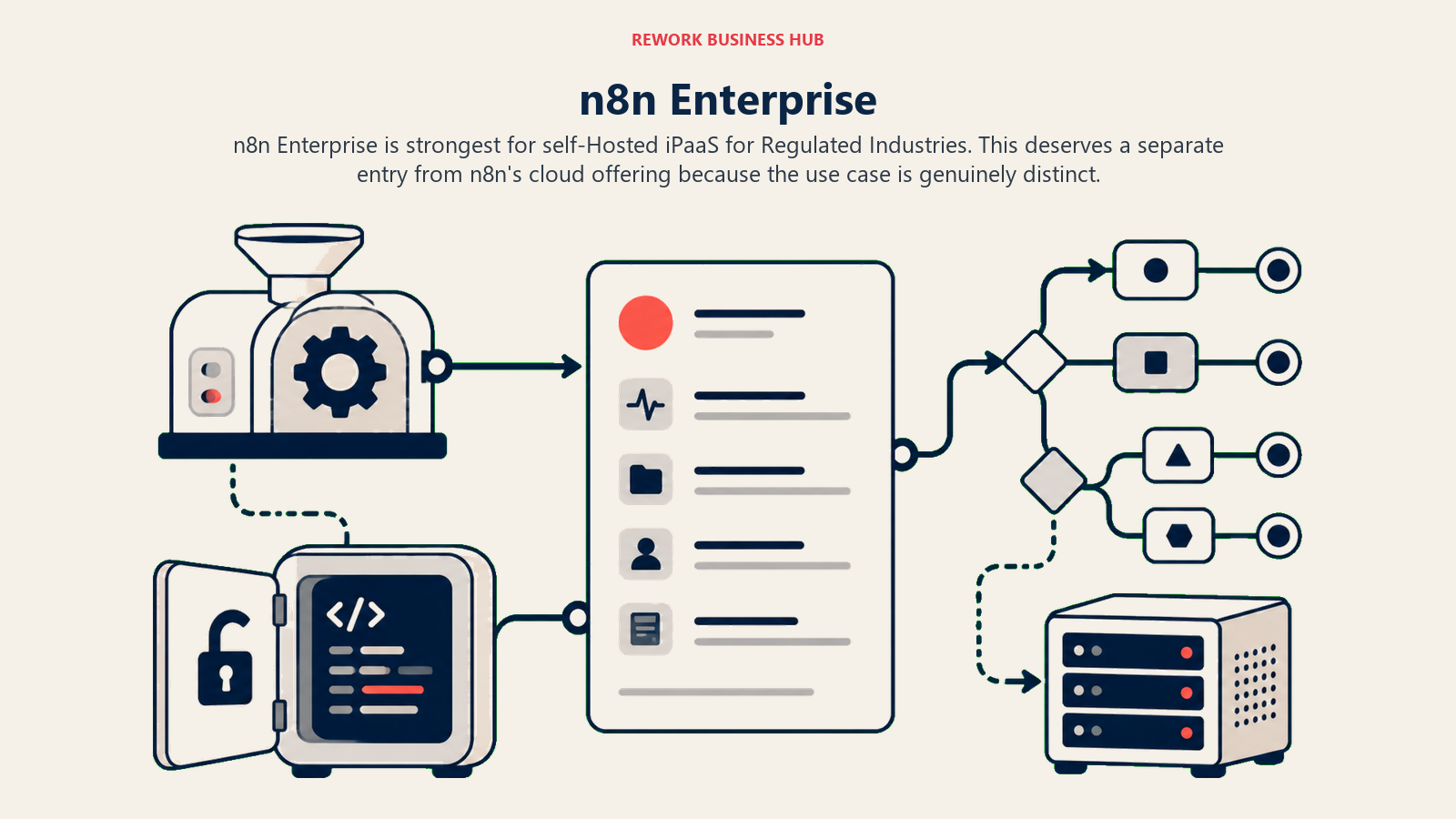
Methodology: n8n Enterprise adds SSO (SAML/OIDC), RBAC, audit logs, log streaming, and dedicated support on top of n8n's open-source core. Because you're running it on your own servers, data never leaves your environment. You can also customize the source code, build private nodes, and run the workflow engine in air-gapped environments.
Target audience: InfoSec teams, compliance officers, and IT architects at organizations where data residency is a hard requirement. HIPAA-covered healthcare organizations, SOC 2-audited SaaS companies, EU companies with strict GDPR requirements, and government contractors.
| Pros | Cons |
|---|---|
| Full on-prem deployment; data never leaves your infra | Requires real DevOps investment to run reliably |
| Enterprise SSO, RBAC, and audit logs | Custom pricing; significant TCO beyond licensing |
| Open-source core means no vendor lock-in | Smaller ecosystem than Workato or Boomi |
| Unlimited workflows and executions at the execution layer | UI onboarding harder for non-technical users |
Sizing fit:
| Team Size | Fit |
|---|---|
| Solo (1 person) | Only with strong DevOps background |
| Small team (2-10) | Limited |
| Mid-size (10-50) | Strong for technical, regulated orgs |
| Enterprise (50+) | Strong for regulated industries |
Stage fit: Mid-market to enterprise in regulated industries. Not for teams without dedicated infrastructure capacity.
Team vs company-wide: Engineering and IT. Workflow building requires technical users.
Pricing: Enterprise plan, custom pricing. Requires a sales conversation.
Best for: Healthcare, financial services, and government teams that need on-premises integration with enterprise governance and zero data-residency risk.
Stage Fit Matrix
| Tool | Startup (1-10) | Growth (10-50) | Mid-Market (50-200) | Enterprise (200+) |
|---|---|---|---|---|
| Zapier | Excellent | Strong | Good (watch costs) | Departmental only |
| Make | Strong | Excellent | Strong | Possible |
| n8n (Cloud) | Strong (technical) | Strong | Good | Viable |
| Tray.ai | Avoid | Moderate | Strong | Strong |
| Boomi | Avoid | Avoid | Possible | Strong |
| MuleSoft | Avoid | Avoid | Avoid (unless Salesforce-heavy) | Strong |
| Celigo | Limited | Good (NetSuite) | Strong (NetSuite) | Good (NetSuite) |
| Power Automate | Good (M365 shops) | Strong (M365) | Strong (M365) | Strong (M365) |
| Pipedream | Excellent (devs) | Strong (devs) | Good (engineering teams) | Custom |
| Pabbly Connect | Excellent | Strong | Moderate | Not recommended |
| n8n Enterprise | Limited | Moderate | Strong (regulated) | Strong (regulated) |
Sizing and Persona Table
| Tool | Team Size Sweet Spot | Primary Buyer | Secondary Buyer |
|---|---|---|---|
| Zapier | 5-200 | RevOps Manager | Marketing Ops Lead |
| Make | 2-100 | Automation Specialist | RevOps Analyst |
| n8n (Cloud) | 2-50 (technical) | Senior Engineer | DevOps Lead |
| Tray.ai | 50-500 | VP of Operations | Integration Engineer |
| Boomi | 200+ | VP of IT / Enterprise Architect | Integration Program Manager |
| MuleSoft | 500+ | CTO / VP Architecture | Salesforce Admin |
| Celigo | 20-500 (NetSuite shops) | Director of Systems | NetSuite Admin |
| Power Automate | Any (M365 orgs) | IT Manager | Business Analyst |
| Pipedream | 1-100 (technical) | Software Engineer | Technical Ops Lead |
| Pabbly Connect | 1-50 | Small Business Owner | Agency Owner |
| n8n Enterprise | 50-500 (regulated) | CISO / IT Director | Compliance Officer |
How to Choose: Decision Framework
| If you need... | Choose |
|---|---|
| No-code automation with the widest app ecosystem | Zapier |
| Visual complex workflows at a fraction of Zapier's cost | Make |
| Code-level control with no per-task billing, self-hosted | n8n (Cloud or self-hosted) |
| Enterprise-grade iPaaS with GenAI without Workato's price | Tray.ai |
| Complex on-prem and cloud hybrid integrations at scale | Boomi |
| API-led integration infrastructure with deep Salesforce | MuleSoft |
| Pre-built NetSuite or Shopify integration flows | Celigo |
| Automation inside a Microsoft 365 stack at no extra cost | Power Automate |
| Custom code in workflows without managing servers | Pipedream |
| Stable automation at the lowest possible monthly cost | Pabbly Connect |
| On-premises data control with enterprise governance | n8n Enterprise |
| The same workflow depth as Workato, with flexible pricing | Tray.ai |
| Teams that just need 5-10 app connections, no enterprise | Zapier or Make |
What Workato Still Does Best
Being honest: Workato remains the strongest option in a handful of specific scenarios.
| Workato strength | Why it matters |
|---|---|
| Recipe-based governance and version control | Large teams need audit trails and rollback |
| Out-of-box enterprise connectors (Workday, ServiceNow, SAP) | Mid-market alternatives often lack these |
| Agentic automation layer (Workato One) | Genuine GenAI orchestration, not just AI wrappers |
| On-prem connectivity (Workato OPA) | Hybrid deployments without full self-hosting |
| Workflow intelligence and error handling | Production-grade reliability at scale |
| Single platform for IT, ops, and finance automation | Consolidation play for large enterprise |
If you're at a company where Workday, ServiceNow, or SAP are core, and you have a dedicated automation team, Workato's breadth and governance pay off. The tools in this list either don't match Workato's connector depth in those systems (Zapier, Make), require more engineering to operate (n8n), or are catching up rather than fully there (Tray.ai). For everything else, the alternatives above cover the real use cases at lower cost.
What to Do Next
Pick your top two based on the decision framework above. Then run a real two-week pilot on an actual workflow, not a demo scenario. Connect the same source system, the same destination, and measure the time from setup to first successful production run.
For teams leaving Workato because of price: Make covers most mid-market automation use cases at 5-10% of Workato's cost, and n8n covers the technical use cases with full data control. For teams that need enterprise connectors but want more flexibility than Workato: Tray.ai is the closest like-for-like alternative worth a serious evaluation.
For teams still inside Microsoft: Power Automate is almost certainly already paid for. Use it for internal Microsoft workflows, and layer Zapier or Make on top for external SaaS automation that Power Automate handles poorly.
If you're evaluating automation tooling alongside your broader ops stack, the best n8n alternatives guide covers the technical automation space specifically, and the best Make alternatives goes deeper on the visual canvas tools. For the data infrastructure that sits next to integration platforms, the best Segment alternatives is worth reading alongside this one.
Camellia writes about automation and operations tooling for B2B teams. Last updated June 2026.

Principal Product Marketing Strategist
On this page
- Quick Comparison Table
- Why Teams Actually Leave Workato
- 1. Zapier: The No-Code Default for Mid-Market Teams
- 2. Make: The Visual Canvas for Complex Logic
- 3. n8n: Open-Source with Code-Level Control
- 4. Tray.ai: Enterprise Depth Without the MuleSoft Price Tag
- 5. Boomi: The Battle-Tested iPaaS for Complex Environments
- 6. MuleSoft Anypoint Platform: The API-First Choice for Salesforce Shops
- 7. Celigo: Built for NetSuite and eCommerce Ops
- 8. Microsoft Power Automate: The Default for Microsoft 365 Organizations
- 9. Pipedream: Developer-Grade Automation on a Budget
- 10. Pabbly Connect: Lifetime Pricing for Budget-Conscious Teams
- 11. n8n Enterprise: Self-Hosted iPaaS for Regulated Industries
- Stage Fit Matrix
- Sizing and Persona Table
- How to Choose: Decision Framework
- What Workato Still Does Best
- What to Do Next