More in
Lead Capture Automation
Chat-to-CRM Automation: Connecting Respond.io with HubSpot (2026 Guide)
Apr 18, 2026
LinkedIn Lead Gen Forms to CRM: Automated Routing That Actually Works
Apr 18, 2026
Lead Scoring for Chat-Captured Leads: A Different Model Than Form Leads
Apr 18, 2026
Webhook-Based Lead Capture: A Practical Guide for Custom Integrations
Apr 18, 2026
Routing Leads to Reps Based on Chat Conversation Context
Apr 18, 2026
Automating the Post-Capture Nurture Sequence: From First Touch to Sales-Ready
Apr 18, 2026
GDPR-Compliant Lead Capture for EU Markets: A Practical Operations Guide
Apr 18, 2026
Building a No-Form Lead Capture Stack: How to Capture Leads Without a Single Form
Apr 18, 2026
Tracking Source Attribution Across Chat, Ad, and Form Leads: The Ops Guide
Apr 18, 2026
Connecting Your CMS Form to Salesforce Without Paying for Premium Connectors
Apr 18, 2026
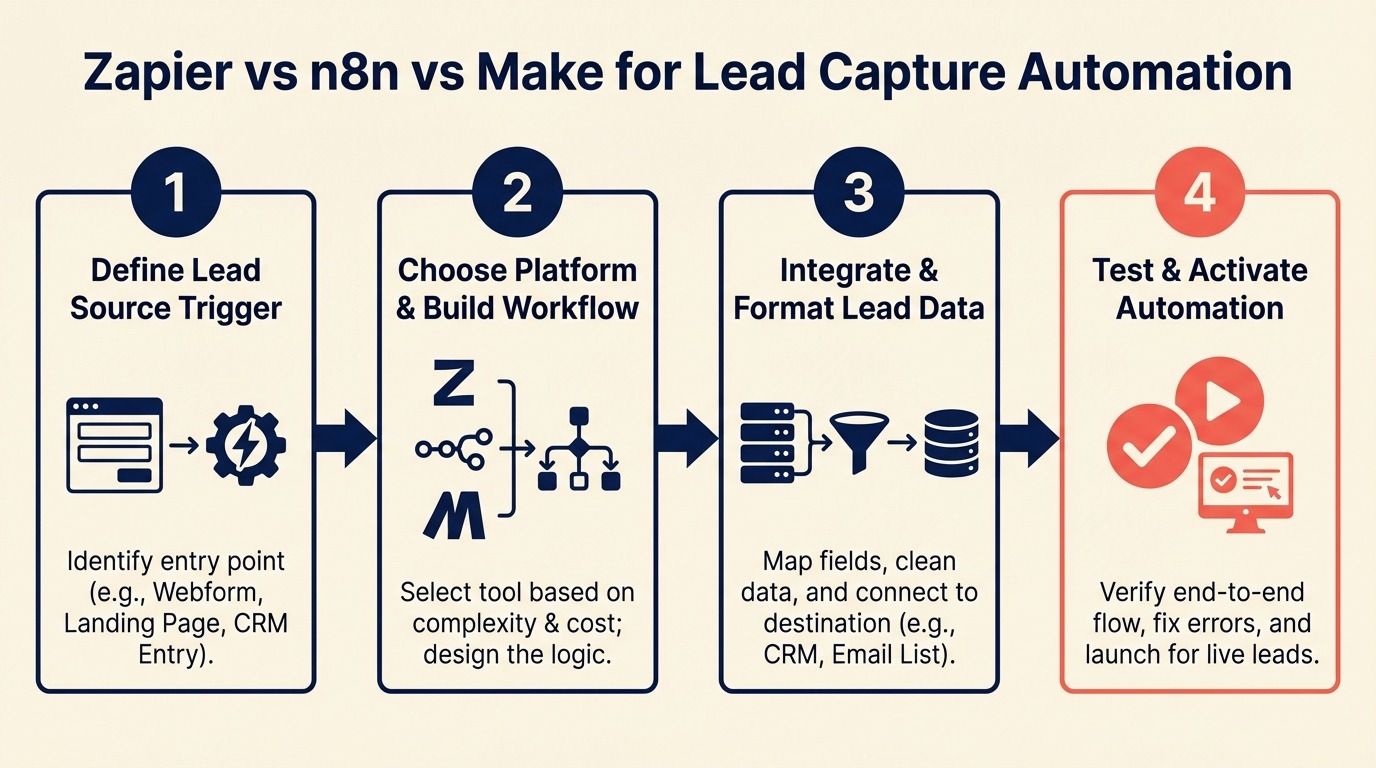
Zapier vs n8n vs Make for Lead Capture Automation: Which to Choose
Turn this article into takeaways for your work.


Each assistant summarizes the article only for you and suggests best practices for your work.
Zapier is where most teams start. n8n is where teams go when the Zapier bill hits $400 per month. Make is in the middle. But the real choice isn't about price. It's about what breaks when your lead capture stack processes 5,000 leads in a week and one webhook fails silently.
Robotic process automation and low-code integration platforms have converged into the no-code middleware category that Zapier, Make, and n8n all occupy. Each approaches the problem of connecting disparate SaaS tools with different trade-offs on flexibility, cost, and technical overhead.
One marketing ops team rebuilt their lead capture automation twice. First move: Zapier to Make when their Zapier bill crossed $350/month for 4,000 monthly tasks. Second move: Make to n8n when they needed custom deduplication logic that Make's modules couldn't express without workarounds. Each move cost about 3 weeks of rebuild time. This guide helps you pick the right tool before you build. The same maturity-stage thinking applies to your broader stack: RevOps maturity model maps which tooling decisions belong at which growth stage. For a complementary view on what these tools connect to, the form-to-CRM automation patterns guide shows the full pipeline this middleware sits inside.
Step 1: The 4 Dimensions That Determine the Right Tool
Before looking at feature lists, answer these four questions:
1. Volume (leads/month): How many form submissions, Meta leads, chat leads, and LinkedIn leads does your stack process per month? Include all channels. Most teams underestimate by 3x because they count form submissions but forget Meta lead webhooks, enrichment API calls, and routing steps each count as separate tasks in Zapier and Make.
2. Complexity: Do your workflows need conditional branching (route enterprise leads differently than SMB)? Error handling with retry logic? Loops that process batches? Custom data transformation? Simple if/then routing is supported by all three tools. Complex multi-step logic with error branches starts to differentiate them.
3. Technical resources: Does your team have a developer or technical ops person who can maintain a self-hosted system? Or does everything need to be no-code/low-code? This isn't a judgment. It's a capability question. n8n on self-hosted requires someone comfortable with Docker and periodic updates.
4. Budget: What's your monthly automation budget? Zapier's per-task pricing compounds at high volume. Make is cheaper per operation. n8n self-hosted is essentially free after infrastructure costs (~$20/month on a small VPS).
Decision matrix:
| Scenario | Recommended Tool |
|---|---|
| Low volume (<2k tasks/mo), no technical team | Zapier |
| Moderate volume (2k-20k tasks/mo), some complexity | Make |
| High volume (20k+ tasks/mo), technical team available | n8n |
| Compliance requirement (data must stay on-prem) | n8n self-hosted |
| Fast setup, specific app connector needed | Zapier |
| Moderate complexity, visual workflow needed | Make |
Step 2: Zapier: The Right Choice When
Zapier is the right choice for teams that prioritize setup speed and connector breadth over cost efficiency.
When Zapier wins:
- Volume is under 2,000 tasks per month (form submissions + routing steps combined)
- Your team has no technical resources for self-hosted tools
- You need a connector that only Zapier has (Zapier has 6,000+ integrations; Make has ~1,200; n8n has ~400 native)
- You need something live in 30 minutes, not 3 days
Gartner's market guide for integration platform as a service (iPaaS) classifies these tools under the same broad category, though their positioning differs significantly. Zapier targets business users, while Make and n8n increasingly serve technical operations teams.
Pricing at lead capture volumes:
The figures below reflect Zapier's current pricing tiers:
| Volume | Zapier Plan | Monthly Cost | Approximate Lead Capacity |
|---|---|---|---|
| Starter | Free | $0 | ~100 leads (100 tasks) |
| Professional | $29/mo | 750 tasks | ~200-250 leads |
| Team | $103/mo | 2,000 tasks | ~500-700 leads |
| Company | $349/mo | 50,000 tasks | ~10,000-15,000 leads |
Note: "tasks" in Zapier = individual steps. A 3-step Zap (webhook receive + dedup check + CRM create) uses 3 tasks per lead. At 1,000 leads per month, that's 3,000 tasks, which puts you on the Team plan.
Zapier's failure mode for lead capture: Zapier's rate limiting and task counting make high-volume lead capture expensive. More critically, failed Zaps don't alert in real time by default. You can miss hundreds of submissions before discovering a Zap went off. Enable "Replay failed Zaps" and set up email alerts on failures.
Key lead capture integrations in Zapier: Meta Lead Ads, HubSpot, Salesforce, Typeform, Webflow (via webhook), LinkedIn Lead Gen Forms, ActiveCampaign: all available natively.
Step 3: Make: The Right Choice When
Make (formerly Integromat) hits the best price-to-flexibility ratio for teams processing moderate lead volumes with non-trivial routing logic.
When Make wins:
- Monthly task volume between 2,000 and 20,000 operations
- You need conditional branching, error routes, and data transformation without writing code
- You want a visual workflow builder that's easier to debug than Zapier's linear view
- Budget matters but you don't want to self-host
Pricing at lead capture volumes:
Make's pricing page shows current plan details; the figures below reflect early 2026 rates:
| Volume | Make Plan | Monthly Cost | Operations Included |
|---|---|---|---|
| Free | Free | $0 | 1,000 ops/mo |
| Core | $10.59/mo | $10.59 | 10,000 ops/mo |
| Pro | $18.82/mo | $18.82 | 10,000 ops/mo (+ advanced features) |
| Teams | $34.12/mo | $34.12 | 10,000 ops/mo (multi-user) |
| Additional ops | Per-pack | ~$9/10k ops | Add as needed |
At 5,000 leads per month with a 3-module scenario, you're using ~15,000 operations. That's roughly $27/month. The same volume on Zapier Team plan costs $103/month.
Make's standout feature for lead capture: The Data Store. This is a key-value store built into Make that you can use as a deduplication lookup table without hitting your CRM's API rate limits. Store processed lead IDs and check against them before making a CRM call. At high volume, this significantly reduces CRM API usage. The deduplication scenarios in deduping leads from multi-channel capture are a good reference for what that Make Data Store logic needs to handle. Meta Lead Ads are one of the highest-volume sources that Make handles well, and the Meta Lead Ads to CRM integration playbook covers the exact scenario configuration.
Make's error handling: Make has a native "Error Handler" route on every module. When a CRM API call fails, you can route to an error path that logs the failure, sends a Slack alert, and retries after a delay. This is meaningfully better than Zapier's error handling.
Make's limitation: For very custom logic (complex data transformations, custom enrichment algorithms), Make's visual modules hit their limits. You end up building convoluted module chains where a few lines of JavaScript would be cleaner. That's where n8n's code nodes shine.
Step 4: n8n: The Right Choice When
n8n is the right choice for teams with technical resources, high volume, or data compliance requirements.
When n8n wins:
- Monthly task volume exceeds 20,000 (self-hosted n8n has no per-operation pricing)
- Your team has someone who can maintain a self-hosted service (Docker-based, updates every ~6 weeks)
- You need custom code nodes for complex data transformation or enrichment logic
- Data must stay within your infrastructure (GDPR, HIPAA, or internal policy)
- You're already using other self-hosted tools (Respond.io self-hosted, custom webhook receivers)
Pricing model: n8n's self-hosted version is open source and free. You pay for hosting, typically $20-40/month on a DigitalOcean Droplet or similar. The cloud version starts at $20/month for 2,500 workflow executions.
For teams processing 10,000+ leads per month, n8n self-hosted typically costs $20-40/month total versus $200+ on Make or $350+ on Zapier.
Self-hosted setup overview: n8n runs in Docker. The n8n self-hosting documentation covers deployment options in detail. A basic deployment on a $20 DigitalOcean droplet (2GB RAM) handles several thousand workflow executions per hour. The setup is a 1-hour task for someone comfortable with the command line. Ongoing maintenance is mostly updating the Docker image when new versions release.
n8n's code node advantage: Every n8n workflow can include a Code node that runs JavaScript. This means complex deduplication logic, custom field transformations, enrichment API calls with error handling: all expressible in code without building workarounds in visual modules. For RevOps teams that have a technical ops person, this is a meaningful capability difference.
n8n's limitation: Without a technical person to maintain it, n8n is a liability. When the workflow breaks (and workflows do break), someone needs to debug it. If your team is entirely no-code, stick with Make.
Step 5: Head-to-Head for 3 Common Lead Capture Scenarios
Scenario 1: Meta Lead Ads to HubSpot with dedup
| Zapier | Make | n8n | |
|---|---|---|---|
| Setup time | 20 min (native integration) | 45 min | 2 hours |
| Dedup logic | Basic (Zapier Formatter) | Full (Data Store lookup) | Full (code node) |
| Cost at 2k leads/mo | ~$103/mo | ~$18/mo | ~$20/mo (hosting) |
| Error handling | Basic (Zap alerts) | Route-based | Code-based |
| Recommended | Volume <500/mo | Volume 500-20k | Volume 20k+ |
Scenario 2: Webhook from website form to Salesforce with enrichment
| Zapier | Make | n8n | |
|---|---|---|---|
| Webhook receive | Native | Native | Native |
| Apollo enrichment | Via Zapier HTTP | Via HTTP module | Via HTTP + Code |
| Conditional routing | Limited (filter) | Router module | IF node + Code |
| Cost at 3k leads/mo | ~$350/mo | ~$27/mo | ~$20/mo (hosting) |
| Recommended | Volume <300/mo | Volume 300-15k | Volume 15k+ |
Scenario 3: WhatsApp chat lead (Respond.io) to CRM with routing
| Zapier | Make | n8n | |
|---|---|---|---|
| Respond.io integration | Via webhook | Via webhook | Via webhook + Code |
| Phone-based dedup | Workaround needed | Data Store | Code node |
| Cross-identity merge | Manual step | Conditional module | Code node |
| Cost at 1k leads/mo | ~$103/mo | ~$18/mo | ~$20/mo (hosting) |
| Recommended | If Zapier already in use | Best default choice | If high volume or custom logic |
Step 6: Error Handling and Observability
The tool you can't observe is the tool that loses leads silently.
Zapier:
- Failed Zaps go into error history; no real-time alert by default
- Enable email notifications for Zap errors in Task History settings
- "Replay failed Zaps" recovers most intermittent failures
- Limitation: no native dead-letter queue; failed tasks are just retried or dropped
Make:
- Every module has an "Error Handler" route you can configure
- Route failures to a Google Sheet log + Slack notification
- Incomplete executions are stored in the execution history (30 days)
- You can manually resume or reprocess failed scenarios
n8n:
- Error workflows: you can define a dedicated "error trigger" workflow that fires when any workflow fails
- Built-in execution log with full payload visibility (useful for debugging what data caused a failure)
- Code nodes let you implement sophisticated retry logic and dead-letter queues
- Self-hosted means logs stay within your infrastructure
Building a dead letter queue for failed lead submissions: In any of the three tools, the pattern is:
- Main workflow runs
- On error, route the original payload to a "failed leads" Google Sheet or database table
- Send Slack/email alert with the failure details
- A separate manual review or retry workflow processes the failed leads queue weekly
This prevents silent data loss. The failure becomes visible and recoverable.
Step 7: Migration Considerations
If you're moving from Zapier to Make, here's what to rebuild vs. replace:
Rebuild in Make:
- Any Zap that uses conditional logic (Make's Router module handles this better)
- Any Zap with multiple steps that share data (Make's scenario design handles data passing more cleanly)
- Deduplication Zaps (replace with Make's Data Store)
Consider native integrations instead: Before migrating a Zapier integration to Make, check if HubSpot or Salesforce now has a native integration for the source you're using. Many integrations that required Zapier in 2022 are now native. Eliminating the middleware entirely is better than migrating it. For teams also evaluating which CRM to standardize on before a migration, the CRM workflow automation guide covers what to look for in native automation depth. And if the migration involves moving lead data between CRMs, the field mapping guide is a practical pre-flight checklist.
What the migration actually costs: Rebuilding a 5-Zap lead capture stack in Make takes about 4-8 hours for someone familiar with Make. The first 2 hours are learning Make's UI; the remaining time is the actual rebuild. Budget a week for testing and parallel-running both stacks before cutting over.
Common Pitfalls
Picking Zapier for a high-volume stack. Task limits become expensive quickly when you count all the steps in your automation, not just the number of leads. Map out your full flow and count tasks before committing to Zapier pricing.
Picking n8n without a technical person to maintain it. n8n self-hosted requires someone to update the Docker image, debug workflow failures, and occasionally fix breaking changes in new versions. Without that person, n8n becomes a liability within 6 months.
No error handling in any tool. Failed steps are invisible without explicit error routes. Every workflow should have an error path that logs the failure and sends an alert.
Building complex conditional logic in Zapier. Zapier's filter/condition system gets unwieldy with more than 3 conditions. If you find yourself building complex logic in Zapier, that's the signal to evaluate Make.
Underestimating task volume. Most teams estimate based on form submission count and forget that each step (webhook receive, dedup lookup, enrichment call, CRM create, routing notification) is a separate task or operation. Multiply your lead count by the number of steps in your workflow to get the real task estimate.
What to Do Next
Estimate your monthly task volume from your current integrations before choosing a tool. Pull the last 30 days from your Zapier task history, Make execution log, or wherever you're currently processing leads. Add up all operations, not just lead count.
If you're starting fresh: pick Make. It's the best default for most B2B marketing ops teams. It's cheap enough for moderate volume, flexible enough for complex logic, and doesn't require self-hosting. Whichever tool you choose, pair it with a lead routing automation model so the records your middleware creates land with the right rep immediately. Also factor in lead enrichment automation. The tool you choose needs to handle the enrichment API calls alongside the CRM write.
If you're already on Zapier and the bill is over $100/month: run the task volume calculation. If you're processing more than 3,000 tasks per month, the Make migration pays for itself in month two.
If you're processing 20,000+ tasks per month or have data residency requirements: evaluate n8n. The setup investment is real, but the ongoing cost savings and capability increase are significant.
Learn More

On this page
- Step 1: The 4 Dimensions That Determine the Right Tool
- Step 2: Zapier: The Right Choice When
- Step 3: Make: The Right Choice When
- Step 4: n8n: The Right Choice When
- Step 5: Head-to-Head for 3 Common Lead Capture Scenarios
- Step 6: Error Handling and Observability
- Step 7: Migration Considerations
- Common Pitfalls
- What to Do Next
- Learn More