Best AI Productivity Tools in 2026: 14 Tools for Scheduling, Tasks, Focus, and Docs
Turn this article into takeaways for your work.


Each assistant summarizes the article only for you and suggests best practices for your work.
"AI productivity tool" has become a catch-all label for four very different jobs: scheduling (who gets your calendar), tasks (what you do next), focus (what stays out of your way), and docs (where the work actually lives). ChatGPT and Claude anchor daily drafting and reasoning, Motion and Reclaim.ai fight over your calendar, Todoist and Sunsama compete for your task list, Notion AI and Mem compete for where your notes live, and Fireflies.ai, Superhuman, Zapier AI, Microsoft Copilot, Google Gemini, and Raycast AI each solve a narrower, sharper problem. This guide ranks 14 tools by the job they actually do, not by how many features fit on a landing page.
Every tool below was evaluated on capability, pricing transparency, and whether the AI feature changes a real daily workflow instead of just narrating it. What you see here should match what you're quoted at checkout. Where a vendor changed its pricing model in the last few months (Zapier's move to model-tier AI pricing, Notion folding full AI into the Business plan, Superhuman renaming its tiers), that shift is called out so you don't plan a budget around a tier that no longer exists. If you want the wider view first, the best AI tools in 2026 roundup covers all 10 AI categories, from chatbots to coding assistants; this guide narrows in on the four productivity jobs specifically. And before you shortlist anything, it's worth reading what AI productivity tools actually are so you're evaluating tools against a real job, not a marketing category.
Updated July 2026: What Changed
- Zapier moved AI to model-tier pricing on June 15, 2026. AI by Zapier steps now consume 1x, 3x, or 5x the task quota depending on whether you pick a Standard, Advanced, or Premium model, instead of a flat per-step cost.
- Notion pulled full Notion AI out of the Plus plan. Since early 2026, the complete Notion Agent, AI search, and AI Meeting Notes live exclusively on the Business tier ($20/member/mo); Free and Plus only get a limited trial.
- Microsoft extended Copilot promo pricing through September 30, 2026. Microsoft 365 Copilot Business is discounted to $18/user/mo (from $21) for organizations under 300 seats, but it still requires a separate qualifying Microsoft 365 base plan.
- Google folded Gemini into Workspace base pricing. The standalone Gemini Business ($20/user/mo) and Gemini Enterprise ($30/user/mo) add-ons are gone; Gemini now ships inside Business Standard and Plus, which drove a 17 to 22% base price increase.
- Superhuman simplified its tier names. The old Starter/Business split is now Free, Pro, and Business, with Ask AI and Auto Drafts moved to the Business tier.
Key Facts
- The average AI user saves about 2.2 hours a week (5.4% of work hours), and among daily generative AI users, 33.5% report saving four or more hours a week, per Microsoft's 2026 Work Trend Index.
- Knowledge workers spend 60% of their time on "work about work" (chasing status updates, searching for information, and switching between apps) rather than on their actual job, per Asana's Anatomy of Work research.
- Knowledge workers already delegate 27% of their workload to AI today, a figure Asana projects will climb to 43% within three years as AI agents take on more workflow management, per Asana's State of AI at Work report.
- Knowledge workers using production AI agents (not just chat assistants) recover a median 6.4 hours per week per seat, according to McKinsey's Global AI Survey 2026.
- After a single interruption, it takes an average of about 23 minutes to fully return to the original task, per Gloria Mark's peer-reviewed UC Irvine interruption study, the research basis for most "context switching cost" claims in productivity software marketing.
- 88% of organizations report using AI in at least one business function, up from 65% in 2024, per McKinsey's State of AI research.
Quick Comparison Table
| Tool | Best For | Starting Price | Key Strength | Key Limitation |
|---|---|---|---|---|
| ChatGPT | General-purpose AI assistant | Free; Plus $20/mo | Broadest model access, biggest plugin/app ecosystem | Not built for calendar or task workflows natively |
| Claude | Long-document reasoning and writing | Free; Pro $17-20/mo | Strongest long-context reasoning, cleaner writing style | No native scheduling or task features |
| Notion AI | Docs and workspace-wide AI search | Free (limited); Business $20/mo/member | Full Notion Agent completes multi-step tasks across pages | Full AI now gated to Business tier only |
| Motion | AI-automated calendar + task planning | Pro AI $19/seat/mo | Auto-schedules tasks around meetings in real time | Can feel rigid if you resist algorithmic scheduling |
| Reclaim.ai | Smart calendar defense and habit blocking | Free (Lite); Starter $10/seat/mo | Protects focus time without replacing your calendar app | Deepest features gated to Business/Enterprise |
| Todoist AI | Fast, structured task capture | Free; Pro $5/mo | Ramble voice-to-task and Task Assist are genuinely fast | AI features require a paid plan |
| Sunsama | Daily planning ritual across tools | Pro $17-22/mo | Pulls tasks from every tool into one daily plan | Single-tier pricing, no free plan beyond trial |
| Superhuman | AI-accelerated email triage | Free; Pro $12-15/mo | Fastest inbox UX with built-in AI drafting | Business tier needed for Auto Drafts and Ask AI |
| Zapier AI | Cross-app workflow automation | Free; Professional from $19.99/mo | Connects AI steps into 7,000+ app workflows | Model-tier pricing (1x-5x) can burn tasks fast |
| Microsoft Copilot | AI inside Word, Excel, Outlook, Teams | From $18/user/mo (add-on) | Native to the M365 suite most enterprises already run | Requires a separate qualifying M365 base plan |
| Google Gemini (Workspace) | AI inside Docs, Gmail, Meet | Business Standard $14/user/mo | Bundled into Workspace, no separate AI purchase | Full Gemini access requires Standard tier or higher |
| Fireflies.ai | Meeting transcription and search | Free; Pro $10/seat/mo | Searchable transcript library across every meeting | AI summaries run on a shared credit pool |
| Mem | AI-organized personal notes | Free; Pro $12/mo | Automatic organization, no manual filing required | Proactive agent tier jumps to $99/mo |
| Raycast AI | Command-line style focus and launcher | Free; Pro $8/mo | Keeps you keyboard-driven, cuts app-switching | Frontier models cost an extra $8/mo add-on |
1. ChatGPT: The Default General-Purpose Assistant
ChatGPT remains the default entry point into AI for most knowledge workers, and for a reason: it drafts, summarizes, researches, codes, and reasons across nearly any format without a learning curve. For productivity specifically, it's less a dedicated tool than the layer people paste tasks into before opening the tool that actually does the scheduling or filing.
The free tier is capable enough for casual use, and Plus unlocks faster responses, image generation, and priority access to newer models. Team and Enterprise add workspace controls, but pricing there is where things get murky: OpenAI doesn't publish an Enterprise sticker price, and negotiated 2026 deals land anywhere from $50 to $60 per user per month depending on seat count and term length.
| What you get | What you don't |
|---|---|
| Broadest general capability of any AI assistant | No native calendar, task list, or inbox integration |
| Huge third-party GPT and plugin ecosystem | Enterprise pricing isn't public; requires a sales call |
| Fast iteration on new models (GPT-5.4 class reasoning) | Team plan has a 2-seat minimum and per-seat cost adds up |
| Voice mode and image understanding built in | Best value comes from pairing it with a dedicated task or calendar tool |
Pricing: Free; Plus $20/mo; Team $25/user/mo billed annually (or $30/mo monthly, 2-seat minimum); Enterprise from roughly $60/user/mo, negotiated, per OpenAI's published guidance and third-party pricing trackers.
Best for: Anyone who wants one AI assistant for drafting, research, and quick reasoning across their entire day, especially if you're not ready to commit to a dedicated scheduling or task app yet. If drafting is your primary use case, the best AI writing tools guide compares ChatGPT against tools built specifically for long-form content.
2. Claude: Best for Long-Document Reasoning and Writing
Claude's product philosophy is different from ChatGPT's breadth-first approach: it optimizes for depth on long, complex inputs. Feed it a 40-page contract, a full quarter of meeting notes, or an entire codebase, and Claude holds context and gives structured, less hedging answers than most competitors. For productivity work that involves synthesizing long documents (research briefs, policy docs, strategy memos) that depth is the differentiator.
Claude Pro at $17 to $20 a month competes directly with ChatGPT Plus on price, and the Max tiers ($100 and $200/mo) target people running heavy daily workloads through Claude Code or extended reasoning sessions. Team and Enterprise plans require a 5-seat minimum, which makes Claude a harder sell for very small teams than ChatGPT's 2-seat Team plan.
| What you get | What you don't |
|---|---|
| Best-in-class long-context reasoning and writing tone | No native scheduling, task, or inbox features |
| Cleaner, less repetitive prose than most competitors | 5-seat minimum on Team plans |
| Strong coding and technical-document handling | Fewer third-party integrations than ChatGPT's app ecosystem |
| Enterprise tier adds 500K context window, SSO, audit logs | Enterprise pricing isn't published; sales-negotiated |
Pricing: Free; Pro $17/mo (annual) or $20/mo (monthly); Max 5x $100/mo; Max 20x $200/mo; Team Standard $20/seat/mo annual ($25 monthly, 5-seat minimum); Team Premium $100/seat/mo annual ($125 monthly); Enterprise from $20/seat plus usage, per Anthropic's pricing page.
Best for: Analysts, strategists, and writers who spend their day inside long documents and need an assistant that holds context without losing the thread. See the ChatGPT vs Claude vs Gemini breakdown for a direct head-to-head if you're choosing between the three.
3. Notion AI: Best for Docs and Workspace-Wide Search
Notion's bet with AI in 2026 is that your workspace should answer questions, not just store pages. The Notion Agent, now exclusive to the Business tier, completes multi-step tasks (drafting a doc, filling in a database, summarizing a meeting) using context pulled from across your entire workspace, not just the page you're on. AI Meeting Notes and Enterprise Search extend that to transcribed calls and connected apps like Slack and Google Drive.
The catch is the pricing restructure: as of early 2026, full Notion AI moved off the Plus plan entirely. Free and Plus users get a limited trial; the real Notion Agent, AI search, and meeting notes require the $20/member/mo Business tier, which is a real jump for teams that were using Plus for basic workspace needs.
| What you get | What you don't |
|---|---|
| Notion Agent completes multi-step tasks across pages | Full AI features require the $20/mo Business tier |
| AI Meeting Notes auto-transcribes and summarizes calls | Custom Agents cost extra: $10 per 1,000 monthly credits |
| Enterprise Search pulls context from Slack, Drive, GitHub | Free and Plus only get a limited AI trial, not full access |
| Docs, wikis, and databases live in one connected workspace | Learning curve for teams new to Notion's block-based editor |
Pricing: Free; Plus $10/member/mo; Business $20/member/mo (full Notion AI); Enterprise custom, per Notion's pricing page.
Best for: Teams that already run their docs, wikis, and project tracking in Notion and want AI that can act across all of it, not just draft inside one page. If Notion isn't the right fit for your notes specifically, the best Evernote alternatives roundup covers lighter-weight note-taking options.
4. Motion: Best for Automated Calendar + Task Scheduling
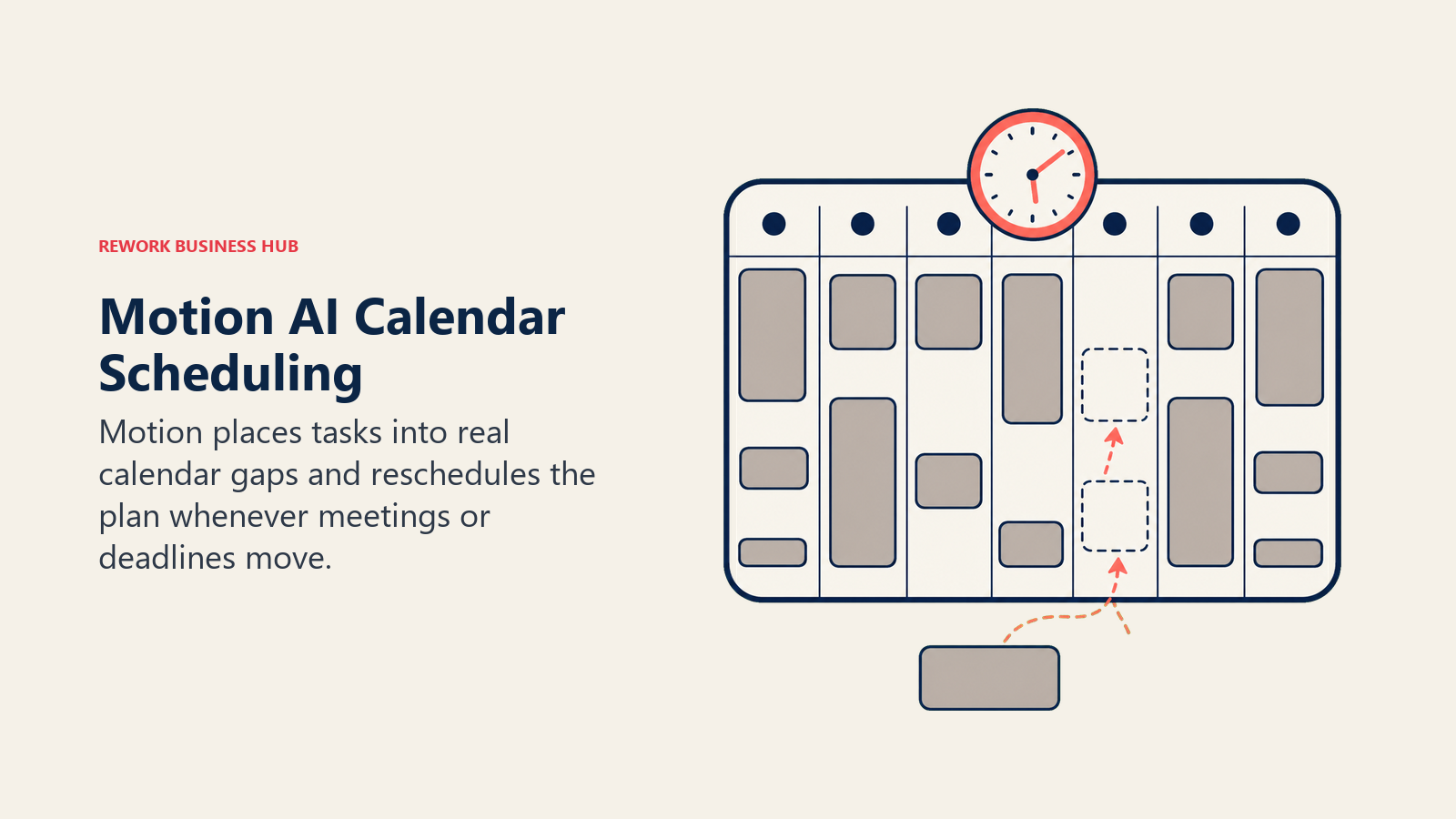
Motion's core idea is that your calendar and your to-do list shouldn't be two separate places you manage by hand. Give it your tasks, their deadlines, and your existing meetings, and Motion's AI automatically slots focused work into the open gaps in your calendar, then re-slots everything the moment a new meeting lands or a task runs long.
That automation is genuinely useful for people who chronically overcommit their calendars, but it's also the thing people either love or fight. If you want full manual control over exactly when you do each task, Motion's algorithmic rescheduling can feel like it's arguing with you. Business AI adds team workload views and shared project scheduling on top of the individual planner.
| What you get | What you don't |
|---|---|
| Automatically schedules tasks into real calendar gaps | Can feel rigid for people who want manual control |
| Re-plans your day in real time as meetings shift | AI credits are metered; heavy use can hit overage fees |
| Combines calendar, tasks, projects, and docs in one app | No free tier, only a 7-day trial |
| Business tier adds team capacity planning and Gantt views | Steeper learning curve than a plain task list |
Pricing: Pro AI $19/seat/mo ($12.73 billed annually), 7,500 AI credits/seat/mo; Business AI $29/seat/mo ($19.43 billed annually), 15,000 AI credits/seat/mo, per Motion's pricing page.
Best for: People and small teams who overbook their calendars and want an AI that actively defends time for real work, not just a passive list. For more on how this category works under the hood, see AI scheduling and calendar tools.
5. Reclaim.ai: Best for Smart Calendar Defense
Reclaim.ai takes a lighter-touch approach than Motion: instead of replacing your calendar app, it layers "Smart" time-blocking on top of Google Calendar (and, in beta, Outlook). Habits, tasks, buffer time, and 1:1s all get treated as flexible or fixed events that Reclaim automatically reschedules around your fixed meetings, so your focus time survives contact with a busy week.
For individuals, the free Lite tier covers a lot of ground: task scheduling, habit blocking, and calendar sync are all included. The paid tiers matter more for teams, where Reclaim adds unlimited Smart Meetings, CRM event routing, and up to 12 weeks of advance scheduling on the Business plan.
| What you get | What you don't |
|---|---|
| Free Lite tier covers real smart time-blocking | Deepest features (Smart Meetings, CRM routing) need Business |
| Integrates with Todoist, Asana, ClickUp, Jira, and Linear | Enhances Google Calendar rather than replacing your app |
| Automatically defends focus time around meetings | Outlook support is newer and less mature than Google |
| Habit and buffer-time scheduling built in at every tier | Team analytics and SSO are Enterprise-only |
Pricing: Free (Lite); Starter from $10/seat/mo; Business from $15/seat/mo; Enterprise from $22/seat/mo, with up to 29% off on annual billing, per Reclaim.ai's pricing page.
Best for: Google Calendar users who want automatic focus-time protection without abandoning the calendar app their whole team already uses.
6. Todoist AI: Best for Fast, Structured Task Capture
Todoist's philosophy hasn't changed in years: capture a task in seconds, structure it with natural language, and get out of the way. What's new in 2026 is Todoist Assist, a bundle of three AI features: Task Assist breaks a vague task into subtasks, Filter Assist writes complex filter queries from a plain-English description, and Ramble transcribes spoken task lists (in 38 languages, powered by Gemini 2.5 Flash Live) into structured, dated tasks.
The free Beginner tier caps out fast (5 projects, 7-day activity history), which is really a funnel toward Pro. Pro is genuinely cheap for what it unlocks: 300 projects, unlimited Ramble sessions, and full Task Assist, all for about the price of a coffee subscription.
| What you get | What you don't |
|---|---|
| Task Assist auto-breaks vague tasks into subtasks | Full AI features gated behind the paid Pro plan |
| Ramble voice-to-task in 38 languages | Free tier caps at 5 projects, which fills up fast |
| Filter Assist writes complex saved views from plain English | No calendar-blocking or scheduling automation like Motion |
| Cheapest AI-enabled task manager on this list | Business tier needed for shared team workspace |
Pricing: Free (5 projects); Pro $5/mo billed annually ($7 monthly); Business $8/user/mo billed annually ($10 monthly), per Todoist's pricing page.
Best for: Individuals and small teams who want the fastest possible task capture and don't need calendar automation baked in. Not sold on Todoist specifically? The best Todoist alternatives guide covers the rest of the task-management field.
7. Sunsama: Best for a Structured Daily Planning Ritual
Sunsama solves a different problem than a task list: it forces a daily planning ritual. Every morning, Sunsama pulls tasks from Slack, email, Jira, Trello, Asana, and 20+ other tools into one screen, asks you to actually decide what you're doing today (not just what's overdue), and flags it when you're overloading yourself before the day starts. An evening shutdown routine closes the loop.
That ritual is exactly why some users love it and others find it too structured for how they naturally work. There's no free tier beyond a 14-day trial, and it's a single-plan product: every subscriber gets the same feature set, which keeps the pricing conversation simple even if it removes the option to pay less for less.
| What you get | What you don't |
|---|---|
| Pulls tasks from 20+ tools into one daily planning view | No free tier, single paid plan only |
| Evening shutdown ritual and workload warnings built in | The structured ritual can feel rigid for less-planned workers |
| AI-assisted time estimates for tasks | Enterprise-only for SSO, SCIM, and audit logs |
| Focus mode blocks distractions during planned work blocks | Raised prices in 2026 for the first time in five years |
Pricing: Pro $17/mo billed annually ($22/mo billed monthly); Enterprise custom, per Sunsama's pricing page.
Best for: People who've tried task lists and calendars separately and want a single daily ritual that forces intentional planning instead of reactive firefighting. See AI task management tools for a broader look at how AI is changing daily planning.
8. Superhuman: Best for AI-Accelerated Email Triage
Superhuman's whole product is built around one metric: how fast can you get through your inbox. Keyboard-first navigation, AI-drafted replies, and automatic email triage (Superhuman calls it "Split Inbox") are designed to cut the hours knowledge workers lose to email every week. In 2026, Ask AI lets you query your inbox in natural language, and Auto Drafts writes full reply drafts based on your writing style and thread context.
The tradeoff is cost and onboarding: there's no way to self-serve into full value. Every new customer gets a mandatory guided onboarding session, and the AI features that matter most (Auto Drafts, Ask AI, CRM sync) sit on the Business tier, not the entry-level Pro plan.
| What you get | What you don't |
|---|---|
| Fastest inbox UX of any email client on the market | Auto Drafts and Ask AI require the Business tier |
| Built-in AI writing across 15+ languages | Mandatory guided onboarding session before full use |
| HubSpot and Salesforce sync on Business plan | No permanent free tier for the full email client |
| Keyboard-first design cuts time-per-email dramatically | Steep price relative to native Gmail or Outlook clients |
Pricing: Free (limited); Pro $12/mo billed annually ($15 monthly); Business $33/mo billed annually ($40 monthly); Enterprise custom, per Superhuman's plans page.
Best for: High-email-volume roles (sales, recruiting, executive assistants) where inbox speed translates directly into more deals or faster response times.
9. Zapier AI: Best for Cross-App Workflow Automation
Zapier's job hasn't changed since it started: connect apps that don't talk to each other natively. What's changed is that AI steps are now a first-class part of that automation, not a bolt-on. You can build a Zap that reads an inbound lead email, has an AI step summarize and score it, and routes it into your CRM, all without writing code.
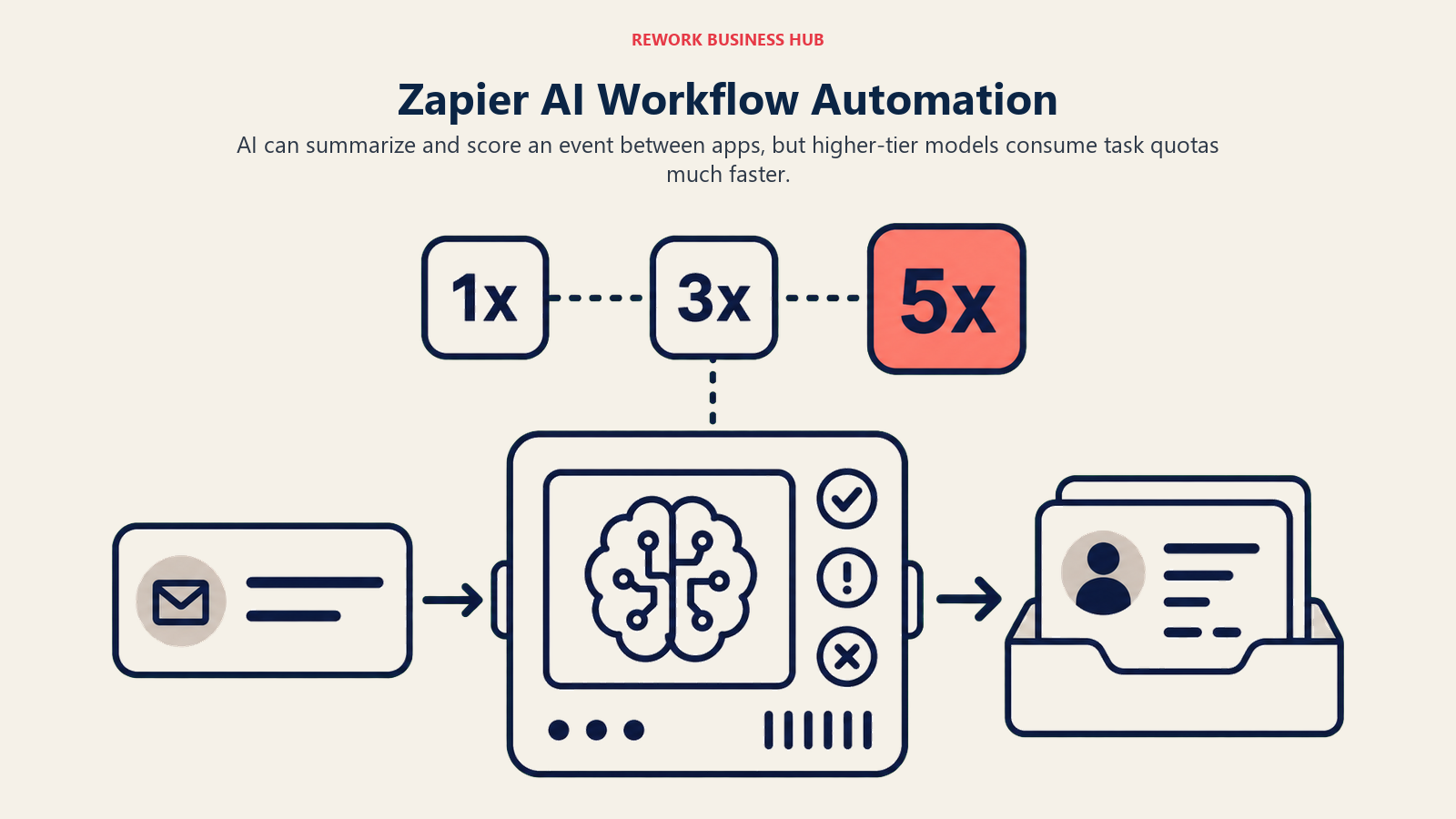
The pricing model shifted meaningfully in mid-2026: since June 15, AI by Zapier steps are billed by model tier (Standard consumes 1x your task quota, Advanced 3x, Premium 5x), which means a workflow using a frontier model burns through your monthly task allowance far faster than a workflow using a lighter model. Zapier Agents, the standalone autonomous-agent product, is a separate subscription entirely.
| What you get | What you don't |
|---|---|
| Connects AI steps into 7,000+ app workflows, no code needed | Premium-model AI steps burn 5x the task quota |
| Free tier covers 100 tasks/mo for light automation | Zapier Agents (autonomous agents) is a separate paid add-on |
| Team plan adds shared workflows and SAML SSO | Task-based pricing gets expensive fast at real automation volume |
| Works alongside nearly every tool on this list | Building complex multi-step Zaps still has a learning curve |
Pricing: Free (100 tasks/mo); Professional from $19.99/mo billed annually; Team from $69/mo (25 users); Enterprise custom, per Zapier's pricing page.
Best for: Ops teams that need AI to act as connective tissue between the other tools on this list, rather than living inside any single app.
10. Microsoft Copilot: Best for AI Inside the M365 Suite
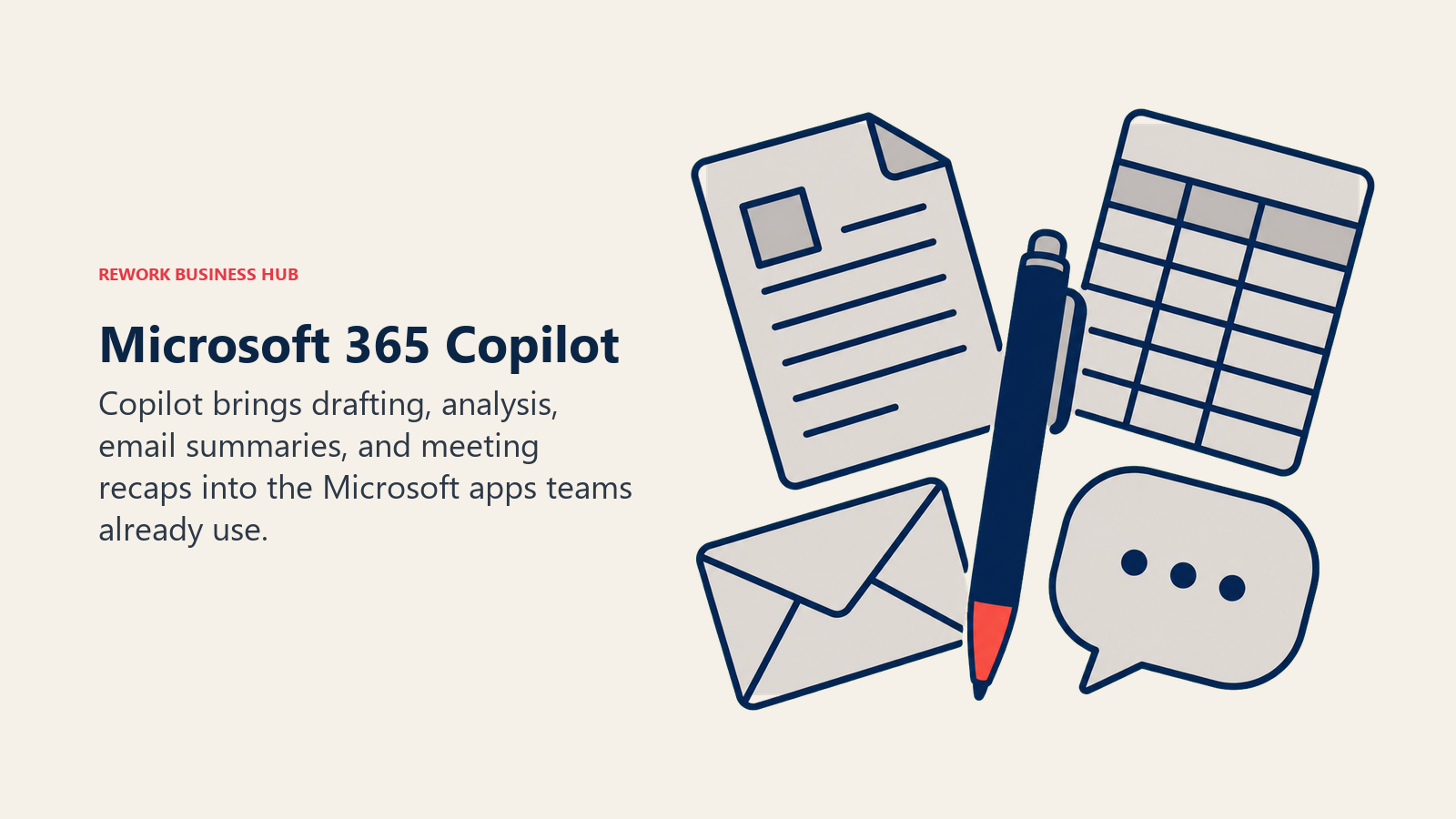
For the roughly 70% of enterprises already standardized on Word, Excel, Outlook, and Teams, Microsoft 365 Copilot is the path of least resistance to AI adoption: it shows up inside the apps people already use rather than asking them to learn a new tool. Copilot drafts and edits in Word, builds formulas and analyzes data in Excel, summarizes threads in Outlook, and generates meeting recaps and action items in Teams.
The catch is licensing complexity. Copilot is an add-on, not a standalone product, and it requires a separate qualifying Microsoft 365 base plan underneath it. Microsoft's promotional $18/user/mo Business pricing (down from $21) runs through September 30, 2026 for organizations under 300 seats; larger enterprise deployments pay the standard $30/user/mo add-on price on top of their base M365 license.
| What you get | What you don't |
|---|---|
| Native AI inside Word, Excel, Outlook, and Teams | Requires a separate qualifying M365 base plan |
| No new app to learn for teams already on Microsoft 365 | True total cost is base plan plus Copilot add-on |
| Meeting recaps and action items generated in Teams | Promotional small-business pricing expires Sept 30, 2026 |
| New E7 bundle folds Copilot into one enterprise SKU | E7 bundle pricing ($99/user/mo) is a major commitment |
Pricing: Business add-on $18/user/mo billed annually (promo through Sept 30, 2026, requires M365 Business base plan); Enterprise add-on $30/user/mo; Microsoft 365 E7 bundle $99/user/mo, per Microsoft's Copilot pricing page.
Best for: Enterprises already standardized on Microsoft 365 that want AI to show up inside existing workflows instead of adding a new tool to the stack.
11. Google Gemini for Workspace: Best for AI Inside Docs, Gmail, and Meet
Google took a different route than Microsoft: instead of selling Gemini as a separate add-on, it folded AI directly into Workspace's Business Standard and Plus plans, retiring the old standalone Gemini Business and Gemini Enterprise SKUs entirely. That means teams already on a qualifying Workspace plan get Gemini in Gmail, Docs, Sheets, and Meet without a separate purchase or a second vendor relationship.
The tradeoff showed up in the base price: folding Gemini in drove a 17 to 22% increase across Workspace plans in the last pricing update. Business Starter still exists at a lower price point, but its Gemini access is limited compared to Standard and Plus, so budget-conscious teams need to check which tier actually unlocks the AI features they want before they buy on price alone.
| What you get | What you don't |
|---|---|
| Gemini bundled into Gmail, Docs, Sheets, and Meet | Full Gemini access requires Standard tier or higher |
| No separate AI add-on purchase or vendor relationship | Base Workspace prices rose 17-22% with the Gemini bundle |
| AI Expanded Access add-on for teams needing higher limits | Starter tier gets only limited Gemini features |
| Deep integration with Google Calendar and Meet | Less flexible model selection than dedicated AI chat tools |
Pricing: Business Starter from $7/user/mo (limited Gemini); Business Standard $14/user/mo (full Gemini); Business Plus $22/user/mo; Enterprise custom; AI Expanded Access add-on around $20/user/mo, per Google Workspace's pricing page.
Best for: Teams already running Gmail, Docs, and Meet as their core stack who want AI without adding a new subscription to manage.
12. Fireflies.ai: Best for Meeting Transcription and Search
Fireflies.ai turns every meeting into a searchable record: it joins calls automatically, transcribes them, and generates AI summaries with action items that sync into your CRM or project tools. The real value shows up over time, when you can search across months of meeting history for a specific commitment or decision instead of scrolling through your own memory.
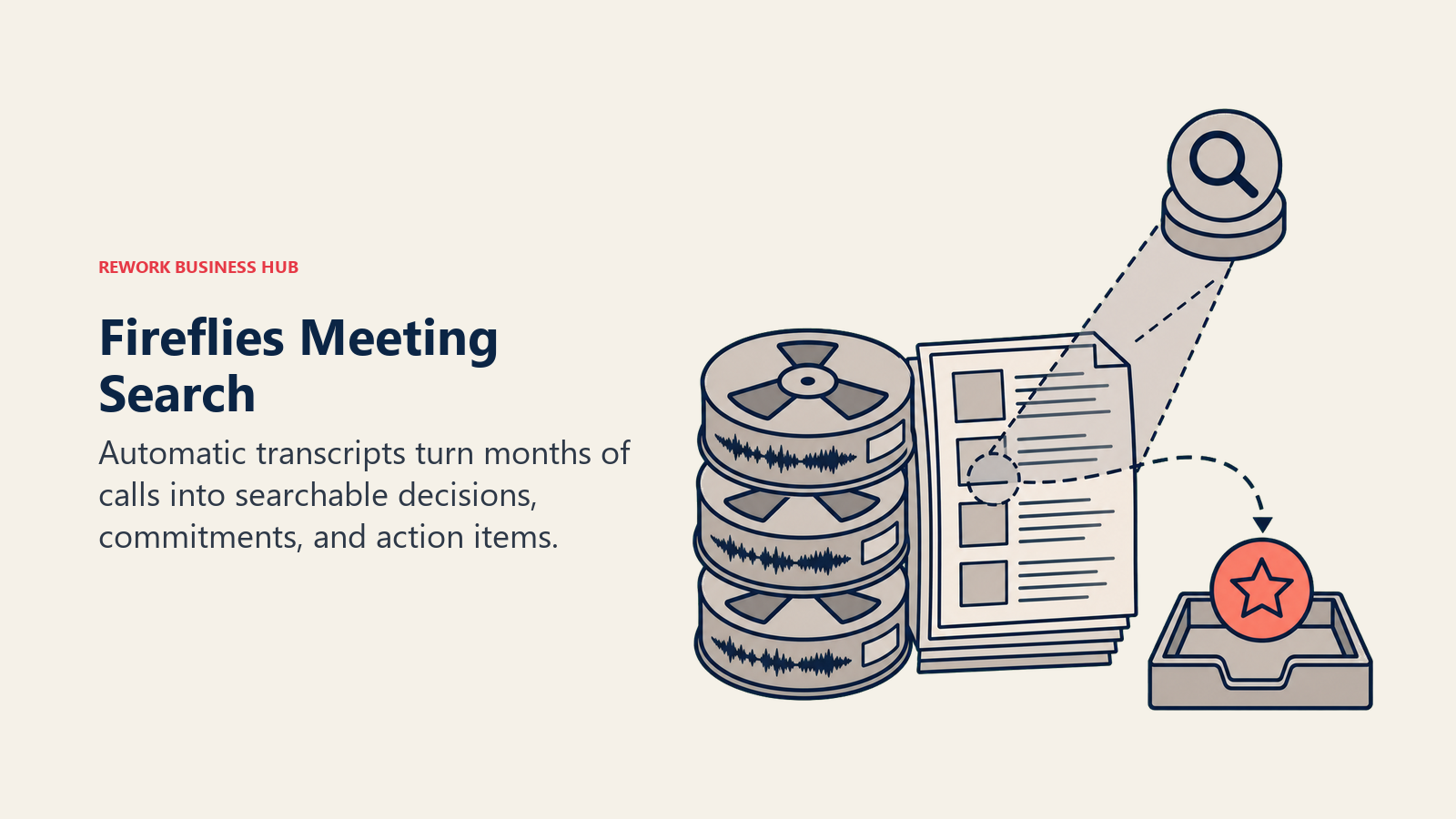
The plan structure is straightforward but the AI-credit system takes getting used to: transcription and basic summaries are unlimited on every paid plan, but deeper AI features (AskFred conversational search, advanced meeting highlights) draw from a shared monthly credit pool that scales with your tier. If your team leans heavily on AI-generated insights rather than raw transcripts, watch that credit usage.
| What you get | What you don't |
|---|---|
| Unlimited transcription and AI summaries on paid plans | Deeper AI features run on a shared, limited credit pool |
| Searchable transcript library across your whole meeting history | Free tier storage (800 minutes) fills up in about 6 weeks |
| Syncs meeting notes and action items into CRM/PM tools | Business tier needed for the largest AI credit allowance |
| Works across Zoom, Google Meet, Teams, and more | Enterprise-only for the deepest security and admin controls |
Pricing: Free; Pro $10/seat/mo billed annually ($18 monthly); Business $19/seat/mo billed annually ($29 monthly); Enterprise $39/seat/mo, annual only, per Fireflies.ai's pricing page.
Best for: Teams running a high volume of external calls (sales, customer success, recruiting) who need a searchable institutional memory of what was said and agreed. For a deeper comparison of transcription-focused tools, see Otter vs Fireflies vs Fathom, or browse all 14 options in the best AI meeting assistants and notetakers guide.
13. Mem: Best for AI-Organized Personal Notes
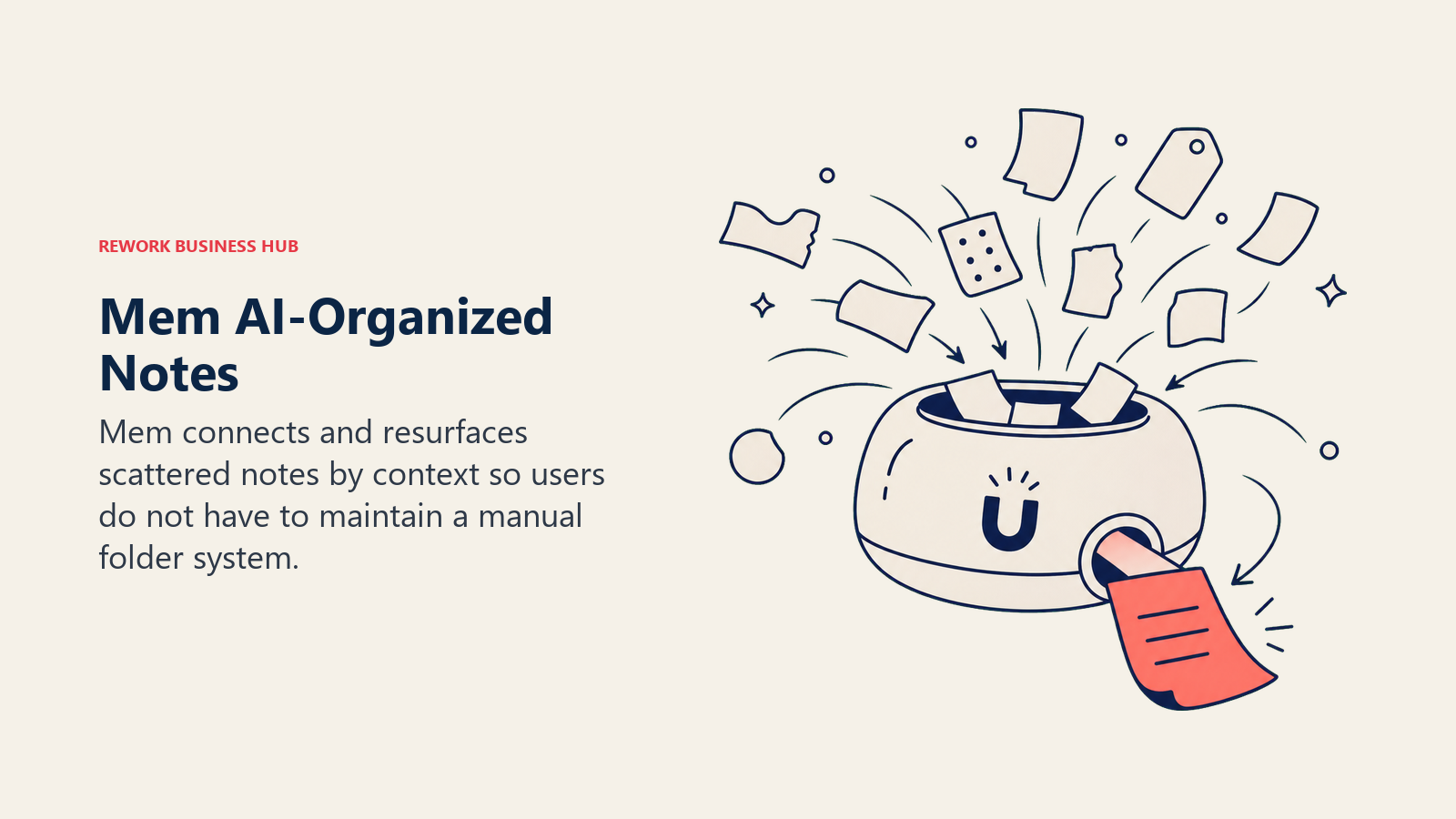
Mem's pitch is that you shouldn't have to file your own notes. Write or dictate a thought, and Mem's AI automatically tags, connects, and surfaces it later based on context, rather than requiring you to build a folder structure or a second brain wiki by hand. Mem Chat lets you ask questions across your entire note history and get a synthesized answer with sources.
Mem 2.0, released earlier in 2026, is noticeably faster and more stable than the original version, which had a rockier reputation for reliability. The pricing gap between tiers is steep: Pro at $12/mo covers unlimited notes and chat, but Mem Proactive, which adds an autonomous agent that tracks details and sends contextual check-ins, jumps to $99/mo, a price that puts it closer to an executive assistant tool than a note-taking app.
| What you get | What you don't |
|---|---|
| Automatic note organization, no manual filing required | Free tier caps at 25 notes and 25 chat messages/mo |
| Mem Chat answers questions across your whole note history | Proactive agent tier jumps sharply to $99/mo |
| Connected email and API access on Pro | Smaller team/collaboration feature set than Notion |
| Mem 2.0 is meaningfully faster than the original release | No dedicated task or calendar features |
Pricing: Free (25 notes/mo); Pro $12/mo; Proactive $99/mo, per Mem's pricing page.
Best for: Individuals who capture a high volume of scattered notes and want AI to handle organization instead of doing it themselves. Before committing to any AI note tool, the AI tool selection framework walks through how to weigh lock-in against convenience.
14. Raycast AI: Best for Reducing Context Switching
Raycast replaces the default macOS Spotlight search with a fast, keyboard-driven command palette that can search files, run scripts, control apps, and now chat with AI models, all without touching a mouse. For focus specifically, its value isn't a single feature; it's that every action takes one keystroke instead of an app switch, which directly targets the 23-minute refocus cost that context switching creates.
Raycast is free forever for the core launcher, which makes it an easy add to any stack regardless of what scheduling or task tool you use elsewhere. Pro unlocks unlimited AI chat with standard models (GPT-4o-mini, Claude Haiku, Llama 3.3); reaching frontier models (GPT-5, Claude 3.7 Sonnet, Gemini 2.5 Pro) costs an additional $8/mo on top of Pro.
| What you get | What you don't |
|---|---|
| Free core launcher works regardless of your other tools | Frontier AI models cost an extra $8/mo add-on |
| Keyboard-first workflow cuts app-switching dramatically | Mac-first; Windows support is newer and less mature |
| Unlimited standard-model AI chat on Pro | Teams plan needed for shared snippets and quicklinks |
| Deep extension ecosystem for custom workflows | Learning curve for people used to mouse-driven navigation |
Pricing: Free; Pro $8/mo billed annually ($10 monthly); Advanced AI add-on +$8/mo; Teams Pro $12/user/mo billed annually ($15 monthly); Enterprise custom, per Raycast's pricing page.
Best for: Power users on Mac who want to cut the seconds-to-minutes lost every time they reach for the mouse to switch tools.
AI Productivity Tools by Category
Use this map to shortlist by the job you're actually trying to solve, not the tool with the most AI marketing copy.
| Category | Tools | What They Solve |
|---|---|---|
| Scheduling / calendar | Motion, Reclaim.ai | Automatically defends and re-plans time around meetings |
| Task management | Todoist AI, Motion, Sunsama | Captures, structures, and sequences what you do next |
| Focus / reduced context switching | Sunsama, Raycast AI, Superhuman | Cuts the app-switching and interruption cost of a scattered day |
| Docs, notes, and knowledge | Notion AI, Mem, Microsoft Copilot, Google Gemini | Where drafts, wikis, and institutional knowledge live |
| General reasoning / drafting | ChatGPT, Claude | The layer you paste into before the dedicated tool takes over |
| Meetings and calls | Fireflies.ai | Turns spoken meetings into searchable, actionable text |
| Cross-app automation | Zapier AI | Connects the other tools in your stack without custom code |
How to Choose: Decision Framework
Start with the bottleneck you need to remove. Scheduling, writing, search, meetings, notes, email, and cross-app automation each point to a different tool category.
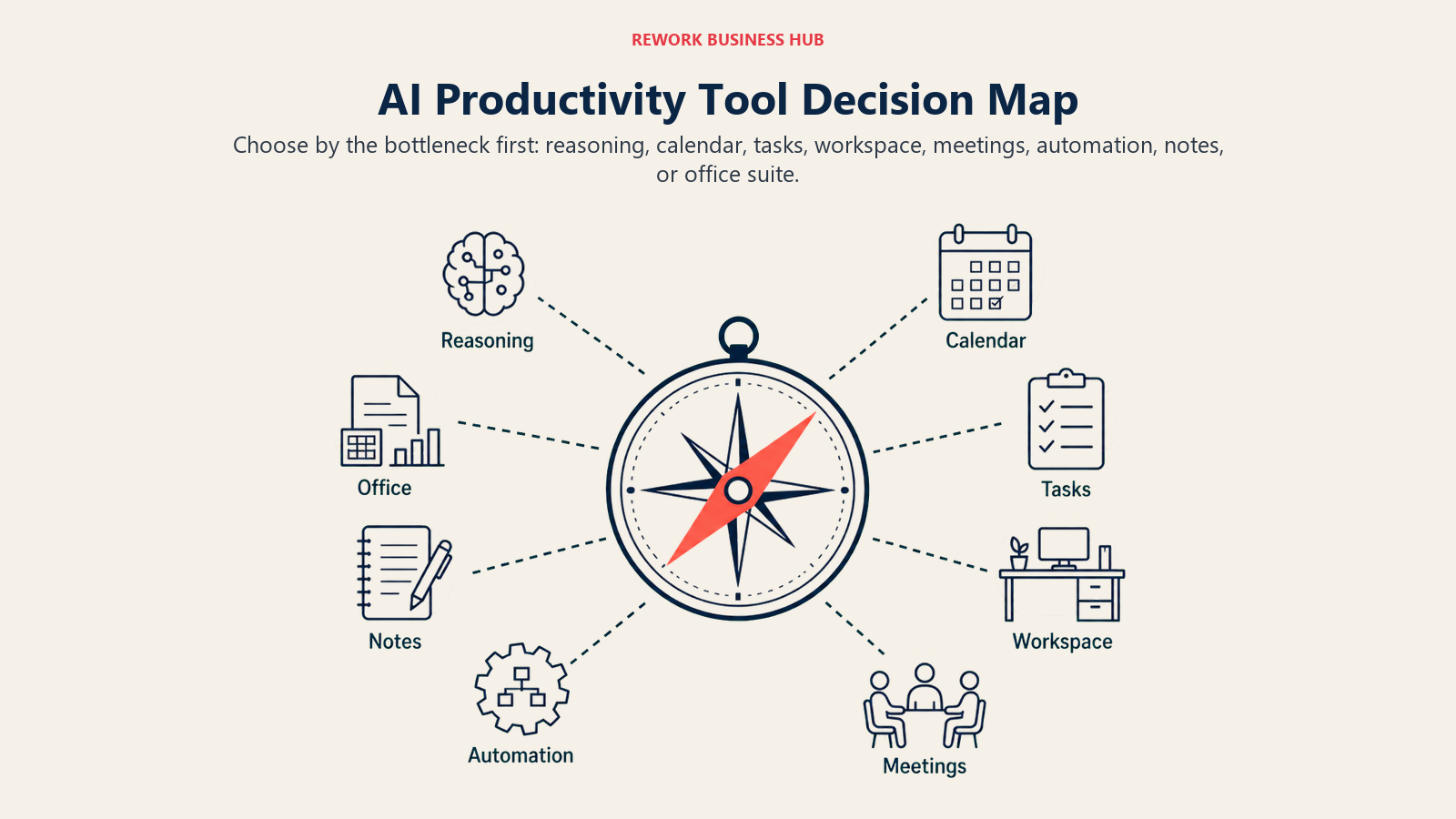
| If you need... | Pick... | Why |
|---|---|---|
| An AI that automatically defends focus time on your calendar | Motion or Reclaim.ai | Both auto-reschedule around meetings; Motion is more aggressive, Reclaim is lighter-touch |
| The cheapest AI-enabled task manager | Todoist AI | Full Task Assist and Ramble for $5/mo, the lowest entry price on this list |
| A daily planning ritual, not just a list | Sunsama | Forces intentional daily and weekly planning across every tool you use |
| AI drafting and reasoning across any format | ChatGPT or Claude | ChatGPT for breadth and ecosystem, Claude for long-document depth |
| A single workspace for docs, wikis, and AI search | Notion AI | Notion Agent acts across your entire connected workspace |
| To cut hours lost to email specifically | Superhuman | Fastest inbox UX with AI drafting and triage built in |
| AI already inside Word, Excel, and Outlook | Microsoft Copilot | No new app to learn if you're standardized on M365 |
| AI already inside Gmail, Docs, and Meet | Google Gemini for Workspace | Bundled into Workspace, no separate AI vendor |
| A searchable record of every meeting you take | Fireflies.ai | Transcribes and indexes meetings so nothing gets lost |
| To connect AI steps across your whole tool stack | Zapier AI | Automates handoffs between the other tools on this list |
| Effortless note capture without manual filing | Mem | AI organizes notes automatically as you write or dictate |
| To eliminate seconds-to-minutes lost switching apps | Raycast AI | Keyboard-first launcher keeps you out of the mouse-driven app switch |
Frequently Asked Questions about AI Productivity Tools
What are the best AI productivity tools in 2026?
There's no single best tool because "AI productivity" covers four different jobs. ChatGPT and Claude lead general reasoning and drafting, Motion and Reclaim.ai lead AI-automated scheduling, Todoist AI and Sunsama lead tasks and daily planning, and Notion AI and Mem lead AI-organized docs and notes. Most people end up running two or three of these together, not one.
What's the best AI tool for scheduling and calendar management?
Motion and Reclaim.ai both use AI to automatically defend focus time and reschedule around meetings. Motion is the more aggressive option, actively slotting tasks into calendar gaps, while Reclaim.ai layers lighter-touch smart time-blocking on top of Google Calendar without replacing your calendar app.
What's the best AI tool for task management?
Todoist AI is the fastest and cheapest option for structured task capture, with Task Assist and voice-to-task Ramble starting at $5/mo. Sunsama is the better fit if you want AI folded into a full daily planning ritual rather than just a smarter to-do list.
Is ChatGPT or Claude better for productivity?
ChatGPT has broader model access and the largest third-party plugin ecosystem, making it a strong general-purpose default. Claude holds context better across long documents and tends to write with less repetition, which matters more for research synthesis, policy review, and long-form drafting.
What's the best AI note-taking or meeting tool?
For meetings specifically, Fireflies.ai builds a searchable transcript library across every call your team takes. For personal notes, Mem automatically organizes and connects what you write without manual filing, while Notion AI's Notion Agent works best if your notes already live inside a broader Notion workspace.
How much do AI productivity tools cost in 2026?
Entry AI-enabled tiers range from about $5/mo (Todoist Pro) to $20/mo (ChatGPT Plus, Claude Pro, Notion AI Business) for individual use. Team and business tiers generally run $15 to $40 per seat per month, and enterprise-grade AI suites like Microsoft 365 Copilot or ChatGPT Enterprise add $18 to $60 per user per month on top of a required base subscription.
Do I need multiple AI productivity tools, or just one?
Most people need at least two: a general reasoning assistant (ChatGPT or Claude) for drafting and research, plus a dedicated tool for whichever specific bottleneck actually costs you time, whether that's your calendar, your task list, your inbox, or your meeting notes. A single chatbot rarely replaces a purpose-built scheduling or task tool.
What's the best free AI productivity tool?
Raycast's core launcher is free forever and meaningfully cuts app-switching regardless of what else is in your stack. Reclaim.ai's Lite tier offers real smart time-blocking at no cost, and ChatGPT's and Claude's free tiers cover casual drafting and research needs without a subscription.
What to Do Next
Don't buy a fifth AI subscription before you've named the actual bottleneck. Pick the one category from the table above where you lose the most time today (an overbooked calendar, a scattered task list, a buried inbox, or notes you can never find again), get one tool for that specific job running for two weeks, and only then decide whether a general-purpose assistant like ChatGPT or Claude needs to sit alongside it. Stacking AI tools without a clear job for each one is exactly how "AI productivity" turns into more work about work, not less.
If you're building out a broader AI stack rather than solving one bottleneck, the best AI tools for startups guide covers how early teams typically sequence their first five AI purchases.

Principal Product Marketing Strategist
On this page
- Updated July 2026: What Changed
- Key Facts
- Quick Comparison Table
- 1. ChatGPT: The Default General-Purpose Assistant
- 2. Claude: Best for Long-Document Reasoning and Writing
- 3. Notion AI: Best for Docs and Workspace-Wide Search
- 4. Motion: Best for Automated Calendar + Task Scheduling
- 5. Reclaim.ai: Best for Smart Calendar Defense
- 6. Todoist AI: Best for Fast, Structured Task Capture
- 7. Sunsama: Best for a Structured Daily Planning Ritual
- 8. Superhuman: Best for AI-Accelerated Email Triage
- 9. Zapier AI: Best for Cross-App Workflow Automation
- 10. Microsoft Copilot: Best for AI Inside the M365 Suite
- 11. Google Gemini for Workspace: Best for AI Inside Docs, Gmail, and Meet
- 12. Fireflies.ai: Best for Meeting Transcription and Search
- 13. Mem: Best for AI-Organized Personal Notes
- 14. Raycast AI: Best for Reducing Context Switching
- AI Productivity Tools by Category
- How to Choose: Decision Framework
- What to Do Next