Bahasa Indonesia
Resource Leveling vs Smoothing Dijelaskan
Turn this article into takeaways for your work.


Each assistant summarizes the article only for you and suggests best practices for your work.
Resource leveling vs smoothing muncul begitu ada anggota tim Anda yang dialokasikan 120% selama tiga minggu berturut-turut. Kedua teknik ini sama-sama mengatasi over-allocation, tetapi caranya lewat trade-off yang sama sekali berbeda, dan memilih teknik yang salah bisa membuat tenggat waktu meleset atau membuat tim Anda kelelahan.
Apa Perbedaan Antara Resource Leveling dan Smoothing?
Resource leveling menyesuaikan jadwal proyek untuk mengatasi over-allocation. Teknik ini bisa menunda task, memundurkan tanggal selesai, bahkan menggeser jalur kritis. Resource smoothing menyesuaikan penggunaan sumber daya dalam batas float yang tersedia untuk meratakan permintaan. Teknik ini tidak pernah mengubah tanggal selesai proyek. Batasan dalam leveling adalah sumber daya Anda. Batasan dalam smoothing adalah tenggat waktu Anda.
Sederhananya: leveling menggeser tenggat waktu agar sesuai dengan tim; smoothing menggeser tim agar sesuai dengan tenggat waktu.
Fakta Penting
- PMBOK Guide (edisi ke-7) mengidentifikasi baik resource leveling maupun resource smoothing sebagai alat yang berdekatan dengan kompresi jadwal di bawah proses "Develop Schedule" (PMI, 2021).
- Laporan Pulse of the Profession dari PMI menemukan bahwa 48% proyek gagal mencapai tujuan awalnya, dengan konflik sumber daya disebut sebagai kontributor utama keterlambatan jadwal (PMI, 2021).
- Menurut riset PMI, schedule performance index (SPI) turun di bawah 1,0 pada sekitar 37% proyek, angka yang sangat berkorelasi dengan over-allocation sumber daya yang tidak dikelola.
Apa Itu Resource Leveling?
Resource leveling adalah teknik penjadwalan yang mengatasi konflik ketika sumber daya diberi beban kerja lebih banyak daripada kapasitas yang bisa mereka tangani dalam periode tertentu. Ketika lonjakan beban kerja tidak bisa diatasi dengan cara lain, task ditunda sampai kapasitas tersedia kembali.
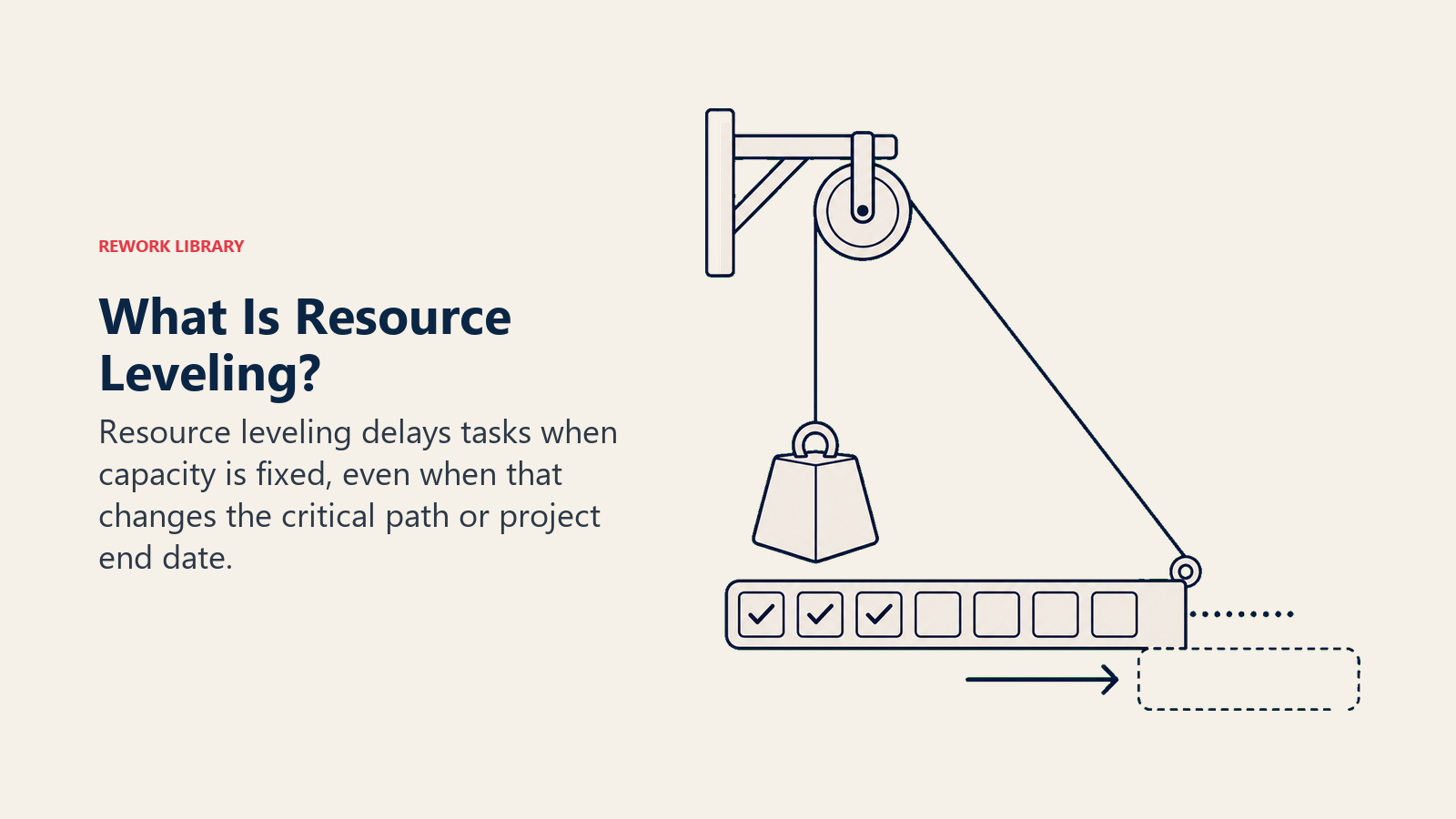
Dalam praktiknya, ini berarti tanggal selesai bisa bergeser. Critical path method (CPM) menunjukkan task mana yang menentukan tenggat waktu akhir, dan leveling bisa memaksa task-task jalur kritis tersebut mundur jika bottleneck-nya persis berada di sana.
Leveling adalah pilihan yang tepat ketika:
- Orang atau peralatan tertentu menjadi batasan yang mutlak.
- Tanggal selesai proyek masih bisa dinegosiasikan.
- Over-allocation begitu parah sehingga float saja tidak cukup untuk menyerapnya.
Perangkat penjadwalan seperti Microsoft Project dan Primavera menerapkan leveling secara otomatis menggunakan aturan prioritas, tetapi hasil algoritmenya hampir selalu perlu ditinjau manusia. Sebuah auto-leveler tidak tahu bahwa Task A lebih prioritas daripada Task B meskipun keduanya menunjukkan tanggal mulai yang sama.
Apa Itu Resource Smoothing?
Resource smoothing adalah teknik penjadwalan yang menggeser tanggal mulai dan selesai task dalam batas float dan slack yang tersedia untuk mengurangi puncak dan lembah dalam permintaan sumber daya. Tanggal selesai proyek tetap tidak berubah sepanjang proses ini.
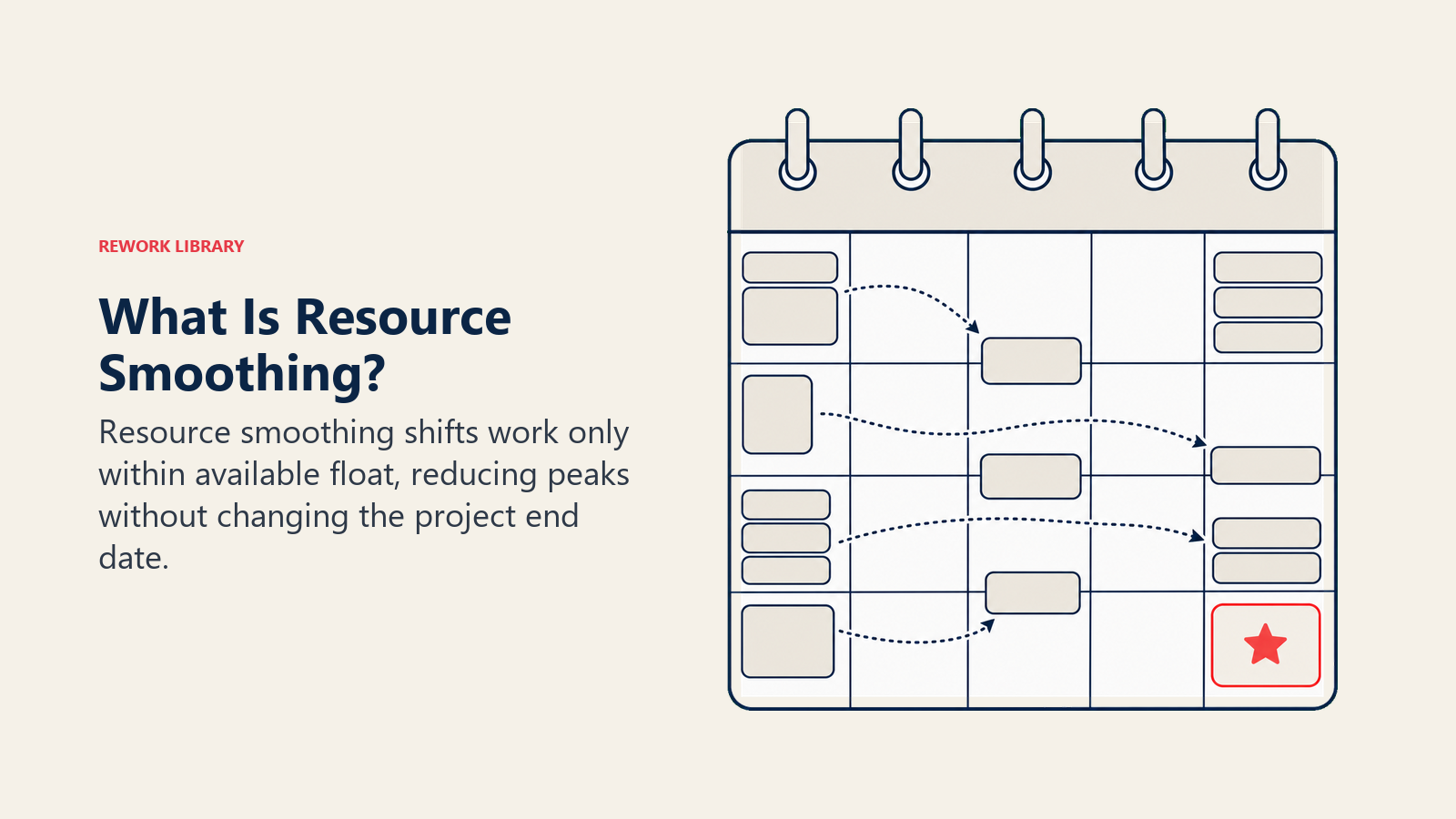
Smoothing hanya bisa menggeser task yang memiliki free float atau total float untuk menyerap pergeseran tersebut. Begitu semua float habis terpakai, smoothing berhenti, bahkan jika sumber daya masih over-allocated. Ini bukan bug, melainkan teknik yang secara eksplisit melindungi tenggat waktu.
Smoothing paling efektif ketika:
- Kontrak atau peristiwa eksternal mengunci tanggal pengiriman.
- Over-allocation bersifat sedang dan sebagian besar task memiliki float yang cukup berarti.
- Anda ingin mengurangi biaya kontraktor dengan memangkas lembur tanpa menggeser milestone.
Perbedaan kuncinya: smoothing mungkin tidak sepenuhnya mengatasi setiap over-allocation. Jika proyek secara keseluruhan kekurangan sumber daya, leveling (bukan smoothing) adalah alat yang tepat.
Resource Leveling vs Smoothing: Perbandingan Berdampingan
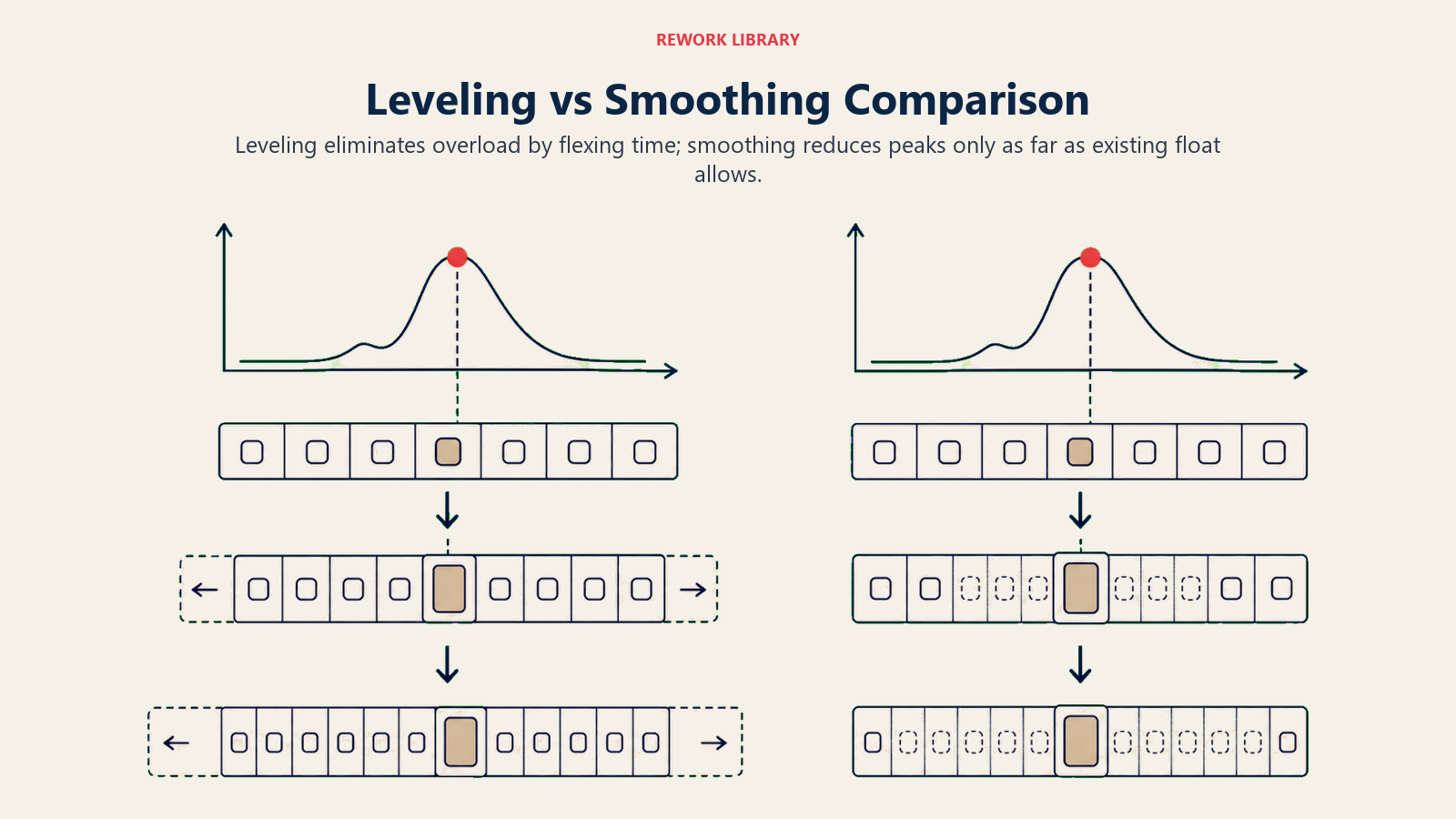
Leveling menghilangkan kelebihan beban dengan melenturkan waktu; smoothing hanya mengurangi puncak sejauh float yang ada mengizinkan.
| Faktor | Resource Leveling | Resource Smoothing |
|---|---|---|
| Tujuan | Menghilangkan over-allocation sepenuhnya | Mengurangi puncak permintaan dalam batas float |
| Efek pada tanggal selesai | Bisa memperpanjang tanggal selesai proyek | Tanggal selesai terlindungi, tidak pernah bergeser |
| Efek pada jalur kritis | Bisa memperpanjang atau menggeser jalur kritis | Jalur kritis tetap tidak berubah |
| Batasan | Ketersediaan sumber daya adalah batasan mutlak | Tanggal selesai proyek adalah batasan mutlak |
| Penggunaan float | Bisa menghabiskan semua float, termasuk task dengan float nol | Hanya menggunakan free float dan total float |
| Kapan digunakan | Batas sumber daya ketat, tenggat waktu fleksibel | Tenggat waktu ketat, over-allocation sedang |
| Risiko | Tenggat waktu meleset, friksi dengan stakeholder | Bisa meninggalkan sebagian over-allocation yang belum terselesaikan |
Kapan Menggunakan Masing-Masing Teknik
Pertanyaan penentunya sederhana: apa yang tidak bisa digeser?
Gunakan resource leveling ketika sumber dayalah satu-satunya hal yang tidak bisa fleksibel. Seorang spesialis hanya tersedia tiga hari seminggu. Sebuah crane disewa untuk jangka waktu tertentu. Seorang reviewer regulasi punya kalender yang tetap. Dalam kasus-kasus ini, jadwal harus menyesuaikan diri dengan sumber daya, dan tanggal selesai menjadi bahan negosiasi, bukan aturan mutlak.
Gunakan resource smoothing ketika tenggat waktu tidak bisa digeser. Peluncuran produk yang terikat dengan pameran dagang, tanggal pengajuan regulasi, kontrak klien dengan denda keterlambatan: ini semua situasi di mana tanggalnya tidak bisa dinegosiasikan. Smoothing memungkinkan Anda mendistribusikan ulang pekerjaan dalam batas float tanpa menyentuh satu pun milestone.
Pada sebagian besar proyek nyata, Anda menerapkan smoothing terlebih dahulu. Ini langkah yang konservatif: geser task dalam batas float, lihat seberapa banyak over-allocation yang terselesaikan, dan baru eskalasi ke leveling jika histogram masih menunjukkan lonjakan. Dengan begitu Anda melindungi tenggat waktu selama mungkin.
Padukan kedua teknik ini dengan perencanaan resource allocation yang solid sejak awal. Semakin sedikit over-allocation pada jadwal awal, semakin ringan leveling atau smoothing yang Anda butuhkan.
Cara Menerapkan Leveling dan Smoothing
Bangun baseline, temukan kelebihan beban, uji tenggat, lakukan smoothing dalam batas float, lalu lakukan leveling hanya pada sisanya.
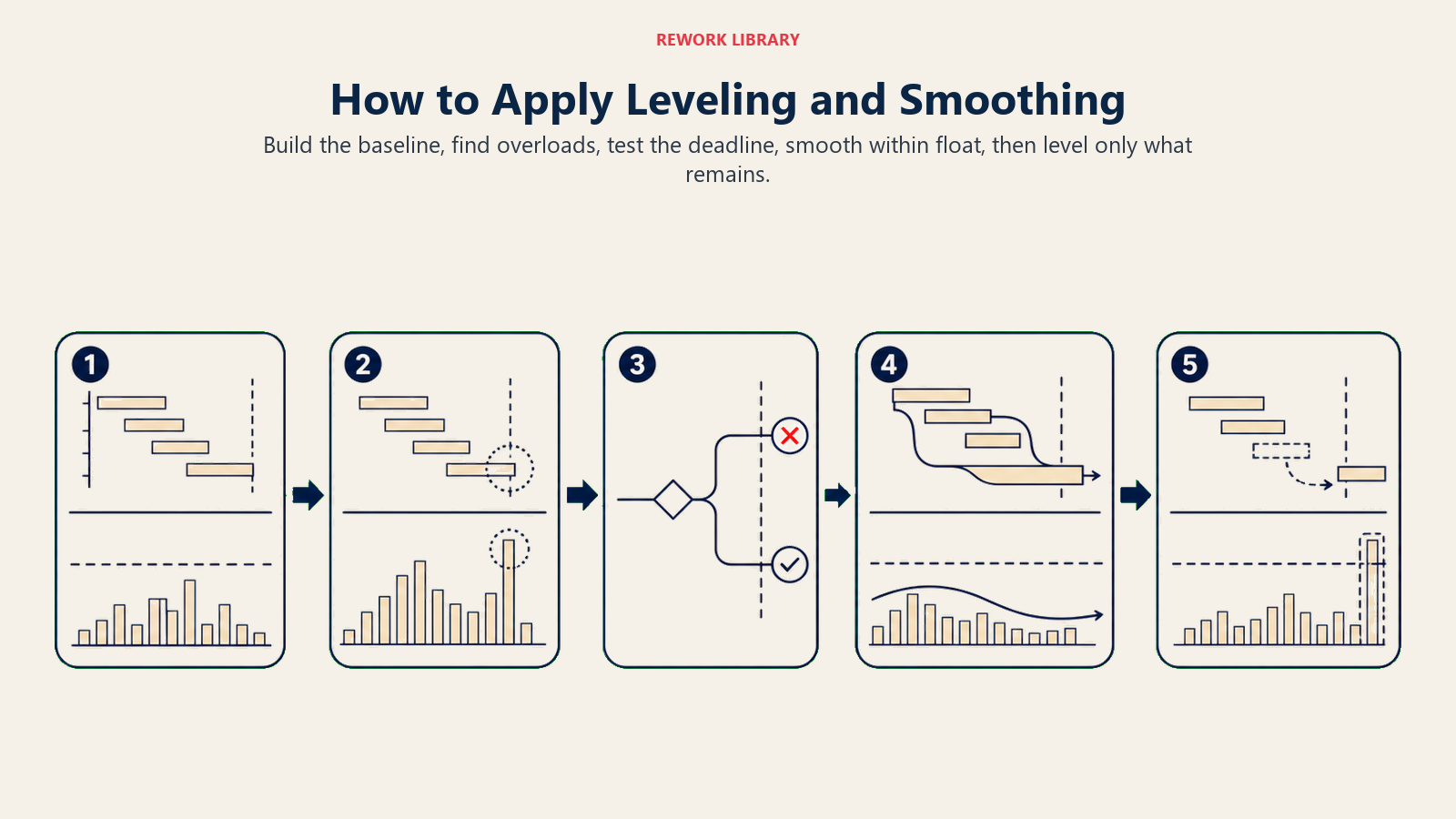
Langkah 1: Bangun jadwal baseline dan histogram sumber daya
Mulai dengan network diagram yang lengkap dan Gantt chart yang menunjukkan dependency antar-task. Tambahkan lapisan histogram sumber daya: sebuah bar chart yang menunjukkan berapa banyak jam (atau unit) yang dialokasikan untuk setiap sumber daya per hari atau per minggu. Setiap bar yang melampaui kapasitas yang tersedia adalah over-allocation.
Langkah 2: Kenali over-allocation
Perhatikan setiap sumber daya secara terpisah. Seorang project manager yang bekerja 60 jam seminggu mengalami over-allocation. Seorang QA tester yang dibagi ke tiga task paralel juga mengalami over-allocation. Tandai task mana yang menyebabkan lonjakan tersebut.
Langkah 3: Tentukan apakah tanggal selesai bersifat tetap
Ini adalah titik percabangan. Jika tenggat waktu terikat kontrak secara tetap, lanjutkan ke smoothing. Jika masih bisa mundur dengan persetujuan stakeholder, leveling menjadi opsi yang tersedia.
Langkah 4: Terapkan smoothing dalam batas float terlebih dahulu
Untuk setiap sumber daya yang over-allocated, periksa apakah task-task yang bermasalah memiliki free float. Jika Task B memiliki float tiga hari, tunda tiga hari tersebut selama dua hari. Pergeseran itu mengurangi puncak beban tanpa menyentuh tanggal selesai. Lakukan langkah ini untuk semua sumber daya. Gunakan work breakdown structure Anda untuk memastikan Anda tidak secara tidak sengaja merusak dependency. Periksa data capacity planning untuk memastikan jadwal yang telah disesuaikan tetap sesuai dengan batas kapasitas tim di dunia nyata.
Langkah 5: Lakukan leveling jika histogram masih menunjukkan lonjakan
Jika smoothing belum sepenuhnya mengatasi over-allocation, terapkan leveling. Tunda task-task berprioritas paling rendah sampai kapasitas tersedia. Tanggal selesai hampir pasti akan bergeser. Dokumentasikan baseline baru dan komunikasikan perubahan tanggal tersebut kepada stakeholder sebelum mereka mengetahuinya sendiri.
Contoh
Bayangkan tim developer beranggotakan tiga orang (Alex, Bea, dan Carlos) yang sedang membangun rilis fitur. Jadwal awal menempatkan Alex pada Task C dan Task D secara bersamaan, sehingga beban kerjanya naik menjadi 140% selama satu minggu.
Sebelum smoothing:
| Minggu | Beban kerja Alex | Task |
|---|---|---|
| Minggu 1 | 100% | Task A |
| Minggu 2 | 140% | Task C + Task D (tumpang tindih) |
| Minggu 3 | 60% | Task E |
Task D memiliki total float empat hari. Tim menggeser tanggal mulai Task D sebanyak tiga hari. Beban kerja Alex turun menjadi 100% di Minggu 2, dan float tambahan tersebut menyerap perubahan itu tanpa menyentuh tanggal selesai.
Setelah smoothing:
| Minggu | Beban kerja Alex | Task |
|---|---|---|
| Minggu 1 | 100% | Task A |
| Minggu 2 | 100% | Task C |
| Minggu 3 | 100% | Task D (digeser) + Task E |
Jika Task D tidak memiliki float sama sekali, smoothing tidak akan membantu. Tim kemudian harus melakukan leveling: menunda Task D sampai Minggu 3, memperpanjang tanggal selesai selama dua hari, dan memberi tahu klien.
Kesalahan Umum
Mencampuradukkan kedua teknik. Kesalahan paling umum adalah menggunakan kedua istilah ini secara bergantian seolah sama. Keduanya berkaitan tetapi berbeda: smoothing bisa dianggap sebagai bagian dari leveling dalam arti keduanya sama-sama mengatasi over-allocation, tetapi hanya leveling yang bisa menggeser tenggat waktu.
Melakukan leveling ketika tenggat waktu bersifat tetap. Jika stakeholder telah membuat komitmen kontraktual, menerapkan leveling (yang bisa menggeser tanggal selesai) tanpa persetujuan adalah pelanggaran serius terhadap tata kelola proyek. Selalu dapatkan persetujuan sebelum membiarkan leveling menggeser sebuah milestone.
Mengabaikan float sampai habis. Tim yang tidak melacak float dengan cermat baru menyadari terlambat bahwa serangkaian keputusan smoothing kecil telah menghabiskan seluruh buffer yang tersedia. Pada Minggu ke-8, setiap task sudah berada di jalur kritis dan tidak ada lagi yang bisa digeser. Lacak float secara berkelanjutan, bukan hanya pada tahap perencanaan.
Mengandalkan auto-leveler dari alat penjadwalan. Perangkat lunak penjadwalan menerapkan algoritma leveling berdasarkan angka prioritas, tetapi angka-angka tersebut jarang mencerminkan prioritas bisnis yang sesungguhnya. Selalu tinjau jadwal hasil auto-leveled secara manual sebelum membagikannya.
Pertanyaan yang Sering Diajukan
Apakah resource leveling mengubah tanggal selesai?
Ya, resource leveling bisa dan sering kali memperpanjang tanggal selesai proyek. Ketika task ditunda untuk mengatasi over-allocation, task-task jalur kritis bisa bergeser, sehingga memundurkan milestone akhir. Itulah sebabnya leveling memerlukan persetujuan stakeholder sebelum diterapkan pada milestone mana pun yang sudah terkunci.
Apakah smoothing dilakukan sebelum atau sesudah leveling?
Smoothing selalu harus dilakukan lebih dulu. Ini adalah opsi dengan risiko lebih rendah: melindungi tenggat waktu dan hanya menggunakan float yang sudah ada. Jika smoothing belum sepenuhnya mengatasi over-allocation, barulah Anda eskalasi ke leveling. Menjalankan leveling lebih dulu berarti melewatkan langkah yang sebenarnya bisa melindungi tenggat waktu Anda.
Teknik mana yang memengaruhi jalur kritis?
Resource leveling bisa mengubah jalur kritis. Jika task yang bukan kritis ditunda melebihi floatnya, task itu menjadi kritis. Resource smoothing tidak memengaruhi jalur kritis karena hanya menggeser task dalam batas float yang sudah ada.
Bisakah kedua teknik digunakan pada proyek yang sama?
Ya. Pendekatan umum: terapkan smoothing pada semua task yang memiliki float, lalu terapkan leveling pada sisa over-allocation yang masih ada. Hasilnya adalah jadwal yang melindungi tenggat waktu semaksimal mungkin sambil tetap mengatasi konflik sumber daya yang tidak bisa ditutup oleh float.
Bagaimana jika smoothing masih menyisakan over-allocation?
Smoothing tidak dijamin menghilangkan seluruh over-allocation. Jika float tidak mencukupi, sebagian lonjakan akan tetap ada setelah smoothing. Pada titik itu Anda punya tiga pilihan: menerapkan leveling (dan menerima pergeseran tanggal), menambah sumber daya untuk meningkatkan kapasitas, atau mengurangi ruang lingkup untuk menurunkan permintaan. Resource leveling dan smoothing bukan pilihan yang saling bersaing. Keduanya adalah alat yang berurutan, masing-masing dengan tugas spesifik: smoothing melindungi tenggat waktu, leveling melindungi tim. Mulai dengan smoothing, periksa apa yang masih tersisa, dan baru lakukan leveling pada bagian yang tidak bisa diselesaikan oleh smoothing.
Bacaan Terkait

On this page
- Apa Perbedaan Antara Resource Leveling dan Smoothing?
- Apa Itu Resource Leveling?
- Apa Itu Resource Smoothing?
- Resource Leveling vs Smoothing: Perbandingan Berdampingan
- Kapan Menggunakan Masing-Masing Teknik
- Cara Menerapkan Leveling dan Smoothing
- Langkah 1: Bangun jadwal baseline dan histogram sumber daya
- Langkah 2: Kenali over-allocation
- Langkah 3: Tentukan apakah tanggal selesai bersifat tetap
- Langkah 4: Terapkan smoothing dalam batas float terlebih dahulu
- Langkah 5: Lakukan leveling jika histogram masih menunjukkan lonjakan
- Contoh
- Kesalahan Umum
- Bacaan Terkait