Mejores alternativas a Zendesk en 2026: 12 herramientas de soporte para equipos que buscan simplicidad o ahorro
Turn this article into takeaways for your work.


Each assistant summarizes the article only for you and suggests best practices for your work.
Zendesk es un producto serio. El motor de tickets es maduro, la lógica de enrutamiento es profunda y los reportes pueden satisfacer a un VP de Soporte en una empresa de 2,000 personas. Pero "serio" tiene un precio: Suite Professional cuesta $115 por agente al mes con facturación anual. Un equipo de soporte de 20 personas se enfrenta a $27,600 al año antes de cualquier complemento, antes de la IA de Answer Bot y antes de las horas de implementación necesarias para configurarlo bien.
Esa es la verdadera razón por la que los equipos abandonan Zendesk. No es que el producto sea malo. Es que fue construido para operaciones de soporte de gran empresa, y muchos equipos de entre 20 y 500 empleados no necesitan tanta profundidad. Necesitan una bandeja limpia, un enrutamiento sensato y conversaciones de soporte vinculadas al contexto del cliente. Si está reevaluando Zendesk en 2026, estas son 12 alternativas que merecen una revisión seria.
Tabla comparativa rápida
| Herramienta | Ideal para | Precio inicial | Fortaleza principal | Limitación principal |
|---|---|---|---|---|
| Freshdesk | Equipos en crecimiento que quieren un helpdesk completo a menor costo | $19/agente/mes (Growth, anual) | Económico, ecosistema Freshworks, IA sólida (Freddy) | La profundidad de reportes queda por debajo de Zendesk a escala de gran empresa |
| Rework | Equipos que quieren soporte + ventas en una sola línea de tiempo de CRM | Desde $159/mes con facturación anual, 5 asientos de marketing + 5 de ventas (rework.com/pricing) | CRM unificado + bandeja multicanal; soporte y ventas en el mismo registro de contacto | No es un sistema de tickets dedicado (sin colas de tickets, encuestas de CSAT ni centro de ayuda) |
| Intercom | Soporte conversacional con flujos basados primero en IA | $29/puesto/mes (Essential, anual) | Agente de IA Fin, tours de producto, mensajería in-app | Costoso a escala; los precios pueden sorprender |
| Help Scout | Equipos de soporte centrados en el correo que buscan simplicidad | $25/usuario/mes (Standard, anual) | UX de bandeja limpia, base de conocimientos estilo documentación | Canales de chat y teléfono limitados |
| Front | Equipos que gestionan bandejas de correo compartidas de alto volumen | $25/puesto/mes (Starter, anual) | Bandeja compartida con comentarios internos, multicanal | Menos orientado al ticketing que Zendesk |
| Gladly | Equipos de CX de alto volumen que quieren hilos centrados en las personas | Contactar a ventas | Línea de tiempo del cliente con hilos radicales, no basada en tickets | Precios de gran empresa, configuración compleja |
| HubSpot Service Hub | Equipos que ya usan HubSpot CRM | Nivel gratuito; $15/puesto/mes (Starter) | Conexión nativa con el CRM, línea de tiempo compartida con ventas | Las funciones completas exigen el costoso nivel Professional |
| Kayako | Equipos que quieren un servicio al cliente unificado en todos los canales | $30/agente/mes | Vista de conversaciones unificada, seguimiento del recorrido | Interfaz menos pulida; comunidad más pequeña que Zendesk |
| Zoho Desk | Equipos con presupuesto ajustado dentro del ecosistema Zoho | Nivel gratuito; $14/agente/mes (Standard) | Económico, paquete Zoho One, Zia AI | Complejidad de la interfaz; curva de aprendizaje para agentes nuevos |
| Crisp | PyMEs que necesitan chat sencillo + helpdesk básico | Nivel gratuito; $25/mes (Mini) | Sencillo, económico, centrado en el chat | Limitado a escala; reportes escasos |
| Tidio | E-commerce y PyMEs que quieren chatbot con IA + chat en vivo | Nivel gratuito; $29/mes (Starter) | Chatbot de IA Lyro, configuración fácil, nativo de Shopify | No está pensado para flujos de soporte B2B complejos |
| Hiver | Equipos que viven en Gmail y quieren su helpdesk allí | $19/usuario/mes (Lite) | Funciona dentro de Gmail; cero cambios de interfaz para los agentes | Solo Gmail; sin opción de bandeja independiente |
Matriz de ajuste por etapa
| Herramienta | Startup (1-20) | Crecimiento (20-100) | Mercado medio (100-500) | Gran empresa (500+) |
|---|---|---|---|---|
| Freshdesk | Ajuste sólido | Ajuste sólido | Ajuste sólido | Ajuste parcial |
| Rework | Ajuste parcial | Ajuste sólido | Ajuste sólido | Ajuste parcial |
| Intercom | Ajuste parcial | Ajuste sólido | Ajuste sólido | Ajuste sólido |
| Help Scout | Ajuste sólido | Ajuste sólido | Ajuste parcial | No recomendado |
| Front | Ajuste sólido | Ajuste sólido | Ajuste sólido | Ajuste parcial |
| Gladly | No recomendado | Ajuste parcial | Ajuste sólido | Ajuste sólido |
| HubSpot Service Hub | Ajuste sólido | Ajuste sólido | Ajuste sólido | Ajuste parcial |
| Kayako | Ajuste parcial | Ajuste sólido | Ajuste sólido | Ajuste parcial |
| Zoho Desk | Ajuste sólido | Ajuste sólido | Ajuste sólido | Ajuste parcial |
| Crisp | Ajuste sólido | Ajuste parcial | No recomendado | No recomendado |
| Tidio | Ajuste sólido | Ajuste parcial | No recomendado | No recomendado |
| Hiver | Ajuste sólido | Ajuste sólido | Ajuste parcial | No recomendado |
Tabla de tamaño y perfil comprador
| Herramienta | Tamaño de equipo ideal | Quién la compra |
|---|---|---|
| Freshdesk | 10-500 agentes | Support Director, IT Manager, Operaciones |
| Rework | 20-500 empleados | COO, Head of Revenue, líder de RevOps, fundador con mentalidad operativa |
| Intercom | 20-300 puestos | Head of Customer Success, VP de Soporte, GTM orientado al producto |
| Help Scout | 5-100 agentes | Líder del equipo de soporte, fundador, equipo pequeño de CS |
| Front | 5-200 puestos | CS Director, Head of Ops, equipos híbridos de ventas + soporte |
| Gladly | 50-1000 agentes | VP de CX, Head of Support en marcas de consumo |
| HubSpot Service Hub | 5-500 puestos | Marketing/Sales Ops que ya están en HubSpot, CS Director |
| Kayako | 10-300 agentes | IT Manager, Support Director en un SaaS de tamaño medio |
| Zoho Desk | 5-500 agentes | IT Manager, responsable de presupuesto, usuarios del ecosistema Zoho |
| Crisp | 1-50 puestos | Fundador, equipo pequeño, producto en etapa inicial |
| Tidio | 1-30 puestos | Operador de e-commerce, fundador unipersonal, líder de marketing |
| Hiver | 5-100 agentes | Support Manager, fundador que usa Google Workspace |
1. Freshdesk: helpdesk económico + ecosistema Freshworks
Freshdesk es la alternativa a Zendesk más directa para equipos que quieren una funcionalidad de ticketing comparable a un precio notablemente menor. El nivel Growth, a $15/agente/mes, cubre reglas de automatización, gestión de SLA, horarios laborales y una base de conocimientos sólida. Esa es una funcionalidad que Zendesk reserva para Suite Professional, a $115.
Metodología: Freshdesk se basa en la filosofía de que los equipos de soporte no deberían necesitar contratos empresariales para acceder a funciones empresariales. Han ido subiendo de manera constante hacia el segmento superior con Freddy AI (su asistente de IA) sin dejar de mantener accesibles los precios del nivel base.
Público objetivo: Directores de soporte y responsables de TI en empresas de 10-500 personas que quieren un sistema de tickets completo sin el gasto de Zendesk. Es común en empresas de SaaS, salud y servicios profesionales que están escalando su primera función formal de soporte.
Adecuación por tamaño: Funciona bien de 10 a 500 agentes. El ecosistema Freshworks (Freshsales, Freshmarketer, Freshservice) aporta valor a los equipos que quieren una plataforma más amplia. Pero la fragmentación entre los productos de Freshworks es real; las mejores alternativas a Freshdesk abordan justamente ese problema.
Adecuación por etapa: Ideal en las etapas de crecimiento y mercado medio. Las startups pueden empezar gratis; la herramienta escala sin migrar de plataforma.
| Ventajas | Desventajas |
|---|---|
| Gran profundidad de funciones a un precio asequible | La profundidad de reportes queda por debajo de Zendesk a escala de gran empresa |
| Freddy AI incluido en los niveles de pago | Algunas reglas de automatización se sienten menos potentes que las de Zendesk |
| Buen omnicanal (correo, chat, teléfono, redes sociales) | La interfaz puede sentirse saturada con muchas funciones activadas |
| Ecosistema Freshworks para CRM + marketing | Los complementos se acumulan en costo si se usan varios módulos |
Ideal para: Equipos de soporte en crecimiento que quieren una funcionalidad al nivel de Zendesk por el 30-50% del costo.
2. Rework: CRM unificado + bandeja multicanal (soporte y ventas en una sola línea de tiempo)
El enfoque de Rework es distinto al de cualquier otra herramienta de esta lista. No intenta reemplazar la profundidad de ticketing de Zendesk. Lo que hace, en cambio, es dar a los equipos de tamaño medio una bandeja unificada donde las conversaciones de soporte y la actividad de ventas viven en el mismo registro de contacto. Los equipos que evalúan Freshdesk como reemplazo de Zendesk también deberían revisar las mejores alternativas a Freshdesk para ver con más detalle dónde aparecen los propios techos de Freshdesk.
Eso importa cuando sus agentes de soporte necesitan saber si un cliente con dificultades está en plena negociación de renovación. O cuando su equipo de ventas necesita saber que un prospecto escaló un problema de soporte la semana pasada antes de una llamada de demo. En Zendesk, esos contextos están separados por defecto. En Rework, son la misma línea de tiempo.
La bandeja multicanal reúne WhatsApp, Messenger, mensajes directos de Instagram, TikTok, Telegram, Zalo y chat en vivo en un solo lugar vinculado al registro del CRM. Los equipos de e-commerce, las marcas D2C o las empresas B2B con mucho volumen en canales sociales sacan el mayor provecho. El enrutamiento viene integrado: equipos de distribución, reglas de enrutamiento y plazos de SLA con acciones por incumplimiento en las conversaciones, además de agentes de IA (en beta) que responden preguntas rutinarias a partir de sus propias fuentes de conocimiento. El correo funciona en una app separada, Rework Mail, con bandejas de equipo compartidas, y no hay canal de SMS ni de voz. Para ver cómo funciona ese enrutamiento en la práctica, la configuración de la bandeja multicanal explica la puesta en marcha.
| Qué obtiene | Qué no obtiene |
|---|---|
| CRM + bandeja unificados (soporte + ventas en un solo registro) | Colas de tickets y un centro de ayuda orientado al cliente |
| Bandeja multicanal: WhatsApp, Messenger, mensajes directos de IG, Zalo, chat en vivo | Encuestas de CSAT nativas y reportes de satisfacción |
| Enrutamiento, equipos de distribución, plazos de SLA y reportes | Flujos de ticketing profundos como el sistema de triggers/automatización de Zendesk |
| Flujos de trabajo entre equipos (ventas, marketing, CS, operaciones) | IA al estilo Answer Bot en todas las categorías de tickets |
| Precios para tamaño medio sin el sobrecosto de gran empresa | Profundidad de reportes al nivel de Zendesk |
Precios: Revenue Engine (CRM, bandeja omnicanal y captura de leads) cuesta $159/mes con facturación anual ($1,908/año) o $190 con facturación mensual, con 5 asientos de marketing y 5 de ventas incluidos. La bandeja sola es el Marketing Engine, desde $99/mes con facturación anual. Free trial de 14 días. Consulte rework.com/pricing.
Ideal para: Equipos de tamaño medio (20-500) donde soporte y ventas comparten una base de clientes y se quiere tener ambos en un solo CRM sin combinar varias herramientas. No recomendado para: Operaciones dedicadas solo a soporte que necesitan el stack completo de ticketing de Zendesk: colas de tickets, un centro de ayuda, flujos de CSAT y reportes empresariales.
3. Intercom: soporte conversacional + Fin AI
Intercom ha pasado los dos últimos años reposicionándose en torno a la IA. Fin, su agente de soporte con IA, puede resolver de forma autónoma un porcentaje significativo de los tickets entrantes apoyándose en su base de conocimientos y en la documentación del producto. La propuesta es clara: reducir el volumen de tickets sin aumentar la plantilla. Para una comparación completa de Intercom frente a sus propias alternativas, las mejores alternativas a Intercom explican dónde el modelo de precios por resolución de Fin sorprende a los equipos a escala.
Metodología: Intercom cree que el soporte debe ser conversacional, no transaccional. El diseño de su producto prioriza la mensajería en tiempo real (chat, correo, in-app) sobre las colas de tickets tradicionales. La orientación basada primero en IA es genuina, no un cambio de imagen.
Público objetivo: Empresas de SaaS orientadas al producto, aplicaciones de consumo de alto crecimiento y equipos B2B con grandes bases de usuarios de autoservicio. La mensajería in-app y los tours de producto hacen que Intercom sea especialmente sólido para empresas donde el propio producto es una superficie clave de soporte.
Adecuación por tamaño: El punto ideal en el mercado medio es de 20-300 puestos. Funciona para organizaciones más grandes, pero el precio escala rápidamente.
Adecuación por etapa: De crecimiento a gran empresa. No es la opción adecuada para empresas muy incipientes sin una dinámica de soporte definida.
| Ventajas | Desventajas |
|---|---|
| El agente de IA Fin reduce de verdad el volumen de tickets | Sorpresas de precio a escala (facturación de Fin por resolución) |
| Sólida mensajería in-app y tours de producto | El conjunto completo de funciones exige niveles costosos |
| Interfaz moderna y limpia | Menos profundidad de ticketing tradicional que Zendesk |
| Buena combinación de bandeja + mensajería proactiva | El precio de IA por resolución es difícil de prever |
Ideal para: Empresas con crecimiento orientado al producto que quieren automatizar con IA una gran parte del volumen de soporte.
4. Help Scout: soporte centrado en el correo para equipos en crecimiento
Help Scout tiene una filosofía de producto clara: el soporte debe sentirse como un correo, no como una cola de tickets. Su bandeja es deliberadamente limpia, su base de conocimientos (Docs) es directa y el onboarding se mide en días, no en semanas.
Metodología: Help Scout está pensado para equipos de soporte que quieren una gran experiencia de correo y no necesitan enrutamiento avanzado, teléfono ni automatización profunda. En los últimos años han añadido chat en vivo y mensajería, pero el correo es el núcleo.
Público objetivo: Equipos de 5-100 personas que gestionan el soporte por correo. Es común en SaaS, e-commerce, agencias y organizaciones sin fines de lucro. La herramienta es popular entre equipos cuyos agentes no son técnicos y necesitan una capacitación mínima. Si las limitaciones de Help Scout son la razón por la que está aquí, las mejores alternativas a Help Scout comparan exactamente hacia dónde miran los equipos después.
Adecuación por tamaño: Ideal de startup a tamaño medio. Los equipos de gran empresa suelen quedarse chicos.
Adecuación por etapa: Etapa inicial a crecimiento. Los equipos con necesidades de enrutamiento más complejas suelen migrar a Zendesk o Freshdesk al superar los 50 agentes.
| Ventajas | Desventajas |
|---|---|
| UX de bandeja extremadamente limpia | Profundidad limitada en los canales de teléfono y chat |
| La base de conocimientos Docs es fácil de mantener | Reportes básicos frente a Zendesk |
| Onboarding rápido; poca carga de capacitación para los agentes | Sin reglas de automatización avanzadas |
| Buenas integraciones con Shopify y Stripe | No está pensado para soporte de gran empresa de alto volumen |
Ideal para: Equipos pequeños y medianos que quieren una bandeja de soporte limpia, centrada en el correo y con un tiempo de configuración mínimo.
5. Front: bandeja compartida para equipos
Front desdibuja la línea entre cliente de correo y plataforma de soporte. Cada integrante del equipo puede ver las conversaciones entrantes, dejar comentarios internos, asignar responsables y colaborar en las respuestas sin enviar cadenas de correos internos.
Metodología: Front se basa en la convicción de que la comunicación con el cliente es un deporte de equipo. El producto se ve y se comporta como un cliente de correo moderno, lo que reduce la resistencia de los agentes en comparación con las herramientas de helpdesk tradicionales.
Público objetivo: Equipos de operaciones, éxito del cliente y ventas con bandejas compartidas. Es común en logística, servicios financieros y ventas B2B de alto contacto, donde varias personas intervienen en el mismo hilo con el cliente. Para ver un desglose de precios de Front frente a sus alternativas, las mejores alternativas a Front muestran exactamente dónde el costo por puesto deja de tener sentido.
Adecuación por tamaño: Funciona de 5 a 200 puestos. Las organizaciones más grandes lo usan junto a un sistema de ticketing dedicado y no como reemplazo.
Adecuación por etapa: Crecimiento y mercado medio.
| Ventajas | Desventajas |
|---|---|
| UX nativa de correo con baja curva de aprendizaje | No es un sistema de ticketing tradicional |
| Sólida colaboración interna (comentarios, menciones) | Reglas de enrutamiento menos potentes que las de Zendesk |
| Multicanal (correo, SMS, chat, redes sociales) | Reportes más ligeros que los de los helpdesks diseñados a propósito |
| Funciona en equipos de ventas, CS y soporte | Sin canal nativo de teléfono/voz |
Ideal para: Equipos que gestionan bandejas compartidas de cara al cliente y necesitan colaboración sin la carga de un sistema de ticketing completo.
6. Gladly: plataforma de soporte centrada en el cliente
Gladly hace una apuesta de diseño fundamentalmente distinta a la de Zendesk: no hay números de ticket. Cada cliente tiene un único hilo de conversación de por vida que abarca todos los canales. Los agentes ven el historial completo sin importar si la última interacción fue una llamada, un correo o un chat.
Metodología: La filosofía de Gladly es que el soporte centrado en tickets está roto porque fragmenta la experiencia del cliente. Su producto está diseñado en torno a las personas, no a los casos. Esto resuena en las marcas D2C que históricamente tienen relaciones sólidas con sus clientes.
Público objetivo: Marcas de consumo y minoristas con operaciones de servicio al cliente de alto volumen. Menos adecuado para un SaaS puramente B2B.
Adecuación por tamaño: De mercado medio a gran empresa (de 50 a más de 1000 agentes). No es la opción adecuada para equipos pequeños dados el precio y la complejidad de configuración.
Adecuación por etapa: Empresas maduras que optimizan la calidad de CX a escala.
| Ventajas | Desventajas |
|---|---|
| Línea de tiempo de conversación de por vida con el cliente (sin fragmentación por tickets) | Precios de gran empresa; modelo de contactar a ventas |
| Sólidos canales de voz, correo, SMS, chat y redes sociales | Configuración y onboarding complejos |
| Herramientas de productividad para agentes y gestión de tareas | Menos adecuado para un SaaS puramente B2B |
| Flujos de trabajo específicos para marcas D2C | Menor presencia en el mercado que Zendesk |
Precios: Contactar a ventas.
Ideal para: Marcas D2C y de consumo con operaciones de soporte de alto volumen que quieren hilos centrados en las personas (no en los tickets).
7. HubSpot Service Hub: soporte nativo del CRM
Si su equipo ya usa HubSpot para ventas y marketing, Service Hub es la incorporación de soporte de menor resistencia. Los mismos registros de contacto, el pipeline de deals y el historial de conversaciones que usa su equipo de ventas quedan disponibles para los agentes de soporte sin trabajo de integración.
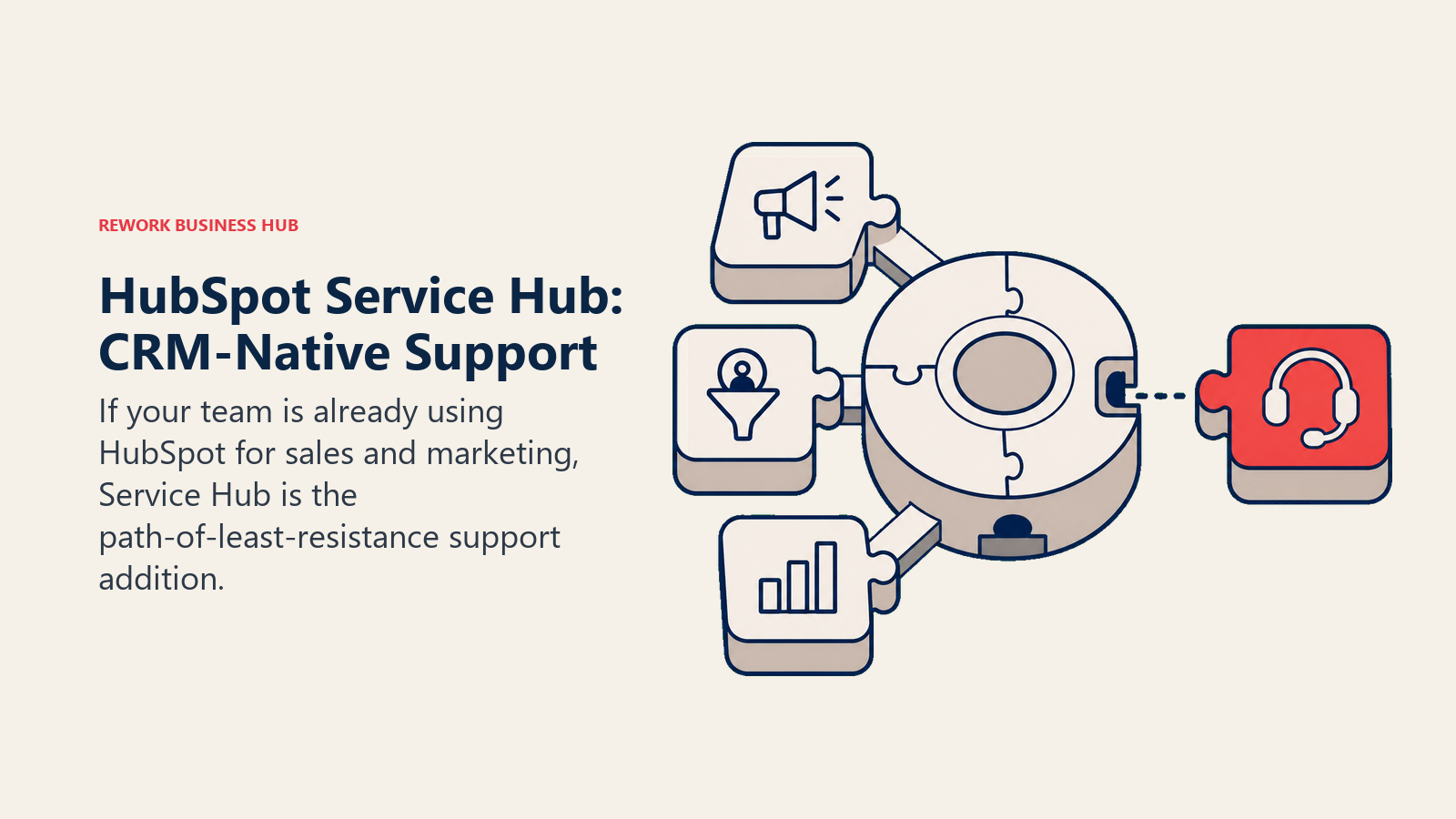
Metodología: HubSpot construye todo en torno al registro del CRM. Service Hub lo extiende al soporte tratando los tickets como otro objeto en la línea de tiempo del contacto. Para los equipos que ya están en HubSpot, esto elimina el problema de "el soporte en un sistema y el CRM en otro".
Público objetivo: Empresas que ya están en HubSpot CRM. Service Hub es mucho más difícil de justificar como compra independiente. Si está evaluando alternativas al propio HubSpot CRM, las mejores alternativas a HubSpot abarcan plataformas que combinan CRM y soporte de forma más nativa a distintos precios.
Adecuación por tamaño: Funciona en todos los tamaños, pero el modelo de precios se encarece rápido. Un equipo de 50 personas con ventas, marketing y soporte, todos en el nivel Professional, llega a cifras similares a las de Zendesk.
| Ventajas | Desventajas |
|---|---|
| CRM nativo: conversaciones de soporte vinculadas a los registros de deals | Las funciones completas exigen Professional a $90/puesto/mes |
| Línea de tiempo de contacto compartida con ventas | La profundidad de reportes queda por debajo de herramientas dedicadas como Zendesk |
| Sólido onboarding y recursos de comunidad | El modelo de precios por Hub replica el costo de Zendesk a escala |
| Nivel gratuito realmente útil para equipos pequeños | Excesivo si solo necesita un helpdesk |
Precios: Nivel gratuito disponible; $15/puesto/mes (Starter), $90/puesto/mes (Professional).
Ideal para: Equipos que ya están en HubSpot CRM y quieren las conversaciones de soporte en la misma línea de tiempo que ventas y marketing.
8. Kayako: servicio al cliente unificado
La propuesta central de Kayako es una "SingleView" de cada interacción del cliente en todos los canales. Los agentes de soporte ven un mapa del recorrido en tiempo real de lo que ha hecho el cliente (páginas visitadas, acciones realizadas) junto con el historial de conversaciones.
Metodología: Kayako cree que los agentes deben tener contexto antes de escribir una respuesta. Su diseño enfatiza la visibilidad del recorrido del cliente y no solo la gestión de tickets.
Público objetivo: Empresas de SaaS de tamaño medio y negocios digitales donde el contexto del comportamiento del cliente es relevante para los agentes.
Adecuación por tamaño: 10-300 agentes. No suele usarse a escala de gran empresa.
| Ventajas | Desventajas |
|---|---|
| Seguimiento del recorrido del cliente junto a las conversaciones | Interfaz menos pulida que Zendesk o Freshdesk |
| Bandeja multicanal unificada | Comunidad de usuarios más pequeña y menos integraciones |
| Precios razonables frente a Zendesk | Ritmo de desarrollo más lento que el de los proveedores más grandes |
| Chat en vivo + correo + redes sociales en una sola vista | Algunas funciones se sienten anticuadas |
Precios: ~$30/agente/mes.
Ideal para: Equipos de SaaS de tamaño medio que quieren el contexto del recorrido del cliente integrado en la vista de soporte.
9. Zoho Desk: económico + ecosistema Zoho
Zoho Desk es la recomendación por defecto para equipos que ya usan Zoho CRM, Zoho Analytics u otros productos de Zoho. La integración en toda la suite de Zoho es estrecha. Zia, el asistente de IA de Zoho, se encarga del análisis de sentimiento, las sugerencias de respuesta y las alertas de anomalías.
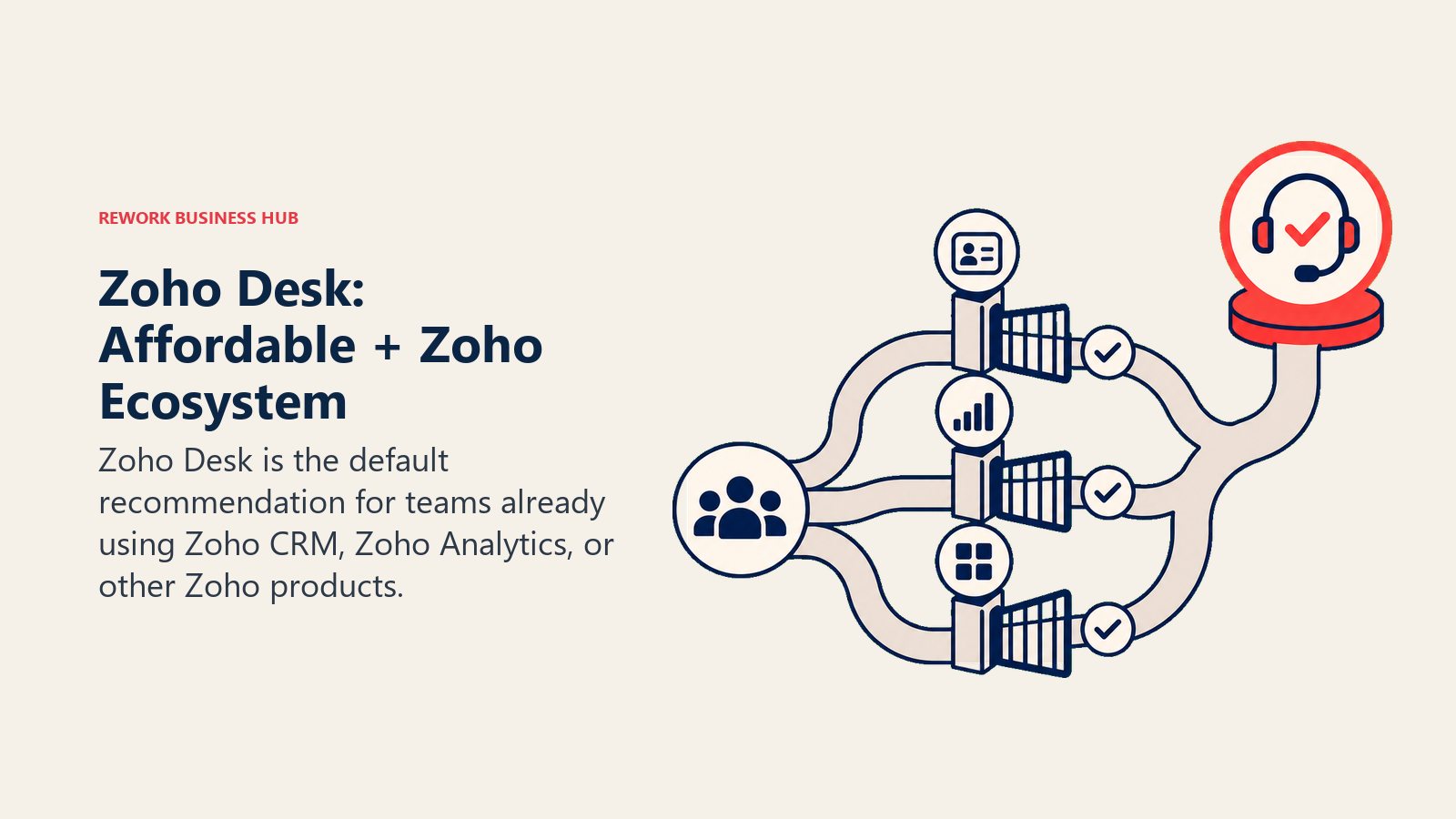
Metodología: Zoho construye amplitud de plataforma. Desk es lo bastante profundo para satisfacer la mayoría de las necesidades de soporte del mercado medio, y el precio de la suite (Zoho One) lo hace rentable si usa varios productos de Zoho.
Público objetivo: PyMEs y empresas de tamaño medio con presupuesto ajustado, sobre todo las que ya están en el ecosistema Zoho. Es común en los sectores de comercio minorista, bienes raíces, salud y distribución.
Adecuación por tamaño: Funciona en todos los tamaños, pero la complejidad de la interfaz y la curva de aprendizaje son notables en despliegues más grandes. Y si la tendencia de que el modelo de precios por puesto está en declive llega a Zoho, su modelo por agente podría resultar aún más atractivo frente a las alternativas.
| Ventajas | Desventajas |
|---|---|
| Precios asequibles frente a Zendesk | Complejidad de la interfaz; curva de aprendizaje más pronunciada para los agentes |
| Sólida integración con el ecosistema Zoho | Menos pulido que Freshdesk o Help Scout |
| Zia AI para sentimiento y sugerencias | Los reportes pueden requerir la integración con Zoho Analytics |
| Nivel gratuito disponible | Algunas funciones exigen niveles superiores |
Ideal para: Equipos con presupuesto ajustado en el ecosistema Zoho que quieren un helpdesk funcional a bajo costo.
10. Crisp: chat sencillo + helpdesk para PyMEs
Crisp es una herramienta ligera para pequeñas empresas que quieren chat en vivo y una bandeja compartida básica sin complejidad empresarial. La configuración toma horas, el precio es por espacio de trabajo (no por agente) y la interfaz es intencionalmente mínima.
Metodología: Crisp apunta al producto en etapa inicial o al pequeño negocio de servicios que necesita responder a los clientes en tiempo real, pero no necesita ticketing, SLA ni enrutamiento complejo.
Público objetivo: Fundadores, equipos de producto pequeños, SaaS en etapa inicial y pequeños negocios de e-commerce. Si está comparando Crisp con otras herramientas centradas en el chat, las mejores alternativas a Crisp abarcan ese panorama.
Adecuación por tamaño: 1-50 personas. Más allá de eso, los equipos suelen necesitar más estructura.
| Ventajas | Desventajas |
|---|---|
| Configuración sencilla; rápido de desplegar | No está pensado para la escala de gran empresa ni de mercado medio |
| El precio por espacio de trabajo (no por agente) es asequible | Reportes y analítica limitados |
| Buena UX de chat en vivo | Automatización y enrutamiento básicos |
| Correo, chat y redes sociales en una bandeja simple | Base de conocimientos mínima |
Ideal para: Pequeñas empresas y productos en etapa inicial que necesitan un chat sencillo + bandeja compartida a bajo costo.
11. Tidio: chatbot con IA + chat en vivo
Tidio está construido en torno a Lyro, su chatbot de IA, que atiende una parte sustancial de las consultas entrantes de sitios de e-commerce y pequeñas empresas. El producto es nativo de Shopify, WordPress y Wix, que es donde vive la mayoría de sus clientes.
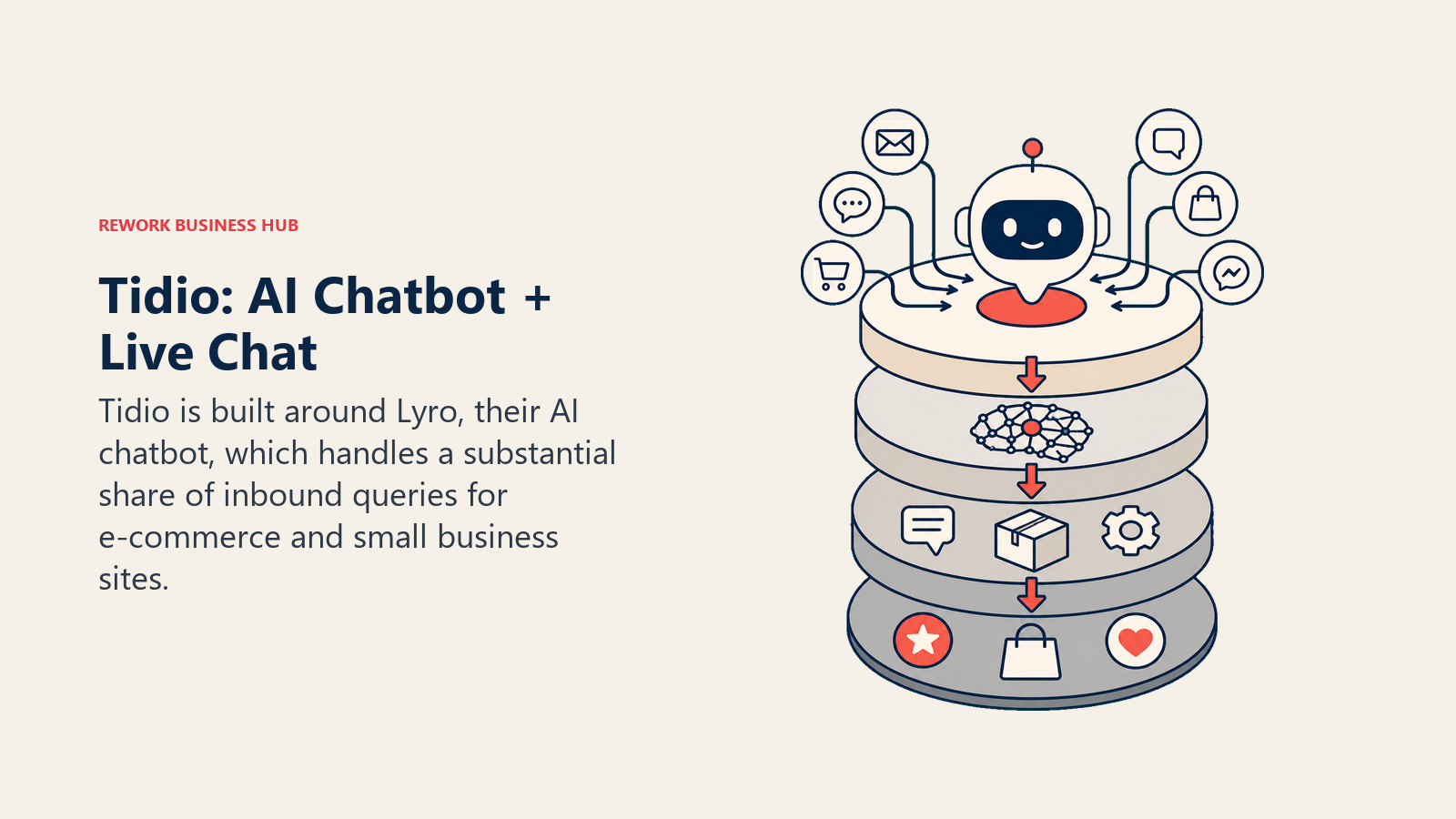
Metodología: La apuesta de Tidio es la desviación mediante chatbot. En lugar de enrutar todo a un agente, Lyro responde preguntas frecuentes, gestiona el estado de los pedidos y escala solo cuando no puede resolver. Esto funciona bien para negocios con patrones de consulta repetitivos.
Público objetivo: Operadores de e-commerce, dueños de PyMEs y fundadores con alto volumen de chat y preguntas repetitivas de los clientes. Menos adecuado para soporte B2B complejo con tipos de consulta variados. Para los equipos que también evalúan Drift para chat de ventas, las mejores alternativas a Drift muestran un conjunto similar de herramientas centradas en el chat.
Adecuación por tamaño: 1-30 puestos. Los equipos más grandes superan el enrutamiento y los reportes.
| Ventajas | Desventajas |
|---|---|
| Lyro AI gestiona con eficacia la desviación de preguntas frecuentes | No está pensado para flujos de soporte B2B complejos |
| Configuración fácil en Shopify, WordPress y Wix | Lógica de enrutamiento limitada para equipos más grandes |
| Asequible para pequeñas empresas | Reportes básicos |
| Correo + chat + chatbot en uno | Sin canal de teléfono o voz |
Precios: Nivel gratuito; Starter a $29/mes, Growth a $59/mes. Las resoluciones de Lyro AI se facturan aparte.
Ideal para: Negocios de e-commerce y equipos de producto pequeños que quieren desviación de consultas con chat de IA en su sitio.
12. Hiver: helpdesk basado en Gmail
Hiver convierte Gmail en un helpdesk compartido. Los agentes trabajan por completo dentro de Google Workspace. No hay herramienta nueva que aprender ni cambios de interfaz. Las etiquetas compartidas se convierten en bandejas compartidas, las asignaciones ocurren dentro de Gmail y el seguimiento de SLA se ejecuta como una barra lateral.
Metodología: La tesis de Hiver es que la adopción de un helpdesk fracasa porque los agentes se resisten a las interfaces nuevas. Al vivir dentro de Gmail, eliminan esa resistencia por completo. La contrapartida es que queda totalmente atado a Google Workspace.
Público objetivo: Pequeñas y medianas empresas ya estandarizadas en Google Workspace. Es común en los sectores de servicios profesionales, salud y educación que no quieren abandonar Gmail.
Adecuación por tamaño: 5-100 agentes. Los equipos más grandes suelen toparse con los límites de lo que es posible dentro de Gmail.
| Ventajas | Desventajas |
|---|---|
| Cero curva de aprendizaje de interfaz para los usuarios de Gmail | Solo Gmail; sin opción de bandeja independiente |
| Rápido de desplegar dentro de un Google Workspace existente | No es viable si el equipo no usa Gmail |
| Seguimiento de SLA, asignaciones y etiquetas compartidas dentro de Gmail | Conjunto de funciones más ligero que el de los helpdesks dedicados |
| Bueno para equipos de soporte con mucho correo | Canales de chat y teléfono limitados |
Precios: $19/usuario/mes (Lite), $29/usuario/mes (Pro), $45/usuario/mes (Elite).
Ideal para: Equipos de Google Workspace que quieren convertir Gmail en un helpdesk compartido sin migrar de herramienta.
Comparación de cobertura de canales
| Canal | Freshdesk | Rework | Intercom | Help Scout | Front | Zoho Desk | Hiver |
|---|---|---|---|---|---|---|---|
| Correo | Nativo | App de correo separada | Nativo | Nativo | Nativo | Nativo | Nativo (Gmail) |
| Chat en vivo | Nativo | Nativo | Nativo | Nativo | Nativo | Nativo | Complemento |
| Complemento | Nativo | Complemento | No | Complemento | Complemento | No | |
| Messenger | Complemento | Nativo | Nativo | No | Complemento | No | No |
| Instagram DM | Complemento | Nativo | No | No | Complemento | No | No |
| SMS | Complemento | No | Nivel de pago | No | Complemento | Complemento | No |
| Teléfono/voz | Complemento | No | No | No | No | Complemento | No |
Cómo elegir: marco de decisión
| Si necesita... | Elija... |
|---|---|
| Ticketing completo al nivel de Zendesk por el 30-50% del costo | Freshdesk |
| Soporte Y ventas en el mismo registro de contacto | Rework |
| IA que desvíe automáticamente una gran parte de los tickets | Intercom |
| La bandeja de soporte centrada en el correo más simple posible | Help Scout |
| Bandeja compartida entre equipos de soporte, ventas y operaciones | Front |
| Hilos centrados en las personas, sin números de ticket | Gladly |
| Conversaciones de soporte dentro de su HubSpot CRM actual | HubSpot Service Hub |
| Un helpdesk económico dentro del ecosistema Zoho | Zoho Desk |
| Un helpdesk sin curva de aprendizaje dentro de Gmail | Hiver |
| Desviación con chatbot para una tienda de e-commerce en Shopify | Tidio |
Precios con 20 agentes (anual)
| Herramienta | Costo anual con 20 agentes (aprox.) | Notas |
|---|---|---|
| Zendesk Suite Professional | $27,600/año | $115/agente/mes |
| Freshdesk Pro | $11,760/año | $49/agente/mes |
| Intercom Advanced | $23,760/año | $99/puesto/mes; Fin AI aparte |
| Help Scout Plus | $10,560/año | $44/usuario/mes |
| Front Growth | $14,160/año | $59/puesto/mes |
| Zoho Desk Professional | $5,520/año | $23/agente/mes |
| HubSpot Service Hub Professional | $21,600/año | $90/puesto/mes |
| Hiver Pro | $6,960/año | $29/usuario/mes |
| Tidio Growth | $708/año (tarifa fija) | No es por agente; usuarios limitados |
| Crisp Plus | $3,540/año (tarifa fija) | No es por agente |
La ventaja de costo frente a Zendesk está en herramientas como Freshdesk, Zoho Desk, Help Scout y Hiver. Intercom y HubSpot Professional cierran la brecha rápidamente, sobre todo si se consideran los complementos.
Por qué los equipos realmente dejan Zendesk
Las razones prácticas que vemos en 2026:
| Punto de dolor | Qué significa en la práctica |
|---|---|
| Suite Professional a $115/agente/mes | 20 agentes = $27,600/año antes de complementos |
| La IA de Answer Bot cuesta extra | Funciones de IA que la competencia incluye son complementos en Zendesk |
| Configuración inicial compleja | La implementación promedio de Zendesk toma de 4 a 12 semanas en el mercado medio |
| Interfaz anticuada para los agentes | Las interfaces de agente se sienten más pesadas que las de herramientas más nuevas como Help Scout o Intercom |
| Excesivo para equipos de menos de 50 agentes | Los niveles de SLA, las bibliotecas de macros y el enrutamiento avanzado no se usan a menor escala |
| Soporte y ventas siguen desconectados | Incluso con Zendesk Sell, el CRM y el soporte son productos separados |
Qué hacer a continuación
Ejecute un piloto de dos semanas con sus dos opciones principales antes de comprometerse. Los pilotos más rápidos: elija una herramienta que se ajuste al tamaño de su equipo y a su canal principal (correo, chat o multicanal) y enrute un subconjunto de tickets reales con 3-5 agentes. Compare el tiempo de resolución, los comentarios de los agentes y la precisión del enrutamiento con su referencia actual de Zendesk. La mayoría de los equipos llega a un veredicto claro en 10 días.
Si su equipo gestiona leads además de tickets de soporte, cómo configurar el enrutamiento de leads dentro de una bandeja de CRM muestra cómo conectar ambas funciones sin una herramienta aparte. Y si quiere poner a prueba su embudo de soporte durante el piloto, las métricas del embudo de chat le dan las mediciones que realmente importan para comparar herramientas lado a lado.
Si la principal frustración de su equipo es el precio, Freshdesk o Zoho Desk le acercarán más al conjunto de funciones de Zendesk con un descuento significativo. Si la frustración es que soporte y ventas no comparten contexto, ese es el caso en el que el enfoque de CRM + bandeja unificados de Rework resuelve un problema distinto al de reemplazar un helpdesk. Y si está haciendo esta evaluación como parte de un esfuerzo más amplio de consolidación de SaaS, el costo real de la proliferación de software le ofrece el marco para ponerle cifras reales a lo que cuestan las pilas de herramientas fragmentadas antes de llevarlo a su CFO.

Principal Product Marketing Strategist
On this page
- Tabla comparativa rápida
- Matriz de ajuste por etapa
- Tabla de tamaño y perfil comprador
- 1. Freshdesk: helpdesk económico + ecosistema Freshworks
- 2. Rework: CRM unificado + bandeja multicanal (soporte y ventas en una sola línea de tiempo)
- 3. Intercom: soporte conversacional + Fin AI
- 4. Help Scout: soporte centrado en el correo para equipos en crecimiento
- 5. Front: bandeja compartida para equipos
- 6. Gladly: plataforma de soporte centrada en el cliente
- 7. HubSpot Service Hub: soporte nativo del CRM
- 8. Kayako: servicio al cliente unificado
- 9. Zoho Desk: económico + ecosistema Zoho
- 10. Crisp: chat sencillo + helpdesk para PyMEs
- 11. Tidio: chatbot con IA + chat en vivo
- 12. Hiver: helpdesk basado en Gmail
- Comparación de cobertura de canales
- Cómo elegir: marco de decisión
- Precios con 20 agentes (anual)
- Por qué los equipos realmente dejan Zendesk
- Qué hacer a continuación