Best Wufoo Alternatives in 2026: 14 Form Builders Compared
Turn this article into takeaways for your work.


Each assistant summarizes the article only for you and suggests best practices for your work.
Wufoo isn't dead. Its pricing page is live today, with five tiers still on sale and a working checkout, so anyone telling you it's been discontinued has it wrong. What's changed is investment: Wufoo's own release notes page, the changelog the company uses to announce what shipped, hasn't listed a new update since August 2020, six years of public standstill while the price stayed exactly the same. The builder looks close to how it looked years ago, the free plan still caps out at 5 forms and 100 entries a month with a 10-field ceiling, and the $16.25-a-month Starter tier only raises that to 1,000 entries a month before the upgrade prompts start again.
Teams rarely leave Wufoo because it broke. They leave because a specific ceiling showed up: an entry cap that keeps triggering upgrades, a field limit that can't hold a real intake form, an integration list that looks thin next to Jotform's 200-plus connectors, or a builder that still feels dated next to a conversational Typeform flow. This guide covers 14 alternatives, evaluated on entry and form limits, integration depth, and how modern the actual building experience feels, with every price pulled from each vendor's own pricing page in August 2026.
Key Facts
- Desktop forms complete at a 47% view-to-completion rate versus 42% on mobile, an 8-9 point gap that shows up across most industries, per Zuko's form conversion research.
- 66% of people who start a form finish it, but only 45% of everyone who lands on the page converts, and contact forms alone convert just 38% of the people who interact with them, per Zuko.
- Removing a single unnecessary field can lift conversion by as much as 26%, based on an analysis of over 450,000 form users, per Formstack.
- One documented experiment saw conversions rise 59.2% after a single-step form was rebuilt as a multi-step form, per HubSpot.
- 90% of no-code automation users say their company has grown faster because of it, and over a third report saving 10 to 20 hours per person, per Zapier's no-code adoption report.
Quick Comparison Table
| Tool | Best For | Starting Price | Key Strength | Key Limitation |
|---|---|---|---|---|
| Jotform | Widest feature range without a developer | Free; Bronze $34/month billed annually | Templates and widgets for payments, signatures, scheduling | Busier UI at scale |
| Cognito Forms | Calculations and approval workflow | Free; Pro $19.20/month billed annually ($24 month-to-month) | Real math and workflow logic built in | Entry-based pricing bites at volume |
| Formsite | A direct, higher-capacity Wufoo swap | $21/month ($249.95 billed annually) | Closest structural match to Wufoo | No free tier |
| Typeform | Brand-forward, conversational forms | Free; Basic $28/month billed annually ($39 month-to-month) | One-question-at-a-time design | Free tier stays capped at 100 responses/month |
| Tally | Unlimited forms and submissions, free | Free (unlimited); Pro $24/month | No response caps, even on free | Thinner native CRM sync |
| Fillout | Writing submissions into your own database | Free (1,000 responses/month); Starter $15/month | Native Notion, Airtable, Supabase sync | Smaller template library |
| Paperform | Forms that double as landing pages | Essentials $24/month ($288/year billed annually) | Native Stripe, rich media pages | No free tier |
| forms.app | Budget-friendly generalist | Free; Basic $19/month billed annually ($29 month-to-month) | Unlimited responses and team members on every tier | Smaller integration ecosystem |
| Zoho Forms | Teams already running Zoho | Free; Basic US$10/month billed annually | Native Zoho CRM and Creator sync | Fewer integrations outside Zoho |
| Google Forms | Zero-budget internal use | Free; Workspace Business Starter $7/user/month | Already inside every Google account | No payments, thin logic, no workflow |
| Formstack | Regulated-industry compliance | Forms $83/month billed annually ($99 month-to-month) | HIPAA, document generation, e-signature | Expensive for a small team |
| SurveyMonkey | Formal research and benchmarking | Team Advantage $25/user/month billed annually, 3-user minimum | Statistical analysis, panel data | Per-seat pricing, thin lead-capture fit |
| Gravity Forms | WordPress teams that want to own their data | Basic $59/year | Self-hosted, site-based licensing | Needs an existing WordPress site |
| WPForms | Non-technical WordPress beginners | Basic $49.50 first year ($99/year renewal) | Easiest WordPress builder to learn | Payments locked behind the Pro tier |
Stage Fit Matrix
| Tool | Startup (1-10) | Growth (10-50) | Mid-Market (50-200) | Enterprise (200+) |
|---|---|---|---|---|
| Jotform | Good | Strong fit | Strong fit | Limited |
| Cognito Forms | Strong fit | Strong fit | Good | Limited |
| Formsite | Strong fit | Good | Limited | Not recommended |
| Typeform | Strong fit | Strong fit | Good | Limited |
| Tally | Strong fit | Good | Limited | Not recommended |
| Fillout | Strong fit | Strong fit | Good | Limited |
| Paperform | Good | Strong fit | Good | Limited |
| forms.app | Strong fit | Good | Limited | Not recommended |
| Zoho Forms | Good | Good | Strong fit | Good |
| Google Forms | Strong fit | Good | Limited | Not recommended |
| Formstack | Not recommended | Limited | Good | Strong fit |
| SurveyMonkey | Limited | Good | Strong fit | Strong fit |
| Gravity Forms | Good | Good | Good | Limited |
| WPForms | Strong fit | Good | Limited | Not recommended |
Sizing and Persona Table
| Tool | Team Size Sweet Spot | Primary Buyer | Secondary Buyer |
|---|---|---|---|
| Jotform | 5-200 | Operations Manager | Marketing Manager |
| Cognito Forms | 5-100 | Operations Manager | Finance / Approvals Lead |
| Formsite | 1-50 | Small Business Owner | Office Manager |
| Typeform | 1-100 | Marketing Manager | Founder |
| Tally | 1-30 | Founder / Solo Marketer | Content Marketer |
| Fillout | 1-100 | Product Manager / Ops | Marketing Ops |
| Paperform | 5-100 | Marketing Manager | Creative Director |
| forms.app | 1-50 | Small Business Owner | Marketing Manager |
| Zoho Forms | 10-500 | Ops Manager (Zoho shops) | Sales Ops |
| Google Forms | 1-1000+ | Anyone needing a quick internal form | HR / Admin |
| Formstack | 50-1000+ | IT / Compliance Officer | Marketing Director |
| SurveyMonkey | 20-1000+ | Research Lead | Marketing Director |
| Gravity Forms | 5-100 | WordPress Developer | Marketing Ops |
| WPForms | 1-50 | Small Business Owner | Content Marketer |
Why Teams Look Beyond Wufoo
Wufoo's pitch hasn't changed since it launched: build a form fast, keep it simple, don't overthink it. That pitch still works for a lightweight internal survey. The friction shows up once a form has to carry real operational weight, and it clusters around the same handful of gaps every time.
| Pain Point | Detail | Who Feels It Most |
|---|---|---|
| Entry caps bite early | Free stops at 100 entries/month, Starter at 1,000 entries/month | Any form shared past a small internal group |
| Field caps on the free plan | Free tier limits a form to 10 fields | Anyone building a real intake or qualification form |
| Integration list is thin | No wide native connector marketplace like Jotform's | Teams wiring forms into a CRM or automation stack |
| The builder hasn't modernized | Drag-and-drop layout, no conversational or multi-step experience | Marketing and brand-conscious teams |
| Volume gets expensive fast | Even the $33.25/month Professional tier caps at 5,000 entries/month | High-traffic campaigns and public-facing forms |
| No workflow or calculation engine | A submission lands in a report; nothing routes or computes | Ops-heavy approval and quoting processes |
| No public update since August 2020 | Wufoo's own release notes have listed nothing shipped in six years | Teams betting on a vendor that keeps building, not just keeps running |
None of this makes Wufoo unusable. For a low-volume, low-stakes form at a flat, predictable cost, it still does the job. The switch makes sense once entry counts, field counts, or integration needs outgrow what the free or Starter tier was built for. For the category view rather than the Wufoo-specific angle, see the full form builder comparison.
1. Jotform: The Broadest Feature Set Without a Developer
Jotform's philosophy is that any information-collection process should be buildable without code. Over 10,000 templates, 200-plus integrations, and built-in widgets for payments, e-signatures, scheduling, and calculations mean a team leaving Wufoo to actually act on a submission (charge a card, generate a PDF, route a file) usually finds a native answer instead of a workaround. That breadth is the single biggest gap versus Wufoo's thinner integration list. For more depth on how Jotform stacks up against its own field, see best Jotform alternatives.
The tradeoff is polish: the interface is busier than Wufoo's plain layout, and a growing form library takes real effort to keep organized.
| What you get | What you don't |
|---|---|
| Massive template library (10,000+) | Wufoo's plainer, less crowded interface |
| Payment, signature, scheduling widgets | A single flat pricing tier |
| Deep conditional logic, multi-step forms | Fast setup for one throwaway form |
| Strong form analytics | The cleanest UI in the category |
| 200-plus native integrations | Lightweight mobile performance |
Pricing: Free (5 forms, 100 submissions/month, 100 MB); Bronze $34/month billed annually (25 forms, 1,000 submissions/month, 1 GB); Silver $39/month billed annually (50 forms, 2,500 submissions/month, 10 GB); Gold $99/month billed annually (100 forms, 10,000 submissions/month, 100 GB, HIPAA available); Enterprise custom. Jotform's pricing page defaults to annual billing and doesn't publish month-to-month figures, so treat these as annual-billed rates.
Best for: Operations-heavy teams that want one tool handling payments, files, and scheduling without developer help.
2. Cognito Forms: The Closest Hosted Analog, With Workflow Built In
Cognito Forms solves what Wufoo never built: approval routing and real calculation logic. Every plan, including the free one, supports unlimited forms and payment collection, and workflow steps unlock on the Team tier. The calculation engine runs math on submitted values (quotes, totals, conditional pricing), a natural fit for order forms and internal requests that need more than a report. A full side-by-side against Wufoo and a WordPress plugin lives at Wufoo vs Cognito Forms vs WPForms, and the field gets its own roundup at best Cognito Forms alternatives.

Pricing runs on monthly entry limits rather than a flat seat price, which rewards low-volume, high-complexity forms over high-traffic public campaigns.
| What you get | What you don't |
|---|---|
| Built-in workflow and approval routing | Flat, volume-independent pricing |
| Real calculation and quoting logic | A large public template marketplace |
| Electronic signatures included | Deep native CRM sync |
| Unlimited forms on every tier | Wufoo's simpler, faster setup |
| Client portal for external submitters | Strong built-in analytics |
Pricing: Free (100 entries/month, 1 user); Pro $19.20/month billed annually ($24 month-to-month, 2,000 entries/month, 2 users); Team $39.20/month billed annually ($49 month-to-month, 10,000 entries/month, 5 users plus 5 guests); Enterprise $129.60/month billed annually ($174 month-to-month, unlimited entries, HIPAA, SSO). Annual prepay saves up to 20%.
Best for: Operations teams that need forms to trigger approvals or run calculations, not just collect answers.
3. Formsite: The Other Long-Standing, No-Surprises Builder
Formsite occupies almost the exact niche Wufoo does: an older, dependable, no-frills form builder with straightforward reporting and drag-and-drop building. The practical difference is capacity. Formsite's cheapest tier allows 500 results per form against Wufoo Starter's 1,000 entries a month total across all forms, and higher tiers scale results per form well past what Wufoo's Advanced or Ultimate plans offer at a comparable price.
The catch is that Formsite has no free tier at all, only a 14-day trial, so there's no permanent no-cost option the way Wufoo's Free plan provides.
| What you get | What you don't |
|---|---|
| Capacity that scales past Wufoo at similar prices | A permanent free tier |
| Familiar, Wufoo-style simple building | A modern, conversational interface |
| Reliable, long-standing product | Deep native CRM integrations |
| Straightforward reporting | Advanced workflow or calculation logic |
| Sub-user accounts on higher tiers | A large template marketplace |
Pricing: No free tier (14-day trial); Personal $21/month ($249.95 billed annually, 5 forms, 500 results/form); Professional $34/month ($399.95 annually, 10 forms, 1,000 results); Business $59/month ($699.95 annually, 25 forms, 2,500 results, 1 sub-user); Business Plus $84/month ($999.95 annually, 100 forms, 10,000 results, 5 sub-users); Enterprise $209/month ($2,499.95 annually, 1,000 forms, 50,000 results, 20 sub-users).
Best for: Small businesses that like Wufoo's simplicity but need higher per-form result caps.
4. Typeform: The Modern, Conversational Builder Wufoo Never Became
Typeform's pitch is that a form shouldn't feel like a form. One question at a time, smooth transitions, and a conversational tone make data collection feel closer to a conversation, the most direct fix for teams leaving Wufoo's plain, static layout. Conditional logic, branching, and hidden fields are all supported, and the completion-rate story genuinely holds up for shorter, well-designed forms. See best Typeform alternatives for how it stacks against the rest of the field.

The free plan caps at 100 responses a month and doesn't include conditional logic at all, and CRM sync beyond the basics usually means wiring up Zapier or Make.
| What you get | What you don't |
|---|---|
| Best-in-class conversational design | Wufoo's flat, one-time-feeling pricing |
| Strong conditional logic on paid tiers | Conditional logic on the free plan |
| AI-assisted form creation | Native CRM sync without middleware |
| Drop-off and conversion analytics | Generous response limits on low tiers |
| Multi-language support | Budget-friendly pricing at scale |
Pricing: Free (100 responses/month, no conditional logic); Basic $28/month billed annually ($39 month-to-month, 100 responses/month, unlocks logic); Plus $56/month billed annually ($79 month-to-month, 1,000 responses/month, 3 seats); Business $91/month billed annually ($129 month-to-month, 10,000 responses/month, 5 seats); Enterprise custom.
Best for: Marketing and growth teams where the form's design directly affects brand perception and completion rate.
5. Tally: The Biggest Fix to Wufoo's Entry Caps, For Free
Tally exists to solve the exact frustration a Wufoo Free or Starter user runs into first: response caps. Where Wufoo meters entries even on paid tiers, Tally's free plan includes unlimited forms and unlimited submissions under a fair-usage policy, no per-submission fees. The design philosophy is closer to Notion than to Wufoo's plain layout: a fast, block-based editor. Conditional logic, payments, signatures, and file uploads are all included even on the free tier. See how it lines up against two other fast-growing builders in Tally vs Jotform vs Typeform.
The gap shows up in CRM depth: Tally connects to HubSpot natively and to most other CRMs through Zapier or Make, more setup than a native-sync tool requires.
| What you get | What you don't |
|---|---|
| Unlimited forms and responses, even free | Deep native CRM integrations |
| Clean, Notion-style block editor | Advanced workflow automation |
| Payments, signatures, uploads on free tier | A large template marketplace |
| Fast form creation | Wufoo's decade-plus track record |
| Good embedding and sharing options | Robust built-in analytics |
Pricing: Free (unlimited forms and submissions, fair-usage guidelines); Pro $24/month (removes branding, adds custom domains, unlimited team collaboration, form analytics, 30-day version history); Business $74/month (adds data-retention controls, email verification, 90-day version history). Paying yearly takes two months off the price; Tally doesn't publish a specific yearly dollar figure, so don't quote one.
Best for: Teams that want to stop worrying about entry or response caps entirely, without Formstack-level cost.
6. Fillout: Forms That Write Straight Into Your Database
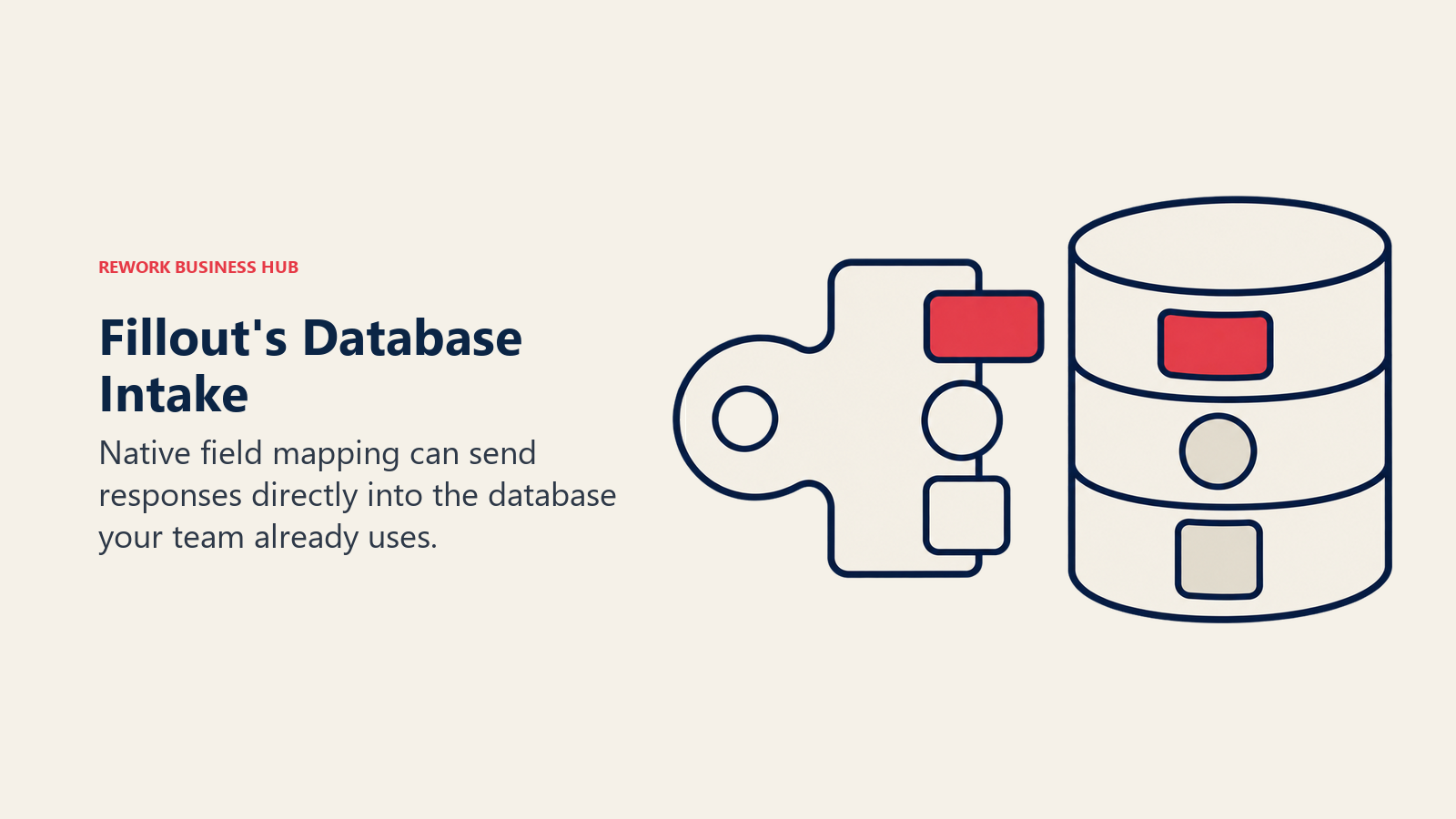
Fillout's bet is that forms shouldn't export to a report you check manually, they should write directly into the database a team already runs on. Native integrations with Notion, Airtable, Supabase, Salesforce, and HubSpot mean a submission lands in the right table with relationships intact, no CSV export step the way Wufoo requires. Compare it against two other modern builders at Google Forms vs Fillout vs Paperform.
Being newer than Wufoo shows in a smaller template library and compliance features still catching up.
| What you get | What you don't |
|---|---|
| Native Notion, Airtable, Supabase, Salesforce sync | Wufoo's long track record |
| Generous free tier (1,000 submissions/month) | A large template library |
| Conditional logic, multi-step forms | Deep enterprise compliance features (yet) |
| Unlimited seats on every tier, including free | Extensive built-in analytics |
| Modern, clean interface | A long integration track record |
Pricing: Free (1,000 responses/month, unlimited forms and seats); Starter $15/month ($180/year billed annually, 2,000 responses/month); Pro $40/month ($480/year billed annually, 5,000 responses/month); Business $75/month ($900/year billed annually, unlimited responses); Enterprise custom.
Best for: Tech-forward teams on Notion, Airtable, or Supabase who want submissions to land directly in their existing data structure.
7. Paperform: Forms Built to Convert Like Landing Pages
Paperform's premise is that a form should carry images, video, and rich formatting well enough to function as a standalone landing page, not just a stack of fields the way Wufoo builds them. Conditional logic supports showing or hiding sections based on prior answers, and native Stripe payment collection needs no add-on. Calculation and scoring fields suit pricing quizzes and lead qualification, a category Wufoo doesn't address at all.

The catch coming from Wufoo: no free tier whatsoever, and CRM integrations run through Zapier rather than native sync.
| What you get | What you don't |
|---|---|
| Rich media form pages (video, images) | A free tier |
| Native Stripe payment processing | Wufoo's flat, predictable pricing |
| Strong conditional logic, branching | Deep enterprise compliance features |
| Calculation and quiz scoring fields | Native CRM data model |
| Good template library for quizzes | Built-in advanced analytics |
Pricing: Free (30 submissions/month, 1 user); Essentials $24/month ($288/year billed annually, 1,200 submissions/year); Pro $49/month ($588/year billed annually, 12,000 submissions/year); Business $99/month ($1,188/year billed annually, 120,000 submissions/year, 5 users). Paperform meters submissions per year, not per month, a real point of difference from Wufoo's monthly entry caps.
Best for: Marketing teams building quizzes, content upgrades, or event pages where the form needs to convert like a landing page.
8. forms.app: The Budget-Friendly Generalist
forms.app targets the same budget-conscious buyer Wufoo does, with one meaningful upgrade: unlimited responses ship on every tier, including free, where Wufoo caps the free plan at 100 entries a month. The free plan is limited by storage (10 MB) and form count (5) rather than response volume, a different tradeoff than Wufoo's entry-count ceiling.
The integration ecosystem is smaller than Jotform's or Zoho's, and the brand carries less name recognition in English-speaking markets.
| What you get | What you don't |
|---|---|
| Unlimited responses on every tier, including free | A large integration marketplace |
| Unlimited team members on every tier | Deep brand recognition in English markets |
| Conditional logic and multi-step forms | Wufoo's decade-plus reputation |
| Straightforward, low-cost pricing | Advanced workflow or approval routing |
| Reasonable storage scaling by tier | A large public template library |
Pricing: Free (5 forms, unlimited responses, 10 MB storage); Basic $19/month billed annually ($29 month-to-month, 25 forms, 10 GB); Pro $29/month billed annually ($39 month-to-month, unlimited forms, 100 GB); Premium $59/month billed annually ($79 month-to-month, 1 TB storage).
Best for: Budget-conscious teams that want unlimited responses without Tally's CRM-sync tradeoffs.
9. Zoho Forms: The Natural Pick Inside a Zoho Stack
Zoho Forms wins by being the intake layer for a Zoho stack a team already runs: native integration with Zoho CRM and Zoho Creator means a submission moves straight into a pipeline, database record, or approval flow with no separate connector, something Wufoo has no equivalent for. Workflow and approval steps unlock on the Basic paid tier, and the free plan (3 forms, 500 submissions/month) covers light internal use.
Zoho's page displays annual billing and doesn't publish month-to-month figures, so quote the annual basis only.
| What you get | What you don't |
|---|---|
| Native Zoho CRM and Creator integration | Wufoo's simplicity for a non-Zoho team |
| Workflow and approval routing on paid tiers | Standout design differentiation |
| HIPAA compliance on the Premium tier | A large public template gallery |
| Reasonable entry-level pricing | Fast, self-serve checkout clarity |
| Solid free tier for internal use | Month-to-month billing option shown |
Pricing: Free (3 forms, 500 submissions/month, 1 user); Basic US$10/month billed annually (unlimited forms, 10,000 submissions/month); Standard US$25/month billed annually (25,000 submissions/month, 10 users); Professional US$50/month billed annually (75,000 submissions/month, 25 users); Premium US$90/month billed annually (150,000 submissions/month, 100 users, HIPAA).
Best for: Teams already running Zoho CRM or Zoho Creator who want forms that plug directly into that stack.
10. Google Forms: The Free Floor Everyone Compares Against
Google Forms is the other free option teams already have access to, and it removes Wufoo's response cap entirely: no published limit on the number of responses a form can collect, compared to Wufoo Free's 100-entries-a-month ceiling. It's free with any Google account, already familiar to almost everyone, and syncs automatically to Sheets. See it head-to-head against a purpose-built alternative in Typeform vs Google Forms, or browse the full field at best Google Forms alternatives.
What it doesn't do is anything Wufoo's paid tiers cover: no payment collection, no workflow routing, and conditional logic that stays shallow.
| What you get | What you don't |
|---|---|
| No response cap, unlike Wufoo Free | Payment collection at any tier |
| Free with any Google account | Workflow or approval routing |
| Automatic Google Sheets sync | Wufoo's built-in reporting depth |
| Familiar interface for almost any user | Brand control or custom design |
| Workspace admin controls (paid) | Native CRM sync without Apps Script |
Pricing: Free with any Google account, no published response cap; Google Workspace Business Starter $7.00/user/month on a 12-month commitment (30 GB/user, promotional $3.50/user for the first 20 users for 12 months); Business Standard $14.00/user/month (2 TB/user); Business Plus $22/user/month (5 TB/user); Enterprise custom. Workspace mainly adds admin control and domain restrictions rather than new form features.
Best for: Zero-budget internal polls, quick feedback forms, or teams that don't need anything Wufoo's paid tiers add.
11. Formstack: Compliance and Document Generation at Scale
Formstack treats forms as enterprise infrastructure, a different league entirely from Wufoo. A submission can trigger automatic PDF generation, route for e-signature, and archive into Salesforce, all in one workflow, exactly what healthcare, finance, and government teams need and nothing Wufoo offers. The buyer is typically an IT director or compliance officer at an organization with real regulatory requirements. See the full lineup at best Formstack alternatives.
The pricing reflects the gap: there's no free plan at all, and the base tier alone costs more than Wufoo's top Ultimate plan.
| What you get | What you don't |
|---|---|
| HIPAA, GDPR, SOC 2 compliance | Wufoo's low, flat entry price |
| Native document generation, e-signatures | A free tier |
| Strong Salesforce integration | A modern, lightweight interface |
| Advanced workflow and approval routing | Fast setup for one simple form |
| Enterprise audit trails | Low-complexity pricing |
Pricing: No free plan (trial only); Forms $83/month billed annually ($99 month-to-month, 1 builder user, 25 forms, 1,000 submissions per form, 2 GB storage); Suite $250/month billed annually ($299 month-to-month, 3 builder users, 100 forms, unlimited e-signatures); Salesforce Solutions and Enterprise both custom-quoted.
Best for: Regulated industries (healthcare, finance, government) needing forms tied to document generation and e-signature compliance.
12. SurveyMonkey: Wufoo's Own Parent Company, Built For Research
SurveyMonkey has owned Wufoo since acquiring it for $35 million in 2011, but the two products solve different problems entirely. SurveyMonkey is built for formal research: satisfaction benchmarking, engagement surveys, market sizing, with statistical significance testing and proprietary benchmark data nothing else on this list, including Wufoo, offers. For a team leaving Wufoo purely because reporting was too thin, SurveyMonkey is the deepest possible upgrade on that one dimension. A closer look at the field sits at best SurveyMonkey alternatives.
Pricing is per seat and climbs fast, forms aren't optimized for lead-capture conversion, and the model bears no resemblance to Wufoo's flat entry-based tiers.
| What you get | What you don't |
|---|---|
| Best-in-class statistical analysis | Wufoo's low, predictable entry cost |
| Proprietary benchmark data | Forms optimized for lead conversion |
| Respondent panel recruitment | A per-form, entry-based pricing model |
| Enterprise SSO and security | A budget-friendly entry tier |
| Multi-survey and thematic AI analysis | Fast load times on long surveys |
Pricing: A free individual plan exists; Team Advantage $25/user/month billed annually (3-user minimum, 50,000 responses/year); Team Premier $75/user/month billed annually (100,000 responses/year); Enterprise custom-quoted (5-plus users). Extra responses beyond plan limits cost $0.15 each. Month-to-month rates aren't displayed on the page.
Best for: Research and insights teams running formal surveys, not a straight lead-capture replacement for Wufoo.
13. Gravity Forms: Full Data Ownership on WordPress
Gravity Forms is a WordPress plugin, not a hosted service like Wufoo, so forms and their data live entirely on infrastructure the team already controls. That matters for organizations that want to stop a vendor from holding submission data at all, something no hosted tool on this list, Wufoo included, can offer. The add-on ecosystem covers Stripe, HubSpot, Mailchimp, Salesforce, and dozens more, and licensing scales by site count rather than entries or seats. See the wider field at best Gravity Forms alternatives.
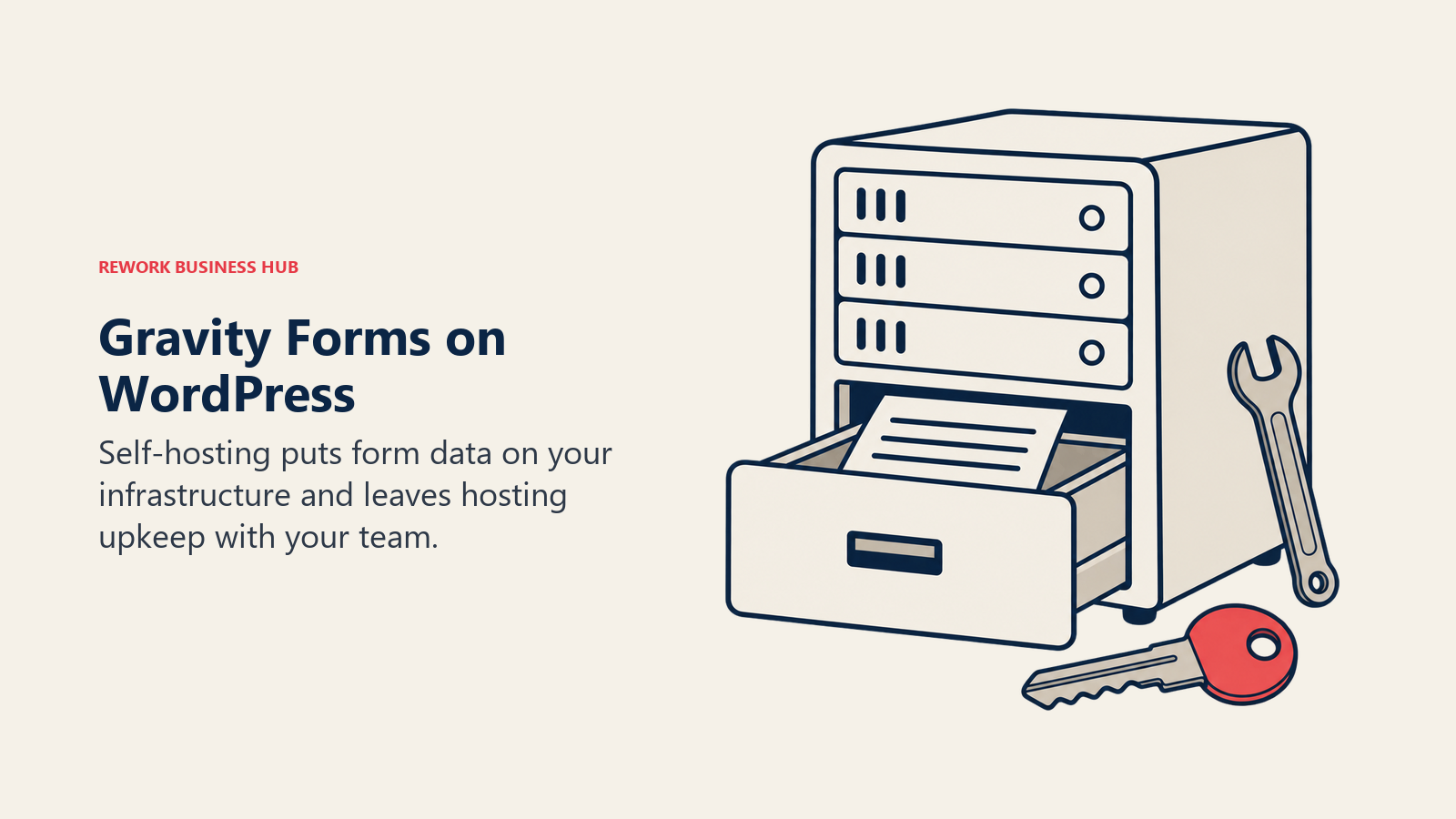
The obvious tradeoff: a WordPress site is a prerequisite, and setup takes more comfort with plugins and hosting than Wufoo's fully hosted model needs.
| What you get | What you don't |
|---|---|
| Full data ownership, self-hosted | A hosted, no-setup experience |
| Site-based licensing (not per-entry) | Availability outside WordPress |
| Deep WordPress plugin ecosystem | Built-in support beyond tickets |
| Conditional logic, multi-page forms | Native CRM sync without an add-on |
| No recurring entry caps to hit | Mobile app or no-code hosting |
Pricing: No free tier; Basic $59/year (1 site, HubSpot/Mailchimp/ActiveCampaign/Campaign Monitor add-ons); Pro $159/year (3 sites, adds Stripe, Square, Dropbox, Zapier, Slack, Trello); Elite $259/year (unlimited sites, all add-ons, multisite, priority support).
Best for: WordPress-based teams wanting to own their form data outright and avoid ongoing per-entry costs.
14. WPForms: The Easiest WordPress On-Ramp
WPForms sits in similar territory to Gravity Forms, a WordPress plugin rather than a hosted product, but targets a different buyer: someone with little technical background who wants a working form in minutes, the same audience Wufoo originally built for, just on a site the team already owns. The drag-and-drop builder is genuinely beginner-friendly, and unlimited forms, submissions, and users come even on the entry-level Basic license, no monthly entry counting the way Wufoo requires.
Payments (Stripe, Square, PayPal), surveys, and digital signatures unlock on the Pro tier, and pricing is licensed annually by site count.
| What you get | What you don't |
|---|---|
| Easiest WordPress form builder to learn | Availability outside WordPress |
| Unlimited forms and submissions, every tier | Payment collection on the entry tier |
| No transaction fees on payments | Native CRM sync below the top tier |
| No recurring entry caps to hit | Monthly billing option |
| Conditional logic, multi-page forms | Wufoo's fully hosted, zero-setup model |
Pricing: WPForms Lite is a free WordPress plugin; Basic $49.50 first year, renews at $99.00/year (1 site); Plus $99.50 first year, renews at $199.00/year (3 sites); Pro $199.50 first year, renews at $399.00/year (5 sites); Elite $299.50 first year, renews at $599.00/year (unlimited sites).
Best for: WordPress site owners with limited technical resources who want a simple, no-code form builder.
Migrating Off Wufoo: What Moves and What You Rebuild
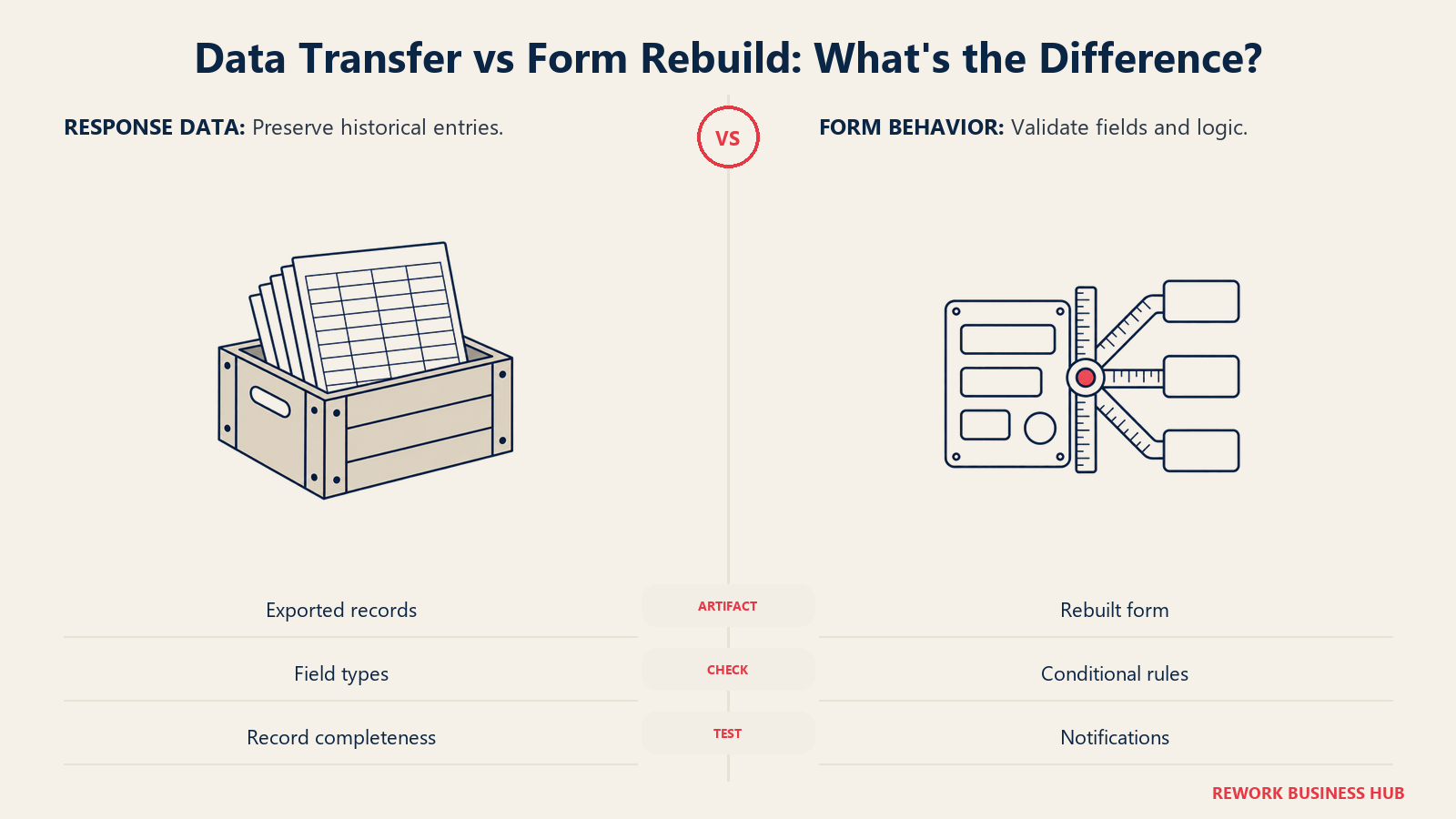
Wufoo's entries export as CSV or Excel from its own reports, so historical data moves to any of these tools as a spreadsheet import. What doesn't move automatically: no competitor offers a one-click "import a Wufoo form," because there's no shared form-schema standard across vendors, so field layouts, conditional logic, and notification rules get rebuilt by hand in the new builder.
| Tool | Rebuild Effort | What Transfers Easily | What You Rebuild by Hand |
|---|---|---|---|
| Jotform | Low-medium | Field types map closely (text, choice, payment, upload) | Conditional logic rules, notification emails |
| Cognito Forms | Medium | Field types map closely | Calculation formulas, approval workflow steps |
| Formsite | Low | Closest structural match to Wufoo's report-style layout | Custom themes, saved report views |
| Typeform | Medium-high | Core question types | Entire layout, since one-question-at-a-time is a different paradigm |
| Tally | Medium | Most field types | Block-based page structure |
| Fillout | Medium | Field types, plus new entries can write straight into Notion or Airtable | Logic rules, existing report dashboards |
| Paperform | Medium-high | Core fields | Rich-media layout, calculation and quiz scoring |
| forms.app | Low-medium | Simple field types, similar to Wufoo's own builder | Any custom CSS or widget embeds |
| Zoho Forms | Medium | Field types, plus ongoing entries can flow into Zoho CRM | Workflow and approval steps (paid tier required) |
| Google Forms | Low effort, but a capability downgrade | Basic field types only | Payments and complex logic don't exist in Forms at all |
| Formstack | Medium-high | Field types | Document generation and e-signature routing rules |
| SurveyMonkey | High | Question bank concepts | Nearly everything, since it's a survey tool, not a lead-capture form |
| Gravity Forms | Medium, plus a WordPress site | Field types, conditional logic | Hosting: you now own the server, backups, and updates |
| WPForms | Medium, plus a WordPress site | Field types | Same hosting tradeoff as Gravity Forms |
Form and Entry Limit Comparison
The number one reason people search for a Wufoo alternative is a cap they've hit. Here's how each tool's entry limits stack up against Wufoo's own.
| Tool | Free Plan Limits | Cheapest Paid Plan Limits | Fixes Wufoo's Cap Problem? |
|---|---|---|---|
| Wufoo (for reference) | 5 forms, 100 entries/month, 10 fields max, 1 user | Starter: 10 forms, 1,000 entries/month, 1 user | Baseline |
| Jotform | 5 forms, 100 submissions/month, 100 MB | Bronze: 25 forms, 1,000 submissions/month, 1 GB | Yes, more storage and forms at a similar submission tier |
| Cognito Forms | Unlimited forms, 100 entries/month, 1 user | Pro: unlimited forms, 2,000 entries/month, 2 users | Yes, unlimited forms even on free |
| Formsite | No free tier | Personal: 5 forms, 500 results/form | Mixed: no free tier, but a higher per-form result cap |
| Typeform | Unlimited questions, 100 responses/month, no logic | Basic: still 100 responses/month, unlocks logic | No, response cap is unchanged at Basic |
| Tally | Unlimited forms, unlimited submissions | Pro: still unlimited, adds branding removal | Yes, the biggest fix of any tool here |
| Fillout | Unlimited forms and seats, 1,000 responses/month | Starter: 2,000 responses/month | Yes, 10x Wufoo's free entry cap |
| Paperform | 30 submissions/month, 1 user | Essentials: 1,200 submissions/year | Mixed: annual metering complicates a direct comparison |
| forms.app | 5 forms, unlimited responses, 10 MB storage | Basic: 25 forms, 10 GB | Yes, unlimited responses even on free |
| Zoho Forms | 3 forms, 500 submissions/month, 1 user | Basic: unlimited forms, 10,000 submissions/month | Yes, a large jump at the first paid tier |
| Google Forms | Unlimited responses, no form cap | Not applicable | Yes, there are no caps to fix at all |
| Formstack | No free tier | Forms: 25 forms, 1,000 submissions/form | Yes on volume, no on price |
| SurveyMonkey | Free individual plan, capped responses | Team Advantage: 50,000 responses/year, 3-user minimum | Yes on volume, no on cost for a solo user |
| Gravity Forms | No free tier | Basic: unlimited forms and submissions (self-hosted) | Yes, once hosting is factored in |
| WPForms | Free (WPForms Lite) | Basic: unlimited forms and submissions | Yes, unlimited from the entry tier |
How to Choose: Decision Framework
| If you need... | Best pick | Why |
|---|---|---|
| The same simplicity as Wufoo, with higher caps | Formsite | Closest structural match, higher per-form result limits |
| Unlimited forms and submissions on a free plan | Tally | No response caps, even on the free tier |
| The widest feature set without a developer | Jotform | Templates and widgets cover most use cases |
| Calculations and approval workflow | Cognito Forms | Built-in math engine and workflow steps |
| A conversational, brand-forward form experience | Typeform | One-question-at-a-time design, strongest completion story |
| Forms that write straight into your existing database | Fillout | Native Notion, Airtable, Supabase, Salesforce sync |
| Regulated-industry compliance | Formstack | HIPAA, document generation, e-signature routing |
| Full data ownership on a site you control | Gravity Forms | Self-hosted, site-based licensing |
| The absolute lowest possible cost | Google Forms | Free with no response cap, already in your Google account |
What to Do Next
Pick two candidates based on the specific ceiling costing you time: one that fixes the entry-cap problem with the least migration effort (Formsite or Tally) and one that adds a capability Wufoo never had (Cognito Forms for workflow and calculations, or Typeform for design and completion rate). Rebuild your highest-volume Wufoo form in both, run them in parallel for two weeks, and check whether your real entry counts land comfortably inside the tier you picked before committing.
External Resources:
- Wufoo pricing: Free through Ultimate plan comparison
- Jotform pricing: Free through Enterprise tiers
- Cognito Forms pricing: Free through Enterprise tiers
- Typeform pricing: Free through Enterprise plan comparison
- Tally pricing: Free and Pro plan comparison
- Fillout pricing: Free through Enterprise tiers
- Formstack pricing: Forms and Suite plan comparison
- Zuko form conversion statistics: Desktop vs. mobile completion research
- Formstack conversion rate research: Field-count impact on conversion
- HubSpot multi-step form research: Single-step vs. multi-step conversion lift
- Zapier no-code adoption report: No-code usage and growth data

Principal Product Marketing Strategist
On this page
- Key Facts
- Quick Comparison Table
- Stage Fit Matrix
- Sizing and Persona Table
- Why Teams Look Beyond Wufoo
- 1. Jotform: The Broadest Feature Set Without a Developer
- 2. Cognito Forms: The Closest Hosted Analog, With Workflow Built In
- 3. Formsite: The Other Long-Standing, No-Surprises Builder
- 4. Typeform: The Modern, Conversational Builder Wufoo Never Became
- 5. Tally: The Biggest Fix to Wufoo's Entry Caps, For Free
- 6. Fillout: Forms That Write Straight Into Your Database
- 7. Paperform: Forms Built to Convert Like Landing Pages
- 8. forms.app: The Budget-Friendly Generalist
- 9. Zoho Forms: The Natural Pick Inside a Zoho Stack
- 10. Google Forms: The Free Floor Everyone Compares Against
- 11. Formstack: Compliance and Document Generation at Scale
- 12. SurveyMonkey: Wufoo's Own Parent Company, Built For Research
- 13. Gravity Forms: Full Data Ownership on WordPress
- 14. WPForms: The Easiest WordPress On-Ramp
- Migrating Off Wufoo: What Moves and What You Rebuild
- Form and Entry Limit Comparison
- How to Choose: Decision Framework
- What to Do Next