Best Gravity Forms Alternatives in 2026: 13 Form Builders for Teams Outgrowing WordPress
Turn this article into takeaways for your work.


Each assistant summarizes the article only for you and suggests best practices for your work.
Most "Gravity Forms alternatives" searches split into two different questions, and most roundups answer only one. Some readers want another WordPress plugin that does what Gravity Forms does without the add-on tax. Others are leaving WordPress altogether and need a form that doesn't depend on a site they host, patch, and secure themselves. We evaluated 13 tools across both paths on pricing transparency, integration depth, and how well each handles the job Gravity Forms was actually bought to do.
Gravity Forms earns its reputation honestly: deep WordPress integration (fields map to custom post types, hooks give developers real extensibility), a flat annual license instead of per-response metering, and data that stays in your own database. The tradeoffs show up as you grow: features you assumed were included often sit behind a higher tier, patching is on you, and there's no hosted respondent experience for the growing share of people who never touch your website.
Key Facts
- WordPress still powers 40.8% of all websites worldwide, per W3Techs, which is exactly why "Gravity Forms alternative" so often really means "do we still need to run WordPress at all."
- 91% of new WordPress vulnerabilities disclosed in 2025 were found in plugins, not WordPress core, per Patchstack's State of WordPress Security in 2026 report.
- GDPR fines can reach 20 million euros or 4% of global annual turnover, whichever is higher, per Article 83 of the GDPR, which matters once a form starts collecting EU respondent data on infrastructure you self-manage.
- Gartner forecasts that low-code and no-code tools will account for 75% of new application development by 2026, up from 40% in 2021, per Gartner's forecast reported by InfoWorld.
- Desktop forms complete at meaningfully higher rates than mobile ones: 47% on desktop versus 42% on mobile, per Zuko's benchmarking data, which is worth remembering before assuming a plugin-rendered form performs the same on every device.
Two Different Decisions, Not One Ranked List
Separate the two decisions this search usually collapses into one. Staying on WordPress means you want a plugin that plays the same game as Gravity Forms (site-based licensing, hooks, template access) with a fairer feature-to-price ratio; WPForms, Formidable Forms, and Fluent Forms are that swap. Leaving WordPress, or needing a form that works independent of any site you host, means you want a hosted SaaS builder with its own uptime and security patching; Jotform, Typeform, Fillout, and most of the rest of this list are that category. Our guide on how to choose form builder software covers the evaluation criteria if you're still deciding which path fits.
Why Teams Leave Gravity Forms
| Pain Point | Detail | Who Feels It Most |
|---|---|---|
| Add-on features gated by license tier | Stripe, Zapier, HubSpot, and CRM add-ons need Pro or higher | Small teams on Basic who assumed integrations were included |
| Site-count caps | Basic covers 1 site, Pro covers 3, only Elite is unlimited | Agencies running several WordPress installs |
| Security patching is on you | Most WordPress vulnerabilities are found in plugins, not core | Lean teams without a WordPress maintenance budget |
| No standalone hosted form | Submissions only work through your own WordPress site | Teams capturing leads from email, ads, or partner sites |
| Renewal pricing beats the first-year rate | Elite's $194 first year renews at $259/year | Budget owners planning multi-year costs |
| No native database or spreadsheet sync | Entries stay in WordPress without a separate export add-on | Ops teams who want submissions in Airtable or a CRM |
Quick Comparison Table
| Tool | Best For | Starting Price | Key Strength | Key Limitation |
|---|---|---|---|---|
| WPForms | Staying on WordPress without the add-on tax | $49.50/yr first year, $99/yr renewal (Basic, 1 site) | 2,100+ templates, huge integration library | CRM/payment add-ons still need higher tiers |
| Formidable Forms | A WordPress app builder, not just a form plugin | $79/yr (1 site) | Views, calculated fields, WooCommerce | Steeper learning curve |
| Fluent Forms | Budget-conscious WordPress teams | $79/yr (1 domain) | Lightest, fastest WordPress plugin here | Thinner native CRM depth |
| Jotform | Leaving WordPress, want the widest feature set | Free; from $34/mo (annual) | 10,000+ templates, CMS-independent | Interface clutters as forms grow |
| Typeform | Brand-forward lead magnets | Free (100 resp/mo); $39/mo monthly, $28/mo annual | Conversational, high-completion design | Response caps add up fast |
| Formstack | Regulated industries, compliance, documents | From $83/mo (annual) | HIPAA-ready, document generation | Expensive for a single-purpose tool |
| Cognito Forms | Complex calculated forms (quotes, applications) | Free (100 entries); $24/mo monthly, $19.20/mo annual | Spreadsheet-grade calculations | Smaller integration marketplace |
| Fillout | Data already in Notion, Airtable, or Sheets | Free (1,000 resp/mo); from $15/mo | Native database sync, unlimited seats | Thinner enterprise compliance |
| Tally | Unlimited forms and responses for free | Free (unlimited); Pro $24/mo | No response caps on free | CRM leans on Zapier and Make |
| Wufoo | A mature, no-surprises hosted form tool | Free (limited); from $16.25/mo (annual) | Predictable entry-based pricing | Dated interface; no shipped update since 2020 |
| Google Forms | Zero-budget internal surveys | Free | Completely free, Sheets sync | No branding or CRM sync |
| Paperform | Forms that double as landing pages | From $24/mo (annual) | Rich media, native Stripe payments | Webhook/Zapier CRM sync only |
| Zoho Forms | Teams already running Zoho CRM or Zoho One | Free (limited); Basic US$10/mo billed annually | Native sync across the Zoho suite | Annual billing only on the pricing page |
Stage Fit Matrix
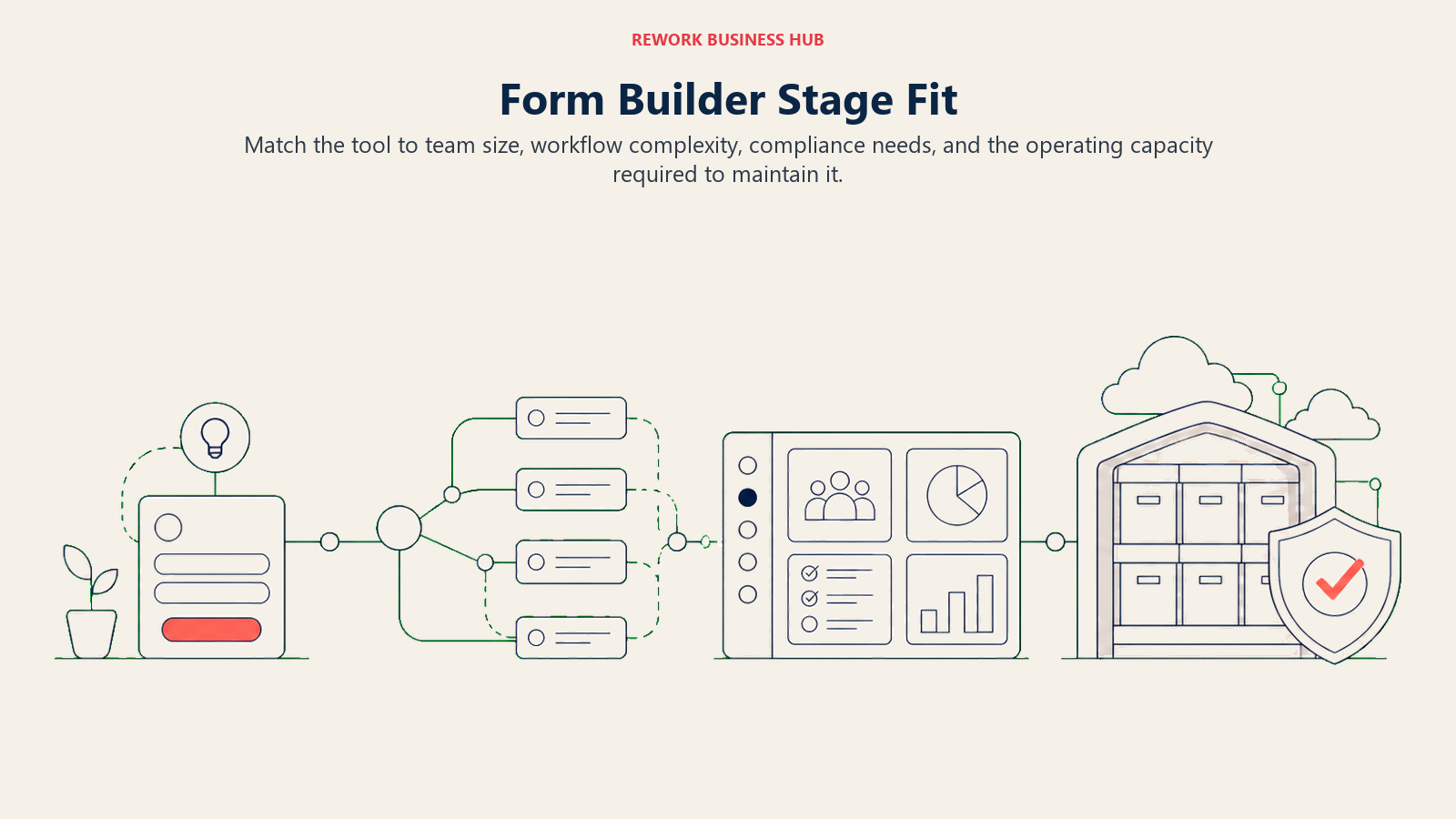
The right fit changes with team size: lightweight builders work early, while larger teams need stronger workflows, governance, and compliance controls.
| Tool | Startup (1-10) | Growth (10-50) | Mid-Market (50-200) | Enterprise (200+) |
|---|---|---|---|---|
| WPForms | Strong fit | Strong fit | Good | Limited |
| Formidable Forms | Good | Strong fit | Good | Limited |
| Fluent Forms | Strong fit | Good | Limited | Not recommended |
| Jotform | Good | Good | Strong fit | Limited |
| Typeform | Strong fit | Good | Good | Limited |
| Formstack | Not recommended | Limited | Good | Strong fit |
| Cognito Forms | Strong fit | Good | Good | Limited |
| Fillout | Strong fit | Good | Good | Limited |
| Tally | Strong fit | Good | Limited | Not recommended |
| Wufoo | Good | Good | Good | Limited |
| Google Forms | Strong fit | Limited | Not recommended | Not recommended |
| Paperform | Good | Strong fit | Good | Limited |
| Zoho Forms | Good | Good | Strong fit | Strong fit |
Sizing and Persona Table
| Tool | Team Size Sweet Spot | Primary Buyer | Secondary Buyer |
|---|---|---|---|
| WPForms | 1-100 | WordPress site owner | Marketing Manager |
| Formidable Forms | 5-100 | WordPress Developer | Operations Manager |
| Fluent Forms | 1-50 | Solo Marketer / Freelancer | WordPress Developer |
| Jotform | 5-200 | Operations Manager | Marketing Manager |
| Typeform | 5-100 | Marketing Manager | Content Marketer |
| Formstack | 50-500+ | IT / Compliance Officer | Marketing Director |
| Cognito Forms | 5-100 | Operations / Finance | Product Manager |
| Fillout | 1-100 | Product Manager / Ops | Marketing Ops |
| Tally | 1-30 | Founder / Solo Marketer | Content Marketer |
| Wufoo | 5-100 | Marketing Manager | Operations Manager |
| Google Forms | Any | Anyone with a Google account | HR / Internal Ops |
| Paperform | 5-100 | Marketing Manager | Creative Director |
| Zoho Forms | 10-500+ | RevOps / IT (Zoho stack) | Operations Manager |
The WordPress-Native Swaps
1. WPForms: The Lateral Move for WordPress Teams
WPForms runs on the same model as Gravity Forms (a WordPress plugin, licensed per site, extended through add-ons), but the free-to-paid gap is smaller and the template library is bigger. Where Gravity Forms ships bare and expects you to buy add-ons for payments and CRM sync, WPForms folds marketing integrations into its mid tier and payment processing into Pro, closer to what most buyers expect "included" to mean.
The tradeoff: WPForms still uses the same site-cap, tier-gated structure that frustrates Gravity Forms users. Basic covers 1 site, Plus covers 3, Pro covers 5, and only Elite unlocks unlimited sites and premium CRM integrations (Salesforce, HubSpot, Pipedrive). If your complaint was the licensing model itself, this won't fully solve it; if it was which features sit behind which tier, it likely will.
| What you get | What you don't |
|---|---|
| 2,100+ templates on the Pro tier and up | A CRM-native data model (still an integration, not a database) |
| Payment processing (Stripe, Square, PayPal) from Pro | Unlimited sites below the Elite tier |
| Smart workflows and conditional logic on every paid tier | A meaningfully different licensing model than Gravity Forms |
| Digital signatures and surveys on Pro and Elite | Native Salesforce/HubSpot sync below Elite |
| Entry automation and webhooks on Elite | A free tier (WPForms Lite is feature-limited, not a real free plan) |
Pricing: Basic $99/year (1 site); Plus $199/year (3 sites); Pro $399/year (5 sites); Elite $599/year (unlimited sites). Introductory discounts are common at checkout. (wpforms.com/pricing)
Best for: WordPress teams who want Gravity Forms' philosophy with a bigger template library and CRM add-ons that arrive sooner in the tier ladder
2. Formidable Forms: An Internal App Builder Wearing a Form Plugin's Name
Formidable's pitch is bigger than "forms." Its Views feature turns submitted data into searchable directories, calendars, and front-end databases, closer to a lightweight internal-tools platform than a pure form builder. For WordPress teams that outgrew Gravity Forms because they needed to display and manage data, not just collect it, Formidable is the more direct answer than any hosted SaaS tool here.
The learning curve is real: calculated fields, repeating sections, and front-end data grids take longer to learn than a plain form plugin, and pricing reflects it, costing more at every tier than WPForms or Fluent Forms for the same site count. Teams that only need contact forms are paying for power they won't use.
| What you get | What you don't |
|---|---|
| Views: data grids, calendars, and directories from form entries | The simplest learning curve in the WordPress category |
| Calculated fields and complex conditional logic | Cheaper pricing than the two other WordPress-native picks |
| Native WooCommerce and payment integrations | A hosted, standalone form experience |
| AI Forms with monthly credits on Business and Elite | Unlimited sites below the Elite tier |
| Multisite support on Elite | Simplicity if all you need is a contact form |
Pricing: Basic $79/year (1 site); Plus $199/year (3 sites); Business $399/year (7 sites); Elite $599/year (unlimited sites). Listed prices reflect current site discounts. (formidableforms.com/pricing)
Best for: WordPress teams that need submitted data to become a searchable, front-end database, not just an inbox of entries
3. Fluent Forms: The Budget WordPress Swap
Fluent Forms competes on speed and price. The plugin is built to be lightweight (it benchmarks faster than Gravity Forms and WPForms on page load), and its licensing undercuts every other WordPress-native option at every tier; the Agency license at 5 domains is meaningfully cheaper than the equivalent from WPForms or Formidable.
What you give up is depth. Fluent's own automation and email tooling (FluentCRM, FluentSMTP) is genuinely good if you adopt the whole ecosystem, but third-party CRM integrations are thinner than WPForms' library. It's the right pick when price and page speed matter more than integration breadth.
| What you get | What you don't |
|---|---|
| Fastest-loading forms in the WordPress-native category | The deepest third-party CRM integration library |
| Lowest per-site pricing of the three WordPress swaps | A large pre-built template marketplace |
| A genuinely usable free version | Native payment gateway support outside paid tiers |
| Lifetime license option (uncommon in this category) | Views or database-style features (Formidable's specialty) |
| Native integration with Fluent's own CRM and SMTP tools | Deep integration outside the Fluent ecosystem |
Pricing: Single Site $79/year (1 domain); Agency $159/year (5 domains); Unlimited $299/year (unlimited domains). A free version and lifetime licenses are also available. (fluentforms.com/pricing)
Best for: Budget-conscious WordPress teams and agencies who want the lowest per-site cost without leaving the WordPress ecosystem
The Hosted SaaS Route
4. Jotform: The Widest Feature Set Outside WordPress
Jotform is the obvious first stop for teams leaving WordPress entirely. It isn't tied to any CMS, has the largest template library in the category (10,000+), and covers cases WordPress plugins typically don't: e-signatures, HIPAA-compliant forms on Enterprise, and 200+ integrations. For teams that used Gravity Forms for everything from contact forms to job applications, Jotform is the closest single replacement.
Pricing rewards planning ahead. Bronze, Silver, and Gold scale by active forms, submissions, and storage, not seats, and the jump from Silver to Gold is steep: Gold triples the price to unlock 100 forms, 10,000 submissions, and HIPAA. Model your actual submission volume before committing to a tier.
| What you get | What you don't |
|---|---|
| 10,000+ templates and 200+ integrations | Independence from a submission-count ceiling |
| Payment, signature, and file-upload widgets built in | A minimal, uncluttered interface at scale |
| HIPAA-compliant forms available on Gold and Enterprise | Native CRM sync (most connections are integrations, not native) |
| Works completely independent of any website or CMS | Flat pricing; costs scale with forms and submissions |
| Strong conditional logic and multi-step forms | The lowest starting price on this list |
Pricing: Free (5 forms, 100 submissions/month); Bronze $34/month billed annually (25 forms, 1,000 submissions); Silver $39/month billed annually (50 forms, 2,500 submissions); Gold $99/month billed annually (100 forms, 10,000 submissions, HIPAA option); Enterprise custom. (jotform.com/pricing)
Best for: Teams leaving WordPress who want one tool to replace contact forms, job applications, surveys, and payment forms all at once
5. Typeform: The Brand-Forward Choice
Typeform's philosophy hasn't changed since it defined the "conversational form" category: one question per screen, generous whitespace, enough design polish that a form can double as brand content. For lead magnets, quizzes, and anything where the form itself is part of the marketing, it still leads the category.
Where it falls short of Gravity Forms' territory is complex, logic-heavy business forms. Advanced branching sits behind the Business plan, response caps bite hard on lower tiers, and the animated transitions that make it feel premium also slow it down on mobile. Replacing a quote calculator or multi-page application form, Typeform is the wrong shape for the job.
| What you get | What you don't |
|---|---|
| Best-in-class conversational form design | Deep conditional logic below the Business plan |
| Strong brand and template customization | Fast load times on lower-bandwidth mobile connections |
| Good third-party integration marketplace | Response caps that force plan upgrades during busy months |
| Solid analytics on drop-off by question | Native CRM sync (mostly Zapier/Make-dependent) |
| A genuinely well-designed free tier | Affordability at scale for high-volume forms |
Pricing: Basic $39/month billed monthly, or $28/month billed annually (100 responses/month); Plus from $50/month billed annually (1,000 responses/month); Business from $83/month billed annually (10,000 responses/month); Enterprise custom. (typeform.com/pricing)
Best for: Marketing teams building lead magnets, quizzes, and interactive content where the form's design is part of the pitch
For a deeper look at Typeform specifically, including nine other conversational-form competitors, see best Typeform alternatives. And if the real need is formal research surveys rather than lead capture, best SurveyMonkey alternatives covers that adjacent category.
6. Formstack: Compliance and Document Generation
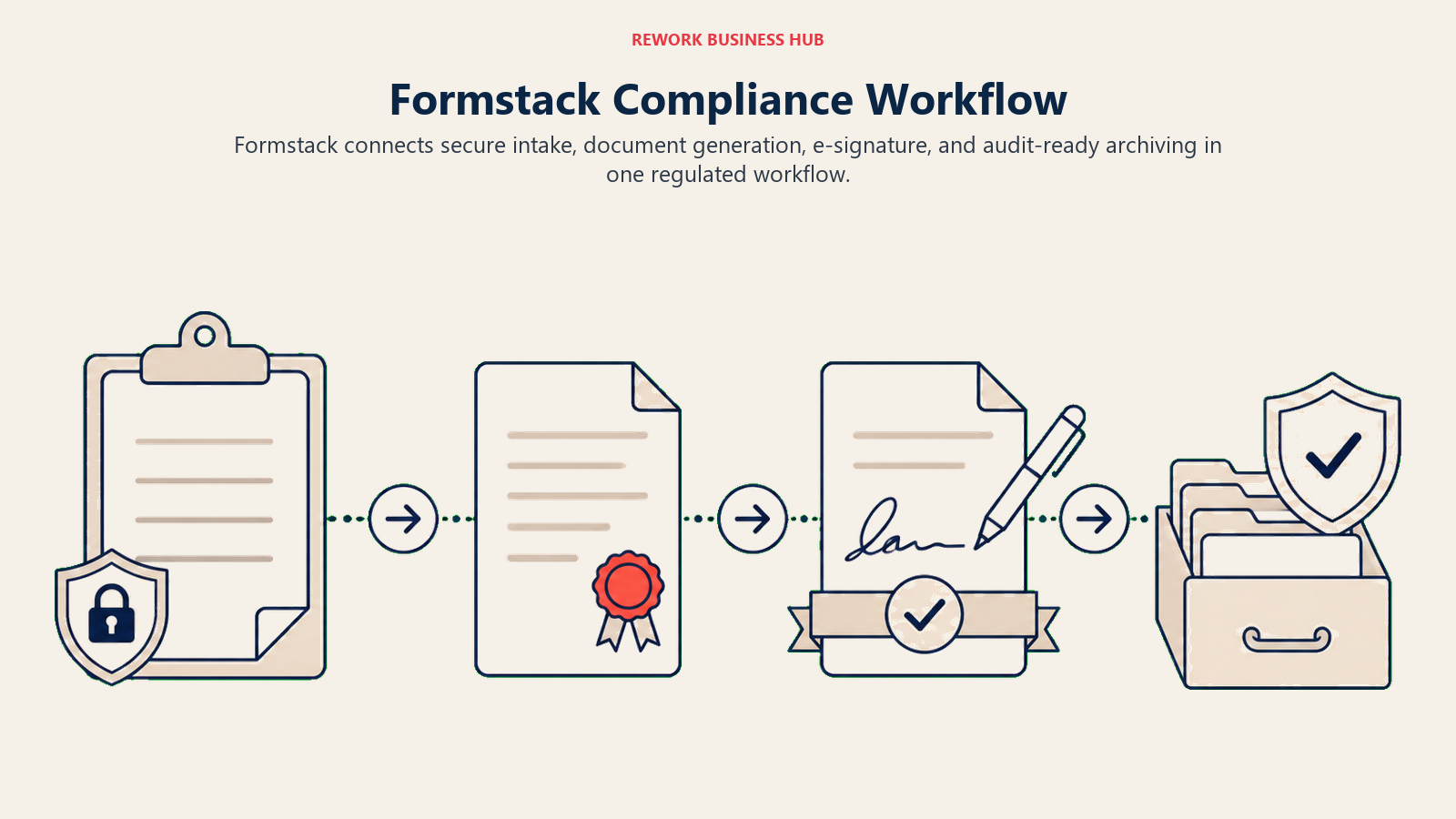
Formstack treats forms as one piece of a bigger regulated-industry workflow. A submission can trigger document generation, route for e-signature, and archive automatically in Salesforce, the kind of chained workflow healthcare, finance, and government buyers need and that no WordPress plugin builds natively. If your Gravity Forms setup was stitched together with a document-generation add-on and a separate e-signature tool, Formstack replaces the chain with one vendor.
That capability comes at enterprise pricing. The core Forms plan starts at $83/month billed annually for one builder seat, 25 forms, and 1,000 submissions per form, a steep floor for straightforward lead capture. It's the right tool when compliance and document workflow are the actual requirement, not when you just want a cheaper Gravity Forms.
| What you get | What you don't |
|---|---|
| HIPAA, GDPR, and SOC 2 compliance documentation | An affordable entry point for small teams |
| Native document generation and e-signature routing | A free tier |
| Strong native Salesforce integration | Simplicity; the platform is built for complex workflows |
| Enterprise audit trails and approval routing | Fast setup for a simple contact form |
| Workflow automation across forms, documents, and signatures | Per-form pricing that scales down for light usage |
Pricing: Forms plan from $83/month billed annually, or $99/month billed monthly (1 builder user, 25 forms, 1,000 submissions per form); Suite (forms plus documents and sign) and Enterprise pricing available on request. (formstack.com/pricing)
Best for: Regulated-industry teams that need a form submission to trigger document generation and e-signature routing, not just land in an inbox
If e-signature routing is the whole requirement rather than the full document workflow, best DocuSign alternatives is the narrower comparison; our how to choose document automation software guide covers the wider buying criteria.
7. Cognito Forms: Built for Calculations
Cognito's differentiator is math. Where most form builders treat conditional logic as show/hide rules, Cognito supports real calculated fields, repeating sections with running totals, and spreadsheet-grade formulas. For quote generators, cost estimators, and scored applications, a case Gravity Forms handles through paid add-ons or custom code, Cognito does it natively.
Pricing is entry-based rather than site- or seat-based, which suits teams with unpredictable form counts but a known submission volume. The free plan is genuinely usable at 100 entries per month, and every paid tier includes unlimited forms and payment collection, so you're only paying to raise the entry ceiling.
| What you get | What you don't |
|---|---|
| Native calculated fields and repeating-section math | The largest integration marketplace in the category |
| Unlimited forms and payment collection on every plan, including free | Native CRM sync as deep as Jotform or Formstack |
| Entry-based pricing that doesn't punish having many forms | A large pre-built template library |
| A genuinely usable free tier (100 entries/month) | Brand name recognition outside operations/finance teams |
| Document generation and workflow routing on higher tiers | The lowest price if your volume is low but form count is high |
Pricing: Individual free (100 entries/month); Pro $19.20/month billed annually (2,000 entries); Team $39.20/month billed annually (10,000 entries); Enterprise $129.60/month billed annually (unlimited entries). (cognitoforms.com/pricing)
Best for: Teams whose forms need real math (quotes, estimates, scored applications), not just conditional show/hide logic
8. Fillout: Forms That Write Directly to Your Database
Fillout's bet is that forms should write directly into the database you already use, not export to a spreadsheet you import somewhere else. Native, field-mapped sync to Notion, Airtable, Google Sheets, and Supabase lands a submission in your existing data structure with no middleware. For ops and product teams already standardized on a modern stack, this removes an integration layer that Gravity Forms users typically solve with a paid add-on or Zapier.
Every tier, including free, includes unlimited forms and seats, unusual in this category; you pay for response volume, not team size. The tradeoff: Fillout is newer than the category leaders, so its template library and compliance documentation are thinner than Jotform's or Formstack's.
| What you get | What you don't |
|---|---|
| Native Notion, Airtable, Google Sheets, and Supabase sync | Category-leader maturity or brand recognition |
| Unlimited forms and unlimited seats on every tier | A large pre-built template marketplace |
| A free tier that includes payment collection and PDF generation | Deep HIPAA or SOC 2 documentation on lower tiers |
| Clean, modern form design out of the box | Response volume as generous as some flat-fee competitors |
| Custom domains and white-labeling from Pro up | The lowest entry price in the hosted category (Tally is lower) |
Pricing: Free (1,000 responses/month); Starter $15/month billed annually (2,000 responses); Pro $40/month billed annually (5,000 responses); Business $75/month billed annually (unlimited responses); Enterprise custom. (fillout.com/pricing)
Best for: Product and ops teams whose CRM, database, or project tracker is already Notion, Airtable, or Supabase
9. Tally: Unlimited Forms and Responses for Free
Tally solves the frustration that shows up on every response-capped tool here, including Gravity Forms' add-on ecosystem: the free plan has no submission cap. Unlimited forms, unlimited responses, and a clean Notion-style block editor make it the easiest pick for early-stage teams without a real integration budget.
The catch is depth. Tally's CRM integrations mostly run through Zapier or Make rather than native connections, and the paid tier ($24/month) exists mainly to remove branding and add analytics, not to unlock a different feature set. If your pain point was budget, Tally solves it completely; if it was integration depth, it doesn't.
| What you get | What you don't |
|---|---|
| Unlimited forms and responses on the free plan | Native CRM-specific integrations (most run through Zapier) |
| A fast, block-based, Notion-style editor | Deep enterprise compliance documentation |
| Conditional logic, calculations, and payment collection free | A large template marketplace |
| Custom domains and analytics on Pro | Robust workflow automation |
| A genuinely low-friction setup experience | Advanced branching complexity for large multi-page forms |
Pricing: Free (unlimited forms and responses, fair-use limits apply); Pro $24/month, with a discounted annual option; Business $74/month. (tally.so/pricing)
Best for: Early-stage teams and solo operators who want to never think about a response cap again
10. Wufoo: The Long-Running, No-Surprises Option
Wufoo has been in this category longer than almost anything here, and it shows in the product's stability rather than its design. Pricing is entry-based across five tiers, so cost is genuinely predictable as volume grows: you know what 5,000 or 25,000 monthly entries will cost before scaling into them, unlike response-capped tools that force a tier jump mid-campaign.
The interface is the honest tradeoff, and it's not just a style choice: Wufoo's own release notes haven't listed a shipped update since August 2020, so the dated feel reflects six years without a public product change, not only a design preference. What it trades in active development it makes up for in reliability: this is the tool operations teams pick when "it just needs to keep working" matters more than how it looks or whether it's still evolving.
| What you get | What you don't |
|---|---|
| Predictable, entry-based pricing across five tiers | Modern visual design compared to Typeform or Paperform |
| A long, stable track record in the category | Native database sync (Fillout's specialty), or a shipped update since August 2020 |
| Unlimited forms from the Professional tier up | Deep calculated-field logic (Cognito's specialty) |
| Straightforward reporting and export | A generous free tier (5 forms, 100 entries) |
| Reliable uptime and predictable billing | The lowest entry price in the category |
Pricing: Free (5 forms, 100 entries); Starter $16.25/month billed annually (10 forms, 1,000 entries); Professional $33.25/month billed annually (unlimited forms, 5,000 entries); Advanced $83.25/month billed annually (25,000 entries); Ultimate $210.25/month billed annually (200,000 entries). Every tier's annual rate is exactly 12 times the monthly price, with no prepay discount. (wufoo.com/pricing)
Best for: Operations teams that want predictable, entry-based pricing and a mature product over the newest design trends, and that are comfortable with a vendor that hasn't shipped a public update since 2020
11. Google Forms: Zero Cost, Zero Setup
Google Forms doesn't compete on features. It competes on being free, already available to anyone with a Google account, and syncing to Google Sheets without configuration. For internal surveys, quick polls, and event RSVPs where branding and logic depth don't matter, it's the fastest option here to set up.
It stops being a real Gravity Forms replacement the moment you need a sales or lead-gen process: no CRM sync, no meaningful conditional logic, no multi-step flow with progress saving, no branding control. Teams already standardized on Google Workspace will find Forms convenient for internal use, but it's not built to carry a pipeline.
| What you get | What you don't |
|---|---|
| Completely free, no response limits | Any branding or design control |
| Native Google Sheets sync | Conditional logic depth |
| Works with any Google Workspace account | CRM integrations (native) |
| Fast, zero-setup form creation | Multi-step forms with progress saving |
| Reliable uptime backed by Google infrastructure | Payment collection or file-upload widgets beyond the basics |
Pricing: Free.
Best for: Internal surveys, quick polls, and teams with no budget who don't need CRM integration or branding
12. Paperform: Forms That Look Like Landing Pages
Paperform's core idea is that a form shouldn't feel like a form. Rich media, video, and page-style layout let it double as a landing page, product quiz, or booking flow, a genuinely different use case than Gravity Forms' embed-in-a-page model. Native Stripe payments and built-in calculation and scoring fields round it out for content upgrades or assessments.
CRM depth is the gap. Paperform connects to HubSpot and Salesforce through webhooks and Zapier rather than native sync, and there's no free tier beyond a 30-submission trial. If your priority is a form that looks like part of your marketing site, Paperform earns the higher price; for CRM-native lead routing, it's not the strongest pick here.
| What you get | What you don't |
|---|---|
| Rich media and page-style form layout | A generous free tier |
| Native Stripe payment processing | Native CRM sync (webhook/Zapier only) |
| Calculation and scoring fields built in | The lowest price point in the category |
| Strong conditional logic and branching | Deep enterprise compliance features |
| Good quiz and assessment templates | Fast setup for a simple contact form |
Pricing: Free (30 submissions/month, 1 user); Essentials $24/month billed annually (1,200 submissions/year, plus overage); Pro $49/month billed annually (12,000 submissions/year); Business $99/month billed annually (120,000 submissions/year); Enterprise custom. (paperform.co/pricing)
Best for: Marketing teams building forms that need to look and feel like branded landing pages, not embedded widgets
13. Zoho Forms: The Pick for Teams Already on Zoho
Zoho Forms makes the most sense as part of a bigger decision: whether your team already runs Zoho CRM, Zoho One, or another piece of the Zoho suite. Inside that ecosystem, submissions sync natively into records, trigger approval workflows, and feed reporting, similar to how HubSpot Forms works for HubSpot shops. Outside it, Zoho Forms is a competent but unremarkable form builder.
Zoho publishes both the free plan's limits (1 user, 3 forms, 500 submissions/month) and every paid tier's price: US$10 a month for Basic up to US$90 for Premium, all billed annually. The one genuine gap is month-to-month pricing, which the page does not display.
| What you get | What you don't |
|---|---|
| Native sync across the Zoho suite (CRM, One, Analytics) | Published month-to-month pricing |
| Approval workflows and record automation | Strong standalone appeal outside the Zoho ecosystem |
| HIPAA compliance and form encryption on Premium | The design polish of Typeform or Paperform |
| Unlimited forms from the Basic tier up | The lowest published starting price in this list |
| Generous submission caps at higher tiers (up to 150,000/month) | Fast evaluation without talking to a Zoho rep for exact pricing |
Pricing: Free (1 user, 3 forms, 500 submissions/month, 200MB storage); Basic US$10/month billed annually (10,000 submissions, 1 user); Standard US$25/month billed annually (25,000 submissions, 10 users); Professional US$50/month billed annually (75,000 submissions, 25 users); Premium US$90/month billed annually (150,000 submissions, 100 users). Source: zoho.com/forms/pricing.html.
Best for: Teams already standardized on Zoho CRM or Zoho One who want forms that sync natively without an extra integration
Feature Depth Comparison
The table below separates basic collection tools from builders that can calculate, take payments, route signatures, support compliance, or sync data directly.
| Feature | WPForms | Formidable | Fluent Forms | Jotform | Typeform | Formstack | Cognito | Fillout | Tally | Wufoo | Google Forms | Paperform | Zoho Forms |
|---|---|---|---|---|---|---|---|---|---|---|---|---|---|
| Conditional logic | Yes | Yes | Yes | Yes | Yes (Business+) | Yes | Yes | Yes | Yes | Yes | Limited | Yes | Yes |
| Calculated fields | Limited | Yes | Limited | Limited | No | Yes | Yes | Limited | Yes | Limited | No | Yes | Yes |
| Payment collection | Pro+ | Yes | Add-on | Yes | No | Yes | Yes | Yes | Yes | Add-on | No | Yes | Yes |
| Native database/CRM sync | Elite only | WooCommerce | Fluent tools | Integration | Integration | Native (SF) | Integration | Native (DB) | Integration | Integration | Sheets only | Integration | Native (Zoho) |
| E-signatures | Add-on | No | No | Yes | No | Yes | No | No | Yes | No | No | No | Limited |
| HIPAA option | No | No | No | Gold+/Enterprise | No | Yes | No | No | No | No | No | No | Premium |
| Free tier | No (Lite is limited) | No | Yes | Yes | Yes | No | Yes | Yes | Yes | Yes | Yes | Limited | Yes |
| WordPress-native | Yes | Yes | Yes | No | No | No | No | No | No | No | No | No | No |
Pricing Comparison
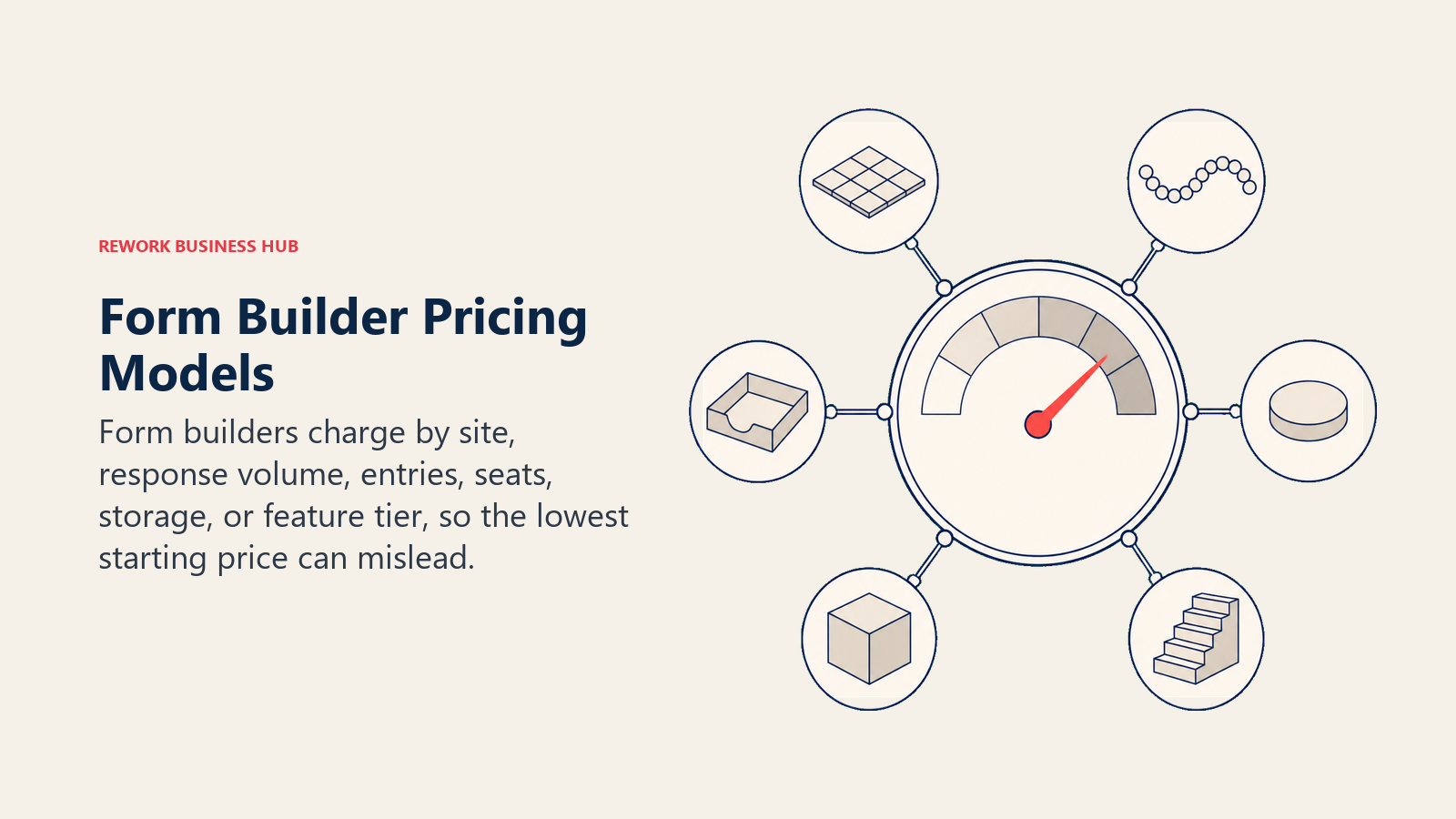
Starting price alone hides the real cost driver, which may be sites, submissions, entries, seats, storage, or the feature tier a workflow requires.
| Tool | Free Tier | Entry Paid Price | Pricing Model |
|---|---|---|---|
| WPForms | No (Lite limited) | $49.50/yr first year, $99/yr renewal (Basic, 1 site) | Site-based license |
| Formidable Forms | No | $79/yr | Site-based license |
| Fluent Forms | Yes (limited) | $79/yr | Domain-based license |
| Jotform | Yes | $34/mo (annual) | Forms + submissions tier |
| Typeform | Yes (100 resp/mo) | Free (100 resp/mo); $39/mo monthly, $28/mo annual | Response-count tier |
| Formstack | No | $83/mo (annual) | Seat + submission tier |
| Cognito Forms | Yes | Free (100 entries); $24/mo monthly, $19.20/mo annual | Entry-count tier |
| Fillout | Yes | Free (1,000 resp/mo); from $15/mo | Response-count tier |
| Tally | Yes (unlimited) | Free (unlimited); Pro $24/mo | Flat per-user tier |
| Wufoo | Yes (limited) | $16.25/mo (annual) | Entry-count tier |
| Google Forms | Yes (full) | N/A | Free |
| Paperform | Yes (limited) | From $24/mo (annual) | Submission-count tier |
| Zoho Forms | Yes (limited) | US$10/mo billed annually | User + submission tier |
How to Choose: Decision Framework
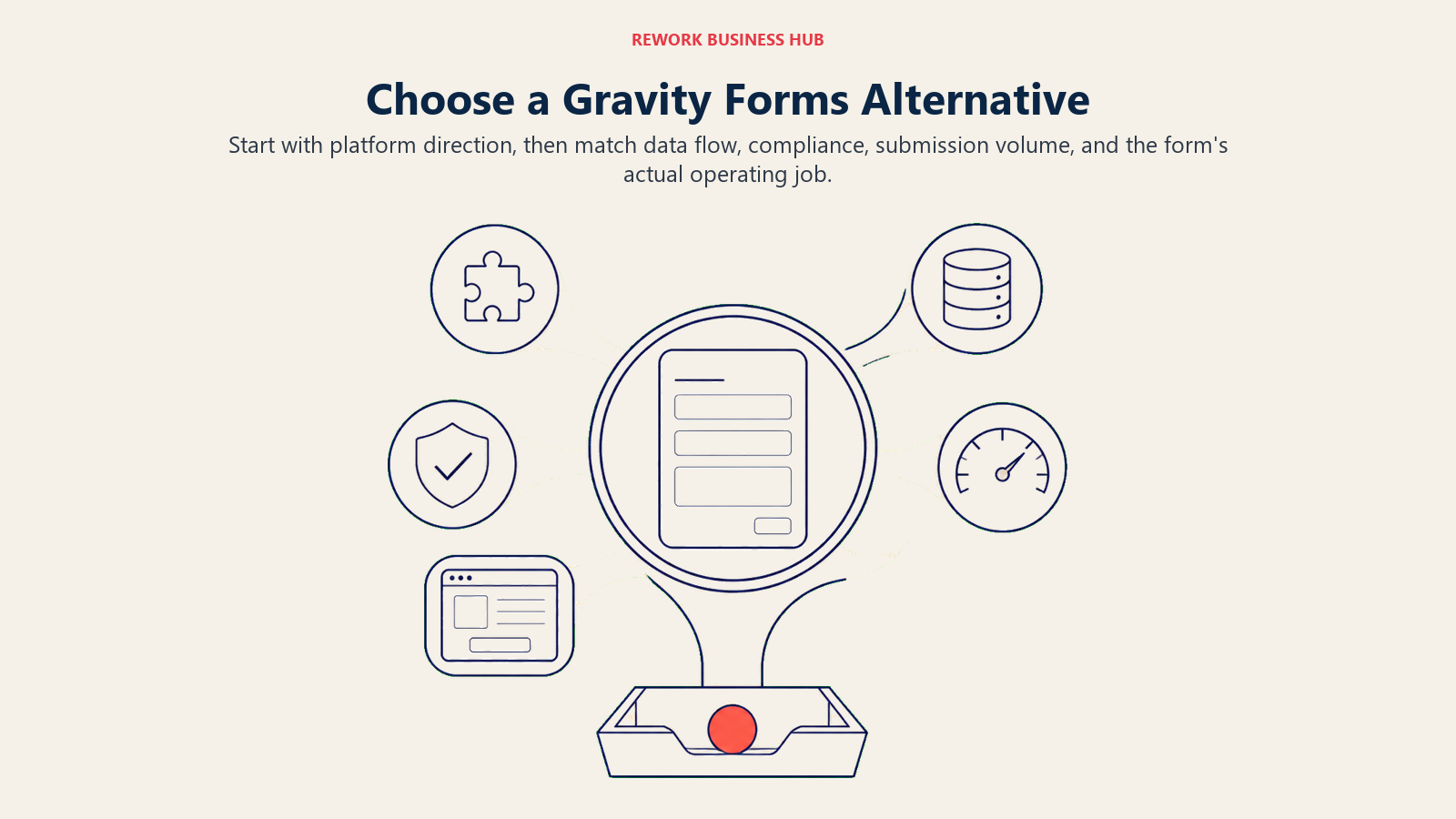
Use the form's operating job to narrow the list first, then check platform direction, data flow, compliance, and expected submission volume.
| If you need... | Best pick | Why |
|---|---|---|
| Gravity Forms' model, minus the add-on tax | WPForms | Same licensing, more included per tier |
| Form data to become a searchable database | Formidable Forms | Views turn entries into directories and grids |
| The cheapest way to stay on WordPress | Fluent Forms | Lowest per-site pricing here |
| To leave WordPress and replace everything | Jotform | Widest feature set, CMS-independent |
| A form that doubles as a lead magnet | Typeform | Conversational design built for engagement |
| Document generation and e-signatures | Formstack | Native document, sign, compliance workflow |
| Real math: quotes, estimates, scored apps | Cognito Forms | Calculated fields, not just show/hide logic |
| Submissions to write into Notion or Airtable | Fillout | Native database sync, no middleware |
| Unlimited forms and responses for free | Tally | No submission cap on the free plan |
| Predictable pricing as you scale | Wufoo | Tiered by entries, not feature gates, though the product itself has stood still since 2020 |
| Zero budget, internal use only | Google Forms | Completely free, any Google account |
| A form that looks like a landing page | Paperform | Rich media, native Stripe payments |
| You already run Zoho CRM or Zoho One | Zoho Forms | Native sync across the Zoho suite |
Frequently Asked Questions about Gravity Forms Alternatives
Why would a team leave Gravity Forms if it already works?
Usually they're moving off WordPress entirely, or want a form that works independent of a site they host and patch themselves. Add-on tiers gating CRM and payment integrations behind higher plans are the second most common driver.
Can Gravity Forms work without WordPress?
No. It's a WordPress plugin requiring a live WordPress install. Leaving WordPress entirely means you need a hosted SaaS builder like Jotform, Typeform, or Fillout instead.
What's the best alternative if I want to stay on WordPress?
WPForms is the closest lateral move: same site-based licensing, more integrations per tier. Formidable Forms suits teams that need submitted data to become a searchable database. Fluent Forms is cheapest if budget is the main driver.
Is a WordPress plugin cheaper than a hosted SaaS builder long-term?
Depends on volume. WordPress-native plugins charge a flat annual fee per site regardless of submissions, which wins at high volume. Hosted SaaS tools scale price with submissions, cheaper at low volume and pricier at high volume.
Does switching form builders mean losing existing Gravity Forms entries?
Entries live in your WordPress database, and most alternatives support CSV export for migrating them. Live form logic (conditional rules, calculations, integrations) has to be rebuilt manually.
Is Google Forms a real Gravity Forms replacement?
Only for internal use with no budget and no need for branding, logic, or CRM sync. For a real lead-generation or sales process, it's a stopgap, not a replacement.
How much does Zoho Forms actually cost?
Zoho publishes both. The free tier allows 1 user, 3 forms and 500 submissions a month, and the paid ladder runs US$10 (Basic), US$25 (Standard), US$50 (Professional) and US$90 (Premium) per month, every figure billed annually. The pricing page shows no month-to-month rates.
What to Do Next
Decide which of the two questions you're actually answering before you shortlist anything. Staying on WordPress: trial WPForms and Fluent Forms on one real form and see how fast you hit a paywall for a feature you assumed was included. Leaving WordPress: run the same test with Jotform plus one narrower tool that matches your use case (Cognito Forms for calculated logic, Fillout for database sync, Typeform for a lead magnet).
Either way, model your actual monthly submission volume before committing to a tier. Site-based WordPress licensing and entry-based SaaS pricing scale in opposite directions, so the cheapest tool at your current volume can flip at 2x that volume. If you're also weighing how many tools your stack is accumulating, the true cost of software sprawl is worth reading first. Once a form is live, form-to-CRM automation and Zapier vs n8n vs Make cover getting submissions into a pipeline without manual exports. If leaving WordPress is on the table, the full form builder comparison covers the hosted options in the same depth.
External Resources:
- Gravity Forms pricing: Basic, Pro, and Elite license comparison
- WPForms pricing: Basic through Elite tier breakdown
- Formidable Forms pricing: Basic through Elite tier breakdown
- Fluent Forms pricing: Annual and lifetime license options
- Jotform pricing: Free through Enterprise tiers
- Formstack pricing: Forms, Suite, and Enterprise plans

Principal Product Marketing Strategist
On this page
- Key Facts
- Two Different Decisions, Not One Ranked List
- Why Teams Leave Gravity Forms
- Quick Comparison Table
- Stage Fit Matrix
- Sizing and Persona Table
- The WordPress-Native Swaps
- 1. WPForms: The Lateral Move for WordPress Teams
- 2. Formidable Forms: An Internal App Builder Wearing a Form Plugin's Name
- 3. Fluent Forms: The Budget WordPress Swap
- The Hosted SaaS Route
- 4. Jotform: The Widest Feature Set Outside WordPress
- 5. Typeform: The Brand-Forward Choice
- 6. Formstack: Compliance and Document Generation
- 7. Cognito Forms: Built for Calculations
- 8. Fillout: Forms That Write Directly to Your Database
- 9. Tally: Unlimited Forms and Responses for Free
- 10. Wufoo: The Long-Running, No-Surprises Option
- 11. Google Forms: Zero Cost, Zero Setup
- 12. Paperform: Forms That Look Like Landing Pages
- 13. Zoho Forms: The Pick for Teams Already on Zoho
- Feature Depth Comparison
- Pricing Comparison
- How to Choose: Decision Framework
- What to Do Next