Best MaintainX Alternatives in 2026: 12 CMMS Tools Compared
Turn this article into takeaways for your work.


Each assistant summarizes the article only for you and suggests best practices for your work.
Limble, UpKeep and Fiix are the three most common landing spots for teams evaluating MaintainX alternatives in 2026, and Rework belongs on the list if the real problem is that your asset register sits apart from your finance, work and CRM data. MaintainX has the best-known free plan in the category and the cheapest entry tier of the big three, and for a crew that just needs work orders off paper this quarter, that combination is hard to beat. Two things send people looking anyway: the free tier is much tighter than its reputation, and the jump from Essential to Premium is more than three times the price.
This guide covers 12 alternatives, evaluated on what the free tier actually allows, where each vendor gates preventive maintenance and parts inventory, and whether the pricing model is per user, per licence type or packaged. For the wider category, start with the best CMMS software in 2026 roundup.
Key Facts
Maintenance, Downtime, and the CMMS Category
- Unplanned downtime costs Fortune Global 500 industrial companies an estimated $1.5 trillion a year, roughly 11% of their combined annual revenue, per Senseye's research (via IDT), up from about $864 billion and 8% of revenue in the 2019 to 2020 estimate.
- Best-in-class maintenance operations run about 80% proactive work against 10% reactive and 10% deferred backlog; the industry average sits closer to 50% proactive, 30% reactive and 20% deferred, per SMRP benchmarking data (via Reliability Solutions).
- US manufacturers could need as many as 3.8 million new workers by 2033, and roughly 1.9 million of those roles could go unfilled if current labor gaps hold. (Deloitte and The Manufacturing Institute, April 2024, via Manufacturing Dive)
- 71% of maintenance leaders call preventive maintenance a core strategy, yet 58% of teams still spend more than half their time reacting to breakdowns. (MaintainX 2025 State of Industrial Maintenance survey of 1,320 maintenance professionals across the US and Canada, via getmaintainx.com, vendor survey data)
- 65% of organizations expect to have AI-powered maintenance in place by 2026, with 44% already adopting or piloting it. (Same MaintainX 2025 survey, vendor survey data)
Put the third and fourth facts together and you get why CMMS pricing models matter right now. A tool priced per technician gets more expensive at exactly the rate the technician workforce is projected to grow, and the teams paying for it are still spending most of their week on the reactive work the software was bought to prevent.
What MaintainX Does Well (and Who Should Stay)
MaintainX built its following on adoption, not features. It put chat inside the work order instead of leaving it in a group text or on a whiteboard, so a technician who has never opened a CMMS can send a photo and a message on the job and be doing real work inside an hour. That is a different onboarding curve from a form-based screen, and it is why MaintainX shows up on so many shortlists where the blocker is people rather than functionality.
Three other things it does well. Requester accounts are free and unlimited on every tier, so operators and office staff who only submit requests never appear on your bill. Even the free Basic plan carries unlimited work orders and unlimited procedures as objects in the system. And Essential at $20 per user per month billed annually undercuts UpKeep's $24 and Limble's $28 entry rates outright.
If you run a single site with 5 to 20 technicians, your main problem is getting the crew off paper, and you do not yet need parts inventory, purchase orders or meter-based maintenance, stay on MaintainX. For the head-to-head on adoption speed against configurability, our Sortly vs Limble vs MaintainX comparison covers it in detail.
Where MaintainX strains is one tier up, and the free plan is where most of the surprise happens.
The Free Tier, Precisely
MaintainX's free Basic plan has a bigger reputation than it has capacity. People arrive expecting an unlimited free CMMS because the word "unlimited" appears several times on the plan, and it does, but not against the things that make a CMMS useful. Here is exactly what the vendor's pricing page lists.
| On the free Basic plan | What it means in practice |
|---|---|
| Unlimited Work Orders | You can log as many one-off jobs as you like |
| Unlimited Procedures | You can build as many checklists and forms as you like |
| Unlimited requester users | Operators and office staff submitting requests cost nothing |
| Real-time messaging | The chat-in-the-work-order feature that drives adoption |
| 2 Work Orders with attached Procedures | Only two jobs can actually carry a checklist |
| 2 active repeating Work Orders | Only two PM schedules can be running at once |
| 1 month of Advanced Analytics access | Reporting depth expires after 30 days |
Read the two halves together and the shape becomes obvious. Unlimited procedures plus two work orders that can carry one is a demo, not a maintenance program. Two active repeating work orders is two PM schedules, which will not cover a single production line, let alone a site. The free plan is genuinely useful for a two-week pilot with real technicians on real jobs, which is more than UpKeep or Limble offer. It is not a place to run maintenance from.
The second surprise is that the tightest cap does not disappear when you start paying. Per MaintainX's pricing page, Essential raises work orders with attached procedures from 2 to 3, and Advanced Analytics from 1 month to 3 months. It makes repeating work orders unlimited, the most important change on that tier. But unlimited work orders with attached procedures arrives only on Premium, at $65 per user per month billed annually.
| Capability | Basic (free) | Essential ($20/user/mo annual, $25 monthly) | Premium ($65/user/mo annual, $75 monthly) |
|---|---|---|---|
| Work orders | Unlimited | Unlimited | Unlimited |
| Procedures (as objects) | Unlimited | Unlimited | Unlimited |
| Requester users | Unlimited, free | Unlimited, free | Unlimited, free |
| Work orders with attached Procedures | 2 | 3 | Unlimited |
| Active repeating work orders | 2 | Unlimited | Unlimited |
| Advanced Analytics access | 1 month | 3 months | Unlimited |
| Meter-based maintenance | No | No | Yes |
| Parts inventory, purchase orders, time and cost tracking | No | No | Yes |
| Open REST API | No | No | Yes |
So if checklists attached to jobs are the reason you are buying a CMMS at all, and for most maintenance teams they are, your real MaintainX starting price is $65 per user per month billed annually, not $20 and not free.
Where MaintainX's Pricing Gets Complicated
MaintainX publishes both billing cadences plainly, which is more than most vendors in this category do. Essential is $20 per user per month billed annually or $25 billed monthly. Premium is $65 per user per month billed annually or $75 billed monthly. Enterprise is a custom quote.
The problem is the gap. Essential to Premium is a 3.25x increase on the annual rate and 3x monthly, and it is not a gentle upgrade path. Everything a maturing maintenance program asks for next sits above that line at once: parts inventory, purchase orders, time and cost tracking, meter-based maintenance that triggers off actual equipment usage instead of a calendar, the open REST API, and unlimited procedure-attached work orders. There is no middle tier. A team that outgrows Essential does not step up, it jumps.
Three things worth knowing before you model a budget:
- Free requester accounts are an underrated saving. Every tier includes unlimited requester users, so operators, front-desk staff and department heads who only raise tickets never hit your invoice. Several tools here charge for those seats or restrict them to a paid permission type.
- Per-user pricing scales with technician headcount, and headcount is the thing that grows. A CMMS gets more valuable the more technicians log work in it, so per-seat pricing charges you more for using it correctly. At 50 technicians, MaintainX Premium on the annual rate runs $3,250 a month, or $39,000 a year.
- The annual rate needs an annual commitment. The $20 and $65 figures are billed annually. Month-to-month costs $25 and $75, and that is the honest number to compare if you want the option to switch after a quarter.
Our TCO modeling for SaaS guide walks through the full cost picture, including the second-tier jump most teams forget to budget for.
Quick Comparison Table
| Tool | Best For | Starting Price | Key Strength | Key Limitation |
|---|---|---|---|---|
| Limble CMMS | The deepest configurable CMMS | $28/user/mo (Standard) | Configurable PM logic, workflows and reporting | No free plan; per-user pricing like MaintainX's |
| UpKeep | The closest like-for-like mobile switch | $24/user/mo (Essential) | Mobile app technicians open, Nova AI on every paid tier | No free plan; PM scheduling sits on Premium at $55 |
| Fiix (Rockwell Automation) | The other genuine free tier | Free (25 active PMs) or $45/user/mo (Basic) | Free plan allows unlimited work orders and assets | Free plan caps active PM schedules at 25 |
| eMaint (Fluke Reliability) | Regulated manufacturing and reliability programs | No published price (3-user minimum, prepaid annual) | Condition monitoring tied to Fluke instruments | No self-serve pricing; user minimums shut out small teams |
| Coast | The lowest published per-user price | Free (capped) or $2/user/mo monthly, $1.80 yearly | Undercuts every other tool here on published price | Free caps at 5 repeating work orders and 7 days of history |
| Rework | The asset register on the same platform as CRM, work and finance | Quote on request (rework.com/pricing) | Consolidation: assets, cost and ownership sit with the rest of ops | Not a CMMS; no PM scheduling or work order execution |
| Click Maint | One plan and no tier maze | $35/user/mo billed annually, $42 billed monthly | Nothing gated behind an upsell tier | You buy the full feature set whether you use it or not |
| MPulse | Crews with few admins and many technicians | $29/user/mo billed annually (3-user minimum) | Discounted $29 technician licence on Advanced | 3-user minimum; annual billing only on published rates |
| Maintenance Care | Very small facilities that need free to mean forever | Free forever (2 users, 5 assets, 3 PM schedules) | A free tier with no expiry and no trial clock | Tiny caps; Enterprise pricing is quote-only |
| MicroMain | Facilities and CAFM teams with few admins | From $99 per admin licence, $45 per technician licence | Prices by role instead of a full seat for everyone | Billing term not stated on the page; no free tier |
| Asset Essentials (Brightly, a Siemens company) | Public sector, education and healthcare | Quote only | Built for compliance and inspection-linked work | No published price, demo-gated |
| IBM Maximo Application Suite | Enterprise, asset-intensive industries | Maintenance from under US$40K per year | Deepest enterprise EAM and asset performance management | Minimum 12-month non-cancellable subscription |
Free-Tier Reality Check
"Free" means four different things across this list, and the gap between "has a free tier" and "the free tier is usable" is where most teams get caught. Here are the exact caps.
| Tool | Free plan | Exact cap |
|---|---|---|
| MaintainX | Yes | 2 work orders with attached procedures, 2 active repeating work orders, 1 month of Advanced Analytics; work orders, procedures and requester users unlimited |
| Fiix | Yes | 25 active PM schedules; work orders, assets and service requests unlimited, users limited |
| Coast | Yes | 5 repeating work orders, 7 days of history, uploads up to 3 MB |
| Maintenance Care | Yes, free forever | 2 users, 3 PM schedules, 5 assets, 3 vendor profiles; no reporting, integrations or document management |
| Limble | None | Trial only; older reviews describing a free Basic tier are out of date |
| UpKeep | None | Trial only, no credit card required |
| Click Maint | None | 30-day trial only |
| eMaint | None | Demo and quote only |
| MPulse | None published | Quote or demo |
| MicroMain | None published | Quote or demo |
| Asset Essentials | None | Demo-gated |
| IBM Maximo | None | Enterprise subscription only |
Four tools here have a real free plan, and each caps a different thing. MaintainX limits checklists and PM schedules but not work orders. Fiix limits PM schedules to 25 but leaves work orders, assets and service requests unlimited, which makes it the most generous free plan in the category by volume. Coast limits history to 7 days, which quietly makes trend reporting impossible. Maintenance Care limits everything to a tiny footprint but never expires.
To pilot with real technicians before spending anything, run MaintainX and Fiix side by side. To run a genuinely small facility on free software indefinitely, Maintenance Care is the only one designed for that.
What 10, 25 and 50 Technicians Actually Cost
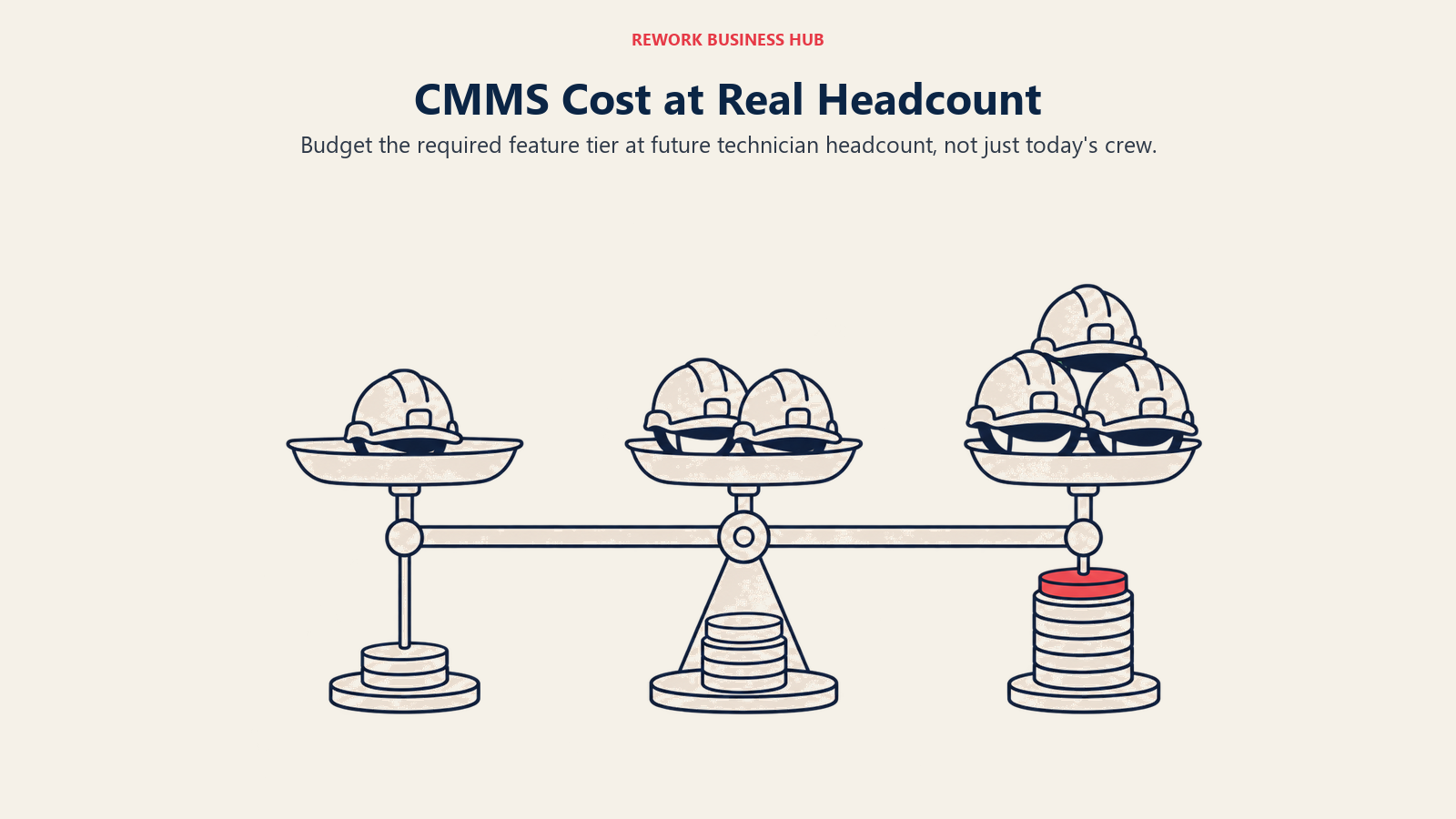
Per-user pricing is where a CMMS decision gets expensive quietly. Below is the monthly cost at three common team sizes, using each vendor's published per-user rate. Vendors that do not publish a per-user figure are marked quote-only, and where a vendor does not state a billing term, the table says so.
| Tool and tier | 10 technicians | 25 technicians | 50 technicians |
|---|---|---|---|
| MaintainX Essential, billed annually ($20/user/mo) | $200/mo | $500/mo | $1,000/mo |
| MaintainX Essential, billed monthly ($25/user/mo) | $250/mo | $625/mo | $1,250/mo |
| MaintainX Premium, billed annually ($65/user/mo) | $650/mo | $1,625/mo | $3,250/mo |
| MaintainX Premium, billed monthly ($75/user/mo) | $750/mo | $1,875/mo | $3,750/mo |
| Coast Starter, yearly ($1.80/user/mo) | $18/mo | $45/mo | $90/mo |
| Coast Pro, yearly ($3.60/user/mo) | $36/mo | $90/mo | $180/mo |
| UpKeep Essential ($24/user/mo, billing term not stated) | $240/mo | $600/mo | $1,200/mo |
| UpKeep Premium ($55/user/mo, billing term not stated) | $550/mo | $1,375/mo | $2,750/mo |
| Limble Standard ($28/user/mo, billing term not stated) | $280/mo | $700/mo | $1,400/mo |
| Limble Premium+ ($69/user/mo, billing term not stated) | $690/mo | $1,725/mo | $3,450/mo |
| MPulse MPACT Professional ($29/user/mo billed annually) | $290/mo | $725/mo | $1,450/mo |
| MPulse Advanced ($79/user/mo billed annually) | $790/mo | $1,975/mo | $3,950/mo |
| Click Maint Professional, billed annually ($35/user/mo) | $350/mo | $875/mo | $1,750/mo |
| Click Maint Professional, billed monthly ($42/user/mo) | $420/mo | $1,050/mo | $2,100/mo |
| Fiix Basic ($45/user/mo) | $450/mo | $1,125/mo | $2,250/mo |
| Fiix Professional ($75/user/mo) | $750/mo | $1,875/mo | $3,750/mo |
| eMaint | Quote-only (3-user minimum, prepaid annual) | Quote-only | Quote-only |
| Rework | Quote on request, per organization, not per seat | Quote on request | Quote on request |
MicroMain sits outside this table because it does not price by seat. It publishes a starting rate of $99 per admin licence and $45 per technician licence, and its page does not state whether those are monthly or annual figures. On the published rates, one admin plus nine technicians works out to $99 plus $405, or $504 per period, cheaper than most full-seat tools at the same headcount if your admin count stays low.
Two patterns come out of this table. First, the full-featured tier of every per-seat CMMS here costs roughly two to three times the entry tier at every headcount, so the number in a sales email is rarely the number you will pay. At 50 technicians, the spread between MaintainX Essential on the annual rate and Fiix Professional is $2,750 a month, close to $33,000 a year, for what is nominally the same category of software. Second, Coast is not a rounding error away from the rest, it is an order of magnitude cheaper on published price.
The 12 Best MaintainX Alternatives
1. Limble CMMS: The Deepest Configurable CMMS
Limble is the most common direct switch from MaintainX, and the reason is usually the same: the team has run MaintainX long enough to know what it wants, and now wants workflows that match how their plant actually runs. Custom fields, conditional PM triggers, meter and threshold-based maintenance that fires off real equipment usage rather than a calendar date, and reporting you can shape rather than accept.
The tradeoff is honest. Limble has no free plan, so you lose the ability to pilot for nothing, and it is per user in exactly the way MaintainX is. Offline mode sits on Premium+ at $69 per user per month, the same second-tier gate MaintainX puts on Premium.
| What you get | What you don't |
|---|---|
| Deep configurability across PM logic, custom fields and reporting | Any free plan; free trial only |
| Meter and threshold-based PM on Premium+ | Escape from per-seat pricing |
| A support reputation maintenance managers consistently rate highly | A published enterprise price (Enterprise is a custom quote) |
Pricing: Standard is $28 per user, per month. Premium+ is $69 per user, per month. Enterprise is a custom quote. Limble publishes these figures on its own cost page; the main pricing page shows a calculator with no numbers, which is why some roundups wrongly call Limble quote-only. Limble does not state a billing term, so treat both as the published rate. Older reviews describing a free "Basic" tier are out of date.
Best for: Maintenance teams that have outgrown MaintainX's configuration ceiling and want to model their real PM logic rather than fit into a template. What's different from MaintainX: More depth per dollar at the top tier and far more configurability, but no free plan and a higher entry price. If Limble ends up on your shortlist and then off it, see the best Limble CMMS alternatives guide, and UpKeep vs Limble if those two are your final pair.
2. UpKeep: The Closest Like-for-Like Mobile CMMS
UpKeep is the nearest thing to a lateral move from MaintainX. Same buyer, same mobile-first pitch: close a work order, snap a photo and log parts from a phone without the app feeling like a desktop tool squeezed onto a small screen. Its Nova AI assistant ships on every paid tier, including Essential.
What you give up is the free plan entirely, because UpKeep has none at any level, only a no-credit-card trial. What you gain is a cheaper full-featured tier, Premium at $55 per user per month against MaintainX Premium at $65 billed annually. But UpKeep gates more at the bottom: PM scheduling, custom checklists, parts and inventory costing, and time and labor tracking all sit on Premium, so a team buying UpKeep for preventive maintenance is really buying the $55 tier.
| What you get | What you don't |
|---|---|
| A mobile app with a reputation as strong as MaintainX's | Any free tier; trial only |
| Nova AI on every paid tier, including the $24 entry plan | PM scheduling or parts costing on the entry tier |
| A cheaper top tier than MaintainX Premium | A stated billing term (UpKeep publishes no monthly/annual toggle) |
Pricing: Essential is $24 per user per month as published and Premium is $55 per user per month as published; UpKeep does not state whether those are billed monthly or annually. Professional and Enterprise are "Request a Quote". (upkeep.com/pricing)
Best for: Teams that like MaintainX's mobile-first model but want a lower top-tier price and are not relying on a free plan. What's different from MaintainX: No free tier at all, PM scheduling gated one tier higher, but a cheaper full-featured plan. Our best UpKeep alternatives guide runs the same exercise from the other direction.
3. Fiix: The Other Genuine Free Tier, Capped Differently
Fiix, owned by Rockwell Automation, is the only other mainstream CMMS with a free plan worth taking seriously, and it caps a completely different thing than MaintainX does. Work orders, assets and service requests are all unlimited on the free plan. What it limits is active preventive maintenance schedules, at 25, plus a limit on users the vendor does not quantify publicly.
That difference decides which free plan fits you. If your bottleneck is volume, a big asset register and a lot of one-off jobs, Fiix Free carries far more than MaintainX Basic. If your bottleneck is PM coverage, 25 active schedules will run out faster than you expect on a mid-size site, though MaintainX's 2 will run out immediately.
| What you get | What you don't |
|---|---|
| Unlimited work orders, assets and service requests, free | More than 25 active PM schedules without paying |
| Rockwell Automation backing and industrial credibility | A published annual rate (only the standard figure is shown) |
| No credit card required to start | A cheap entry tier; Basic is $45 per user per month |
Pricing: Free plan available. Basic is $45 per user, per month. Professional is $75 per user, per month. Enterprise is a custom quote. The Lite License (Operator Access) and Fiix MAX are both contact-for-pricing. Fiix's page says both month-to-month and annual plans exist but publishes no separate annual rate, so the annual figure is not public. (fiixsoftware.com/pricing)
Best for: Teams that want to run real maintenance on a free plan for as long as possible, especially with a large asset register and moderate PM coverage. What's different from MaintainX: A free plan that trades PM schedule limits for unlimited work orders and assets, which is the opposite trade MaintainX makes, and a much higher entry price once you pay.
4. eMaint: Reliability-First for Regulated Manufacturing
eMaint, part of Fluke Reliability, is the pick when maintenance is not just about closing jobs but about proving the program to an auditor. It leans harder into condition-based and reliability-centered maintenance than anything else in this price range, which follows from a parent company that sells the vibration analyzers, thermal cameras and testers feeding data into it. For regulated manufacturing, pharma, food and beverage, and any site where an inspector asks for the maintenance record, that lineage is the argument.
It is also the opposite of MaintainX on buying experience: no free plan, no self-serve signup, no published per-user price, and a minimum user count before you can start. Features are sold à la carte, so the quote depends on what you switch on.
| What you get | What you don't |
|---|---|
| Condition monitoring tied directly to Fluke instrumentation | Any published per-user price |
| Audit-ready records built for regulated environments | A free tier, a self-serve trial or a single-user entry point |
| À-la-carte modules so you buy the depth you need | A predictable year-one cost without a sales conversation |
Pricing: No published price. Two tiers: Professional with a 3-user minimum and Enterprise with a 5-user minimum. Per the vendor, "Professional and Enterprise plans are billed as a prepaid annual commitment." Features are available à la carte. (emaint.com/pricing)
Best for: Regulated manufacturing and multi-site reliability programs already using Fluke instrumentation, where the maintenance record has to survive an audit. What's different from MaintainX: Built around reliability engineering and compliance evidence rather than technician adoption speed, with a minimum commitment and a sales process MaintainX deliberately avoids. Read predictive maintenance strategy before you buy at this end of the market, because the tool only pays off if the program behind it exists.
5. Coast: Undercuts Even MaintainX on Published Price
Coast is the outlier on this list and worth a look purely on economics. Starter is $2 per user per month billed monthly, or $1.80 on the yearly toggle its page labels "Yearly Save 10%". Pro is $4 monthly or $3.60 yearly. Those are not typos, and they sit an order of magnitude below MaintainX Essential, not a few dollars under it.
The free plan is real but tight in a specific way: 5 repeating work orders, 7 days of history, and file uploads capped at 3 MB. The history limit is the one to notice, because it quietly rules out trend reporting or backlog analysis. Expect to give up analytics maturity, parts costing and integration breadth to get the price.
| What you get | What you don't |
|---|---|
| The lowest published per-user price in this category by a wide margin | The analytics, parts and purchasing depth of a Premium-tier CMMS |
| Both monthly and yearly rates published clearly | More than 7 days of history on the free plan |
| A free plan that allows 5 repeating work orders, not 2 | An enterprise story; Enterprise is contact-for-pricing |
Pricing: Free is $0 per user per month. Starter is $2 per user per month billed monthly, $1.80 billed yearly. Pro is $4 per user per month billed monthly, $3.60 billed yearly. Enterprise is contact for pricing. (coastapp.com/pricing)
Best for: Cost-constrained teams with straightforward work order and PM needs, and larger crews where per-seat pricing at MaintainX rates is the binding constraint. What's different from MaintainX: Roughly a tenth of the price per seat at the entry tier, with a free plan that allows more repeating work orders, in exchange for meaningfully less depth once your program matures.
6. Rework: Consolidating the Asset Register, Not the Work Order Queue
Rework belongs in this comparison when the real pain is not MaintainX's scheduling screen but the fact that the asset register, its purchase cost, its vendor and the person currently holding it live in a different system from the rest of operations. Rework's Assets module is a fixed asset register running on the same platform as Task, Project, Workflow and BPM on the work side, Inventory, Invoice and Bankfeeds on the finance side, Sales CRM and Lead, the People app (HRIS, timesheets, payroll, ATS), and a unified multi-channel inbox. The argument is consolidation, not maintenance depth: one platform instead of four tools joined by integrations that break quietly on a Friday.
That framing only works for a specific reader. If your question is "which asset is due for service next Tuesday", one of the CMMS options above is the right answer. If it is "what do we own, what did it cost, who has it, and why is that answer in a spreadsheet nobody trusts", this is worth a conversation.
| What you get | What you don't |
|---|---|
| A fixed asset register on the same platform as CRM, work and finance | Native PM scheduling or technician work order execution |
| Assets tied to owner, cost, vendor and location on one shared record | A mobile maintenance app for the shop floor |
| People app (HRIS, time and attendance, timesheets) on the same login | Meter-driven PM triggers, condition monitoring or IoT integration |
| Pricing quoted per organization, not per technician seat | A free tier, or a fit for solo and single-user buyers |
Pricing: Rework does not publish a price for the Assets module. Pricing is quoted per organization rather than per seat. See rework.com/pricing for the published product lines, or ask the team for a quote.
Best for: Mid-size operations teams (roughly 10 to 200 people) whose asset problem is ownership, cost and custody sitting apart from the rest of the business, not preventive-maintenance scheduling. Not ideal for: Rework's Assets module is a fixed asset register, not a CMMS. Teams whose core job is preventive-maintenance scheduling, technician work orders and mobile maintenance execution should pick UpKeep, Limble, MaintainX, Fiix or eMaint instead, and teams needing condition monitoring, meter-based PM triggers or shop-floor offline mode should use a purpose-built CMMS. Rework is also not for solo or single-user buyers. What's different from MaintainX: Rework is not competing on work order execution. It is the option when the asset register itself needs to live with CRM, finance and work management rather than standing alone as a fifth login. If consolidation is the driver, our SaaS consolidation guide beats another CMMS trial.
7. Click Maint: One Plan, Both Billing Rates Published
Click Maint solves a problem MaintainX creates: the tier maze. There is one plan, called Professional, at $42 per user per month billed monthly or $35 billed annually. That is the whole pricing page. Nothing is gated behind a tier you discover in month three, which removes the most common CMMS budgeting failure, buying the entry plan and finding out parts inventory or PM checklists live two tiers up.
The counterpoint is that you pay for the full feature set whether you use it or not. At $35 annually, Click Maint sits above MaintainX Essential ($20) and below Premium ($65), almost exactly in the gap MaintainX leaves empty. There is no free plan, only a 30-day trial.
| What you get | What you don't |
|---|---|
| One plan with no feature gating and no upsell path | A free tier; 30-day trial only |
| Both monthly and annual rates published plainly | The ability to buy a cheaper, lighter tier |
| A price that lands in MaintainX's Essential-to-Premium gap | The ecosystem depth of a Rockwell or Fluke-backed platform |
Pricing: One plan, Professional: $42 USD per user per month billed monthly, or $35 USD per user per month billed annually. (clickmaint.com/pricing)
Best for: Teams that outgrew MaintainX Essential but cannot justify a 3x jump to Premium, and buyers who want a price they can defend without a feature matrix. What's different from MaintainX: No tier decision to get wrong, and a single rate that sits in the middle of MaintainX's gap instead of on either side of it.
8. MPulse: Discounted Technician Licences Instead of Full Seats
MPulse attacks the per-user problem from a different angle. Its Advanced tier, at $79 per user per month billed annually, offers a $29 Technician License as an option, so the crew closing work orders does not sit on the same full-price seat as the planner configuring the system. For a department with three power users and fifteen technicians, that changes the annual number more than any headline rate comparison will.
The entry tier, MPACT Professional, is $29 per user per month billed annually with a 3-user minimum, above MaintainX Essential's $20 but well below Premium's $65. MPulse publishes no month-to-month option, so an annual commitment is the assumption.
| What you get | What you don't |
|---|---|
| A $29 technician licence option on the Advanced tier | A free plan or a published month-to-month rate |
| Role-based licensing that stops charging full price for the crew | A single-user entry point; there is a 3-user minimum |
| A published annual rate on both tiers | The mobile polish MaintainX is known for |
Pricing: MPACT Professional is $29 per user per month, billed annually, with a 3-user minimum. Advanced is $79 per user per month, billed annually, with a $29 Technician License option. Enterprise is a quote. (mpulsesoftware.com/pricing)
Best for: Departments with a small planning core and a large technician crew, where paying a full seat rate for everyone is the thing making the CMMS expensive. What's different from MaintainX: Licence types priced by role instead of one rate for every user, which flips the math for crews above roughly ten technicians.
9. Maintenance Care: Free Forever, With a Different Shape of Free
Maintenance Care's Free Edition is the only plan here that is explicitly free forever with no expiry and no trial clock, and its caps are shaped for a very small facility rather than a pilot: 2 users, 3 preventive maintenance schedules, 5 assets and 3 vendor profiles, with no detailed reporting, no integrations and no document management. For a small clinic, community centre or single-building operation with a handful of critical assets, that may be enough to stop running maintenance out of a notebook.
Compare that shape against MaintainX Basic and the difference is clear. MaintainX gives you unlimited work orders and requester users but caps checklists and PM schedules at 2, which suits a pilot. Maintenance Care caps the footprint at 5 assets and 2 users but lets you run those 5 assets indefinitely, which suits a small permanent operation. Above that, Enterprise Edition is a custom quote with unlimited users and no published figure.
| What you get | What you don't |
|---|---|
| A free plan with no expiry, aimed at running not piloting | Any published price above the free tier |
| A healthcare and facilities focus with an established base | Reporting, integrations or document management on free |
| Unlimited users on the quoted Enterprise Edition | More than 5 assets or 2 users without a sales conversation |
Pricing: Free Edition is free forever: 2 users, 3 preventive maintenance schedules, 5 assets, 3 vendor profiles, no detailed reporting, integrations or document management. Enterprise Edition is a custom quote with unlimited users; no dollar figure is published. (maintenancecare.com/pricing)
Best for: Very small facilities with a handful of assets that want to leave a notebook behind without ever entering a paid plan. What's different from MaintainX: Free is a destination rather than a pilot, but the ceiling is far lower, and everything above it needs a quote.
10. MicroMain: Admin and Technician Licences for Facilities and CAFM
MicroMain splits pricing by role in the clearest way on this list: starting at $99 per admin licence and $45 per technician licence, with unlimited users able to submit service requests at no cost. Its page does not state whether those figures are monthly or annual, which is worth pinning down in the first sales call rather than assuming, because the two readings are twelve times apart.
The structure suits facilities and CAFM work, where a small planning team manages space, equipment and a large service-request population across buildings. With three admins and twenty technicians, the split-licence model reads very differently from MaintainX charging one rate for all twenty-three. The tradeoff is a more traditional product than the mobile-first category MaintainX defined, with no free tier to test it on.
| What you get | What you don't |
|---|---|
| Separate admin and technician licence rates instead of one seat price | A stated billing term on the published rates |
| Unlimited free service requesters | A free tier or self-serve signup |
| A facilities and CAFM feature orientation | The chat-first mobile experience MaintainX leads with |
Pricing: Publishes only "Starting at $99 per admin license and $45 per technician license". The page does not state whether these are monthly or annual figures, so confirm it before budgeting. Unlimited users can submit service requests. (micromain.com/cmms-software)
Best for: Facilities and CAFM teams with a small admin core, a larger technician crew and a big population of casual requesters across multiple buildings. What's different from MaintainX: Role-based licence pricing and a facilities orientation, in exchange for a less polished mobile experience and no free plan.
11. Asset Essentials (Brightly, a Siemens company): Public Sector and Institutional Facilities
Asset Essentials comes from Brightly, now owned by Siemens; the old brightlysoftware.com domain redirects to assetmanagement.siemens.com, where the product still carries the Brightly name. It is built for public sector, K-12 and higher education, healthcare and municipal facilities, where a work order is usually attached to an inspection, a compliance requirement or a capital plan rather than a production line.
That vertical focus is the argument. A school district tracking deferred maintenance across forty buildings, or a hospital tying preventive maintenance to accreditation evidence, is doing something a generalist CMMS models awkwardly. The cost is transparency: no published price and no self-serve trial, only a demo request, a different experience from signing up for MaintainX Basic in ten minutes.
| What you get | What you don't |
|---|---|
| Workflows built for public sector, education and healthcare facilities | Any published price; demo-gated quote only |
| Siemens-backed roadmap and enterprise support | A free tier or a self-serve trial |
| Capital planning and deferred maintenance structures | A fit for industrial production maintenance |
Pricing: No published price. Demo-gated, request a demo or contact sales. (assetmanagement.siemens.com)
Best for: Public sector, education and healthcare facilities teams whose maintenance work is tied to inspections, compliance and capital planning. What's different from MaintainX: Vertical-specific institutional workflows and a sales-led purchase, rather than a general-purpose CMMS you can start on a phone this afternoon.
12. IBM Maximo Application Suite: Enterprise EAM at Enterprise Scale
IBM Maximo is where a maintenance program lands after it stops being a department problem and becomes a corporate asset strategy: utilities, oil and gas, mining, transport and heavy manufacturing running asset performance management and IoT analytics across many sites. Nothing else here operates at that depth, and nothing else here costs what it costs.
IBM publishes starting points for the SaaS Essentials tier, metered through AppPoints, its credit-based entitlement system. Standard and Premium tiers are quote-only, and IBM states that a Subscription License is a minimum 12-month non-cancellable agreement. Read that last clause before you pilot anything.
| What you get | What you don't |
|---|---|
| The deepest enterprise EAM and asset performance management available | Any SMB-scale entry point |
| Published SaaS Essentials starting points, unusual at this tier | A cancellable contract; the subscription minimum is 12 months |
| IoT, reliability and multi-site analytics at industrial scale | A quick evaluation path or a free plan |
Pricing: SaaS Essentials starting points, per year: Maintenance starting under US$40K per year (from 150 AppPoints), Inspection starting under US$47K per year (from 175 AppPoints). Space Management, Capital Planning, Lease Management and Inventory Optimization each start under US$40K per year. Standard and Premium tiers are quote-only. A Subscription License is a minimum 12-month non-cancellable agreement. (ibm.com/products/maximo/pricing)
Best for: Large, asset-intensive enterprises where asset performance management, not work order convenience, is the reason for the purchase. What's different from MaintainX: A completely different buyer, a completely different price band, and a contract commitment MaintainX does not impose at any tier.
Stage Fit Matrix
| Company stage | Best fits | Why |
|---|---|---|
| Very small facility (1 to 5 assets, 1 to 2 staff) | Maintenance Care Free, Coast Free | Free forever caps cover a tiny permanent footprint at zero cost |
| Small crew (3 to 15 technicians, single site) | MaintainX Essential, Coast Starter, UpKeep Essential | Entry per-user rates stay manageable and onboarding is fast |
| Growing crew (15 to 50 technicians) | Click Maint, MPulse, Limble Standard, Fiix Basic | Per-user cost starts to bite; role-based or single-plan pricing changes the math |
| Multi-building facilities or CAFM | MicroMain, Asset Essentials | Admin plus technician licensing and institutional workflows fit the shape |
| Mid-size operation (50 to 200 people, cross-functional) | Rework, Limble Premium+ | Consolidation across ops, finance and CRM matters as much as CMMS depth |
| Regulated or multi-site reliability program | eMaint, Limble Premium+ | Condition monitoring and audit evidence decide it |
| Enterprise, asset-intensive industry | IBM Maximo Application Suite | The only option here built for utilities and heavy manufacturing scale |
Sizing and Persona Fit
| Persona | Primary concern | Tools worth evaluating first |
|---|---|---|
| Maintenance Manager | PM depth and technician adoption | Limble, Fiix, UpKeep |
| Facilities Manager | Multi-building service requests and space | MicroMain, Asset Essentials, Maintenance Care |
| Operations Manager | Total cost at real headcount, not today's | Coast, Click Maint, MPulse |
| Plant Manager | Downtime, reliability and audit evidence | eMaint, Limble, IBM Maximo |
| COO | Vendor consolidation and one source of truth | Rework, Limble |
| Finance Manager | Predictable annual cost, asset cost and custody visibility | Rework, Click Maint, MPulse |
Migrating Off MaintainX: What Moves and What Usually Doesn't
Most of the core data moves cleanly. Assets, work order history, procedures as documents, parts counts, meter readings and file attachments export in a structured enough form that a competent implementation team can map them into Limble, UpKeep, Fiix or a register like Rework.
| Usually moves cleanly | Usually needs rebuilding |
|---|---|
| Asset records and hierarchy | Procedure logic, branching and conditional steps |
| Work order history and status | In-work-order chat threads and their context |
| Parts and inventory counts | Dashboard and Advanced Analytics view configurations |
| Meter readings | Automation rules and escalation triggers |
| Vendor and location records | Requester portal setup and permission structures |
| File attachments and photos | Integrations and webhooks built against the Premium REST API |
Two items in the right column deserve attention precisely because they are MaintainX strengths. The chat history inside work orders is real institutional knowledge and it does not port anywhere as chat, so budget time to export what matters as attachments or notes. And procedures are why many teams chose MaintainX, which makes their conditional logic the thing you will rebuild by hand. The switching SaaS vendors guide covers the sequencing, and the vendor diligence checklist is worth running before you sign with the replacement.
How to Choose: Decision Framework
Separate maintenance execution needs from asset records, then test the feature and cost fit.
| If you need... | Best pick |
|---|---|
| A free tier with more headroom than 2 procedure work orders | Fiix (25 active PMs, unlimited work orders and assets) |
| Free that never expires for a tiny facility | Maintenance Care |
| The lowest published per-user price in the category | Coast |
| The deepest configurable PM and reporting | Limble |
| Condition monitoring and audit-ready records in regulated manufacturing | eMaint |
| One plan with no tier decision to get wrong | Click Maint |
| A discounted licence for technicians rather than full seats | MPulse or MicroMain |
| The asset register consolidated with CRM, work and finance | Rework |
| Institutional facilities workflows for public sector or education | Asset Essentials (Brightly, a Siemens company) |
| Enterprise EAM and asset performance management at scale | IBM Maximo Application Suite |
What to Do Next
If the free tier is what brought you here, run MaintainX Basic and Fiix Free side by side for two weeks with real technicians and real jobs. The caps are shaped so differently, 2 procedure work orders against 25 active PM schedules, that you will know within days which limit your team hits first, and that answer tells you more than any feature matrix.
If the Essential-to-Premium jump is the problem, price Click Maint at $35 per user per month billed annually and MPulse Advanced with its $29 technician licence against MaintainX Premium at your real headcount, not today's. And if the root problem is that the asset register, finance data and work management all live in separate logins, start with Rework rather than another CMMS trial; pricing is quoted per organization at rework.com/pricing.
Before you lock any of it in, read total productive maintenance and settle the program you want your CMMS to support, because the tool only pays off if the practice behind it exists. For the wider category, the best asset management software in 2026 roundup covers the tracking side that sits next to maintenance.

Principal Product Marketing Strategist
On this page
- Key Facts
- What MaintainX Does Well (and Who Should Stay)
- The Free Tier, Precisely
- Where MaintainX's Pricing Gets Complicated
- Quick Comparison Table
- Free-Tier Reality Check
- What 10, 25 and 50 Technicians Actually Cost
- The 12 Best MaintainX Alternatives
- 1. Limble CMMS: The Deepest Configurable CMMS
- 2. UpKeep: The Closest Like-for-Like Mobile CMMS
- 3. Fiix: The Other Genuine Free Tier, Capped Differently
- 4. eMaint: Reliability-First for Regulated Manufacturing
- 5. Coast: Undercuts Even MaintainX on Published Price
- 6. Rework: Consolidating the Asset Register, Not the Work Order Queue
- 7. Click Maint: One Plan, Both Billing Rates Published
- 8. MPulse: Discounted Technician Licences Instead of Full Seats
- 9. Maintenance Care: Free Forever, With a Different Shape of Free
- 10. MicroMain: Admin and Technician Licences for Facilities and CAFM
- 11. Asset Essentials (Brightly, a Siemens company): Public Sector and Institutional Facilities
- 12. IBM Maximo Application Suite: Enterprise EAM at Enterprise Scale
- Stage Fit Matrix
- Sizing and Persona Fit
- Migrating Off MaintainX: What Moves and What Usually Doesn't
- How to Choose: Decision Framework
- What to Do Next