Best Limble CMMS Alternatives in 2026: 12 Maintenance Tools Compared
Turn this article into takeaways for your work.


Each assistant summarizes the article only for you and suggests best practices for your work.
MaintainX, Fiix and Coast are the three most common landing spots for teams evaluating Limble CMMS alternatives in 2026, and Rework is worth a look if your real problem is that the asset register lives apart from your finance, work and CRM data. Limble is a genuinely strong CMMS. It's deeply configurable, its support reputation is one of the best in the category, and its license includes implementation, online training and support at no extra cost. Most teams don't leave because the product disappoints. They leave because Limble has no free plan at any tier, because $28 and $69 per user per month scale with exactly the headcount a maintenance team wants to grow, and because finding those two numbers takes more work than it should.
This guide covers 12 alternatives, evaluated on what the entry tier actually includes, whether a free plan exists and what it caps, and how the pricing model behaves as technician count climbs. Every price below came from the vendor's own pricing page in September 2026, and quote-only vendors are labeled quote-only rather than estimated. For the wider category, start with the best CMMS software in 2026 roundup.
Key Facts
Downtime, Maintenance ROI and the CMMS Category
- The world's 500 largest companies lose roughly $1.4 trillion a year to unplanned downtime, about 11% of their combined revenue, up from 8% in 2019. (Siemens and Senseye, True Cost of Downtime 2024, via the Association of Electrical and Mechanical Trades)
- The average large plant now loses 27 hours a month to unplanned downtime across roughly 25 incidents, improved from 39 hours and 42 incidents in 2019. (Same report, via AEMT)
- Predictive maintenance raises equipment uptime and availability by 10% to 20%, cuts overall maintenance costs by 5% to 10%, and cuts the time needed to plan maintenance by 20% to 50%. (Deloitte Insights)
- 61% of maintenance professionals still operate on a run-to-failure basis rather than a planned schedule. (Plant Engineering survey, cited by Deloitte Insights)
- The US employed 547,300 industrial machinery mechanics, machinery maintenance workers and millwrights in 2025, projected to grow 14% by 2035 with about 51,900 openings a year. (US Bureau of Labor Statistics)
Put the last two facts side by side and the pricing question sharpens. Moving off run-to-failure means getting more technicians logging more work in the system, at a time when the technician workforce itself is projected to grow 14% in a decade. A CMMS billed per seat gets more expensive in direct proportion to the thing you're trying to do more of. That's the structural argument for looking past Limble's pricing model, and it applies just as much to UpKeep and Fiix.
What Limble Does Well (and Who Should Stay)
Three things earned Limble its reputation. Unlimited assets and unlimited custom fields sit on every tier including entry-level Standard, so you can build hierarchies and PM triggers that match how your plant actually runs instead of bending your process to somebody's default template. Support shows up in review data rather than marketing copy: on G2, Limble holds a 4.8-star rating with a 9.5 Ease of Use score, the highest among the CMMS tools in our Sortly vs Limble vs MaintainX comparison. And implementation, online training and support are included in the license at no extra cost, in a category where a five-figure implementation quote is routine.
So if you're a maintenance team with a budget owner, an internal champion who will actually configure the system, and a regulated environment needing SOC 2 Type II (or 21 CFR Part 11 support on Enterprise), stay on Limble. Nothing below beats it on depth per dollar at that profile. Where Limble strains is narrower than the internet suggests: teams that need to prove the concept before spending anything, teams whose technician count is about to jump, and teams that hit the wall between Standard and Premium+.
Where Limble's Pricing Gets Complicated
Start with the part that trips people up before they get to a number. Go to limble.com/pricing, the page you'd expect to carry the prices, and there isn't a dollar figure on it: three tier names, and three buttons reading "Calculate my price" that route you to a calculator. A reader who only visits that page would reasonably conclude Limble is quote-only, the way eMaint and Fracttal One genuinely are.
Limble does publish its figures, on limble.com/learn/cost, an educational page on the same vendor domain: Standard at $28 per user, per month, Premium+ at $69 per user, per month, Enterprise as a custom quote. That counts as a vendor-published price. But putting the numbers on a page called "cost" instead of the one called "pricing" costs a buyer time and makes Limble look pricier than it is to anyone who bounces first. Limble also doesn't state whether $28 and $69 are billed monthly or annually, so treat both as the published rate rather than assuming a discount either way.
Now the part that actually decides your budget: what sits behind the Premium+ gate.
| Capability | Standard ($28/user/mo) | Premium+ ($69/user/mo) | Enterprise (custom quote) |
|---|---|---|---|
| Unlimited assets and custom fields | Yes | Yes | Yes |
| Work requests, dashboards and analytics | Yes | Yes | Yes |
| Calendar and recurring PM scheduling | Yes | Yes | Yes |
| Work orders with attached checklists | Capped at 3 a month | Unlimited | Unlimited |
| Advanced reports | Capped at 3 a month | Unlimited | Unlimited |
| Meter and threshold-triggered PM | No | Yes | Yes |
| Parts, inventory and purchase orders | No | Yes | Yes |
| Vendor management | No | Yes | Yes |
| Time tracking | No | Yes | Yes |
| Mobile offline mode | No | Yes | Yes |
| Signature capture | No | Yes | Yes |
| Open REST API | No | Yes | Yes |
| 21 CFR Part 11 support | No | No | Yes |
| Implementation, training and support | Included | Included | Included |
Two rows do most of the damage. Checklist-attached work orders are capped at three a month on Standard, and that's how you standardize a repair procedure or an inspection, which is the reason most teams buy a CMMS at all. Three a month is a ceiling a real operation hits in the first week, not the first quarter. Offline mode is the other: it's Premium+ only, so if your technicians work in plant basements, mechanical rooms or remote pump stations, your real Limble entry price is $69 per user per month, not $28. That's a 146% jump between adjacent tiers, landing at a rate only Fiix Professional ($75) and MaintainX Premium billed monthly ($75) exceed on this entire list.
So the honest read isn't that Limble is expensive. It's that the sticker price and the working price are two different numbers, the working price sits on a page most buyers never open, and there's no free plan to test which one you need before committing. Everything below answers one of those three problems.
Quick Comparison Table
| Tool | Best For | Starting Price | Key Strength | Key Limitation |
|---|---|---|---|---|
| MaintainX | A free plan plus a stated billing cadence | Free (capped) or $20/user/mo billed annually ($25 monthly) | Real free tier, monthly and annual rates both published | Free tier caps at 2 procedure and 2 repeating work orders |
| UpKeep | The closest like-for-like mobile CMMS swap | $24/user/mo (Essential), billing term not stated | Mobile app technicians actually open | No free plan, and PM scheduling starts at $55/user/mo |
| Fiix | Running real maintenance free for as long as possible | Free (capped at 25 active PMs) or $45/user/mo (Basic) | Unlimited work orders, assets and requests even on free | Caps active PMs at 25; annual rate not published |
| eMaint | Regulated, multi-site reliability programs | No published price (3-user minimum, prepaid annual) | Condition monitoring tied to Fluke instrumentation | No self-serve pricing; 3 and 5-user minimums |
| Coast | The lowest published per-user rate in the category | Free or $2/user/mo billed monthly ($1.80 yearly) | Costs a rounding error per technician at any headcount | Free plan caps at 5 repeating work orders, 7 days of history |
| Rework | The asset register on the same platform as work, finance and CRM | Quote on request (rework.com/pricing) | Assets, cost, vendor and owner live with the rest of ops | Not a CMMS; no PM scheduling or work order execution |
| Click Maint | Buyers who want one plan and no tier maze | $35/user/mo billed annually, $42 billed monthly | One plan, both billing terms published, nothing upsold | No free plan; 30-day trial only |
| MPulse | Teams where most seats are technicians, not admins | $29/user/mo billed annually (MPACT Professional, 3-user min) | Discounted $29 technician licences on Advanced | Advanced admin seats run $79/user/mo; no free plan |
| Maintenance Care | Very small facilities needing free to mean free forever | Free forever (2 users) or custom quote (Enterprise) | Free forever tier with no trial clock | Caps at 5 assets; Enterprise has no published price |
| Asset Essentials (Brightly, a Siemens company) | Public sector, education and healthcare facilities | Quote only, demo-gated | Built for public-institution procurement and workflows | No published price at all |
| Fracttal One | Asset-intensive operations leaning into IoT data | Quote only | Strong asset-intensive and IoT orientation | No published price, no tiers, no free plan |
| IBM Maximo Application Suite | Enterprise EAM in utilities, energy and heavy industry | Maintenance starting under US$40K/year (SaaS Essentials) | Deepest enterprise EAM and asset performance feature set | Minimum 12-month non-cancellable term |
Free-Tier Reality Check
"Has a free plan" is close to meaningless here without the cap attached, so this is exactly what each one allows. Limble sits at the top because the absence of a free plan is the most common reason people end up on this page.
| Tool | Free plan | Exact cap |
|---|---|---|
| Limble | None | Free trial only. Older reviews describing a free "Basic" tier are out of date; that tier no longer exists |
| MaintainX | Yes | 2 work orders with attached Procedures, 2 active repeating work orders, 1 month of Advanced Analytics access. Requester accounts are free on every tier |
| Fiix | Yes | 25 active PM schedules. Work orders, assets and service requests are unlimited; users are described as "limited" |
| Coast | Yes | 5 repeating work orders, 7 days of history, file uploads up to 3 MB |
| Maintenance Care | Yes, "free forever" | 2 users, 3 preventive maintenance schedules, 5 assets, 3 vendor profiles. No detailed reporting, integrations or document management |
| UpKeep | None | Trial only, no credit card required. Free View Only, Requester and Third-Party user types exist but are permission-restricted, not a free plan |
| Click Maint | None | 30-day free trial |
| eMaint | None published | Professional requires 3 users minimum, Enterprise 5 |
| MPulse | None published | 3-user minimum on MPACT Professional |
| Asset Essentials | None | Demo-gated |
| Fracttal One | None published | Request-a-quote form only |
| IBM Maximo Application Suite | None | Subscription licences carry a minimum 12-month non-cancellable term |
Four are real, meaning you can run maintenance on them rather than just look around, and they cap on different axes: MaintainX limits structured work orders, Fiix limits active PM schedules while leaving work orders and assets unlimited, Coast gives a 7-day history window, and Maintenance Care has no clock at all but the tightest asset cap. If proving the case internally before anyone signs a purchase order is your blocker, that's why MaintainX and Fiix top this list. Limble gives you a trial and a sales call, nothing else.
What 10, 25 and 50 Technicians Actually Cost
Per-seat pricing is quiet right up until the month you onboard a second shift. Here's what each published per-user rate works out to monthly at three common team sizes. Vendors that don't publish a rate are marked quote-only rather than estimated, because guessing would defeat the point of the table.
| Tool and tier | 10 technicians | 25 technicians | 50 technicians |
|---|---|---|---|
| Limble Standard ($28/user/mo) | $280/mo | $700/mo | $1,400/mo |
| Limble Premium+ ($69/user/mo) | $690/mo | $1,725/mo | $3,450/mo |
| Coast Starter, monthly ($2/user/mo) | $20/mo | $50/mo | $100/mo |
| Coast Pro, monthly ($4/user/mo) | $40/mo | $100/mo | $200/mo |
| MaintainX Essential, annual ($20/user/mo) | $200/mo | $500/mo | $1,000/mo |
| MaintainX Essential, monthly ($25/user/mo) | $250/mo | $625/mo | $1,250/mo |
| MaintainX Premium, annual ($65/user/mo) | $650/mo | $1,625/mo | $3,250/mo |
| UpKeep Essential ($24/user/mo) | $240/mo | $600/mo | $1,200/mo |
| UpKeep Premium ($55/user/mo) | $550/mo | $1,375/mo | $2,750/mo |
| MPulse MPACT Professional, annual ($29/user/mo) | $290/mo | $725/mo | $1,450/mo |
| Click Maint, annual ($35/user/mo) | $350/mo | $875/mo | $1,750/mo |
| Click Maint, monthly ($42/user/mo) | $420/mo | $1,050/mo | $2,100/mo |
| Fiix Basic ($45/user/mo) | $450/mo | $1,125/mo | $2,250/mo |
| Fiix Professional ($75/user/mo) | $750/mo | $1,875/mo | $3,750/mo |
| eMaint | Quote-only (3-user minimum, prepaid annual) | Quote-only | Quote-only |
| Asset Essentials, Fracttal One, IBM Maximo | Quote-only | Quote-only | Quote-only |
| Rework | Quote on request, quoted per organization, not per seat | Quote on request | Quote on request |
At 50 technicians, Limble Standard runs $16,800 a year and Premium+ runs $41,400. Since offline mode, parts and inventory, time tracking and unlimited checklist work orders all live on Premium+, the second number is what most 50-technician operations actually pay. That's a $24,600 annual gap decided by which tier your technicians need, not how many of them there are.
Coast isn't a rounding error here, it's a different order of magnitude: at 50 seats, Coast Pro billed monthly is $200 a month, roughly 6% of Limble Premium+. And MPulse is the only vendor pricing technicians differently from admins, which changes the shape of the curve rather than its slope. Before committing at a headcount you don't have yet, run the numbers with the TCO modeling guide for SaaS, using your projected technician count rather than today's.
The 12 Best Limble CMMS Alternatives
1. MaintainX: A Real Free Tier and a Stated Billing Cadence
MaintainX answers two of the three Limble complaints at once: a free plan you can run actual maintenance on, and both a monthly and an annual rate published for every paid tier, so you always know which number you're comparing. Basic is free forever, capped at 2 work orders with attached Procedures, 2 active repeating work orders and 1 month of Advanced Analytics. Requester accounts are free on every tier, which quietly removes a chunk of seats from the bill. The product also leans the opposite way from Limble: chat lives inside the work order, and its G2 Ease of Use score of 9.4 comes from a much larger review base, mostly technicians logging in daily rather than admins configuring in the background.
| What you get | What you don't |
|---|---|
| A free plan you can pilot on with real technicians | Depth past 2 procedure and 2 repeating work orders without paying |
| Both monthly and annual rates published for every tier | Offline mode below Premium; Essential users ask support for trial access |
| Free requester accounts, and an entry rate $8 under Limble's | Limble's unlimited custom fields on the entry tier, or 21 CFR Part 11 support |
Pricing: Basic is free (capped). Essential is $20 per user/month billed annually, $25 billed monthly. Premium is $65 per user/month billed annually, $75 billed monthly. Enterprise is custom. (getmaintainx.com/pricing)
Best for: Teams that need to prove the concept on real work orders before anyone approves budget, and teams price-sensitive enough that $20 against Limble's $28 matters at their headcount. What's different from Limble: A usable free plan, a lower entry rate, and a published billing term instead of an unstated one. Our MaintainX alternatives guide covers where it strains.
2. UpKeep: The Closest Like-for-Like Mobile CMMS
UpKeep is the most direct swap here: same buyer, same job, same mobile-first pitch, similar per-seat model. But be clear-eyed about what the move fixes. UpKeep has no free plan either, and its tier gate is arguably worse than Limble's, because PM scheduling, custom checklists, parts and inventory costing, and time and labor tracking all sit on Premium at $55 per user per month rather than on Essential at $24. Essential undercuts Limble Standard on price, but Limble Standard includes calendar-based PM scheduling and UpKeep Essential does not. Compare the tiers that do the job, not the headline rates.
| What you get | What you don't |
|---|---|
| Arguably the strongest mobile technician experience in the category | Any free plan; UpKeep matches Limble's trial-only posture |
| A full-featured tier $14 per user cheaper than Limble Premium+ | PM scheduling on the entry tier, which Limble does include |
| Nova AI assistant on every paid tier including Essential | A stated billing term, or offline mode below quote-only Professional |
Pricing: Essential is $24 per user per month, Premium is $55 per user per month, as published. UpKeep's page does not state whether those are billed monthly or annually, so don't assume a discount in either direction. Professional and Enterprise are "Request a Quote". (upkeep.com/pricing)
Best for: Teams whose main frustration with Limble is cost per seat at the full-featured tier, and who want a comparable product $14 per user per month cheaper there. What's different from Limble: A stronger mobile app and a cheaper full-featured tier, at the cost of a much thinner entry tier. Our UpKeep vs Limble comparison goes tier by tier, and the UpKeep alternatives guide covers the reverse direction.
3. Fiix: A Free Tier With Real Teeth
Fiix, owned by Rockwell Automation, has the most generous free plan of any dedicated CMMS here, and it's generous in an unusual direction: work orders, assets and service requests are all unlimited, with the cap set at 25 active preventive maintenance schedules and users described only as "limited." Read that combination carefully, because the unlimited half is what everyone repeats and the cap is what gets dropped. Twenty-five active PMs is roughly one mid-size production line, and a multi-line plant blows through it. But if your first goal is getting reactive work off paper, unlimited free work orders does that indefinitely.
| What you get | What you don't |
|---|---|
| Unlimited work orders, assets and requests, free | More than 25 active PM schedules without upgrading |
| Rockwell Automation backing and industrial credibility | A published annual rate, or a figure for Fiix MAX or the Lite licence |
| No credit card required to start | A cheaper entry tier; $45 is $17 above Limble Standard |
Pricing: Free plan at $0, capped at 25 active PMs. Basic is $45 per user, per month. Professional is $75 per user, per month. Enterprise is custom. Lite License (Operator Access) and Fiix MAX are both contact-for-pricing. Fiix's page says month-to-month and annual plans both exist but doesn't publish a separate annual rate. (fiixsoftware.com/pricing)
Best for: Teams that want to run genuine maintenance work for free for as long as possible, and industrial operations already inside the Rockwell Automation ecosystem. What's different from Limble: A free plan with real capacity where Limble has none, though paid Fiix costs more per seat than paid Limble at both tiers.
4. eMaint: Reliability-First for Regulated Manufacturing
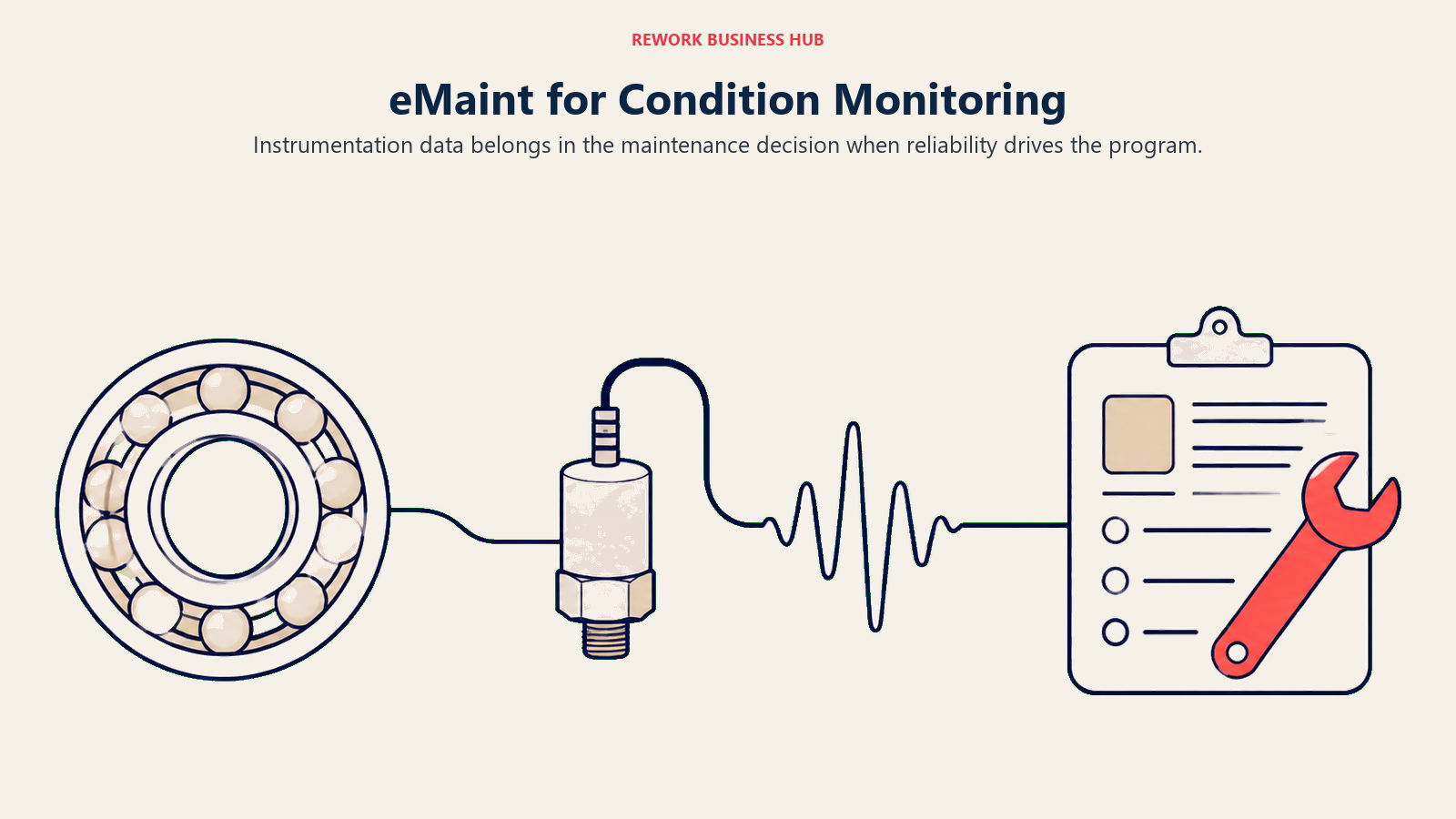
eMaint, a Fluke Reliability company, is the pick when reliability engineering drives the program rather than work order throughput. Its parent sells the vibration analyzers, thermal cameras and testers that feed condition data into it, so the instrumentation-to-CMMS path is native rather than an integration you maintain. The trade is transparency and floor size: eMaint publishes no per-user price at all, Professional requires 3 users minimum and Enterprise 5, both billed as a prepaid annual commitment with features a la carte. If Limble's pricing frustrated you because the numbers were hard to find, eMaint will frustrate you more, because there are none.
| What you get | What you don't |
|---|---|
| Condition monitoring tied directly to Fluke instrumentation | Any published per-user price, or a free plan |
| Multi-site reliability structure and validated-environment depth | A month-to-month option; both tiers are prepaid annual |
| A la carte add-ons: vendor portal, validation scripts, on-site training | A small-team entry point below the 3 and 5-user minimums |
Pricing: No published price. Professional carries a 3 user minimum, Enterprise a 5 user minimum, and both are billed as a prepaid annual commitment, with features available a la carte. (emaint.com/pricing)
Best for: Multi-site reliability programs in regulated manufacturing, especially those already running Fluke instrumentation and condition monitoring. What's different from Limble: Built around reliability engineering and instrumentation rather than configurable work order workflow, with a minimum user commitment and a prepaid annual term Limble doesn't impose.
5. Coast: The Cheapest Published Per-User Rate in the Category
Coast is here for one reason and it's a big one. At $2 per user per month billed monthly, or $1.80 billed yearly, it's by a wide margin the cheapest published per-seat CMMS in the category, roughly a fourteenth of Limble Standard's rate. At 50 technicians, Coast Pro on the monthly rate costs $200 a month against Limble Premium+'s $3,450 (on the yearly rate it is $180). That isn't a discount, it's a different pricing philosophy. The free plan is real too, capped at 5 repeating work orders, 7 days of history and 3 MB uploads, and the history window matters most, since a maintenance record you can't look back at isn't a maintenance record.
| What you get | What you don't |
|---|---|
| Roughly a fourteenth of Limble Standard's per-seat rate, published openly | Meter or usage-triggered PM, IoT integration, or condition monitoring |
| Both monthly and yearly rates stated for every tier, plus a free plan | More than 7 days of history on the free plan |
| Pricing that stays trivial as technician headcount grows | Limble's configuration depth, reporting or compliance credentials |
Pricing: Free is $0 per user/month. Starter is $2 per user/month billed monthly, $1.80 billed yearly. Pro is $4 per user/month billed monthly, $3.60 billed yearly (the annual toggle is labeled "Yearly Save 10%"). Enterprise is contact-for-pricing. (coastapp.com/pricing)
Best for: Small and mid-size facilities teams whose real need is scheduled work, checklists and technician communication, and for whom Limble's depth was never the point. What's different from Limble: A price low enough that the per-seat question stops existing, in exchange for the reliability and configuration depth Limble is actually known for.
6. Rework: Consolidating the Asset Register, Not the Work Order Queue
Rework belongs in this conversation when the real pain isn't Limble's PM calendar, it's that the asset register, its purchase cost, its vendor and the person responsible for it live in a different system from everything else the business runs on. Rework's Assets module is a fixed asset register sitting on the same platform as Task, Project, Workflow and BPM on the work side, Inventory, Invoice and Bankfeeds on the finance side, Sales CRM and Lead, the People app (HRIS, time and attendance, timesheets, payroll, ATS), and a unified multi-channel inbox. The argument is consolidation, not maintenance depth. If finance reconciles assets in a spreadsheet, ops tracks custody elsewhere and maintenance lives in Limble, the friction isn't inside any one system, it's in the joins between them, and those joins are integrations that break quietly on a Friday afternoon.
| What you get | What you don't |
|---|---|
| A fixed asset register on the same platform as work, finance and CRM | Native PM scheduling or technician work order execution |
| Asset owner, cost, vendor and location on one shared record | Meter-triggered maintenance, condition monitoring or IoT integration |
| People app (HRIS, attendance, timesheets) on the same login, priced per organization | A free tier, or a fit for solo and single-user buyers |
Pricing: Rework does not publish a price for the Assets module. Pricing is quoted per organization rather than per seat. See rework.com/pricing for the published product lines, or ask the team for a quote.
Best for: Mid-size operations teams (roughly 10 to 200 people) whose asset problem is ownership, cost and custody sitting apart from the rest of the business, not preventive-maintenance scheduling. Not ideal for: Rework's Assets module is a fixed asset register, not a CMMS. Teams whose core job is preventive-maintenance scheduling, technician work orders and mobile maintenance execution should stay with Limble or pick UpKeep, MaintainX, Fiix or eMaint. Teams needing condition monitoring, meter-driven PM triggers or a validated regulated environment should look at eMaint or Limble Enterprise. Rework is also not for solo or single-user buyers. What's different from Limble: Rework isn't competing on maintenance workflow at all. It's the option when the asset register needs to live with finance, work and CRM data instead of standing alone in a fourth login. The SaaS consolidation guide covers when that trade is worth making.
7. Click Maint: One Plan, No Tier Maze
Click Maint's entire pitch is the thing this article has spent several sections complaining about. There is one plan, Professional, at $42 USD per user per month billed monthly or $35 billed annually. Both figures are published, both billing terms are named, and there's no second tier holding the features you assumed were included. For a buyer who just worked out that Limble's real price is $69 rather than $28, that structure is worth something by itself, because you can't get the tier decision wrong when there's only one tier. The trade-offs are obvious: no free plan, a smaller vendor than Rockwell-owned Fiix or Fluke-owned eMaint, and no cheaper entry point if your needs turn out light.
| What you get | What you don't |
|---|---|
| One plan, so no feature-gate surprise between tiers | A free plan; the trial is 30 days |
| Both monthly and annual rates published clearly | A cheaper light tier if your needs are simple |
| A rate between Limble's two tiers, with Premium+ class features | The vendor scale of Rockwell, Fluke, Siemens or IBM |
Pricing: One plan, Professional: $42 USD per user per month billed monthly, or $35 USD per user per month billed annually. (clickmaint.com/pricing)
Best for: Teams that got burned by tier-gating and want the whole product for one published number, with a clear monthly-versus-annual choice. What's different from Limble: No tier ladder to navigate and no calculator to find a price, at a rate sitting between Limble's two published tiers.
8. MPulse: Discounted Technician Licences, the Direct Answer to Per-Seat Pain
MPulse is the only vendor here that prices the two kinds of CMMS user differently, which is the most direct structural answer to the complaint that per-seat pricing punishes the headcount you want to grow. MPACT Professional is $29 per user per month billed annually with a 3-user minimum; Advanced is $79 billed annually and carries a separate $29 Technician License option. A maintenance organization is usually a few planners and admins who need the full system plus a much larger crew who see, execute and close work, and every other per-seat tool here charges both groups the same rate. As an illustration, a 25-person team on 4 Advanced seats and 21 technician licences works out to roughly $925 a month against Limble Premium+'s $1,725. Treat that as arithmetic on published rates rather than a quote, and confirm licence-mix eligibility with MPulse directly.
| What you get | What you don't |
|---|---|
| A $29 technician licence that prices the majority of your seats down | A free plan of any kind |
| An entry tier at $29, within a dollar of Limble Standard, term stated | A published month-to-month rate; every figure is billed annually |
| Pricing that stops punishing technician headcount growth | Published Enterprise pricing, or the ecosystem scale of Fiix or eMaint |
Pricing: MPACT Professional is $29 per user per month billed annually, minimum 3 users. Advanced is $79 per user per month billed annually, with a $29 Technician License option. Enterprise is a quote. (mpulsesoftware.com/pricing)
Best for: Teams of 15 or more where most seats are technicians executing work rather than admins configuring it, and where per-seat cost is the specific reason Limble stopped working. What's different from Limble: Limble charges $69 for every Premium+ seat regardless of what that person does. MPulse separates the licence types, so a growing crew doesn't scale at the admin rate.
9. Maintenance Care: Free Forever for Very Small Facilities
Maintenance Care's Free Edition is the only thing on this list with no trial clock and no upgrade prompt attached to a date. It's free forever, capped at 2 users, 3 preventive maintenance schedules, 5 assets and 3 vendor profiles, with no detailed reporting, integrations or document management. Five assets is genuinely small, so be honest about whether that fits before getting attached to the word "free." It covers a clinic, a church, a community facility, a handful of critical HVAC and plumbing systems tracked by one or two people, and for that profile it beats a 30-day Limble trial followed by a $56 monthly bill for two seats.
| What you get | What you don't |
|---|---|
| A free tier with no time limit at all | More than 5 assets, 2 users or 3 PM schedules without upgrading |
| Real work order and PM structure at zero cost | Detailed reporting, integrations or document management on free |
| A healthcare and senior-living focus that shows in the workflows | Any published price for the Enterprise Edition |
Pricing: Free Edition is free forever, capped at 2 users, 3 preventive maintenance schedules, 5 assets and 3 vendor profiles, with no detailed reporting, integrations or document management. Enterprise Edition offers unlimited users on a custom quote; no dollar figure is published. (maintenancecare.com/pricing)
Best for: Single-building facilities, clinics, senior living sites and small non-profits with a handful of tracked assets and no CMMS budget at all. What's different from Limble: A permanently free option where Limble has none, at a scale small enough that Limble was never really competing for the account.
10. Asset Essentials (Brightly, a Siemens company): Public Sector, Education and Healthcare
Asset Essentials is purpose-built for institutions rather than plants: school districts, municipalities, universities, hospitals and government facilities. That focus shows up in parts a manufacturer would never notice, like work request portals for non-technical staff across a campus, capital planning tied to deferred maintenance backlogs, and reporting shaped around what a public body has to file. One housekeeping note: Brightly was acquired by Siemens and brightlysoftware.com now redirects to assetmanagement.siemens.com, though the product still carries the Brightly name. There's no published price; it's demo-gated, which for a public-sector buyer is often fine, since the purchase goes through procurement and comes back as a quote regardless.
| What you get | What you don't |
|---|---|
| Workflows built for public-institution procurement and reporting | Any published price; the product is demo-gated |
| Capital planning and deferred maintenance backlog tracking | A free tier or a self-serve trial |
| Siemens backing since the Brightly acquisition | Manufacturing-floor reliability depth like eMaint's |
Pricing: No published price. Demo-gated, "Request a demo" or "Contact us" only. (assetmanagement.siemens.com)
Best for: School districts, universities, municipalities, healthcare systems and other public institutions managing multi-building estates. What's different from Limble: Built for institutional facilities management and public-sector reporting rather than industrial reliability, with no published price at all where Limble at least publishes two figures.
11. Fracttal One: Asset-Intensive and IoT-Leaning
Fracttal One targets asset-intensive operations where equipment data, not work order volume, is the centre of the program. It leans into IoT connectivity and condition data, similar territory to eMaint and to Limble's Premium+ meter-triggered PM, but with a stronger international footprint, particularly across Latin America and Europe. The evaluation friction matches eMaint's: no published price, and an English pricing page that is a request-a-quote form with no tiers, no per-user rate and no free plan. If you're here because Limble's pricing was hard to pin down, Fracttal won't improve your afternoon.
| What you get | What you don't |
|---|---|
| An IoT and condition-data orientation on asset-intensive estates | Any published pricing, tier structure or per-user rate |
| Strong international coverage, particularly Latin America and Europe | A free plan or self-serve entry |
| Asset-first rather than work-order-first product design | The review depth and community size of MaintainX or Limble |
Pricing: No published price. The English pricing page is a request-a-quote form with no tiers, no per-user rate and no free tier listed. (fracttal.com/en/pricing)
Best for: Asset-intensive operations with connected equipment and sensor data, especially those with an international or Latin American footprint. What's different from Limble: An asset and IoT-first design rather than a configurable work order platform, sold entirely through quotes rather than published rates.
12. IBM Maximo Application Suite: Enterprise EAM at Enterprise Scale
Maximo is the other end of the category entirely: enterprise asset management for utilities, energy, transport, aviation and heavy manufacturing, where asset performance is a board-level concern rather than a maintenance department one. Its pricing is worth reading closely, because it reframes the whole per-seat conversation. Maximo meters in AppPoints, not users, and IBM publishes annual starting points rather than monthly rates. Set the US$40K starting point next to Limble Premium+ across 50 technicians, which works out to $41,400 a year, and the surprise is that they land on roughly the same annual number for very different products.
| What you get | What you don't |
|---|---|
| The deepest enterprise EAM and asset performance feature set here | A per-user price; Maximo meters in AppPoints, not seats |
| Published annual starting points for each Essentials application | The ability to cancel inside the 12-month term |
| Industry depth in utilities, energy, transport and aviation | A free tier, a trial-to-purchase path, or a fit below a few hundred assets |
Pricing: SaaS Essentials starting points, per year: Maintenance starting under US$40K per year (from 150 AppPoints), Inspection starting under US$47K per year (from 175 AppPoints). Space Management, Capital Planning, Lease Management and Inventory Optimization each start under US$40K per year. Standard and Premium are quote-only, and a subscription licence carries a minimum 12-month non-cancellable term. (ibm.com/products/maximo/pricing)
Best for: Enterprise, asset-intensive industries where asset performance drives revenue and the estate is too large and too regulated for a mid-market CMMS. What's different from Limble: A fundamentally different metering model (AppPoints, not seats) and a scale of capability Limble doesn't attempt, at an annual entry point comparable to running Limble Premium+ across 50 technicians.
Stage Fit Matrix
| Company stage | Best fits | Why |
|---|---|---|
| Single small building, 1-2 people | Maintenance Care Free, or Coast Free | Free forever at 5 assets, or 5 repeating work orders with a 7-day history window |
| Small team (3-15 technicians) | MaintainX, Coast, Fiix Free | Free plans and low entry rates keep the decision reversible |
| Growing team (15-50 technicians) | MPulse, Click Maint, MaintainX, UpKeep | Per-seat cost starts to bite; licence mix or a single flat plan changes the math |
| Mid-size operation (50-200 people, cross-functional) | Rework, Click Maint, MaintainX | Consolidation and predictable cost matter more than reliability depth |
| Multi-site reliability program | eMaint, Fracttal One, Limble Premium+ | Condition monitoring, meter-triggered PM and multi-site structure decide it |
| Public sector, education, healthcare estate | Asset Essentials (Brightly) | Institutional workflows, capital planning and public reporting |
| Enterprise, asset-intensive industry | IBM Maximo Application Suite | The only tool here built for utilities, energy and heavy industry scale |
Sizing and Persona Fit
| Persona | Primary concern | Tools worth evaluating first |
|---|---|---|
| Maintenance Manager | PM depth and whether technicians will actually use it | MaintainX, Fiix, UpKeep |
| Facilities Manager | Multi-building work requests from non-technical staff | Asset Essentials, Maintenance Care, Coast |
| Operations Manager | Asset data sitting apart from the rest of the business | Rework, Click Maint |
| Plant Manager | Downtime, condition monitoring and meter-triggered PM | eMaint, Fracttal One, Limble Premium+ |
| COO | Total cost at projected headcount, and vendor consolidation | Rework, MPulse, Coast |
| Finance Manager | Predictable annual cost and a stated billing term | Click Maint, MPulse, MaintainX |
Few of these rows land on the same tool, which is why a Limble alternatives search rarely has one answer. Settle which row is driving the purchase before you book a demo.
Migrating Off Limble: What Moves and What Usually Doesn't
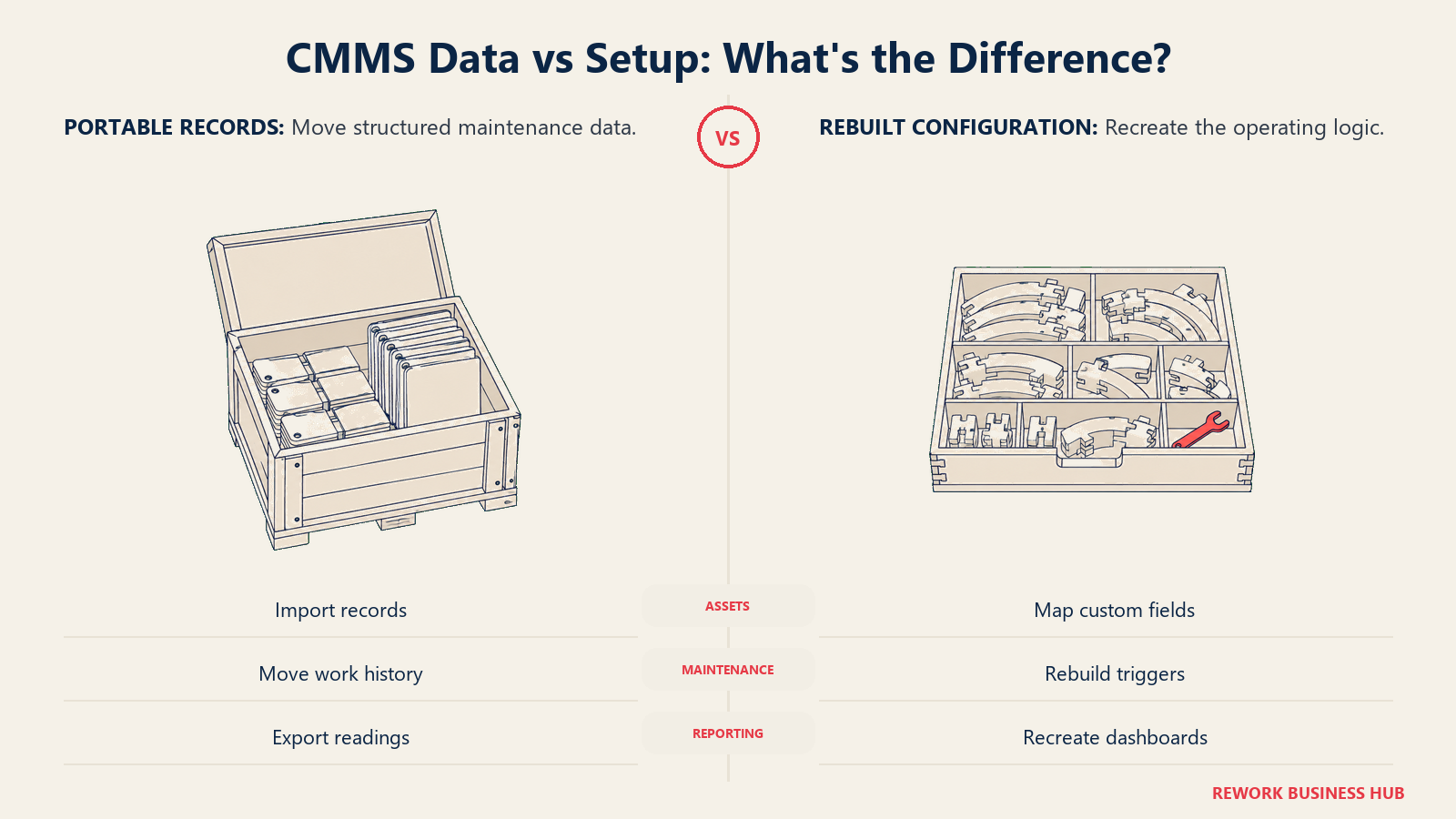
The structured data moves better than most people fear. Assets and their hierarchy, PM schedules and recurrence rules, work order history, parts counts, meter readings, vendor records and file attachments all export in a shape a competent implementation team can map into MaintainX, UpKeep, Fiix, Click Maint or a register like Rework. What breaks is the configuration, and on Limble that's a bigger deal than average, because configurability is why you picked it. The more you built in, the more there is that doesn't come out in a CSV.
| Usually moves cleanly | Usually needs rebuilding |
|---|---|
| Asset records and hierarchy | Custom field logic and conditional workflow rules |
| PM schedules and recurrence rules | Meter and threshold-triggered PM configuration |
| Work order history | Automated corrective-action chains |
| Parts, inventory counts and vendor records | Dashboard and advanced report definitions |
| Meter readings | IoT and sensor integrations, plus their thresholds |
| File attachments and photos | Custom user permission and approval structures |
| User list and asset assignments | Historical trend charts tied to Limble's own analytics engine |
Budget real time for the right-hand column, and budget it against the tier you're moving to, not the one you're leaving. Going from Limble Premium+ to a cheaper entry tier elsewhere means some of that column isn't rebuilt at all, it's abandoned, because the destination tier lacks the feature. That can be a fine trade, but make it deliberately rather than discovering it in week three. The switching SaaS vendors playbook and the vendor diligence checklist cover how to pressure-test a migration first. One last thing: Limble bundles implementation, training and support into its licence and several tools here don't, so ask for that number in writing during the demo, not after.
How to Choose: Decision Framework
Choose around the constraint that actually prompted the search: free-plan capacity, technician cost, maintenance depth or consolidation.
| If you need... | Best pick |
|---|---|
| A free plan you can run real maintenance on before buying | MaintainX or Fiix |
| The lowest published per-user rate in the category | Coast |
| One plan with no tier gate to get wrong | Click Maint |
| Technicians priced differently from admins | MPulse |
| A free tier with no clock on it, at very small scale | Maintenance Care |
| The closest like-for-like mobile CMMS swap | UpKeep |
| Condition monitoring tied to instrumentation, in a regulated plant | eMaint |
| The asset register consolidated with work, finance and CRM | Rework |
| Public sector, education or healthcare facilities workflows | Asset Essentials (Brightly, a Siemens company) |
| IoT and condition data across an international asset base | Fracttal One |
| Enterprise EAM for utilities, energy or heavy industry | IBM Maximo Application Suite |
| Maximum configurability with implementation and support included | Stay on Limble |
Frequently Asked Questions about Limble CMMS Alternatives
How much does Limble CMMS actually cost?
Standard is $28 per user, per month and Premium+ is $69 per user, per month, with Enterprise as a custom quote. Limble does not state whether those rates are billed monthly or on an annual commitment. Note that limble.com/pricing itself publishes no figures and routes you to a calculator; the numbers appear on limble.com/learn/cost instead.
Does Limble CMMS have a free plan?
No. Limble offers a free trial only, on every tier. Older reviews describing a free "Basic" tier are out of date, since that tier no longer exists. Among the alternatives here, MaintainX, Fiix, Coast and Maintenance Care all have a genuine free plan, each with different caps.
What does Limble gate behind Premium+ that Standard doesn't include?
Mobile offline mode, parts and inventory with purchase orders, vendor management, time tracking, signature capture, meter and threshold-triggered PM, the open REST API, and unlimited checklist-attached work orders and advanced reports (Standard caps both at 3 a month). If your technicians work without signal or you track parts against jobs, your real Limble price is $69 per user per month, not $28.
Which Limble alternative is cheapest?
Coast, by a wide margin. Starter is $2 per user per month billed monthly, or $1.80 billed yearly, and Pro is $4 monthly or $3.60 yearly. At 50 technicians that is $200 a month on the monthly rate ($180 yearly), against Limble Premium+'s $3,450. Coast is a lighter product, with no meter-triggered PM, IoT integration or condition monitoring.
Is Rework a CMMS alternative to Limble?
Not directly. Rework's Assets module is a fixed asset register, not a CMMS, so it does no preventive-maintenance scheduling and no technician work order execution. It fits when the asset register, its cost, its vendor and its owner sit apart from your work, finance and CRM data, rather than when maintenance scheduling itself is the problem.
Which alternatives publish whether their price is monthly or annual?
MaintainX, Coast and Click Maint all publish both rates, and MPulse states its figures are billed annually. Limble and UpKeep publish a figure without naming a billing term, Fiix publishes a rate but no separate annual price, and eMaint, Fracttal One and Asset Essentials publish no price at all.
Is it worth switching if we've already configured Limble heavily?
Weigh the configuration you'd rebuild, not just the price difference. Assets, PM schedules, work order history, parts counts and meter readings export cleanly. Custom field logic, meter-triggered PM setup, automated corrective actions, dashboards and IoT thresholds usually get rebuilt from scratch, and some destination tiers can't hold them at all. Price implementation separately too: Limble includes it in the licence and several alternatives don't.
What's the best Limble alternative for a large maintenance team?
It depends what's driving the cost. If most seats are technicians, MPulse's $29 technician licence against $79 Advanced seats changes the curve more than any per-seat discount. If you want one flat rate with no tier risk, Click Maint is $35 billed annually. If the estate is genuinely enterprise-scale, IBM Maximo's AppPoint metering starts under US$40K a year for Maintenance.
What to Do Next
Answer one question honestly first: is your problem Limble's price, Limble's tier gate, or that you can't test it for free? The three have different answers.
If it's the free plan, run MaintainX and Fiix side by side for two weeks with real technicians and real work orders, not sample data. Their caps are tight enough that you'll know within days whether the free tier holds, and neither costs anything to find out.
If it's per-seat cost, do the arithmetic at the headcount you expect in 18 months rather than today's. Price Coast, MPulse's technician-licence mix and Click Maint's flat plan against Limble Premium+ at that number and see which curve you can live with. If Limble Standard already does everything you need, the honest answer may be that you stay. And if the real issue is that your asset register, finance data and work management live in three separate logins, a fourth CMMS won't fix it. That's the case for Rework instead, quoted per organization at rework.com/pricing.
For wider context, the best CMMS software in 2026 roundup covers the full category and best asset management software in 2026 covers tracking tools rather than maintenance platforms. Before locking anything in, read predictive maintenance strategy and overall equipment effectiveness, because the maintenance philosophy you commit to decides which features above you actually need to pay for.

Principal Product Marketing Strategist
On this page
- Key Facts
- What Limble Does Well (and Who Should Stay)
- Where Limble's Pricing Gets Complicated
- Quick Comparison Table
- Free-Tier Reality Check
- What 10, 25 and 50 Technicians Actually Cost
- The 12 Best Limble CMMS Alternatives
- 1. MaintainX: A Real Free Tier and a Stated Billing Cadence
- 2. UpKeep: The Closest Like-for-Like Mobile CMMS
- 3. Fiix: A Free Tier With Real Teeth
- 4. eMaint: Reliability-First for Regulated Manufacturing
- 5. Coast: The Cheapest Published Per-User Rate in the Category
- 6. Rework: Consolidating the Asset Register, Not the Work Order Queue
- 7. Click Maint: One Plan, No Tier Maze
- 8. MPulse: Discounted Technician Licences, the Direct Answer to Per-Seat Pain
- 9. Maintenance Care: Free Forever for Very Small Facilities
- 10. Asset Essentials (Brightly, a Siemens company): Public Sector, Education and Healthcare
- 11. Fracttal One: Asset-Intensive and IoT-Leaning
- 12. IBM Maximo Application Suite: Enterprise EAM at Enterprise Scale
- Stage Fit Matrix
- Sizing and Persona Fit
- Migrating Off Limble: What Moves and What Usually Doesn't
- How to Choose: Decision Framework
- What to Do Next