Best AI Tools for YouTube in 2026: 13 Tools Ranked by Job
Turn this article into takeaways for your work.


Each assistant summarizes the article only for you and suggests best practices for your work.
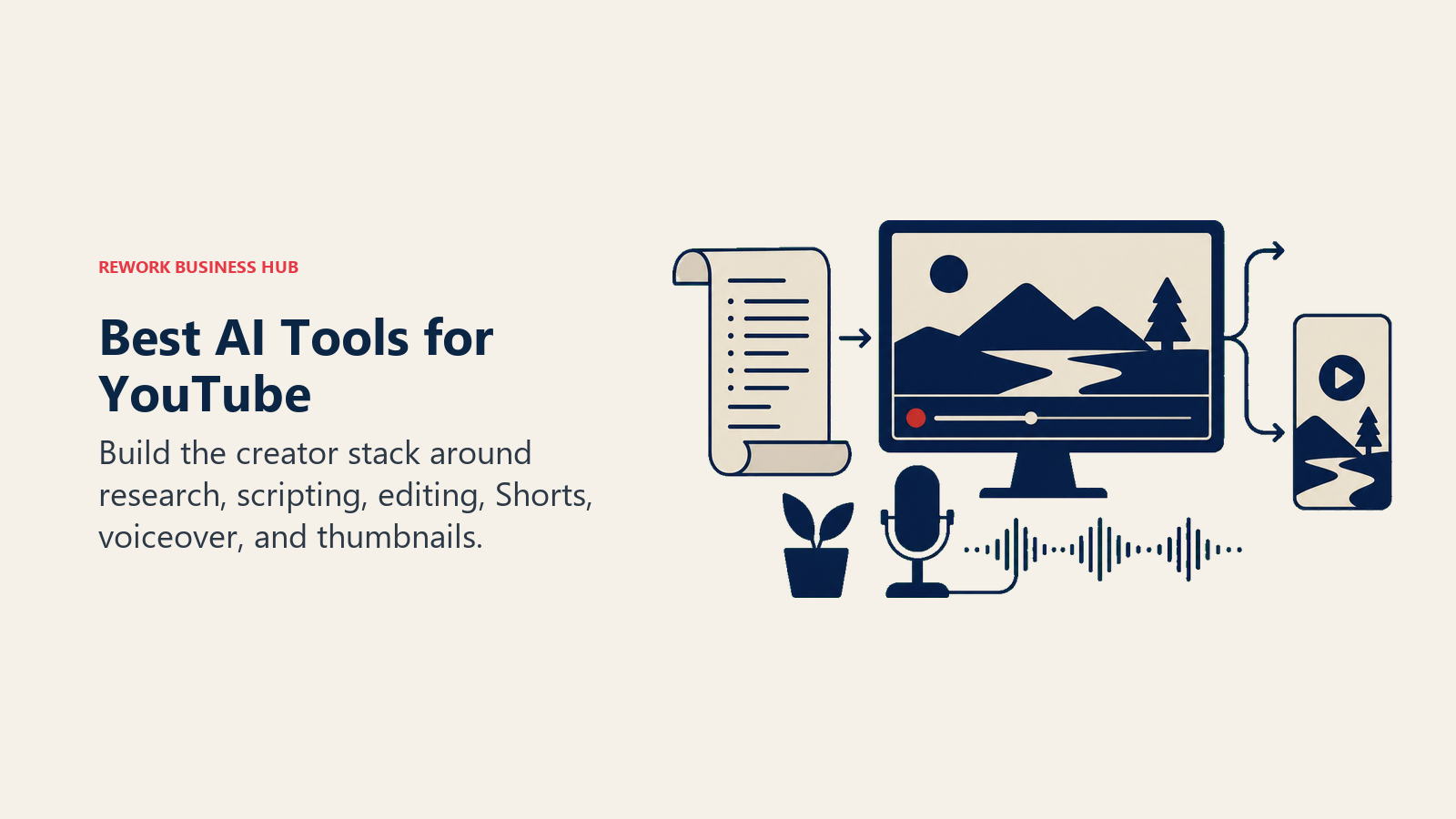
VidIQ and TubeBuddy lead for channel SEO and keyword research, 1of10 leads for outlier and competitor discovery, ChatGPT leads for scripting and titles, Descript, Veed, and Submagic lead for editing and captions, Opus Clip, Spikes Studio, and Munch lead for turning long videos into Shorts, ElevenLabs leads for AI voiceover, and Canva leads for thumbnails. No single tool covers a whole YouTube workflow, so this guide is organized by the job each tool actually does instead of one flat ranking.
YouTube-adjacent AI tools change pricing and credit models often (four of the thirteen tools here restructured a tier in the past year), so treat any number below as a starting point and confirm it before you commit a budget line.
What Changed in 2026
VidIQ folded its old Pro tier into a restructured Boost and Max lineup, with Max now built around AI Coach depth and short-clip generation rather than raw keyword data alone. ElevenLabs added a Business tier between Scale and Enterprise in the pricing reshuffle. Submagic renamed its middle tier to Pro and pushed video-length caps higher per tier while keeping its Magic Clips feature as a paid add-on rather than bundling it. Canva's legacy Teams plan is gone, replaced by per-seat Business billing. And VEED moved its entire lineup to per-editor seat pricing, which means a 3-person team on a mid tier pays a multiple of the advertised single-seat price. If you evaluated any of these tools even six months ago, re-check the current tier names and limits before you budget.
Key Facts
- YouTube Shorts now averages more than 200 billion daily views, per YouTube's own press page
- YouTube's advertising revenue hit $40.37 billion in 2025, an increase of more than 11% year over year, per Sprout Social's YouTube statistics
- YouTube counts more than 2.6 billion monthly active users worldwide, per Hootsuite's YouTube statistics
- Creators keep 45% of the ad revenue YouTube Shorts generates, per Hootsuite's YouTube statistics
- 87% of creators say creative AI has accelerated the growth of their business or follower base, per Adobe's 2026 Creators' Toolkit Report
- 57% of creators say AI-generated output still needs moderate to extensive editing before it's ready to publish, per Adobe's 2026 Creators' Toolkit Report
Quick Comparison Table
| Tool | Best For | Starting Price | Key Strength | Key Limitation |
|---|---|---|---|---|
| VidIQ | Channel SEO and keyword research | Free; Boost from $16.58/mo (annual) | Deep keyword and trend data, AI Coach | Real AI depth locked behind Max tier |
| TubeBuddy | Bulk channel management and SEO | Free; Pro from $3.60/mo (annual) | Bulk editing up to 1,500 videos, thumbnail A/B testing | Advanced tools require Legend tier |
| 1of10 | Outlier and competitor research | Free; Basic $29/mo | Competitor tracking, thumbnail and title search | AI generation tools require Pro tier |
| Eightify | Fast video summarization for research | Free (3/week); Premium roughly $4.95 to $6.99/mo | Turns a long video into a skimmable summary in seconds | Built for viewers, not channel growth |
| ChatGPT | Scripting, titles, and descriptions | Free; Plus $20/mo | Fastest general-purpose drafting tool available | No native YouTube data or publishing |
| Descript | Text-based podcast and long-form editing | Free; Creator from $24/mo (annual) | Edit video like a text document, Overdub voice cloning | Not built for frame-by-frame color work |
| Veed | Browser-based editing and captions | Free; Creator from $10/mo (annual) | Fast auto-subtitles, 50+ language translation | Per-seat pricing on team tiers adds up |
| Submagic | Auto-captions and Shorts-style editing | Free (3/mo); Starter from $12/mo (annual) | Fast animated captions built for short-form output | Video-length caps scale tightly with price |
| Opus Clip | Long-to-short clipping with virality scoring | Free (60 min/mo); Starter $15/mo | AI virality score flags which clips to post first | Metered by source-video minutes, not clips |
| Spikes Studio | Budget long-to-short clipping | Free (watermarked); PRO+ $32.99/mo | Lowest effective per-minute cost on annual billing | Free tier watermark; UI less polished than Opus Clip |
| Munch | Multi-platform repurposing at team scale | Essential $38/mo | Publishes clips across five platforms from one upload | No usable free tier, trial is sample-only |
| ElevenLabs | AI voiceover, cloning, and dubbing | Free (10k credits); Starter $6/mo | Highest-quality AI voice and multilingual dubbing on the market | Commercial rights require a paid plan |
| Canva | Thumbnails and channel art | Free; Pro from $12/mo (annual) | Massive template library tuned to YouTube thumbnail sizes | Magic Studio AI credits can run out mid-month |
AI Tools for YouTube by Job
Use this table to jump straight to the section that matches the bottleneck in your workflow right now.
| Job | Tools | Who Needs This |
|---|---|---|
| Channel SEO and keyword research | VidIQ, TubeBuddy | Any creator trying to rank in search and suggested |
| Outlier and competitor research | 1of10 | Creators studying what's already working in their niche |
| Research and summarization | Eightify | Creators skimming competitor or source videos fast |
| Scripting, titles, and descriptions | ChatGPT | Any creator who scripts before they shoot |
| Long-form and podcast editing | Descript, Veed | Creators editing full-length uploads and interviews |
| Captions and short-form styling | Submagic | Creators prioritizing fast, animated Shorts captions |
| Long-to-short repurposing | Opus Clip, Spikes Studio, Munch | Creators sitting on hours of unused long-form footage |
| AI voiceover and dubbing | ElevenLabs | Faceless channels and creators localizing for new markets |
| Thumbnails and channel art | Canva | Any creator who needs a click-worthy thumbnail fast |
1. VidIQ: The Deepest Keyword and Trend Data for Channel SEO
VidIQ's product philosophy is that growth starts with data, not guessing: keyword search volume, competitor scores, and trending topics in your niche, all surfaced before you script a video instead of after you've already uploaded it. The AI Coach layer adds conversational strategy advice on top of the raw numbers, and Max mode adds short-form clip generation so a long upload can become Shorts without leaving the tool.
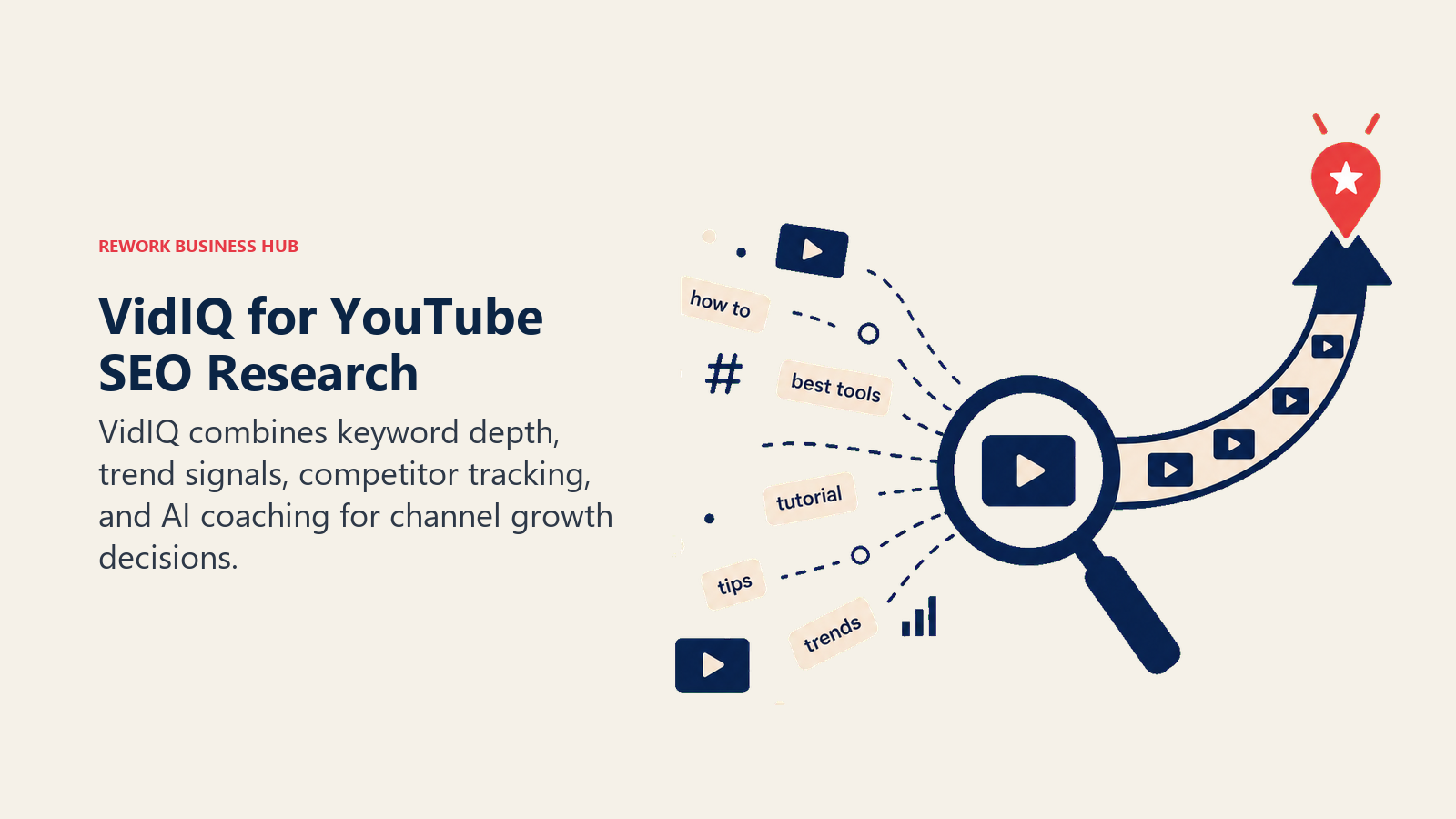
The honest limitation is that the free tier's 150 monthly AI credits run out fast once you lean on AI Coach for real strategy conversations, and the deeper trend and clip-generation features sit behind the Max tier, not Boost. Creators comparing it against ChatGPT for general scripting will notice VidIQ is purpose-built for YouTube search behavior specifically, which is where it earns its keep.
| Strengths | Limitations |
|---|---|
| Deep keyword volume, competitor score, and trend data built for YouTube search | Free tier's 150 AI credits/month run out quickly |
| AI Coach gives conversational, YouTube-specific strategy advice | Real depth (Max Mode AI, clip generation) requires the $39/mo tier |
| Thumbnail generator and subscriber insights included from Boost up | Month-to-month pricing is roughly double the annual rate |
Pricing: Free (150 AI credits/mo); Boost $16.58/mo billed annually ($199/yr) or $39/mo month-to-month (2,000 AI credits); Max $39/mo billed annually (roughly $348/yr, 6,000 AI credits); Coaching (Boost plus 1:1 coaching) around $99/mo; Enterprise custom. Source: vidiq.com/plans.
Best for: Creators who want to make keyword and trend decisions before they script, not after they upload.
2. TubeBuddy: Bulk Channel Management and Thumbnail A/B Testing
TubeBuddy's bet is different from VidIQ's: instead of leading with AI conversation, it leads with bulk operational tools, batch-editing tags and cards across up to 1,500 videos in one pass, plus real thumbnail A/B testing that swaps and measures competing thumbnails automatically. For channels with a large back catalog that need cleanup more than fresh strategy, that operational depth matters more than a chat interface.
The free and Pro tiers are genuinely cheap, which makes TubeBuddy an easy add for small channels. But the tools that actually move the needle, A/B testing and bulk processing, sit in the Legend tier, so budget past the entry price if that's what you're buying it for.
| Strengths | Limitations |
|---|---|
| Bulk-edit tools handle up to 1,500 videos in a single batch | A/B thumbnail testing and bulk tools require the Legend tier |
| Cheapest real entry point of the two SEO-focused tools on this list | Enterprise pricing requires a sales call, not published |
| Best Time to Publish and keyword explorer available from Pro up | Overlaps heavily with VidIQ; few creators need both |
Pricing: Free ($0); Pro $3.60/mo billed annually ($43.20/yr) or roughly $4.99/mo monthly; Star roughly $19/mo billed annually (about $228/yr); Legend $23.19/mo billed annually ($278.28/yr) or roughly $49/mo monthly; Enterprise custom. Source: tubebuddy.com/pricing.
Best for: Channels with a large existing video library that need bulk SEO cleanup and thumbnail testing, not just new-upload guidance.
3. 1of10: Outlier Discovery and Competitor Research
1of10 solves a specific problem neither VidIQ nor TubeBuddy focuses on: finding what's already working outside your own channel. It tracks competitor channels, surfaces outlier videos (uploads that wildly outperform a channel's normal view count), and searches thumbnails and titles across YouTube by pattern, so you can spot a format before it saturates your niche.
The free tier caps competitor tracking at 3 channels, which is workable for a solo creator watching a handful of direct competitors but thin for anyone researching a broader niche. The AI generation tools (thumbnail, title, and idea generators) only unlock on Pro.
| Strengths | Limitations |
|---|---|
| Unlimited competitor tracking and outlier detection on the Basic tier | Free tier limited to tracking 3 channels |
| Thumbnail and title search across YouTube by pattern | AI generation tools (thumbnails, titles, ideas) require Pro |
| 7-day money-back guarantee reduces trial risk | Narrower feature set than VidIQ or TubeBuddy outside research |
Pricing: Free ($0, track up to 3 channels); Basic $29/mo ($349/yr annual, 50% annual discount); Pro $69/mo ($828/yr annual, 1,000 AI credits/mo); Enterprise custom. Source: 1of10.com/pricing.
Best for: Creators and channel strategists who want to research what's working across a niche before deciding what to make next.
4. Eightify: Fast Summaries for Research, Not Channel Growth
Eightify isn't a channel-growth tool, and it's worth being direct about that. It's a browser extension that turns a long YouTube video into a bulleted summary in seconds, powered by large language models. For creators, the real use case is research speed: skimming a competitor's 40-minute video, catching up on a trend report, or pulling talking points from a source video without watching it start to finish.
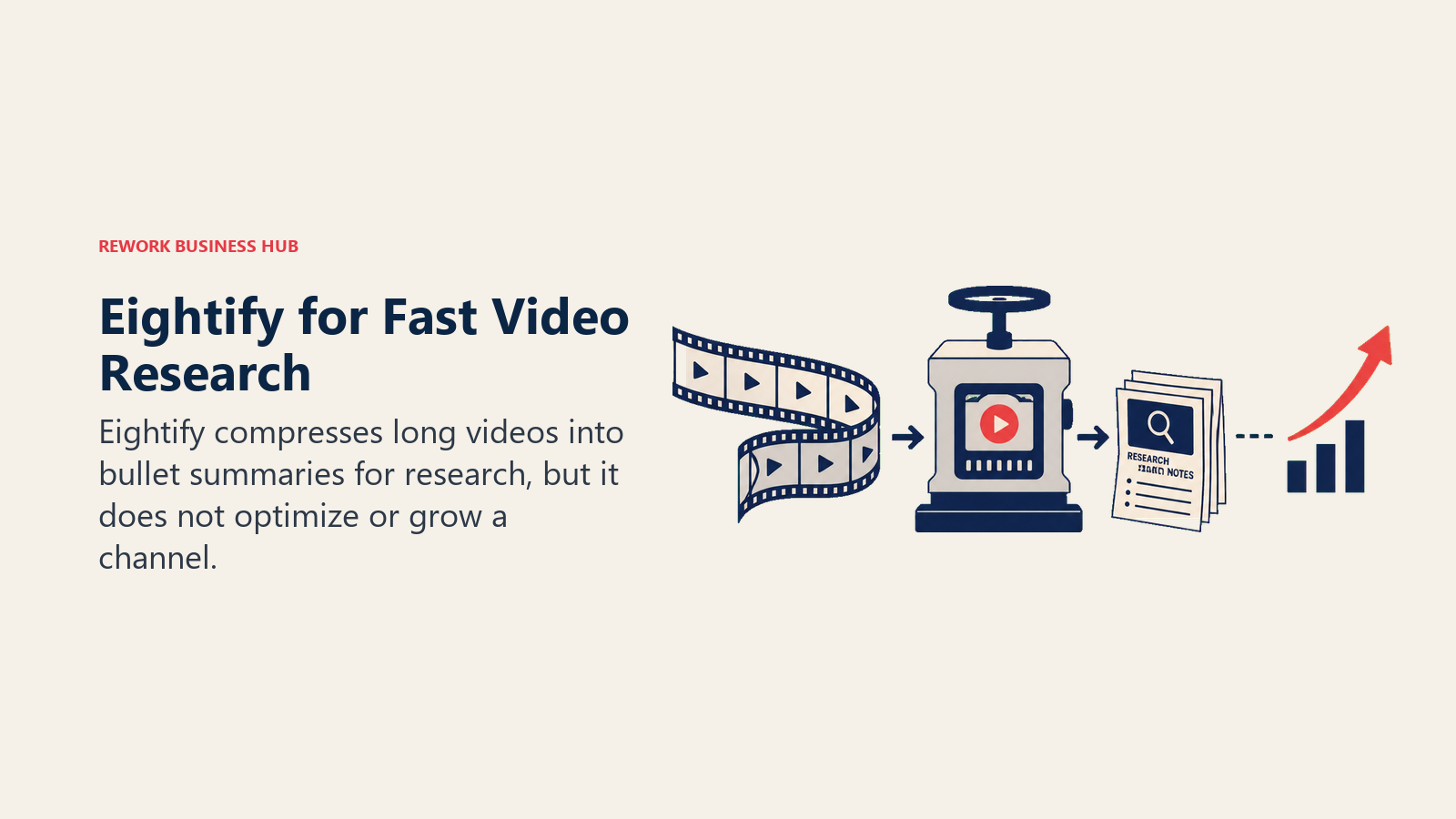
Not ideal for: anyone expecting SEO, editing, or publishing features. Eightify does one job (summarize) and doesn't try to do the others, which is exactly why it's useful as a fast research add-on alongside a dedicated growth tool like VidIQ or 1of10.
| Strengths | Limitations |
|---|---|
| Summarizes even long videos in seconds, useful for competitor research | Not a growth, SEO, or editing tool of any kind |
| Free tier (3 summaries/week) is enough for occasional research use | Pricing varies noticeably by region; confirm at checkout |
| Works as a lightweight Chrome extension, no separate app to manage | Summary quality depends on the source video's spoken clarity |
Pricing: Free (3 summaries/week, up to 30 minutes each); Premium roughly $4.95 to $6.99/mo depending on billing term and region (about $49.99/yr on some annual plans). Source: eightify.app and the Eightify Chrome extension listing; pricing is not consistently published, confirm at checkout.
Best for: Creators who spend real time watching competitor or source videos and want that research done in minutes instead of hours.
5. ChatGPT: The Fastest General-Purpose Scripting Tool
ChatGPT isn't a YouTube-specific tool, and that's exactly why most creators already have it open in a tab. It's the default first stop for drafting a script outline, brainstorming ten title variations, writing a video description with timestamps, or turning one long-form script into a handful of Shorts hooks before a task graduates to a specialized tool. See our Claude vs ChatGPT vs Gemini comparison if you're weighing the leading general models against each other, or best AI tools for content writers if scripting is your main bottleneck.
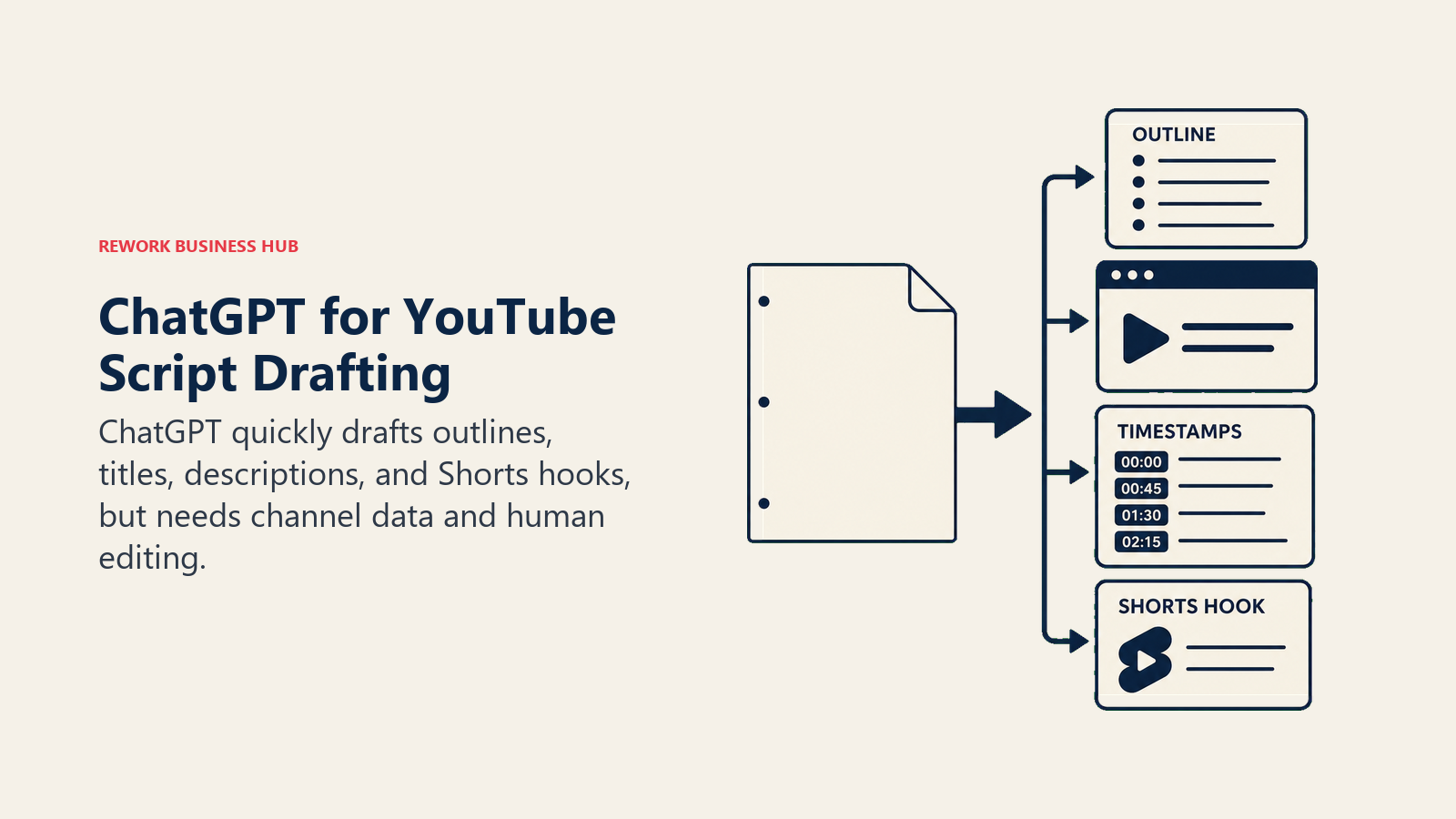
The tradeoff is that ChatGPT has no idea what's actually working on your channel. It doesn't see your analytics, your competitors' outliers, or your keyword data, so it's a drafting tool, not a research or strategy tool.
| Strengths | Limitations |
|---|---|
| Cheapest, fastest way to get AI drafting into a scripting workflow | No native YouTube data, analytics, or publishing |
| Custom GPTs can be built for a repeatable channel voice or format | Doesn't know what's actually performing on your channel |
| Handles scripts, titles, descriptions, and Shorts hooks in one tool | Business and Enterprise pricing scales fast per seat |
Pricing: Free; Go $8/mo; Plus $20/mo; Pro $100 to $200/mo depending on usage tier; Business $25/seat/mo monthly or $20/seat/mo annual (2-seat minimum); Enterprise custom, commonly $45 to $75/seat/mo on annual contracts. Source: chatgpt.com/pricing.
Best for: Every YouTube creator, as a baseline scripting and ideation tool, alongside a dedicated SEO or editing tool.
6. Descript: Text-Based Editing for Long-Form and Podcast-to-YouTube Workflows
Descript's core idea is that editing video should feel like editing a document: delete a sentence in the transcript and the matching video and audio disappear with it. For creators who upload long-form interviews, podcasts, or talking-head videos, that removes the most tedious part of editing, cutting filler words and dead air, without touching a timeline. Overdub, its AI voice-cloning feature, lets you fix a flubbed line by typing the correction instead of re-recording.
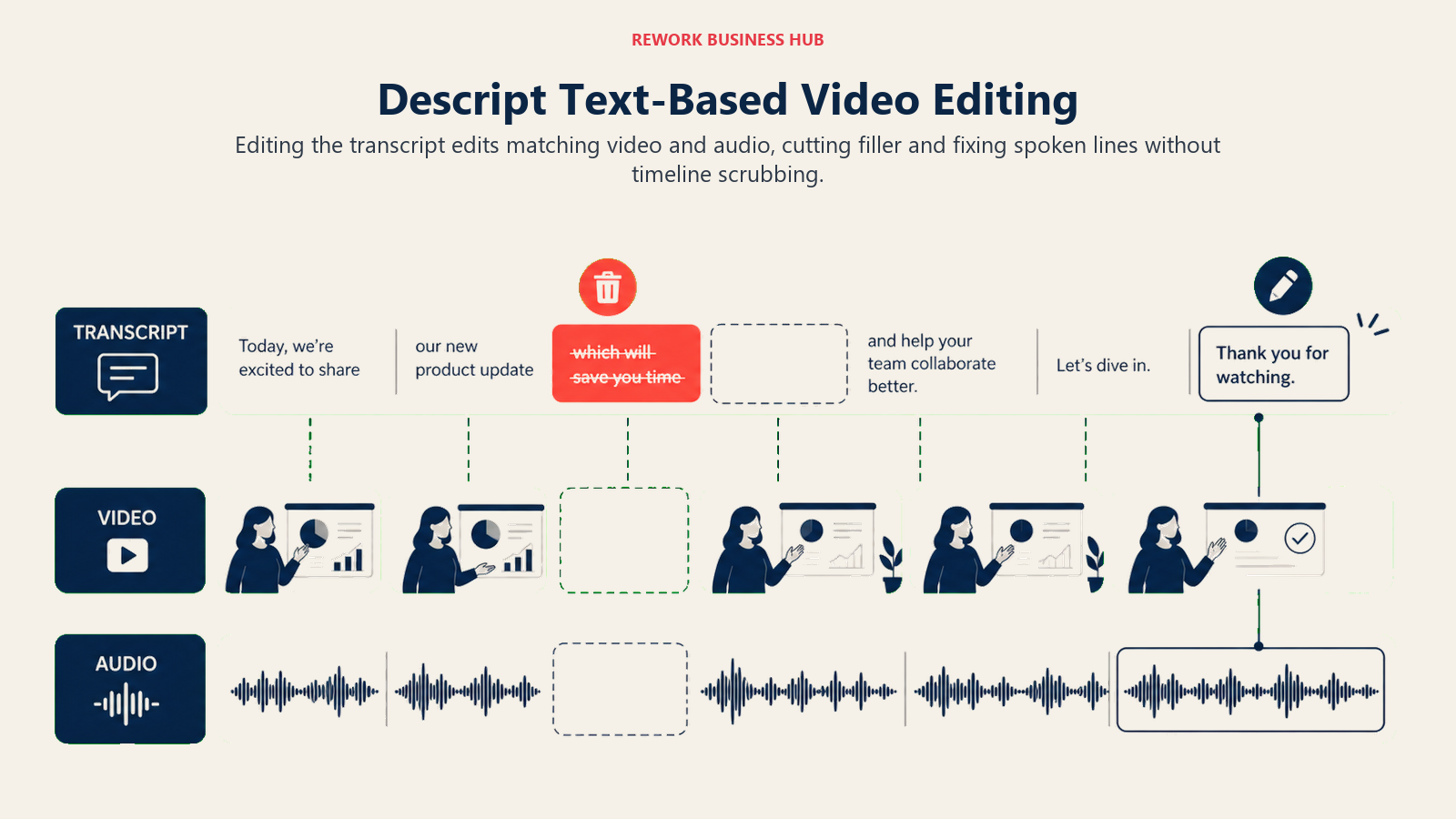
Descript isn't built for frame-by-frame color grading or complex VFX, and the September 2025 shift from flat "transcription hours" to metered media minutes and AI credits makes real monthly cost harder to predict than the sticker price suggests. See our best AI transcription tools guide if transcription accuracy, not full editing, is your primary need.
| Strengths | Limitations |
|---|---|
| Edit video like a text document, dramatically faster for talking-head content | Not built for frame-by-frame color or VFX work |
| Overdub AI voice cloning fixes flubbed lines without a re-shoot | Media-minute and AI-credit metering makes real cost harder to predict |
| Full Underlord AI co-editor unlocked from the Creator tier up | Free tier's 60 minutes/month is thin for regular uploaders |
Pricing: Free (60 min/mo); Hobbyist $16/mo billed annually ($24/mo monthly); Creator $24/mo billed annually ($35/mo monthly, most popular); Business $50/mo billed annually ($65/mo monthly); Enterprise custom. Source: descript.com/pricing.
Best for: Podcasters and long-form YouTubers who want editing to feel like word processing, not timeline scrubbing.
7. Veed: Browser-Based Editing With Strong Auto-Subtitles
Veed's pitch is speed and accessibility: a full video editor that runs entirely in a browser tab, with auto-subtitles and translation into more than 50 languages built in from the Creator tier up. For teams that need to collaborate on edits without installing desktop software, or creators who publish the same video with subtitles in multiple languages, that browser-first approach removes real friction.
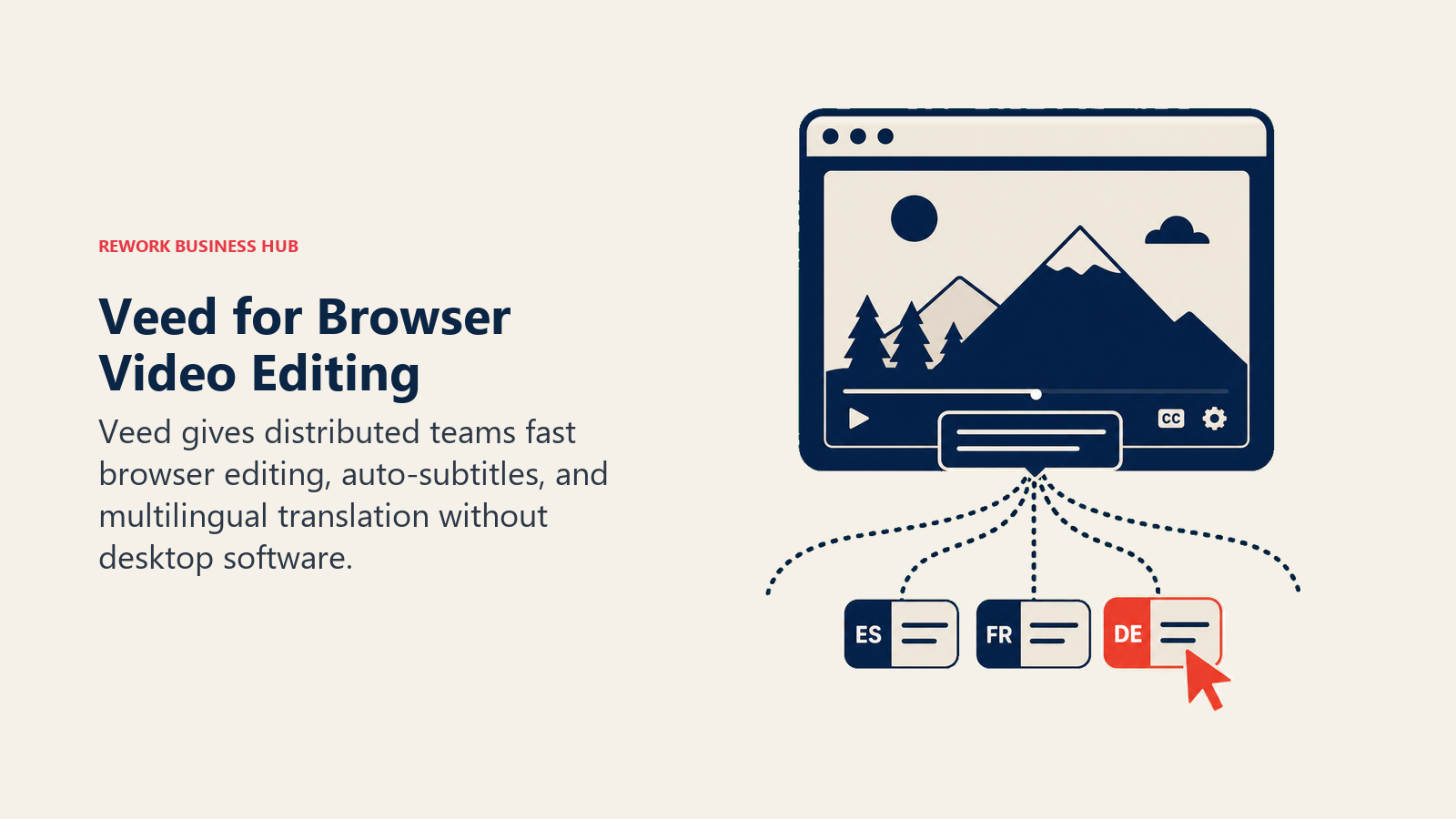
The catch, and it's a real one, is that Veed's 2026 pricing restructure moved every paid tier to per-seat billing. A 3-person team on the Pro tier pays a multiple of the advertised single-seat price, not the headline number. See our best AI video editing tools guide for how Veed stacks up against Descript, CapCut, and other editors outside the YouTube-specific lens.
| Strengths | Limitations |
|---|---|
| Runs entirely in-browser, no install, easy for distributed teams | All paid tiers are billed per seat, not flat per account |
| Auto-subtitles and translation into 50+ languages from Creator up | AI credits reset annually with no rollover |
| Fast for quick turnarounds: trims, captions, format resizing | 4K export and larger credit pools require Pro or Studio |
Pricing: Free (10-minute limit, watermark); Creator roughly $10/mo billed annually; Pro roughly $21/mo billed annually; Studio roughly $35/mo billed annually; Enterprise custom, all paid tiers billed per seat. Source: veed.io/pricing.
Best for: Teams that need fast, collaborative browser-based editing with strong multilingual subtitles, not a full desktop NLE.
8. Submagic: Fast, Animated Captions Built for Shorts
Submagic does one job well: it takes a rough clip and adds animated, word-by-word captions styled for short-form platforms in a couple of minutes, along with AI hook-title suggestions and basic B-roll insertion. For creators who already have their clips cut and just need them to look native on Shorts, TikTok, and Reels fast, it's faster than doing the same styling manually in a general editor.
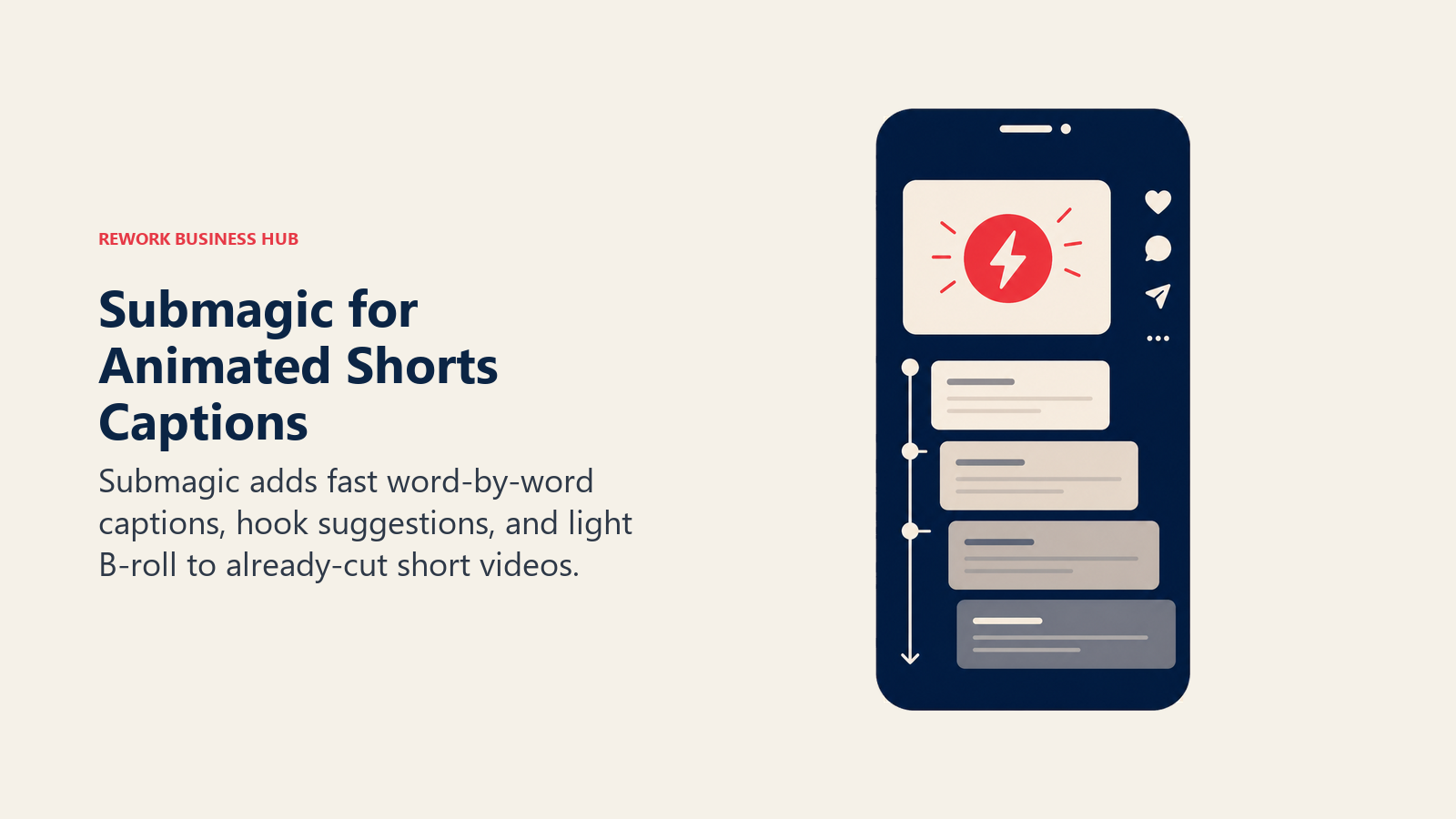
The tradeoff is that video-length caps scale tightly with price: the Starter tier caps out at 2-minute videos, which is fine for Shorts but forces an upgrade the moment you're captioning anything longer.
| Strengths | Limitations |
|---|---|
| Fast, animated word-by-word captions built specifically for short-form | Video-length caps (2 min Starter, 5 min Pro) scale tightly with price |
| AI hook-title suggestions help with the first three seconds of a Short | Magic Clips (auto-clipping from long video) is a separate paid add-on |
| 4K export and API access available on the Business tier | Free tier caps at 3 videos/month with a watermark |
Pricing: Free (3 videos/mo, watermarked, 90-second max); Starter $12/mo billed annually ($19/mo monthly, 15 videos/mo, 2-min max); Pro $23/mo billed annually ($39/mo monthly, 40 videos/mo, 5-min max); Business plus API $41/mo billed annually ($69/mo monthly, 100 videos/mo, 30-min max, 4K export); Magic Clips add-on $19/mo; Custom enterprise pricing available. Source: submagic.co/pricing.
Best for: Creators who already have clips cut and want fast, native-looking Shorts captions without opening a full editor.
9. Opus Clip: Long-to-Short Clipping With AI Virality Scoring
Opus Clip ingests a long upload, a podcast recording, a webinar, a full YouTube video, and automatically finds and cuts the moments most likely to work as standalone Shorts, scoring each clip's predicted virality before you post. For creators sitting on hours of long-form footage and no time to manually scrub for clip-worthy moments, that scoring layer is the actual product, not just the captioning.
Pricing is metered by source-video minutes processed, not clips produced, so a 90-minute podcast burns 90 minutes of your monthly allowance regardless of how many Shorts it yields. And cancel your plan, and unfinished projects disappear within 3 days even with unused minutes left.
| Strengths | Limitations |
|---|---|
| AI virality scoring helps prioritize which clips to post first | Metered by source-video minutes, not by clips produced |
| Multi-platform auto-posting to YouTube Shorts, TikTok, and Instagram on Pro | Projects disappear 3 days after cancellation, even with unused minutes |
| Speaker detection works well for podcast and interview-style content | Free tier output is watermarked and capped at 60 minutes/month |
Pricing: Free (60 processing minutes/mo, watermarked, 1080p exports expire after 3 days); Starter $15/mo (150 min, no watermark, 720p export); Pro $29/mo (300 min, 1080p, multi-platform auto-posting, virality score, AI B-roll); Business custom. Source: opus.pro/pricing.
Best for: Creators and podcasters turning existing long-form video into a repeatable Shorts pipeline without manually hunting for the best moments.
10. Spikes Studio: The Budget Long-to-Short Clipping Alternative
Spikes Studio does the same core job as Opus Clip, finding and clipping the strongest moments from long video, at a noticeably lower effective cost once you commit to annual billing. The free tier is genuinely usable for occasional testing (30 minutes/month), and the annual PRO+ rate works out to roughly a tenth of a cent per minute processed at volume.
The UI and clip-selection quality are less polished than Opus Clip's, and the free tier carries a watermark, but for creators watching per-minute cost closely, especially channels processing a high volume of long-form footage, the gap in price is large enough to matter.
| Strengths | Limitations |
|---|---|
| Lowest effective per-minute cost on this list once billed annually | Clip-selection quality and UI trail Opus Clip |
| Usable free tier (30 min/mo) for testing before committing | Free tier output carries a watermark |
| Enterprise tier includes a dedicated account manager and unlimited storage | Fewer multi-platform auto-posting options than Opus Clip |
Pricing: Free (30 min/mo, watermarked, 720p); PRO+ $32.99/mo monthly (300 min/mo) or $14.09/mo billed annually (3,600 min/yr, no watermark, 1080p, animated captions, AI B-roll); Enterprise $115.99/mo monthly (1,200 min/mo) or $56.34/mo billed annually (14,400 min/yr, dedicated account manager). Source: spikes.studio/pricing.
Best for: High-volume creators and small teams who process a lot of long-form footage and want the lowest per-minute repurposing cost.
11. Munch: Multi-Platform Repurposing for Teams
Munch's differentiator is breadth: one long upload goes out as clips, posters, and carousels across YouTube, Instagram, Facebook, LinkedIn, and TikTok in a single workflow, with the platform trained on your brand materials so output stays on-voice without a manual style guide each time. For agencies and in-house teams managing a creator's presence across every platform at once, that single-workflow breadth replaces several separate tools.
There's no usable free tier, only a 7-day trial limited to sample projects, and the entry price is the highest of the three repurposing tools on this list, which puts it out of reach for solo creators just getting started.
| Strengths | Limitations |
|---|---|
| Publishes across five platforms (YouTube, IG, FB, LinkedIn, TikTok) from one upload | No usable free tier, only a sample-project trial |
| Trains on your brand materials so multi-platform output stays on-voice | Highest entry price of the three repurposing tools on this list |
| Premium tier includes unlimited team members and unlimited scripts | Fewer processing minutes per dollar than Opus Clip or Spikes Studio |
Pricing: Essential $38/mo ($456/yr, 500 repurposing min/mo, 5 scripts/week, 10 generated videos/mo, 100GB storage); Premium $60/mo ($720/yr, 1,000 min/mo, unlimited scripts, 30 generated videos/mo, unlimited team members, 1TB storage); 7-day free trial (sample projects only). Source: munchstudio.com/pricing.
Best for: Agencies and in-house teams repurposing one creator's content across five platforms at once, not solo creators on a tight budget.
12. ElevenLabs: AI Voiceover, Cloning, and Dubbing
ElevenLabs leads the AI voice category on quality: natural-sounding text-to-speech, instant and professional voice cloning, and multilingual dubbing that preserves a speaker's voice across languages. For faceless YouTube channels that never show a presenter on camera, and for creators localizing a channel into new-language markets without hiring a voice actor per language, it's the tool most of the category gets measured against. See our best AI voice generators guide for how it compares against other voice-AI platforms outside the YouTube lens.
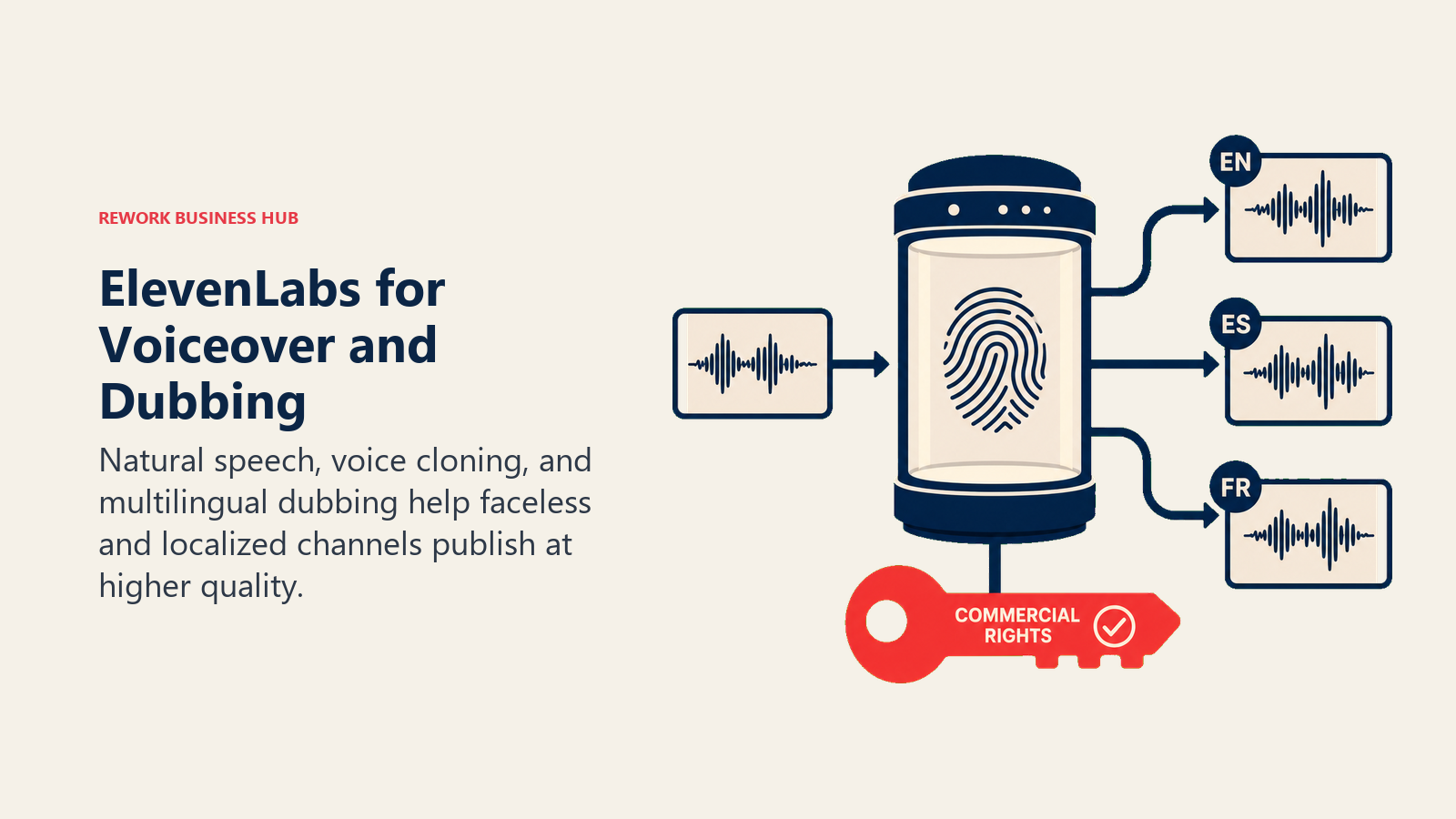
The free tier explicitly disallows commercial use, so any monetized channel needs at least the Starter tier before publishing a single video with cloned or generated voice.
| Strengths | Limitations |
|---|---|
| Highest voice-quality benchmark in the AI voice category | Free tier has no commercial usage rights at all |
| Multilingual dubbing preserves a speaker's own voice across languages | Credit-based pricing makes monthly cost hard to predict at volume |
| Instant voice cloning available from the Starter tier | Professional voice cloning (higher fidelity) requires Creator tier or above |
Pricing: Free (10,000 credits/mo, no commercial rights); Starter $6/mo (30,000 credits, commercial rights, instant voice cloning); Creator $22/mo (roughly 121,000 credits, professional voice cloning); Pro $99/mo (600,000 credits); Scale $299/mo (1.8 million credits, 3 workspace seats); Business $990/mo (6 million credits, 10 seats); Enterprise custom. Source: elevenlabs.io/pricing.
Best for: Faceless channels and creators dubbing content into new languages who need voice quality that doesn't sound synthetic.
13. Canva: Thumbnails and Channel Art at Speed
Canva's role in a YouTube workflow is narrow but constant: thumbnails, channel banners, and end-screen graphics, produced fast from a massive template library already sized for YouTube's thumbnail dimensions. Magic Studio's AI tools (Magic Write for copy, Magic Eraser and Magic Expand for editing, and a conversational design mode) speed up the last-mile creative work that a video's click-through rate actually depends on.
Canva isn't a video editor and doesn't try to be one, and its AI credits are shared across a Pro account, meaning heavy use of Magic Studio features can run out before the billing cycle resets.
| Strengths | Limitations |
|---|---|
| Massive template library already sized for YouTube thumbnails and banners | Not a video editor, purely a design and thumbnail tool |
| Magic Studio AI speeds up thumbnail iteration and A/B variations | Shared AI credits can run out mid-month on heavy-use accounts |
| Business tier adds shared Brand Kits for teams managing multiple channels | Design depth still trails dedicated tools like Figma for complex work |
Pricing: Free; Pro $12/mo billed annually ($144/yr) or $18/mo monthly; Business (per seat) $21/mo billed annually (about $250/yr/seat) or $25/mo monthly; Enterprise custom. Source: canva.com/pricing.
Best for: Any creator who needs a click-worthy thumbnail fast, paired with a separate video editor and clipping tool.
Pricing at a Glance
| Tool | Entry Price | Mid-Tier | Free Tier |
|---|---|---|---|
| VidIQ | Free | $16.58/mo (Boost, annual) | Yes |
| TubeBuddy | Free | $3.60/mo (Pro, annual) | Yes |
| 1of10 | Free | $29/mo (Basic) | Yes |
| Eightify | Free (3/week) | ~$4.95 to $6.99/mo | Yes |
| ChatGPT | Free | $20/mo (Plus) | Yes |
| Descript | Free | $24/mo (Creator, annual) | Yes |
| Veed | Free | ~$10/mo (Creator, annual) | Yes |
| Submagic | Free (3/mo) | $12/mo (Starter, annual) | Yes |
| Opus Clip | Free (60 min/mo) | $15/mo (Starter) | Yes |
| Spikes Studio | Free (30 min/mo) | $14.09/mo (PRO+, annual) | Yes |
| Munch | No free tier | $38/mo (Essential) | No |
| ElevenLabs | Free (10k credits) | $6/mo (Starter) | Yes |
| Canva | Free | $12/mo (Pro, annual) | Yes |
Decision Framework
| If you need... | Pick... | Why |
|---|---|---|
| Deep keyword and trend data before you script | VidIQ | Purpose-built YouTube search data and AI Coach strategy |
| Bulk SEO cleanup across a large back catalog | TubeBuddy | Bulk-edits up to 1,500 videos, thumbnail A/B testing |
| To see what's already working in your niche | 1of10 | Competitor tracking, outlier detection, pattern search |
| A fast summary of a long competitor or source video | Eightify | Turns a long video into a skimmable summary in seconds |
| A script, title list, or description drafted fast | ChatGPT | Fastest general-purpose drafting tool, no setup required |
| To edit long-form or podcast footage like a document | Descript | Text-based editing, Overdub, filler-word removal |
| Fast browser editing with strong multilingual subtitles | Veed | No install, 50+ language auto-subtitle translation |
| Native-looking animated captions for Shorts fast | Submagic | Built specifically for short-form caption styling |
| To turn long video into Shorts with the best clip-selection AI | Opus Clip | AI virality scoring, multi-platform auto-posting |
| The lowest per-minute cost for long-to-short clipping | Spikes Studio | Cheapest effective rate on annual billing |
| To repurpose one upload across five platforms as a team | Munch | Brand-trained multi-platform output, unlimited team seats |
| AI voiceover or multilingual dubbing that sounds real | ElevenLabs | Category-leading voice quality and dubbing |
| A click-worthy thumbnail fast, no designer needed | Canva | Template library sized for YouTube, Magic Studio AI |
Where This Category Is Heading
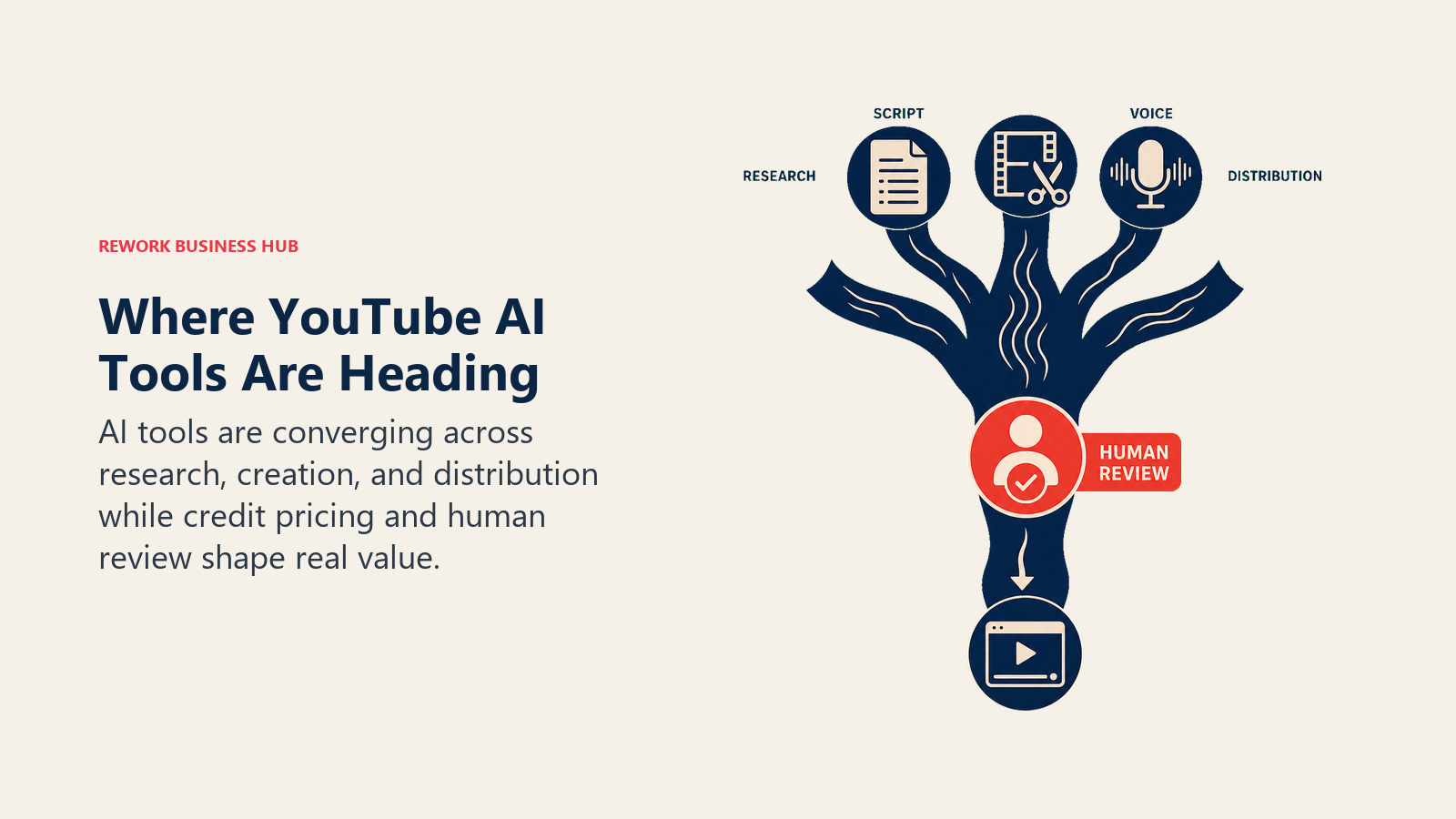
The line between "YouTube tool" and "general AI tool" keeps getting blurrier. VidIQ and TubeBuddy both now lean on conversational AI coaching layered over their original keyword data, Opus Clip and Spikes Studio compete less on clip quality and more on AI virality prediction, and ElevenLabs has gone from a novelty voice-cloning demo to a default part of the faceless-channel stack. At the same time, credit-based pricing is replacing flat unlimited access almost everywhere on this list, which makes true monthly cost harder to predict from a headline price alone. Per Adobe's 2026 Creators' Toolkit Report, 93% of creators say creative AI helps them produce content faster, but 57% still say the output needs moderate to extensive editing before it's ready to publish. The creators winning with these tools aren't the ones automating the most, they're the ones using AI to clear research and first-draft bottlenecks while keeping a human pass on anything before it ships. For the broader marketing stack these tools plug into, see our best AI tools for digital marketing guide, or the full best AI tools in 2026 roundup across every category.
Frequently Asked Questions about AI Tools for YouTube
What is the best AI tool for YouTube overall?
There's no single best tool because a YouTube workflow spans too many distinct jobs. VidIQ or TubeBuddy cover SEO and keyword research, ChatGPT covers scripting, Descript or Veed cover editing, Opus Clip covers Shorts repurposing, and Canva covers thumbnails. Most active creators run three or four of these together, not one.
What's the best free AI tool for YouTube?
VidIQ, TubeBuddy, 1of10, ChatGPT, Descript, and Opus Clip all offer usable free tiers. They work well for a creator just starting out or testing a tool before committing, but most hit real limits (credit caps, watermarks, minute allowances) once upload volume grows.
Which AI tool should I use to grow and optimize my channel's SEO?
VidIQ and TubeBuddy are the two purpose-built options. VidIQ leans on AI Coach and deeper trend data, while TubeBuddy leans on bulk operational tools like batch tag editing and thumbnail A/B testing. Add 1of10 if competitor and outlier research matters as much as your own channel's keyword data.
What's the best AI tool for turning long videos into Shorts?
Opus Clip has the strongest AI virality scoring for picking which moments to clip. Spikes Studio offers the same core job at a lower per-minute cost on annual billing. Munch is built for teams that need the resulting clips published across five platforms, not just YouTube, from one workflow.
Can AI actually write my YouTube scripts and titles?
ChatGPT is a strong first draft tool for scripts, title variations, and descriptions, but it doesn't know what's already performing on your channel or in your niche. Pair it with VidIQ or 1of10's data so the script you draft is aimed at a topic that's actually likely to rank.
Is Eightify useful for creators, or just for viewers?
Both. Eightify is built for viewers who want a fast summary, but creators use it the same way for research: skimming a competitor's video or a long source interview without watching the whole thing before deciding whether to make a response or a deeper-dive video on the topic.
What's the best AI voiceover tool for a faceless YouTube channel?
ElevenLabs is the category leader on voice quality and multilingual dubbing. Its free tier has no commercial usage rights, though, so any monetized channel needs at least the $6/mo Starter tier before publishing a video with generated or cloned voice.
How much should a solo creator budget for AI tools in 2026?
A solo creator can run a usable stack, a free-tier SEO tool, ChatGPT Plus, and Canva Pro, for roughly $30 to $40 a month. Add a Shorts repurposing tool like Opus Clip Starter and that moves to $45 to $60 a month. Teams layering in Munch or ElevenLabs at scale typically land between $150 and $300 a month.
Related Reading
- Best AI Tools in 2026: The Top 25 Across Every Category
- Best AI Video Editing Tools in 2026
- Best AI Video Generators in 2026
- Best AI Tools for Social Media in 2026
- Best AI Voice Generators in 2026
- Best AI Transcription Tools in 2026
- Best AI Chatbots in 2026
- Best AI Tools for Content Writers in 2026
- Best AI Tools for Digital Marketing in 2026
- Claude vs ChatGPT vs Gemini: Which LLM Fits Your Business

Principal Product Marketing Strategist
On this page
- What Changed in 2026
- Key Facts
- Quick Comparison Table
- AI Tools for YouTube by Job
- 1. VidIQ: The Deepest Keyword and Trend Data for Channel SEO
- 2. TubeBuddy: Bulk Channel Management and Thumbnail A/B Testing
- 3. 1of10: Outlier Discovery and Competitor Research
- 4. Eightify: Fast Summaries for Research, Not Channel Growth
- 5. ChatGPT: The Fastest General-Purpose Scripting Tool
- 6. Descript: Text-Based Editing for Long-Form and Podcast-to-YouTube Workflows
- 7. Veed: Browser-Based Editing With Strong Auto-Subtitles
- 8. Submagic: Fast, Animated Captions Built for Shorts
- 9. Opus Clip: Long-to-Short Clipping With AI Virality Scoring
- 10. Spikes Studio: The Budget Long-to-Short Clipping Alternative
- 11. Munch: Multi-Platform Repurposing for Teams
- 12. ElevenLabs: AI Voiceover, Cloning, and Dubbing
- 13. Canva: Thumbnails and Channel Art at Speed
- Pricing at a Glance
- Decision Framework
- Where This Category Is Heading
- Related Reading