More in
Chat & Conversational News
Slack Is Becoming the Front Door for AI Agents: What CX Leaders Should Redesign Before the Pattern Sets
Apr 17, 2026
Intercom Raised $250M to Build AI Agents That Sell: What CMOs Need to Decide About Conversational AI Investment
Mar 27, 2026
WhatsApp Calls and Chats Are Now in One Platform: What That Means for Your Lead Capture Funnel
Feb 17, 2026 · Currently reading
Voice Agents Are Now a $11B Category: How Growth Leads Should Evaluate Adding Voice to Their Conversational Stack
Feb 13, 2026
The B2B Chat Tool Market Is Consolidating: What CMOs Need to Know About Vendor Stability Before the Next Budget Cycle
Feb 2, 2026
Meta Added the Lead Objective to WhatsApp Ads: Here's Why Performance Marketers Should Restructure Their Campaigns Now
Jan 9, 2026
A 93% Autonomous Resolution Rate: What Demand Gen Leaders Need to Know About the New Ceiling for AI-Led Lead Qualification
Jan 6, 2026
WhatsApp Calls and Chats Are Now in One Platform: What That Means for Your Lead Capture Funnel
Turn this article into takeaways for your work.


Each assistant summarizes the article only for you and suggests best practices for your work.
The moment a prospect clicks a Click-to-WhatsApp ad and decides they'd rather talk than type, most demand gen teams hit a dead end. The chat conversion flow breaks. The lead either waits for someone to call them back via a separate phone system, or they drop out entirely. The context captured in the WhatsApp conversation doesn't transfer to the call. The call isn't logged in the same place as the chat.
Respond.io's launch of WhatsApp Business Calling API support, detailed on the company's blog, closes that gap. The platform now handles WhatsApp voice calls and chat messages within a single workspace, making it one of the first multi-channel inbox platforms to unify both in one conversation record.
This matters for demand gen leaders running WhatsApp-based lead flows, particularly in markets where WhatsApp is the dominant business communication channel: Southeast Asia, LATAM, and MENA. In these regions, a lead capture funnel that can't escalate from chat to voice without losing context isn't competing with teams that can.
Why the Call-Chat Split Was a Real Conversion Problem
Most teams working with WhatsApp Business API set up their chat automation and response flows carefully. They configure routing logic, qualification sequences, and CRM integration. Then they accept that the moment a prospect asks to speak with someone, all of that infrastructure becomes irrelevant. The conversation leaves the platform and goes somewhere else. The lead routing logic for chat funnels covers how to structure those routing rules so they survive escalation.
The outcome is predictable: the human who takes the call doesn't have the chat context. They ask questions the lead already answered in the chat. The lead experiences friction that signals disorganization. The call isn't linked to the lead's WhatsApp conversation in the CRM, so attribution is broken.
None of this is a process failure specific to any team. It's a structural limitation of how WhatsApp Business API and phone systems have traditionally operated as separate tools. Respond.io's Calling API integration changes the structure.
Three Lead-Funnel Scenarios Where Unified Calling Changes the Outcome
Scenario one: High-intent Click-to-WhatsApp ad leads. A prospect sees a targeted ad, taps through to WhatsApp, answers your Q&A qualification flow questions in the chat, then decides they want to talk to someone before booking a demo. In the old model, this creates a gap. A rep reaches out via phone later, the call isn't connected to the WhatsApp record, and attribution is fragmented.
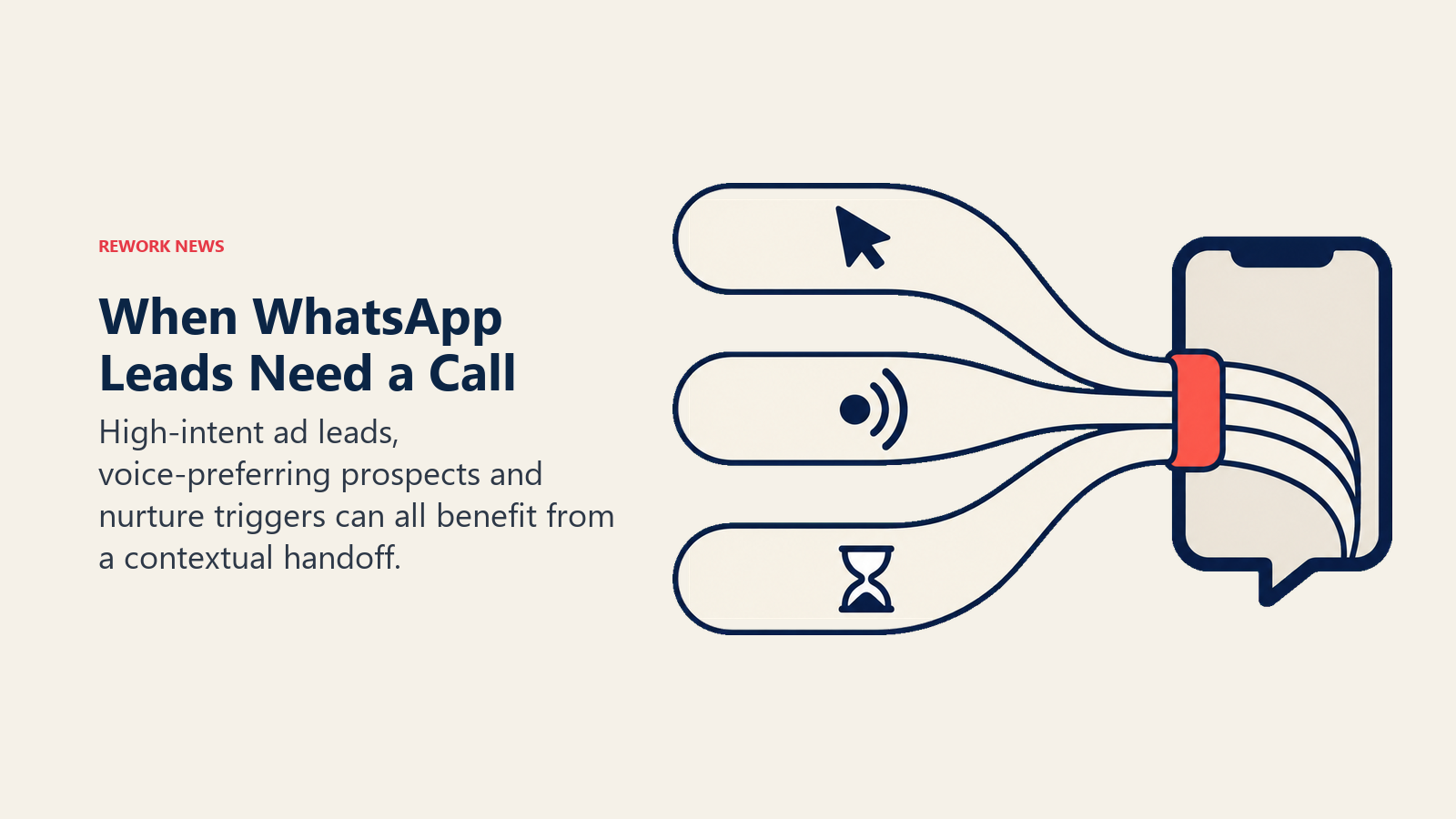
With calling and chat unified, the prospect can initiate a call directly within WhatsApp, a rep picks up inside the same platform, and the entire conversation (pre-call chat and voice call) is logged in one record. The handoff from automation to human is seamless because it happens within a single system rather than across two.
Scenario two: Inbound leads from WhatsApp-heavy markets who prefer voice. In Southeast Asian markets, business conversations often escalate naturally from chat to call. A prospect may start by chatting, ask a few questions, and then indicate a preference for a live conversation. Demand gen teams targeting these markets with WhatsApp campaigns can now build escalation into their standard flow rather than routing those leads out of the platform.
The practical implication: teams that build a "tap to call" option into their late-stage chat flows, for leads who have passed initial qualification, will see faster progression to booked meetings from the leads most likely to close.
Scenario three: Nurture sequences that hit a call trigger. Some leads who enter a WhatsApp nurture sequence will hit a trigger that warrants a live call. They open a pricing page link in a message, they respond with high-intent language, or they've been in the sequence long enough that a call is the appropriate next step. Routing those leads to a call that stays within the same platform means the rep enters the conversation with full context: every message, every link clicked, every response from the nurture sequence.
This is the audit trail argument, and it's not trivial. A single conversation log from first ad click through nurture sequence through live call is something most demand gen teams don't have today. It's the difference between knowing a lead's full history and guessing at it.
A Four-Step Workflow Redesign for Teams Adding Calling
If you're running WhatsApp-based lead flows on Respond.io and adding calling to your workflow, here's the practical redesign process.
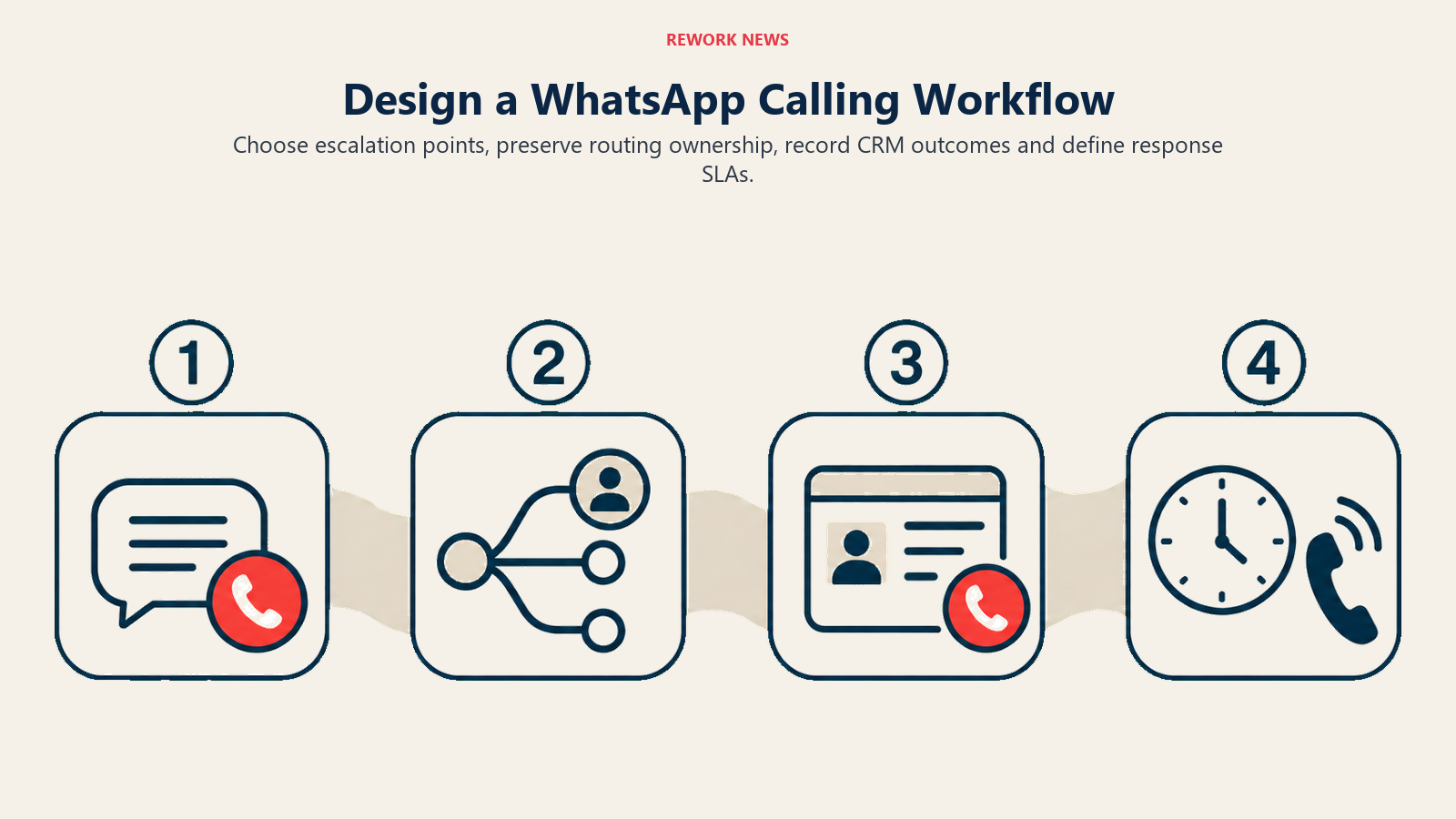
Step 1: Identify which conversation points benefit from a call option. Not every lead should be offered a call, and not every stage of the funnel warrants one. Map your current WhatsApp conversation flows and identify the two or three points where leads most commonly drop off or go quiet. Those are the escalation points where a call option is most likely to recover the conversation.
Good escalation points: after a qualification flow completes and the lead score is high, after a prospect asks a question your automated flow can't answer well, and when a lead has been in a nurture sequence for more than a defined period without progressing.
Step 2: Configure call routing within your existing team structure. Calling API support means inbound and outbound calls are managed by team members inside the same Respond.io workspace they use for chat. Configure routing rules so calls from WhatsApp go to the right team: inbound calls from high-intent prospects to sales, from existing contacts to account management, from unqualified traffic to a general intake queue.
Routing should mirror your chat routing logic wherever possible. If a prospect's WhatsApp chat is owned by a specific rep, their call should route to the same rep. Consistency in the relationship reduces the repeat-yourself friction that kills conversion.
Step 3: Build the call outcome into your CRM workflow. Every completed call should produce a record that connects to the original WhatsApp conversation. Define the fields: call duration, outcome (qualified, not qualified, booked, callback requested), and any notes the rep adds. Build the automation that populates those fields and links the call record to the contact's existing WhatsApp conversation history. The Respond.io to HubSpot integration guide covers the specific field-mapping setup for teams using that stack.
If your CRM is downstream from Respond.io via a native integration or Zapier/Make workflow, map the call data fields specifically. Don't leave call outcomes as free-text notes that can't be queried or reported against.
Step 4: Set human handoff SLAs for call escalations. When a lead or prospect initiates a call through WhatsApp, they're expressing high intent and time sensitivity. The same logic that makes speed-to-response critical in chat applies even more to voice. Define your maximum response window for inbound call requests: immediate pickup during business hours, callback within a defined window for missed calls.
Document the SLA and build it into your team's workflow, not just your documentation. A missed call from a high-intent lead who arrived through a paid ad is a measurable conversion loss.
What to Configure This Quarter
If your team is already on Respond.io, the practical steps for this quarter are:
- Enable the WhatsApp Business Calling API in your workspace. Check whether your current Respond.io tier includes Calling API support or requires an upgrade. The integration should be accessible from the platform's channel configuration settings.
- Run a call-routing audit. Map which team members are responsible for which lead segments in chat, and mirror that routing for incoming calls from the same contacts.
- Update your CRM schema. Add the fields needed to capture call outcomes and link call records to existing WhatsApp conversation history.
- Redesign two escalation points in your highest-volume flow. Don't redesign everything at once. Pick your two highest-volume WhatsApp conversation flows and add a call escalation option at the highest-dropout stage. Measure the impact over 30 days before expanding.
- Review your lead data from markets where voice preference is high. If you're running campaigns in Southeast Asia, LATAM, or MENA, look at where your WhatsApp conversions drop off and whether any of those drop-off points correlate with leads that expressed a desire to talk rather than text.
The unified calling and chat capability is a real operational upgrade for demand gen teams running serious WhatsApp funnels. But it's only valuable if the workflow is configured to take advantage of it. The teams that close the chat-to-call gap this quarter will have a measurable conversion advantage over the teams that keep routing those conversations out of the platform. See the multi-channel inbox setup guide for a broader look at consolidating your WhatsApp, chat, and voice channels into a single manageable stack.
Learn More
- Meta Added the Lead Objective to WhatsApp Ads: Structuring the campaigns that feed leads into your unified WhatsApp conversation flow
- Voice Agents Are Now a $11B Category: Growth Lead Evaluation: Adding voice AI to the same WhatsApp funnel you're upgrading with Respond.io's calling API
- A 93% Autonomous Resolution Rate: Demand Gen Framework: Designing the AI qualification architecture that handles conversations before they need a call
- Respond.io vs. ManyChat for B2B Sales: Platform comparison for teams evaluating whether Respond.io is the right multi-channel stack
